Name: Khanjaniba M Gohil. 
Class: MA (Part-2nd). 
Semester: 3rd. 
Roll no: 13. 
Enrollment Number: PG13101009. 
Paper Name: English Language Teaching-1. 
Topic: How to learn language with the help of 
Computer? Including LSRW skills. 
Dedicated to: The Department of English, 
S. B. Gardi, 
MKBU, Bhavnagar. 
 Email_id: khanjani.gohil1993@gmail.com
How to learn language with the help of 
computer 
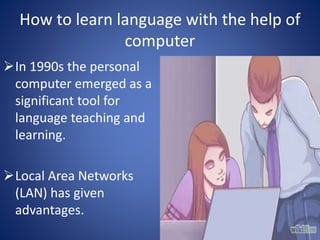
In 1990s the personal 
computer emerged as a 
significant tool for 
language teaching and 
learning. 
Local Area Networks 
(LAN) has given 
advantages.
In the 1980s and 1990s Mainframe computers were 
at first seen as the task master. 
Multimedia has became an important part of 
computer. 
Was the computer to be a replacement for teachers 
or merely an obedient servant to students?!!!
Learning 
Task-based learning. (i.e. Tasks like movie reviewing 
worksheet, online tests/ quiz, etc). 
Plato System: A software which runs some courses 
at the international level too. (Coursera MOOC). 
Task based learning and an instructive learning. 
We are using some techniques like audio taped 
language materials in a traditional language lab.
Side effects 
In language lab students have to spent their 50% 
time because of physically rewinding and locating 
tape segments. 
In computer assisted learning students have to 
spent less time because they can guess the answer 
and can get feedback immediately.
Web based communication 
Web 1.0 : It has one way communication. 
Web 2.0 : It has two way communication. 
Games, commands, vocabulary, computer 
application or software and web based computer 
apps. 
Common web applications include web mail, online 
retail sales, online auctions, wikis and many other 
functions.
Applications 
Examples of browser applications are simple office 
software ( word processors, online spread sheets 
and presentation tools). 
More advanced applications such as project 
management computer aided design, video editing 
and point-of sale. 
Applications allow for easier introduction of new 
user devices like smart phones or tablets because 
they have built-in-browser.
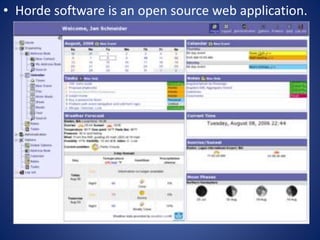
• Horde software is an open source web application.
Listening Skill 
Students can replay listening input anytime. 
Disadvantage is the lack of verbal interaction and 
negotiation of meaning. 
Self access is authentic listening content. 
www.voa.gov (voice of America). 
www.bbc.co.uk/worldservice/ (BBC World Service). 
CD-ROM and DVDs are sources for audio files.
Speaking skill 
Speech recognition technology. 
Control computer with speech input. 
It allows the student to speak, who is shying in 
speaking. 
Useless for pronunciation correction. 
Dynamic English in 1997 and ELLIS in 1998, these 
programs use this technology. 
Example like Voice and video email.
Reading Skills 
We can improve our reading skills with the help of 
paced reading activities by automating the creation 
of cloze passages, by timing student’s reading and 
by creating jigsaw paragraphs and jumbled texts. 
A demonstration of a Macintosh software program.
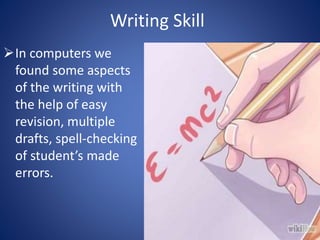
Writing Skill 
In computers we 
found some aspects 
of the writing with 
the help of easy 
revision, multiple 
drafts, spell-checking 
of student’s made 
errors.
It is used with caution by advanced writer. 
In computers there are some games like cross-word 
puzzles and vocabulary drilling, which improves 
grammatical perfectness.
Thank you 
and 
learn everyday…

Computer assisted language learning

  • 1.
    Name: Khanjaniba MGohil. Class: MA (Part-2nd). Semester: 3rd. Roll no: 13. Enrollment Number: PG13101009. Paper Name: English Language Teaching-1. Topic: How to learn language with the help of Computer? Including LSRW skills. Dedicated to: The Department of English, S. B. Gardi, MKBU, Bhavnagar.  Email_id: khanjani.gohil1993@gmail.com
  • 2.
    How to learnlanguage with the help of computer In 1990s the personal computer emerged as a significant tool for language teaching and learning. Local Area Networks (LAN) has given advantages.
  • 3.
    In the 1980sand 1990s Mainframe computers were at first seen as the task master. Multimedia has became an important part of computer. Was the computer to be a replacement for teachers or merely an obedient servant to students?!!!
  • 4.
    Learning Task-based learning.(i.e. Tasks like movie reviewing worksheet, online tests/ quiz, etc). Plato System: A software which runs some courses at the international level too. (Coursera MOOC). Task based learning and an instructive learning. We are using some techniques like audio taped language materials in a traditional language lab.
  • 5.
    Side effects Inlanguage lab students have to spent their 50% time because of physically rewinding and locating tape segments. In computer assisted learning students have to spent less time because they can guess the answer and can get feedback immediately.
  • 6.
    Web based communication Web 1.0 : It has one way communication. Web 2.0 : It has two way communication. Games, commands, vocabulary, computer application or software and web based computer apps. Common web applications include web mail, online retail sales, online auctions, wikis and many other functions.
  • 7.
    Applications Examples ofbrowser applications are simple office software ( word processors, online spread sheets and presentation tools). More advanced applications such as project management computer aided design, video editing and point-of sale. Applications allow for easier introduction of new user devices like smart phones or tablets because they have built-in-browser.
  • 8.
    • Horde softwareis an open source web application.
  • 9.
    Listening Skill Studentscan replay listening input anytime. Disadvantage is the lack of verbal interaction and negotiation of meaning. Self access is authentic listening content. www.voa.gov (voice of America). www.bbc.co.uk/worldservice/ (BBC World Service). CD-ROM and DVDs are sources for audio files.
  • 10.
    Speaking skill Speechrecognition technology. Control computer with speech input. It allows the student to speak, who is shying in speaking. Useless for pronunciation correction. Dynamic English in 1997 and ELLIS in 1998, these programs use this technology. Example like Voice and video email.
  • 11.
    Reading Skills Wecan improve our reading skills with the help of paced reading activities by automating the creation of cloze passages, by timing student’s reading and by creating jigsaw paragraphs and jumbled texts. A demonstration of a Macintosh software program.
  • 12.
    Writing Skill Incomputers we found some aspects of the writing with the help of easy revision, multiple drafts, spell-checking of student’s made errors.
  • 13.
    It is usedwith caution by advanced writer. In computers there are some games like cross-word puzzles and vocabulary drilling, which improves grammatical perfectness.
  • 14.
    Thank you and learn everyday…