Community 2.0 creating dialogue in an online environment Diana Mounter Local Government and Shires Associations of NSW
“ ...the thing that really grabbed my attention about the web was that there was suddenly this planetary scale infrastructure, where  it wasn't just computers  to connect to computers, it was millions and millions of eyeballs and human brains connected together... ” - Professor Nigel Shadbolt,  Web Science Research Initiative
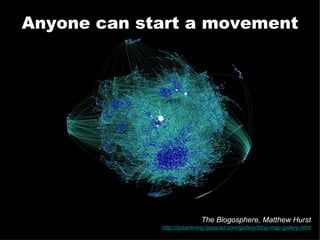
Anyone can start a movement The Blogosphere, Matthew Hurst http://datamining.typepad.com/gallery/blog-map-gallery.html
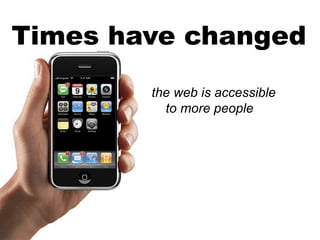
Times have changed the web is accessible to more people

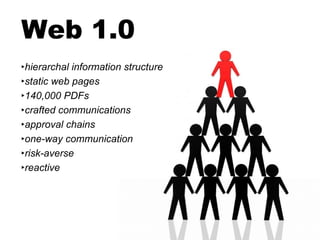
Web 1.0 hierarchal information structure static web pages 140,000 PDFs crafted communications approval chains one-way communication risk-averse reactive
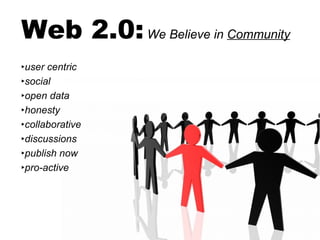
Web 2.0:   We Believe in  Community user centric social open data honesty collaborative discussions publish now pro-active
“ From the very beginning, I was involved in  talking to people ;  listening to people . And it hasn't stopped. The idea was that people send me information; I'd ask them about it, listen, try to do something about it - and then ask for more feedback.” - Craig Newmark, Founder - Craigslist
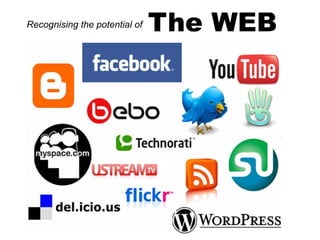
The WEB Recognising the potential of
But which one do  you  need?
Where is your community?
Who is your community?
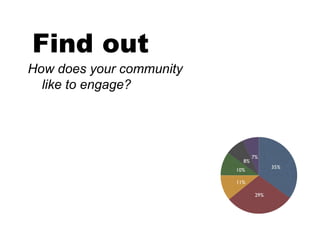
Find out How does your community like to engage?
What is the PURPOSE: inform? consult? involve?
Inform Use your homepage RSS Email Blogs Photos Video and audio
Make your information  accessible! W3C website accessibility guidelines, consider: people with disabilities different software / internet browsers accessing the web through different devices Make it convenient to subscribe Make it available in a variety of formats Inform
Consult
Consult Feedback forms Surveys Blogs - allow comments Discussion forums
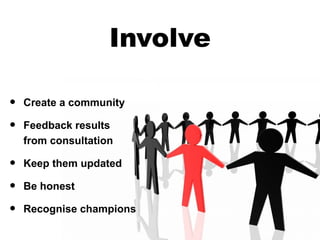
Involve Create a community Feedback results  from consultation Keep them updated Be honest Recognise champions
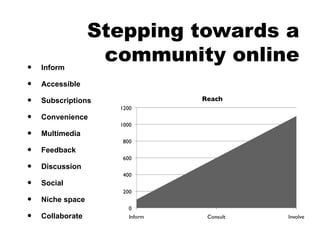
Stepping towards a community online Inform Accessible Subscriptions Convenience Multimedia Feedback Discussion Social Niche space Collaborate
But what if they say something bad?  Comments?
Risk analysis What is the topic?  Will it attract unwanted attention? What is the environment?  Where is your content? What are your Resources?  Who will support it? What’s the Cost?  - in time, money, and reputation? Copyright  - who owns the content, how can it be used? Cover yourself:  Disclaimer and Conditions Of Use.
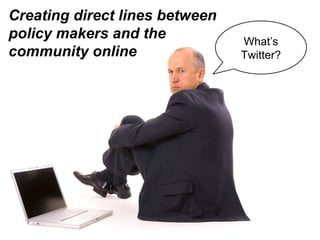
Creating direct lines between policy makers and the community online What’s Twitter?
Are they going to be writing their own blog posts?  ...and uploading YouTube videos?
Get them involved,  keep them informed
A few examples...
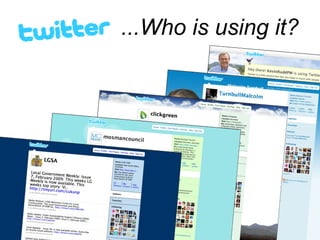
...Who is using it?
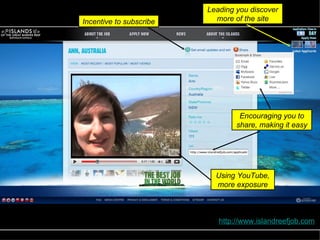
Using YouTube, more exposure Encouraging you to share, making it easy Leading you discover more of the site Incentive to subscribe http://www.islandreefjob.com
Making it easy to follow and view more media through other networks Big call to action http://www.makepovertyhistory.com.au /
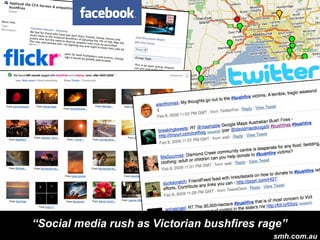
“ Social media rush as Victorian bushfires rage” smh.com.au
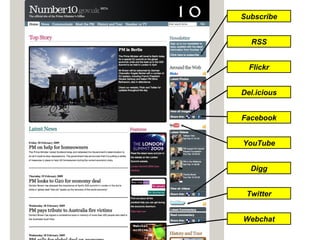
Digg Del.icious Facebook Flickr Twitter Webchat RSS Subscribe YouTube
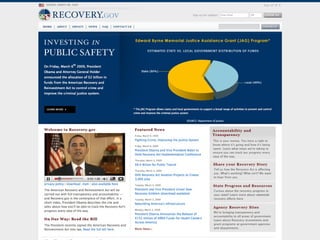
*Photo taken from:  http://www.flickr.com/photos/barackobamadotcom/3063053014/in/set-72157610170567235/
 
It’s all a big experiment!
Don’t worry, it’s just a trial.
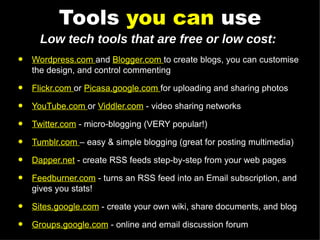
Tools  you can  use Wordpress.com  and  Blogger.com  to create blogs, you can customise the design, and control commenting Flickr.com  or  Picasa.google.com  for uploading and sharing photos YouTube.com  or  Viddler.com  - video sharing networks Twitter.com  - micro-blogging (VERY popular!) Tumblr.com  – easy & simple blogging (great for posting multimedia) Dapper.net  - create RSS feeds step-by-step from your web pages Feedburner.com  - turns an RSS feed into an Email subscription, and gives you stats! Sites.google.com  - create your own wiki, share documents, and blog Groups.google.com  - online and email discussion forum Low tech tools that are free or low cost:
More info? Find these slides on:  http://slideshare.net/diana.mounter Learn and connect with other web people in the public sector:   http://lgwebnetwork.org Follow me on Twitter:  twitter.com/broccolini

Community 2.0

  • 1.
    Community 2.0 creatingdialogue in an online environment Diana Mounter Local Government and Shires Associations of NSW
  • 2.
    “ ...the thingthat really grabbed my attention about the web was that there was suddenly this planetary scale infrastructure, where it wasn't just computers to connect to computers, it was millions and millions of eyeballs and human brains connected together... ” - Professor Nigel Shadbolt, Web Science Research Initiative
  • 3.
    Anyone can starta movement The Blogosphere, Matthew Hurst http://datamining.typepad.com/gallery/blog-map-gallery.html
  • 4.
    Times have changedthe web is accessible to more people
  • 5.
    Web 1.0 hierarchalinformation structure static web pages 140,000 PDFs crafted communications approval chains one-way communication risk-averse reactive
  • 6.
    Web 2.0: We Believe in Community user centric social open data honesty collaborative discussions publish now pro-active
  • 7.
    “ From thevery beginning, I was involved in talking to people ; listening to people . And it hasn't stopped. The idea was that people send me information; I'd ask them about it, listen, try to do something about it - and then ask for more feedback.” - Craig Newmark, Founder - Craigslist
  • 8.
    The WEB Recognisingthe potential of
  • 9.
    But which onedo you need?
  • 10.
    Where is yourcommunity?
  • 11.
    Who is yourcommunity?
  • 12.
    Find out Howdoes your community like to engage?
  • 13.
    What is thePURPOSE: inform? consult? involve?
  • 14.
    Inform Use yourhomepage RSS Email Blogs Photos Video and audio
  • 15.
    Make your information accessible! W3C website accessibility guidelines, consider: people with disabilities different software / internet browsers accessing the web through different devices Make it convenient to subscribe Make it available in a variety of formats Inform
  • 16.
  • 17.
    Consult Feedback formsSurveys Blogs - allow comments Discussion forums
  • 18.
    Involve Create acommunity Feedback results from consultation Keep them updated Be honest Recognise champions
  • 19.
    Stepping towards acommunity online Inform Accessible Subscriptions Convenience Multimedia Feedback Discussion Social Niche space Collaborate
  • 20.
    But what ifthey say something bad? Comments?
  • 21.
    Risk analysis Whatis the topic? Will it attract unwanted attention? What is the environment? Where is your content? What are your Resources? Who will support it? What’s the Cost? - in time, money, and reputation? Copyright - who owns the content, how can it be used? Cover yourself: Disclaimer and Conditions Of Use.
  • 22.
    Creating direct linesbetween policy makers and the community online What’s Twitter?
  • 23.
    Are they goingto be writing their own blog posts? ...and uploading YouTube videos?
  • 24.
    Get them involved, keep them informed
  • 25.
  • 26.
  • 27.
    Using YouTube, moreexposure Encouraging you to share, making it easy Leading you discover more of the site Incentive to subscribe http://www.islandreefjob.com
  • 28.
    Making it easyto follow and view more media through other networks Big call to action http://www.makepovertyhistory.com.au /
  • 29.
    “ Social mediarush as Victorian bushfires rage” smh.com.au
  • 30.
    Digg Del.icious FacebookFlickr Twitter Webchat RSS Subscribe YouTube
  • 31.
    *Photo taken from: http://www.flickr.com/photos/barackobamadotcom/3063053014/in/set-72157610170567235/
  • 32.
  • 33.
    It’s all abig experiment!
  • 34.
    Don’t worry, it’sjust a trial.
  • 35.
    Tools youcan use Wordpress.com and Blogger.com to create blogs, you can customise the design, and control commenting Flickr.com or Picasa.google.com for uploading and sharing photos YouTube.com or Viddler.com - video sharing networks Twitter.com - micro-blogging (VERY popular!) Tumblr.com – easy & simple blogging (great for posting multimedia) Dapper.net - create RSS feeds step-by-step from your web pages Feedburner.com - turns an RSS feed into an Email subscription, and gives you stats! Sites.google.com - create your own wiki, share documents, and blog Groups.google.com - online and email discussion forum Low tech tools that are free or low cost:
  • 36.
    More info? Findthese slides on: http://slideshare.net/diana.mounter Learn and connect with other web people in the public sector: http://lgwebnetwork.org Follow me on Twitter: twitter.com/broccolini