Social Media for NGOs The African Commons Project  and Sangonet
Basic Course Overview Introduction to Blogging: Daniela and Matt Introduction to Microblogging: Kerryn TEA Introduction to Social Networking Sites: Kerryn LUNCH Introduction to Wikis: Daniela Introduction to Multimedia Sites: Daniela
Blogging Blogging in Plain English Lee LeFever, Commoncraft.com
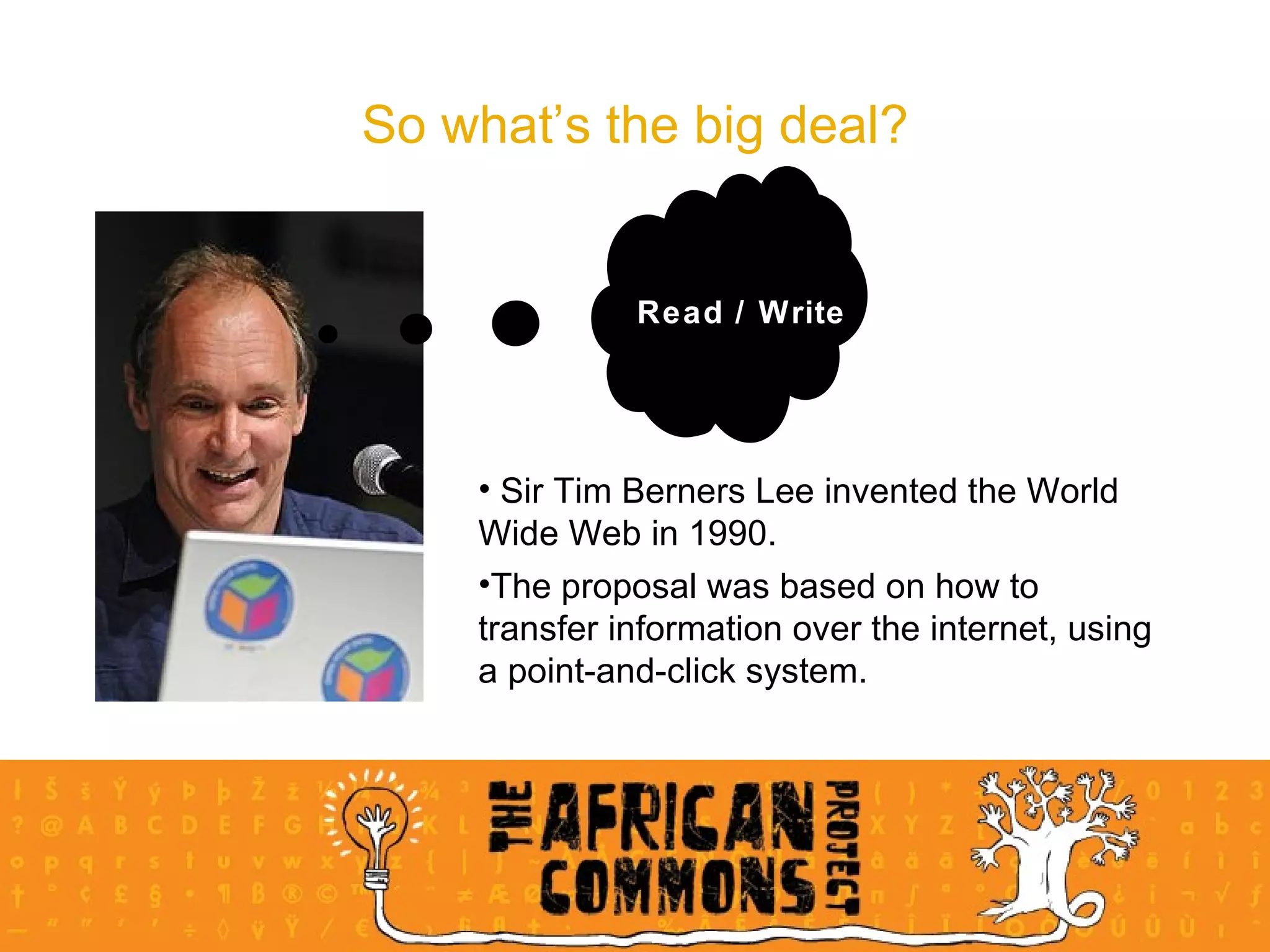
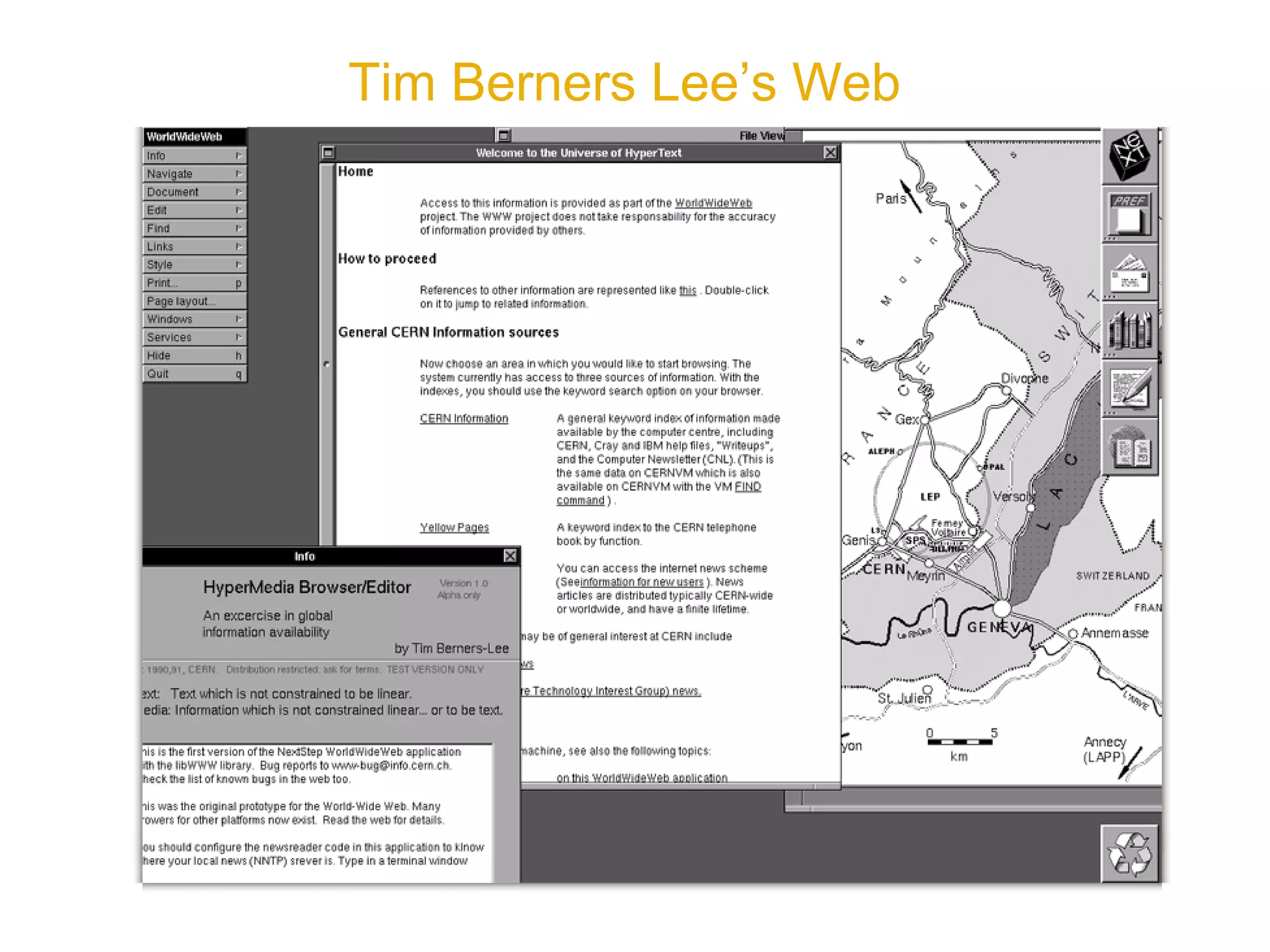
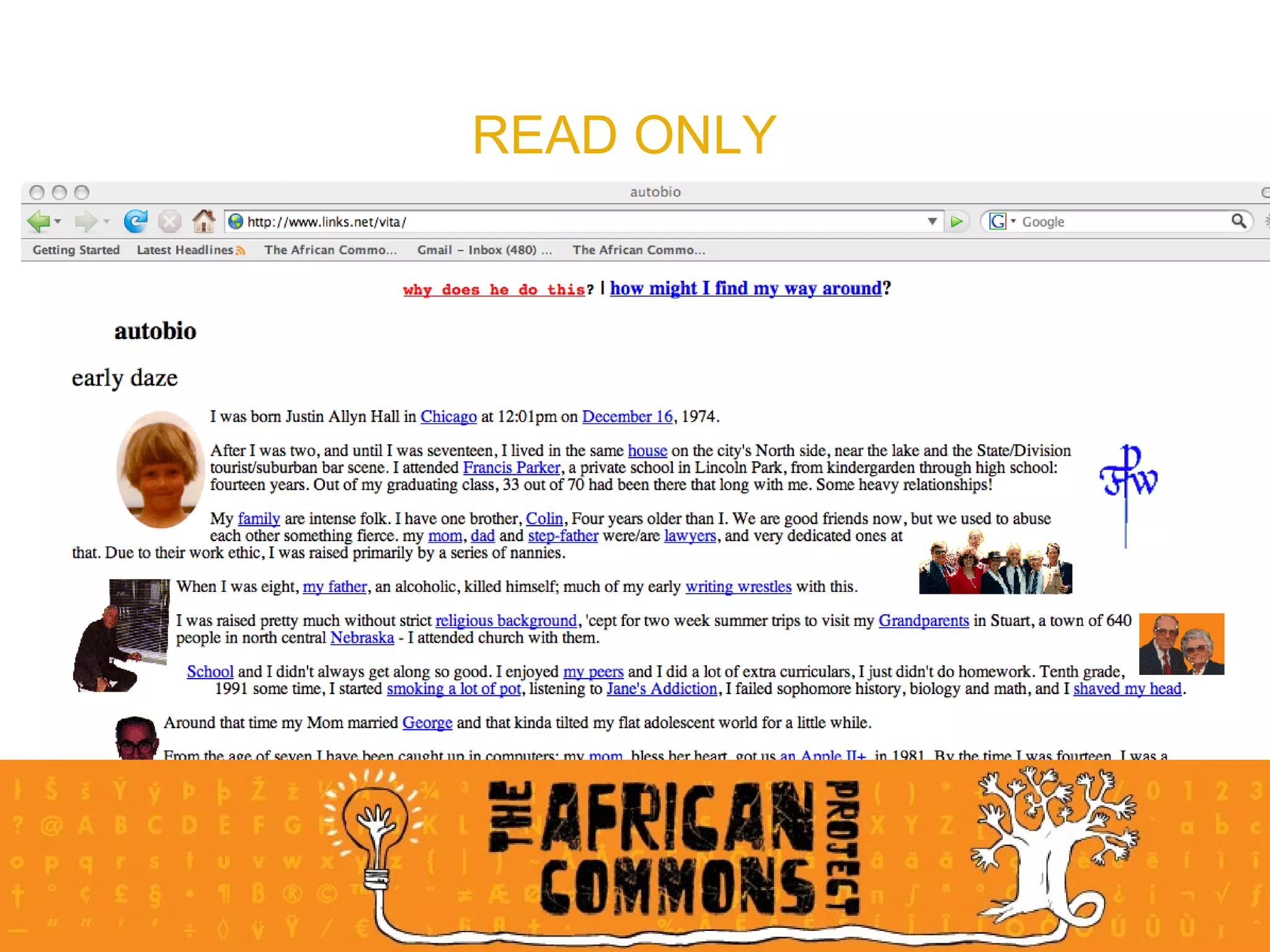
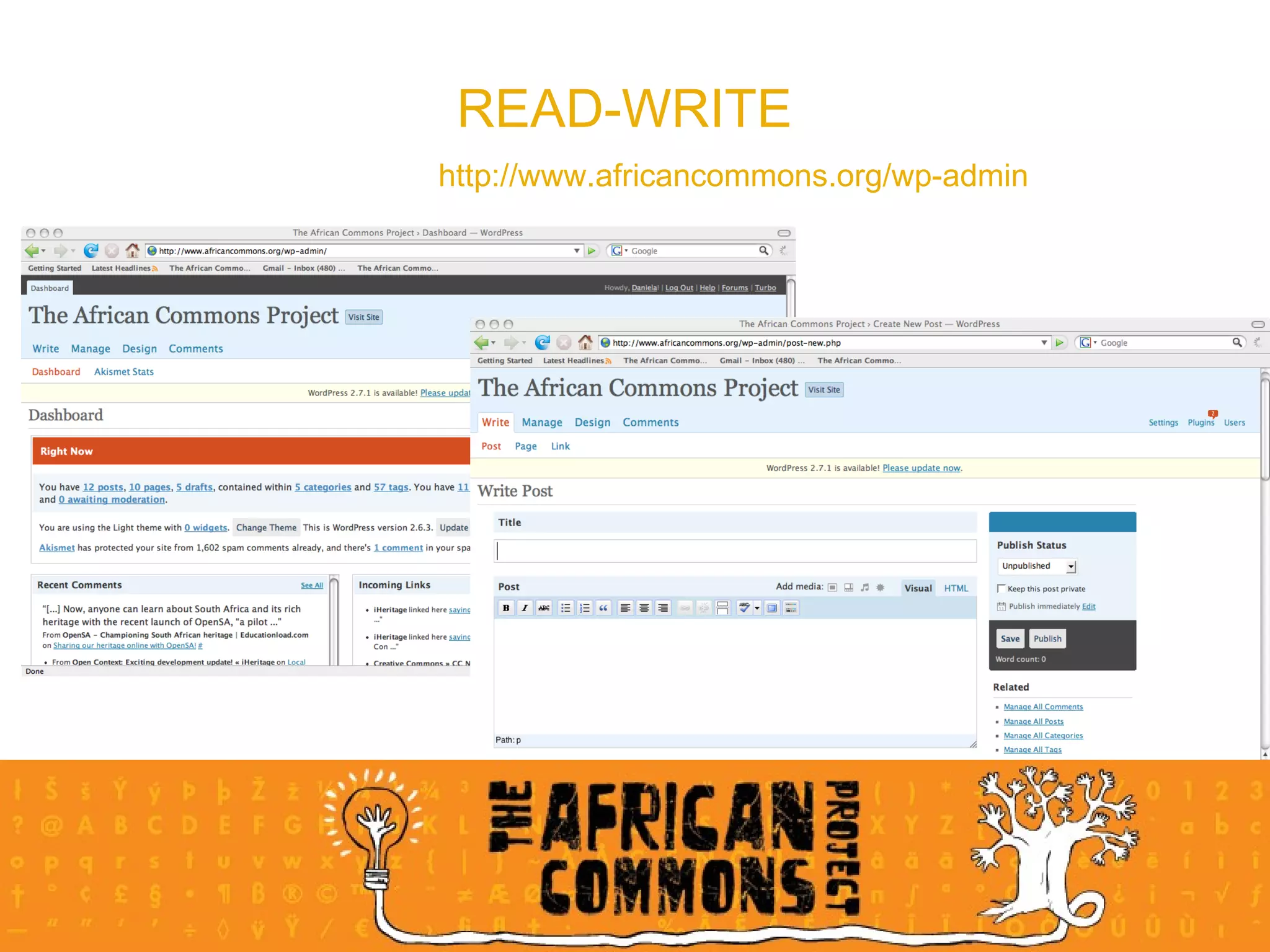
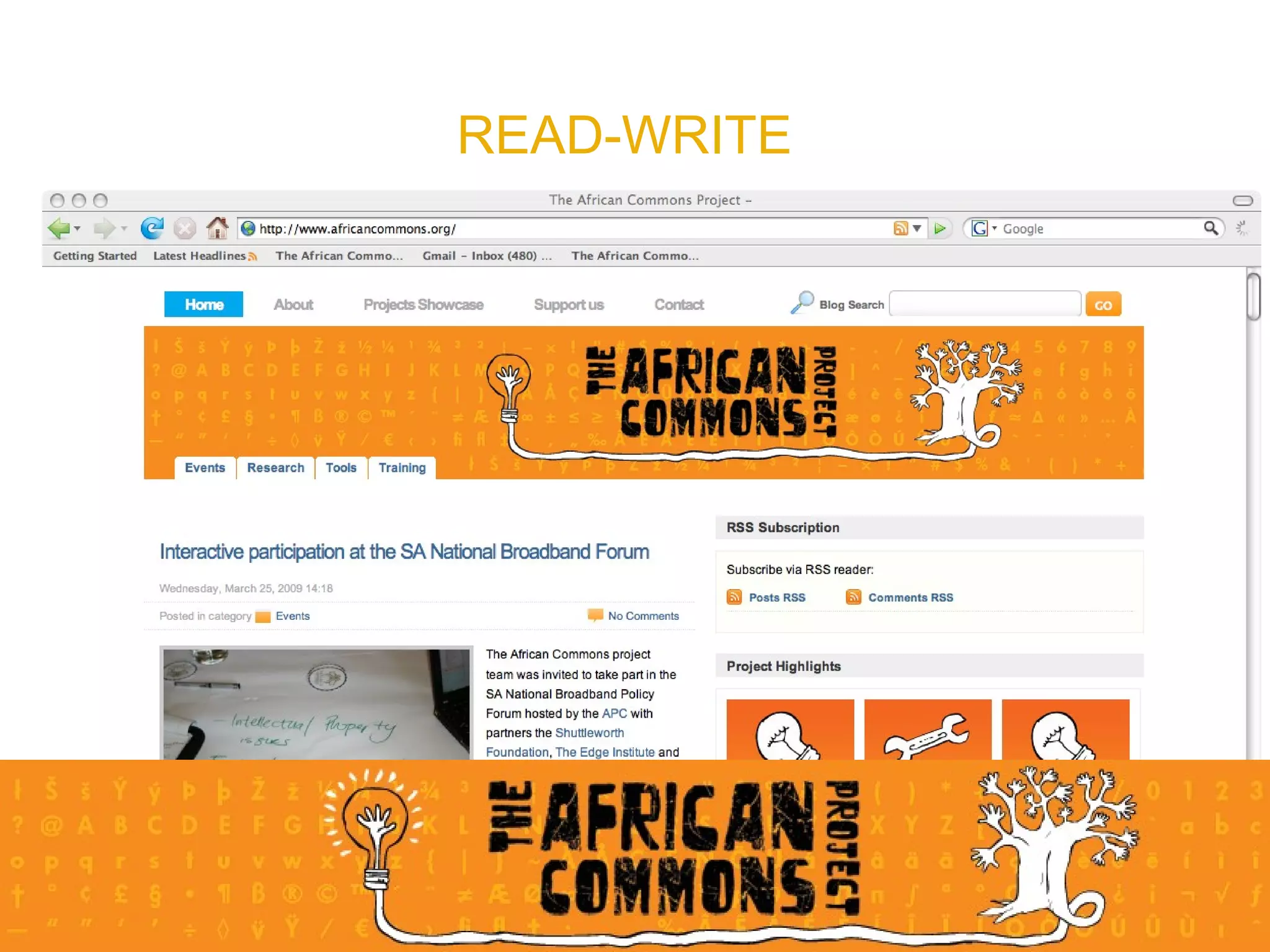
So what’s the big deal? Read / Write Sir Tim Berners Lee invented the World Wide Web in 1990.  The proposal was based on how to transfer information over the internet, using a point-and-click system. Read / Write
Tim Berners Lee’s Web
READ ONLY
READ-WRITE http://www.africancommons.org/wp-admin
READ-WRITE
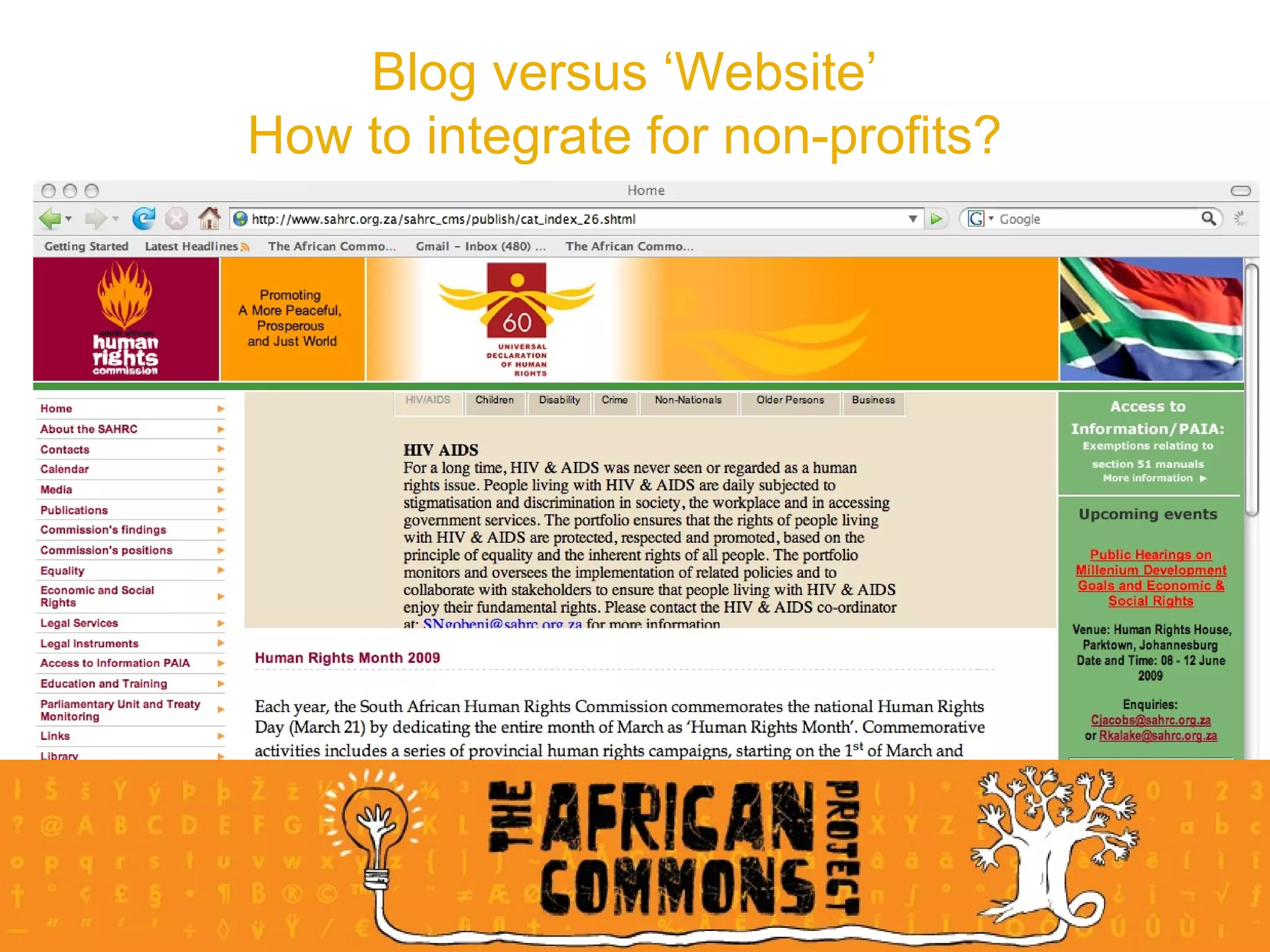
Blog versus ‘Website’ How to integrate for non-profits?
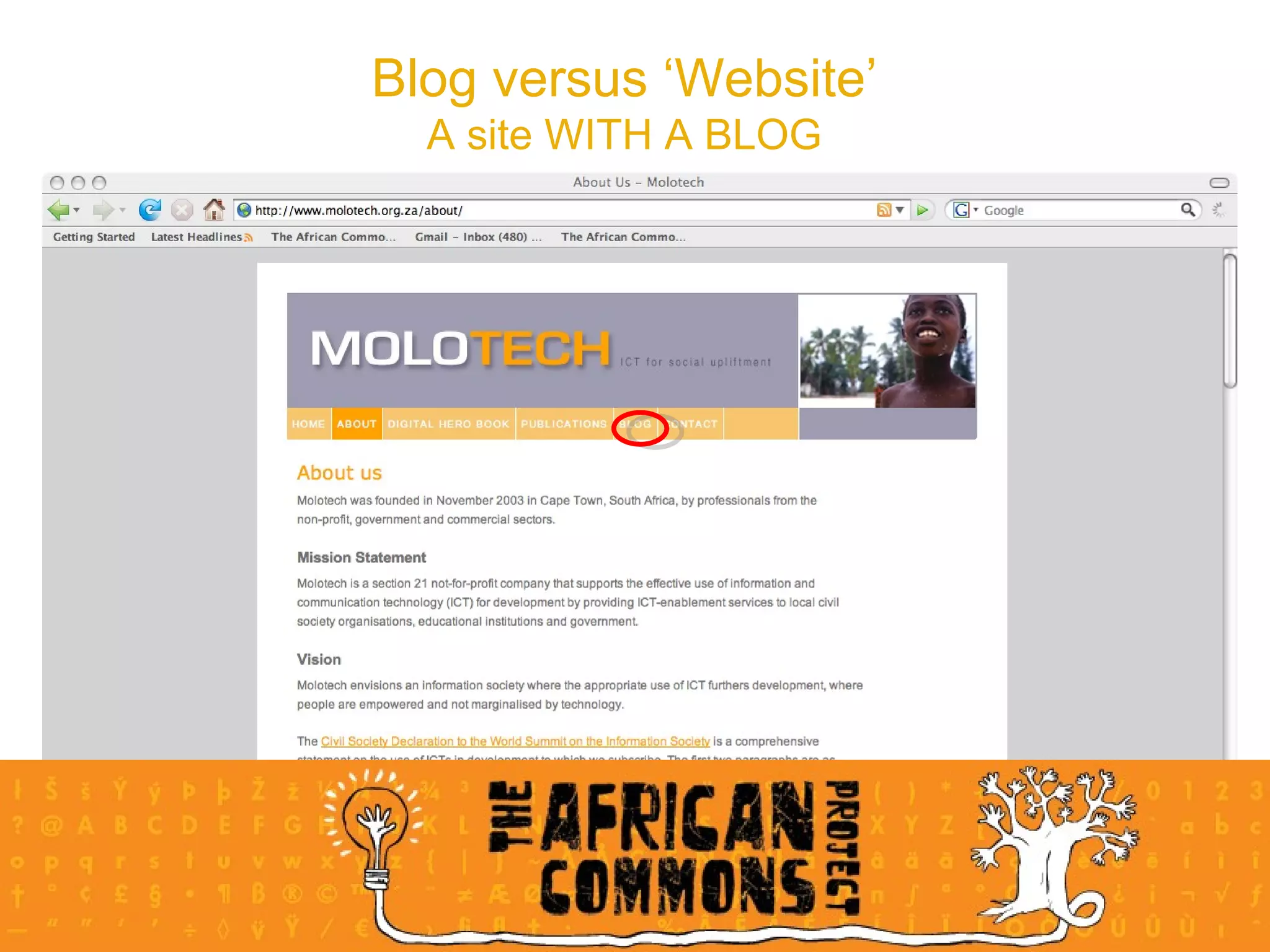
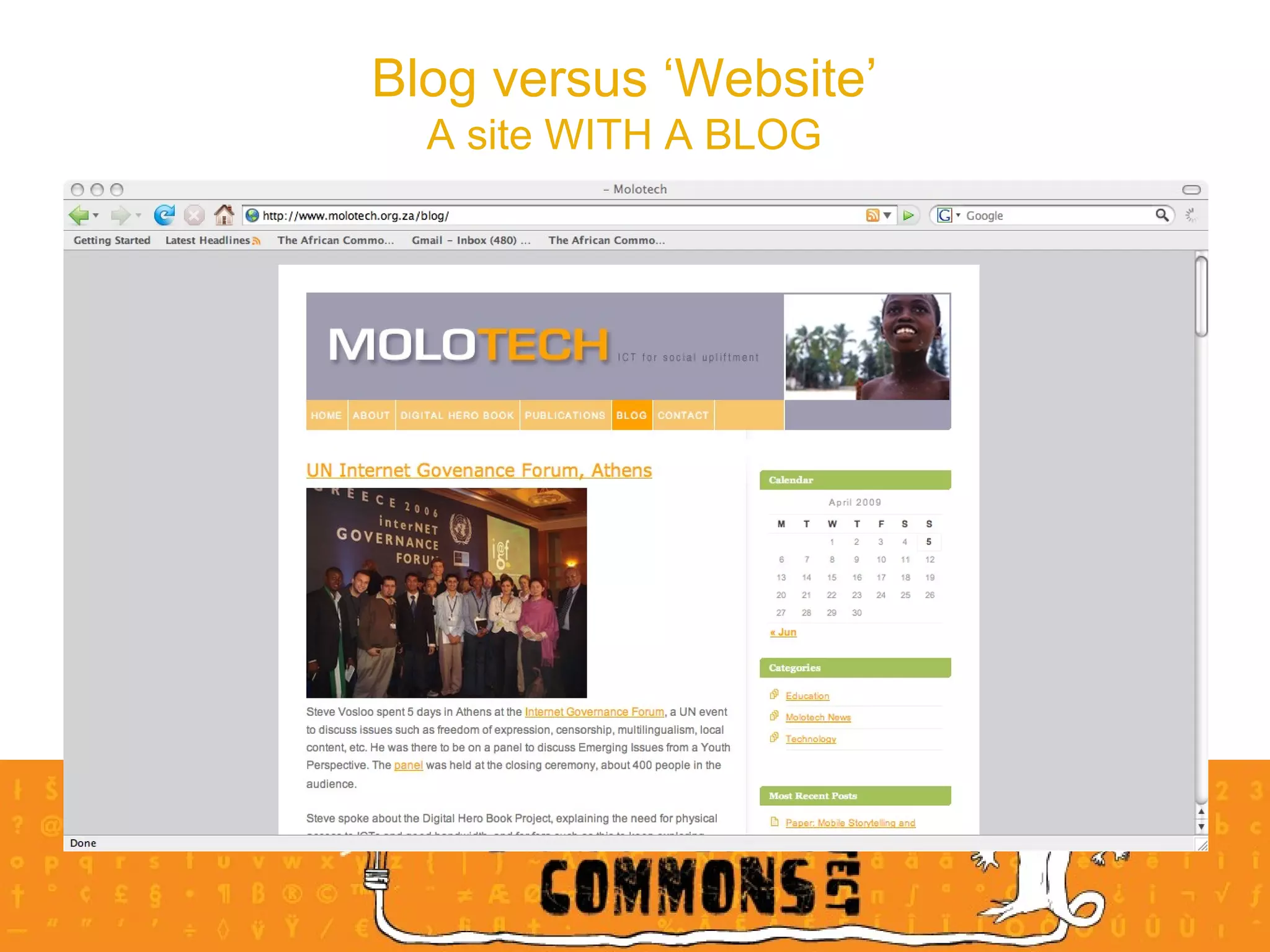
Blog versus ‘Website’ A site WITH A BLOG
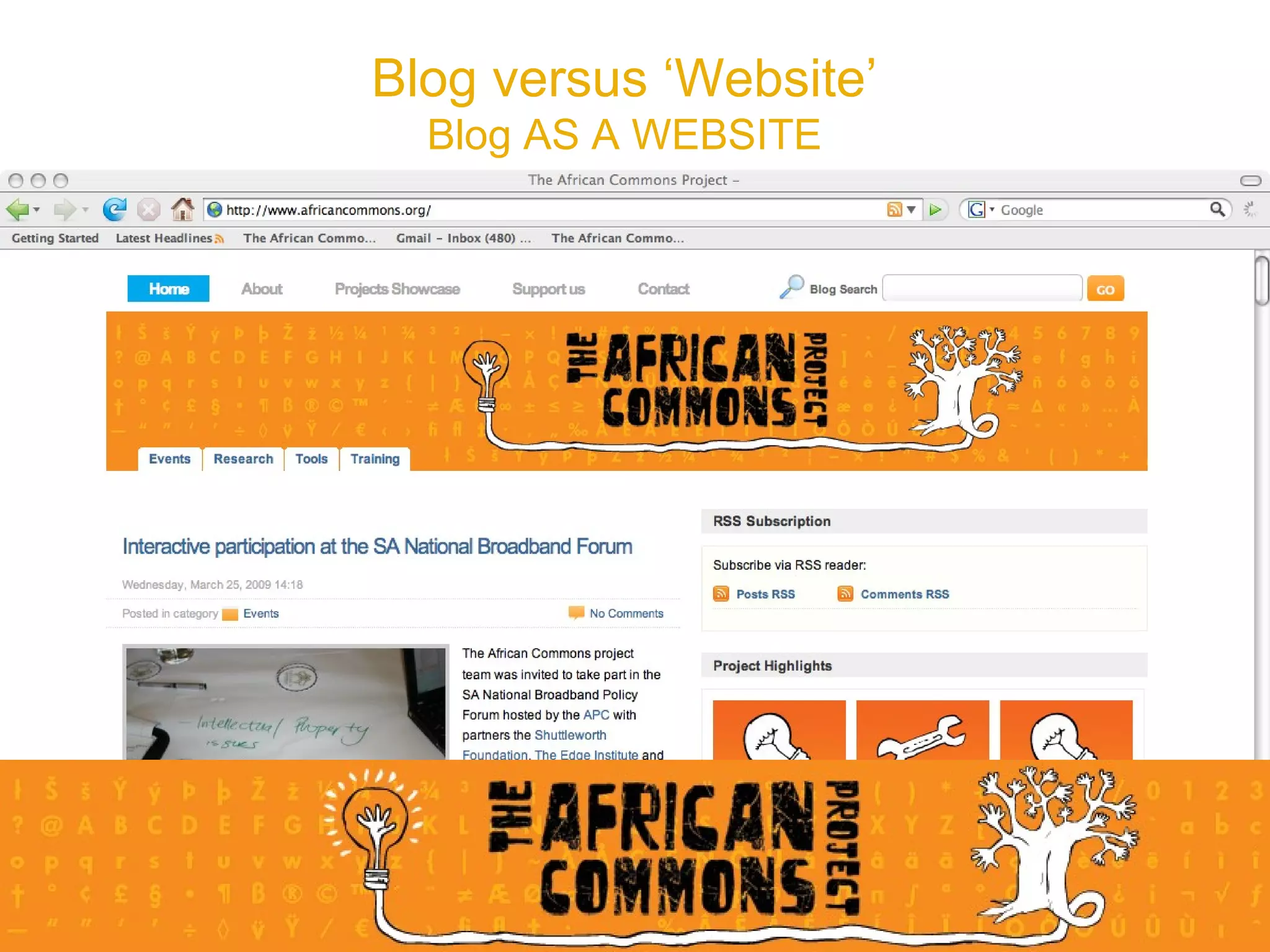
Blog versus ‘Website’ Blog AS A WEBSITE
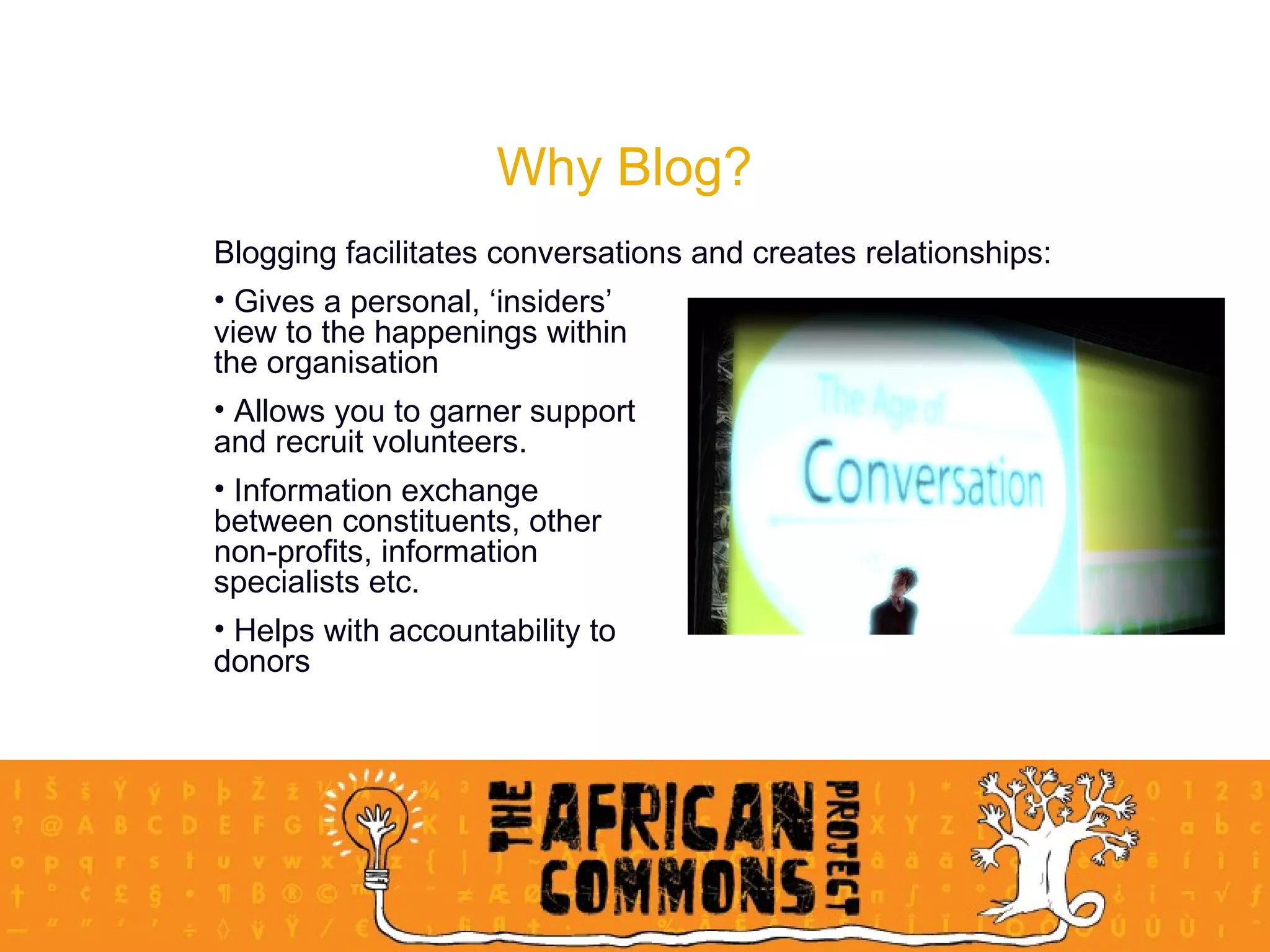
Why Blog? Blogging facilitates conversations and creates relationships: Gives a personal, ‘insiders’  view to the happenings within  the organisation Allows you to garner support  and recruit volunteers.  Information exchange  between constituents, other  non-profits, information  specialists etc.  Helps with accountability to  donors
Best Practices for NGOs Read blogs!  “ Before your organisation starts to blog, set up a newsreader” Have someone who likes blogging do the blogging Sustainability Quality above quantity Respond to comments Don’t just tell – show RSS feeds
Blogging Platforms Wordpress.com Blogger.com Live Journal  Type pad Serendipity It is SO easy! Wordpress site creation demo
Blogging Exercise 30 minutes Log on to the NGO Pulse website Write 2 paragraphs on one of the following topics:  About your organisation: vision, mission and projects; OR A recent event/project that your organisation has hosted/launched.  Remember to include links!
Microblogging What is micro blogging? Twitter in Plain English  by Lee lefever
Microblogging is a  hybrid , or mix, of two technologies: mobile phone short message service (sms), and IRC; which was the very first instant messaging system sent via a phone line before the world wide web was developed. Microblogging developed from a creative sub culture that grew in IRC chat where people could give a short status next to their name when ‘logged in’ Microblogging is based on this principle of providing an immediate status update:  what am I doing now? Twitter is the name of the microblogging platform.  There are similar platforms, but Twitter is the most popular. The birth of microblogging
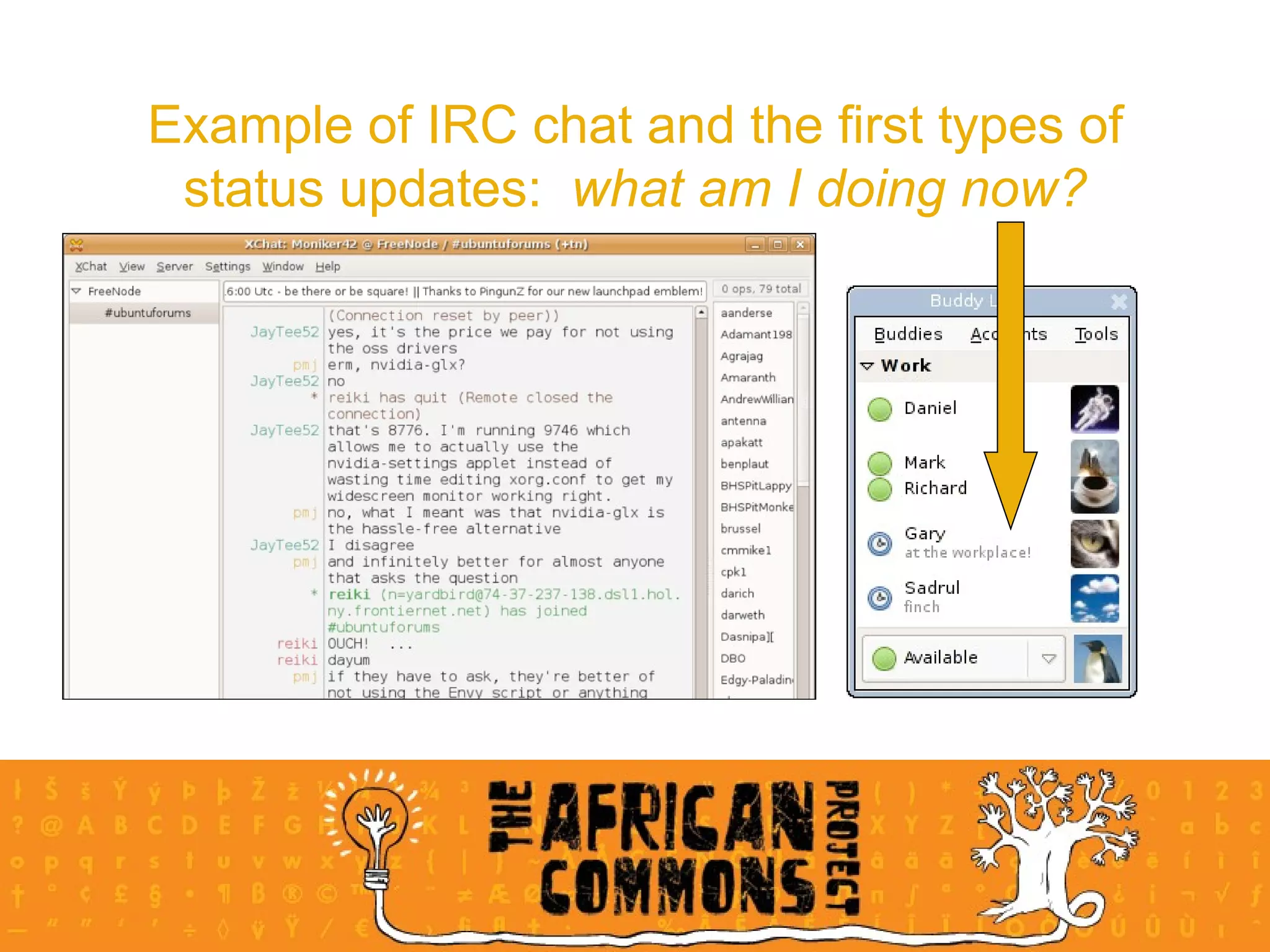
Example of IRC chat and the first types of status updates:  what am I doing now?
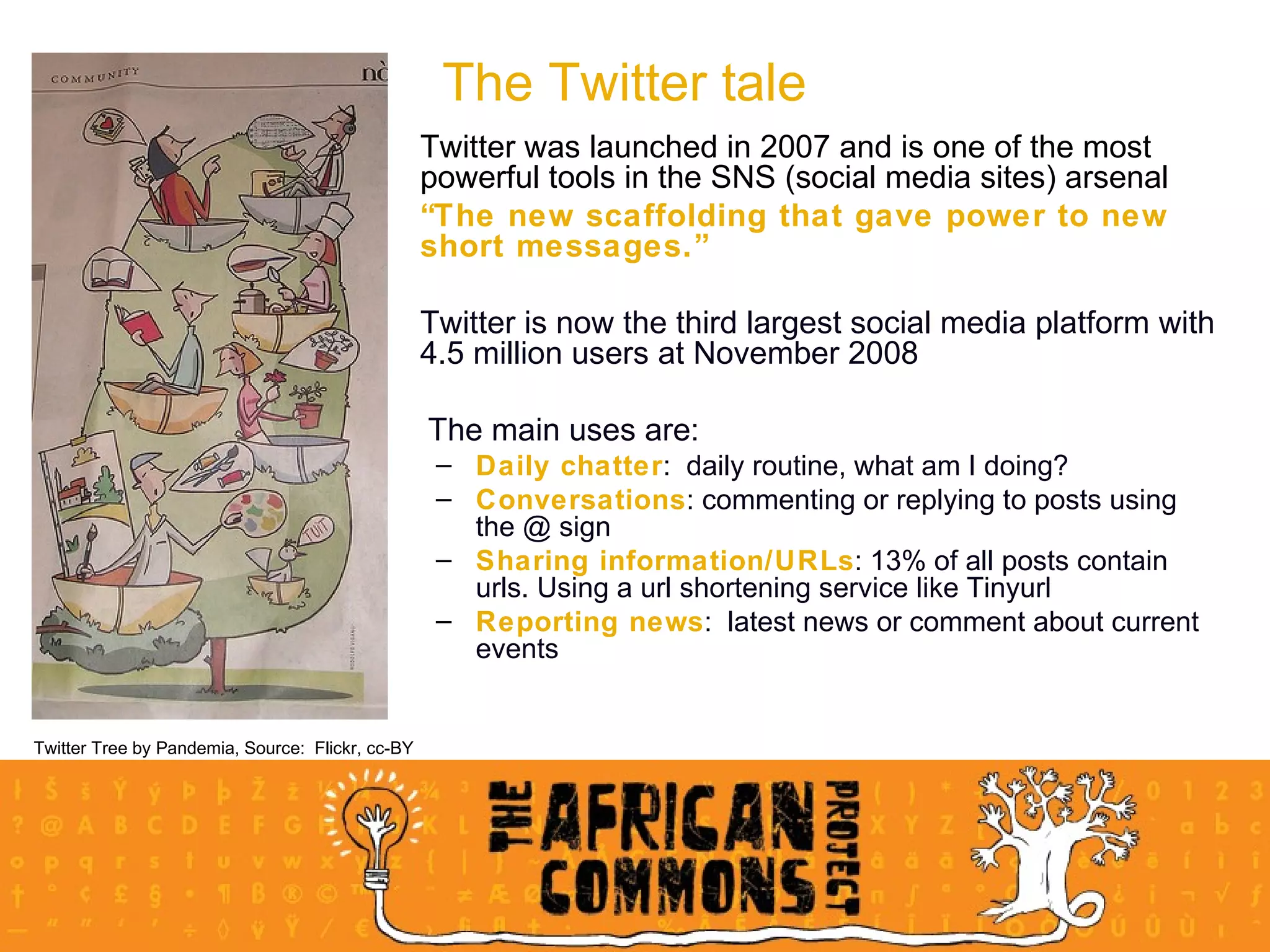
Twitter was launched in 2007 and is one of the most powerful tools in the SNS (social media sites) arsenal  “ The new scaffolding that gave power to new short messages.” Twitter is now the third largest social media platform with 4.5 million users at November 2008 The main uses are: Daily chatter :  daily routine, what am I doing?  Conversations : commenting or replying to posts using the @ sign Sharing information/URLs : 13% of all posts contain urls. Using a url shortening service like Tinyurl Reporting news :  latest news or comment about current events The Twitter tale Twitter Tree by Pandemia, Source:  Flickr, cc-BY
There are two main options when using Twitter: To  follow  and  be followed Following :  You will get their updates in your  personal timeline  on your homepage.  Eg:  If you follow Dani you'll get her updates on your homepage when you log in.  In turn you can see  who  gets your updates on your followers page, and make changes to who you follow on your following page. Followers : receive other peoples' Twitter updates.  When you post an update to your Twitter account, your followers will get it on  their home page   Mutual followers can send each other  private messages , and you can even choose to get notified by email when someone new follows you or sends you a private message Your follower/following stats are listed on your profile page. How does Twitter work?
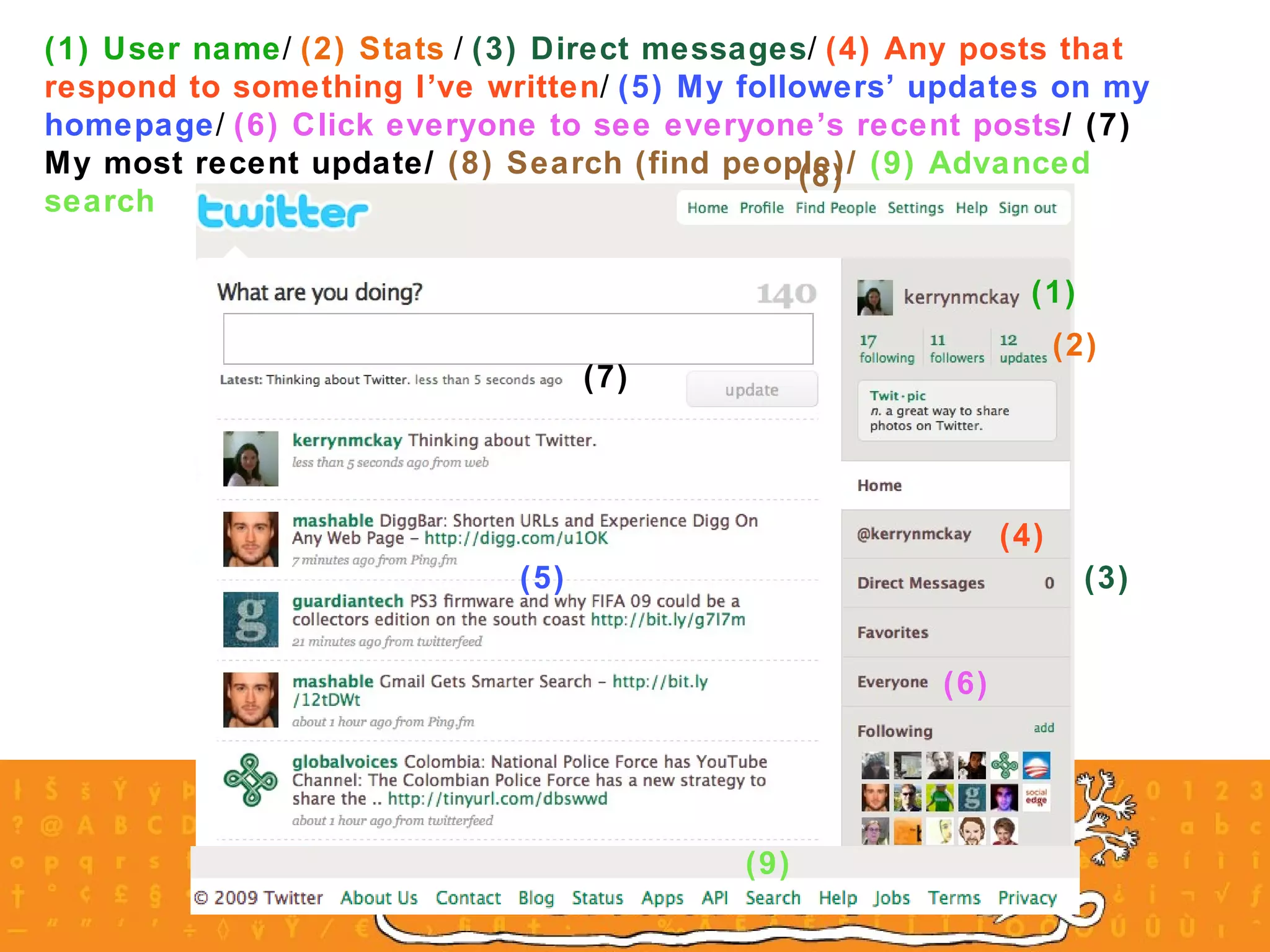
(1) User name /  (2) Stats  /  (3) Direct messages /  (4) Any posts that respond to something I’ve written /  (5) My followers’ updates on my homepage /  (6) Click everyone to see everyone’s recent posts / (7) My most recent update/  (8) Search (find people)/  (9) Advanced search (1) (2) (3) (4) (5) (6) (7) (8) (9)
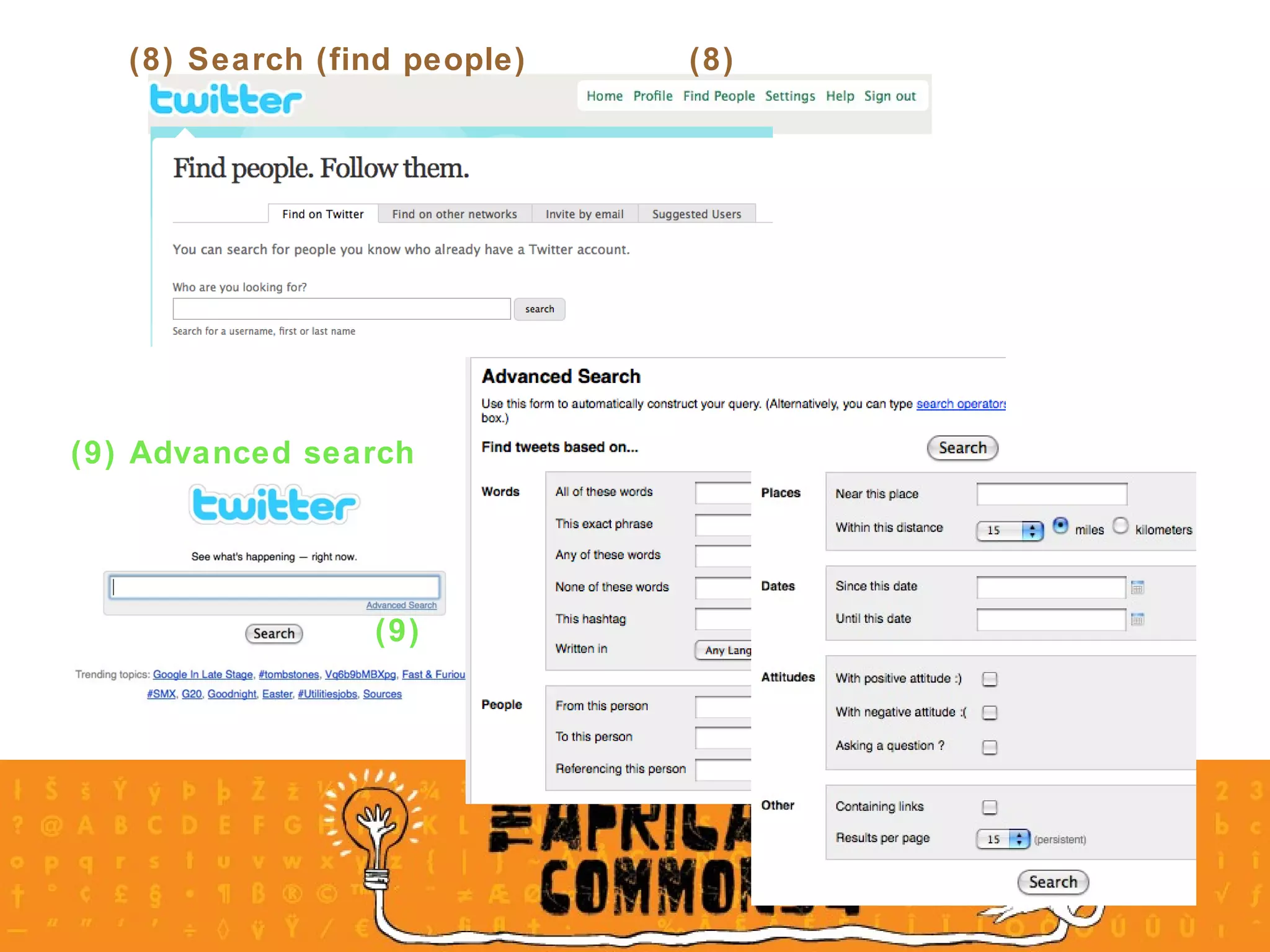
(8) Search (find people) (8) (9) Advanced search  (9)
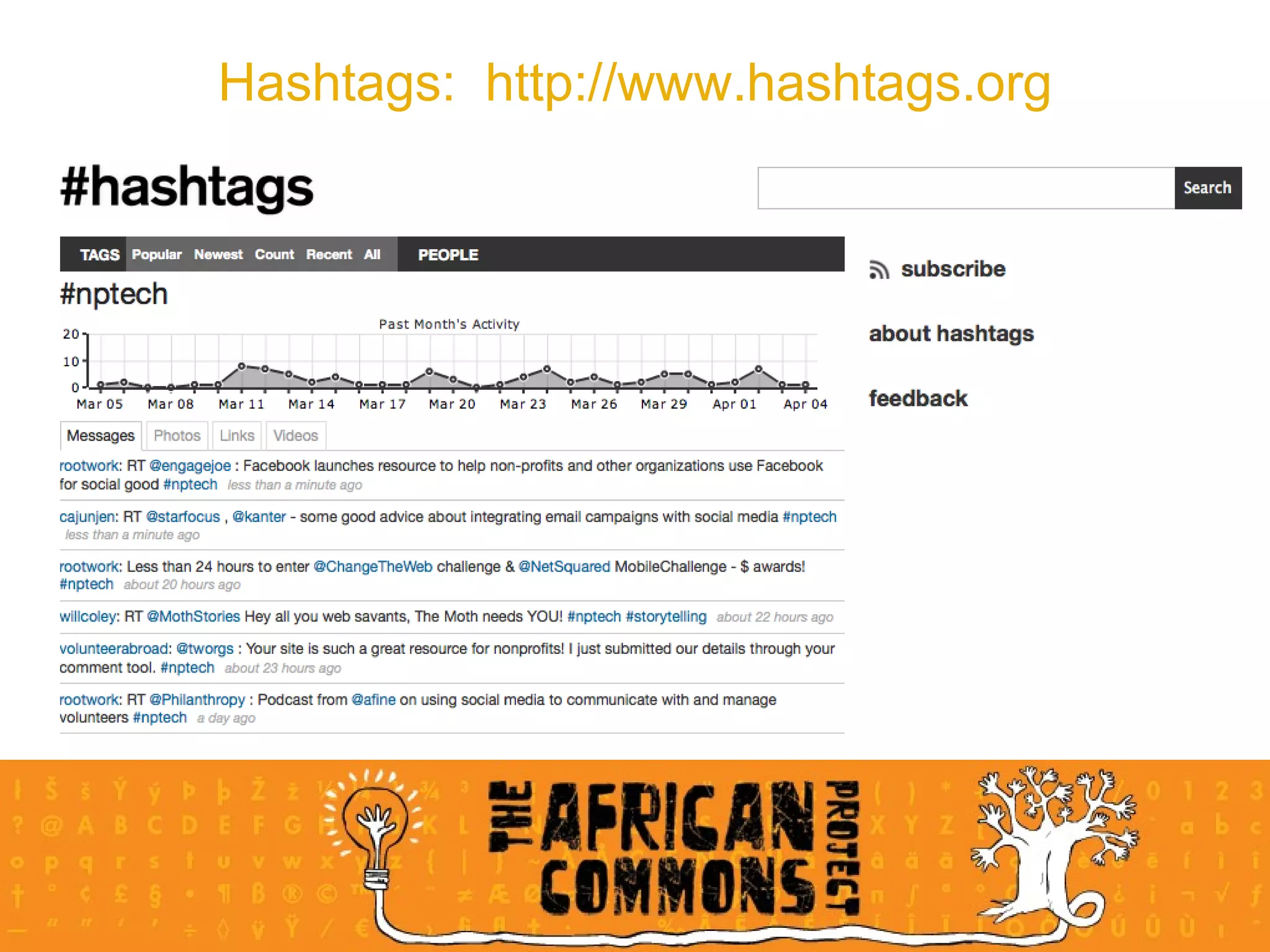
What are they? Tagging helps  organise  and  share  our info online By attaching  one or more keywords  to an object, like a Flickr photo, we group it together with others that have the same tags Hashtags on Twitter serve a similar purpose Objectives   to  bring order  to Twitter users’ updates ( tweets ) To make it  easier to follow  a topic of interest How to Create a hashtag by adding the  hash symbol #  to the front of an  appropriate keyword  as you write your tweet A well-known example is  #nptech  for tweets about the non-profit environment Hashtag tweets are also available as individual  RSS feeds Find and subscribe to RSS feed hashtags at  http://www.hashtags.org Hashtags in Twitter
Hashtags:  http://www.hashtags.org
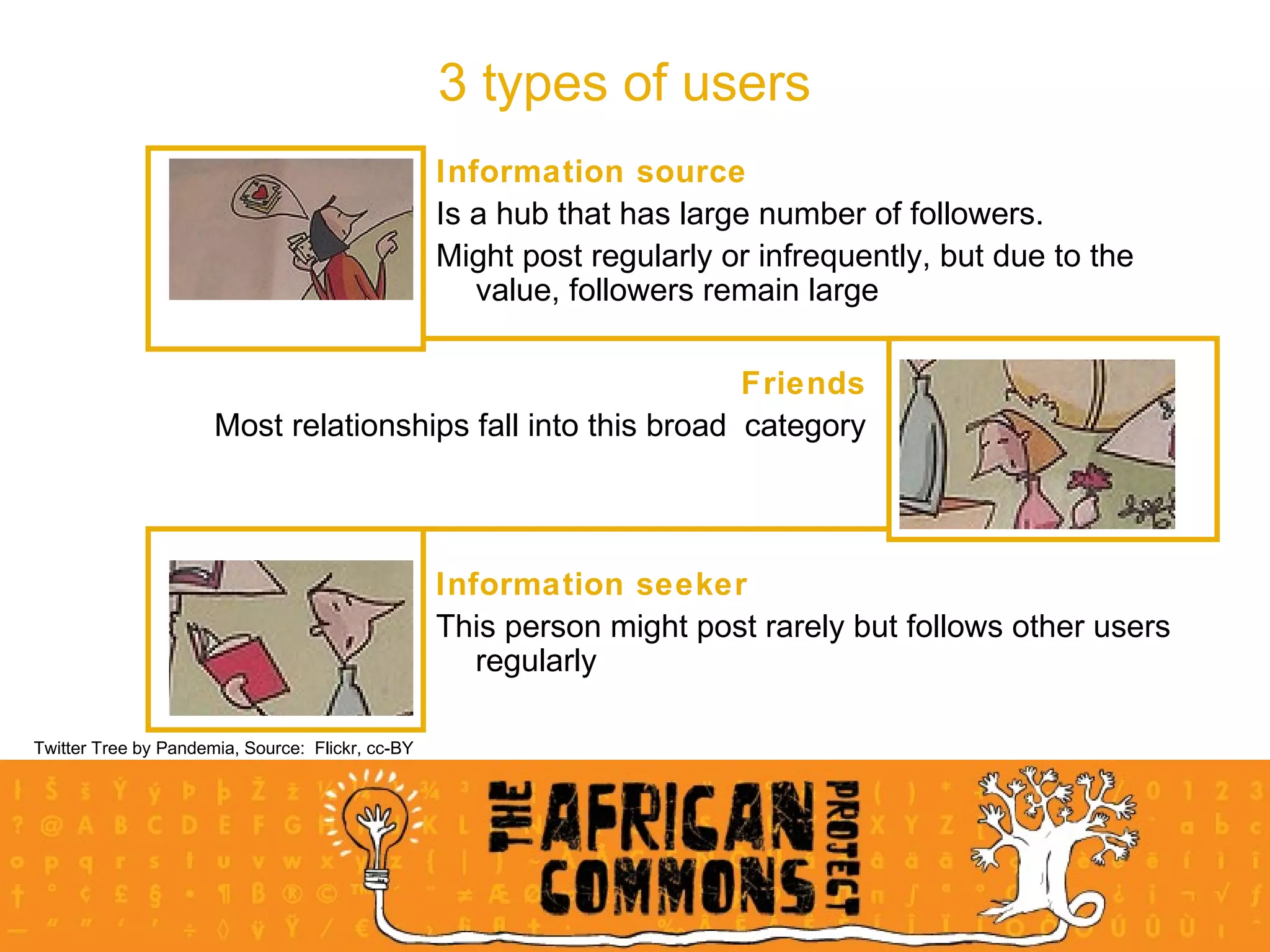
Information source Is a hub that has large number of followers.  Might post regularly or infrequently, but due to the value, followers remain large 3 types of users Twitter Tree by Pandemia, Source:  Flickr, cc-BY Friends Most relationships fall into this broad  category Information seeker This person might post rarely but follows other users regularly
Meaningful business tool for building a community of constituents, clients or supporters, through   its ability to talk  directly  to a group of people ( no intermediary ) send  people to a specific location (url) ( call to action ) provide  people with information (info source) gain insight  into what constituents are thinking and talking about (info seeker) gain insight into what  other orgs  are doing, discussing (seek  market intelligence ) The rise of Twitter as a business app
How can non-profits use Twitter:  case study Reason for using Twitter:  listening post and  place for conversation Strategy:  employees tweet & develop like-minded followers.  Different campaigns on different channels  Twitter not in isolation:  Put articles on other SNSs and point to them through Twitter; push people to their media hub page Benefits: Can join in conversation with constituents Can gain insight into how constituents feel toward the org Can even mend relationships and have made new contacts Helped spread important messages Increased their online activism National Wildlife Federation,  United States
20 mins practical Create your profile on twitter at twitter.com  Basic:  You will need to access an email address for profile confirmation Advanced:  Customise your homepage background Search  Basic search:  Find 3 people that you either know or would like to follow, and follow them  Advanced search:  Find organisations that are active in the non-profit, ICT environment and follow them Advanced search:  Find the hashtag bb4za and find out who posted and what this event was about Post: Basic post: Post your first tweet to your profile Advanced post: Send a direct message to kerrynmckay or someone you are following Advanced post:  Post about this workshop using #smngo and then search for this hashtag to see who has contributed
Social networking sites Towards a definition: Social networking sites allow users to  articulate  and make visible their social networks … (they are about) …  communicating  with people already part of  your social network   -  danah m. boyd,  Social Networks Sites:  Definition, History and Scholarship “ ”
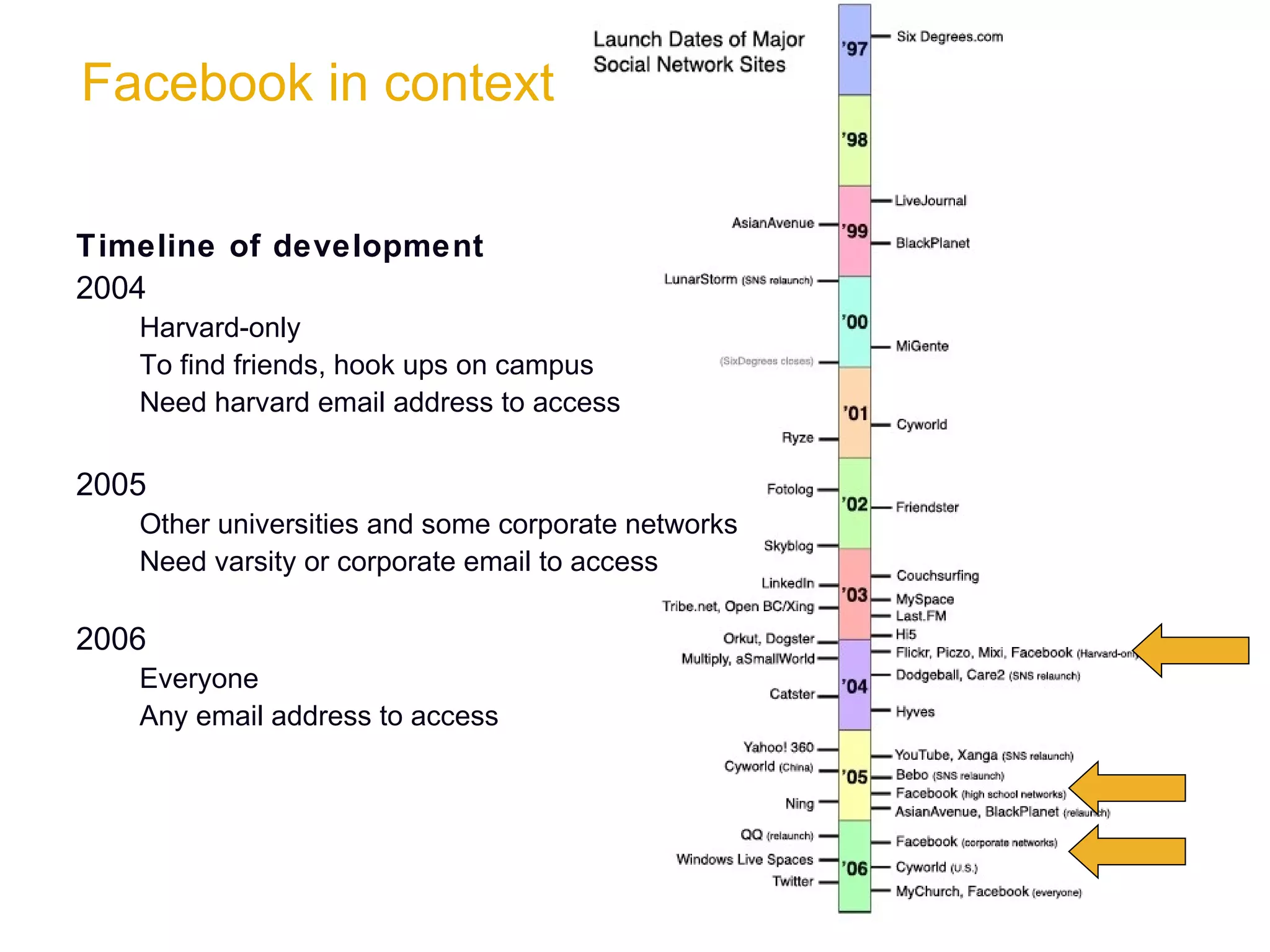
Facebook in context Timeline of development 2004  Harvard-only To find friends, hook ups on campus Need harvard email address to access 2005  Other universities and some corporate networks Need varsity or corporate email to access 2006 Everyone Any email address to access
Why does Facebook work? … 175 million users can’t be wrong! Barriers to entry are low It’s  free Easy  to do It’s a  relatively safe space  based on  friendship  and  referral Based on community Built around groups Made up of  networks Successfully mirrors fabric and structure of  real-life communities Immediate gratification Updates are  real time Connect  in real time with chat  application  Customisable Add  different applications to their profile Customise  your homepage
Non profits and Facebook Enables non profits to easily access huge numbers of constituents and potential constituents at very little or no cost. Platform for  amplifying and broadcasting  your message via personal relationships to a massive audience. Your facebook strategy  should not be so much about the organisation as about the cause.  Develop and discuss a  deliberate strategy Remember:  strategy requires maintenance! Eg:  Facebook allows your org to be hub of info; or clearing house for important/ relevant info
Keys to success Create  personal relationships  with other facebook members interested in similar causes or issues. Encourage constituents  to post comments, submit photos and videos Participate Participate Participate! Frequent updates Encourage your org’s employees to have online conversations around your org’s work Monitor  and keep in touch Remember:  Relationship first - organisation promotion second!
Tools for your org - groups and pages Groups are best for  special interests, causes , a place to build up a  tribe  of people interested in your subject Groups can be  set up by anyone , about anything - not necessarily formal representation Example:  there are 133 Save Zimbabwe groups People who join your group are called  members Groups can  show  news & info,  create & invite  people to events,  set up  discussion threads and  add  multimedia Members can  contribute  to the wall with comments, multimedia (photos/ video)  add, & contribute  to discussion threads RSVP  to events via their inbox About groups
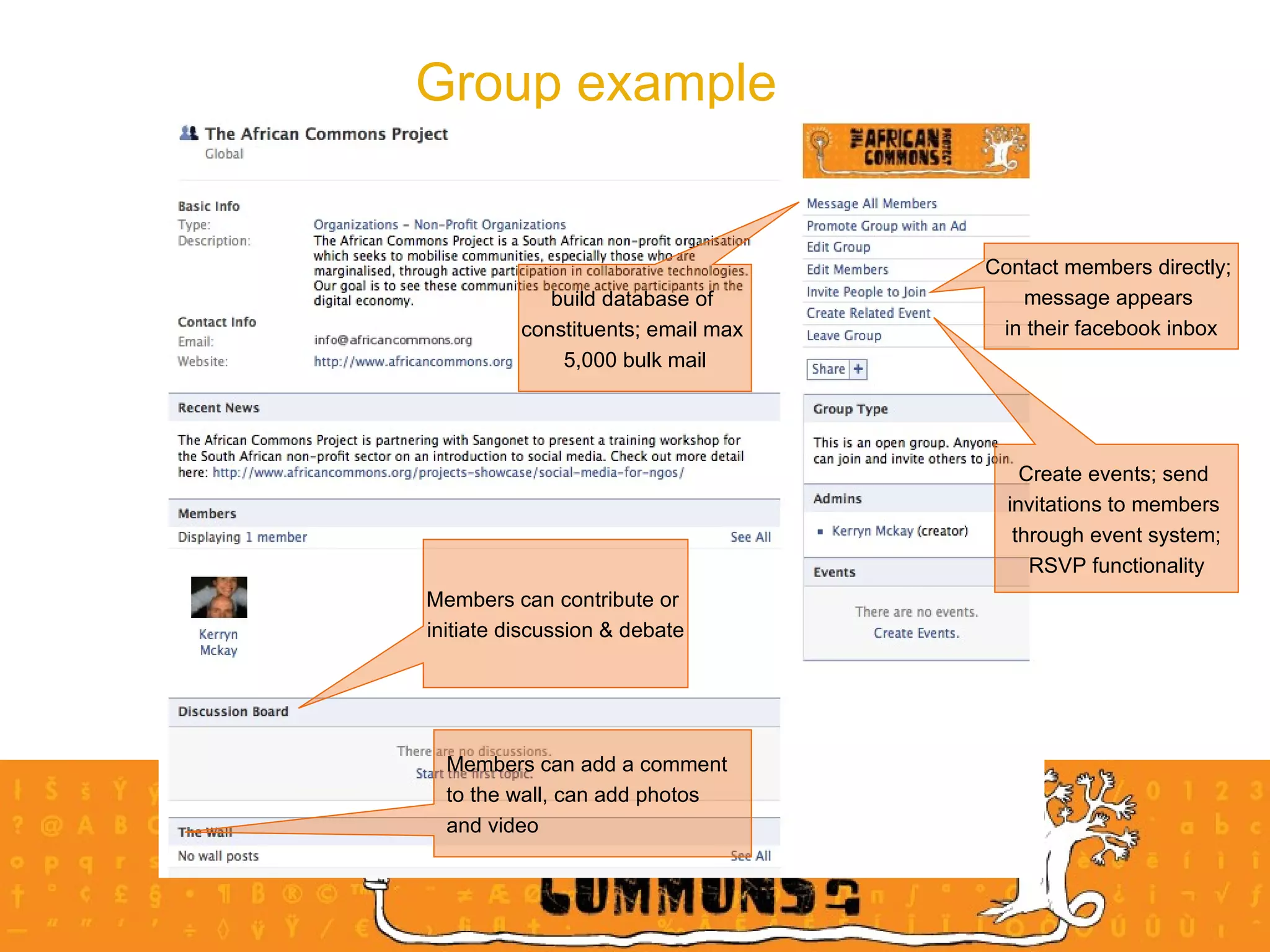
Group example  Create events; send  invitations to members  through event system; RSVP functionality Contact members directly;  message appears  in their facebook inbox build database of  constituents; email max  5,000 bulk mail Members can add a comment  to the wall, can add photos  and video  Members can contribute or  initiate discussion & debate
Group pros and cons The pros Facebook users are  familiar  with groups you can  send messages  to group members are marginally  easier to set up  and manage than pages The cons are  only visible  to Facebook members no extra applications  added to them You generally have to  visit a group regularly  and use the messaging feature to keep discussions flowing.
Pages are best when you want to  specifically represent  your business ; pages get  indexed  by Google to allow  global access in search.  Pages cannot be created to represent a real public figure, artist, band or org, and may only be  created by an official representative  of that entity. Pages have  more functionality  than Groups and can add media-rich content; focus on the  stream of content  posted by page administrators You can  promote  your pages with your own Facebook ads Pages have customisable tabs : enhanced wall for updates/ photos/ video/ events/ reviews/ discussions measuring engagement  and interaction tools Fans can interact  on wall, in discussion groups dependent on  customisation  they can write reviews, upload photos and video About pages
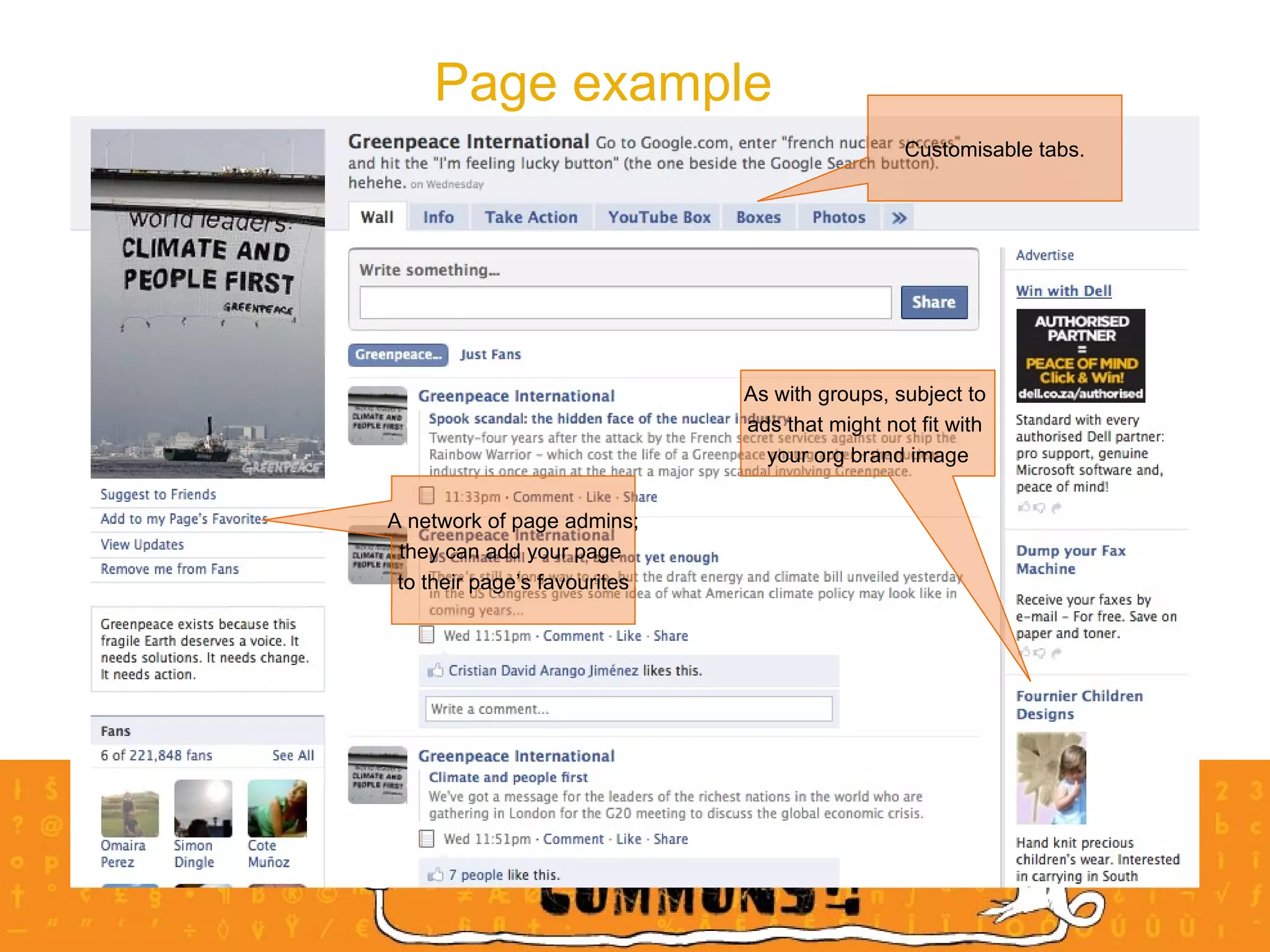
Page example Customisable tabs. A network of page admins; they can add your page  to their page’s favourites As with groups, subject to  ads that might not fit with  your org brand image
Pages pros and cons The pros visible  on the wider internet to non-Facebook members (although only Facebook members can interact with them) can  add applications  from a wide range of off-the-shelf apps provides visitor statistics  to let you know how many visitors you pages are getting user RSVPs  added to their calendar  & friends will see event in newsfeed The cons ‘ Updates’ sent to those who decide to be a ‘fan’ of your page are  lower key  than messages to group ‘members’ - appear on side of homepage when log in; not inbox Facebook users are  less familiar  with pages than they are with groups Visitors still need to be a  member of Facebook  if they want to join in discussions on your page message board. More difficult to set up than groups; might need tech assistance to add other apps
Privacy & IP issues on Facebook On Facebook you can  adjust your privacy settings ; ensure these meet your level of comfort If encouraging your org’s employees to post, remember that their updates are visible by everyone in the network.  Request discretion . Be aware  of the Facebook terms of use & privacy policy and understand what impact this could have for your organisation The controversy - Facebook terms of use clause change … and change back again!: Stated that the perpetual licence that they had granted themselves to the content of users’ profiles would no longer expire when those users shut down their accounts. Translation:  We Can Do Anything We Want With Your Content.  Forever
35 mins practical 10 mins - group work Find one or two  pages of non profits  and look at, eg:  Greenpeace International,  What do you think they’re trying to achieve with their page:  goals/ objectives customisation:  how well do you think they’ve used this 20 mins - writing exercise in your groups Choose a non profit - one from your group - and write a 5-step implementation plan for using Pages, taking into consideration the org’s objectives and broad strategic goals 5 mins - report back Report back the ideas used in your implementation plan Please note  that the 5-step implementation plan will need to be written on the wiki during the Intro to Wikis section, so please ensure that your contribution is of value  
Wikis Wikis in Plain English Lee LeFever, Commoncraft.com
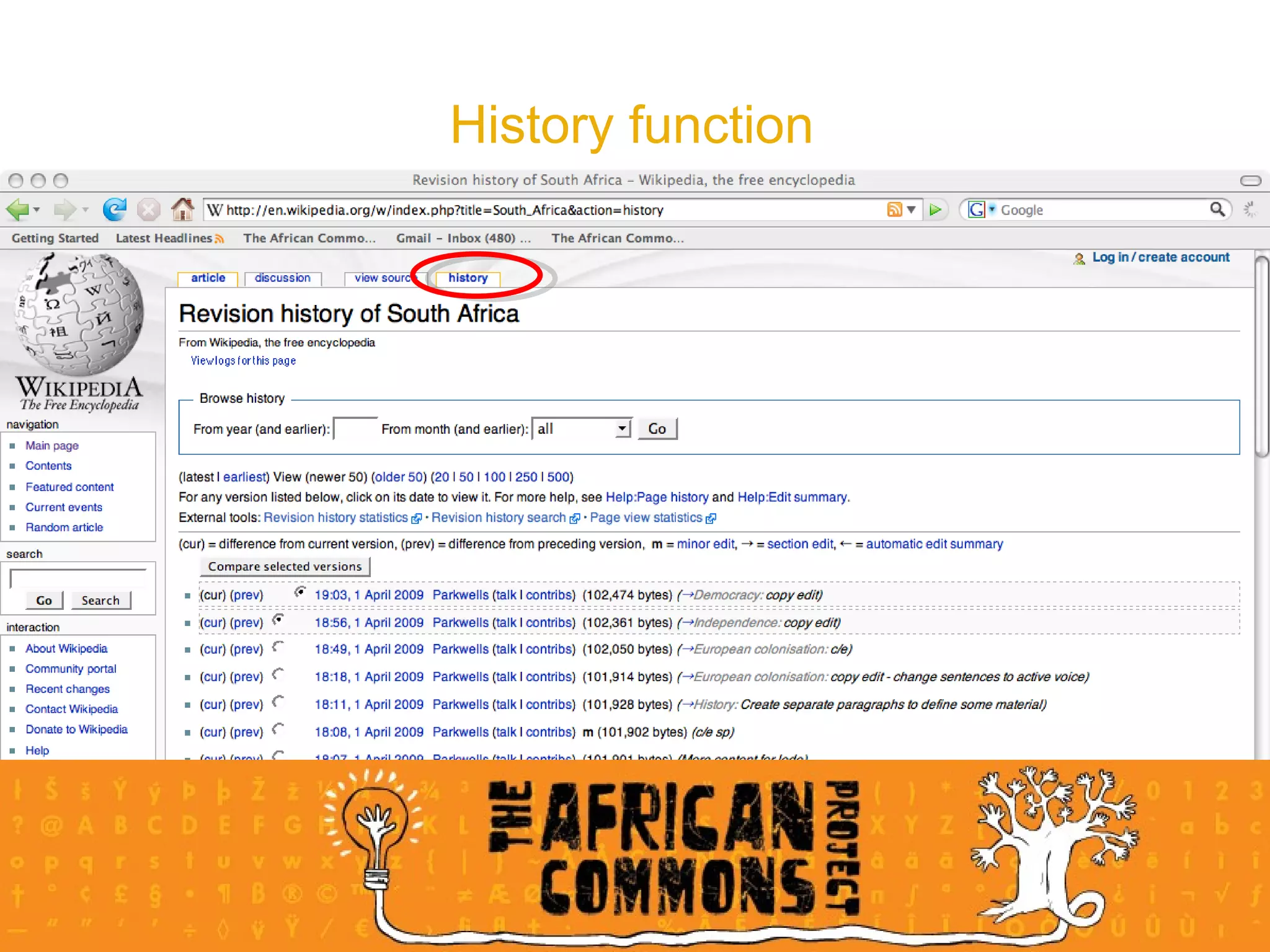
History function
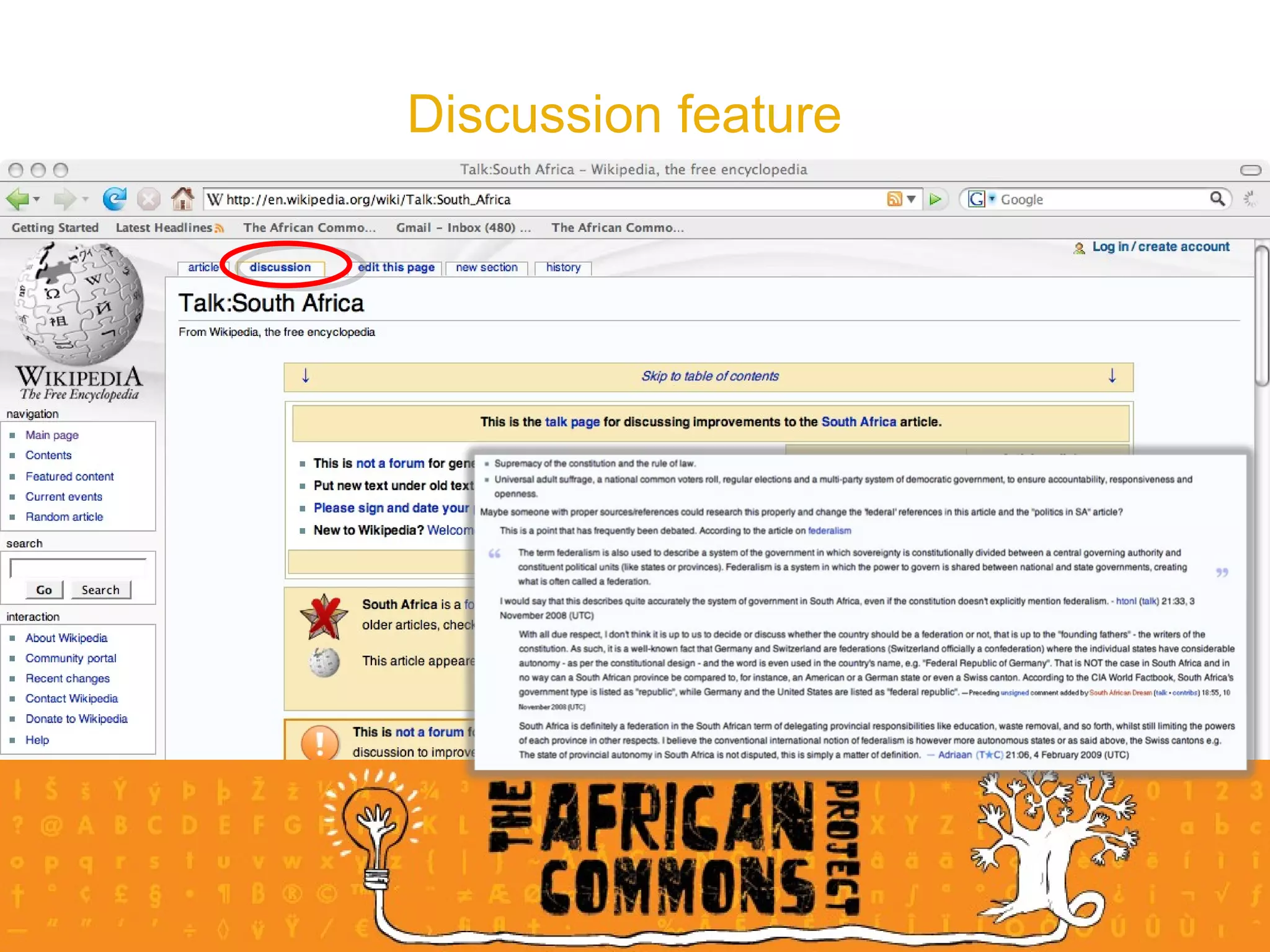
Discussion feature
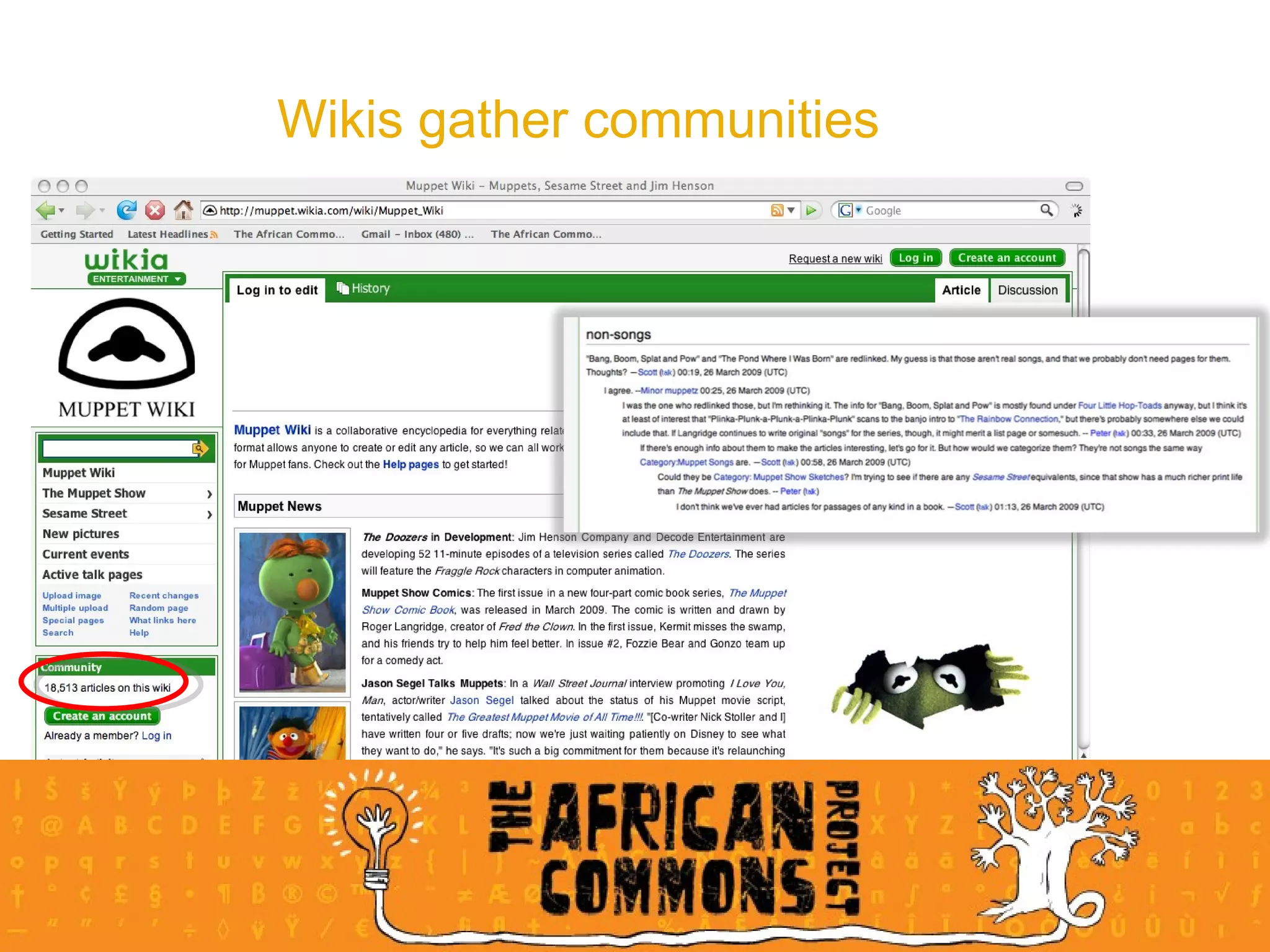
Wikis gather communities
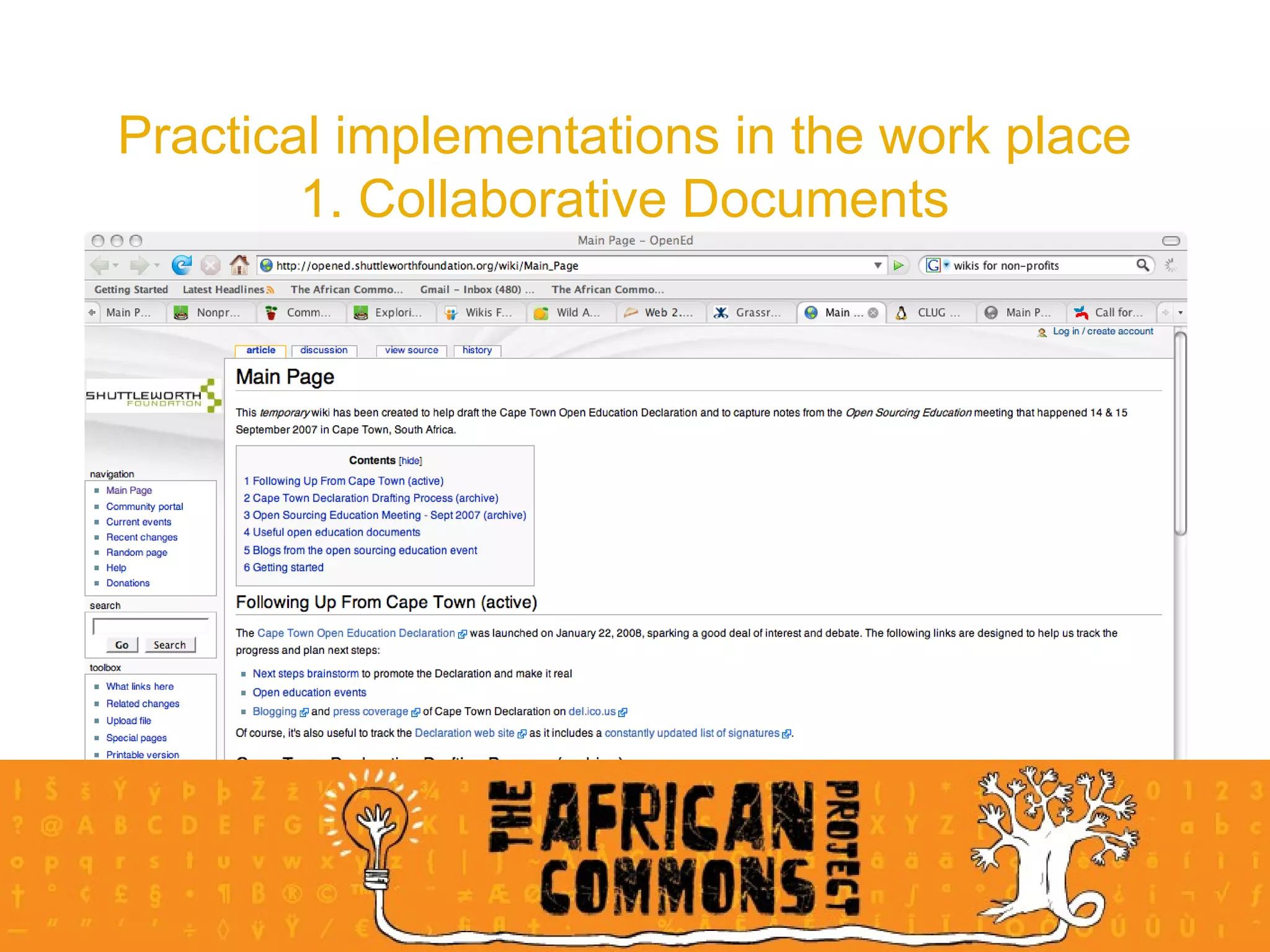
Practical implementations in the work place 1. Collaborative Documents
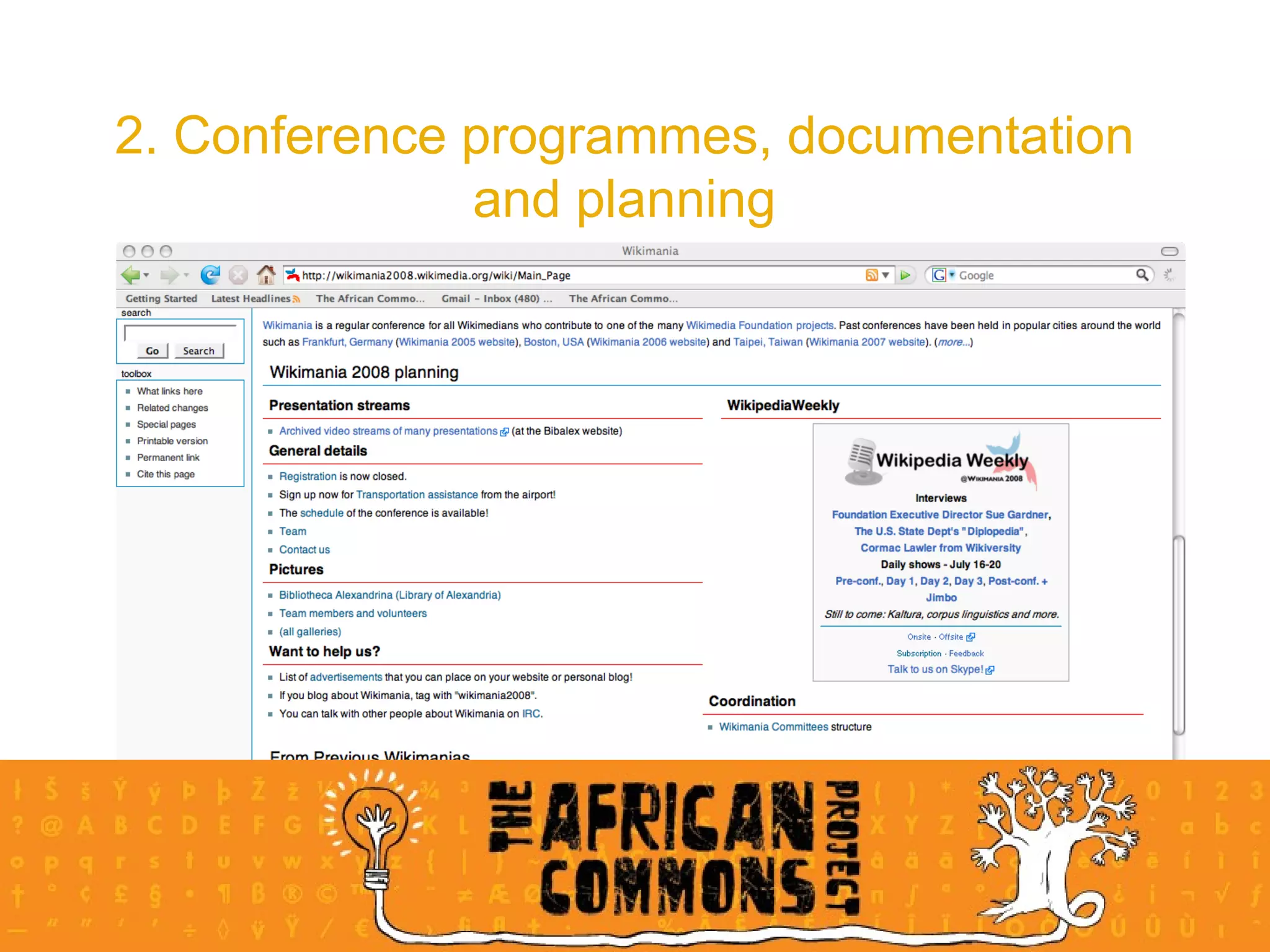
2. Conference programmes, documentation and planning
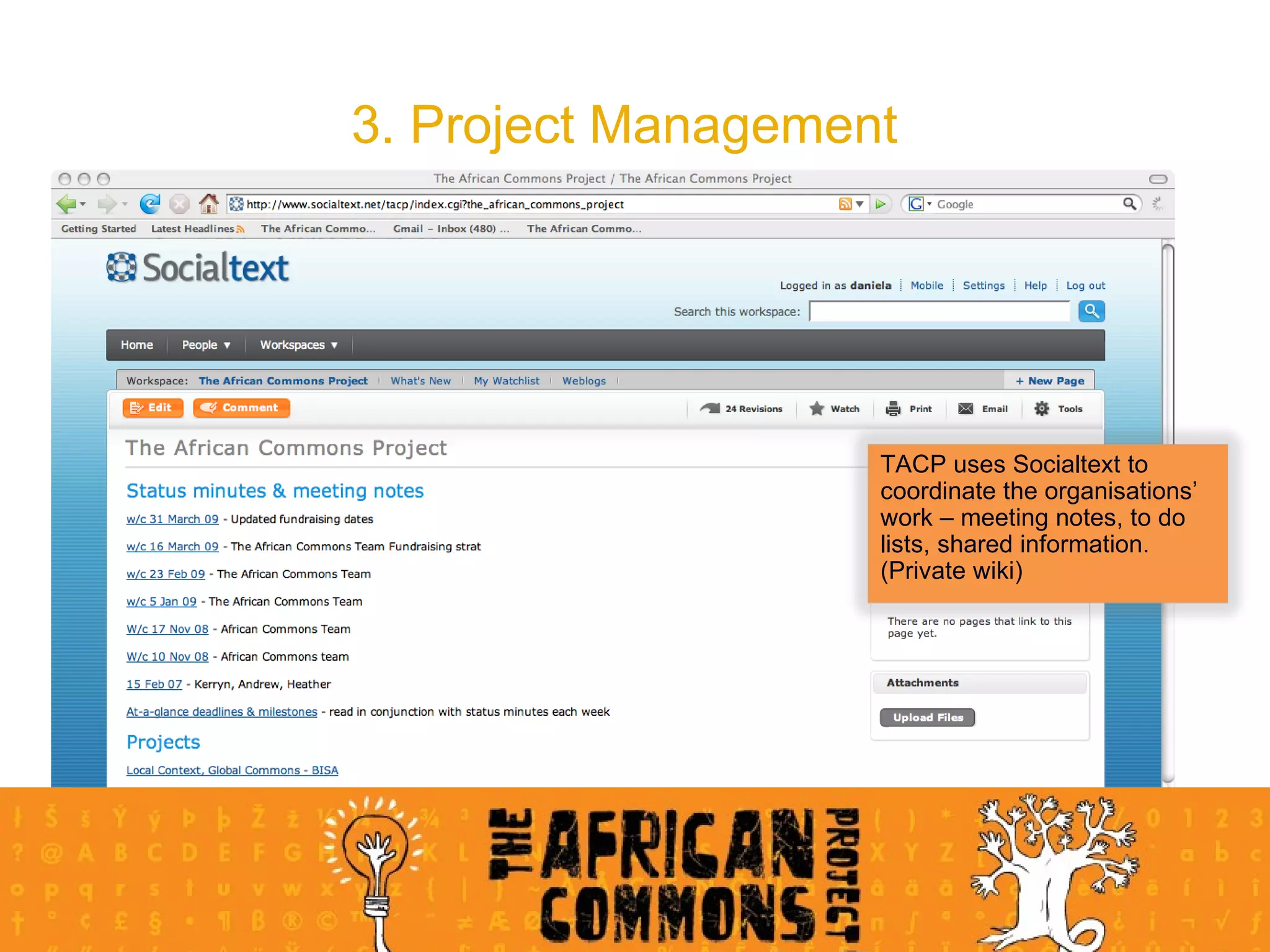
3. Project Management TACP uses Socialtext to coordinate the organisations’ work – meeting notes, to do lists, shared information. (Private wiki)
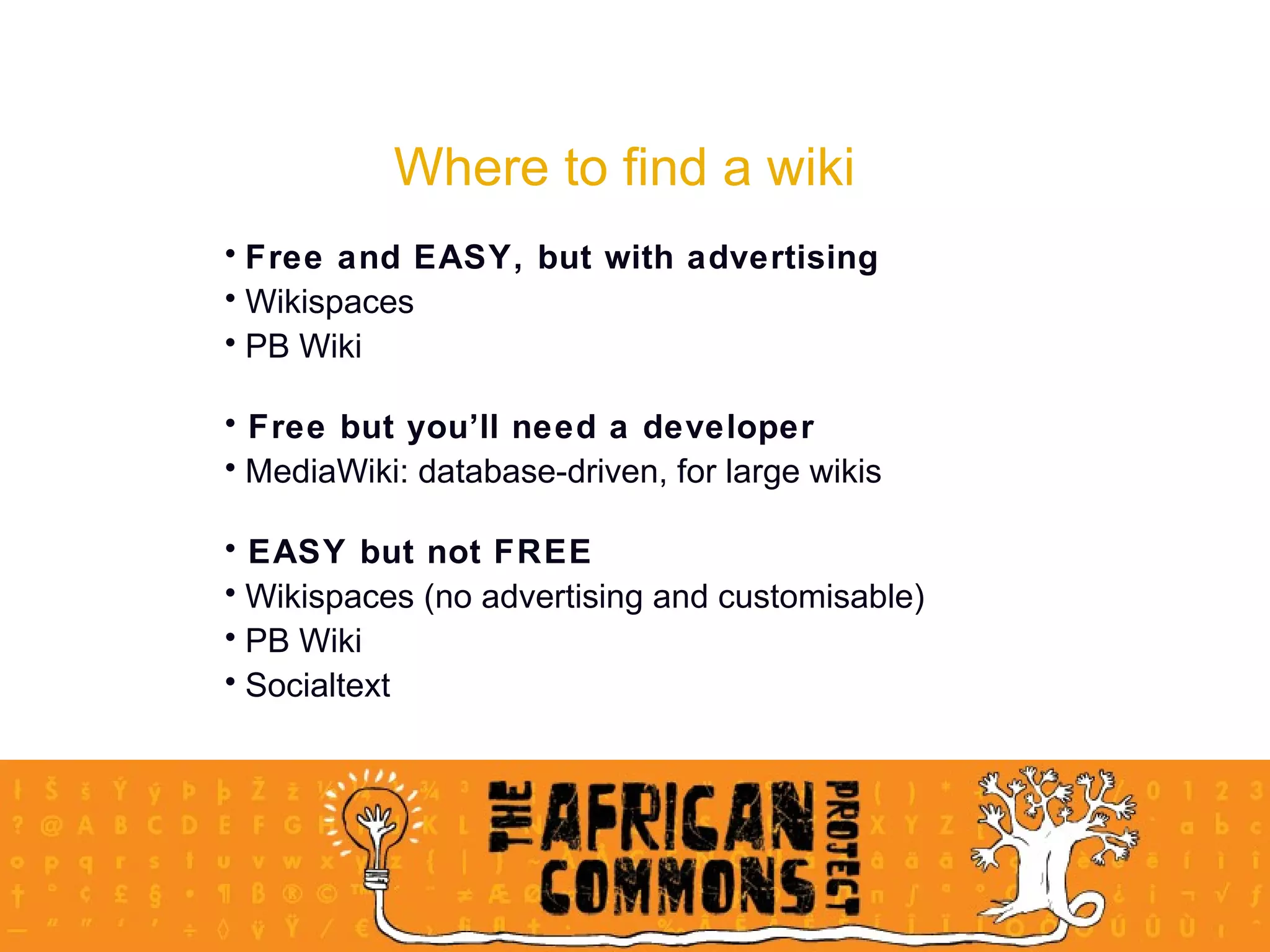
Where to find a wiki Free and EASY, but with advertising Wikispaces  PB Wiki Free but you’ll need a developer MediaWiki: database-driven, for large wikis EASY but not FREE Wikispaces (no advertising and customisable) PB Wiki Socialtext
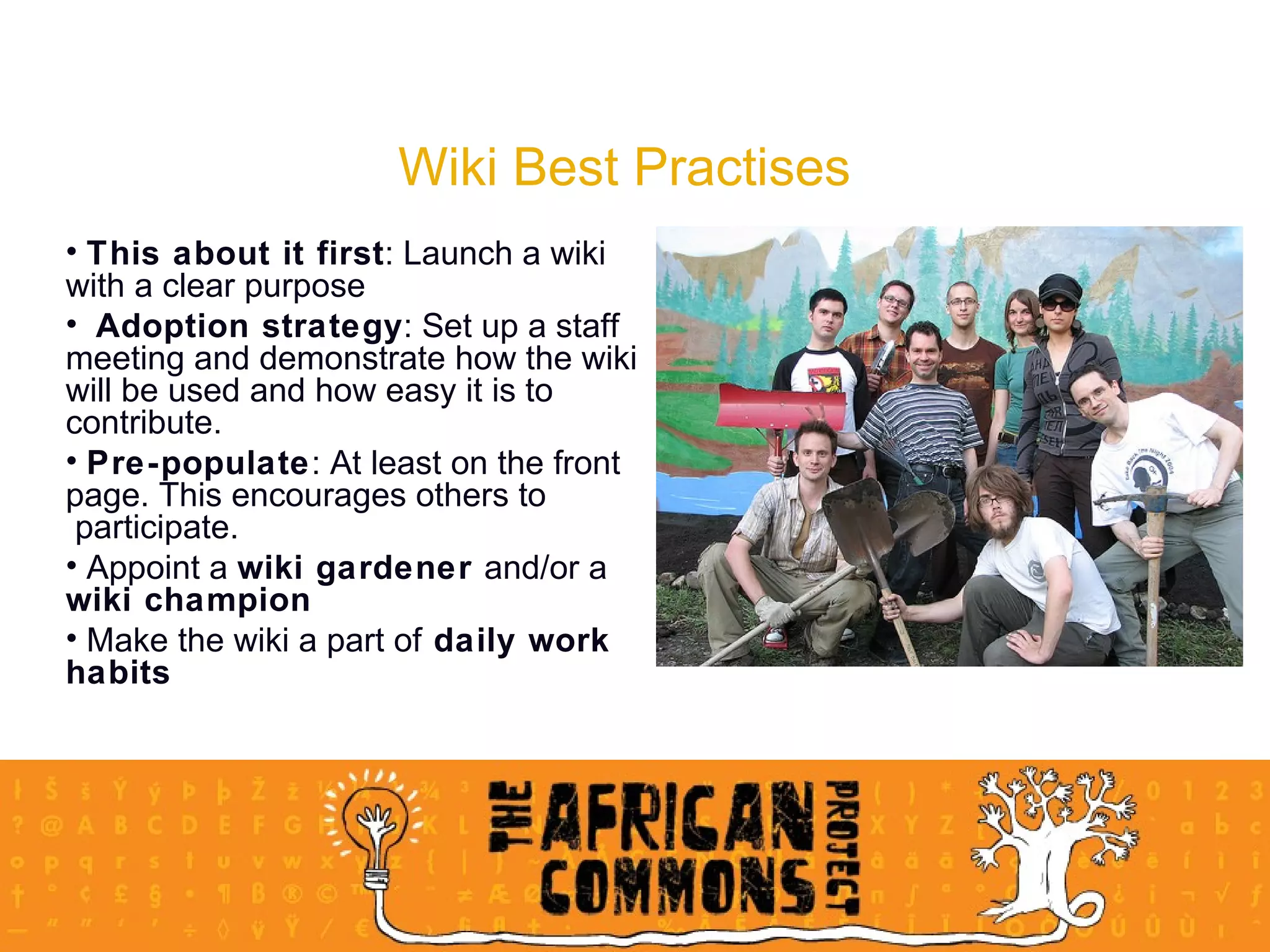
Wiki Best Practises This about it first : Launch a wiki  with a clear purpose Adoption strategy : Set up a staff  meeting and demonstrate how the wiki  will be used and how easy it is to  contribute.  Pre-populate : At least on the front  page. This encourages others to  participate.  Appoint a  wiki gardener  and/or a  wiki champion Make the wiki a part of  daily work  habits
Wiki Best Practises Wikipatterns.com: A great wiki resource! People patters/anti-patterns Adoption patterns/anti-patterns
Wiki Exercise 30 minutes Log on to the Social Media for NGOs Wiki (http://socialmedia.ngopulse.org/) Find your name in the participants list.  Create a new page for your name Add your Facebook implementation strategy from the previous exercise to your page.  Insert the following somewhere in your text: Bold, italic, bullets, headline, an external link.  Save the page.  Once you are done, add a link on your page to the page of the person sitting to your right.
Multimedia sites Photo sharing sites in Plain English By Lee LeFever, Commoncraft.com
Flickr Essentially an SNS - one of the world’s best online photo management and sharing apps Help people make their  content available  to people who matter to them - this includes  alternative licensing options  to allow re-use, download & remix Enable  new ways of organising  video and photo Free account to upload photographs and use the site to store, share and explore photos (up to 100 MB per month) Members can  Upload and download photos join and create groups  participate in discussions  connect to people and can help widen your org’s online connections through photo-sharing
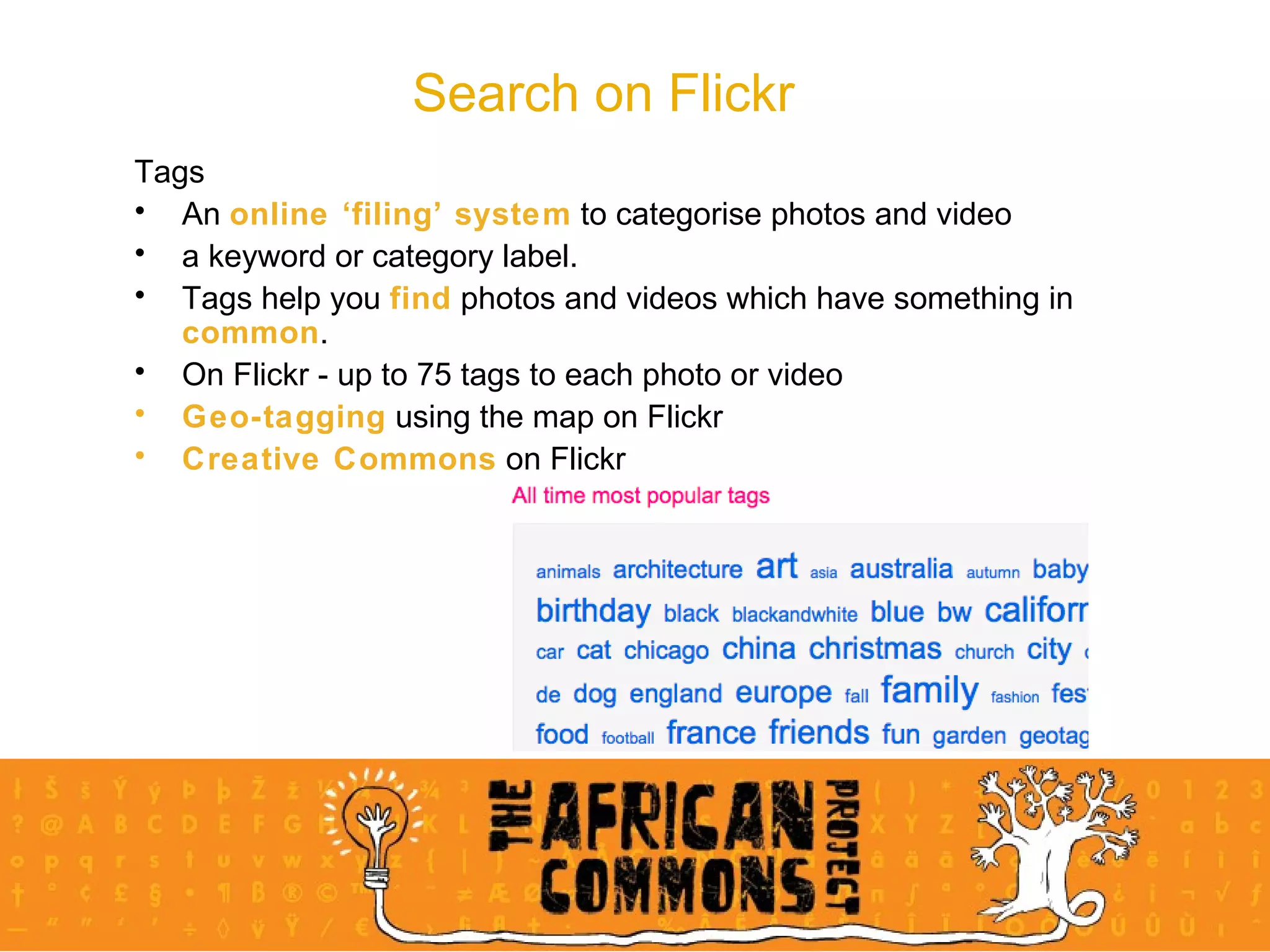
Search on Flickr Tags An  online ‘filing’ system  to categorise photos and video a keyword or category label.  Tags help you  find  photos and videos which have something in  common .  On Flickr - up to 75 tags to each photo or video Geo-tagging  using the map on Flickr Creative Commons  on Flickr
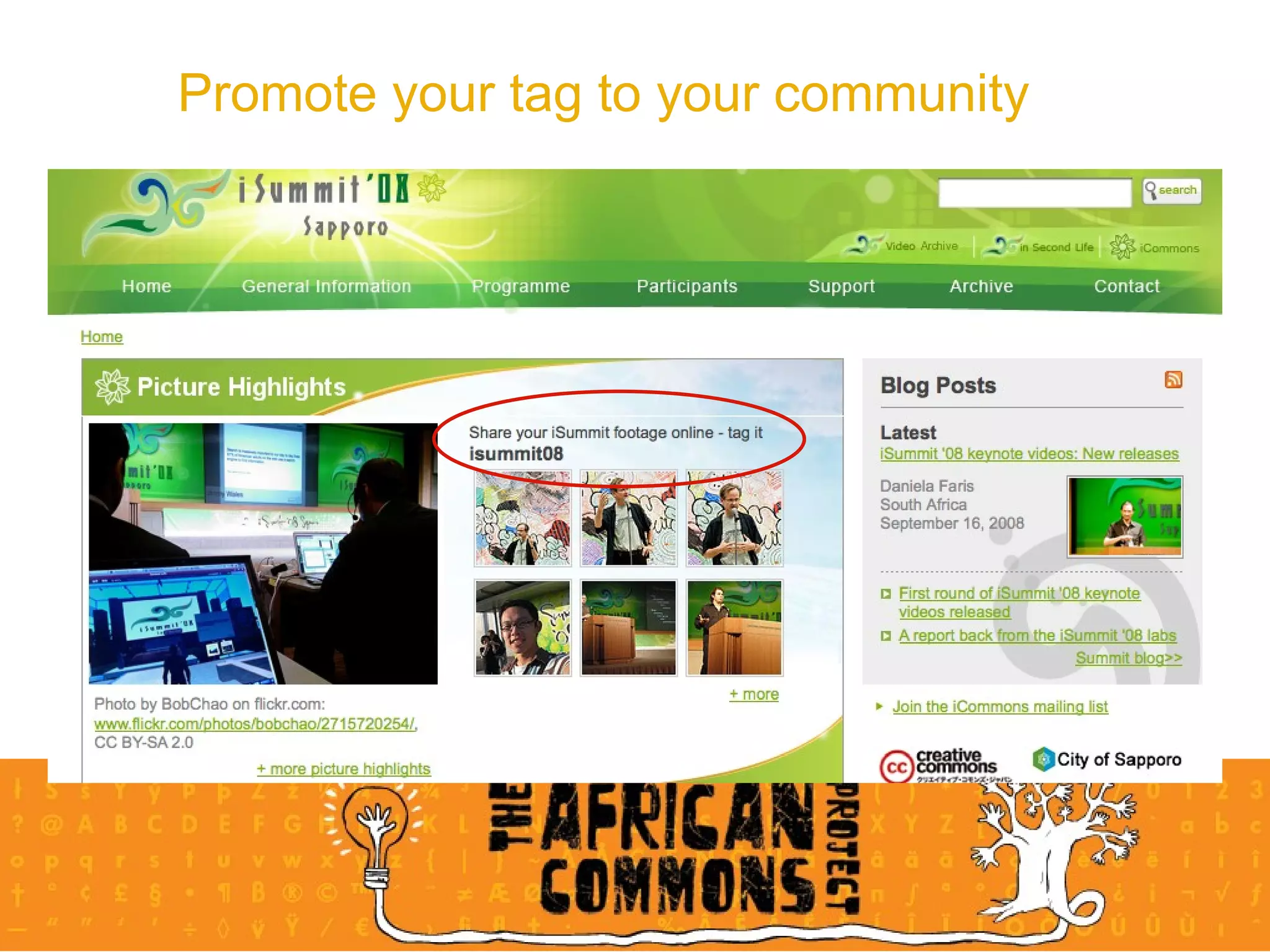
Promote your tag to your community
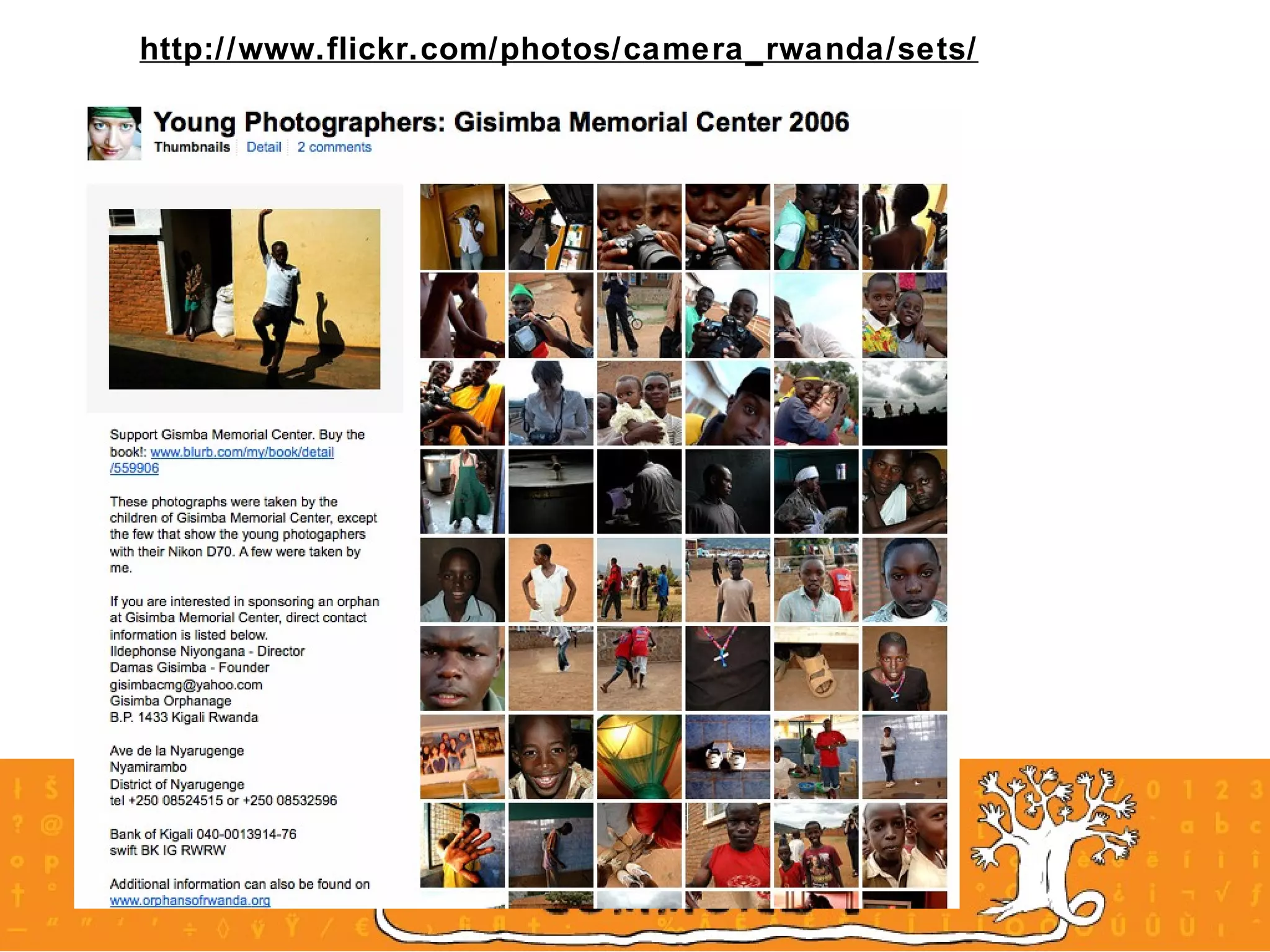
Flickr and non profits Tell your story through Flickr “ A picture is worth a thousand words”  post pictures about your cause and spread your story  connect with your supporters and start a Flickr group.  Groups can be private or public  organized around an event, subject, theme  Encourage everyone to comment and give their feedback on the photos.  Don't worry if you are a small nonprofit and don't have a lot of pictures to post. Even a few will help demonstrate to supporters your work towards your mission.  Camera Rwanda is a great example of storytelling using Flickr http://www.flickr.com/photos/camera_rwanda/sets/
http://www.flickr.com/photos/camera_rwanda/sets/
Flickr and non profits Promote your event Upload event photos  encourage your attendees to do the same.  Provides a wider audience than if you just posted them on your web site.  Launch a campaign A great example of a fundraising campaign on Flickr is The Children at Risk Foundation They can be easily done on a low budget; increase your visibility, provide an interactive community for supporters and engage new audiences. Engage your volunteers Encouraging volunteers to share photos, ideas and stories allows your org to take advantage of the creativity of as many people as possible
Video to support your cause Education A great way  to find  resources on issues related to your work.  Example: Common Craft videos shown here today – all sourced from Youtube.  Videos are a great way to effectively explain complex issues in a succinct and entertaining way. You can  share  explanations about your cause and why it is important.  Which is also linked to…
Video to support your cause Marketing and Fundraising Video memes What is a meme? Any idea or scrap of content that spreads voluntarily from person to person across the Web. Example: The Girl Effect  Documentation of your work and events Resource Donors and stakeholders accountability  Archival purposes Example: The iCommons Summit in Sapporo ‘08
Video site showcase Where do I share? Youtube channels Huge international audiences, limit of 20 minute uploads, 10 million uploads a day.  Zoopy Local option, local audiences, local speeds (faster). Audio, video and photos. Mobile site.  Dotsub Plugging in to a community of translators
Creative Commons in the digital economy Some Rights Reserved alongside All Rights Reserved Creative Commons defines the  spectrum of possibilities  between full copyright and the public domain. From all rights reserved to no rights reserved.  The licences help you  keep your copyright  while allowing  certain uses  of your work — a “some rights reserved” copyright. Creative Commons icenses work alongside copyright Creative Commons licenses are  not  an alternative to copyright. They work alongside copyright, so you can modify your copyright terms to best suit your needs. We’ve collaborated with intellectual property experts all around the world to ensure that our licenses work globally .
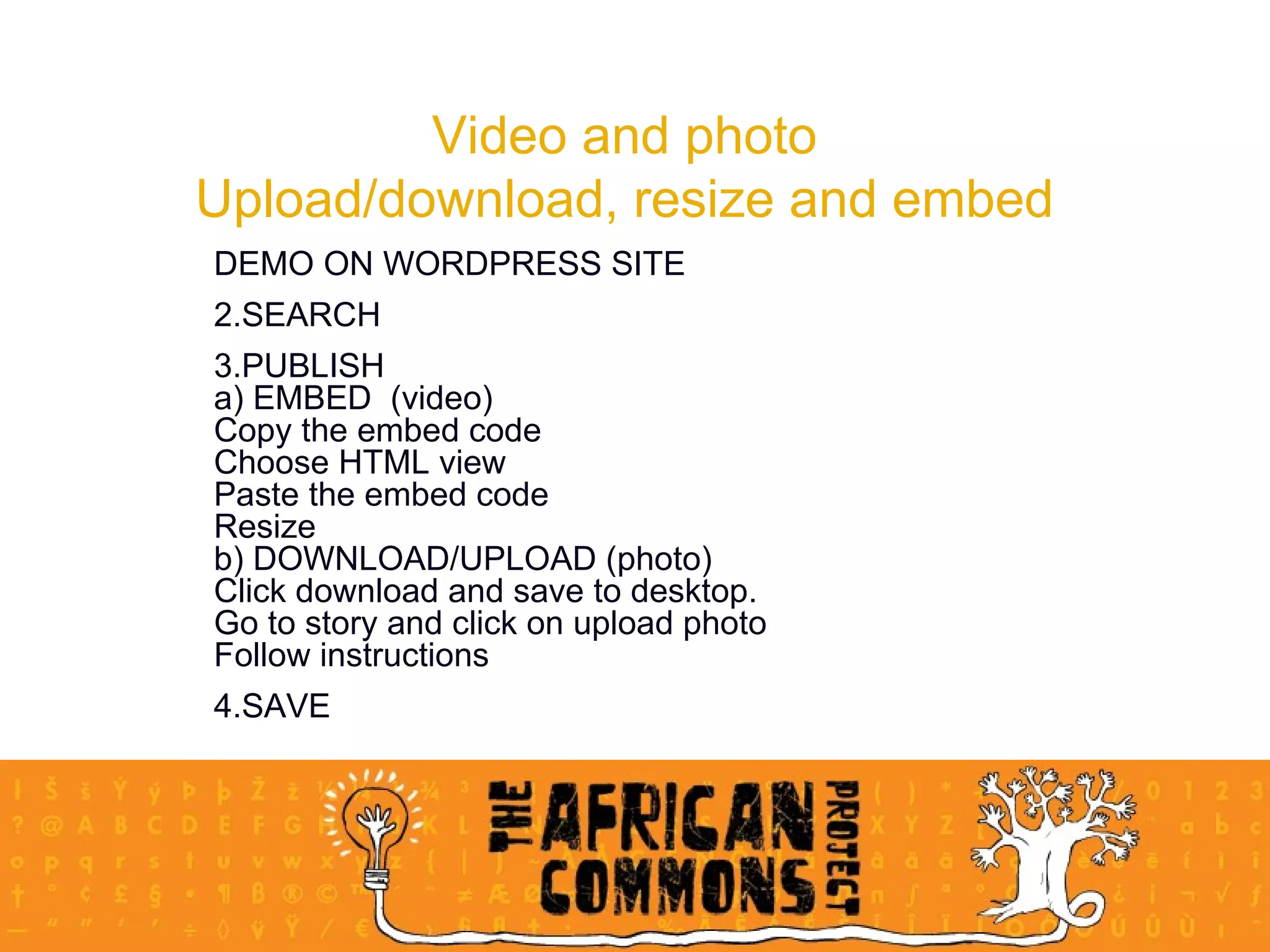
Video and photo Upload/download, resize and embed DEMO ON WORDPRESS SITE SEARCH PUBLISH a) EMBED  (video) Copy the embed code Choose HTML view Paste the embed code Resize b) DOWNLOAD/UPLOAD (photo) Click download and save to desktop.  Go to story and click on upload photo Follow instructions SAVE
Practical – Multimedia site 20 minutes Search Use one of the featured video sites or flickr.com to find a video and/or picture to compliment or add to the story you wrote at the beginning of the day. Add your media to your story on the NGOpulse site Publish your final story.

Introduction to Social Media tools for NGOs

  • 1.
    Social Media forNGOs The African Commons Project and Sangonet
  • 2.
    Basic Course OverviewIntroduction to Blogging: Daniela and Matt Introduction to Microblogging: Kerryn TEA Introduction to Social Networking Sites: Kerryn LUNCH Introduction to Wikis: Daniela Introduction to Multimedia Sites: Daniela
  • 3.
    Blogging Blogging inPlain English Lee LeFever, Commoncraft.com
  • 4.
    So what’s thebig deal? Read / Write Sir Tim Berners Lee invented the World Wide Web in 1990. The proposal was based on how to transfer information over the internet, using a point-and-click system. Read / Write
  • 5.
  • 6.
  • 7.
  • 8.
  • 9.
    Blog versus ‘Website’How to integrate for non-profits?
  • 10.
    Blog versus ‘Website’A site WITH A BLOG
  • 11.
    Blog versus ‘Website’A site WITH A BLOG
  • 12.
    Blog versus ‘Website’Blog AS A WEBSITE
  • 13.
    Why Blog? Bloggingfacilitates conversations and creates relationships: Gives a personal, ‘insiders’ view to the happenings within the organisation Allows you to garner support and recruit volunteers. Information exchange between constituents, other non-profits, information specialists etc. Helps with accountability to donors
  • 14.
    Best Practices forNGOs Read blogs! “ Before your organisation starts to blog, set up a newsreader” Have someone who likes blogging do the blogging Sustainability Quality above quantity Respond to comments Don’t just tell – show RSS feeds
  • 15.
    Blogging Platforms Wordpress.comBlogger.com Live Journal Type pad Serendipity It is SO easy! Wordpress site creation demo
  • 16.
    Blogging Exercise 30minutes Log on to the NGO Pulse website Write 2 paragraphs on one of the following topics: About your organisation: vision, mission and projects; OR A recent event/project that your organisation has hosted/launched. Remember to include links!
  • 17.
    Microblogging What ismicro blogging? Twitter in Plain English by Lee lefever
  • 18.
    Microblogging is a hybrid , or mix, of two technologies: mobile phone short message service (sms), and IRC; which was the very first instant messaging system sent via a phone line before the world wide web was developed. Microblogging developed from a creative sub culture that grew in IRC chat where people could give a short status next to their name when ‘logged in’ Microblogging is based on this principle of providing an immediate status update: what am I doing now? Twitter is the name of the microblogging platform. There are similar platforms, but Twitter is the most popular. The birth of microblogging
  • 19.
    Example of IRCchat and the first types of status updates: what am I doing now?
  • 20.
    Twitter was launchedin 2007 and is one of the most powerful tools in the SNS (social media sites) arsenal “ The new scaffolding that gave power to new short messages.” Twitter is now the third largest social media platform with 4.5 million users at November 2008 The main uses are: Daily chatter : daily routine, what am I doing? Conversations : commenting or replying to posts using the @ sign Sharing information/URLs : 13% of all posts contain urls. Using a url shortening service like Tinyurl Reporting news : latest news or comment about current events The Twitter tale Twitter Tree by Pandemia, Source: Flickr, cc-BY
  • 21.
    There are twomain options when using Twitter: To follow and be followed Following : You will get their updates in your personal timeline on your homepage. Eg: If you follow Dani you'll get her updates on your homepage when you log in. In turn you can see who gets your updates on your followers page, and make changes to who you follow on your following page. Followers : receive other peoples' Twitter updates. When you post an update to your Twitter account, your followers will get it on their home page Mutual followers can send each other private messages , and you can even choose to get notified by email when someone new follows you or sends you a private message Your follower/following stats are listed on your profile page. How does Twitter work?
  • 22.
    (1) User name/ (2) Stats / (3) Direct messages / (4) Any posts that respond to something I’ve written / (5) My followers’ updates on my homepage / (6) Click everyone to see everyone’s recent posts / (7) My most recent update/ (8) Search (find people)/ (9) Advanced search (1) (2) (3) (4) (5) (6) (7) (8) (9)
  • 23.
    (8) Search (findpeople) (8) (9) Advanced search (9)
  • 24.
    What are they?Tagging helps organise and share our info online By attaching one or more keywords to an object, like a Flickr photo, we group it together with others that have the same tags Hashtags on Twitter serve a similar purpose Objectives to bring order to Twitter users’ updates ( tweets ) To make it easier to follow a topic of interest How to Create a hashtag by adding the hash symbol # to the front of an appropriate keyword as you write your tweet A well-known example is #nptech for tweets about the non-profit environment Hashtag tweets are also available as individual RSS feeds Find and subscribe to RSS feed hashtags at http://www.hashtags.org Hashtags in Twitter
  • 25.
  • 26.
    Information source Isa hub that has large number of followers. Might post regularly or infrequently, but due to the value, followers remain large 3 types of users Twitter Tree by Pandemia, Source: Flickr, cc-BY Friends Most relationships fall into this broad category Information seeker This person might post rarely but follows other users regularly
  • 27.
    Meaningful business toolfor building a community of constituents, clients or supporters, through its ability to talk directly to a group of people ( no intermediary ) send people to a specific location (url) ( call to action ) provide people with information (info source) gain insight into what constituents are thinking and talking about (info seeker) gain insight into what other orgs are doing, discussing (seek market intelligence ) The rise of Twitter as a business app
  • 28.
    How can non-profitsuse Twitter: case study Reason for using Twitter: listening post and place for conversation Strategy: employees tweet & develop like-minded followers. Different campaigns on different channels Twitter not in isolation: Put articles on other SNSs and point to them through Twitter; push people to their media hub page Benefits: Can join in conversation with constituents Can gain insight into how constituents feel toward the org Can even mend relationships and have made new contacts Helped spread important messages Increased their online activism National Wildlife Federation, United States
  • 29.
    20 mins practicalCreate your profile on twitter at twitter.com Basic: You will need to access an email address for profile confirmation Advanced: Customise your homepage background Search Basic search: Find 3 people that you either know or would like to follow, and follow them Advanced search: Find organisations that are active in the non-profit, ICT environment and follow them Advanced search: Find the hashtag bb4za and find out who posted and what this event was about Post: Basic post: Post your first tweet to your profile Advanced post: Send a direct message to kerrynmckay or someone you are following Advanced post: Post about this workshop using #smngo and then search for this hashtag to see who has contributed
  • 30.
    Social networking sitesTowards a definition: Social networking sites allow users to articulate and make visible their social networks … (they are about) … communicating with people already part of your social network - danah m. boyd, Social Networks Sites: Definition, History and Scholarship “ ”
  • 31.
    Facebook in contextTimeline of development 2004 Harvard-only To find friends, hook ups on campus Need harvard email address to access 2005 Other universities and some corporate networks Need varsity or corporate email to access 2006 Everyone Any email address to access
  • 32.
    Why does Facebookwork? … 175 million users can’t be wrong! Barriers to entry are low It’s free Easy to do It’s a relatively safe space based on friendship and referral Based on community Built around groups Made up of networks Successfully mirrors fabric and structure of real-life communities Immediate gratification Updates are real time Connect in real time with chat application Customisable Add different applications to their profile Customise your homepage
  • 33.
    Non profits andFacebook Enables non profits to easily access huge numbers of constituents and potential constituents at very little or no cost. Platform for amplifying and broadcasting your message via personal relationships to a massive audience. Your facebook strategy should not be so much about the organisation as about the cause. Develop and discuss a deliberate strategy Remember: strategy requires maintenance! Eg: Facebook allows your org to be hub of info; or clearing house for important/ relevant info
  • 34.
    Keys to successCreate personal relationships with other facebook members interested in similar causes or issues. Encourage constituents to post comments, submit photos and videos Participate Participate Participate! Frequent updates Encourage your org’s employees to have online conversations around your org’s work Monitor and keep in touch Remember: Relationship first - organisation promotion second!
  • 35.
    Tools for yourorg - groups and pages Groups are best for special interests, causes , a place to build up a tribe of people interested in your subject Groups can be set up by anyone , about anything - not necessarily formal representation Example: there are 133 Save Zimbabwe groups People who join your group are called members Groups can show news & info, create & invite people to events, set up discussion threads and add multimedia Members can contribute to the wall with comments, multimedia (photos/ video) add, & contribute to discussion threads RSVP to events via their inbox About groups
  • 36.
    Group example Create events; send invitations to members through event system; RSVP functionality Contact members directly; message appears in their facebook inbox build database of constituents; email max 5,000 bulk mail Members can add a comment to the wall, can add photos and video Members can contribute or initiate discussion & debate
  • 37.
    Group pros andcons The pros Facebook users are familiar with groups you can send messages to group members are marginally easier to set up and manage than pages The cons are only visible to Facebook members no extra applications added to them You generally have to visit a group regularly and use the messaging feature to keep discussions flowing.
  • 38.
    Pages are bestwhen you want to specifically represent your business ; pages get indexed by Google to allow global access in search. Pages cannot be created to represent a real public figure, artist, band or org, and may only be created by an official representative of that entity. Pages have more functionality than Groups and can add media-rich content; focus on the stream of content posted by page administrators You can promote your pages with your own Facebook ads Pages have customisable tabs : enhanced wall for updates/ photos/ video/ events/ reviews/ discussions measuring engagement and interaction tools Fans can interact on wall, in discussion groups dependent on customisation they can write reviews, upload photos and video About pages
  • 39.
    Page example Customisabletabs. A network of page admins; they can add your page to their page’s favourites As with groups, subject to ads that might not fit with your org brand image
  • 40.
    Pages pros andcons The pros visible on the wider internet to non-Facebook members (although only Facebook members can interact with them) can add applications from a wide range of off-the-shelf apps provides visitor statistics to let you know how many visitors you pages are getting user RSVPs added to their calendar & friends will see event in newsfeed The cons ‘ Updates’ sent to those who decide to be a ‘fan’ of your page are lower key than messages to group ‘members’ - appear on side of homepage when log in; not inbox Facebook users are less familiar with pages than they are with groups Visitors still need to be a member of Facebook if they want to join in discussions on your page message board. More difficult to set up than groups; might need tech assistance to add other apps
  • 41.
    Privacy & IPissues on Facebook On Facebook you can adjust your privacy settings ; ensure these meet your level of comfort If encouraging your org’s employees to post, remember that their updates are visible by everyone in the network. Request discretion . Be aware of the Facebook terms of use & privacy policy and understand what impact this could have for your organisation The controversy - Facebook terms of use clause change … and change back again!: Stated that the perpetual licence that they had granted themselves to the content of users’ profiles would no longer expire when those users shut down their accounts. Translation: We Can Do Anything We Want With Your Content. Forever
  • 42.
    35 mins practical10 mins - group work Find one or two pages of non profits and look at, eg: Greenpeace International, What do you think they’re trying to achieve with their page: goals/ objectives customisation: how well do you think they’ve used this 20 mins - writing exercise in your groups Choose a non profit - one from your group - and write a 5-step implementation plan for using Pages, taking into consideration the org’s objectives and broad strategic goals 5 mins - report back Report back the ideas used in your implementation plan Please note that the 5-step implementation plan will need to be written on the wiki during the Intro to Wikis section, so please ensure that your contribution is of value 
  • 43.
    Wikis Wikis inPlain English Lee LeFever, Commoncraft.com
  • 44.
  • 45.
  • 46.
  • 47.
    Practical implementations inthe work place 1. Collaborative Documents
  • 48.
    2. Conference programmes,documentation and planning
  • 49.
    3. Project ManagementTACP uses Socialtext to coordinate the organisations’ work – meeting notes, to do lists, shared information. (Private wiki)
  • 50.
    Where to finda wiki Free and EASY, but with advertising Wikispaces PB Wiki Free but you’ll need a developer MediaWiki: database-driven, for large wikis EASY but not FREE Wikispaces (no advertising and customisable) PB Wiki Socialtext
  • 51.
    Wiki Best PractisesThis about it first : Launch a wiki with a clear purpose Adoption strategy : Set up a staff meeting and demonstrate how the wiki will be used and how easy it is to contribute. Pre-populate : At least on the front page. This encourages others to participate. Appoint a wiki gardener and/or a wiki champion Make the wiki a part of daily work habits
  • 52.
    Wiki Best PractisesWikipatterns.com: A great wiki resource! People patters/anti-patterns Adoption patterns/anti-patterns
  • 53.
    Wiki Exercise 30minutes Log on to the Social Media for NGOs Wiki (http://socialmedia.ngopulse.org/) Find your name in the participants list. Create a new page for your name Add your Facebook implementation strategy from the previous exercise to your page. Insert the following somewhere in your text: Bold, italic, bullets, headline, an external link. Save the page. Once you are done, add a link on your page to the page of the person sitting to your right.
  • 54.
    Multimedia sites Photosharing sites in Plain English By Lee LeFever, Commoncraft.com
  • 55.
    Flickr Essentially anSNS - one of the world’s best online photo management and sharing apps Help people make their content available to people who matter to them - this includes alternative licensing options to allow re-use, download & remix Enable new ways of organising video and photo Free account to upload photographs and use the site to store, share and explore photos (up to 100 MB per month) Members can Upload and download photos join and create groups participate in discussions connect to people and can help widen your org’s online connections through photo-sharing
  • 56.
    Search on FlickrTags An online ‘filing’ system to categorise photos and video a keyword or category label. Tags help you find photos and videos which have something in common . On Flickr - up to 75 tags to each photo or video Geo-tagging using the map on Flickr Creative Commons on Flickr
  • 57.
    Promote your tagto your community
  • 58.
    Flickr and nonprofits Tell your story through Flickr “ A picture is worth a thousand words” post pictures about your cause and spread your story connect with your supporters and start a Flickr group. Groups can be private or public organized around an event, subject, theme Encourage everyone to comment and give their feedback on the photos. Don't worry if you are a small nonprofit and don't have a lot of pictures to post. Even a few will help demonstrate to supporters your work towards your mission. Camera Rwanda is a great example of storytelling using Flickr http://www.flickr.com/photos/camera_rwanda/sets/
  • 59.
  • 60.
    Flickr and nonprofits Promote your event Upload event photos encourage your attendees to do the same. Provides a wider audience than if you just posted them on your web site. Launch a campaign A great example of a fundraising campaign on Flickr is The Children at Risk Foundation They can be easily done on a low budget; increase your visibility, provide an interactive community for supporters and engage new audiences. Engage your volunteers Encouraging volunteers to share photos, ideas and stories allows your org to take advantage of the creativity of as many people as possible
  • 61.
    Video to supportyour cause Education A great way to find resources on issues related to your work. Example: Common Craft videos shown here today – all sourced from Youtube. Videos are a great way to effectively explain complex issues in a succinct and entertaining way. You can share explanations about your cause and why it is important. Which is also linked to…
  • 62.
    Video to supportyour cause Marketing and Fundraising Video memes What is a meme? Any idea or scrap of content that spreads voluntarily from person to person across the Web. Example: The Girl Effect Documentation of your work and events Resource Donors and stakeholders accountability Archival purposes Example: The iCommons Summit in Sapporo ‘08
  • 63.
    Video site showcaseWhere do I share? Youtube channels Huge international audiences, limit of 20 minute uploads, 10 million uploads a day. Zoopy Local option, local audiences, local speeds (faster). Audio, video and photos. Mobile site. Dotsub Plugging in to a community of translators
  • 64.
    Creative Commons inthe digital economy Some Rights Reserved alongside All Rights Reserved Creative Commons defines the spectrum of possibilities between full copyright and the public domain. From all rights reserved to no rights reserved. The licences help you keep your copyright while allowing certain uses of your work — a “some rights reserved” copyright. Creative Commons icenses work alongside copyright Creative Commons licenses are not an alternative to copyright. They work alongside copyright, so you can modify your copyright terms to best suit your needs. We’ve collaborated with intellectual property experts all around the world to ensure that our licenses work globally .
  • 65.
    Video and photoUpload/download, resize and embed DEMO ON WORDPRESS SITE SEARCH PUBLISH a) EMBED (video) Copy the embed code Choose HTML view Paste the embed code Resize b) DOWNLOAD/UPLOAD (photo) Click download and save to desktop. Go to story and click on upload photo Follow instructions SAVE
  • 66.
    Practical – Multimediasite 20 minutes Search Use one of the featured video sites or flickr.com to find a video and/or picture to compliment or add to the story you wrote at the beginning of the day. Add your media to your story on the NGOpulse site Publish your final story.