Wonderful World of Web 2.0 Part 2Lisa GarofaloOctober 12, 2010Ellington Public Schools
first session follow upWeb 2.0 AppsFavorite web 2.0 links to share? Anyone find anything new and great since August? Try out a web 2.0 app with students?Personal home pageUseful?Widgets?BlogsFavorites to read?Helpful?
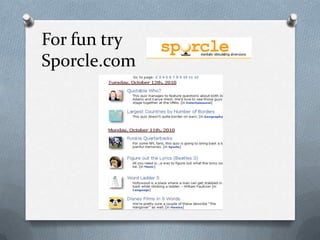
For fun trySporcle.com
Session 2BlogsWikisPhoto sharing & editing
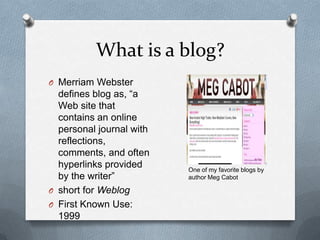
What is a blog?Merriam Webster defines blog as, “a Web site that contains an online personal journal with reflections, comments, and often hyperlinks provided by the writer”short for Weblog First Known Use: 1999One of my favorite blogs by author Meg Cabot
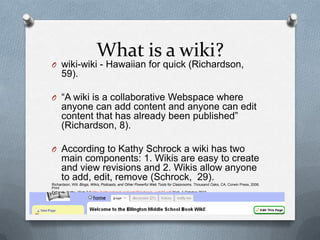
What is a wiki?wiki-wiki - Hawaiian for quick (Richardson, 59).“A wiki is a collaborative Webspace where anyone can add content and anyone can edit content that has already been published” (Richardson, 8). According to Kathy Schrock a wiki has two main components: 1. Wikis are easy to create and view revisions and 2. Wikis allow anyone to add, edit, remove (Schrock,  29).Richardson, Will. Blogs, Wikis, Podcasts, and Other Powerful Web Tools for Classrooms. Thousand Oaks, CA: Corwin Press, 2006.  PrintSchrock, Kathy. Web 2.0 http://kathyschrock.net/web20/schrock_web20.pdfWeb. 1 October 2010.
Blog vs. WikiA blog has an administrator (or administrators) who initiate, organize, and manage the content. In a wiki anyone with permission can add, edit, and remove content from the site. Anyone can also start a discussion topic. http://www.teachertube.com/viewVideo.php?video_id=54966
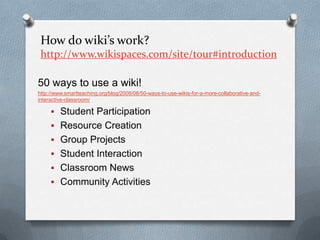
How do wiki’s work? http://www.wikispaces.com/site/tour#introduction50 ways to use a wiki! http://www.smartteaching.org/blog/2008/08/50-ways-to-use-wikis-for-a-more-collaborative-and-interactive-classroom/Student Participation
Resource Creation
Group Projects
Student Interaction
Classroom News
Community ActivitiesWikipediahttp://en.wikipedia.org/wiki/Wikipedia:FAQ/Schools
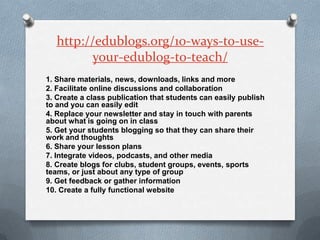
http://edublogs.org/10-ways-to-use-your-edublog-to-teach/1. Share materials, news, downloads, links and more2. Facilitate online discussions and collaboration3. Create a class publication that students can easily publish to and you can easily edit4. Replace your newsletter and stay in touch with parents about what is going on in class5. Get your students blogging so that they can share their work and thoughts6. Share your lesson plans7. Integrate videos, podcasts, and other media8. Create blogs for clubs, student groups, events, sports teams, or just about any type of group9. Get feedback or gather information10. Create a fully functional website
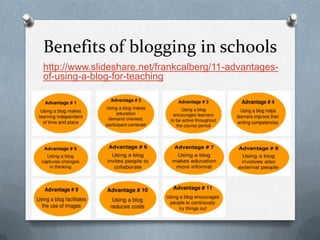
Benefits of blogging in schoolshttp://www.slideshare.net/frankcalberg/11-advantages-of-using-a-blog-for-teaching
Too many blogs, not enough time! Use an aggregator to keep track of posting updates.Google Reader http://www.google.comBloglineshttp://www.bloglines.com/
Before you design your own, lets look at some examples. Blogshttp://blogs.ellingtonschools.org/http://edublogs.org/community/http://kathyschrock.net/edtechblogs.htm(if you don’t know about Kathy Schrock,  you should check out her websitehttp://kathyschrock.net/index.htm or guide http://school.discoveryeducation.com/schrockguide/ )http://edublogawards.com/http://www.onlineuniversities.com/blog/2010/02/50-best-blogs-for-education-leaders/http://supportblogging.com/Links+to+School+Bloggershttp://weblogg-ed.com/http://www.internetwritingjournal.com/authorblogs/http://www.djusd.k12.ca.us/harper/jboston/AuthorsandIllustratorsontheWeb.htmhttp://yabookblogdirectory.blogspot.com/p/ya-book-blogger-list.htmlhttp://blog.schoollibraryjournal.com/allblog.phphttp://www.techlearning.com/section/Blogs
Wikishttp://linksforteachers.wikispaces.com/http://wikisineducation.wetpaint.com/http://educationalwikis.wikispaces.com/Examples+of+educational+wikishttp://www.wetpaint.com/category/educationhttp://salutetoseuss.wikispaces.com/http://www.ahistoryteacher.com/apwhreview/index.php?title=Holocaust_Wiki_Projecthttp://nutmeg.wikispaces.com/http://schools.wikia.com/wiki/Main_Pagehttp://en.wikibooks.org/wiki/Main_Pagehttp://writeyourstory.wikispaces.com/http://wik.ed.uiuc.edu/index.php/Wiki_in_a_K-12_classroomhttp://schools.wikia.com/wiki/High_School_Online_Collaborative_Writing
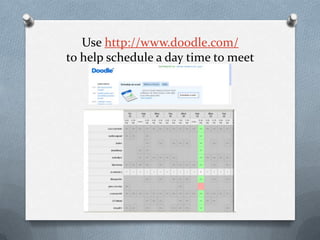
Use http://www.doodle.com/to help schedule a day time to meet
Time to set up a blog or wiki! For blogs, use the Ellington campus site of edublogs (check your email for account set up) For wikis,  use WikispacesAlways check your privacy settings!
Who can contribute / edit? Do you have to approve 1st?
Set rules if using student contributors  (see handout)

Web2.0 part2