Communication
Line,
Communication
Devices and
Home Network Written by:
Rohit Sachdev
Communication Lines
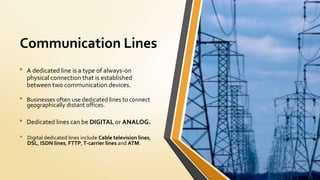
• A dedicated line is a type of always-on
physical connection that is established
between two communication devices.
• Digital dedicated lines include Cable television lines,
DSL, ISDN lines, FTTP,T-carrier lines and ATM.
• Businesses often use dedicated lines to connect
geographically distant offices.
• Dedicated lines can be DIGITAL or ANALOG.
Cables
• CommunicationCables are part ofAllied wire and Cable’s extensive stock of Data
CommunicationCable.
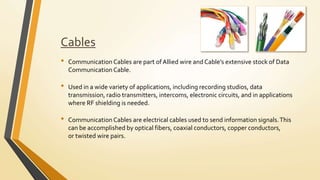
• CommunicationCables are electrical cables used to send information signals.This
can be accomplished by optical fibers, coaxial conductors, copper conductors,
or twisted wire pairs.
• Used in a wide variety of applications, including recording studios, data
transmission, radio transmitters, intercoms, electronic circuits, and in applications
where RF shielding is needed.
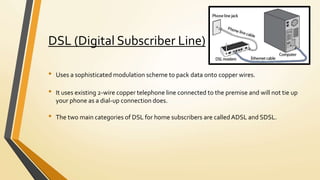
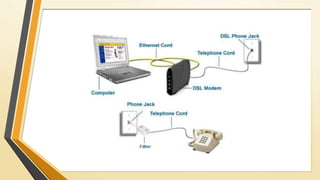
DSL (Digital Subscriber Line)
• Uses a sophisticated modulation scheme to pack data onto copper wires.
• It uses existing 2-wire copper telephone line connected to the premise and will not tie up
your phone as a dial-up connection does.
• The two main categories of DSL for home subscribers are calledADSL and SDSL.
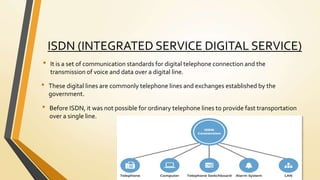
ISDN (INTEGRATED SERVICE DIGITAL SERVICE)
• It is a set of communication standards for digital telephone connection and the
transmission of voice and data over a digital line.
• These digital lines are commonly telephone lines and exchanges established by the
government.
• Before ISDN, it was not possible for ordinary telephone lines to provide fast transportation
over a single line.
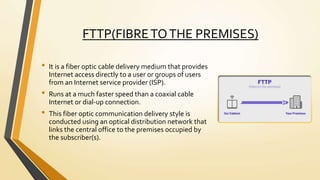
FTTP(FIBRETOTHE PREMISES)
• It is a fiber optic cable delivery medium that provides
Internet access directly to a user or groups of users
from an Internet service provider (ISP).
• Runs at a much faster speed than a coaxial cable
Internet or dial-up connection.
• This fiber optic communication delivery style is
conducted using an optical distribution network that
links the central office to the premises occupied by
the subscriber(s).
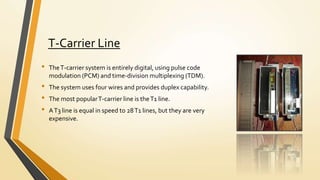
T-Carrier Line
• TheT-carrier system is entirely digital, using pulse code
modulation (PCM) and time-division multiplexing (TDM).
• The system uses four wires and provides duplex capability.
• The most popularT-carrier line is theT1 line.
• AT3 line is equal in speed to 28T1 lines, but they are very
expensive.
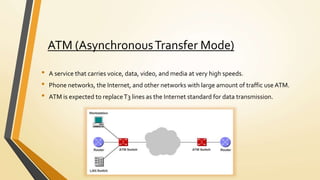
ATM (AsynchronousTransfer Mode)
• A service that carries voice, data, video, and media at very high speeds.
• Phone networks, the Internet, and other networks with large amount of traffic use ATM.
• ATM is expected to replaceT3 lines as the Internet standard for data transmission.
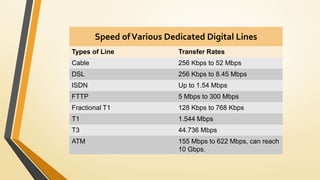
Speed ofVarious Dedicated Digital Lines
Types of Line Transfer Rates
Cable 256 Kbps to 52 Mbps
DSL 256 Kbps to 8.45 Mbps
ISDN Up to 1.54 Mbps
FTTP 5 Mbps to 300 Mbps
Fractional T1 128 Kbps to 768 Kbps
T1 1.544 Mbps
T3 44.736 Mbps
ATM 155 Mbps to 622 Mbps, can reach
10 Gbps.
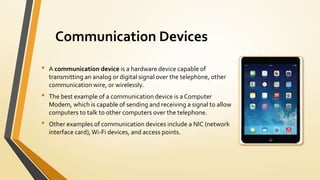
Communication Devices
• A communication device is a hardware device capable of
transmitting an analog or digital signal over the telephone, other
communication wire, or wirelessly.
• The best example of a communication device is a Computer
Modem, which is capable of sending and receiving a signal to allow
computers to talk to other computers over the telephone.
• Other examples of communication devices include a NIC (network
interface card),Wi-Fi devices, and access points.
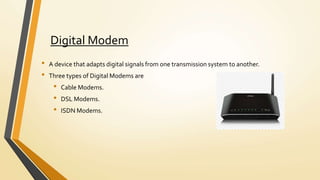
Digital Modem
• A device that adapts digital signals from one transmission system to another.
• Three types of Digital Modems are
• Cable Modems.
• DSL Modems.
• ISDN Modems.
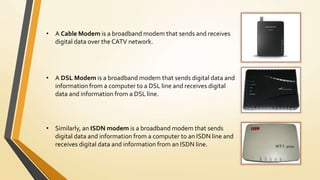
• A Cable Modem is a broadband modem that sends and receives
digital data over the CATV network.
• A DSL Modem is a broadband modem that sends digital data and
information from a computer to a DSL line and receives digital
data and information from a DSL line.
• Similarly, an ISDN modem is a broadband modem that sends
digital data and information from a computer to an ISDN line and
receives digital data and information from an ISDN line.
Wireless Modem
• A modem that bypasses the telephone system and connects directly to a wireless network,
through which it can directly access the Internet connectivity provided by an Internet
service provider (ISP).
• Prebuilt in to smartphones and PDAs.
• Distributed in the form of USB, serial or wireless firewall modems.
WirelessAccess Point.
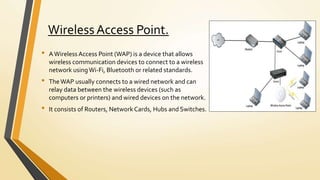
• AWireless Access Point (WAP) is a device that allows
wireless communication devices to connect to a wireless
network usingWi-Fi, Bluetooth or related standards.
• TheWAP usually connects to a wired network and can
relay data between the wireless devices (such as
computers or printers) and wired devices on the network.
• It consists of Routers, Network Cards, Hubs and Switches.
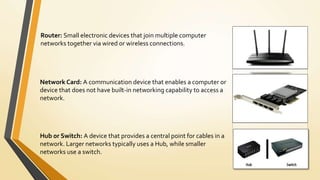
Router: Small electronic devices that join multiple computer
networks together via wired or wireless connections.
Hub or Switch: A device that provides a central point for cables in a
network. Larger networks typically uses a Hub, while smaller
networks use a switch.
Network Card: A communication device that enables a computer or
device that does not have built-in networking capability to access a
network.
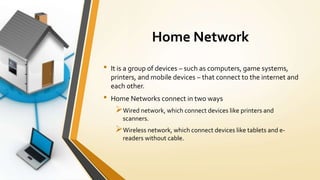
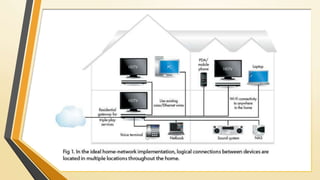
Home Network
• It is a group of devices – such as computers, game systems,
printers, and mobile devices – that connect to the internet and
each other.
• Home Networks connect in two ways
Wired network, which connect devices like printers and
scanners.
Wireless network, which connect devices like tablets and e-
readers without cable.
Why Set Up a Home Network?
• Connect to the Internet from multiple computers, game systems, mobile devices,
and more.
• Access files and folders on all devices connected to the network.
• Print from multiple computers on a single printer.
• Manage security settings for all networked devices in one place.
How to set up a Home Network?
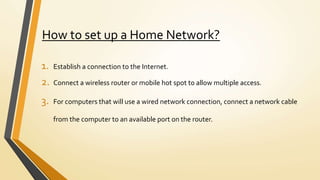
1. Establish a connection to the Internet.
2. Connect a wireless router or mobile hot spot to allow multiple access.
3. For computers that will use a wired network connection, connect a network cable
from the computer to an available port on the router.
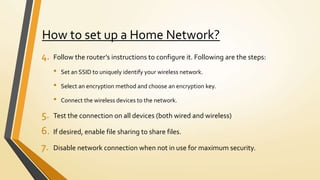
How to set up a Home Network?
4. Follow the router’s instructions to configure it. Following are the steps:
• Set an SSID to uniquely identify your wireless network.
• Select an encryption method and choose an encryption key.
• Connect the wireless devices to the network.
5. Test the connection on all devices (both wired and wireless)
6. If desired, enable file sharing to share files.
7. Disable network connection when not in use for maximum security.
Communication line, communication devices and home network

Communication line, communication devices and home network

  • 1.
  • 2.
    Communication Lines • Adedicated line is a type of always-on physical connection that is established between two communication devices. • Digital dedicated lines include Cable television lines, DSL, ISDN lines, FTTP,T-carrier lines and ATM. • Businesses often use dedicated lines to connect geographically distant offices. • Dedicated lines can be DIGITAL or ANALOG.
  • 3.
    Cables • CommunicationCables arepart ofAllied wire and Cable’s extensive stock of Data CommunicationCable. • CommunicationCables are electrical cables used to send information signals.This can be accomplished by optical fibers, coaxial conductors, copper conductors, or twisted wire pairs. • Used in a wide variety of applications, including recording studios, data transmission, radio transmitters, intercoms, electronic circuits, and in applications where RF shielding is needed.
  • 4.
    DSL (Digital SubscriberLine) • Uses a sophisticated modulation scheme to pack data onto copper wires. • It uses existing 2-wire copper telephone line connected to the premise and will not tie up your phone as a dial-up connection does. • The two main categories of DSL for home subscribers are calledADSL and SDSL.
  • 6.
    ISDN (INTEGRATED SERVICEDIGITAL SERVICE) • It is a set of communication standards for digital telephone connection and the transmission of voice and data over a digital line. • These digital lines are commonly telephone lines and exchanges established by the government. • Before ISDN, it was not possible for ordinary telephone lines to provide fast transportation over a single line.
  • 7.
    FTTP(FIBRETOTHE PREMISES) • Itis a fiber optic cable delivery medium that provides Internet access directly to a user or groups of users from an Internet service provider (ISP). • Runs at a much faster speed than a coaxial cable Internet or dial-up connection. • This fiber optic communication delivery style is conducted using an optical distribution network that links the central office to the premises occupied by the subscriber(s).
  • 8.
    T-Carrier Line • TheT-carriersystem is entirely digital, using pulse code modulation (PCM) and time-division multiplexing (TDM). • The system uses four wires and provides duplex capability. • The most popularT-carrier line is theT1 line. • AT3 line is equal in speed to 28T1 lines, but they are very expensive.
  • 9.
    ATM (AsynchronousTransfer Mode) •A service that carries voice, data, video, and media at very high speeds. • Phone networks, the Internet, and other networks with large amount of traffic use ATM. • ATM is expected to replaceT3 lines as the Internet standard for data transmission.
  • 10.
    Speed ofVarious DedicatedDigital Lines Types of Line Transfer Rates Cable 256 Kbps to 52 Mbps DSL 256 Kbps to 8.45 Mbps ISDN Up to 1.54 Mbps FTTP 5 Mbps to 300 Mbps Fractional T1 128 Kbps to 768 Kbps T1 1.544 Mbps T3 44.736 Mbps ATM 155 Mbps to 622 Mbps, can reach 10 Gbps.
  • 11.
    Communication Devices • Acommunication device is a hardware device capable of transmitting an analog or digital signal over the telephone, other communication wire, or wirelessly. • The best example of a communication device is a Computer Modem, which is capable of sending and receiving a signal to allow computers to talk to other computers over the telephone. • Other examples of communication devices include a NIC (network interface card),Wi-Fi devices, and access points.
  • 12.
    Digital Modem • Adevice that adapts digital signals from one transmission system to another. • Three types of Digital Modems are • Cable Modems. • DSL Modems. • ISDN Modems.
  • 13.
    • A CableModem is a broadband modem that sends and receives digital data over the CATV network. • A DSL Modem is a broadband modem that sends digital data and information from a computer to a DSL line and receives digital data and information from a DSL line. • Similarly, an ISDN modem is a broadband modem that sends digital data and information from a computer to an ISDN line and receives digital data and information from an ISDN line.
  • 14.
    Wireless Modem • Amodem that bypasses the telephone system and connects directly to a wireless network, through which it can directly access the Internet connectivity provided by an Internet service provider (ISP). • Prebuilt in to smartphones and PDAs. • Distributed in the form of USB, serial or wireless firewall modems.
  • 15.
    WirelessAccess Point. • AWirelessAccess Point (WAP) is a device that allows wireless communication devices to connect to a wireless network usingWi-Fi, Bluetooth or related standards. • TheWAP usually connects to a wired network and can relay data between the wireless devices (such as computers or printers) and wired devices on the network. • It consists of Routers, Network Cards, Hubs and Switches.
  • 16.
    Router: Small electronicdevices that join multiple computer networks together via wired or wireless connections. Hub or Switch: A device that provides a central point for cables in a network. Larger networks typically uses a Hub, while smaller networks use a switch. Network Card: A communication device that enables a computer or device that does not have built-in networking capability to access a network.
  • 17.
    Home Network • Itis a group of devices – such as computers, game systems, printers, and mobile devices – that connect to the internet and each other. • Home Networks connect in two ways Wired network, which connect devices like printers and scanners. Wireless network, which connect devices like tablets and e- readers without cable.
  • 19.
    Why Set Upa Home Network? • Connect to the Internet from multiple computers, game systems, mobile devices, and more. • Access files and folders on all devices connected to the network. • Print from multiple computers on a single printer. • Manage security settings for all networked devices in one place.
  • 20.
    How to setup a Home Network? 1. Establish a connection to the Internet. 2. Connect a wireless router or mobile hot spot to allow multiple access. 3. For computers that will use a wired network connection, connect a network cable from the computer to an available port on the router.
  • 21.
    How to setup a Home Network? 4. Follow the router’s instructions to configure it. Following are the steps: • Set an SSID to uniquely identify your wireless network. • Select an encryption method and choose an encryption key. • Connect the wireless devices to the network. 5. Test the connection on all devices (both wired and wireless) 6. If desired, enable file sharing to share files. 7. Disable network connection when not in use for maximum security.