MS-CIT
SHRI BALAJI INFOTECH
Let’s start with the first set of slides
1
Unit - 8
Communications and
Network
2
“
Computer Communication is the process of
sharing data, programs and information between
two or more computers.
3
Communication
◆ E-mail
◆ Texting
◆ Video – Conferencing
◆ Electronic Commerce
Connectivity, the wireless revolution, and communication
system are key concepts and technologies for the 21st
Century.
4
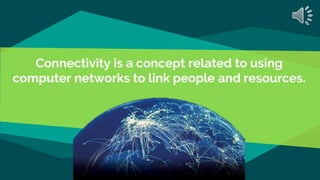
Connectivity is a concept related to using
computer networks to link people and resources.
Wireless Revolution
◆ Wireless Revolution provides services and technology by employing
staff that is well versed in all aspects of wireless technology, whether it
is a basic flip phone, a smart device or wireless data access, for a single
or multiple computers.
6
Communication System
◆ Sending and Receiving Devices
◆ Connection devices
◆ Data Transmission Specification
◆ Communication Channel
7
 Define computer communications and
connectivity.
 What is the wireless revolution ?
 Describe the four elements of every
communication system?
Concept Check
Communication
Channels
9
Physical Connections
◆ Twisted – Pair Cable
◆ Coaxial Cable
10
◆ Ethernet Cable
◆ Fibre - Optic Cable
In networking terminology, wireless is the term used to describe any
computer network where there is no physical wired connection between sender and
receiver, but rather the network is connected by radio waves and/or microwaves to
maintain communications.
Wireless Connections
◆ WI-FI ( Wireless Fidelity)
◆ Satellite
◆ WiMAX (Worldwide Interoperability for
Microwave Access)
12
◆ Microwave
◆ Bluetooth
◆ Cellular (Cell Towers, Cells)
 What are the communication channels ? List the
three physical connections.
 Define Bluetooth, Wi-Fi, microwave
communication and Wi Max.
 What are cellular and satellite communication ?
GPS? Infrared?
Concept Check
Connected devices are physical objects that can connect with each other and other
systems via the Internet. They span everything from traditional computing hardware,
such as a laptop or desktop, to common mobile devices, such as a smartphone or tablet,
to an increasingly wide range of physical devices and objects. Ex- MODEMS
Connection Devices
MODEMS
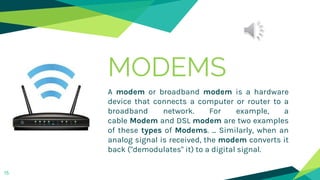
A modem or broadband modem is a hardware
device that connects a computer or router to a
broadband network. For example, a
cable Modem and DSL modem are two examples
of these types of Modems. ... Similarly, when an
analog signal is received, the modem converts it
back ("demodulates" it) to a digital signal.
15
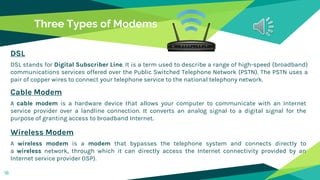
Three Types of Modems
DSL
DSL stands for Digital Subscriber Line. It is a term used to describe a range of high-speed (broadband)
communications services offered over the Public Switched Telephone Network (PSTN). The PSTN uses a
pair of copper wires to connect your telephone service to the national telephony network.
Cable Modem
A cable modem is a hardware device that allows your computer to communicate with an Internet
service provider over a landline connection. It converts an analog signal to a digital signal for the
purpose of granting access to broadband Internet.
Wireless Modem
A wireless modem is a modem that bypasses the telephone system and connects directly to
a wireless network, through which it can directly access the Internet connectivity provided by an
Internet service provider (ISP).
16
Connection Service means a telecommunication service consisting in the
conveyance of any Message which has been, or is to be, conveyed by means
of the Applicable Systems:
Connection Service
Connection Service Providers
1. DSL
DSL stands for Digital Subscriber Line. It is a term used to describe a range of high-speed (broadband)
communications services offered over the Public Switched Telephone Network (PSTN). The PSTN uses a
pair of copper wires to connect your telephone service to the national telephony network.
2. Cable Service
A subscription television service that uses cables to carry signals between local distribution antennas
and the subscriber's location. Also called cable TV.
3. Fibre Optic Services
18
Fiber Optic Services (FOS) is serving Photonics & Telecommunication market since 1999. FOS is leading
provider of techno-commercial services in the field of Photonics & Telecommunication simulation
tools, Fiber Optic Components & equipment, educational kits. We serve South Asia as well as Middle
East Market.
Connection Service Providers
4. Satellite Connection Services
A satellite Internet connection is an arrangement in which the upstream (outgoing) and the
downstream (incoming) data are sent from, and arrive at, a computer through a satellite. ... The two-
way satellite Internet option offers an always-on connection that bypasses the dial-up process.
5. Cellular Connection Services
A cellular connection refers to a technology of having a system of many small interconnected
transmitters. Our phones make use of the cellular network already present in form of high frequency
radio waves in order to perform activities like making phone calls or utilizing internet, etc.
19
Each Generation is defined as a set of telephone network standards , which
detail the technological implementation of a particular mobile phone system.
The speed increases and the technology used to achieve that speed also
changes. Simply, the "G" stands for "GENERATION"
Generations of Wireless Connection
 What is the function of a modem ? Compare the
three types of modem.
 What is the connection service ? Compare the 5
high-speed connection services.
 Describe the four generations of mobile
communications.
Concept Check
Bandwidth is defined as a range within a band of frequencies or
wavelengths. Bandwidth is also the amount of data that can be transmitted in a
fixed amount of time. For digital devices, the bandwidth is usually expressed in
bits per second(bps) or bytes per second.
Bandwidth
Connection Service Providers
1. Voiceband
This refers to the transmission of (voice) information over a relatively narrow band of
frequencies, called the voice spectrum (about 0–3,500 Hz), for which telephone networks
have been designed. Your dialup 56-Kbps modem is an example of a voiceband modem.
2. Medium Band
Medium frequency (MF) is the ITU designation for radio frequencies (RF) in the range of
300 kilohertz (kHz) to 3 megahertz (MHz). Part of this band is the medium wave (MW) AM
broadcast band. The MF band is also known as the hectometer band as the wavelengths
range from ten to one hectometer (1000 to 100 m).
23
Connection Service Providers
3. Broadband
Broadband internet is typically anything faster than dial-up (cable, DSL, etc.) and in other
words it provides high speed internet.
2. Base Band
A baseband signal is an original transmission signal that has not be modulated, or has
been demodulated to its original frequency. Most telecommunications protocols
require baseband signals to be converted, or modulated, to a higher frequency so they can
be transmitted over long distances.
24
In telecommunication, a communication
protocol is a system of rules that allow
two or more entities of a communications
system to transmit information via any
kind of variation of a physical quantity.
Protocols
Features of protocol
1. TCP/IP
The Internet protocol suite is the conceptual model and set of communications protocols
used in the Internet and similar computer networks. It is commonly known as TCP/IP
because the foundational protocols in the suite are the Transmission Control Protocol and
the Internet Protocol.
2. Standard Protocol
Standard protocols are agreed and accepted by the whole computing industry. ... Standard
protocols are often developed by collaborative effort of experts from different
organizations. Examples of standard protocols are IP, TCP, UDP etc. RFC (Request for
Comments) is an IETF platform to develop Standard Protocols.
26
Features of protocol
3. Identification
In general terms, an identification protocol involves a claimant A and a verifier B. The
verifier is presented with, or presumes beforehand, the purported identity of the claimant.
The goal is to corroborate that the identity of the claimant is indeed A, i.e. A provides entity
authentication.
4. Packetization
It has two consequences: (1) it breaks the constraint of location-dependence and (2) it
leads to deepening specialization. First, by digitizing even one aspect of an activity or
process, it removes its location-dependence. The packetized activity can be completed
anywhere that the packet can be sent.
27
 What is a Bandwidth ? Describe the four
categories.
 What are protocols ? What is the standard
protocol for the Internet ?
 Define TCP/IP, IP address, and packets.
Concept Check
A computer network is a group
of computers linked to each other that
enables the computer to communicate
with another computer and share their
resources, data, and applications.
Computer Network
Terms
1. Node
Any system or device connected to a network is also called a node. For example, if
a network connects a file server, five computers, and two printers, there are eight nodes on
the network.
2. Client
A client is a piece of computer hardware or software that accesses a service made
available by a server. The server is often (but not always) on another computer system, in
which case the client accesses the service by way of a network.
30
3. Server
A server is a computer that provides data to other computers. It may serve data to
systems on a local area network (LAN) or a wide area network (WAN) over the Internet.
Many types of servers exist, including web servers, mail servers, and file servers. Each
type runs software specific to the purpose of the server.
Terms
4. Directory server
A directory server contains a lookup service that provides mapping
between network resources and then network addresses. It's used to organize and look up
organizational objects and entities ranging from things like user accounts, user groups,
telephone numbers, and network shares.
5. Host
A network host is a computer or other device connected to a computer network. A host may
work as a server offering information resources, services, and applications to users or
other hosts on the network. Hosts are assigned at least one network address.
31
6. Router
A router is a networking device that forwards data packets between computer networks.
Routers perform the traffic directing functions on the Internet. Data sent through the
internet, such as a web page or email, is in the form of data packets.
Terms
7. Switch
A network switch is networking hardware that connects devices on a computer network by
using packet switching to receive and forward data to the destination device. A network
switch is a multiport network bridge that uses MAC addresses to forward data at the data
link layer of the OSI model.
8. Network Interface cards (NIC)
Network interface card (NIC) is a hardware component without which a computer cannot
be connected over a network. It is a circuit board installed in a computer that provides a
dedicated network connection to the computer. It is also called network interface
controller, network adapter or LAN adapte
32
9. Network Operating System
A network operating system (NOS) is a computer operating system (OS) that is designed
primarily to support workstations, personal computers and, in some instances, older
terminals that are connected on a local area network (LAN).
Terms
33
9. Network Administrator
A network administrator is the person designated in an organization whose responsibility
includes maintaining computer infrastructures with emphasis on networking.
 What is a computer network ? What are nodes,
clients, servers, directory servers, hosts, routers,
and switches ?
 What is the function of NIC and NOS ?
 What is a network administrator ?
Concept Check
Types of area networks – LAN, MAN and WAN. The Network allows computers to connect and
communicate with different computers via any medium. LAN, MAN and WAN are the three
major types of the network designed to operate over the area they cover. There are some
similarities and dissimilarities between them.
Network Types
Local Area Network (LAN)
A local area network is a computer
network that interconnects computers
within a limited area such as a
residence, school, laboratory, university
campus or office building. By contrast,
a wide area network not only covers a
larger geographic distance, but also
generally involves leased
telecommunication circuits.
36
37
Network Gateway
A gateway is a network node used
in telecommunications that
connects two networks with
different transmission protocols
together. Gateways serve as an
entry and exit point for
a network as all data must pass
through or communicate with
the gateway prior to being routed.
38
Ethernet
Ethernet is a way of connecting computers
together in a local area network or LAN. It has
been the most widely used method of linking
computers together in LANs since the 1990s.
The basic idea of its design is that multiple
computers have access to it and can send data
at any time.
39
Home Networks
A home network or home area network (HAN) is a type
of computer network that facilitates communication among
devices within the close vicinity of a home. Devices capable of
participating in this network, for example, smart devices such as
network printers and handheld mobile computers, often gain
enhanced emergent capabilities through their ability to interact.
These additional capabilities can be used to increase the quality
of life inside the home in a variety of ways, such as automation
of repetitive tasks, increased personal productivity, enhanced
home security, and easier access to entertainment.
40
Wireless Network
Wireless networks are computer networks that are not connected by
cables of any kind. The use of a wireless network enables enterprises
to avoid the costly process of introducing cables into buildings or as
a connection between different equipment locations
A wireless adapter is a hardware device that is generally attached to
a computer or other workstation device to allow it to connect to
a wireless system. Before the advent of consumer devices with built-
in Wi-Fi connectivity, devices required the use of wireless
adapters to connect to a network.
41
Wireless Access Point
In computer networking, a wireless access point, or more generally
just access point, is a networking hardware device that allows other
Wi-Fi devices to connect to a wired network. The AP usually connects
to a router as a standalone device, but it can also be an integral
component of the router itself.
Hotspot
A hotspot is a physical location where people may obtain Internet
access, typically using Wi-Fi technology, via a wireless local-area
network (WLAN) using a router connected to an Internet service
provider. Public hotspots may be created by a business for use by
customers, such as coffee shops or hotels.
42
Personal Area Network
A personal area network, or PAN, is a computer network that
enables communication between computer devices near a person.
PANs can be wired, such as USB or FireWire, or they can be wireless,
such as infrared, ZigBee, Bluetooth and ultrawideband, or UWB. The
range of a PAN typically is a few meters.
Metropolitan Area Network
A metropolitan area network (MAN) is a network that interconnects
users with computer resources in a geographic area or region larger
than that covered by even a large local area network (LAN) but
smaller than the area covered by a wide area network (WAN).
43
Wide Area Network
A wide area network is a
telecommunications network that
extends over a large geographical
area for the primary purpose of
computer networking. Wide area
networks are often established
with leased telecommunication
circuits
 What is a LAN ? Network gateway ? Ethernet ?
Home network ?
 What is a wireless network ? Wireless access
point ? Hotspot ?
 What is PAN ? MAN ? WAN ?
Concept Check
45
Network architecture
Network architecture is the design
of a computer network. It is a
framework for the specification of
a network's physical components
and their functional organization
and configuration, its operational
principles and procedures, as well
as communication protocols used.
Network topology is the arrangement of the elements (links, nodes, etc.) of a communication
network.
Network Topology
Topologies
1. Bus Network
A bus network is an arrangement in a local area network (LAN) in
which each node (workstation or other device) is connected to a
main cable or link called the bus. The illustration shows a bus
network with five nodes.
47
2. Ring Network
A ring network is a network topology in which each node connects to
exactly two other nodes, forming a single continuous pathway for signals
through each node - a ring. Data travels from node to node, with each
node along the way handling every packet.
Topologies
48
4. Tree Network
A tree network, or star-bus network, is a hybrid network topology in which
star networks are interconnected via bus networks. Tree networks are
hierarchical, and each node can have an arbitrary number of child nodes.
3. Star Network
A star network is a local area network (LAN) in which all nodes
(workstations or other devices) are directly connected to a common
central computer. Every workstation is indirectly connected to every
other through the central computer.
Topologies
49
5. Mesh Network
A mesh network is a local network
topology in which the infrastructure
nodes connect directly, dynamically and
non-hierarchically to as many other
nodes as possible and cooperate with
one another to efficiently route data
from/to clients.
Insight's Network Strategy provides a
comprehensive vision for your data, security and
telephony infrastructure. It ensures that
the network is positioned to support the business
and provides a roadmap to guide investments in
people, operations and technology.
Network Strategies
Strategies
1. Client/Server
All files are stored centrally, providing a pool of data that is accessible to
all workstations on the network. The network can support computers of
differing types and usually different versions of the same operating
system.
51
2. Peer-to-Peer
A peer-to-peer network is designed around the notion of equal peer nodes
simultaneously functioning as both "clients" and "servers" to the other
nodes on the network. This model of network arrangement differs from
the client–server model where communication is usually to and from a
central server.
 What is a network topology ?
 Compare bus, ring, star, tree, and mesh
topologies.
 What is a network strategy ?
 Compare client/server and peer-to-peer
strategies.
Concept Check
Organizational Network Analysis (ONA) is a
structured way to visualize how communications,
information, and decisions flow through
an organization. Organizational networks consist of
nodes and ties, the foundation for understanding
how information in your organization is flowing, can
flow, and should flow.
Organizational Network
Internet Technologies
1. Intranet
An intranet is a private network that can only be accessed by authorized
users. The prefix "intra" means "internal" and therefore implies
an intranet is designed for internal communications. "Inter" (as in
Internet) means "between" or "among." Since there is only one Internet, the
word "Internet" is capitalized
54
2. Extranet
An extranet is a controlled private network that allows access to partners,
vendors and suppliers or an authorized set of customers – normally to a
subset of the information accessible from an organization's intranet.
Want big impact? Use big image.
55
Network security is the practice of preventing and
protecting against unauthorized intrusion into
corporate networks. As a philosophy, it
complements endpoint security, which focuses on
individual devices; network security instead
focuses on how those devices interact, and on the
connective tissue between them.
Network Security
Network Security
57
1. A Firewall
A firewall is a network security device that monitors
incoming and outgoing network traffic and permits or
blocks data packets based on a set of security rules.
A proxy server is a dedicated computer or a software
system running on a computer that acts as an
intermediary between an endpoint device, such as a
computer, and another server from which a user or
client is requesting a service.
Network Security
58
2. Intrusion Detection System (IDS)
An intrusion detection system is a device or
software application that monitors a
network or systems for malicious activity or
policy violations. Any intrusion activity or
violation is typically reported either to an
administrator or collected centrally using a
security information and event
management system.
Network Security
59
3. Virtual Private Networks (VPN)
A virtual private network extends a
private network across a public network
and enables users to send and receive
data across shared or public networks
as if their computing devices were
directly connected to the private
network.
 What are internet technologies ? Compare
intranet and extranet.
 What is a firewall ? What is proxy server ?
 What are intrusion detection systems ?
 What are virtual private networks ?
Concept Check
Want big impact? Use big image.
61
Thanks!
PAYAL MUDLIAR
9860663446
payalhdps@rediffmail.com
62

MS-CIT Unit 8.pptx

  • 1.
    MS-CIT SHRI BALAJI INFOTECH Let’sstart with the first set of slides 1
  • 2.
  • 3.
    “ Computer Communication isthe process of sharing data, programs and information between two or more computers. 3
  • 4.
    Communication ◆ E-mail ◆ Texting ◆Video – Conferencing ◆ Electronic Commerce Connectivity, the wireless revolution, and communication system are key concepts and technologies for the 21st Century. 4
  • 5.
    Connectivity is aconcept related to using computer networks to link people and resources.
  • 6.
    Wireless Revolution ◆ WirelessRevolution provides services and technology by employing staff that is well versed in all aspects of wireless technology, whether it is a basic flip phone, a smart device or wireless data access, for a single or multiple computers. 6
  • 7.
    Communication System ◆ Sendingand Receiving Devices ◆ Connection devices ◆ Data Transmission Specification ◆ Communication Channel 7
  • 8.
     Define computercommunications and connectivity.  What is the wireless revolution ?  Describe the four elements of every communication system? Concept Check
  • 9.
  • 10.
    Physical Connections ◆ Twisted– Pair Cable ◆ Coaxial Cable 10 ◆ Ethernet Cable ◆ Fibre - Optic Cable
  • 11.
    In networking terminology,wireless is the term used to describe any computer network where there is no physical wired connection between sender and receiver, but rather the network is connected by radio waves and/or microwaves to maintain communications. Wireless Connections
  • 12.
    Wireless Connections ◆ WI-FI( Wireless Fidelity) ◆ Satellite ◆ WiMAX (Worldwide Interoperability for Microwave Access) 12 ◆ Microwave ◆ Bluetooth ◆ Cellular (Cell Towers, Cells)
  • 13.
     What arethe communication channels ? List the three physical connections.  Define Bluetooth, Wi-Fi, microwave communication and Wi Max.  What are cellular and satellite communication ? GPS? Infrared? Concept Check
  • 14.
    Connected devices arephysical objects that can connect with each other and other systems via the Internet. They span everything from traditional computing hardware, such as a laptop or desktop, to common mobile devices, such as a smartphone or tablet, to an increasingly wide range of physical devices and objects. Ex- MODEMS Connection Devices
  • 15.
    MODEMS A modem orbroadband modem is a hardware device that connects a computer or router to a broadband network. For example, a cable Modem and DSL modem are two examples of these types of Modems. ... Similarly, when an analog signal is received, the modem converts it back ("demodulates" it) to a digital signal. 15
  • 16.
    Three Types ofModems DSL DSL stands for Digital Subscriber Line. It is a term used to describe a range of high-speed (broadband) communications services offered over the Public Switched Telephone Network (PSTN). The PSTN uses a pair of copper wires to connect your telephone service to the national telephony network. Cable Modem A cable modem is a hardware device that allows your computer to communicate with an Internet service provider over a landline connection. It converts an analog signal to a digital signal for the purpose of granting access to broadband Internet. Wireless Modem A wireless modem is a modem that bypasses the telephone system and connects directly to a wireless network, through which it can directly access the Internet connectivity provided by an Internet service provider (ISP). 16
  • 17.
    Connection Service meansa telecommunication service consisting in the conveyance of any Message which has been, or is to be, conveyed by means of the Applicable Systems: Connection Service
  • 18.
    Connection Service Providers 1.DSL DSL stands for Digital Subscriber Line. It is a term used to describe a range of high-speed (broadband) communications services offered over the Public Switched Telephone Network (PSTN). The PSTN uses a pair of copper wires to connect your telephone service to the national telephony network. 2. Cable Service A subscription television service that uses cables to carry signals between local distribution antennas and the subscriber's location. Also called cable TV. 3. Fibre Optic Services 18 Fiber Optic Services (FOS) is serving Photonics & Telecommunication market since 1999. FOS is leading provider of techno-commercial services in the field of Photonics & Telecommunication simulation tools, Fiber Optic Components & equipment, educational kits. We serve South Asia as well as Middle East Market.
  • 19.
    Connection Service Providers 4.Satellite Connection Services A satellite Internet connection is an arrangement in which the upstream (outgoing) and the downstream (incoming) data are sent from, and arrive at, a computer through a satellite. ... The two- way satellite Internet option offers an always-on connection that bypasses the dial-up process. 5. Cellular Connection Services A cellular connection refers to a technology of having a system of many small interconnected transmitters. Our phones make use of the cellular network already present in form of high frequency radio waves in order to perform activities like making phone calls or utilizing internet, etc. 19
  • 20.
    Each Generation isdefined as a set of telephone network standards , which detail the technological implementation of a particular mobile phone system. The speed increases and the technology used to achieve that speed also changes. Simply, the "G" stands for "GENERATION" Generations of Wireless Connection
  • 21.
     What isthe function of a modem ? Compare the three types of modem.  What is the connection service ? Compare the 5 high-speed connection services.  Describe the four generations of mobile communications. Concept Check
  • 22.
    Bandwidth is definedas a range within a band of frequencies or wavelengths. Bandwidth is also the amount of data that can be transmitted in a fixed amount of time. For digital devices, the bandwidth is usually expressed in bits per second(bps) or bytes per second. Bandwidth
  • 23.
    Connection Service Providers 1.Voiceband This refers to the transmission of (voice) information over a relatively narrow band of frequencies, called the voice spectrum (about 0–3,500 Hz), for which telephone networks have been designed. Your dialup 56-Kbps modem is an example of a voiceband modem. 2. Medium Band Medium frequency (MF) is the ITU designation for radio frequencies (RF) in the range of 300 kilohertz (kHz) to 3 megahertz (MHz). Part of this band is the medium wave (MW) AM broadcast band. The MF band is also known as the hectometer band as the wavelengths range from ten to one hectometer (1000 to 100 m). 23
  • 24.
    Connection Service Providers 3.Broadband Broadband internet is typically anything faster than dial-up (cable, DSL, etc.) and in other words it provides high speed internet. 2. Base Band A baseband signal is an original transmission signal that has not be modulated, or has been demodulated to its original frequency. Most telecommunications protocols require baseband signals to be converted, or modulated, to a higher frequency so they can be transmitted over long distances. 24
  • 25.
    In telecommunication, acommunication protocol is a system of rules that allow two or more entities of a communications system to transmit information via any kind of variation of a physical quantity. Protocols
  • 26.
    Features of protocol 1.TCP/IP The Internet protocol suite is the conceptual model and set of communications protocols used in the Internet and similar computer networks. It is commonly known as TCP/IP because the foundational protocols in the suite are the Transmission Control Protocol and the Internet Protocol. 2. Standard Protocol Standard protocols are agreed and accepted by the whole computing industry. ... Standard protocols are often developed by collaborative effort of experts from different organizations. Examples of standard protocols are IP, TCP, UDP etc. RFC (Request for Comments) is an IETF platform to develop Standard Protocols. 26
  • 27.
    Features of protocol 3.Identification In general terms, an identification protocol involves a claimant A and a verifier B. The verifier is presented with, or presumes beforehand, the purported identity of the claimant. The goal is to corroborate that the identity of the claimant is indeed A, i.e. A provides entity authentication. 4. Packetization It has two consequences: (1) it breaks the constraint of location-dependence and (2) it leads to deepening specialization. First, by digitizing even one aspect of an activity or process, it removes its location-dependence. The packetized activity can be completed anywhere that the packet can be sent. 27
  • 28.
     What isa Bandwidth ? Describe the four categories.  What are protocols ? What is the standard protocol for the Internet ?  Define TCP/IP, IP address, and packets. Concept Check
  • 29.
    A computer networkis a group of computers linked to each other that enables the computer to communicate with another computer and share their resources, data, and applications. Computer Network
  • 30.
    Terms 1. Node Any systemor device connected to a network is also called a node. For example, if a network connects a file server, five computers, and two printers, there are eight nodes on the network. 2. Client A client is a piece of computer hardware or software that accesses a service made available by a server. The server is often (but not always) on another computer system, in which case the client accesses the service by way of a network. 30 3. Server A server is a computer that provides data to other computers. It may serve data to systems on a local area network (LAN) or a wide area network (WAN) over the Internet. Many types of servers exist, including web servers, mail servers, and file servers. Each type runs software specific to the purpose of the server.
  • 31.
    Terms 4. Directory server Adirectory server contains a lookup service that provides mapping between network resources and then network addresses. It's used to organize and look up organizational objects and entities ranging from things like user accounts, user groups, telephone numbers, and network shares. 5. Host A network host is a computer or other device connected to a computer network. A host may work as a server offering information resources, services, and applications to users or other hosts on the network. Hosts are assigned at least one network address. 31 6. Router A router is a networking device that forwards data packets between computer networks. Routers perform the traffic directing functions on the Internet. Data sent through the internet, such as a web page or email, is in the form of data packets.
  • 32.
    Terms 7. Switch A networkswitch is networking hardware that connects devices on a computer network by using packet switching to receive and forward data to the destination device. A network switch is a multiport network bridge that uses MAC addresses to forward data at the data link layer of the OSI model. 8. Network Interface cards (NIC) Network interface card (NIC) is a hardware component without which a computer cannot be connected over a network. It is a circuit board installed in a computer that provides a dedicated network connection to the computer. It is also called network interface controller, network adapter or LAN adapte 32 9. Network Operating System A network operating system (NOS) is a computer operating system (OS) that is designed primarily to support workstations, personal computers and, in some instances, older terminals that are connected on a local area network (LAN).
  • 33.
    Terms 33 9. Network Administrator Anetwork administrator is the person designated in an organization whose responsibility includes maintaining computer infrastructures with emphasis on networking.
  • 34.
     What isa computer network ? What are nodes, clients, servers, directory servers, hosts, routers, and switches ?  What is the function of NIC and NOS ?  What is a network administrator ? Concept Check
  • 35.
    Types of areanetworks – LAN, MAN and WAN. The Network allows computers to connect and communicate with different computers via any medium. LAN, MAN and WAN are the three major types of the network designed to operate over the area they cover. There are some similarities and dissimilarities between them. Network Types
  • 36.
    Local Area Network(LAN) A local area network is a computer network that interconnects computers within a limited area such as a residence, school, laboratory, university campus or office building. By contrast, a wide area network not only covers a larger geographic distance, but also generally involves leased telecommunication circuits. 36
  • 37.
    37 Network Gateway A gatewayis a network node used in telecommunications that connects two networks with different transmission protocols together. Gateways serve as an entry and exit point for a network as all data must pass through or communicate with the gateway prior to being routed.
  • 38.
    38 Ethernet Ethernet is away of connecting computers together in a local area network or LAN. It has been the most widely used method of linking computers together in LANs since the 1990s. The basic idea of its design is that multiple computers have access to it and can send data at any time.
  • 39.
    39 Home Networks A homenetwork or home area network (HAN) is a type of computer network that facilitates communication among devices within the close vicinity of a home. Devices capable of participating in this network, for example, smart devices such as network printers and handheld mobile computers, often gain enhanced emergent capabilities through their ability to interact. These additional capabilities can be used to increase the quality of life inside the home in a variety of ways, such as automation of repetitive tasks, increased personal productivity, enhanced home security, and easier access to entertainment.
  • 40.
    40 Wireless Network Wireless networksare computer networks that are not connected by cables of any kind. The use of a wireless network enables enterprises to avoid the costly process of introducing cables into buildings or as a connection between different equipment locations A wireless adapter is a hardware device that is generally attached to a computer or other workstation device to allow it to connect to a wireless system. Before the advent of consumer devices with built- in Wi-Fi connectivity, devices required the use of wireless adapters to connect to a network.
  • 41.
    41 Wireless Access Point Incomputer networking, a wireless access point, or more generally just access point, is a networking hardware device that allows other Wi-Fi devices to connect to a wired network. The AP usually connects to a router as a standalone device, but it can also be an integral component of the router itself. Hotspot A hotspot is a physical location where people may obtain Internet access, typically using Wi-Fi technology, via a wireless local-area network (WLAN) using a router connected to an Internet service provider. Public hotspots may be created by a business for use by customers, such as coffee shops or hotels.
  • 42.
    42 Personal Area Network Apersonal area network, or PAN, is a computer network that enables communication between computer devices near a person. PANs can be wired, such as USB or FireWire, or they can be wireless, such as infrared, ZigBee, Bluetooth and ultrawideband, or UWB. The range of a PAN typically is a few meters. Metropolitan Area Network A metropolitan area network (MAN) is a network that interconnects users with computer resources in a geographic area or region larger than that covered by even a large local area network (LAN) but smaller than the area covered by a wide area network (WAN).
  • 43.
    43 Wide Area Network Awide area network is a telecommunications network that extends over a large geographical area for the primary purpose of computer networking. Wide area networks are often established with leased telecommunication circuits
  • 44.
     What isa LAN ? Network gateway ? Ethernet ? Home network ?  What is a wireless network ? Wireless access point ? Hotspot ?  What is PAN ? MAN ? WAN ? Concept Check
  • 45.
    45 Network architecture Network architectureis the design of a computer network. It is a framework for the specification of a network's physical components and their functional organization and configuration, its operational principles and procedures, as well as communication protocols used.
  • 46.
    Network topology isthe arrangement of the elements (links, nodes, etc.) of a communication network. Network Topology
  • 47.
    Topologies 1. Bus Network Abus network is an arrangement in a local area network (LAN) in which each node (workstation or other device) is connected to a main cable or link called the bus. The illustration shows a bus network with five nodes. 47 2. Ring Network A ring network is a network topology in which each node connects to exactly two other nodes, forming a single continuous pathway for signals through each node - a ring. Data travels from node to node, with each node along the way handling every packet.
  • 48.
    Topologies 48 4. Tree Network Atree network, or star-bus network, is a hybrid network topology in which star networks are interconnected via bus networks. Tree networks are hierarchical, and each node can have an arbitrary number of child nodes. 3. Star Network A star network is a local area network (LAN) in which all nodes (workstations or other devices) are directly connected to a common central computer. Every workstation is indirectly connected to every other through the central computer.
  • 49.
    Topologies 49 5. Mesh Network Amesh network is a local network topology in which the infrastructure nodes connect directly, dynamically and non-hierarchically to as many other nodes as possible and cooperate with one another to efficiently route data from/to clients.
  • 50.
    Insight's Network Strategyprovides a comprehensive vision for your data, security and telephony infrastructure. It ensures that the network is positioned to support the business and provides a roadmap to guide investments in people, operations and technology. Network Strategies
  • 51.
    Strategies 1. Client/Server All filesare stored centrally, providing a pool of data that is accessible to all workstations on the network. The network can support computers of differing types and usually different versions of the same operating system. 51 2. Peer-to-Peer A peer-to-peer network is designed around the notion of equal peer nodes simultaneously functioning as both "clients" and "servers" to the other nodes on the network. This model of network arrangement differs from the client–server model where communication is usually to and from a central server.
  • 52.
     What isa network topology ?  Compare bus, ring, star, tree, and mesh topologies.  What is a network strategy ?  Compare client/server and peer-to-peer strategies. Concept Check
  • 53.
    Organizational Network Analysis(ONA) is a structured way to visualize how communications, information, and decisions flow through an organization. Organizational networks consist of nodes and ties, the foundation for understanding how information in your organization is flowing, can flow, and should flow. Organizational Network
  • 54.
    Internet Technologies 1. Intranet Anintranet is a private network that can only be accessed by authorized users. The prefix "intra" means "internal" and therefore implies an intranet is designed for internal communications. "Inter" (as in Internet) means "between" or "among." Since there is only one Internet, the word "Internet" is capitalized 54 2. Extranet An extranet is a controlled private network that allows access to partners, vendors and suppliers or an authorized set of customers – normally to a subset of the information accessible from an organization's intranet.
  • 55.
    Want big impact?Use big image. 55
  • 56.
    Network security isthe practice of preventing and protecting against unauthorized intrusion into corporate networks. As a philosophy, it complements endpoint security, which focuses on individual devices; network security instead focuses on how those devices interact, and on the connective tissue between them. Network Security
  • 57.
    Network Security 57 1. AFirewall A firewall is a network security device that monitors incoming and outgoing network traffic and permits or blocks data packets based on a set of security rules. A proxy server is a dedicated computer or a software system running on a computer that acts as an intermediary between an endpoint device, such as a computer, and another server from which a user or client is requesting a service.
  • 58.
    Network Security 58 2. IntrusionDetection System (IDS) An intrusion detection system is a device or software application that monitors a network or systems for malicious activity or policy violations. Any intrusion activity or violation is typically reported either to an administrator or collected centrally using a security information and event management system.
  • 59.
    Network Security 59 3. VirtualPrivate Networks (VPN) A virtual private network extends a private network across a public network and enables users to send and receive data across shared or public networks as if their computing devices were directly connected to the private network.
  • 60.
     What areinternet technologies ? Compare intranet and extranet.  What is a firewall ? What is proxy server ?  What are intrusion detection systems ?  What are virtual private networks ? Concept Check
  • 61.
    Want big impact?Use big image. 61
  • 62.