Practical iOS App Attack and Defense – Seth Law © 2015
Practical iOS App Attack and
Defense
CodeMash 2.0.1.5
Introduction
• Seth Law
– Director of R&D @ nVisium
– Developer/Contributor to Swift.nV, SiRATool,
RAFT, Grails.nV
– Hacker, AppSec Architect, Security Consultant
– Soccer Hooligan
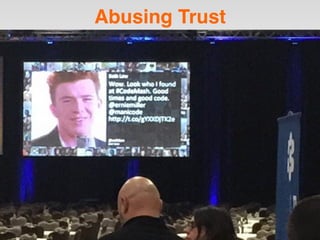
Abusing Trust
Disclaimer
Hacking of App Store apps is not condoned or encouraged in any way. What you do on your own time
is your responsibility. @sethlaw & nVisium take no responsibility if you use knowledge shared in this
presentation for unsavory acts.
Agenda
• Tools
• Application Anatomy
• Data Storage
• Network Communications
• Client Side Injection
• Privacy
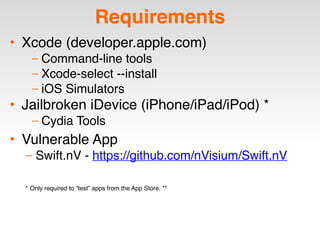
Requirements
• Xcode (developer.apple.com)
– Command-line tools
– Xcode-select --install
– iOS Simulators
• Jailbroken iDevice (iPhone/iPad/iPod) *
– Cydia Tools
• Vulnerable App
– Swift.nV - https://github.com/nVisium/Swift.nV
* Only required to “test” apps from the App Store. **
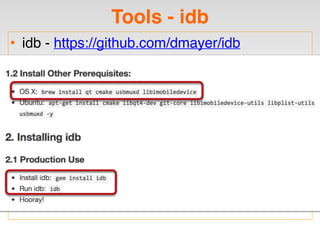
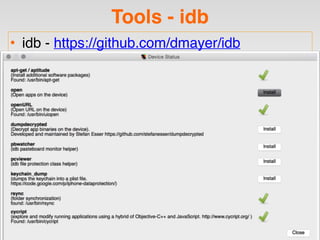
Tools - idb
• idb - https://github.com/dmayer/idb
Tools - idb
• idb - https://github.com/dmayer/idb
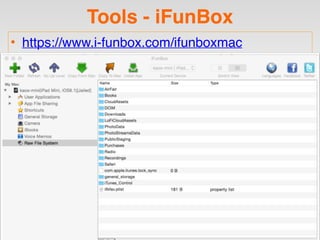
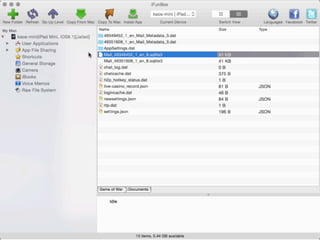
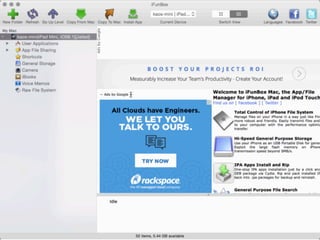
Tools - iFunBox
• https://www.i-funbox.com/ifunboxmac
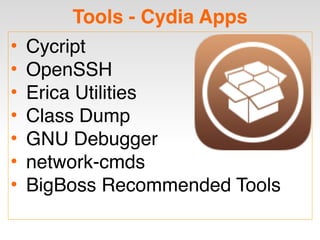
Tools - Cydia Apps
• Cycript
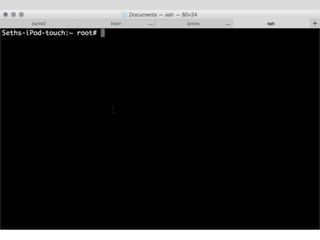
• OpenSSH
• Erica Utilities
• Class Dump
• GNU Debugger
• network-cmds
• BigBoss Recommended Tools
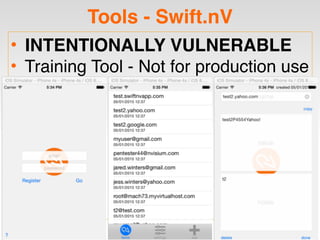
Tools - Swift.nV
• INTENTIONALLY VULNERABLE
• Training Tool - Not for production use
Agenda
• Tools
• Application Anatomy
• Data Storage
• Network Communications
• Client Side Injection
• Privacy
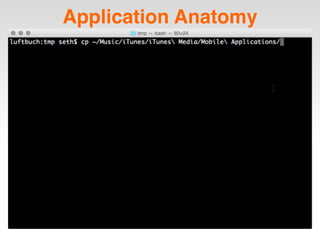
Application Anatomy
Application Anatomy
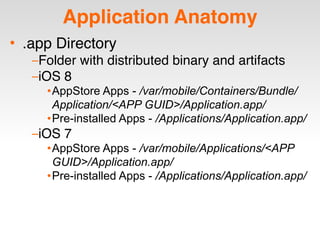
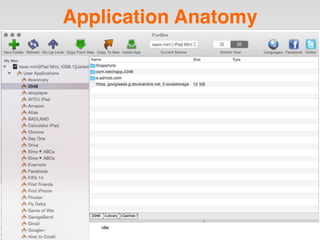
• .app Directory
–Folder with distributed binary and artifacts
–iOS 8
•AppStore Apps - /var/mobile/Containers/Bundle/
Application/<APP GUID>/Application.app/
•Pre-installed Apps - /Applications/Application.app/
–iOS 7
•AppStore Apps - /var/mobile/Applications/<APP
GUID>/Application.app/
•Pre-installed Apps - /Applications/Application.app/
Application Anatomy
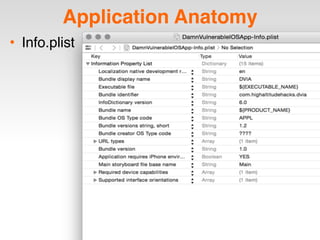
• Info.plist
Application Anatomy
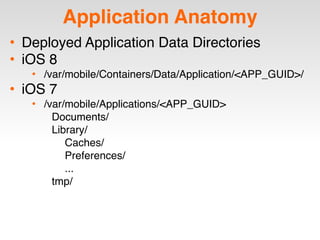
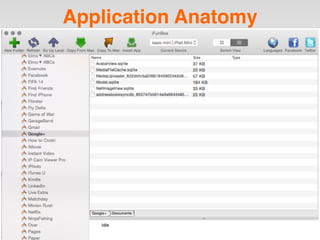
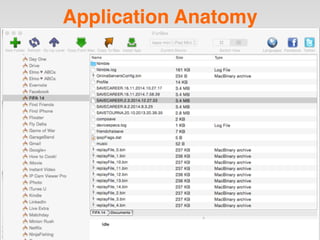
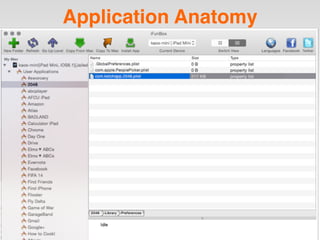
• Deployed Application Data Directories
• iOS 8
• /var/mobile/Containers/Data/Application/<APP_GUID>/
• iOS 7
• /var/mobile/Applications/<APP_GUID>
Documents/
Library/
Caches/
Preferences/
...
tmp/
Application Anatomy
Application Anatomy
Application Anatomy
Application Anatomy
Application Anatomy
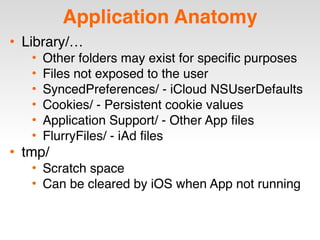
• Library/…
• Other folders may exist for specific purposes
• Files not exposed to the user
• SyncedPreferences/ - iCloud NSUserDefaults
• Cookies/ - Persistent cookie values
• Application Support/ - Other App files
• FlurryFiles/ - iAd files
• tmp/
• Scratch space
• Can be cleared by iOS when App not running
Agenda
• Tools
• Application Anatomy
• Data Storage
• Network Communications
• Client Side Injection
• Privacy
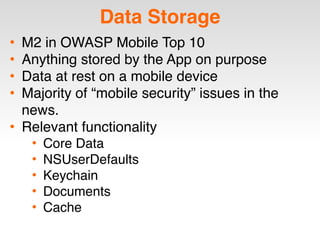
Data Storage
• M2 in OWASP Mobile Top 10
• Anything stored by the App on purpose
• Data at rest on a mobile device
• Majority of “mobile security” issues in the
news.
• Relevant functionality
• Core Data
• NSUserDefaults
• Keychain
• Documents
• Cache
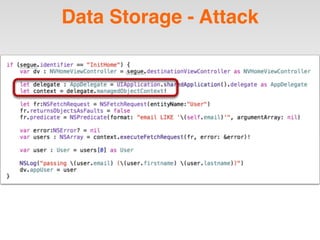
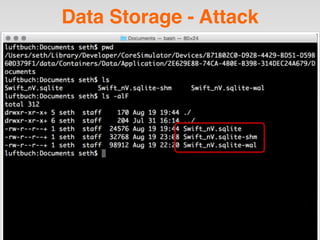
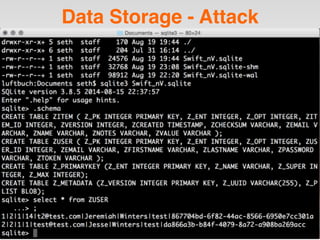
Attack!
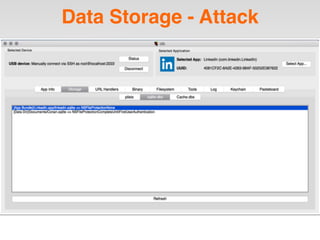
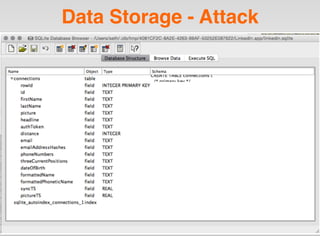
Data Storage - Attack
Data Storage - Defense
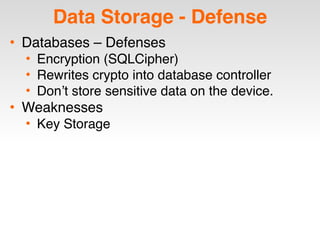
• Databases – Defenses
• Encryption (SQLCipher)
• Rewrites crypto into database controller
• Don’t store sensitive data on the device.
• Weaknesses
• Key Storage
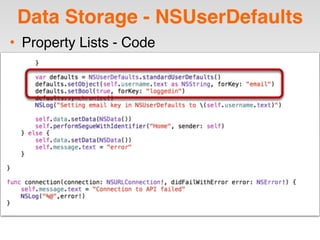
Data Storage - NSUserDefaults
• Property Lists - Code
Data Storage - Attack
• Property Lists
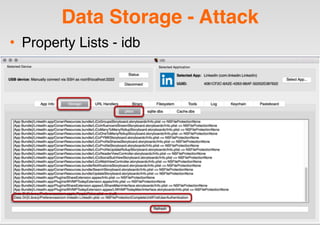
Data Storage - Attack
• Property Lists - idb
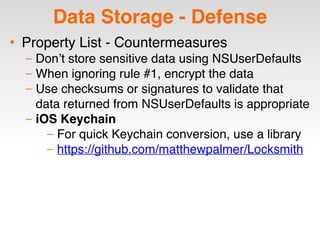
Data Storage - Defense
• Property List - Countermeasures
– Don’t store sensitive data using NSUserDefaults
– When ignoring rule #1, encrypt the data
– Use checksums or signatures to validate that
data returned from NSUserDefaults is appropriate
– iOS Keychain
– For quick Keychain conversion, use a library
– https://github.com/matthewpalmer/Locksmith
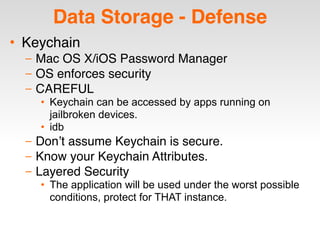
Data Storage - Defense
• Keychain
– Mac OS X/iOS Password Manager
– OS enforces security
– CAREFUL
• Keychain can be accessed by apps running on
jailbroken devices.
• idb
– Don’t assume Keychain is secure.
– Know your Keychain Attributes.
– Layered Security
• The application will be used under the worst possible
conditions, protect for THAT instance.
Data Storage - Defense
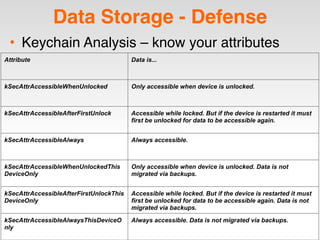
• Keychain Analysis – know your attributes
Attribute Data is...
kSecAttrAccessibleWhenUnlocked Only accessible when device is unlocked.
kSecAttrAccessibleAfterFirstUnlock Accessible while locked. But if the device is restarted it must
first be unlocked for data to be accessible again.
kSecAttrAccessibleAlways Always accessible.
kSecAttrAccessibleWhenUnlockedThis
DeviceOnly
Only accessible when device is unlocked. Data is not
migrated via backups.
kSecAttrAccessibleAfterFirstUnlockThis
DeviceOnly
Accessible while locked. But if the device is restarted it must
first be unlocked for data to be accessible again. Data is not
migrated via backups.
kSecAttrAccessibleAlwaysThisDeviceO
nly
Always accessible. Data is not migrated via backups.
Data Storage - Defense
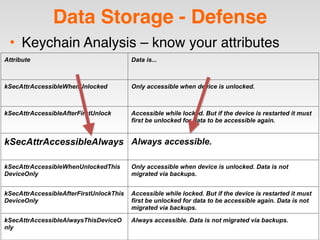
• Keychain Analysis – know your attributes
Attribute Data is...
kSecAttrAccessibleWhenUnlocked Only accessible when device is unlocked.
kSecAttrAccessibleAfterFirstUnlock Accessible while locked. But if the device is restarted it must
first be unlocked for data to be accessible again.
kSecAttrAccessibleAlways Always accessible.
kSecAttrAccessibleWhenUnlockedThis
DeviceOnly
Only accessible when device is unlocked. Data is not
migrated via backups.
kSecAttrAccessibleAfterFirstUnlockThis
DeviceOnly
Accessible while locked. But if the device is restarted it must
first be unlocked for data to be accessible again. Data is not
migrated via backups.
kSecAttrAccessibleAlwaysThisDeviceO
nly
Always accessible. Data is not migrated via backups.
Agenda
• Tools
• Application Anatomy
• Data Storage
• Network Communications
• Client Side Injection
• Privacy
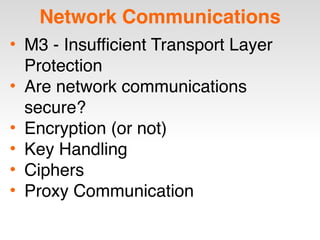
Network Communications
• M3 - Insufficient Transport Layer
Protection
• Are network communications
secure?
• Encryption (or not)
• Key Handling
• Ciphers
• Proxy Communication
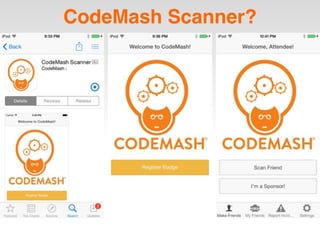
CodeMash Scanner?
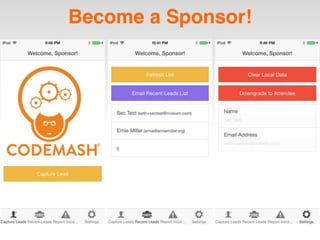
Become a Sponsor!
Network Communications
• LIVE DEMO
• Device: Jailbroken iPod Touch
• Proxy: Burp Suite Pro
• App: CodeMash Scanner
Volunteers?
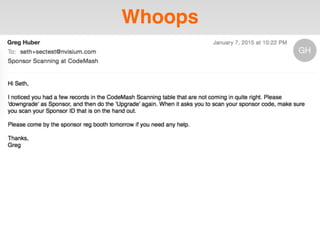
Whoops
Network Communications
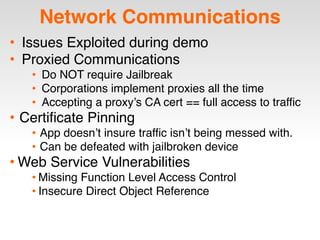
• Issues Exploited during demo
• Proxied Communications
• Do NOT require Jailbreak
• Corporations implement proxies all the time
• Accepting a proxy’s CA cert == full access to traffic
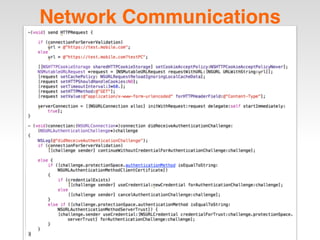
• Certificate Pinning
• App doesn’t insure traffic isn’t being messed with.
• Can be defeated with jailbroken device
• Web Service Vulnerabilities
• Missing Function Level Access Control
• Insecure Direct Object Reference
Network Communications
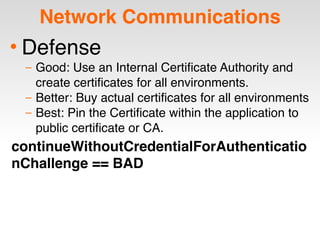
• Defense
– Good: Use an Internal Certificate Authority and
create certificates for all environments.
– Better: Buy actual certificates for all environments
– Best: Pin the Certificate within the application to
public certificate or CA.
continueWithoutCredentialForAuthenticatio
nChallenge == BAD
Agenda
• Tools
• Application Anatomy
• Data Storage
• Network Communications
• Client Side Injection
• Privacy
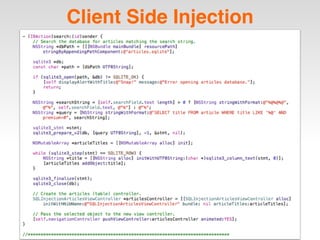
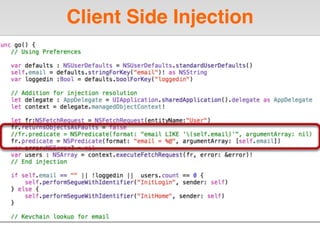
Client Side Injection
• M7 - Client Side Injection
• Fuzzing all application inputs
• Text Fields
• URLSchemes
• Stored Data (DBs, PLists, etc)
• Multiple Types
• XSS/HTML
• XML/JSON
• ...
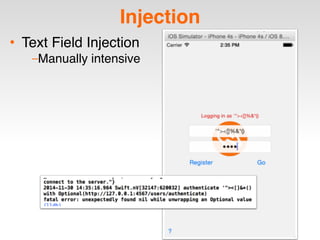
Injection
• Text Field Injection
–Manually intensive
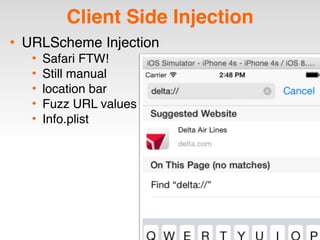
Client Side Injection
• URLScheme Injection
• Safari FTW!
• Still manual
• location bar
• Fuzz URL values
• Info.plist
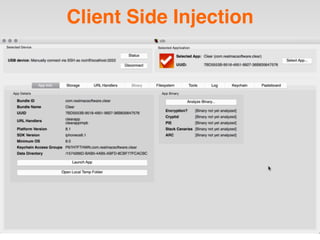
Client Side Injection
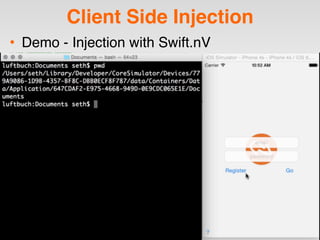
• Demo - Injection with Swift.nV
Client Side Injection
• Defense
• Input Validation
• Don’t trust the user
• Input Validation
• Output Encoding
• Input Validation
Client Side Injection
Agenda
• Tools
• Application Anatomy
• Data Storage
• Network Communications
• Client Side Injection
• Privacy
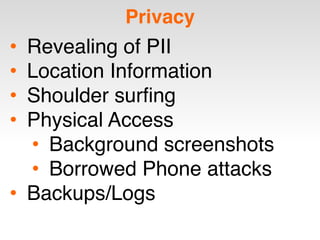
Privacy
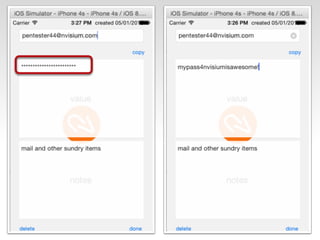
• Revealing of PII
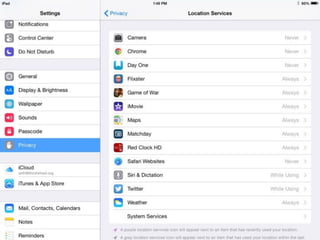
• Location Information
• Shoulder surfing
• Physical Access
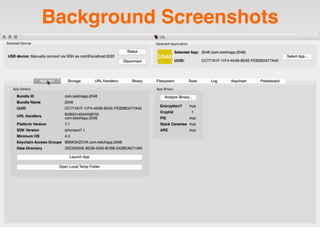
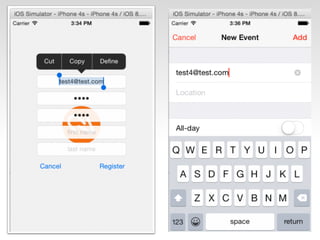
• Background screenshots
• Borrowed Phone attacks
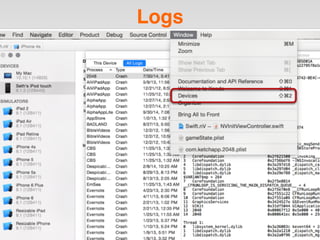
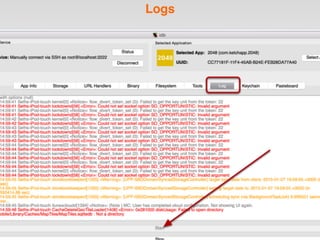
• Backups/Logs
FRIENDS DON’T LET FRIENDS
LEAVE THEIR PHONE BEHIND
Background Screenshots
Logs
Logs
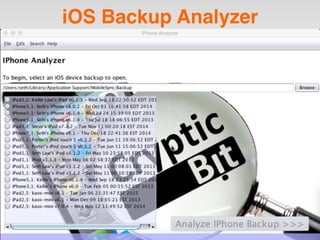
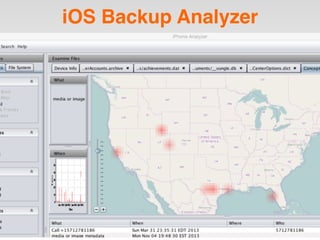
iOS Backup Analyzer
iOS Backup Analyzer
Privacy - Defense
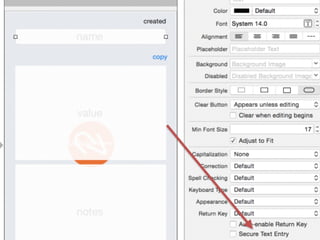
• Mask mask mask
• No NSLog in production apps
• What is stored on the device is
also stored in the backup
Agenda
• Tools
• Application Anatomy
• Data Storage
• Network Communications
• Client Side Injection
• Privacy
Other Mobile Concerns
• Authentication
• Authorization
• Binary Protections
• Cryptography
• Unintended Functionality
• Untrusted Input
Conclusion
Security is hard.
Try harder.
Thanks
• Questions?
• Contact:
• Seth Law
• Email: seth@nvisium.com
• Twitter: @sethlaw

CodeMash 2.0.1.5 - Practical iOS App Attack & Defense

  • 1.
    Practical iOS AppAttack and Defense – Seth Law © 2015 Practical iOS App Attack and Defense CodeMash 2.0.1.5
  • 2.
    Introduction • Seth Law –Director of R&D @ nVisium – Developer/Contributor to Swift.nV, SiRATool, RAFT, Grails.nV – Hacker, AppSec Architect, Security Consultant – Soccer Hooligan
  • 3.
  • 6.
    Disclaimer Hacking of AppStore apps is not condoned or encouraged in any way. What you do on your own time is your responsibility. @sethlaw & nVisium take no responsibility if you use knowledge shared in this presentation for unsavory acts.
  • 7.
    Agenda • Tools • ApplicationAnatomy • Data Storage • Network Communications • Client Side Injection • Privacy
  • 8.
    Requirements • Xcode (developer.apple.com) –Command-line tools – Xcode-select --install – iOS Simulators • Jailbroken iDevice (iPhone/iPad/iPod) * – Cydia Tools • Vulnerable App – Swift.nV - https://github.com/nVisium/Swift.nV * Only required to “test” apps from the App Store. **
  • 9.
    Tools - idb •idb - https://github.com/dmayer/idb
  • 10.
    Tools - idb •idb - https://github.com/dmayer/idb
  • 11.
    Tools - iFunBox •https://www.i-funbox.com/ifunboxmac
  • 12.
    Tools - CydiaApps • Cycript • OpenSSH • Erica Utilities • Class Dump • GNU Debugger • network-cmds • BigBoss Recommended Tools
  • 13.
    Tools - Swift.nV •INTENTIONALLY VULNERABLE • Training Tool - Not for production use
  • 14.
    Agenda • Tools • ApplicationAnatomy • Data Storage • Network Communications • Client Side Injection • Privacy
  • 16.
  • 17.
    Application Anatomy • .appDirectory –Folder with distributed binary and artifacts –iOS 8 •AppStore Apps - /var/mobile/Containers/Bundle/ Application/<APP GUID>/Application.app/ •Pre-installed Apps - /Applications/Application.app/ –iOS 7 •AppStore Apps - /var/mobile/Applications/<APP GUID>/Application.app/ •Pre-installed Apps - /Applications/Application.app/
  • 18.
  • 19.
    Application Anatomy • DeployedApplication Data Directories • iOS 8 • /var/mobile/Containers/Data/Application/<APP_GUID>/ • iOS 7 • /var/mobile/Applications/<APP_GUID> Documents/ Library/ Caches/ Preferences/ ... tmp/
  • 20.
  • 21.
  • 22.
  • 23.
  • 24.
    Application Anatomy • Library/… •Other folders may exist for specific purposes • Files not exposed to the user • SyncedPreferences/ - iCloud NSUserDefaults • Cookies/ - Persistent cookie values • Application Support/ - Other App files • FlurryFiles/ - iAd files • tmp/ • Scratch space • Can be cleared by iOS when App not running
  • 25.
    Agenda • Tools • ApplicationAnatomy • Data Storage • Network Communications • Client Side Injection • Privacy
  • 27.
    Data Storage • M2in OWASP Mobile Top 10 • Anything stored by the App on purpose • Data at rest on a mobile device • Majority of “mobile security” issues in the news. • Relevant functionality • Core Data • NSUserDefaults • Keychain • Documents • Cache
  • 28.
  • 29.
  • 30.
  • 31.
  • 32.
  • 33.
  • 35.
  • 36.
    Data Storage -Defense • Databases – Defenses • Encryption (SQLCipher) • Rewrites crypto into database controller • Don’t store sensitive data on the device. • Weaknesses • Key Storage
  • 37.
    Data Storage -NSUserDefaults • Property Lists - Code
  • 38.
    Data Storage -Attack • Property Lists
  • 39.
    Data Storage -Attack • Property Lists - idb
  • 43.
    Data Storage -Defense • Property List - Countermeasures – Don’t store sensitive data using NSUserDefaults – When ignoring rule #1, encrypt the data – Use checksums or signatures to validate that data returned from NSUserDefaults is appropriate – iOS Keychain – For quick Keychain conversion, use a library – https://github.com/matthewpalmer/Locksmith
  • 44.
    Data Storage -Defense • Keychain – Mac OS X/iOS Password Manager – OS enforces security – CAREFUL • Keychain can be accessed by apps running on jailbroken devices. • idb – Don’t assume Keychain is secure. – Know your Keychain Attributes. – Layered Security • The application will be used under the worst possible conditions, protect for THAT instance.
  • 45.
    Data Storage -Defense • Keychain Analysis – know your attributes Attribute Data is... kSecAttrAccessibleWhenUnlocked Only accessible when device is unlocked. kSecAttrAccessibleAfterFirstUnlock Accessible while locked. But if the device is restarted it must first be unlocked for data to be accessible again. kSecAttrAccessibleAlways Always accessible. kSecAttrAccessibleWhenUnlockedThis DeviceOnly Only accessible when device is unlocked. Data is not migrated via backups. kSecAttrAccessibleAfterFirstUnlockThis DeviceOnly Accessible while locked. But if the device is restarted it must first be unlocked for data to be accessible again. Data is not migrated via backups. kSecAttrAccessibleAlwaysThisDeviceO nly Always accessible. Data is not migrated via backups.
  • 46.
    Data Storage -Defense • Keychain Analysis – know your attributes Attribute Data is... kSecAttrAccessibleWhenUnlocked Only accessible when device is unlocked. kSecAttrAccessibleAfterFirstUnlock Accessible while locked. But if the device is restarted it must first be unlocked for data to be accessible again. kSecAttrAccessibleAlways Always accessible. kSecAttrAccessibleWhenUnlockedThis DeviceOnly Only accessible when device is unlocked. Data is not migrated via backups. kSecAttrAccessibleAfterFirstUnlockThis DeviceOnly Accessible while locked. But if the device is restarted it must first be unlocked for data to be accessible again. Data is not migrated via backups. kSecAttrAccessibleAlwaysThisDeviceO nly Always accessible. Data is not migrated via backups.
  • 47.
    Agenda • Tools • ApplicationAnatomy • Data Storage • Network Communications • Client Side Injection • Privacy
  • 48.
    Network Communications • M3- Insufficient Transport Layer Protection • Are network communications secure? • Encryption (or not) • Key Handling • Ciphers • Proxy Communication
  • 51.
  • 52.
  • 53.
    Network Communications • LIVEDEMO • Device: Jailbroken iPod Touch • Proxy: Burp Suite Pro • App: CodeMash Scanner
  • 54.
  • 55.
  • 56.
    Network Communications • IssuesExploited during demo • Proxied Communications • Do NOT require Jailbreak • Corporations implement proxies all the time • Accepting a proxy’s CA cert == full access to traffic • Certificate Pinning • App doesn’t insure traffic isn’t being messed with. • Can be defeated with jailbroken device • Web Service Vulnerabilities • Missing Function Level Access Control • Insecure Direct Object Reference
  • 57.
  • 59.
    Network Communications • Defense –Good: Use an Internal Certificate Authority and create certificates for all environments. – Better: Buy actual certificates for all environments – Best: Pin the Certificate within the application to public certificate or CA. continueWithoutCredentialForAuthenticatio nChallenge == BAD
  • 60.
    Agenda • Tools • ApplicationAnatomy • Data Storage • Network Communications • Client Side Injection • Privacy
  • 62.
    Client Side Injection •M7 - Client Side Injection • Fuzzing all application inputs • Text Fields • URLSchemes • Stored Data (DBs, PLists, etc) • Multiple Types • XSS/HTML • XML/JSON • ...
  • 63.
    Injection • Text FieldInjection –Manually intensive
  • 64.
    Client Side Injection •URLScheme Injection • Safari FTW! • Still manual • location bar • Fuzz URL values • Info.plist
  • 65.
  • 66.
  • 67.
    Client Side Injection •Demo - Injection with Swift.nV
  • 69.
    Client Side Injection •Defense • Input Validation • Don’t trust the user • Input Validation • Output Encoding • Input Validation
  • 70.
  • 71.
    Agenda • Tools • ApplicationAnatomy • Data Storage • Network Communications • Client Side Injection • Privacy
  • 74.
    Privacy • Revealing ofPII • Location Information • Shoulder surfing • Physical Access • Background screenshots • Borrowed Phone attacks • Backups/Logs
  • 75.
    FRIENDS DON’T LETFRIENDS LEAVE THEIR PHONE BEHIND
  • 78.
  • 80.
  • 81.
  • 82.
  • 83.
  • 85.
    Privacy - Defense •Mask mask mask • No NSLog in production apps • What is stored on the device is also stored in the backup
  • 87.
    Agenda • Tools • ApplicationAnatomy • Data Storage • Network Communications • Client Side Injection • Privacy
  • 88.
    Other Mobile Concerns •Authentication • Authorization • Binary Protections • Cryptography • Unintended Functionality • Untrusted Input
  • 89.
  • 90.
    Thanks • Questions? • Contact: •Seth Law • Email: seth@nvisium.com • Twitter: @sethlaw