
Short into to JQuery

         Jussi Pohjolainen
Tampere University of Applied Sciences
JQuery?
• Motivation
  – Simple things may require lot of coding
  – Common browsers are different and
    implementation varies
• Solution, use a framework
  – jQuery is a fast and concise JavaScript Library that
    simplifies HTML document traversing, event
    handling, animating, and Ajax interactions for
    rapid web development.
How?
• Download JQuery file (http://jquery.com/)
  – http://code.jquery.com/jquery-1.7.1.min.js
• Make your xhtml page and reference to the
  file in script block
• Make your code and use JQuery functions!
<script type="text/javascript" src="jquery.js"></script>

 <script type="text/javascript">
 //<![CDATA[

  // When document is ready to be manipulated
  jQuery(document).ready( pageReadyToBeManipulated );

  function pageReadyToBeManipulated() {
     // If link is clicked
     jQuery("a").click( linkClick );
  }

  function linkClick(event) {
     alert("Thanks for visiting!");
     // Prevent the default action
     event.preventDefault();
  }

 //]]>
 </script>
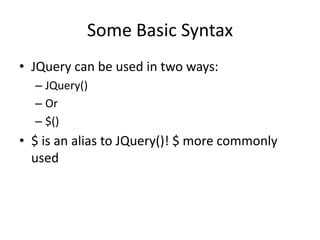
Some Basic Syntax
• JQuery can be used in two ways:
  – JQuery()
  – Or
  – $()
• $ is an alias to JQuery()! $ more commonly
  used
<script type="text/javascript" src="jquery.js"></script>

<script type="text/javascript">
//<![CDATA[

// When document is ready to be manipulated
$(document).ready( pageReadyToBeManipulated );

function pageReadyToBeManipulated() {
   // If link is clicked
   $("a").click( linkClick );
}

function linkClick(event) {
   alert("Thanks for visiting!");
   // Prevent the default action
   event.preventDefault();
}

//]]>
</script>
// USING ANONYMOUS FUNCTIONS

<script type="text/javascript" src="jquery.js"></script>

<script type="text/javascript">
//<![CDATA[

 $(document).ready(function(){
     $("a").click(function(event){
         alert("Thanks for visiting!");
         event.preventDefault();
     });
 });

//]]>
</script>
// EVEN SHORTER SYNTAX, FORGET THE DOCUMENT
PARAMETER

<script type="text/javascript" src="jquery.js"></script>

 <script type="text/javascript">
 //<![CDATA[

 $().ready(function(){
     $("a").click(function(event){
         alert("Thanks for visiting!");
         event.preventDefault();
     });
 });

 //]]>
 </script>
Getters in the Traditional Way
• getElementsById

• getElementsByTagName

• getAttribute
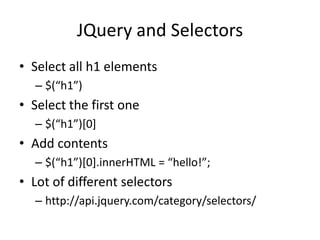
JQuery and Selectors
• Select all h1 elements
  – $(“h1”)
• Select the first one
  – $(“h1”)*0+
• Add contents
  – $(“h1”)*0+.innerHTML = “hello!”;
• Lot of different selectors
  – http://api.jquery.com/category/selectors/
Creating Elements in Traditional Way

•   createElement
•   createTextNode
•   setAttribute
•   appendChild
•   removeChild
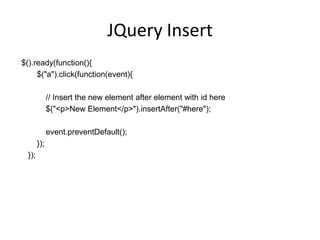
JQuery Insert
$().ready(function(){
     $("a").click(function(event){

              // Insert the new element after element with id here
              $("<p>New Element</p>").insertAfter("#here");

              event.preventDefault();
        });
  });
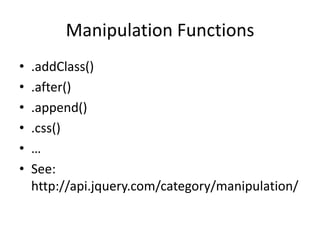
Manipulation Functions
•   .addClass()
•   .after()
•   .append()
•   .css()
•   …
•   See:
    http://api.jquery.com/category/manipulation/
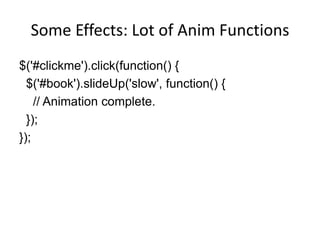
Some Effects: Lot of Anim Functions
$('#clickme').click(function() {
  $('#book').slideUp('slow', function() {
    // Animation complete.
  });
});

JQuery

  • 1.
    Short into toJQuery Jussi Pohjolainen Tampere University of Applied Sciences
  • 2.
    JQuery? • Motivation – Simple things may require lot of coding – Common browsers are different and implementation varies • Solution, use a framework – jQuery is a fast and concise JavaScript Library that simplifies HTML document traversing, event handling, animating, and Ajax interactions for rapid web development.
  • 3.
    How? • Download JQueryfile (http://jquery.com/) – http://code.jquery.com/jquery-1.7.1.min.js • Make your xhtml page and reference to the file in script block • Make your code and use JQuery functions!
  • 4.
    <script type="text/javascript" src="jquery.js"></script> <script type="text/javascript"> //<![CDATA[ // When document is ready to be manipulated jQuery(document).ready( pageReadyToBeManipulated ); function pageReadyToBeManipulated() { // If link is clicked jQuery("a").click( linkClick ); } function linkClick(event) { alert("Thanks for visiting!"); // Prevent the default action event.preventDefault(); } //]]> </script>
  • 5.
    Some Basic Syntax •JQuery can be used in two ways: – JQuery() – Or – $() • $ is an alias to JQuery()! $ more commonly used
  • 6.
    <script type="text/javascript" src="jquery.js"></script> <scripttype="text/javascript"> //<![CDATA[ // When document is ready to be manipulated $(document).ready( pageReadyToBeManipulated ); function pageReadyToBeManipulated() { // If link is clicked $("a").click( linkClick ); } function linkClick(event) { alert("Thanks for visiting!"); // Prevent the default action event.preventDefault(); } //]]> </script>
  • 7.
    // USING ANONYMOUSFUNCTIONS <script type="text/javascript" src="jquery.js"></script> <script type="text/javascript"> //<![CDATA[ $(document).ready(function(){ $("a").click(function(event){ alert("Thanks for visiting!"); event.preventDefault(); }); }); //]]> </script>
  • 8.
    // EVEN SHORTERSYNTAX, FORGET THE DOCUMENT PARAMETER <script type="text/javascript" src="jquery.js"></script> <script type="text/javascript"> //<![CDATA[ $().ready(function(){ $("a").click(function(event){ alert("Thanks for visiting!"); event.preventDefault(); }); }); //]]> </script>
  • 9.
    Getters in theTraditional Way • getElementsById • getElementsByTagName • getAttribute
  • 10.
    JQuery and Selectors •Select all h1 elements – $(“h1”) • Select the first one – $(“h1”)*0+ • Add contents – $(“h1”)*0+.innerHTML = “hello!”; • Lot of different selectors – http://api.jquery.com/category/selectors/
  • 11.
    Creating Elements inTraditional Way • createElement • createTextNode • setAttribute • appendChild • removeChild
  • 12.
    JQuery Insert $().ready(function(){ $("a").click(function(event){ // Insert the new element after element with id here $("<p>New Element</p>").insertAfter("#here"); event.preventDefault(); }); });
  • 13.
    Manipulation Functions • .addClass() • .after() • .append() • .css() • … • See: http://api.jquery.com/category/manipulation/
  • 14.
    Some Effects: Lotof Anim Functions $('#clickme').click(function() { $('#book').slideUp('slow', function() { // Animation complete. }); });

Editor's Notes

  • #5 &lt;!DOCTYPE html PUBLIC &quot;-//W3C//DTD XHTML 1.0 Strict//EN&quot; &quot;http://www.w3.org/TR/xhtml1/DTD/xhtml1-strict.dtd&quot;&gt;&lt;html xmlns=&quot;http://www.w3.org/1999/xhtml&quot;&gt;&lt;head&gt; &lt;title&gt;Hello World - JQuery&lt;/title&gt; &lt;meta http-equiv=&quot;content-type&quot; content=&quot;application/xhtml+xml; charset=utf-8&quot;/&gt; &lt;script type=&quot;text/javascript&quot; src=&quot;jquery.js&quot;&gt;&lt;/script&gt; &lt;script type=&quot;text/javascript&quot;&gt; //&lt;![CDATA[ // When document is ready to be manipulatedjQuery(document).ready( pageReadyToBeManipulated ); function pageReadyToBeManipulated() { // If link is clickedjQuery(&quot;a&quot;).click( linkClick ); } function linkClick(event) { alert(&quot;Thanks for visiting!&quot;); // Prevent the default actionevent.preventDefault(); } //]]&gt; &lt;/script&gt;&lt;/head&gt;&lt;body&gt;&lt;p&gt;&lt;a href=&quot;http://www.google.com&quot;&gt;Google&lt;/a&gt;&lt;/p&gt;&lt;/body&gt;&lt;/html&gt;
  • #7 &lt;!DOCTYPE html PUBLIC &quot;-//W3C//DTD XHTML 1.0 Strict//EN&quot; &quot;http://www.w3.org/TR/xhtml1/DTD/xhtml1-strict.dtd&quot;&gt;&lt;html xmlns=&quot;http://www.w3.org/1999/xhtml&quot;&gt;&lt;head&gt; &lt;title&gt;Hello World - JQuery&lt;/title&gt; &lt;meta http-equiv=&quot;content-type&quot; content=&quot;application/xhtml+xml; charset=utf-8&quot;/&gt; &lt;script type=&quot;text/javascript&quot; src=&quot;jquery.js&quot;&gt;&lt;/script&gt; &lt;script type=&quot;text/javascript&quot;&gt; //&lt;![CDATA[ // When document is ready to be manipulated $(document).ready( pageReadyToBeManipulated ); function pageReadyToBeManipulated() { // If link is clicked $(&quot;a&quot;).click( linkClick ); } function linkClick(event) { alert(&quot;Thanks for visiting!&quot;); // Prevent the default actionevent.preventDefault(); } //]]&gt; &lt;/script&gt;&lt;/head&gt;&lt;body&gt;&lt;p&gt;&lt;a href=&quot;http://www.google.com&quot;&gt;Google&lt;/a&gt;&lt;/p&gt;&lt;/body&gt;&lt;/html&gt;
  • #8 &lt;!DOCTYPE html PUBLIC &quot;-//W3C//DTD XHTML 1.0 Strict//EN&quot; &quot;http://www.w3.org/TR/xhtml1/DTD/xhtml1-strict.dtd&quot;&gt;&lt;html xmlns=&quot;http://www.w3.org/1999/xhtml&quot;&gt;&lt;head&gt; &lt;title&gt;Hello World - JQuery&lt;/title&gt; &lt;meta http-equiv=&quot;content-type&quot; content=&quot;application/xhtml+xml; charset=utf-8&quot;/&gt; &lt;script type=&quot;text/javascript&quot; src=&quot;jquery.js&quot;&gt;&lt;/script&gt; &lt;script type=&quot;text/javascript&quot;&gt; //&lt;![CDATA[ $(document).ready(function(){ $(&quot;a&quot;).click(function(event){ alert(&quot;Thanks for visiting!&quot;);event.preventDefault(); }); }); //]]&gt; &lt;/script&gt;&lt;/head&gt;&lt;body&gt;&lt;p&gt;&lt;a href=&quot;http://www.google.com&quot;&gt;Google&lt;/a&gt;&lt;/p&gt;&lt;/body&gt;&lt;/html&gt;
  • #9 &lt;!DOCTYPE html PUBLIC &quot;-//W3C//DTD XHTML 1.0 Strict//EN&quot; &quot;http://www.w3.org/TR/xhtml1/DTD/xhtml1-strict.dtd&quot;&gt;&lt;html xmlns=&quot;http://www.w3.org/1999/xhtml&quot;&gt;&lt;head&gt; &lt;title&gt;Hello World - JQuery&lt;/title&gt; &lt;meta http-equiv=&quot;content-type&quot; content=&quot;application/xhtml+xml; charset=utf-8&quot;/&gt; &lt;script type=&quot;text/javascript&quot; src=&quot;jquery.js&quot;&gt;&lt;/script&gt; &lt;script type=&quot;text/javascript&quot;&gt; //&lt;![CDATA[ $(document).ready(function(){ $(&quot;a&quot;).click(function(event){ alert(&quot;Thanks for visiting!&quot;);event.preventDefault(); }); }); //]]&gt; &lt;/script&gt;&lt;/head&gt;&lt;body&gt;&lt;p&gt;&lt;a href=&quot;http://www.google.com&quot;&gt;Google&lt;/a&gt;&lt;/p&gt;&lt;/body&gt;&lt;/html&gt;
  • #11 &lt;!DOCTYPE html PUBLIC &quot;-//W3C//DTD XHTML 1.0 Strict//EN&quot; &quot;http://www.w3.org/TR/xhtml1/DTD/xhtml1-strict.dtd&quot;&gt;&lt;html xmlns=&quot;http://www.w3.org/1999/xhtml&quot;&gt;&lt;head&gt; &lt;title&gt;Hello World - JQuery&lt;/title&gt; &lt;meta http-equiv=&quot;content-type&quot; content=&quot;application/xhtml+xml; charset=utf-8&quot;/&gt; &lt;script type=&quot;text/javascript&quot; src=&quot;jquery.js&quot;&gt;&lt;/script&gt; &lt;script type=&quot;text/javascript&quot;&gt; //&lt;![CDATA[ $().ready(function(){ $(&quot;a&quot;).click(function(event){ $(&quot;h1&quot;)[0].innerHTML = &quot;New Title!&quot;;event.preventDefault(); }); }); //]]&gt; &lt;/script&gt;&lt;/head&gt;&lt;body&gt;&lt;h1&gt;Example&lt;/h1&gt;&lt;p&gt;&lt;a href=&quot;&quot;&gt;Change Title!&lt;/a&gt;&lt;/p&gt;&lt;/body&gt;&lt;/html&gt;
  • #13 &lt;!DOCTYPE html PUBLIC &quot;-//W3C//DTD XHTML 1.0 Strict//EN&quot; &quot;http://www.w3.org/TR/xhtml1/DTD/xhtml1-strict.dtd&quot;&gt;&lt;html xmlns=&quot;http://www.w3.org/1999/xhtml&quot;&gt;&lt;head&gt; &lt;title&gt;Hello World - JQuery&lt;/title&gt; &lt;meta http-equiv=&quot;content-type&quot; content=&quot;application/xhtml+xml; charset=utf-8&quot;/&gt; &lt;script type=&quot;text/javascript&quot; src=&quot;jquery.js&quot;&gt;&lt;/script&gt; &lt;script type=&quot;text/javascript&quot;&gt; //&lt;![CDATA[ $().ready(function(){ $(&quot;a&quot;).click(function(event){ $(&quot;&lt;p&gt;New Element&lt;/p&gt;&quot;).insertAfter(&quot;#here&quot;);event.preventDefault(); }); }); //]]&gt; &lt;/script&gt;&lt;/head&gt;&lt;body&gt;&lt;h1&gt;Example&lt;/h1&gt;&lt;p&gt;&lt;a href=&quot;&quot;&gt;Add element!&lt;/a&gt;&lt;/p&gt;&lt;div id=&quot;here&quot;&gt;&lt;/div&gt;&lt;/body&gt;&lt;/html&gt;