Web Components 
A revolution ? 
@cbalit 0
Why components ? 
This is the way we already do it 
For widgets ? applications ? pluggins ? 
Reusable 
Encapsulated 
Extendable
What is it ? 
4 specifications 
1. Html Import 
2. Shadow Dom 
3. Template 
4. Custom Element
Html Import
What is it ? 
Include an HTML element inside another one
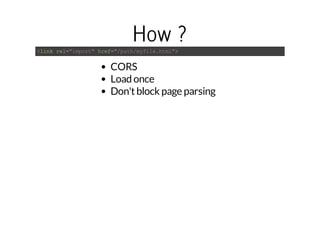
How ? 
<link rel="import" href="/path/myfile.html"> 
CORS 
Load once 
Don't block page parsing
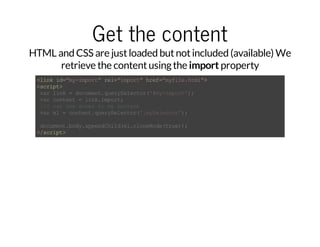
Get the content 
HTML and CSS are just loaded but not included (available) We 
retrieve the content using the import property 
<link id="my-import" rel="import" href="myfile.html"> 
<script> 
var link = document.querySelector('#my-import'); 
var content = link.import; 
//I can now acces to my content 
var el = content.querySelector('.mySelector'); 
document.body.appendChild(el.cloneNode(true)); 
</script>
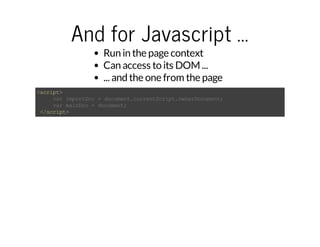
And for Javascript ... 
Run in the page context 
Can access to its DOM ... 
... and the one from the page 
<script> 
var importDoc = document.currentScript.ownerDocument; 
var mainDoc = document; 
</script>
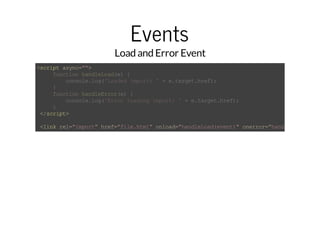
Events 
Load and Error Event 
<script async=""> 
function handleLoad(e) { 
console.log('Loaded import: ' + e.target.href); 
} 
function handleError(e) { 
console.log('Error loading import: ' + e.target.href); 
} 
</script> 
<link rel="import" href="file.html" onload="handleLoad(event)" onerror="handleError(event)"
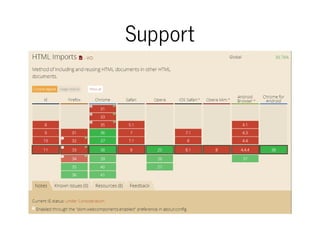
Support
Shadow Dom
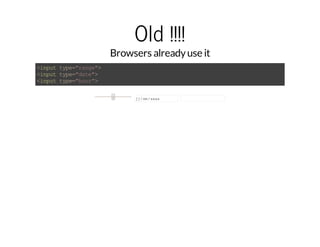
Old !!!! 
Browsers already use it 
<input type="range"> 
<input type="date"> 
<input type="hour"> 
jj/mm/aaaa
What is it ? 
It's all about Encapsulation
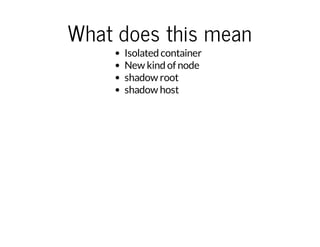
What does this mean 
Isolated container 
New kind of node 
shadow root 
shadow host
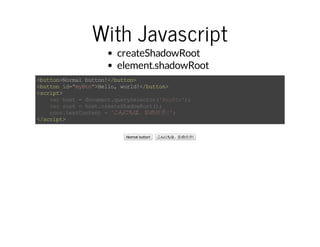
With Javascript 
createShadowRoot 
element.shadowRoot 
<button>Normal button!</button> 
<button id="myBtn">Hello, world!</button> 
<script> 
var host = document.querySelector('#myBtn'); 
var root = host.createShadowRoot(); 
root.textContent = 'こんにちは、影の世界!'; 
</script> 
Normal button! こんにちは、影の世界!
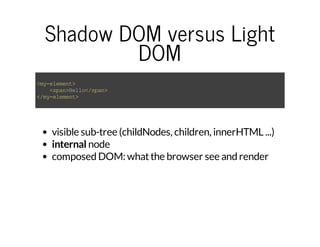
Shadow DOM versus Light 
DOM 
<my-element> 
<span>Hello</span> 
</my-element> 
visible sub-tree (childNodes, children, innerHTML ...) 
internal node 
composed DOM: what the browser see and render
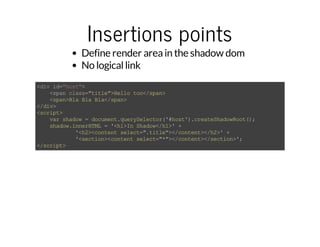
Insertions points 
Define render area in the shadow dom 
No logical link 
<div id="host"> 
<span class="title">Hello too</span> 
<span>Bla Bla Bla</span> 
</div> 
<script> 
var shadow = document.querySelector('#host').createShadowRoot(); 
shadow.innerHTML = '<h1>In Shadow</h1>' + 
'<h2><content select=".title"></content></h2>' + 
'<section><content select="*"></content></section>'; 
</script>
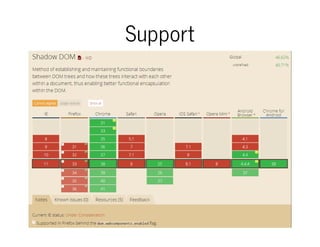
Support
Template
What is it ? 
Reusable DOM template
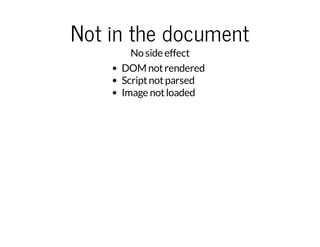
Not in the document 
No side effect 
DOM not rendered 
Script not parsed 
Image not loaded
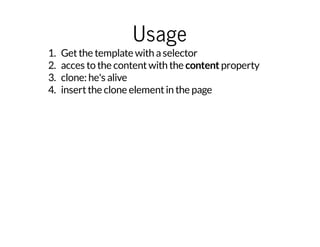
Usage 
1. Get the template with a selector 
2. acces to the content with the content property 
3. clone: he's alive 
4. insert the clone element in the page
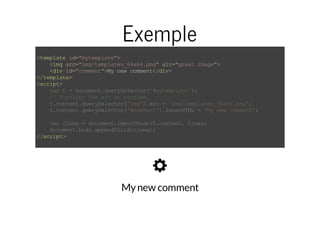
Exemple 
<template id="mytemplate"> 
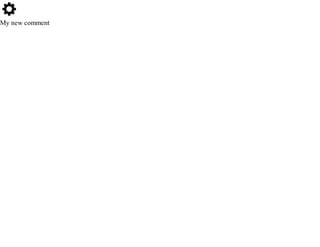
<img src="img/templates_64x64.png" alt="great image"> 
<div id="comment">My new comment</div> 
</template> 
<script> 
var t = document.querySelector('#mytemplate'); 
// Populate the src at runtime. 
t.content.querySelector('img').src = 'img/templates_64x64.png'; 
t.content.querySelector('#comment').innerHTML = 'My new comment'; 
var clone = document.importNode(t.content, true); 
document.body.appendChild(clone); 
</script> 
My new comment
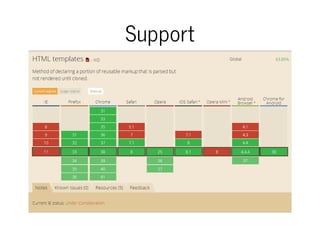
Support
Custom element
What is it ? 
Define new HTML element 
Extend existing elements
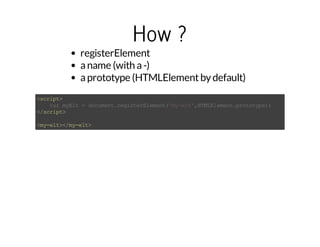
How ? 
registerElement 
a name (with a -) 
a prototype (HTMLElement by default) 
<script> 
</script> 
<my-elt></my-elt> 
var myElt = document.registerElement('my-elt',HTMLElement.prototype);
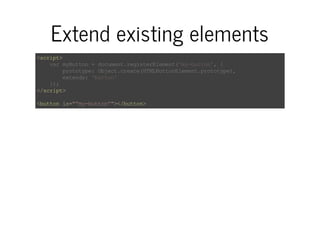
Extend existing elements 
<script> 
var myButton = document.registerElement('my-button', { 
prototype: Object.create(HTMLButtonElement.prototype), 
extends: 'button' 
}); 
</script> 
<button is="”my-button”"></button>
Lifecycle 
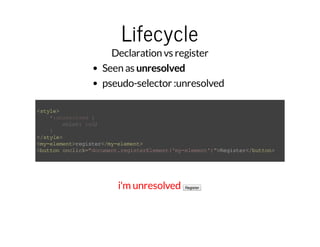
Declaration vs register 
Seen as unresolved 
pseudo-selector :unresolved 
<style> 
*:unresolved { 
color: red; 
} 
</style> 
<my-element>register</my-element> 
<button onclick="document.registerElement('my-element')">Register</button> 
i'm unresolved Register
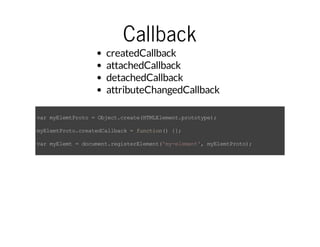
Callback 
createdCallback 
attachedCallback 
detachedCallback 
attributeChangedCallback 
var myElemtProto = Object.create(HTMLElement.prototype); 
myElemtProto.createdCallback = function() {}; 
var myElemt = document.registerElement('my-element', myElemtProto);
Add content
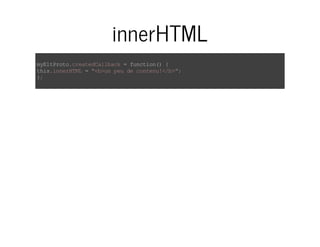
innerHTML 
myEltProto.createdCallback = function() { 
this.innerHTML = "<b>un peu de contenu!</b>"; 
};
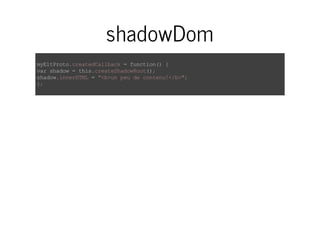
shadowDom 
myEltProto.createdCallback = function() { 
var shadow = this.createShadowRoot(); 
shadow.innerHTML = "<b>un peu de contenu!</b>"; 
};
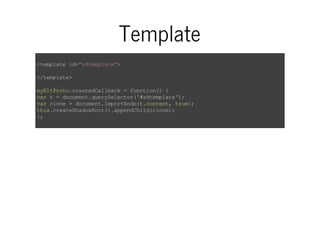
Template 
<template id="sdtemplate"> 
</template> 
myEltProto.createdCallback = function() { 
var t = document.querySelector('#sdtemplate'); 
var clone = document.importNode(t.content, true); 
this.createShadowRoot().appendChild(clone); 
};
Add code
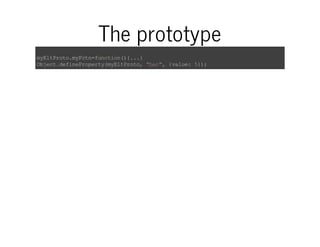
The prototype 
myEltProto.myFctn=function(){...} 
Object.defineProperty(myEltProto, "bar", {value: 5});
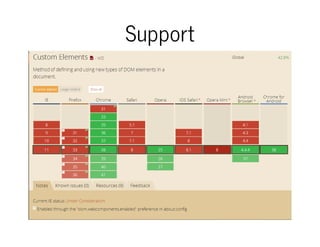
Support
And so what ?
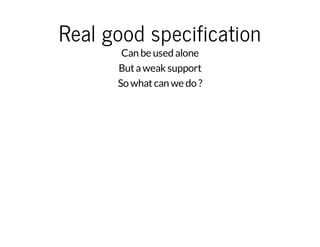
Real good specification 
Can be used alone 
But a weak support 
So what can we do ?
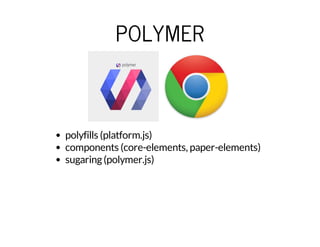
POLYMER 
polyfills (platform.js) 
components (core-elements, paper-elements) 
sugaring (polymer.js)
X-TAG 
Web Components Polyfills (custom element et HTMLImports) 
X-Tag Custom Elements 
X-Tag Core Library
BOSONIC 
polyfills (platform.js) 
components
Ressources Import 
Shadow Dom 
Styling Shadow Dom 
Template 
Custom Elements 
The Web Component Ecosystem 
Polymer 
X-Tag 
Bosonic 
Credits: Eric Bidelman,Rob Dodson,Dominic Cooney
Thank you !!! 
cbalit
My new comment

Devoxx 2014-webComponents

  • 1.
    Web Components Arevolution ? @cbalit 0
  • 2.
    Why components ? This is the way we already do it For widgets ? applications ? pluggins ? Reusable Encapsulated Extendable
  • 3.
    What is it? 4 specifications 1. Html Import 2. Shadow Dom 3. Template 4. Custom Element
  • 4.
  • 5.
    What is it? Include an HTML element inside another one
  • 6.
    How ? <linkrel="import" href="/path/myfile.html"> CORS Load once Don't block page parsing
  • 7.
    Get the content HTML and CSS are just loaded but not included (available) We retrieve the content using the import property <link id="my-import" rel="import" href="myfile.html"> <script> var link = document.querySelector('#my-import'); var content = link.import; //I can now acces to my content var el = content.querySelector('.mySelector'); document.body.appendChild(el.cloneNode(true)); </script>
  • 8.
    And for Javascript... Run in the page context Can access to its DOM ... ... and the one from the page <script> var importDoc = document.currentScript.ownerDocument; var mainDoc = document; </script>
  • 9.
    Events Load andError Event <script async=""> function handleLoad(e) { console.log('Loaded import: ' + e.target.href); } function handleError(e) { console.log('Error loading import: ' + e.target.href); } </script> <link rel="import" href="file.html" onload="handleLoad(event)" onerror="handleError(event)"
  • 10.
  • 11.
  • 12.
    Old !!!! Browsersalready use it <input type="range"> <input type="date"> <input type="hour"> jj/mm/aaaa
  • 13.
    What is it? It's all about Encapsulation
  • 14.
    What does thismean Isolated container New kind of node shadow root shadow host
  • 15.
    With Javascript createShadowRoot element.shadowRoot <button>Normal button!</button> <button id="myBtn">Hello, world!</button> <script> var host = document.querySelector('#myBtn'); var root = host.createShadowRoot(); root.textContent = 'こんにちは、影の世界!'; </script> Normal button! こんにちは、影の世界!
  • 16.
    Shadow DOM versusLight DOM <my-element> <span>Hello</span> </my-element> visible sub-tree (childNodes, children, innerHTML ...) internal node composed DOM: what the browser see and render
  • 17.
    Insertions points Definerender area in the shadow dom No logical link <div id="host"> <span class="title">Hello too</span> <span>Bla Bla Bla</span> </div> <script> var shadow = document.querySelector('#host').createShadowRoot(); shadow.innerHTML = '<h1>In Shadow</h1>' + '<h2><content select=".title"></content></h2>' + '<section><content select="*"></content></section>'; </script>
  • 18.
  • 19.
  • 20.
    What is it? Reusable DOM template
  • 21.
    Not in thedocument No side effect DOM not rendered Script not parsed Image not loaded
  • 22.
    Usage 1. Getthe template with a selector 2. acces to the content with the content property 3. clone: he's alive 4. insert the clone element in the page
  • 23.
    Exemple <template id="mytemplate"> <img src="img/templates_64x64.png" alt="great image"> <div id="comment">My new comment</div> </template> <script> var t = document.querySelector('#mytemplate'); // Populate the src at runtime. t.content.querySelector('img').src = 'img/templates_64x64.png'; t.content.querySelector('#comment').innerHTML = 'My new comment'; var clone = document.importNode(t.content, true); document.body.appendChild(clone); </script> My new comment
  • 24.
  • 25.
  • 26.
    What is it? Define new HTML element Extend existing elements
  • 27.
    How ? registerElement a name (with a -) a prototype (HTMLElement by default) <script> </script> <my-elt></my-elt> var myElt = document.registerElement('my-elt',HTMLElement.prototype);
  • 28.
    Extend existing elements <script> var myButton = document.registerElement('my-button', { prototype: Object.create(HTMLButtonElement.prototype), extends: 'button' }); </script> <button is="”my-button”"></button>
  • 29.
    Lifecycle Declaration vsregister Seen as unresolved pseudo-selector :unresolved <style> *:unresolved { color: red; } </style> <my-element>register</my-element> <button onclick="document.registerElement('my-element')">Register</button> i'm unresolved Register
  • 30.
    Callback createdCallback attachedCallback detachedCallback attributeChangedCallback var myElemtProto = Object.create(HTMLElement.prototype); myElemtProto.createdCallback = function() {}; var myElemt = document.registerElement('my-element', myElemtProto);
  • 31.
  • 32.
    innerHTML myEltProto.createdCallback =function() { this.innerHTML = "<b>un peu de contenu!</b>"; };
  • 33.
    shadowDom myEltProto.createdCallback =function() { var shadow = this.createShadowRoot(); shadow.innerHTML = "<b>un peu de contenu!</b>"; };
  • 34.
    Template <template id="sdtemplate"> </template> myEltProto.createdCallback = function() { var t = document.querySelector('#sdtemplate'); var clone = document.importNode(t.content, true); this.createShadowRoot().appendChild(clone); };
  • 35.
  • 36.
    The prototype myEltProto.myFctn=function(){...} Object.defineProperty(myEltProto, "bar", {value: 5});
  • 37.
  • 38.
  • 39.
    Real good specification Can be used alone But a weak support So what can we do ?
  • 40.
    POLYMER polyfills (platform.js) components (core-elements, paper-elements) sugaring (polymer.js)
  • 41.
    X-TAG Web ComponentsPolyfills (custom element et HTMLImports) X-Tag Custom Elements X-Tag Core Library
  • 42.
  • 43.
    Ressources Import ShadowDom Styling Shadow Dom Template Custom Elements The Web Component Ecosystem Polymer X-Tag Bosonic Credits: Eric Bidelman,Rob Dodson,Dominic Cooney
  • 44.
  • 45.