http://www.cit.ie
Title of Presentation
Subtitle
Presenter’s Name
Date
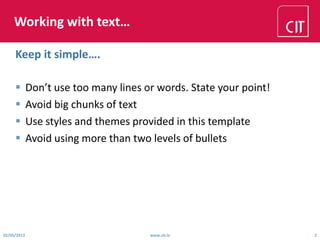
Working with text…
 Don’t use too many lines or words. State your point!
 Avoid big chunks of text
 Use styles and themes provided in this template
 Avoid using more than two levels of bullets
02/05/2013 www.cit.ie 2
Keep it simple….
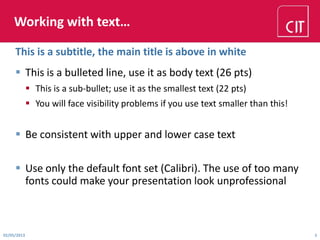
Working with text…
 This is a bulleted line, use it as body text (26 pts)
 This is a sub-bullet; use it as the smallest text (22 pts)
 You will face visibility problems if you use text smaller than this!
 Be consistent with upper and lower case text
 Use only the default font set (Calibri). The use of too many
fonts could make your presentation look unprofessional
This is a subtitle, the main title is above in white
02/05/2013 3
Creating a presentation…
 Use only the default backgrounds
 Clean and simple slides look better and are easier to read
 DO NOT detract from the professionalism of your
presentation by using clipart animations or sounds.
02/05/2013 4
Tips…
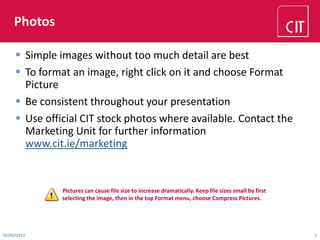
Photos
 Simple images without too much detail are best
 To format an image, right click on it and choose Format
Picture
 Be consistent throughout your presentation
 Use official CIT stock photos where available. Contact the
Marketing Unit for further information
www.cit.ie/marketing
02/05/2013 5
Pictures can cause file size to increase dramatically. Keep file sizes small by first
selecting the image, then in the top Format menu, choose Compress Pictures.
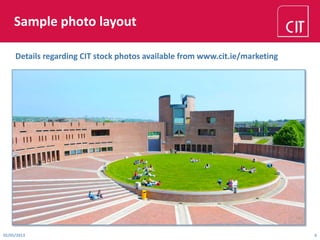
Sample photo layout
Details regarding CIT stock photos available from www.cit.ie/marketing
02/05/2013 6
Bar chart sample layout 1
02/05/2013 7
1.0
1.5
2.0
2.5
3.0
3.5
4.0
4.5
5.0
5.5
Category 1 Category 2 Category 3 Category 4
Series 1 Series 2 Series 3
Bar chart sample layout 2
02/05/2013 8
0
1
2
3
4
5
6
7
8
9
2 3 4 5 6 7 8 9 10 11 12 13 14 15 16
Line chart sample layout
02/05/2013 9
0
1
2
3
4
5
6
7
8
9
10
2012 2013 2014 2015
CIT1 CIT2 CIT3
Pie chart sample layout
02/05/2013 10
56%
25%
13%
6%
CIT1 CIT2 CIT3 CIT4
Sample Table Layout
Faculty of Engineering and Science
02/05/2013 11
Department 2013 2014 2015
Row 1 100% 100% 100%
Row 2 100% 100% 100%
Row 3 100% 100% 100%
Row 4 100% 100% 100%
Row 5 100% 100% 100%
Row 6 100% 100% 100%
Total 100% 100% 100%
http://www.cit.ie
Thank you

CIT PowerPoint Template

  • 1.
  • 2.
    Working with text… Don’t use too many lines or words. State your point!  Avoid big chunks of text  Use styles and themes provided in this template  Avoid using more than two levels of bullets 02/05/2013 www.cit.ie 2 Keep it simple….
  • 3.
    Working with text… This is a bulleted line, use it as body text (26 pts)  This is a sub-bullet; use it as the smallest text (22 pts)  You will face visibility problems if you use text smaller than this!  Be consistent with upper and lower case text  Use only the default font set (Calibri). The use of too many fonts could make your presentation look unprofessional This is a subtitle, the main title is above in white 02/05/2013 3
  • 4.
    Creating a presentation… Use only the default backgrounds  Clean and simple slides look better and are easier to read  DO NOT detract from the professionalism of your presentation by using clipart animations or sounds. 02/05/2013 4 Tips…
  • 5.
    Photos  Simple imageswithout too much detail are best  To format an image, right click on it and choose Format Picture  Be consistent throughout your presentation  Use official CIT stock photos where available. Contact the Marketing Unit for further information www.cit.ie/marketing 02/05/2013 5 Pictures can cause file size to increase dramatically. Keep file sizes small by first selecting the image, then in the top Format menu, choose Compress Pictures.
  • 6.
    Sample photo layout Detailsregarding CIT stock photos available from www.cit.ie/marketing 02/05/2013 6
  • 7.
    Bar chart samplelayout 1 02/05/2013 7 1.0 1.5 2.0 2.5 3.0 3.5 4.0 4.5 5.0 5.5 Category 1 Category 2 Category 3 Category 4 Series 1 Series 2 Series 3
  • 8.
    Bar chart samplelayout 2 02/05/2013 8 0 1 2 3 4 5 6 7 8 9 2 3 4 5 6 7 8 9 10 11 12 13 14 15 16
  • 9.
    Line chart samplelayout 02/05/2013 9 0 1 2 3 4 5 6 7 8 9 10 2012 2013 2014 2015 CIT1 CIT2 CIT3
  • 10.
    Pie chart samplelayout 02/05/2013 10 56% 25% 13% 6% CIT1 CIT2 CIT3 CIT4
  • 11.
    Sample Table Layout Facultyof Engineering and Science 02/05/2013 11 Department 2013 2014 2015 Row 1 100% 100% 100% Row 2 100% 100% 100% Row 3 100% 100% 100% Row 4 100% 100% 100% Row 5 100% 100% 100% Row 6 100% 100% 100% Total 100% 100% 100%
  • 12.