Planning for Content Reuse Best Practices for Legacy  and New Content
About me… Eddie VanArsdall VanArsdall InfoDesign Training Instructional Design Technical Writing Help Development
Industries that I have served Legal Economic development Telecommunications Health care Health insurance  Finance Grant management Cancer research
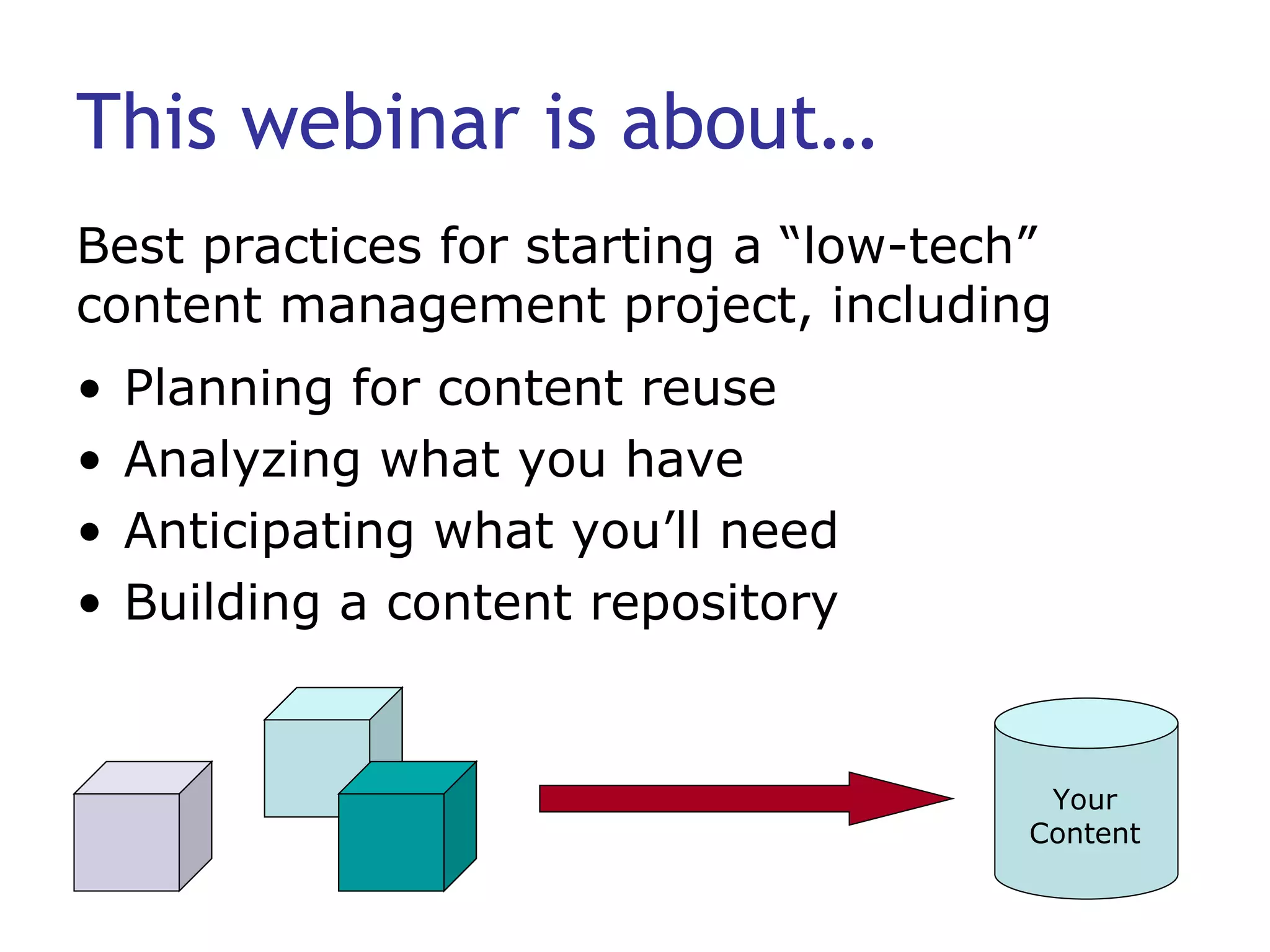
This webinar is about… Planning for content reuse Analyzing what you have Anticipating what you’ll need Building a content repository Best practices for starting a “low-tech” content management project, including Your Content
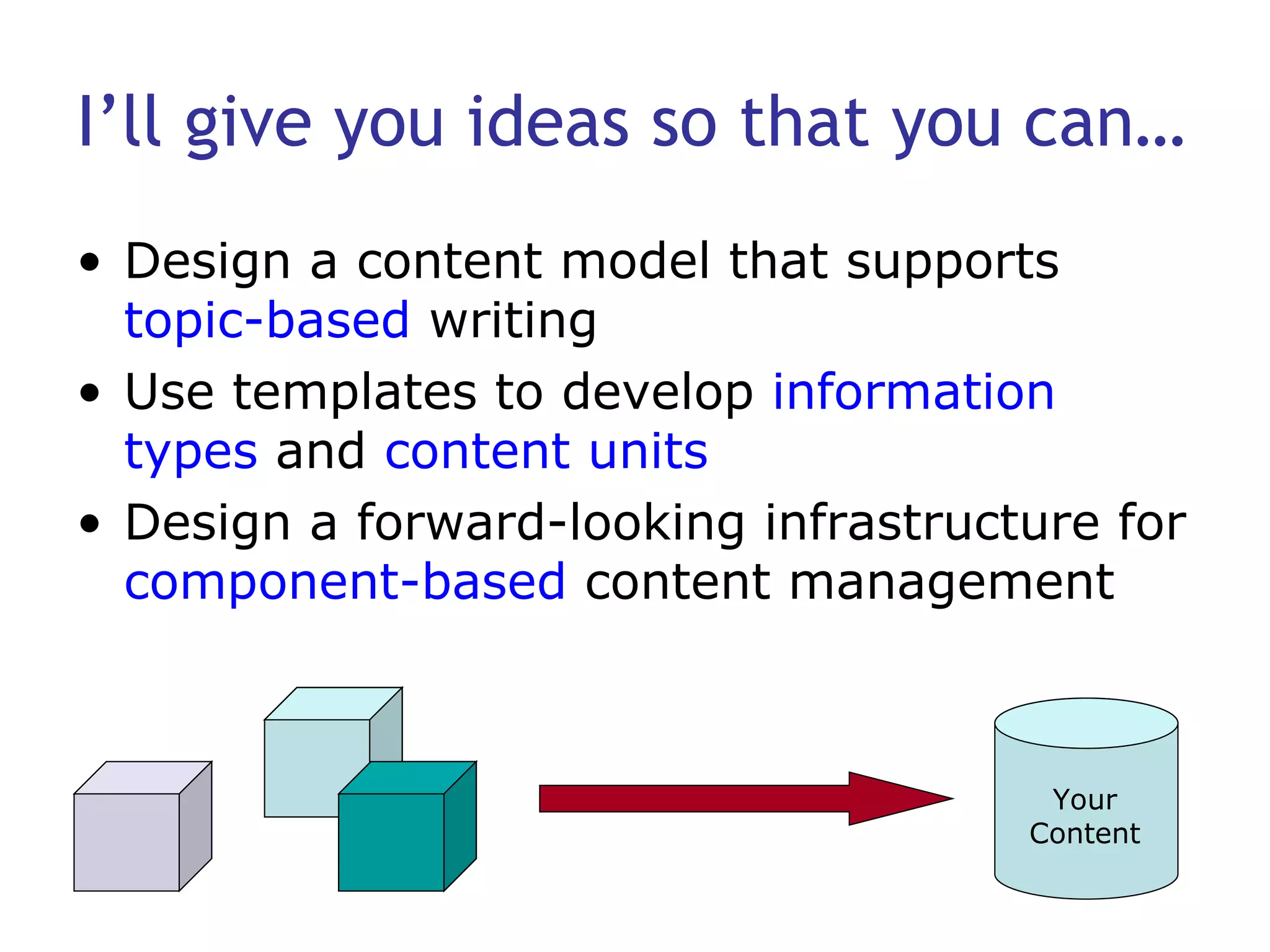
I’ll give you ideas so that you can… Design a content model that supports  topic-based  writing Use templates to develop  information types  and  content units Design a forward-looking infrastructure for  component-based  content management Your Content
This webinar is  not … A sales pitch for any tool A presentation about CMS deployment A substitute for available content management resources: Bob Boiko JoAnn Hackos Ann Rockley
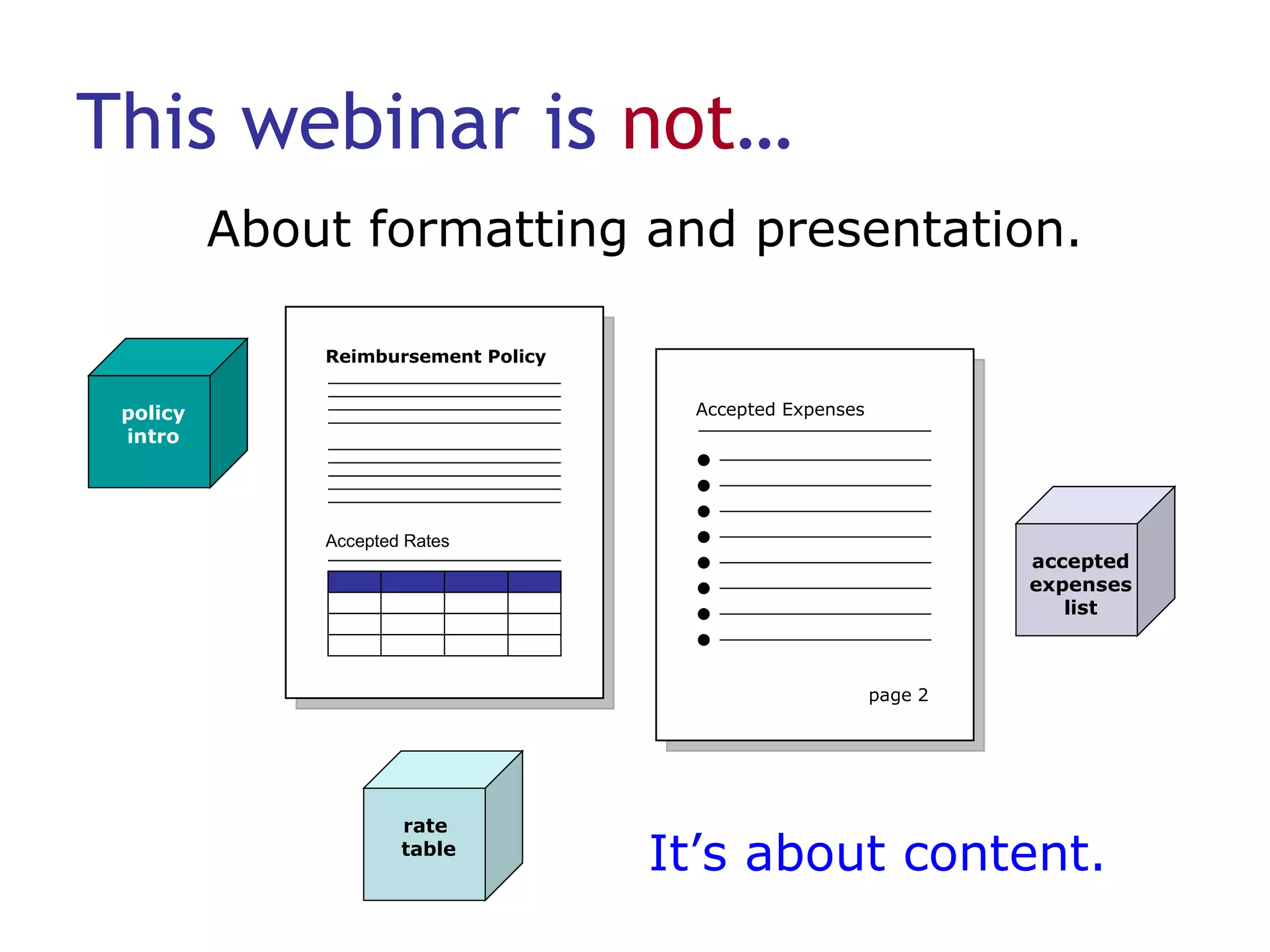
This webinar is  not … About formatting and presentation. Reimbursement Policy Accepted Rates page 2 Accepted Expenses accepted expenses list policy intro rate  table It’s about content.
Let’s begin with  stories . A tale of woe… A tale of confusion… A tale of impending doom…
So where do you start?
Maintain writing and style standards Style guide Company Industry Sun  Read Me First! Microsoft Manual of Style Chicago Manual of Style Team Well-documented writing standards
Consider your writing model Linear, narrative writing  Common phrases: “As stated on page 2, …” “In the next section we will…” Can be appropriate for training or tutorials Are you still writing chapters?
Consider topic-based writing Proven:  Common in help authoring Concise:  Promotes discrete chunks of information that provide just enough detail to enable users to understand a concept perform a task find factual information answer a question (FAQ) solve a problem More…
Consider topic-based writing Readable:  Easy to scan Consistent:  Has a uniform structure so that readers know what to expect Standalone:  Can be understood in and out of context Reusable:  Maps to related information through topic links
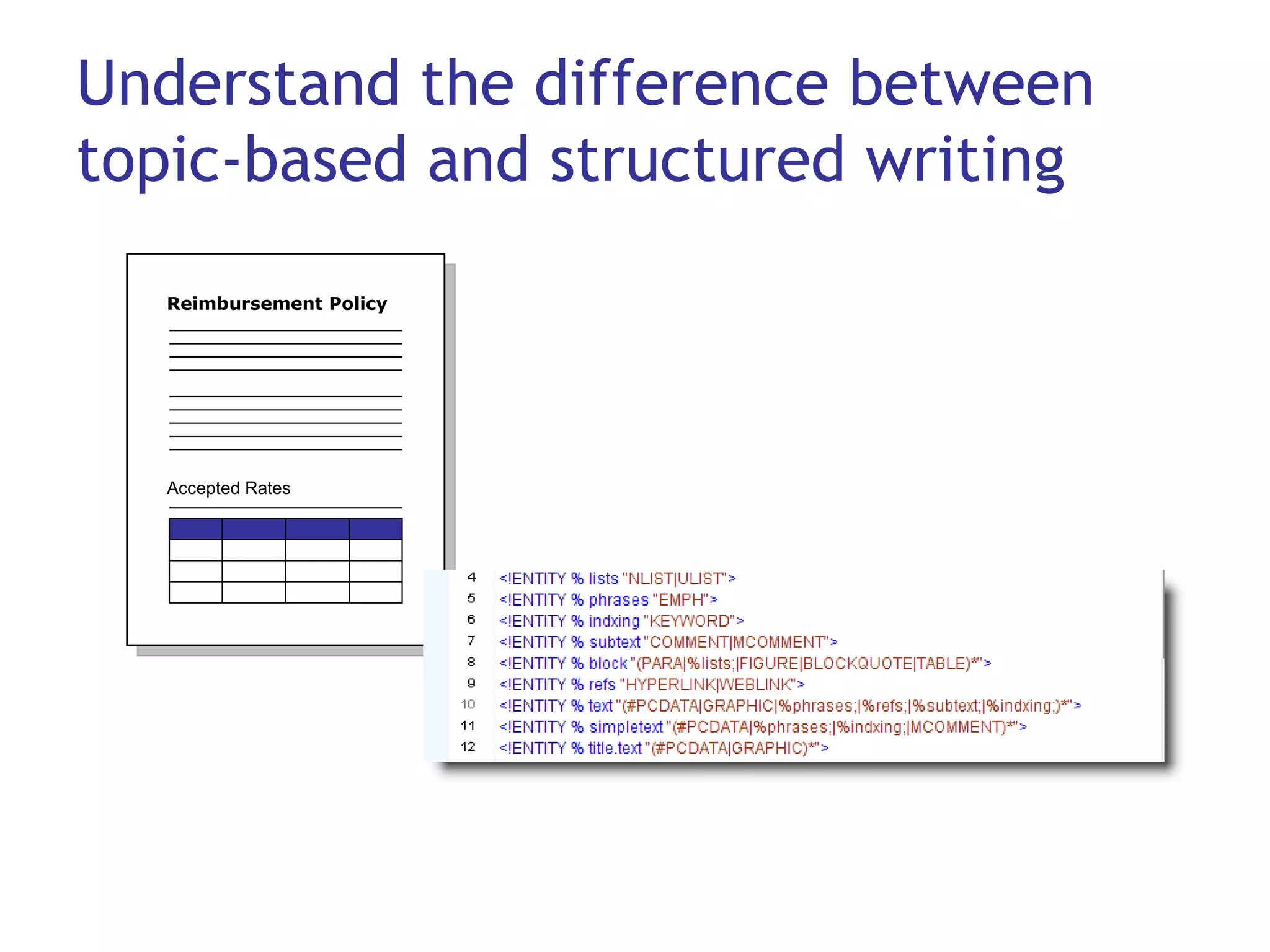
Understand the difference between topic-based and structured writing Reimbursement Policy Accepted Rates
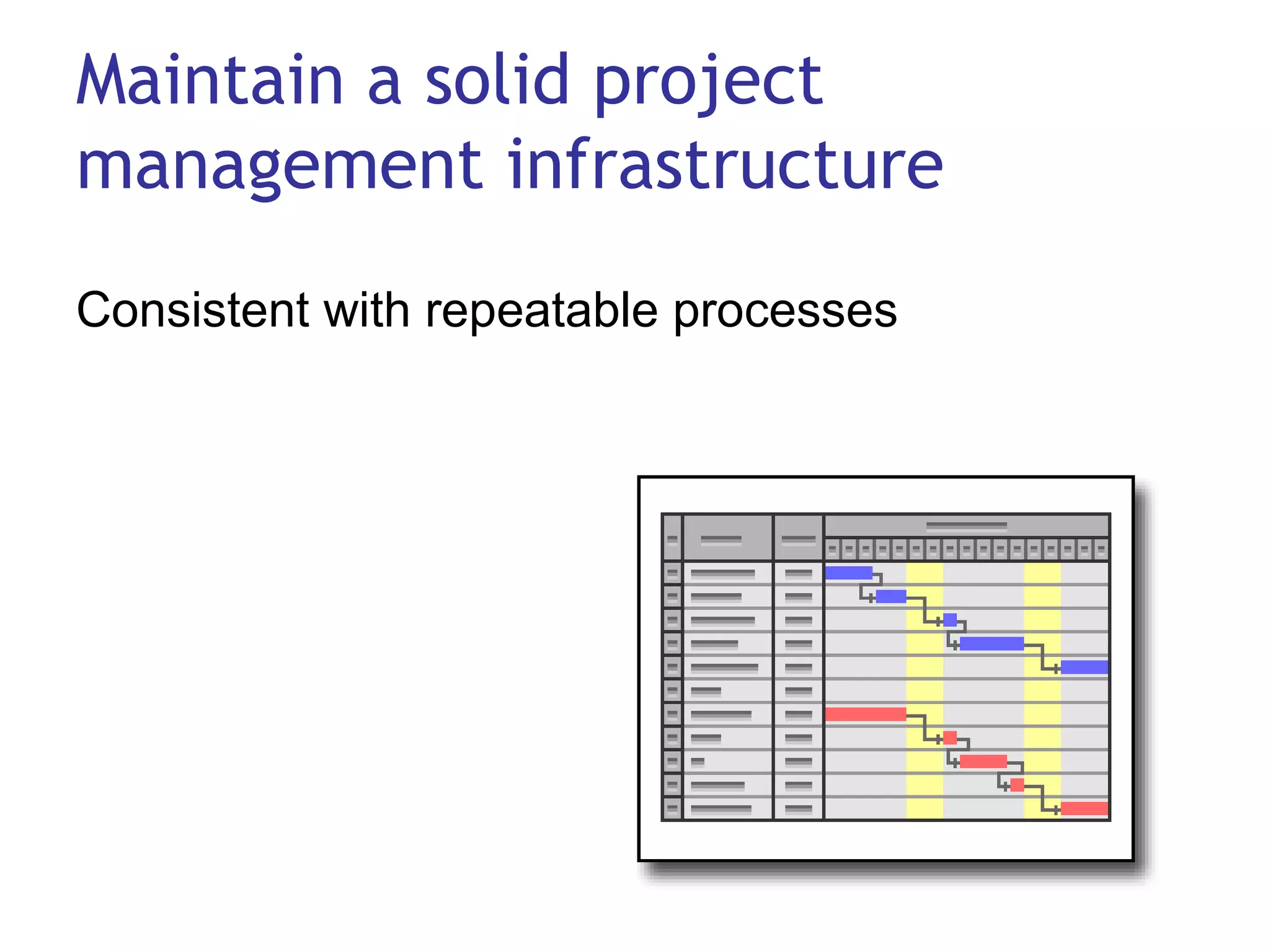
Maintain a solid project management infrastructure Consistent with repeatable processes
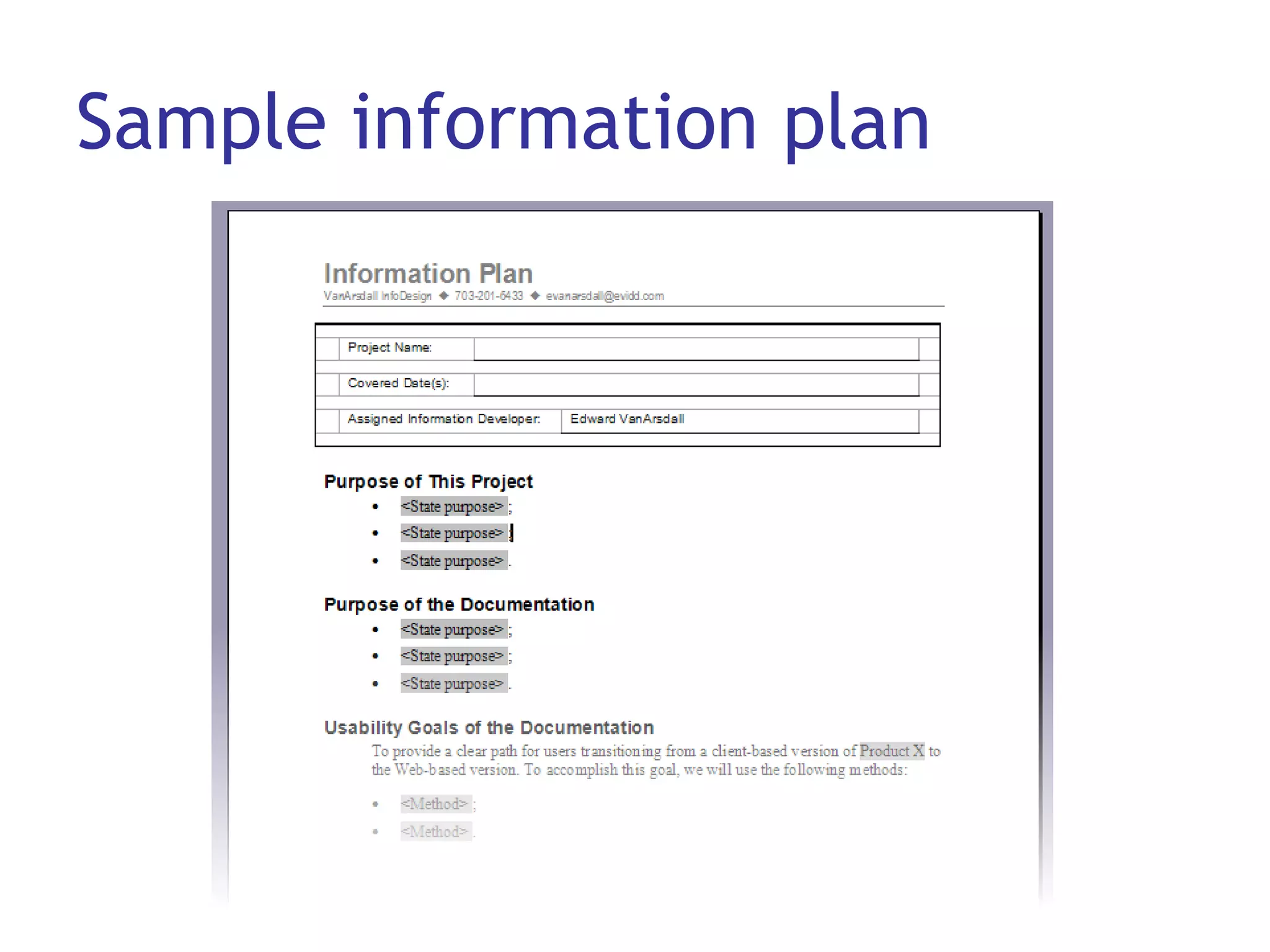
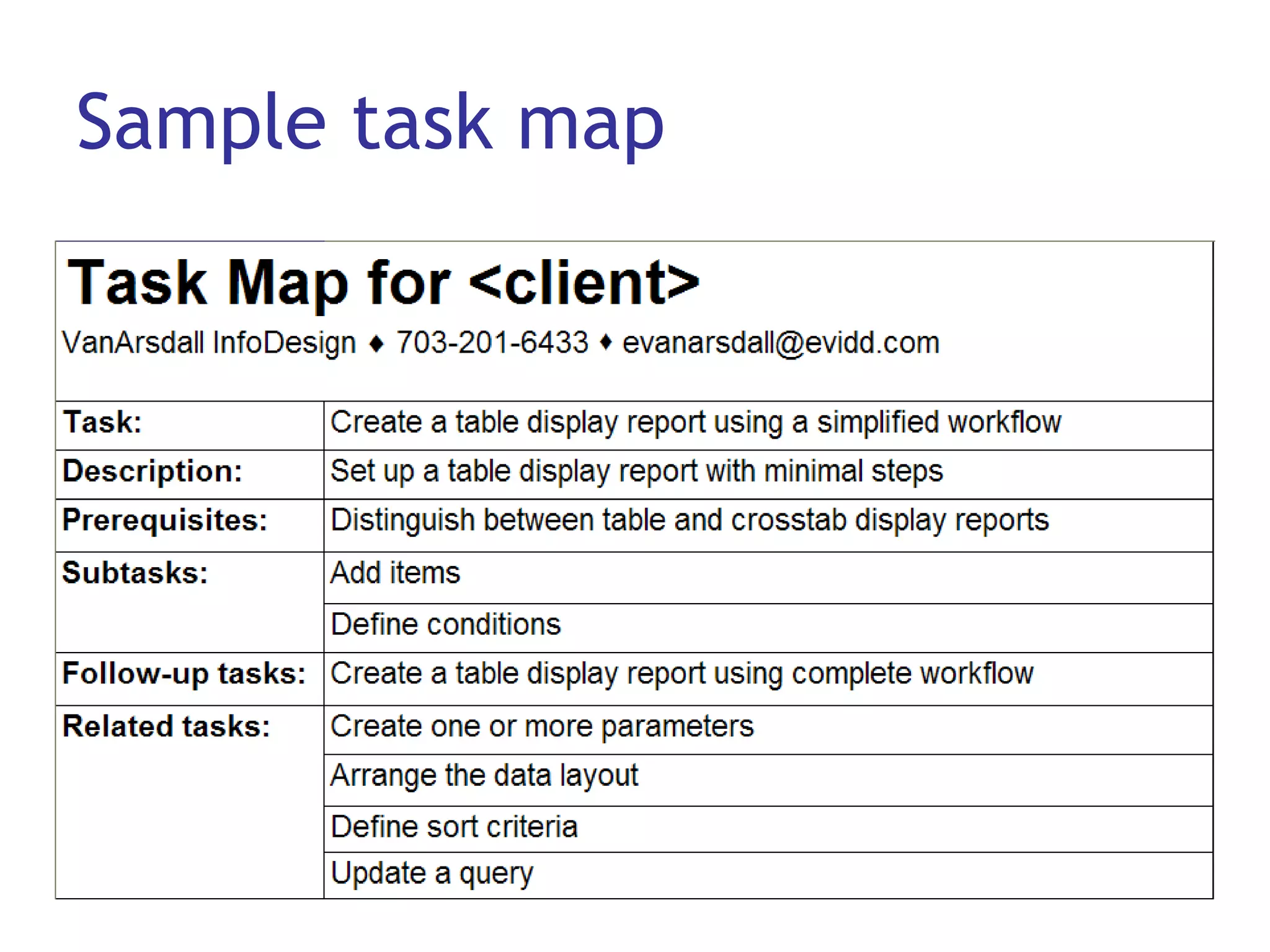
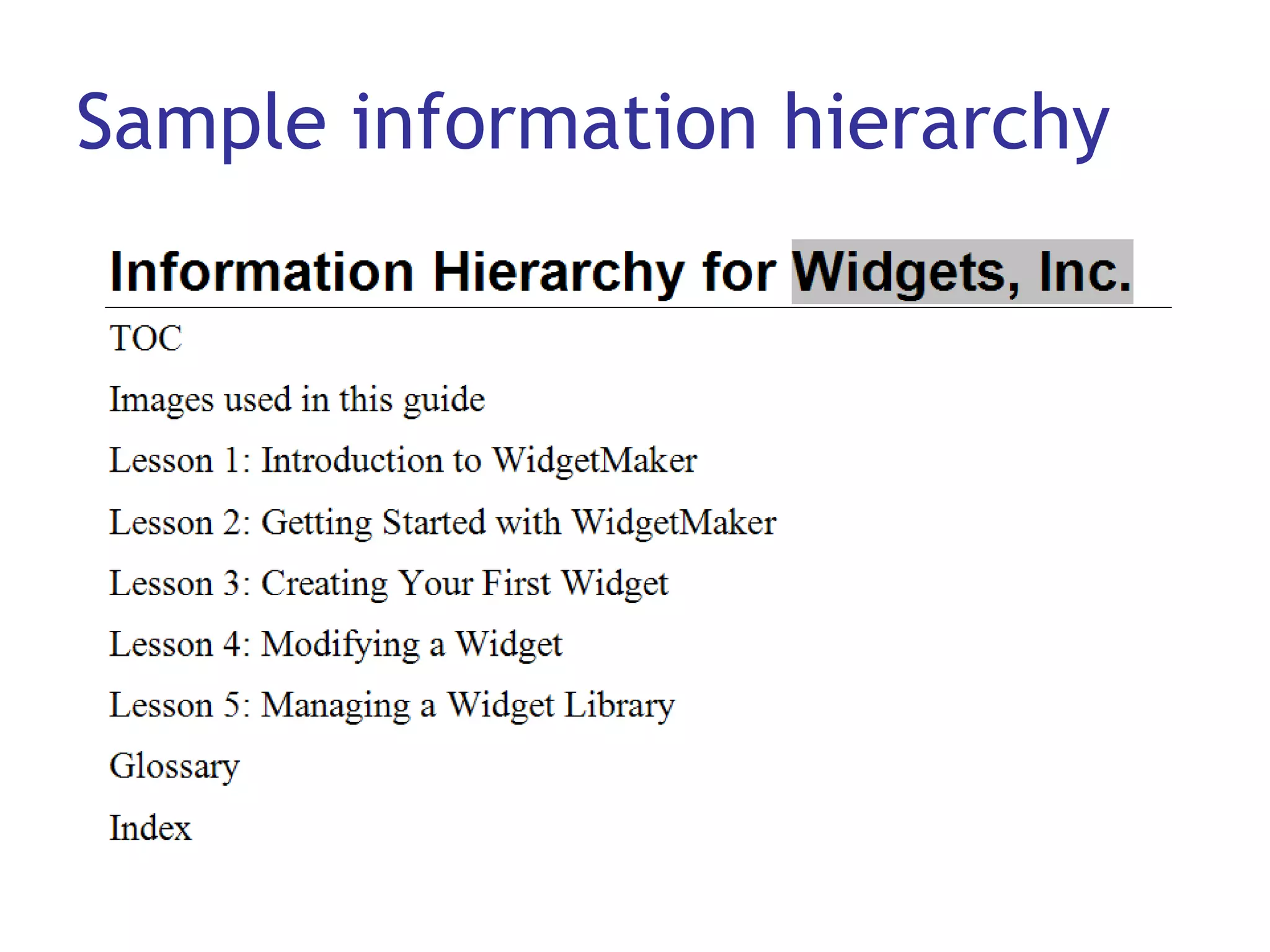
Use project templates to… Establish and maintain project standards (planning and analysis) Support a content planning and mapping  project Separate yourself from authoring tools Keep it simple: Use Word and Excel.
Sample information plan
Sample task map
Sample information hierarchy
Other project templates Specifications High-level: Answers basic questions Detailed: Covers more specifics More detailed task analysis Use cases, user scenarios, personas Process or other flow diagrams Review comment forms
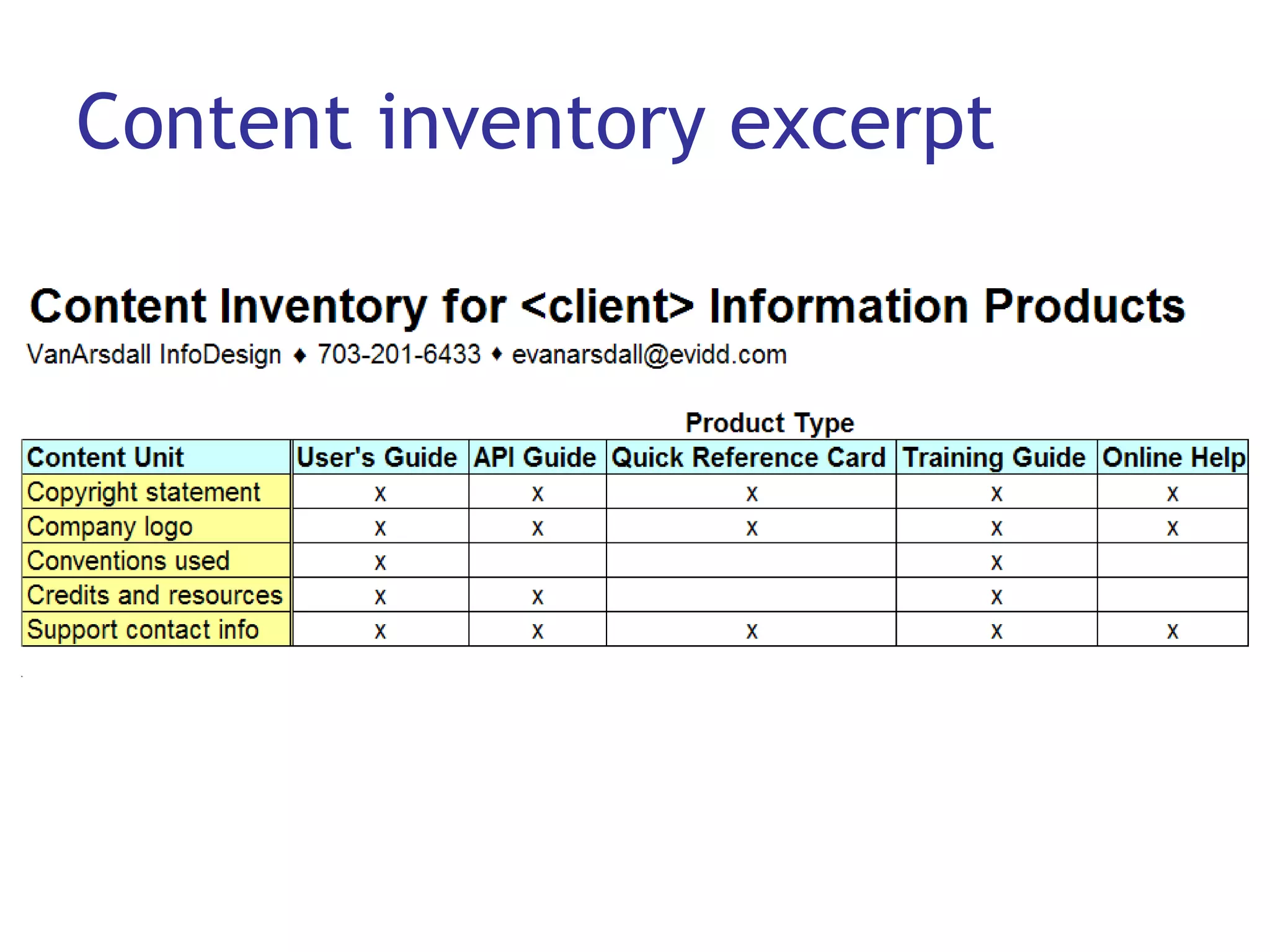
Conduct a content inventory Also called a “content audit” (Rockley) or content analysis Starts with a random sampling: User’s guide API guide Quick reference guide Training material Online help Identifies what samples have in common.
Content inventory excerpt
Create a content model Establishes a framework for your content Results in a better user experience: Information is consistently organized Users can find what they’re looking for Users can get answers to their questions Can serve the entire company or seed departments such as documentation and training
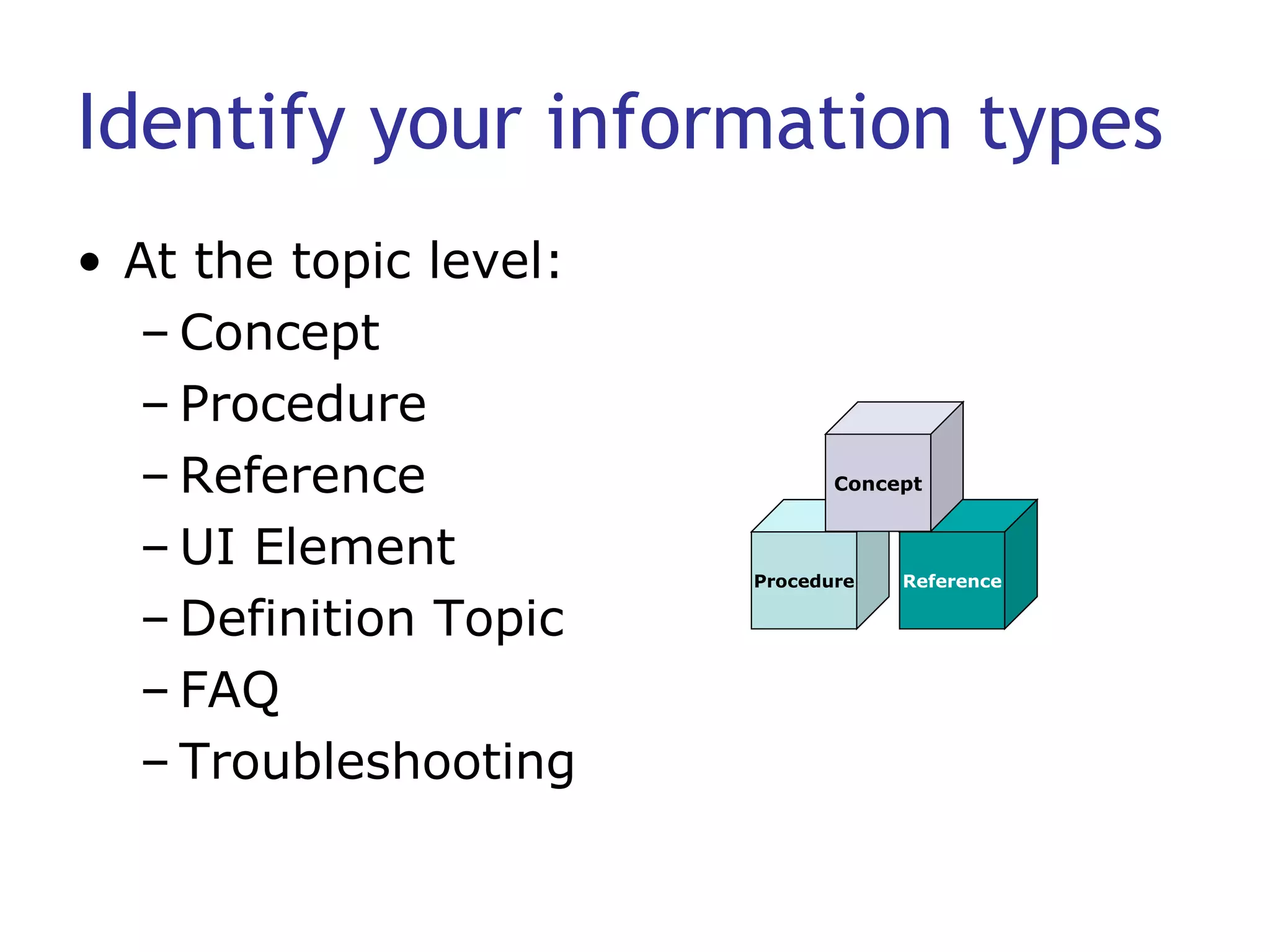
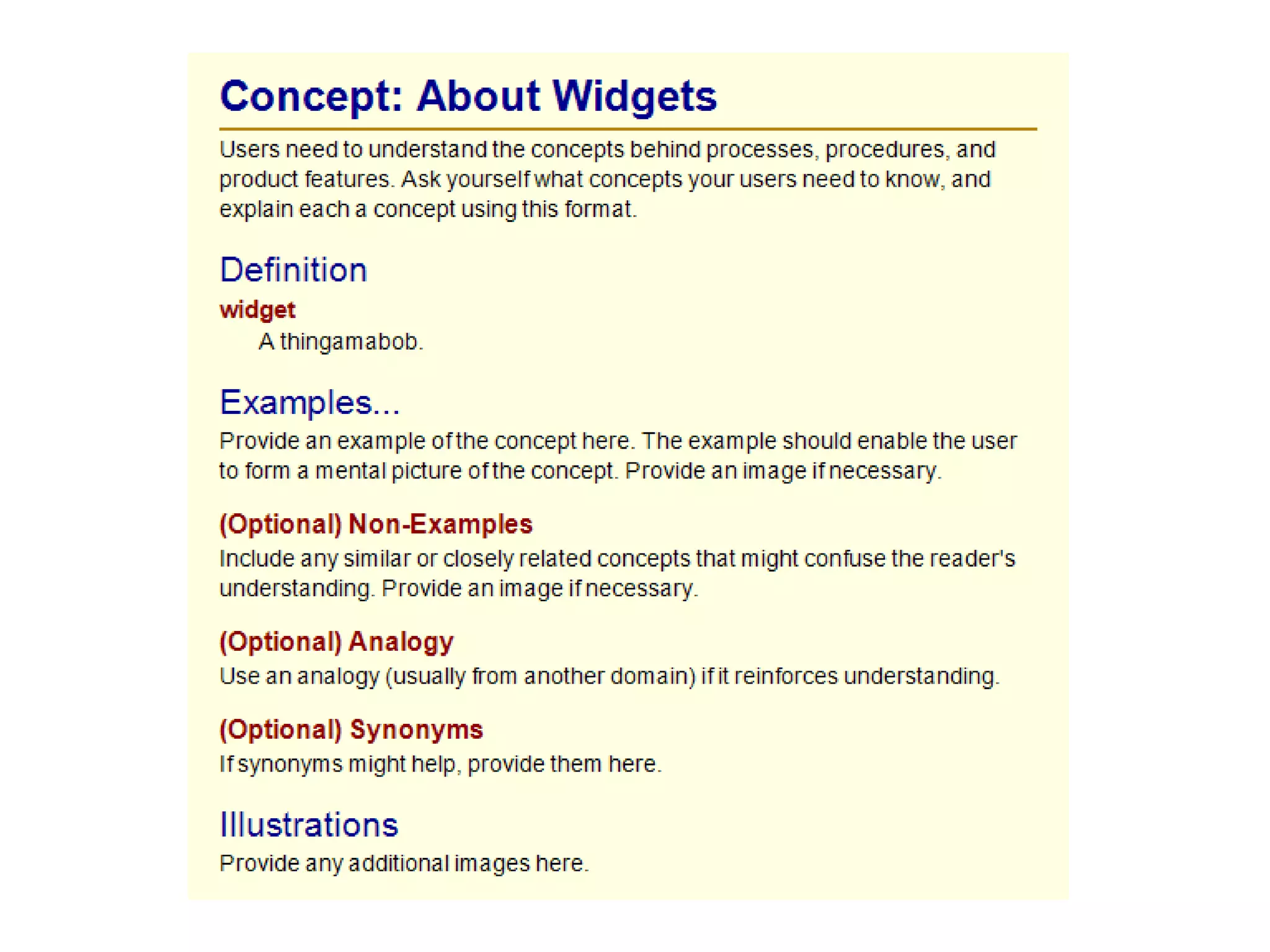
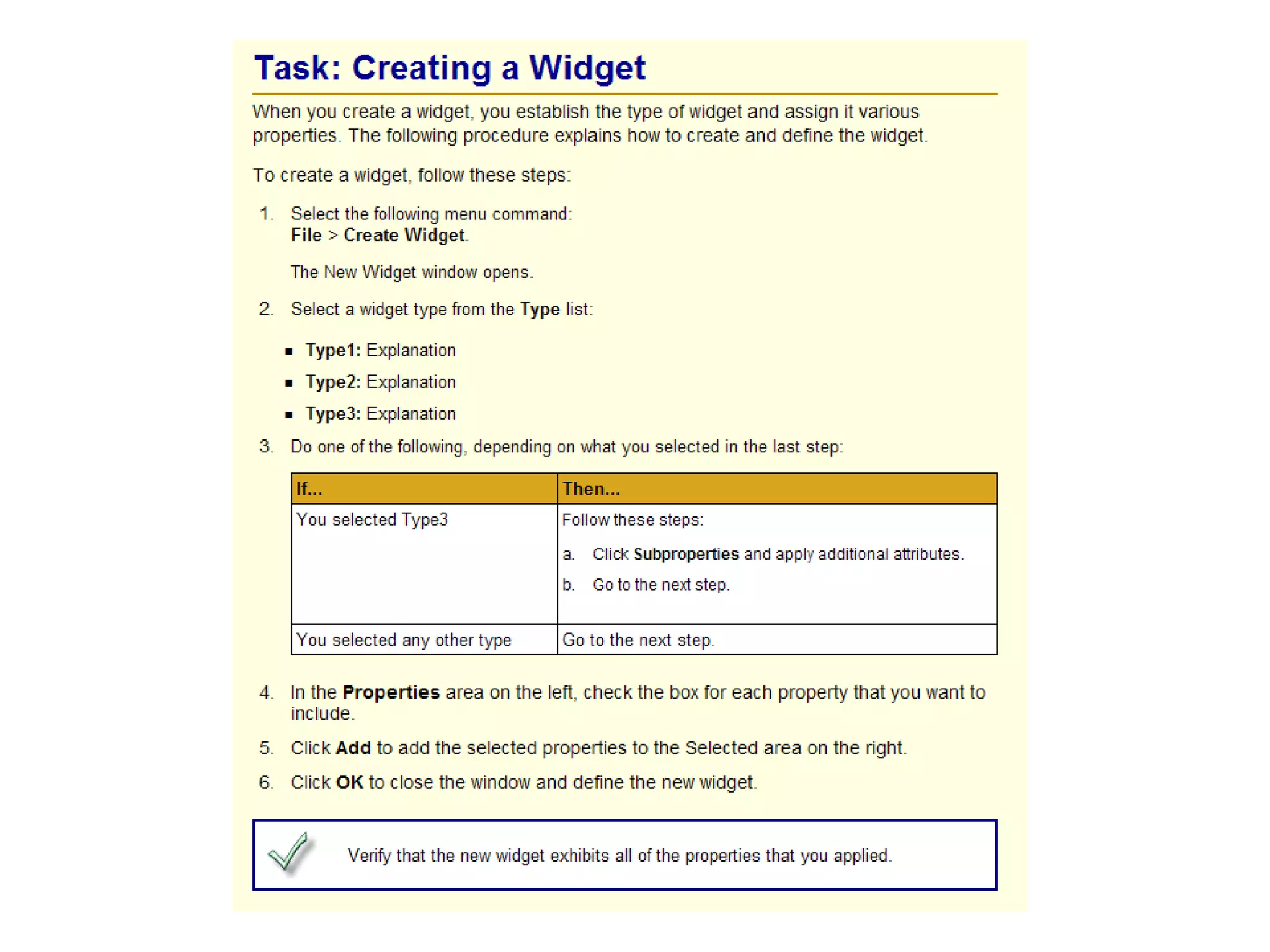
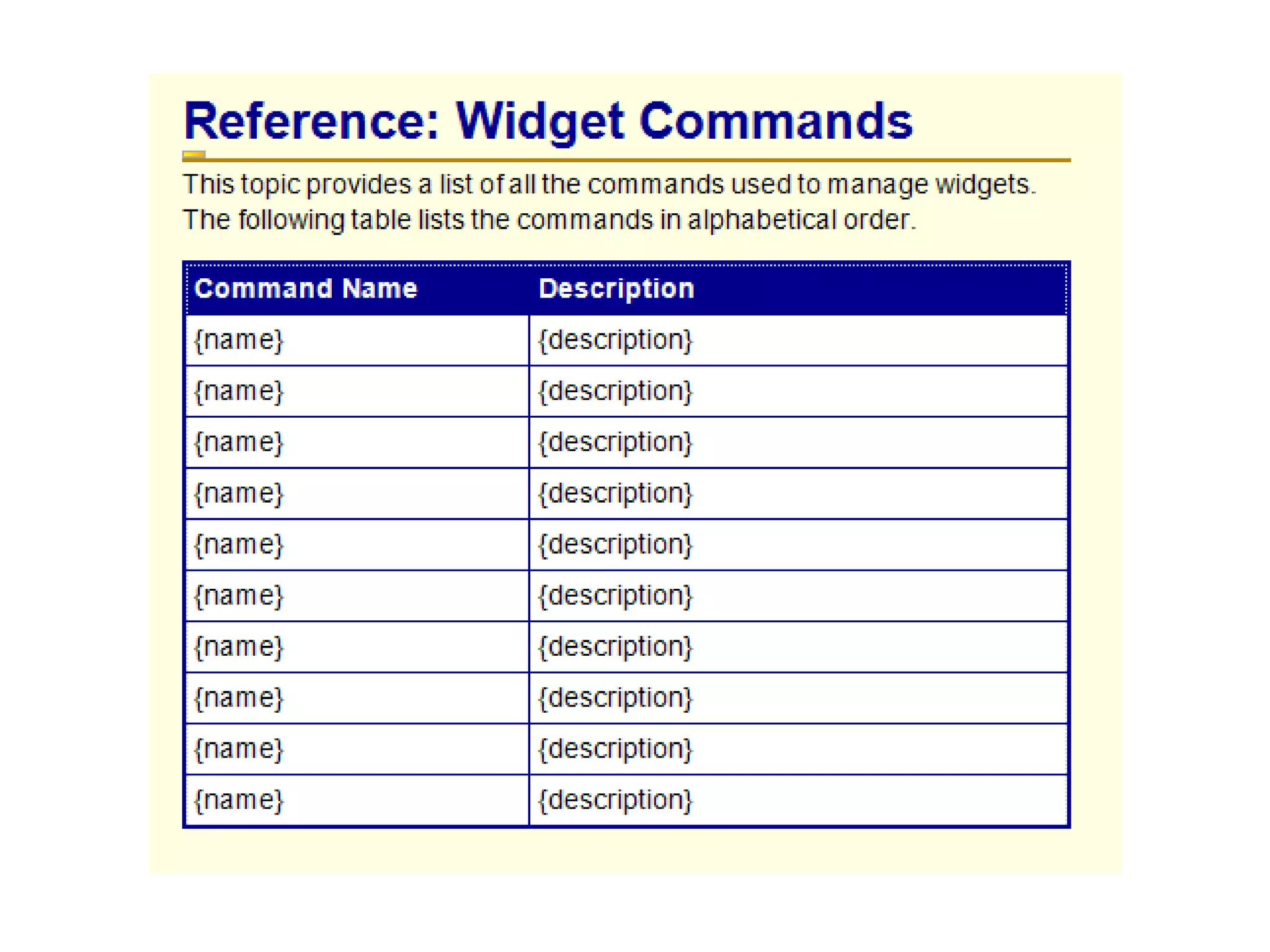
Identify your information types At the topic level: Concept Procedure Reference UI Element Definition Topic FAQ Troubleshooting Procedure Reference Concept
Sample information types


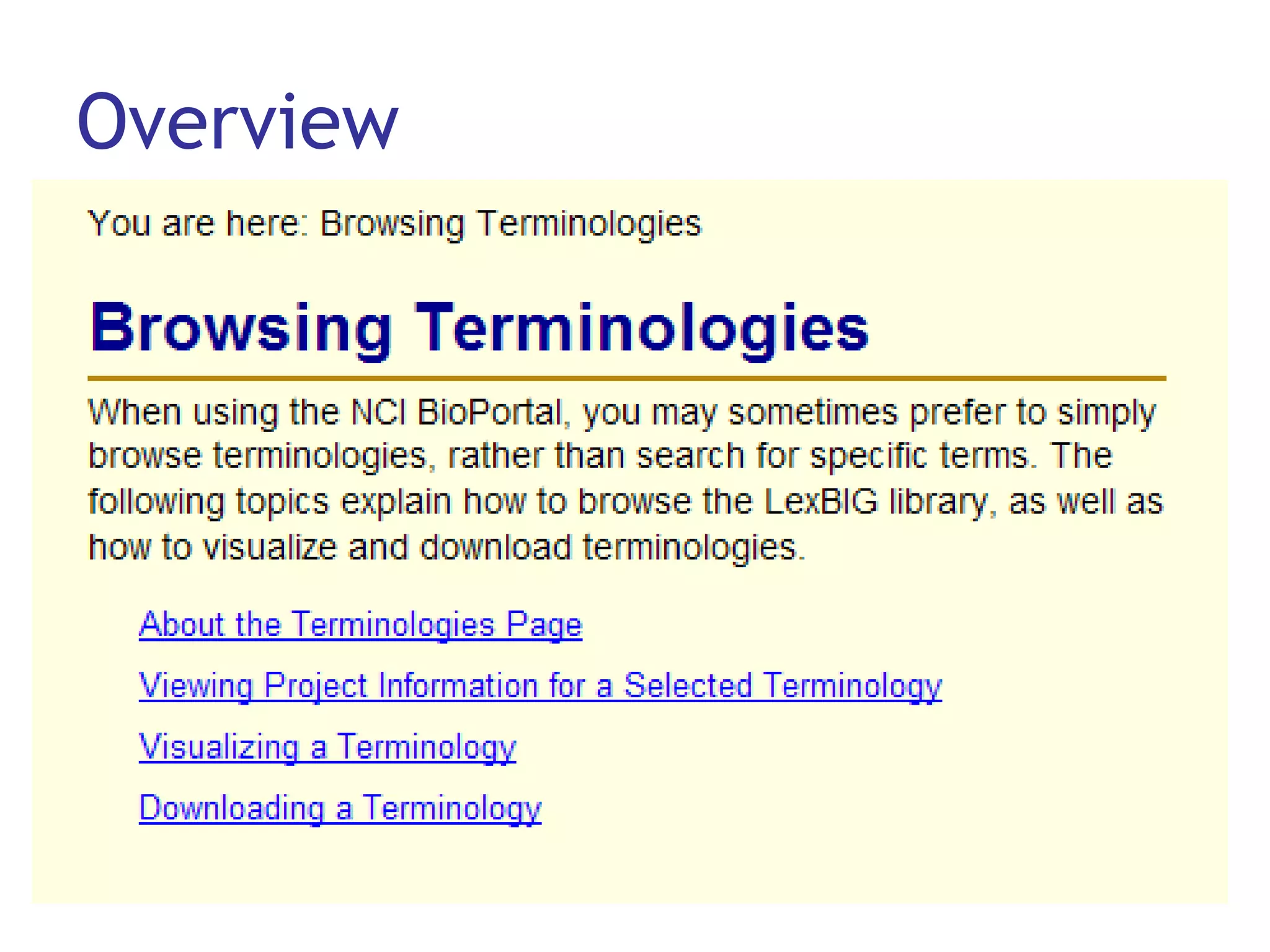
Overview
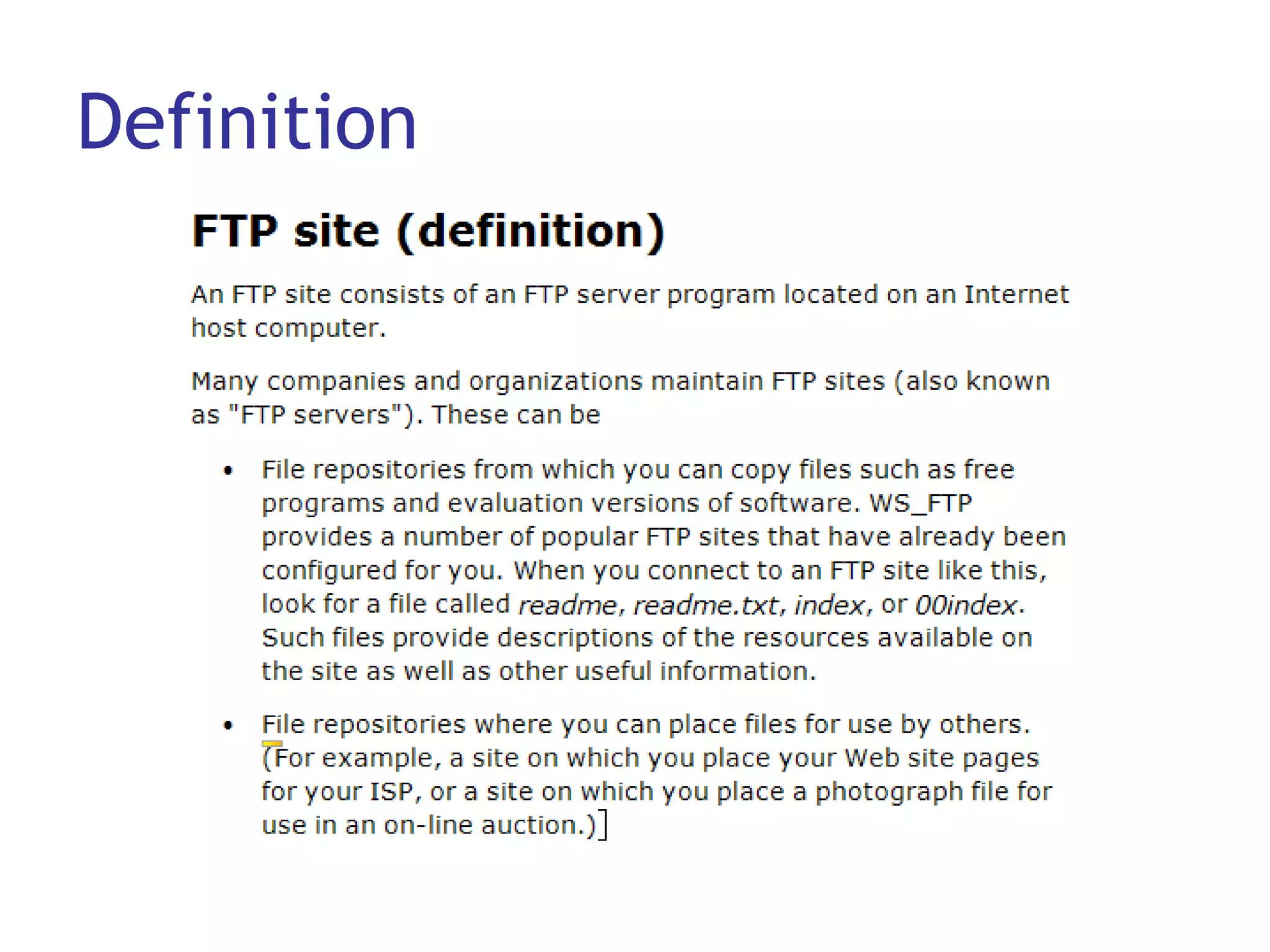
Definition
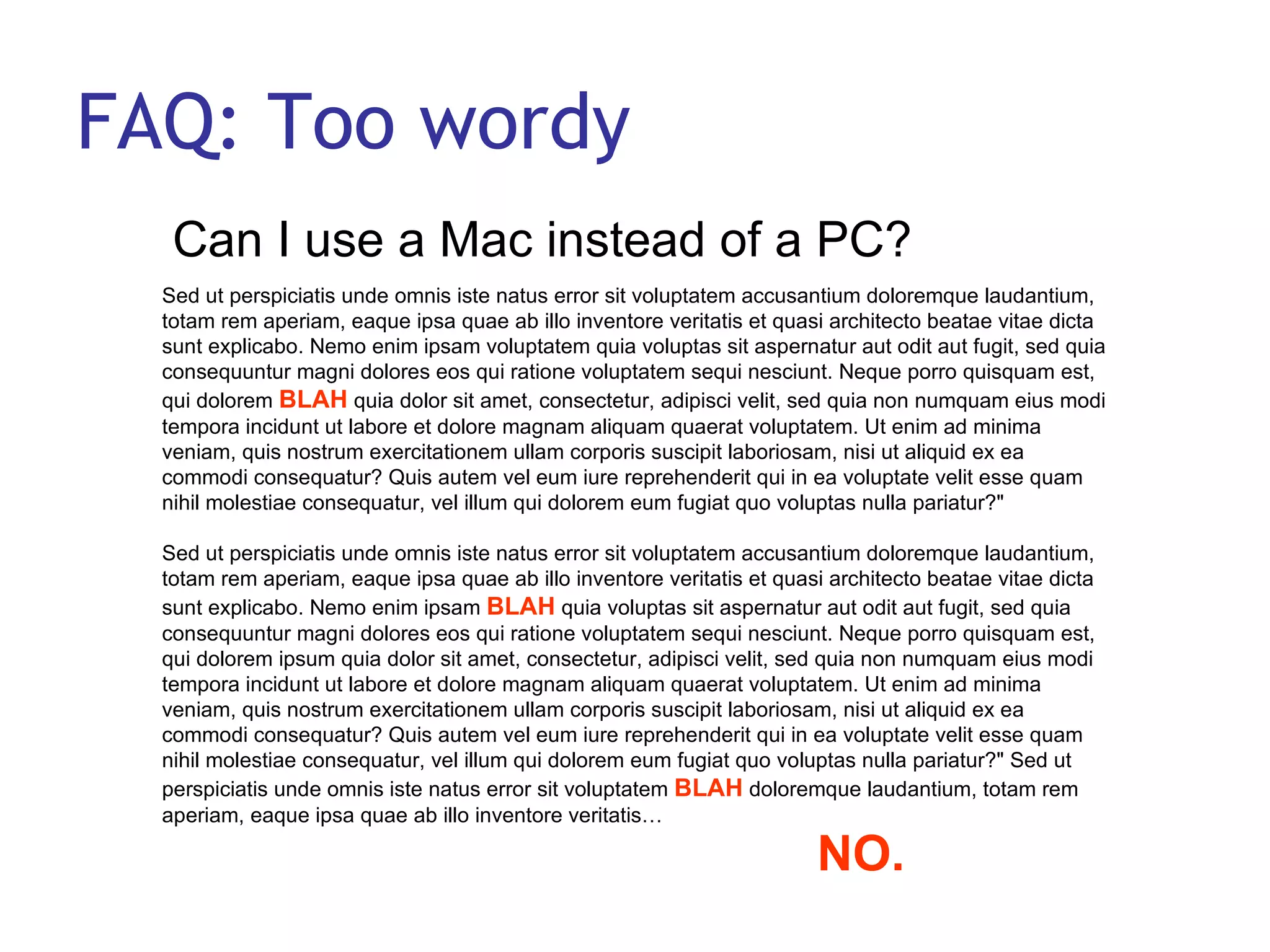
FAQ: Too wordy Can I use a Mac instead of a PC?  Sed ut perspiciatis unde omnis iste natus error sit voluptatem accusantium doloremque laudantium, totam rem aperiam, eaque ipsa quae ab illo inventore veritatis et quasi architecto beatae vitae dicta sunt explicabo. Nemo enim ipsam voluptatem quia voluptas sit aspernatur aut odit aut fugit, sed quia consequuntur magni dolores eos qui ratione voluptatem sequi nesciunt. Neque porro quisquam est, qui dolorem  BLAH  quia dolor sit amet, consectetur, adipisci velit, sed quia non numquam eius modi tempora incidunt ut labore et dolore magnam aliquam quaerat voluptatem. Ut enim ad minima veniam, quis nostrum exercitationem ullam corporis suscipit laboriosam, nisi ut aliquid ex ea commodi consequatur? Quis autem vel eum iure reprehenderit qui in ea voluptate velit esse quam nihil molestiae consequatur, vel illum qui dolorem eum fugiat quo voluptas nulla pariatur?"  Sed ut perspiciatis unde omnis iste natus error sit voluptatem accusantium doloremque laudantium, totam rem aperiam, eaque ipsa quae ab illo inventore veritatis et quasi architecto beatae vitae dicta sunt explicabo. Nemo enim ipsam  BLAH  quia voluptas sit aspernatur aut odit aut fugit, sed quia consequuntur magni dolores eos qui ratione voluptatem sequi nesciunt. Neque porro quisquam est, qui dolorem ipsum quia dolor sit amet, consectetur, adipisci velit, sed quia non numquam eius modi tempora incidunt ut labore et dolore magnam aliquam quaerat voluptatem. Ut enim ad minima veniam, quis nostrum exercitationem ullam corporis suscipit laboriosam, nisi ut aliquid ex ea commodi consequatur? Quis autem vel eum iure reprehenderit qui in ea voluptate velit esse quam nihil molestiae consequatur, vel illum qui dolorem eum fugiat quo voluptas nulla pariatur?" Sed ut perspiciatis unde omnis iste natus error sit voluptatem  BLAH  doloremque laudantium, totam rem aperiam, eaque ipsa quae ab illo inventore veritatis…  NO.
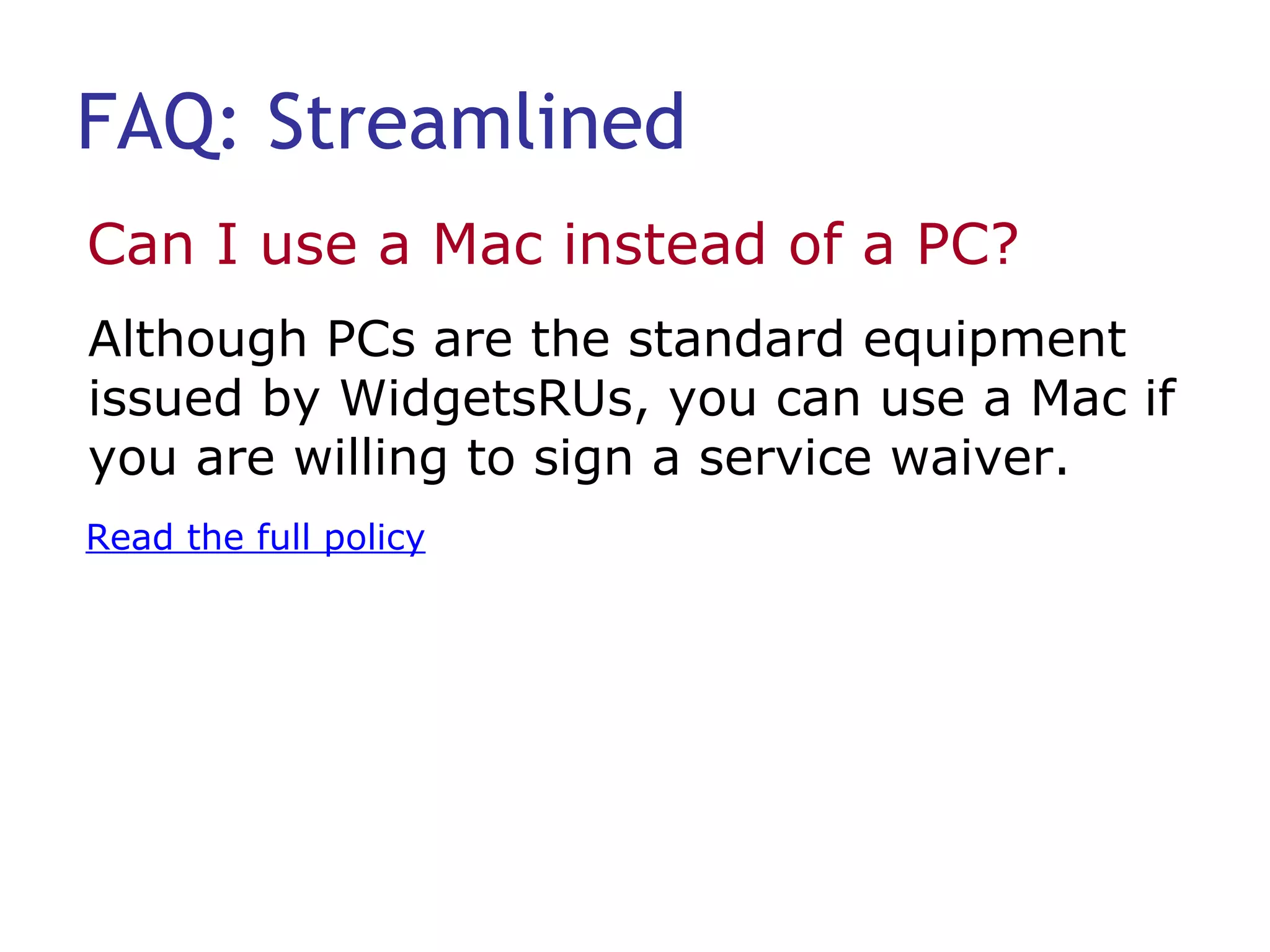
FAQ: Streamlined Can I use a Mac instead of a PC?  Read the full policy Although PCs are the standard equipment issued by WidgetsRUs, you can use a Mac if you are willing to sign a service waiver.
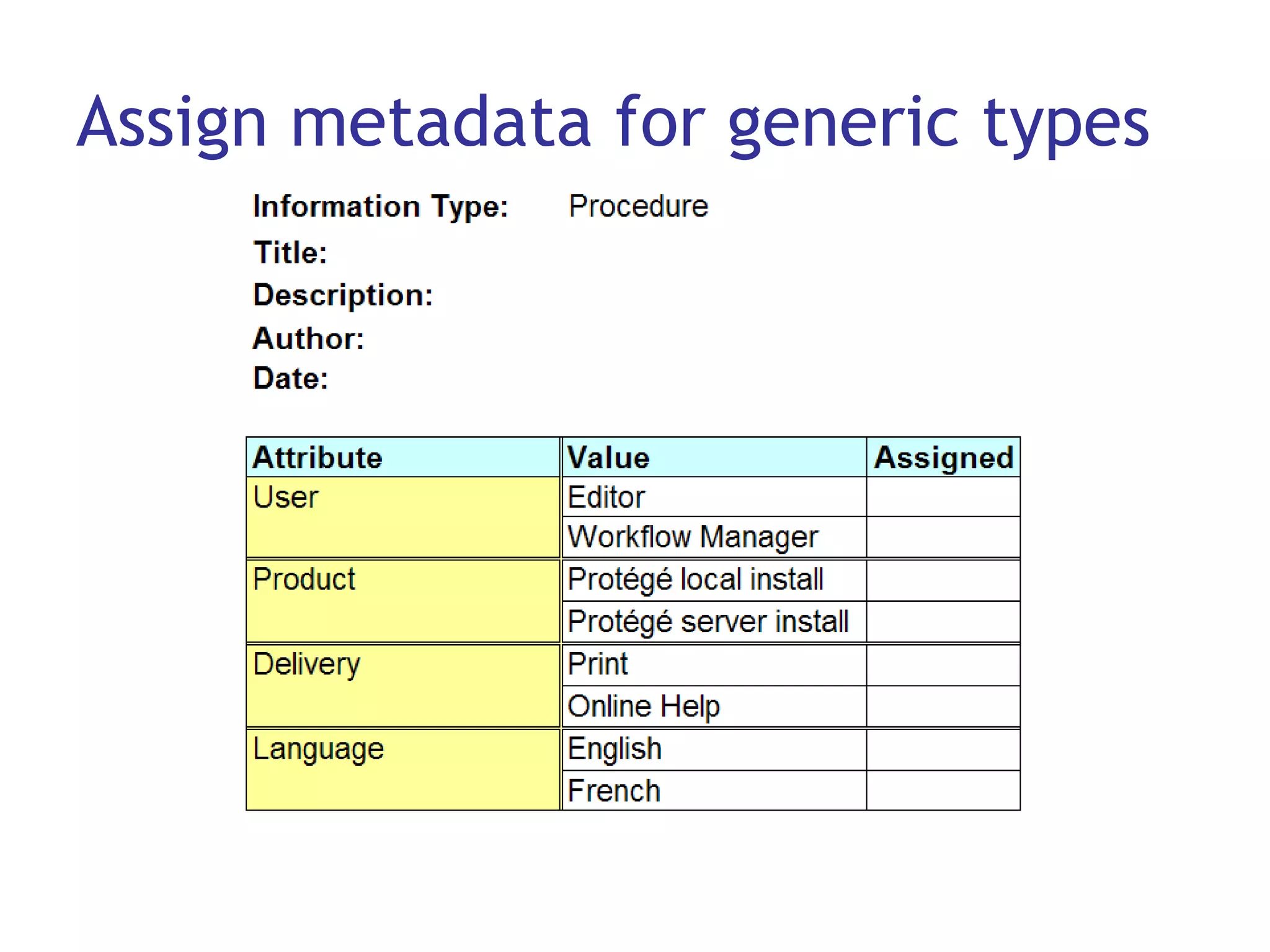
Assign metadata for generic types
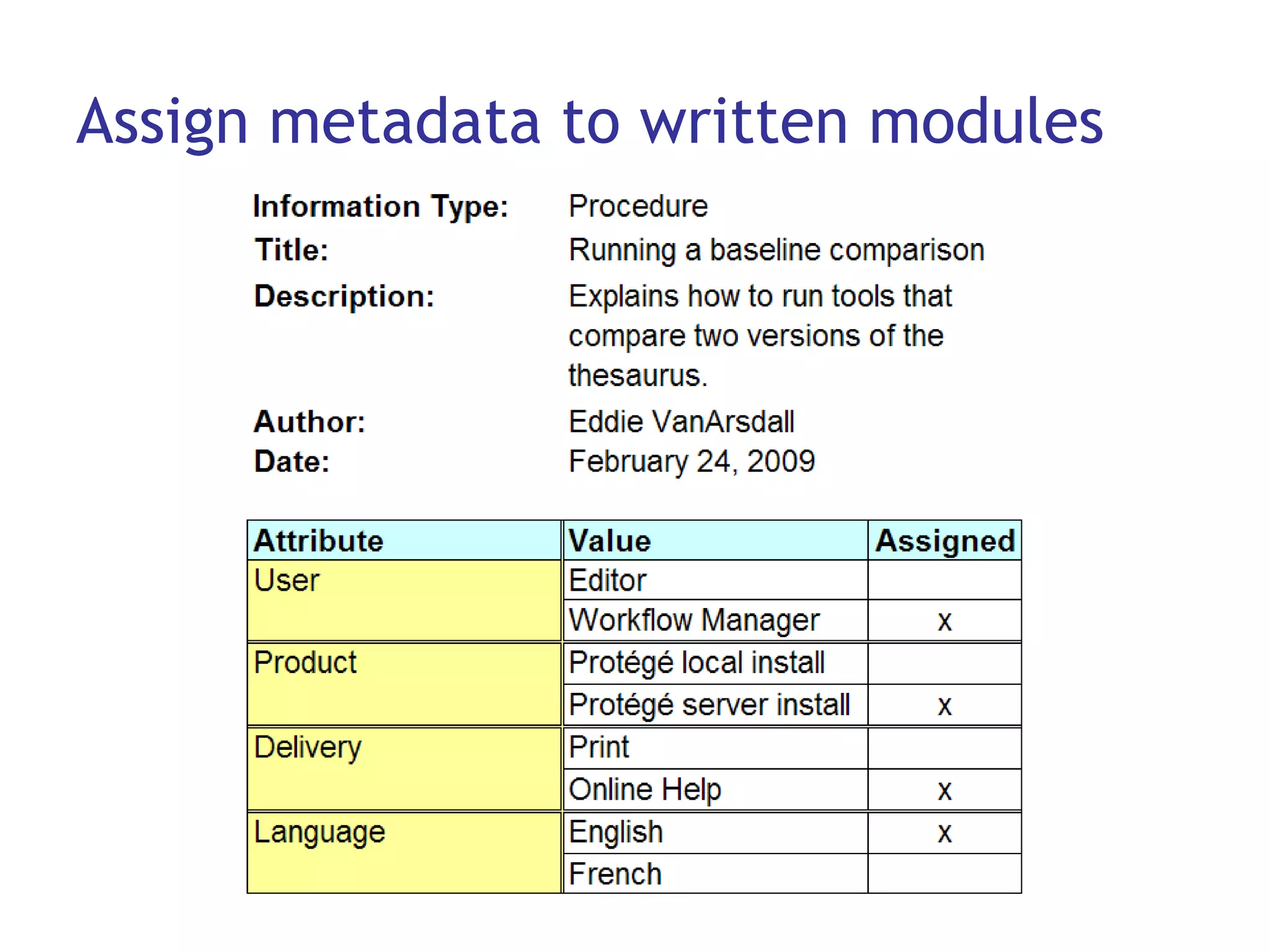
Assign metadata to written modules
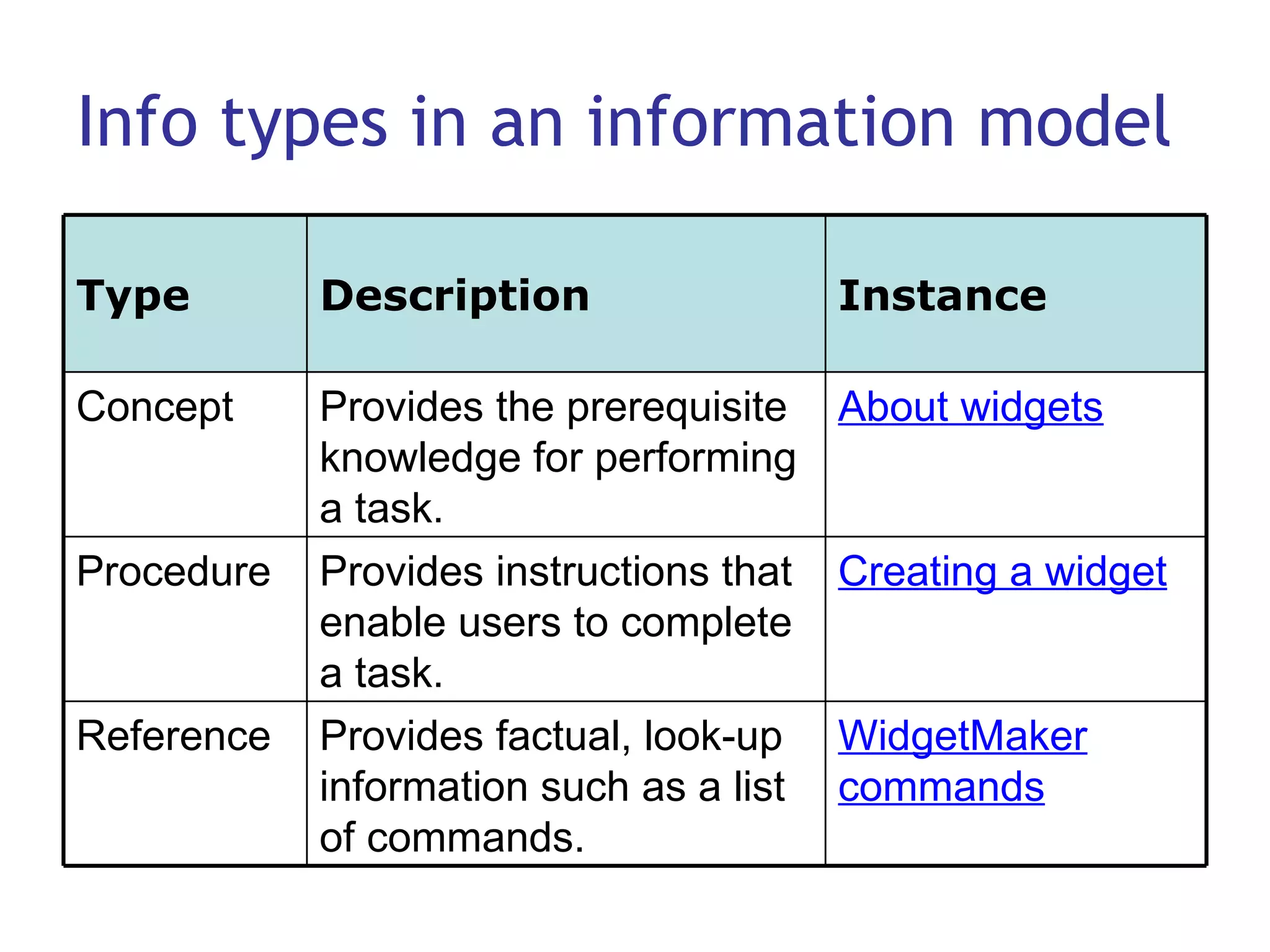
Info types in an information model WidgetMaker commands Provides factual, look-up information such as a list of commands. Reference Creating a widget Provides instructions that enable users to complete a task. Procedure About widgets Provides the prerequisite knowledge for performing a task. Concept Instance Description Type
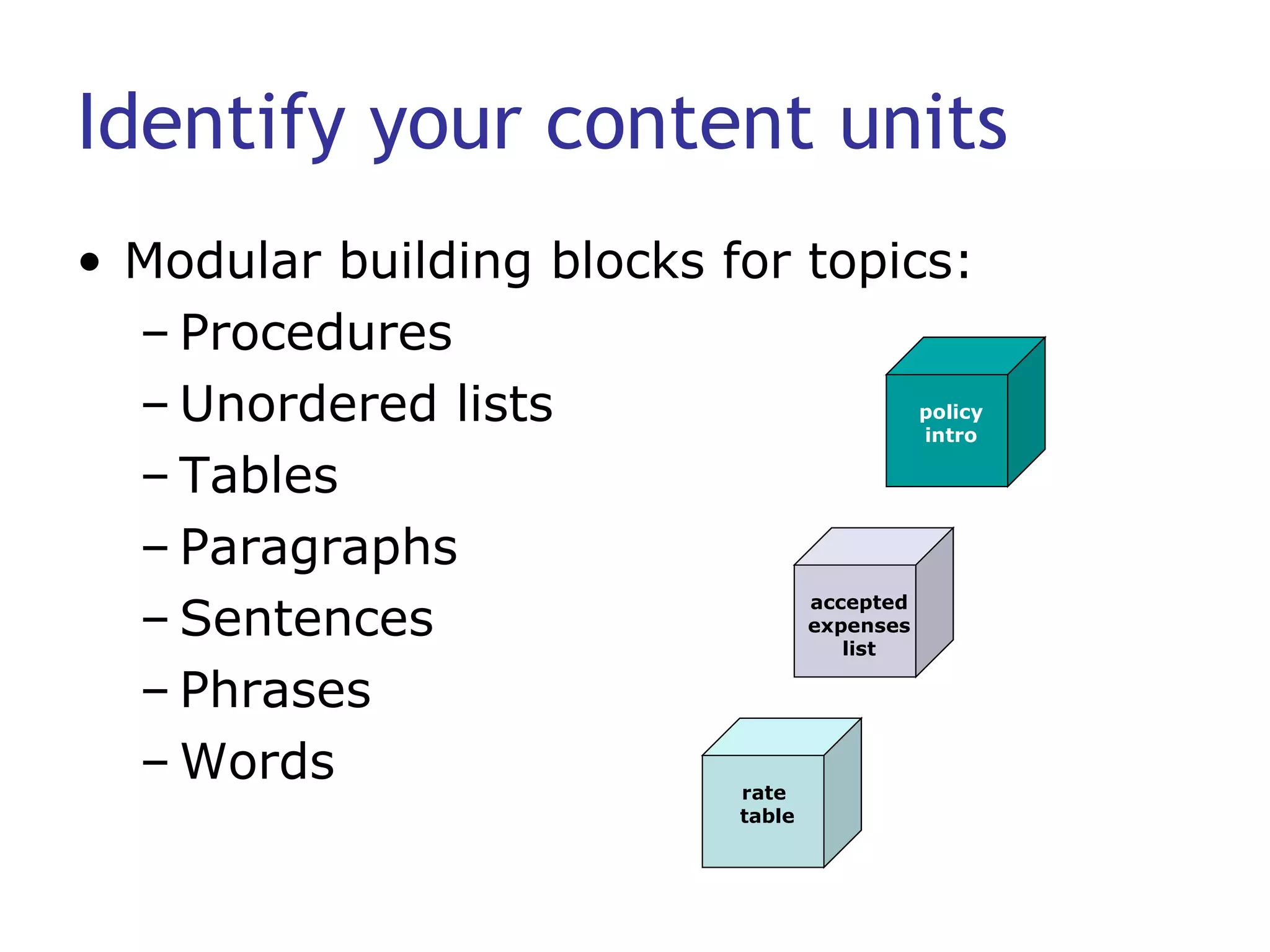
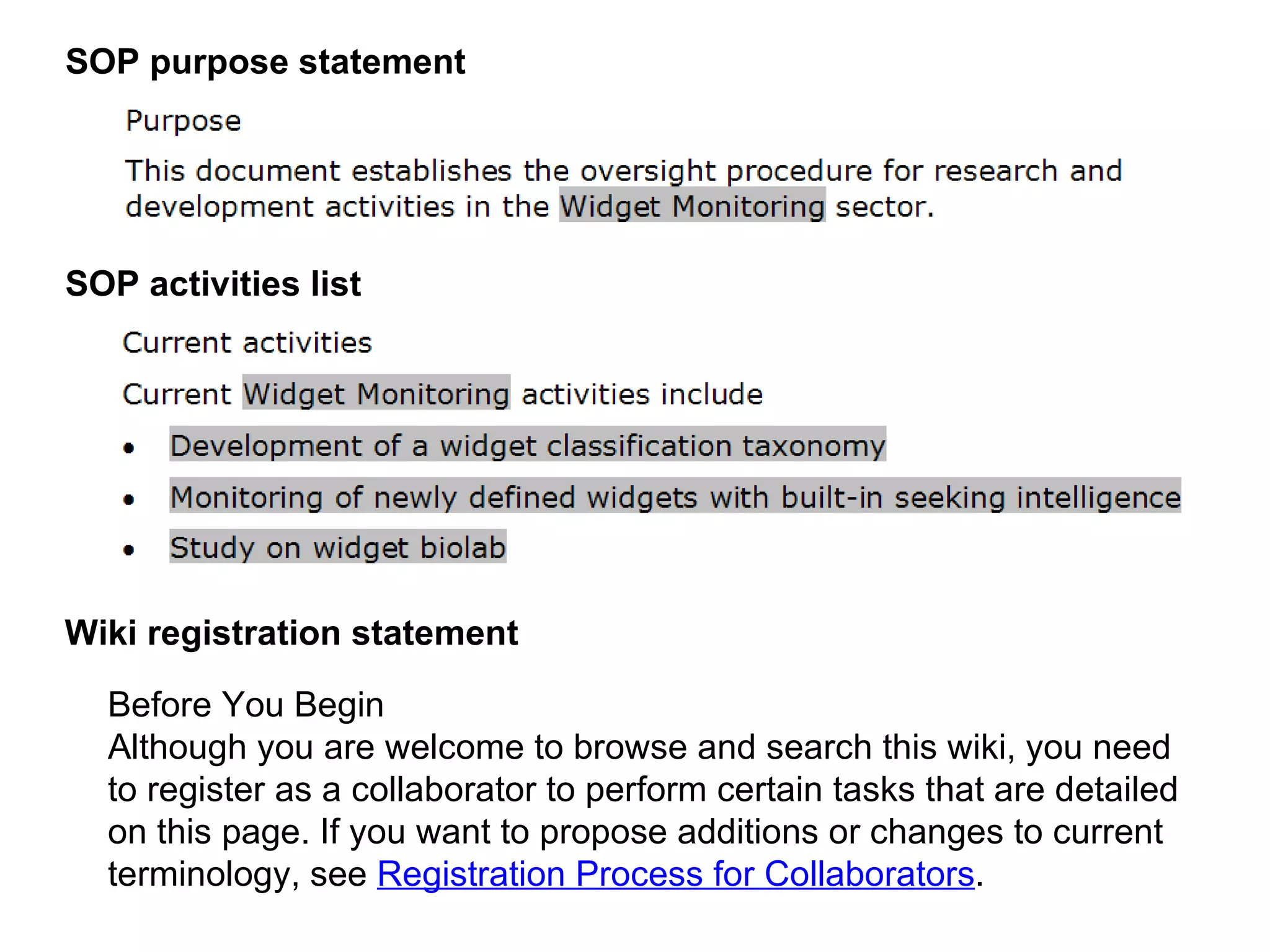
Identify your content units Modular building blocks for topics: Procedures Unordered lists Tables Paragraphs Sentences Phrases Words accepted expenses list policy intro rate  table
Sample content units
SOP purpose statement SOP activities list Before You Begin   Although you are welcome to browse and search this wiki, you need to register as a collaborator to perform certain tasks that are detailed on this page. If you want to propose additions or changes to current terminology, see  Registration Process for Collaborators .  Wiki registration statement
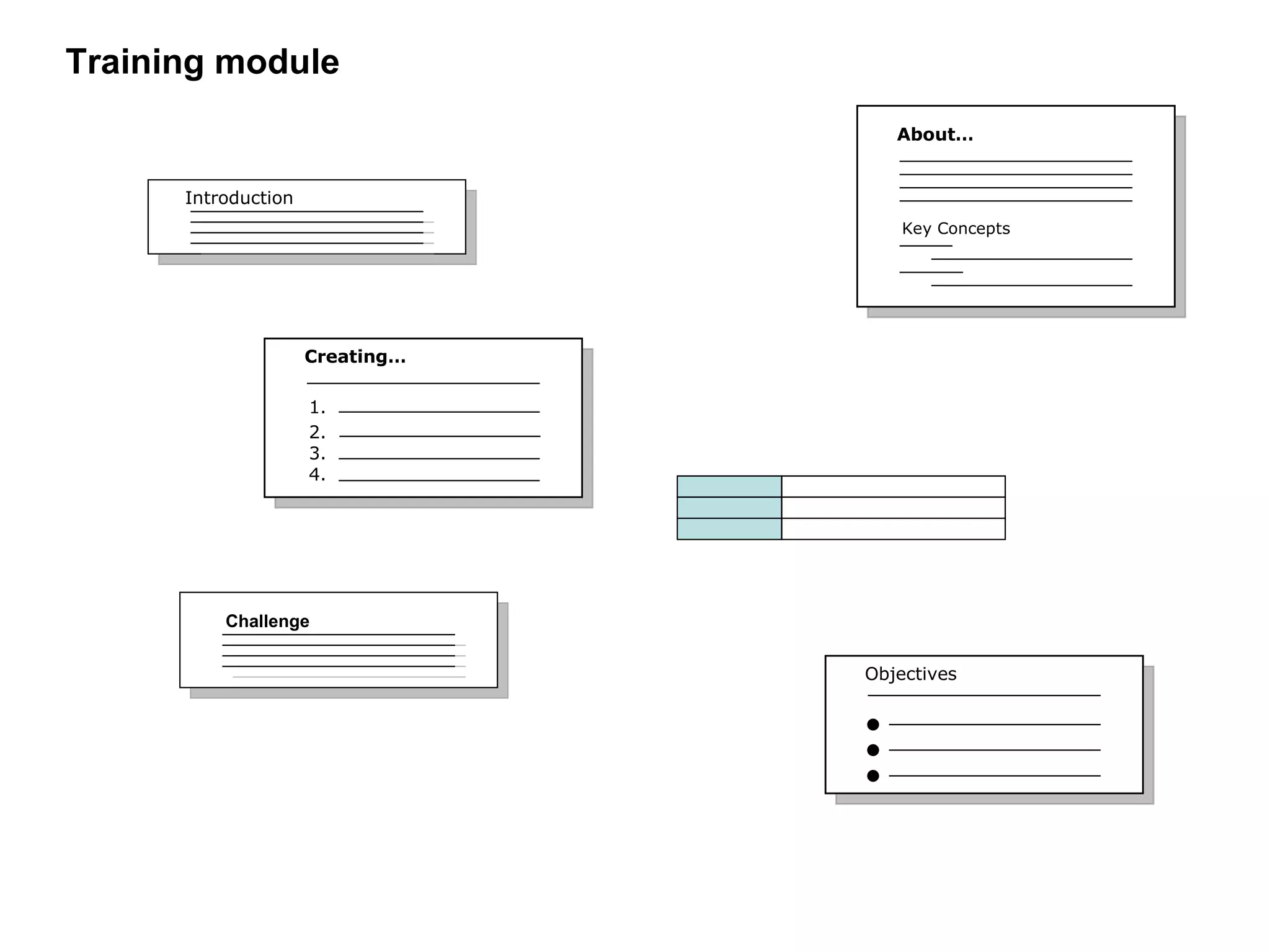
Training module Creating… 1. 2. 3. 4. Objectives Challenge Introduction About… Key Concepts
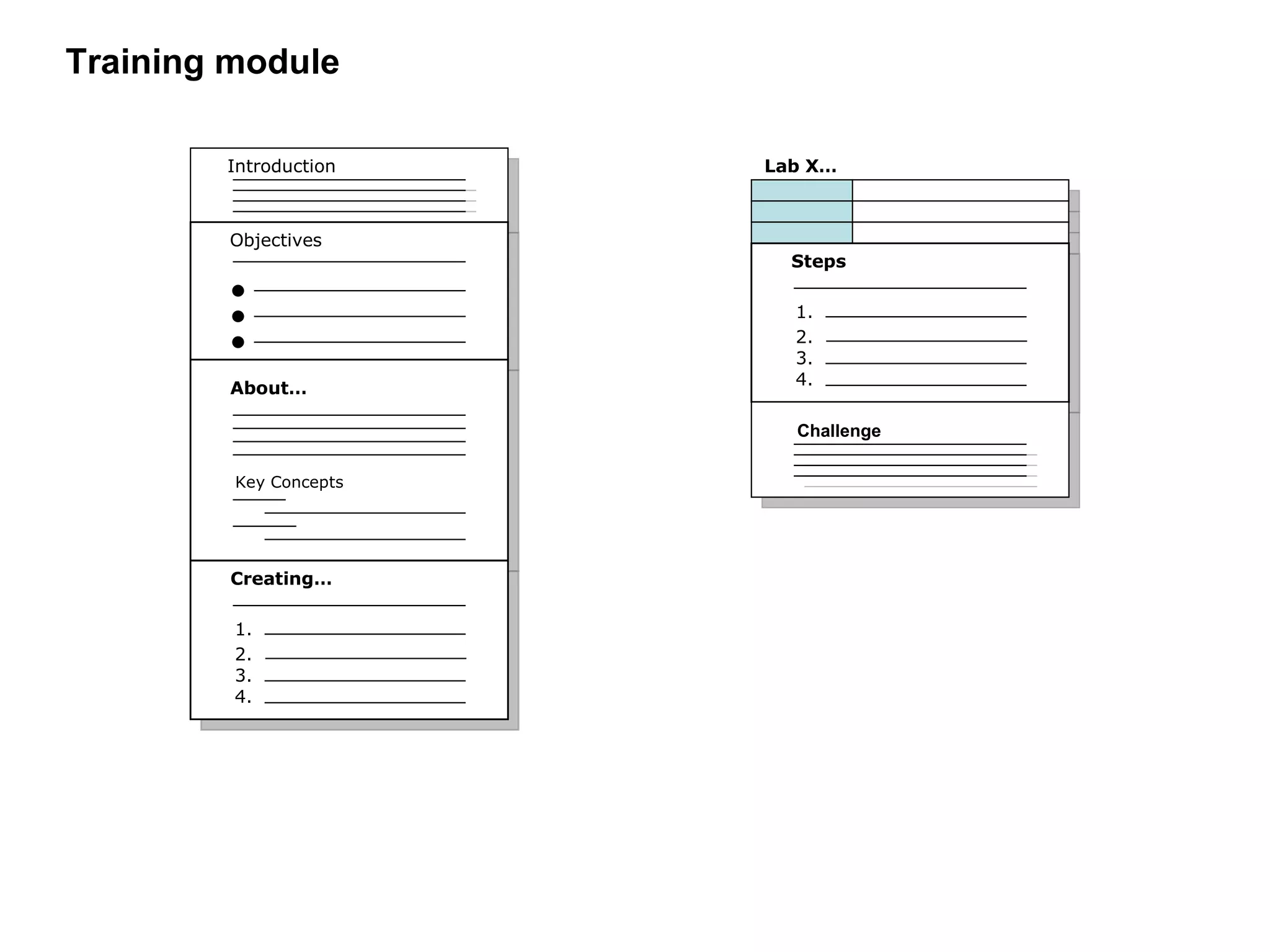
Training module Introduction Objectives About… Key Concepts Creating… 1. 2. 3. 4. Steps 1. 2. 3. 4. Challenge Lab X…
 
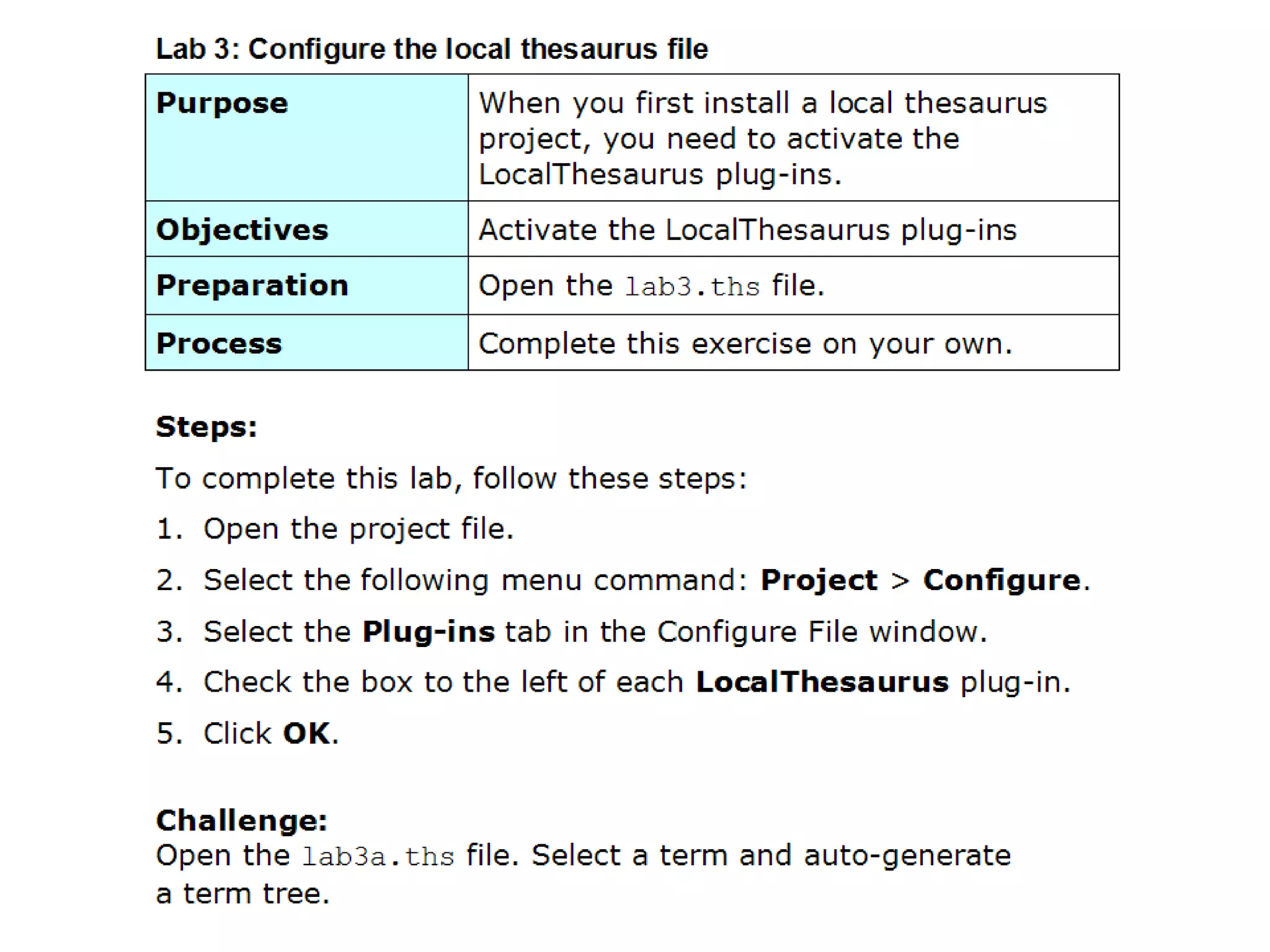
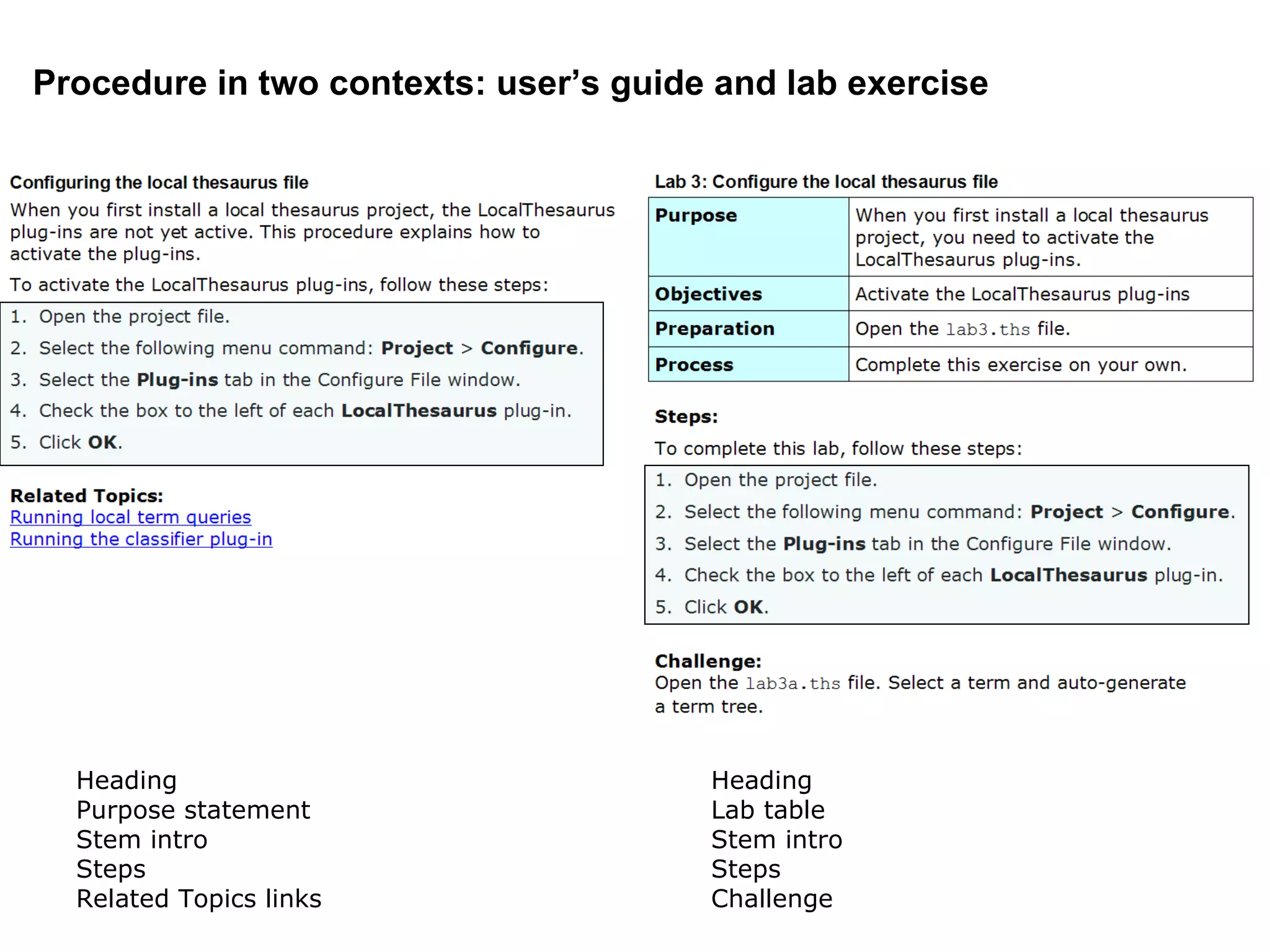
Procedure in two contexts: user’s guide and lab exercise Heading Purpose statement Stem intro Steps Related Topics links Heading Lab table Stem intro Steps Challenge
Let’s conclude with some reminders .
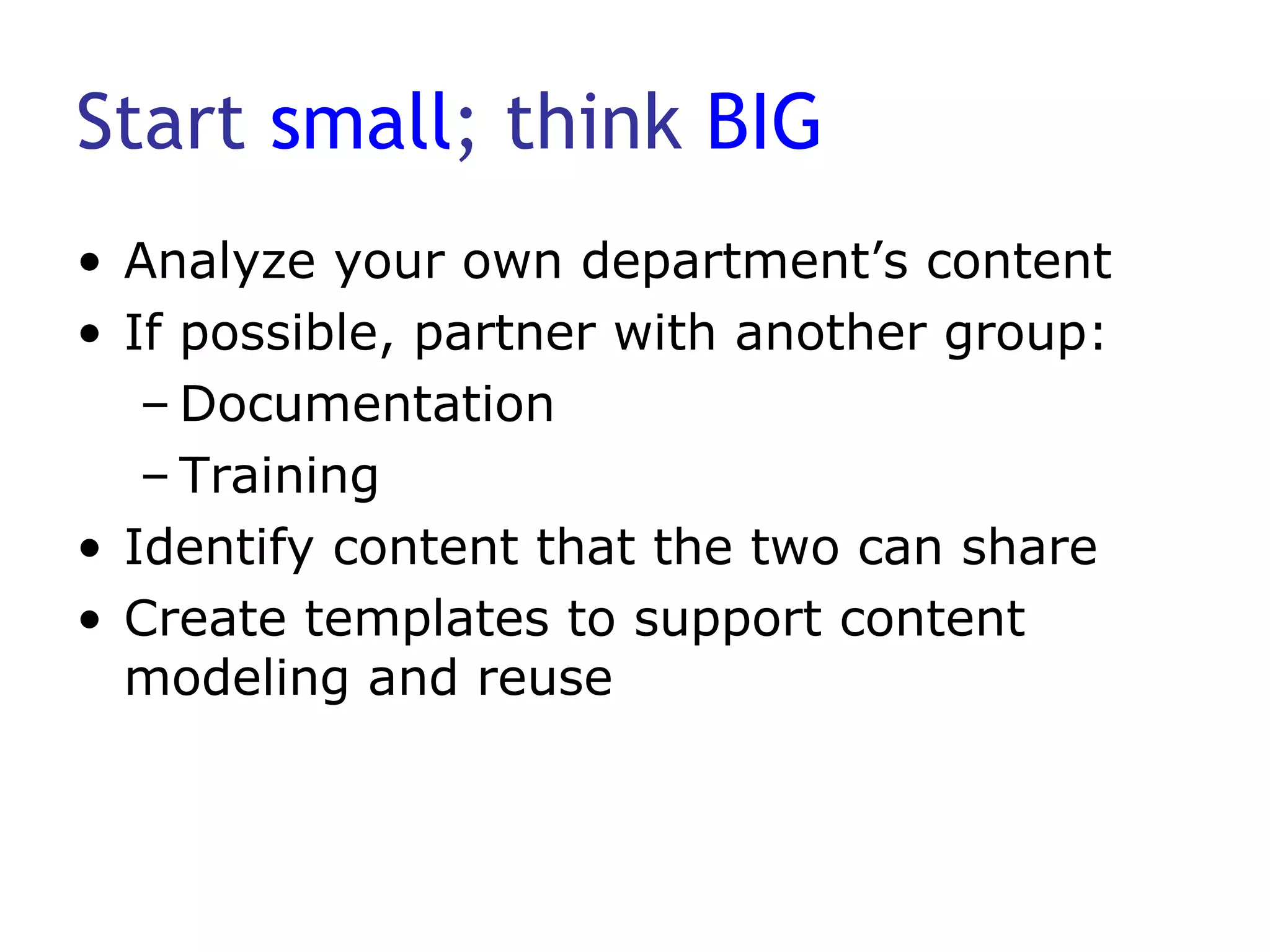
Start  small ; think  BIG Analyze your own department’s content If possible, partner with another group: Documentation Training Identify content that the two can share Create templates to support content modeling and reuse
Step away from authoring tools Document the results of your analysis  Create a content model Map out the model Use common office productivity tools to Adapt the tool to the model; don’t adapt the model to the tool.
Focus on your Users.
Resources used for this webinar Is the Help Helpful?  by Jean Hollis Weber 2004. Whitefish Bay, WI: Hentzenwerke ISBN: 1-930919-60-3 Content Management for Dynamic Web Delivery  by JoAnn T. Hackos 2002. New York, NY: Wiley & Sons ISBN: 0-471-08586-3 Managing Enterprise Content By Ann Rockley, Pamela Kostur,  and Steve Manning 2003. Indianapolis, IN: New Riders ISBN: 0-7357-1306-5 More…
More resources used  for this webinar The Content Management Bible By Bob Boiko 2 nd  Ed, 2005. New York, NY: Wiley & Sons ISBN: 0-7645-7371-3 Developing Technical Training By Ruth Colvin Clark 3 rd  Ed, 2008. San Francisco, CA: Pfeiffer ISBN: 978-0-7879-8846-3
Contact me Eddie VanArsdall VanArsdall InfoDesign www.vanarsdall-infodesign.com [email_address] 703.486.2952

Planning For Reuse 2009 03 09

  • 1.
    Planning for ContentReuse Best Practices for Legacy and New Content
  • 2.
    About me… EddieVanArsdall VanArsdall InfoDesign Training Instructional Design Technical Writing Help Development
  • 3.
    Industries that Ihave served Legal Economic development Telecommunications Health care Health insurance Finance Grant management Cancer research
  • 4.
    This webinar isabout… Planning for content reuse Analyzing what you have Anticipating what you’ll need Building a content repository Best practices for starting a “low-tech” content management project, including Your Content
  • 5.
    I’ll give youideas so that you can… Design a content model that supports topic-based writing Use templates to develop information types and content units Design a forward-looking infrastructure for component-based content management Your Content
  • 6.
    This webinar is not … A sales pitch for any tool A presentation about CMS deployment A substitute for available content management resources: Bob Boiko JoAnn Hackos Ann Rockley
  • 7.
    This webinar is not … About formatting and presentation. Reimbursement Policy Accepted Rates page 2 Accepted Expenses accepted expenses list policy intro rate table It’s about content.
  • 8.
    Let’s begin with stories . A tale of woe… A tale of confusion… A tale of impending doom…
  • 9.
    So where doyou start?
  • 10.
    Maintain writing andstyle standards Style guide Company Industry Sun Read Me First! Microsoft Manual of Style Chicago Manual of Style Team Well-documented writing standards
  • 11.
    Consider your writingmodel Linear, narrative writing Common phrases: “As stated on page 2, …” “In the next section we will…” Can be appropriate for training or tutorials Are you still writing chapters?
  • 12.
    Consider topic-based writingProven: Common in help authoring Concise: Promotes discrete chunks of information that provide just enough detail to enable users to understand a concept perform a task find factual information answer a question (FAQ) solve a problem More…
  • 13.
    Consider topic-based writingReadable: Easy to scan Consistent: Has a uniform structure so that readers know what to expect Standalone: Can be understood in and out of context Reusable: Maps to related information through topic links
  • 14.
    Understand the differencebetween topic-based and structured writing Reimbursement Policy Accepted Rates
  • 15.
    Maintain a solidproject management infrastructure Consistent with repeatable processes
  • 16.
    Use project templatesto… Establish and maintain project standards (planning and analysis) Support a content planning and mapping project Separate yourself from authoring tools Keep it simple: Use Word and Excel.
  • 17.
  • 18.
  • 19.
  • 20.
    Other project templatesSpecifications High-level: Answers basic questions Detailed: Covers more specifics More detailed task analysis Use cases, user scenarios, personas Process or other flow diagrams Review comment forms
  • 21.
    Conduct a contentinventory Also called a “content audit” (Rockley) or content analysis Starts with a random sampling: User’s guide API guide Quick reference guide Training material Online help Identifies what samples have in common.
  • 22.
  • 23.
    Create a contentmodel Establishes a framework for your content Results in a better user experience: Information is consistently organized Users can find what they’re looking for Users can get answers to their questions Can serve the entire company or seed departments such as documentation and training
  • 24.
    Identify your informationtypes At the topic level: Concept Procedure Reference UI Element Definition Topic FAQ Troubleshooting Procedure Reference Concept
  • 25.
  • 26.
  • 27.
  • 28.
  • 29.
  • 30.
  • 31.
    FAQ: Too wordyCan I use a Mac instead of a PC? Sed ut perspiciatis unde omnis iste natus error sit voluptatem accusantium doloremque laudantium, totam rem aperiam, eaque ipsa quae ab illo inventore veritatis et quasi architecto beatae vitae dicta sunt explicabo. Nemo enim ipsam voluptatem quia voluptas sit aspernatur aut odit aut fugit, sed quia consequuntur magni dolores eos qui ratione voluptatem sequi nesciunt. Neque porro quisquam est, qui dolorem BLAH quia dolor sit amet, consectetur, adipisci velit, sed quia non numquam eius modi tempora incidunt ut labore et dolore magnam aliquam quaerat voluptatem. Ut enim ad minima veniam, quis nostrum exercitationem ullam corporis suscipit laboriosam, nisi ut aliquid ex ea commodi consequatur? Quis autem vel eum iure reprehenderit qui in ea voluptate velit esse quam nihil molestiae consequatur, vel illum qui dolorem eum fugiat quo voluptas nulla pariatur?" Sed ut perspiciatis unde omnis iste natus error sit voluptatem accusantium doloremque laudantium, totam rem aperiam, eaque ipsa quae ab illo inventore veritatis et quasi architecto beatae vitae dicta sunt explicabo. Nemo enim ipsam BLAH quia voluptas sit aspernatur aut odit aut fugit, sed quia consequuntur magni dolores eos qui ratione voluptatem sequi nesciunt. Neque porro quisquam est, qui dolorem ipsum quia dolor sit amet, consectetur, adipisci velit, sed quia non numquam eius modi tempora incidunt ut labore et dolore magnam aliquam quaerat voluptatem. Ut enim ad minima veniam, quis nostrum exercitationem ullam corporis suscipit laboriosam, nisi ut aliquid ex ea commodi consequatur? Quis autem vel eum iure reprehenderit qui in ea voluptate velit esse quam nihil molestiae consequatur, vel illum qui dolorem eum fugiat quo voluptas nulla pariatur?" Sed ut perspiciatis unde omnis iste natus error sit voluptatem BLAH doloremque laudantium, totam rem aperiam, eaque ipsa quae ab illo inventore veritatis… NO.
  • 32.
    FAQ: Streamlined CanI use a Mac instead of a PC? Read the full policy Although PCs are the standard equipment issued by WidgetsRUs, you can use a Mac if you are willing to sign a service waiver.
  • 33.
    Assign metadata forgeneric types
  • 34.
    Assign metadata towritten modules
  • 35.
    Info types inan information model WidgetMaker commands Provides factual, look-up information such as a list of commands. Reference Creating a widget Provides instructions that enable users to complete a task. Procedure About widgets Provides the prerequisite knowledge for performing a task. Concept Instance Description Type
  • 36.
    Identify your contentunits Modular building blocks for topics: Procedures Unordered lists Tables Paragraphs Sentences Phrases Words accepted expenses list policy intro rate table
  • 37.
  • 38.
    SOP purpose statementSOP activities list Before You Begin Although you are welcome to browse and search this wiki, you need to register as a collaborator to perform certain tasks that are detailed on this page. If you want to propose additions or changes to current terminology, see Registration Process for Collaborators . Wiki registration statement
  • 39.
    Training module Creating…1. 2. 3. 4. Objectives Challenge Introduction About… Key Concepts
  • 40.
    Training module IntroductionObjectives About… Key Concepts Creating… 1. 2. 3. 4. Steps 1. 2. 3. 4. Challenge Lab X…
  • 41.
  • 42.
    Procedure in twocontexts: user’s guide and lab exercise Heading Purpose statement Stem intro Steps Related Topics links Heading Lab table Stem intro Steps Challenge
  • 43.
    Let’s conclude withsome reminders .
  • 44.
    Start small; think BIG Analyze your own department’s content If possible, partner with another group: Documentation Training Identify content that the two can share Create templates to support content modeling and reuse
  • 45.
    Step away fromauthoring tools Document the results of your analysis Create a content model Map out the model Use common office productivity tools to Adapt the tool to the model; don’t adapt the model to the tool.
  • 46.
  • 47.
    Resources used forthis webinar Is the Help Helpful? by Jean Hollis Weber 2004. Whitefish Bay, WI: Hentzenwerke ISBN: 1-930919-60-3 Content Management for Dynamic Web Delivery by JoAnn T. Hackos 2002. New York, NY: Wiley & Sons ISBN: 0-471-08586-3 Managing Enterprise Content By Ann Rockley, Pamela Kostur, and Steve Manning 2003. Indianapolis, IN: New Riders ISBN: 0-7357-1306-5 More…
  • 48.
    More resources used for this webinar The Content Management Bible By Bob Boiko 2 nd Ed, 2005. New York, NY: Wiley & Sons ISBN: 0-7645-7371-3 Developing Technical Training By Ruth Colvin Clark 3 rd Ed, 2008. San Francisco, CA: Pfeiffer ISBN: 978-0-7879-8846-3
  • 49.
    Contact me EddieVanArsdall VanArsdall InfoDesign www.vanarsdall-infodesign.com [email_address] 703.486.2952