Security & Identity for a
Mobile-First World
Vijay Pawar
2 MobileIron Confidential
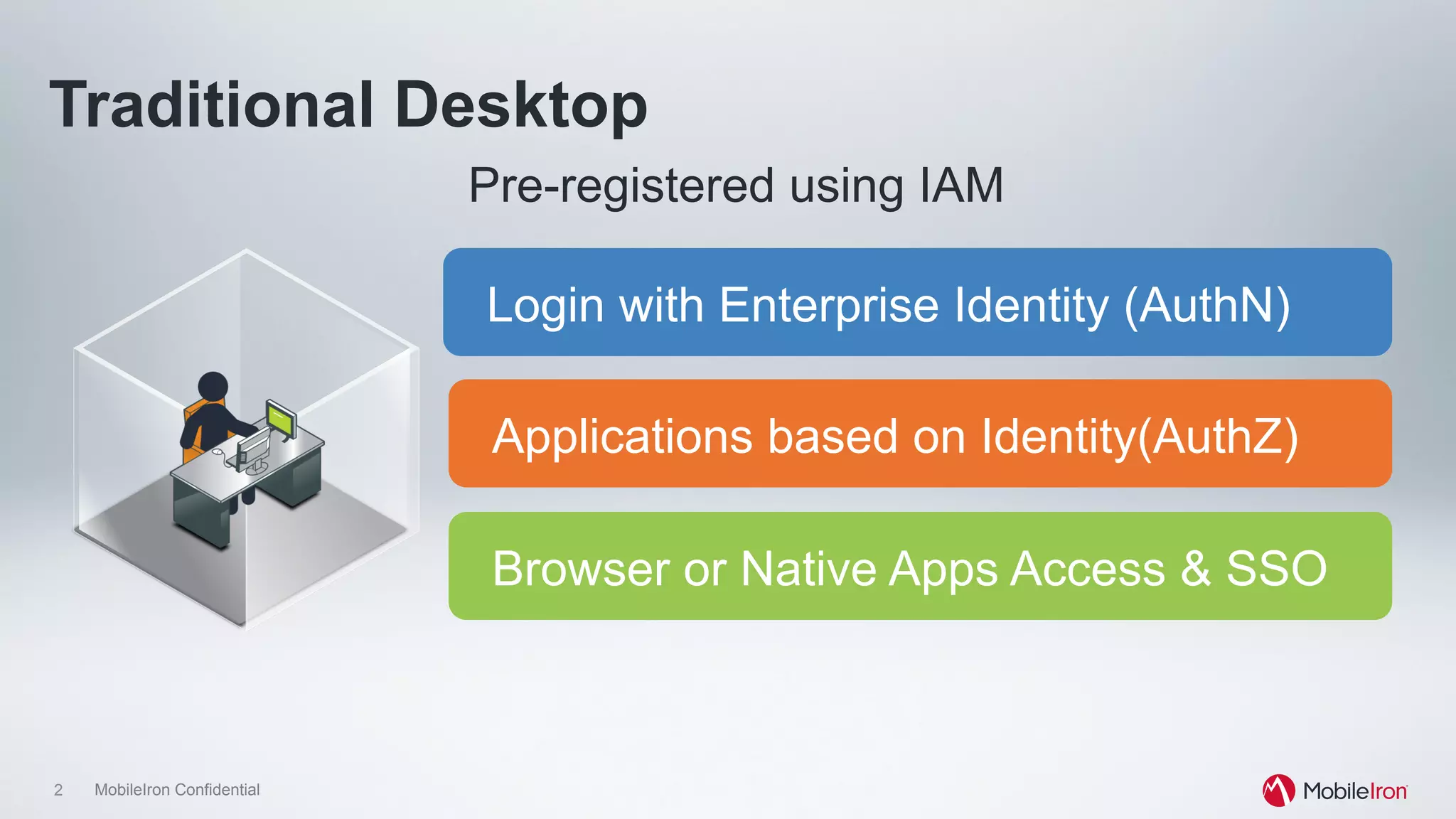
Traditional Desktop
Login with Enterprise Identity (AuthN)
Browser or Native Apps Access & SSO
Applications based on Identity(AuthZ)
Pre-registered using IAM
3 MobileIron Confidential
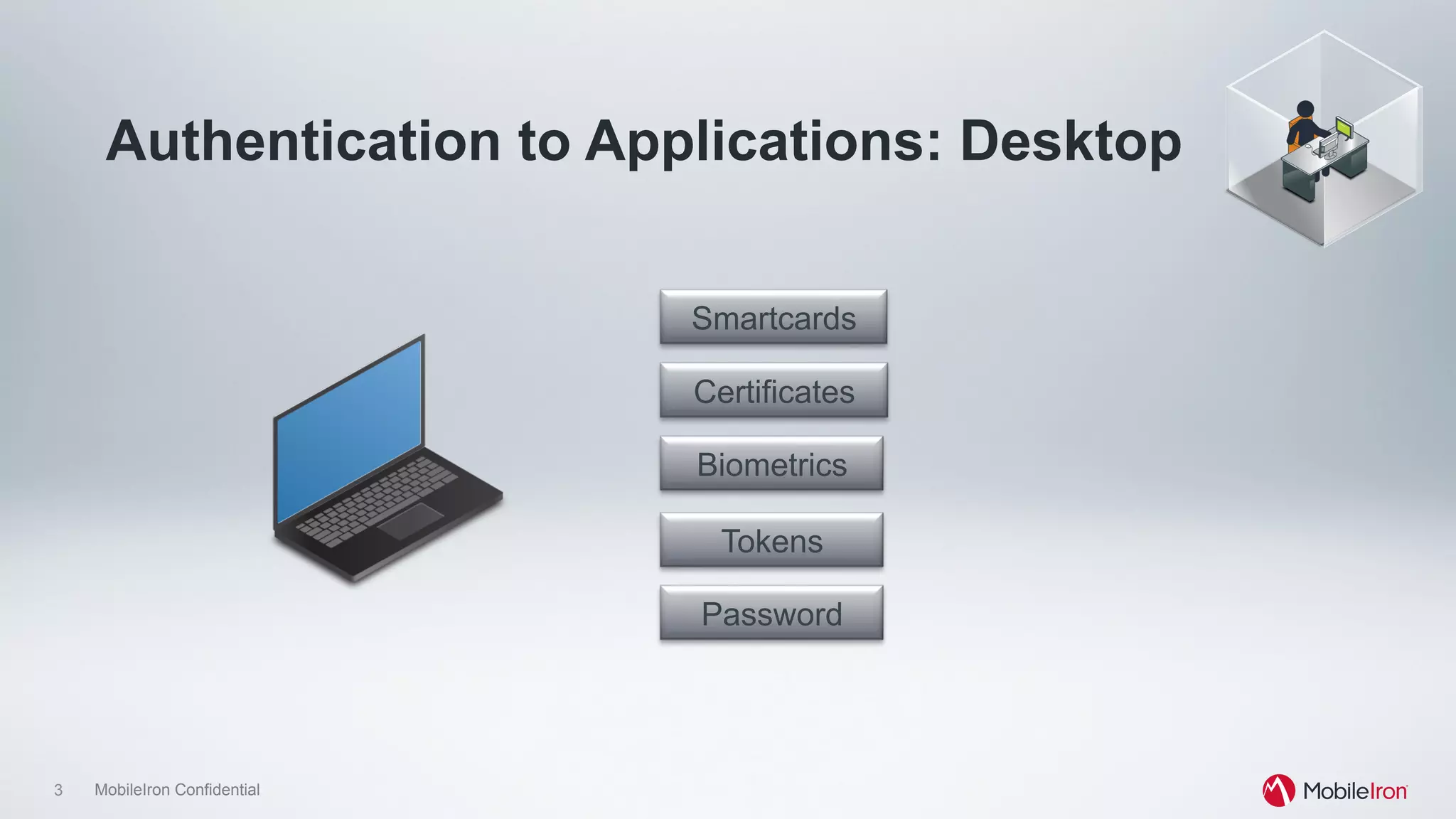
Authentication to Applications: Desktop
Password
Tokens
Biometrics
Smartcards
Certificates
4 MobileIron Confidential
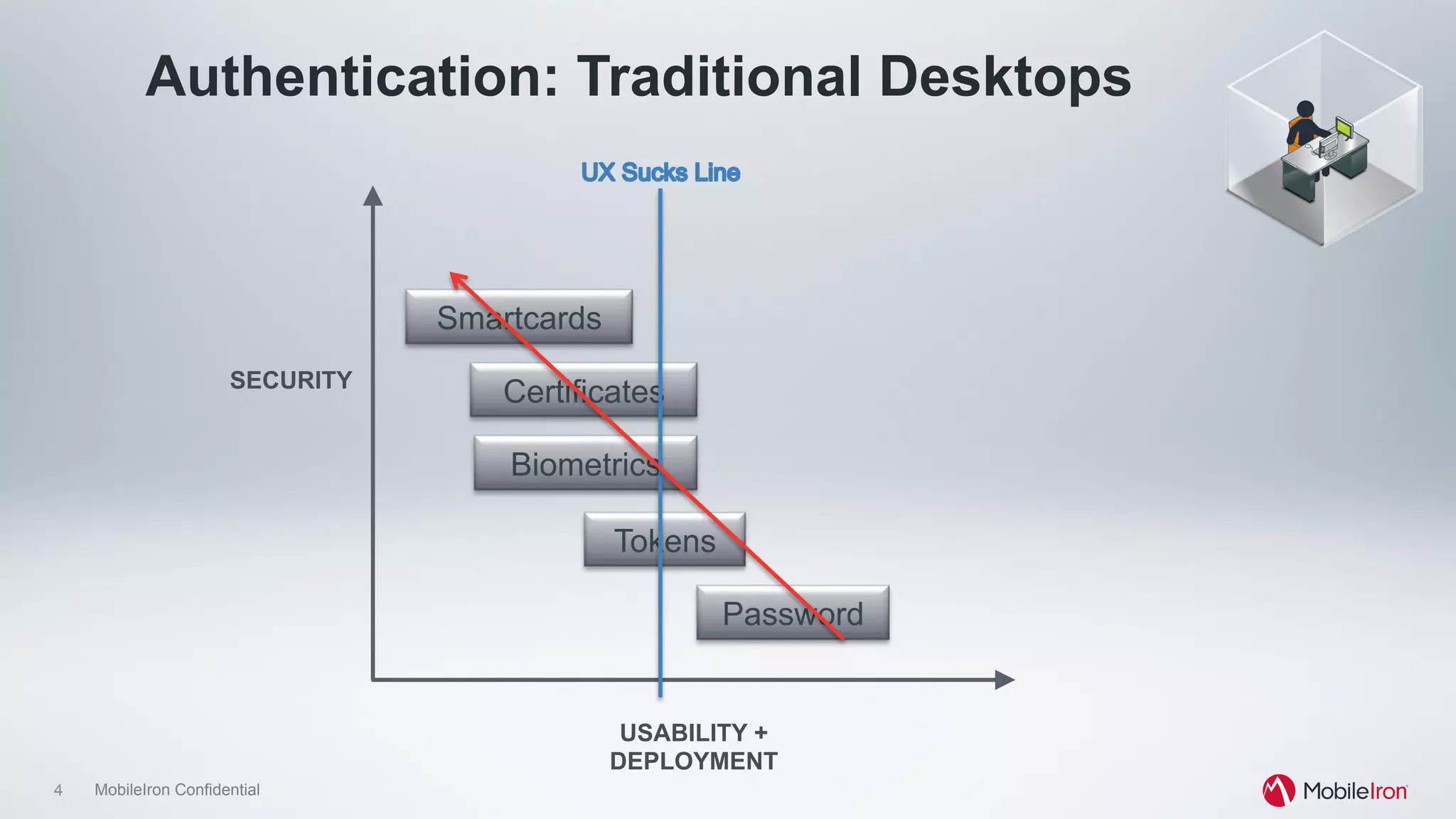
Authentication: Traditional Desktops
Password
Tokens
Biometrics
Smartcards
CertificatesSECURITY
USABILITY +
DEPLOYMENT
5 MobileIron Confidential
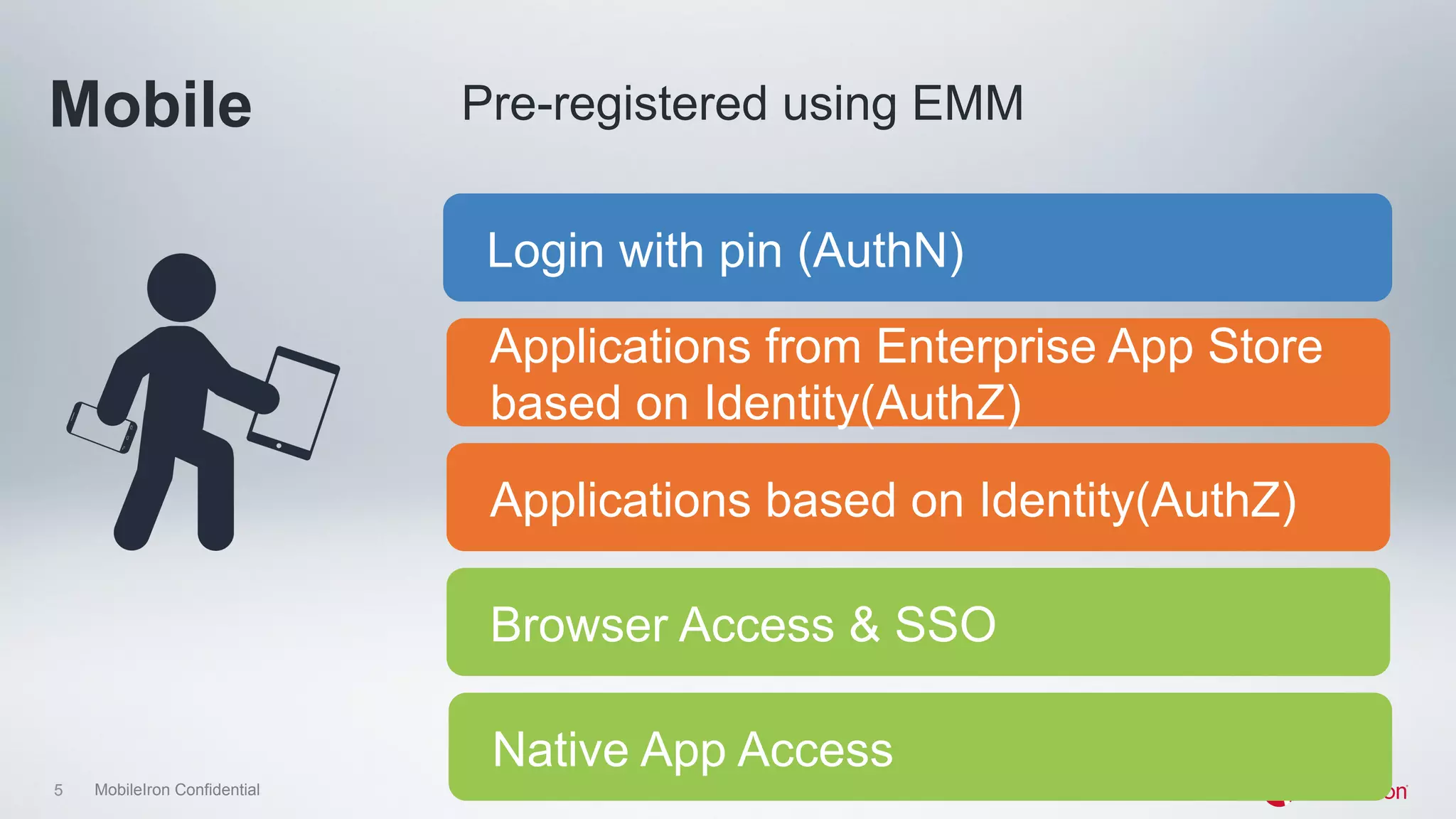
Mobile
Login with pin (AuthN)
Native App Access
Applications from Enterprise App Store
based on Identity(AuthZ)
Pre-registered using EMM
Applications based on Identity(AuthZ)
Browser Access & SSO
6 MobileIron Confidential
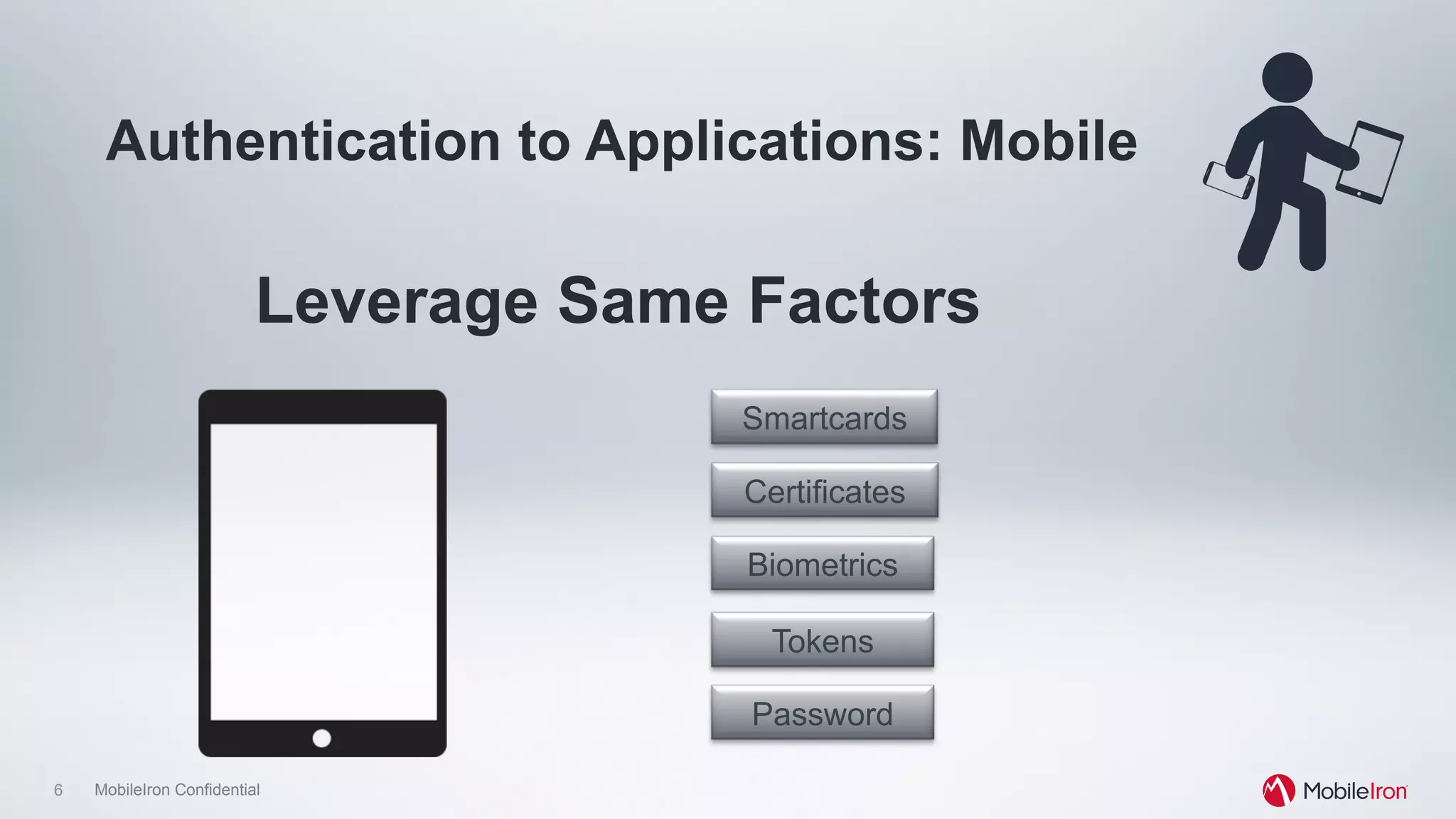
Authentication to Applications: Mobile
Leverage Same Factors
Password
Tokens
Biometrics
Smartcards
Certificates
7 MobileIron Confidential
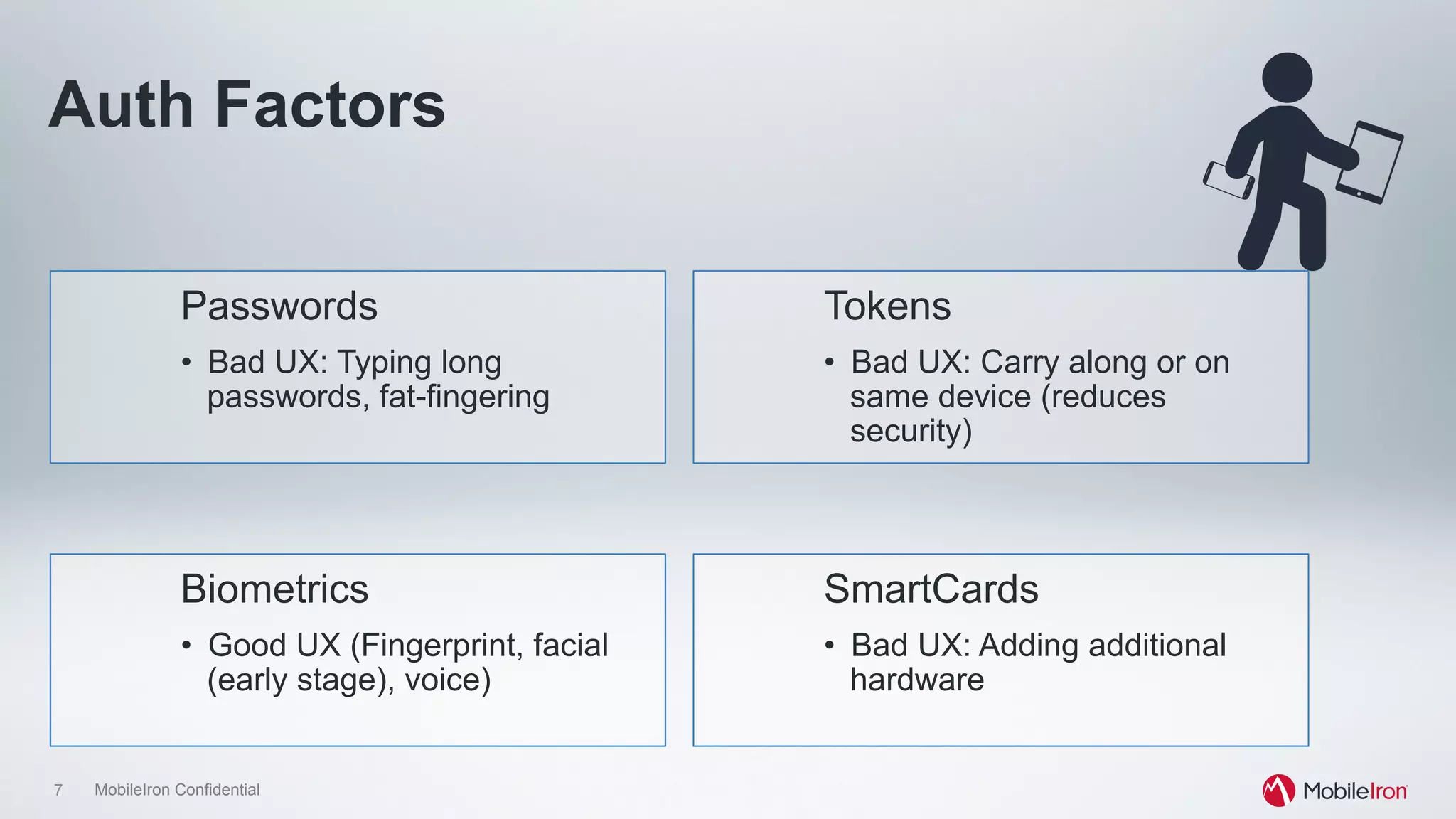
Auth Factors
Passwords
•  Bad UX: Typing long
passwords, fat-fingering
Biometrics
•  Good UX (Fingerprint, facial
(early stage), voice)
Tokens
•  Bad UX: Carry along or on
same device (reduces
security)
SmartCards
•  Bad UX: Adding additional
hardware
8 MobileIron Confidential
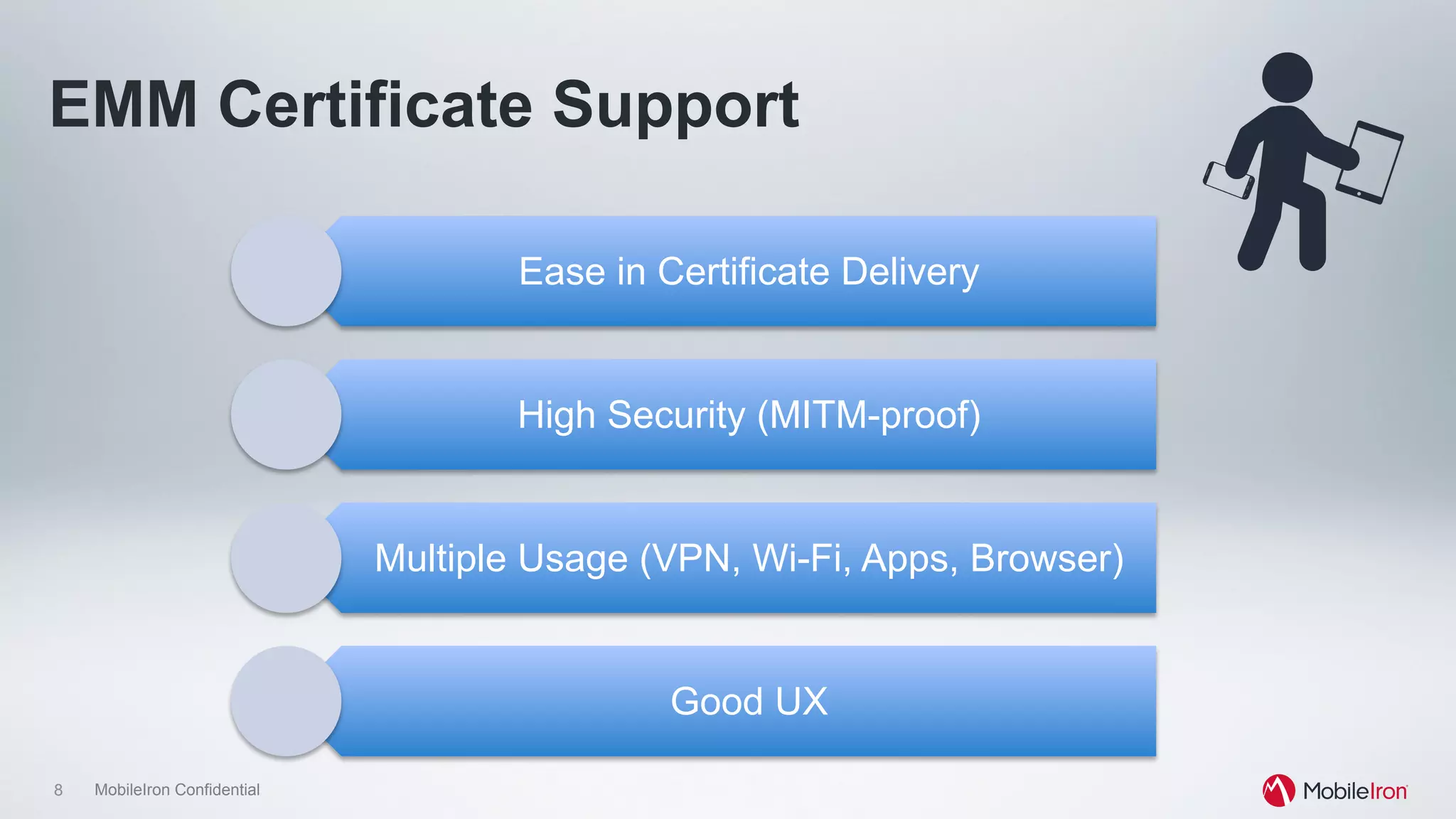
EMM Certificate Support
Ease in Certificate Delivery
High Security (MITM-proof)
Multiple Usage (VPN, Wi-Fi, Apps, Browser)
Good UX
9 MobileIron Confidential
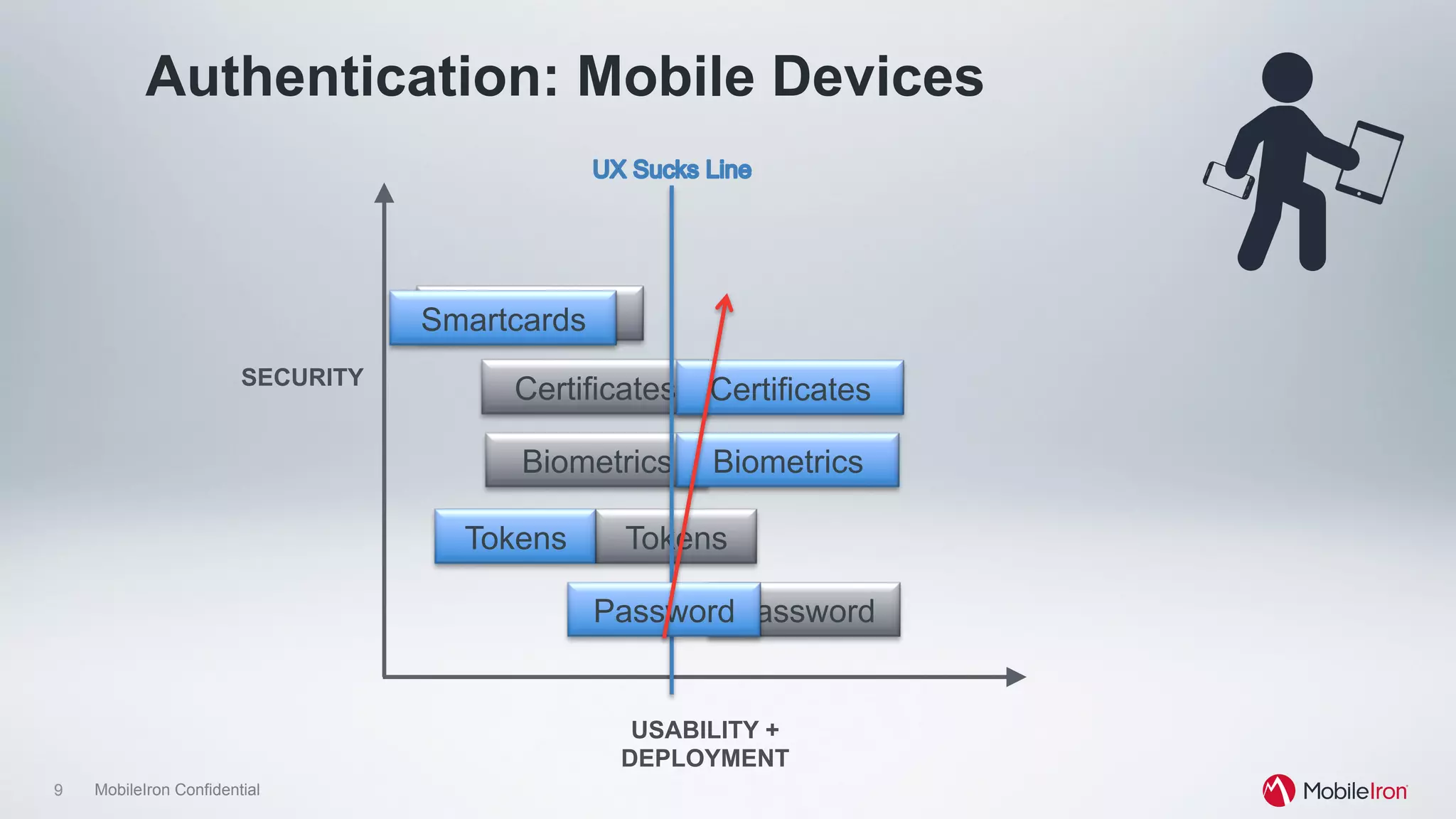
Authentication: Mobile Devices
Password
Tokens
Biometrics
Smartcards
CertificatesSECURITY
USABILITY +
DEPLOYMENT
Tokens
Biometrics
Certificates
Smartcards
Password
10 MobileIron Confidential
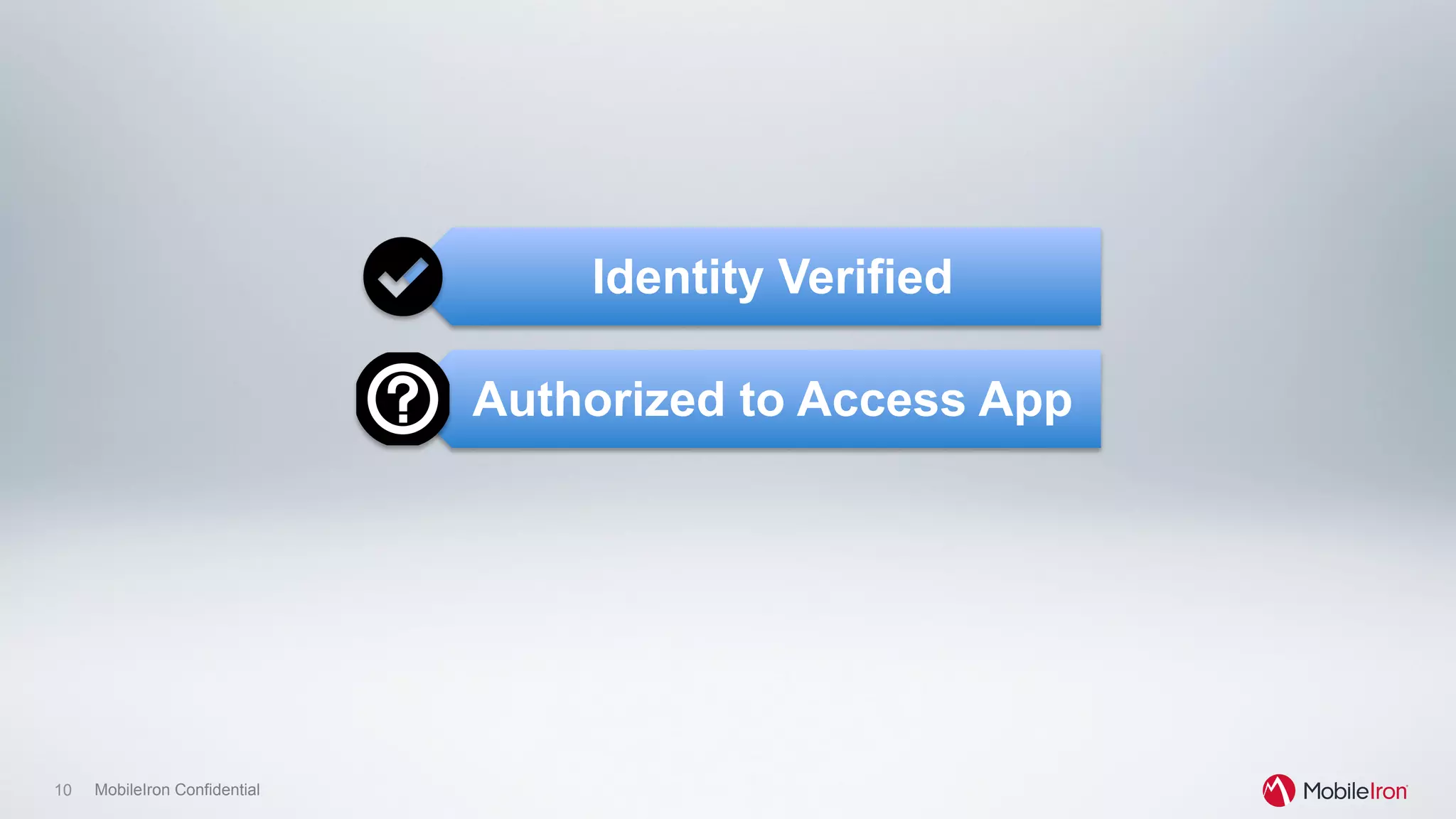
Identity Verified
Authorized to Access App
11 MobileIron Confidential
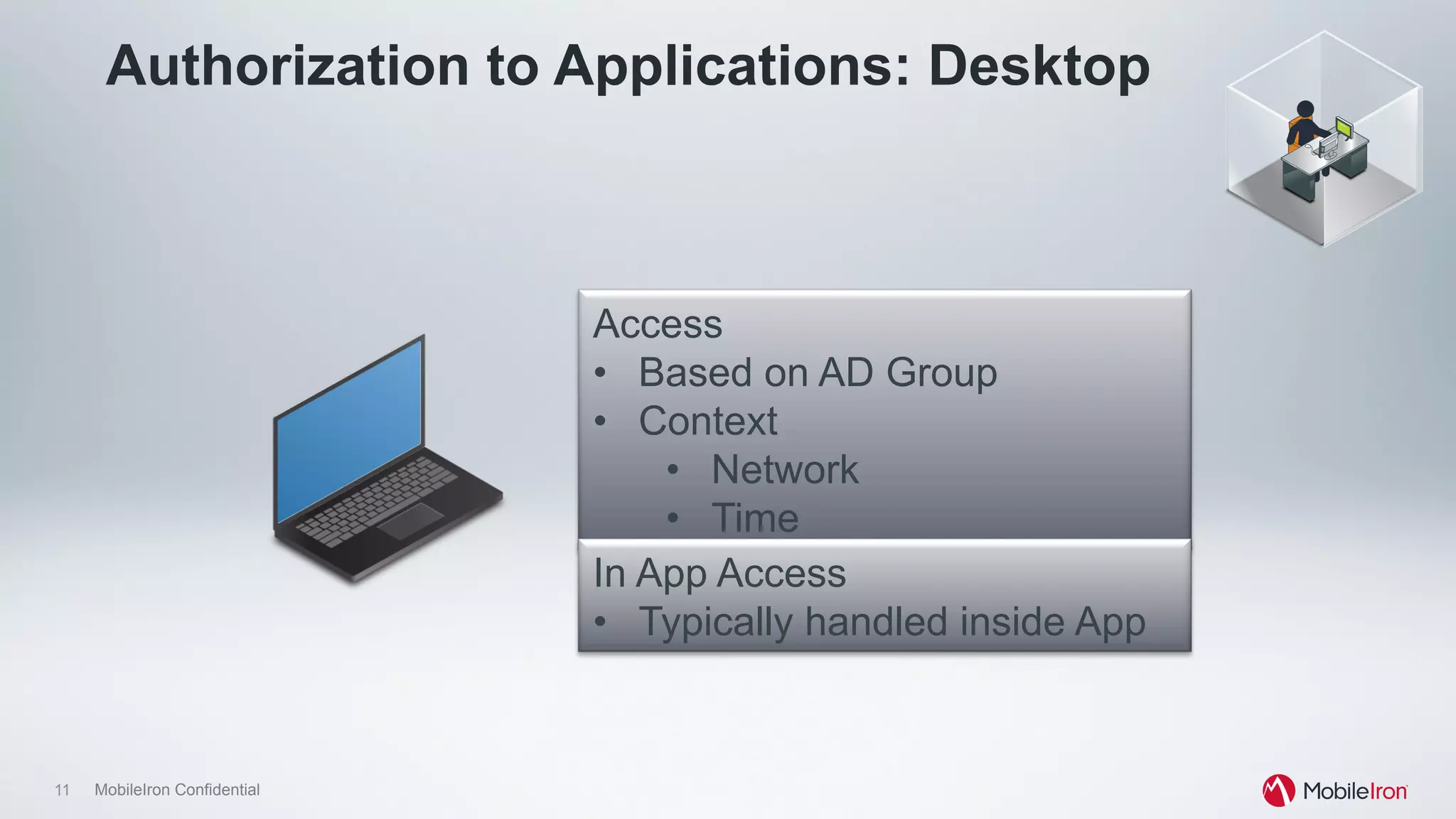
Authorization to Applications: Desktop
Access
•  Based on AD Group
•  Context
•  Network
•  Time
In App Access
•  Typically handled inside App
12 MobileIron Confidential
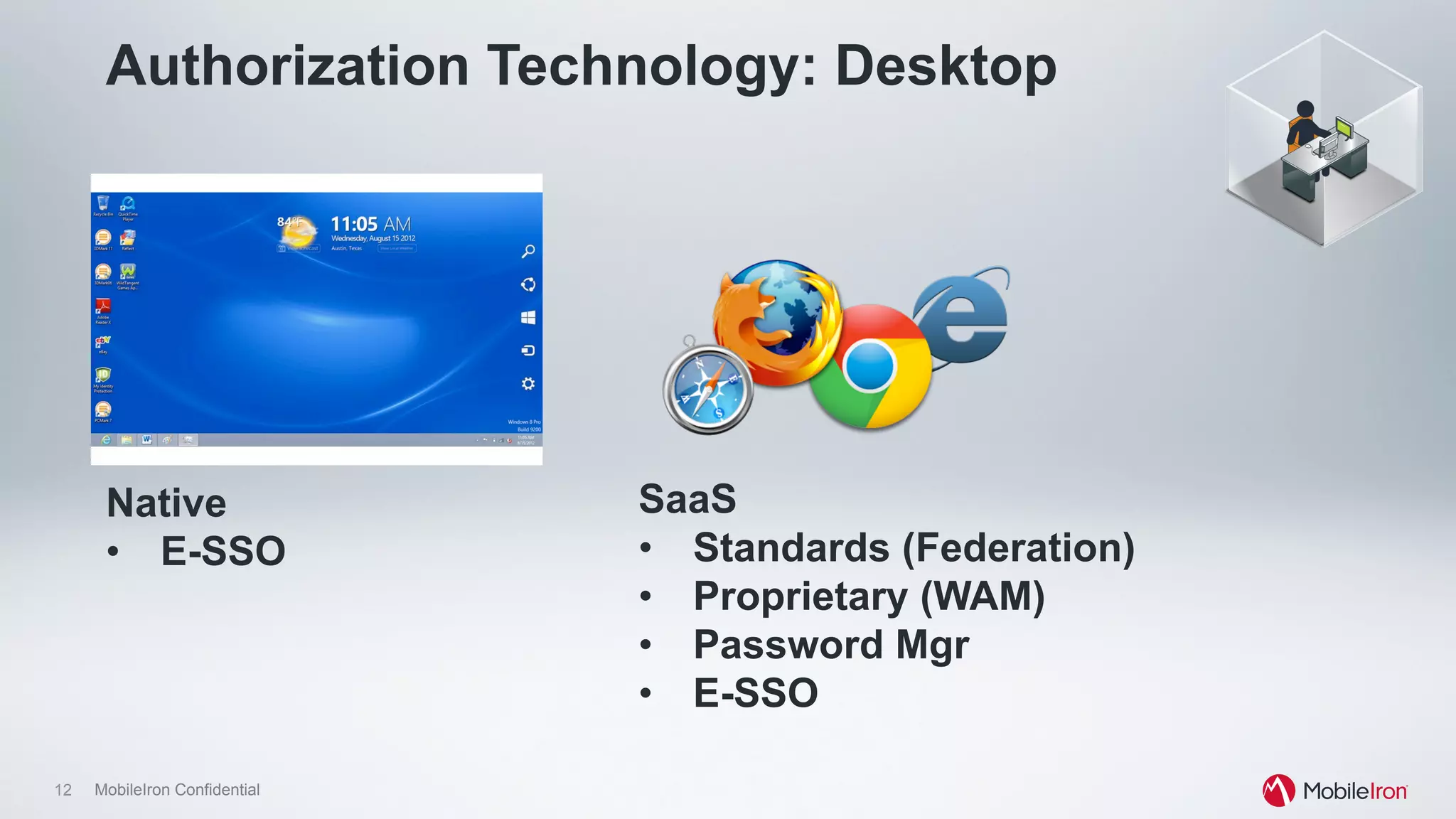
Authorization Technology: Desktop
SaaS
•  Standards (Federation)
•  Proprietary (WAM)
•  Password Mgr
•  E-SSO
Native
•  E-SSO
13 MobileIron Confidential
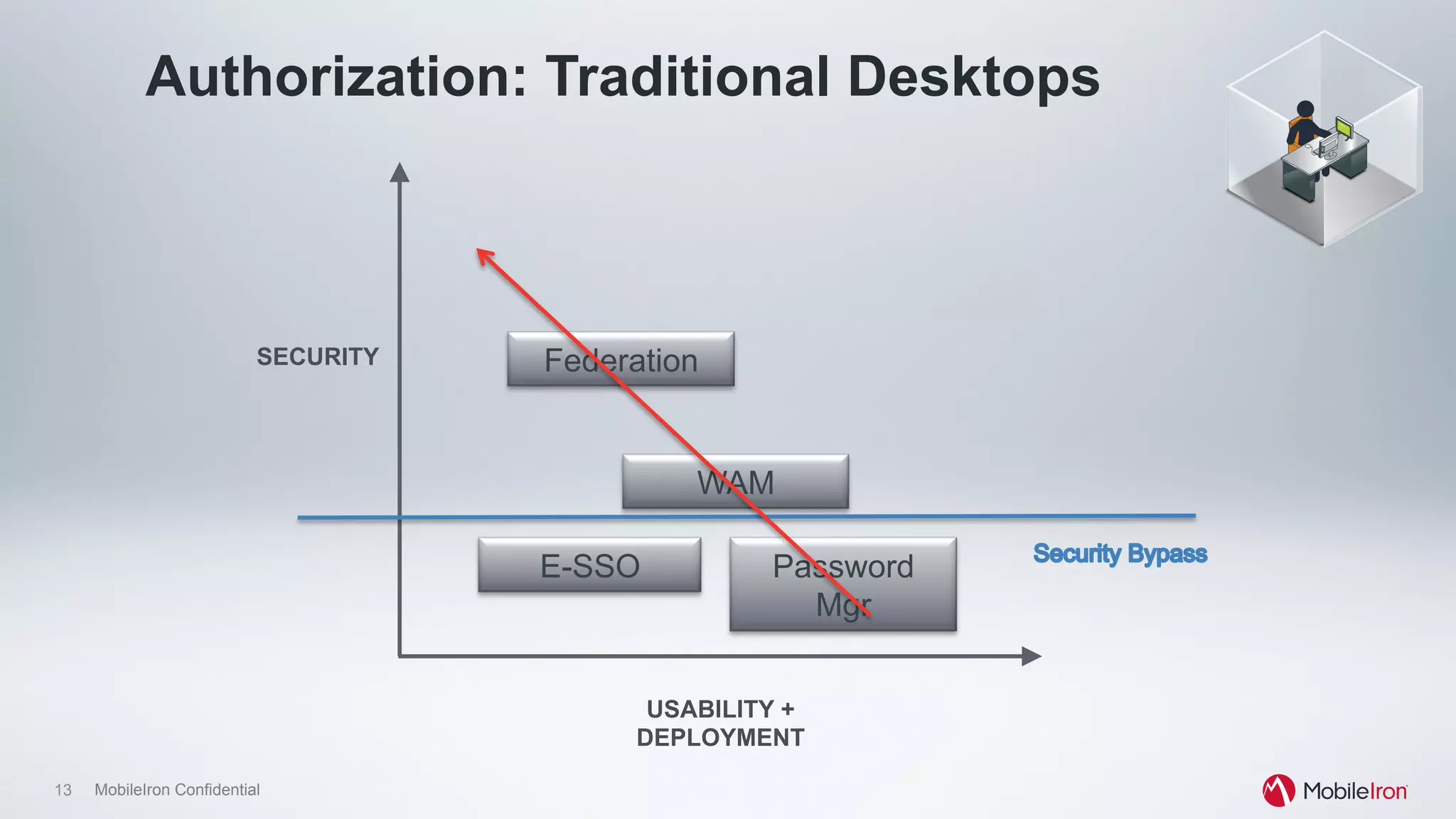
Authorization: Traditional Desktops
Password
Mgr
WAM
FederationSECURITY
USABILITY +
DEPLOYMENT
E-SSO
14 MobileIron Confidential
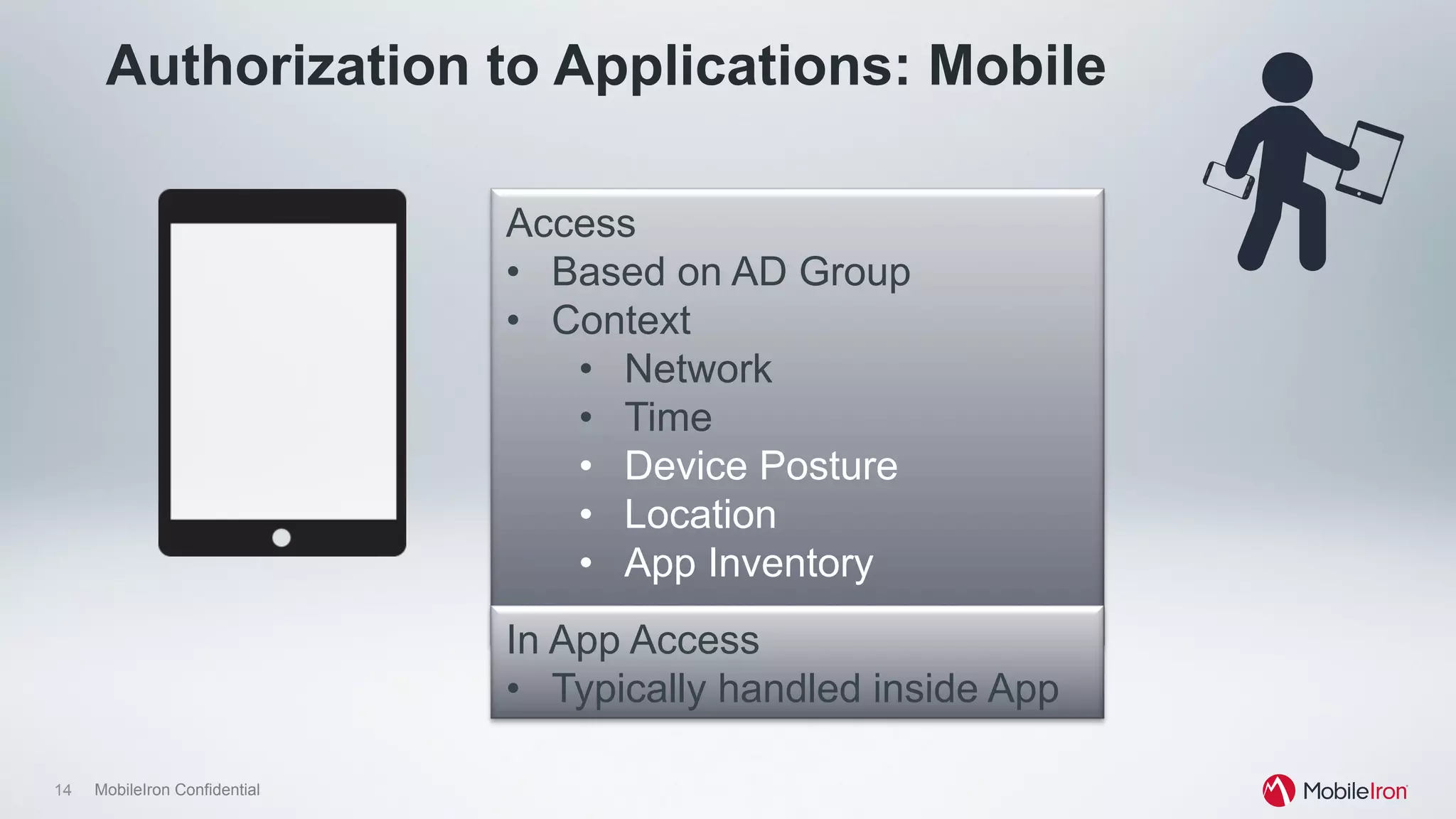
Authorization to Applications: Mobile
Access
•  Based on AD Group
•  Context
•  Network
•  Time
•  Device Posture
•  Location
•  App Inventory
In App Access
•  Typically handled inside App
15 MobileIron Confidential
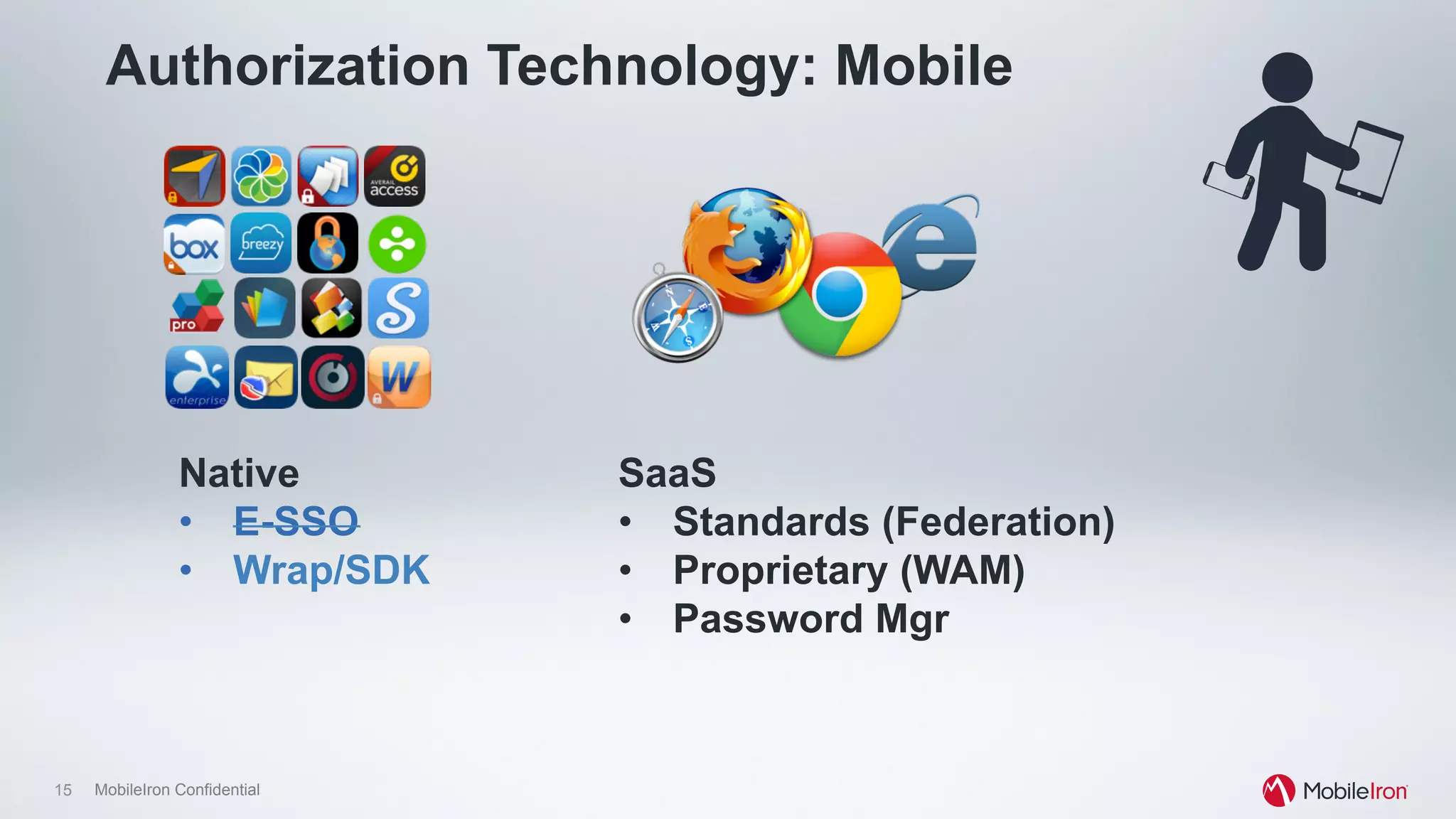
Authorization Technology: Mobile
SaaS
•  Standards (Federation)
•  Proprietary (WAM)
•  Password Mgr
Native
•  E-SSO
•  Wrap/SDK
16 MobileIron Confidential
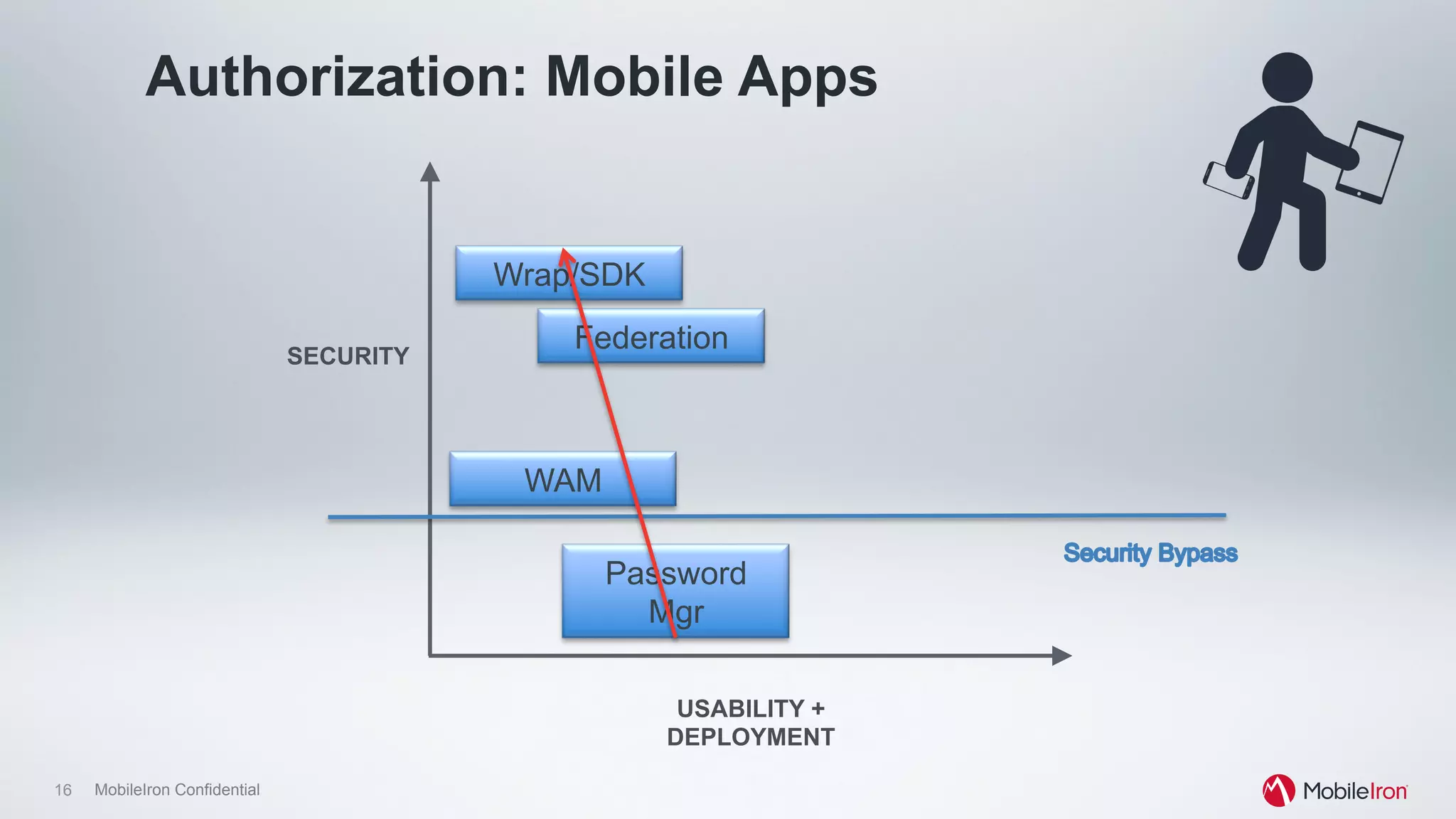
Authorization: Mobile Apps
Password
Mgr
WAM
FederationSECURITY
USABILITY +
DEPLOYMENT
Wrap/SDK
17 MobileIron Confidential
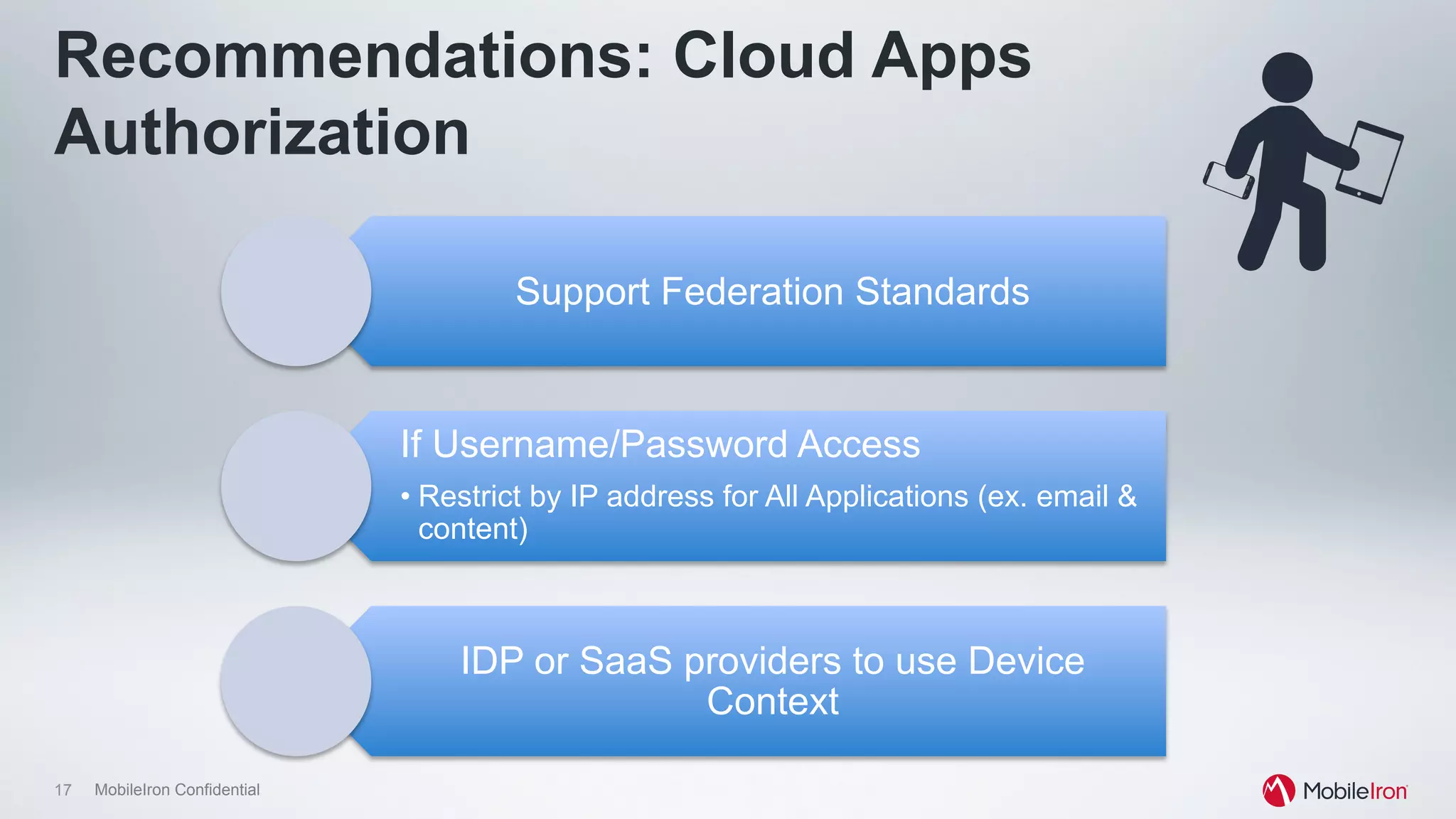
Recommendations: Cloud Apps
Authorization
Support Federation Standards
If Username/Password Access
• Restrict by IP address for All Applications (ex. email &
content)
IDP or SaaS providers to use Device
Context
18 MobileIron Confidential
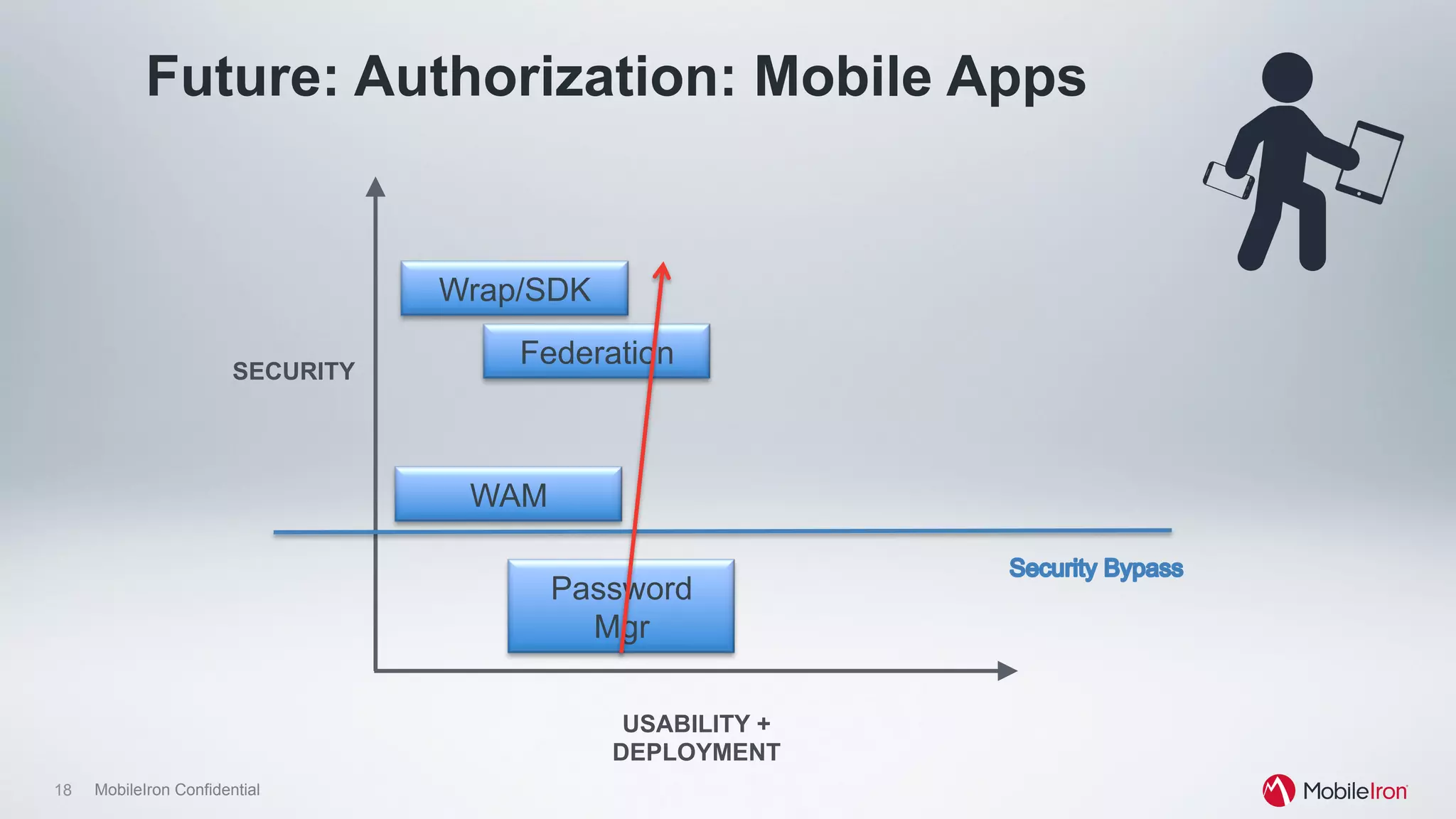
Future: Authorization: Mobile Apps
Password
Mgr
WAM
FederationSECURITY
USABILITY +
DEPLOYMENT
Wrap/SDK
19 MobileIron Confidential
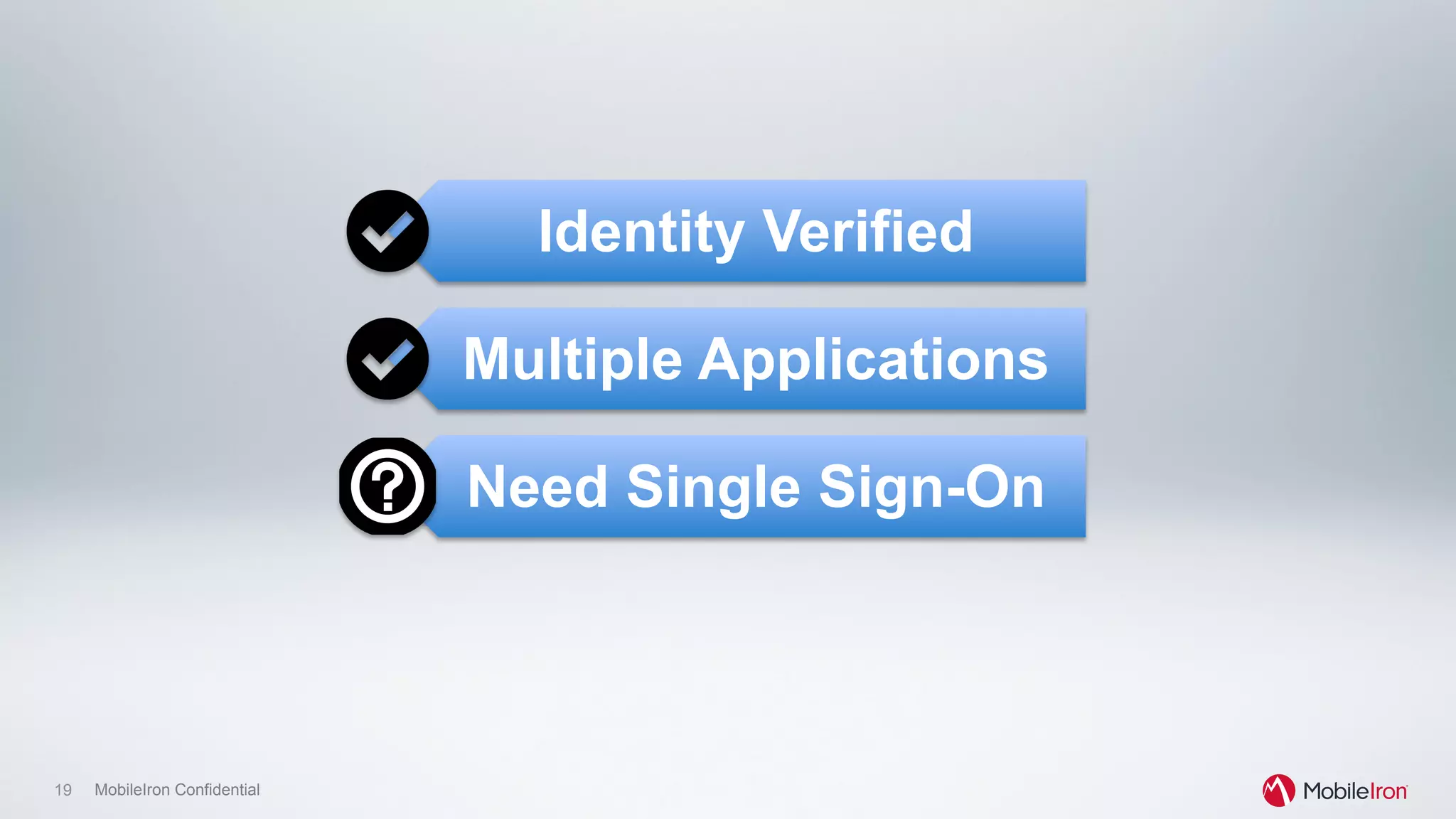
Identity Verified
Multiple Applications
Need Single Sign-On
20 MobileIron Confidential
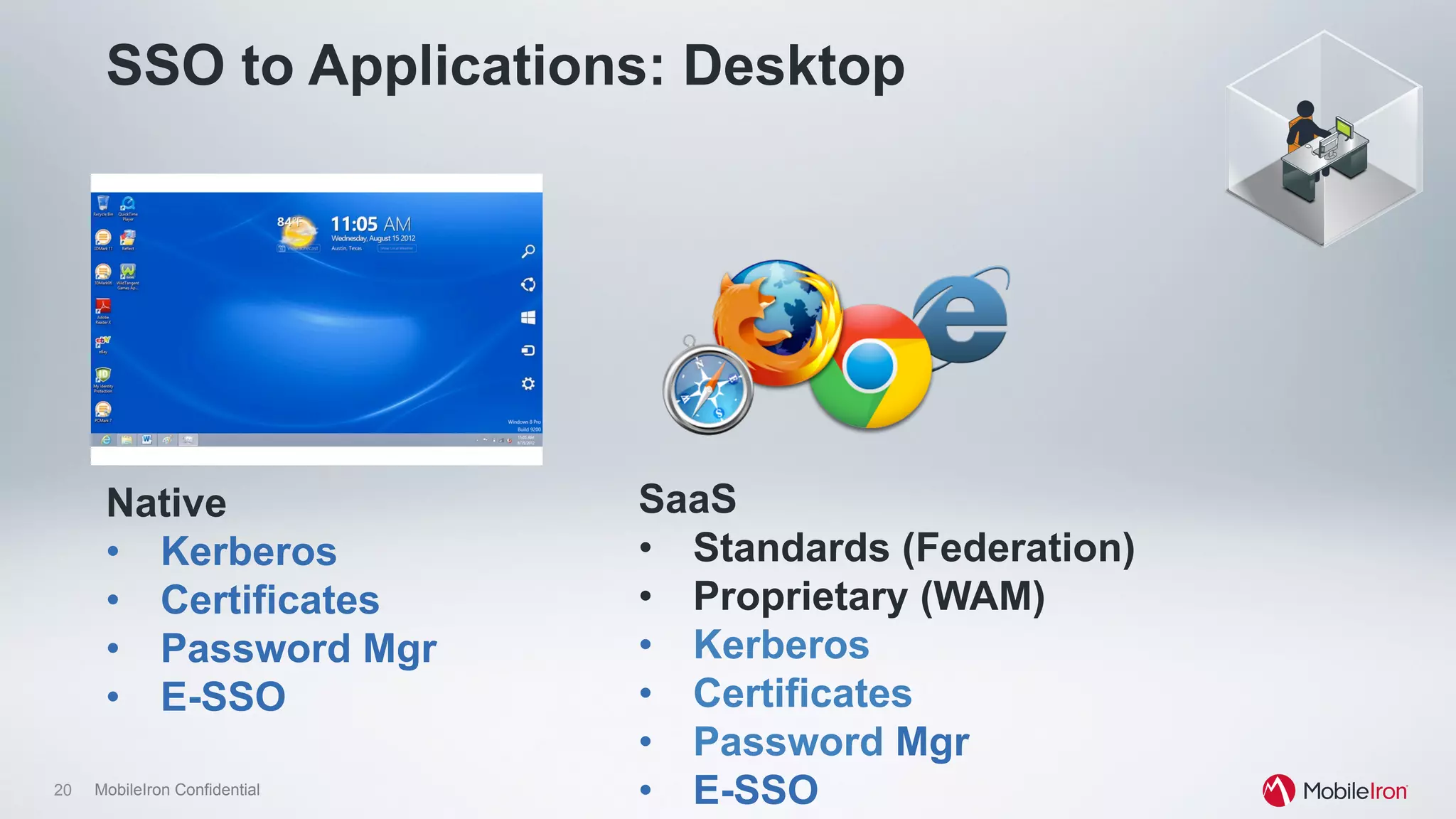
SSO to Applications: Desktop
SaaS
•  Standards (Federation)
•  Proprietary (WAM)
•  Kerberos
•  Certificates
•  Password Mgr
•  E-SSO
Native
•  Kerberos
•  Certificates
•  Password Mgr
•  E-SSO
21 MobileIron Confidential
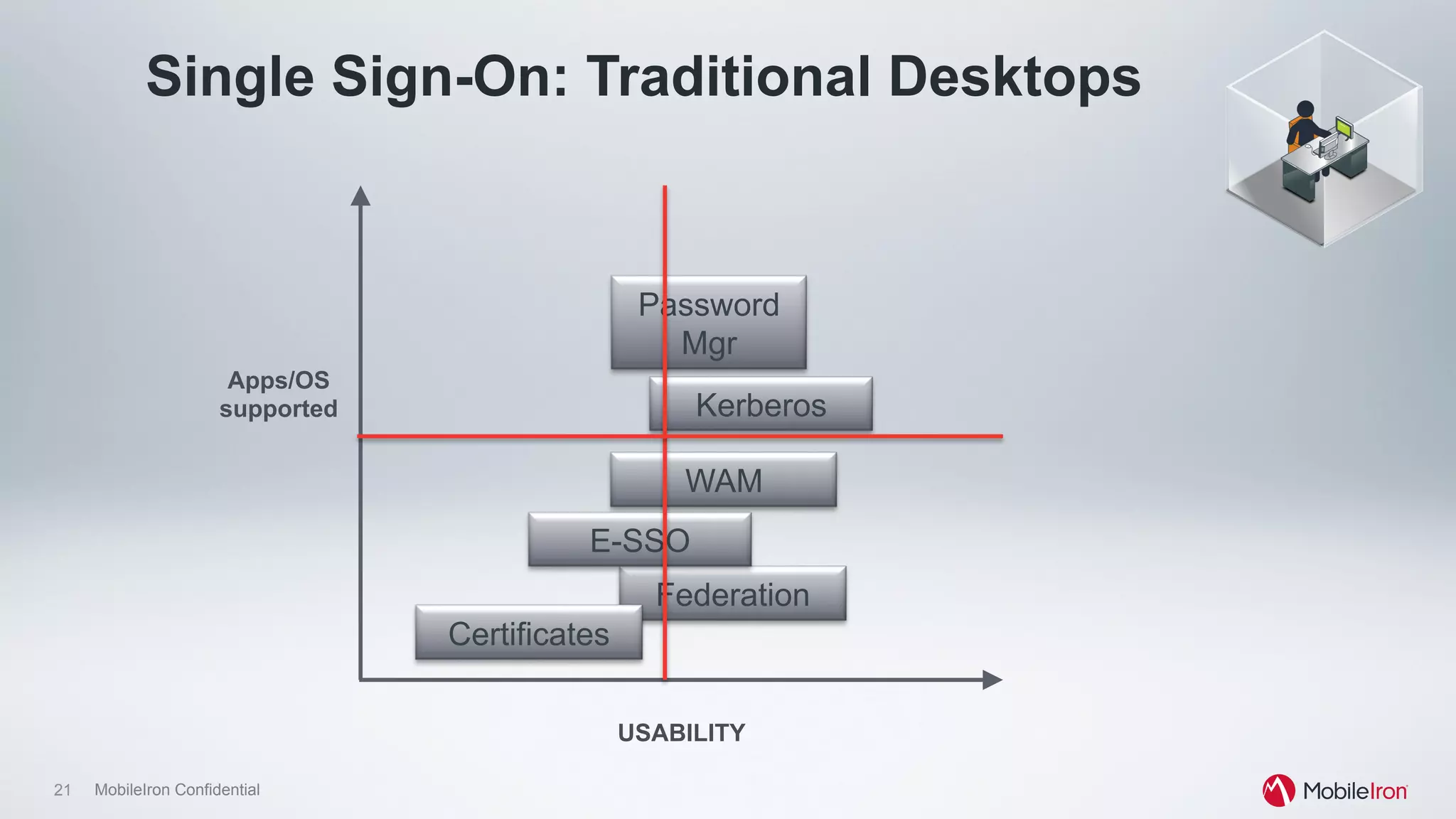
Single Sign-On: Traditional Desktops
Password
Mgr
WAM
Kerberos
Federation
Certificates
Apps/OS
supported
USABILITY
E-SSO
22 MobileIron Confidential
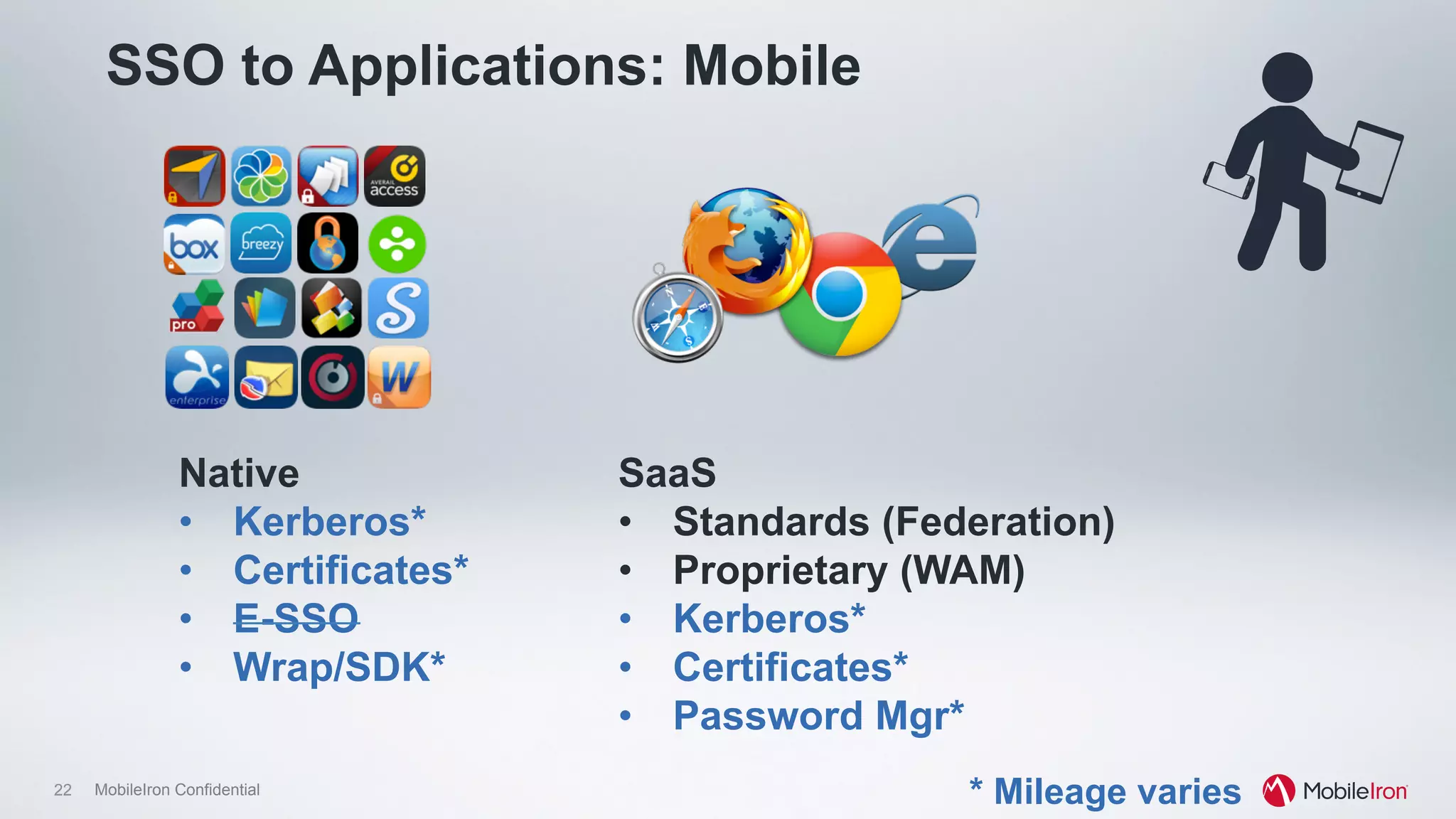
SSO to Applications: Mobile
SaaS
•  Standards (Federation)
•  Proprietary (WAM)
•  Kerberos*
•  Certificates*
•  Password Mgr*
Native
•  Kerberos*
•  Certificates*
•  E-SSO
•  Wrap/SDK*
* Mileage varies
23 MobileIron Confidential
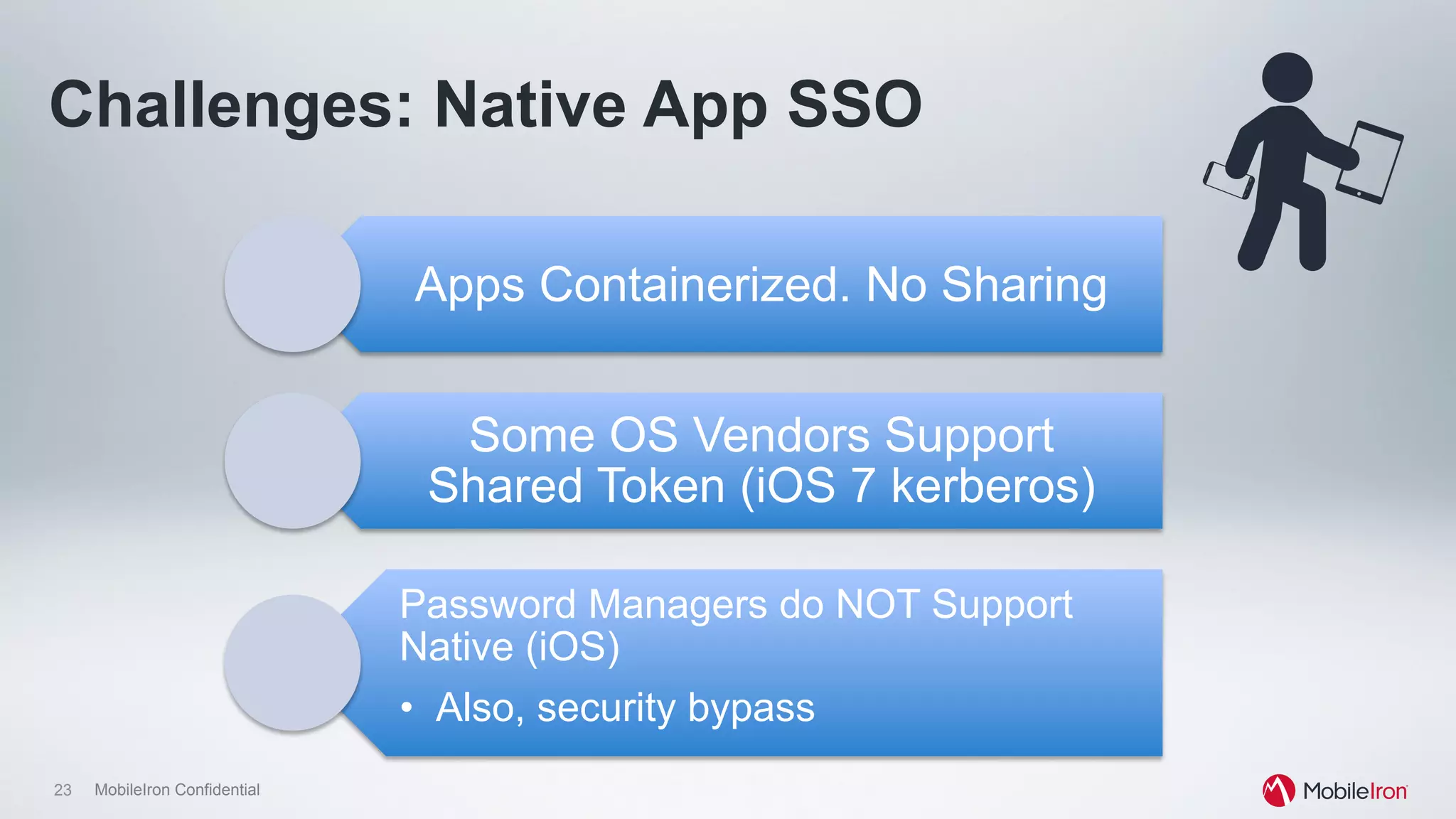
Challenges: Native App SSO
Apps Containerized. No Sharing
Some OS Vendors Support
Shared Token (iOS 7 kerberos)
Password Managers do NOT Support
Native (iOS)
•  Also, security bypass
24 MobileIron Confidential
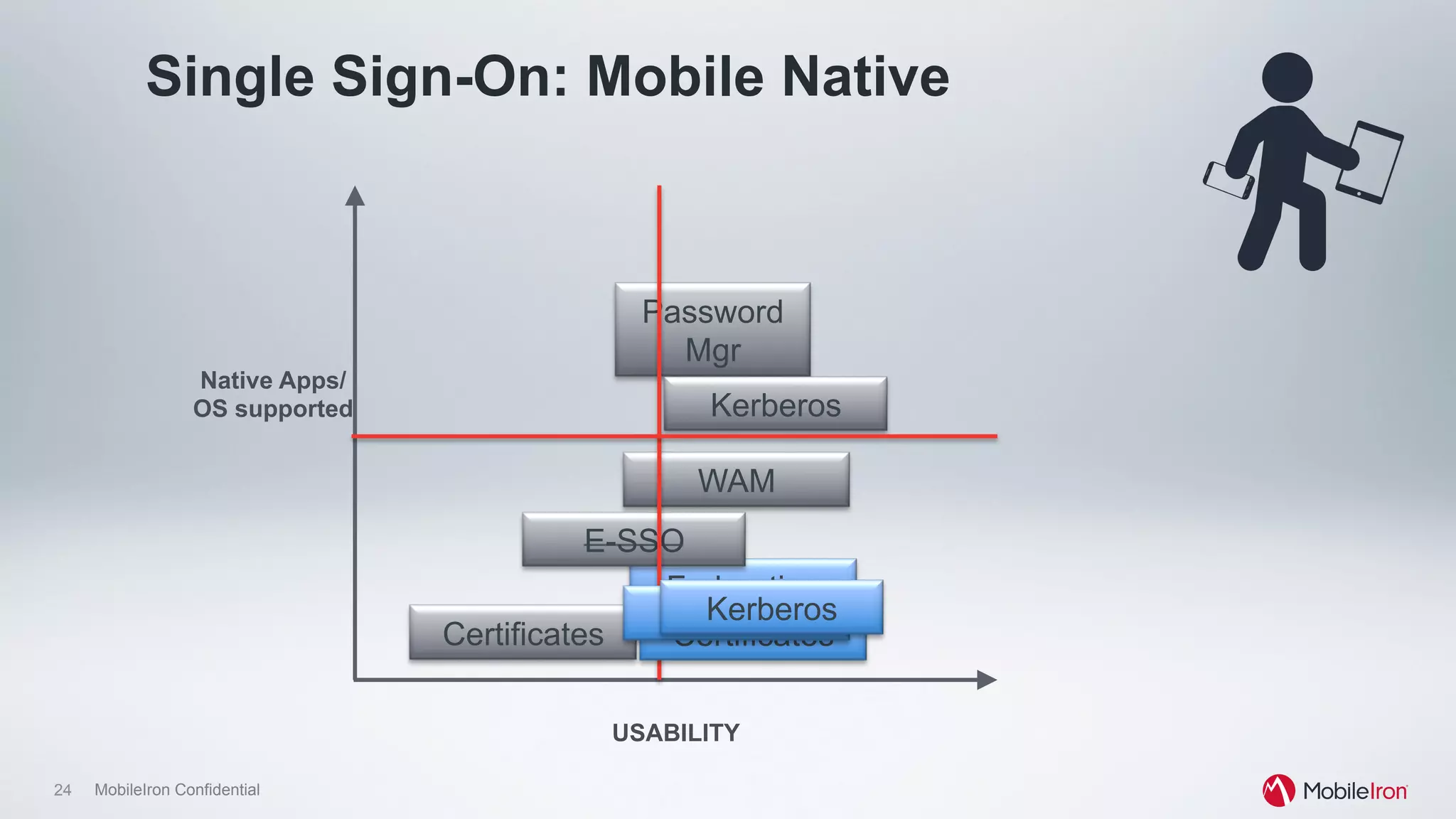
Single Sign-On: Mobile Native
Password
Mgr
WAM
Kerberos
Federation
Certificates
Native Apps/
OS supported
USABILITY
E-SSO
Certificates
WAMKerberos
25 MobileIron Confidential
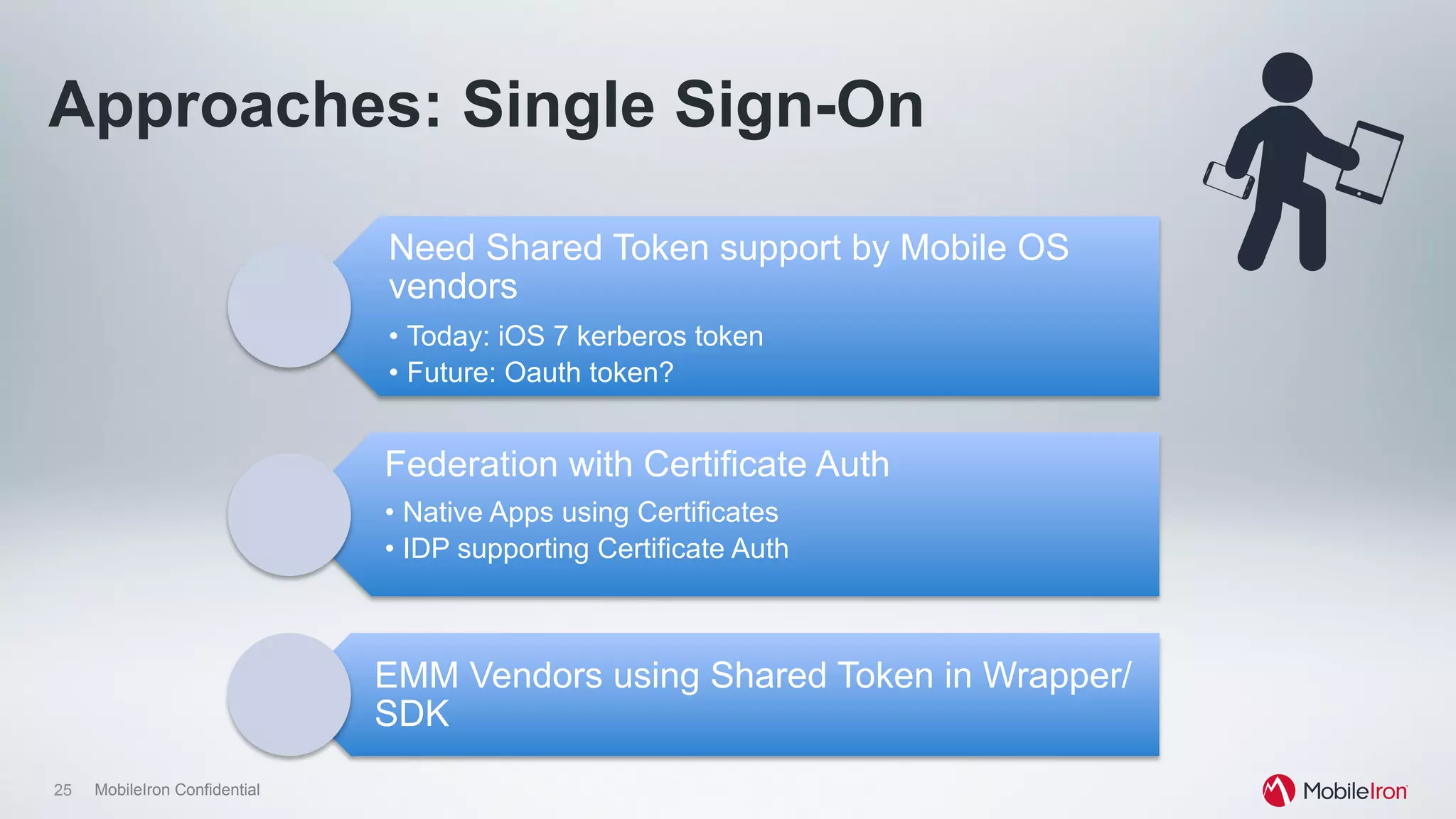
Approaches: Single Sign-On
Need Shared Token support by Mobile OS
vendors
•  Today: iOS 7 kerberos token
•  Future: Oauth token?
Federation with Certificate Auth
•  Native Apps using Certificates
•  IDP supporting Certificate Auth
EMM Vendors using Shared Token in Wrapper/
SDK
26 MobileIron Confidential
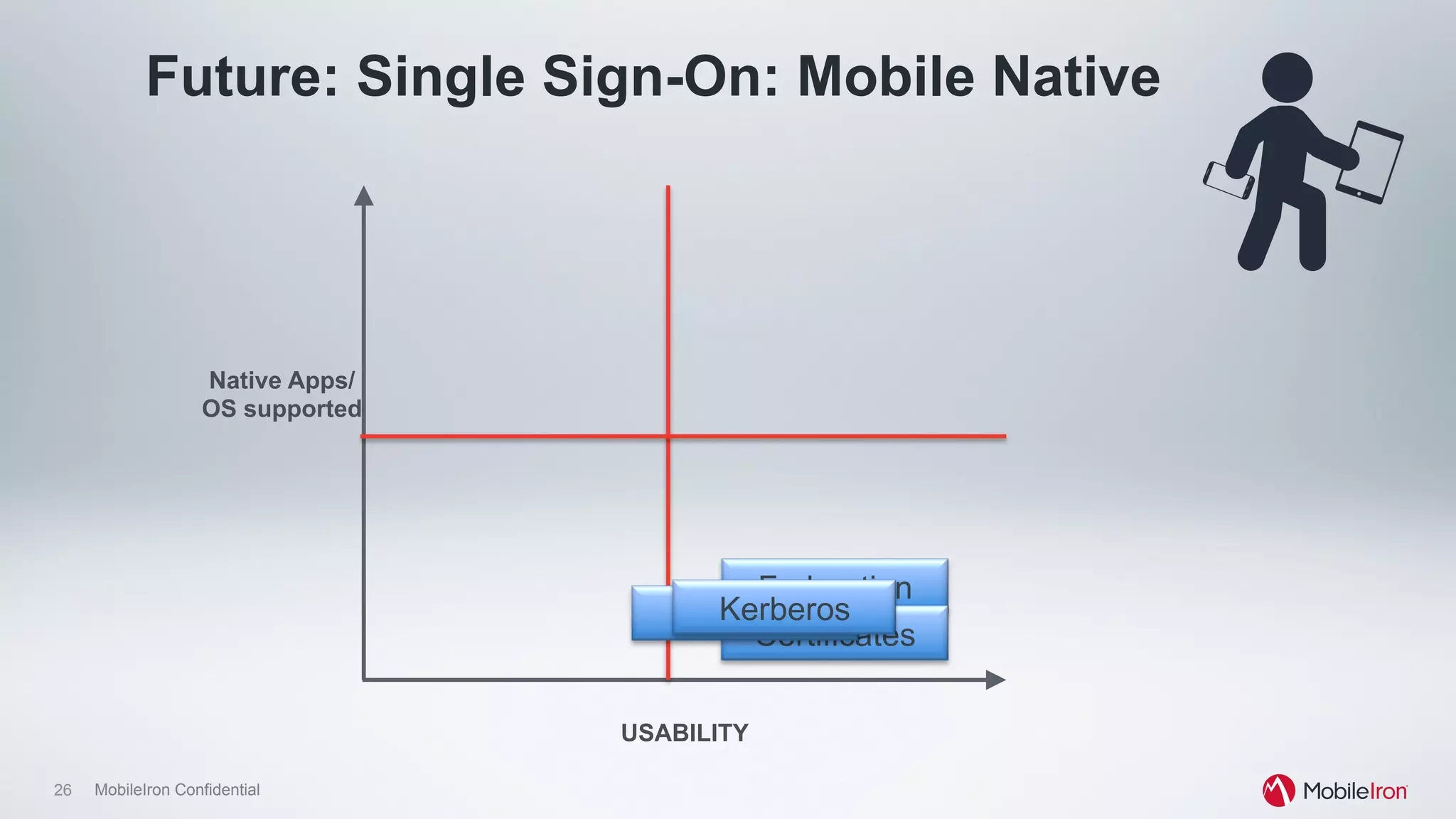
Future: Single Sign-On: Mobile Native
Federation
Native Apps/
OS supported
USABILITY
Certificates
WAMKerberos
27 MobileIron Confidential
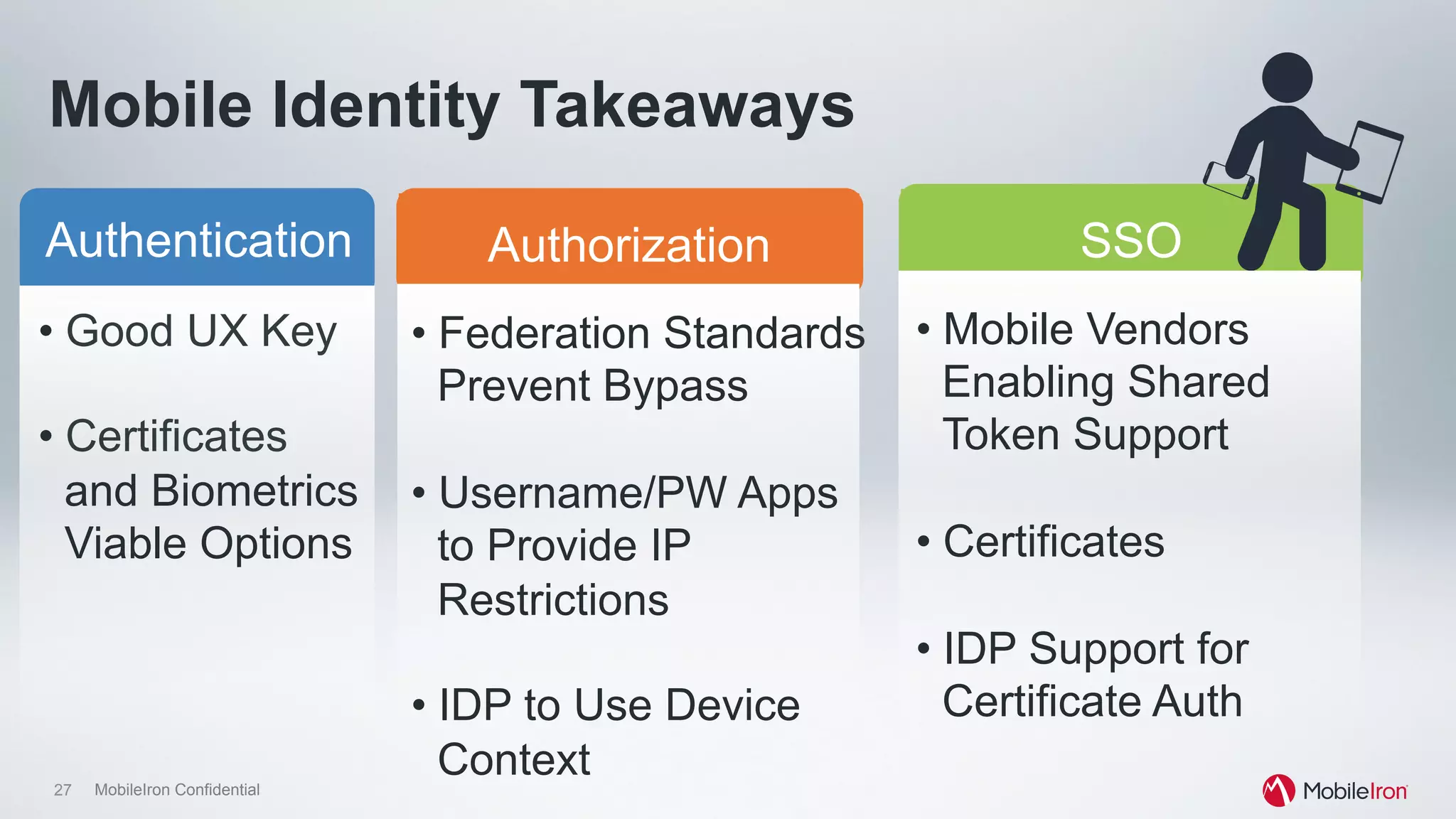
Mobile Identity Takeaways
Authentication SSOAuthorization
• Good UX Key
• Certificates
and Biometrics
Viable Options
• Federation Standards
Prevent Bypass
• Username/PW Apps
to Provide IP
Restrictions
• IDP to Use Device
Context
• Mobile Vendors
Enabling Shared
Token Support
• Certificates
• IDP Support for
Certificate Auth
The technical realities…
30 MobileIron Confidential
There is no “one answer” to mobile SSO
•  Generally “I want SSO” means “I want transparent
authentication”.
•  Shared tokens, while useful, don’t work extremely well for
mobile today
•  Goals should be to make authentication & authorization
easy while reducing UX complexity
But there are lots of implementation options
31 MobileIron Confidential
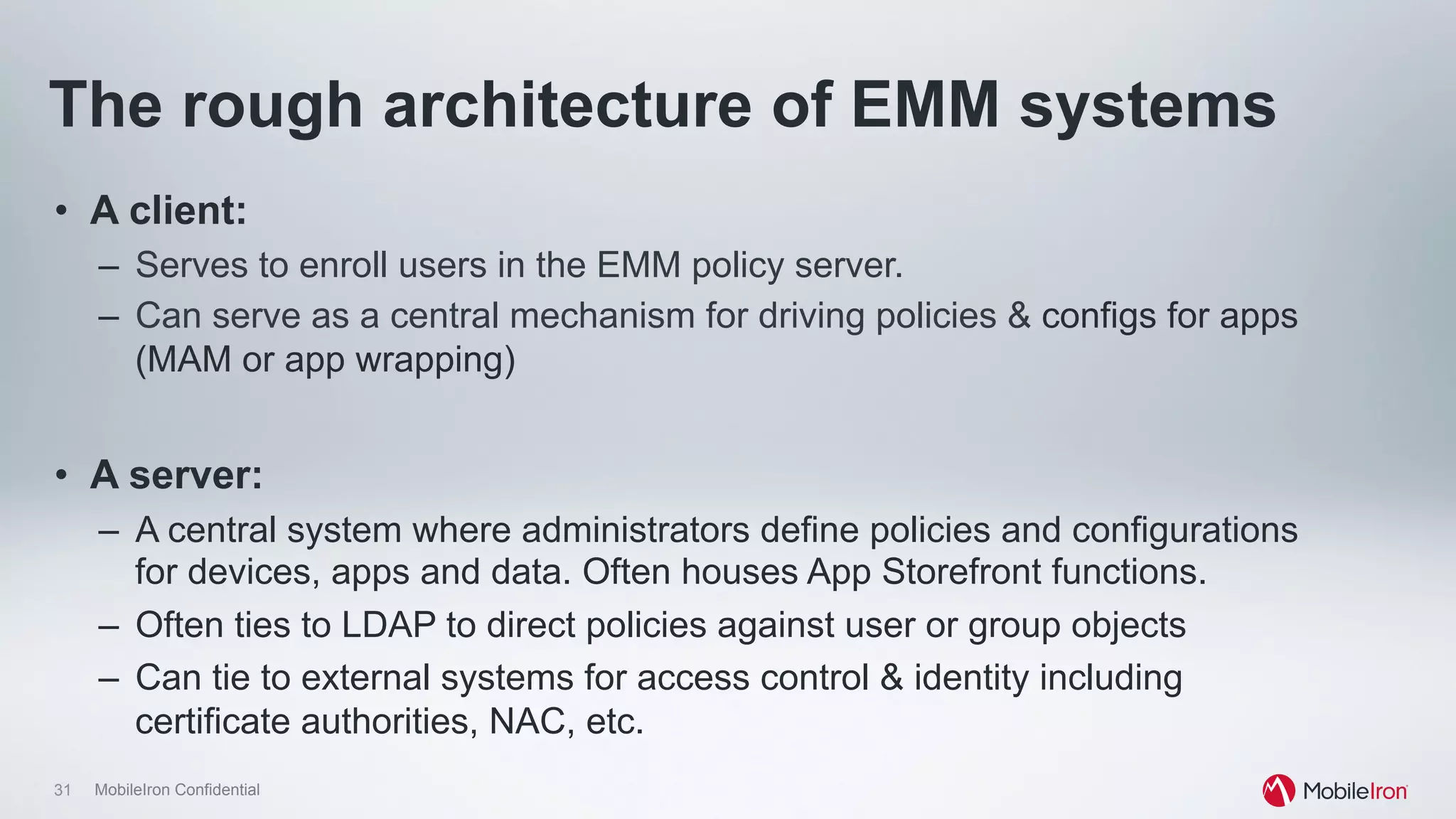
The rough architecture of EMM systems
•  A client:
–  Serves to enroll users in the EMM policy server.
–  Can serve as a central mechanism for driving policies & configs for apps
(MAM or app wrapping)
•  A server:
–  A central system where administrators define policies and configurations
for devices, apps and data. Often houses App Storefront functions.
–  Often ties to LDAP to direct policies against user or group objects
–  Can tie to external systems for access control & identity including
certificate authorities, NAC, etc.
32 MobileIron Confidential
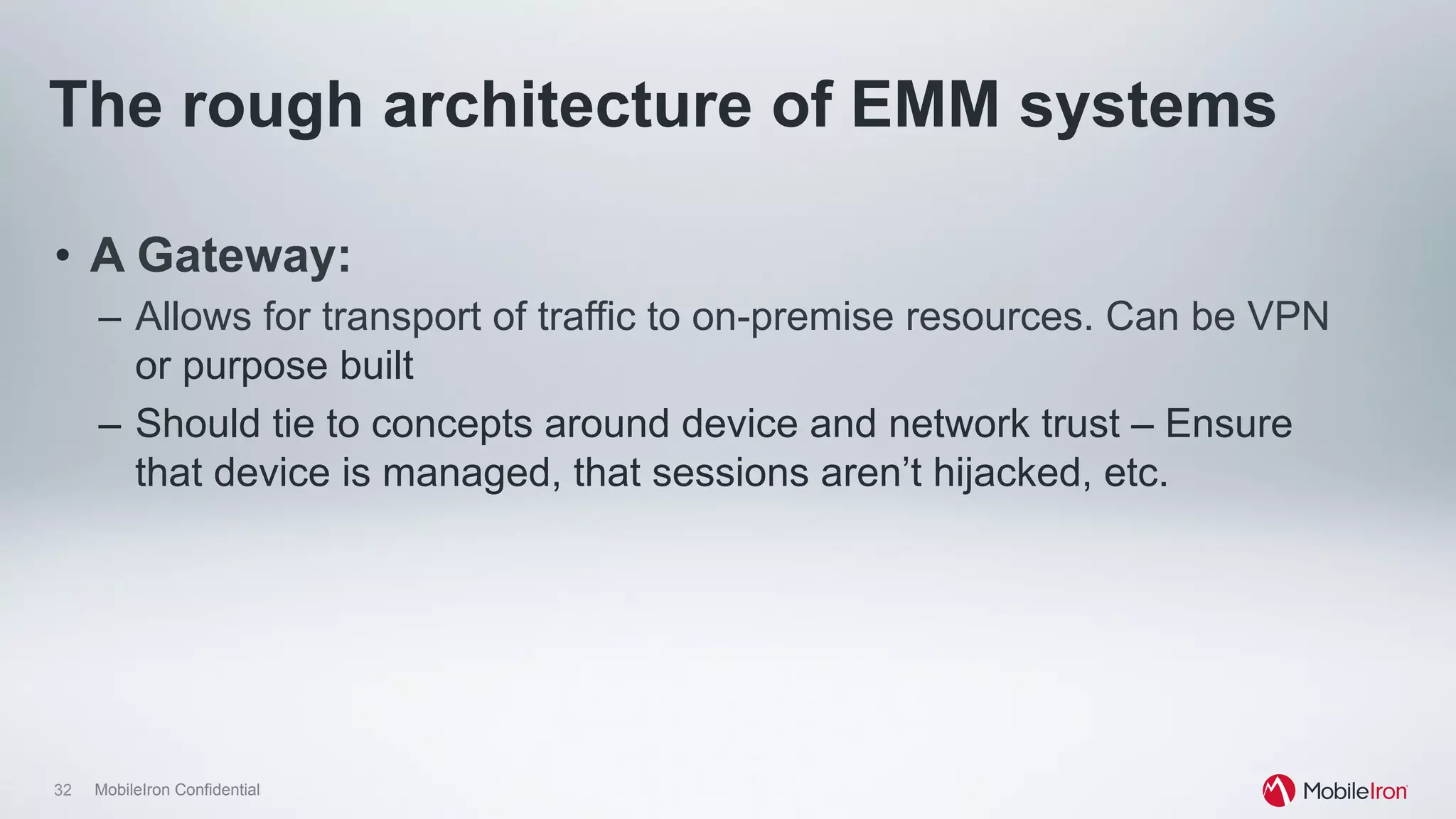
The rough architecture of EMM systems
•  A Gateway:
–  Allows for transport of traffic to on-premise resources. Can be VPN
or purpose built
–  Should tie to concepts around device and network trust – Ensure
that device is managed, that sessions aren’t hijacked, etc.
33 MobileIron Confidential
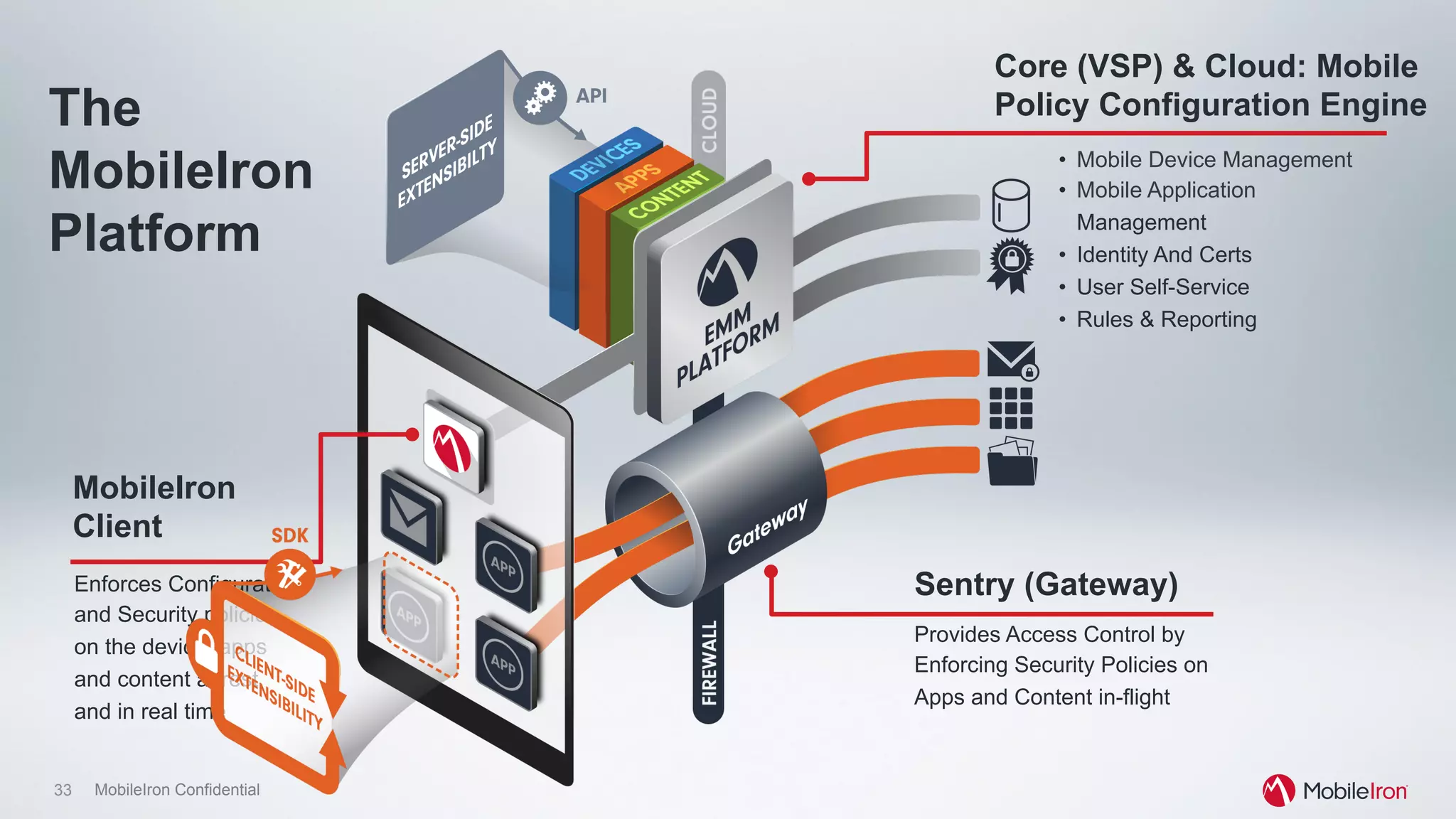
•  Mobile Device Management
•  Mobile Application
Management
•  Identity And Certs
•  User Self-Service
•  Rules & Reporting
MobileIron
Client
Enforces Configuration
and Security policies
on the device, apps
and content at rest
and in real time
Sentry (Gateway)
Provides Access Control by
Enforcing Security Policies on
Apps and Content in-flight
The
MobileIron
Platform
Core (VSP) & Cloud: Mobile
Policy Configuration Engine
MobileIron Confidential
EMM vendors build SSO
…because a lot of customers said “We want to use our Windows
architecture.” Result: Kerberos Constrained Delegation and Mobile
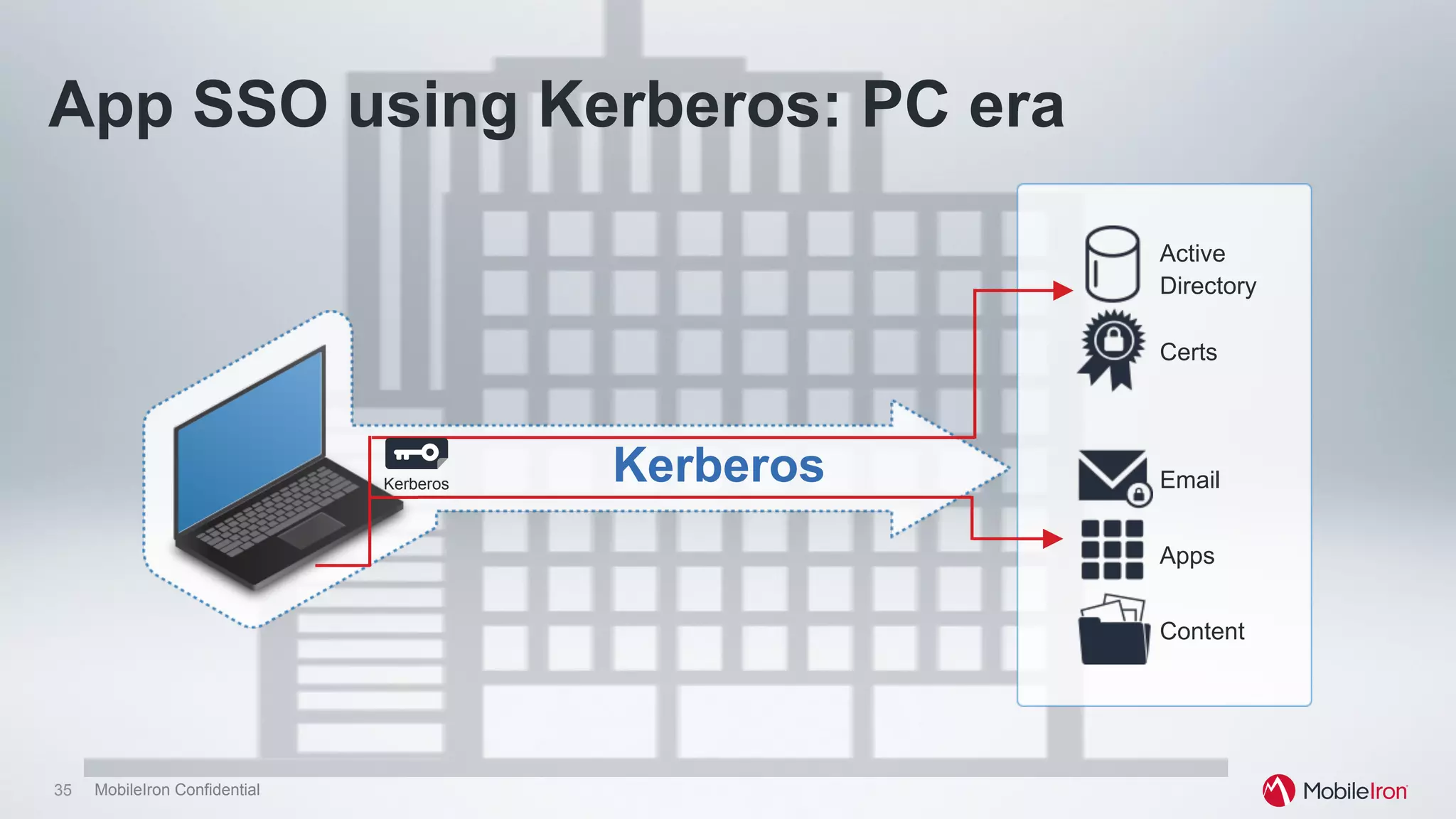
35 MobileIron Confidential
Kerberos Email
Apps
Content
Active
Directory
Certs
Kerberos
App SSO using Kerberos: PC era
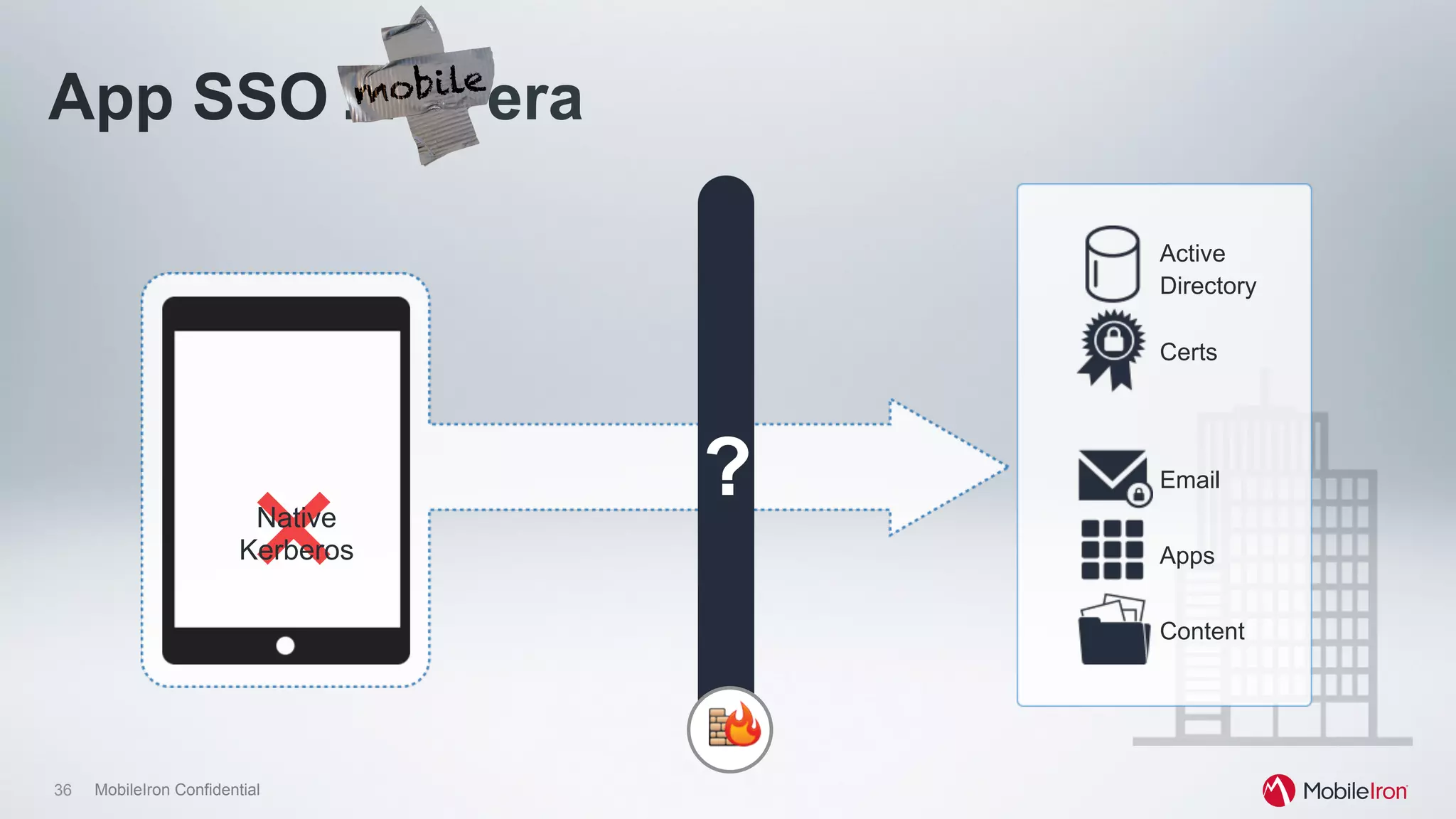
36 MobileIron Confidential
Email
Apps
Content
Active
Directory
Certs
Native
Kerberos
?
App SSO : PC era
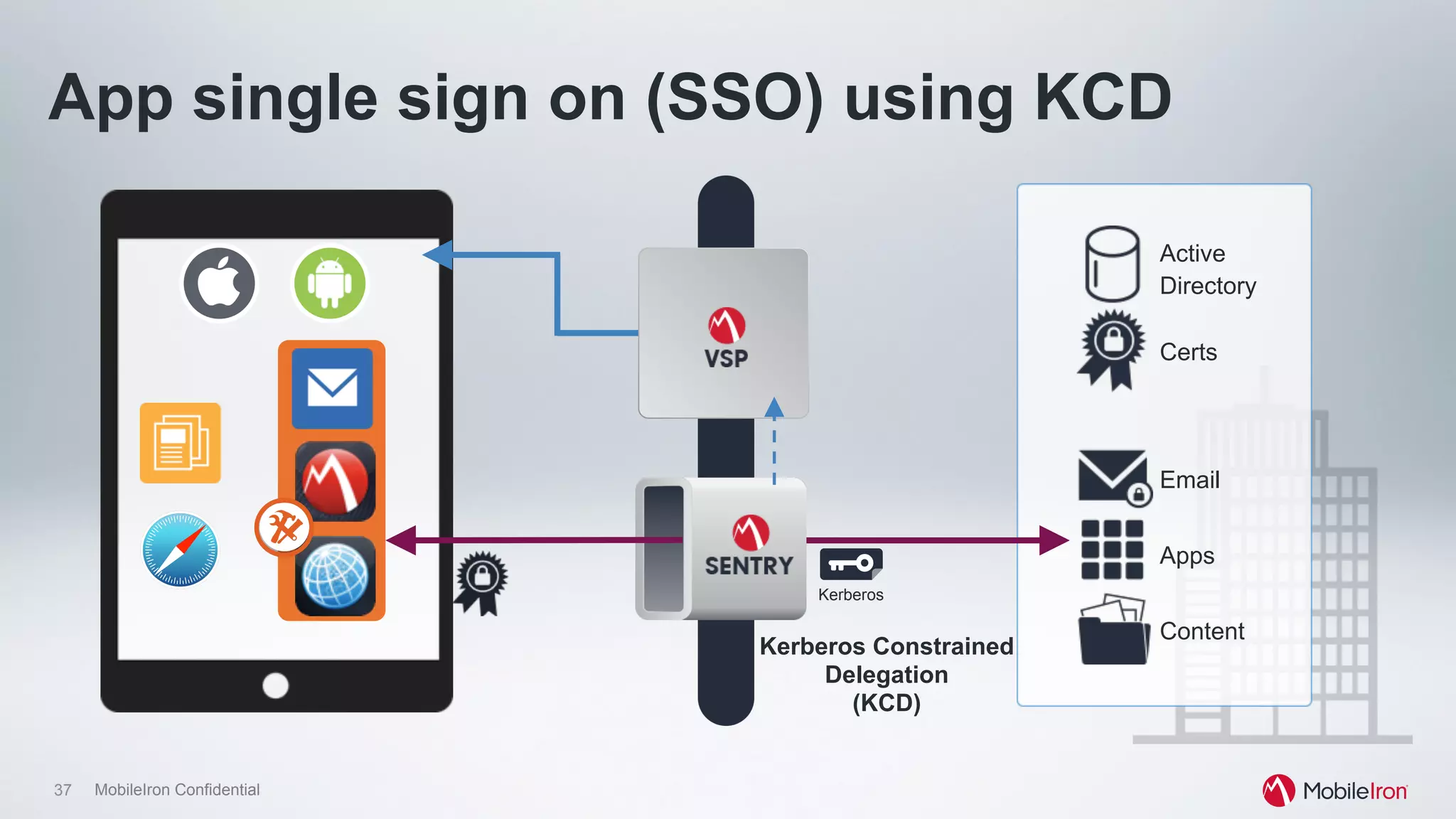
37 MobileIron Confidential
Kerberos Constrained
Delegation
(KCD)
App single sign on (SSO) using KCD
Email
Apps
Content
Active
Directory
Certs
Kerberos
38 MobileIron Confidential
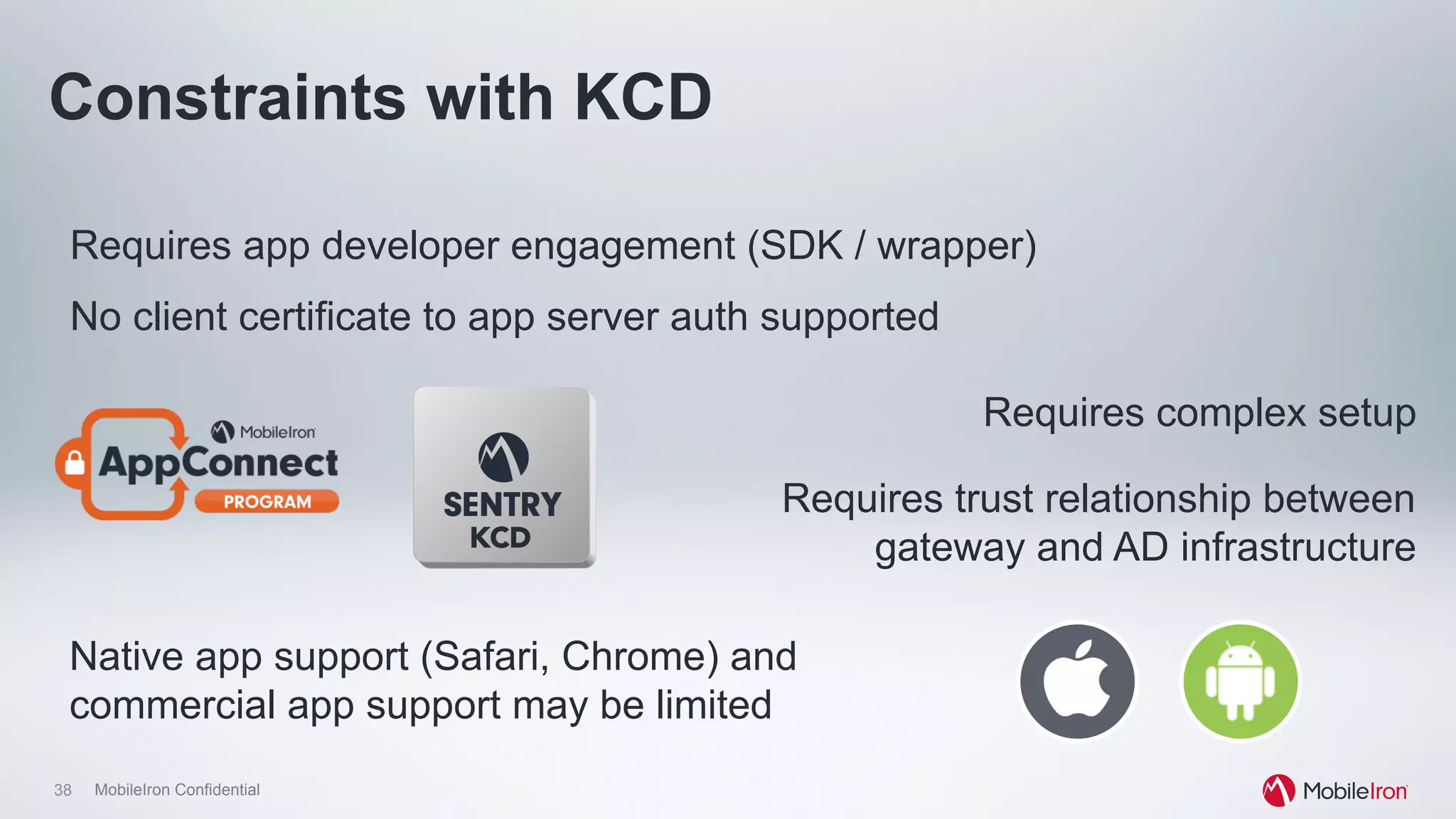
Requires app developer engagement (SDK / wrapper)
Requires trust relationship between
gateway and AD infrastructure
No client certificate to app server auth supported
Constraints with KCD
Requires complex setup
Native app support (Safari, Chrome) and
commercial app support may be limited
KCD
MobileIron Confidential
Apple takes on SSO
iOS 7 introduces support for Kerberos
40 MobileIron Confidential
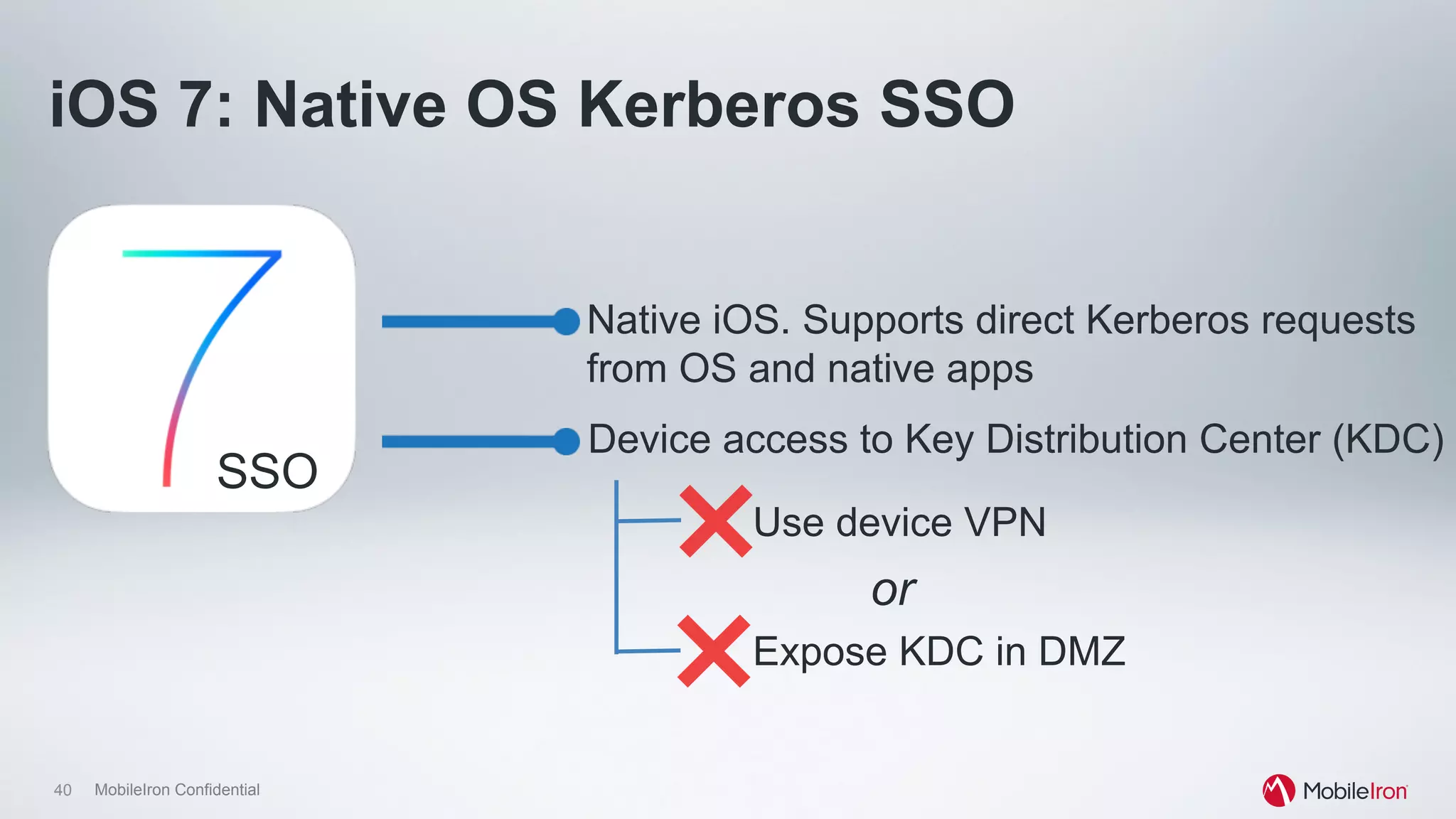
iOS 7: Native OS Kerberos SSO
Native iOS. Supports direct Kerberos requests
from OS and native apps
Device access to Key Distribution Center (KDC)
Use device VPN
Expose KDC in DMZ
or
SSO
41 MobileIron Confidential
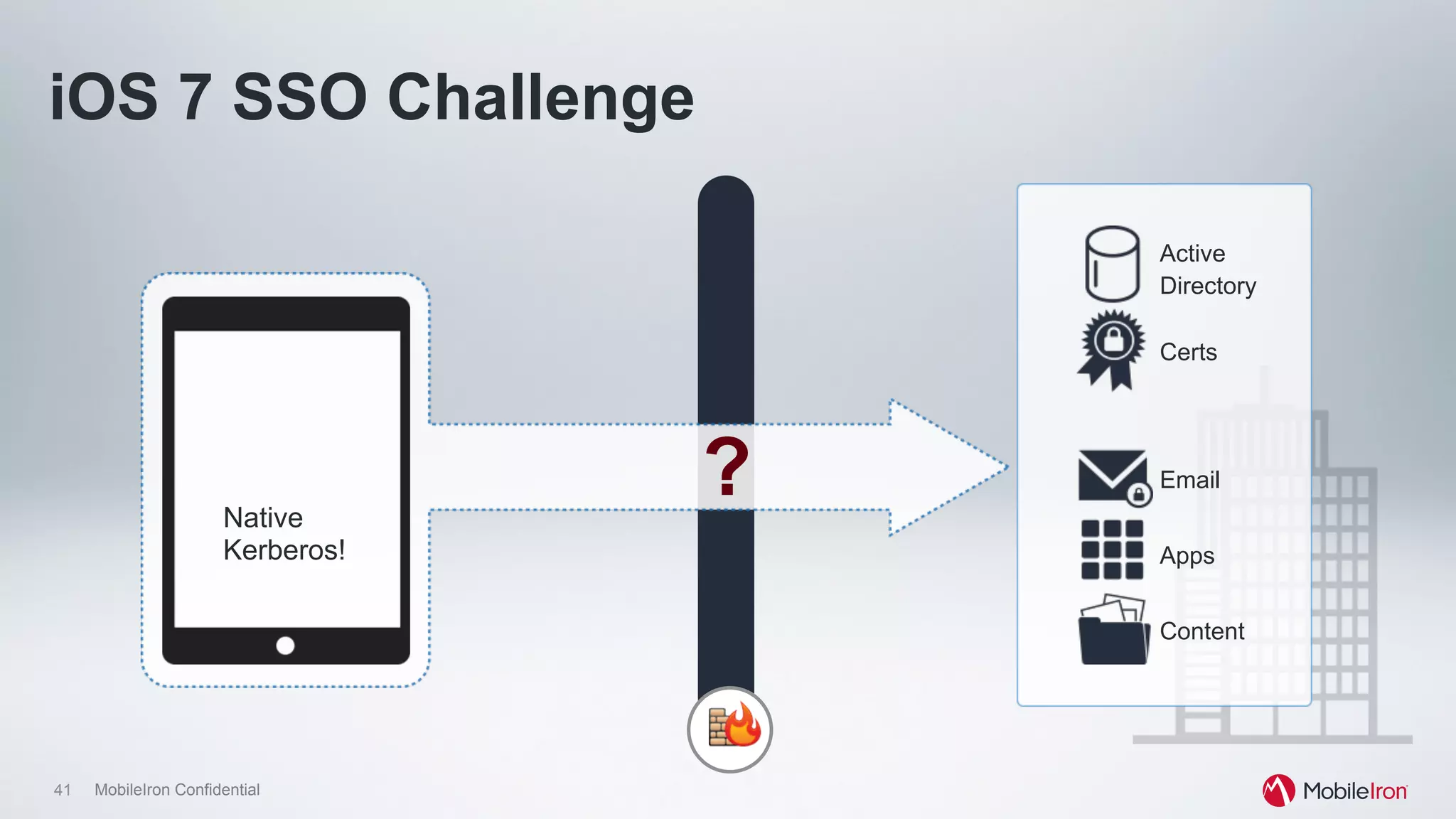
Email
Apps
Content
Active
Directory
Certs
Native
Kerberos!
?
iOS 7 SSO Challenge
42 MobileIron Confidential
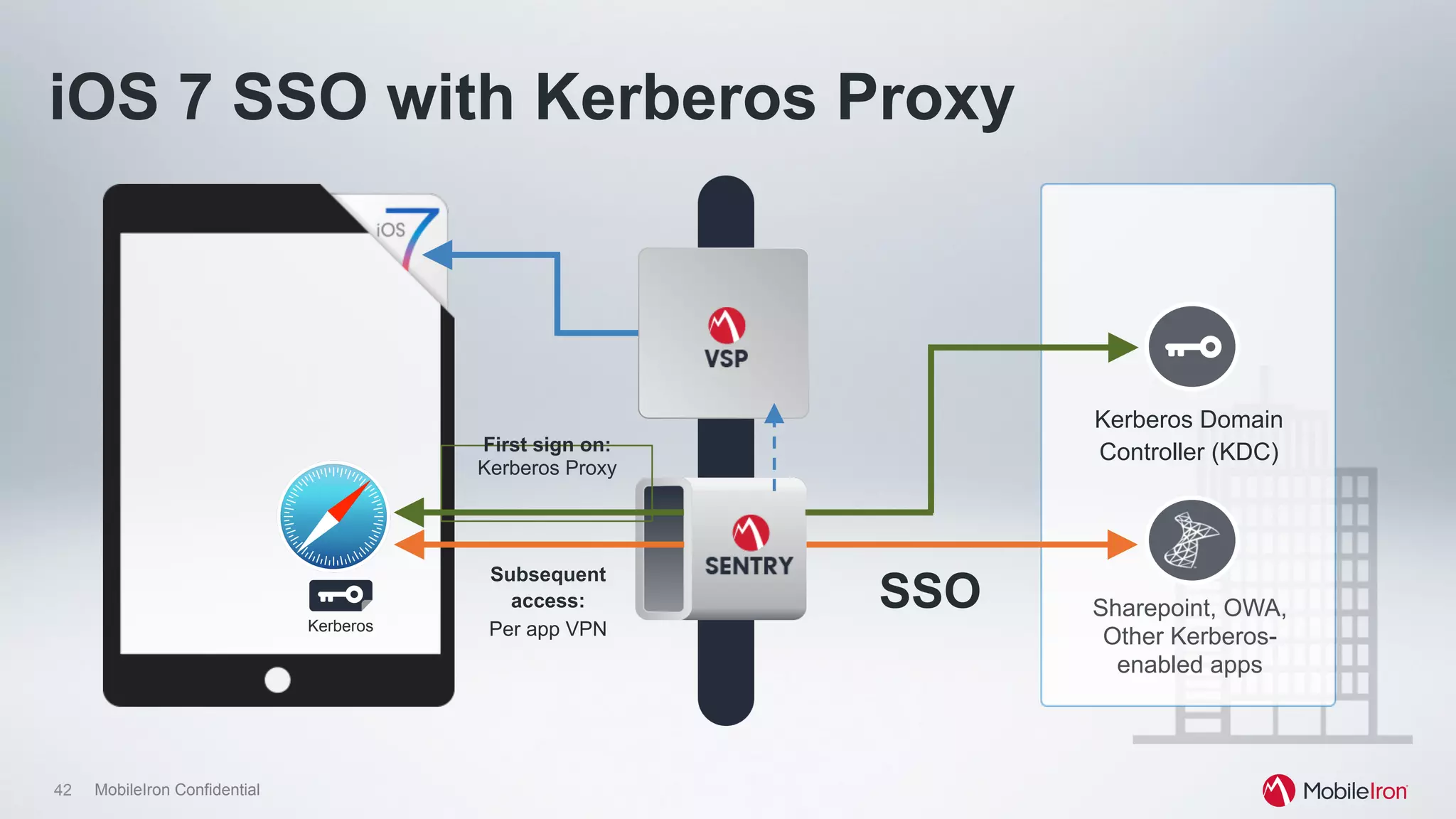
Sharepoint, OWA,
Other Kerberos-
enabled apps
Kerberos Domain
Controller (KDC)
Kerberos
First sign on:
Kerberos Proxy
Subsequent
access:
Per app VPN
SSO
iOS 7 SSO with Kerberos Proxy
43 MobileIron Confidential
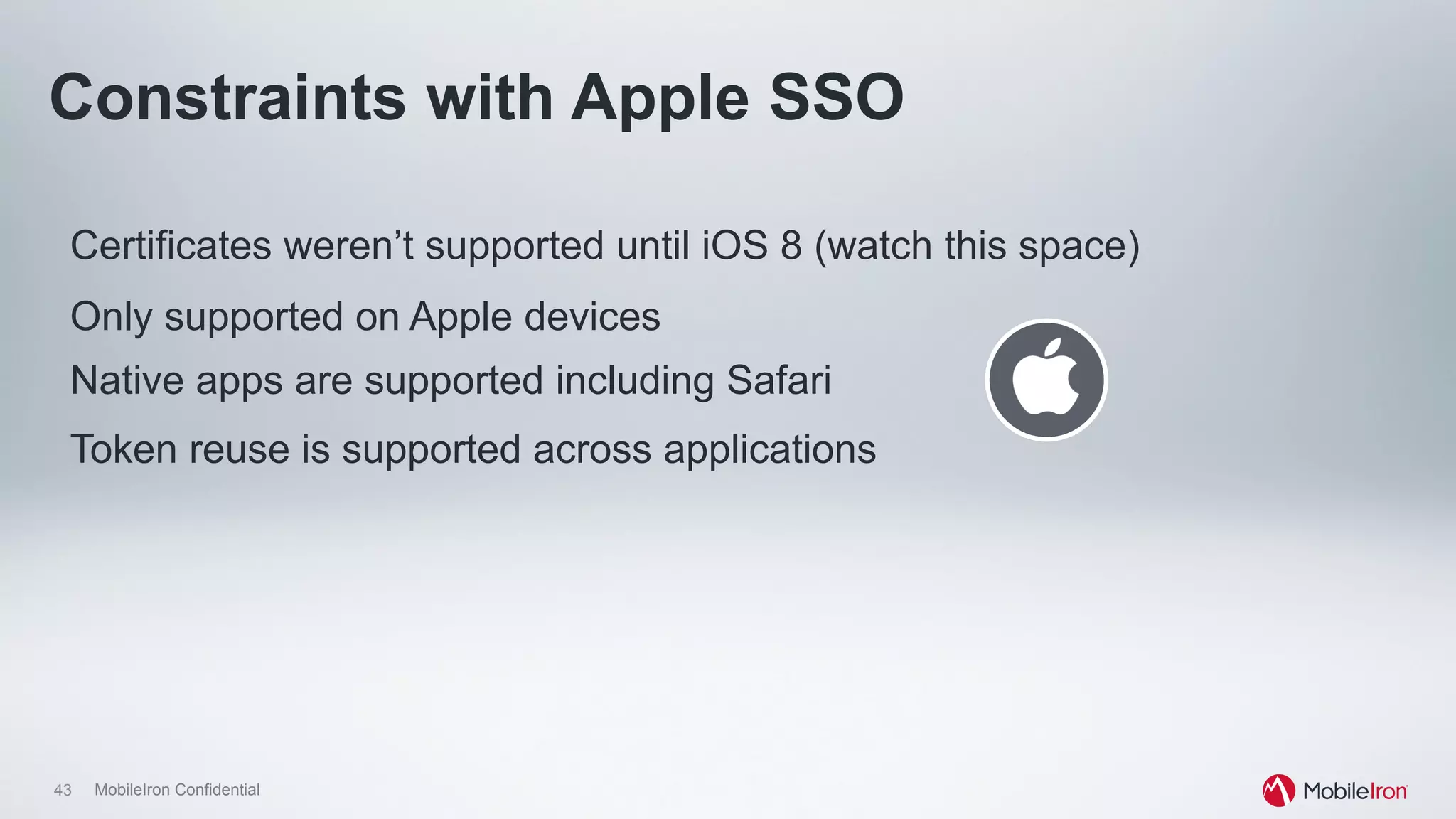
Certificates weren’t supported until iOS 8 (watch this space)
Only supported on Apple devices
Constraints with Apple SSO
Native apps are supported including Safari
Token reuse is supported across applications
MobileIron Confidential
Standards begin to develop
Introduction of AZA, now NAPPS
45 MobileIron Confidential
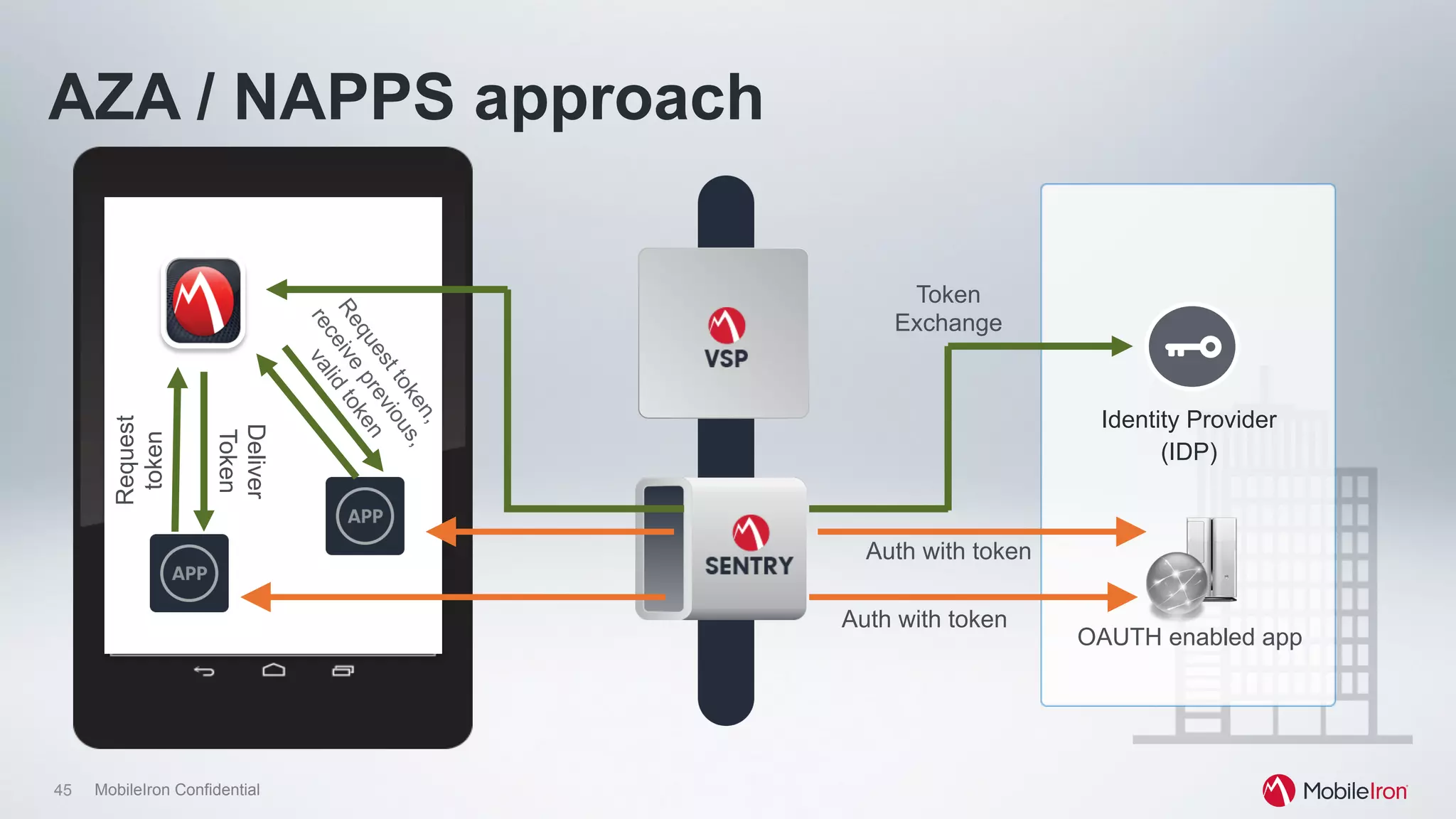
OAUTH enabled app
Identity Provider
(IDP)
AZA / NAPPS approachRequest
token
Token
Exchange
Deliver
Token
Auth with token
Auth with token
46 MobileIron Confidential
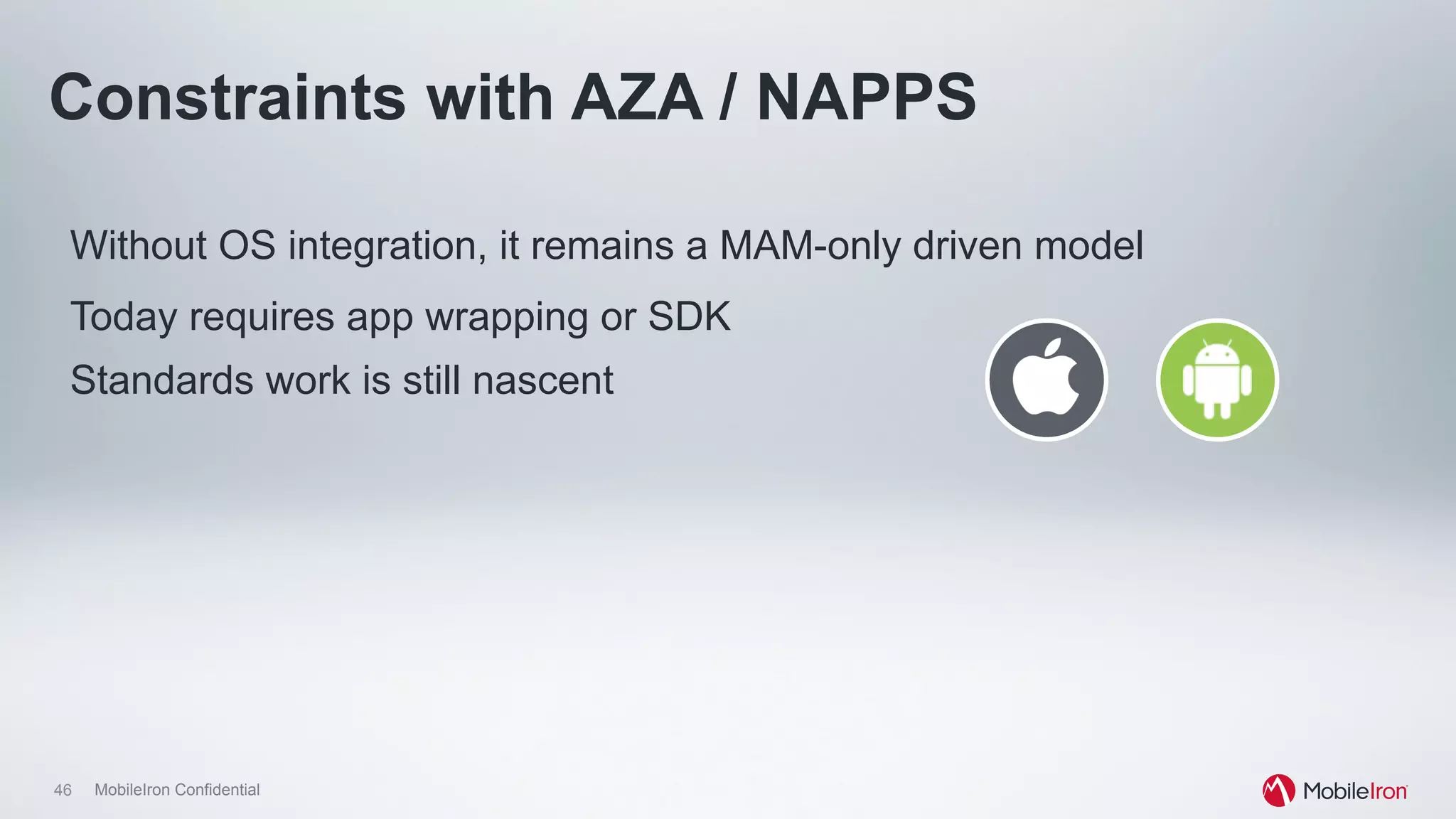
Without OS integration, it remains a MAM-only driven model
Today requires app wrapping or SDK
Constraints with AZA / NAPPS
Standards work is still nascent
MobileIron Confidential
Another alternative…
Use of certificates for “transparent authentication”
48 MobileIron Confidential
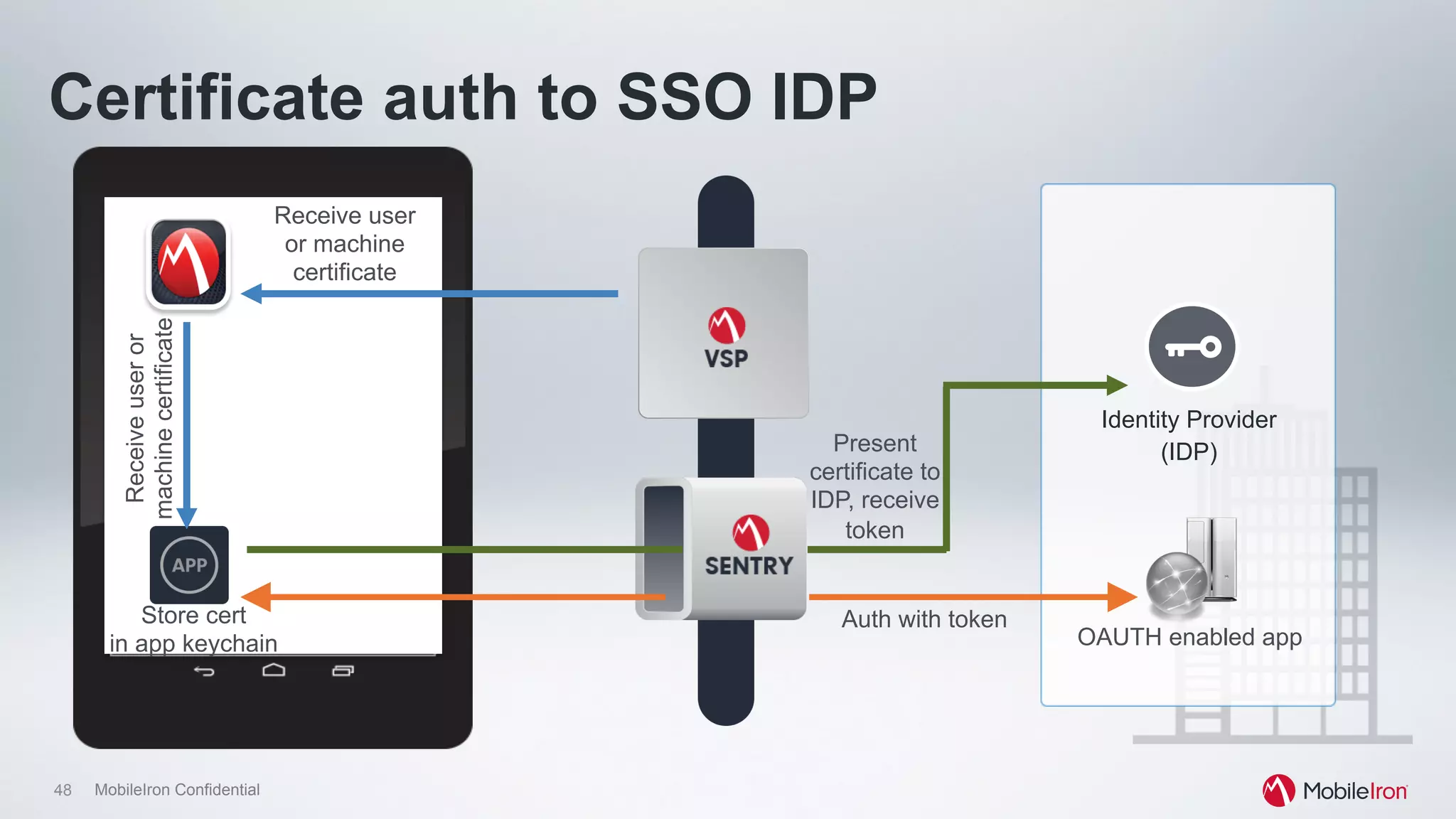
OAUTH enabled app
Identity Provider
(IDP)
Certificate auth to SSO IDP
Auth with token
Receiveuseror
machinecertificate
Receive user
or machine
certificate
Present
certificate to
IDP, receive
token
Store cert
in app keychain
49 MobileIron Confidential
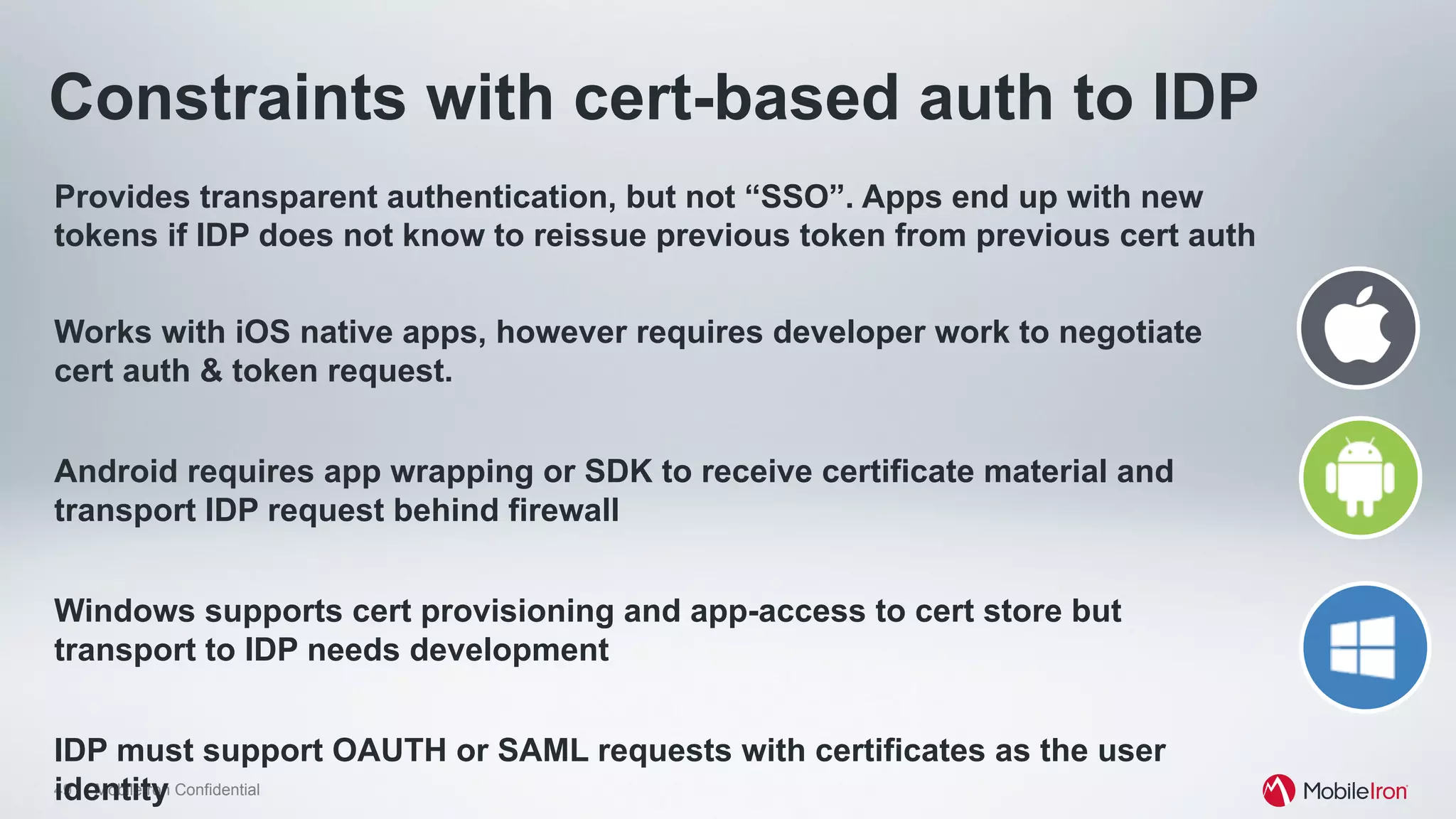
Constraints with cert-based auth to IDP
Provides transparent authentication, but not “SSO”. Apps end up with new
tokens if IDP does not know to reissue previous token from previous cert auth
Works with iOS native apps, however requires developer work to negotiate
cert auth & token request.
Android requires app wrapping or SDK to receive certificate material and
transport IDP request behind firewall
Windows supports cert provisioning and app-access to cert store but
transport to IDP needs development
IDP must support OAUTH or SAML requests with certificates as the user
identity
50 MobileIron Confidential
The takeaway
•  It is possible to meet end-user and IT needs for authentication today
•  IT should be aware of OS capabilities when planning both app and
auth design
•  Certificates provide the easiest, most transparent method available.
•  NAPPS represents a strong development but needs more maturity
and OS buy-in

CIS14: Providing Security and Identity for a Mobile-First World

  • 1.
    Security & Identityfor a Mobile-First World Vijay Pawar
  • 2.
    2 MobileIron Confidential TraditionalDesktop Login with Enterprise Identity (AuthN) Browser or Native Apps Access & SSO Applications based on Identity(AuthZ) Pre-registered using IAM
  • 3.
    3 MobileIron Confidential Authenticationto Applications: Desktop Password Tokens Biometrics Smartcards Certificates
  • 4.
    4 MobileIron Confidential Authentication:Traditional Desktops Password Tokens Biometrics Smartcards CertificatesSECURITY USABILITY + DEPLOYMENT
  • 5.
    5 MobileIron Confidential Mobile Loginwith pin (AuthN) Native App Access Applications from Enterprise App Store based on Identity(AuthZ) Pre-registered using EMM Applications based on Identity(AuthZ) Browser Access & SSO
  • 6.
    6 MobileIron Confidential Authenticationto Applications: Mobile Leverage Same Factors Password Tokens Biometrics Smartcards Certificates
  • 7.
    7 MobileIron Confidential AuthFactors Passwords •  Bad UX: Typing long passwords, fat-fingering Biometrics •  Good UX (Fingerprint, facial (early stage), voice) Tokens •  Bad UX: Carry along or on same device (reduces security) SmartCards •  Bad UX: Adding additional hardware
  • 8.
    8 MobileIron Confidential EMMCertificate Support Ease in Certificate Delivery High Security (MITM-proof) Multiple Usage (VPN, Wi-Fi, Apps, Browser) Good UX
  • 9.
    9 MobileIron Confidential Authentication:Mobile Devices Password Tokens Biometrics Smartcards CertificatesSECURITY USABILITY + DEPLOYMENT Tokens Biometrics Certificates Smartcards Password
  • 10.
    10 MobileIron Confidential IdentityVerified Authorized to Access App
  • 11.
    11 MobileIron Confidential Authorizationto Applications: Desktop Access •  Based on AD Group •  Context •  Network •  Time In App Access •  Typically handled inside App
  • 12.
    12 MobileIron Confidential AuthorizationTechnology: Desktop SaaS •  Standards (Federation) •  Proprietary (WAM) •  Password Mgr •  E-SSO Native •  E-SSO
  • 13.
    13 MobileIron Confidential Authorization:Traditional Desktops Password Mgr WAM FederationSECURITY USABILITY + DEPLOYMENT E-SSO
  • 14.
    14 MobileIron Confidential Authorizationto Applications: Mobile Access •  Based on AD Group •  Context •  Network •  Time •  Device Posture •  Location •  App Inventory In App Access •  Typically handled inside App
  • 15.
    15 MobileIron Confidential AuthorizationTechnology: Mobile SaaS •  Standards (Federation) •  Proprietary (WAM) •  Password Mgr Native •  E-SSO •  Wrap/SDK
  • 16.
    16 MobileIron Confidential Authorization:Mobile Apps Password Mgr WAM FederationSECURITY USABILITY + DEPLOYMENT Wrap/SDK
  • 17.
    17 MobileIron Confidential Recommendations:Cloud Apps Authorization Support Federation Standards If Username/Password Access • Restrict by IP address for All Applications (ex. email & content) IDP or SaaS providers to use Device Context
  • 18.
    18 MobileIron Confidential Future:Authorization: Mobile Apps Password Mgr WAM FederationSECURITY USABILITY + DEPLOYMENT Wrap/SDK
  • 19.
    19 MobileIron Confidential IdentityVerified Multiple Applications Need Single Sign-On
  • 20.
    20 MobileIron Confidential SSOto Applications: Desktop SaaS •  Standards (Federation) •  Proprietary (WAM) •  Kerberos •  Certificates •  Password Mgr •  E-SSO Native •  Kerberos •  Certificates •  Password Mgr •  E-SSO
  • 21.
    21 MobileIron Confidential SingleSign-On: Traditional Desktops Password Mgr WAM Kerberos Federation Certificates Apps/OS supported USABILITY E-SSO
  • 22.
    22 MobileIron Confidential SSOto Applications: Mobile SaaS •  Standards (Federation) •  Proprietary (WAM) •  Kerberos* •  Certificates* •  Password Mgr* Native •  Kerberos* •  Certificates* •  E-SSO •  Wrap/SDK* * Mileage varies
  • 23.
    23 MobileIron Confidential Challenges:Native App SSO Apps Containerized. No Sharing Some OS Vendors Support Shared Token (iOS 7 kerberos) Password Managers do NOT Support Native (iOS) •  Also, security bypass
  • 24.
    24 MobileIron Confidential SingleSign-On: Mobile Native Password Mgr WAM Kerberos Federation Certificates Native Apps/ OS supported USABILITY E-SSO Certificates WAMKerberos
  • 25.
    25 MobileIron Confidential Approaches:Single Sign-On Need Shared Token support by Mobile OS vendors •  Today: iOS 7 kerberos token •  Future: Oauth token? Federation with Certificate Auth •  Native Apps using Certificates •  IDP supporting Certificate Auth EMM Vendors using Shared Token in Wrapper/ SDK
  • 26.
    26 MobileIron Confidential Future:Single Sign-On: Mobile Native Federation Native Apps/ OS supported USABILITY Certificates WAMKerberos
  • 27.
    27 MobileIron Confidential MobileIdentity Takeaways Authentication SSOAuthorization • Good UX Key • Certificates and Biometrics Viable Options • Federation Standards Prevent Bypass • Username/PW Apps to Provide IP Restrictions • IDP to Use Device Context • Mobile Vendors Enabling Shared Token Support • Certificates • IDP Support for Certificate Auth
  • 29.
  • 30.
    30 MobileIron Confidential Thereis no “one answer” to mobile SSO •  Generally “I want SSO” means “I want transparent authentication”. •  Shared tokens, while useful, don’t work extremely well for mobile today •  Goals should be to make authentication & authorization easy while reducing UX complexity But there are lots of implementation options
  • 31.
    31 MobileIron Confidential Therough architecture of EMM systems •  A client: –  Serves to enroll users in the EMM policy server. –  Can serve as a central mechanism for driving policies & configs for apps (MAM or app wrapping) •  A server: –  A central system where administrators define policies and configurations for devices, apps and data. Often houses App Storefront functions. –  Often ties to LDAP to direct policies against user or group objects –  Can tie to external systems for access control & identity including certificate authorities, NAC, etc.
  • 32.
    32 MobileIron Confidential Therough architecture of EMM systems •  A Gateway: –  Allows for transport of traffic to on-premise resources. Can be VPN or purpose built –  Should tie to concepts around device and network trust – Ensure that device is managed, that sessions aren’t hijacked, etc.
  • 33.
    33 MobileIron Confidential • Mobile Device Management •  Mobile Application Management •  Identity And Certs •  User Self-Service •  Rules & Reporting MobileIron Client Enforces Configuration and Security policies on the device, apps and content at rest and in real time Sentry (Gateway) Provides Access Control by Enforcing Security Policies on Apps and Content in-flight The MobileIron Platform Core (VSP) & Cloud: Mobile Policy Configuration Engine
  • 34.
    MobileIron Confidential EMM vendorsbuild SSO …because a lot of customers said “We want to use our Windows architecture.” Result: Kerberos Constrained Delegation and Mobile
  • 35.
    35 MobileIron Confidential KerberosEmail Apps Content Active Directory Certs Kerberos App SSO using Kerberos: PC era
  • 36.
  • 37.
    37 MobileIron Confidential KerberosConstrained Delegation (KCD) App single sign on (SSO) using KCD Email Apps Content Active Directory Certs Kerberos
  • 38.
    38 MobileIron Confidential Requiresapp developer engagement (SDK / wrapper) Requires trust relationship between gateway and AD infrastructure No client certificate to app server auth supported Constraints with KCD Requires complex setup Native app support (Safari, Chrome) and commercial app support may be limited KCD
  • 39.
    MobileIron Confidential Apple takeson SSO iOS 7 introduces support for Kerberos
  • 40.
    40 MobileIron Confidential iOS7: Native OS Kerberos SSO Native iOS. Supports direct Kerberos requests from OS and native apps Device access to Key Distribution Center (KDC) Use device VPN Expose KDC in DMZ or SSO
  • 41.
  • 42.
    42 MobileIron Confidential Sharepoint,OWA, Other Kerberos- enabled apps Kerberos Domain Controller (KDC) Kerberos First sign on: Kerberos Proxy Subsequent access: Per app VPN SSO iOS 7 SSO with Kerberos Proxy
  • 43.
    43 MobileIron Confidential Certificatesweren’t supported until iOS 8 (watch this space) Only supported on Apple devices Constraints with Apple SSO Native apps are supported including Safari Token reuse is supported across applications
  • 44.
    MobileIron Confidential Standards beginto develop Introduction of AZA, now NAPPS
  • 45.
    45 MobileIron Confidential OAUTHenabled app Identity Provider (IDP) AZA / NAPPS approachRequest token Token Exchange Deliver Token Auth with token Auth with token
  • 46.
    46 MobileIron Confidential WithoutOS integration, it remains a MAM-only driven model Today requires app wrapping or SDK Constraints with AZA / NAPPS Standards work is still nascent
  • 47.
    MobileIron Confidential Another alternative… Useof certificates for “transparent authentication”
  • 48.
    48 MobileIron Confidential OAUTHenabled app Identity Provider (IDP) Certificate auth to SSO IDP Auth with token Receiveuseror machinecertificate Receive user or machine certificate Present certificate to IDP, receive token Store cert in app keychain
  • 49.
    49 MobileIron Confidential Constraintswith cert-based auth to IDP Provides transparent authentication, but not “SSO”. Apps end up with new tokens if IDP does not know to reissue previous token from previous cert auth Works with iOS native apps, however requires developer work to negotiate cert auth & token request. Android requires app wrapping or SDK to receive certificate material and transport IDP request behind firewall Windows supports cert provisioning and app-access to cert store but transport to IDP needs development IDP must support OAUTH or SAML requests with certificates as the user identity
  • 50.
    50 MobileIron Confidential Thetakeaway •  It is possible to meet end-user and IT needs for authentication today •  IT should be aware of OS capabilities when planning both app and auth design •  Certificates provide the easiest, most transparent method available. •  NAPPS represents a strong development but needs more maturity and OS buy-in