CHAPTER 9
COMMUNICATING FOR
SERVICE
REPORTED BY: ROGER B. ALAIR JR
HOSPITALITY PRINCIPLE: GLUE
EXPERIENCE ELEMENTS TOGETHER
WITH INFORMATION
“Like a human being a company has to have an internal
communication mechanism, a “nervous system”, to
coordinate its actions.”
-Bill Gates
“If you make customers unhappy in the physical world, they
might each tell 6 friends. If you make customer unhappy on
the internet, they can each tell 6,000 friends. “
- Jeff Bezos
“Communicate everything you can to your associates. The
more they know, the more they care.”
-Sam Walton
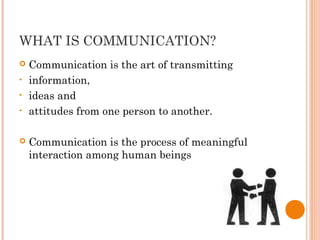
WHAT IS COMMUNICATION?
 Communication is the art of transmitting
• information,
• ideas and
• attitudes from one person to another.
 Communication is the process of meaningful
interaction among human beings
INFORMING THE GUEST
 Since service is by definition intangible, the
information that the hospitality organizations
provides to help the guest makes the intangible
tangible is a critical concern of the information
system.
CUES COMMUNICATE
 Regardless of the hospitality experience being
offered, all informational cues in the service
setting should be carefully thought out to
communicate what the organization wants to
communicate to the guest about the quality and
value of the experience.
WHAT IS EFFECTIVE
COMMUNICATION?
 Effective Communication . . .
It is two way.
It involves active listening.
It reflects the accountability of the speaker
and listener.
It utilizes feedback.
It is clear.
It achieves one or more of the goals of
communication
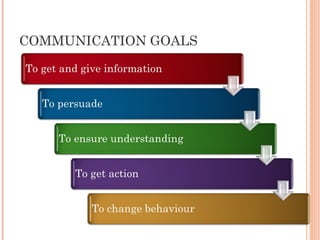
COMMUNICATION GOALS
WHY IS EFFECTIVE
COMMUNICATION IMPORTANT?
 Because we rely on Communication for
everything
Have you ever
 Received appreciation from your client?
 Given information to a customer or colleague?
 Received a pat at the back for excellent performance?
 Smiled back at someone in response to a smile?
 Answered a telephone call?
 Written a report or letter to your customer?
All these can only be achieved
through COMMUNICATION
BARRIERS TO COMMUNICATION
• Language
• Values and beliefs
• Sex/gender and age
• Economic status
• Educational level
• Physical barriers
• Attitude
• Timing
• Understanding of message
• Trust
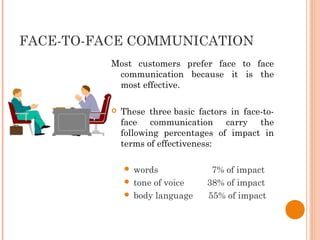
FACE-TO-FACE COMMUNICATION
Most customers prefer face to face
communication because it is the
most effective.
 These three basic factors in face-to-
face communication carry the
following percentages of impact in
terms of effectiveness:
 words                     7% of impact
 tone of voice         38% of impact
 body language      55% of impact
BENEFITS OF FACE-TO-FACE
 Opens two-way communication
 Allows for immediate response to
questions,
misinterpretations,
feedback, etc.
 Takes advantage of voice and body language to
deepen understanding of what is being
communicated.
WHEN TO USE FACE-TO-FACE
 Face to face is used:
when you have to share or give
information that will affect the
customer
when the information being
communicated needs immediate
attention
when you have to answer questions
directly and immediately
THE DO’S OF FACE-TO-FACE
 DO
give your customer your undivided attention
listen,
really listen,
give full attention
give your customer honest, direct and
comprehensive information
treat your customer’s ideas and concerns as
critical and serious
Don’t belittle their concerns
THE DON'TS OF FACE-TO-FACE
 DON’T
tell your customer “what”,
tell them
“why, how, and the larger picture”
make the conversation one-way.
Invite responses -- discuss and debate
answer the phone or take a call when a
customer is in your office or when talking to a
customer.
If you really have to take the call apologize
to the customer first before you do.
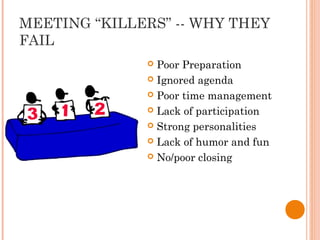
MEETING “KILLERS” -- WHY THEY
FAIL
 Poor Preparation
 Ignored agenda
 Poor time management
 Lack of participation
 Strong personalities
 Lack of humor and fun
 No/poor closing
ANSWERING THE CALL
 Ensure that you don’t bang the receiver into
anything when picking up the call.
 Your customer will hear if that happens and may
read meaning into it
 Answer the call within as few rings as possible.
 Speak clearly, identify your company and
yourself.
 Don’t start speaking before you put the receiver to
your mouth.
ANSWERING THE CALL
 Mind Your Manners!
Don’t grab a ringing phone because it shows
impatience and lack of interest in the
customer.
And other customers may be watching you…
Don’t bang down the receiver
Don’t stop in the middle of a conversation to
ask a colleague a question
Try and stop ‘multi-tasking’ whilst talking on
the telephone.
This encourages you to find answers quickly
and ensure that you give the caller 100%
attention
ANSWERING THE CALL
 Mind Your Manners!
Try not to make comments about your callers
to other staff - sooner or later another
customer will hear you!
Never, ever, talk about customers in a
derogatory manner
ANSWERING THE CALL
• When you don’t know the answer…
• Never say you don’t know
• Be Honest and say ‘I don’t know but I’ll try and find out”
• Ask if you may put the caller on hold or take his number and
promise to call him back
• When an absent colleague will know the answer...
 Always keep the customer informed as regards what you are
doing
 Explain how you are going to find out the information - if
necessary, tell the customer when you will call him back
 Never use negative language ie ‘um, er, I haven’t a clue’,
‘that’s not my job
 People are usually patient about waiting for an answer if they
know it will be the RIGHT answer
ANSWERING THE CALL
 Answering Two Calls
 If you are on a long call and another line/two lines are ringing...
 If another line rings persistently
 See if another colleague can answer the call
 Ask the person you are speaking to if they mind if you answer the
other telephone
 Politely explain to the second caller that you are busy with another
customer - take their details and promise to call them back as soon as
possible
 Go straight back to first caller
 Apologise for the interruption
 Thank him/her for their patience
 Continue with the enquiry
 REMEMBER to call back the second customer and apologise for the
delay
VOICE TIPS
 Vary your tone – it makes it more pleasant to
listen to you and you don’t sound monotonous.
 Emphasize important words
 Use the ‘dramatic’ pause – ie. pause after
important points.
 This will stimulate attention and the customer will
pay closer attention.
WRITTEN COMMUNICATION
 Reports
 Letters
 Newsletters
 Handwritten notes
BENEFITS OF WRITTEN
COMMUNICATION
 Creates a permanent record
 Allows you to store information for future
reference
 Easily distributed
 All recipients receive the same information
 Necessary for legal and binding documentation
DO’S AND DON’TS (WRITTEN)
 DO -- realize it is not read as soon as it is
received
 DO -- make sure that there is enough time to
prepare and send, and for the recipient to receive
and digest
 DO -- assess writing skills, if poor -- get help
DO’S AND DON’TS…
 DO -- outline key points before producing a draft
 DO -- always draft a written piece and then
reduce all unnecessary language -- be brief
 DO -- proof-read very carefully before any
document is distributed
HOW CAN I CHECK IF MY
CUSTOMER UNDERSTANDS?
 Ask questions
 Use pauses
 Spell out difficult words
 Don’t speak too quickly or use idioms
 Summarise the information given at the end of
the conversation
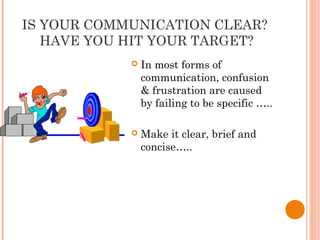
IS YOUR COMMUNICATION CLEAR?
HAVE YOU HIT YOUR TARGET?
 In most forms of
communication, confusion
& frustration are caused
by failing to be specific …..
 Make it clear, brief and
concise…..
HOW DO YOU ENSURE YOU
UNDERSTAND?
 Concentrate and avoid listening to other
conversations at the desk
 Acknowledge other waiting customers
 Hold your tongue - don’t ASSUME you know
what the customer wants or jump to conclusions
 Don’t interrupt.
 Ask questions and use conversation cues -
 ‘Yes’, ‘I see’, ‘I understand’.
ADDING QUALITY & VALUE
THROUGH INFORMATION
 Organizations can use information in many ways
to add quality and value to the service
experience. Occasionally, information technology
becomes so important that it can even transform
the organization itself. Information can help
employees personalize the service to make each
customer, client, or guest feel especial
NEW INFORMATION FROM VIRTUAL
WORDS.
 Even more dramatic has been the technology
that enhances information quality through the
creation of virtual words, where customers can
have an experience without leaving their homes.
Rather than look at a two-dimensional picture,
guest can take virtual tours on Web sites like in
the travel agencies.
GETTING INFORMATION WHERE IT
NEED TO GO
 The challenge for hospitality managers, then, is
to gather data that can inform, organize the data
into information, and distribute that information
to the people- both customers and employees-who
need just, when they need it. Hospitality
organizations that are effective in getting
information to where it needs to be recognized
that providing information is in itself a service to
guests. Often as important as the primary service
itself, and a necessity for employees.
INFORMATION AND SERVICE
PRODUCT
 Information about services offered is usually
found within the environment rather than as
part of the service product itself. Chapter 3
showed the many ways in which the hospitality
organizations can plant cues or information in
the service setting. Such “tangibilizing” leads
guests to favorable judgments about the quality
and value of the guest experience.
INFORMATION AS PRODUCT: FRESH
POINT
 A good illustration of a sophisticated information
and decission system properly used is that
developed by Orland’s Freshpoints.
GIVING EMPLOYEES THE
INFORMATION THEY NEED
 Employees also need relevant, timely, and
accurate information's to do their jobs.
Effectively. When you consider information to be
service product, the employee is an internal
customers for that product. For this internal
customers, the services provide is the delivery of
the information that the employees needs for
making decisions about how to satisfy external
customers. This information-as-product is
provided to the internal customers by an
employee or information-gathering unit acting s
internal “service organization.”
INFORMATION AND THE SERVICE
SETTING
 The service setting and its features and aspects
can provide several kinds of useful information
for guest.
THE ENVIRONMENT AND THE
SERVICE
 First the service setting can be a source of
information related to the service itself, and that
information must be efficiently and effectively
provided. If the tangle products in the guest
experience is a quick-service meal, the patron
needs to know how to get quick service, which
quick service meals available, and when the meal
is ready.
THE ENVIRONMENT AS
INFORMATION SYSTEM
 In a larger sense, the service environment itself
can be thought of as an information system of
sorts by the way it is themed and laid out. Not
only does the environment provide information
on the location of various points of interest, but
the environment itself becomes part of the
service and therefore influences the costumers
perceptions of the service.
CUSTOMER-PROVIDED
INFORMATION
 Guests do not need to wait for companies to
provide information to them. There are now
many sources of information's available to
costumers to help evaluate a hospitality
experience before they decide to have it.
INFORMATION AND THE DELIVERY
SYSTEM
 Finally, and perhaps most obvious, information is
required to make the service and any
accompanying tangible product are delivered to
the costumer. Here again, the nature of the
service product and the delivery system unique to
that product and guest will determine what the
information system ideally should be.
REALLY KNOWING YOUR
CUSTOMERS
 Many hotels seek to provide more than just
simple clean room, and their information systems
are designed to provide this extra level of guest
service.
DELIVERING FRESHNESS
 In restaurant, the information system can
improve service delivery by including in database
information about the freshness of the food
products used to prepare the meals. Labels and
date of production or purchase on food products
“day dots” on fresh-food items, and online
inventory system are all examples of how an
information system can be designed to ensure
that the chefs have the information they need to
make right decisions about using or not using the
available ingredients to produce the fresh meal
they arte responsible for preparing.
INFORMATION ON SERVICE
QUALITY
 Perhaps on service quality uses of service
delivery information system is in the systematic
gathering of information on service quality.
Acquiring the information, organization,
organizing it into a usable form, and
disseminating it to managers and service
provides is critical to ensuring that the service
delivery and other problems are defined and
resolved.
INFORMATION TO THE PEOPLE
 The information system can be used to ensure
that all the people involved in delivering the
service have the information they need to do
their jobs in the best possible way.
HIGH TECH BECOMES HIGH TOUCH
 In many other situations, information system
make it possible for the organization and its
employees to provide service to customers quickly
and efficiently.
TECHNOLOGIES OF EXPERTISE
 In many ways information technology now allows
the hospitality organization to provide expert
skills without paying experts try to provide them.
A concierge who knows every good restaurants in
the town or how to get last-minute tickets to
sold-out play is a valuable hotel asset and is
generally paid accordingly. Acquiring this level of
expertise takes time and experience, and the
organization and the guest pay for that
experience.

CROSS-SELLING
 Even better from an organizational perspective,
is that having the information system set up in
this manner allows the organization to cross-sell
its other products and services.
THE FRONT AND THE BACK OF THE
HOUSE
 the hospitality service delivery information
system ties together the front of the house with
the back of the house. Coordination between
those people and operations serving the guest
and those people and operations serving those
who serves the guest is critical in providing a
seamless experience for the guest.
POINT-OF-SALES SYSTEM
 Point-of-Sales(POS) systems have been developed
to help managers, servers, and cooks, do their
jobs better. The server enters the order on a
touch screen or handheld wireless touch screens
device, and its transmitted back to the cook
station for preparation.
DAILY COUNT
 Another illustration of how an information
system can improve experienced for customers
and performance results for the company daily
count system, like the one used at Disney.
THE INFORMATION FLOW
BETWEEN LEVELS
 The last major requirement of the information
system, as it relates to the service delivery
system, is providing for information flows across
organizational levels. This level-to-level flow can
be as simple as an employees newsletter or a
routing slip, or as complicated as an online, real-
time, data-retrieval and decision system.
DECISION SUPPORT SYSTEM (DSS)
 System that go beyond getting information to the
right person at the right time, and actually help
improve business decisions. With computers
collecting so much information across so many
aspects of the hospitality business many
companies are finding that they now have vats
database with information on customers and
their behaviors.
USING DATA TO DRIVE DECISIONS
 In general, DSS collect the present information.
It is up to the user to ask the right questions.
Capturing the power of information system and
DSS to improve an organizations Decisions
making capabilities requires gathering the right
data, finding the right experts, and using the
right model.
MODELING DECISIONS
 Some decisions can be modeled because the
environment in which they occur is generally
predictable. Since situations that call for such
decisions recur frequently, it is worth the
organizations time and trouble to develop a
mathematical model describing the situations
and to discover the appropriate decision rule.
SATISFYING ANALYSIS
 Another way to use available data is to
statistically analyze it to detect relationships.
Statistically data analysis can either to test
certain expectations or be exploratory in nature.
DATA MINING
 When companies have massive datasets,
completely analyzing the data is simply not
feasible. Often, companies do not have or
expertise to conduct sophisticated statistical
analysis to take advantage of the true potential
their huge data stores provide. The process of
data mining has emerged to help resolve these
issues.
MARKET SEGMENTATION
 By finding out more about individual customers,
companies have found that they can customize
their products to serve customers more
personally. Rather than treating all costumers
the same, there is an increases emphasis on
relationship making. Or market-segment-of-one
concept, which has been made possible through
the increasing power of computers to store,
analyze, and interpret large quantities of
information.
IDENTIFYING AND TARGETING
YOUR BEST AND WORST
CUSTOMERS
 Just as market segmentation help identify the
different preferences and purchasing behaviors of
costumers, gathering customers information can
be used to identify how profitable each customer
is. The fact is that not all customers are equally
profitable.
COLLABORATIVE FILTERS
 Internet-based program allow costumers to make
information about themselves available to
companies and each other through collaborative
filtering and social networking sites.
Collaborative filters can be found on many Web
sites, like Amazon, eBay, and iTunes, where
customer patterns are gathered and organized.
PROBLEMS WITH INFORMATION
SYSTEMS
 Although no hospitality organization is going to
give up its information system, these systems
have potential and actual problems associated
with them. One is Information Overload the
tendency of the system to produced and transmit
too much data.
FOCUSING ON THE NUMBERS
 A second with the information system is the
tendency to get tied up in numbers. Since
computers excel in transmitting organizing and
analyzing numbers, much information is
provided in numeric form.
BAD INFORMATION
 Related to the problem of falling inlove with
numbers is thee third problem with information
system: that of assuming that the numbers are
accurate when they may not be.
MAINTAINING SECURITY
 A fourth problem with information system is
security, or maintaining the integrity of the data
base. An organizations information system must
be protected so that another organizations cannot
access its confidential or proprietary data, or
worse yet, crash the system or destroy the data.
VALUE VS COST
 Another problem is determining the true value
and true cost of the information. Even though it
often seem like it in this era of instant access to
endless amounts of information on the Web,
information is not really free
LEARNING THE SYSTEM
 The final problem with information system
involves the cost of learning how to use the new
system and evolving tool that becomes available.
People with decision making responsibilities are
the very group who need to learn how to use the
organizations information system.
ORGANIZATION AS AN
INFORMATION SYSTEM
 Must consider how all these network participants
are linked together along with what information
each participants needs provide to other and
what information each participant needs to have
provided by others.
INTEGRATED SYSTEM
 Retail stores illustrate how organizations can
design their entire physical and record-keeping
setup around an integrated systems. This system
has structure and, to gain the full benefit of the
information system and data base, the
organization designs its other functions to
accommodate the requirements of that structure.
THE PRIMACY OF INFORMATION
 The logic of organizing around the availability
and flow of information changes the way in which
jobs are organized and task are performed. It
may even drive changes in the sequence of
operations and the organization of department
units.
INCREASING CAPACITY
 When the organization must increase its
information-handling capacity, its system
designers must consider the ways in which
information is transmitted across the
organization. The system will need to be designed
in a way to filter and analyze data so that
unnecessary readily usable format.
REDUCING NEED
 An alternative to building additional
information-processing capacity into the
organization is reducing the need to handle
information. One major way to do this is to
Create self-contained decision making units with
employees ho are empowered and enable to make
decision about their areas of responsibilities.
EVERYBODY ONLINE
 The most effective strategy for increasing the
information flown is to give all employees access
to a company internet with immediate and easy
access to the corporate database. Increasingly,
rather than sending masses of hard copy
information through the traditional
communication channels, organizations are
putting information online so that any employees
with a computer connection can ask for it.
IMPLICATIONS OF SERVICE
 The impact that these communication system
have on empowering frontline employees to do
their job better, faster, and cheaper is
astonishing and will grow even more so in the
future. These changes have important
implication for middle managers and supervisors
in the hospitality organization, who historically
were responsible for transmitting information
from senior managers to frontline employees.
Chapter 9 report in tqm

Chapter 9 report in tqm

  • 1.
  • 2.
    HOSPITALITY PRINCIPLE: GLUE EXPERIENCEELEMENTS TOGETHER WITH INFORMATION “Like a human being a company has to have an internal communication mechanism, a “nervous system”, to coordinate its actions.” -Bill Gates “If you make customers unhappy in the physical world, they might each tell 6 friends. If you make customer unhappy on the internet, they can each tell 6,000 friends. “ - Jeff Bezos “Communicate everything you can to your associates. The more they know, the more they care.” -Sam Walton
  • 3.
    WHAT IS COMMUNICATION? Communication is the art of transmitting • information, • ideas and • attitudes from one person to another.  Communication is the process of meaningful interaction among human beings
  • 4.
    INFORMING THE GUEST Since service is by definition intangible, the information that the hospitality organizations provides to help the guest makes the intangible tangible is a critical concern of the information system.
  • 5.
    CUES COMMUNICATE  Regardlessof the hospitality experience being offered, all informational cues in the service setting should be carefully thought out to communicate what the organization wants to communicate to the guest about the quality and value of the experience.
  • 6.
    WHAT IS EFFECTIVE COMMUNICATION? Effective Communication . . . It is two way. It involves active listening. It reflects the accountability of the speaker and listener. It utilizes feedback. It is clear. It achieves one or more of the goals of communication
  • 7.
  • 8.
    WHY IS EFFECTIVE COMMUNICATIONIMPORTANT?  Because we rely on Communication for everything Have you ever  Received appreciation from your client?  Given information to a customer or colleague?  Received a pat at the back for excellent performance?  Smiled back at someone in response to a smile?  Answered a telephone call?  Written a report or letter to your customer? All these can only be achieved through COMMUNICATION
  • 9.
    BARRIERS TO COMMUNICATION •Language • Values and beliefs • Sex/gender and age • Economic status • Educational level • Physical barriers • Attitude • Timing • Understanding of message • Trust
  • 10.
    FACE-TO-FACE COMMUNICATION Most customersprefer face to face communication because it is the most effective.  These three basic factors in face-to- face communication carry the following percentages of impact in terms of effectiveness:  words                     7% of impact  tone of voice         38% of impact  body language      55% of impact
  • 11.
    BENEFITS OF FACE-TO-FACE Opens two-way communication  Allows for immediate response to questions, misinterpretations, feedback, etc.  Takes advantage of voice and body language to deepen understanding of what is being communicated.
  • 12.
    WHEN TO USEFACE-TO-FACE  Face to face is used: when you have to share or give information that will affect the customer when the information being communicated needs immediate attention when you have to answer questions directly and immediately
  • 13.
    THE DO’S OFFACE-TO-FACE  DO give your customer your undivided attention listen, really listen, give full attention give your customer honest, direct and comprehensive information treat your customer’s ideas and concerns as critical and serious Don’t belittle their concerns
  • 14.
    THE DON'TS OFFACE-TO-FACE  DON’T tell your customer “what”, tell them “why, how, and the larger picture” make the conversation one-way. Invite responses -- discuss and debate answer the phone or take a call when a customer is in your office or when talking to a customer. If you really have to take the call apologize to the customer first before you do.
  • 15.
    MEETING “KILLERS” --WHY THEY FAIL  Poor Preparation  Ignored agenda  Poor time management  Lack of participation  Strong personalities  Lack of humor and fun  No/poor closing
  • 16.
    ANSWERING THE CALL Ensure that you don’t bang the receiver into anything when picking up the call.  Your customer will hear if that happens and may read meaning into it  Answer the call within as few rings as possible.  Speak clearly, identify your company and yourself.  Don’t start speaking before you put the receiver to your mouth.
  • 17.
    ANSWERING THE CALL Mind Your Manners! Don’t grab a ringing phone because it shows impatience and lack of interest in the customer. And other customers may be watching you… Don’t bang down the receiver Don’t stop in the middle of a conversation to ask a colleague a question Try and stop ‘multi-tasking’ whilst talking on the telephone. This encourages you to find answers quickly and ensure that you give the caller 100% attention
  • 18.
    ANSWERING THE CALL Mind Your Manners! Try not to make comments about your callers to other staff - sooner or later another customer will hear you! Never, ever, talk about customers in a derogatory manner
  • 19.
    ANSWERING THE CALL •When you don’t know the answer… • Never say you don’t know • Be Honest and say ‘I don’t know but I’ll try and find out” • Ask if you may put the caller on hold or take his number and promise to call him back • When an absent colleague will know the answer...  Always keep the customer informed as regards what you are doing  Explain how you are going to find out the information - if necessary, tell the customer when you will call him back  Never use negative language ie ‘um, er, I haven’t a clue’, ‘that’s not my job  People are usually patient about waiting for an answer if they know it will be the RIGHT answer
  • 20.
    ANSWERING THE CALL Answering Two Calls  If you are on a long call and another line/two lines are ringing...  If another line rings persistently  See if another colleague can answer the call  Ask the person you are speaking to if they mind if you answer the other telephone  Politely explain to the second caller that you are busy with another customer - take their details and promise to call them back as soon as possible  Go straight back to first caller  Apologise for the interruption  Thank him/her for their patience  Continue with the enquiry  REMEMBER to call back the second customer and apologise for the delay
  • 21.
    VOICE TIPS  Varyyour tone – it makes it more pleasant to listen to you and you don’t sound monotonous.  Emphasize important words  Use the ‘dramatic’ pause – ie. pause after important points.  This will stimulate attention and the customer will pay closer attention.
  • 22.
    WRITTEN COMMUNICATION  Reports Letters  Newsletters  Handwritten notes
  • 23.
    BENEFITS OF WRITTEN COMMUNICATION Creates a permanent record  Allows you to store information for future reference  Easily distributed  All recipients receive the same information  Necessary for legal and binding documentation
  • 24.
    DO’S AND DON’TS(WRITTEN)  DO -- realize it is not read as soon as it is received  DO -- make sure that there is enough time to prepare and send, and for the recipient to receive and digest  DO -- assess writing skills, if poor -- get help
  • 25.
    DO’S AND DON’TS… DO -- outline key points before producing a draft  DO -- always draft a written piece and then reduce all unnecessary language -- be brief  DO -- proof-read very carefully before any document is distributed
  • 26.
    HOW CAN ICHECK IF MY CUSTOMER UNDERSTANDS?  Ask questions  Use pauses  Spell out difficult words  Don’t speak too quickly or use idioms  Summarise the information given at the end of the conversation
  • 27.
    IS YOUR COMMUNICATIONCLEAR? HAVE YOU HIT YOUR TARGET?  In most forms of communication, confusion & frustration are caused by failing to be specific …..  Make it clear, brief and concise…..
  • 28.
    HOW DO YOUENSURE YOU UNDERSTAND?  Concentrate and avoid listening to other conversations at the desk  Acknowledge other waiting customers  Hold your tongue - don’t ASSUME you know what the customer wants or jump to conclusions  Don’t interrupt.  Ask questions and use conversation cues -  ‘Yes’, ‘I see’, ‘I understand’.
  • 29.
    ADDING QUALITY &VALUE THROUGH INFORMATION  Organizations can use information in many ways to add quality and value to the service experience. Occasionally, information technology becomes so important that it can even transform the organization itself. Information can help employees personalize the service to make each customer, client, or guest feel especial
  • 30.
    NEW INFORMATION FROMVIRTUAL WORDS.  Even more dramatic has been the technology that enhances information quality through the creation of virtual words, where customers can have an experience without leaving their homes. Rather than look at a two-dimensional picture, guest can take virtual tours on Web sites like in the travel agencies.
  • 31.
    GETTING INFORMATION WHEREIT NEED TO GO  The challenge for hospitality managers, then, is to gather data that can inform, organize the data into information, and distribute that information to the people- both customers and employees-who need just, when they need it. Hospitality organizations that are effective in getting information to where it needs to be recognized that providing information is in itself a service to guests. Often as important as the primary service itself, and a necessity for employees.
  • 32.
    INFORMATION AND SERVICE PRODUCT Information about services offered is usually found within the environment rather than as part of the service product itself. Chapter 3 showed the many ways in which the hospitality organizations can plant cues or information in the service setting. Such “tangibilizing” leads guests to favorable judgments about the quality and value of the guest experience.
  • 33.
    INFORMATION AS PRODUCT:FRESH POINT  A good illustration of a sophisticated information and decission system properly used is that developed by Orland’s Freshpoints.
  • 34.
    GIVING EMPLOYEES THE INFORMATIONTHEY NEED  Employees also need relevant, timely, and accurate information's to do their jobs. Effectively. When you consider information to be service product, the employee is an internal customers for that product. For this internal customers, the services provide is the delivery of the information that the employees needs for making decisions about how to satisfy external customers. This information-as-product is provided to the internal customers by an employee or information-gathering unit acting s internal “service organization.”
  • 35.
    INFORMATION AND THESERVICE SETTING  The service setting and its features and aspects can provide several kinds of useful information for guest.
  • 36.
    THE ENVIRONMENT ANDTHE SERVICE  First the service setting can be a source of information related to the service itself, and that information must be efficiently and effectively provided. If the tangle products in the guest experience is a quick-service meal, the patron needs to know how to get quick service, which quick service meals available, and when the meal is ready.
  • 37.
    THE ENVIRONMENT AS INFORMATIONSYSTEM  In a larger sense, the service environment itself can be thought of as an information system of sorts by the way it is themed and laid out. Not only does the environment provide information on the location of various points of interest, but the environment itself becomes part of the service and therefore influences the costumers perceptions of the service.
  • 38.
    CUSTOMER-PROVIDED INFORMATION  Guests donot need to wait for companies to provide information to them. There are now many sources of information's available to costumers to help evaluate a hospitality experience before they decide to have it.
  • 39.
    INFORMATION AND THEDELIVERY SYSTEM  Finally, and perhaps most obvious, information is required to make the service and any accompanying tangible product are delivered to the costumer. Here again, the nature of the service product and the delivery system unique to that product and guest will determine what the information system ideally should be.
  • 40.
    REALLY KNOWING YOUR CUSTOMERS Many hotels seek to provide more than just simple clean room, and their information systems are designed to provide this extra level of guest service.
  • 41.
    DELIVERING FRESHNESS  Inrestaurant, the information system can improve service delivery by including in database information about the freshness of the food products used to prepare the meals. Labels and date of production or purchase on food products “day dots” on fresh-food items, and online inventory system are all examples of how an information system can be designed to ensure that the chefs have the information they need to make right decisions about using or not using the available ingredients to produce the fresh meal they arte responsible for preparing.
  • 42.
    INFORMATION ON SERVICE QUALITY Perhaps on service quality uses of service delivery information system is in the systematic gathering of information on service quality. Acquiring the information, organization, organizing it into a usable form, and disseminating it to managers and service provides is critical to ensuring that the service delivery and other problems are defined and resolved.
  • 43.
    INFORMATION TO THEPEOPLE  The information system can be used to ensure that all the people involved in delivering the service have the information they need to do their jobs in the best possible way.
  • 44.
    HIGH TECH BECOMESHIGH TOUCH  In many other situations, information system make it possible for the organization and its employees to provide service to customers quickly and efficiently.
  • 45.
    TECHNOLOGIES OF EXPERTISE In many ways information technology now allows the hospitality organization to provide expert skills without paying experts try to provide them. A concierge who knows every good restaurants in the town or how to get last-minute tickets to sold-out play is a valuable hotel asset and is generally paid accordingly. Acquiring this level of expertise takes time and experience, and the organization and the guest pay for that experience. 
  • 46.
    CROSS-SELLING  Even betterfrom an organizational perspective, is that having the information system set up in this manner allows the organization to cross-sell its other products and services.
  • 47.
    THE FRONT ANDTHE BACK OF THE HOUSE  the hospitality service delivery information system ties together the front of the house with the back of the house. Coordination between those people and operations serving the guest and those people and operations serving those who serves the guest is critical in providing a seamless experience for the guest.
  • 48.
    POINT-OF-SALES SYSTEM  Point-of-Sales(POS)systems have been developed to help managers, servers, and cooks, do their jobs better. The server enters the order on a touch screen or handheld wireless touch screens device, and its transmitted back to the cook station for preparation.
  • 49.
    DAILY COUNT  Anotherillustration of how an information system can improve experienced for customers and performance results for the company daily count system, like the one used at Disney.
  • 50.
    THE INFORMATION FLOW BETWEENLEVELS  The last major requirement of the information system, as it relates to the service delivery system, is providing for information flows across organizational levels. This level-to-level flow can be as simple as an employees newsletter or a routing slip, or as complicated as an online, real- time, data-retrieval and decision system.
  • 51.
    DECISION SUPPORT SYSTEM(DSS)  System that go beyond getting information to the right person at the right time, and actually help improve business decisions. With computers collecting so much information across so many aspects of the hospitality business many companies are finding that they now have vats database with information on customers and their behaviors.
  • 52.
    USING DATA TODRIVE DECISIONS  In general, DSS collect the present information. It is up to the user to ask the right questions. Capturing the power of information system and DSS to improve an organizations Decisions making capabilities requires gathering the right data, finding the right experts, and using the right model.
  • 53.
    MODELING DECISIONS  Somedecisions can be modeled because the environment in which they occur is generally predictable. Since situations that call for such decisions recur frequently, it is worth the organizations time and trouble to develop a mathematical model describing the situations and to discover the appropriate decision rule.
  • 54.
    SATISFYING ANALYSIS  Anotherway to use available data is to statistically analyze it to detect relationships. Statistically data analysis can either to test certain expectations or be exploratory in nature.
  • 55.
    DATA MINING  Whencompanies have massive datasets, completely analyzing the data is simply not feasible. Often, companies do not have or expertise to conduct sophisticated statistical analysis to take advantage of the true potential their huge data stores provide. The process of data mining has emerged to help resolve these issues.
  • 56.
    MARKET SEGMENTATION  Byfinding out more about individual customers, companies have found that they can customize their products to serve customers more personally. Rather than treating all costumers the same, there is an increases emphasis on relationship making. Or market-segment-of-one concept, which has been made possible through the increasing power of computers to store, analyze, and interpret large quantities of information.
  • 57.
    IDENTIFYING AND TARGETING YOURBEST AND WORST CUSTOMERS  Just as market segmentation help identify the different preferences and purchasing behaviors of costumers, gathering customers information can be used to identify how profitable each customer is. The fact is that not all customers are equally profitable.
  • 58.
    COLLABORATIVE FILTERS  Internet-basedprogram allow costumers to make information about themselves available to companies and each other through collaborative filtering and social networking sites. Collaborative filters can be found on many Web sites, like Amazon, eBay, and iTunes, where customer patterns are gathered and organized.
  • 59.
    PROBLEMS WITH INFORMATION SYSTEMS Although no hospitality organization is going to give up its information system, these systems have potential and actual problems associated with them. One is Information Overload the tendency of the system to produced and transmit too much data.
  • 60.
    FOCUSING ON THENUMBERS  A second with the information system is the tendency to get tied up in numbers. Since computers excel in transmitting organizing and analyzing numbers, much information is provided in numeric form.
  • 61.
    BAD INFORMATION  Relatedto the problem of falling inlove with numbers is thee third problem with information system: that of assuming that the numbers are accurate when they may not be.
  • 62.
    MAINTAINING SECURITY  Afourth problem with information system is security, or maintaining the integrity of the data base. An organizations information system must be protected so that another organizations cannot access its confidential or proprietary data, or worse yet, crash the system or destroy the data.
  • 63.
    VALUE VS COST Another problem is determining the true value and true cost of the information. Even though it often seem like it in this era of instant access to endless amounts of information on the Web, information is not really free
  • 64.
    LEARNING THE SYSTEM The final problem with information system involves the cost of learning how to use the new system and evolving tool that becomes available. People with decision making responsibilities are the very group who need to learn how to use the organizations information system.
  • 65.
    ORGANIZATION AS AN INFORMATIONSYSTEM  Must consider how all these network participants are linked together along with what information each participants needs provide to other and what information each participant needs to have provided by others.
  • 66.
    INTEGRATED SYSTEM  Retailstores illustrate how organizations can design their entire physical and record-keeping setup around an integrated systems. This system has structure and, to gain the full benefit of the information system and data base, the organization designs its other functions to accommodate the requirements of that structure.
  • 67.
    THE PRIMACY OFINFORMATION  The logic of organizing around the availability and flow of information changes the way in which jobs are organized and task are performed. It may even drive changes in the sequence of operations and the organization of department units.
  • 68.
    INCREASING CAPACITY  Whenthe organization must increase its information-handling capacity, its system designers must consider the ways in which information is transmitted across the organization. The system will need to be designed in a way to filter and analyze data so that unnecessary readily usable format.
  • 69.
    REDUCING NEED  Analternative to building additional information-processing capacity into the organization is reducing the need to handle information. One major way to do this is to Create self-contained decision making units with employees ho are empowered and enable to make decision about their areas of responsibilities.
  • 70.
    EVERYBODY ONLINE  Themost effective strategy for increasing the information flown is to give all employees access to a company internet with immediate and easy access to the corporate database. Increasingly, rather than sending masses of hard copy information through the traditional communication channels, organizations are putting information online so that any employees with a computer connection can ask for it.
  • 71.
    IMPLICATIONS OF SERVICE The impact that these communication system have on empowering frontline employees to do their job better, faster, and cheaper is astonishing and will grow even more so in the future. These changes have important implication for middle managers and supervisors in the hospitality organization, who historically were responsible for transmitting information from senior managers to frontline employees.