Computer NetworkChapter 4
“I think there is a world of market for maybe five computers”Thomas J. Watson					Chairman IBM, 1943
Why Use Networks?NetworkGroup of computers and devicesConnected by transmission mediaStand-alone computerNot connected to other computersUses local software and dataAdvantages of networks over standalone computersDevice sharing by multiple usersSaves money and timeCentral network management
Types of NetworksNetwork modelsPeer-to-PeerClient/server
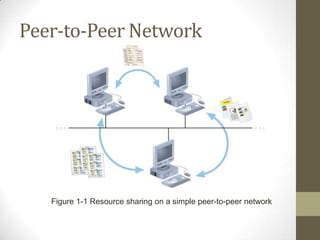
Peer-to-Peer NetworkFigure 1-1 Resource sharing on a simple peer-to-peer network
Client/Server NetworksFigure 1-2 Resource sharing on a client/server network
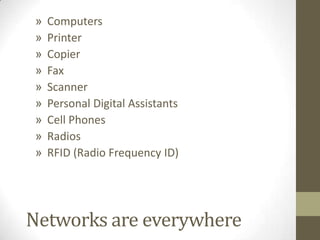
ComputersPrinterCopierFaxScannerPersonal Digital AssistantsCell PhonesRadiosRFID (Radio Frequency ID)Networks are everywhere
IntroductionToday people are often linked by wires or air (wireless) carrying voice and computer signals via the telephone system.
Data communications dominate the world.
Computer Network: The linkage of computer systems by means of communication lines or channels (e.g., fiber optic, microwave, satellite, telephone line, 802.11)Computer NetworkAt least two computers need to be connectedCopper
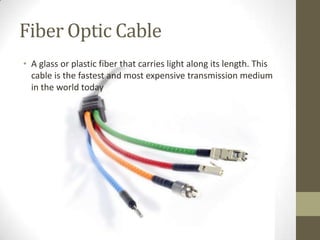
Fiber Optics
Microwaves
Infrared
SatellitesData CommunicationsData Processing+Telecommunications= Data Communications
Data CommunicationElectronic transfer of information from one computer to another.DataTextPicturesGraphicsVideoVoice
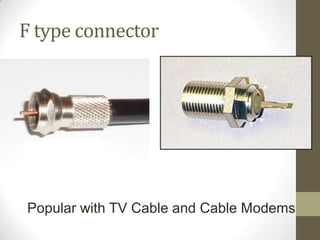
Network Components (Examples) Introduction1-12LinksInterfacesSwitches/routersEthernet cardLarge routerFibersWireless cardCoaxial CableSwitch
Why network?Resource sharing
Files, Applications, Printer, Fax
Communication Medium
Email, Collaboration, videoconferencing
E-business
Supply-chain, inventory, B2CBusiness Applications of NetworksA network with two clients and one server.
Business Applications of Networks (2)The client-server model involves requests and replies.
Home Network ApplicationsAccess to remote information
Person-to-person communication
Interactive entertainment
Electronic commerceCommunication Lines/ChannelsFiber opticMicrowaveSatelliteTelephone Line etc.
Impact of Data CommunicationsIt enables information to be accessed and transmitted quickly.Automatic Data Collection or Polling (i.e. Chuck E. Cheese) –menu update, get info from POSIt allows the storing of information in a centralized database that may be shared by a few users in a small computer network or by thousands of users in a large computer network.It facilitates centralized management and decentralized operations (e.g., restaurant chain).
Impact of Data CommunicationsIt links business processes performed by independent computer systems to improve organizational efficiency and effectivenessIt links a business to its customersCommunication devices, such as cell phones, personal digital assistants, etc.
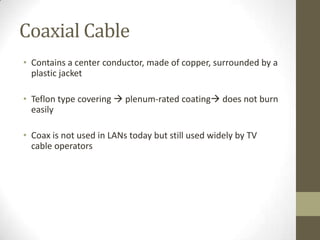
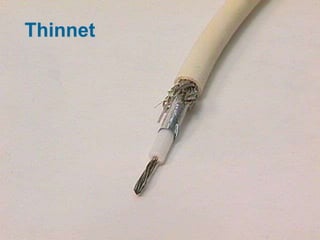
Local Area NetworkLAN is linkage of computers in a specific geographical area (usually within an office or building) such as in hotels, restaurants, or country clubs using transmission medium such as twisted pair wire or coaxial cable.
Why Local Area Network (LAN)?Increased processing and transfer requirements in many graphics-intensive applications now require significantly higher transfer rates (data, audio, image, video)Decreased cost of storage space leads to program and file bloat, increased need for transfer capacityWatch this video
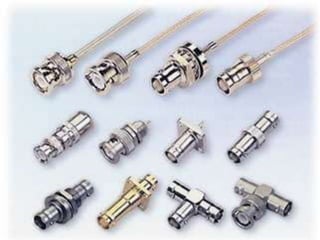
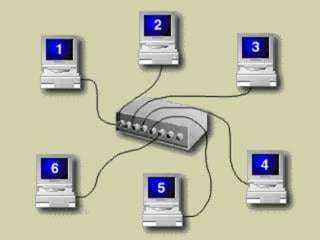
Basic LAN HardwareComputers/Server(s)ResourcesCablesConnectors (Hubs)Network Interface Cards (Ethernet)        ADVANCEDBridgesRouters
Full versus half duplexHalf duplex: communication can happen in both directions but one at a time (like walkie-talkie)Full duplex: communication can happen in both directions at the same time (like a phone)
ClientIs any network entity that can request resources from the network. Workstations can be clients but not all clients are workstationsFor example, a printer can request resources from the network, it is a client, not a workstation.
ServerA computer that provides resources to the clients on the network.Servers are typically powerful computers
Switch
Hub vs. SwitchHub—sends signals to all computers connectedSwitch– sends signals to intended computer(s)
LANs shareFiles (databases)Resources (Printers, fax)Programs (Fidelio, MS Office)Working togetherCommunication
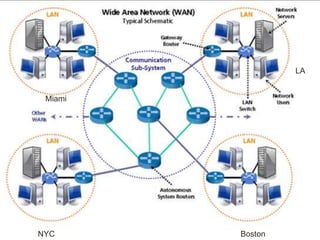
WAN (Wide Area Network ) Communications HardwareWAN=Connection of at least two LANsDown-line processor/ MultiplexerFront-end ProcessorPBX(Private Branch Exchange)Watch Video
WAN Connection TypesPrivate Lines
Frame Relay
Dial-Up
Satellite
Down Line Processor or Multiplexer
Front-end Processor
PBX Switchboard
Shared Lines
DSL
CableWAN in HospitalityGlobal Reservation SystemCentral Reservation SystemProperty Management System
LAMiamiNYCBoston
Hotel Marriott MiamiHotel Marriott NYC Dial-up (max 56Kbps)
ISDN (128Kbps)
DSL (1.5Mbps)
Cable (3.5Mbps)Shared Connection
Hotel Marriott MiamiHotel Marriott NYCT-1 (1.5Mbps)
Frame Relay (1.5Mbps)
T-3 (43Mbps)
OC3 (155Mbps)
ATM (622Mbps)Dedicated Connection
Hotel Marriott NYC802.11b (11Mbps)
802.11g (54Mbps)
802.11a (54Mbps)
802.11n (<100Mbps)WLAN -Dedicated / Shared Connection
A Small LAN
Wireless LANAdvantagesWireless LANs are simple to set up. It literally can take 10 minutes for a simple wireless network to be setup.Wireless LANs are cheap to create.When it is not possible to wire, Wireless LANs come into rescue.DisadvantagesSecurity is the biggest down side of wireless LANs.
HP ServerIBM Server
Network Hardware: RepeatersExtend the length of transmission media
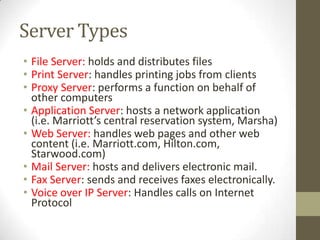
Server TypesFile Server: holds and distributes filesPrint Server: handles printing jobs from clientsProxy Server: performs a function on behalf of other computersApplication Server: hosts a network application (i.e. Marriott’s central reservation system, Marsha)Web Server: handles web pages and other web content (i.e. Marriott.com, Hilton.com, Starwood.com)Mail Server: hosts and delivers electronic mail.Fax Server: sends and receives faxes electronically.Voice over IP Server: Handles calls on Internet Protocol

Chapter 4