BASICS OF INTERNET, INTRANET, E-MAIL,
AUDIO AND VIDEO-CONFERENCING.
Megha V
Research Scholar
Kannur University
Internet
 The Internet is a worldwide, publicly accessible series of interconnected computer
networks that transmit data.
 It is a "network of networks" that consists of millions of smaller domestic, academic,
business, and government networks, which together carry various information and
services, such as electronic mail, online chat, file transfer, and the interlinked Web
pages and other documents of the World Wide Web (www).
 It was conceived by the Advanced Research Projects Agency (ARPA) of the U.S.
government in 1969 and was first known as the ARPANet.
Services
• Email
• Web-enabled audio/video conferencing services
• Online movies and gaming
• Data transfer/file-sharing, often through File Transfer Protocol (FTP)
• Instant messaging
• Internet forums
• Social networking
• Online shopping
• Financial services
Intranet
 An intranet is a secure and private enterprise network that shares data or application
resources via Internet Protocol (IP). An Intranet differs from the internet, which is a
public network.
 The term can also be defined as a secure local network where employees collaborate,
find company information, create content, and manage tasks and events.
 It is designed for internal communications.
 It is a multifunctional tool that works as a website, communications channel, and
collaboration platform.
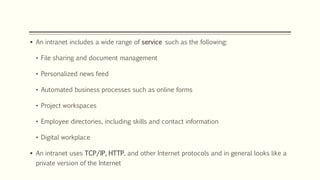
 An intranet includes a wide range of service such as the following:
• File sharing and document management
• Personalized news feed
• Automated business processes such as online forms
• Project workspaces
• Employee directories, including skills and contact information
• Digital workplace
 An intranet uses TCP/IP, HTTP, and other Internet protocols and in general looks like a
private version of the Internet
Advantages of intranet:
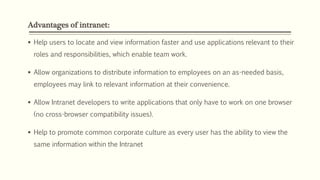
 Help users to locate and view information faster and use applications relevant to their
roles and responsibilities, which enable team work.
 Allow organizations to distribute information to employees on an as-needed basis,
employees may link to relevant information at their convenience.
 Allow Intranet developers to write applications that only have to work on one browser
(no cross-browser compatibility issues).
 Help to promote common corporate culture as every user has the ability to view the
same information within the Intranet
Extranet
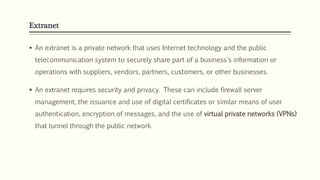
 An extranet is a private network that uses Internet technology and the public
telecommunication system to securely share part of a business's information or
operations with suppliers, vendors, partners, customers, or other businesses.
 An extranet requires security and privacy. These can include firewall server
management, the issuance and use of digital certificates or similar means of user
authentication, encryption of messages, and the use of virtual private networks (VPNs)
that tunnel through the public network.
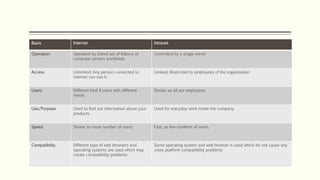
Basis Internet Intranet
Operation. Operated by linked set of billions of
computer servers worldwide.
Controlled by a single server
Access Unlimited; Any person connected to
internet can use it.
Limited; Restricted to employees of the organization
Users Different kind if users with different
needs.
Similar as all are employees
Use/Purpose Used to find out information about your
products
Used for everyday work inside the company
Speed Slower as more number of users. Fast, as few numbers of users.
Compatibility Different type of web browsers and
operating systems are used which may
create compatibility problems.
Same operating system and web browser is used which do not cause any
cross platform compatibility problems
Internet Information Services (IIS)
 IIS is a web server that runs on the Microsoft .NET platform on the Windows OS.
What Is a Web Server?
 A web server is a process for hosting web applications. The web server allows an
application to process messages that arrive through specific TCP ports (by default).
For example, the default port for HTTP traffic is 80, and the one for HTTPS is 443.
 Versions of IIS
 IIS has evolved along with Microsoft Windows. Early versions of IIS arrived with
Windows NT. IIS 1.0 appeared with Windows NT 3.51, (Windows Server 2012 R2 uses
IIS 8.5). And IIS 10 arrived with Windows Server 2016 and Windows 10
WWW
 The World Wide Web (abbreviated as WWW or W3, and commonly known as the
Web) is a system of interlinked hypertext documents accessed via the Internet.
 With a web browser, one can view web pages that may contain text, images, videos,
and other multimedia and navigate between them via hyperlinks.
 It was initiated at CERN (the European Organization for Nuclear Research)by Tim
Berners-Lee.
Web Page
 A document on the World Wide Web, consisting of an HTML/PHP/ASPX file and any
related files for scripts and graphics, and often hyperlinked to other documents on
the Web.
 The content of web pages is normally accessed by using a browser.
Web Sites
 Information on the Web is displayed in pages. These pages are written in a
standard language called HTML (Hyper Text Markup Language) which describes how
the information should be displayed.
 Pages also include hypertext links which allow users to jump to other related
information.
 Hypertext is usually underlined and in a different color and can include individual
words, sentences, or even graphics.
 A Web site is a collection of related Web pages with a common Web address.
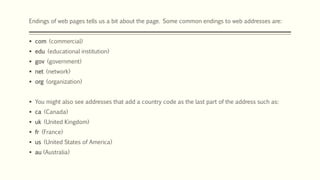
Endings of web pages tells us a bit about the page. Some common endings to web addresses are:
 com (commercial)
 edu (educational institution)
 gov (government)
 net (network)
 org (organization)
 You might also see addresses that add a country code as the last part of the address such as:
 ca (Canada)
 uk (United Kingdom)
 fr (France)
 us (United States of America)
 au (Australia)
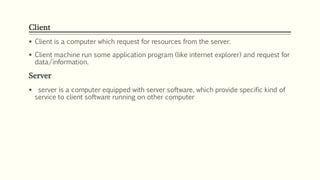
Client
 Client is a computer which request for resources from the server.
 Client machine run some application program (like internet explorer) and request for
data/information.
Server
 server is a computer equipped with server software, which provide specific kind of
service to client software running on other computer
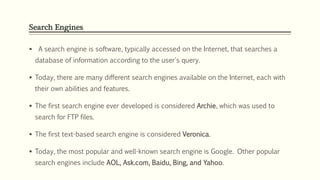
Search Engines
 A search engine is software, typically accessed on the Internet, that searches a
database of information according to the user's query.
 Today, there are many different search engines available on the Internet, each with
their own abilities and features.
 The first search engine ever developed is considered Archie, which was used to
search for FTP files.
 The first text-based search engine is considered Veronica.
 Today, the most popular and well-known search engine is Google. Other popular
search engines include AOL, Ask.com, Baidu, Bing, and Yahoo.
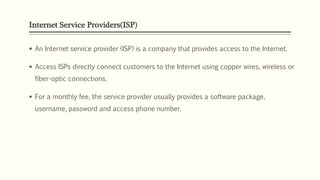
Internet Service Providers(ISP)
 An Internet service provider (ISP) is a company that provides access to the Internet.
 Access ISPs directly connect customers to the Internet using copper wires, wireless or
fiber-optic connections.
 For a monthly fee, the service provider usually provides a software package,
username, password and access phone number.
e-mail
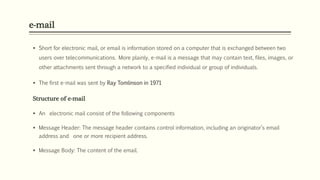
 Short for electronic mail, or email is information stored on a computer that is exchanged between two
users over telecommunications. More plainly, e-mail is a message that may contain text, files, images, or
other attachments sent through a network to a specified individual or group of individuals.
 The first e-mail was sent by Ray Tomlinson in 1971
Structure of e-mail
 An electronic mail consist of the following components
 Message Header: The message header contains control information, including an originator’s email
address and one or more recipient address.
 Message Body: The content of the email.
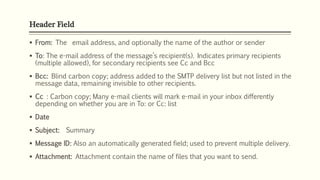
Header Field
 From: The email address, and optionally the name of the author or sender
 To: The e-mail address of the message’s recipient(s). Indicates primary recipients
(multiple allowed), for secondary recipients see Cc and Bcc
 Bcc: Blind carbon copy; address added to the SMTP delivery list but not listed in the
message data, remaining invisible to other recipients.
 Cc : Carbon copy; Many e-mail clients will mark e-mail in your inbox differently
depending on whether you are in To: or Cc: list
 Date
 Subject: Summary
 Message ID: Also an automatically generated field; used to prevent multiple delivery.
 Attachment: Attachment contain the name of files that you want to send.
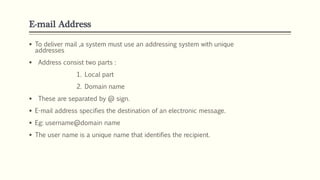
E-mail Address
 To deliver mail ,a system must use an addressing system with unique
addresses
 Address consist two parts :
1. Local part
2. Domain name
 These are separated by @ sign.
 E-mail address specifies the destination of an electronic message.
 Eg: username@domain name
 The user name is a unique name that identifies the recipient.

Basics of internet, intranet, e mail,

  • 1.
    BASICS OF INTERNET,INTRANET, E-MAIL, AUDIO AND VIDEO-CONFERENCING. Megha V Research Scholar Kannur University
  • 2.
    Internet  The Internetis a worldwide, publicly accessible series of interconnected computer networks that transmit data.  It is a "network of networks" that consists of millions of smaller domestic, academic, business, and government networks, which together carry various information and services, such as electronic mail, online chat, file transfer, and the interlinked Web pages and other documents of the World Wide Web (www).  It was conceived by the Advanced Research Projects Agency (ARPA) of the U.S. government in 1969 and was first known as the ARPANet.
  • 3.
    Services • Email • Web-enabledaudio/video conferencing services • Online movies and gaming • Data transfer/file-sharing, often through File Transfer Protocol (FTP) • Instant messaging • Internet forums • Social networking • Online shopping • Financial services
  • 4.
    Intranet  An intranetis a secure and private enterprise network that shares data or application resources via Internet Protocol (IP). An Intranet differs from the internet, which is a public network.  The term can also be defined as a secure local network where employees collaborate, find company information, create content, and manage tasks and events.  It is designed for internal communications.  It is a multifunctional tool that works as a website, communications channel, and collaboration platform.
  • 5.
     An intranetincludes a wide range of service such as the following: • File sharing and document management • Personalized news feed • Automated business processes such as online forms • Project workspaces • Employee directories, including skills and contact information • Digital workplace  An intranet uses TCP/IP, HTTP, and other Internet protocols and in general looks like a private version of the Internet
  • 6.
    Advantages of intranet: Help users to locate and view information faster and use applications relevant to their roles and responsibilities, which enable team work.  Allow organizations to distribute information to employees on an as-needed basis, employees may link to relevant information at their convenience.  Allow Intranet developers to write applications that only have to work on one browser (no cross-browser compatibility issues).  Help to promote common corporate culture as every user has the ability to view the same information within the Intranet
  • 7.
    Extranet  An extranetis a private network that uses Internet technology and the public telecommunication system to securely share part of a business's information or operations with suppliers, vendors, partners, customers, or other businesses.  An extranet requires security and privacy. These can include firewall server management, the issuance and use of digital certificates or similar means of user authentication, encryption of messages, and the use of virtual private networks (VPNs) that tunnel through the public network.
  • 8.
    Basis Internet Intranet Operation.Operated by linked set of billions of computer servers worldwide. Controlled by a single server Access Unlimited; Any person connected to internet can use it. Limited; Restricted to employees of the organization Users Different kind if users with different needs. Similar as all are employees Use/Purpose Used to find out information about your products Used for everyday work inside the company Speed Slower as more number of users. Fast, as few numbers of users. Compatibility Different type of web browsers and operating systems are used which may create compatibility problems. Same operating system and web browser is used which do not cause any cross platform compatibility problems
  • 9.
    Internet Information Services(IIS)  IIS is a web server that runs on the Microsoft .NET platform on the Windows OS. What Is a Web Server?  A web server is a process for hosting web applications. The web server allows an application to process messages that arrive through specific TCP ports (by default). For example, the default port for HTTP traffic is 80, and the one for HTTPS is 443.  Versions of IIS  IIS has evolved along with Microsoft Windows. Early versions of IIS arrived with Windows NT. IIS 1.0 appeared with Windows NT 3.51, (Windows Server 2012 R2 uses IIS 8.5). And IIS 10 arrived with Windows Server 2016 and Windows 10
  • 10.
    WWW  The WorldWide Web (abbreviated as WWW or W3, and commonly known as the Web) is a system of interlinked hypertext documents accessed via the Internet.  With a web browser, one can view web pages that may contain text, images, videos, and other multimedia and navigate between them via hyperlinks.  It was initiated at CERN (the European Organization for Nuclear Research)by Tim Berners-Lee.
  • 11.
    Web Page  Adocument on the World Wide Web, consisting of an HTML/PHP/ASPX file and any related files for scripts and graphics, and often hyperlinked to other documents on the Web.  The content of web pages is normally accessed by using a browser.
  • 12.
    Web Sites  Informationon the Web is displayed in pages. These pages are written in a standard language called HTML (Hyper Text Markup Language) which describes how the information should be displayed.  Pages also include hypertext links which allow users to jump to other related information.  Hypertext is usually underlined and in a different color and can include individual words, sentences, or even graphics.  A Web site is a collection of related Web pages with a common Web address.
  • 13.
    Endings of webpages tells us a bit about the page. Some common endings to web addresses are:  com (commercial)  edu (educational institution)  gov (government)  net (network)  org (organization)  You might also see addresses that add a country code as the last part of the address such as:  ca (Canada)  uk (United Kingdom)  fr (France)  us (United States of America)  au (Australia)
  • 14.
    Client  Client isa computer which request for resources from the server.  Client machine run some application program (like internet explorer) and request for data/information. Server  server is a computer equipped with server software, which provide specific kind of service to client software running on other computer
  • 15.
    Search Engines  Asearch engine is software, typically accessed on the Internet, that searches a database of information according to the user's query.  Today, there are many different search engines available on the Internet, each with their own abilities and features.  The first search engine ever developed is considered Archie, which was used to search for FTP files.  The first text-based search engine is considered Veronica.  Today, the most popular and well-known search engine is Google. Other popular search engines include AOL, Ask.com, Baidu, Bing, and Yahoo.
  • 16.
    Internet Service Providers(ISP) An Internet service provider (ISP) is a company that provides access to the Internet.  Access ISPs directly connect customers to the Internet using copper wires, wireless or fiber-optic connections.  For a monthly fee, the service provider usually provides a software package, username, password and access phone number.
  • 17.
    e-mail  Short forelectronic mail, or email is information stored on a computer that is exchanged between two users over telecommunications. More plainly, e-mail is a message that may contain text, files, images, or other attachments sent through a network to a specified individual or group of individuals.  The first e-mail was sent by Ray Tomlinson in 1971 Structure of e-mail  An electronic mail consist of the following components  Message Header: The message header contains control information, including an originator’s email address and one or more recipient address.  Message Body: The content of the email.
  • 18.
    Header Field  From:The email address, and optionally the name of the author or sender  To: The e-mail address of the message’s recipient(s). Indicates primary recipients (multiple allowed), for secondary recipients see Cc and Bcc  Bcc: Blind carbon copy; address added to the SMTP delivery list but not listed in the message data, remaining invisible to other recipients.  Cc : Carbon copy; Many e-mail clients will mark e-mail in your inbox differently depending on whether you are in To: or Cc: list  Date  Subject: Summary  Message ID: Also an automatically generated field; used to prevent multiple delivery.  Attachment: Attachment contain the name of files that you want to send.
  • 19.
    E-mail Address  Todeliver mail ,a system must use an addressing system with unique addresses  Address consist two parts : 1. Local part 2. Domain name  These are separated by @ sign.  E-mail address specifies the destination of an electronic message.  Eg: username@domain name  The user name is a unique name that identifies the recipient.

Editor's Notes

  • #2 NOTE: Want a different image on this slide? Select the picture and delete it. Now click the Pictures icon in the placeholder to insert your own image.