Information
Communication
Technology
Cont…
Basics of ICT
When computer and communications
technologies are combined, the
result is Information and
Communications Technology
Communications Technology—An important
part of ICT
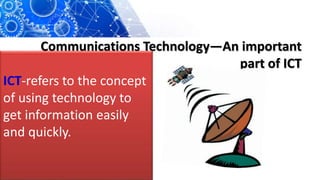
ICT-refers to the concept
of using technology to
get information easily
and quickly.
Cont…
ICT-concept merges computing with high-
speed communication links, carrying
data, sound and video.
Example:- telephones, televisions,
appliances, and various hand held
devices.
COMPONENTS OF ICT
ICT- refers to technologies that provide access to
information through telecommunications. It is similar to
Information Technology (IT), but focuses primarily on
communication technologies. Includes
Internet
wireless networks,
cell phones, and other communication media.
Cont…
Modern ICT have created a
“global village”, in which
people can communicate with
others across the world, as if
they were living next door.
Cont…
What is an ICT System?
An ICT system is a set-up
consisting of hardware +
software + data+ people=ICT
system.
Cont…
ICT and computers are not the same
thing.
Computers are the hardware that is
often part of an ICT system.
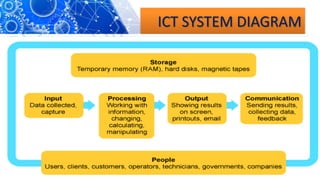
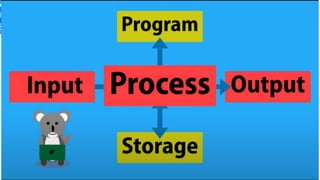
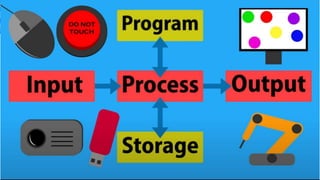
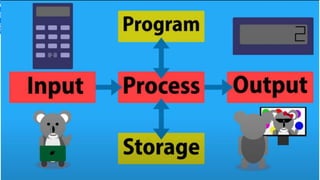
Input, Output and System Diagrams
What comes out of an ICT system is largely
dependent on what you put into the system
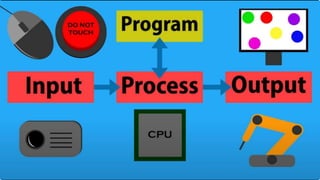
ICT systems work by taking inputs (instructions
and data), processing them and producing
outputs that
are stored

Cont…
Cont…
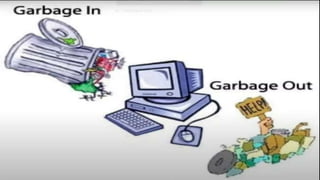
Garbage In,
Garbage Out
(GIGO)
Cont..
ICT systems cannot
function properly if the
inputs are inaccurate.
Cont…
they will either not be able to
process the data at all, or will
output data which is
erroneous or useless.
Cont…
Garbage In, Garbage
Out (GIGO)
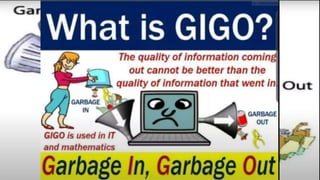
What is GIGO?
Cont…
Garbage In, Garbage
Out (GIGO)
What is GIGO?
Cont…
• (Garbage In Garbage Out) "Bad
input produces bad output."
Data entry is critical. All possible
tests should be made on data
entered into a computer.
Cont…
is all about why validation is
needed and why accurate
data is valuable.
ICT SYSTEM DIAGRAM
ICT SYSTEM DIAGRAM
ICT SYSTEM DIAGRAM
ICT SYSTEM DIAGRAM
ICT SYSTEM DIAGRAM
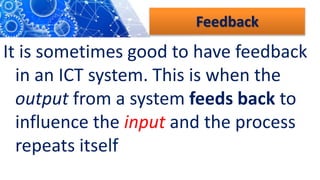
Feedback
It is sometimes good to have feedback
in an ICT system. This is when the
output from a system feeds back to
influence the input and the process
repeats itself
Methods used for input to and
output from ICT systems vary a
lot. , you should be familiar
with examples of input and
output formats.
For example,
digital cameras to take digital
photographs, scanners to digitize
images for use on a computer, or DVD
players for video playback—so the
correct devices are needed in order to
work with each media format
Cont…
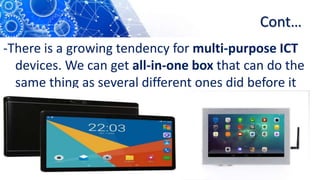
-There is a growing tendency for multi-purpose ICT
devices. We can get all-in-one box that can do the
same thing as several different ones did before it
Cont…
-There is a growing tendency for multi-purpose ICT
devices. We can get all-in-one box that can do the
same thing as several different ones did before it
Cont…
-There is a growing tendency for multi-purpose ICT
devices. We can get all-in-one box that can do the
same thing as several different ones did before it
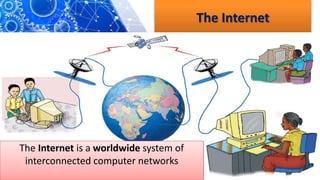
The Internet
The Internet is a worldwide system of
interconnected computer networks
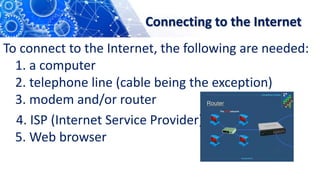
Connecting to the Internet
To connect to the Internet, the following are needed:
1. a computer
2. telephone line (cable being the exception)
3. modem and/or router
4. ISP (Internet Service Provider)
5. Web browser
Connecting to the Internet
To connect to the Internet, the following are needed:
1. a computer
2. telephone line (cable being the exception)
3. modem and/or router
4. ISP (Internet Service Provider)
5. Web browser
Connecting to the Internet
To connect to the Internet, the following are needed:
1. a computer
2. telephone line (cable being the exception)
3. modem and/or router
4. ISP (Internet Service Provider)
5. Web browser
Intranet
-An intranet is a network that works like
the Internet but is only available within a
particular organization, not to the public.
- An intranet have web pages used to
share company specific data within that
company.
Cont…
An example of an intranet is a website that is
exclusively used by an airline company to
deliver updates and information to its
workforce. An intranet software allows
companies to build a private, secure network
that can only be accessed by that company's
employees
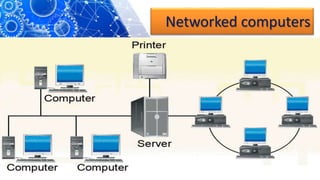
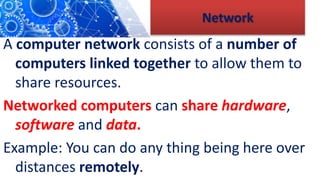
Network
A computer network consists of a number of
computers linked together to allow them to
share resources.
Networked computers can share hardware,
software and data.
Example: You can do any thing being here over
distances remotely.
Cont…
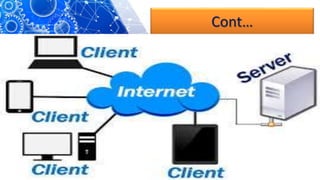
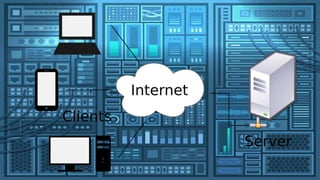
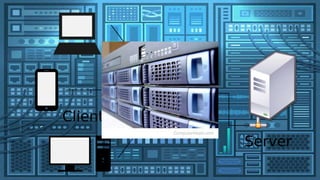
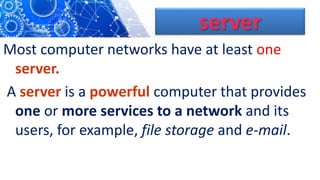
server
Most computer networks have at least one
server.
A server is a powerful computer that provides
one or more services to a network and its
users, for example, file storage and e-mail.
Networked computers
Cont…
Cont…
Cont…
Cont…
Cont…
A server is a computer or system
that provides resources, data,
services, or programs to other
computers, known as clients, over
a network.
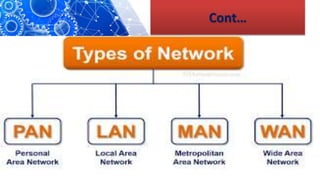
Types of Networks
Based on Geographical area coverage
There are two types of network:-
1.Local Area Network (LAN)
2.Wide Area Network (WAN).
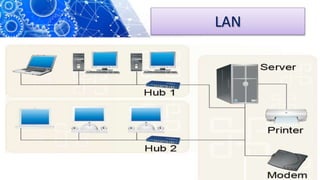
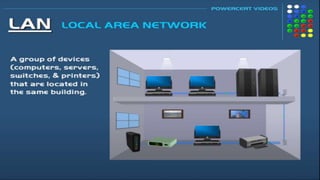
Local Area Network (LAN)
-covers a small area such as one
site or building, e.g., a school or a
university campus.
A school network is usually a LAN.
Local Area Network (LAN)
is a computer network that
interconnects computers within a
limited area such as a residence,
school, laboratory, university
campus or office building.
LAN
LAN
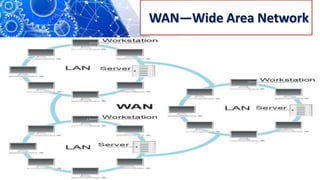
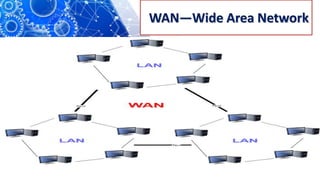
Wide Area Network (WAN)
-covers a large geographical
area.
-Most WANs are made from
several LANs connected
together.
Wide Area Network (WAN)
WAN is a large network of information that is
not tied to a single location. WANs can
facilitate communication, the sharing of
information and much more between devices
from around the world through
a WANprovider.
WAN—Wide Area Network
Cont…
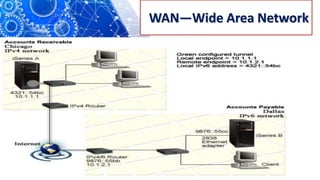
Important points about WANs.
1. The Internet is a WAN.
2. A network of bank cash dispensers is a WAN.
3. LANs are often connected to WANs, for
example, a school or college network could be
connected to the Internet.
4. WANs can be connected together using the
Internet, leased lines or satellite links
Cont…
The main components of
ICT are computer and
communication
networks.
YOUR TEACHER MESSAGE
CHARACTERISTICS
OF VALUABLE
INFORMATION
Cont…
All the information is
not helpful to a
business or an
organization
In order
for information
to be valuable
1. Accurate.
Accurate
information is
free from error.
2. Complete.
Complete information
contains all of the
important facts.
3. Economical.
Information should be
relatively
inexpensive to produce.
4. Flexible
Flexible information can be
used for a variety of
purposes, not just one.
5. Reliable.
Reliable information is
dependable
information.
6. Relevant.
Relevant information is
important to the
decision-maker.
7. Simple.
Information should be
simple to find and
understand.
8. Timely.
Timely information is
readily available
when needed.
9. Verifiable.
Verifiable information can
be checked to make
sure it is accurate.
COMPUTER
SYSTEM
What is
computer
system?
Cont…
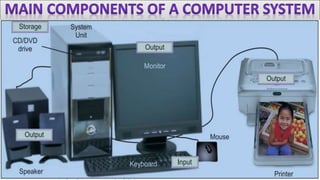
A computer system is a set of
integrated devices that input,
output, process, and store data and
information.
use of computers has increased rapidly
that we can no longer ignore them.
is an electronic device that can
accept, store and process
data under the control of a
set of instructions.
What is a Computer?
is an electronic device that can
accept, store and process
data under the control of a
set of instructions.
What is a Computer?
Cont…
Computer cannot
perform any task
on its own.
Cont…
Computer do not have the
potential to work out
alternative solutions.
ኮምፕዩተር አማራጭ መፍትሄዎችን የመፍጠር አቅም የለውም ፡፡
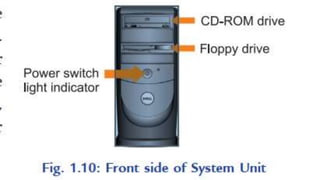
System Unit is
called a case.
Major System unit components
.
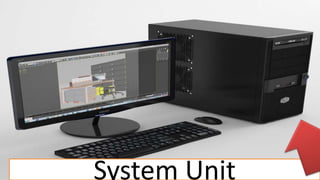
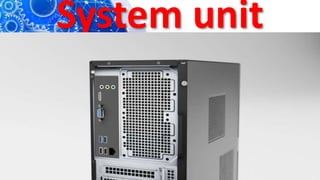
System Unit
System unit
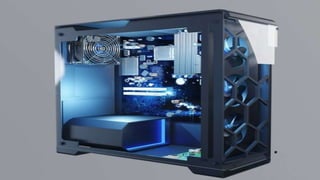
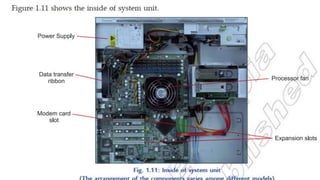
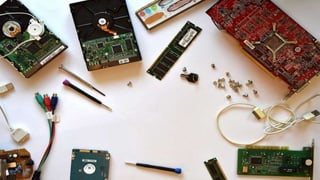
It is a box that houses the
motherboard (into which processor
and RAM chips are plugged), power
supply, as well as secondary storage
(Flash, CD, DVD, ..)
System unit
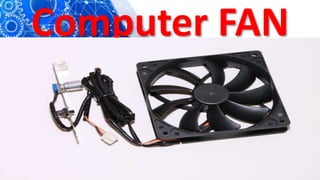
Computer FAN
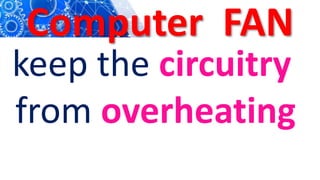
Computer FAN
keep the circuitry
from overheating
System unit
System unit
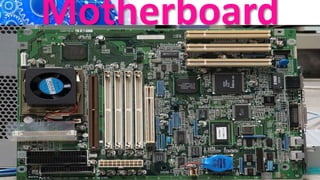
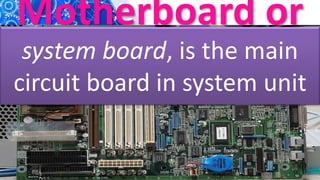
Motherboard
Motherboard or
unit
system board, is the main
circuit board in system unit
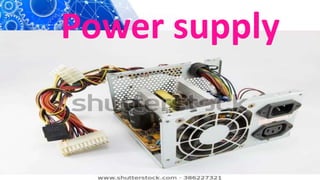
Power supply
Power supply
is a device that
converts AC to DC to
run the computer.
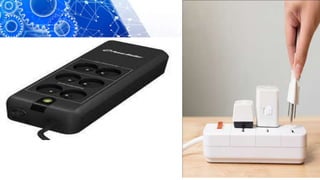
POWER
PROTECTION
DEVICE
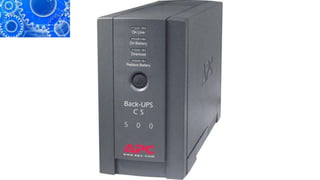
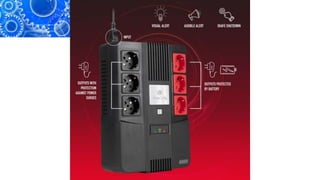
A UPS (Uninterruptible Power
Supply) is a battery-operated
device that provides a
computer with electricity if
there is a power failure.
The UPS will keep a computer going for
5 to 30 minutes or more. It goes into
operation as soon as the power to your
computer fails. It also stabilizes any
sudden fluctuation in the power supply
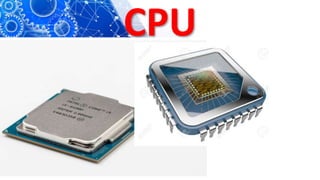
CPU
CPU
CPU
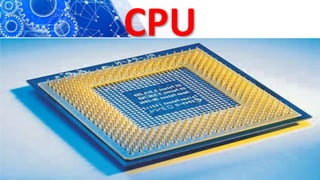
portion of a computer
that retrieves and
executes instructions.
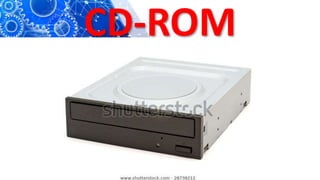
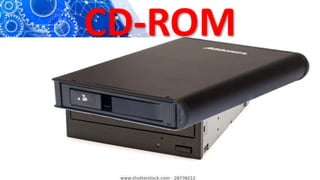
CD-ROM
CD-ROM
Read data from
optical disks
CD-ROM
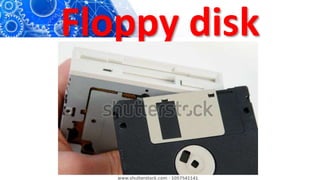
Floppy disk
RAM
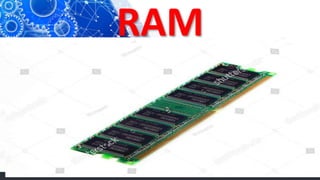
RAM
temporary data storage
space that
a computer needs to
access right now
RAM
Is volatile—the contents
are lost when the power
goes off or is turned off.
RAM
-working memory of the computer.
-Having enough RAM is critical for
the user to run many software
programs.
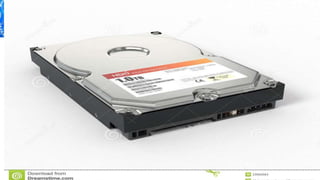
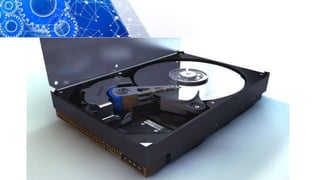
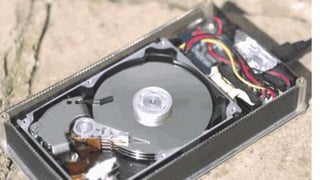
Hard Disk
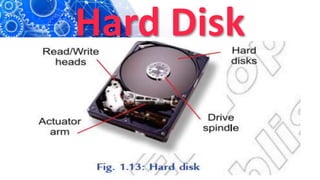
Hard Disk
Record and store
information
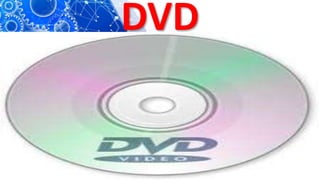
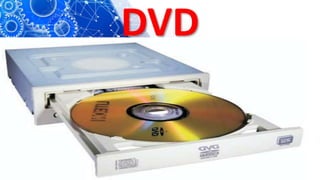
DVD
Digital Versatile Disk
-used for storing digital data.
Has a larger capacity than CD
DVD
DVD
Memory
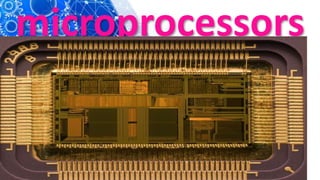
kinds of chips known as
microprocessors. But other
silicon chips called
memory chips are attached to the
motherboard.
microprocessors
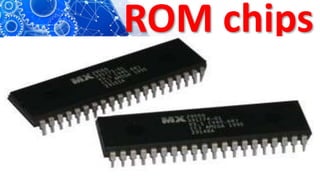
ROM chips
To store fixed start-
up instructions
ROM chips
ROM chips
cannot be written
upon or erased by
the computer user
ROM Chips
Loaded at the
factory
Cont…
containing special
instructions for basic
computer operations
Cont…
start the computer
(BIOS) or put characters
on the screen.
Cont…
non-volatile; their
contents are not lost
when power to the
computer is turned off.
Cont…
In computer terminology read
means to transfer data from
an input source into the
computer’s memory
or CPU .
Cont…
Write—to transfer data
from the computer’s CPU
or memory to an output
device
a ROM chip
, read-only means that the CPU can
retrieve programs from the ROM
chip but cannot modify or add to
those programs.
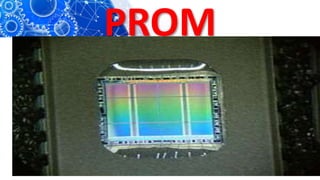
PROM
(Programmable Read Only Memory),
which is a ROM chip that allows you,
the user, to load read-only programs
and data. However, this can be done
only once.
PROM
Is type of ROM
(read-only memory)
PROM
PROM
permanent and cannot be
changed. PROMs are used in
digital electronic devices to
store permanent data
ROM vs PROM
The key difference from a
standard ROM is that the data is
written into a ROM during
manufacture, while with a PROM the
data is programmed into them after
manufacture.
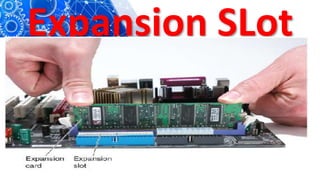
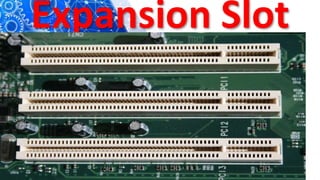
SLOTS
Motherboard has expansion slots —for
expanding the PC’s capabilities—which
give you places to plug in additional
circuit boards, such as those for video,
sound and communications (modem).
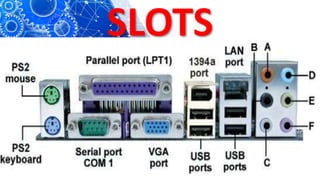
SLOTS
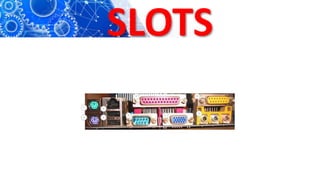
SLOTS
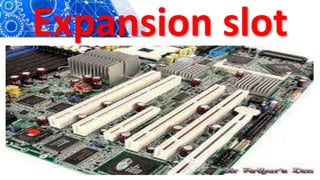
Expansion slot
Expansion SLot
Expansion Slot
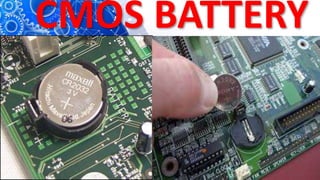
CMOS Battery
A battery that maintains the time,
date, hard disk and other
configuration settings in the
CMOS (Complementary Metal
Oxide Semiconductor) memory.
CMOS
batteries are small and
attached directly to
the motherboard.
CMOS BATTERY
MEMORY
CAPACITY
AND COMUTER
SPEED
Memory
is a part of the computer
that holds data and
instructions for
processing
A computer system’s
storage capacity is
represented by bytes,
kilobytes, megabytes,
gigabytes and terabytes.
The computer
speed(CPU)
is measured in
gigahertz (GHz).
MEMORY
CAPACITY
is the maximum or minimum
amount of memory a computer or
hardware device is capable of having or
it is the required amount of memory
for a program to run or execute.
Cont…
The storage capacity
of a computer is
measured in bytes.
1. BIT
Smallest unit of memory.
A bit has the value 0 or 1.
Determined by no voltage
or high voltage
2. BYTE
One byte
means 8-bits.
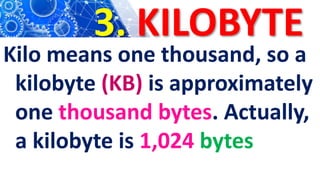
3. KILOBYTE
Kilo means one thousand, so a
kilobyte (KB) is approximately
one thousand bytes. Actually,
a kilobyte is 1,024 bytes
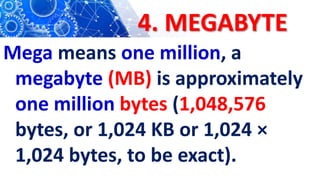
4. MEGABYTE
Mega means one million, a
megabyte (MB) is approximately
one million bytes (1,048,576
bytes, or 1,024 KB or 1,024 ×
1,024 bytes, to be exact).
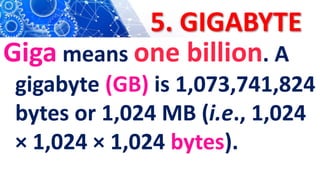
5. GIGABYTE
Giga means one billion. A
gigabyte (GB) is 1,073,741,824
bytes or 1,024 MB (i.e., 1,024
× 1,024 × 1,024 bytes).
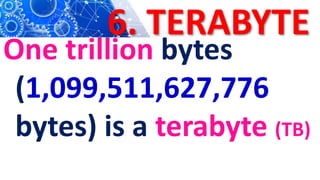
6. TERABYTE
One trillion bytes
(1,099,511,627,776
bytes) is a terabyte (TB)
COMPOUTER SPEED
Means speed of CPU
which is (brain” of a
computer ).
summary
Software or programs
consists of all the electronic
instructions that tell the
computer how to perform a
task
Application software
is a set of programs designed
for specific uses. Example:-
word processing, graphics or
spreadsheet analysis
Application software
can be custom-made
and usually purchased
from a software store
Poplar Application Packages
Word processor
Spreadsheets
DB system
Accounting
packages
DTP packages
Graphic packages
Antivirus software.
Word Processing
software allows you to
create, edit, format,
print, and store text
material.
Cont…
The well known word
processing programs are
Microsoft Word, Writer,
Wordpad, Text Editor and
Star Word
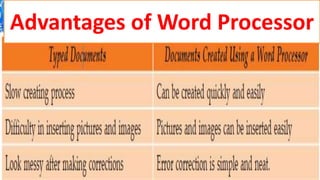
Advantages of Word Processor
Cont..
Creating
Documents
Word processing
software has
three features
1. Cursor
is an indicator used to
show the current position
for user interaction on a
computer monitor
2.Scrolling
action of moving displayed
text or graphics up, down, or
across on a computer screen
in order to view different
parts of them.
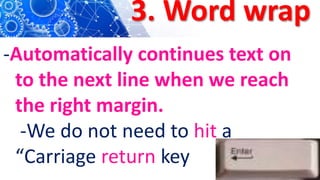
3. Word wrap
-Automatically continues text on
to the next line when we reach
the right margin.
-We do not need to hit a
“Carriage return key
Editing documents
Is to correct mistakes
Features of editing
1. Find and Replace- Command allows us to
find any word
2. Spelling Checkers-compare all words in a
document
3. Grammar Checkers- Check for incomplete
sentences
4. Thesaurus- Alternative word.
Features of editing
Cont…
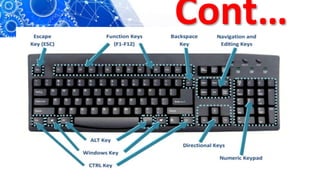
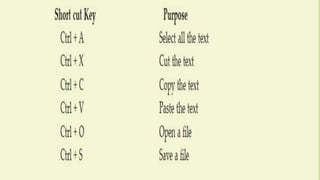
COMPUTER
SHORT CUT KEYS
Cont…
Cont…
Cont…
Formatting
Documents
Cont…
Formats are used to
make a document
both more attractive
and easier to read.
Cont…
Following are a few
apsects of formatting
document amongst
many
Margins
are the white spaces on all four
sides of the text block. They
set off the text and make it
more attractive visually.
Headers and Footers
entered at the top or bottom
of pages to identify sections
orprovide other useful
information.
Numbers
used to set off lists so when
you insert or delete items,
the numbers adjust
automatically.
Bullets:
bullets used to set off
lists where the order is
not important
FONTS
We can use bold, italic,
underline formats to
provide emphasis on
the text.
TABLES
used to present
tabular
materials.
INDENTS
specify how much space
the paragraph should be
indented from the left and
right margins.
PAGE NUMBERS
can be positioned anywhere on
the page and printed in either
Roman numerals (i, ii, iii etc.)
or Arabic numbers (1, 2, 3
etc.)
Cont…
Printing, Faxing or
E-Mailing
Documents
Cont…
Saving
Documents
Cont…
Creating Document
Using a Word
Processor
Cont…
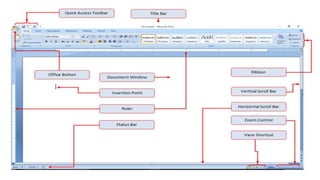
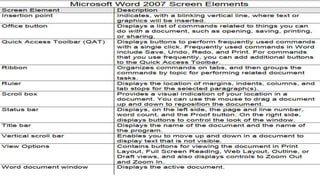
Starting Microsoft
Word 2007
•
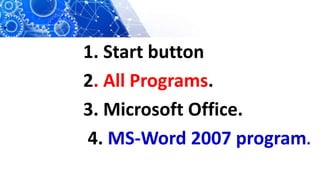
1. Start button
2. All Programs.
3. Microsoft Office.
4. MS-Word 2007 program.
Cont…
Ict g 10 updated
Ict g 10 updated

Ict g 10 updated