Cassandra multi-datacenter operations essentials
Apache: Big Data 2016 - Vancouver, CA
Julien Anguenot (@anguenot)
agenda
• key notions
• configuration and tuning
• tools and operations
• monitoring
• things you need to know
2
this talk covers versions…
• 2.0.x
• 2.1.x
• 2.2.x
• 3.0.x
3
this talk does not cover…
• general Cassandra data modeling
• authentication / authorization
• AWS
• Windows
• versions >= 3.1 and new “tick-tock” release process
• DSE
• and a lot more …
4
iland cloud?
• cloud provider (compliance, advanced security, multi-DC world wide)
• using C*, since version 1.2, as a foundation for our data warehouse
and platform
• cloud analytics (compute, storage, network, etc.)
• “real-time” and historical data
• billing, alerts, user configuration, etc.
• sole record-keeper
• http://www.slideshare.net/anguenot/leveraging-cassandra-for-realtime-
multidatacenter-public-cloud-analytics
• www.iland.com
5
key notions
what is Cassandra?
• distributed partitioned row store
• physical multi-datacenter native support
• tailored (features) for multi-datacenter deployment
7
why multi-datacenter deployments?
• multi-datacenter distributed application
• performances
read / write isolation or geographical distribution
• disaster recovery (DR)
failover and redundancy
• analytics
8
9
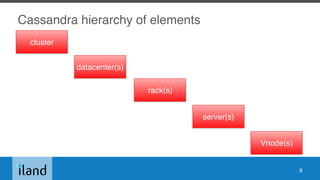
cluster
datacenter(s)
rack(s)
server(s)
Vnode(s)
Cassandra hierarchy of elements
Cassandra cluster
• the sum total of all the servers in your database
throughout all datacenters
• span physical locations
• defines one or more keyspaces
• no cross-cluster replication
10
Cassandra datacenter
• grouping of nodes
• synonymous with replication group
• a grouping of nodes configured together for replication
purposes
• each datacenter contains a complete token ring
• collection of Cassandra racks
11
Cassandra rack
• collection of servers
• at least one (1) rack per datacenter
• one (1) rack is the most simple and common setup
12
Cassandra server
• Cassandra (the software) instance installed on a machine
• AKA node
• contains 256 virtual nodes (or Vnodes) by default
13
Virtual nodes (Vnodes)
• C* >= 1.2
• data storage layer within a server
• tokens automatically calculated and assigned
randomly for all Vnodes
• automatic rebalancing
• no manual token generation and assignment
• default to 256 (num_tokens in cassandra.yaml)
14
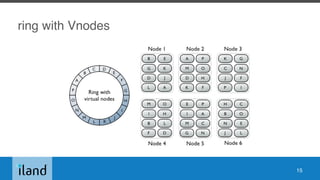
ring with Vnodes
15
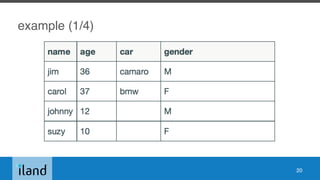
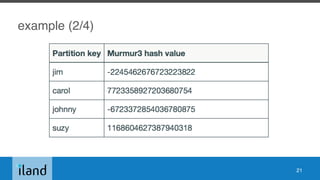
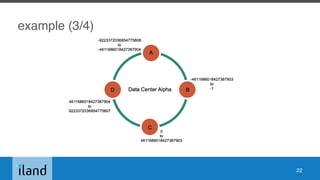
Vnodes and consistent hashing
• allows distribution of data across a cluster
• Cassandra assigns a hash value to each partition key
• each Vnode in the cluster is responsible for a range of
data based on the hash value
• Cassandra places the data on each node according
to the value of the partition key and the range that the
node is responsible for
16
partition
• individual unit of data
• partitions are replicated across multiple Vnodes
• each copy of the partition is called a replica
17
partitioner (1/2)
• partitions the data across the cluster
• function for deriving a token representing a row from
its partition key
• hashing function
• each row of data is then distributed across the cluster by
the value of the token
18
partitioner (2/2)
• Murmur3Partitioner (default C* >= 1.2)

uniformly distributes data across the cluster based on
MurmurHash hash values
• RandomPartitioner (default C* < 1.2)

uniformly distributes data across the cluster based on MD5
hash values
• ByteOrderedPartitioner (BBB)

keeps an ordered distribution of data lexically by key bytes
19
example (1/4)
20
example (2/4)
21
example (3/4)
22
example (4/4)
23
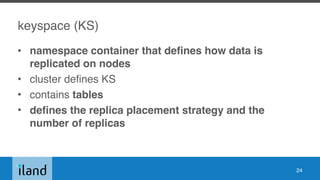
keyspace (KS)
• namespace container that defines how data is
replicated on nodes
• cluster defines KS
• contains tables
• defines the replica placement strategy and the
number of replicas
24
data replication
• process of storing copies (replicas) on multiple nodes
• KS has a replication factor (RF) and replica placement strategy
• max (RF) = max(number of nodes) in one (1) data center
• data replication is defined per datacenter
25
replica placement strategy
there are two (2) available replication strategies:
1. SimpleStrategy (single DC)
2. NetworkTopologyStrategy (recommended cause easier to expand)

choose strategy depending on failure scenarios and application needs
for consistency level
26
Consistency level
• how many nodes must ACK operation at client level?
• tunable consistency at client level
• ANY
• ONE
• ALL
• QUORUM / LOCAL_QUORUM (DC only)
• SERIAL and conditional updates (IF DOES NOT EXIST)
27
local_quorum examples
• nodes=3, RF=3 - can tolerate 1 replica being down
• nodes=5, RF=3 - can tolerate 2 replica being down
• etc.
28
snitch (1/2)
• determines which data centers & racks nodes belong to
• informs Cassandra about the network topology
• effective routing
• replication strategy places the replicas based on
snitch
29
snitch (2/2)
• SimpleSnitch

single DC only
• GossipingPropertySnitch

cassandra-rackdc.properties
• PropertyFileSnitch

cassandra-topology.properties
• RackInferringSnitch

determined by rack and data center, which are 3rd and 2nd octet
of each node’s IP respectively
30
snitch (3/3)
• more deployment specific snitches for EC2, Google,
Cloudstack etc.
31
Gossip
• peer-to-peer communication protocol
• discover and share location and state information about
the other nodes in a Cassandra cluster
• persisted by each node
• nodes exchange state messages on regular basis
32
seed node
• bootstrapping the gossip process for new nodes joining
the cluster
• use the same list of seed nodes for all nodes in a cluster
• include at least one (1) node of each datacenter in seeds
list
33
Essentially, …
• sequential writes in commit log (flat files)
• indexed and written in memtables (in-memory: write-back
cache)
• serialized to disk in a SSTable data file
• writes partitioned and replicated automatically in cluster
• SSTables consolidated though compaction to clean
tombstones
• repairs to ensure consistency cluster wide
34
configuration and tuning
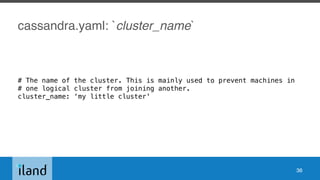
cassandra.yaml: `cluster_name`
# The name of the cluster. This is mainly used to prevent machines in
# one logical cluster from joining another.
cluster_name: ‘my little cluster'
36
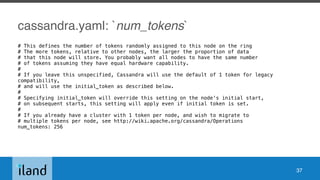
cassandra.yaml: `num_tokens`
# This defines the number of tokens randomly assigned to this node on the ring
# The more tokens, relative to other nodes, the larger the proportion of data
# that this node will store. You probably want all nodes to have the same number
# of tokens assuming they have equal hardware capability.
#
# If you leave this unspecified, Cassandra will use the default of 1 token for legacy
compatibility,
# and will use the initial_token as described below.
#
# Specifying initial_token will override this setting on the node's initial start,
# on subsequent starts, this setting will apply even if initial token is set.
#
# If you already have a cluster with 1 token per node, and wish to migrate to
# multiple tokens per node, see http://wiki.apache.org/cassandra/Operations
num_tokens: 256
37
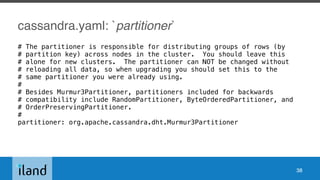
cassandra.yaml: `partitioner`
# The partitioner is responsible for distributing groups of rows (by
# partition key) across nodes in the cluster. You should leave this
# alone for new clusters. The partitioner can NOT be changed without
# reloading all data, so when upgrading you should set this to the
# same partitioner you were already using.
#
# Besides Murmur3Partitioner, partitioners included for backwards
# compatibility include RandomPartitioner, ByteOrderedPartitioner, and
# OrderPreservingPartitioner.
#
partitioner: org.apache.cassandra.dht.Murmur3Partitioner
38
cassandra.yaml: `data_file_directories`
# Directories where Cassandra should store data on disk. Cassandra
# will spread data evenly across them, subject to the granularity of
# the configured compaction strategy.
# If not set, the default directory is $CASSANDRA_HOME/data/data.
data_file_directories:
- /var/lib/cassandra/data
39
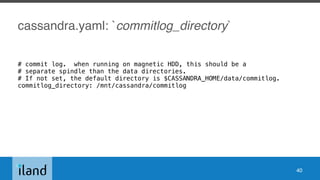
cassandra.yaml: `commitlog_directory`
# commit log. when running on magnetic HDD, this should be a
# separate spindle than the data directories.
# If not set, the default directory is $CASSANDRA_HOME/data/commitlog.
commitlog_directory: /mnt/cassandra/commitlog
40
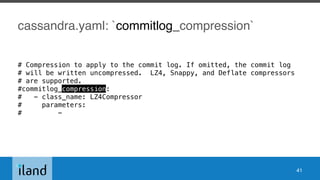
cassandra.yaml: `commitlog_compression`
# Compression to apply to the commit log. If omitted, the commit log
# will be written uncompressed. LZ4, Snappy, and Deflate compressors
# are supported.
#commitlog_compression:
# - class_name: LZ4Compressor
# parameters:
# -
41
cassandra.yaml: `disk_failure_policy`
# policy for data disk failures:
# die: shut down gossip and client transports and kill the JVM for any fs errors or
# single-sstable errors, so the node can be replaced.
# stop_paranoid: shut down gossip and client transports even for single-sstable errors,
# kill the JVM for errors during startup.
# stop: shut down gossip and client transports, leaving the node effectively dead, but
# can still be inspected via JMX, kill the JVM for errors during startup.
# best_effort: stop using the failed disk and respond to requests based on
# remaining available sstables. This means you WILL see obsolete
# data at CL.ONE!
# ignore: ignore fatal errors and let requests fail, as in pre-1.2 Cassandra
disk_failure_policy: stop
42
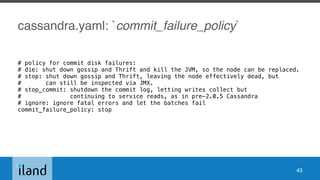
cassandra.yaml: `commit_failure_policy`
# policy for commit disk failures:
# die: shut down gossip and Thrift and kill the JVM, so the node can be replaced.
# stop: shut down gossip and Thrift, leaving the node effectively dead, but
# can still be inspected via JMX.
# stop_commit: shutdown the commit log, letting writes collect but
# continuing to service reads, as in pre-2.0.5 Cassandra
# ignore: ignore fatal errors and let the batches fail
commit_failure_policy: stop
43
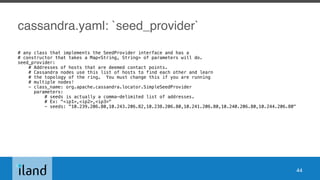
cassandra.yaml: `seed_provider`
# any class that implements the SeedProvider interface and has a
# constructor that takes a Map<String, String> of parameters will do.
seed_provider:
# Addresses of hosts that are deemed contact points.
# Cassandra nodes use this list of hosts to find each other and learn
# the topology of the ring. You must change this if you are running
# multiple nodes!
- class_name: org.apache.cassandra.locator.SimpleSeedProvider
parameters:
# seeds is actually a comma-delimited list of addresses.
# Ex: "<ip1>,<ip2>,<ip3>"
- seeds: "10.239.206.80,10.243.206.82,10.238.206.80,10.241.206.80,10.240.206.80,10.244.206.80"
44
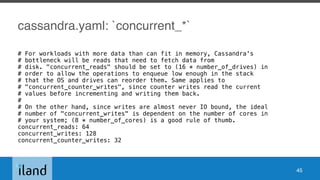
cassandra.yaml: `concurrent_*`
# For workloads with more data than can fit in memory, Cassandra's
# bottleneck will be reads that need to fetch data from
# disk. "concurrent_reads" should be set to (16 * number_of_drives) in
# order to allow the operations to enqueue low enough in the stack
# that the OS and drives can reorder them. Same applies to
# "concurrent_counter_writes", since counter writes read the current
# values before incrementing and writing them back.
#
# On the other hand, since writes are almost never IO bound, the ideal
# number of "concurrent_writes" is dependent on the number of cores in
# your system; (8 * number_of_cores) is a good rule of thumb.
concurrent_reads: 64
concurrent_writes: 128
concurrent_counter_writes: 32
45
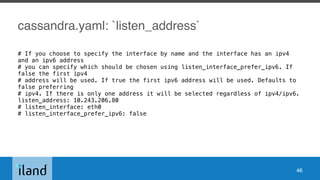
cassandra.yaml: `listen_address`
# If you choose to specify the interface by name and the interface has an ipv4
and an ipv6 address
# you can specify which should be chosen using listen_interface_prefer_ipv6. If
false the first ipv4
# address will be used. If true the first ipv6 address will be used. Defaults to
false preferring
# ipv4. If there is only one address it will be selected regardless of ipv4/ipv6.
listen_address: 10.243.206.80
# listen_interface: eth0
# listen_interface_prefer_ipv6: false
46
cassandra.yaml: `native_transport_port`
# Whether to start the native transport server.
# Please note that the address on which the native transport is bound
is the
# same as the rpc_address. The port however is different and specified
below.
start_native_transport: true
# port for the CQL native transport to listen for clients on
# For security reasons, you should not expose this port to the
internet. Firewall it if needed.
native_transport_port: 9042
47
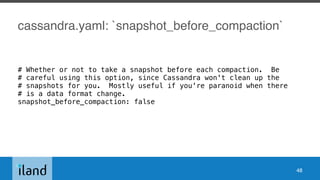
cassandra.yaml: `snapshot_before_compaction`
# Whether or not to take a snapshot before each compaction. Be
# careful using this option, since Cassandra won't clean up the
# snapshots for you. Mostly useful if you're paranoid when there
# is a data format change.
snapshot_before_compaction: false
48
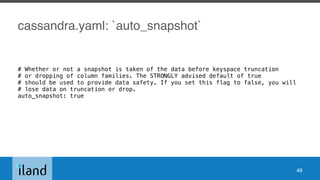
cassandra.yaml: `auto_snapshot`
# Whether or not a snapshot is taken of the data before keyspace truncation
# or dropping of column families. The STRONGLY advised default of true
# should be used to provide data safety. If you set this flag to false, you will
# lose data on truncation or drop.
auto_snapshot: true
49
cassandra.yaml: `concurrent_compactors`
[…]
concurrent_compactors: 8
[…]
50
cassandra.yaml:
`compaction_throughput_mb_per_sec`
[…]
compaction_throughput_mb_per_sec: 16
[…]
51
cassandra.yaml:
`inter_dc_stream_throughput_outbound_megabits_per_sec`
[…]
# inter_dc_stream_throughput_outbound_megabits_per_sec: 200
[…]
52
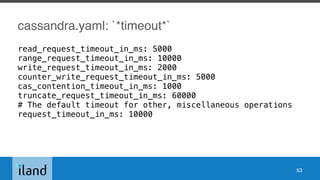
cassandra.yaml: `*timeout*`
read_request_timeout_in_ms: 5000
range_request_timeout_in_ms: 10000
write_request_timeout_in_ms: 2000
counter_write_request_timeout_in_ms: 5000
cas_contention_timeout_in_ms: 1000
truncate_request_timeout_in_ms: 60000
# The default timeout for other, miscellaneous operations
request_timeout_in_ms: 10000
53
cassandra.yaml:
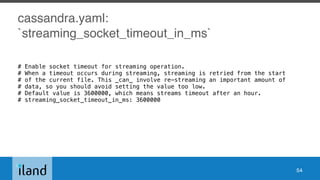
`streaming_socket_timeout_in_ms`
# Enable socket timeout for streaming operation.
# When a timeout occurs during streaming, streaming is retried from the start
# of the current file. This _can_ involve re-streaming an important amount of
# data, so you should avoid setting the value too low.
# Default value is 3600000, which means streams timeout after an hour.
# streaming_socket_timeout_in_ms: 3600000
54
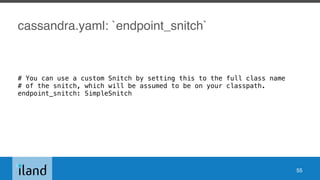
cassandra.yaml: `endpoint_snitch`
# You can use a custom Snitch by setting this to the full class name
# of the snitch, which will be assumed to be on your classpath.
endpoint_snitch: SimpleSnitch
55
cassandra.yaml: `internode_compression`
# internode_compression controls whether traffic between nodes is
# compressed.
# can be: all - all traffic is compressed
# dc - traffic between different datacenters is compressed
# none - nothing is compressed.
internode_compression: all
56
cassandra.yaml: `gc_warn_threshold_in_ms`
# GC Pauses greater than gc_warn_threshold_in_ms will be logged at WARN level
# Adjust the threshold based on your application throughput requirement
# By default, Cassandra logs GC Pauses greater than 200 ms at INFO level
gc_warn_threshold_in_ms: 1000
57
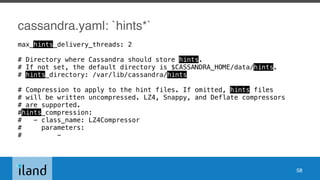
cassandra.yaml: `hints*`
max_hints_delivery_threads: 2
# Directory where Cassandra should store hints.
# If not set, the default directory is $CASSANDRA_HOME/data/hints.
# hints_directory: /var/lib/cassandra/hints
# Compression to apply to the hint files. If omitted, hints files
# will be written uncompressed. LZ4, Snappy, and Deflate compressors
# are supported.
#hints_compression:
# - class_name: LZ4Compressor
# parameters:
# -
58
GC configuration
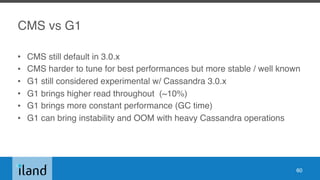
CMS vs G1
• CMS still default in 3.0.x
• CMS harder to tune for best performances but more stable / well known
• G1 still considered experimental w/ Cassandra 3.0.x
• G1 brings higher read throughout (~10%)
• G1 brings more constant performance (GC time)
• G1 can bring instability and OOM with heavy Cassandra operations
60
HEAP size
• -Xmx / -Xms: set same value
• CMS: 1/4 of RAM if RAM > 8G; no more than around 8G
• G1: a lot more…
• do not go crazy on HEAP size
61
(CMS) NEW_HEAP settings
NEW_HEAP: 20-25% of HEAP (max 50%)
keep low to keep GC pauses low (100MB per core)
62
useful settings for any (parallel) GC (1/2)
# The JVM maximum is 8 PGC threads and 1/4 of that for ConcGC.
# Machines with > 10 cores may need additional threads.
# Increase to <= full cores (do not count HT cores).
#JVM_OPTS="$JVM_OPTS -XX:ParallelGCThreads=16"
#JVM_OPTS="$JVM_OPTS -XX:ConcGCThreads=16"
63
useful settings for any (parallel) GC (2/2)
# Do reference processing in parallel GC.
JVM_OPTS="$JVM_OPTS -XX:+ParallelRefProcEnabled"
64
Where is the JVM configuration?
• < 3.0.0: cassandra-env.sh
• >= 3.0.0: jvm.options
65
enabling G1GC for C* < 3.0.0 (1/2)
# Use the Hotspot garbage-first collector.
JVM_OPTS="$JVM_OPTS -XX:+UseG1GC"
# Main G1GC tunable: lowering the pause target will lower throughput and vise versa.
# 200ms is the JVM default and lowest viable setting
# 1000ms increases throughput. Keep it smaller than the timeouts in cassandra.yaml.
JVM_OPTS="$JVM_OPTS -XX:MaxGCPauseMillis=500"
# Have the JVM do less remembered set work during STW, instead
# preferring concurrent GC. Reduces p99.9 latency.
JVM_OPTS="$JVM_OPTS -XX:G1RSetUpdatingPauseTimePercent=5"
# Start GC earlier to avoid STW.
# The default in Hotspot 8u40 is 40%.
JVM_OPTS="$JVM_OPTS -XX:InitiatingHeapOccupancyPercent=25"
# For workloads that do large allocations, increasing the region
66
enabling G1 for C* < 3.0.0 (2/2)
• comment out all CMS related lines in cassandra-env.sh
• comment out the -Xmn line
67
GC logging
• you should always enable GC logging
• safe on production with log rotation
68
tools and operations
the nodetool utility (1/2)
• command line interface for managing a cluster.
• nodetool [options] command [args]
nodetool help
nodetool help command name
• use Salt Stack (or equivalent) to get command results
coming from all nodes.
70
the nodetool utility (2/2)
nodetool info
nodetool version
nodetool status <ks>
nodetool describecluster
nodetool ring
nodetool tpstats
nodetool compactionstats
nodetool netstats
71
nodetool gcstats
nodetool clearsnapshot
nodetool rebuild
nodetool bootstrap (resume)
nodetool compact <ks> <cf>
nodetool drain
nodetool repair
nodetool upgradesstables
the SSTable utility
• sstable*
• dump / scrub / split / repair / upgrade etc.
72
the cassandra-stress tool
• stress testing utility for basic benchmarking and load
testing a Cassandra cluster
73
adding datacenter / nodes
single node
• SimpleStrategy
• RF=1
75
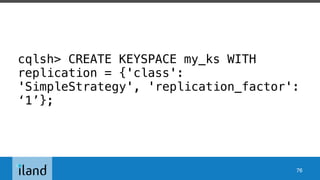
cqlsh> CREATE KEYSPACE my_ks WITH
replication = {'class':
'SimpleStrategy', 'replication_factor':
‘1’};
76
extending a single datacenter
• NetworkTopologyStrategy
• RF=1
77
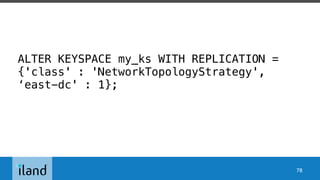
ALTER KEYSPACE my_ks WITH REPLICATION =
{'class' : 'NetworkTopologyStrategy',
‘east-dc' : 1};
78
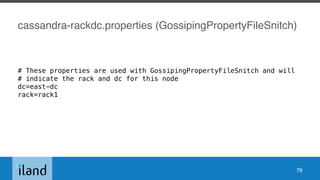
cassandra-rackdc.properties (GossipingPropertyFileSnitch)
# These properties are used with GossipingPropertyFileSnitch and will
# indicate the rack and dc for this node
dc=east-dc
rack=rack1
79
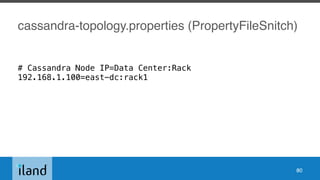
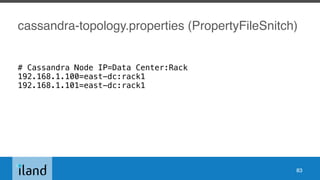
cassandra-topology.properties (PropertyFileSnitch)
# Cassandra Node IP=Data Center:Rack
192.168.1.100=east-dc:rack1
80
adding a node to a datacenter (1/3)
• install Cassandra on the new nodes, but do not start Cassandra (if it starts
stop and delete all the data)
• setup snitch cassandra-topology.properties or cassandra-rackdc.properties or
nothing if RackInferringSnitch
• cassandra.yaml properties:
• auto_bootstrap: true (for non-seed nodes)
• cluster_name
• listen_address / broadcast_address
• endpoint_snitch (your choice of snitch)
• seed_provider: (seed nodes do not bootstrap. Make sure it is not in there)
81
cassandra-rackdc.properties (GossipingPropertyFileSnitch)
# These properties are used with GossipingPropertyFileSnitch and will
# indicate the rack and dc for this node
dc=east-dc
rack=rack1
82
cassandra-topology.properties (PropertyFileSnitch)
# Cassandra Node IP=Data Center:Rack
192.168.1.100=east-dc:rack1
192.168.1.101=east-dc:rack1
83
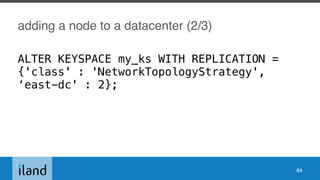
adding a node to a datacenter (2/3)
84
ALTER KEYSPACE my_ks WITH REPLICATION =
{'class' : 'NetworkTopologyStrategy',
‘east-dc' : 2};
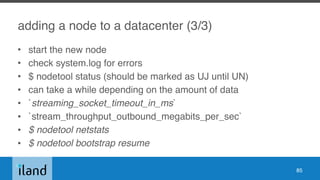
adding a node to a datacenter (3/3)
• start the new node
• check system.log for errors
• $ nodetool status (should be marked as UJ until UN)
• can take a while depending on the amount of data
• `streaming_socket_timeout_in_ms`
• `stream_throughput_outbound_megabits_per_sec`
• $ nodetool netstats
• $ nodetool bootstrap resume
85
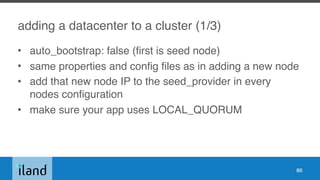
adding a datacenter to a cluster (1/3)
• auto_bootstrap: false (first is seed node)
• same properties and config files as in adding a new node
• add that new node IP to the seed_provider in every
nodes configuration
• make sure your app uses LOCAL_QUORUM
86
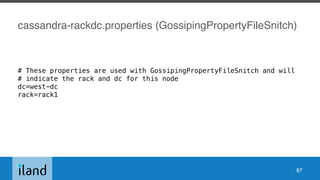
cassandra-rackdc.properties (GossipingPropertyFileSnitch)
# These properties are used with GossipingPropertyFileSnitch and will
# indicate the rack and dc for this node
dc=west-dc
rack=rack1
87
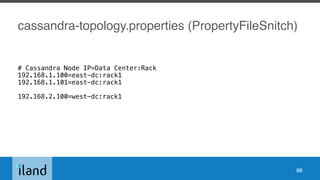
cassandra-topology.properties (PropertyFileSnitch)
# Cassandra Node IP=Data Center:Rack
192.168.1.100=east-dc:rack1
192.168.1.101=east-dc:rack1
192.168.2.100=west-dc:rack1
88
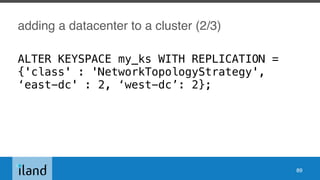
adding a datacenter to a cluster (2/3)
89
ALTER KEYSPACE my_ks WITH REPLICATION =
{'class' : 'NetworkTopologyStrategy',
‘east-dc' : 2, ‘west-dc’: 2};
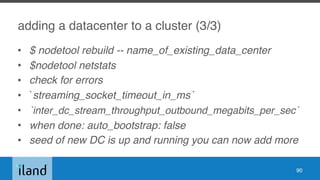
adding a datacenter to a cluster (3/3)
• $ nodetool rebuild -- name_of_existing_data_center
• $nodetool netstats
• check for errors
• `streaming_socket_timeout_in_ms`
• `inter_dc_stream_throughput_outbound_megabits_per_sec`
• when done: auto_bootstrap: false
• seed of new DC is up and running you can now add more
90
replacing / decommissioning a dead node
• $ nodetool decommission
• $ nodetool removenode
• $ nodetool assassinate
• replacing a dead node
cassandra-env.sh
JVM_OPTS="$JVM_OPTS -Dcassandra.replace_address=address_of_dead_node
• do not forget to remove IP addresses snitch files
• need to promote another seed node by adding another IP to
seed_provider
91
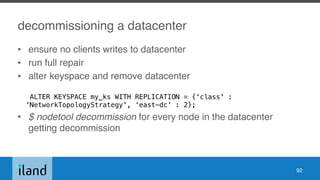
decommissioning a datacenter
• ensure no clients writes to datacenter
• run full repair
• alter keyspace and remove datacenter

ALTER KEYSPACE my_ks WITH REPLICATION = {'class' :
'NetworkTopologyStrategy', ‘east-dc' : 2};
• $ nodetool decommission for every node in the datacenter
getting decommission
92
deleting
• hard to delete w/ distributed systems
keeping track of replicas is hard and SSTables are immutable
• tombstones (data are not deleted quite yet)
removed when performing major compactions
repairs required before grace period (`gc_grace_seconds`: 10 days by
default; per table setting)
• truncate does not generate tombstones
• use TTL on tables
• copy to new table and drop old table easier / faster
93
compactions
• process of merging SSTables to single files
• IO heavy: GC / CPU / eat disk space)
• removes tombstones
• manual or automatic
• STCS: SizeTiercedCompactionStrategy
• DTCS: DateTiercedCompactionStrategy
• LCS: LeveledCompactionStrategy
• monitor logs for tombstones warnings (indicates compaction issue)
94
repairs
• Anti-Entropy: QUORUM & ALL replicas compared for CF and discrepancies
fixed.
• must run before `gc_grace_period` (10 days)
• repair running against token ranges from a coordinator node
• nodetool repair
• nodetool repair -pr (on every node in every datacenter)
• incremental repair (default in C* >= 2.2)
nodetool repair -inc (2.1)
• anticompaction
separation of repaired / unrepaired in different SSTables)
95
hints
• if node down: spool and redelivery
• slow and broken until 3.0: must truncate manually as
some are left off
• < 3.0: SSTables (which means compactions)
• >=3.0 flat files with compressions
96
upgrade (1/2)
• See DataStax Upgrade Guide
http://docs.datastax.com/en/latest-upgrade/upgrade/
cassandra/
upgradeCassandraDetails.html#upgradeCassandraDetails
97
upgrade (2/2)
• start with new config files and forward your changes
• no new features, no truncate and no repairs when
cluster using multiple versions
• read NEWS.txt and CHANGES.txt for specific instructions
• will show schema disagreement (normal)
• check log files
• $ nodetool upgradesstables
98
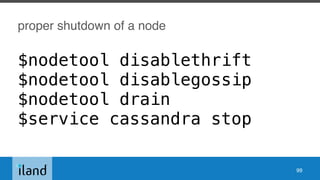
proper shutdown of a node
$nodetool disablethrift
$nodetool disablegossip
$nodetool drain
$service cassandra stop
99
dealing with SSTables corruptions
detecting corruption
• log files: /var/log/cassandra/system.log
• monitor logs: compaction errors, repairs errors can show corruptions
• cassandra.yaml: `disk_failure_policy`
101
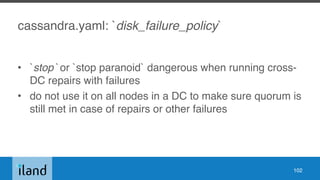
cassandra.yaml: `disk_failure_policy`
• `stop` or `stop paranoid` dangerous when running cross-
DC repairs with failures
• do not use it on all nodes in a DC to make sure quorum is
still met in case of repairs or other failures
102
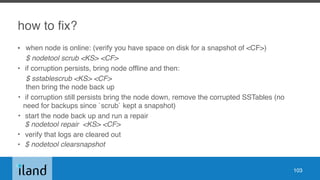
how to fix?
• when node is online: (verify you have space on disk for a snapshot of <CF>)
$ nodetool scrub <KS> <CF>
• if corruption persists, bring node offline and then:
$ sstablescrub <KS> <CF>

then bring the node back up
• if corruption still persists bring the node down, remove the corrupted SSTables (no
need for backups since `scrub` kept a snapshot)
• start the node back up and run a repair

$ nodetool repair <KS> <CF>
• verify that logs are cleared out
• $ nodetool clearsnapshot
103
monitoring
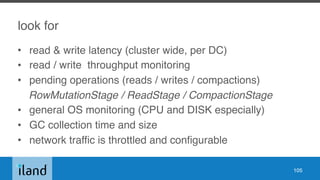
look for
• read & write latency (cluster wide, per DC)
• read / write throughput monitoring
• pending operations (reads / writes / compactions)
RowMutationStage / ReadStage / CompactionStage
• general OS monitoring (CPU and DISK especially)
• GC collection time and size
• network traffic is throttled and configurable
105
Datastax OpsCenter
• Cassandra specific
• great tool
• free / commercial with goodies
• support for Open Source Cassandra until 2.1.x
• no alerting w/ free version
• uses Cassandra as backend
106
Graphite
• using JMX available metrics
• do it yourself
• lots of work but fine tuning
• choice of frontends (graphite-web, grafana)
• Cyanite (Cassandra backend)
107
log files
• system.log
• jvm.logs
• standard syslog monitoring
< 2.1 /etc/cassandra/log4j-server.properties
>=2.1 /etc/cassandra/logback.xml
108
SaaS monitoring
• Sematext
• DatadogHQ
• etc.
• agent-based
109
things you need to know
Cassandra 2.1.x
• most stable release so far
• streaming nodes can be an issue
• multi-DC repairs painful w/ 256 tokens(inc repairs mostly broken)
• hints delivery slow or broken
• 2.0.x to 2.1.x migration is smooth
• hardware ++ when migrating from 2.0.x to 2.1.x
• 2.1.x EOL 10/2016
111
Cassandra 2.2.x
• streaming got better (nodetool bootstrap resume)
• commit logs compression introduced
• incremental repairs is now the default (but still painful with 256 tokens…)
• hints delivery still slow or broken
• new 3.0 driver compatible.
• Datastax OpsCenter not compatible for C* >= 2.2
• 2.1.x to 2.2.x migration is smooth
• 2.1.x to 2.2.x or 3.0.x?
• 2.2.x EOL 10/2016
112
Cassandra 3.0.x
• new storage engine and major disk space savings
• hints storage (fs based) delivery / compression
• hints delivery new options (disablehintsfordc / enablehintsfordc)
• repairs still painful w/ 256 tokens…
• nodetool SSL support
• MS Windows support…
• require new driver
• community started migrating around March - April
• still expect some issues
• 3.0.0 EOL 09/2017
113
notes about storage
• Storage area network (SAN) storage is not
recommended for on-premises deployments
• Network attached storage (NAS) device is not
recommended
• NFS is not recommended
• unless you really know what you are doing :-)
114
SSD vs spinning disks vs flash array?
• you can do a lot w/ spinning disks
• weak for heavy IO operations such as SSTable migration
and repairs depending on workload
• if lots more reads than writes at application level hybrid
(SSD accelerated) performs great
• writes will not the the bottleneck (modulo operations above)
• iland is in the process of benchmarking Nimble flash array
115
keyspaces and tables
• 1 table ~ 1MB of memory (1k tables ~ 1GB)
• too many keyspaces / tables will bloat your memory
• shot for 500 tables per cluster (C* doc)
• max 1k (C* doc)
116
Linux settings
• disable swap (swapoff —all; /etc/fstab)
• verify user limits (should be the case with C* distro)
ulimit -a
• see Al’s Tobey’s C* 2.1 guide for XFS and hardware /
disks related tricks
117
must reads
• Datastax Apache Cassandra “official” documentation
• http://docs.datastax.com/en//cassandra/3.0/cassandra/
cassandraAbout.html
• Al's Cassandra 2.1 tuning guide
• https://tobert.github.io/pages/als-cassandra-21-tuning-guide.html
• cassandra-user mailing list
• http://www.planetcassandra.org/apache-cassandra-mailing-lists/
• planet Cassandra
• http://www.planetcassandra.org/
118
thank you!
merci !

Cassandra multi-datacenter operations essentials

  • 1.
    Cassandra multi-datacenter operationsessentials Apache: Big Data 2016 - Vancouver, CA Julien Anguenot (@anguenot)
  • 2.
    agenda • key notions •configuration and tuning • tools and operations • monitoring • things you need to know 2
  • 3.
    this talk coversversions… • 2.0.x • 2.1.x • 2.2.x • 3.0.x 3
  • 4.
    this talk doesnot cover… • general Cassandra data modeling • authentication / authorization • AWS • Windows • versions >= 3.1 and new “tick-tock” release process • DSE • and a lot more … 4
  • 5.
    iland cloud? • cloudprovider (compliance, advanced security, multi-DC world wide) • using C*, since version 1.2, as a foundation for our data warehouse and platform • cloud analytics (compute, storage, network, etc.) • “real-time” and historical data • billing, alerts, user configuration, etc. • sole record-keeper • http://www.slideshare.net/anguenot/leveraging-cassandra-for-realtime- multidatacenter-public-cloud-analytics • www.iland.com 5
  • 6.
  • 7.
    what is Cassandra? •distributed partitioned row store • physical multi-datacenter native support • tailored (features) for multi-datacenter deployment 7
  • 8.
    why multi-datacenter deployments? •multi-datacenter distributed application • performances read / write isolation or geographical distribution • disaster recovery (DR) failover and redundancy • analytics 8
  • 9.
  • 10.
    Cassandra cluster • thesum total of all the servers in your database throughout all datacenters • span physical locations • defines one or more keyspaces • no cross-cluster replication 10
  • 11.
    Cassandra datacenter • groupingof nodes • synonymous with replication group • a grouping of nodes configured together for replication purposes • each datacenter contains a complete token ring • collection of Cassandra racks 11
  • 12.
    Cassandra rack • collectionof servers • at least one (1) rack per datacenter • one (1) rack is the most simple and common setup 12
  • 13.
    Cassandra server • Cassandra(the software) instance installed on a machine • AKA node • contains 256 virtual nodes (or Vnodes) by default 13
  • 14.
    Virtual nodes (Vnodes) •C* >= 1.2 • data storage layer within a server • tokens automatically calculated and assigned randomly for all Vnodes • automatic rebalancing • no manual token generation and assignment • default to 256 (num_tokens in cassandra.yaml) 14
  • 15.
  • 16.
    Vnodes and consistenthashing • allows distribution of data across a cluster • Cassandra assigns a hash value to each partition key • each Vnode in the cluster is responsible for a range of data based on the hash value • Cassandra places the data on each node according to the value of the partition key and the range that the node is responsible for 16
  • 17.
    partition • individual unitof data • partitions are replicated across multiple Vnodes • each copy of the partition is called a replica 17
  • 18.
    partitioner (1/2) • partitionsthe data across the cluster • function for deriving a token representing a row from its partition key • hashing function • each row of data is then distributed across the cluster by the value of the token 18
  • 19.
    partitioner (2/2) • Murmur3Partitioner(default C* >= 1.2)
 uniformly distributes data across the cluster based on MurmurHash hash values • RandomPartitioner (default C* < 1.2)
 uniformly distributes data across the cluster based on MD5 hash values • ByteOrderedPartitioner (BBB)
 keeps an ordered distribution of data lexically by key bytes 19
  • 20.
  • 21.
  • 22.
  • 23.
  • 24.
    keyspace (KS) • namespacecontainer that defines how data is replicated on nodes • cluster defines KS • contains tables • defines the replica placement strategy and the number of replicas 24
  • 25.
    data replication • processof storing copies (replicas) on multiple nodes • KS has a replication factor (RF) and replica placement strategy • max (RF) = max(number of nodes) in one (1) data center • data replication is defined per datacenter 25
  • 26.
    replica placement strategy thereare two (2) available replication strategies: 1. SimpleStrategy (single DC) 2. NetworkTopologyStrategy (recommended cause easier to expand)
 choose strategy depending on failure scenarios and application needs for consistency level 26
  • 27.
    Consistency level • howmany nodes must ACK operation at client level? • tunable consistency at client level • ANY • ONE • ALL • QUORUM / LOCAL_QUORUM (DC only) • SERIAL and conditional updates (IF DOES NOT EXIST) 27
  • 28.
    local_quorum examples • nodes=3,RF=3 - can tolerate 1 replica being down • nodes=5, RF=3 - can tolerate 2 replica being down • etc. 28
  • 29.
    snitch (1/2) • determineswhich data centers & racks nodes belong to • informs Cassandra about the network topology • effective routing • replication strategy places the replicas based on snitch 29
  • 30.
    snitch (2/2) • SimpleSnitch
 singleDC only • GossipingPropertySnitch
 cassandra-rackdc.properties • PropertyFileSnitch
 cassandra-topology.properties • RackInferringSnitch
 determined by rack and data center, which are 3rd and 2nd octet of each node’s IP respectively 30
  • 31.
    snitch (3/3) • moredeployment specific snitches for EC2, Google, Cloudstack etc. 31
  • 32.
    Gossip • peer-to-peer communicationprotocol • discover and share location and state information about the other nodes in a Cassandra cluster • persisted by each node • nodes exchange state messages on regular basis 32
  • 33.
    seed node • bootstrappingthe gossip process for new nodes joining the cluster • use the same list of seed nodes for all nodes in a cluster • include at least one (1) node of each datacenter in seeds list 33
  • 34.
    Essentially, … • sequentialwrites in commit log (flat files) • indexed and written in memtables (in-memory: write-back cache) • serialized to disk in a SSTable data file • writes partitioned and replicated automatically in cluster • SSTables consolidated though compaction to clean tombstones • repairs to ensure consistency cluster wide 34
  • 35.
  • 36.
    cassandra.yaml: `cluster_name` # Thename of the cluster. This is mainly used to prevent machines in # one logical cluster from joining another. cluster_name: ‘my little cluster' 36
  • 37.
    cassandra.yaml: `num_tokens` # Thisdefines the number of tokens randomly assigned to this node on the ring # The more tokens, relative to other nodes, the larger the proportion of data # that this node will store. You probably want all nodes to have the same number # of tokens assuming they have equal hardware capability. # # If you leave this unspecified, Cassandra will use the default of 1 token for legacy compatibility, # and will use the initial_token as described below. # # Specifying initial_token will override this setting on the node's initial start, # on subsequent starts, this setting will apply even if initial token is set. # # If you already have a cluster with 1 token per node, and wish to migrate to # multiple tokens per node, see http://wiki.apache.org/cassandra/Operations num_tokens: 256 37
  • 38.
    cassandra.yaml: `partitioner` # Thepartitioner is responsible for distributing groups of rows (by # partition key) across nodes in the cluster. You should leave this # alone for new clusters. The partitioner can NOT be changed without # reloading all data, so when upgrading you should set this to the # same partitioner you were already using. # # Besides Murmur3Partitioner, partitioners included for backwards # compatibility include RandomPartitioner, ByteOrderedPartitioner, and # OrderPreservingPartitioner. # partitioner: org.apache.cassandra.dht.Murmur3Partitioner 38
  • 39.
    cassandra.yaml: `data_file_directories` # Directorieswhere Cassandra should store data on disk. Cassandra # will spread data evenly across them, subject to the granularity of # the configured compaction strategy. # If not set, the default directory is $CASSANDRA_HOME/data/data. data_file_directories: - /var/lib/cassandra/data 39
  • 40.
    cassandra.yaml: `commitlog_directory` # commitlog. when running on magnetic HDD, this should be a # separate spindle than the data directories. # If not set, the default directory is $CASSANDRA_HOME/data/commitlog. commitlog_directory: /mnt/cassandra/commitlog 40
  • 41.
    cassandra.yaml: `commitlog_compression` # Compressionto apply to the commit log. If omitted, the commit log # will be written uncompressed. LZ4, Snappy, and Deflate compressors # are supported. #commitlog_compression: # - class_name: LZ4Compressor # parameters: # - 41
  • 42.
    cassandra.yaml: `disk_failure_policy` # policyfor data disk failures: # die: shut down gossip and client transports and kill the JVM for any fs errors or # single-sstable errors, so the node can be replaced. # stop_paranoid: shut down gossip and client transports even for single-sstable errors, # kill the JVM for errors during startup. # stop: shut down gossip and client transports, leaving the node effectively dead, but # can still be inspected via JMX, kill the JVM for errors during startup. # best_effort: stop using the failed disk and respond to requests based on # remaining available sstables. This means you WILL see obsolete # data at CL.ONE! # ignore: ignore fatal errors and let requests fail, as in pre-1.2 Cassandra disk_failure_policy: stop 42
  • 43.
    cassandra.yaml: `commit_failure_policy` # policyfor commit disk failures: # die: shut down gossip and Thrift and kill the JVM, so the node can be replaced. # stop: shut down gossip and Thrift, leaving the node effectively dead, but # can still be inspected via JMX. # stop_commit: shutdown the commit log, letting writes collect but # continuing to service reads, as in pre-2.0.5 Cassandra # ignore: ignore fatal errors and let the batches fail commit_failure_policy: stop 43
  • 44.
    cassandra.yaml: `seed_provider` # anyclass that implements the SeedProvider interface and has a # constructor that takes a Map<String, String> of parameters will do. seed_provider: # Addresses of hosts that are deemed contact points. # Cassandra nodes use this list of hosts to find each other and learn # the topology of the ring. You must change this if you are running # multiple nodes! - class_name: org.apache.cassandra.locator.SimpleSeedProvider parameters: # seeds is actually a comma-delimited list of addresses. # Ex: "<ip1>,<ip2>,<ip3>" - seeds: "10.239.206.80,10.243.206.82,10.238.206.80,10.241.206.80,10.240.206.80,10.244.206.80" 44
  • 45.
    cassandra.yaml: `concurrent_*` # Forworkloads with more data than can fit in memory, Cassandra's # bottleneck will be reads that need to fetch data from # disk. "concurrent_reads" should be set to (16 * number_of_drives) in # order to allow the operations to enqueue low enough in the stack # that the OS and drives can reorder them. Same applies to # "concurrent_counter_writes", since counter writes read the current # values before incrementing and writing them back. # # On the other hand, since writes are almost never IO bound, the ideal # number of "concurrent_writes" is dependent on the number of cores in # your system; (8 * number_of_cores) is a good rule of thumb. concurrent_reads: 64 concurrent_writes: 128 concurrent_counter_writes: 32 45
  • 46.
    cassandra.yaml: `listen_address` # Ifyou choose to specify the interface by name and the interface has an ipv4 and an ipv6 address # you can specify which should be chosen using listen_interface_prefer_ipv6. If false the first ipv4 # address will be used. If true the first ipv6 address will be used. Defaults to false preferring # ipv4. If there is only one address it will be selected regardless of ipv4/ipv6. listen_address: 10.243.206.80 # listen_interface: eth0 # listen_interface_prefer_ipv6: false 46
  • 47.
    cassandra.yaml: `native_transport_port` # Whetherto start the native transport server. # Please note that the address on which the native transport is bound is the # same as the rpc_address. The port however is different and specified below. start_native_transport: true # port for the CQL native transport to listen for clients on # For security reasons, you should not expose this port to the internet. Firewall it if needed. native_transport_port: 9042 47
  • 48.
    cassandra.yaml: `snapshot_before_compaction` # Whetheror not to take a snapshot before each compaction. Be # careful using this option, since Cassandra won't clean up the # snapshots for you. Mostly useful if you're paranoid when there # is a data format change. snapshot_before_compaction: false 48
  • 49.
    cassandra.yaml: `auto_snapshot` # Whetheror not a snapshot is taken of the data before keyspace truncation # or dropping of column families. The STRONGLY advised default of true # should be used to provide data safety. If you set this flag to false, you will # lose data on truncation or drop. auto_snapshot: true 49
  • 50.
  • 51.
  • 52.
  • 53.
    cassandra.yaml: `*timeout*` read_request_timeout_in_ms: 5000 range_request_timeout_in_ms:10000 write_request_timeout_in_ms: 2000 counter_write_request_timeout_in_ms: 5000 cas_contention_timeout_in_ms: 1000 truncate_request_timeout_in_ms: 60000 # The default timeout for other, miscellaneous operations request_timeout_in_ms: 10000 53
  • 54.
    cassandra.yaml: `streaming_socket_timeout_in_ms` # Enable sockettimeout for streaming operation. # When a timeout occurs during streaming, streaming is retried from the start # of the current file. This _can_ involve re-streaming an important amount of # data, so you should avoid setting the value too low. # Default value is 3600000, which means streams timeout after an hour. # streaming_socket_timeout_in_ms: 3600000 54
  • 55.
    cassandra.yaml: `endpoint_snitch` # Youcan use a custom Snitch by setting this to the full class name # of the snitch, which will be assumed to be on your classpath. endpoint_snitch: SimpleSnitch 55
  • 56.
    cassandra.yaml: `internode_compression` # internode_compressioncontrols whether traffic between nodes is # compressed. # can be: all - all traffic is compressed # dc - traffic between different datacenters is compressed # none - nothing is compressed. internode_compression: all 56
  • 57.
    cassandra.yaml: `gc_warn_threshold_in_ms` # GCPauses greater than gc_warn_threshold_in_ms will be logged at WARN level # Adjust the threshold based on your application throughput requirement # By default, Cassandra logs GC Pauses greater than 200 ms at INFO level gc_warn_threshold_in_ms: 1000 57
  • 58.
    cassandra.yaml: `hints*` max_hints_delivery_threads: 2 #Directory where Cassandra should store hints. # If not set, the default directory is $CASSANDRA_HOME/data/hints. # hints_directory: /var/lib/cassandra/hints # Compression to apply to the hint files. If omitted, hints files # will be written uncompressed. LZ4, Snappy, and Deflate compressors # are supported. #hints_compression: # - class_name: LZ4Compressor # parameters: # - 58
  • 59.
  • 60.
    CMS vs G1 •CMS still default in 3.0.x • CMS harder to tune for best performances but more stable / well known • G1 still considered experimental w/ Cassandra 3.0.x • G1 brings higher read throughout (~10%) • G1 brings more constant performance (GC time) • G1 can bring instability and OOM with heavy Cassandra operations 60
  • 61.
    HEAP size • -Xmx/ -Xms: set same value • CMS: 1/4 of RAM if RAM > 8G; no more than around 8G • G1: a lot more… • do not go crazy on HEAP size 61
  • 62.
    (CMS) NEW_HEAP settings NEW_HEAP:20-25% of HEAP (max 50%) keep low to keep GC pauses low (100MB per core) 62
  • 63.
    useful settings forany (parallel) GC (1/2) # The JVM maximum is 8 PGC threads and 1/4 of that for ConcGC. # Machines with > 10 cores may need additional threads. # Increase to <= full cores (do not count HT cores). #JVM_OPTS="$JVM_OPTS -XX:ParallelGCThreads=16" #JVM_OPTS="$JVM_OPTS -XX:ConcGCThreads=16" 63
  • 64.
    useful settings forany (parallel) GC (2/2) # Do reference processing in parallel GC. JVM_OPTS="$JVM_OPTS -XX:+ParallelRefProcEnabled" 64
  • 65.
    Where is theJVM configuration? • < 3.0.0: cassandra-env.sh • >= 3.0.0: jvm.options 65
  • 66.
    enabling G1GC forC* < 3.0.0 (1/2) # Use the Hotspot garbage-first collector. JVM_OPTS="$JVM_OPTS -XX:+UseG1GC" # Main G1GC tunable: lowering the pause target will lower throughput and vise versa. # 200ms is the JVM default and lowest viable setting # 1000ms increases throughput. Keep it smaller than the timeouts in cassandra.yaml. JVM_OPTS="$JVM_OPTS -XX:MaxGCPauseMillis=500" # Have the JVM do less remembered set work during STW, instead # preferring concurrent GC. Reduces p99.9 latency. JVM_OPTS="$JVM_OPTS -XX:G1RSetUpdatingPauseTimePercent=5" # Start GC earlier to avoid STW. # The default in Hotspot 8u40 is 40%. JVM_OPTS="$JVM_OPTS -XX:InitiatingHeapOccupancyPercent=25" # For workloads that do large allocations, increasing the region 66
  • 67.
    enabling G1 forC* < 3.0.0 (2/2) • comment out all CMS related lines in cassandra-env.sh • comment out the -Xmn line 67
  • 68.
    GC logging • youshould always enable GC logging • safe on production with log rotation 68
  • 69.
  • 70.
    the nodetool utility(1/2) • command line interface for managing a cluster. • nodetool [options] command [args] nodetool help nodetool help command name • use Salt Stack (or equivalent) to get command results coming from all nodes. 70
  • 71.
    the nodetool utility(2/2) nodetool info nodetool version nodetool status <ks> nodetool describecluster nodetool ring nodetool tpstats nodetool compactionstats nodetool netstats 71 nodetool gcstats nodetool clearsnapshot nodetool rebuild nodetool bootstrap (resume) nodetool compact <ks> <cf> nodetool drain nodetool repair nodetool upgradesstables
  • 72.
    the SSTable utility •sstable* • dump / scrub / split / repair / upgrade etc. 72
  • 73.
    the cassandra-stress tool •stress testing utility for basic benchmarking and load testing a Cassandra cluster 73
  • 74.
  • 75.
  • 76.
    cqlsh> CREATE KEYSPACEmy_ks WITH replication = {'class': 'SimpleStrategy', 'replication_factor': ‘1’}; 76
  • 77.
    extending a singledatacenter • NetworkTopologyStrategy • RF=1 77
  • 78.
    ALTER KEYSPACE my_ksWITH REPLICATION = {'class' : 'NetworkTopologyStrategy', ‘east-dc' : 1}; 78
  • 79.
    cassandra-rackdc.properties (GossipingPropertyFileSnitch) # Theseproperties are used with GossipingPropertyFileSnitch and will # indicate the rack and dc for this node dc=east-dc rack=rack1 79
  • 80.
    cassandra-topology.properties (PropertyFileSnitch) # CassandraNode IP=Data Center:Rack 192.168.1.100=east-dc:rack1 80
  • 81.
    adding a nodeto a datacenter (1/3) • install Cassandra on the new nodes, but do not start Cassandra (if it starts stop and delete all the data) • setup snitch cassandra-topology.properties or cassandra-rackdc.properties or nothing if RackInferringSnitch • cassandra.yaml properties: • auto_bootstrap: true (for non-seed nodes) • cluster_name • listen_address / broadcast_address • endpoint_snitch (your choice of snitch) • seed_provider: (seed nodes do not bootstrap. Make sure it is not in there) 81
  • 82.
    cassandra-rackdc.properties (GossipingPropertyFileSnitch) # Theseproperties are used with GossipingPropertyFileSnitch and will # indicate the rack and dc for this node dc=east-dc rack=rack1 82
  • 83.
    cassandra-topology.properties (PropertyFileSnitch) # CassandraNode IP=Data Center:Rack 192.168.1.100=east-dc:rack1 192.168.1.101=east-dc:rack1 83
  • 84.
    adding a nodeto a datacenter (2/3) 84 ALTER KEYSPACE my_ks WITH REPLICATION = {'class' : 'NetworkTopologyStrategy', ‘east-dc' : 2};
  • 85.
    adding a nodeto a datacenter (3/3) • start the new node • check system.log for errors • $ nodetool status (should be marked as UJ until UN) • can take a while depending on the amount of data • `streaming_socket_timeout_in_ms` • `stream_throughput_outbound_megabits_per_sec` • $ nodetool netstats • $ nodetool bootstrap resume 85
  • 86.
    adding a datacenterto a cluster (1/3) • auto_bootstrap: false (first is seed node) • same properties and config files as in adding a new node • add that new node IP to the seed_provider in every nodes configuration • make sure your app uses LOCAL_QUORUM 86
  • 87.
    cassandra-rackdc.properties (GossipingPropertyFileSnitch) # Theseproperties are used with GossipingPropertyFileSnitch and will # indicate the rack and dc for this node dc=west-dc rack=rack1 87
  • 88.
    cassandra-topology.properties (PropertyFileSnitch) # CassandraNode IP=Data Center:Rack 192.168.1.100=east-dc:rack1 192.168.1.101=east-dc:rack1 192.168.2.100=west-dc:rack1 88
  • 89.
    adding a datacenterto a cluster (2/3) 89 ALTER KEYSPACE my_ks WITH REPLICATION = {'class' : 'NetworkTopologyStrategy', ‘east-dc' : 2, ‘west-dc’: 2};
  • 90.
    adding a datacenterto a cluster (3/3) • $ nodetool rebuild -- name_of_existing_data_center • $nodetool netstats • check for errors • `streaming_socket_timeout_in_ms` • `inter_dc_stream_throughput_outbound_megabits_per_sec` • when done: auto_bootstrap: false • seed of new DC is up and running you can now add more 90
  • 91.
    replacing / decommissioninga dead node • $ nodetool decommission • $ nodetool removenode • $ nodetool assassinate • replacing a dead node cassandra-env.sh JVM_OPTS="$JVM_OPTS -Dcassandra.replace_address=address_of_dead_node • do not forget to remove IP addresses snitch files • need to promote another seed node by adding another IP to seed_provider 91
  • 92.
    decommissioning a datacenter •ensure no clients writes to datacenter • run full repair • alter keyspace and remove datacenter
 ALTER KEYSPACE my_ks WITH REPLICATION = {'class' : 'NetworkTopologyStrategy', ‘east-dc' : 2}; • $ nodetool decommission for every node in the datacenter getting decommission 92
  • 93.
    deleting • hard todelete w/ distributed systems keeping track of replicas is hard and SSTables are immutable • tombstones (data are not deleted quite yet) removed when performing major compactions repairs required before grace period (`gc_grace_seconds`: 10 days by default; per table setting) • truncate does not generate tombstones • use TTL on tables • copy to new table and drop old table easier / faster 93
  • 94.
    compactions • process ofmerging SSTables to single files • IO heavy: GC / CPU / eat disk space) • removes tombstones • manual or automatic • STCS: SizeTiercedCompactionStrategy • DTCS: DateTiercedCompactionStrategy • LCS: LeveledCompactionStrategy • monitor logs for tombstones warnings (indicates compaction issue) 94
  • 95.
    repairs • Anti-Entropy: QUORUM& ALL replicas compared for CF and discrepancies fixed. • must run before `gc_grace_period` (10 days) • repair running against token ranges from a coordinator node • nodetool repair • nodetool repair -pr (on every node in every datacenter) • incremental repair (default in C* >= 2.2) nodetool repair -inc (2.1) • anticompaction separation of repaired / unrepaired in different SSTables) 95
  • 96.
    hints • if nodedown: spool and redelivery • slow and broken until 3.0: must truncate manually as some are left off • < 3.0: SSTables (which means compactions) • >=3.0 flat files with compressions 96
  • 97.
    upgrade (1/2) • SeeDataStax Upgrade Guide http://docs.datastax.com/en/latest-upgrade/upgrade/ cassandra/ upgradeCassandraDetails.html#upgradeCassandraDetails 97
  • 98.
    upgrade (2/2) • startwith new config files and forward your changes • no new features, no truncate and no repairs when cluster using multiple versions • read NEWS.txt and CHANGES.txt for specific instructions • will show schema disagreement (normal) • check log files • $ nodetool upgradesstables 98
  • 99.
    proper shutdown ofa node $nodetool disablethrift $nodetool disablegossip $nodetool drain $service cassandra stop 99
  • 100.
  • 101.
    detecting corruption • logfiles: /var/log/cassandra/system.log • monitor logs: compaction errors, repairs errors can show corruptions • cassandra.yaml: `disk_failure_policy` 101
  • 102.
    cassandra.yaml: `disk_failure_policy` • `stop`or `stop paranoid` dangerous when running cross- DC repairs with failures • do not use it on all nodes in a DC to make sure quorum is still met in case of repairs or other failures 102
  • 103.
    how to fix? •when node is online: (verify you have space on disk for a snapshot of <CF>) $ nodetool scrub <KS> <CF> • if corruption persists, bring node offline and then: $ sstablescrub <KS> <CF>
 then bring the node back up • if corruption still persists bring the node down, remove the corrupted SSTables (no need for backups since `scrub` kept a snapshot) • start the node back up and run a repair
 $ nodetool repair <KS> <CF> • verify that logs are cleared out • $ nodetool clearsnapshot 103
  • 104.
  • 105.
    look for • read& write latency (cluster wide, per DC) • read / write throughput monitoring • pending operations (reads / writes / compactions) RowMutationStage / ReadStage / CompactionStage • general OS monitoring (CPU and DISK especially) • GC collection time and size • network traffic is throttled and configurable 105
  • 106.
    Datastax OpsCenter • Cassandraspecific • great tool • free / commercial with goodies • support for Open Source Cassandra until 2.1.x • no alerting w/ free version • uses Cassandra as backend 106
  • 107.
    Graphite • using JMXavailable metrics • do it yourself • lots of work but fine tuning • choice of frontends (graphite-web, grafana) • Cyanite (Cassandra backend) 107
  • 108.
    log files • system.log •jvm.logs • standard syslog monitoring < 2.1 /etc/cassandra/log4j-server.properties >=2.1 /etc/cassandra/logback.xml 108
  • 109.
    SaaS monitoring • Sematext •DatadogHQ • etc. • agent-based 109
  • 110.
  • 111.
    Cassandra 2.1.x • moststable release so far • streaming nodes can be an issue • multi-DC repairs painful w/ 256 tokens(inc repairs mostly broken) • hints delivery slow or broken • 2.0.x to 2.1.x migration is smooth • hardware ++ when migrating from 2.0.x to 2.1.x • 2.1.x EOL 10/2016 111
  • 112.
    Cassandra 2.2.x • streaminggot better (nodetool bootstrap resume) • commit logs compression introduced • incremental repairs is now the default (but still painful with 256 tokens…) • hints delivery still slow or broken • new 3.0 driver compatible. • Datastax OpsCenter not compatible for C* >= 2.2 • 2.1.x to 2.2.x migration is smooth • 2.1.x to 2.2.x or 3.0.x? • 2.2.x EOL 10/2016 112
  • 113.
    Cassandra 3.0.x • newstorage engine and major disk space savings • hints storage (fs based) delivery / compression • hints delivery new options (disablehintsfordc / enablehintsfordc) • repairs still painful w/ 256 tokens… • nodetool SSL support • MS Windows support… • require new driver • community started migrating around March - April • still expect some issues • 3.0.0 EOL 09/2017 113
  • 114.
    notes about storage •Storage area network (SAN) storage is not recommended for on-premises deployments • Network attached storage (NAS) device is not recommended • NFS is not recommended • unless you really know what you are doing :-) 114
  • 115.
    SSD vs spinningdisks vs flash array? • you can do a lot w/ spinning disks • weak for heavy IO operations such as SSTable migration and repairs depending on workload • if lots more reads than writes at application level hybrid (SSD accelerated) performs great • writes will not the the bottleneck (modulo operations above) • iland is in the process of benchmarking Nimble flash array 115
  • 116.
    keyspaces and tables •1 table ~ 1MB of memory (1k tables ~ 1GB) • too many keyspaces / tables will bloat your memory • shot for 500 tables per cluster (C* doc) • max 1k (C* doc) 116
  • 117.
    Linux settings • disableswap (swapoff —all; /etc/fstab) • verify user limits (should be the case with C* distro) ulimit -a • see Al’s Tobey’s C* 2.1 guide for XFS and hardware / disks related tricks 117
  • 118.
    must reads • DatastaxApache Cassandra “official” documentation • http://docs.datastax.com/en//cassandra/3.0/cassandra/ cassandraAbout.html • Al's Cassandra 2.1 tuning guide • https://tobert.github.io/pages/als-cassandra-21-tuning-guide.html • cassandra-user mailing list • http://www.planetcassandra.org/apache-cassandra-mailing-lists/ • planet Cassandra • http://www.planetcassandra.org/ 118
  • 119.