Leveraging C* for real-time multi-dc public cloud analytics
Julien Anguenot
VP Software Engineering
@anguenot
1 iland cloud story & use case
2 data & domain constraints
3 deployment, hardware, configuration and architecture
overview
4 lessons learned
5 future platform extensions
3
iland cloud story & use case
Who are we?
• public, private, DRaaS, BaaS cloud provider
• Cisco CMSP
• VMware Vspp for 7+ years
• 20+ years in business
• HQ in Houston, TX
• http://www.iland.com
4
Yet another cloud provider? Well, …
5
• performance and stability
• custom SLA
• compliance
• security
• DRaaS
• global datacenter footprint: US, UK and Singapore
• dedicated support staff!
• iland cloud platform, Web management console and API
The iland cloud platform
6
iland cloud platform essentially
• data warehouse running across multiple data-centers
• monitoring (resource consumption / performance)
• billing (customers and internal use)
• alerting
• predictive analytics
• cloud management
• cloud services (backups, DR, etc.)
• desktop and mobile management consoles
• API
• Cassandra powered!
7
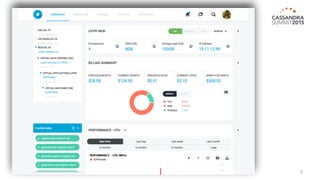
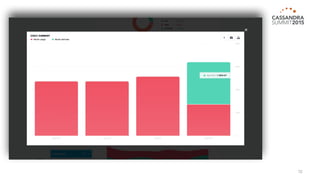
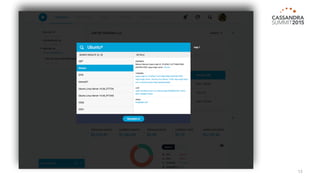
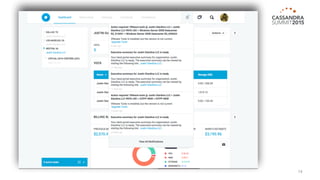
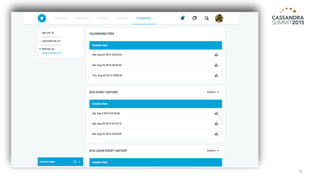
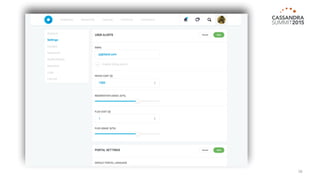
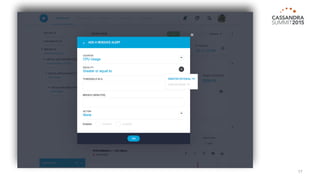
The iland cloud Web management console
8
9
10
11
12
13
14
15
16
17
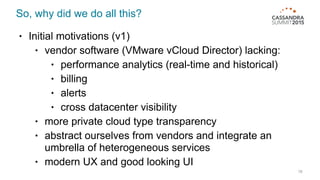
So, why did we do all this?
• Initial motivations (v1)
• vendor software (VMware vCloud Director) lacking:
• performance analytics (real-time and historical)
• billing
• alerts
• cross datacenter visibility
• more private cloud type transparency
• abstract ourselves from vendors and integrate an
umbrella of heterogeneous services
• modern UX and good looking UI
18
19
data and domain constraints
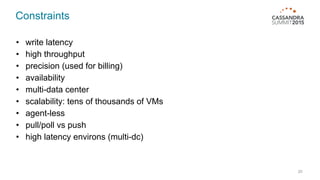
Constraints
20
• write latency
• high throughput
• precision (used for billing)
• availability
• multi-data center
• scalability: tens of thousands of VMs
• agent-less
• pull/poll vs push
• high latency environs (multi-dc)
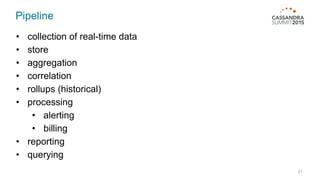
Pipeline
21
• collection of real-time data
• store
• aggregation
• correlation
• rollups (historical)
• processing
• alerting
• billing
• reporting
• querying
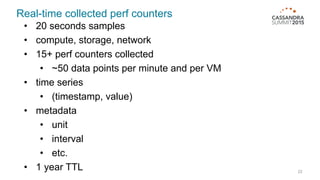
Real-time collected perf counters
22
• 20 seconds samples
• compute, storage, network
• 15+ perf counters collected
• ~50 data points per minute and per VM
• time series
• (timestamp, value)
• metadata
• unit
• interval
• etc.
• 1 year TTL
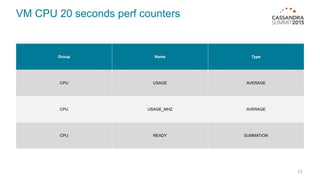
VM CPU 20 seconds perf counters
23
Group Name Type
CPU USAGE AVERAGE
CPU USAGE_MHZ AVERAGE
CPU READY SUMMATION
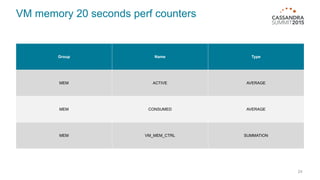
VM memory 20 seconds perf counters
24
Group Name Type
MEM ACTIVE AVERAGE
MEM CONSUMED AVERAGE
MEM VM_MEM_CTRL SUMMATION
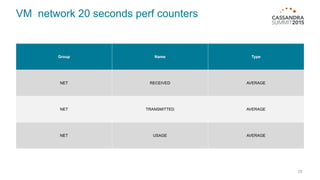
VM network 20 seconds perf counters
25
Group Name Type
NET RECEIVED AVERAGE
NET TRANSMITTED AVERAGE
NET USAGE AVERAGE
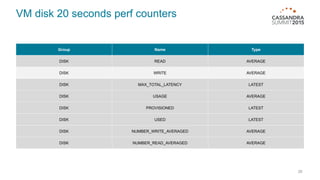
VM disk 20 seconds perf counters
26
Group Name Type
DISK READ AVERAGE
DISK WRITE AVERAGE
DISK MAX_TOTAL_LATENCY LATEST
DISK USAGE AVERAGE
DISK PROVISIONED LATEST
DISK USED LATEST
DISK NUMBER_WRITE_AVERAGED AVERAGE
DISK NUMBER_READ_AVERAGED AVERAGE
More counters collected for 3rd party services
27
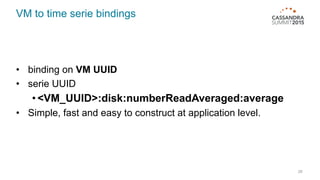
VM to time serie bindings
28
• binding on VM UUID
• serie UUID
• <VM_UUID>:disk:numberReadAveraged:average
• Simple, fast and easy to construct at application level.
29
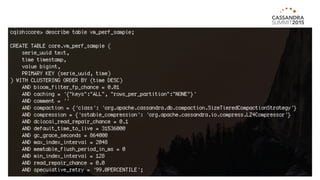
30
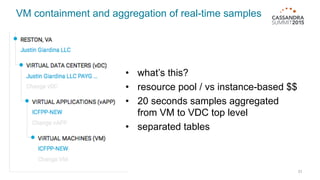
VM containment and aggregation of real-time samples
31
• what’s this?
• resource pool / vs instance-based $$
• 20 seconds samples aggregated
from VM to VDC top level
• separated tables
Historical rollups and intervals
32
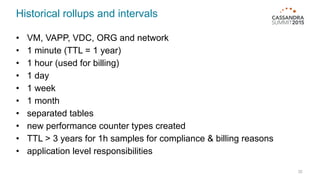
• VM, VAPP, VDC, ORG and network
• 1 minute (TTL = 1 year)
• 1 hour (used for billing)
• 1 day
• 1 week
• 1 month
• separated tables
• new performance counter types created
• TTL > 3 years for 1h samples for compliance & billing reasons
• application level responsibilities
1 minute rollups processing
33
• processed to trigger alerts (usage, billing)
• processed to compute real-time billing
1 hour rollups processing
34
• processed for final billing computation
• leveraging salesforce.com collected data
Data sources essentially
35
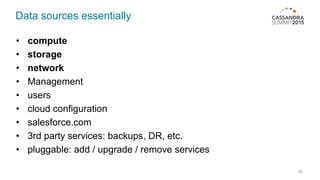
• compute
• storage
• network
• Management
• users
• cloud configuration
• salesforce.com
• 3rd party services: backups, DR, etc.
• pluggable: add / upgrade / remove services
Cassandra is the sole record keeper
36
37
deployment, configuration, hardware
and architecture overview
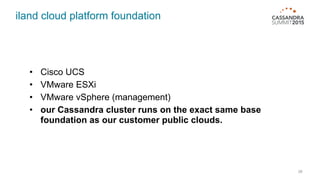
iland cloud platform foundation
38
• Cisco UCS
• VMware ESXi
• VMware vSphere (management)
• our Cassandra cluster runs on the exact same base
foundation as our customer public clouds.
39
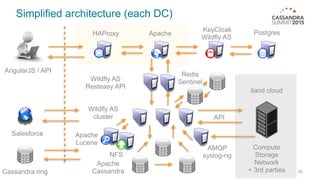
Simplified architecture (each DC)
HAProxy Apache
KeyCloak
Wildfly AS
Postgres
Wildfly AS
Resteasy API
Wildfly AS
cluster
Apache
Lucene
NFS
Apache
Cassandra
Compute
Storage
Network
+ 3rd parties
Salesforce
iland cloud
Cassandra ring
API
AngularJS / API
Redis
Sentinel
AMQP
syslog-ng
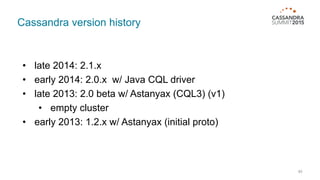
Cassandra version history
40
• late 2014: 2.1.x
• early 2014: 2.0.x w/ Java CQL driver
• late 2013: 2.0 beta w/ Astanyax (CQL3) (v1)
• empty cluster
• early 2013: 1.2.x w/ Astanyax (initial proto)
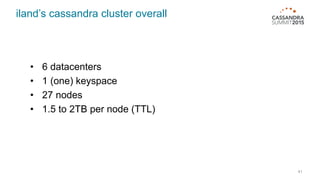
iland’s cassandra cluster overall
41
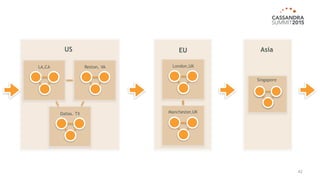
• 6 datacenters
• 1 (one) keyspace
• 27 nodes
• 1.5 to 2TB per node (TTL)
42
Reston, VALA,CA
Dallas, TX
US
Singapore
Asia
London,UK
Manchester,UK
EU
Each DC
43
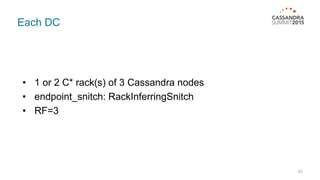
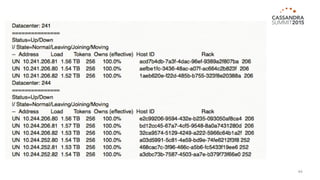
• 1 or 2 C* rack(s) of 3 Cassandra nodes
• endpoint_snitch: RackInferringSnitch
• RF=3
44
Each node
45
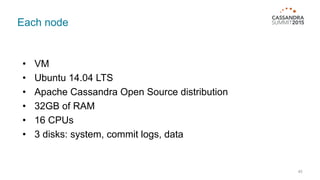
• VM
• Ubuntu 14.04 LTS
• Apache Cassandra Open Source distribution
• 32GB of RAM
• 16 CPUs
• 3 disks: system, commit logs, data
Hardware
46
• Cisco UCS B200 M3
• not very expensive
• Disks
• Initially 10K SAS disks
• now hybrid array (accelerated SSD)
• reads off SSD (75/25)
• boot time
• maintenance ops
• Cassandra CPU and RAM intensive.
• No need to get crazy on disks initially
• C* really runs well on non-SSD
Network
47
• 1G and 10G lines (currently switching all to 10G)
• Cassandra chatty but performs well in high latency
environs
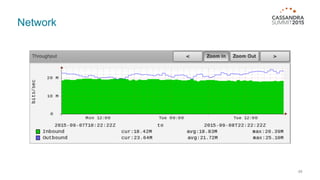
• network usage is pretty much constant
• 25 Mb/s in between DC:
• default C* 2.1 outbound throttle
• Increase when streaming node is needed
• Permanent VPN in between DC (no C* SSL)
Network
48
ultimately an API for everything and everywhere
49
50
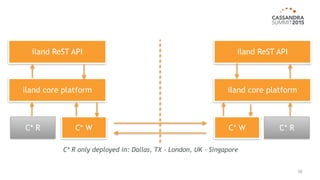
C* W
iland ReST API
iland core platform iland core platform
iland ReST API
C* R C* RC* W
C* R only deployed in: Dallas, TX - London, UK - Singapore
51
Lessons learned
Tuning Cassandra node: JVM
52
• Java 8
• MAX_HEAP_SIZE=“8G”
• HEAP_NEWSIZE=“2G”
• Still using CMS but eager to switch to G1 w/ latest
Cassandra version.
• no magic bullet
• test and monitor
• 2.0.x to 2.1.x: had to revisit drastically
Tuning Cassandra node: some config opts
53
• concurrent_writes / concurrent_reads
• nodetool tpstats
• concurrent_compactors
• nodetool compactionstats
• ++
• auto_snapshot
• batch_size_warn_threshold_in_kb
• monitor
• no magic bullet
• test and monitor
Minimize C* reads (with Redis in our case)
54
• writes are great / reads are good
• application level optimizations
• 16G of cached data in every DC
• very little in Redis. Bindings and alerts
• in-memory only (no save on disk)
Migration
55
• went live with 2.1.1 because of UDT
• suggest waiting for at least 5 or 6 dot releases
• 2.0.x / 2.1.x
• have to re-tune the whole cluster
• new features can be an issue initially (drivers)
• Python driver very slow for data migration
Don’t’s
56
• secondary indexes (or make sure you know what you’re doing)
• IN operator
• don’t forget TTL
• no easy way around range deletes
• complex “relational” type of models
Do’s
57
• design simple data model
• queries driven data model
• writes are cheap: duplicate data to accommodate queries
• prepared statements
• batches
• minimize reads from C*
• UDT
#pain
58
• bootstrapping new DC
• streaming very hard to complete OK w/ 2.0
• temp node tuning during streaming
• Cassandra 2.2 should help with bootstrap resume
• repairs
• very long and costly op
• incremental repairs broken until late 2.1.x
59
future platform extensions
Issue with in-app server aggregations and rollups
60
• JEE container works great but…
• lack of traceability / monitoring around jobs
• separation of concerns
• need to minimize reads against Cassandra
• in-memory computation
• code base growing fast (200k+ Java loc)
Spark for aggregations and rollups
61
• tackling issues in previous slides
• multiple new use cases:
• for instance, heavy throughput data for network
analysis
• machine learning
• Kafka & Spark Streaming
• currently experimenting
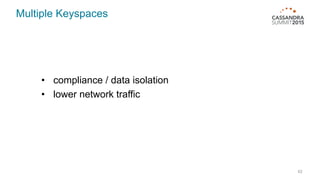
Multiple Keyspaces
62
• compliance / data isolation
• lower network traffic
Thank you

Leveraging Cassandra for real-time multi-datacenter public cloud analytics

  • 1.
    Leveraging C* forreal-time multi-dc public cloud analytics Julien Anguenot VP Software Engineering @anguenot
  • 2.
    1 iland cloudstory & use case 2 data & domain constraints 3 deployment, hardware, configuration and architecture overview 4 lessons learned 5 future platform extensions
  • 3.
  • 4.
    Who are we? •public, private, DRaaS, BaaS cloud provider • Cisco CMSP • VMware Vspp for 7+ years • 20+ years in business • HQ in Houston, TX • http://www.iland.com 4
  • 5.
    Yet another cloudprovider? Well, … 5 • performance and stability • custom SLA • compliance • security • DRaaS • global datacenter footprint: US, UK and Singapore • dedicated support staff! • iland cloud platform, Web management console and API
  • 6.
    The iland cloudplatform 6
  • 7.
    iland cloud platformessentially • data warehouse running across multiple data-centers • monitoring (resource consumption / performance) • billing (customers and internal use) • alerting • predictive analytics • cloud management • cloud services (backups, DR, etc.) • desktop and mobile management consoles • API • Cassandra powered! 7
  • 8.
    The iland cloudWeb management console 8
  • 9.
  • 10.
  • 11.
  • 12.
  • 13.
  • 14.
  • 15.
  • 16.
  • 17.
  • 18.
    So, why didwe do all this? • Initial motivations (v1) • vendor software (VMware vCloud Director) lacking: • performance analytics (real-time and historical) • billing • alerts • cross datacenter visibility • more private cloud type transparency • abstract ourselves from vendors and integrate an umbrella of heterogeneous services • modern UX and good looking UI 18
  • 19.
    19 data and domainconstraints
  • 20.
    Constraints 20 • write latency •high throughput • precision (used for billing) • availability • multi-data center • scalability: tens of thousands of VMs • agent-less • pull/poll vs push • high latency environs (multi-dc)
  • 21.
    Pipeline 21 • collection ofreal-time data • store • aggregation • correlation • rollups (historical) • processing • alerting • billing • reporting • querying
  • 22.
    Real-time collected perfcounters 22 • 20 seconds samples • compute, storage, network • 15+ perf counters collected • ~50 data points per minute and per VM • time series • (timestamp, value) • metadata • unit • interval • etc. • 1 year TTL
  • 23.
    VM CPU 20seconds perf counters 23 Group Name Type CPU USAGE AVERAGE CPU USAGE_MHZ AVERAGE CPU READY SUMMATION
  • 24.
    VM memory 20seconds perf counters 24 Group Name Type MEM ACTIVE AVERAGE MEM CONSUMED AVERAGE MEM VM_MEM_CTRL SUMMATION
  • 25.
    VM network 20seconds perf counters 25 Group Name Type NET RECEIVED AVERAGE NET TRANSMITTED AVERAGE NET USAGE AVERAGE
  • 26.
    VM disk 20seconds perf counters 26 Group Name Type DISK READ AVERAGE DISK WRITE AVERAGE DISK MAX_TOTAL_LATENCY LATEST DISK USAGE AVERAGE DISK PROVISIONED LATEST DISK USED LATEST DISK NUMBER_WRITE_AVERAGED AVERAGE DISK NUMBER_READ_AVERAGED AVERAGE
  • 27.
    More counters collectedfor 3rd party services 27
  • 28.
    VM to timeserie bindings 28 • binding on VM UUID • serie UUID • <VM_UUID>:disk:numberReadAveraged:average • Simple, fast and easy to construct at application level.
  • 29.
  • 30.
  • 31.
    VM containment andaggregation of real-time samples 31 • what’s this? • resource pool / vs instance-based $$ • 20 seconds samples aggregated from VM to VDC top level • separated tables
  • 32.
    Historical rollups andintervals 32 • VM, VAPP, VDC, ORG and network • 1 minute (TTL = 1 year) • 1 hour (used for billing) • 1 day • 1 week • 1 month • separated tables • new performance counter types created • TTL > 3 years for 1h samples for compliance & billing reasons • application level responsibilities
  • 33.
    1 minute rollupsprocessing 33 • processed to trigger alerts (usage, billing) • processed to compute real-time billing
  • 34.
    1 hour rollupsprocessing 34 • processed for final billing computation • leveraging salesforce.com collected data
  • 35.
    Data sources essentially 35 •compute • storage • network • Management • users • cloud configuration • salesforce.com • 3rd party services: backups, DR, etc. • pluggable: add / upgrade / remove services
  • 36.
    Cassandra is thesole record keeper 36
  • 37.
  • 38.
    iland cloud platformfoundation 38 • Cisco UCS • VMware ESXi • VMware vSphere (management) • our Cassandra cluster runs on the exact same base foundation as our customer public clouds.
  • 39.
    39 Simplified architecture (eachDC) HAProxy Apache KeyCloak Wildfly AS Postgres Wildfly AS Resteasy API Wildfly AS cluster Apache Lucene NFS Apache Cassandra Compute Storage Network + 3rd parties Salesforce iland cloud Cassandra ring API AngularJS / API Redis Sentinel AMQP syslog-ng
  • 40.
    Cassandra version history 40 •late 2014: 2.1.x • early 2014: 2.0.x w/ Java CQL driver • late 2013: 2.0 beta w/ Astanyax (CQL3) (v1) • empty cluster • early 2013: 1.2.x w/ Astanyax (initial proto)
  • 41.
    iland’s cassandra clusteroverall 41 • 6 datacenters • 1 (one) keyspace • 27 nodes • 1.5 to 2TB per node (TTL)
  • 42.
  • 43.
    Each DC 43 • 1or 2 C* rack(s) of 3 Cassandra nodes • endpoint_snitch: RackInferringSnitch • RF=3
  • 44.
  • 45.
    Each node 45 • VM •Ubuntu 14.04 LTS • Apache Cassandra Open Source distribution • 32GB of RAM • 16 CPUs • 3 disks: system, commit logs, data
  • 46.
    Hardware 46 • Cisco UCSB200 M3 • not very expensive • Disks • Initially 10K SAS disks • now hybrid array (accelerated SSD) • reads off SSD (75/25) • boot time • maintenance ops • Cassandra CPU and RAM intensive. • No need to get crazy on disks initially • C* really runs well on non-SSD
  • 47.
    Network 47 • 1G and10G lines (currently switching all to 10G) • Cassandra chatty but performs well in high latency environs • network usage is pretty much constant • 25 Mb/s in between DC: • default C* 2.1 outbound throttle • Increase when streaming node is needed • Permanent VPN in between DC (no C* SSL)
  • 48.
  • 49.
    ultimately an APIfor everything and everywhere 49
  • 50.
    50 C* W iland ReSTAPI iland core platform iland core platform iland ReST API C* R C* RC* W C* R only deployed in: Dallas, TX - London, UK - Singapore
  • 51.
  • 52.
    Tuning Cassandra node:JVM 52 • Java 8 • MAX_HEAP_SIZE=“8G” • HEAP_NEWSIZE=“2G” • Still using CMS but eager to switch to G1 w/ latest Cassandra version. • no magic bullet • test and monitor • 2.0.x to 2.1.x: had to revisit drastically
  • 53.
    Tuning Cassandra node:some config opts 53 • concurrent_writes / concurrent_reads • nodetool tpstats • concurrent_compactors • nodetool compactionstats • ++ • auto_snapshot • batch_size_warn_threshold_in_kb • monitor • no magic bullet • test and monitor
  • 54.
    Minimize C* reads(with Redis in our case) 54 • writes are great / reads are good • application level optimizations • 16G of cached data in every DC • very little in Redis. Bindings and alerts • in-memory only (no save on disk)
  • 55.
    Migration 55 • went livewith 2.1.1 because of UDT • suggest waiting for at least 5 or 6 dot releases • 2.0.x / 2.1.x • have to re-tune the whole cluster • new features can be an issue initially (drivers) • Python driver very slow for data migration
  • 56.
    Don’t’s 56 • secondary indexes(or make sure you know what you’re doing) • IN operator • don’t forget TTL • no easy way around range deletes • complex “relational” type of models
  • 57.
    Do’s 57 • design simpledata model • queries driven data model • writes are cheap: duplicate data to accommodate queries • prepared statements • batches • minimize reads from C* • UDT
  • 58.
    #pain 58 • bootstrapping newDC • streaming very hard to complete OK w/ 2.0 • temp node tuning during streaming • Cassandra 2.2 should help with bootstrap resume • repairs • very long and costly op • incremental repairs broken until late 2.1.x
  • 59.
  • 60.
    Issue with in-appserver aggregations and rollups 60 • JEE container works great but… • lack of traceability / monitoring around jobs • separation of concerns • need to minimize reads against Cassandra • in-memory computation • code base growing fast (200k+ Java loc)
  • 61.
    Spark for aggregationsand rollups 61 • tackling issues in previous slides • multiple new use cases: • for instance, heavy throughput data for network analysis • machine learning • Kafka & Spark Streaming • currently experimenting
  • 62.
    Multiple Keyspaces 62 • compliance/ data isolation • lower network traffic
  • 63.