Introduction to Cassandra and CQL for Java
developers
Julien Anguenot (@anguenot)!
Houston Java User Group!
July 30th, 2014
Agenda
C* overview!
C* key features!
C* key concepts!
Getting started with C*!
CQL!
DataStax CQL Java driver
C* overview
© 2014 iland internet solutions
What is C*?
• Open source distributed storage system!
• Essentially a partitioned row store!
• A cross between Google’s BigTable (data model) and Amazon’s Dynamo
(architecture)!
• Runs off commodity hardware!
• Optimized for non-relational models!
• Cassandra Query Language (CQL)!
• Written in Java!
• Apache Licence v2.0!
• An open source community
4
© 2014 iland internet solutions
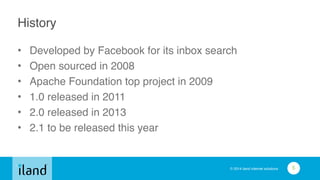
History
• Developed by Facebook for its inbox search!
• Open sourced in 2008!
• Apache Foundation top project in 2009!
• 1.0 released in 2011!
• 2.0 released in 2013!
• 2.1 to be released this year
5
© 2014 iland internet solutions
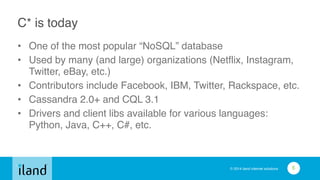
C* is today
• One of the most popular “NoSQL” database!
• Used by many (and large) organizations (Netflix, Instagram,
Twitter, eBay, etc.)!
• Contributors include Facebook, IBM, Twitter, Rackspace, etc.!
• Cassandra 2.0+ and CQL 3.1!
• Drivers and client libs available for various languages:
Python, Java, C++, C#, etc.
6
© 2014 iland internet solutions
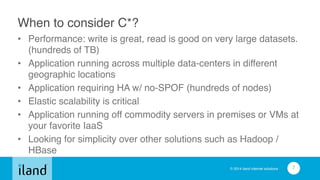
When to consider C*?
• Performance: write is great, read is good on very large datasets.
(hundreds of TB)!
• Application running across multiple data-centers in different
geographic locations!
• Application requiring HA w/ no-SPOF (hundreds of nodes)!
• Elastic scalability is critical!
• Application running off commodity servers in premises or VMs at
your favorite IaaS!
• Looking for simplicity over other solutions such as Hadoop /
HBase
7
Cassandra vs HBase vs MongoDB
Let’s just get this out of the way
© 2014 iland internet solutions
MongoDB to be considered if / when?
• (much) smaller datasets!
• your application does not need to run across multiple
data centers.!
• it is ok for your application to have a SPOF!
• you do not need to scale out your application elastically!
• write performance decreasing with amount of data is not
a big deal
9
© 2014 iland internet solutions
HBase to be considered if / when?
• You do analytics: HBase running off Hadoop is a good
option!
• Your application has a very low transaction rate!
• Your application does not need to run in multiple data
centers!
• You are not scared of moving parts!
• Increasing your application overall architecture is fine
10
C* key features
© 2014 iland internet solutions
Scalability
• linearly scales reads and writes with number of nodes.
Throughput of application // # of nodes!
• hundreds of nodes supported!
• no downtime adding nodes!
• no application level interruption!
• multi-datacenter native replication support
12
© 2014 iland internet solutions
High Availability
• fault tolerant with tunable consistency (more on this later)!
• data replicated to multiple nodes!
• continuous availability: no SPOF (vs master / slave)
13
© 2014 iland internet solutions
Performances
• low latency!
• write is great!
• read is good!
• can handles hundreds of TB
14
© 2014 iland internet solutions
Transaction Support!
• commit log: atomicity, isolation and durability of ACID
compliance!
• consistency is tunable (more on this later)
15
© 2014 iland internet solutions
Simplicity
• all nodes in cluster are the same!
• configuration is simple!
• operation is simple
16
© 2014 iland internet solutions
Cassandra Query Language (CQL)
• SQL-like query language!
• data are in tables containing rows of columns!
• v3 replaces Thrift API and CQL v2
17
C* key concepts
© 2014 iland internet solutions
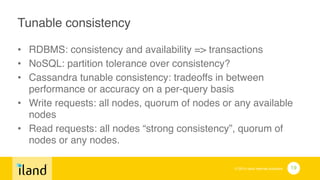
Tunable consistency!
• RDBMS: consistency and availability => transactions!
• NoSQL: partition tolerance over consistency?!
• Cassandra tunable consistency: tradeoffs in between
performance or accuracy on a per-query basis!
• Write requests: all nodes, quorum of nodes or any available
nodes!
• Read requests: all nodes “strong consistency”, quorum of
nodes or any nodes.
19
© 2014 iland internet solutions
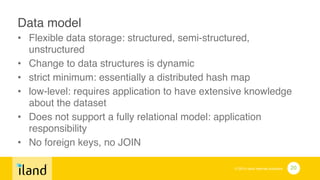
Data model!
• Flexible data storage: structured, semi-structured,
unstructured!
• Change to data structures is dynamic!
• strict minimum: essentially a distributed hash map!
• low-level: requires application to have extensive knowledge
about the dataset!
• Does not support a fully relational model: application
responsibility!
• No foreign keys, no JOIN
20
© 2014 iland internet solutions
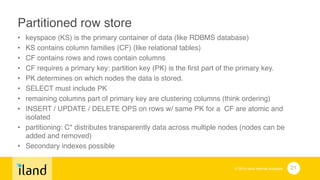
Partitioned row store!
• keyspace (KS) is the primary container of data (like RDBMS database)!
• KS contains column families (CF) (like relational tables)!
• CF contains rows and rows contain columns!
• CF requires a primary key: partition key (PK) is the first part of the primary key. !
• PK determines on which nodes the data is stored. !
• SELECT must include PK!
• remaining columns part of primary key are clustering columns (think ordering)!
• INSERT / UPDATE / DELETE OPS on rows w/ same PK for a CF are atomic and
isolated!
• partitioning: C* distributes transparently data across multiple nodes (nodes can be
added and removed)!
• Secondary indexes possible
21
Getting started
© 2014 iland internet solutions
Where to get started?
• http://cassandra.apache.org/

Apache foundation project Web site!
• http://planetcassandra.org/ 

Community Web site!
• http://www.datastax.com/

company providing Cassandra support and solutions to
enterprises

lots of great documentation
23
© 2014 iland internet solutions
Requirements
• Java >= 1.7 (prefer Oracle JVM)!
• Python 2.7 (cqlsh only)
24
© 2014 iland internet solutions
Downloading
• stable releases available from Apache Foundation Web
site!
• binary distributions!
• Debian / Ubuntu packages!
• DataStax provides RPMs!
• you can build C* from source (testing patches etc.)
25
© 2014 iland internet solutions
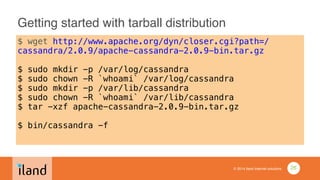
Getting started with tarball distribution
$ wget http://www.apache.org/dyn/closer.cgi?path=/
cassandra/2.0.9/apache-cassandra-2.0.9-bin.tar.gz
!
$ sudo mkdir -p /var/log/cassandra
$ sudo chown -R `whoami` /var/log/cassandra
$ sudo mkdir -p /var/lib/cassandra
$ sudo chown -R `whoami` /var/lib/cassandra
$ tar -xzf apache-cassandra-2.0.9-bin.tar.gz
!
$ bin/cassandra -f
26
© 2014 iland internet solutions
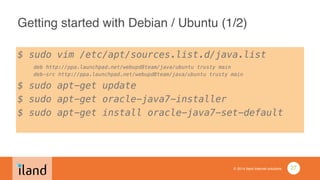
Getting started with Debian / Ubuntu (1/2)
$ sudo vim /etc/apt/sources.list.d/java.list

deb http://ppa.launchpad.net/webupd8team/java/ubuntu trusty main

deb-src http://ppa.launchpad.net/webupd8team/java/ubuntu trusty main
$ sudo apt-get update
$ sudo apt-get oracle-java7-installer
$ sudo apt-get install oracle-java7-set-default
!
27
© 2014 iland internet solutions
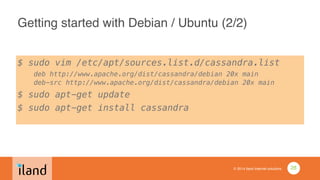
Getting started with Debian / Ubuntu (2/2)
$ sudo vim /etc/apt/sources.list.d/cassandra.list

deb http://www.apache.org/dist/cassandra/debian 20x main

deb-src http://www.apache.org/dist/cassandra/debian 20x main
$ sudo apt-get update
$ sudo apt-get install cassandra
28
© 2014 iland internet solutions
Running the CQL shell
$ (bin/)cqlsh
Connected to Test Cluster at localhost:9160.
[cqlsh 4.1.1 | Cassandra 2.0.9 | CQL spec 3.1.1 | Thrift protocol
19.39.0]
Use HELP for help.
cqlsh>
•
29
Cassandra Query Language (CQL)
© 2014 iland internet solutions
Using CQL
• cqlsh!
• DataStax driver!
• simpler than Thrift API!
• hide C* internal implementation details!
• native transport port: 9042
31
© 2014 iland internet solutions
CQL basics
• usual statements!
• CREATE / DROP / ALTER!
• SELECT!
• INSERT and UPDATE are the same (create or replace)
32
© 2014 iland internet solutions
Keyspace (KS)
• “like” a RDBMS database but…!
• replication strategy!
• SimpleStrategy: simple single DC cluster!
• NetworkTopologyStrategy: multi-DC cluster!
• replication factor: total number of replicas across the cluster!
• A replication factor of 1 means that there is only one copy of each row in
the DC!
• A replication factor of 2 means two copies of each row, where each copy is
on a different node in every DC!
• if RF > # nodes: writes rejected and read will depend on consistent level
33
© 2014 iland internet solutions
Creating KS: single node in a single DC
cqlsh> CREATE KEYSPACE HJUG WITH REPLICATION =
{ 'class' : 'SimpleStrategy', 'replication_factor' : 1 };!
!
1 node == 1 copy!
34
© 2014 iland internet solutions
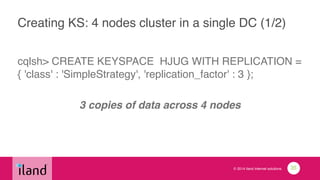
Creating KS: 4 nodes cluster in a single DC (1/2)
cqlsh> CREATE KEYSPACE HJUG WITH REPLICATION =
{ 'class' : 'SimpleStrategy', 'replication_factor' : 3 };!
!
3 copies of data across 4 nodes
35
© 2014 iland internet solutions
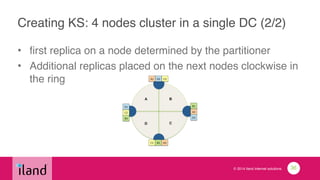
Creating KS: 4 nodes cluster in a single DC (2/2)
• first replica on a node determined by the partitioner!
• Additional replicas placed on the next nodes clockwise in
the ring
36
© 2014 iland internet solutions
Multi-DC (NetworkTopologyStrategy)
• cluster deployed across multiple data centers!
• specify how many replicas in each data center!
• what to consider:!
• local reads with low net latency!
• failure!
• disk space!
• example:!
1. 2 replicas in each DC: 1 node can be down per DC and still allows local reads at
a consistency level of ONE (1).!
2. 3 replicas in each DC. 1 node per DC at a strong consistency level of
LOCAL_QUORUM (2) depending on query consistency level
37
© 2014 iland internet solutions
Creating KS: 2 DC of 3 nodes and RF 3
cqlsh> CREATE KEYSPACE HJUG WITH REPLICATION =
{ 'class' : 'NetworkTopologyStrategy', ‘us-east' : 3, ‘us-west’:
3 };!
!
3 copies of data across 3 nodes in each DC (6 totals)
38
© 2014 iland internet solutions
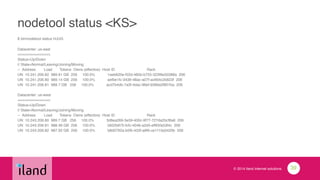
nodetool status <KS>
$ bin/nodetool status HJUG!
!Datacenter: us-east!
===============!
Status=Up/Down!
|/ State=Normal/Leaving/Joining/Moving!
-- Address Load Tokens Owns (effective) Host ID Rack!
UN 10.241.206.82 989.91 GB 256 100.0% 1aeb620e-f22d-485b-b755-323f8e20388a 206!
UN 10.241.206.80 989.14 GB 256 100.0% aefbe1fc-3436-48ac-a07f-ac664c2b823f 206!
UN 10.241.206.81 989.7 GB 256 100.0% acd7b4db-7a3f-4dac-96ef-9389a2f807ba 206!
!Datacenter: us-west!
===============!
Status=Up/Down!
|/ State=Normal/Leaving/Joining/Moving!
-- Address Load Tokens Owns (effective) Host ID Rack!
UN 10.243.206.80 989.7 GB 256 100.0% 3d8ea269-3e59-400c-9f77-727da2bcf8a6 206!
UN 10.243.206.81 988.49 GB 256 100.0% 5832b870-fcfc-4046-a2d5-eff65fa53f4c 206!
UN 10.243.206.82 987.92 GB 256 100.0% b8d0792a-b5fb-433f-a9f6-ce1110a3420b 206!
!
39
© 2014 iland internet solutions
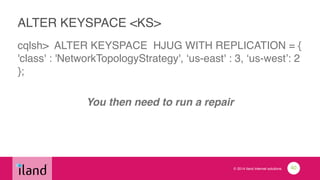
ALTER KEYSPACE <KS>
cqlsh> ALTER KEYSPACE HJUG WITH REPLICATION = {
'class' : 'NetworkTopologyStrategy', ‘us-east' : 3, ‘us-west’: 2
};!
!
You then need to run a repair
40
© 2014 iland internet solutions
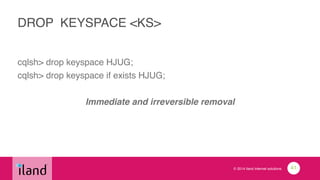
DROP KEYSPACE <KS>
cqlsh> drop keyspace HJUG;!
cqlsh> drop keyspace if exists HJUG;!
!
Immediate and irreversible removal
41
© 2014 iland internet solutions
Using KS
cqlsh> use HJUG;

cqlsh> describe keyspace HJUG;
42
© 2014 iland internet solutions
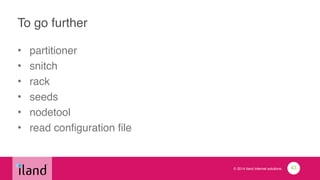
To go further
• partitioner!
• snitch!
• rack!
• seeds!
• nodetool!
• read configuration file
43
© 2014 iland internet solutions
Creating table with a single primary key
cqlsh:HJUG> CREATE TABLE users (

username varchar,!
password varchar,!
[…], !
PRIMARY KEY (username));
44
© 2014 iland internet solutions
Creating table with a compound primary key
cqlsh:HJUG> CREATE TABLE users(

username varchar,!
location_id int,!
[…],!
PRIMARY KEY (username, location_id));!
!
partition key: username!
location_id: clustering columns (ordering)
45
© 2014 iland internet solutions
Creating table with a composite primary key
cqlsh:HJUG> CREATE TABLE users(

username varchar,!
location_id int,!
[…],!
PRIMARY KEY ((username, location_id)));!
!
each row will be on a separated partition of its own
46
© 2014 iland internet solutions
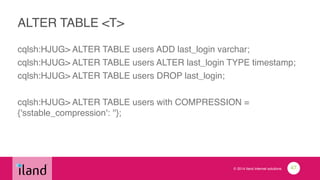
ALTER TABLE <T>
cqlsh:HJUG> ALTER TABLE users ADD last_login varchar;!
cqlsh:HJUG> ALTER TABLE users ALTER last_login TYPE timestamp;!
cqlsh:HJUG> ALTER TABLE users DROP last_login;!
!
cqlsh:HJUG> ALTER TABLE users with COMPRESSION =
{'sstable_compression': ''};!
47
© 2014 iland internet solutions
DESCRIBE TABLE <T>
cqlsh> use HJUG;

cqlsh:HJUG> DESCRIBE TABLE HJUG;

CREATE TABLE users(

username varchar,!
location_id int,!
[…],!
PRIMARY KEY (username, location_id)!
) WITH!
[…]!
compaction={'class': 'SizeTieredCompactionStrategy'} AND!
compression={'sstable_compression': 'LZ4Compressor'};!
!
48
© 2014 iland internet solutions
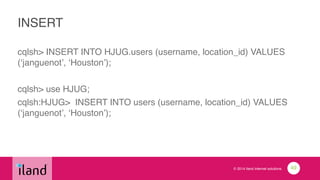
INSERT
cqlsh> INSERT INTO HJUG.users (username, location_id) VALUES
(‘janguenot’, ‘Houston’); !
!
cqlsh> use HJUG;!
cqlsh:HJUG> INSERT INTO users (username, location_id) VALUES
(‘janguenot’, ‘Houston’);
49
© 2014 iland internet solutions
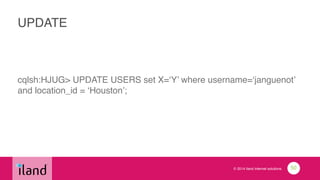
UPDATE
cqlsh:HJUG> UPDATE USERS set X=‘Y’ where username=‘janguenot’
and location_id = ‘Houston’;
50
© 2014 iland internet solutions
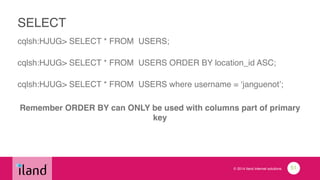
SELECT
cqlsh:HJUG> SELECT * FROM USERS;!


cqlsh:HJUG> SELECT * FROM USERS ORDER BY location_id ASC;!


cqlsh:HJUG> SELECT * FROM USERS where username = ‘janguenot’;!
!
Remember ORDER BY can ONLY be used with columns part of primary
key!
!
51
© 2014 iland internet solutions
CQL predicates
• on partition keys: =, IN!
• on the cluster columns: <,<=,=,>=,>,IN
52
© 2014 iland internet solutions
Performance considerations
• query against single partition are fast!
• pk = <whatever>!
• queries spanning multiple partitions are slow!
• new disk seek for each partition!
• queries spanning multiple cluster columns are fast
53
© 2014 iland internet solutions
GROUP BY?
• partition key cluster columns for grouping!
• no group by statement
54
© 2014 iland internet solutions
DELETE
cqlsh:HJUG> DELETE FROM USERS where username =
‘janguenot’ and location_id = ‘Houston’;!
!
Deleted values will be permanently deleted after next
compaction
55
© 2014 iland internet solutions
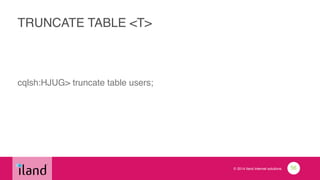
TRUNCATE TABLE <T>
cqlsh:HJUG> truncate table users;
56
© 2014 iland internet solutions
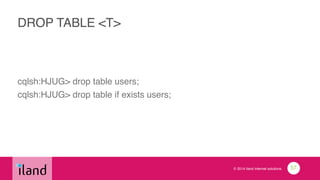
DROP TABLE <T>
cqlsh:HJUG> drop table users;!
cqlsh:HJUG> drop table if exists users;
57
© 2014 iland internet solutions
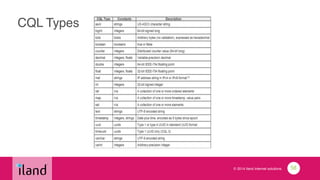
CQL Types
58
© 2014 iland internet solutions
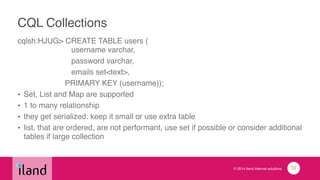
CQL Collections
cqlsh:HJUG> CREATE TABLE users (

username varchar,!
password varchar,!
emails set<text>, !
PRIMARY KEY (username));!
• Set, List and Map are supported!
• 1 to many relationship!
• they get serialized: keep it small or use extra table!
• list, that are ordered, are not performant, use set if possible or consider additional
tables if large collection
59
© 2014 iland internet solutions
Secondary Indexes
• Query against a column outside the primary key!
• CREATE INDEX <index_name> ON <T>(<column>);!
• SELECT * FROM T where column=‘x’;!
• Performances are good but not great but definitely getting
better and better
60
© 2014 iland internet solutions
Final remarks about CQL
• no sequences: you manage UUID at the app level (time
UUID types might be used for time series though)!
• remember partition key is not a primary key: beware of
UPDATE!
• In doubt, you can write: C* is good at it. Create table and
store data (One to One, One To Many)!
• Your application will drive your data model!
61
© 2014 iland internet solutions
To go further
• TTL!
• Counters!
• Static column!
• Lightweight transactions (IF, IF NOT EXISTS)
62
DataStax native CQL Java driver
© 2014 iland internet solutions
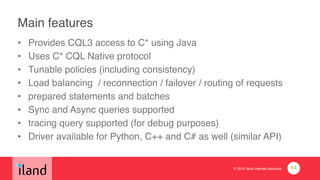
Main features
• Provides CQL3 access to C* using Java!
• Uses C* CQL Native protocol!
• Tunable policies (including consistency)!
• Load balancing / reconnection / failover / routing of requests!
• prepared statements and batches!
• Sync and Async queries supported!
• tracing query supported (for debug purposes)!
• Driver available for Python, C++ and C# as well (similar API)
64
© 2014 iland internet solutions
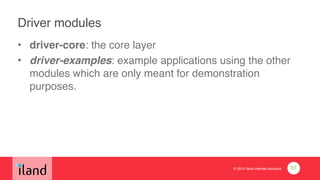
Driver modules
• driver-core: the core layer!
• driver-examples: example applications using the other
modules which are only meant for demonstration
purposes.
65
© 2014 iland internet solutions
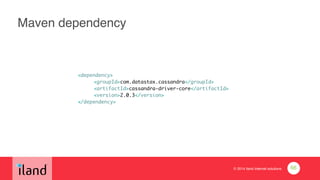
Maven dependency
	 	 	 <dependency>	
	 	 	 	 <groupId>com.datastax.cassandra</groupId>	
	 	 	 	 <artifactId>cassandra-driver-core</artifactId>	
	 	 	 	 <version>2.0.3</version>	
	 	 	 </dependency>
66
© 2014 iland internet solutions
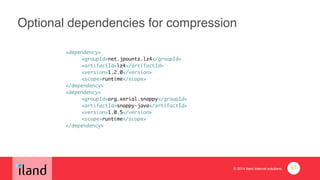
Optional dependencies for compression
	 	 	 <dependency>	
	 	 	 	 <groupId>net.jpountz.lz4</groupId>	
	 	 	 	 <artifactId>lz4</artifactId>	
	 	 	 	 <version>1.2.0</version>	
	 	 	 	 <scope>runtime</scope>	
	 	 	 </dependency>	
	 	 	 <dependency>	
	 	 	 	 <groupId>org.xerial.snappy</groupId>	
	 	 	 	 <artifactId>snappy-java</artifactId>	
	 	 	 	 <version>1.0.5</version>	
	 	 	 	 <scope>runtime</scope>	
	 	 	 </dependency>
67
© 2014 iland internet solutions
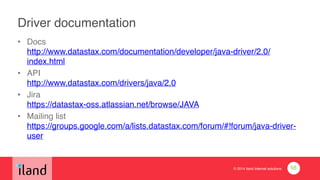
Driver documentation
• Docs

http://www.datastax.com/documentation/developer/java-driver/2.0/
index.html!
• API

http://www.datastax.com/drivers/java/2.0 !
• Jira

https://datastax-oss.atlassian.net/browse/JAVA !
• Mailing list

https://groups.google.com/a/lists.datastax.com/forum/#!forum/java-driver-
user
68
© 2014 iland internet solutions
Open Source
• Apache v2 licence!
• https://github.com/datastax/java-driver
69
Examples
© 2014 iland internet solutions
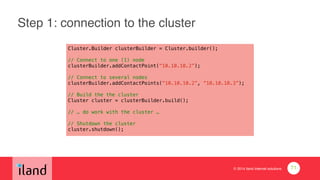
Step 1: connection to the cluster
Cluster.Builder clusterBuilder = Cluster.builder();
!
// Connect to one (1) node
clusterBuilder.addContactPoint(“10.10.10.2”);
!
// Connect to several nodes
clusterBuilder.addContactPoints(“10.10.10.2”, “10.10.10.3”);
!
// Build the the cluster
Cluster cluster = clusterBuilder.build();
!
// … do work with the cluster …
!
// Shutdown the cluster
cluster.shutdown();
71
© 2014 iland internet solutions
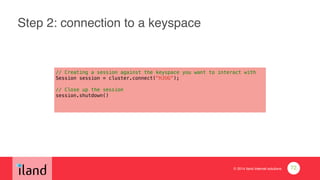
Step 2: connection to a keyspace
// Creating a session against the keyspace you want to interact with
Session session = cluster.connect("HJUG");
!
// Close up the session
session.shutdown()
72
© 2014 iland internet solutions
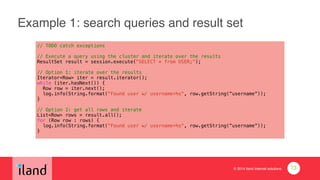
Example 1: search queries and result set
// TODO catch exceptions
!// Execute a query using the cluster and iterate over the results
ResultSet result = session.execute("SELECT * from USER;");
!// Option 1: iterate over the results
Iterator<Row> iter = result.iterator();
while (iter.hasNext()) {
Row row = iter.next();
log.info(String.format("Found user w/ username=%s", row.getString(“username”));
}
!// Option 2: get all rows and iterate
List<Row> rows = result.all();
for (Row row : rows) {
log.info(String.format("Found user w/ username=%s", row.getString(“username”));
}
73
© 2014 iland internet solutions
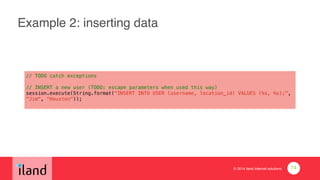
Example 2: inserting data
// TODO catch exceptions
!
// INSERT a new user (TODO: escape parameters when used this way)
session.execute(String.format("INSERT INTO USER (username, location_id) VALUES (%s, %s);",
"Jim", “Houston"));
74
© 2014 iland internet solutions
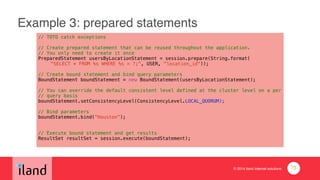
Example 3: prepared statements
// TOTO catch exceptions
!// Create prepared statement that can be reused throughout the application.
// You only need to create it once
PreparedStatement usersByLocationStatement = session.prepare(String.format(
"SELECT * FROM %s WHERE %s = ?;", USER, "location_id"));
!// Create bound statement and bind query parameters
BoundStatement boundStatement = new BoundStatement(usersByLocationStatement);
!// You can override the default consistent level defined at the cluster level on a per

// query basis
boundStatement.setConsistencyLevel(ConsistencyLevel.LOCAL_QUORUM);
!// Bind parameters
boundStatement.bind(“Houston”);
!!// Execute bound statement and get results
ResultSet resultSet = session.execute(boundStatement);
75
© 2014 iland internet solutions
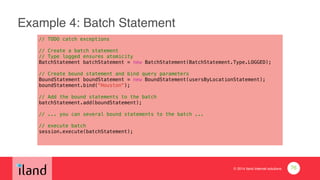
Example 4: Batch Statement
// TODO catch exceptions
!
// Create a batch statement
// Type logged ensures atomicity
BatchStatement batchStatement = new BatchStatement(BatchStatement.Type.LOGGED);
!
// Create bound statement and bind query parameters
BoundStatement boundStatement = new BoundStatement(usersByLocationStatement);
boundStatement.bind("Houston");
!
// Add the bound statements to the batch
batchStatement.add(boundStatement);
!
// ... you can several bound statements to the batch ...
!
// execute batch
session.execute(batchStatement);
76
© 2014 iland internet solutions
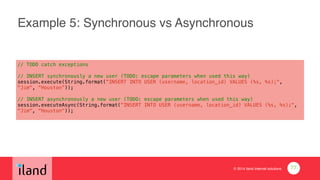
Example 5: Synchronous vs Asynchronous
// TODO catch exceptions
!
// INSERT synchronously a new user (TODO: escape parameters when used this way)
session.execute(String.format("INSERT INTO USER (username, location_id) VALUES (%s, %s);",
"Jim", “Houston”));
!
// INSERT asynchronously a new user (TODO: escape parameters when used this way)
session.executeAsync(String.format("INSERT INTO USER (username, location_id) VALUES (%s, %s);",
"Jim", “Houston"));
77
© 2014 iland internet solutions
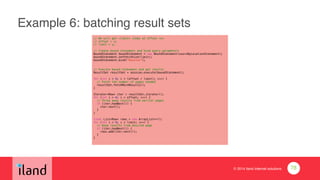
Example 6: batching result sets
// We will get <limit> items at offset <x>
// offset = x;
// limit = y;
!// Create bound statement and bind query parameters
BoundStatement boundStatement = new BoundStatement(usersByLocationStatement);
boundStatement.setFetchSize(limit);
boundStatement.bind("Houston");
!!// Execute bound statement and get results
ResultSet resultSet = session.execute(boundStatement);
!for (int i = 0; i < (offset / limit); i++) {
// Fetch the number of pages needed
resultSet.fetchMoreResults();
}
!Iterator<Row> iter = resultSet.iterator();
for (int i = 0; i < offset; i++) {
// Throw away results from earlier pages
if (iter.hasNext()) {
iter.next();
}
}
!final List<Row> rows = new ArrayList<>();
for (int i = 0; i < limit; i++) {
// Keep results from desired page
if (iter.hasNext()) {
rows.add(iter.next());
}
}
78
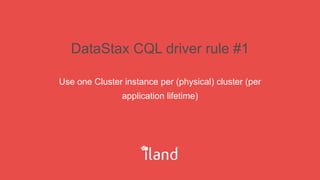
DataStax CQL driver rule #1
Use one Cluster instance per (physical) cluster (per
application lifetime)
© 2014 iland internet solutions
Cluster
• handles queries, connections and their policies!
• share cluster instance at the application level!
• must be tuned according to C* nodes / cluster
configuration (timeouts, retries etc.)!
• Consistency
80
© 2014 iland internet solutions
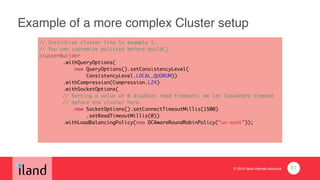
Example of a more complex Cluster setup
// Initialize cluster like in example 1.	
// You can customize policies before build()	
clusterBuilder	
.withQueryOptions(	
new QueryOptions().setConsistencyLevel(	
ConsistencyLevel.LOCAL_QUORUM))	
.withCompression(Compression.LZ4)	
.withSocketOptions(	
// Setting a value of 0 disables read timeouts: we let Cassandra timeout	
// before the cluster here.	
new SocketOptions().setConnectTimeoutMillis(1500)	
.setReadTimeoutMillis(0))

.withLoadBalancingPolicy(new DCAwareRoundRobinPolicy(“us-east”));
81
DataStax CQL driver rule #2
Use at most one Session per keyspace, or use a single
Session and explicitly specify the keyspace in your
queries
© 2014 iland internet solutions
Session
• API centered around query execution!
• manages per-node connection pools!
• avoid large # of sessions or major impact on server
resources (C* side)!
• share session instance at the application level!
• one session per keyspace at most!
• if large number of keyspace: pre-defined number of sessions
83
DataStax CQL driver rule #3
if you execute a statement more than once, consider
using a PreparedStatement
© 2014 iland internet solutions
Prepared statements
• prepare once, bind and execute multiple times.!
• parsed and prepared on the Cassandra nodes!
• cache prepared statement at the application level!
• only bound parameters and query are sent to nodes!
• performance gains are significant!
• prepared statements should be configured to rarely
receive null values when binding parameters
85
DataStax CQL driver rule #4
You can reduce the number of network roundtrips and
also have atomic operations by using Batches
© 2014 iland internet solutions
Batch operations!
• single request!
• combines multiple data modification statements into a
single logical operation!
• atomic operation: all statements pass or fail!
• can use combinations of batch and prepared statements!
• keep batch statement below the value specified in conf
file: batch_size_warn_threshold_in_kb (5 kb by default)
87
Thanks!
Slides available @ http://www.slideshare.net/anguenot/cassandra-cql-
javahjug20140730 !
@anguenot / ja@iland.com!
!
iland: http://www.iland.com!
We are hiring in Houston!!
https://www.linkedin.com/company/iland-internet-solutions/careers !
!
Introduction to Cassandra and CQL for Java developers

Introduction to Cassandra and CQL for Java developers

  • 1.
    Introduction to Cassandraand CQL for Java developers Julien Anguenot (@anguenot)! Houston Java User Group! July 30th, 2014
  • 2.
    Agenda C* overview! C* keyfeatures! C* key concepts! Getting started with C*! CQL! DataStax CQL Java driver
  • 3.
  • 4.
    © 2014 ilandinternet solutions What is C*? • Open source distributed storage system! • Essentially a partitioned row store! • A cross between Google’s BigTable (data model) and Amazon’s Dynamo (architecture)! • Runs off commodity hardware! • Optimized for non-relational models! • Cassandra Query Language (CQL)! • Written in Java! • Apache Licence v2.0! • An open source community 4
  • 5.
    © 2014 ilandinternet solutions History • Developed by Facebook for its inbox search! • Open sourced in 2008! • Apache Foundation top project in 2009! • 1.0 released in 2011! • 2.0 released in 2013! • 2.1 to be released this year 5
  • 6.
    © 2014 ilandinternet solutions C* is today • One of the most popular “NoSQL” database! • Used by many (and large) organizations (Netflix, Instagram, Twitter, eBay, etc.)! • Contributors include Facebook, IBM, Twitter, Rackspace, etc.! • Cassandra 2.0+ and CQL 3.1! • Drivers and client libs available for various languages: Python, Java, C++, C#, etc. 6
  • 7.
    © 2014 ilandinternet solutions When to consider C*? • Performance: write is great, read is good on very large datasets. (hundreds of TB)! • Application running across multiple data-centers in different geographic locations! • Application requiring HA w/ no-SPOF (hundreds of nodes)! • Elastic scalability is critical! • Application running off commodity servers in premises or VMs at your favorite IaaS! • Looking for simplicity over other solutions such as Hadoop / HBase 7
  • 8.
    Cassandra vs HBasevs MongoDB Let’s just get this out of the way
  • 9.
    © 2014 ilandinternet solutions MongoDB to be considered if / when? • (much) smaller datasets! • your application does not need to run across multiple data centers.! • it is ok for your application to have a SPOF! • you do not need to scale out your application elastically! • write performance decreasing with amount of data is not a big deal 9
  • 10.
    © 2014 ilandinternet solutions HBase to be considered if / when? • You do analytics: HBase running off Hadoop is a good option! • Your application has a very low transaction rate! • Your application does not need to run in multiple data centers! • You are not scared of moving parts! • Increasing your application overall architecture is fine 10
  • 11.
  • 12.
    © 2014 ilandinternet solutions Scalability • linearly scales reads and writes with number of nodes. Throughput of application // # of nodes! • hundreds of nodes supported! • no downtime adding nodes! • no application level interruption! • multi-datacenter native replication support 12
  • 13.
    © 2014 ilandinternet solutions High Availability • fault tolerant with tunable consistency (more on this later)! • data replicated to multiple nodes! • continuous availability: no SPOF (vs master / slave) 13
  • 14.
    © 2014 ilandinternet solutions Performances • low latency! • write is great! • read is good! • can handles hundreds of TB 14
  • 15.
    © 2014 ilandinternet solutions Transaction Support! • commit log: atomicity, isolation and durability of ACID compliance! • consistency is tunable (more on this later) 15
  • 16.
    © 2014 ilandinternet solutions Simplicity • all nodes in cluster are the same! • configuration is simple! • operation is simple 16
  • 17.
    © 2014 ilandinternet solutions Cassandra Query Language (CQL) • SQL-like query language! • data are in tables containing rows of columns! • v3 replaces Thrift API and CQL v2 17
  • 18.
  • 19.
    © 2014 ilandinternet solutions Tunable consistency! • RDBMS: consistency and availability => transactions! • NoSQL: partition tolerance over consistency?! • Cassandra tunable consistency: tradeoffs in between performance or accuracy on a per-query basis! • Write requests: all nodes, quorum of nodes or any available nodes! • Read requests: all nodes “strong consistency”, quorum of nodes or any nodes. 19
  • 20.
    © 2014 ilandinternet solutions Data model! • Flexible data storage: structured, semi-structured, unstructured! • Change to data structures is dynamic! • strict minimum: essentially a distributed hash map! • low-level: requires application to have extensive knowledge about the dataset! • Does not support a fully relational model: application responsibility! • No foreign keys, no JOIN 20
  • 21.
    © 2014 ilandinternet solutions Partitioned row store! • keyspace (KS) is the primary container of data (like RDBMS database)! • KS contains column families (CF) (like relational tables)! • CF contains rows and rows contain columns! • CF requires a primary key: partition key (PK) is the first part of the primary key. ! • PK determines on which nodes the data is stored. ! • SELECT must include PK! • remaining columns part of primary key are clustering columns (think ordering)! • INSERT / UPDATE / DELETE OPS on rows w/ same PK for a CF are atomic and isolated! • partitioning: C* distributes transparently data across multiple nodes (nodes can be added and removed)! • Secondary indexes possible 21
  • 22.
  • 23.
    © 2014 ilandinternet solutions Where to get started? • http://cassandra.apache.org/
 Apache foundation project Web site! • http://planetcassandra.org/ 
 Community Web site! • http://www.datastax.com/
 company providing Cassandra support and solutions to enterprises
 lots of great documentation 23
  • 24.
    © 2014 ilandinternet solutions Requirements • Java >= 1.7 (prefer Oracle JVM)! • Python 2.7 (cqlsh only) 24
  • 25.
    © 2014 ilandinternet solutions Downloading • stable releases available from Apache Foundation Web site! • binary distributions! • Debian / Ubuntu packages! • DataStax provides RPMs! • you can build C* from source (testing patches etc.) 25
  • 26.
    © 2014 ilandinternet solutions Getting started with tarball distribution $ wget http://www.apache.org/dyn/closer.cgi?path=/ cassandra/2.0.9/apache-cassandra-2.0.9-bin.tar.gz ! $ sudo mkdir -p /var/log/cassandra $ sudo chown -R `whoami` /var/log/cassandra $ sudo mkdir -p /var/lib/cassandra $ sudo chown -R `whoami` /var/lib/cassandra $ tar -xzf apache-cassandra-2.0.9-bin.tar.gz ! $ bin/cassandra -f 26
  • 27.
    © 2014 ilandinternet solutions Getting started with Debian / Ubuntu (1/2) $ sudo vim /etc/apt/sources.list.d/java.list
 deb http://ppa.launchpad.net/webupd8team/java/ubuntu trusty main
 deb-src http://ppa.launchpad.net/webupd8team/java/ubuntu trusty main $ sudo apt-get update $ sudo apt-get oracle-java7-installer $ sudo apt-get install oracle-java7-set-default ! 27
  • 28.
    © 2014 ilandinternet solutions Getting started with Debian / Ubuntu (2/2) $ sudo vim /etc/apt/sources.list.d/cassandra.list
 deb http://www.apache.org/dist/cassandra/debian 20x main
 deb-src http://www.apache.org/dist/cassandra/debian 20x main $ sudo apt-get update $ sudo apt-get install cassandra 28
  • 29.
    © 2014 ilandinternet solutions Running the CQL shell $ (bin/)cqlsh Connected to Test Cluster at localhost:9160. [cqlsh 4.1.1 | Cassandra 2.0.9 | CQL spec 3.1.1 | Thrift protocol 19.39.0] Use HELP for help. cqlsh> • 29
  • 30.
  • 31.
    © 2014 ilandinternet solutions Using CQL • cqlsh! • DataStax driver! • simpler than Thrift API! • hide C* internal implementation details! • native transport port: 9042 31
  • 32.
    © 2014 ilandinternet solutions CQL basics • usual statements! • CREATE / DROP / ALTER! • SELECT! • INSERT and UPDATE are the same (create or replace) 32
  • 33.
    © 2014 ilandinternet solutions Keyspace (KS) • “like” a RDBMS database but…! • replication strategy! • SimpleStrategy: simple single DC cluster! • NetworkTopologyStrategy: multi-DC cluster! • replication factor: total number of replicas across the cluster! • A replication factor of 1 means that there is only one copy of each row in the DC! • A replication factor of 2 means two copies of each row, where each copy is on a different node in every DC! • if RF > # nodes: writes rejected and read will depend on consistent level 33
  • 34.
    © 2014 ilandinternet solutions Creating KS: single node in a single DC cqlsh> CREATE KEYSPACE HJUG WITH REPLICATION = { 'class' : 'SimpleStrategy', 'replication_factor' : 1 };! ! 1 node == 1 copy! 34
  • 35.
    © 2014 ilandinternet solutions Creating KS: 4 nodes cluster in a single DC (1/2) cqlsh> CREATE KEYSPACE HJUG WITH REPLICATION = { 'class' : 'SimpleStrategy', 'replication_factor' : 3 };! ! 3 copies of data across 4 nodes 35
  • 36.
    © 2014 ilandinternet solutions Creating KS: 4 nodes cluster in a single DC (2/2) • first replica on a node determined by the partitioner! • Additional replicas placed on the next nodes clockwise in the ring 36
  • 37.
    © 2014 ilandinternet solutions Multi-DC (NetworkTopologyStrategy) • cluster deployed across multiple data centers! • specify how many replicas in each data center! • what to consider:! • local reads with low net latency! • failure! • disk space! • example:! 1. 2 replicas in each DC: 1 node can be down per DC and still allows local reads at a consistency level of ONE (1).! 2. 3 replicas in each DC. 1 node per DC at a strong consistency level of LOCAL_QUORUM (2) depending on query consistency level 37
  • 38.
    © 2014 ilandinternet solutions Creating KS: 2 DC of 3 nodes and RF 3 cqlsh> CREATE KEYSPACE HJUG WITH REPLICATION = { 'class' : 'NetworkTopologyStrategy', ‘us-east' : 3, ‘us-west’: 3 };! ! 3 copies of data across 3 nodes in each DC (6 totals) 38
  • 39.
    © 2014 ilandinternet solutions nodetool status <KS> $ bin/nodetool status HJUG! !Datacenter: us-east! ===============! Status=Up/Down! |/ State=Normal/Leaving/Joining/Moving! -- Address Load Tokens Owns (effective) Host ID Rack! UN 10.241.206.82 989.91 GB 256 100.0% 1aeb620e-f22d-485b-b755-323f8e20388a 206! UN 10.241.206.80 989.14 GB 256 100.0% aefbe1fc-3436-48ac-a07f-ac664c2b823f 206! UN 10.241.206.81 989.7 GB 256 100.0% acd7b4db-7a3f-4dac-96ef-9389a2f807ba 206! !Datacenter: us-west! ===============! Status=Up/Down! |/ State=Normal/Leaving/Joining/Moving! -- Address Load Tokens Owns (effective) Host ID Rack! UN 10.243.206.80 989.7 GB 256 100.0% 3d8ea269-3e59-400c-9f77-727da2bcf8a6 206! UN 10.243.206.81 988.49 GB 256 100.0% 5832b870-fcfc-4046-a2d5-eff65fa53f4c 206! UN 10.243.206.82 987.92 GB 256 100.0% b8d0792a-b5fb-433f-a9f6-ce1110a3420b 206! ! 39
  • 40.
    © 2014 ilandinternet solutions ALTER KEYSPACE <KS> cqlsh> ALTER KEYSPACE HJUG WITH REPLICATION = { 'class' : 'NetworkTopologyStrategy', ‘us-east' : 3, ‘us-west’: 2 };! ! You then need to run a repair 40
  • 41.
    © 2014 ilandinternet solutions DROP KEYSPACE <KS> cqlsh> drop keyspace HJUG;! cqlsh> drop keyspace if exists HJUG;! ! Immediate and irreversible removal 41
  • 42.
    © 2014 ilandinternet solutions Using KS cqlsh> use HJUG;
 cqlsh> describe keyspace HJUG; 42
  • 43.
    © 2014 ilandinternet solutions To go further • partitioner! • snitch! • rack! • seeds! • nodetool! • read configuration file 43
  • 44.
    © 2014 ilandinternet solutions Creating table with a single primary key cqlsh:HJUG> CREATE TABLE users (
 username varchar,! password varchar,! […], ! PRIMARY KEY (username)); 44
  • 45.
    © 2014 ilandinternet solutions Creating table with a compound primary key cqlsh:HJUG> CREATE TABLE users(
 username varchar,! location_id int,! […],! PRIMARY KEY (username, location_id));! ! partition key: username! location_id: clustering columns (ordering) 45
  • 46.
    © 2014 ilandinternet solutions Creating table with a composite primary key cqlsh:HJUG> CREATE TABLE users(
 username varchar,! location_id int,! […],! PRIMARY KEY ((username, location_id)));! ! each row will be on a separated partition of its own 46
  • 47.
    © 2014 ilandinternet solutions ALTER TABLE <T> cqlsh:HJUG> ALTER TABLE users ADD last_login varchar;! cqlsh:HJUG> ALTER TABLE users ALTER last_login TYPE timestamp;! cqlsh:HJUG> ALTER TABLE users DROP last_login;! ! cqlsh:HJUG> ALTER TABLE users with COMPRESSION = {'sstable_compression': ''};! 47
  • 48.
    © 2014 ilandinternet solutions DESCRIBE TABLE <T> cqlsh> use HJUG;
 cqlsh:HJUG> DESCRIBE TABLE HJUG;
 CREATE TABLE users(
 username varchar,! location_id int,! […],! PRIMARY KEY (username, location_id)! ) WITH! […]! compaction={'class': 'SizeTieredCompactionStrategy'} AND! compression={'sstable_compression': 'LZ4Compressor'};! ! 48
  • 49.
    © 2014 ilandinternet solutions INSERT cqlsh> INSERT INTO HJUG.users (username, location_id) VALUES (‘janguenot’, ‘Houston’); ! ! cqlsh> use HJUG;! cqlsh:HJUG> INSERT INTO users (username, location_id) VALUES (‘janguenot’, ‘Houston’); 49
  • 50.
    © 2014 ilandinternet solutions UPDATE cqlsh:HJUG> UPDATE USERS set X=‘Y’ where username=‘janguenot’ and location_id = ‘Houston’; 50
  • 51.
    © 2014 ilandinternet solutions SELECT cqlsh:HJUG> SELECT * FROM USERS;! 
 cqlsh:HJUG> SELECT * FROM USERS ORDER BY location_id ASC;! 
 cqlsh:HJUG> SELECT * FROM USERS where username = ‘janguenot’;! ! Remember ORDER BY can ONLY be used with columns part of primary key! ! 51
  • 52.
    © 2014 ilandinternet solutions CQL predicates • on partition keys: =, IN! • on the cluster columns: <,<=,=,>=,>,IN 52
  • 53.
    © 2014 ilandinternet solutions Performance considerations • query against single partition are fast! • pk = <whatever>! • queries spanning multiple partitions are slow! • new disk seek for each partition! • queries spanning multiple cluster columns are fast 53
  • 54.
    © 2014 ilandinternet solutions GROUP BY? • partition key cluster columns for grouping! • no group by statement 54
  • 55.
    © 2014 ilandinternet solutions DELETE cqlsh:HJUG> DELETE FROM USERS where username = ‘janguenot’ and location_id = ‘Houston’;! ! Deleted values will be permanently deleted after next compaction 55
  • 56.
    © 2014 ilandinternet solutions TRUNCATE TABLE <T> cqlsh:HJUG> truncate table users; 56
  • 57.
    © 2014 ilandinternet solutions DROP TABLE <T> cqlsh:HJUG> drop table users;! cqlsh:HJUG> drop table if exists users; 57
  • 58.
    © 2014 ilandinternet solutions CQL Types 58
  • 59.
    © 2014 ilandinternet solutions CQL Collections cqlsh:HJUG> CREATE TABLE users (
 username varchar,! password varchar,! emails set<text>, ! PRIMARY KEY (username));! • Set, List and Map are supported! • 1 to many relationship! • they get serialized: keep it small or use extra table! • list, that are ordered, are not performant, use set if possible or consider additional tables if large collection 59
  • 60.
    © 2014 ilandinternet solutions Secondary Indexes • Query against a column outside the primary key! • CREATE INDEX <index_name> ON <T>(<column>);! • SELECT * FROM T where column=‘x’;! • Performances are good but not great but definitely getting better and better 60
  • 61.
    © 2014 ilandinternet solutions Final remarks about CQL • no sequences: you manage UUID at the app level (time UUID types might be used for time series though)! • remember partition key is not a primary key: beware of UPDATE! • In doubt, you can write: C* is good at it. Create table and store data (One to One, One To Many)! • Your application will drive your data model! 61
  • 62.
    © 2014 ilandinternet solutions To go further • TTL! • Counters! • Static column! • Lightweight transactions (IF, IF NOT EXISTS) 62
  • 63.
  • 64.
    © 2014 ilandinternet solutions Main features • Provides CQL3 access to C* using Java! • Uses C* CQL Native protocol! • Tunable policies (including consistency)! • Load balancing / reconnection / failover / routing of requests! • prepared statements and batches! • Sync and Async queries supported! • tracing query supported (for debug purposes)! • Driver available for Python, C++ and C# as well (similar API) 64
  • 65.
    © 2014 ilandinternet solutions Driver modules • driver-core: the core layer! • driver-examples: example applications using the other modules which are only meant for demonstration purposes. 65
  • 66.
    © 2014 ilandinternet solutions Maven dependency <dependency> <groupId>com.datastax.cassandra</groupId> <artifactId>cassandra-driver-core</artifactId> <version>2.0.3</version> </dependency> 66
  • 67.
    © 2014 ilandinternet solutions Optional dependencies for compression <dependency> <groupId>net.jpountz.lz4</groupId> <artifactId>lz4</artifactId> <version>1.2.0</version> <scope>runtime</scope> </dependency> <dependency> <groupId>org.xerial.snappy</groupId> <artifactId>snappy-java</artifactId> <version>1.0.5</version> <scope>runtime</scope> </dependency> 67
  • 68.
    © 2014 ilandinternet solutions Driver documentation • Docs
 http://www.datastax.com/documentation/developer/java-driver/2.0/ index.html! • API
 http://www.datastax.com/drivers/java/2.0 ! • Jira
 https://datastax-oss.atlassian.net/browse/JAVA ! • Mailing list
 https://groups.google.com/a/lists.datastax.com/forum/#!forum/java-driver- user 68
  • 69.
    © 2014 ilandinternet solutions Open Source • Apache v2 licence! • https://github.com/datastax/java-driver 69
  • 70.
  • 71.
    © 2014 ilandinternet solutions Step 1: connection to the cluster Cluster.Builder clusterBuilder = Cluster.builder(); ! // Connect to one (1) node clusterBuilder.addContactPoint(“10.10.10.2”); ! // Connect to several nodes clusterBuilder.addContactPoints(“10.10.10.2”, “10.10.10.3”); ! // Build the the cluster Cluster cluster = clusterBuilder.build(); ! // … do work with the cluster … ! // Shutdown the cluster cluster.shutdown(); 71
  • 72.
    © 2014 ilandinternet solutions Step 2: connection to a keyspace // Creating a session against the keyspace you want to interact with Session session = cluster.connect("HJUG"); ! // Close up the session session.shutdown() 72
  • 73.
    © 2014 ilandinternet solutions Example 1: search queries and result set // TODO catch exceptions !// Execute a query using the cluster and iterate over the results ResultSet result = session.execute("SELECT * from USER;"); !// Option 1: iterate over the results Iterator<Row> iter = result.iterator(); while (iter.hasNext()) { Row row = iter.next(); log.info(String.format("Found user w/ username=%s", row.getString(“username”)); } !// Option 2: get all rows and iterate List<Row> rows = result.all(); for (Row row : rows) { log.info(String.format("Found user w/ username=%s", row.getString(“username”)); } 73
  • 74.
    © 2014 ilandinternet solutions Example 2: inserting data // TODO catch exceptions ! // INSERT a new user (TODO: escape parameters when used this way) session.execute(String.format("INSERT INTO USER (username, location_id) VALUES (%s, %s);", "Jim", “Houston")); 74
  • 75.
    © 2014 ilandinternet solutions Example 3: prepared statements // TOTO catch exceptions !// Create prepared statement that can be reused throughout the application. // You only need to create it once PreparedStatement usersByLocationStatement = session.prepare(String.format( "SELECT * FROM %s WHERE %s = ?;", USER, "location_id")); !// Create bound statement and bind query parameters BoundStatement boundStatement = new BoundStatement(usersByLocationStatement); !// You can override the default consistent level defined at the cluster level on a per
 // query basis boundStatement.setConsistencyLevel(ConsistencyLevel.LOCAL_QUORUM); !// Bind parameters boundStatement.bind(“Houston”); !!// Execute bound statement and get results ResultSet resultSet = session.execute(boundStatement); 75
  • 76.
    © 2014 ilandinternet solutions Example 4: Batch Statement // TODO catch exceptions ! // Create a batch statement // Type logged ensures atomicity BatchStatement batchStatement = new BatchStatement(BatchStatement.Type.LOGGED); ! // Create bound statement and bind query parameters BoundStatement boundStatement = new BoundStatement(usersByLocationStatement); boundStatement.bind("Houston"); ! // Add the bound statements to the batch batchStatement.add(boundStatement); ! // ... you can several bound statements to the batch ... ! // execute batch session.execute(batchStatement); 76
  • 77.
    © 2014 ilandinternet solutions Example 5: Synchronous vs Asynchronous // TODO catch exceptions ! // INSERT synchronously a new user (TODO: escape parameters when used this way) session.execute(String.format("INSERT INTO USER (username, location_id) VALUES (%s, %s);", "Jim", “Houston”)); ! // INSERT asynchronously a new user (TODO: escape parameters when used this way) session.executeAsync(String.format("INSERT INTO USER (username, location_id) VALUES (%s, %s);", "Jim", “Houston")); 77
  • 78.
    © 2014 ilandinternet solutions Example 6: batching result sets // We will get <limit> items at offset <x> // offset = x; // limit = y; !// Create bound statement and bind query parameters BoundStatement boundStatement = new BoundStatement(usersByLocationStatement); boundStatement.setFetchSize(limit); boundStatement.bind("Houston"); !!// Execute bound statement and get results ResultSet resultSet = session.execute(boundStatement); !for (int i = 0; i < (offset / limit); i++) { // Fetch the number of pages needed resultSet.fetchMoreResults(); } !Iterator<Row> iter = resultSet.iterator(); for (int i = 0; i < offset; i++) { // Throw away results from earlier pages if (iter.hasNext()) { iter.next(); } } !final List<Row> rows = new ArrayList<>(); for (int i = 0; i < limit; i++) { // Keep results from desired page if (iter.hasNext()) { rows.add(iter.next()); } } 78
  • 79.
    DataStax CQL driverrule #1 Use one Cluster instance per (physical) cluster (per application lifetime)
  • 80.
    © 2014 ilandinternet solutions Cluster • handles queries, connections and their policies! • share cluster instance at the application level! • must be tuned according to C* nodes / cluster configuration (timeouts, retries etc.)! • Consistency 80
  • 81.
    © 2014 ilandinternet solutions Example of a more complex Cluster setup // Initialize cluster like in example 1. // You can customize policies before build() clusterBuilder .withQueryOptions( new QueryOptions().setConsistencyLevel( ConsistencyLevel.LOCAL_QUORUM)) .withCompression(Compression.LZ4) .withSocketOptions( // Setting a value of 0 disables read timeouts: we let Cassandra timeout // before the cluster here. new SocketOptions().setConnectTimeoutMillis(1500) .setReadTimeoutMillis(0))
 .withLoadBalancingPolicy(new DCAwareRoundRobinPolicy(“us-east”)); 81
  • 82.
    DataStax CQL driverrule #2 Use at most one Session per keyspace, or use a single Session and explicitly specify the keyspace in your queries
  • 83.
    © 2014 ilandinternet solutions Session • API centered around query execution! • manages per-node connection pools! • avoid large # of sessions or major impact on server resources (C* side)! • share session instance at the application level! • one session per keyspace at most! • if large number of keyspace: pre-defined number of sessions 83
  • 84.
    DataStax CQL driverrule #3 if you execute a statement more than once, consider using a PreparedStatement
  • 85.
    © 2014 ilandinternet solutions Prepared statements • prepare once, bind and execute multiple times.! • parsed and prepared on the Cassandra nodes! • cache prepared statement at the application level! • only bound parameters and query are sent to nodes! • performance gains are significant! • prepared statements should be configured to rarely receive null values when binding parameters 85
  • 86.
    DataStax CQL driverrule #4 You can reduce the number of network roundtrips and also have atomic operations by using Batches
  • 87.
    © 2014 ilandinternet solutions Batch operations! • single request! • combines multiple data modification statements into a single logical operation! • atomic operation: all statements pass or fail! • can use combinations of batch and prepared statements! • keep batch statement below the value specified in conf file: batch_size_warn_threshold_in_kb (5 kb by default) 87
  • 88.
    Thanks! Slides available @http://www.slideshare.net/anguenot/cassandra-cql- javahjug20140730 ! @anguenot / ja@iland.com! ! iland: http://www.iland.com! We are hiring in Houston!! https://www.linkedin.com/company/iland-internet-solutions/careers ! !