Can decision support systems
improve patient care?
Dr. Alan Brookstone
2
Clinical Decision Support
• HIMSS Definition
– Clinical Decision Support is a process for enhancing health-
related decisions and actions with pertinent, organized
clinical knowledge and patient information to improve
health and healthcare delivery
– Made up of:
• Clinical elements e.g. reference information
• Operational elements e.g. alerts or reminders
3
Why Should You Care About CDS?
• You won’t miss stuff
• You won’t forget stuff
• You can easily find stuff
• The stuff is relevant to your patients
• The Right information to the Right person at the
Right time
4
Types of Clinical Decision Support
• General clinical knowledge and guidance
• Intelligently processed patient data, or
• Mixture of both
• Formats include:
– Data and order entry facilitators
– Filtered data displays
– Reference information
– Alerts, and
– Others e.g. Clinical rules
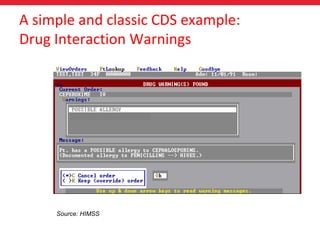
Source: HIMSS
A simple and classic CDS example:
Drug Interaction Warnings
Types of CDS
• Drug-Drug Interactions
• Drug-Allergy interactions
• Dose Range Checking
• Pick lists
• Standardized evidence
based order sets e.g. for
CDM
• Rules (core measures,
antibiotic usage, INR
management)
• Links to knowledge
references (in the EMR or
Web-based)
• Alerts
• Templates
• Relevant data displays
• Point of care reference
information
• Diagnostic decision support
tools
Additional Perspective on CDS
• Active (Driven by an action)
– Order sets
– Plans of care
– Rules and alerts
• Passive
– Reference information
– E.g. Image database for Dermatology (VisualDX)
• Must focus on important information without
hindering the daily work of the provider
• Customizability
Oder Sets
• Allow doctors to enter one order for a series of actions
associated with common conditions and procedures
• Work best for small number of regularly seen conditions
• Benefits:
– Make care more efficient and easy for the majority of patients
with frequently occurring conditions
– Improve standardization of care
– Reminders for safety measures that should be followed
• Usually no order sets for rare conditions
CPOE (Computerized Provider Order Entry)
• Often hand-in-hand with CDS
• Examples: Order investigations (labs, DI) or treatment (meds)
• Need to be ‘fine tuned’ or can cause problems
– Alert fatigue – overwhelm clinicians with so many alerts that the user ‘tunes out’
the warnings. If do not need actions, cause user fatigue
– Also need training to learn how to interpret and use Alerts properly
• Archives of Internal Medicine (Sept 14, 2009)
– 280,000 electronic alerts communicated to Massachusetts prescribers in 2006
– E-Prescribing alerts in 7.3 percent of the 1.8 million e-prescribing attempts
examined
– Physicians manually overrode 91.1% of 133,051 alerts
– 12,000 alerts that were accepted likely prevented 402 adverse drug events, three
deaths, 14 permanent disabilities and 31 cases of temporary disability.
– The warnings may also have averted 39 hospital admissions—at an average cost of
$9,000 per admission—kept 34 people out of ERs and avoided 267 physician office
visits, for an overall savings of $402,619
10
Evaluation Criteria for CDS
• Relevance
• Efficiency
• Sensitivity
• Currency
• Usability
11
Relevance
• General vs. specialty focused
– Alerts, reminders, templates
• Is the tool primary care/internal medicine focused?
– Chronic disease management
• How does it relate to your practice?
– EMRs have their strengths and weaknesses
• Does the tool slow you down or improve efficiency?
– Speed of use (number of mouse-clicks)
• Does the benefit outweigh the cost in terms of the
time it takes to use it?
– Financial & time cost vs. clinical benefit
12
Efficiency
• Does the tool provide the right amount of
information to make the decision?
– Too much or too little?
– Who controls sensitivity settings?
• Individual user vs. practice level
• Need to ensure the right sensitivity settings
– Alert sensitivity too high or low won’t provide the right
information at the right time
13
Sensitivity
• How timely is the information? Is it up-to-date?
– Drug data
– Clinical reference data
– Out of date information loses relevance
14
Currency
• How does the tool fit into your workflow?
– If distracting or poorly designed, can increase risk of error
• What is the general satisfaction of users?
– Speak with colleagues
– Importance of user groups
15
Usability & Human Factors
Where Can CDS Add Value?
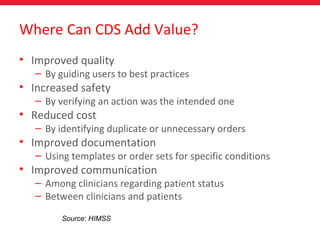
• Improved quality
– By guiding users to best practices
• Increased safety
– By verifying an action was the intended one
• Reduced cost
– By identifying duplicate or unnecessary orders
• Improved documentation
– Using templates or order sets for specific conditions
• Improved communication
– Among clinicians regarding patient status
– Between clinicians and patients
Source: HIMSS
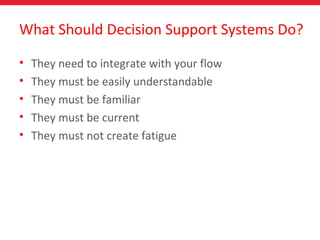
What Should Decision Support Systems Do?
• They need to integrate with your flow
• They must be easily understandable
• They must be familiar
• They must be current
• They must not create fatigue
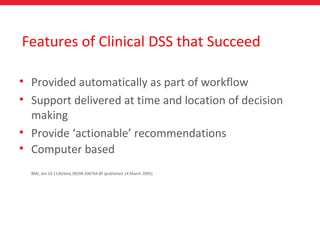
Features of Clinical DSS that Succeed
• Provided automatically as part of workflow
• Support delivered at time and location of decision
making
• Provide ‘actionable’ recommendations
• Computer based
BMJ, doi:10.1136/bmj.38398.500764.8F (published 14 March 2005)

Can Decision Support Systems Improve Patient Care?

  • 1.
    Can decision supportsystems improve patient care? Dr. Alan Brookstone
  • 2.
    2 Clinical Decision Support •HIMSS Definition – Clinical Decision Support is a process for enhancing health- related decisions and actions with pertinent, organized clinical knowledge and patient information to improve health and healthcare delivery – Made up of: • Clinical elements e.g. reference information • Operational elements e.g. alerts or reminders
  • 3.
    3 Why Should YouCare About CDS? • You won’t miss stuff • You won’t forget stuff • You can easily find stuff • The stuff is relevant to your patients • The Right information to the Right person at the Right time
  • 4.
    4 Types of ClinicalDecision Support • General clinical knowledge and guidance • Intelligently processed patient data, or • Mixture of both • Formats include: – Data and order entry facilitators – Filtered data displays – Reference information – Alerts, and – Others e.g. Clinical rules
  • 5.
    Source: HIMSS A simpleand classic CDS example: Drug Interaction Warnings
  • 6.
    Types of CDS •Drug-Drug Interactions • Drug-Allergy interactions • Dose Range Checking • Pick lists • Standardized evidence based order sets e.g. for CDM • Rules (core measures, antibiotic usage, INR management) • Links to knowledge references (in the EMR or Web-based) • Alerts • Templates • Relevant data displays • Point of care reference information • Diagnostic decision support tools
  • 7.
    Additional Perspective onCDS • Active (Driven by an action) – Order sets – Plans of care – Rules and alerts • Passive – Reference information – E.g. Image database for Dermatology (VisualDX) • Must focus on important information without hindering the daily work of the provider • Customizability
  • 8.
    Oder Sets • Allowdoctors to enter one order for a series of actions associated with common conditions and procedures • Work best for small number of regularly seen conditions • Benefits: – Make care more efficient and easy for the majority of patients with frequently occurring conditions – Improve standardization of care – Reminders for safety measures that should be followed • Usually no order sets for rare conditions
  • 9.
    CPOE (Computerized ProviderOrder Entry) • Often hand-in-hand with CDS • Examples: Order investigations (labs, DI) or treatment (meds) • Need to be ‘fine tuned’ or can cause problems – Alert fatigue – overwhelm clinicians with so many alerts that the user ‘tunes out’ the warnings. If do not need actions, cause user fatigue – Also need training to learn how to interpret and use Alerts properly • Archives of Internal Medicine (Sept 14, 2009) – 280,000 electronic alerts communicated to Massachusetts prescribers in 2006 – E-Prescribing alerts in 7.3 percent of the 1.8 million e-prescribing attempts examined – Physicians manually overrode 91.1% of 133,051 alerts – 12,000 alerts that were accepted likely prevented 402 adverse drug events, three deaths, 14 permanent disabilities and 31 cases of temporary disability. – The warnings may also have averted 39 hospital admissions—at an average cost of $9,000 per admission—kept 34 people out of ERs and avoided 267 physician office visits, for an overall savings of $402,619
  • 10.
    10 Evaluation Criteria forCDS • Relevance • Efficiency • Sensitivity • Currency • Usability
  • 11.
    11 Relevance • General vs.specialty focused – Alerts, reminders, templates • Is the tool primary care/internal medicine focused? – Chronic disease management • How does it relate to your practice? – EMRs have their strengths and weaknesses
  • 12.
    • Does thetool slow you down or improve efficiency? – Speed of use (number of mouse-clicks) • Does the benefit outweigh the cost in terms of the time it takes to use it? – Financial & time cost vs. clinical benefit 12 Efficiency
  • 13.
    • Does thetool provide the right amount of information to make the decision? – Too much or too little? – Who controls sensitivity settings? • Individual user vs. practice level • Need to ensure the right sensitivity settings – Alert sensitivity too high or low won’t provide the right information at the right time 13 Sensitivity
  • 14.
    • How timelyis the information? Is it up-to-date? – Drug data – Clinical reference data – Out of date information loses relevance 14 Currency
  • 15.
    • How doesthe tool fit into your workflow? – If distracting or poorly designed, can increase risk of error • What is the general satisfaction of users? – Speak with colleagues – Importance of user groups 15 Usability & Human Factors
  • 16.
    Where Can CDSAdd Value? • Improved quality – By guiding users to best practices • Increased safety – By verifying an action was the intended one • Reduced cost – By identifying duplicate or unnecessary orders • Improved documentation – Using templates or order sets for specific conditions • Improved communication – Among clinicians regarding patient status – Between clinicians and patients Source: HIMSS
  • 17.
    What Should DecisionSupport Systems Do? • They need to integrate with your flow • They must be easily understandable • They must be familiar • They must be current • They must not create fatigue
  • 18.
    Features of ClinicalDSS that Succeed • Provided automatically as part of workflow • Support delivered at time and location of decision making • Provide ‘actionable’ recommendations • Computer based BMJ, doi:10.1136/bmj.38398.500764.8F (published 14 March 2005)

Editor's Notes

  • #18 My billing software tells me to do something even though the MOH does not need it any more.
  • #19 Note that the search criteria for this paper found 10,668 potential articles. When the inclusion criteria were applied, 88 papers were found that discussed a total of 70 studies.