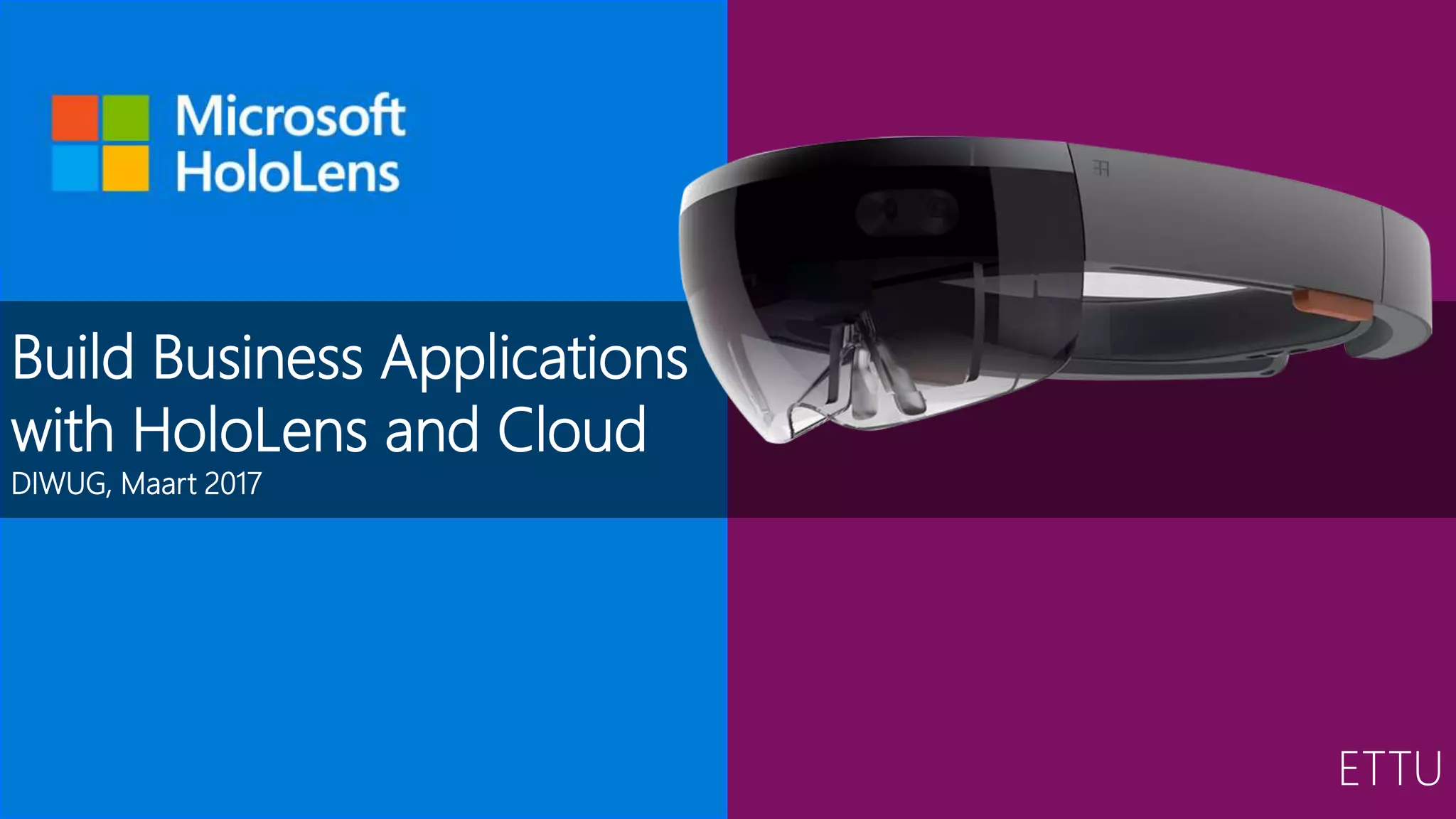


Build Business Applications
with HoloLens and Cloud
DIWUG, Maart 2017
ETTU
Even kennismaken...
• Alexander Meijers
• Architect @ ETTU
HoloLens | Apps | Azure
SharePoint | Office 365 | Dev |
Functional | Architecture
Speaker | Blogger | 3 kids
Fitness | Airsoft
Agenda
• History
• Augment Reality
• Microsoft HoloLens device
• Fields of application
• Overview
• Input controls, Sound, Spatial perception & understanding,
Other cool stuff, Tools
• Data & Cloud
• Design considerations
Our world is changing…
• .
The speed in which
technology develops has
more and more impact on
our daily live
• .
Generations are growing up
in a new digital era. They use
new technologies and insights
Our vision on the future!
History of HoloLens
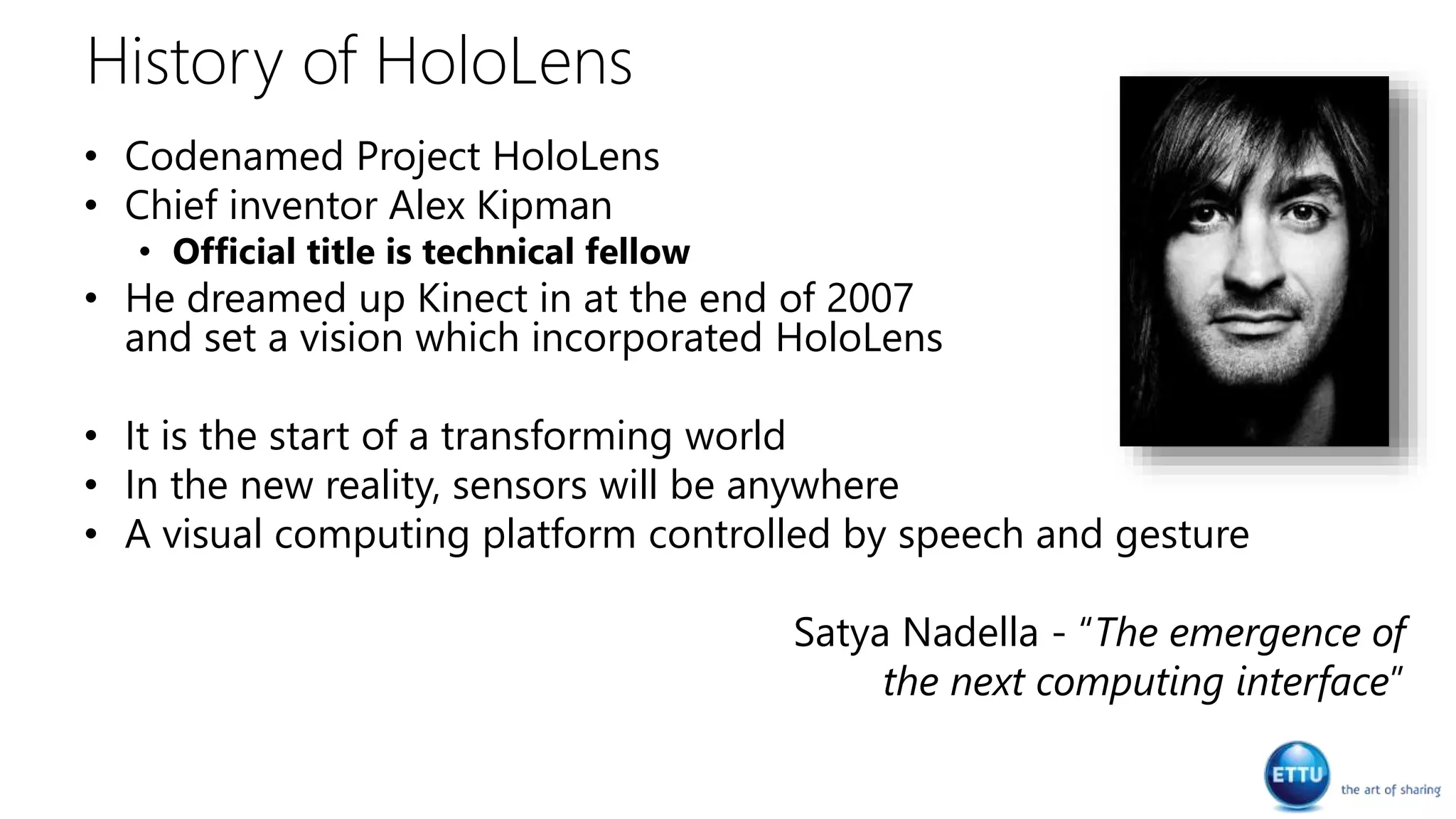
• Codenamed Project HoloLens
• Chief inventor Alex Kipman
• Official title is technical fellow
• He dreamed up Kinect in at the end of 2007
and set a vision which incorporated HoloLens
• It is the start of a transforming world
• In the new reality, sensors will be anywhere
• A visual computing platform controlled by speech and gesture
Satya Nadella - “The emergence of
the next computing interface”
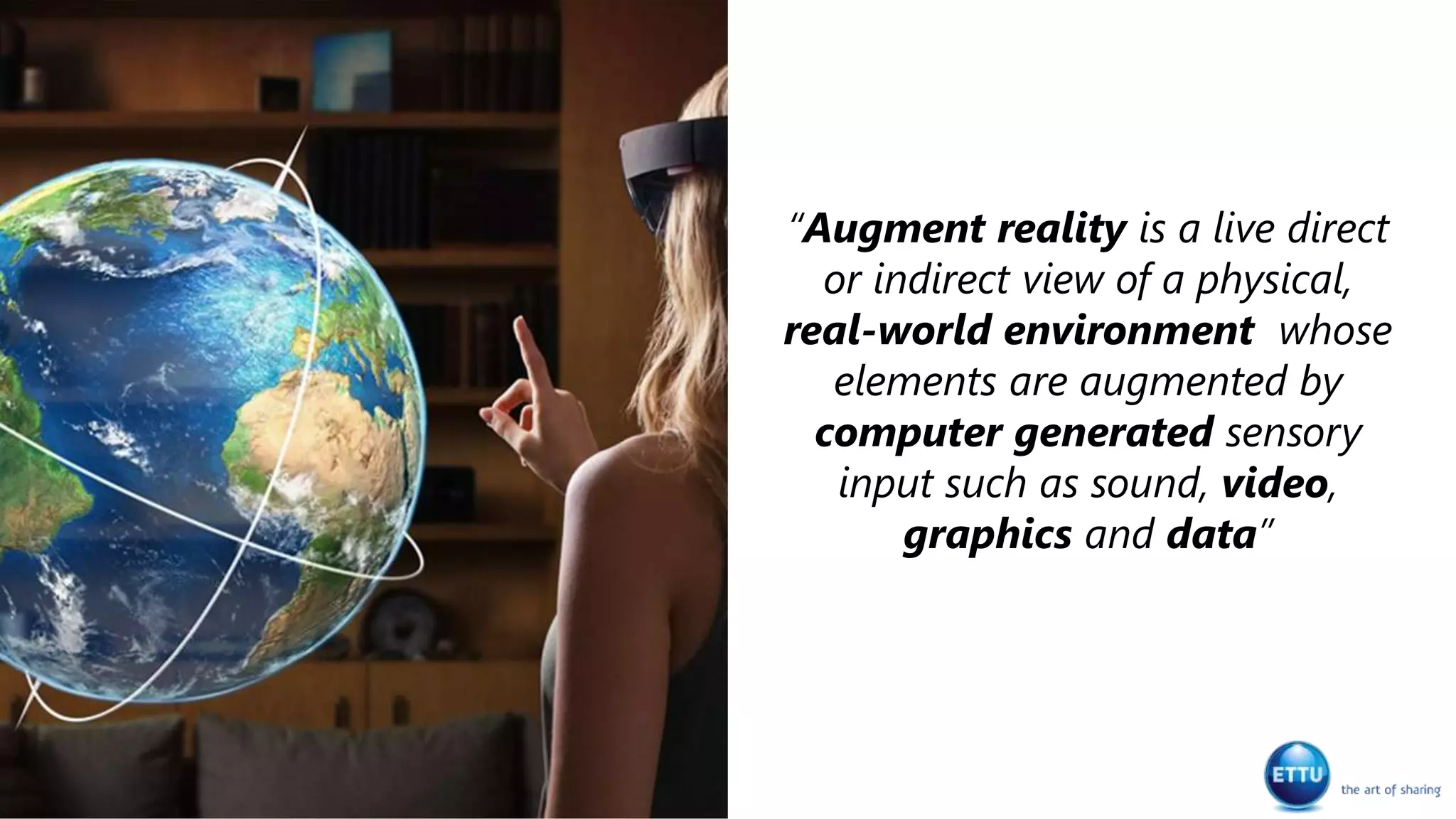
“Augment reality is a live direct
or indirect view of a physical,
real-world environment whose
elements are augmented by
computer generated sensory
input such as sound, video,
graphics and data”
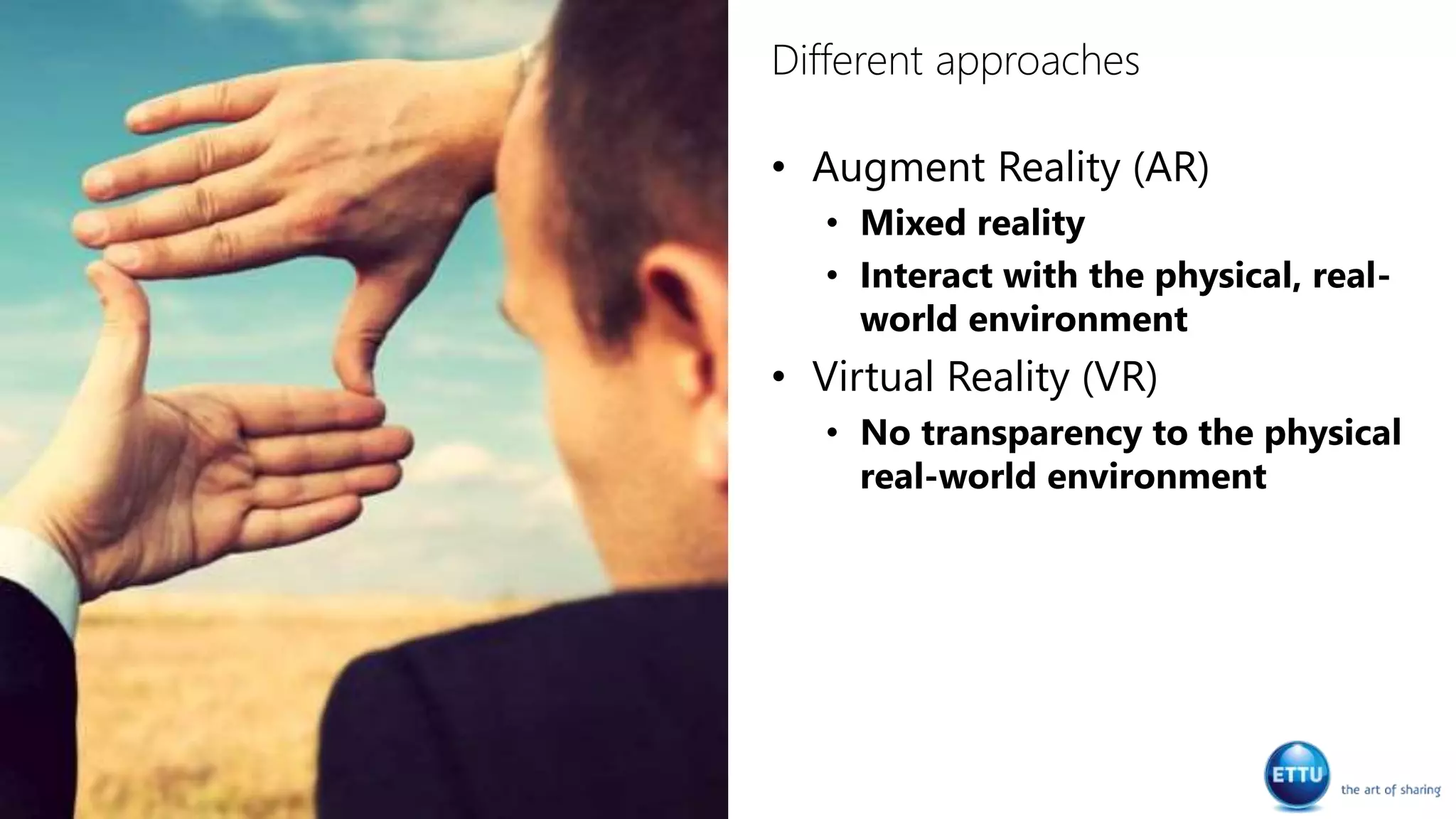
Different approaches
• Augment Reality (AR)
• Mixed reality
• Interact with the physical, real-
world environment
• Virtual Reality (VR)
• No transparency to the physical
real-world environment
Microsoft HoloLens device
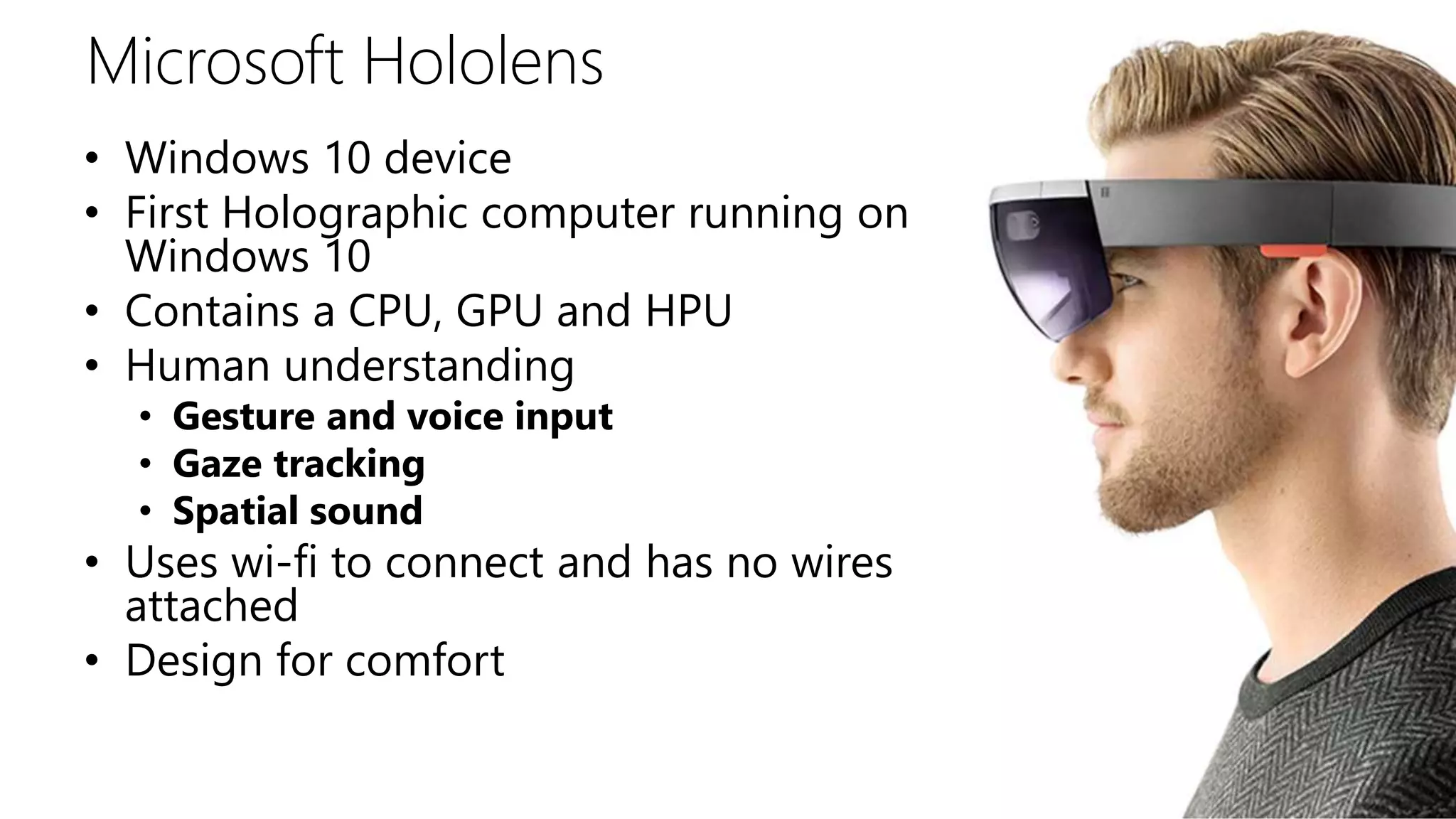
Microsoft Hololens
• Windows 10 device
• First Holographic computer running on
Windows 10
• Contains a CPU, GPU and HPU
• Human understanding
• Gesture and voice input
• Gaze tracking
• Spatial sound
• Uses wi-fi to connect and has no wires
attached
• Design for comfort
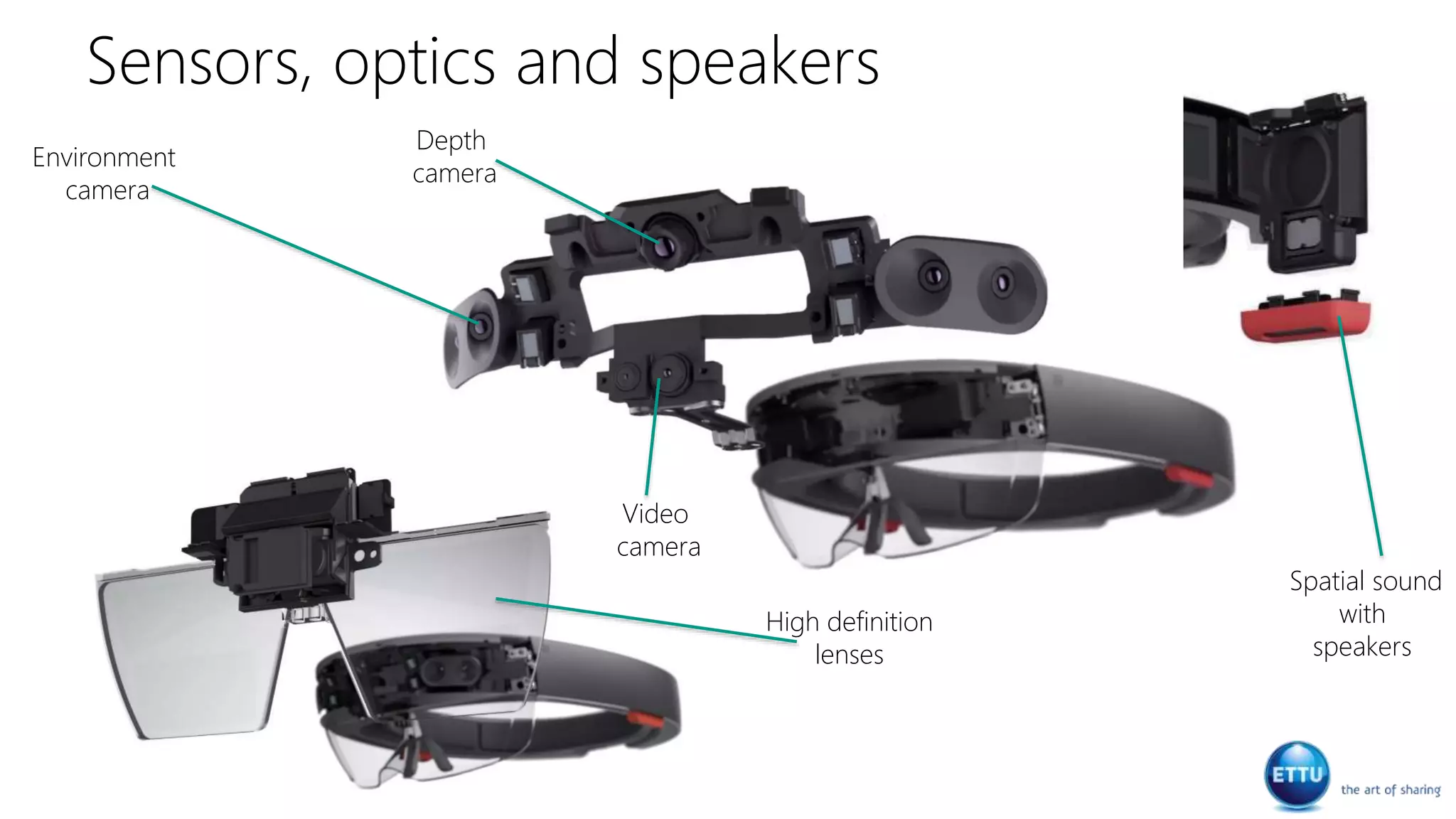
Sensors, optics and speakers
Environment
camera
High definition
lenses
Spatial sound
with
speakers
Depth
camera
Video
camera
Demo
Holograms
Demo
Galaxy Explorer
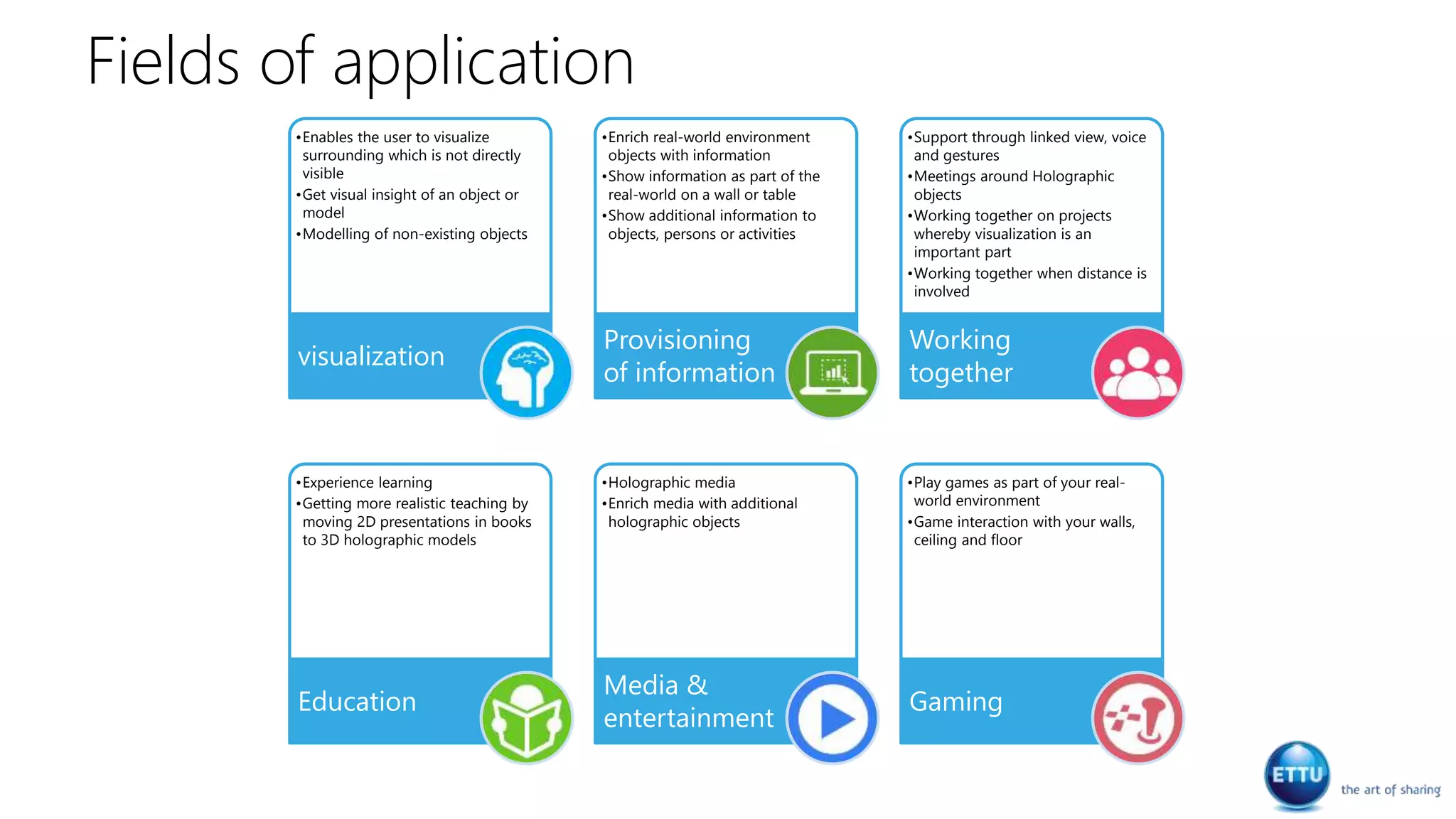
Fields of application
•Enables the user to visualize
surrounding which is not directly
visible
•Get visual insight of an object or
model
•Modelling of non-existing objects
visualization
•Enrich real-world environment
objects with information
•Show information as part of the
real-world on a wall or table
•Show additional information to
objects, persons or activities
Provisioning
of information
•Support through linked view, voice
and gestures
•Meetings around Holographic
objects
•Working together on projects
whereby visualization is an
important part
•Working together when distance is
involved
Working
together
•Experience learning
•Getting more realistic teaching by
moving 2D presentations in books
to 3D holographic models
Education
•Holographic media
•Enrich media with additional
holographic objects
Media &
entertainment
•Play games as part of your real-
world environment
•Game interaction with your walls,
ceiling and floor
Gaming
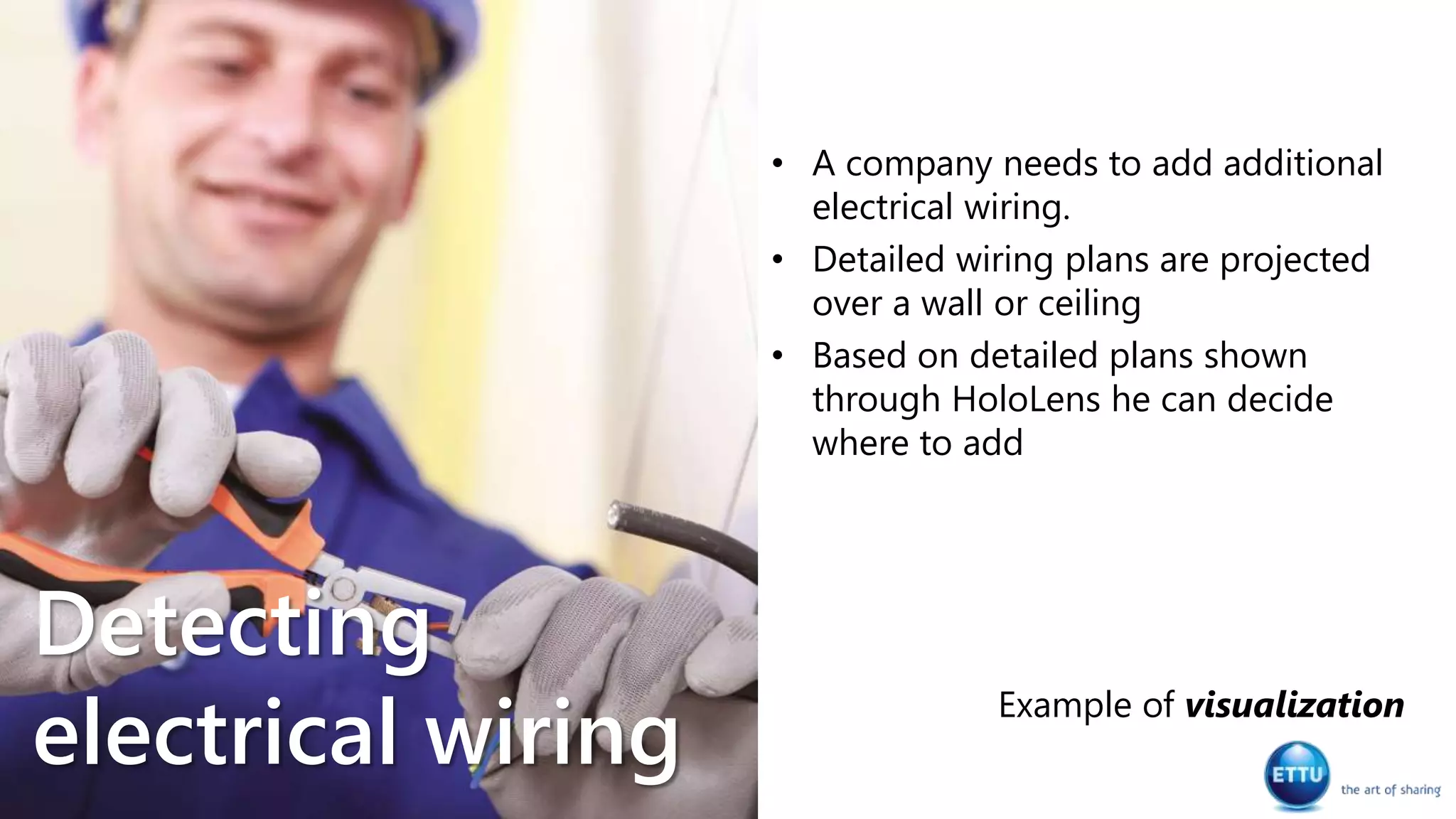
• A company needs to add additional
electrical wiring.
• Detailed wiring plans are projected
over a wall or ceiling
• Based on detailed plans shown
through HoloLens he can decide
where to add
Example of visualization
Detecting
electrical wiring
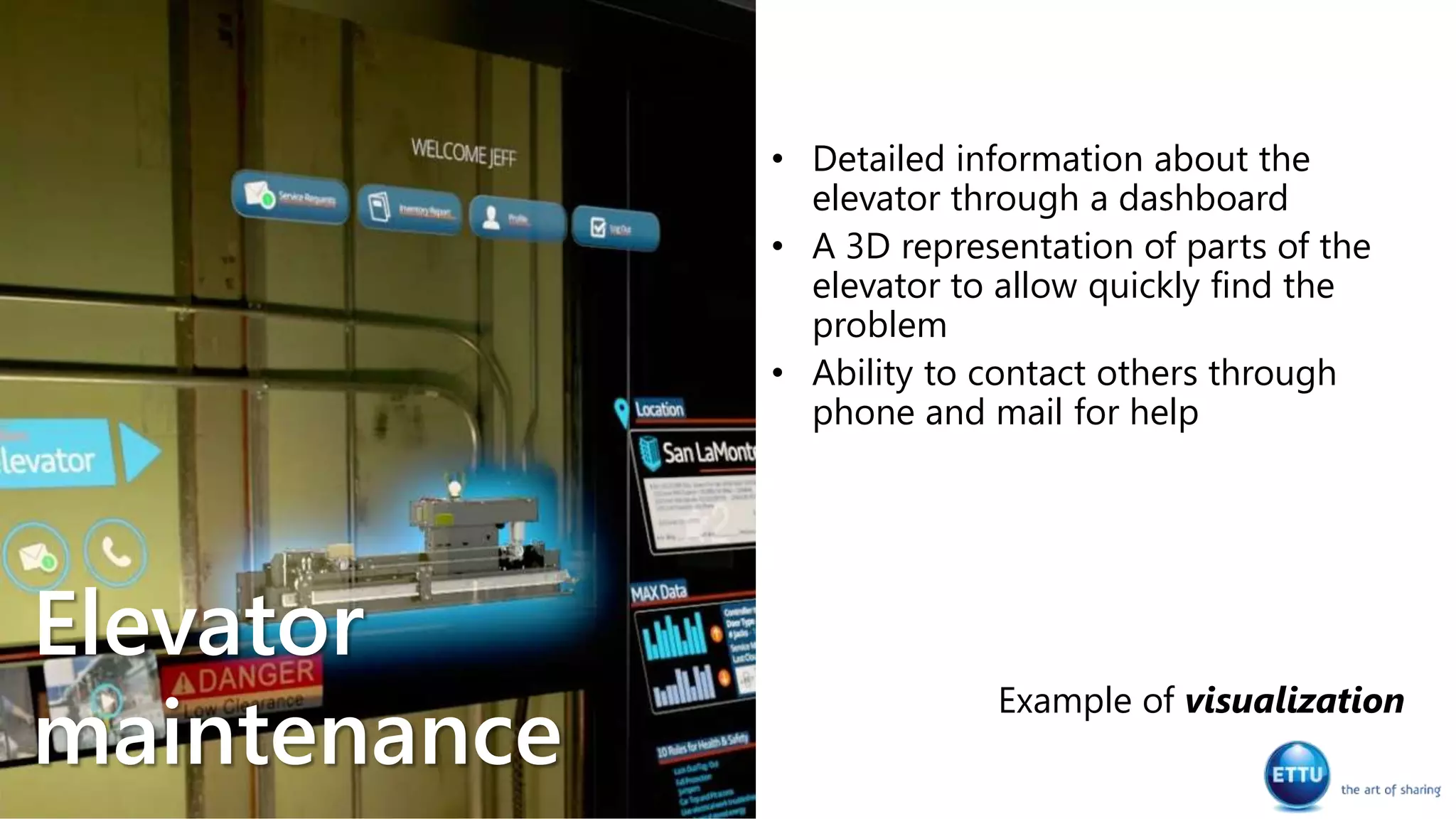
• Detailed information about the
elevator through a dashboard
• A 3D representation of parts of the
elevator to allow quickly find the
problem
• Ability to contact others through
phone and mail for help
Example of visualization
Elevator
maintenance
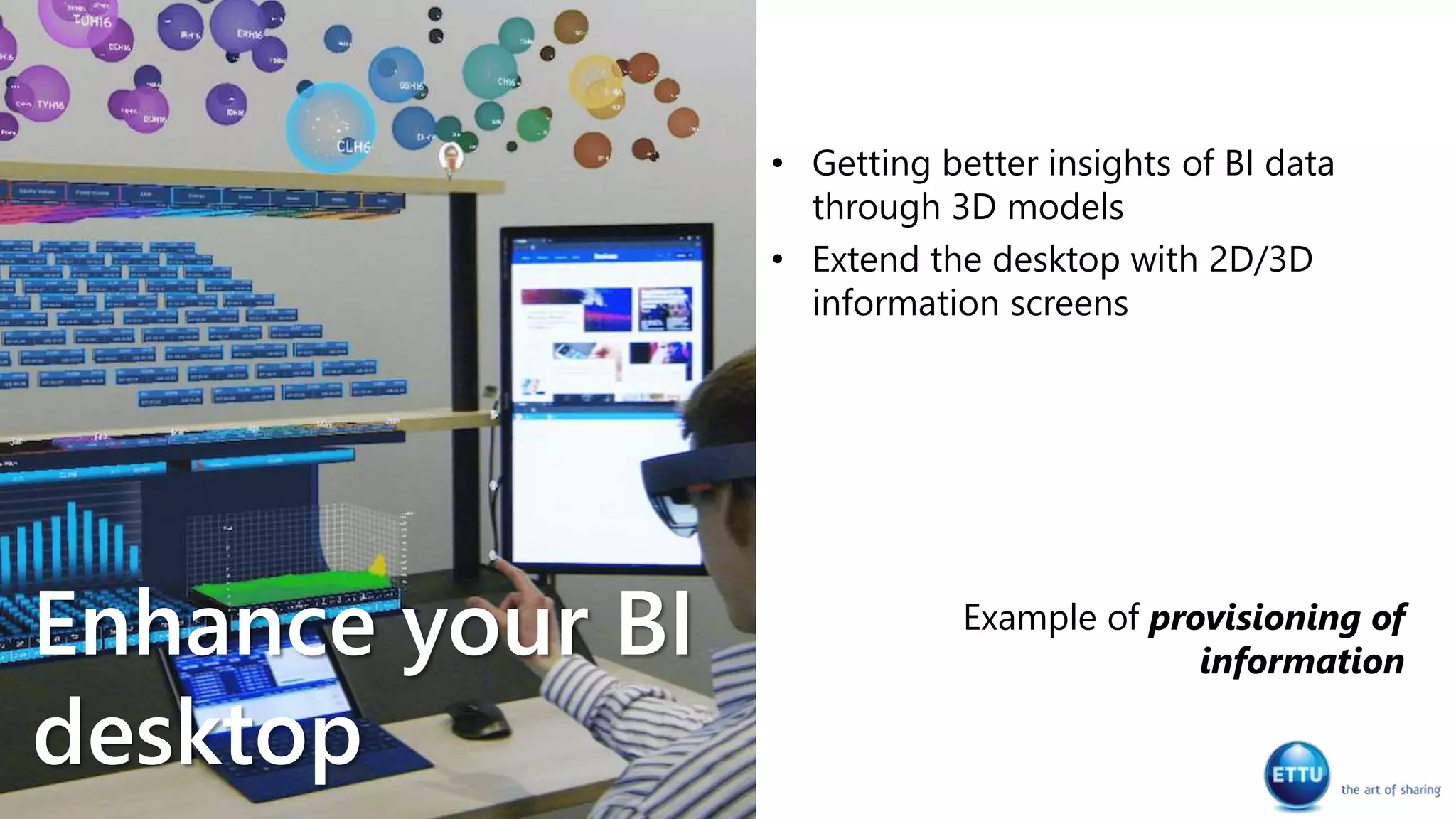
• Getting better insights of BI data
through 3D models
• Extend the desktop with 2D/3D
information screens
Example of provisioning of
information
Enhance your BI
desktop
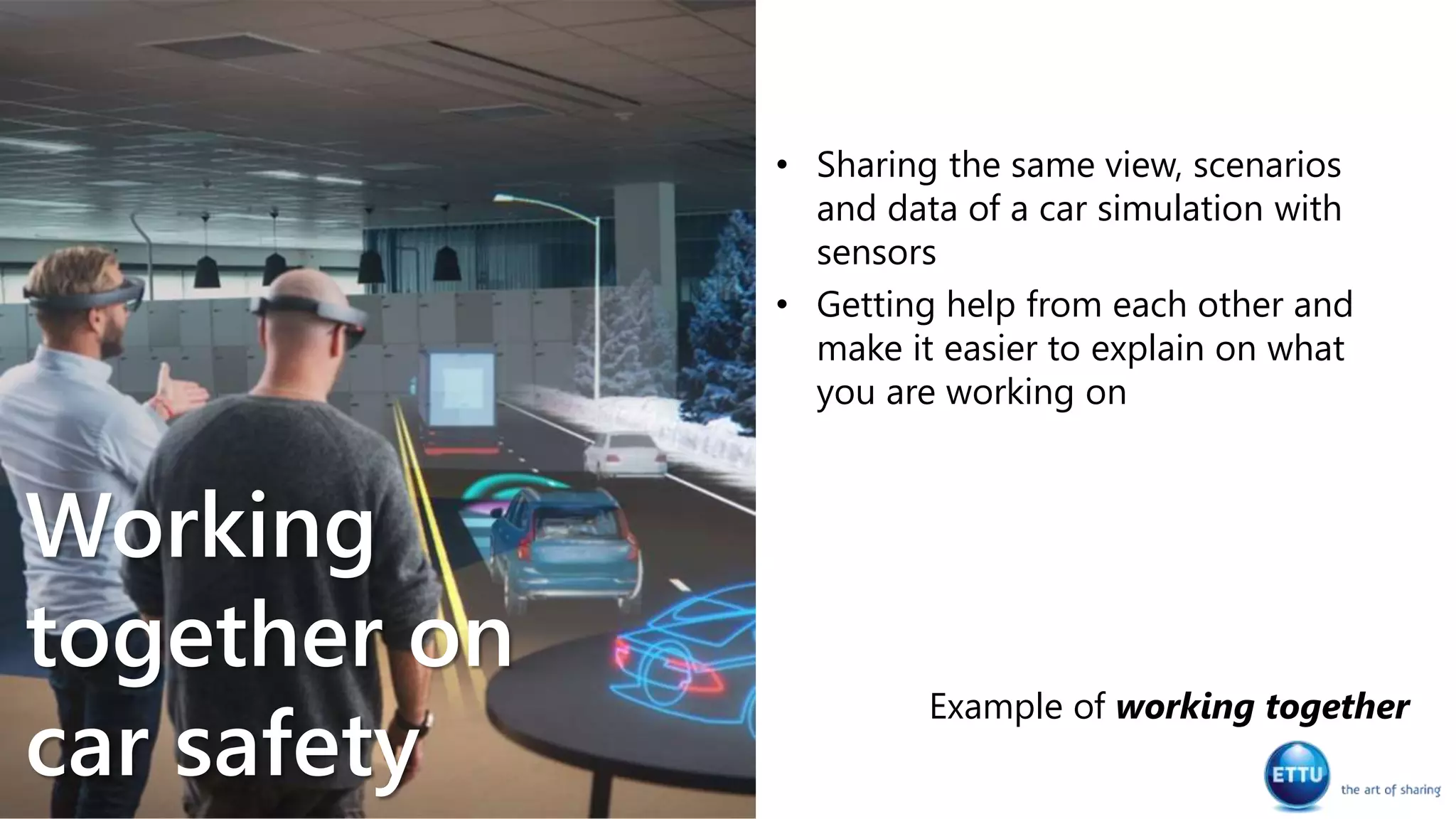
• Sharing the same view, scenarios
and data of a car simulation with
sensors
• Getting help from each other and
make it easier to explain on what
you are working on
Example of working together
Working
together on
car safety
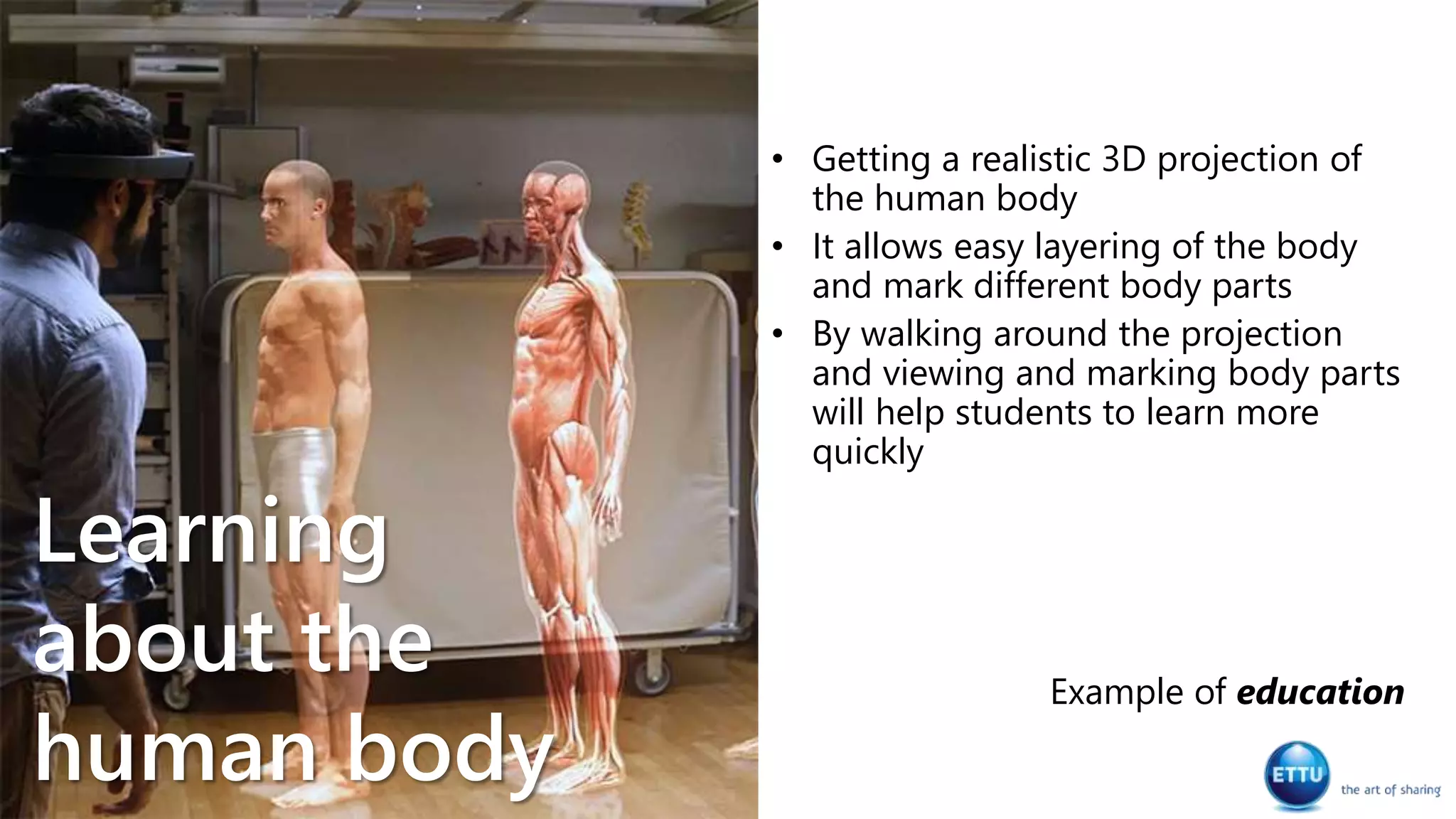
• Getting a realistic 3D projection of
the human body
• It allows easy layering of the body
and mark different body parts
• By walking around the projection
and viewing and marking body parts
will help students to learn more
quickly
Example of education
Learning
about the
human body
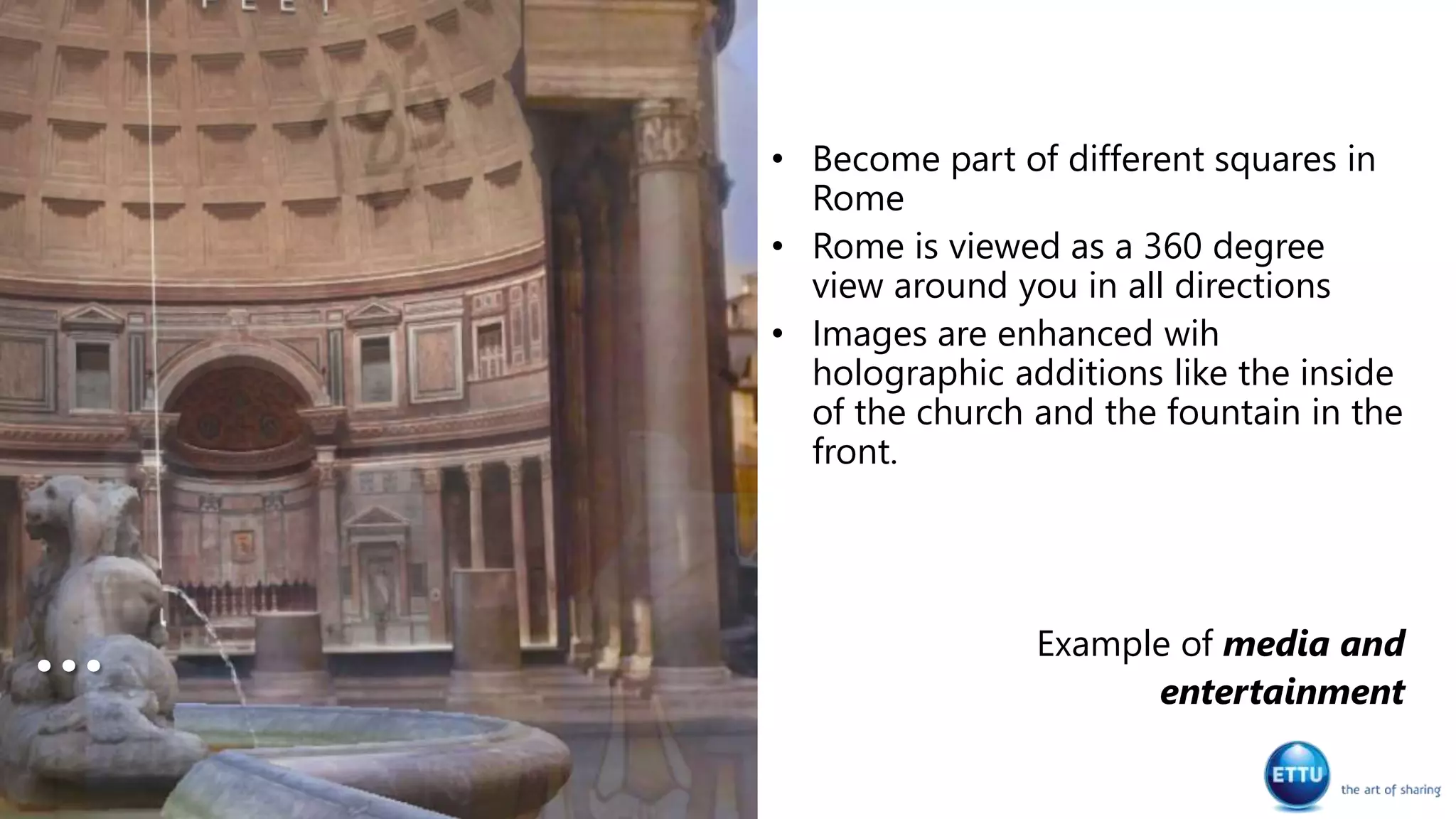
• Become part of different squares in
Rome
• Rome is viewed as a 360 degree
view around you in all directions
• Images are enhanced wih
holographic additions like the inside
of the church and the fountain in the
front.
Example of media and
entertainment
…
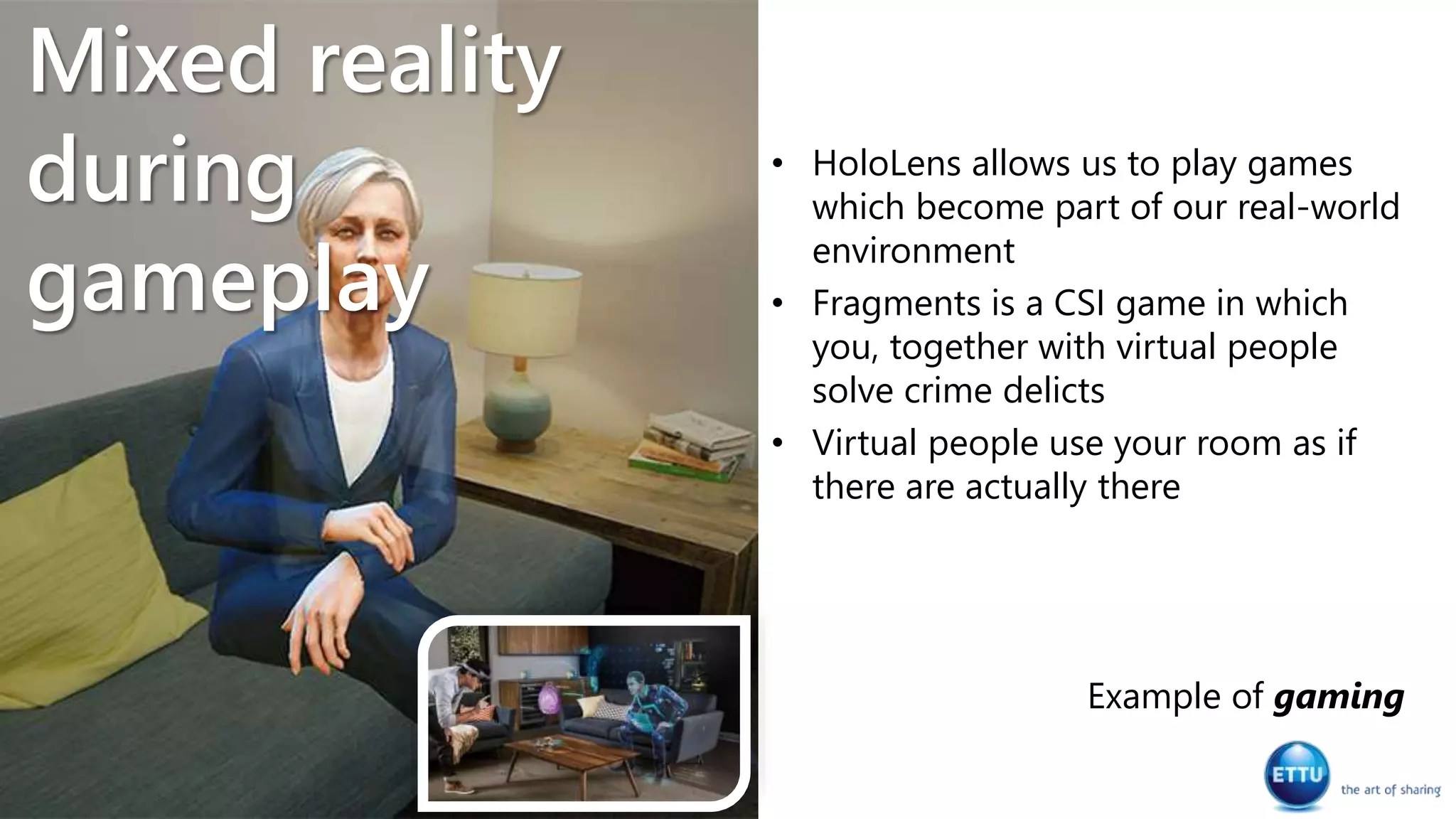
• HoloLens allows us to play games
which become part of our real-world
environment
• Fragments is a CSI game in which
you, together with virtual people
solve crime delicts
• Virtual people use your room as if
there are actually there
Example of gaming
Mixed reality
during
gameplay
Demo
Holomaps
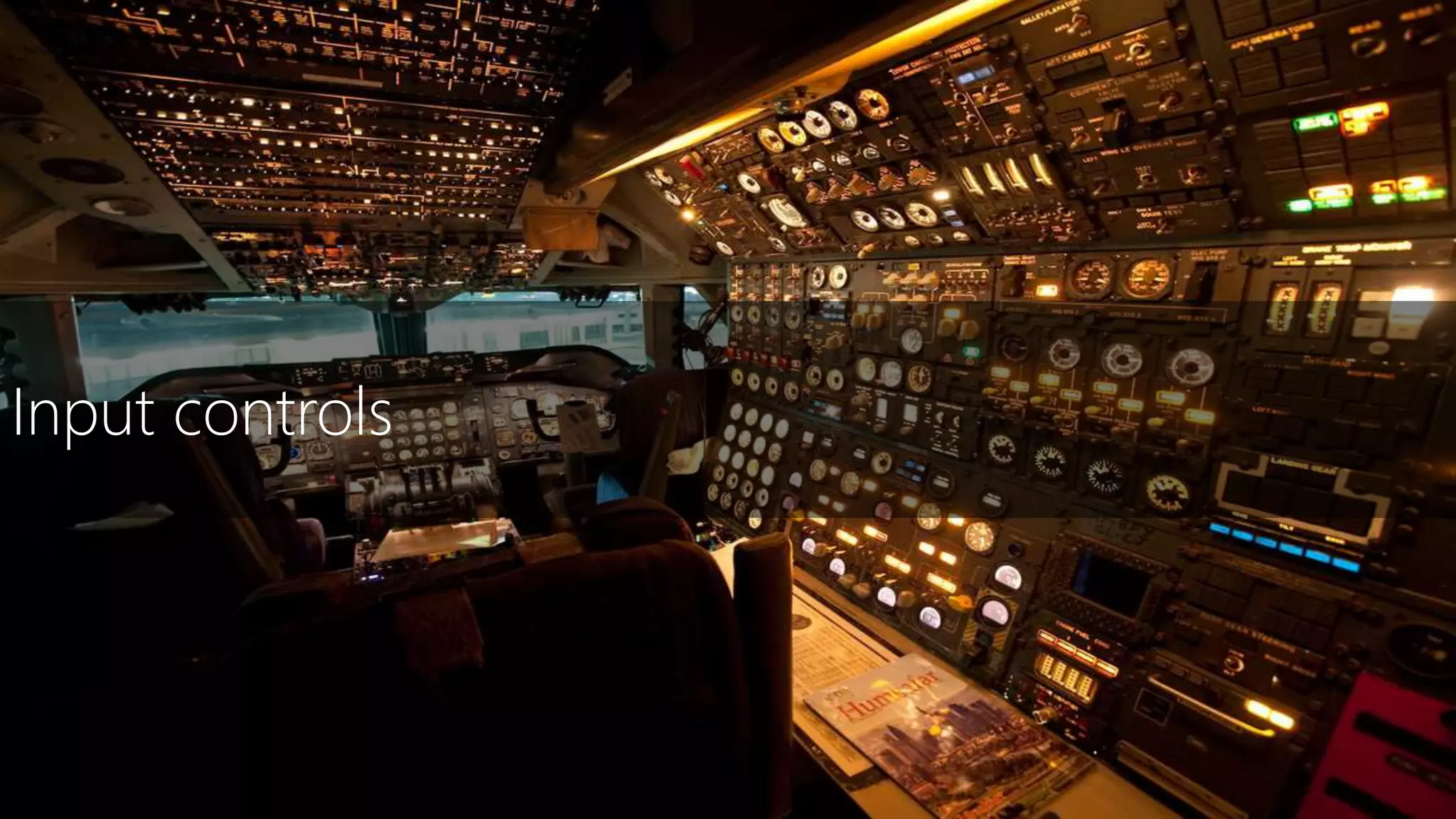
Input controls
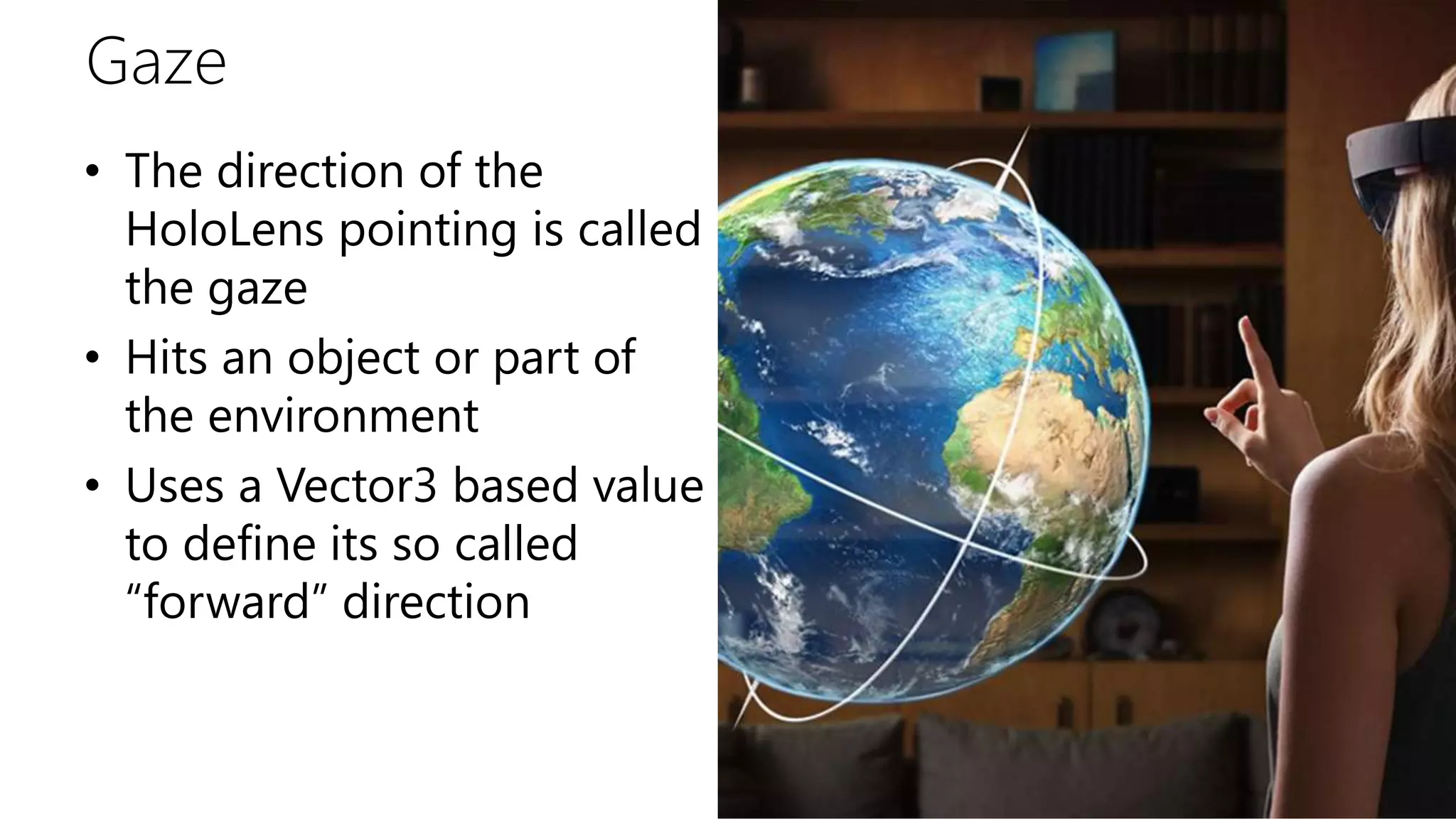
Gaze
• The direction of the
HoloLens pointing is called
the gaze
• Hits an object or part of
the environment
• Uses a Vector3 based value
to define its so called
“forward” direction
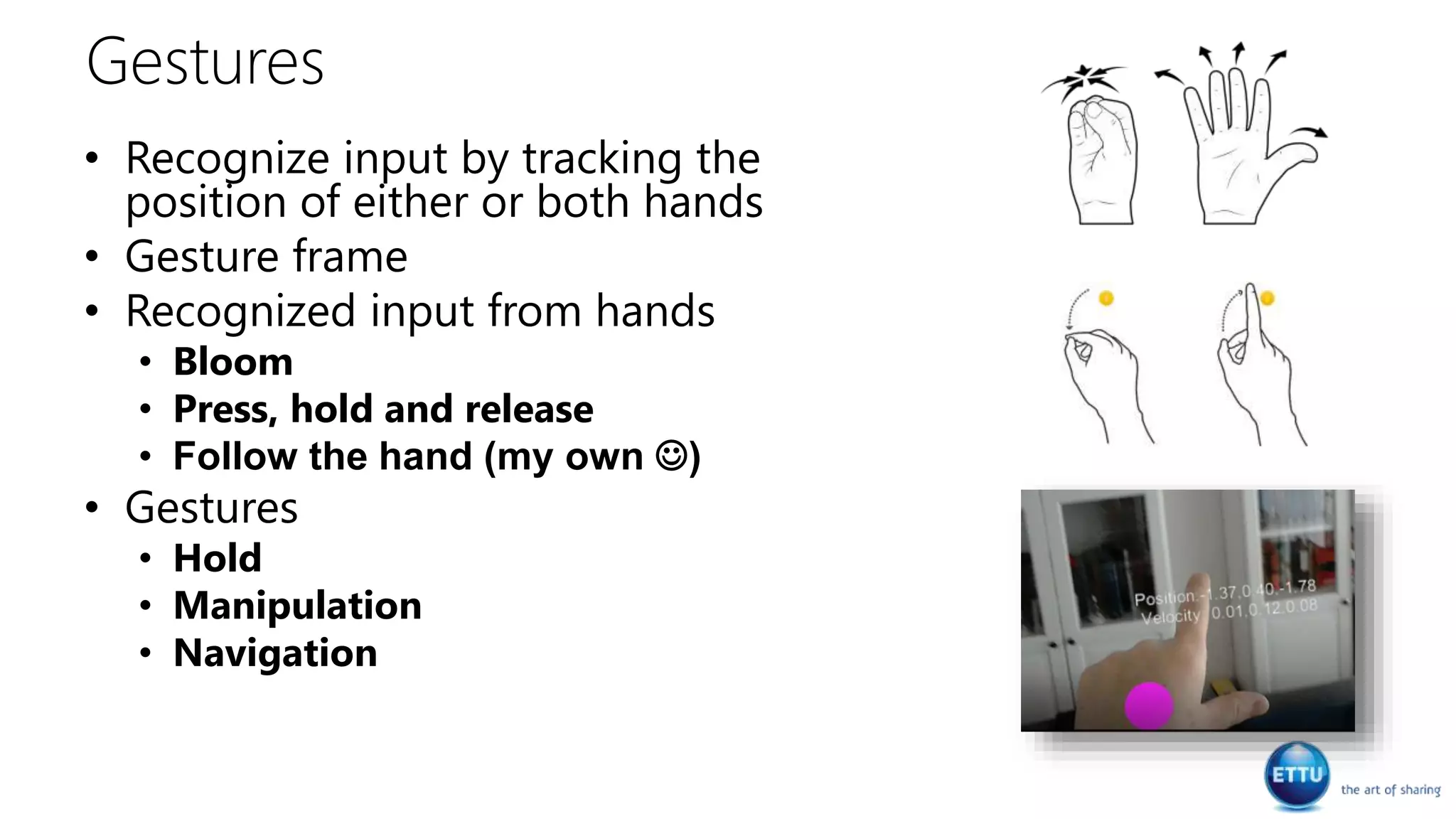
Gestures
• Recognize input by tracking the
position of either or both hands
• Gesture frame
• Recognized input from hands
• Bloom
• Press, hold and release
• Follow the hand (my own )
• Gestures
• Hold
• Manipulation
• Navigation
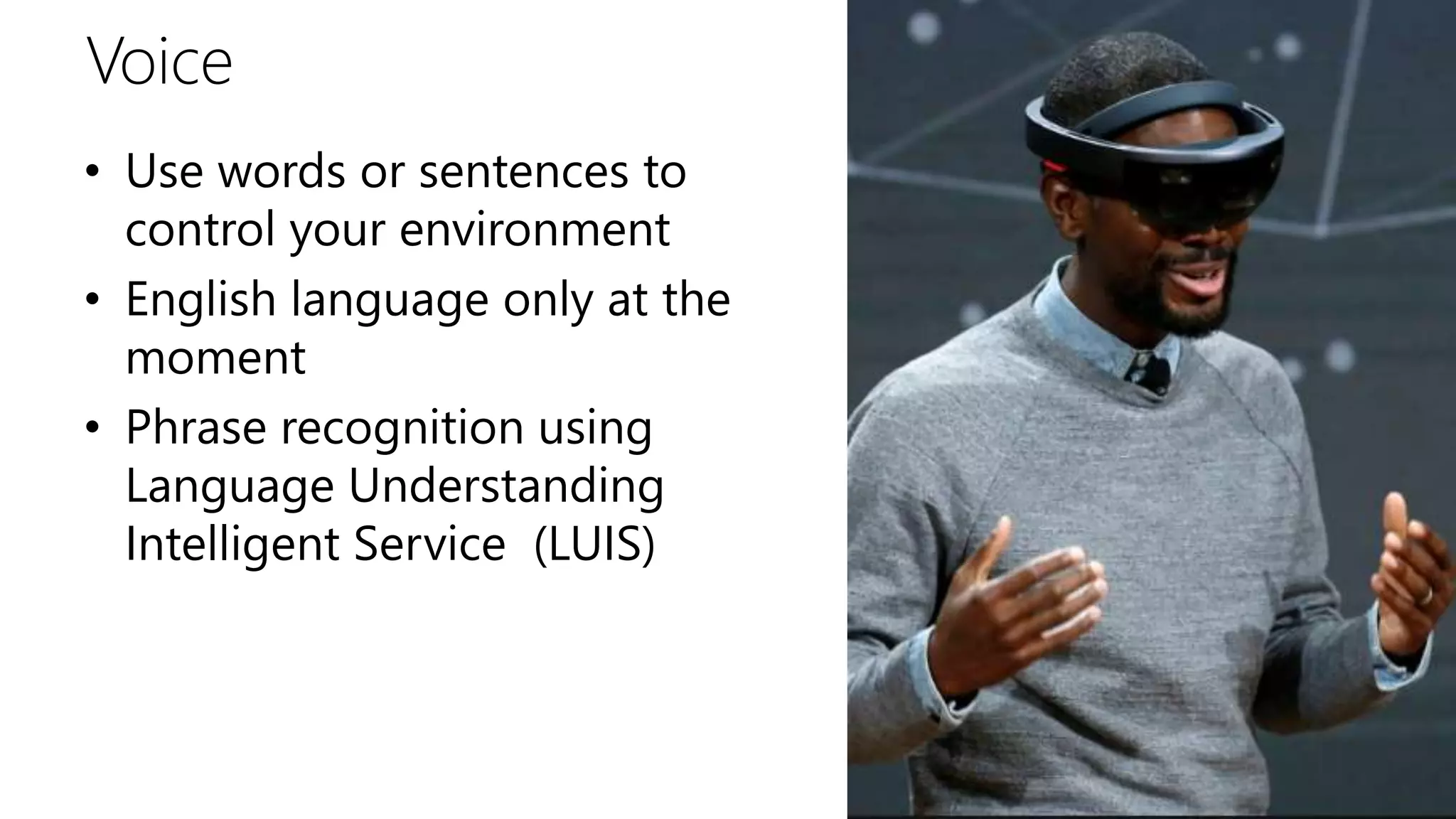
Voice
• Use words or sentences to
control your environment
• English language only at the
moment
• Phrase recognition using
Language Understanding
Intelligent Service (LUIS)
Sound
Cortana
• Start with “Hey Cortana”
• Some thing you can say
• Move <app name> here
• Take a picture
• Start or stop recording
• Call <contact>
• How much battery do i have left?
• Restart or Shutdown
• Cortana can be turned on/off
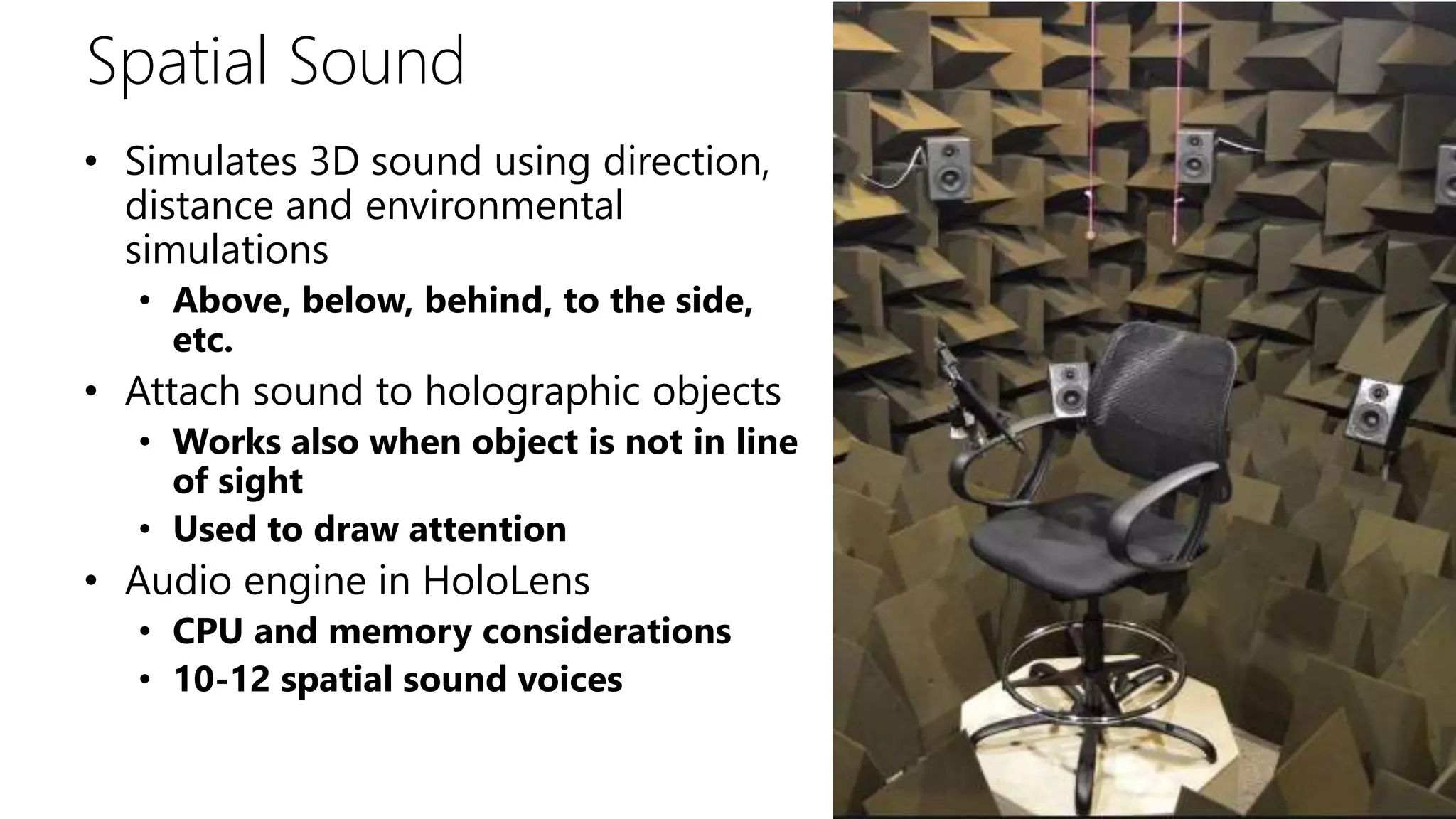
Spatial Sound
• Simulates 3D sound using direction,
distance and environmental
simulations
• Above, below, behind, to the side,
etc.
• Attach sound to holographic objects
• Works also when object is not in line
of sight
• Used to draw attention
• Audio engine in HoloLens
• CPU and memory considerations
• 10-12 spatial sound voices
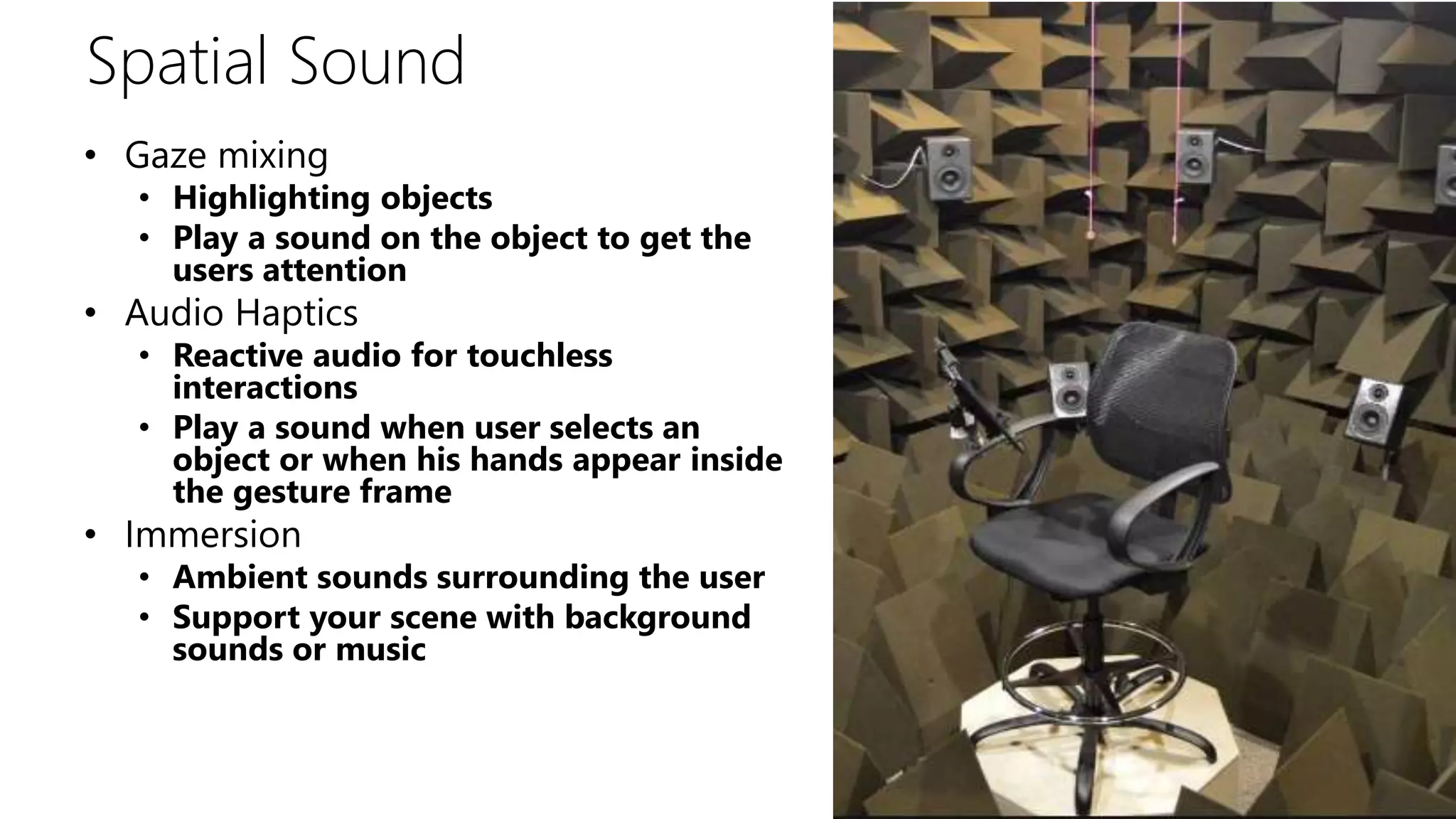
Spatial Sound
• Gaze mixing
• Highlighting objects
• Play a sound on the object to get the
users attention
• Audio Haptics
• Reactive audio for touchless
interactions
• Play a sound when user selects an
object or when his hands appear inside
the gesture frame
• Immersion
• Ambient sounds surrounding the user
• Support your scene with background
sounds or music
Spatial Perception & understanding
Spatial perception
• Spatial perception and
mapping
• Rooms
• Different ways of detecting
and working with spatial
perception
• Meshes & planes
Spatial perception is the
ability to be aware of your
relationships with the
environment around you
and with yourself
Spatial perception
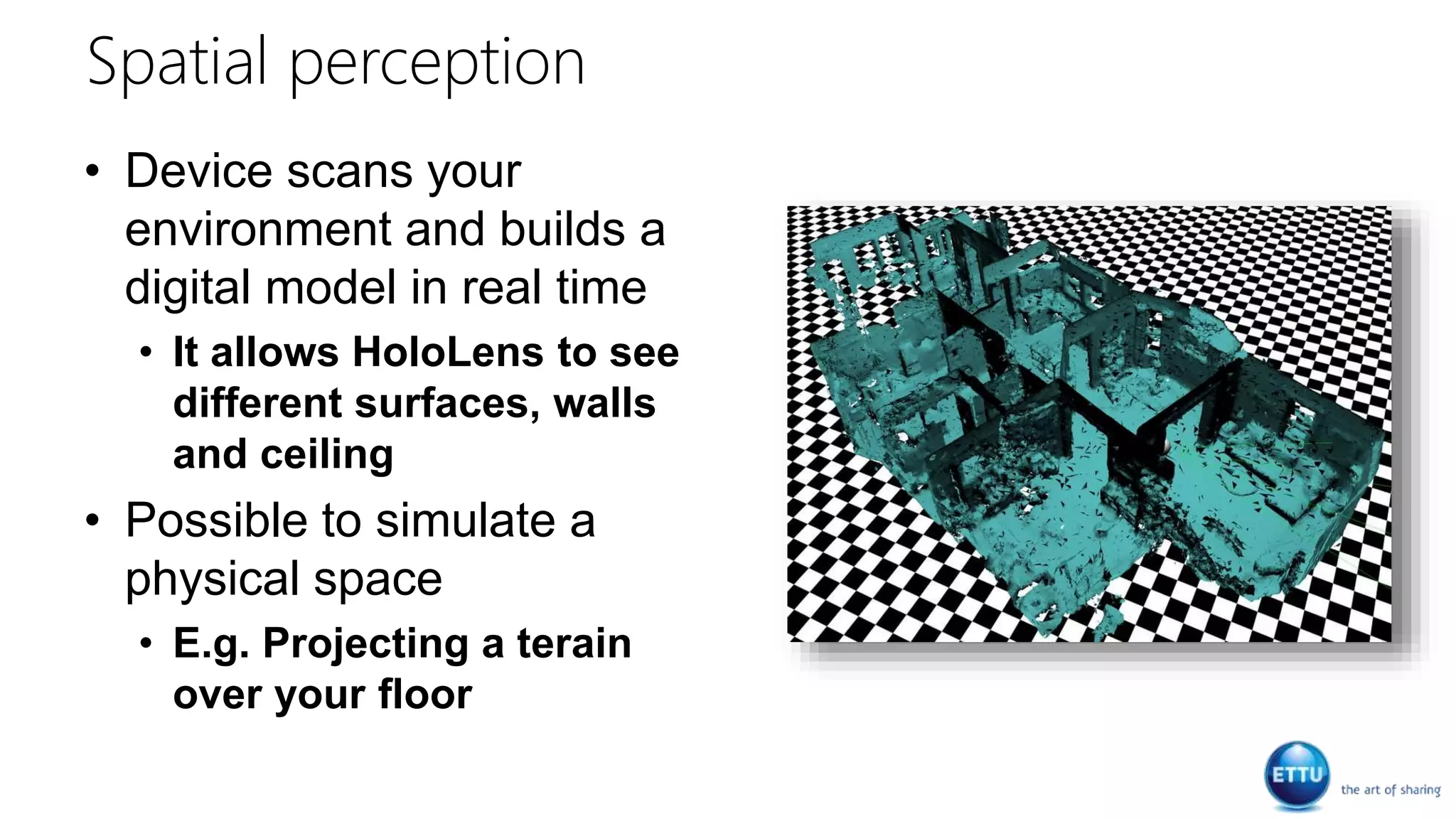
• Device scans your
environment and builds a
digital model in real time
• It allows HoloLens to see
different surfaces, walls
and ceiling
• Possible to simulate a
physical space
• E.g. Projecting a terain
over your floor
Demo
Scanning & building
Pinning
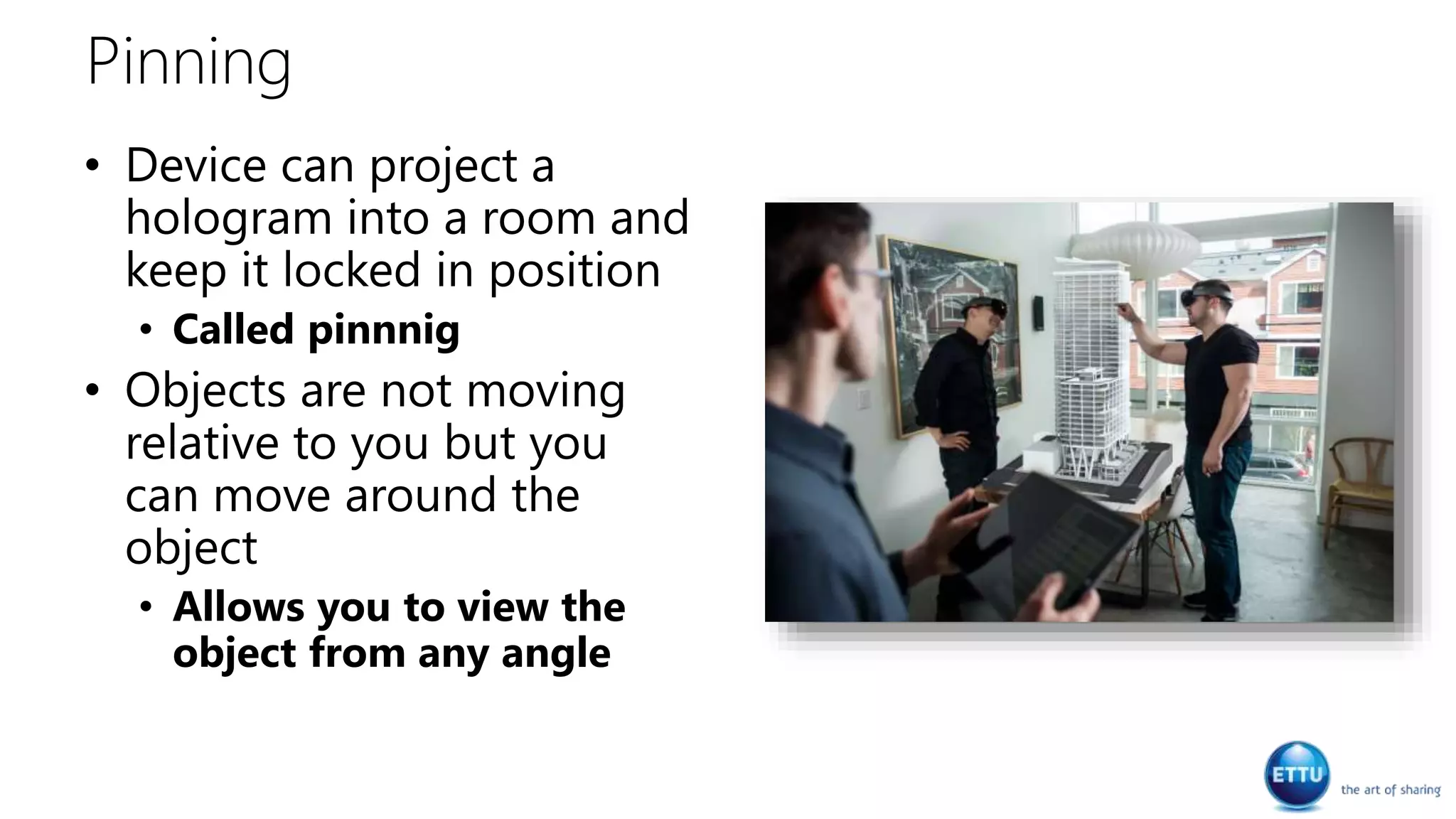
• Device can project a
hologram into a room and
keep it locked in position
• Called pinnnig
• Objects are not moving
relative to you but you
can move around the
object
• Allows you to view the
object from any angle
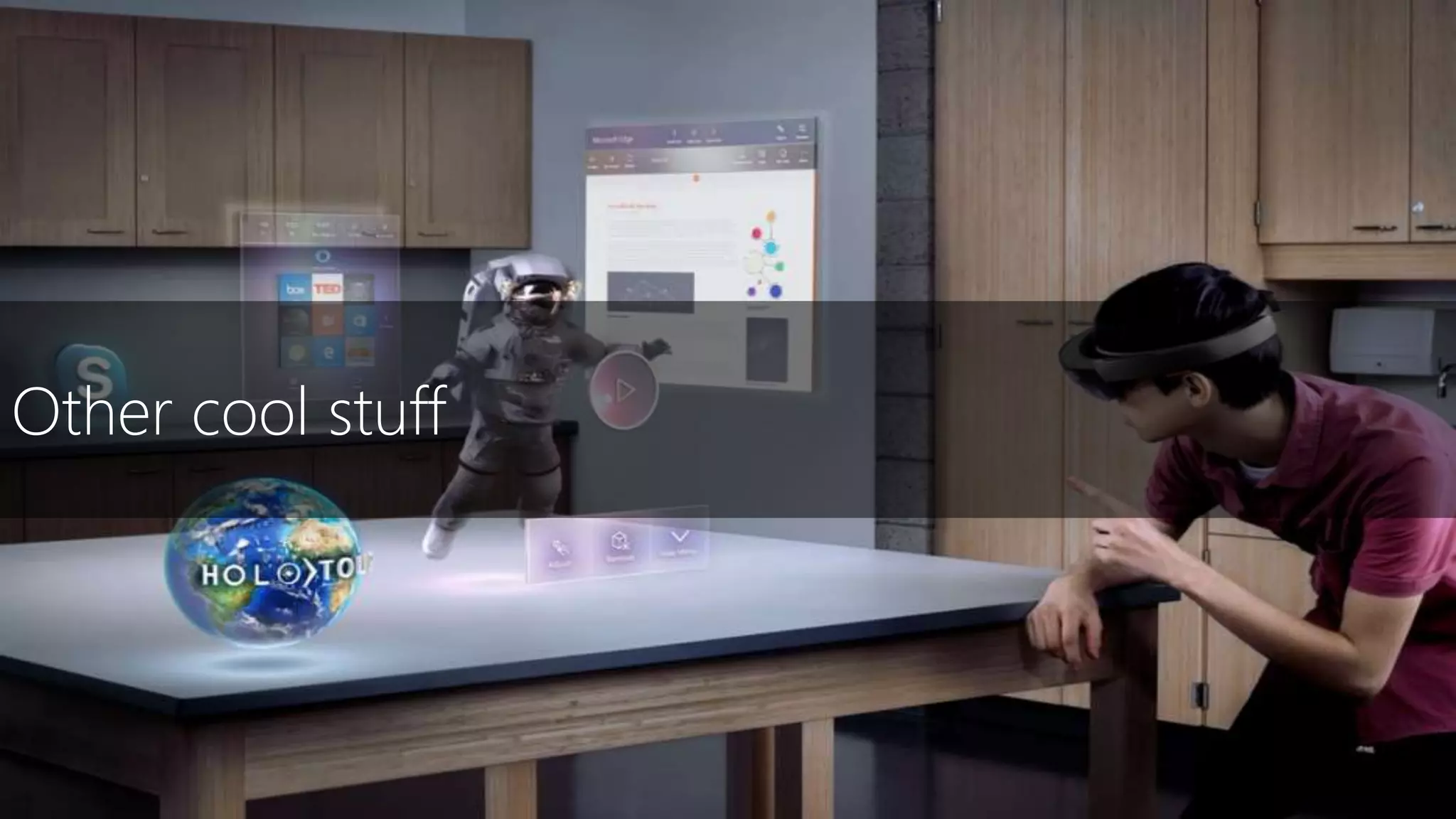
Other cool stuff
Vuforia
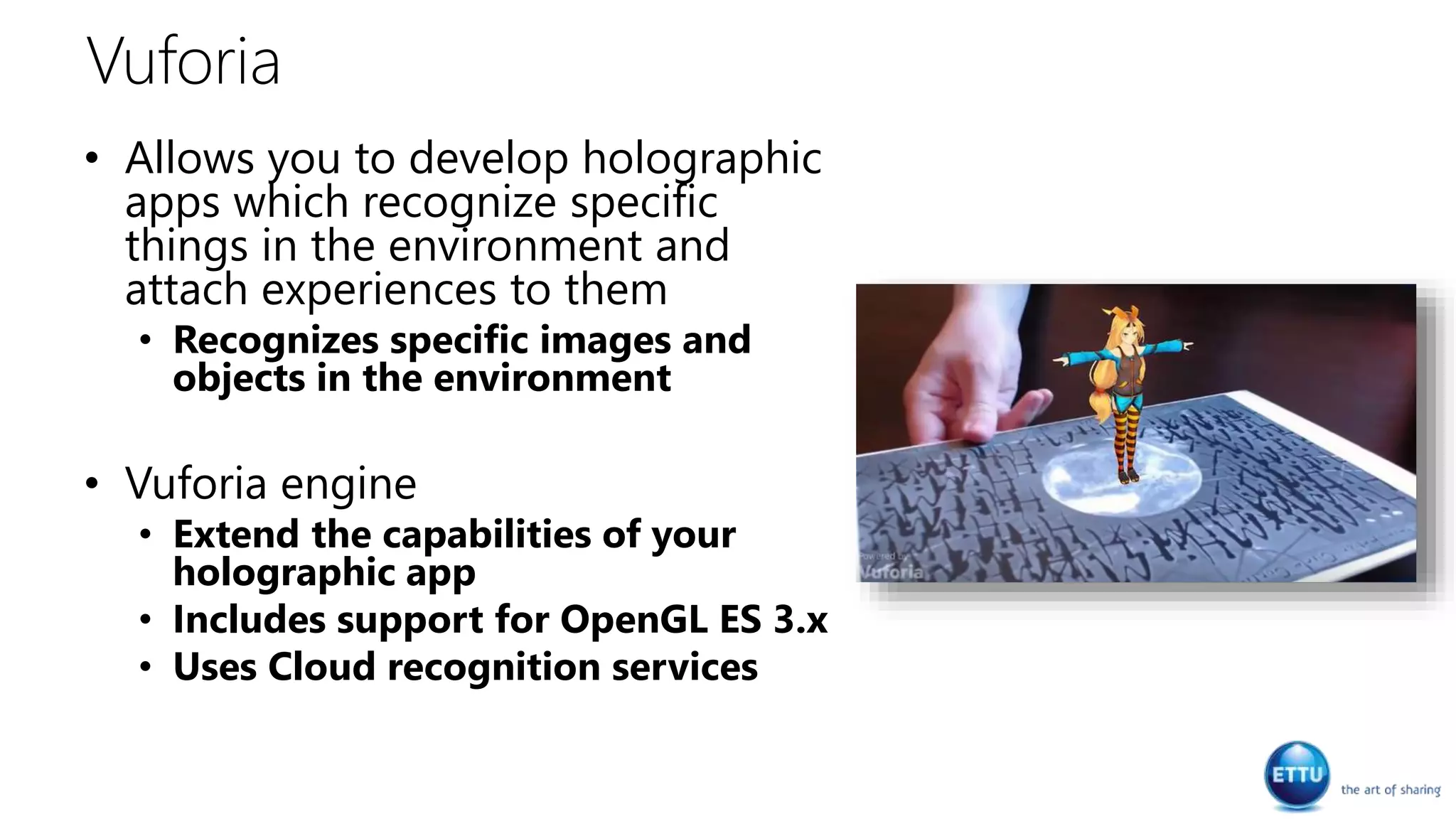
• Allows you to develop holographic
apps which recognize specific
things in the environment and
attach experiences to them
• Recognizes specific images and
objects in the environment
• Vuforia engine
• Extend the capabilities of your
holographic app
• Includes support for OpenGL ES 3.x
• Uses Cloud recognition services
Sharing holographic experiences
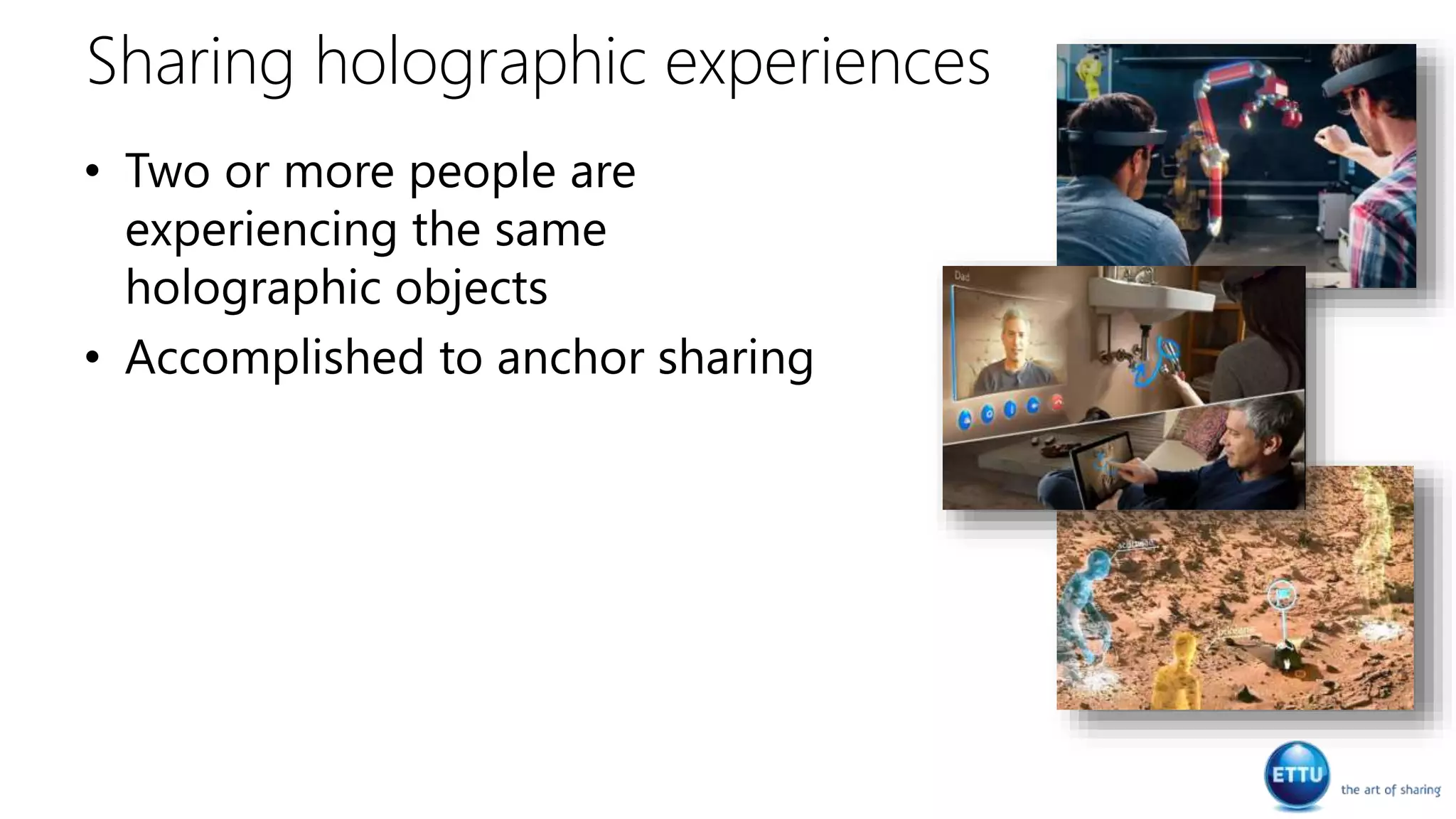
• Two or more people are
experiencing the same
holographic objects
• Accomplished to anchor sharing
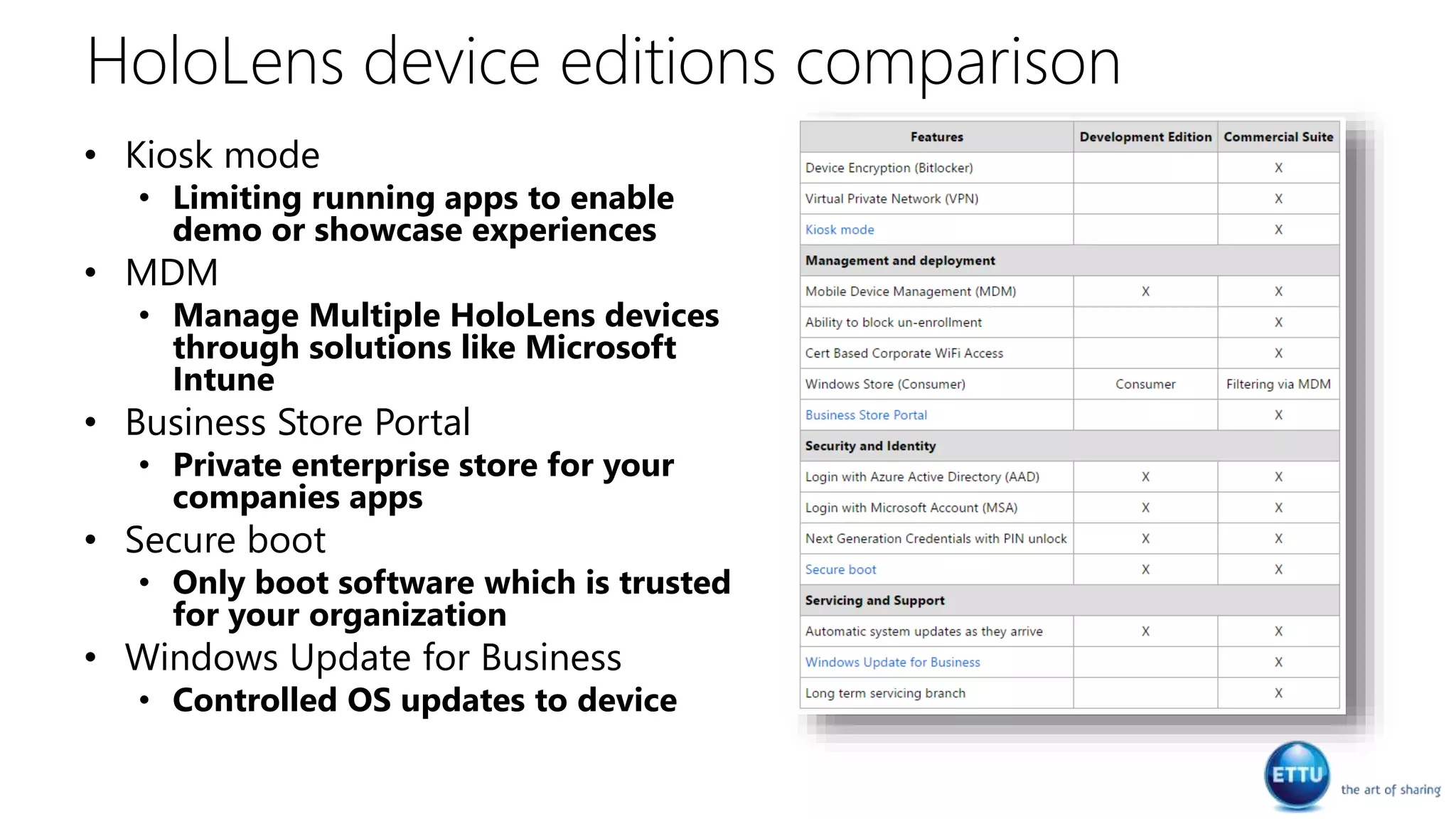
HoloLens device editions comparison
• Kiosk mode
• Limiting running apps to enable
demo or showcase experiences
• MDM
• Manage Multiple HoloLens devices
through solutions like Microsoft
Intune
• Business Store Portal
• Private enterprise store for your
companies apps
• Secure boot
• Only boot software which is trusted
for your organization
• Windows Update for Business
• Controlled OS updates to device
Tools
Development
• Development tools
• Visual Studio 2015 or higher
• Unity 5.5 or higher
• Windows Device Portal
• 3D modeling
• Paint 3D
• Blender
• Studio 3DS Max
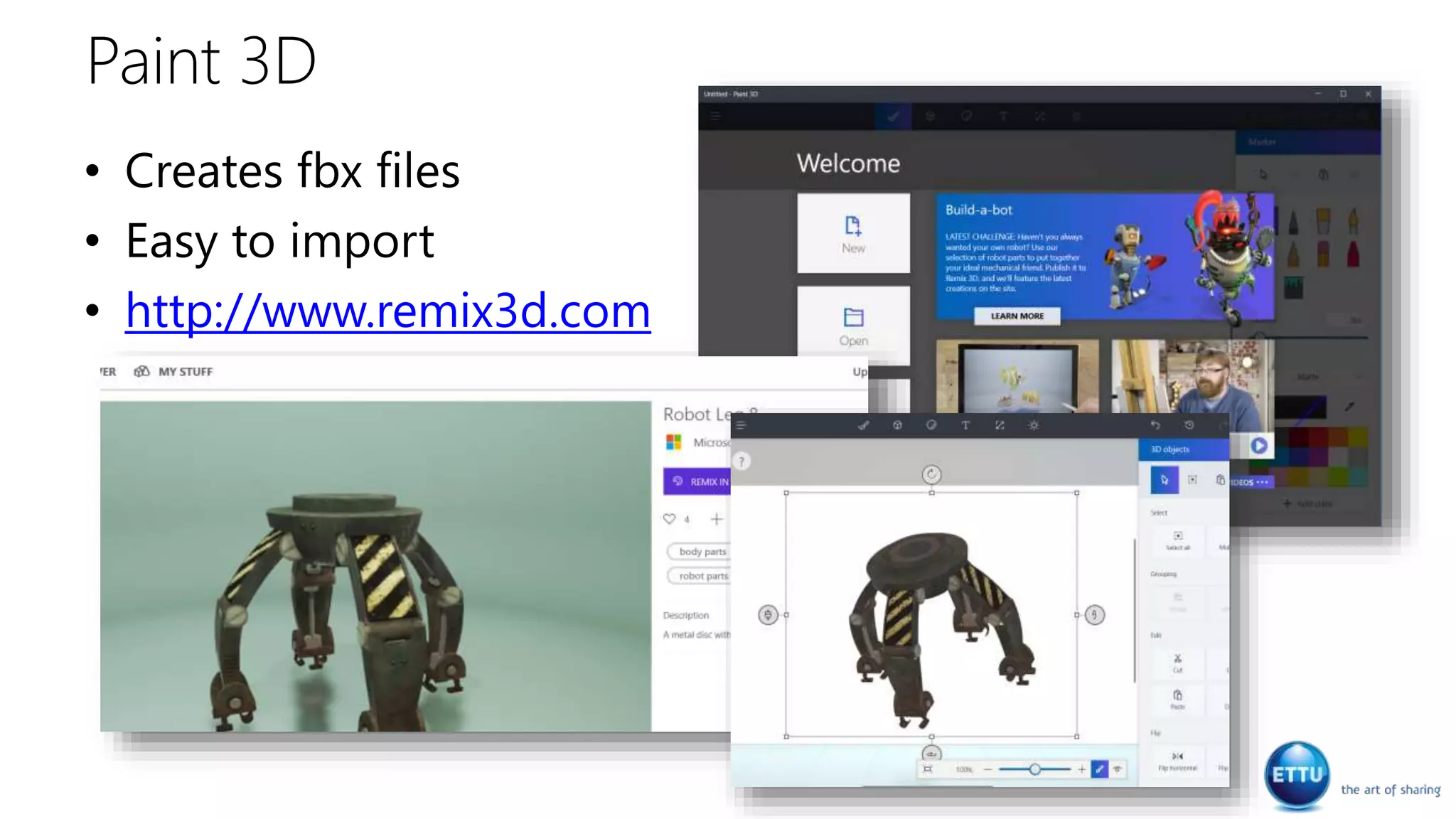
Paint 3D
• Creates fbx files
• Easy to import
• http://www.remix3d.com
Demo
Paint 3D
Data & Cloud
Data storage
• Only allowed to store files to a
number of local folders
• Save or open from another App
like OneDrive
• HoloLens does not support
connecting external hard drives
or SD Cards
• There is no File Explorer
application
• You could use the Windows
Device Portal
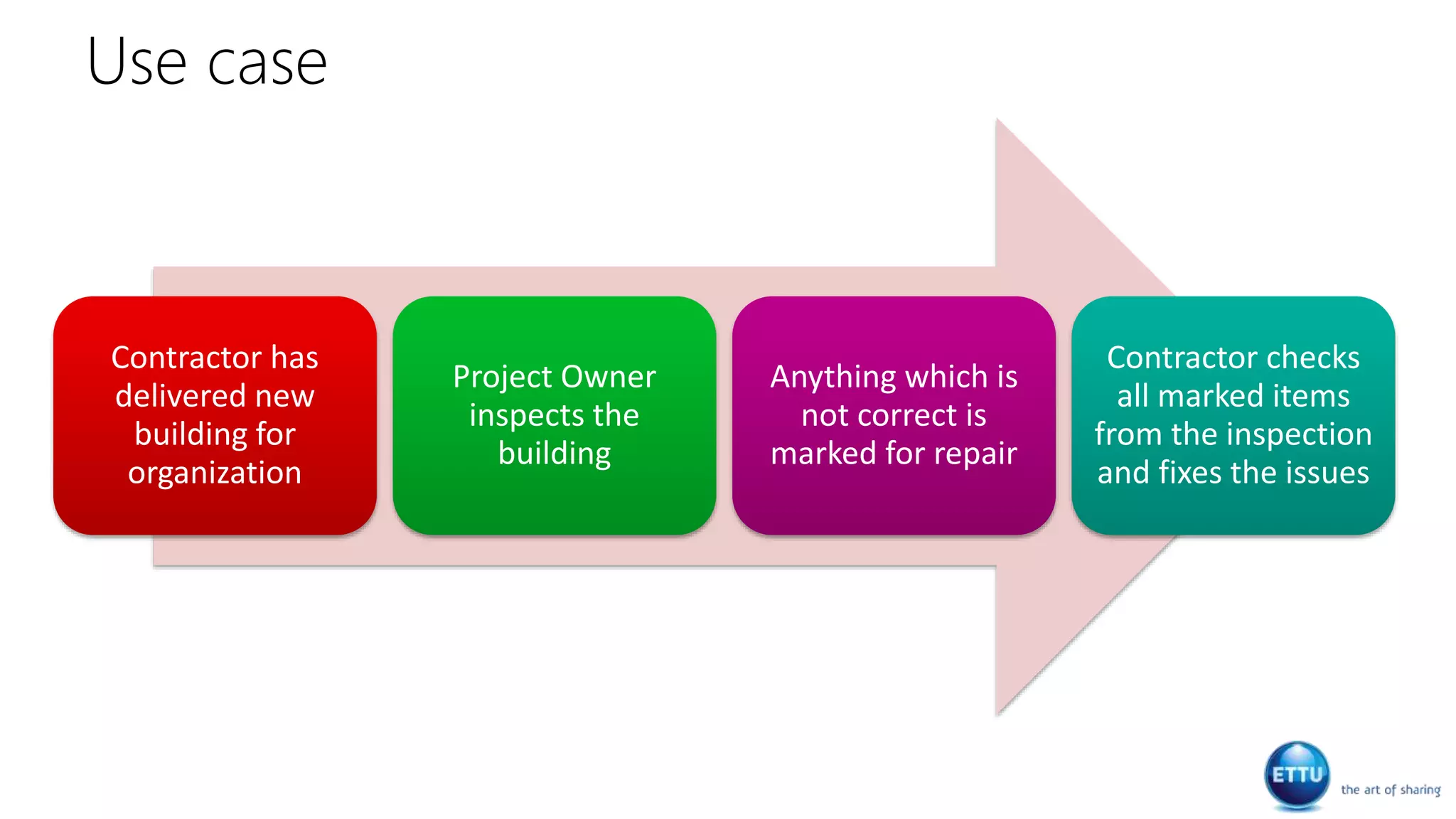
Use case
Contractor has
delivered new
building for
organization
Project Owner
inspects the
building
Anything which is
not correct is
marked for repair
Contractor checks
all marked items
from the inspection
and fixes the issues
Use case solution
• Project Owner uses the HoloLens device and walks
through the building
• By using gaze and gestures he indicates areas for repair
• Indicated areas are send to SharePoint Online via Azure
Cloud Services
• Project Owner can add additional information via SharePoint
Online
• Contractor uses the HoloLens device and walks through
the building seeing all markers indicating repairs needed
Demo
HoloLens tagging
Design considerations
User perspective
• Ensure the application is comfortable to the
user
• Avoid abrupt movements
• Allow them to see the world in the
background
• Animation from down, left or right or fade
in
• Move content slowly and smoothly toward
the user
• Keep a minimal distance of 3 meters
• Design your application from an user’s
unique point of view
• Determine if the user moves around
• User is sitting down or standing
• The user is the camera!
• Let them control the movement
Design patterns for
mixed reality
Holographic frame
• Use the center of the holographic
frame for your holographic objects
• Help the user through guideness
• Arrows pointing to a specific
location
• Light trails
• Pointers
• Spatial sound
• Voice prompts
• Make sure your holograms fit the
frame
• They will feel natural Design patterns for
mixed reality
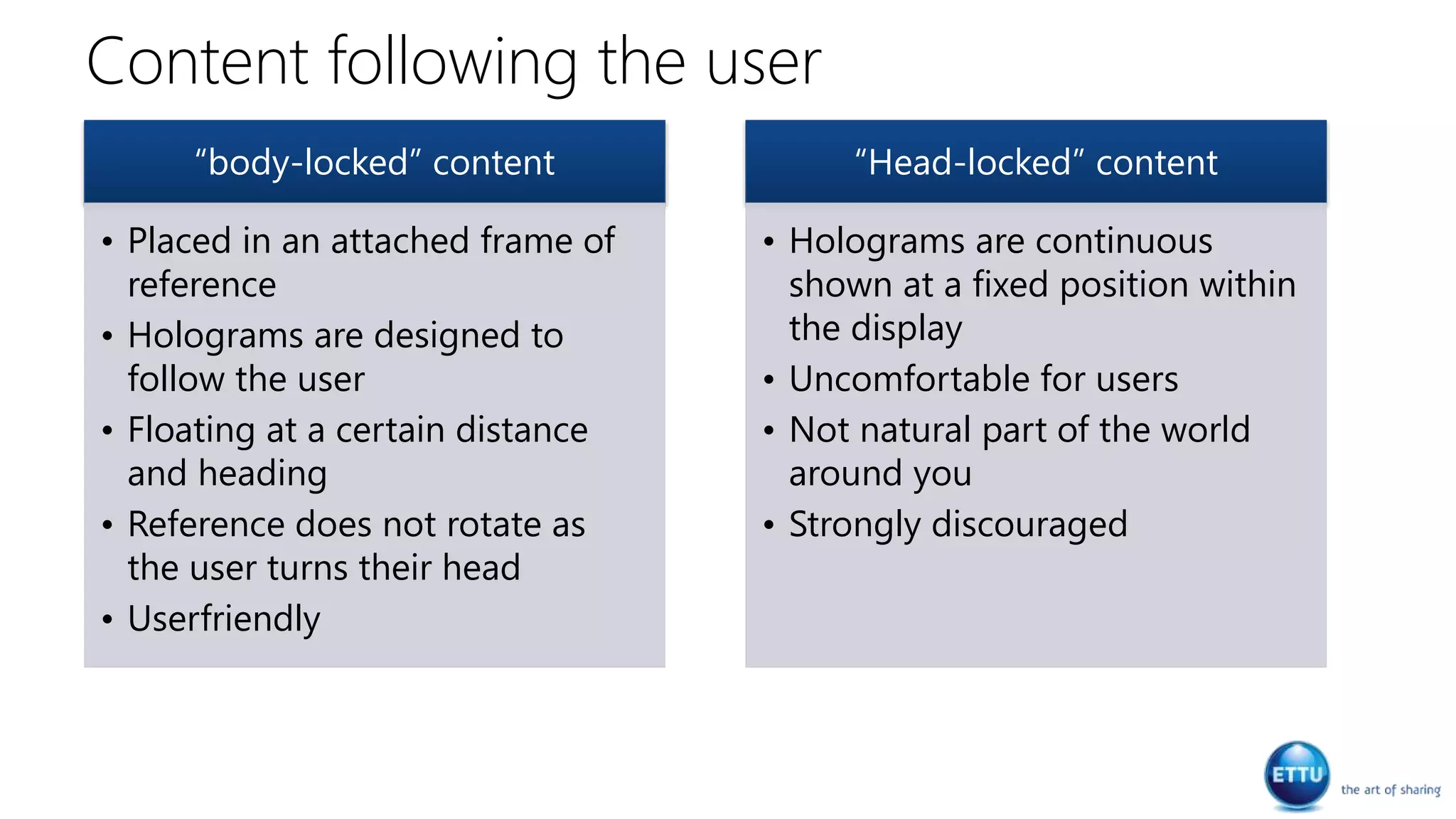
Content following the user
“body-locked” content
• Placed in an attached frame of
reference
• Holograms are designed to
follow the user
• Floating at a certain distance
and heading
• Reference does not rotate as
the user turns their head
• Userfriendly
“Head-locked” content
• Holograms are continuous
shown at a fixed position within
the display
• Uncomfortable for users
• Not natural part of the world
around you
• Strongly discouraged
Embed holograms in the
world
• Use spatial mapping to place
holographic objects on surfaces
• Occlude holograms based on
• Other holograms
• Real-world objects
• Visualize surfaces during placement in
the real world
• Place holographic objects in the
“optimal” zone
• Between 1.25m and 5m
• Take into account the gravitational
rules
• Use shadows projected on real-world
objects
Design patterns for
mixed reality
Sharing experience
questions
• How are they sharing?
• What is the group size?
• Where is everyone located?
• co-located, remote or both
• When are they sharing?
• synchronously, asynchronously or
both
• How similar are their physical
environments?
• Similar, dissimilar
• What devices are they using?
• AR, VR, phone or PC
Design patterns for
mixed reality
 Thank you!
Alexander Meijers
<the end/>

Build business applications with HoloLens and Cloud

  • 1.
    Build Business Applications withHoloLens and Cloud DIWUG, Maart 2017 ETTU
  • 2.
    Even kennismaken... • AlexanderMeijers • Architect @ ETTU HoloLens | Apps | Azure SharePoint | Office 365 | Dev | Functional | Architecture Speaker | Blogger | 3 kids Fitness | Airsoft
  • 3.
    Agenda • History • AugmentReality • Microsoft HoloLens device • Fields of application • Overview • Input controls, Sound, Spatial perception & understanding, Other cool stuff, Tools • Data & Cloud • Design considerations
  • 4.
    Our world ischanging…
  • 5.
    • . The speedin which technology develops has more and more impact on our daily live
  • 6.
    • . Generations aregrowing up in a new digital era. They use new technologies and insights
  • 7.
    Our vision onthe future!
  • 8.
    History of HoloLens •Codenamed Project HoloLens • Chief inventor Alex Kipman • Official title is technical fellow • He dreamed up Kinect in at the end of 2007 and set a vision which incorporated HoloLens • It is the start of a transforming world • In the new reality, sensors will be anywhere • A visual computing platform controlled by speech and gesture Satya Nadella - “The emergence of the next computing interface”
  • 9.
    “Augment reality isa live direct or indirect view of a physical, real-world environment whose elements are augmented by computer generated sensory input such as sound, video, graphics and data”
  • 10.
    Different approaches • AugmentReality (AR) • Mixed reality • Interact with the physical, real- world environment • Virtual Reality (VR) • No transparency to the physical real-world environment
  • 11.
  • 12.
    Microsoft Hololens • Windows10 device • First Holographic computer running on Windows 10 • Contains a CPU, GPU and HPU • Human understanding • Gesture and voice input • Gaze tracking • Spatial sound • Uses wi-fi to connect and has no wires attached • Design for comfort
  • 13.
    Sensors, optics andspeakers Environment camera High definition lenses Spatial sound with speakers Depth camera Video camera
  • 14.
  • 15.
  • 16.
  • 17.
    Fields of application •Enablesthe user to visualize surrounding which is not directly visible •Get visual insight of an object or model •Modelling of non-existing objects visualization •Enrich real-world environment objects with information •Show information as part of the real-world on a wall or table •Show additional information to objects, persons or activities Provisioning of information •Support through linked view, voice and gestures •Meetings around Holographic objects •Working together on projects whereby visualization is an important part •Working together when distance is involved Working together •Experience learning •Getting more realistic teaching by moving 2D presentations in books to 3D holographic models Education •Holographic media •Enrich media with additional holographic objects Media & entertainment •Play games as part of your real- world environment •Game interaction with your walls, ceiling and floor Gaming
  • 18.
    • A companyneeds to add additional electrical wiring. • Detailed wiring plans are projected over a wall or ceiling • Based on detailed plans shown through HoloLens he can decide where to add Example of visualization Detecting electrical wiring
  • 19.
    • Detailed informationabout the elevator through a dashboard • A 3D representation of parts of the elevator to allow quickly find the problem • Ability to contact others through phone and mail for help Example of visualization Elevator maintenance
  • 20.
    • Getting betterinsights of BI data through 3D models • Extend the desktop with 2D/3D information screens Example of provisioning of information Enhance your BI desktop
  • 21.
    • Sharing thesame view, scenarios and data of a car simulation with sensors • Getting help from each other and make it easier to explain on what you are working on Example of working together Working together on car safety
  • 22.
    • Getting arealistic 3D projection of the human body • It allows easy layering of the body and mark different body parts • By walking around the projection and viewing and marking body parts will help students to learn more quickly Example of education Learning about the human body
  • 23.
    • Become partof different squares in Rome • Rome is viewed as a 360 degree view around you in all directions • Images are enhanced wih holographic additions like the inside of the church and the fountain in the front. Example of media and entertainment …
  • 24.
    • HoloLens allowsus to play games which become part of our real-world environment • Fragments is a CSI game in which you, together with virtual people solve crime delicts • Virtual people use your room as if there are actually there Example of gaming Mixed reality during gameplay
  • 25.
  • 26.
  • 27.
    Gaze • The directionof the HoloLens pointing is called the gaze • Hits an object or part of the environment • Uses a Vector3 based value to define its so called “forward” direction
  • 28.
    Gestures • Recognize inputby tracking the position of either or both hands • Gesture frame • Recognized input from hands • Bloom • Press, hold and release • Follow the hand (my own ) • Gestures • Hold • Manipulation • Navigation
  • 29.
    Voice • Use wordsor sentences to control your environment • English language only at the moment • Phrase recognition using Language Understanding Intelligent Service (LUIS)
  • 30.
  • 31.
    Cortana • Start with“Hey Cortana” • Some thing you can say • Move <app name> here • Take a picture • Start or stop recording • Call <contact> • How much battery do i have left? • Restart or Shutdown • Cortana can be turned on/off
  • 32.
    Spatial Sound • Simulates3D sound using direction, distance and environmental simulations • Above, below, behind, to the side, etc. • Attach sound to holographic objects • Works also when object is not in line of sight • Used to draw attention • Audio engine in HoloLens • CPU and memory considerations • 10-12 spatial sound voices
  • 33.
    Spatial Sound • Gazemixing • Highlighting objects • Play a sound on the object to get the users attention • Audio Haptics • Reactive audio for touchless interactions • Play a sound when user selects an object or when his hands appear inside the gesture frame • Immersion • Ambient sounds surrounding the user • Support your scene with background sounds or music
  • 34.
    Spatial Perception &understanding
  • 35.
    Spatial perception • Spatialperception and mapping • Rooms • Different ways of detecting and working with spatial perception • Meshes & planes Spatial perception is the ability to be aware of your relationships with the environment around you and with yourself
  • 36.
    Spatial perception • Devicescans your environment and builds a digital model in real time • It allows HoloLens to see different surfaces, walls and ceiling • Possible to simulate a physical space • E.g. Projecting a terain over your floor
  • 37.
  • 38.
    Pinning • Device canproject a hologram into a room and keep it locked in position • Called pinnnig • Objects are not moving relative to you but you can move around the object • Allows you to view the object from any angle
  • 39.
  • 40.
    Vuforia • Allows youto develop holographic apps which recognize specific things in the environment and attach experiences to them • Recognizes specific images and objects in the environment • Vuforia engine • Extend the capabilities of your holographic app • Includes support for OpenGL ES 3.x • Uses Cloud recognition services
  • 41.
    Sharing holographic experiences •Two or more people are experiencing the same holographic objects • Accomplished to anchor sharing
  • 42.
    HoloLens device editionscomparison • Kiosk mode • Limiting running apps to enable demo or showcase experiences • MDM • Manage Multiple HoloLens devices through solutions like Microsoft Intune • Business Store Portal • Private enterprise store for your companies apps • Secure boot • Only boot software which is trusted for your organization • Windows Update for Business • Controlled OS updates to device
  • 43.
  • 44.
    Development • Development tools •Visual Studio 2015 or higher • Unity 5.5 or higher • Windows Device Portal • 3D modeling • Paint 3D • Blender • Studio 3DS Max
  • 45.
    Paint 3D • Createsfbx files • Easy to import • http://www.remix3d.com
  • 46.
  • 47.
  • 48.
    Data storage • Onlyallowed to store files to a number of local folders • Save or open from another App like OneDrive • HoloLens does not support connecting external hard drives or SD Cards • There is no File Explorer application • You could use the Windows Device Portal
  • 49.
    Use case Contractor has deliverednew building for organization Project Owner inspects the building Anything which is not correct is marked for repair Contractor checks all marked items from the inspection and fixes the issues
  • 50.
    Use case solution •Project Owner uses the HoloLens device and walks through the building • By using gaze and gestures he indicates areas for repair • Indicated areas are send to SharePoint Online via Azure Cloud Services • Project Owner can add additional information via SharePoint Online • Contractor uses the HoloLens device and walks through the building seeing all markers indicating repairs needed
  • 51.
  • 52.
  • 53.
    User perspective • Ensurethe application is comfortable to the user • Avoid abrupt movements • Allow them to see the world in the background • Animation from down, left or right or fade in • Move content slowly and smoothly toward the user • Keep a minimal distance of 3 meters • Design your application from an user’s unique point of view • Determine if the user moves around • User is sitting down or standing • The user is the camera! • Let them control the movement Design patterns for mixed reality
  • 54.
    Holographic frame • Usethe center of the holographic frame for your holographic objects • Help the user through guideness • Arrows pointing to a specific location • Light trails • Pointers • Spatial sound • Voice prompts • Make sure your holograms fit the frame • They will feel natural Design patterns for mixed reality
  • 55.
    Content following theuser “body-locked” content • Placed in an attached frame of reference • Holograms are designed to follow the user • Floating at a certain distance and heading • Reference does not rotate as the user turns their head • Userfriendly “Head-locked” content • Holograms are continuous shown at a fixed position within the display • Uncomfortable for users • Not natural part of the world around you • Strongly discouraged
  • 56.
    Embed holograms inthe world • Use spatial mapping to place holographic objects on surfaces • Occlude holograms based on • Other holograms • Real-world objects • Visualize surfaces during placement in the real world • Place holographic objects in the “optimal” zone • Between 1.25m and 5m • Take into account the gravitational rules • Use shadows projected on real-world objects Design patterns for mixed reality
  • 57.
    Sharing experience questions • Howare they sharing? • What is the group size? • Where is everyone located? • co-located, remote or both • When are they sharing? • synchronously, asynchronously or both • How similar are their physical environments? • Similar, dissimilar • What devices are they using? • AR, VR, phone or PC Design patterns for mixed reality
  • 58.
     Thank you! AlexanderMeijers <the end/>

Editor's Notes

  • #7 More than 20% of enterprise social software postings will lack any text; This group is depending on optimized IT services for maximum productivity.
  • #9 https://www.wired.com/2015/01/microsoft-nadella/
  • #14 Advanced sensors – 4 environment cameras / 1 depth camera / 1 video camera / Ambient sensor / 4 microphones / mixed reality capture Advanced optics – High definition lenses used as an advanced optical projection system. Built-in speakers – spatial sound – hear anything from anywhere in the room
  • #15 Holograms, GalaxyExplorer, HoloMaps, DemoHoloLensTag
  • #16 Holograms, GalaxyExplorer, HoloMaps, DemoHoloLensTag
  • #18 Visualization - Think of pluming and electrical wiring in the walls. Building maps of a device (e.g. control panels, elevator, etc.) Provisioning of information – These kind of applications are providing additional information to objects, persons or activities around you Working together – The use of HoloLens to work together on projects and help out another. Presentation, collaboration and guidance Education – Getting experience by getting the feel how big or small something is and teaching with holographic presentations of 2D examples Media & entertainment – enrich existing media with holographic objects to allow it to have more depth by going from 2D to 3D Gaming – Play games combined in our world
  • #26 Holograms, GalaxyExplorer, HoloMaps, DemoHoloLensTag
  • #29 Hold: Holding a press beyond the system's Hold threshold. Manipulation: A press, followed by absolute movement of your hand through 3-dimensional world. Navigation: A press, followed by relative movement of your hand or the controller within a 3-dimensional unit cube, potentially on axis-aligned rails. More on this below.
  • #30 LUIS - Language Understanding Intelligent Service – Allows you to create language understanding models https://www.luis.ai/ https://katvharris.azurewebsites.net/blog/hololens-and-luis/
  • #32 Move <app> here uses the gaze position to reposition the app Call <contact> used Skype. At the moment only Skype personal is supported https://support.microsoft.com/nl-nl/help/12630/hololens-cortana-on-hololens
  • #33  use 10-12 spatial sound voices while using less than ~12% of the CPU (~70% of one of the four cores
  • #37 Ricochet - afketsen
  • #38 Holograms, GalaxyExplorer, HoloMaps, DemoHoloLensTag
  • #39 Ricochet - afketsen
  • #41 https://developer.microsoft.com/en-us/windows/holographic/shared_holographic_experiences https://library.vuforia.com/articles/Training/Developing-Vuforia-Apps-for-HoloLens
  • #42 https://developer.microsoft.com/en-us/windows/holographic/shared_holographic_experiences
  • #43 https://developer.microsoft.com/en-us/windows/holographic/release_notes https://blogs.windows.com/devices/2016/08/02/hololens-development-edition-updates-2/#MZrHuxPJz6RKKWpr.97
  • #47 Holograms, GalaxyExplorer, HoloMaps, DemoHoloLensTag
  • #49 https://developer.microsoft.com/en-us/windows/holographic/saving_and_finding_your_files https://developer.microsoft.com/en-us/windows/holographic/App_model.html#known_folders File pickers - HoloLens supports both FileOpenPicker and FileSavePicker contracts. However, no app comes pre-installed that fulfills the file picker contracts. These apps - OneDrive, for example - can be installed from the Windows Store. https://developer.microsoft.com/en-us/windows/holographic/App_model.html#file_pickers
  • #50 Solution Project Owner uses the HoloLens device and walks through the building By using gaze and gestures he indicates areas for repair Indicated areas are send to SharePoint Online via Azure Cloud Services Project Owner can add additional information via SharePoint Online Contractor uses the HoloLens device and walks through the building seeing all markers indicating repairs needed
  • #51 Solution Project Owner uses the HoloLens device and walks through the building By using gaze and gestures he indicates areas for repair Indicated areas are send to SharePoint Online via Azure Cloud Services Project Owner can add additional information via SharePoint Online Contractor uses the HoloLens device and walks through the building seeing all markers indicating repairs needed
  • #52 Holograms, GalaxyExplorer, HoloMaps, DemoHoloLensTag
  • #54 Design
  • #55 Design
  • #57 Design