RAMANANDATIRTHA ENGINEERING COLLEGE
DEPARTMENT OF
ELECTRONICS & COMMUNICATION ENGINEERING
A
TECHNICAL SEMINAR REPORT ON
MICROSOFT HOLOLENS
Under the guidance of
Ms. B.MOUNIKA , M.tech Presented By
ASSISTANT PROFFESOR R.ANUDEEP SHARMA
(13141A0462)
OVERVIEW
• Introduction
• What is Microsoft HoloLense ?
• Basic Structure
• Inside the HoloLense
• How It works?
• Features
• Advantages/Disadvantages
• Different from Google Glass
• Conclusion
INTRODUCTION
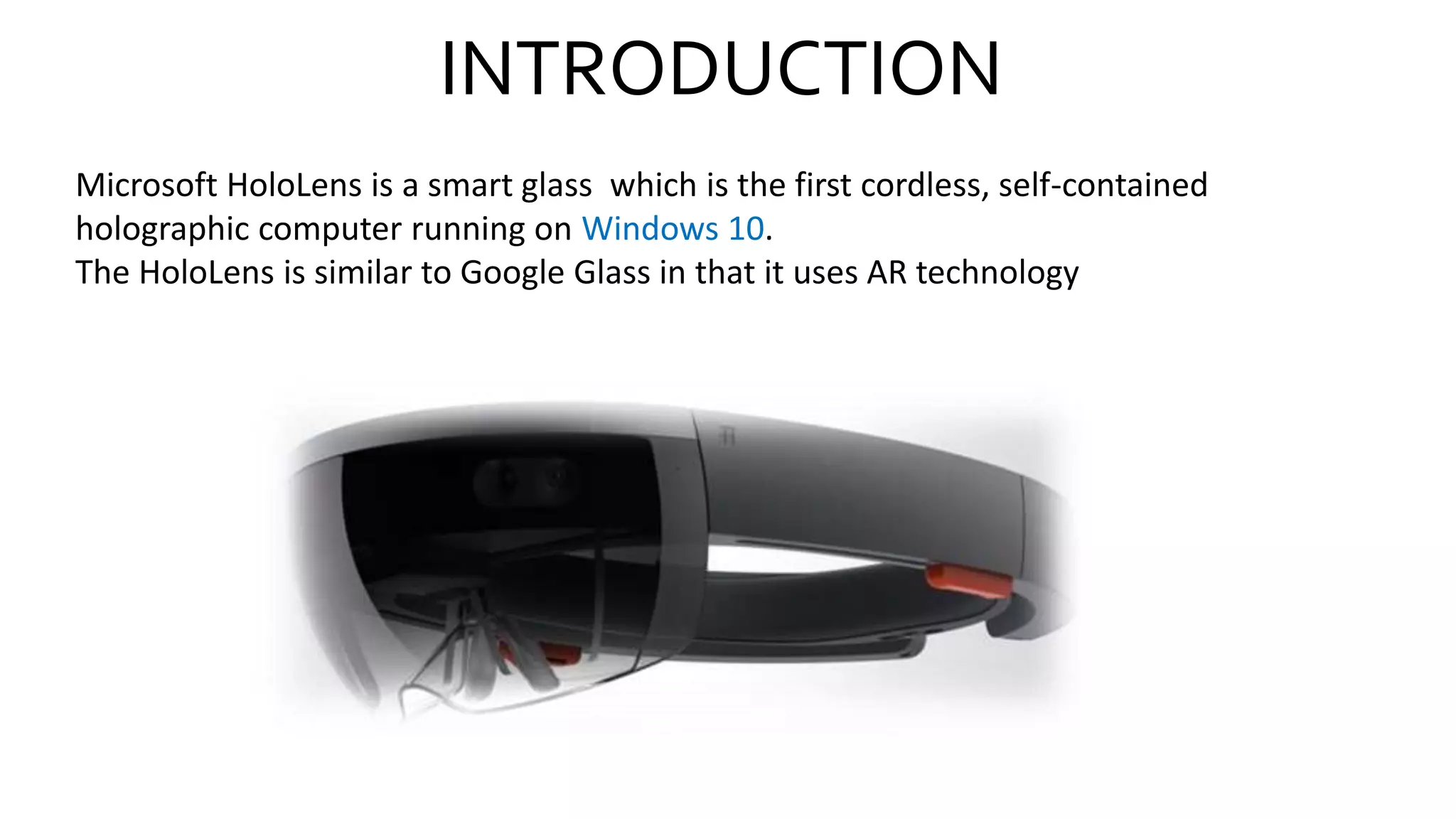
Microsoft HoloLens is a smart glass which is the first cordless, self-contained
holographic computer running on Windows 10.
The HoloLens is similar to Google Glass in that it uses AR technology
What is Microsoft HoloLens ?
• Microsoft HoloLens is the first holographic computer, Powered by
Windows 10.
• It is completely unattached ( no wires, phones, or connection to a PC
needed).
• Microsoft HoloLens is made up of specialized components that together
enable Holographic Computing.
Inside the HoloLens
• 1.Camera
• 2.Computer
• 3.Vent
• 4.Sensor
• 5.Buttons
• Computer:- HoloLens is not just a visor connected to a computer, it is a
computer on its own.
• HoloLens contain CPU, battery, GPU and first of its kind HPU (holographic
processing unit).
• Camera:- The project HoloLens depth camera has a field of vision that spans
120 by 120 degree, so it can sense what your hands are doing even when
they are nearly outstretched.
• Sensor:- sensor track where the wearer is looking and adjust the
display.
• Motion sensor detect wearers movement.
• The sensor can also see wearers hands, the hands are an Input system
User can interact with whatever he sees by just touching it.
• Wearer also give gesture as input sensor enables the tracking of user
movement.
• Vent:- the device is more powerful than a laptop but won’t overheat-
warm air flows to the sides, where it vents up and out.
• Buttons:- on the right side buttons allow user to adjust the volume
and to control the contrast of the hologram.
Working of Microsoft HoloLens?
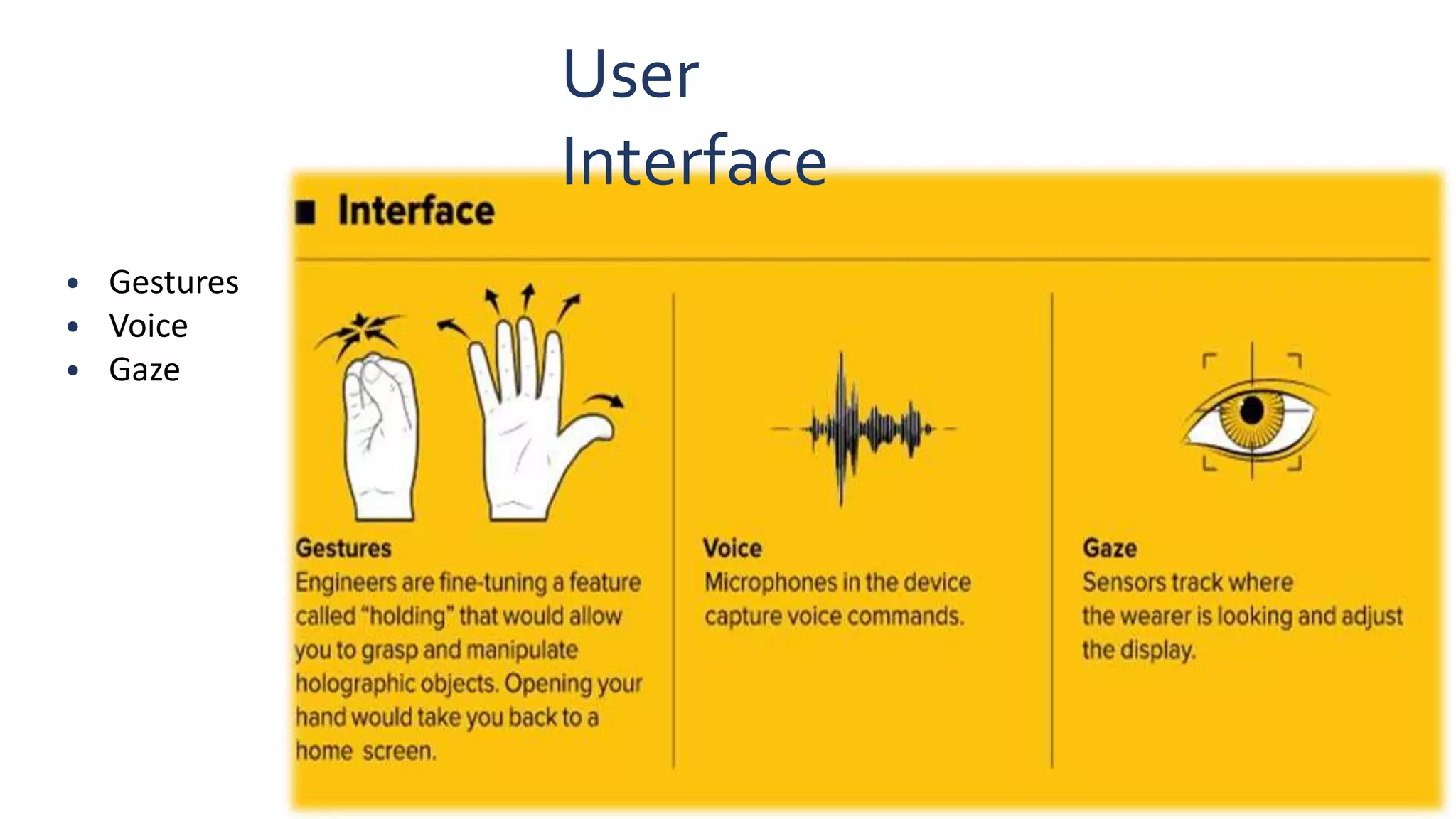
• Microsoft HoloLens has User Interface so it takes voice , gaze and
gestures as input command.
• Than internal computer works on input command.
• Now projection of hologram, for projection HoloLens use the
HUD(head up display) method two Nano projector located at
each side of head and semi transparent visor which reflect the
image as light on users eye.
User
Interface
• Gestures
• Voice
• Gaze
How it works? Design Perspective
• Lenses and Display:- Microsoft HoloLens has two display. they are transparent
so that wearer can see the real world behind virtual object.
• To create project HoloLens image, light particles bounce around millions of
times in the so called light engine of the device.
Applications of Microsoft Hololens
Remote Instruction
3D Computer-Aided Design
Gamification of Tasks
Gaming
Decorating
Holographic Attractions and Entertainment
Advantage of Microsoft
HoloLens
• Easy to wear and use.
• Sensitive and responsive to the presence of people.
• HoloLens can be used in army battlefield , where detailed instruction can
be given to the untrained person in the midst of combat.
• A useful technology for a Designing & Futuristic Innovations.
• It is portable .
Conclusion
• Holographic computing experiences with Microsoft HoloLens are
different from existing experiences, such as augmented reality (AR)
and virtual reality (VR)..
• The era of holographic computing is here. When you change the way
you see the world, you can change the world you see.
THANK
YOU
ANY

Hololens

  • 1.
    RAMANANDATIRTHA ENGINEERING COLLEGE DEPARTMENTOF ELECTRONICS & COMMUNICATION ENGINEERING A TECHNICAL SEMINAR REPORT ON MICROSOFT HOLOLENS Under the guidance of Ms. B.MOUNIKA , M.tech Presented By ASSISTANT PROFFESOR R.ANUDEEP SHARMA (13141A0462)
  • 2.
    OVERVIEW • Introduction • Whatis Microsoft HoloLense ? • Basic Structure • Inside the HoloLense • How It works? • Features • Advantages/Disadvantages • Different from Google Glass • Conclusion
  • 3.
    INTRODUCTION Microsoft HoloLens isa smart glass which is the first cordless, self-contained holographic computer running on Windows 10. The HoloLens is similar to Google Glass in that it uses AR technology
  • 4.
    What is MicrosoftHoloLens ? • Microsoft HoloLens is the first holographic computer, Powered by Windows 10. • It is completely unattached ( no wires, phones, or connection to a PC needed). • Microsoft HoloLens is made up of specialized components that together enable Holographic Computing.
  • 5.
    Inside the HoloLens •1.Camera • 2.Computer • 3.Vent • 4.Sensor • 5.Buttons
  • 6.
    • Computer:- HoloLensis not just a visor connected to a computer, it is a computer on its own. • HoloLens contain CPU, battery, GPU and first of its kind HPU (holographic processing unit). • Camera:- The project HoloLens depth camera has a field of vision that spans 120 by 120 degree, so it can sense what your hands are doing even when they are nearly outstretched.
  • 7.
    • Sensor:- sensortrack where the wearer is looking and adjust the display. • Motion sensor detect wearers movement. • The sensor can also see wearers hands, the hands are an Input system User can interact with whatever he sees by just touching it. • Wearer also give gesture as input sensor enables the tracking of user movement.
  • 8.
    • Vent:- thedevice is more powerful than a laptop but won’t overheat- warm air flows to the sides, where it vents up and out. • Buttons:- on the right side buttons allow user to adjust the volume and to control the contrast of the hologram.
  • 9.
    Working of MicrosoftHoloLens? • Microsoft HoloLens has User Interface so it takes voice , gaze and gestures as input command. • Than internal computer works on input command. • Now projection of hologram, for projection HoloLens use the HUD(head up display) method two Nano projector located at each side of head and semi transparent visor which reflect the image as light on users eye.
  • 10.
  • 11.
    How it works?Design Perspective • Lenses and Display:- Microsoft HoloLens has two display. they are transparent so that wearer can see the real world behind virtual object. • To create project HoloLens image, light particles bounce around millions of times in the so called light engine of the device.
  • 12.
    Applications of MicrosoftHololens Remote Instruction 3D Computer-Aided Design Gamification of Tasks Gaming Decorating Holographic Attractions and Entertainment
  • 13.
    Advantage of Microsoft HoloLens •Easy to wear and use. • Sensitive and responsive to the presence of people. • HoloLens can be used in army battlefield , where detailed instruction can be given to the untrained person in the midst of combat. • A useful technology for a Designing & Futuristic Innovations. • It is portable .
  • 14.
    Conclusion • Holographic computingexperiences with Microsoft HoloLens are different from existing experiences, such as augmented reality (AR) and virtual reality (VR).. • The era of holographic computing is here. When you change the way you see the world, you can change the world you see.
  • 15.