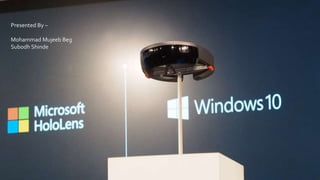




Presented By –
Mohammad Mujeeb Beg
Subodh Shinde
What is Hologram?
• A hologram is an object like any other object in the real world, with
only one difference: instead of being made of physical matter, a
hologram is made entirely of light.
• Holographic objects can be viewed from different angles and
distances, just like physical objects, but they do not offer any
physical resistance when touched or pushed because they don’t
have any mass.
• Holograms can be two-dimensional, like a piece of paper or aTV
screen, or they can be three-dimensional, just like other physical
objects in your real world.
Why we need Hologram?
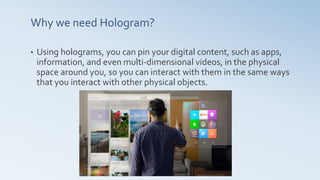
• Using holograms, you can pin your digital content, such as apps,
information, and even multi-dimensional videos, in the physical
space around you, so you can interact with them in the same ways
that you interact with other physical objects.
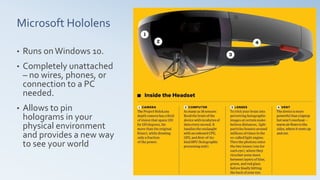
Microsoft Hololens
• Runs onWindows 10.
• Completely unattached
– no wires, phones, or
connection to a PC
needed.
• Allows to pin
holograms in your
physical environment
and provides a new way
to see your world
How it works?
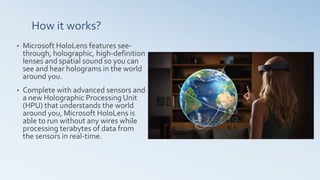
• Microsoft HoloLens features see-
through, holographic, high-definition
lenses and spatial sound so you can
see and hear holograms in the world
around you.
• Complete with advanced sensors and
a new Holographic Processing Unit
(HPU) that understands the world
around you, Microsoft HoloLens is
able to run without any wires while
processing terabytes of data from
the sensors in real-time.
What will you be able to do with HoloLens?
– Microsoft presented some of the most interesting potential uses
of Hololens.
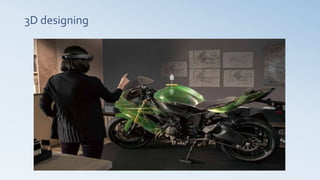
• let you view and interact with work projects such as assembling 3D models
• play games like Minecraft,
• video chat with hologram versions of Skype contacts,
• watch live content.
– Create 3D objects, from assembling to choosing the colors, all
using simple gestures
– Potential to control the Mars rover Curiosity via the HoloLens.
Gaming
3D designing
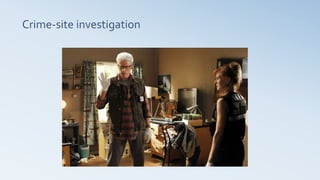
Crime-site investigation
Interior Designing
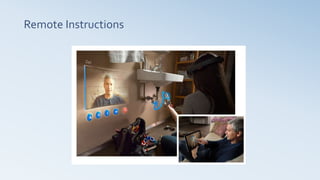
Remote Instructions
Apparel Design
Adult Industry
Introducing Hololens
Thanks!

Microsoft Hololens

  • 1.
    Presented By – MohammadMujeeb Beg Subodh Shinde
  • 2.
    What is Hologram? •A hologram is an object like any other object in the real world, with only one difference: instead of being made of physical matter, a hologram is made entirely of light. • Holographic objects can be viewed from different angles and distances, just like physical objects, but they do not offer any physical resistance when touched or pushed because they don’t have any mass. • Holograms can be two-dimensional, like a piece of paper or aTV screen, or they can be three-dimensional, just like other physical objects in your real world.
  • 3.
    Why we needHologram? • Using holograms, you can pin your digital content, such as apps, information, and even multi-dimensional videos, in the physical space around you, so you can interact with them in the same ways that you interact with other physical objects.
  • 4.
    Microsoft Hololens • RunsonWindows 10. • Completely unattached – no wires, phones, or connection to a PC needed. • Allows to pin holograms in your physical environment and provides a new way to see your world
  • 5.
    How it works? •Microsoft HoloLens features see- through, holographic, high-definition lenses and spatial sound so you can see and hear holograms in the world around you. • Complete with advanced sensors and a new Holographic Processing Unit (HPU) that understands the world around you, Microsoft HoloLens is able to run without any wires while processing terabytes of data from the sensors in real-time.
  • 6.
    What will yoube able to do with HoloLens? – Microsoft presented some of the most interesting potential uses of Hololens. • let you view and interact with work projects such as assembling 3D models • play games like Minecraft, • video chat with hologram versions of Skype contacts, • watch live content. – Create 3D objects, from assembling to choosing the colors, all using simple gestures – Potential to control the Mars rover Curiosity via the HoloLens.
  • 7.
  • 8.
  • 9.
  • 10.
  • 11.
  • 12.
  • 13.
  • 14.
  • 15.