DEVELOP YOUR MIXED REALITY APP FOR HOLOLENS
WITH UNITY AND VISUAL STUDIO
HOLOBASICS
“HoloLens Evangelist”
I am responsible for architecture related business for our project services
department at ETTU. I’m involved as architect at different companies like Jumbo
Maritime, PGGM, Gemeente Amersfoort and others
Alexander Meijers
ABOUT ME
 Solutions Architect for ETTU
 Founder of the Mixed Reality User Group
 MixUG: http://www.mixug.nl
 Email: a.meijers@ettu.nl or alexander@appzinside.com
 Twitter: @ameijers
 Blog: http://www.appzinside.com
3INTRO ETTU
TODAY’S TALK
AGENDA
 Realities explained
 Microsoft HoloLens
Building blocks and tools
 Tools
 Gestures
 Sound
 Spatial Mapping & Occlusion
Slider
Content Ads
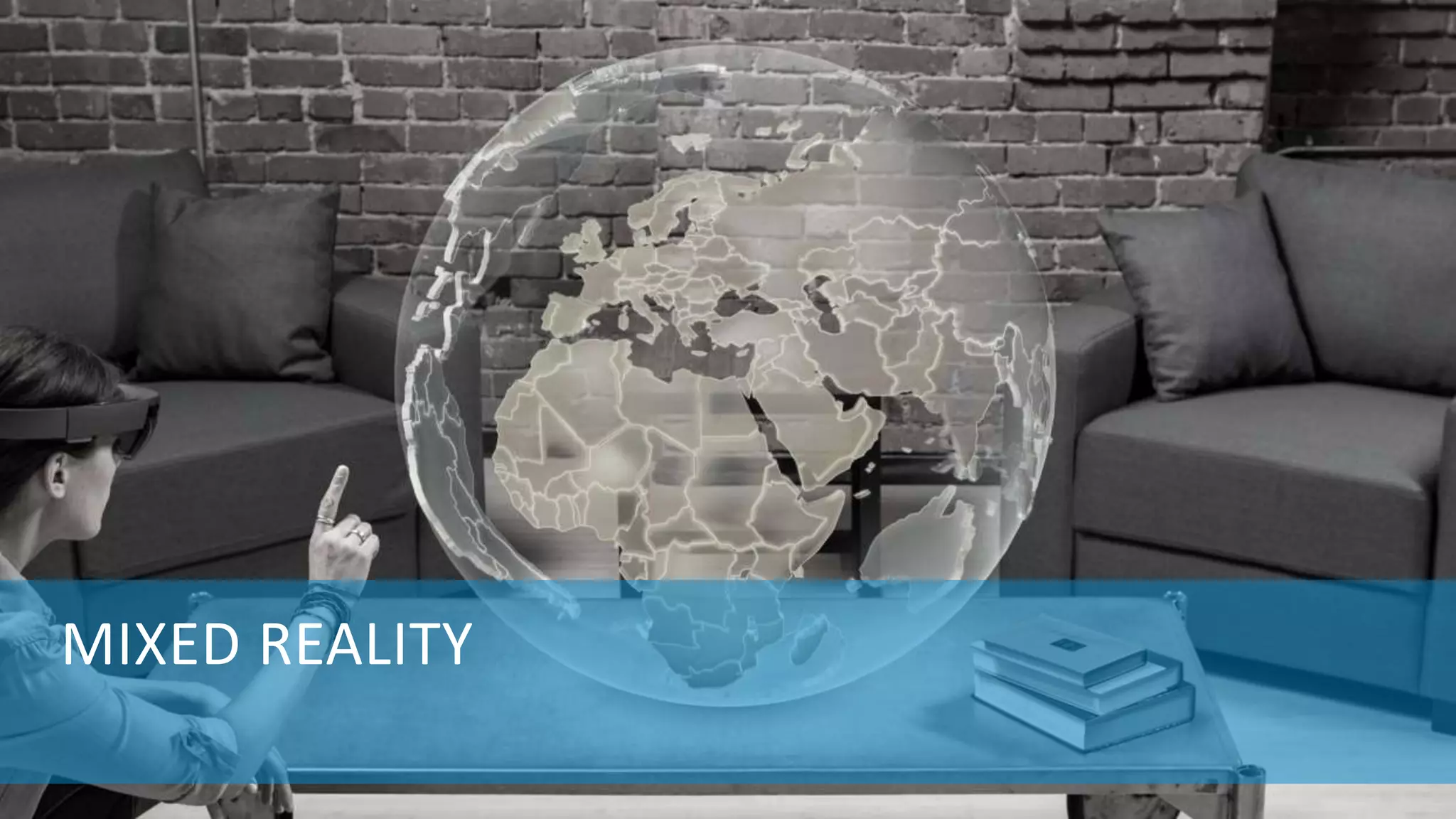
MIXED REALITY
HOLOBASICS 5
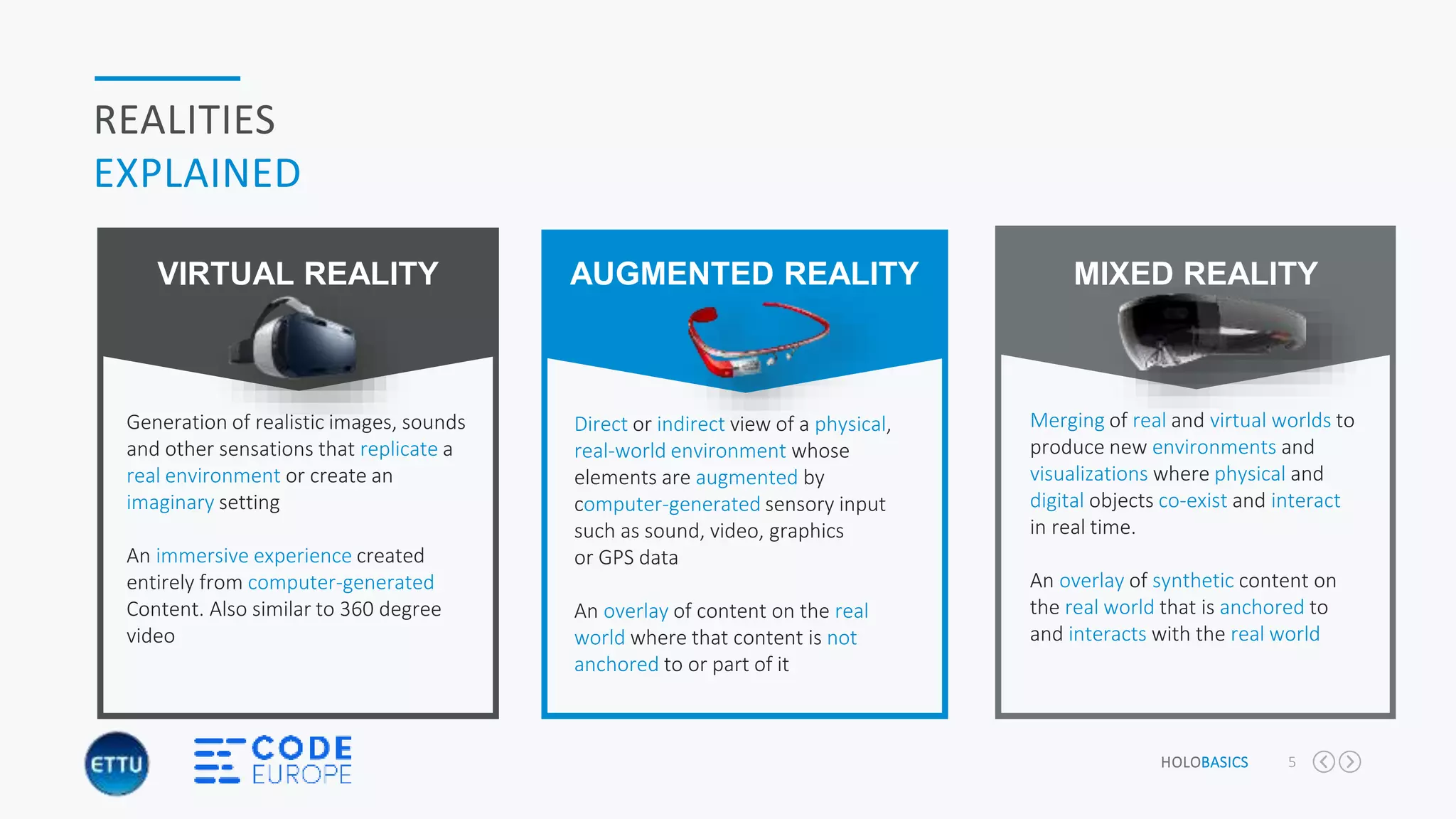
REALITIES
EXPLAINED
Merging of real and virtual worlds to
produce new environments and
visualizations where physical and
digital objects co-exist and interact
in real time.
An overlay of synthetic content on
the real world that is anchored to
and interacts with the real world
MIXED REALITY
Direct or indirect view of a physical,
real-world environment whose
elements are augmented by
computer-generated sensory input
such as sound, video, graphics
or GPS data
An overlay of content on the real
world where that content is not
anchored to or part of it
AUGMENTED REALITY
Generation of realistic images, sounds
and other sensations that replicate a
real environment or create an
imaginary setting
An immersive experience created
entirely from computer-generated
Content. Also similar to 360 degree
video
VIRTUAL REALITY
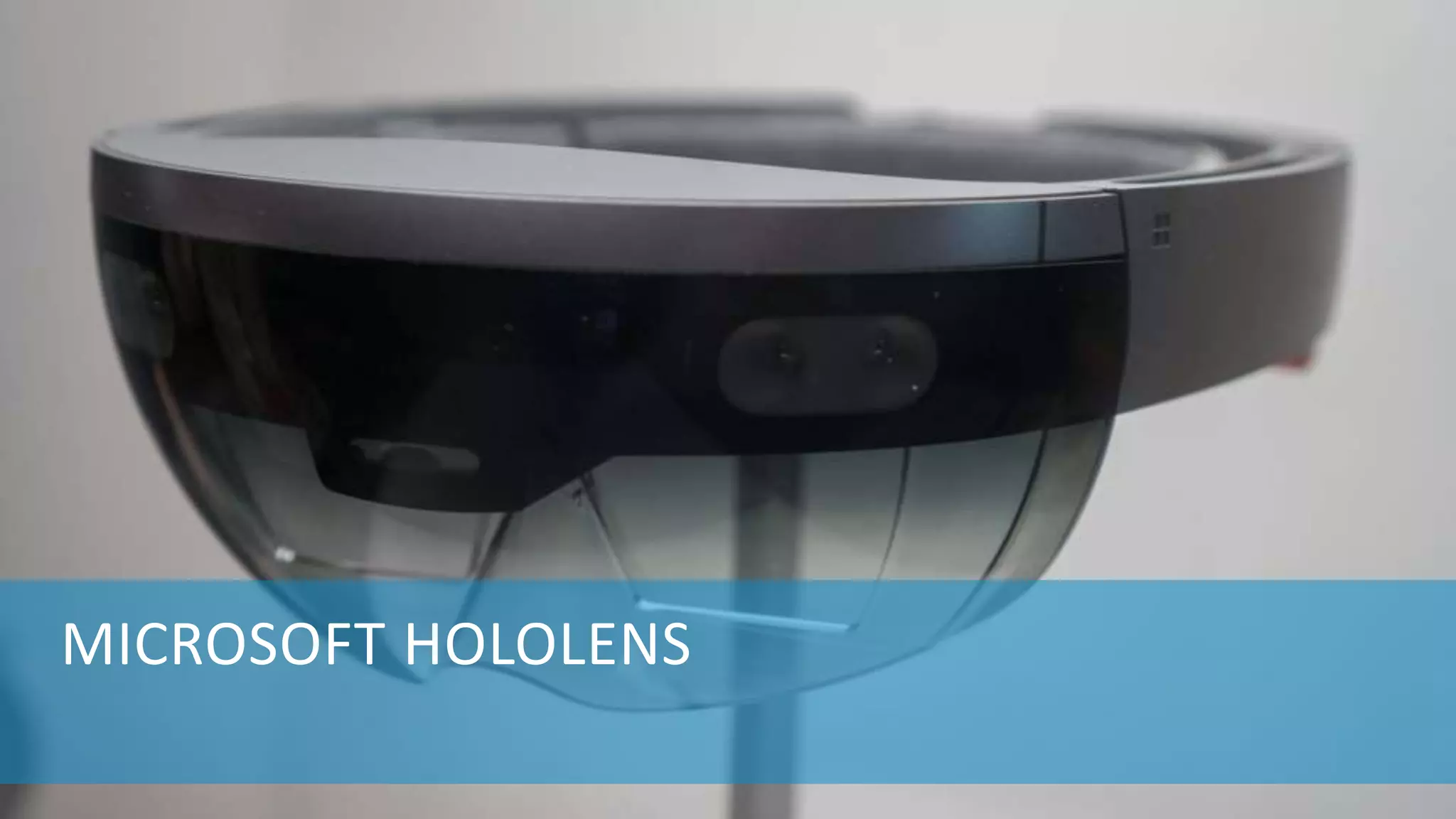
MICROSOFT HOLOLENS
HOLOBASICS 7
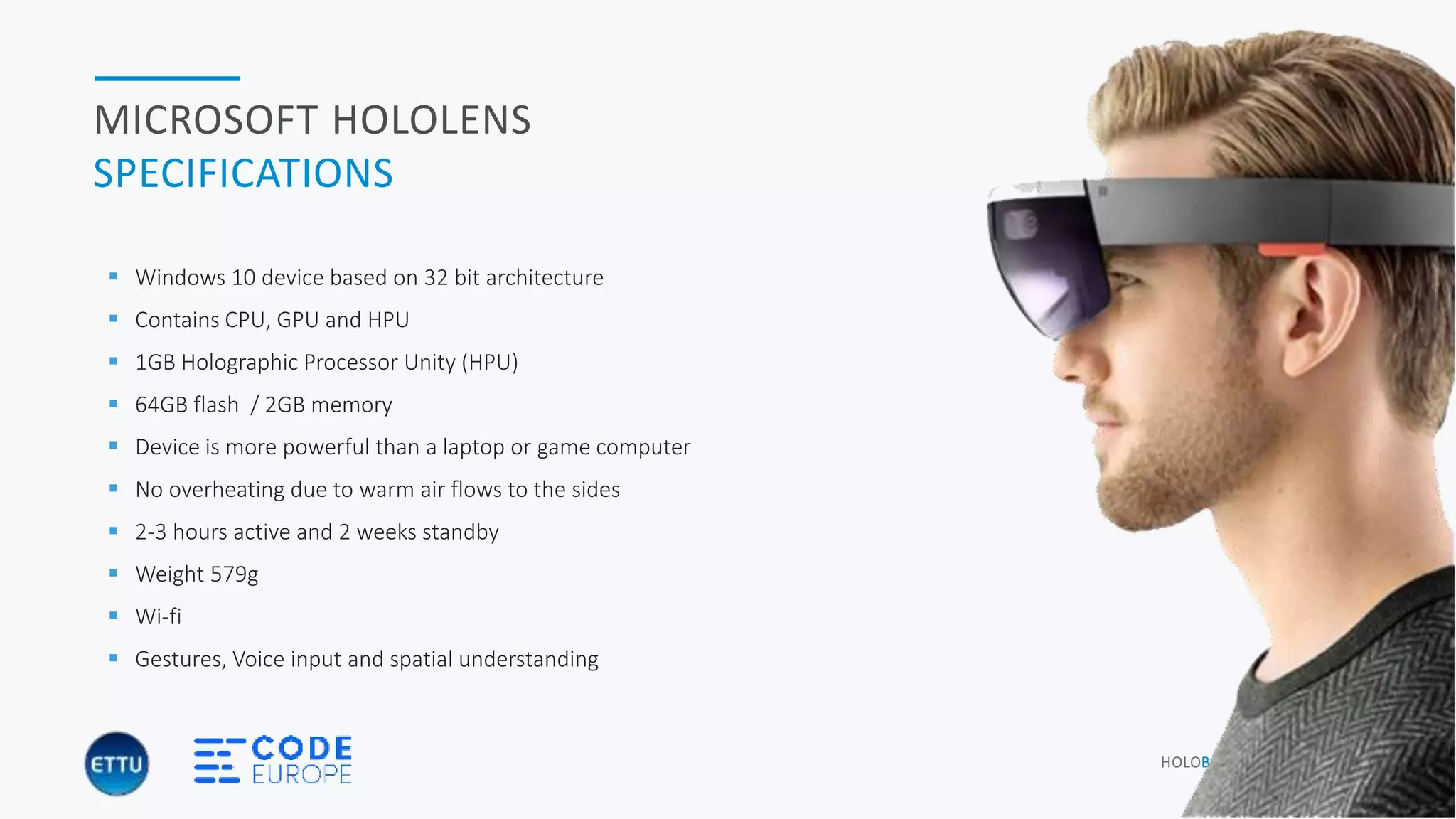
MICROSOFT HOLOLENS
SPECIFICATIONS
 Windows 10 device based on 32 bit architecture
 Contains CPU, GPU and HPU
 1GB Holographic Processor Unity (HPU)
 64GB flash / 2GB memory
 Device is more powerful than a laptop or game computer
 No overheating due to warm air flows to the sides
 2-3 hours active and 2 weeks standby
 Weight 579g
 Wi-fi
 Gestures, Voice input and spatial understanding
HOLOBASICS 8
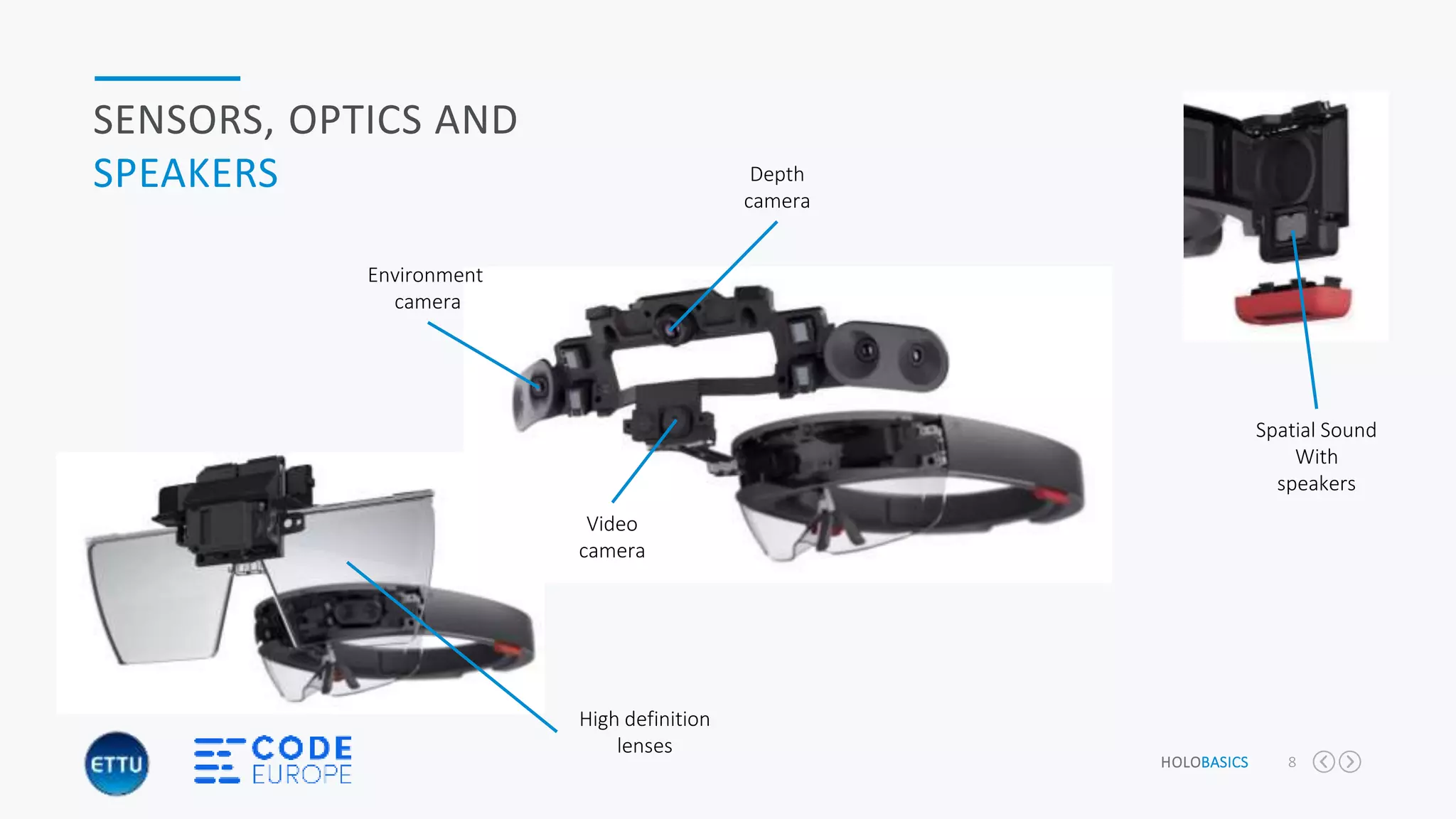
SENSORS, OPTICS AND
SPEAKERS
Environment
camera
Depth
camera
Video
camera
Spatial Sound
With
speakers
High definition
lenses
HOLOBASICS 9
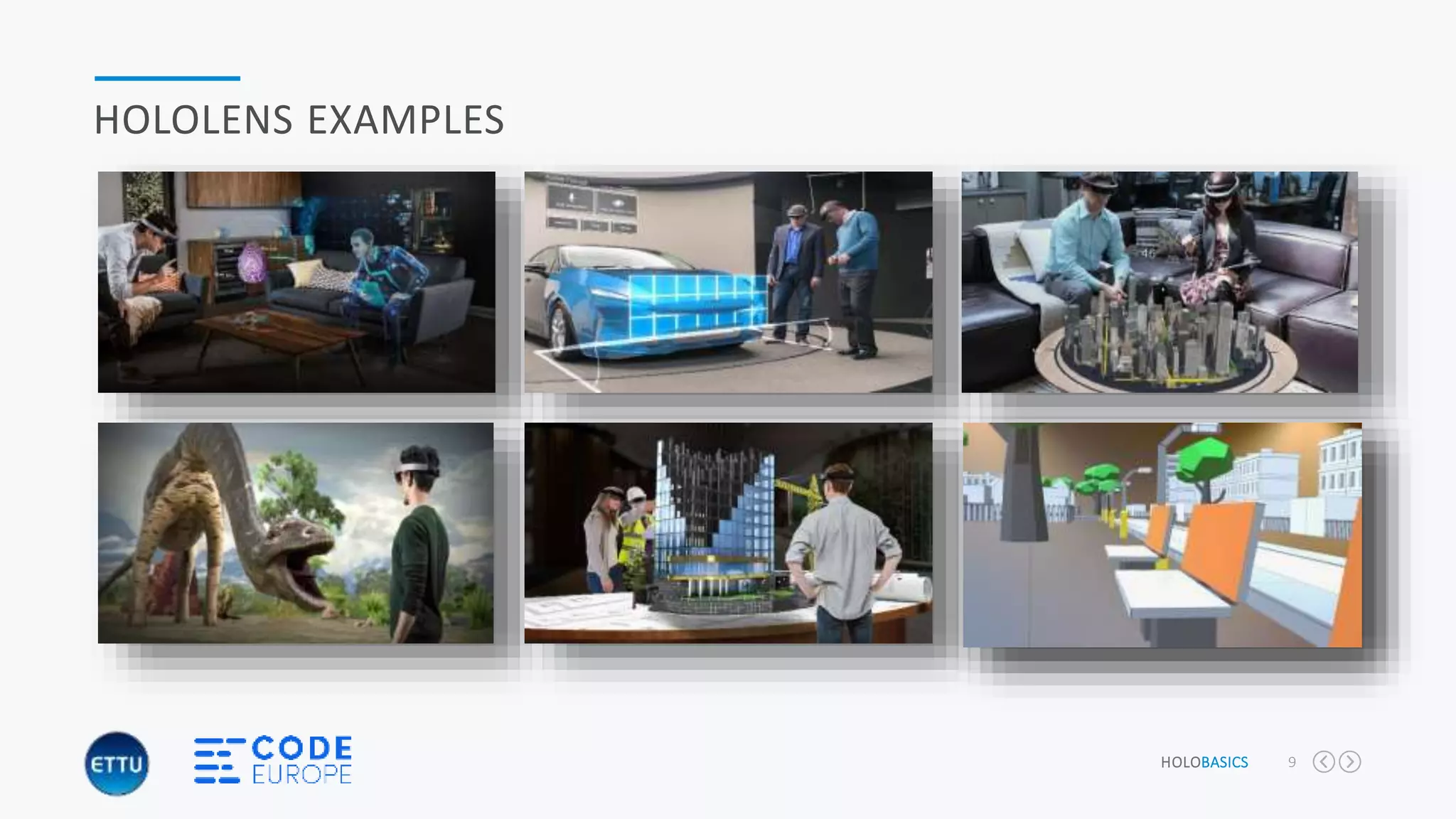
HOLOLENS EXAMPLES
“DEMONSTRATION OF SPATIAL DESIGN
CONCEPT APP”
“HoloBasics by Alexander Meijers”
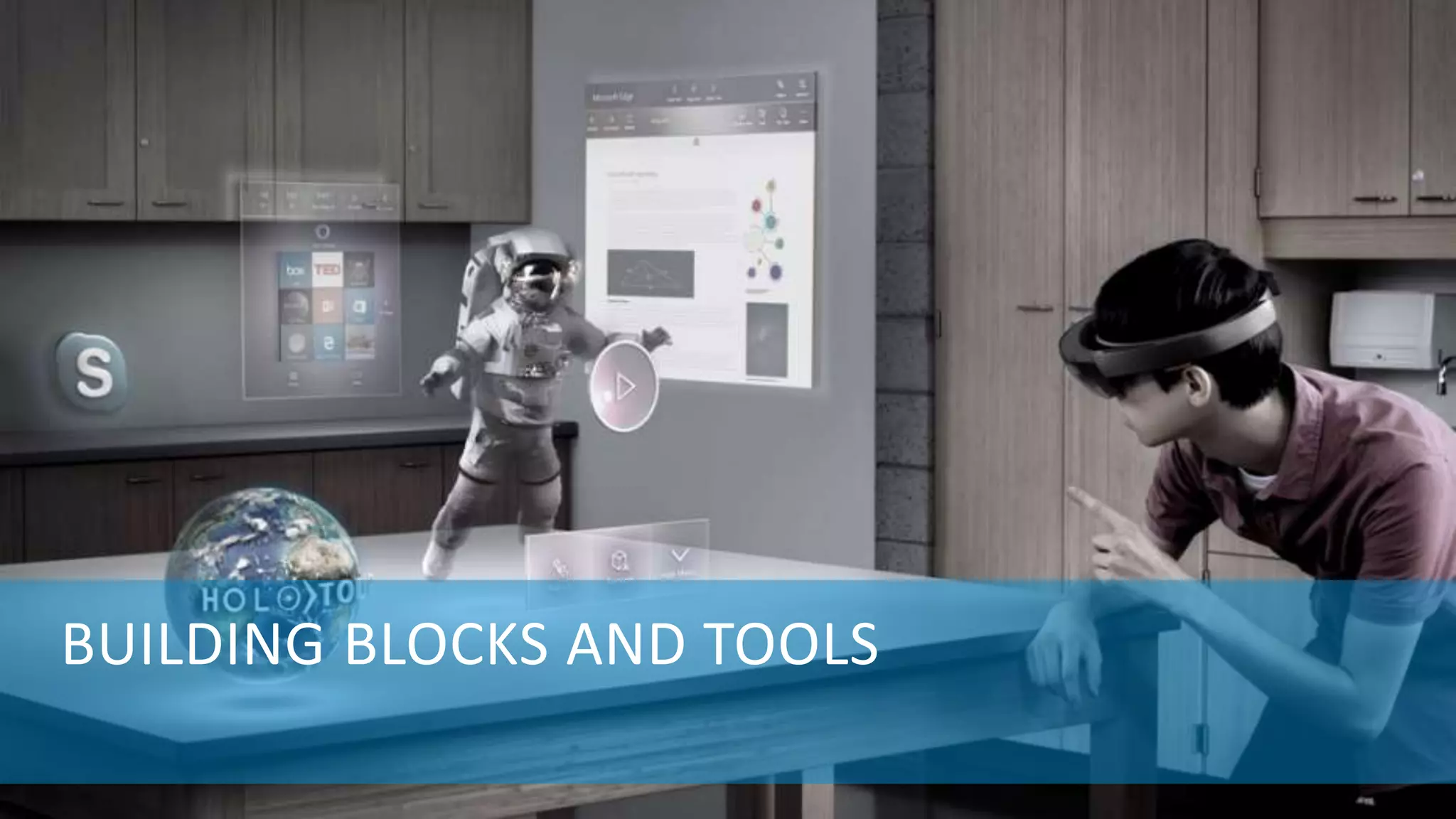
BUILDING BLOCKS AND TOOLS
HOLOBASICS 12
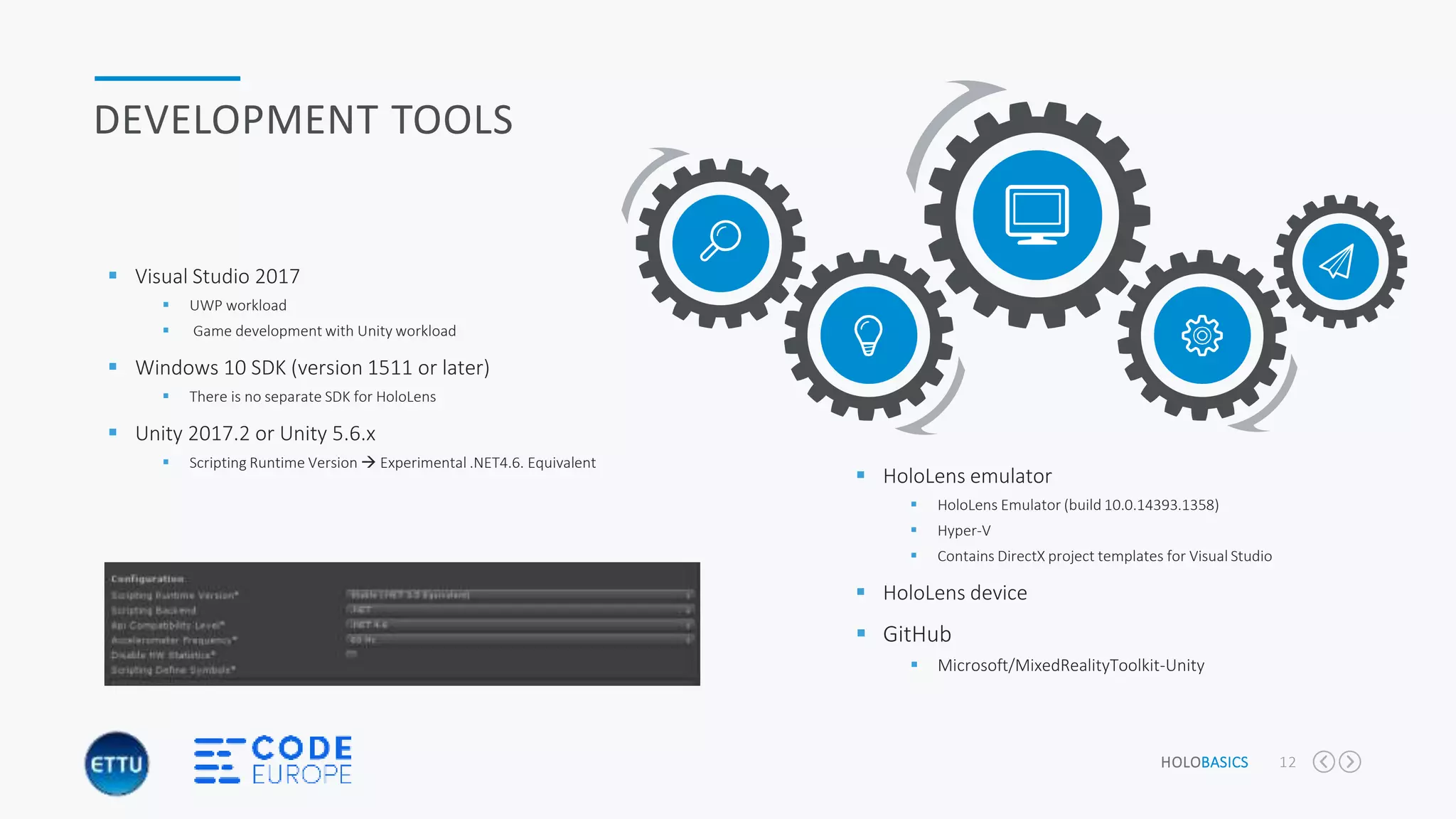
DEVELOPMENT TOOLS
 Visual Studio 2017
 UWP workload
 Game development with Unity workload
 Windows 10 SDK (version 1511 or later)
 There is no separate SDK for HoloLens
 Unity 2017.2 or Unity 5.6.x
 Scripting Runtime Version  Experimental .NET4.6. Equivalent
 HoloLens emulator
 HoloLens Emulator (build 10.0.14393.1358)
 Hyper-V
 Contains DirectX project templates for Visual Studio
 HoloLens device
 GitHub
 Microsoft/MixedRealityToolkit-Unity
HOLOBASICS 13
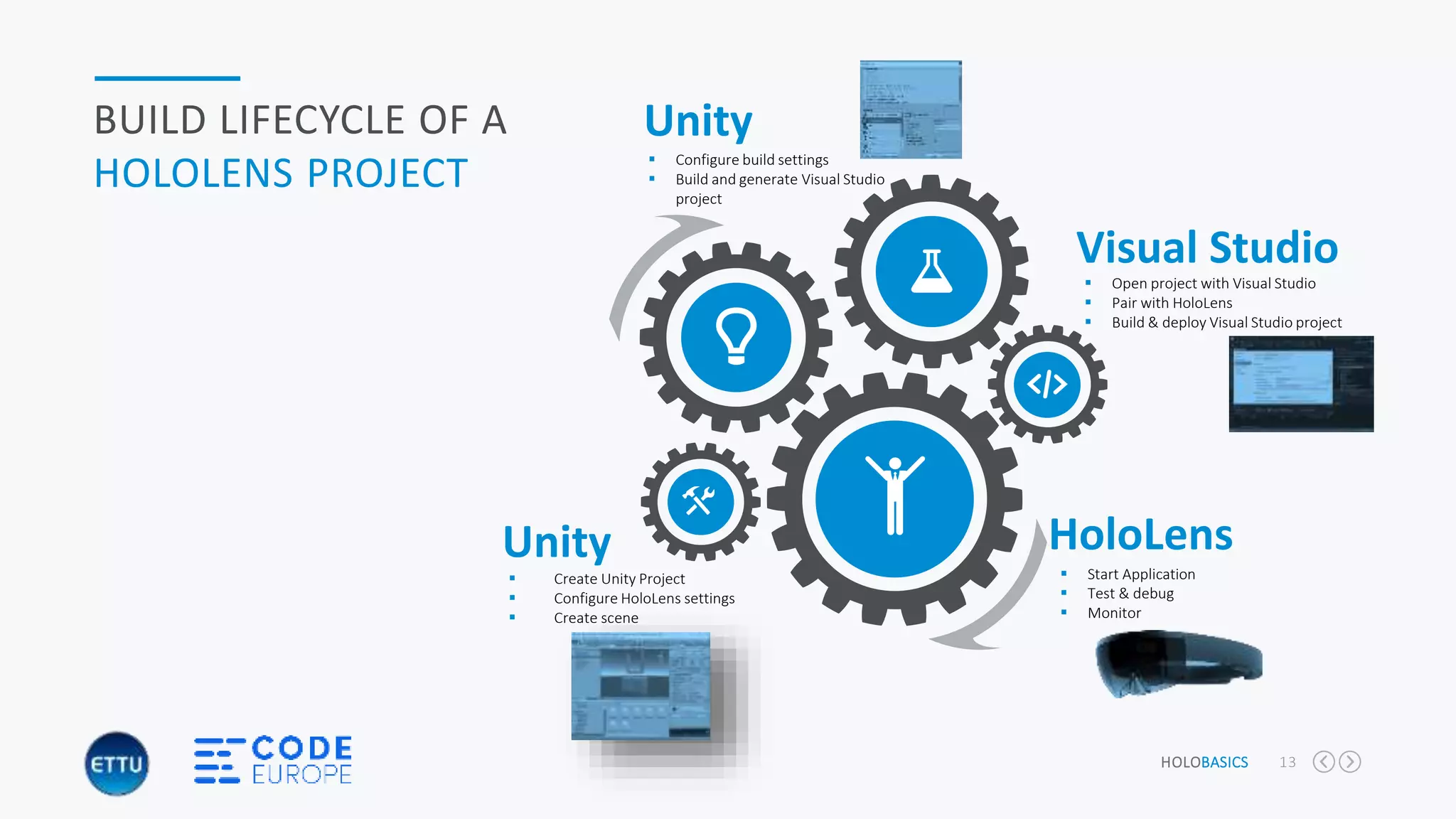
BUILD LIFECYCLE OF A
HOLOLENS PROJECT
 Create Unity Project
 Configure HoloLens settings
 Create scene
Visual Studio
Unity HoloLens
 Configure build settings
 Build and generate Visual Studio
project
 Open project with Visual Studio
 Pair with HoloLens
 Build & deploy Visual Studio project
 Start Application
 Test & debug
 Monitor
Unity
HOLOBASICS 14
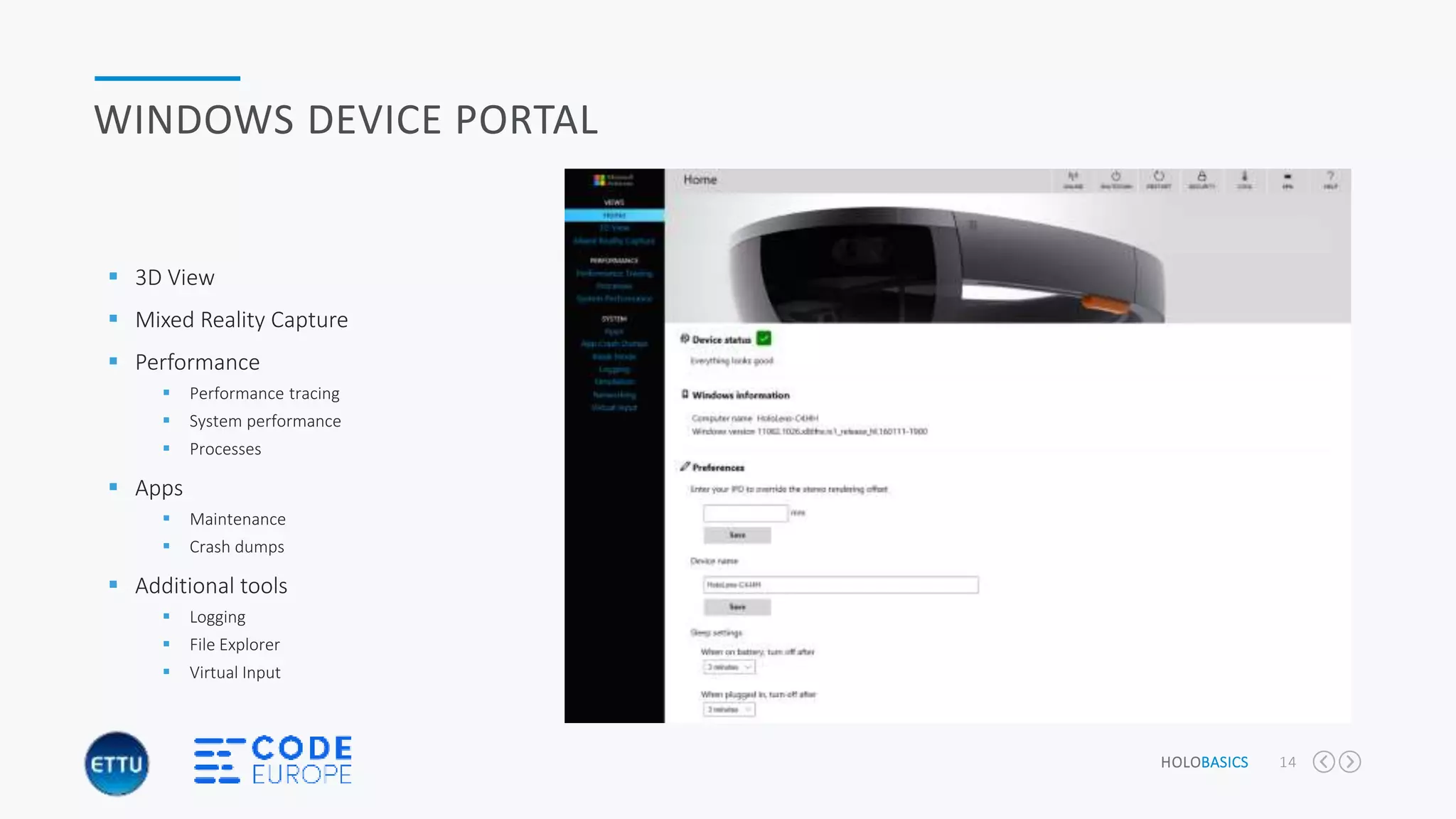
WINDOWS DEVICE PORTAL
 3D View
 Mixed Reality Capture
 Performance
 Performance tracing
 System performance
 Processes
 Apps
 Maintenance
 Crash dumps
 Additional tools
 Logging
 File Explorer
 Virtual Input
HOLOBASICS 15
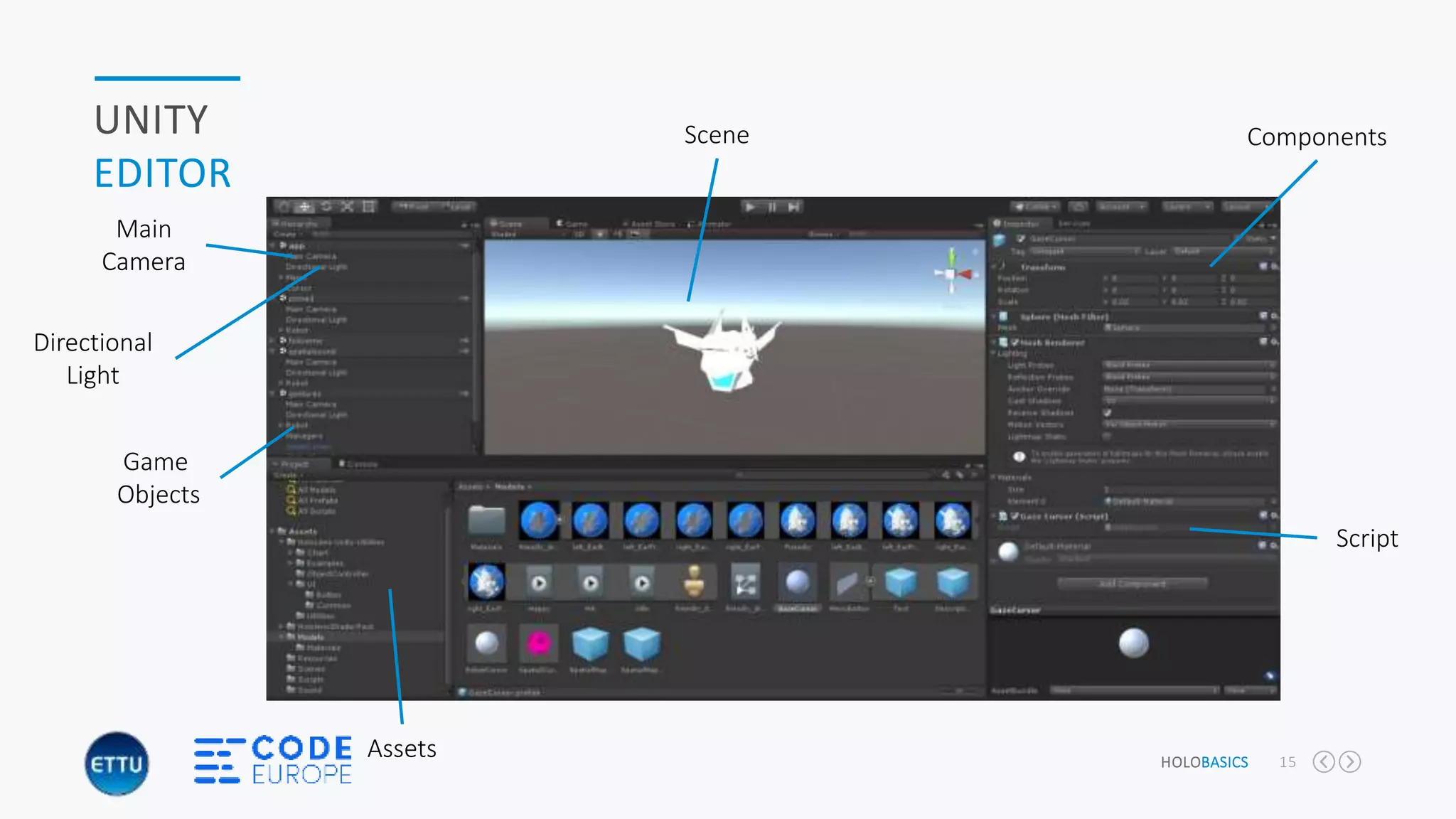
UNITY
EDITOR
Main
Camera
Directional
Light
Game
Objects
Assets
Components
Script
Scene
HOLOBASICS 16
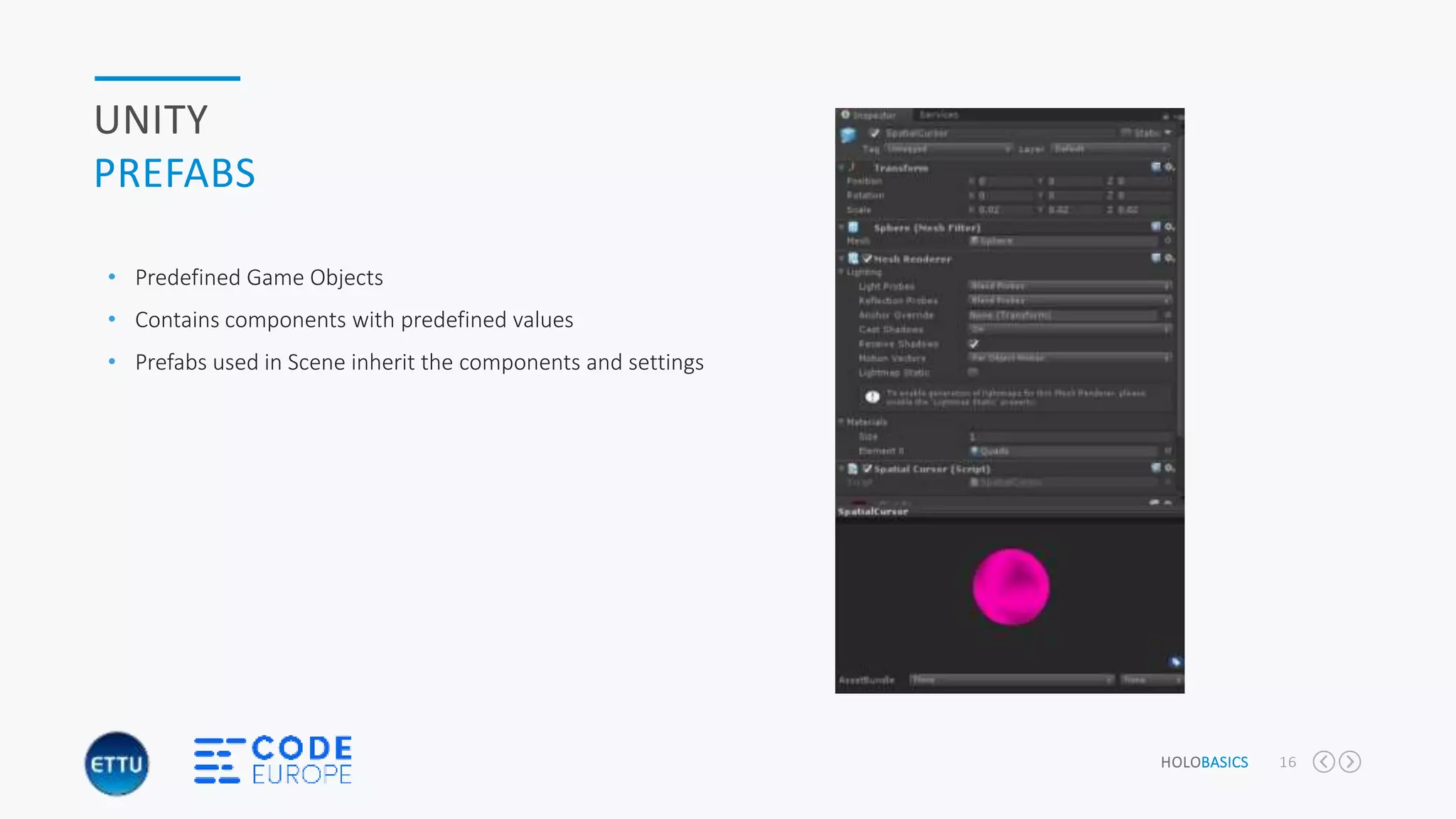
UNITY
PREFABS
• Predefined Game Objects
• Contains components with predefined values
• Prefabs used in Scene inherit the components and settings
HOLOBASICS 17
UNITY
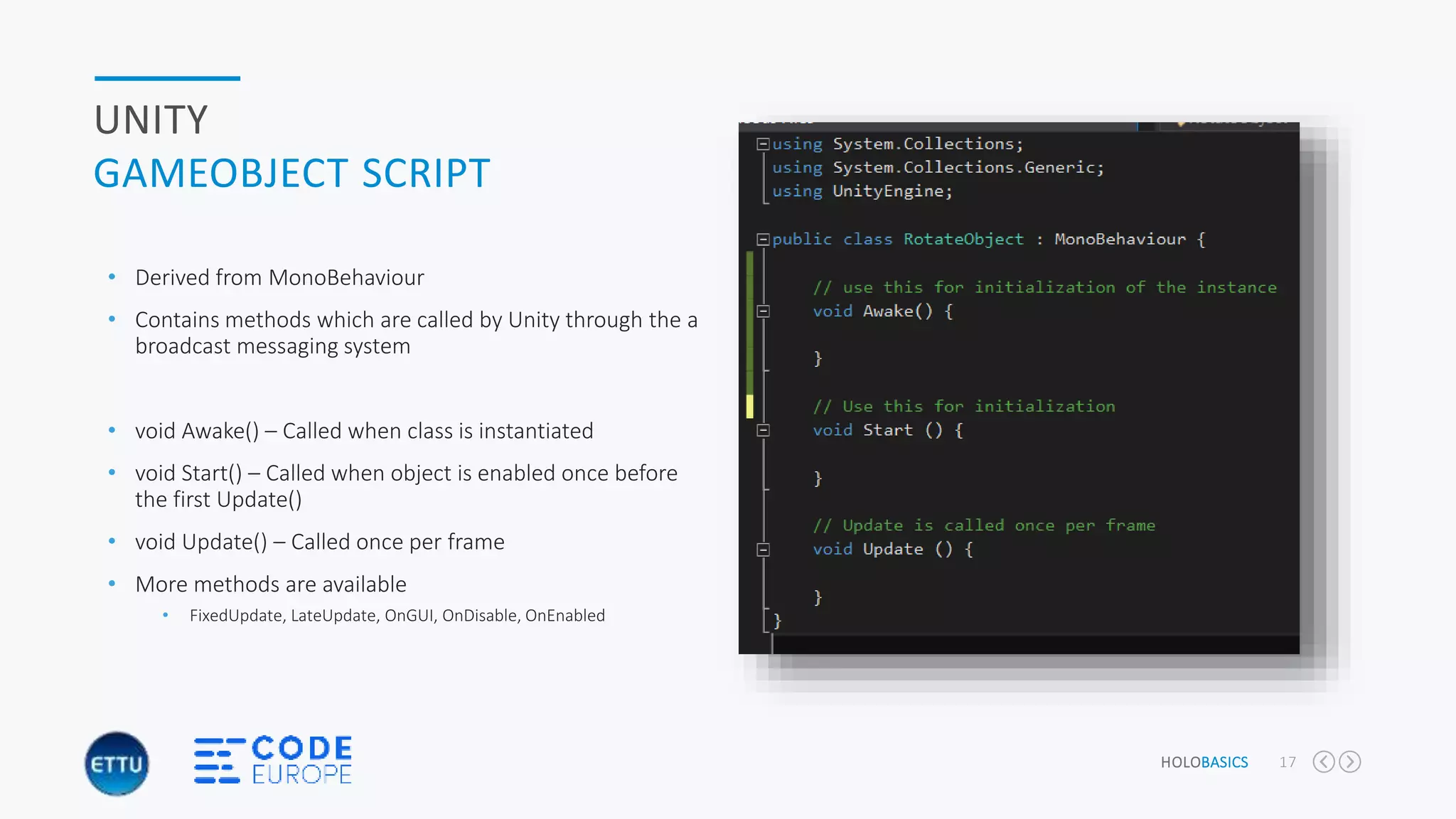
GAMEOBJECT SCRIPT
• Derived from MonoBehaviour
• Contains methods which are called by Unity through the a
broadcast messaging system
• void Awake() – Called when class is instantiated
• void Start() – Called when object is enabled once before
the first Update()
• void Update() – Called once per frame
• More methods are available
• FixedUpdate, LateUpdate, OnGUI, OnDisable, OnEnabled
HOLOBASICS 18
UNITY
MESSAGE SYSTEM
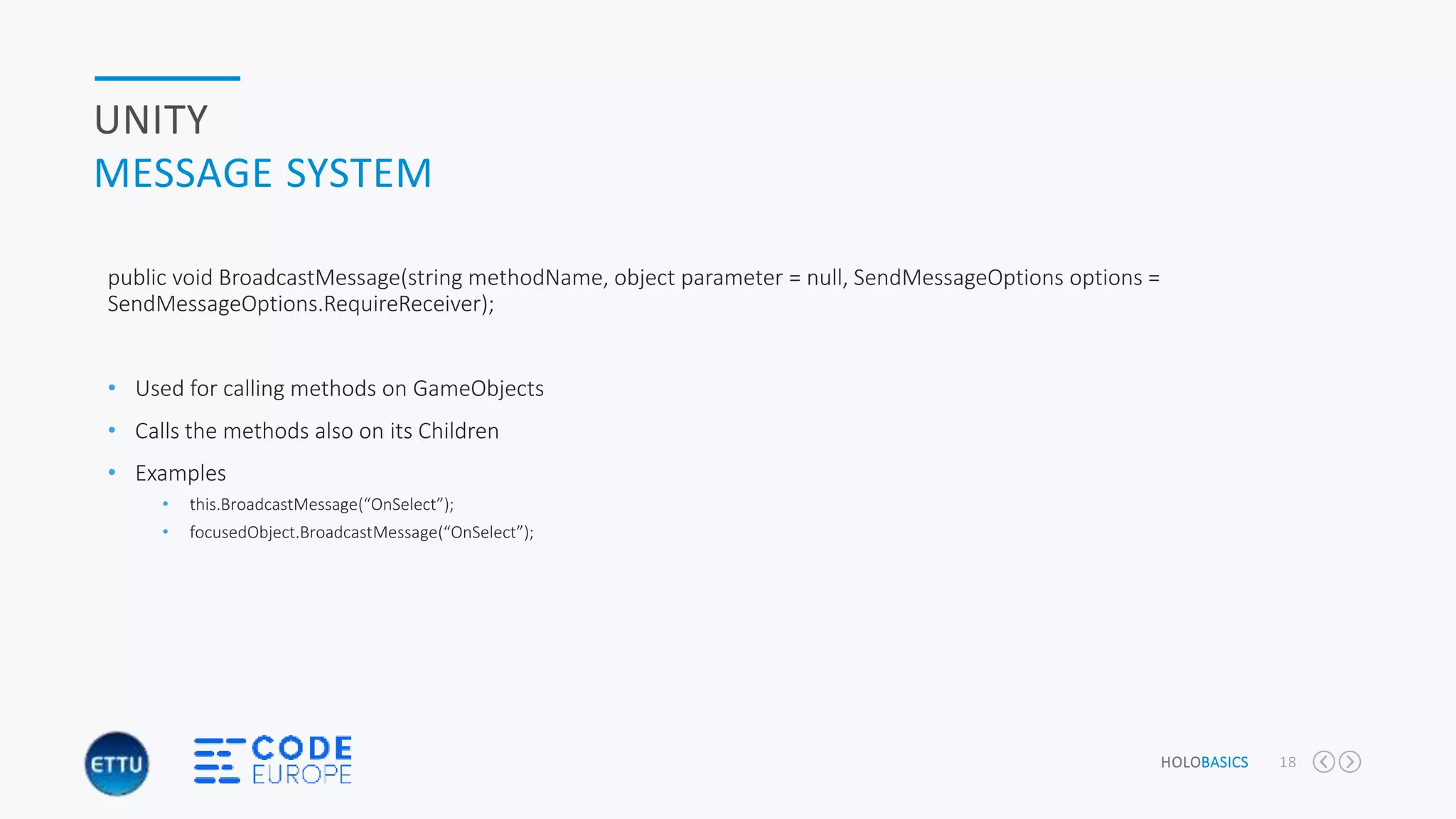
public void BroadcastMessage(string methodName, object parameter = null, SendMessageOptions options =
SendMessageOptions.RequireReceiver);
• Used for calling methods on GameObjects
• Calls the methods also on its Children
• Examples
• this.BroadcastMessage(“OnSelect”);
• focusedObject.BroadcastMessage(“OnSelect”);
HOLOBASICS 19
UNITY
COMPONENTS
• Transform
• Position of object
• Rotation of object
• Scale (size) of object
• Mesh Renderer & Mesh Filter
• Renders the object
• Mostly done using a mesh
• Mesh Collider
• Determines the collision for the object
• Script
• Perform actions on the object
• Handle messages on an object
“</CODE>”
“HoloBasics by Alexander Meijers”
HOLOBASICS 21
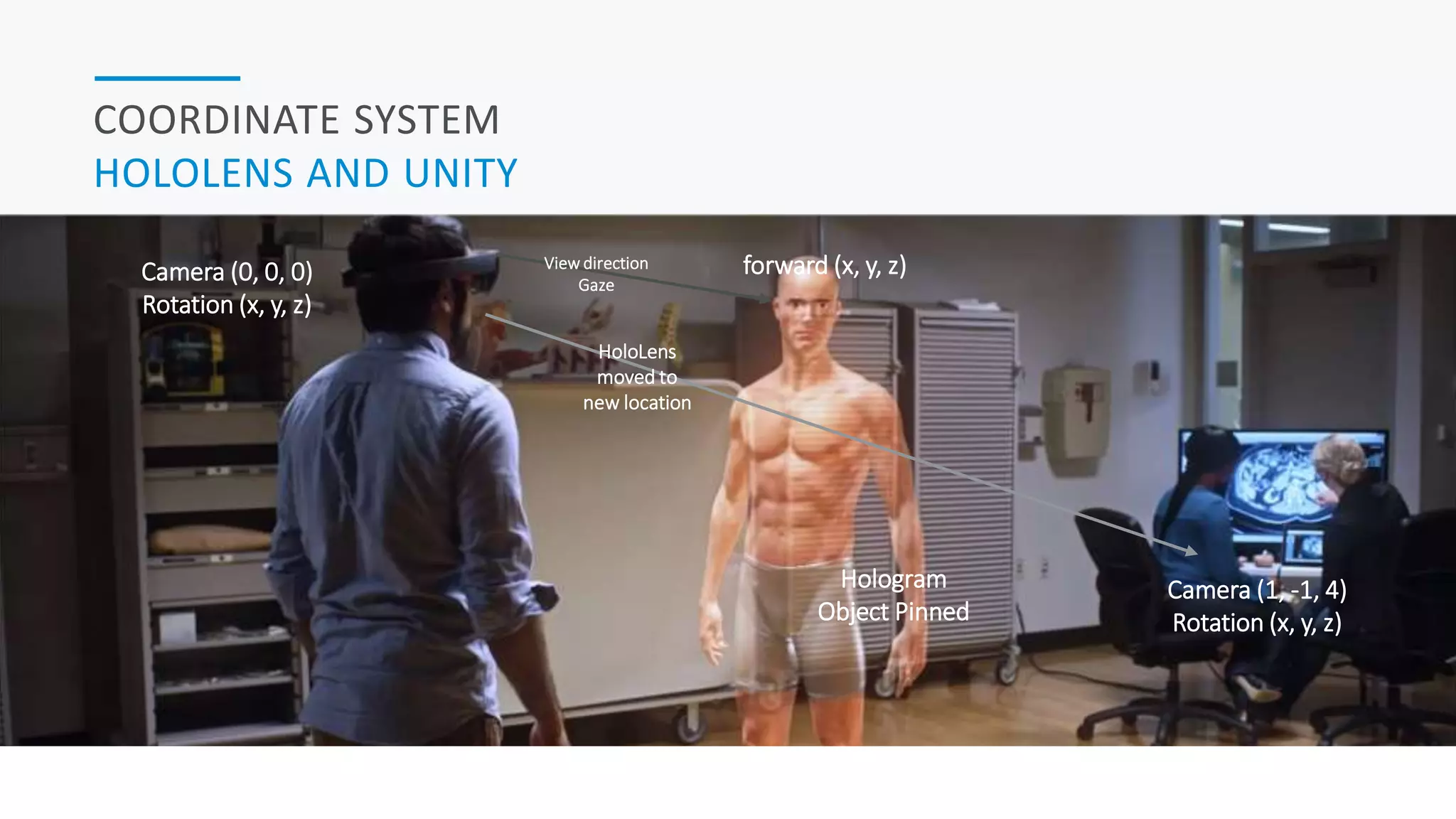
COORDINATE SYSTEM
HOLOLENS AND UNITY
forward (x, y, z)Camera (0, 0, 0)
Rotation (x, y, z)
Camera (1, -1, 4)
Rotation (x, y, z)
Hologram
Object Pinned
HoloLens
moved to
new location
View direction
Gaze
GESTURES
HOLOBASICS 23
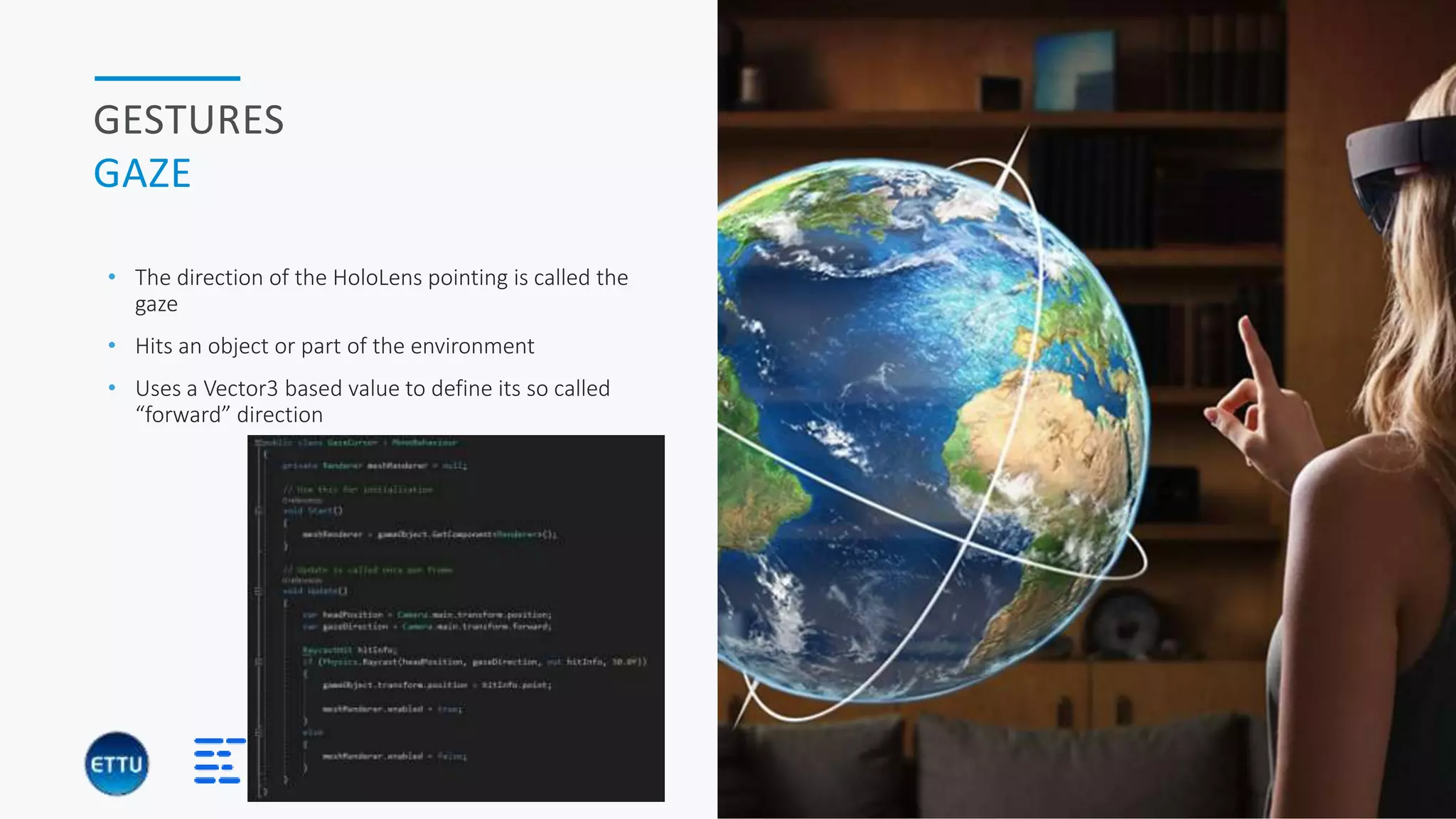
GESTURES
GAZE
• The direction of the HoloLens pointing is called the
gaze
• Hits an object or part of the environment
• Uses a Vector3 based value to define its so called
“forward” direction
HOLOBASICS 24
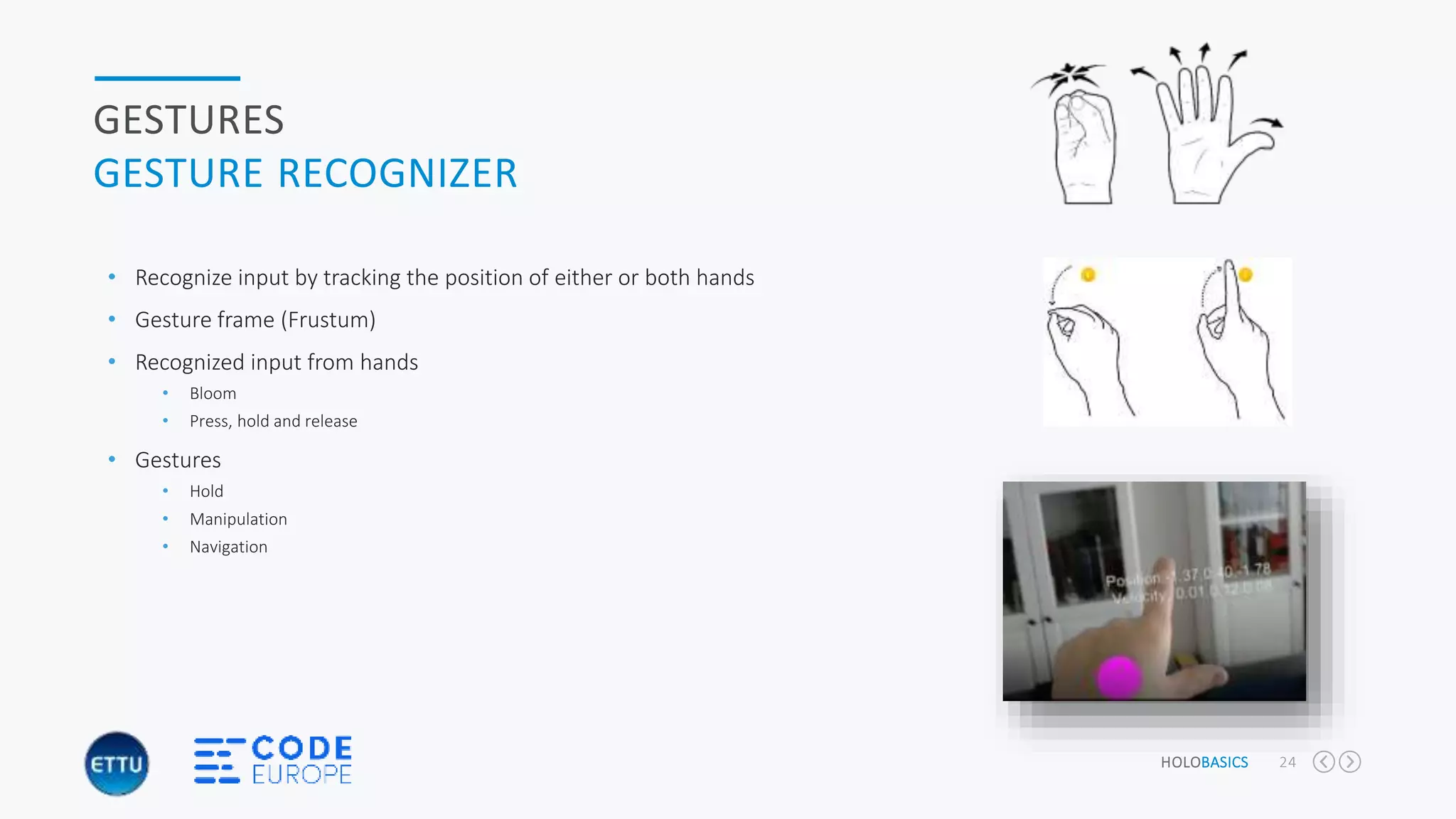
GESTURES
GESTURE RECOGNIZER
• Recognize input by tracking the position of either or both hands
• Gesture frame (Frustum)
• Recognized input from hands
• Bloom
• Press, hold and release
• Gestures
• Hold
• Manipulation
• Navigation
HOLOBASICS 25
GESTURES
GESTURE RECOGNIZER
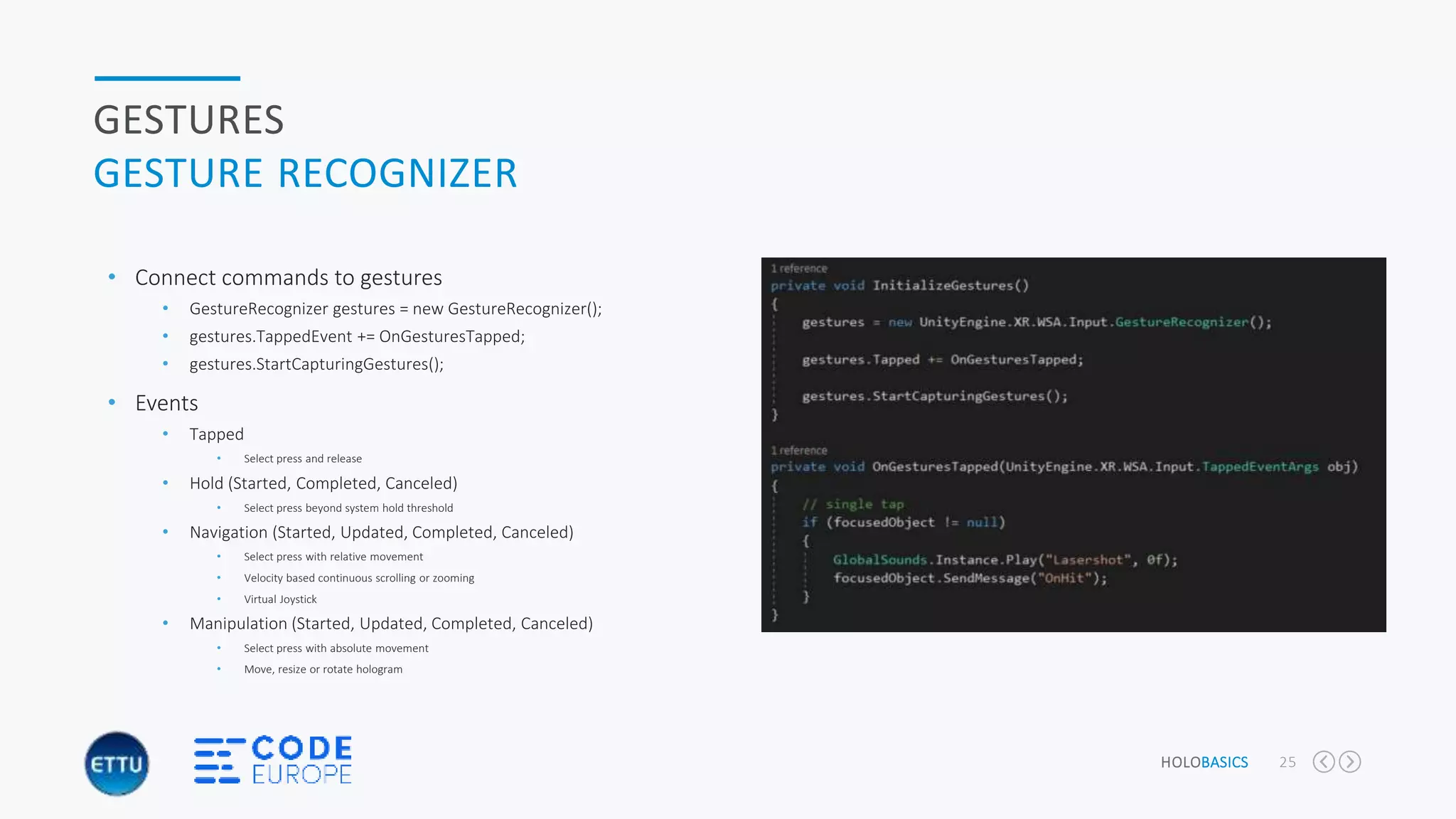
• Connect commands to gestures
• GestureRecognizer gestures = new GestureRecognizer();
• gestures.TappedEvent += OnGesturesTapped;
• gestures.StartCapturingGestures();
• Events
• Tapped
• Select press and release
• Hold (Started, Completed, Canceled)
• Select press beyond system hold threshold
• Navigation (Started, Updated, Completed, Canceled)
• Select press with relative movement
• Velocity based continuous scrolling or zooming
• Virtual Joystick
• Manipulation (Started, Updated, Completed, Canceled)
• Select press with absolute movement
• Move, resize or rotate hologram
HOLOBASICS 26
GESTURES
SPEECH RECOGNIZER
• Use words or sentences to control your environment
• English language only at the moment
• Connect commands to spoken text
• Dictionary<string, System.Action> keywords = new Dictionary<string,
System.Action>();
• keywords.Add(“some text”, () => { … };
• KeywordRecognizer keywords = new
KeywordRecognizer(keywords.Keys.ToArray());
• keywordRecognizer.OnPhraseRecognized += OnPhraseRecognized;
• keywordRecognizer.Start();
• OnPhraseRecognized( PhaseRecognizedEventArgs args);
• Invoke the action
• keywords[args.text].Invoke();
“</CODE>”
“HoloBasics by Alexander Meijers”
SPATIAL SOUND
HOLOBASICS 29
SPATIAL SOUND
OVERALL
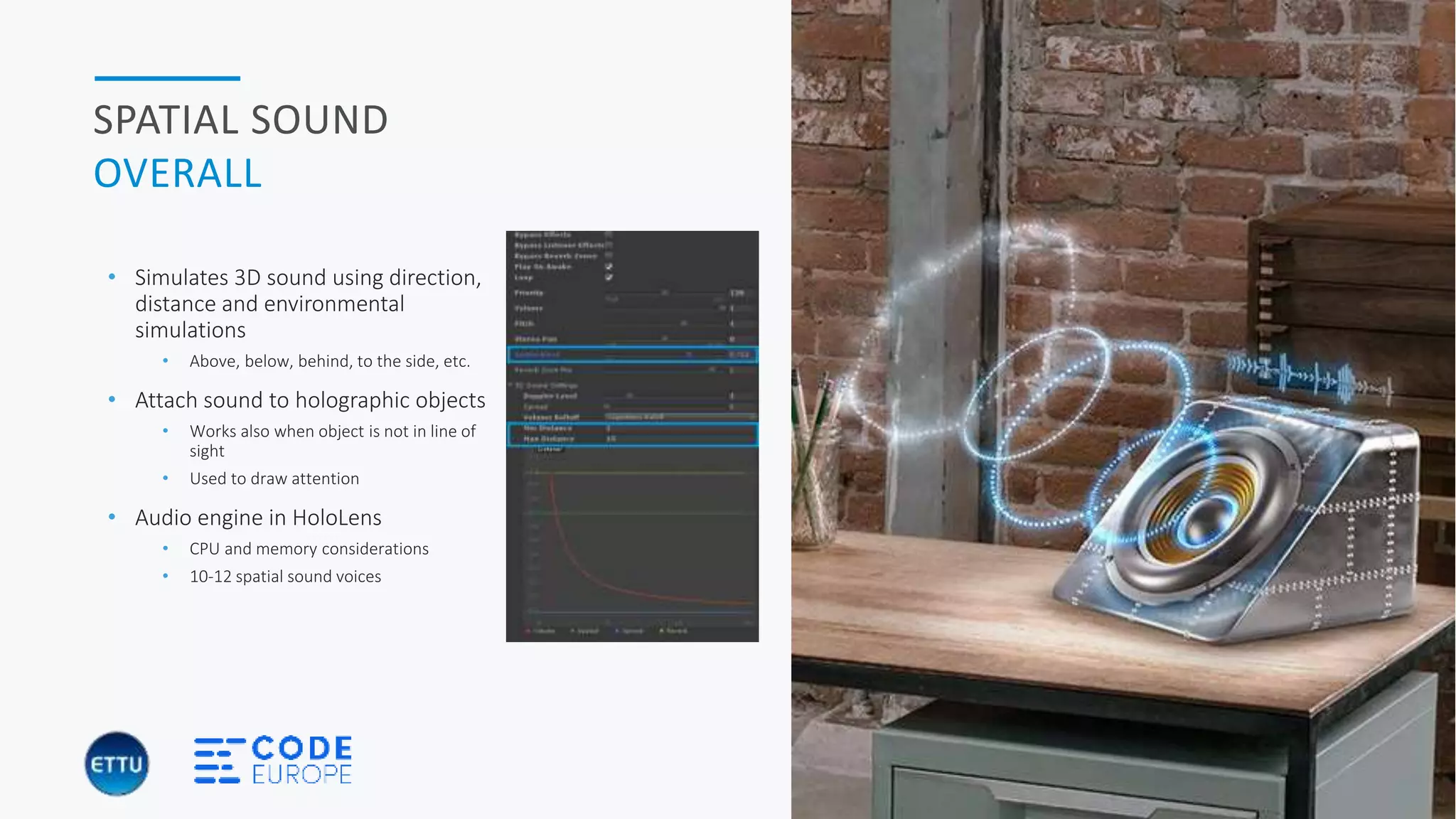
• Simulates 3D sound using direction,
distance and environmental
simulations
• Above, below, behind, to the side, etc.
• Attach sound to holographic objects
• Works also when object is not in line of
sight
• Used to draw attention
• Audio engine in HoloLens
• CPU and memory considerations
• 10-12 spatial sound voices
HOLOBASICS 30
SPATIAL SOUND
TYPES
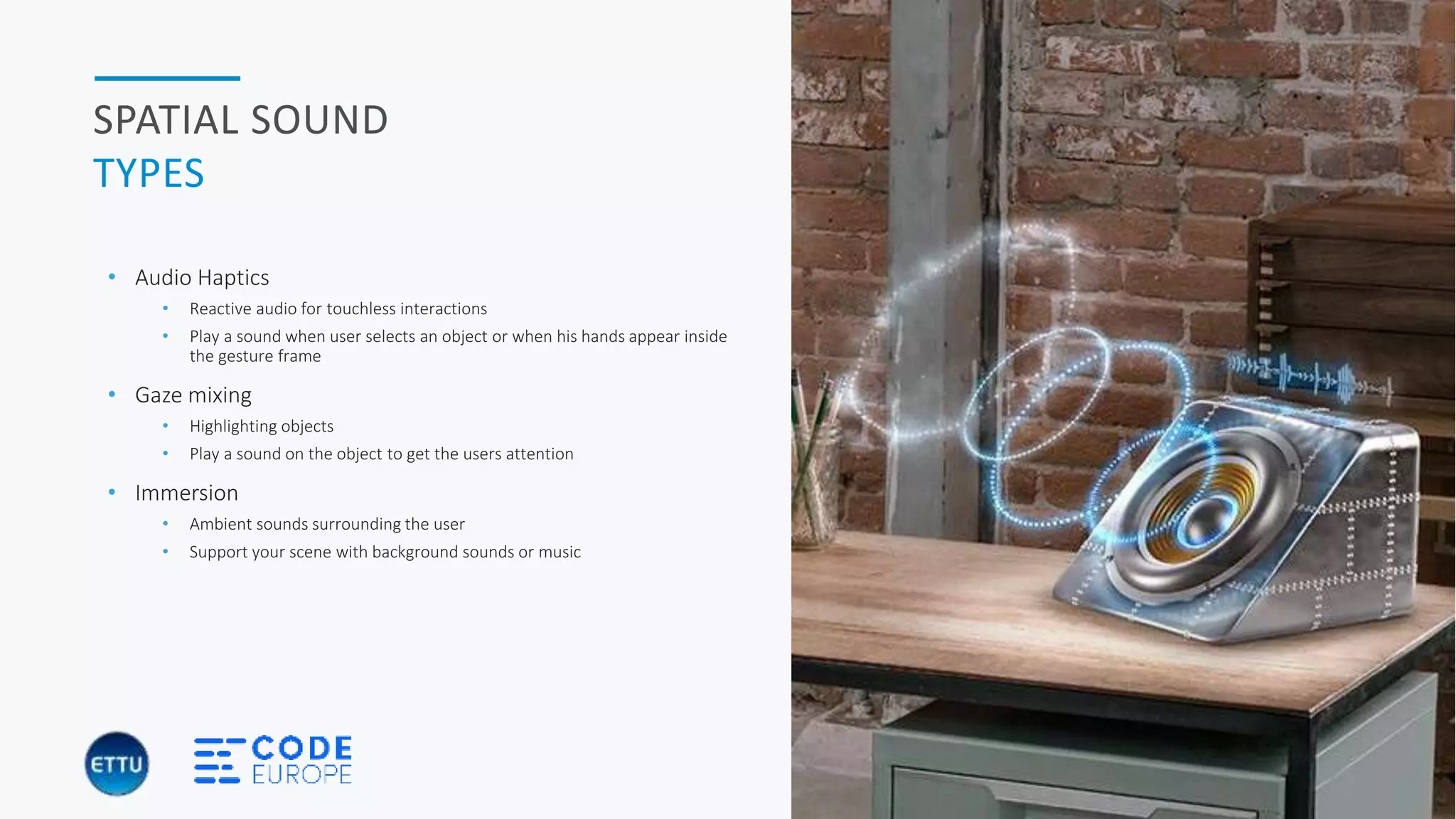
• Audio Haptics
• Reactive audio for touchless interactions
• Play a sound when user selects an object or when his hands appear inside
the gesture frame
• Gaze mixing
• Highlighting objects
• Play a sound on the object to get the users attention
• Immersion
• Ambient sounds surrounding the user
• Support your scene with background sounds or music
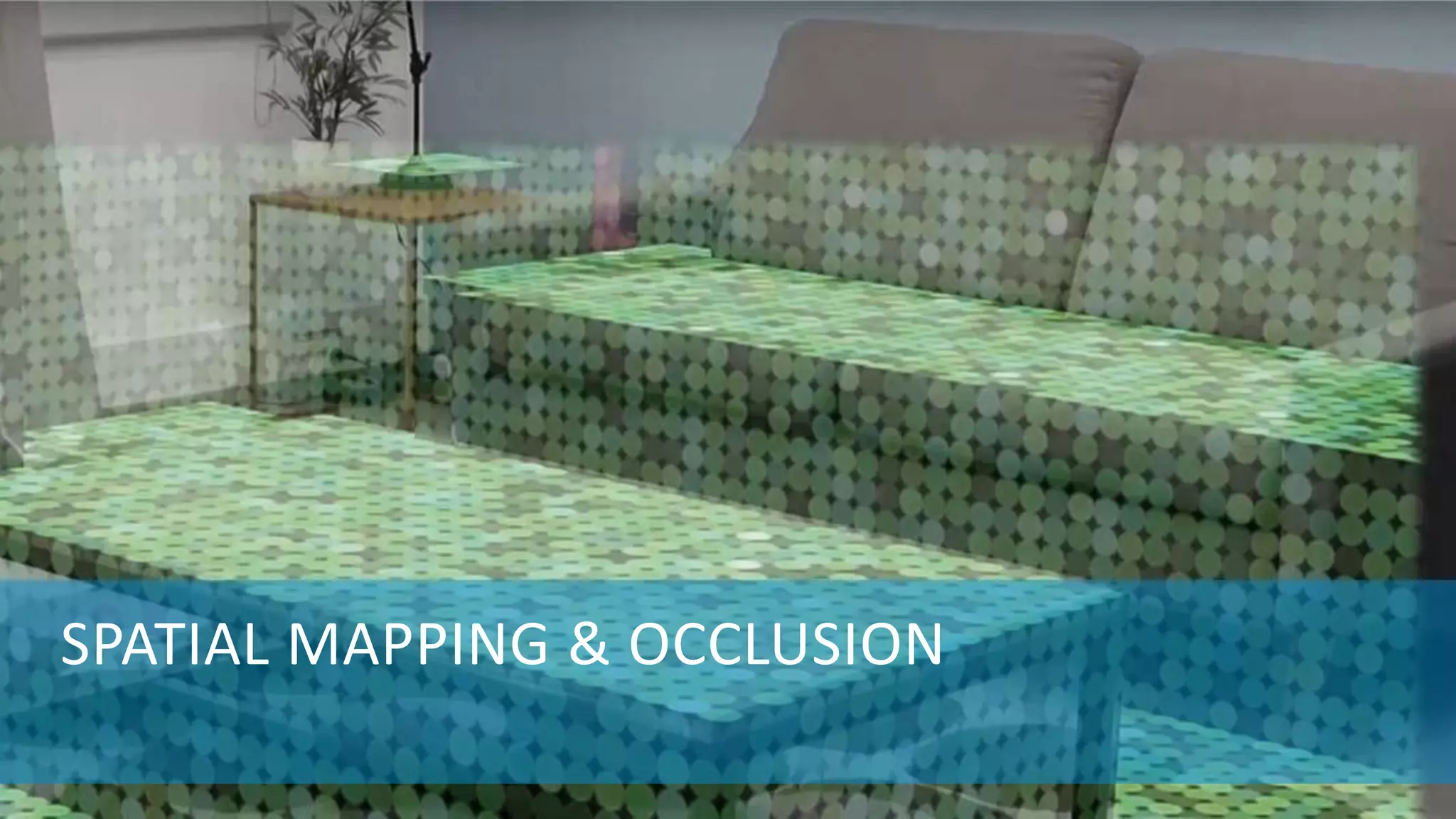
SPATIAL MAPPING & OCCLUSION
HOLOBASICS 32
SPATIAL PERCEPTION
HOW DOES IT WORK?
• Spatial perception and mapping
• Rooms
• Different ways of detecting and working with spatial
perception
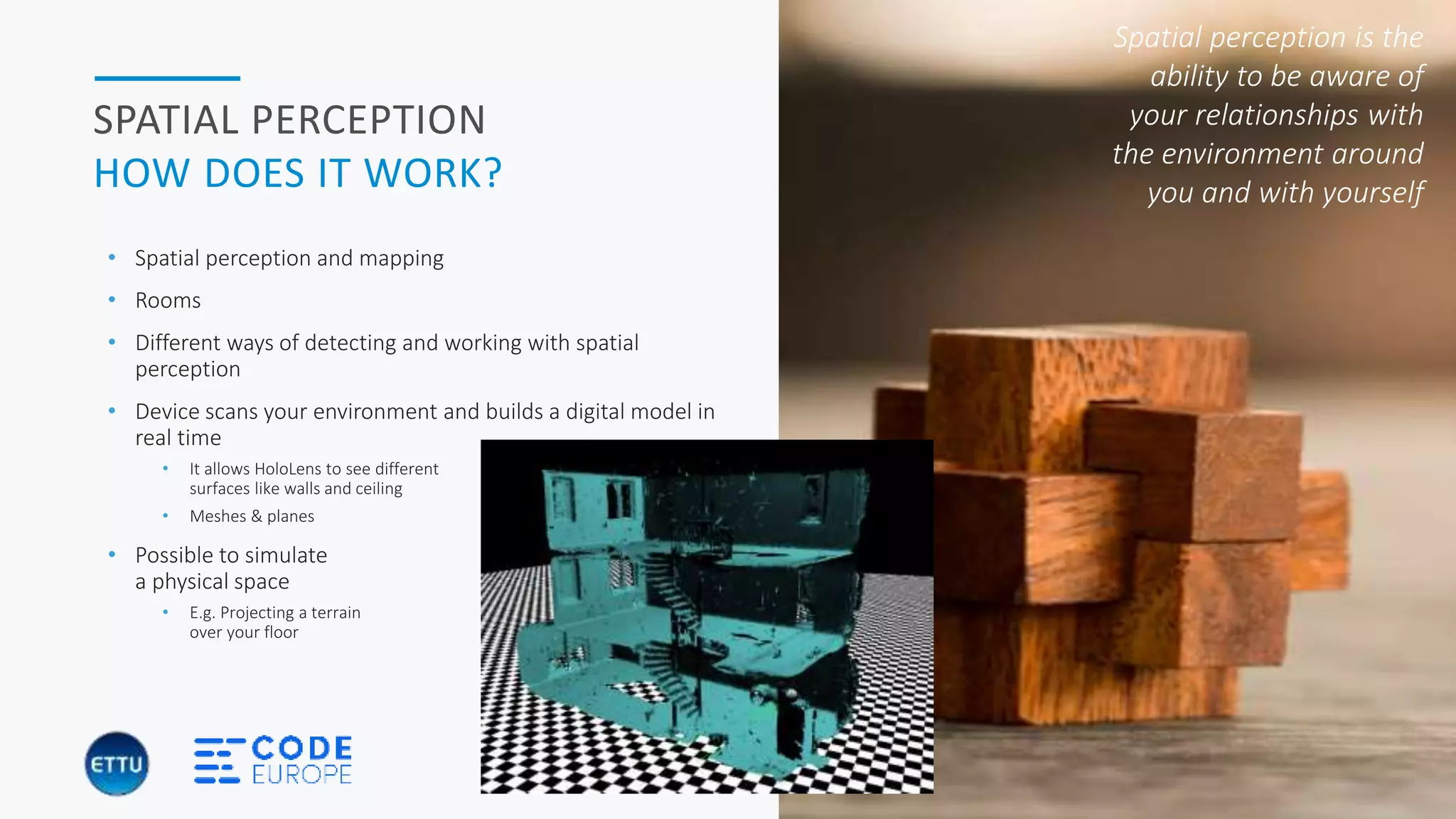
• Device scans your environment and builds a digital model in
real time
• It allows HoloLens to see different
surfaces like walls and ceiling
• Meshes & planes
• Possible to simulate
a physical space
• E.g. Projecting a terrain
over your floor
Spatial perception is the
ability to be aware of
your relationships with
the environment around
you and with yourself
“DEMONSTRATION OF LIVE SPATIAL MAPPING
AND UNDERSTANDING BY HOLOLENS”
“HoloBasics by Alexander Meijers”
HOLOBASICS 34
SPATIAL MAPPING AND
UNDERSTANDING
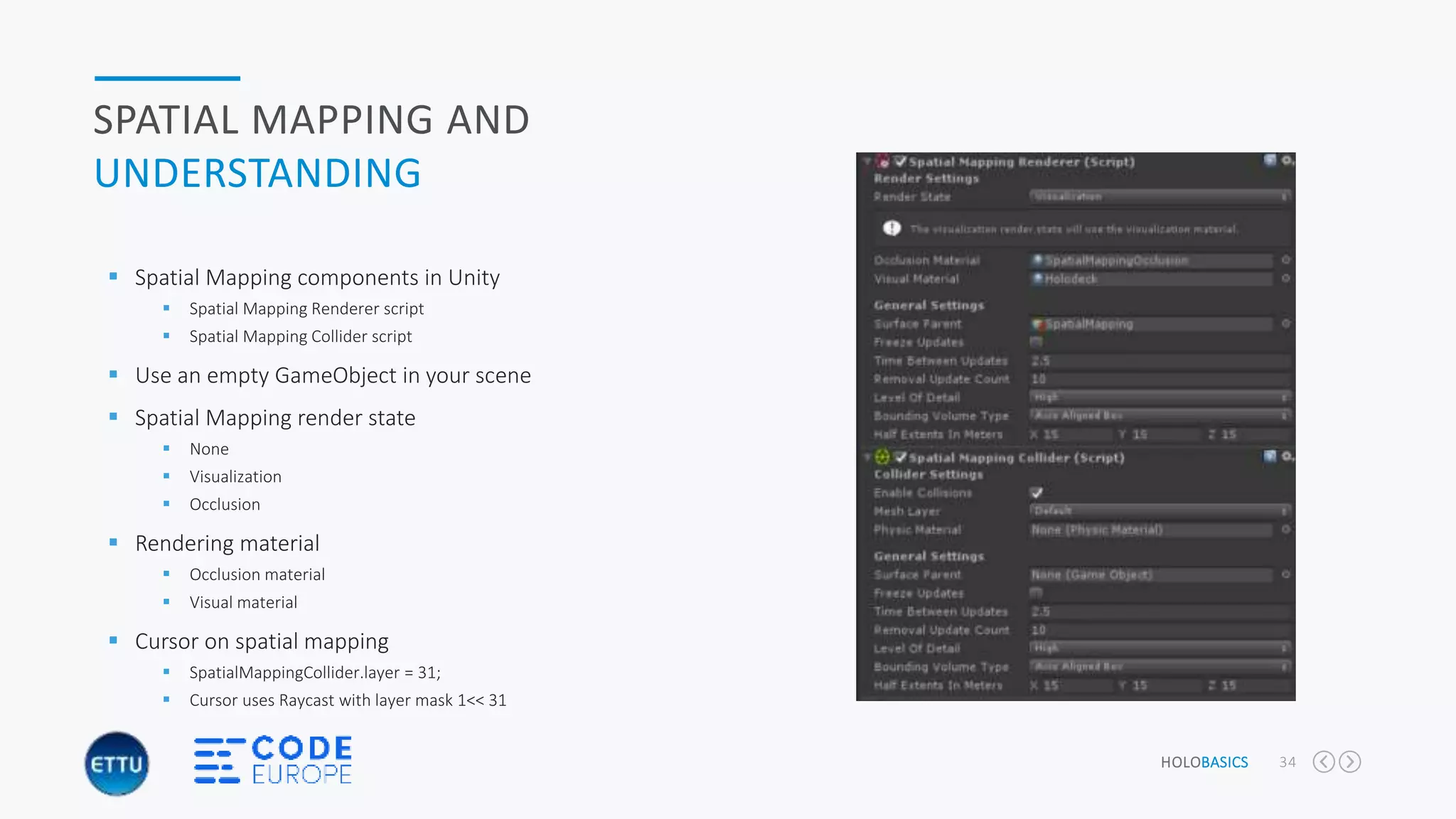
 Spatial Mapping components in Unity
 Spatial Mapping Renderer script
 Spatial Mapping Collider script
 Use an empty GameObject in your scene
 Spatial Mapping render state
 None
 Visualization
 Occlusion
 Rendering material
 Occlusion material
 Visual material
 Cursor on spatial mapping
 SpatialMappingCollider.layer = 31;
 Cursor uses Raycast with layer mask 1<< 31
HOLOBASICS 35
OCCLUSION
CULLING
 Process of determining which surfaces and parts are not visible from a certain viewpoint
 Create a more naturally feeling with mixed reality
 Holograms can be occluded by
 Other holograms
 Real-life objects in your environment which are spatially mapped
 Culling enforces the HoloLens not to (partially) render the object
 To speed up the rendering process
 Objects which are too far away are left out the view (frustum)
 Use Spatial Mapping Renderer
 Set Occlusion material
 Set SpatialMappingRenderer.renderState = RenderState.Occlusion;
“</CODE>”
“DEMONSTRATION OF SPATIAL MAPPING AND
OCCLUSION WITH HOLOGRAM FOR TRUE
MIXED REALITY”
“HoloBasics by Alexander Meijers”
HOLOBASICS 37
WRAP-UP
TAKAWAYS
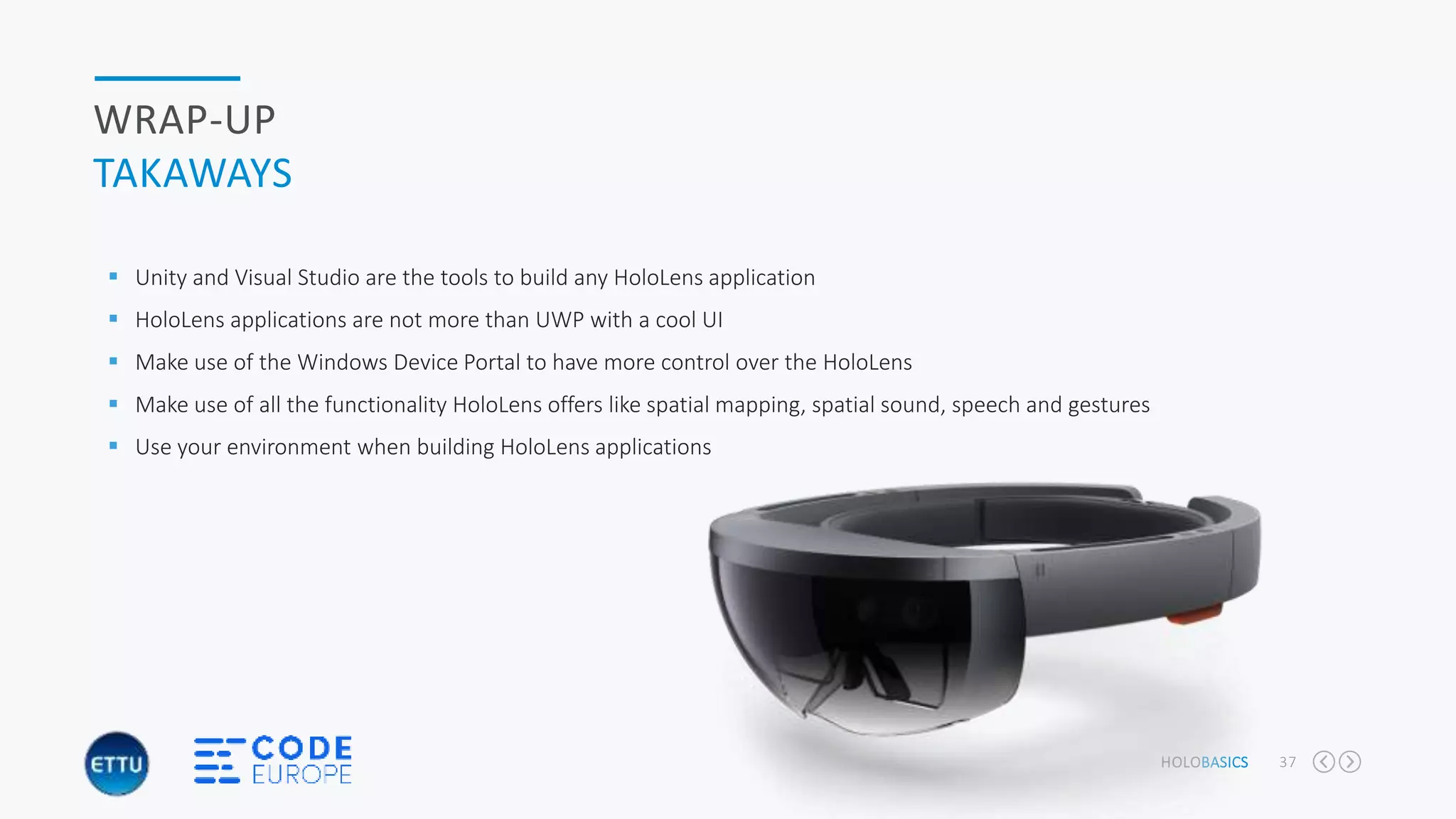
 Unity and Visual Studio are the tools to build any HoloLens application
 HoloLens applications are not more than UWP with a cool UI
 Make use of the Windows Device Portal to have more control over the HoloLens
 Make use of all the functionality HoloLens offers like spatial mapping, spatial sound, speech and gestures
 Use your environment when building HoloLens applications
THANKS FOR WATCHING!
HoloBasics code on gitHub - https://github.com/ameijers/HoloBasics
Kampenringweg 45b, Gouda
0182-686 000
a.meijers@ettu.nl / alexander@appzinside.com
Contact me:
facebook.com/alexandermeijers.5
@ameijers
Follow me on:

Code europe holobasics - develop your mixed reality hololens app with unity and visual studio

  • 1.
    DEVELOP YOUR MIXEDREALITY APP FOR HOLOLENS WITH UNITY AND VISUAL STUDIO HOLOBASICS
  • 2.
    “HoloLens Evangelist” I amresponsible for architecture related business for our project services department at ETTU. I’m involved as architect at different companies like Jumbo Maritime, PGGM, Gemeente Amersfoort and others Alexander Meijers ABOUT ME  Solutions Architect for ETTU  Founder of the Mixed Reality User Group  MixUG: http://www.mixug.nl  Email: a.meijers@ettu.nl or alexander@appzinside.com  Twitter: @ameijers  Blog: http://www.appzinside.com
  • 3.
    3INTRO ETTU TODAY’S TALK AGENDA Realities explained  Microsoft HoloLens Building blocks and tools  Tools  Gestures  Sound  Spatial Mapping & Occlusion Slider Content Ads
  • 4.
  • 5.
    HOLOBASICS 5 REALITIES EXPLAINED Merging ofreal and virtual worlds to produce new environments and visualizations where physical and digital objects co-exist and interact in real time. An overlay of synthetic content on the real world that is anchored to and interacts with the real world MIXED REALITY Direct or indirect view of a physical, real-world environment whose elements are augmented by computer-generated sensory input such as sound, video, graphics or GPS data An overlay of content on the real world where that content is not anchored to or part of it AUGMENTED REALITY Generation of realistic images, sounds and other sensations that replicate a real environment or create an imaginary setting An immersive experience created entirely from computer-generated Content. Also similar to 360 degree video VIRTUAL REALITY
  • 6.
  • 7.
    HOLOBASICS 7 MICROSOFT HOLOLENS SPECIFICATIONS Windows 10 device based on 32 bit architecture  Contains CPU, GPU and HPU  1GB Holographic Processor Unity (HPU)  64GB flash / 2GB memory  Device is more powerful than a laptop or game computer  No overheating due to warm air flows to the sides  2-3 hours active and 2 weeks standby  Weight 579g  Wi-fi  Gestures, Voice input and spatial understanding
  • 8.
    HOLOBASICS 8 SENSORS, OPTICSAND SPEAKERS Environment camera Depth camera Video camera Spatial Sound With speakers High definition lenses
  • 9.
  • 10.
    “DEMONSTRATION OF SPATIALDESIGN CONCEPT APP” “HoloBasics by Alexander Meijers”
  • 11.
  • 12.
    HOLOBASICS 12 DEVELOPMENT TOOLS Visual Studio 2017  UWP workload  Game development with Unity workload  Windows 10 SDK (version 1511 or later)  There is no separate SDK for HoloLens  Unity 2017.2 or Unity 5.6.x  Scripting Runtime Version  Experimental .NET4.6. Equivalent  HoloLens emulator  HoloLens Emulator (build 10.0.14393.1358)  Hyper-V  Contains DirectX project templates for Visual Studio  HoloLens device  GitHub  Microsoft/MixedRealityToolkit-Unity
  • 13.
    HOLOBASICS 13 BUILD LIFECYCLEOF A HOLOLENS PROJECT  Create Unity Project  Configure HoloLens settings  Create scene Visual Studio Unity HoloLens  Configure build settings  Build and generate Visual Studio project  Open project with Visual Studio  Pair with HoloLens  Build & deploy Visual Studio project  Start Application  Test & debug  Monitor Unity
  • 14.
    HOLOBASICS 14 WINDOWS DEVICEPORTAL  3D View  Mixed Reality Capture  Performance  Performance tracing  System performance  Processes  Apps  Maintenance  Crash dumps  Additional tools  Logging  File Explorer  Virtual Input
  • 15.
  • 16.
    HOLOBASICS 16 UNITY PREFABS • PredefinedGame Objects • Contains components with predefined values • Prefabs used in Scene inherit the components and settings
  • 17.
    HOLOBASICS 17 UNITY GAMEOBJECT SCRIPT •Derived from MonoBehaviour • Contains methods which are called by Unity through the a broadcast messaging system • void Awake() – Called when class is instantiated • void Start() – Called when object is enabled once before the first Update() • void Update() – Called once per frame • More methods are available • FixedUpdate, LateUpdate, OnGUI, OnDisable, OnEnabled
  • 18.
    HOLOBASICS 18 UNITY MESSAGE SYSTEM publicvoid BroadcastMessage(string methodName, object parameter = null, SendMessageOptions options = SendMessageOptions.RequireReceiver); • Used for calling methods on GameObjects • Calls the methods also on its Children • Examples • this.BroadcastMessage(“OnSelect”); • focusedObject.BroadcastMessage(“OnSelect”);
  • 19.
    HOLOBASICS 19 UNITY COMPONENTS • Transform •Position of object • Rotation of object • Scale (size) of object • Mesh Renderer & Mesh Filter • Renders the object • Mostly done using a mesh • Mesh Collider • Determines the collision for the object • Script • Perform actions on the object • Handle messages on an object
  • 20.
  • 21.
    HOLOBASICS 21 COORDINATE SYSTEM HOLOLENSAND UNITY forward (x, y, z)Camera (0, 0, 0) Rotation (x, y, z) Camera (1, -1, 4) Rotation (x, y, z) Hologram Object Pinned HoloLens moved to new location View direction Gaze
  • 22.
  • 23.
    HOLOBASICS 23 GESTURES GAZE • Thedirection of the HoloLens pointing is called the gaze • Hits an object or part of the environment • Uses a Vector3 based value to define its so called “forward” direction
  • 24.
    HOLOBASICS 24 GESTURES GESTURE RECOGNIZER •Recognize input by tracking the position of either or both hands • Gesture frame (Frustum) • Recognized input from hands • Bloom • Press, hold and release • Gestures • Hold • Manipulation • Navigation
  • 25.
    HOLOBASICS 25 GESTURES GESTURE RECOGNIZER •Connect commands to gestures • GestureRecognizer gestures = new GestureRecognizer(); • gestures.TappedEvent += OnGesturesTapped; • gestures.StartCapturingGestures(); • Events • Tapped • Select press and release • Hold (Started, Completed, Canceled) • Select press beyond system hold threshold • Navigation (Started, Updated, Completed, Canceled) • Select press with relative movement • Velocity based continuous scrolling or zooming • Virtual Joystick • Manipulation (Started, Updated, Completed, Canceled) • Select press with absolute movement • Move, resize or rotate hologram
  • 26.
    HOLOBASICS 26 GESTURES SPEECH RECOGNIZER •Use words or sentences to control your environment • English language only at the moment • Connect commands to spoken text • Dictionary<string, System.Action> keywords = new Dictionary<string, System.Action>(); • keywords.Add(“some text”, () => { … }; • KeywordRecognizer keywords = new KeywordRecognizer(keywords.Keys.ToArray()); • keywordRecognizer.OnPhraseRecognized += OnPhraseRecognized; • keywordRecognizer.Start(); • OnPhraseRecognized( PhaseRecognizedEventArgs args); • Invoke the action • keywords[args.text].Invoke();
  • 27.
  • 28.
  • 29.
    HOLOBASICS 29 SPATIAL SOUND OVERALL •Simulates 3D sound using direction, distance and environmental simulations • Above, below, behind, to the side, etc. • Attach sound to holographic objects • Works also when object is not in line of sight • Used to draw attention • Audio engine in HoloLens • CPU and memory considerations • 10-12 spatial sound voices
  • 30.
    HOLOBASICS 30 SPATIAL SOUND TYPES •Audio Haptics • Reactive audio for touchless interactions • Play a sound when user selects an object or when his hands appear inside the gesture frame • Gaze mixing • Highlighting objects • Play a sound on the object to get the users attention • Immersion • Ambient sounds surrounding the user • Support your scene with background sounds or music
  • 31.
  • 32.
    HOLOBASICS 32 SPATIAL PERCEPTION HOWDOES IT WORK? • Spatial perception and mapping • Rooms • Different ways of detecting and working with spatial perception • Device scans your environment and builds a digital model in real time • It allows HoloLens to see different surfaces like walls and ceiling • Meshes & planes • Possible to simulate a physical space • E.g. Projecting a terrain over your floor Spatial perception is the ability to be aware of your relationships with the environment around you and with yourself
  • 33.
    “DEMONSTRATION OF LIVESPATIAL MAPPING AND UNDERSTANDING BY HOLOLENS” “HoloBasics by Alexander Meijers”
  • 34.
    HOLOBASICS 34 SPATIAL MAPPINGAND UNDERSTANDING  Spatial Mapping components in Unity  Spatial Mapping Renderer script  Spatial Mapping Collider script  Use an empty GameObject in your scene  Spatial Mapping render state  None  Visualization  Occlusion  Rendering material  Occlusion material  Visual material  Cursor on spatial mapping  SpatialMappingCollider.layer = 31;  Cursor uses Raycast with layer mask 1<< 31
  • 35.
    HOLOBASICS 35 OCCLUSION CULLING  Processof determining which surfaces and parts are not visible from a certain viewpoint  Create a more naturally feeling with mixed reality  Holograms can be occluded by  Other holograms  Real-life objects in your environment which are spatially mapped  Culling enforces the HoloLens not to (partially) render the object  To speed up the rendering process  Objects which are too far away are left out the view (frustum)  Use Spatial Mapping Renderer  Set Occlusion material  Set SpatialMappingRenderer.renderState = RenderState.Occlusion;
  • 36.
    “</CODE>” “DEMONSTRATION OF SPATIALMAPPING AND OCCLUSION WITH HOLOGRAM FOR TRUE MIXED REALITY” “HoloBasics by Alexander Meijers”
  • 37.
    HOLOBASICS 37 WRAP-UP TAKAWAYS  Unityand Visual Studio are the tools to build any HoloLens application  HoloLens applications are not more than UWP with a cool UI  Make use of the Windows Device Portal to have more control over the HoloLens  Make use of all the functionality HoloLens offers like spatial mapping, spatial sound, speech and gestures  Use your environment when building HoloLens applications
  • 38.
    THANKS FOR WATCHING! HoloBasicscode on gitHub - https://github.com/ameijers/HoloBasics Kampenringweg 45b, Gouda 0182-686 000 a.meijers@ettu.nl / alexander@appzinside.com Contact me: facebook.com/alexandermeijers.5 @ameijers Follow me on:

Editor's Notes

  • #4 Mixed Reality (5) Microsoft HoloLens (5) Tools (5) Our first hologram (10) Sound (5) Gestures (5) Spatial Mapping (5) Occlusion (5)
  • #13 https://developer.microsoft.com/en-us/windows/mixed-reality/install_the_tools
  • #14 https://github.com/Microsoft/MixedRealityToolkit-Unity
  • #15 https://github.com/Microsoft/MixedRealityToolkit-Unity
  • #16 https://github.com/Microsoft/MixedRealityToolkit-Unity
  • #17 https://developer.microsoft.com/en-us/windows/mixed-reality/install_the_tools
  • #18 https://developer.microsoft.com/en-us/windows/mixed-reality/install_the_tools
  • #19 https://developer.microsoft.com/en-us/windows/mixed-reality/install_the_tools
  • #20 https://developer.microsoft.com/en-us/windows/mixed-reality/install_the_tools
  • #22 https://github.com/Microsoft/MixedRealityToolkit-Unity
  • #24 https://developer.microsoft.com/en-us/windows/mixed-reality/install_the_tools
  • #25 https://developer.microsoft.com/en-us/windows/mixed-reality/install_the_tools
  • #26 https://developer.microsoft.com/en-us/windows/mixed-reality/gestures
  • #27 https://developer.microsoft.com/en-us/windows/mixed-reality/install_the_tools
  • #30 https://developer.microsoft.com/en-us/windows/mixed-reality/install_the_tools
  • #31 https://developer.microsoft.com/en-us/windows/mixed-reality/install_the_tools
  • #33 https://developer.microsoft.com/en-us/windows/mixed-reality/install_the_tools
  • #35 https://github.com/Microsoft/MixedRealityToolkit-Unity
  • #36 https://developer.microsoft.com/en-us/windows/mixed-reality/install_the_tools
  • #38 https://developer.microsoft.com/en-us/windows/mixed-reality/install_the_tools