HoloLens
Kishan Kumar
What is HoloLens
 HoloLens came by combining the two words “Hologram” and
“lens”.
 Microsoft HoloLens is the first holographic computer
running Windows 10.
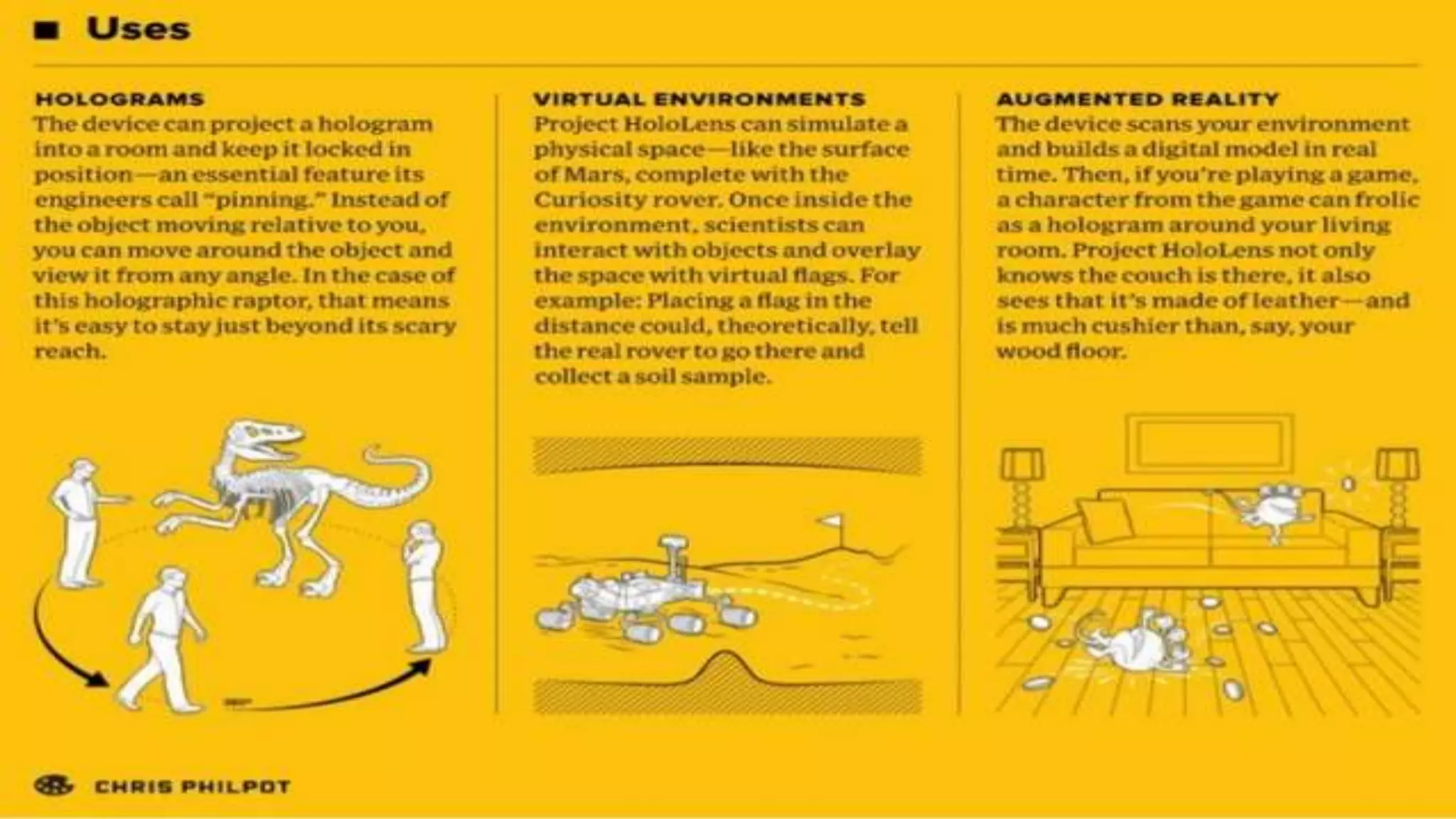
 Microsoft HoloLens allows user to pin holograms in his
physical environment and provides a new way to see his
world
Main
Components
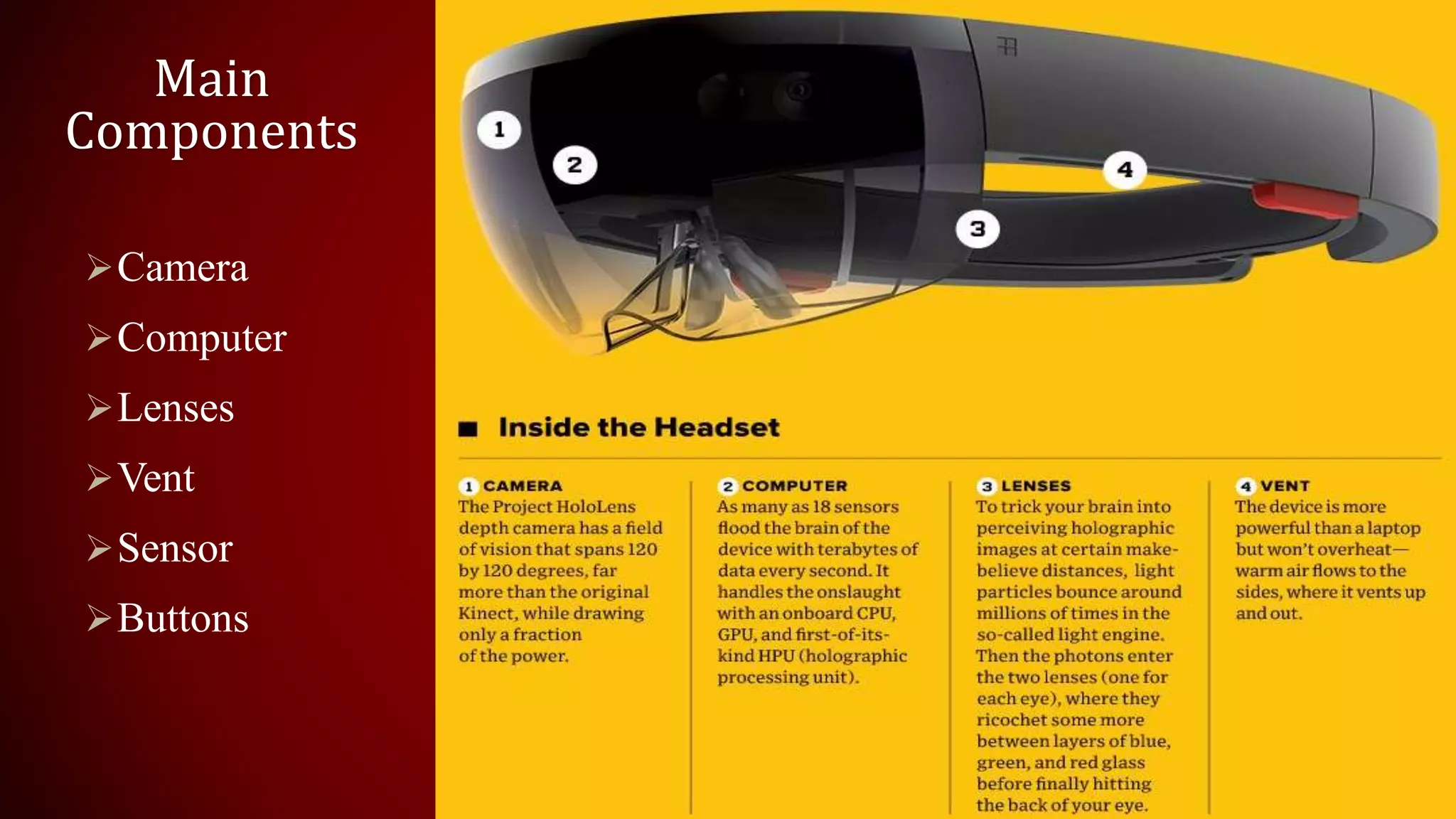
Camera
Computer
Lenses
Vent
Sensor
Buttons
Sensor :
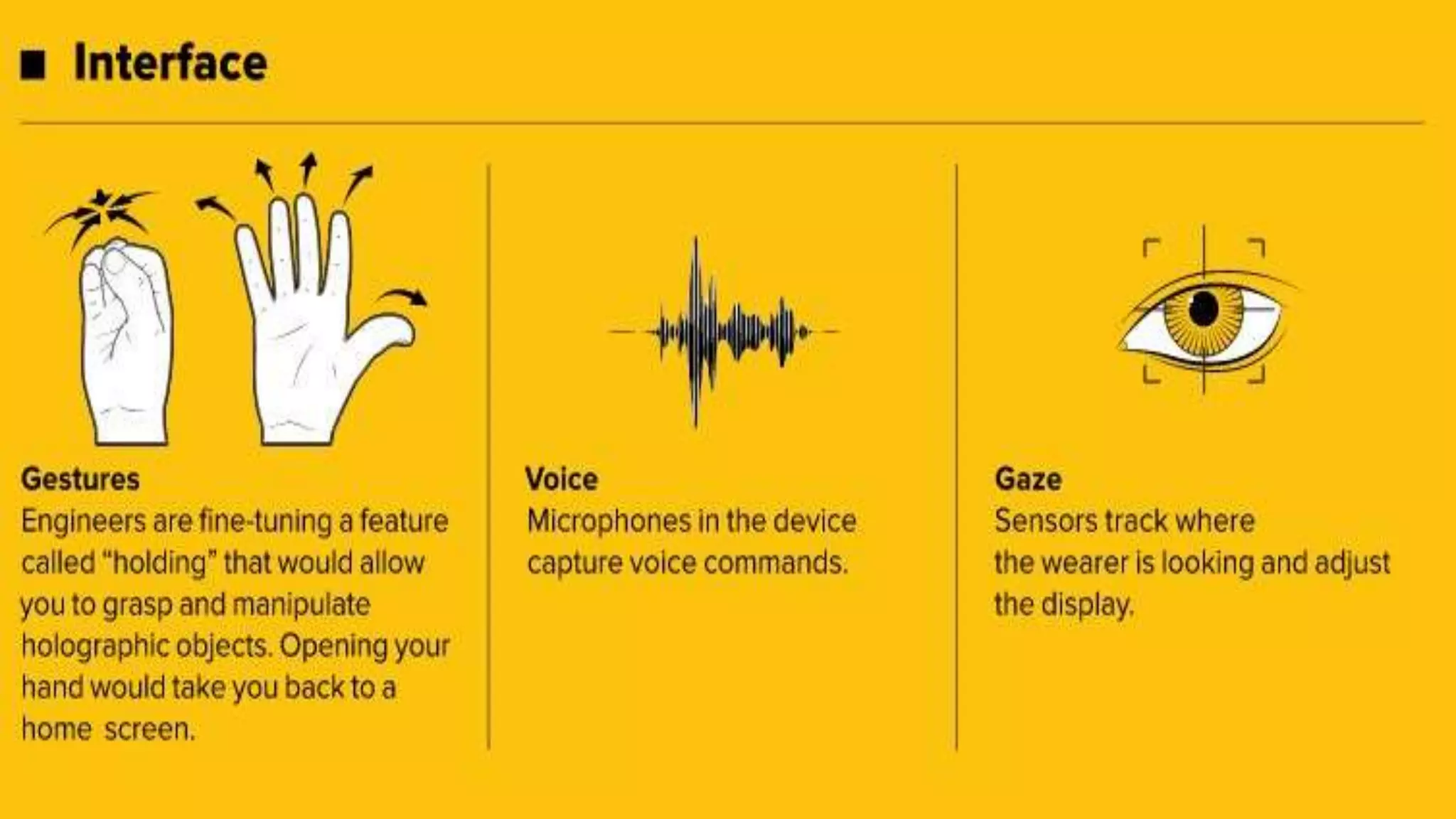
• Sensor tracks where the wearer is looking and adjust the
display.
• Motion sensor detect wearers movement.
• Wearer can also give gesture as input, sensor enables the
tracking of user movement.
Buttons :
• On the right side buttons allow user to adjust the volume and
to control the contrast of the hologram.
Working of HoloLens
o Microsoft HoloLens has User Interface so it takes voice ,
gaze and gestures as input command.
o Then internal computer works on input command.
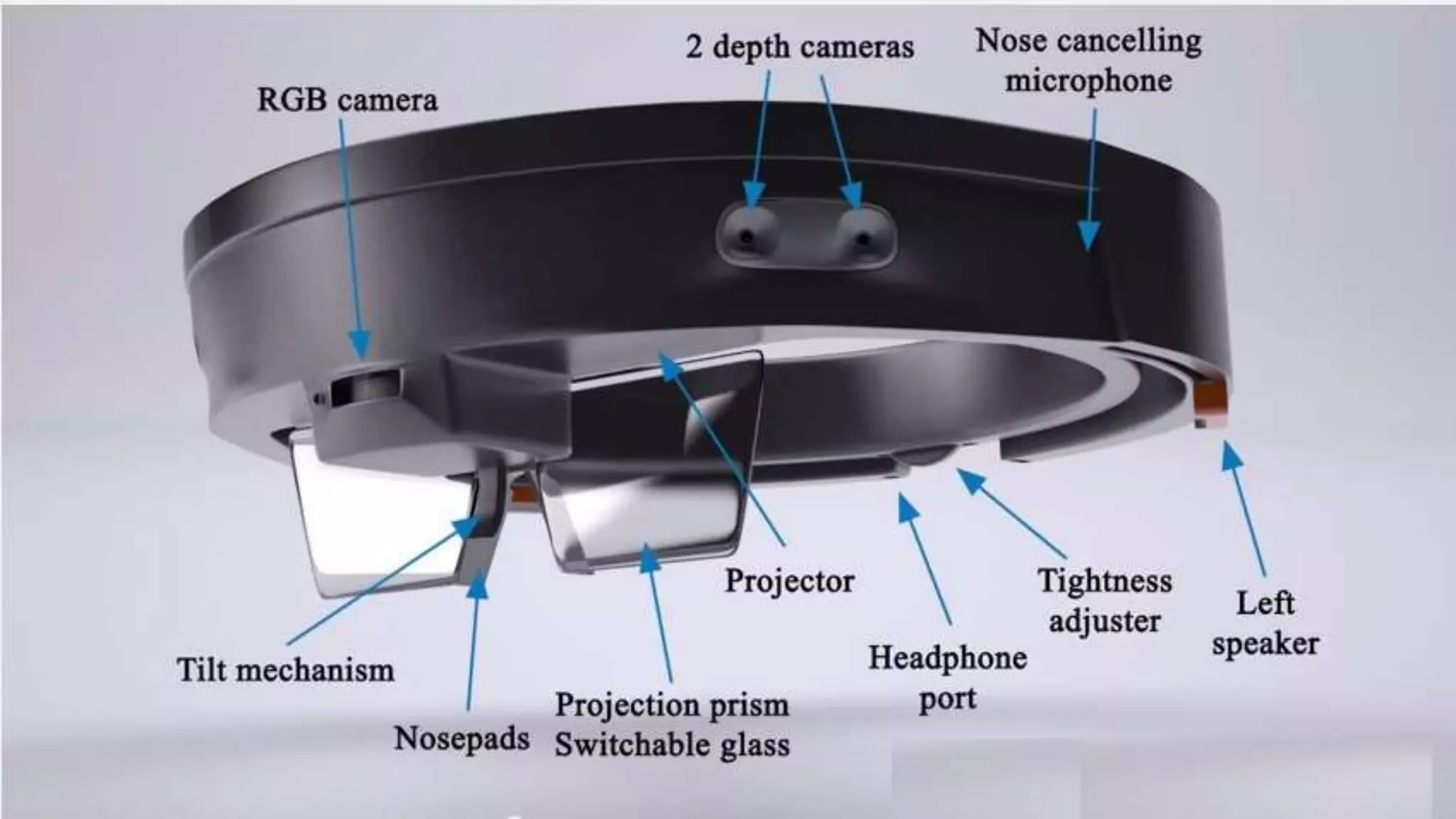
o Now for projection of hologram, HoloLens use the
HUE(head up display) method: two Nano projector located
at each side of head and semi transparent visor which
reflect the image as light on users eye.
ADD A SLIDE TITLE - 3
Real World Uses
 Remote Instruction
 3D Computer-Aided Design
 Gamification of Tasks
 Gaming
 Decorating
 Holographic Attractions and Entertainment
 Virtual Reality User Interfaces
 Heads Up GPS
And much more…
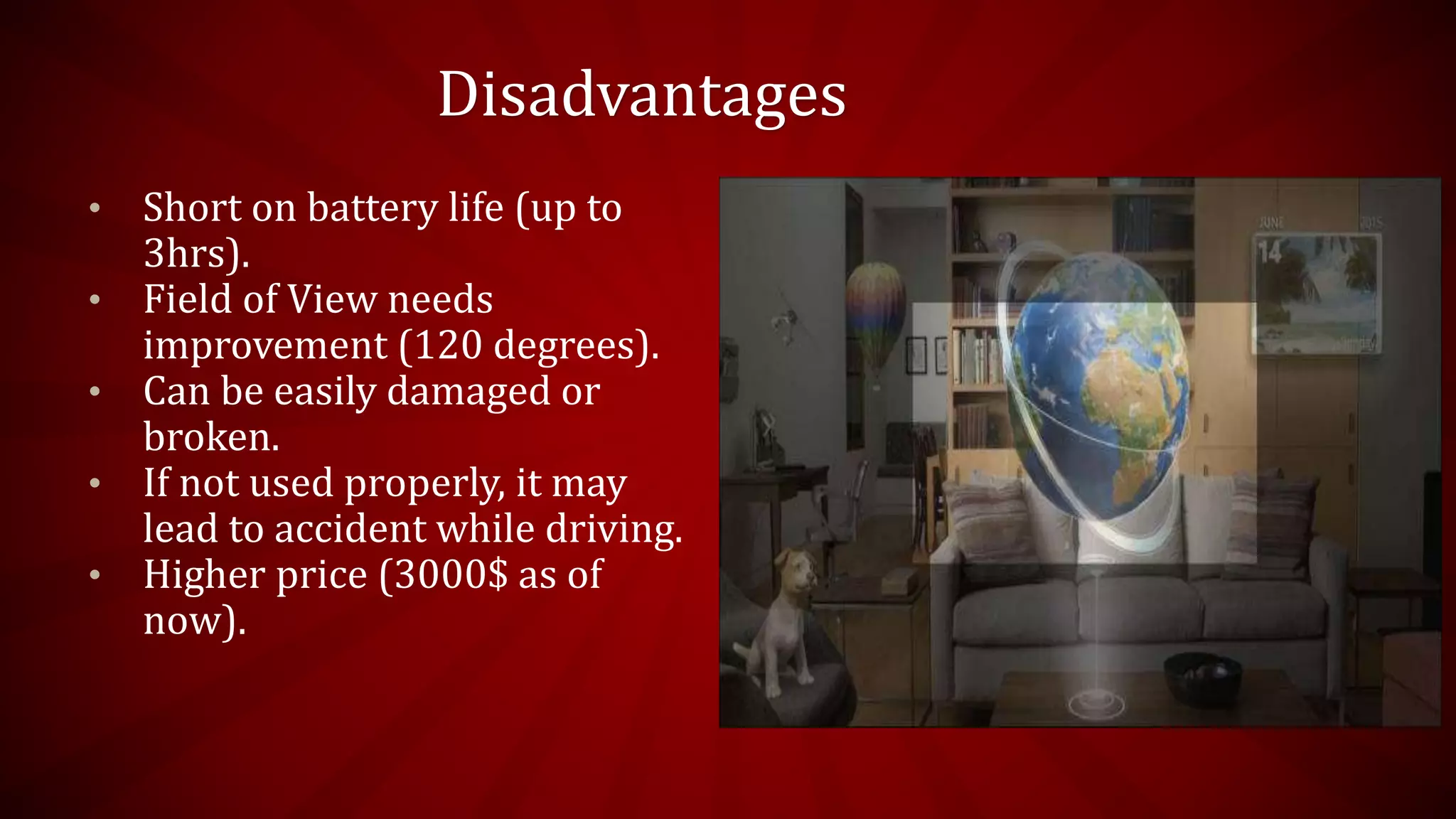
Disadvantages
• Short on battery life (up to
3hrs).
• Field of View needs
improvement (120 degrees).
• Can be easily damaged or
broken.
• If not used properly, it may
lead to accident while driving.
• Higher price (3000$ as of
now).
ANY QUERIES????

Augmented Reality using Microsoft Hololens

  • 1.
  • 5.
    What is HoloLens HoloLens came by combining the two words “Hologram” and “lens”.  Microsoft HoloLens is the first holographic computer running Windows 10.  Microsoft HoloLens allows user to pin holograms in his physical environment and provides a new way to see his world
  • 6.
  • 7.
    Sensor : • Sensortracks where the wearer is looking and adjust the display. • Motion sensor detect wearers movement. • Wearer can also give gesture as input, sensor enables the tracking of user movement. Buttons : • On the right side buttons allow user to adjust the volume and to control the contrast of the hologram.
  • 9.
    Working of HoloLens oMicrosoft HoloLens has User Interface so it takes voice , gaze and gestures as input command. o Then internal computer works on input command. o Now for projection of hologram, HoloLens use the HUE(head up display) method: two Nano projector located at each side of head and semi transparent visor which reflect the image as light on users eye.
  • 11.
    ADD A SLIDETITLE - 3
  • 12.
    Real World Uses Remote Instruction  3D Computer-Aided Design  Gamification of Tasks  Gaming  Decorating  Holographic Attractions and Entertainment  Virtual Reality User Interfaces  Heads Up GPS And much more…
  • 13.
    Disadvantages • Short onbattery life (up to 3hrs). • Field of View needs improvement (120 degrees). • Can be easily damaged or broken. • If not used properly, it may lead to accident while driving. • Higher price (3000$ as of now).
  • 15.