Bonitasoft BPM
Jeremy Jay V. Lim
aka “smartgeek”
Bonitasoft Community member
Automating a business
process should just be
EASY!
DRAW
CONNECT
RUN
As Easy as 1-2-3
DRAW your process
CONNECT to your systems
RUN in one click
As Easy as 1-2-3
Bonitasoft BPM
can do it as easy as
ABC
So what is
Bonitasoft BPM?
BPM (Business Process Management) is a
means of defining and managing what happens,
from beginning to end, in a “business process.”
A business process is any sequence of activities
taken to deliver the required service or output
Firstly
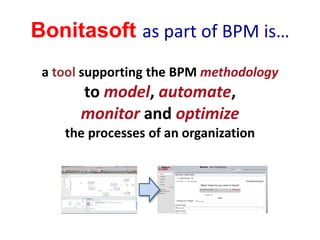
Bonitasoft as part of BPM is…
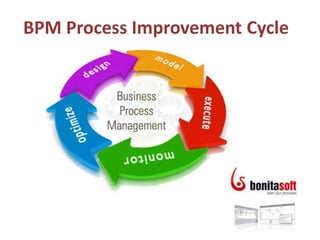
a tool supporting the BPM methodology
to model, automate,
monitor and optimize
the processes of an organization
BPM Process Improvement Cycle
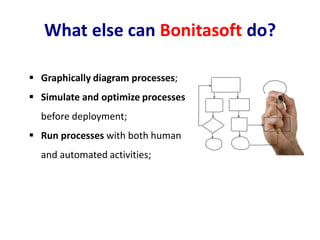
 Graphically diagram processes;
 Simulate and optimize processes
before deployment;
 Run processes with both human
and automated activities;
What else can Bonitasoft do?
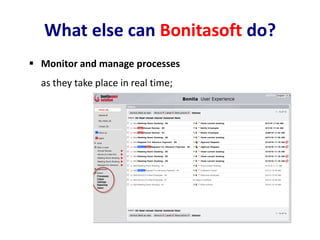
 Monitor and manage processes
as they take place in real time;
What else can Bonitasoft do?
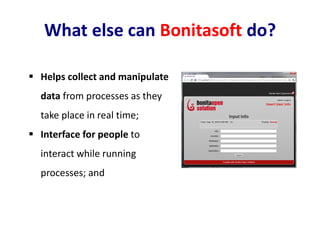
 Helps collect and manipulate
data from processes as they
take place in real time;
 Interface for people to
interact while running
processes; and
What else can Bonitasoft do?
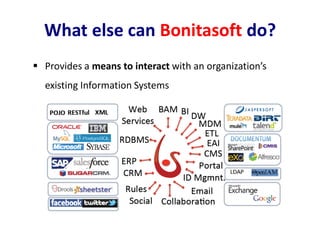
 Provides a means to interact with an organization’s
existing Information Systems
What else can Bonitasoft do?
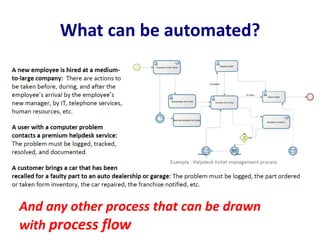
What can be automated?
And any other process that can be drawn
with process flow
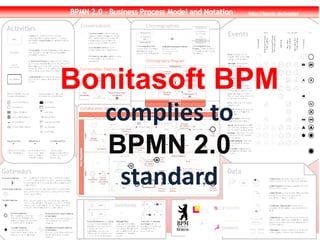
Bonitasoft BPM
complies to
BPMN 2.0
standard
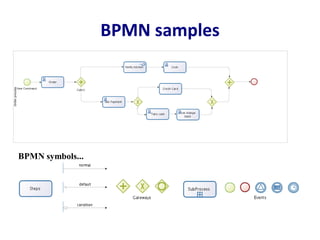
BPMN samples
BPMN symbols...
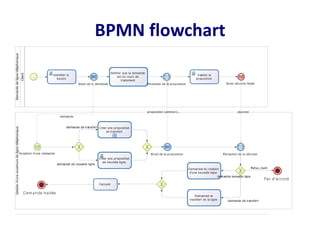
BPMN flowchart
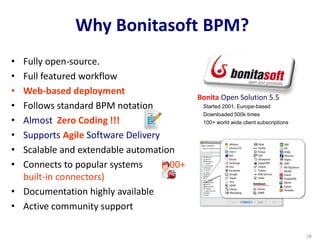
• Fully open-source.
• Full featured workflow
• Web-based deployment
• Follows standard BPM notation
• Almost Zero Coding !!!
• Supports Agile Software Delivery
• Scalable and extendable automation
• Connects to popular systems (100+
built-in connectors)
• Documentation highly available
• Active community support
Why Bonitasoft BPM?
Bonita Open Solution 5.5
Started 2001, Europe-based
Downloaded 500k times
100+ world wide client subscriptions
18
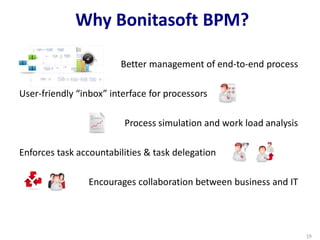
Better management of end-to-end process
User-friendly “inbox” interface for processors
Process simulation and work load analysis
Enforces task accountabilities & task delegation
Encourages collaboration between business and IT
Why Bonitasoft BPM?
19
Basic BPMN
flowchart symbols
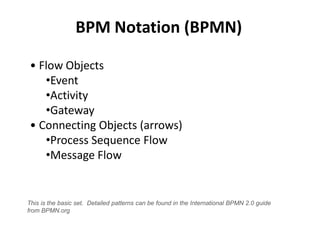
BPM Notation (BPMN)
Friday, May 21, 2010 21
• Flow Objects
•Event
•Activity
•Gateway
• Connecting Objects (arrows)
•Process Sequence Flow
•Message Flow
This is the basic set. Detailed patterns can be found in the International BPMN 2.0 guide
from BPMN.org
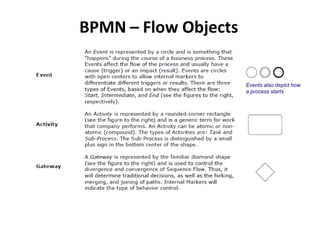
BPMN – Flow Objects
Friday, May 21, 2010 22
Events also depict how
a process starts
BPMN – Flow Objects
Friday, May 21, 2010 23
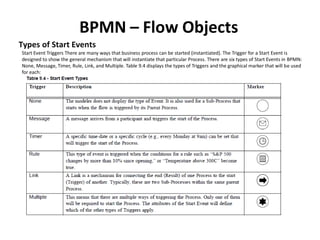
Types of Start Events
Start Event Triggers There are many ways that business process can be started (instantiated). The Trigger for a Start Event is
designed to show the general mechanism that will instantiate that particular Process. There are six types of Start Events in BPMN:
None, Message, Timer, Rule, Link, and Multiple. Table 9.4 displays the types of Triggers and the graphical marker that will be used
for each:
BPMN – Flow Objects
Friday, May 21, 2010 24
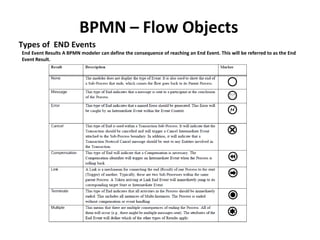
Types of END Events
End Event Results A BPMN modeler can define the consequence of reaching an End Event. This will be referred to as the End
Event Result.
BPMN – Flow Objects
Friday, May 21, 2010 25
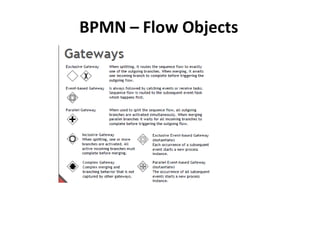
BPMN – Flow Objects
Friday, May 21, 2010 26
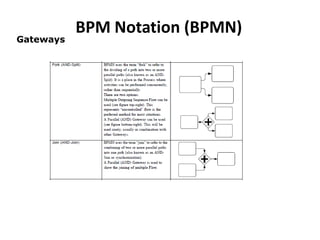
Gateways
BPM Notation (BPMN)
Friday, May 21, 2010 27
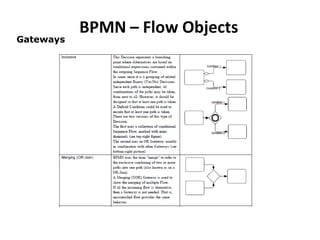
Gateways
BPMN – Flow Objects
Friday, May 21, 2010 28
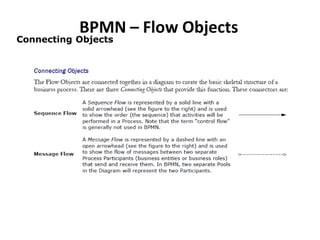
Connecting Objects
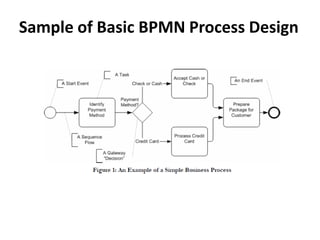
Sample of Basic BPMN Process Design
Friday, May 21, 2010 29
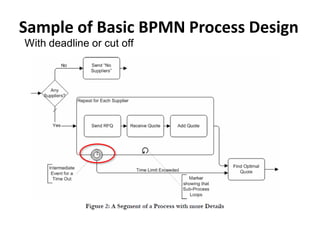
Sample of Basic BPMN Process Design
Friday, May 21, 2010 30
With deadline or cut off
Tips on Designing To-Be Process
• Process Flow – Normal, Adhoc & Exceptions, Patterns
• Processing Rule
• Process SLA
• Process Performers
• Process Metrics and Reports
• Process Controls
• Process Risk Controls

Bonitasoft bpm

  • 1.
    Bonitasoft BPM Jeremy JayV. Lim aka “smartgeek” Bonitasoft Community member
  • 2.
    Automating a business processshould just be EASY!
  • 3.
  • 4.
    DRAW your process CONNECTto your systems RUN in one click As Easy as 1-2-3
  • 5.
    Bonitasoft BPM can doit as easy as ABC
  • 6.
  • 7.
    BPM (Business ProcessManagement) is a means of defining and managing what happens, from beginning to end, in a “business process.” A business process is any sequence of activities taken to deliver the required service or output Firstly
  • 8.
    Bonitasoft as partof BPM is… a tool supporting the BPM methodology to model, automate, monitor and optimize the processes of an organization
  • 9.
  • 10.
     Graphically diagramprocesses;  Simulate and optimize processes before deployment;  Run processes with both human and automated activities; What else can Bonitasoft do?
  • 11.
     Monitor andmanage processes as they take place in real time; What else can Bonitasoft do?
  • 12.
     Helps collectand manipulate data from processes as they take place in real time;  Interface for people to interact while running processes; and What else can Bonitasoft do?
  • 13.
     Provides ameans to interact with an organization’s existing Information Systems What else can Bonitasoft do?
  • 14.
    What can beautomated? And any other process that can be drawn with process flow
  • 15.
  • 16.
  • 17.
  • 18.
    • Fully open-source. •Full featured workflow • Web-based deployment • Follows standard BPM notation • Almost Zero Coding !!! • Supports Agile Software Delivery • Scalable and extendable automation • Connects to popular systems (100+ built-in connectors) • Documentation highly available • Active community support Why Bonitasoft BPM? Bonita Open Solution 5.5 Started 2001, Europe-based Downloaded 500k times 100+ world wide client subscriptions 18
  • 19.
    Better management ofend-to-end process User-friendly “inbox” interface for processors Process simulation and work load analysis Enforces task accountabilities & task delegation Encourages collaboration between business and IT Why Bonitasoft BPM? 19
  • 20.
  • 21.
    BPM Notation (BPMN) Friday,May 21, 2010 21 • Flow Objects •Event •Activity •Gateway • Connecting Objects (arrows) •Process Sequence Flow •Message Flow This is the basic set. Detailed patterns can be found in the International BPMN 2.0 guide from BPMN.org
  • 22.
    BPMN – FlowObjects Friday, May 21, 2010 22 Events also depict how a process starts
  • 23.
    BPMN – FlowObjects Friday, May 21, 2010 23 Types of Start Events Start Event Triggers There are many ways that business process can be started (instantiated). The Trigger for a Start Event is designed to show the general mechanism that will instantiate that particular Process. There are six types of Start Events in BPMN: None, Message, Timer, Rule, Link, and Multiple. Table 9.4 displays the types of Triggers and the graphical marker that will be used for each:
  • 24.
    BPMN – FlowObjects Friday, May 21, 2010 24 Types of END Events End Event Results A BPMN modeler can define the consequence of reaching an End Event. This will be referred to as the End Event Result.
  • 25.
    BPMN – FlowObjects Friday, May 21, 2010 25
  • 26.
    BPMN – FlowObjects Friday, May 21, 2010 26 Gateways
  • 27.
    BPM Notation (BPMN) Friday,May 21, 2010 27 Gateways
  • 28.
    BPMN – FlowObjects Friday, May 21, 2010 28 Connecting Objects
  • 29.
    Sample of BasicBPMN Process Design Friday, May 21, 2010 29
  • 30.
    Sample of BasicBPMN Process Design Friday, May 21, 2010 30 With deadline or cut off
  • 31.
    Tips on DesigningTo-Be Process • Process Flow – Normal, Adhoc & Exceptions, Patterns • Processing Rule • Process SLA • Process Performers • Process Metrics and Reports • Process Controls • Process Risk Controls