© 2016 IBM Corporation
IBM Cloud / © 2018 IBM Corporation
Becoming an IBM Blueworks
Live Process Ninja | Best
Practices
—
Bob Spory
DBA Technical Sales
spory@us.ibm.com
@bobspory
ProcessNinja.us
LinkedIn
© 2016 IBM Corporation
Content overview
2
Blueworks Live overview
Modeling principles
Discovery maps
Process diagrams
Process details
Diagram customization
Personalization
Collaboration
Administration
Spaces
Establishing a COE
Decision discovery
IBM Cloud / © 2019 IBM Corporation
© 2016 IBM Corporation
IBM Blueworks Live | Overview
3
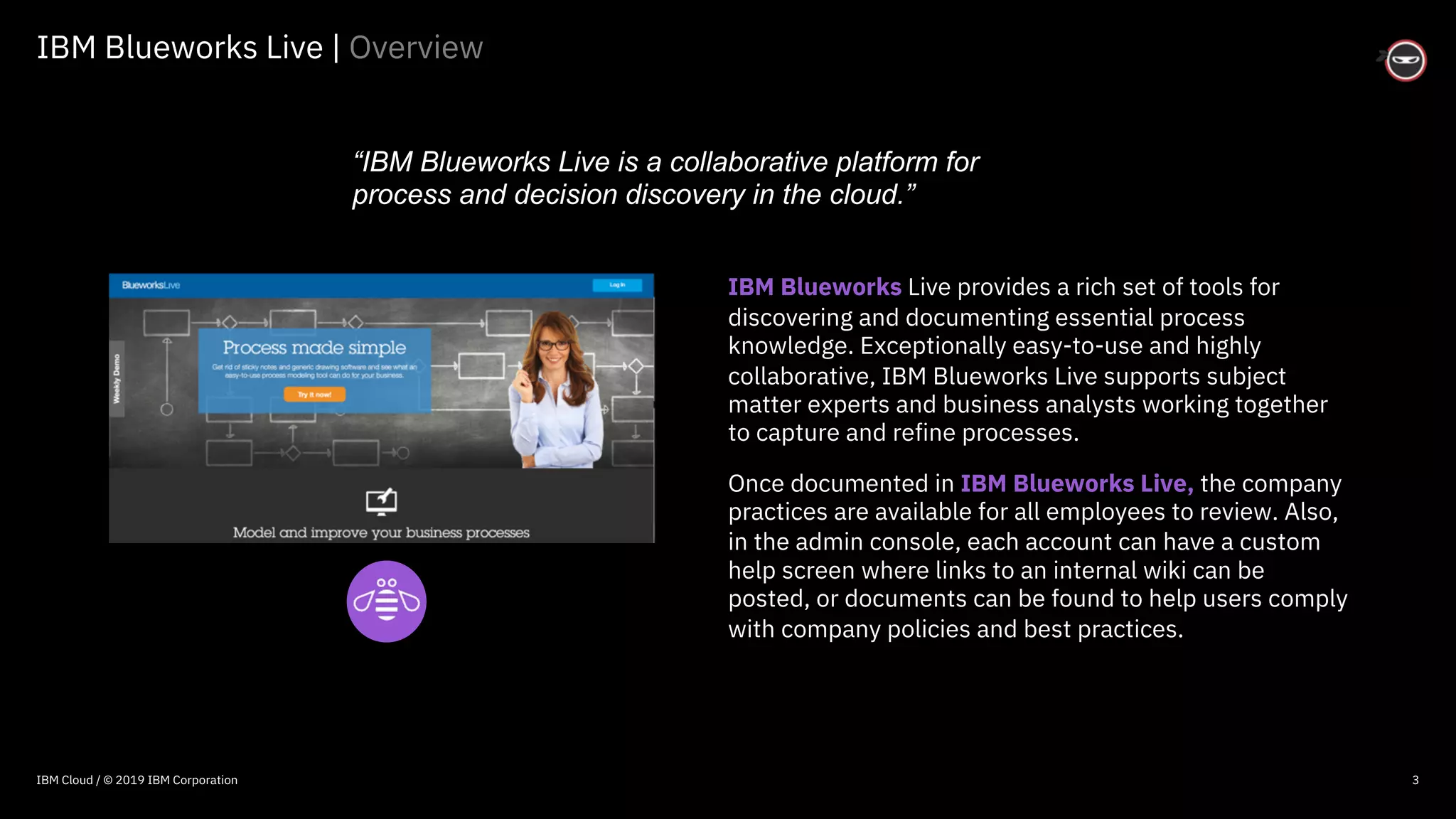
IBM Blueworks Live provides a rich set of tools for
discovering and documenting essential process
knowledge. Exceptionally easy-to-use and highly
collaborative, IBM Blueworks Live supports subject
matter experts and business analysts working together
to capture and refine processes.
Once documented in IBM Blueworks Live, the company
practices are available for all employees to review. Also,
in the admin console, each account can have a custom
help screen where links to an internal wiki can be
posted, or documents can be found to help users comply
with company policies and best practices.
“IBM Blueworks Live is a collaborative platform for
process and decision discovery in the cloud.”
IBM Cloud / © 2019 IBM Corporation
© 2016 IBM Corporation
IBM Blueworks Live | BPMN
4
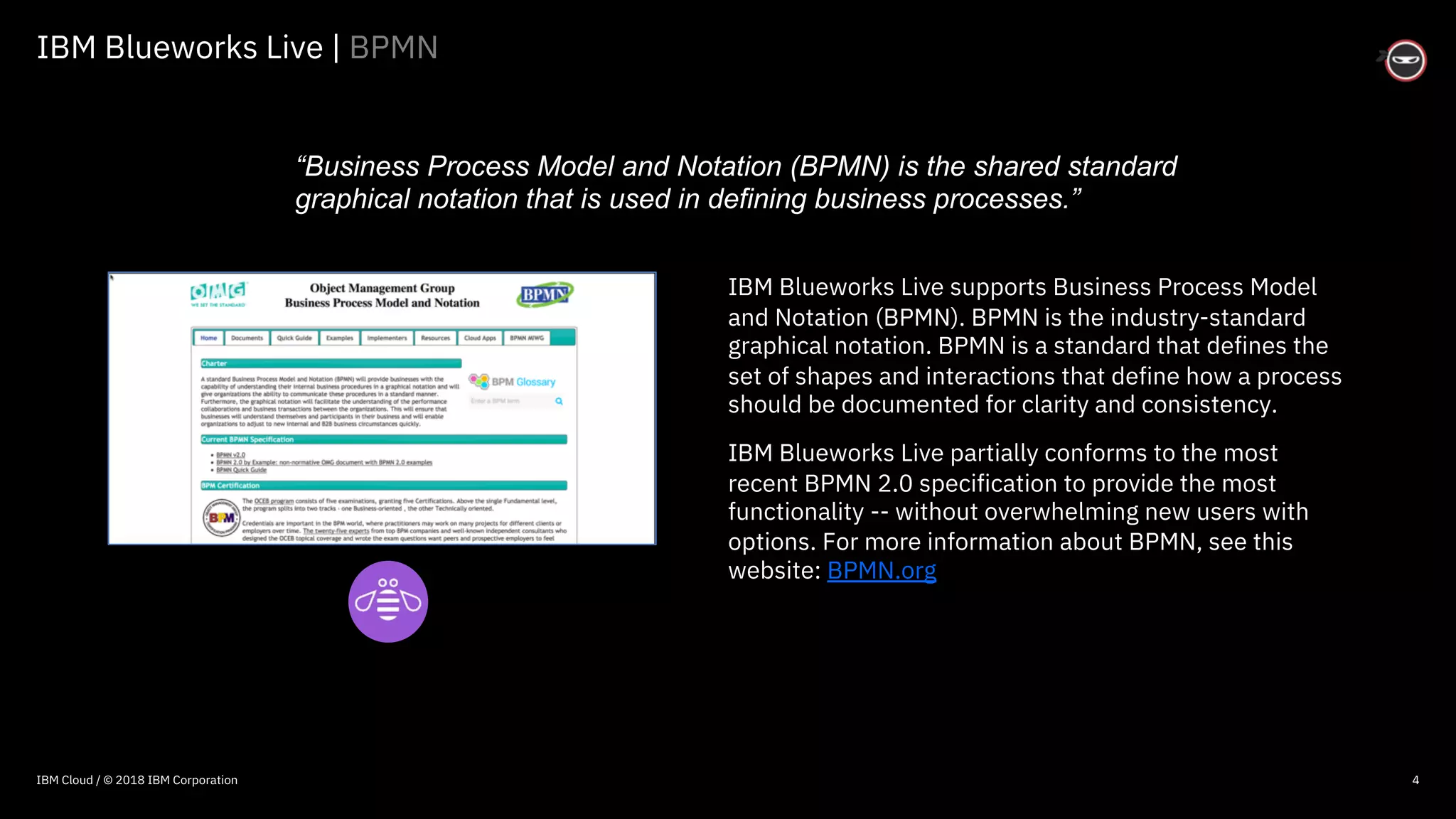
IBM Blueworks Live supports Business Process Model
and Notation (BPMN). BPMN is the industry-standard
graphical notation. BPMN is a standard that defines the
set of shapes and interactions that define how a process
should be documented for clarity and consistency.
IBM Blueworks Live partially conforms to the most
recent BPMN 2.0 specification to provide the most
functionality -- without overwhelming new users with
options. For more information about BPMN, see this
website: BPMN.org
“Business Process Model and Notation (BPMN) is the shared standard
graphical notation that is used in defining business processes.”
IBM Cloud / © 2018 IBM Corporation
© 2016 IBM Corporation
Modeling principles | Guidelines
5
Keep it simple: Resist the temptation to introduce complexity into your
approach and methodologies. Remember that your most important goal is for
others to understand your project approach and participate.
Process power: Process models are what differentiates your organization from
the competition. Everything your organization does is a business process.
Understand the reason: Why you are modeling? The purpose guides the level
of detail for the process diagram and documentation. Organizations model
processes for documentation (training), analysis, and automation.
Scope is king: Clearly define the scope of the process by identifying the Who,
What, When, Where and Why of your process. The process is the How.
Choose a champion: A successful project must have a management champion.
The champion supports the project, helps overcome resistance and protects the
team from any political interference.
“Modeling is more ‘art,’ than ‘science.’ However,
modeling principles help ensure consistency.”
IBM Cloud / © 2019 IBM Corporation
© 2016 IBM Corporation
Modeling principles | Guidelines
6
Start small, think big: Take an incremental, rather than a “big bang,” approach
of modeling processes. You will produce results that help create skills and
interest when you start with a small, easily manageable project.
Rudderless without governance: Establish standards, best practices, and
governance policies, such as BPMN, modeling frameworks and patterns,
process level definitions and granularity, naming conventions and approval
processes. Lack of governance is one of the most common reasons for failure.
Trust, yet verify: It is vital that best practices are followed to represent
processes in a consistently, regardless of their individual modeling the process.
Review models to confirm their your methodologies are followed.
Involve a team: Build a process team that includes your management
champion, analysts, process owners, functional owners, knowledge workers,
SME’s, technical team members. Ensure all understand their roles.
IBM Cloud / © 2019 IBM Corporation
© 2016 IBM Corporation
Modeling principles | Guidelines
7
Include experts: Be sure to work with the people who actually know how the
process works and who are responsible for its success — not those who think
they know how it works.
Celebrate collaboration: Collaboration is vital to getting business people excited
and involved. Ensure your methodology and tools are designed for business
users to get modeling simply and quickly.
Prioritize Process: Focus on process discovery first to understand the health
and welfare of your process. Do not focus too much on technology without
understanding the process.
Depict real reality: Identify and document how people really perform the
existing process and not how they should. Typically, a significant number of
undocumented workarounds and organizational knowledge is captured while
modeling the current process.
IBM Cloud / © 2019 IBM Corporation
© 2016 IBM Corporation
Modeling principles | Guidelines
8
Model with simplicity: Remember that your most important goal is for you and
others to understand how things work. People should understand what happens
in the process quickly. If you need to explain your model, it means it is too
complicated for end-users.
Optimally organize: Ensure people understand where and how to access your
process library. This is accomplished by creating spaces by organizational
structure, APQC definition or customer journey.
Measure milestones: Prepare an approach that defines milestones and
deadlines. This minimizes risk by simplifying a large project or rollout into
smaller measurable steps.
Use vigilant validation: Ensure that the process models and associated
information are validated and approved by stakeholders and participants. Their
buy-in is critical. Use an approval process, if possible.
IBM Cloud / © 2019 IBM Corporation
© 2016 IBM Corporation
Modeling principles | Guidelines
9
Centers are excellent: Establish a Center of Excellence to prioritize process
projects, maintain process library establish best practices.
Determine decisions: Actively look for automatable decisions, such as goals,
problems, activities before Gateways (do not imply that work is performed) and
participant hand-offs.
Understand potential paths: Model all possible pathways of a process. Capture
the "happy path" first – from left-to-right. Then, document all process
exceptions as branches off the happy path. The exception paths typically occur
more frequently than realized and require significant effort to resolve.
Control your versions: Version management of a process enables a history of
the process model to be recorded systematically. It is critical to ensure users
access the most current version and save the evolution of your process. Consider
using tooling that simplifies version management.
Go pro: Use professional services. The main benefit of using IBM Services or IBM
Business Partners is the experience they bring.
IBM Cloud / © 2019 IBM Corporation
© 2016 IBM Corporation
10
Modeling principles | Selecting candidate processes
□Which processes result in customer dissatisfaction?
□Which processes have obvious problems?
□Which processes are high cost or high volume?
□Are there long delays or bottlenecks?
□Which processes require significant manual intervention?
□Is there a shortage of knowledge workers?
□Do knowledge workers make decisions manually, make inconsistent
errors, or apply the wrong policies?
□Is there compliance or revenue issues with decisions?
□Can you measure and manage these processes?
IBM Cloud / © 2019 IBM Corporation
© 2016 IBM Corporation
11
Modeling principles | Process improvement focus
□Unstructured or non-value activities?
□Manual data entry? Poor data quality?
□Paper and spreadsheets?
□Exposure to non-compliance or fraud risks?
□Activity time? Waiting time between activities?
□Routing or prioritization or work tasks?
□Re-keying of information between systems?
□Limited process scalability?
□Audit trails, process performance and visibility?
IBM Cloud / © 2019 IBM Corporation
© 2016 IBM Corporation
12
Modeling principles | Decision improvement focus
□Decision logic hidden in code or isolated within organization?
□Exposure to risks such as non-compliance or fraud?
□Implementation logic of the decision perform poorly?
□Changes hard to track and maintain over time?
□Changes take a long time and require IT resources?
□Decision logic duplicated across different applications?
□Decisions auditable and traceable?
□Changes easily tested or simulated?
IBM Cloud / © 2019 IBM Corporation
© 2016 IBM Corporation
Spaces | Process organization
13
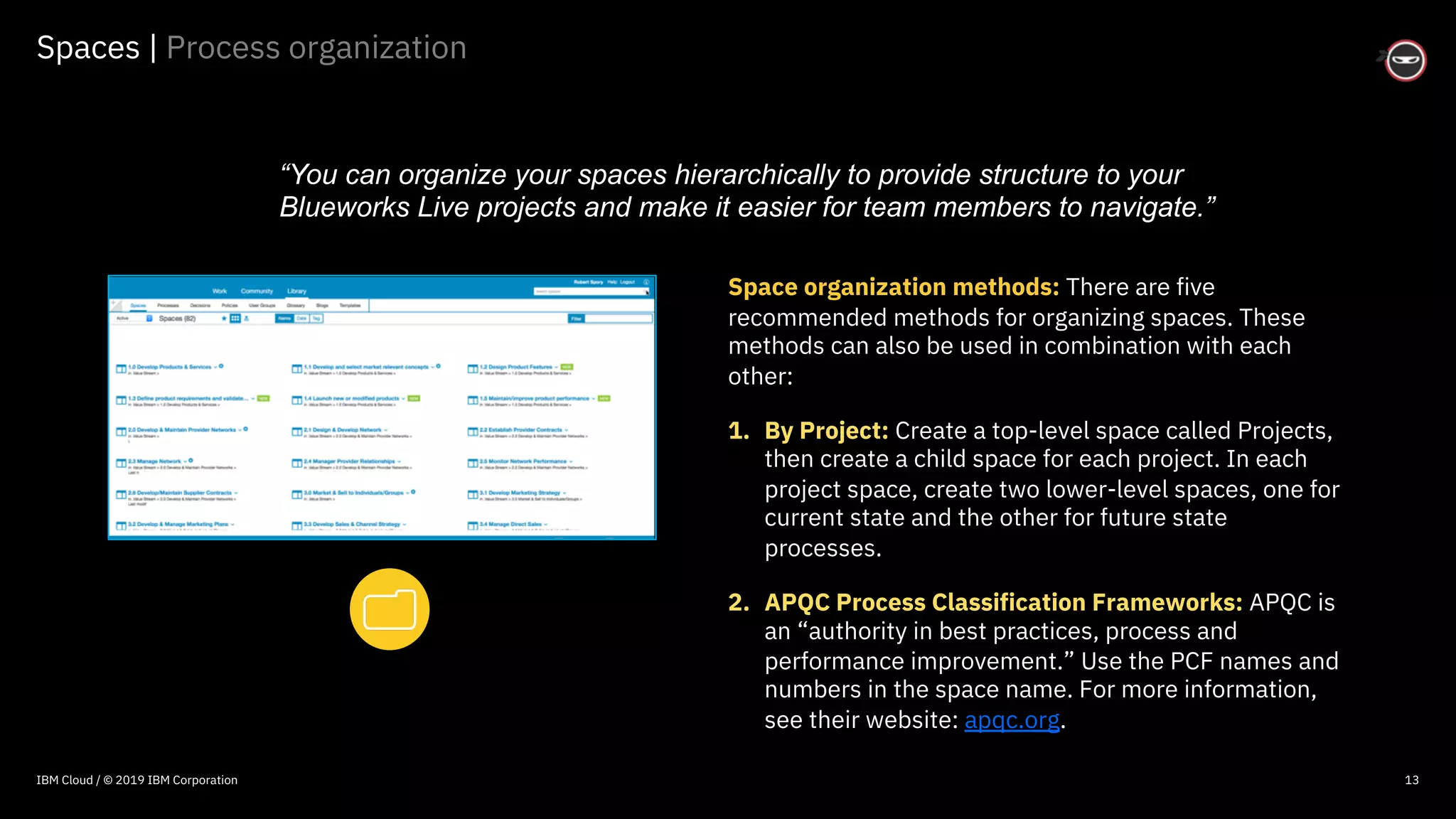
Space organization methods: There are five
recommended methods for organizing spaces. These
methods can also be used in combination with each
other:
1. By Project: Create a top-level space called Projects,
then create a child space for each project. In each
project space, create two lower-level spaces, one for
current state and the other for future state
processes.
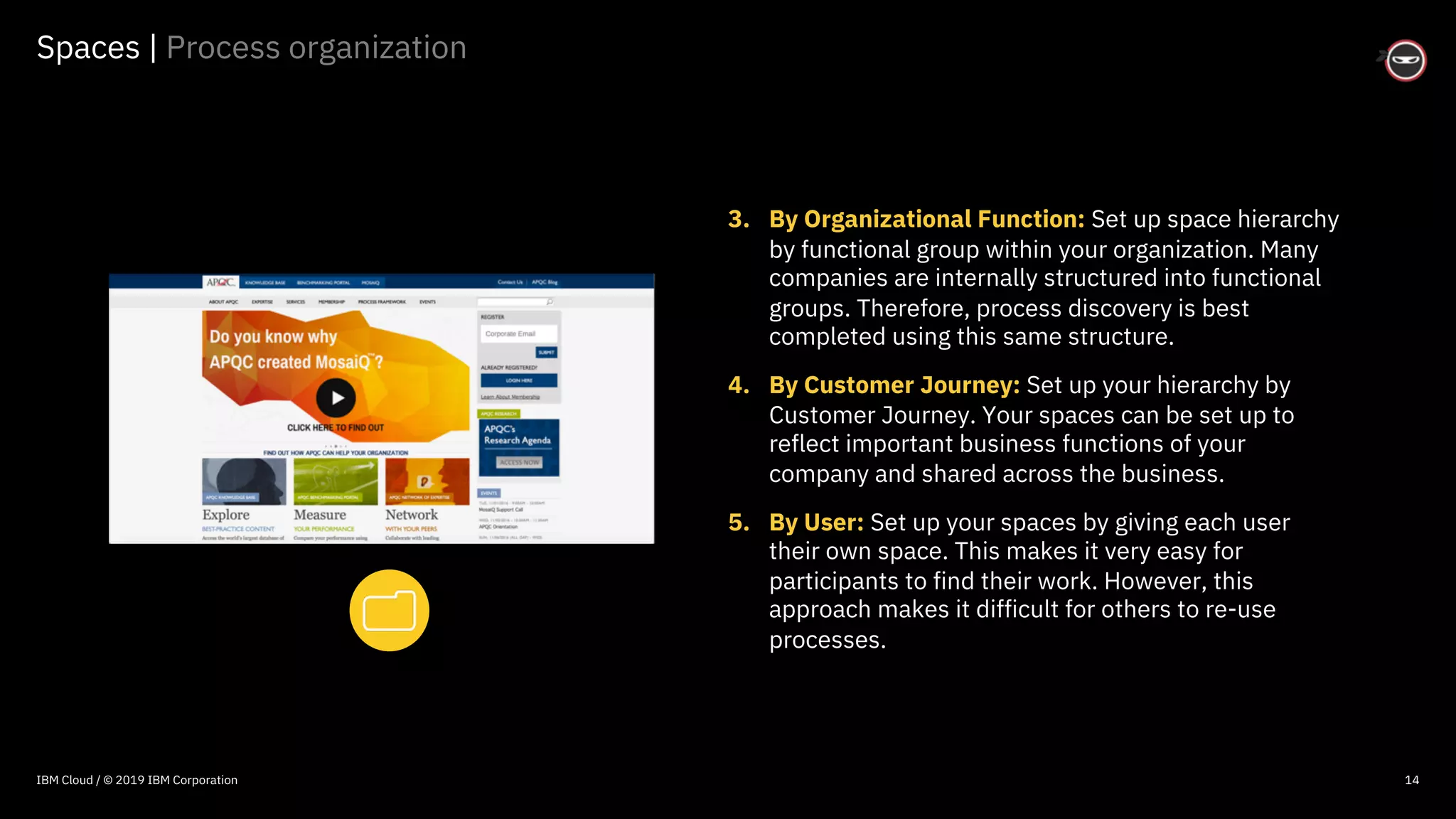
2. APQC Process Classification Frameworks: APQC is
an “authority in best practices, process and
performance improvement.” Use the PCF names and
numbers in the space name. For more information,
see their website: apqc.org.
“You can organize your spaces hierarchically to provide structure to your
Blueworks Live projects and make it easier for team members to navigate.”
IBM Cloud / © 2019 IBM Corporation
© 2016 IBM Corporation
Spaces | Process organization
14
3. By Organizational Function: Set up space hierarchy
by functional group within your organization. Many
companies are internally structured into functional
groups. Therefore, process discovery is best
completed using this same structure.
4. By Customer Journey: Set up your hierarchy by
Customer Journey. Your spaces can be set up to
reflect important business functions of your
company and shared across the business.
5. By User: Set up your spaces by giving each user
their own space. This makes it very easy for
participants to find their work. However, this
approach makes it difficult for others to re-use
processes.
IBM Cloud / © 2019 IBM Corporation
© 2016 IBM Corporation
Spaces | Guidelines
15
Spaces guidelines: The following guidelines apply regardless of the method
used to organize your spaces:
§ Ensure that each new space is given a description and space-level goals.
This will help new users navigate and understand the type of work that is
being done.
§ Designate a space owner and include contact information in the space
description.
§ Use tags. Tagging spaces is an easy way to improve navigation and search in
your Blueworks Live account.
§ Set the appropriate space-level user permissions for each space. Child
spaces inherit parent level user permissions by default, so be sure to check
the user permissions of the child space if you do not want to inherit the
parent permissions.
IBM Cloud / © 2019 IBM Corporation
© 2016 IBM Corporation
Discovery maps | Activities
18
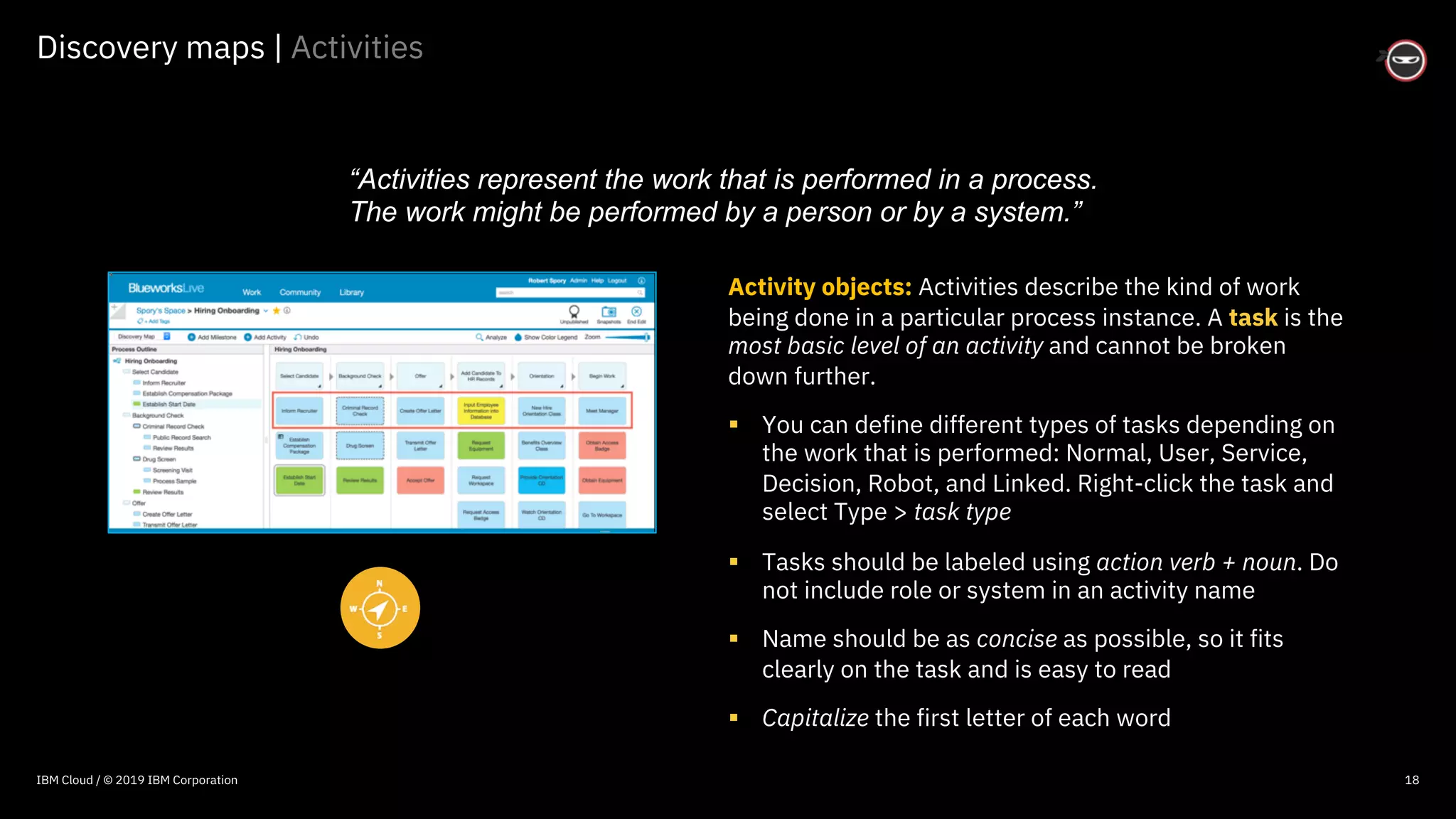
Activity objects: Activities describe the kind of work
being done in a particular process instance. A task is the
most basic level of an activity and cannot be broken
down further.
§ You can define different types of tasks depending on
the work that is performed: Normal, User, Service,
Decision, Robot, and Linked. Right-click the task and
select Type > task type
§ Tasks should be labeled using action verb + noun. Do
not include role or system in an activity name
§ Name should be as concise as possible, so it fits
clearly on the task and is easy to read
§ Capitalize the first letter of each word
“Activities represent the work that is performed in a process.
The work might be performed by a person or by a system.”
IBM Cloud / © 2019 IBM Corporation
© 2016 IBM Corporation
Discovery maps | Subprocesses
19
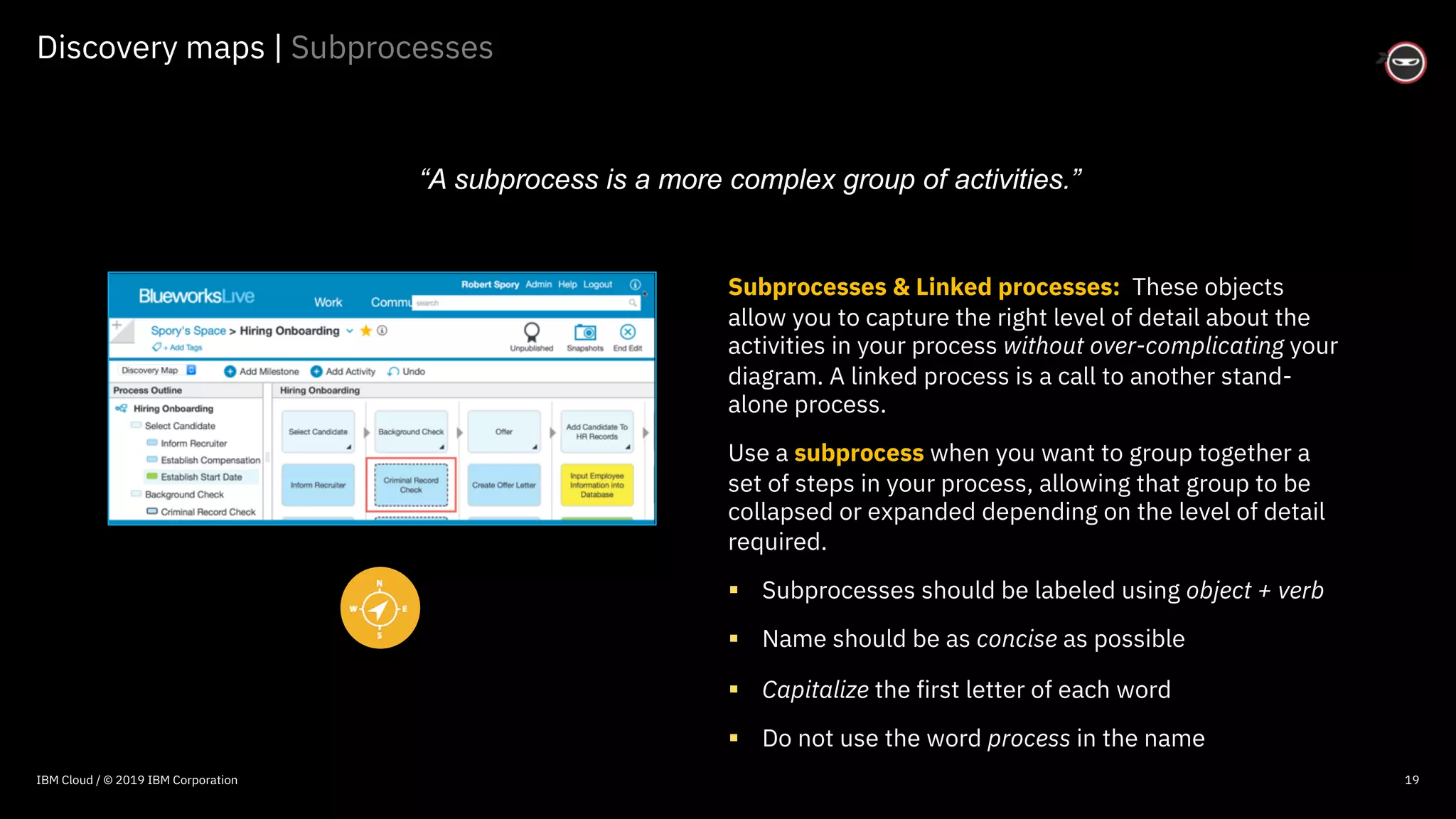
Subprocesses & Linked processes: These objects
allow you to capture the right level of detail about the
activities in your process without over-complicating your
diagram. A linked process is a call to another stand-
alone process.
Use a subprocess when you want to group together a
set of steps in your process, allowing that group to be
collapsed or expanded depending on the level of detail
required.
§ Subprocesses should be labeled using object + verb
§ Name should be as concise as possible
§ Capitalize the first letter of each word
§ Do not use the word process in the name
“A subprocess is a more complex group of activities.”
IBM Cloud / © 2019 IBM Corporation
© 2016 IBM Corporation
Process diagrams | Granularity patterns
22
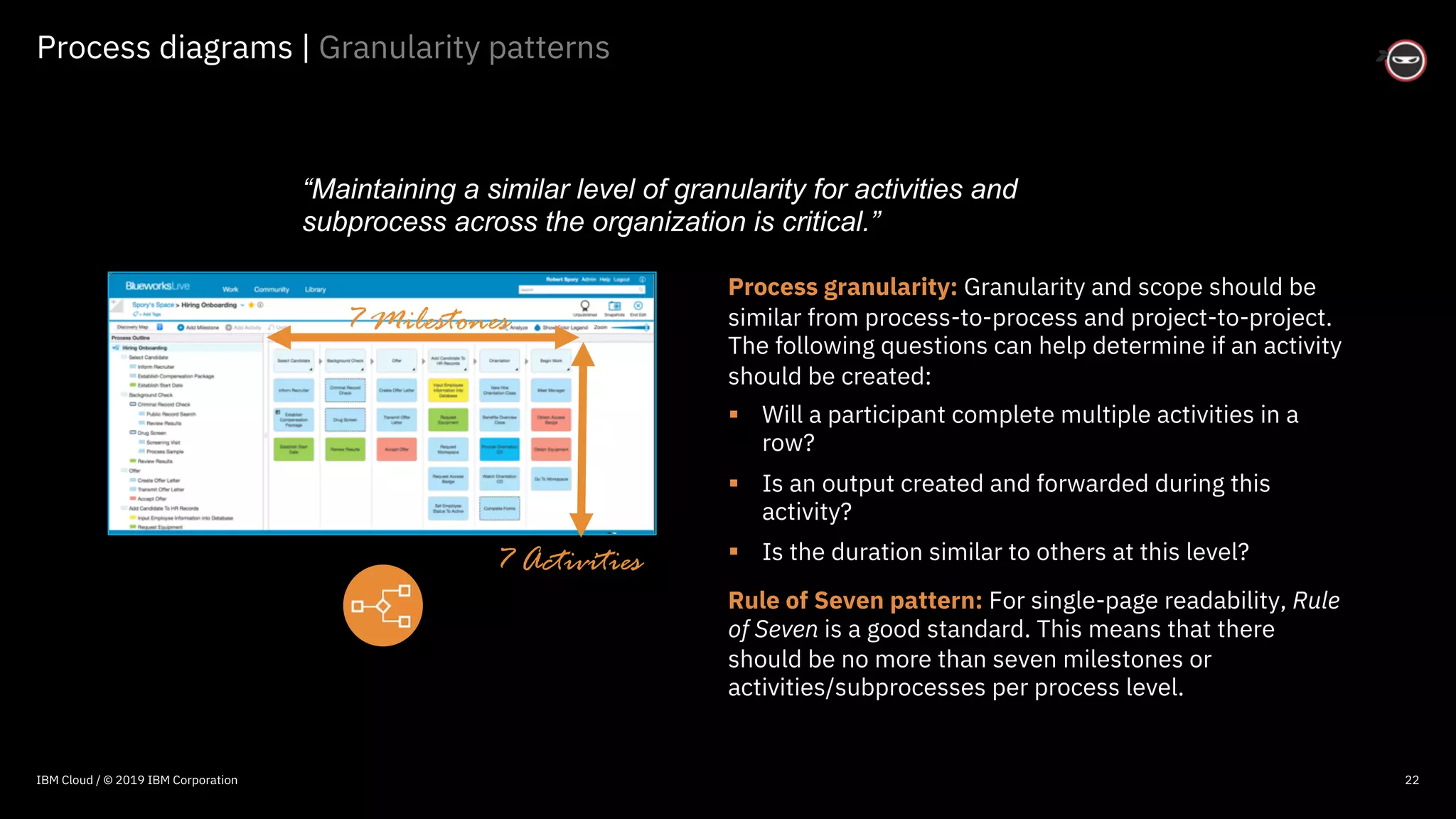
Process granularity: Granularity and scope should be
similar from process-to-process and project-to-project.
The following questions can help determine if an activity
should be created:
§ Will a participant complete multiple activities in a
row?
§ Is an output created and forwarded during this
activity?
§ Is the duration similar to others at this level?
Rule of Seven pattern: For single-page readability, Rule
of Seven is a good standard. This means that there
should be no more than seven milestones or
activities/subprocesses per process level.
“Maintaining a similar level of granularity for activities and
subprocess across the organization is critical.”
7 Milestones
7 Activities
IBM Cloud / © 2019 IBM Corporation
© 2016 IBM Corporation
Process diagrams | Granularity patterns
23
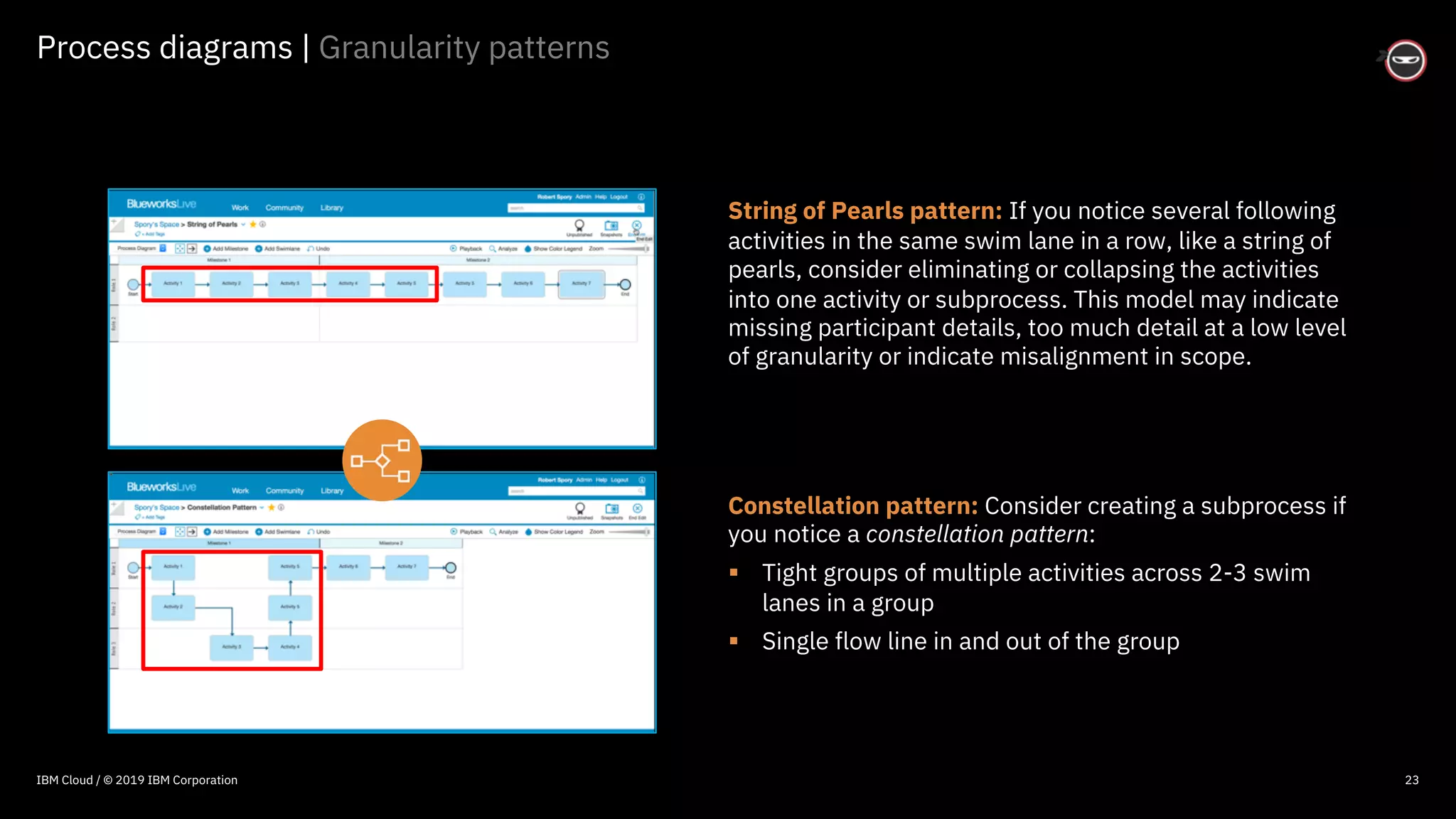
String of Pearls pattern: If you notice several following
activities in the same swim lane in a row, like a string of
pearls, consider eliminating or collapsing the activities
into one activity or subprocess. This model may indicate
missing participant details, too much detail at a low level
of granularity or indicate misalignment in scope.
Constellation pattern: Consider creating a subprocess if
you notice a constellation pattern:
§ Tight groups of multiple activities across 2-3 swim
lanes in a group
§ Single flow line in and out of the group
IBM Cloud / © 2019 IBM Corporation
© 2016 IBM Corporation
Diagram customization | Process layout
28
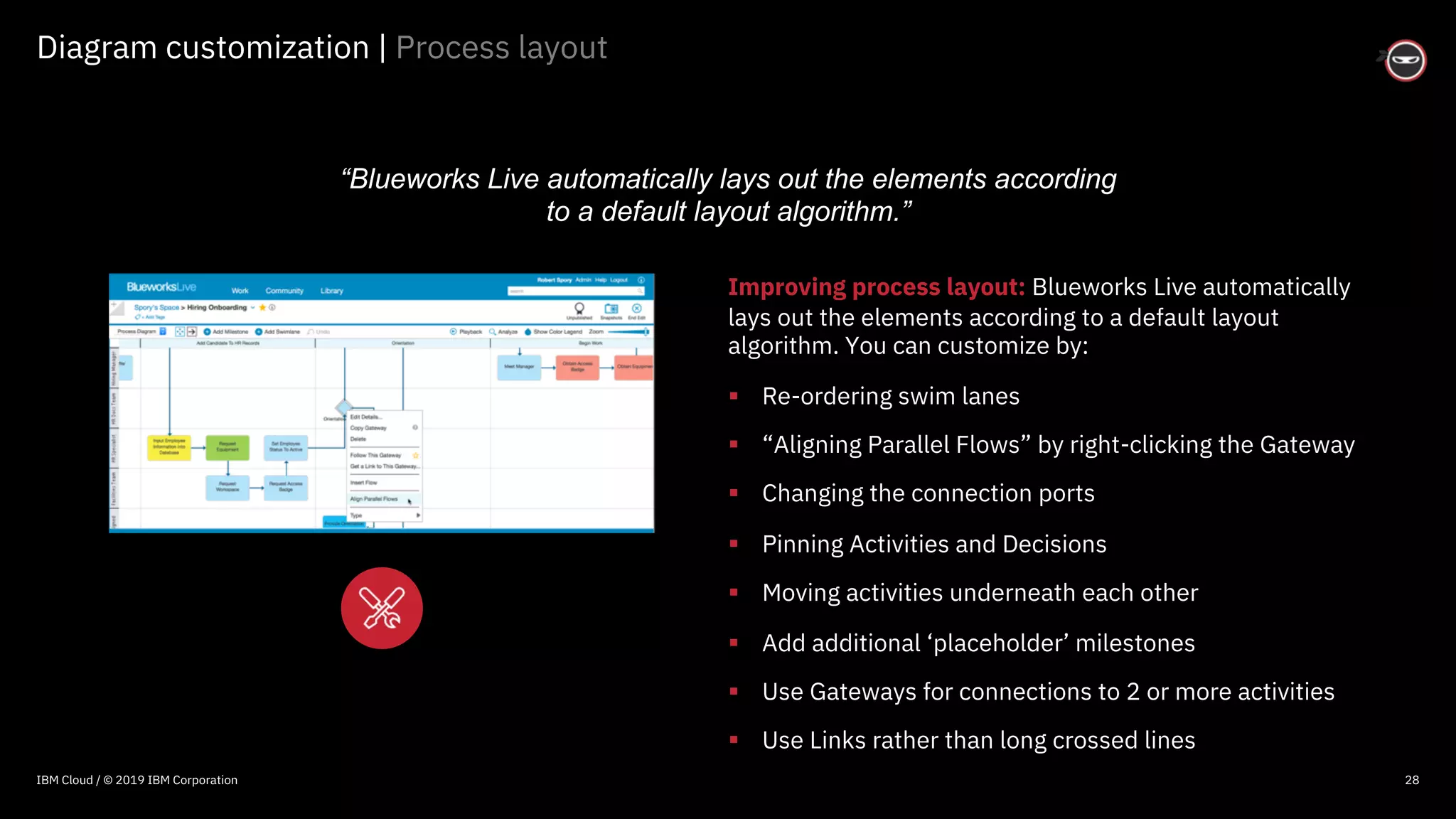
Improving process layout: Blueworks Live automatically
lays out the elements according to a default layout
algorithm. You can customize by:
§ Re-ordering swim lanes
§ “Aligning Parallel Flows” by right-clicking the Gateway
§ Changing the connection ports
§ Pinning Activities and Decisions
§ Moving activities underneath each other
§ Add additional ‘placeholder’ milestones
§ Use Gateways for connections to 2 or more activities
§ Use Links rather than long crossed lines
“Blueworks Live automatically lays out the elements according
to a default layout algorithm.”
IBM Cloud / © 2019 IBM Corporation
© 2016 IBM Corporation
Personalization | Notifications
30
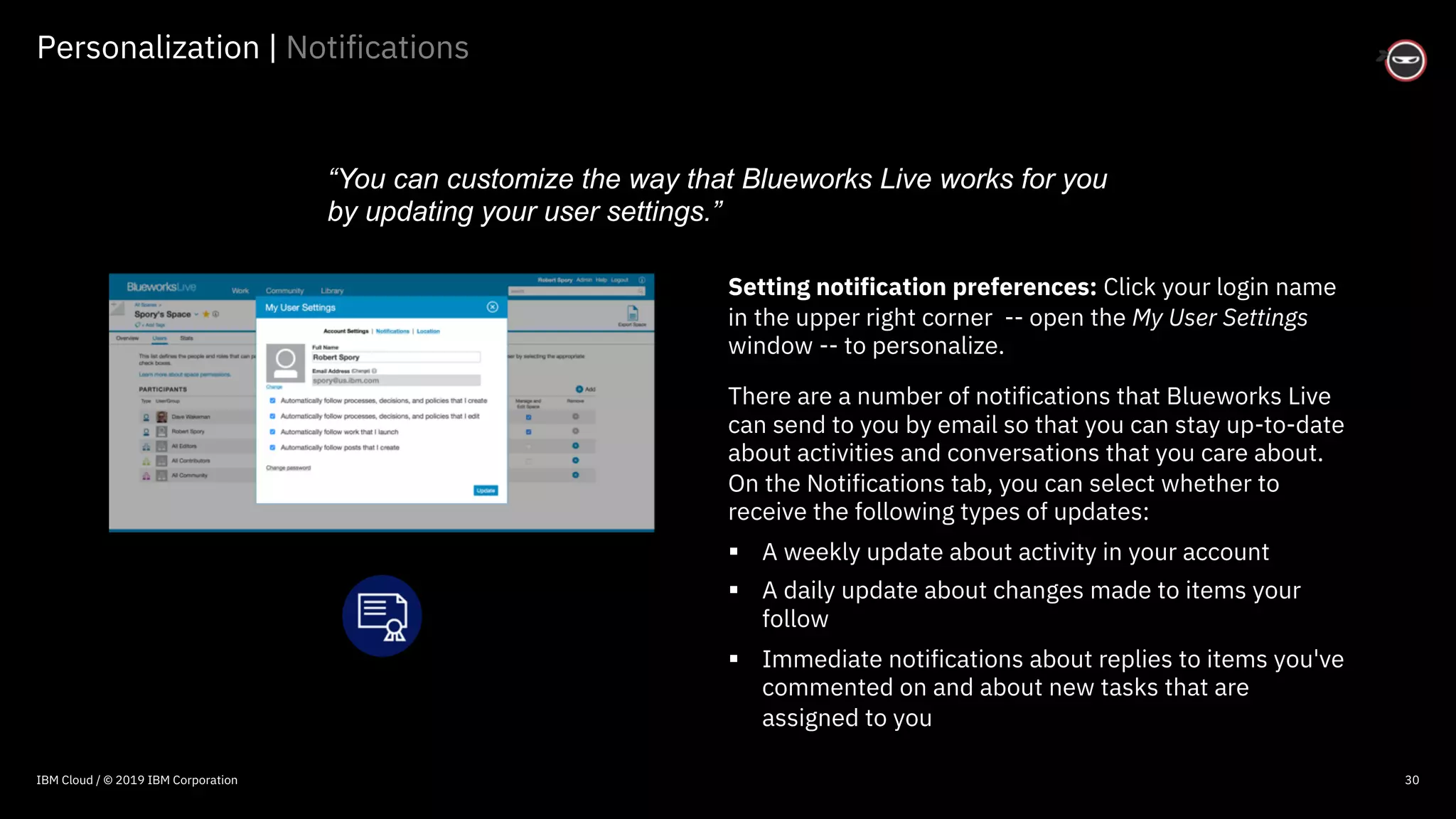
Setting notification preferences: Click your login name
in the upper right corner -- open the My User Settings
window -- to personalize.
There are a number of notifications that Blueworks Live
can send to you by email so that you can stay up-to-date
about activities and conversations that you care about.
On the Notifications tab, you can select whether to
receive the following types of updates:
§ A weekly update about activity in your account
§ A daily update about changes made to items your
follow
§ Immediate notifications about replies to items you've
commented on and about new tasks that are
assigned to you
“You can customize the way that Blueworks Live works for you
by updating your user settings.”
IBM Cloud / © 2019 IBM Corporation
© 2016 IBM Corporation
Administration | User types
35
1. Editors: Create, copy, modify, and publish artifacts. They can add
comments on blueprint processes, and they can configure, launch, and
participate in work. $53 per month.
2. Contributors: Create, configure, launch and view process apps as well as
participate in work. They can also view process blueprints. However, they
cannot modify or create process blueprints or artifacts. $11 per month
3. Community Members: Can not participate in work or view published
process blueprints, or policies. However, they can participate by creating
and editing posts. There is no charge for Community membership.
4. Viewers: See all spaces and processes, however, Viewers cannot
participate in work in spaces, blogs, or activity streams. Sold in “packs” of
100. $2 per user, per month
“You can manage the list users who have access to Blueworks
Live and configure the types of tasks they can perform.”
IBM Cloud / © 2019 IBM Corporation
© 2016 IBM Corporation
Administration | User groups
36
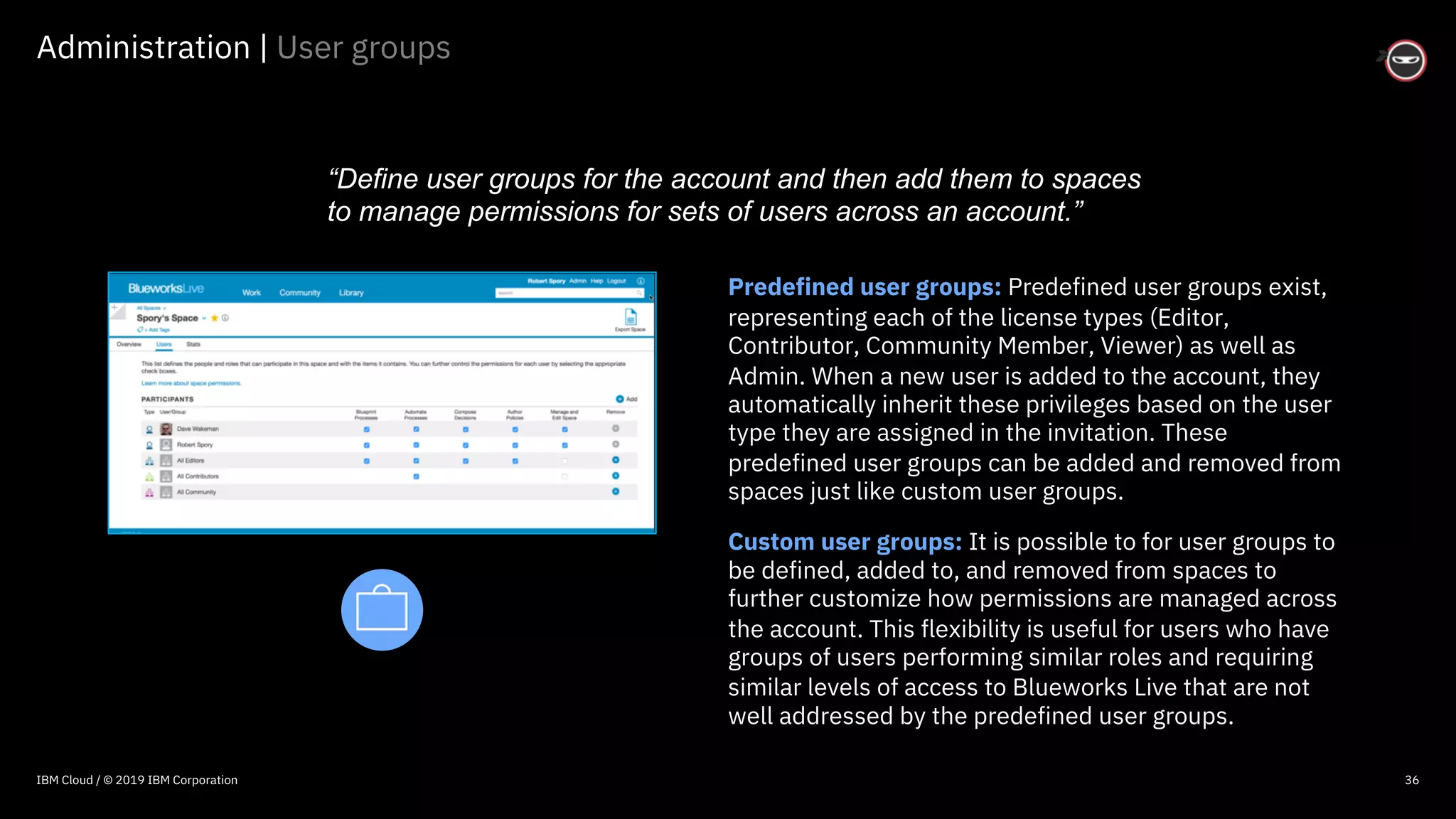
Predefined user groups: Predefined user groups exist,
representing each of the license types (Editor,
Contributor, Community Member, Viewer) as well as
Admin. When a new user is added to the account, they
automatically inherit these privileges based on the user
type they are assigned in the invitation. These
predefined user groups can be added and removed from
spaces just like custom user groups.
Custom user groups: It is possible to for user groups to
be defined, added to, and removed from spaces to
further customize how permissions are managed across
the account. This flexibility is useful for users who have
groups of users performing similar roles and requiring
similar levels of access to Blueworks Live that are not
well addressed by the predefined user groups.
“Define user groups for the account and then add them to spaces
to manage permissions for sets of users across an account.”
IBM Cloud / © 2019 IBM Corporation
© 2016 IBM Corporation
Administration | Permissions
37
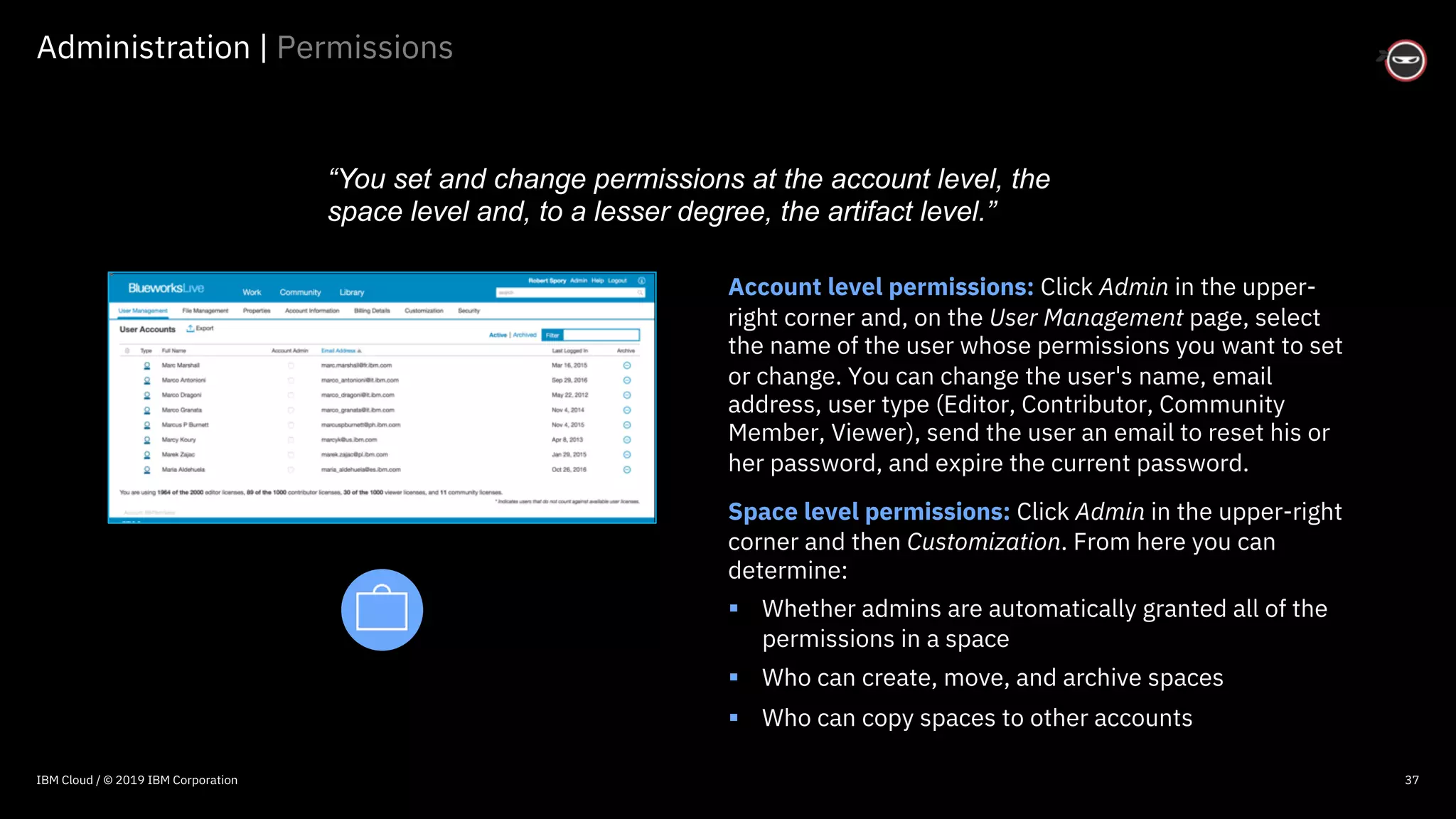
Account level permissions: Click Admin in the upper-
right corner and, on the User Management page, select
the name of the user whose permissions you want to set
or change. You can change the user's name, email
address, user type (Editor, Contributor, Community
Member, Viewer), send the user an email to reset his or
her password, and expire the current password.
Space level permissions: Click Admin in the upper-right
corner and then Customization. From here you can
determine:
§ Whether admins are automatically granted all of the
permissions in a space
§ Who can create, move, and archive spaces
§ Who can copy spaces to other accounts
“You set and change permissions at the account level, the
space level and, to a lesser degree, the artifact level.”
IBM Cloud / © 2019 IBM Corporation
© 2016 IBM Corporation
Administration | Business glossary
38
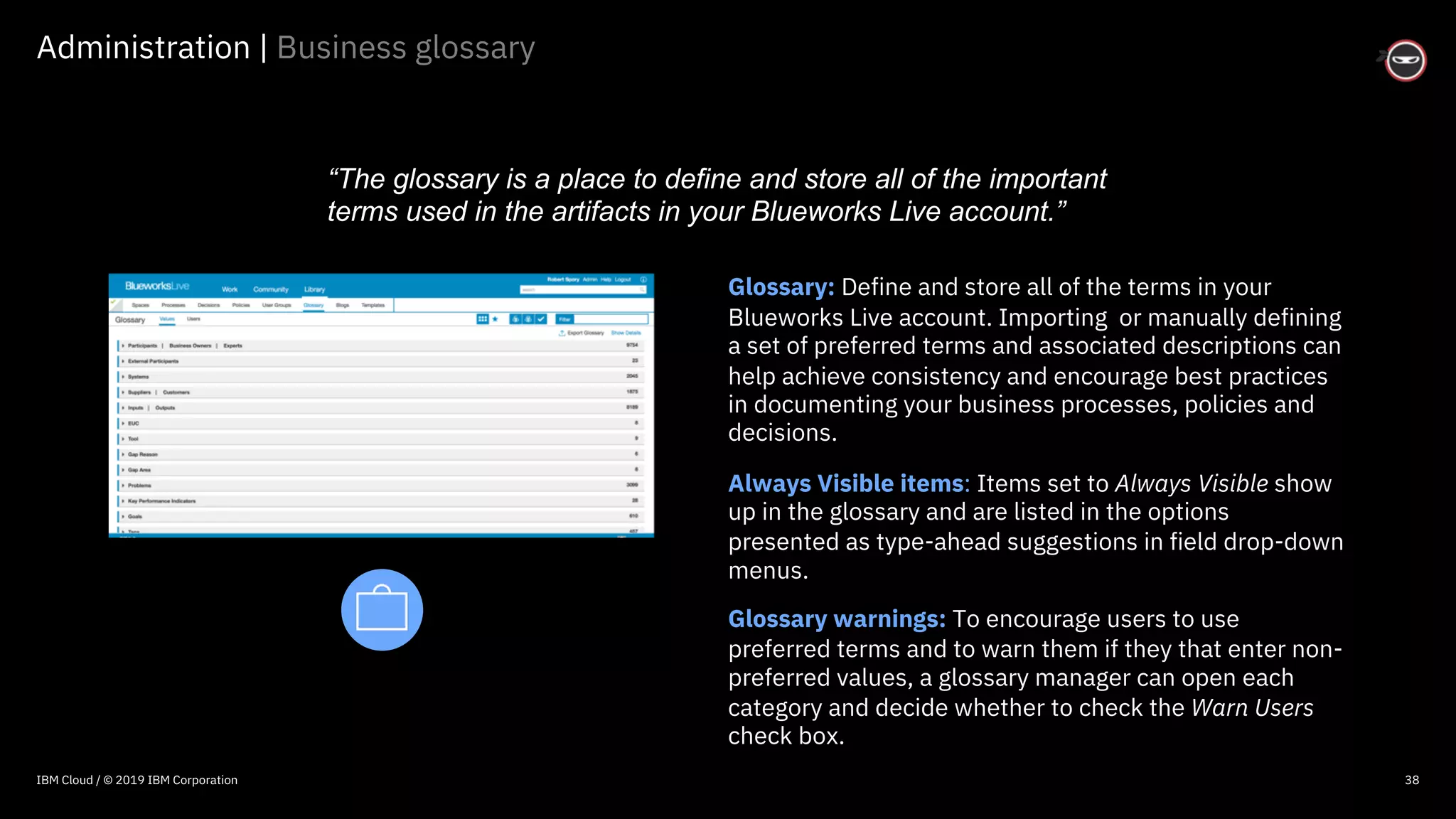
Glossary: Define and store all of the terms in your
Blueworks Live account. Importing or manually defining
a set of preferred terms and associated descriptions can
help achieve consistency and encourage best practices
in documenting your business processes, policies and
decisions.
Always Visible items: Items set to Always Visible show
up in the glossary and are listed in the options
presented as type-ahead suggestions in field drop-down
menus.
Glossary warnings: To encourage users to use
preferred terms and to warn them if they that enter non-
preferred values, a glossary manager can open each
category and decide whether to check the Warn Users
check box.
“The glossary is a place to define and store all of the important
terms used in the artifacts in your Blueworks Live account.”
IBM Cloud / © 2019 IBM Corporation
© 2016 IBM Corporation
Start simple.
42
Where to learn more
IBM Cloud / © 2018 IBM Corporation
© 2016 IBM Corporation
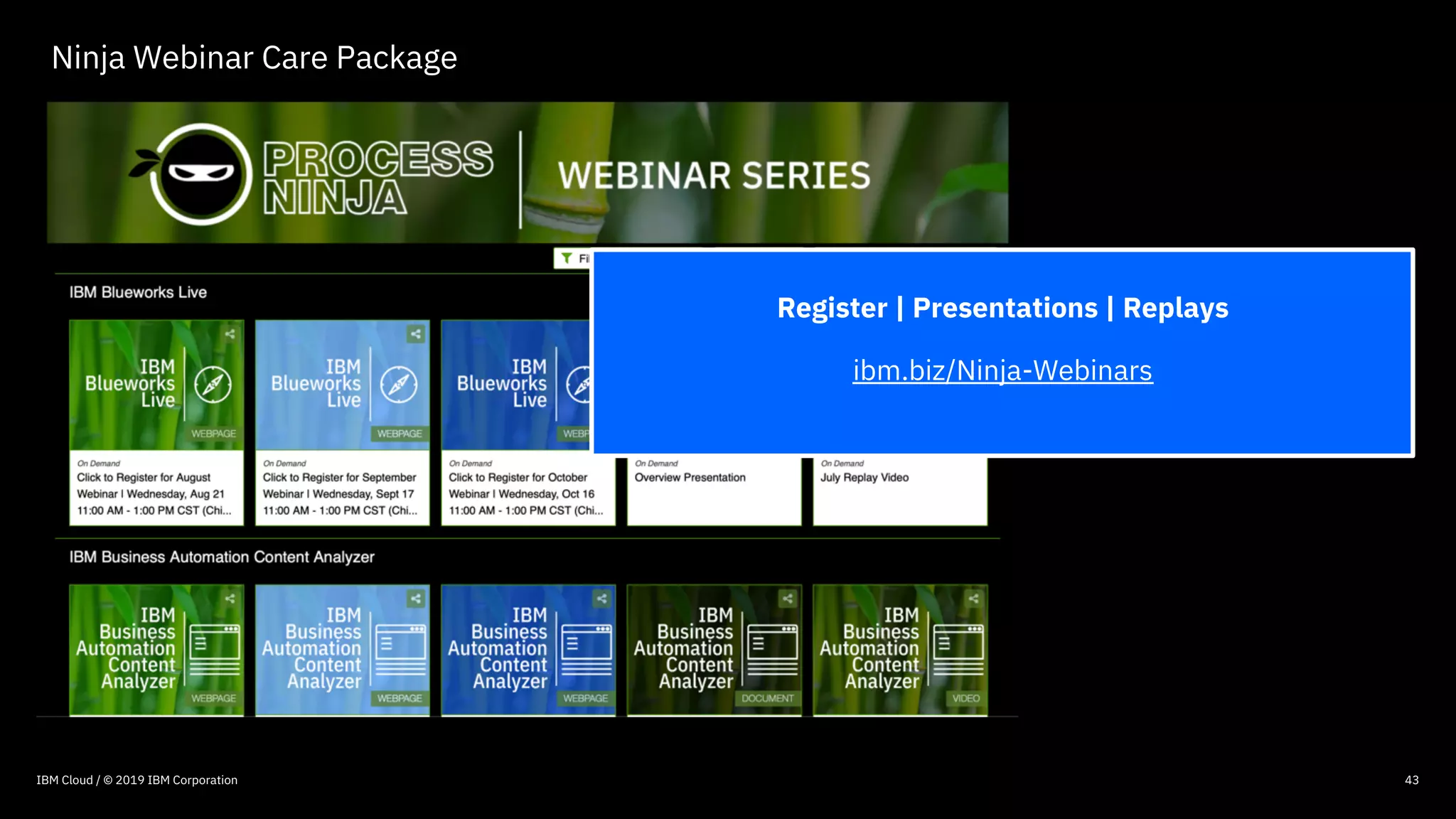
Ninja Webinar Care Package
43IBM Cloud / © 2019 IBM Corporation
Register | Presentations | Replays
ibm.biz/Ninja-Webinars
© 2016 IBM Corporation
44
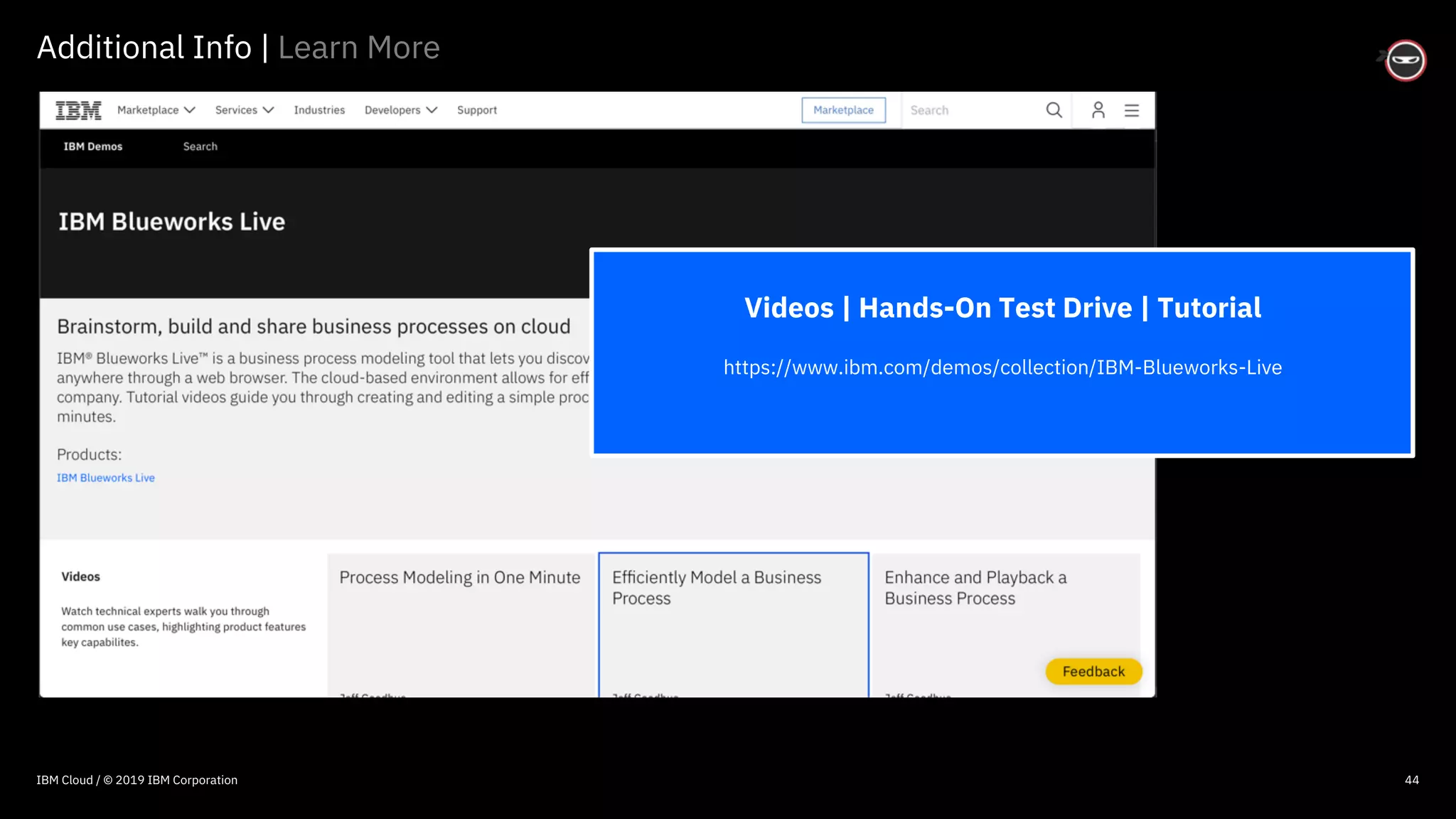
Additional Info | Learn More
Videos | Hands-On Test Drive | Tutorial
https://www.ibm.com/demos/collection/IBM-Blueworks-Live
IBM Cloud / © 2019 IBM Corporation
© 2016 IBM Corporation
45
Additional Info | Learn More
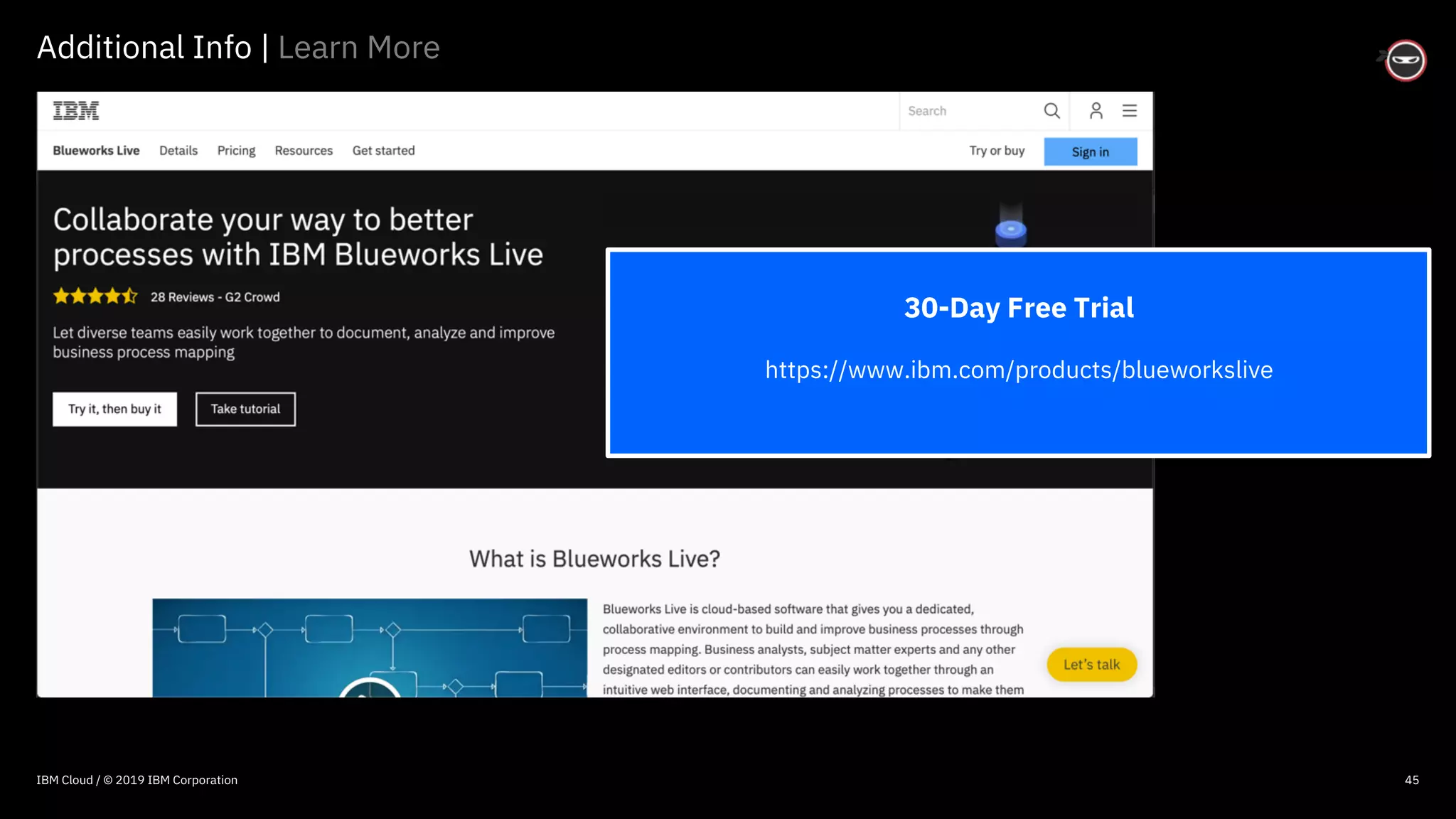
30-Day Free Trial
https://www.ibm.com/products/blueworkslive
IBM Cloud / © 2019 IBM Corporation
© 2016 IBM Corporation
46
Additional Info | Learn More
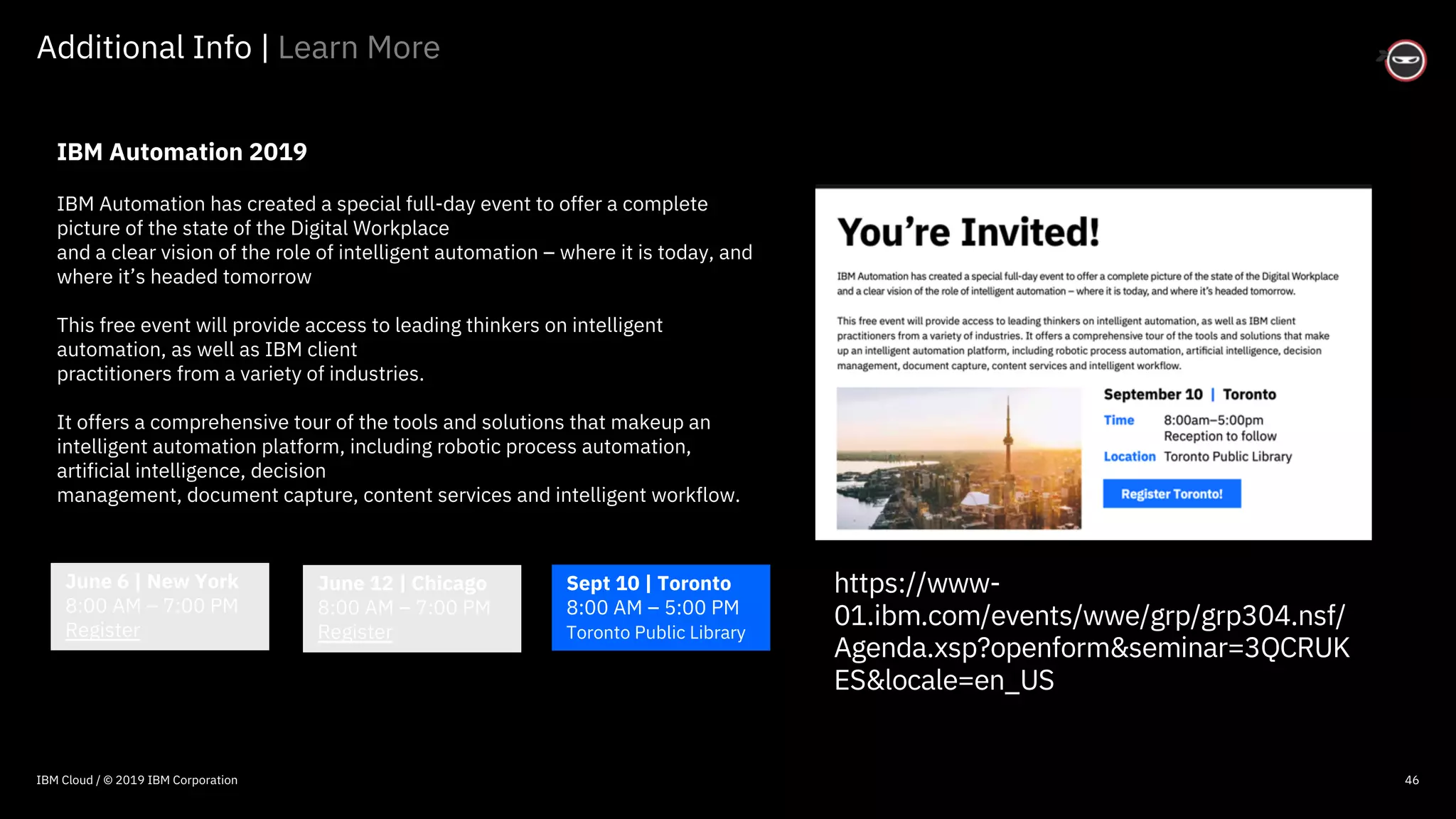
IBM Automation 2019
IBM Automation has created a special full-day event to offer a complete
picture of the state of the Digital Workplace
and a clear vision of the role of intelligent automation – where it is today, and
where it’s headed tomorrow
This free event will provide access to leading thinkers on intelligent
automation, as well as IBM client
practitioners from a variety of industries.
It offers a comprehensive tour of the tools and solutions that makeup an
intelligent automation platform, including robotic process automation,
artificial intelligence, decision
management, document capture, content services and intelligent workflow.
June 6 | New York
8:00 AM – 7:00 PM
Register
June 12 | Chicago
8:00 AM – 7:00 PM
Register
Sept 10 | Toronto
8:00 AM – 5:00 PM
Toronto Public Library
IBM Cloud / © 2019 IBM Corporation
https://www-
01.ibm.com/events/wwe/grp/grp304.nsf/
Agenda.xsp?openform&seminar=3QCRUK
ES&locale=en_US
© 2016 IBM Corporation
47
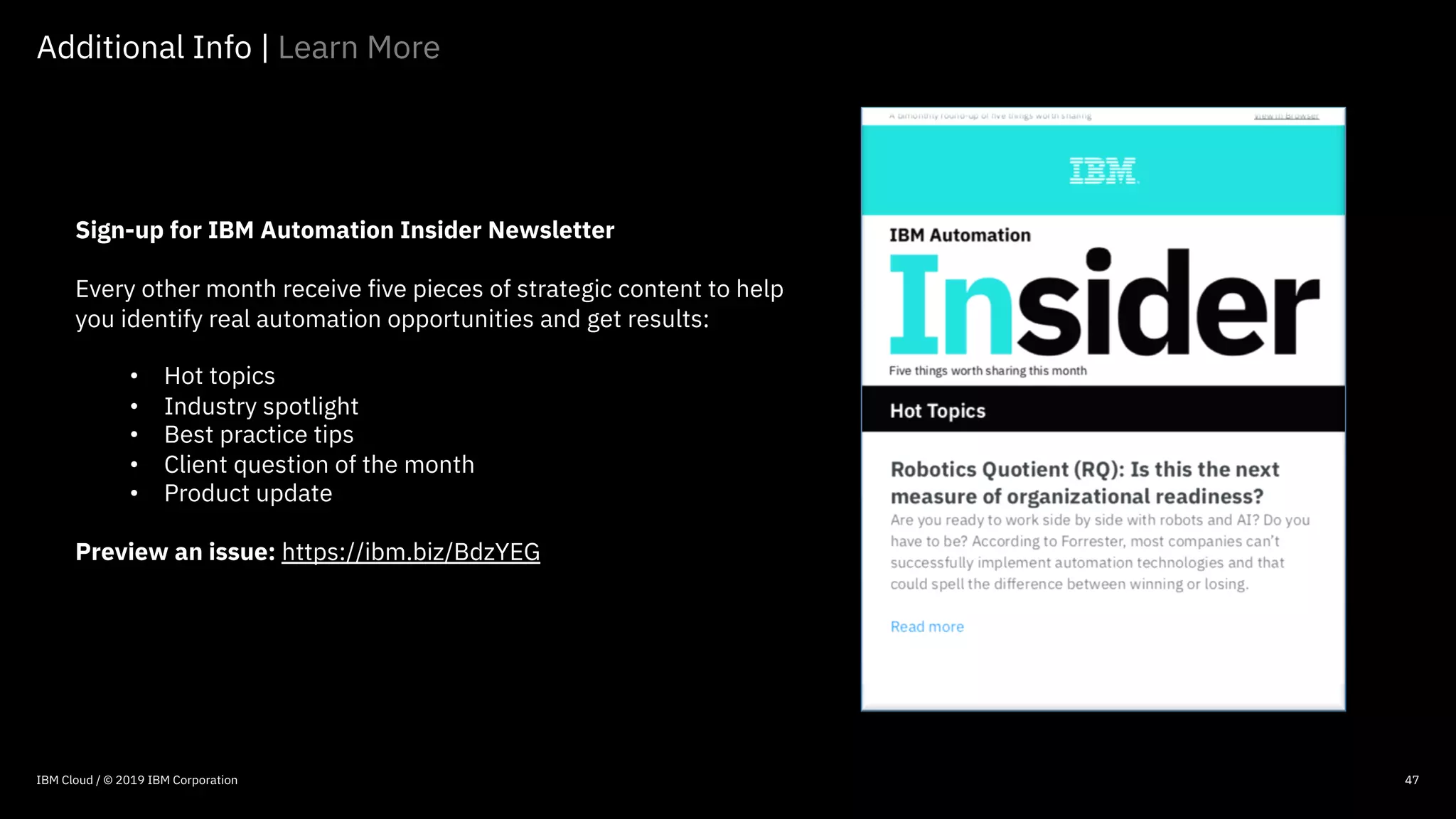
Sign-up for IBM Automation Insider Newsletter
Every other month receive five pieces of strategic content to help
you identify real automation opportunities and get results:
• Hot topics
• Industry spotlight
• Best practice tips
• Client question of the month
• Product update
Preview an issue: https://ibm.biz/BdzYEG
Additional Info | Learn More
47IBM Cloud / © 2019 IBM Corporation
© 2016 IBM Corporation
48
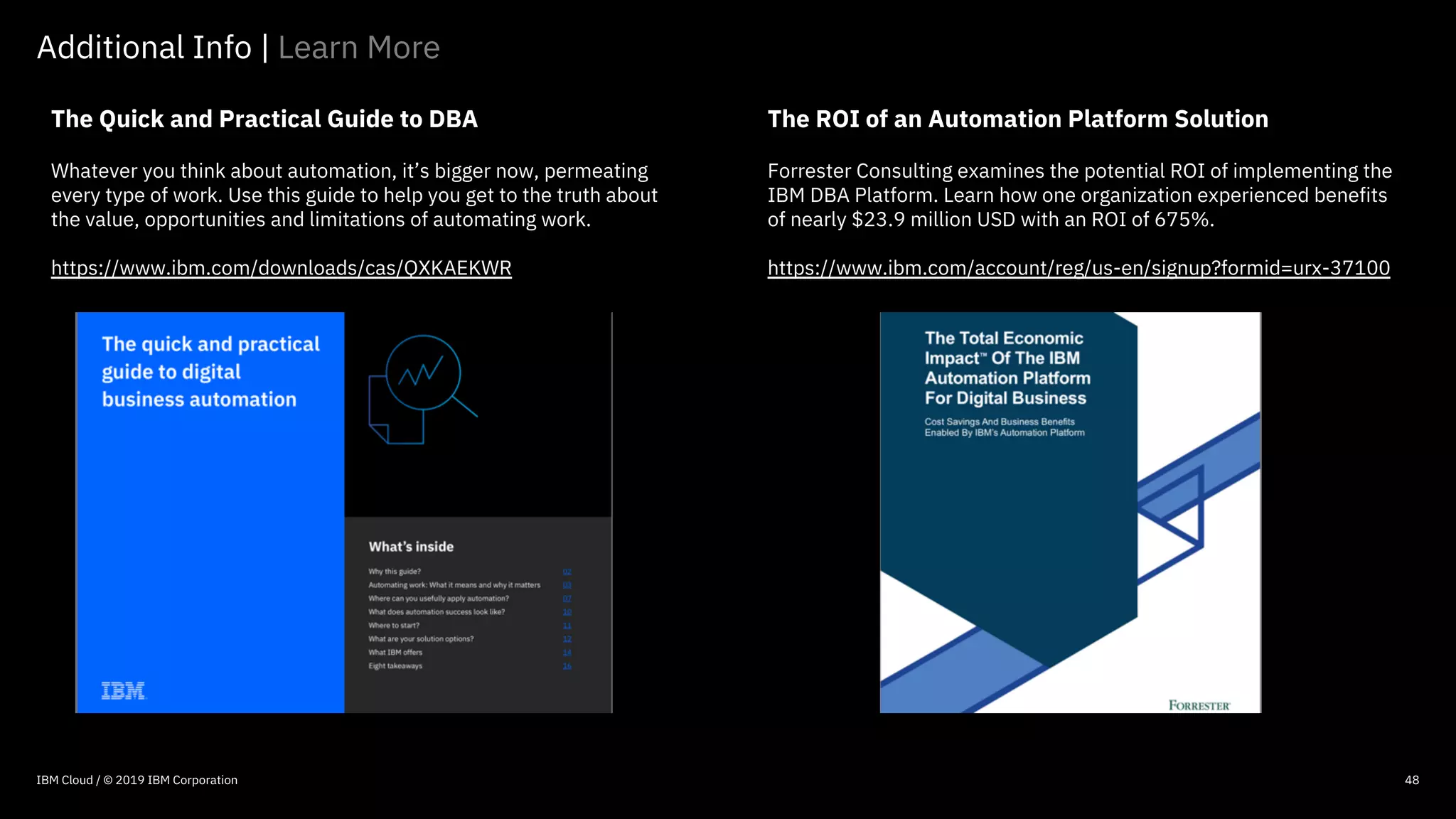
The Quick and Practical Guide to DBA
Whatever you think about automation, it’s bigger now, permeating
every type of work. Use this guide to help you get to the truth about
the value, opportunities and limitations of automating work.
https://www.ibm.com/downloads/cas/QXKAEKWR
Additional Info | Learn More
The ROI of an Automation Platform Solution
Forrester Consulting examines the potential ROI of implementing the
IBM DBA Platform. Learn how one organization experienced benefits
of nearly $23.9 million USD with an ROI of 675%.
https://www.ibm.com/account/reg/us-en/signup?formid=urx-37100
48IBM Cloud / © 2019 IBM Corporation
© 2016 IBM Corporation
49
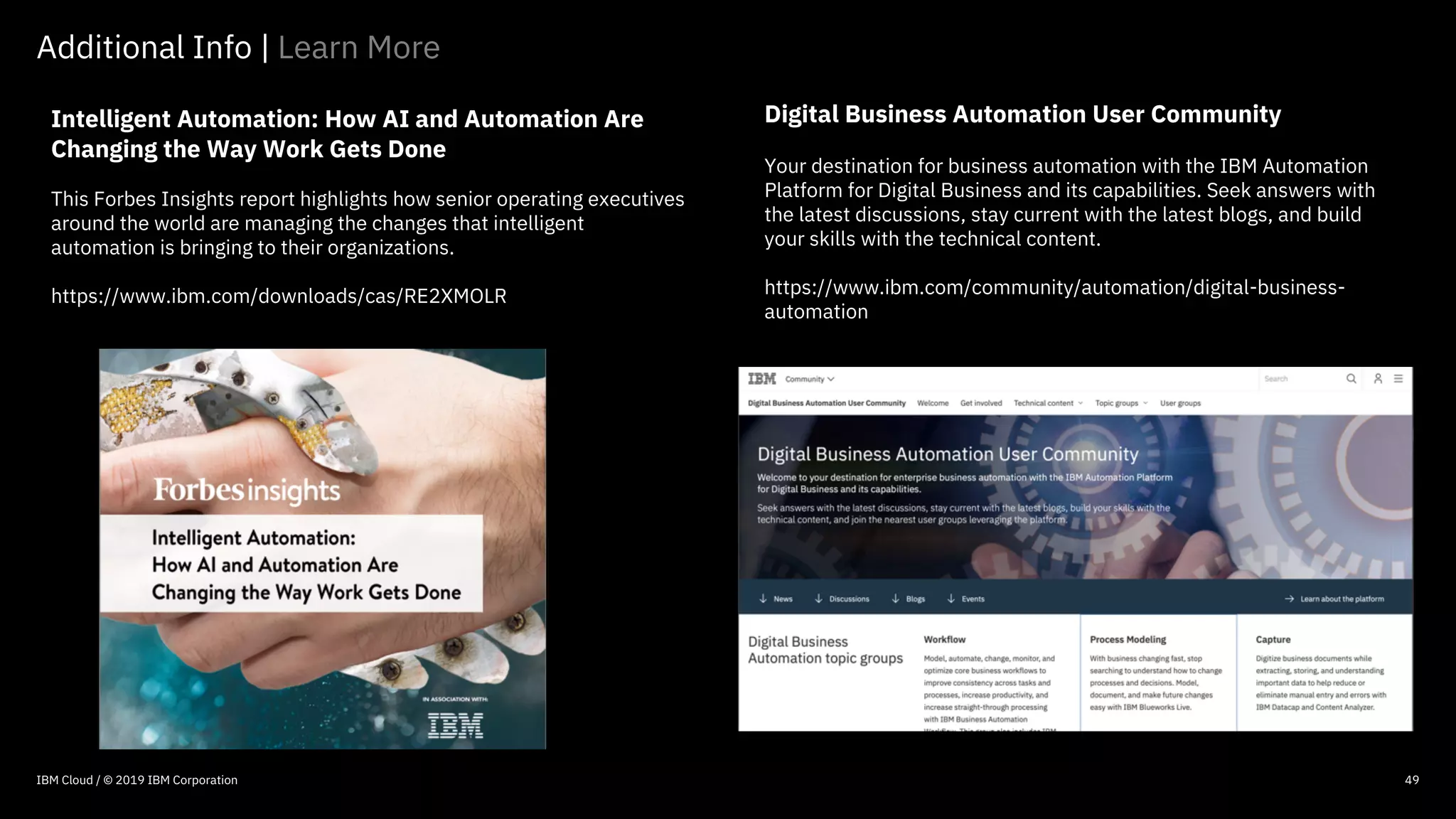
Intelligent Automation: How AI and Automation Are
Changing the Way Work Gets Done
This Forbes Insights report highlights how senior operating executives
around the world are managing the changes that intelligent
automation is bringing to their organizations.
https://www.ibm.com/downloads/cas/RE2XMOLR
Additional Info | Learn More
49IBM Cloud / © 2019 IBM Corporation
Digital Business Automation User Community
Your destination for business automation with the IBM Automation
Platform for Digital Business and its capabilities. Seek answers with
the latest discussions, stay current with the latest blogs, and build
your skills with the technical content.
https://www.ibm.com/community/automation/digital-business-
automation
© 2016 IBM Corporation
IBM Privacy Statement
https://www.ibm.com/privacy/us/en/
Security | IBM Blueworks Live
https://www.blueworkslive.com/scr/docs/bwl/topics/security_pract
ices.htm
Best Practices
Best Practices Using IBM Blueworks Live Redbook
http://www.redbooks.ibm.com/abstracts/redp5111.html?Open
Discovering Decisions using IBM Blueworks Live Redbook
http://www.redbooks.ibm.com/redpapers/pdfs/redp4993.pdf
Scaling BPM Adoption: From Project to Program with IBM
Business Process Manager
http://www.redbooks.ibm.com/abstracts/sg247973.html?Open
Process Discovery Best Practices Using IBM Blueworks Live
http://www.redbooks.ibm.com/redpieces/abstracts/redp5111.html
?Open
Blueworks Live Best Practices
http://www.bp-3.com/blogs/2015/06/blueworks-live-best-
practices
50
Videos | Product Test Drive | Tutorial
https://www.ibm.com/demos/collection/IBM-Blueworks-Live
Overview
IBM Blueworks Live Web Page
https://www.ibm.com/products/blueworkslive
Sign-Up for 30 Day No Cost Trial
https://www.blueworkslive.com/signup/trialsignup.ftlna?
Compare Features & Pricing
https://www.ibm.com/products/blueworkslive/pricing
Customer Case Studies
https://www.ibm.com/products/blueworkslive/resources
IBM Blueworks Live Comparison Guide
https://www-01.ibm.com/common/ssi/cgi-
bin/ssialias?htmlfid=18015718USEN
10-Signs You Need a Better Modeling Solution
https://www-01.ibm.com/common/ssi/cgi-
bin/ssialias?htmlfid=42015442USEN
Free 30 Day Trial
IBM Cloud / © 2019 IBM Corporation
Additional Info | Learn More
© 2016 IBM Corporation
51
Support
Request for Enhancement (RFE) | IBM Blueworks Live
https://www.ibm.com/developerworks/rfe/execute?use_case=chan
geRequestLanding&BRAND_ID=0&PROD_ID=1314&x=18&y=16
IBM Knowledge Center | IBM Blueworks Live
https://www.ibm.com/support/knowledgecenter/SS2MKC/com.ibm.
bwl.doc/kc-homepage-bwl.html
IBM Blueworks Live API Documentation
https://www.ibm.com/support/knowledgecenter/SS2MKC/com.ibm.
bwl.doc/topics/index.html
Education
IBM Blueworks Live Documentation
https://www.blueworkslive.com/scr/docs/
FAQ’s | IBM Blueworks Live
https://www.ibm.com/support/knowledgecenter/SS2MKC/com.ibm.
bwl.doc/topics/faq.html
Learning Journey | IBM Blueworks Live | 19 Hours of Training
https://www-03.ibm.com/services/learning/ites.wss/zz-
en?pageType=journey_description&journeyId=TRJY0002&tag=o-
itns-01-02
YouTube
https://www.youtube.com/user/BlueworksLive
IBM Support TV | 30+ Videos
https://www.youtube.com/playlist?list=PL_4RxtD-
BL5un0RAzs0apWH2aozegbNFf
Certifications
IBM Digital Badges | Search on “Blueworks Live"
https://ibm.biz/BdZsXD
IBM Cloud / © 2019 IBM Corporation
Additional Info | Learn More
© 2016 IBM Corporation
52IBM Cloud / © 2018 IBM Corporation

Blueworks Live Best Practices

  • 1.
    © 2016 IBMCorporation IBM Cloud / © 2018 IBM Corporation Becoming an IBM Blueworks Live Process Ninja | Best Practices — Bob Spory DBA Technical Sales spory@us.ibm.com @bobspory ProcessNinja.us LinkedIn
  • 2.
    © 2016 IBMCorporation Content overview 2 Blueworks Live overview Modeling principles Discovery maps Process diagrams Process details Diagram customization Personalization Collaboration Administration Spaces Establishing a COE Decision discovery IBM Cloud / © 2019 IBM Corporation
  • 3.
    © 2016 IBMCorporation IBM Blueworks Live | Overview 3 IBM Blueworks Live provides a rich set of tools for discovering and documenting essential process knowledge. Exceptionally easy-to-use and highly collaborative, IBM Blueworks Live supports subject matter experts and business analysts working together to capture and refine processes. Once documented in IBM Blueworks Live, the company practices are available for all employees to review. Also, in the admin console, each account can have a custom help screen where links to an internal wiki can be posted, or documents can be found to help users comply with company policies and best practices. “IBM Blueworks Live is a collaborative platform for process and decision discovery in the cloud.” IBM Cloud / © 2019 IBM Corporation
  • 4.
    © 2016 IBMCorporation IBM Blueworks Live | BPMN 4 IBM Blueworks Live supports Business Process Model and Notation (BPMN). BPMN is the industry-standard graphical notation. BPMN is a standard that defines the set of shapes and interactions that define how a process should be documented for clarity and consistency. IBM Blueworks Live partially conforms to the most recent BPMN 2.0 specification to provide the most functionality -- without overwhelming new users with options. For more information about BPMN, see this website: BPMN.org “Business Process Model and Notation (BPMN) is the shared standard graphical notation that is used in defining business processes.” IBM Cloud / © 2018 IBM Corporation
  • 5.
    © 2016 IBMCorporation Modeling principles | Guidelines 5 Keep it simple: Resist the temptation to introduce complexity into your approach and methodologies. Remember that your most important goal is for others to understand your project approach and participate. Process power: Process models are what differentiates your organization from the competition. Everything your organization does is a business process. Understand the reason: Why you are modeling? The purpose guides the level of detail for the process diagram and documentation. Organizations model processes for documentation (training), analysis, and automation. Scope is king: Clearly define the scope of the process by identifying the Who, What, When, Where and Why of your process. The process is the How. Choose a champion: A successful project must have a management champion. The champion supports the project, helps overcome resistance and protects the team from any political interference. “Modeling is more ‘art,’ than ‘science.’ However, modeling principles help ensure consistency.” IBM Cloud / © 2019 IBM Corporation
  • 6.
    © 2016 IBMCorporation Modeling principles | Guidelines 6 Start small, think big: Take an incremental, rather than a “big bang,” approach of modeling processes. You will produce results that help create skills and interest when you start with a small, easily manageable project. Rudderless without governance: Establish standards, best practices, and governance policies, such as BPMN, modeling frameworks and patterns, process level definitions and granularity, naming conventions and approval processes. Lack of governance is one of the most common reasons for failure. Trust, yet verify: It is vital that best practices are followed to represent processes in a consistently, regardless of their individual modeling the process. Review models to confirm their your methodologies are followed. Involve a team: Build a process team that includes your management champion, analysts, process owners, functional owners, knowledge workers, SME’s, technical team members. Ensure all understand their roles. IBM Cloud / © 2019 IBM Corporation
  • 7.
    © 2016 IBMCorporation Modeling principles | Guidelines 7 Include experts: Be sure to work with the people who actually know how the process works and who are responsible for its success — not those who think they know how it works. Celebrate collaboration: Collaboration is vital to getting business people excited and involved. Ensure your methodology and tools are designed for business users to get modeling simply and quickly. Prioritize Process: Focus on process discovery first to understand the health and welfare of your process. Do not focus too much on technology without understanding the process. Depict real reality: Identify and document how people really perform the existing process and not how they should. Typically, a significant number of undocumented workarounds and organizational knowledge is captured while modeling the current process. IBM Cloud / © 2019 IBM Corporation
  • 8.
    © 2016 IBMCorporation Modeling principles | Guidelines 8 Model with simplicity: Remember that your most important goal is for you and others to understand how things work. People should understand what happens in the process quickly. If you need to explain your model, it means it is too complicated for end-users. Optimally organize: Ensure people understand where and how to access your process library. This is accomplished by creating spaces by organizational structure, APQC definition or customer journey. Measure milestones: Prepare an approach that defines milestones and deadlines. This minimizes risk by simplifying a large project or rollout into smaller measurable steps. Use vigilant validation: Ensure that the process models and associated information are validated and approved by stakeholders and participants. Their buy-in is critical. Use an approval process, if possible. IBM Cloud / © 2019 IBM Corporation
  • 9.
    © 2016 IBMCorporation Modeling principles | Guidelines 9 Centers are excellent: Establish a Center of Excellence to prioritize process projects, maintain process library establish best practices. Determine decisions: Actively look for automatable decisions, such as goals, problems, activities before Gateways (do not imply that work is performed) and participant hand-offs. Understand potential paths: Model all possible pathways of a process. Capture the "happy path" first – from left-to-right. Then, document all process exceptions as branches off the happy path. The exception paths typically occur more frequently than realized and require significant effort to resolve. Control your versions: Version management of a process enables a history of the process model to be recorded systematically. It is critical to ensure users access the most current version and save the evolution of your process. Consider using tooling that simplifies version management. Go pro: Use professional services. The main benefit of using IBM Services or IBM Business Partners is the experience they bring. IBM Cloud / © 2019 IBM Corporation
  • 10.
    © 2016 IBMCorporation 10 Modeling principles | Selecting candidate processes □Which processes result in customer dissatisfaction? □Which processes have obvious problems? □Which processes are high cost or high volume? □Are there long delays or bottlenecks? □Which processes require significant manual intervention? □Is there a shortage of knowledge workers? □Do knowledge workers make decisions manually, make inconsistent errors, or apply the wrong policies? □Is there compliance or revenue issues with decisions? □Can you measure and manage these processes? IBM Cloud / © 2019 IBM Corporation
  • 11.
    © 2016 IBMCorporation 11 Modeling principles | Process improvement focus □Unstructured or non-value activities? □Manual data entry? Poor data quality? □Paper and spreadsheets? □Exposure to non-compliance or fraud risks? □Activity time? Waiting time between activities? □Routing or prioritization or work tasks? □Re-keying of information between systems? □Limited process scalability? □Audit trails, process performance and visibility? IBM Cloud / © 2019 IBM Corporation
  • 12.
    © 2016 IBMCorporation 12 Modeling principles | Decision improvement focus □Decision logic hidden in code or isolated within organization? □Exposure to risks such as non-compliance or fraud? □Implementation logic of the decision perform poorly? □Changes hard to track and maintain over time? □Changes take a long time and require IT resources? □Decision logic duplicated across different applications? □Decisions auditable and traceable? □Changes easily tested or simulated? IBM Cloud / © 2019 IBM Corporation
  • 13.
    © 2016 IBMCorporation Spaces | Process organization 13 Space organization methods: There are five recommended methods for organizing spaces. These methods can also be used in combination with each other: 1. By Project: Create a top-level space called Projects, then create a child space for each project. In each project space, create two lower-level spaces, one for current state and the other for future state processes. 2. APQC Process Classification Frameworks: APQC is an “authority in best practices, process and performance improvement.” Use the PCF names and numbers in the space name. For more information, see their website: apqc.org. “You can organize your spaces hierarchically to provide structure to your Blueworks Live projects and make it easier for team members to navigate.” IBM Cloud / © 2019 IBM Corporation
  • 14.
    © 2016 IBMCorporation Spaces | Process organization 14 3. By Organizational Function: Set up space hierarchy by functional group within your organization. Many companies are internally structured into functional groups. Therefore, process discovery is best completed using this same structure. 4. By Customer Journey: Set up your hierarchy by Customer Journey. Your spaces can be set up to reflect important business functions of your company and shared across the business. 5. By User: Set up your spaces by giving each user their own space. This makes it very easy for participants to find their work. However, this approach makes it difficult for others to re-use processes. IBM Cloud / © 2019 IBM Corporation
  • 15.
    © 2016 IBMCorporation Spaces | Guidelines 15 Spaces guidelines: The following guidelines apply regardless of the method used to organize your spaces: § Ensure that each new space is given a description and space-level goals. This will help new users navigate and understand the type of work that is being done. § Designate a space owner and include contact information in the space description. § Use tags. Tagging spaces is an easy way to improve navigation and search in your Blueworks Live account. § Set the appropriate space-level user permissions for each space. Child spaces inherit parent level user permissions by default, so be sure to check the user permissions of the child space if you do not want to inherit the parent permissions. IBM Cloud / © 2019 IBM Corporation
  • 16.
    © 2016 IBMCorporation Discovery maps | Activities 18 Activity objects: Activities describe the kind of work being done in a particular process instance. A task is the most basic level of an activity and cannot be broken down further. § You can define different types of tasks depending on the work that is performed: Normal, User, Service, Decision, Robot, and Linked. Right-click the task and select Type > task type § Tasks should be labeled using action verb + noun. Do not include role or system in an activity name § Name should be as concise as possible, so it fits clearly on the task and is easy to read § Capitalize the first letter of each word “Activities represent the work that is performed in a process. The work might be performed by a person or by a system.” IBM Cloud / © 2019 IBM Corporation
  • 17.
    © 2016 IBMCorporation Discovery maps | Subprocesses 19 Subprocesses & Linked processes: These objects allow you to capture the right level of detail about the activities in your process without over-complicating your diagram. A linked process is a call to another stand- alone process. Use a subprocess when you want to group together a set of steps in your process, allowing that group to be collapsed or expanded depending on the level of detail required. § Subprocesses should be labeled using object + verb § Name should be as concise as possible § Capitalize the first letter of each word § Do not use the word process in the name “A subprocess is a more complex group of activities.” IBM Cloud / © 2019 IBM Corporation
  • 18.
    © 2016 IBMCorporation Process diagrams | Granularity patterns 22 Process granularity: Granularity and scope should be similar from process-to-process and project-to-project. The following questions can help determine if an activity should be created: § Will a participant complete multiple activities in a row? § Is an output created and forwarded during this activity? § Is the duration similar to others at this level? Rule of Seven pattern: For single-page readability, Rule of Seven is a good standard. This means that there should be no more than seven milestones or activities/subprocesses per process level. “Maintaining a similar level of granularity for activities and subprocess across the organization is critical.” 7 Milestones 7 Activities IBM Cloud / © 2019 IBM Corporation
  • 19.
    © 2016 IBMCorporation Process diagrams | Granularity patterns 23 String of Pearls pattern: If you notice several following activities in the same swim lane in a row, like a string of pearls, consider eliminating or collapsing the activities into one activity or subprocess. This model may indicate missing participant details, too much detail at a low level of granularity or indicate misalignment in scope. Constellation pattern: Consider creating a subprocess if you notice a constellation pattern: § Tight groups of multiple activities across 2-3 swim lanes in a group § Single flow line in and out of the group IBM Cloud / © 2019 IBM Corporation
  • 20.
    © 2016 IBMCorporation Diagram customization | Process layout 28 Improving process layout: Blueworks Live automatically lays out the elements according to a default layout algorithm. You can customize by: § Re-ordering swim lanes § “Aligning Parallel Flows” by right-clicking the Gateway § Changing the connection ports § Pinning Activities and Decisions § Moving activities underneath each other § Add additional ‘placeholder’ milestones § Use Gateways for connections to 2 or more activities § Use Links rather than long crossed lines “Blueworks Live automatically lays out the elements according to a default layout algorithm.” IBM Cloud / © 2019 IBM Corporation
  • 21.
    © 2016 IBMCorporation Personalization | Notifications 30 Setting notification preferences: Click your login name in the upper right corner -- open the My User Settings window -- to personalize. There are a number of notifications that Blueworks Live can send to you by email so that you can stay up-to-date about activities and conversations that you care about. On the Notifications tab, you can select whether to receive the following types of updates: § A weekly update about activity in your account § A daily update about changes made to items your follow § Immediate notifications about replies to items you've commented on and about new tasks that are assigned to you “You can customize the way that Blueworks Live works for you by updating your user settings.” IBM Cloud / © 2019 IBM Corporation
  • 22.
    © 2016 IBMCorporation Administration | User types 35 1. Editors: Create, copy, modify, and publish artifacts. They can add comments on blueprint processes, and they can configure, launch, and participate in work. $53 per month. 2. Contributors: Create, configure, launch and view process apps as well as participate in work. They can also view process blueprints. However, they cannot modify or create process blueprints or artifacts. $11 per month 3. Community Members: Can not participate in work or view published process blueprints, or policies. However, they can participate by creating and editing posts. There is no charge for Community membership. 4. Viewers: See all spaces and processes, however, Viewers cannot participate in work in spaces, blogs, or activity streams. Sold in “packs” of 100. $2 per user, per month “You can manage the list users who have access to Blueworks Live and configure the types of tasks they can perform.” IBM Cloud / © 2019 IBM Corporation
  • 23.
    © 2016 IBMCorporation Administration | User groups 36 Predefined user groups: Predefined user groups exist, representing each of the license types (Editor, Contributor, Community Member, Viewer) as well as Admin. When a new user is added to the account, they automatically inherit these privileges based on the user type they are assigned in the invitation. These predefined user groups can be added and removed from spaces just like custom user groups. Custom user groups: It is possible to for user groups to be defined, added to, and removed from spaces to further customize how permissions are managed across the account. This flexibility is useful for users who have groups of users performing similar roles and requiring similar levels of access to Blueworks Live that are not well addressed by the predefined user groups. “Define user groups for the account and then add them to spaces to manage permissions for sets of users across an account.” IBM Cloud / © 2019 IBM Corporation
  • 24.
    © 2016 IBMCorporation Administration | Permissions 37 Account level permissions: Click Admin in the upper- right corner and, on the User Management page, select the name of the user whose permissions you want to set or change. You can change the user's name, email address, user type (Editor, Contributor, Community Member, Viewer), send the user an email to reset his or her password, and expire the current password. Space level permissions: Click Admin in the upper-right corner and then Customization. From here you can determine: § Whether admins are automatically granted all of the permissions in a space § Who can create, move, and archive spaces § Who can copy spaces to other accounts “You set and change permissions at the account level, the space level and, to a lesser degree, the artifact level.” IBM Cloud / © 2019 IBM Corporation
  • 25.
    © 2016 IBMCorporation Administration | Business glossary 38 Glossary: Define and store all of the terms in your Blueworks Live account. Importing or manually defining a set of preferred terms and associated descriptions can help achieve consistency and encourage best practices in documenting your business processes, policies and decisions. Always Visible items: Items set to Always Visible show up in the glossary and are listed in the options presented as type-ahead suggestions in field drop-down menus. Glossary warnings: To encourage users to use preferred terms and to warn them if they that enter non- preferred values, a glossary manager can open each category and decide whether to check the Warn Users check box. “The glossary is a place to define and store all of the important terms used in the artifacts in your Blueworks Live account.” IBM Cloud / © 2019 IBM Corporation
  • 26.
    © 2016 IBMCorporation Start simple. 42 Where to learn more IBM Cloud / © 2018 IBM Corporation
  • 27.
    © 2016 IBMCorporation Ninja Webinar Care Package 43IBM Cloud / © 2019 IBM Corporation Register | Presentations | Replays ibm.biz/Ninja-Webinars
  • 28.
    © 2016 IBMCorporation 44 Additional Info | Learn More Videos | Hands-On Test Drive | Tutorial https://www.ibm.com/demos/collection/IBM-Blueworks-Live IBM Cloud / © 2019 IBM Corporation
  • 29.
    © 2016 IBMCorporation 45 Additional Info | Learn More 30-Day Free Trial https://www.ibm.com/products/blueworkslive IBM Cloud / © 2019 IBM Corporation
  • 30.
    © 2016 IBMCorporation 46 Additional Info | Learn More IBM Automation 2019 IBM Automation has created a special full-day event to offer a complete picture of the state of the Digital Workplace and a clear vision of the role of intelligent automation – where it is today, and where it’s headed tomorrow This free event will provide access to leading thinkers on intelligent automation, as well as IBM client practitioners from a variety of industries. It offers a comprehensive tour of the tools and solutions that makeup an intelligent automation platform, including robotic process automation, artificial intelligence, decision management, document capture, content services and intelligent workflow. June 6 | New York 8:00 AM – 7:00 PM Register June 12 | Chicago 8:00 AM – 7:00 PM Register Sept 10 | Toronto 8:00 AM – 5:00 PM Toronto Public Library IBM Cloud / © 2019 IBM Corporation https://www- 01.ibm.com/events/wwe/grp/grp304.nsf/ Agenda.xsp?openform&seminar=3QCRUK ES&locale=en_US
  • 31.
    © 2016 IBMCorporation 47 Sign-up for IBM Automation Insider Newsletter Every other month receive five pieces of strategic content to help you identify real automation opportunities and get results: • Hot topics • Industry spotlight • Best practice tips • Client question of the month • Product update Preview an issue: https://ibm.biz/BdzYEG Additional Info | Learn More 47IBM Cloud / © 2019 IBM Corporation
  • 32.
    © 2016 IBMCorporation 48 The Quick and Practical Guide to DBA Whatever you think about automation, it’s bigger now, permeating every type of work. Use this guide to help you get to the truth about the value, opportunities and limitations of automating work. https://www.ibm.com/downloads/cas/QXKAEKWR Additional Info | Learn More The ROI of an Automation Platform Solution Forrester Consulting examines the potential ROI of implementing the IBM DBA Platform. Learn how one organization experienced benefits of nearly $23.9 million USD with an ROI of 675%. https://www.ibm.com/account/reg/us-en/signup?formid=urx-37100 48IBM Cloud / © 2019 IBM Corporation
  • 33.
    © 2016 IBMCorporation 49 Intelligent Automation: How AI and Automation Are Changing the Way Work Gets Done This Forbes Insights report highlights how senior operating executives around the world are managing the changes that intelligent automation is bringing to their organizations. https://www.ibm.com/downloads/cas/RE2XMOLR Additional Info | Learn More 49IBM Cloud / © 2019 IBM Corporation Digital Business Automation User Community Your destination for business automation with the IBM Automation Platform for Digital Business and its capabilities. Seek answers with the latest discussions, stay current with the latest blogs, and build your skills with the technical content. https://www.ibm.com/community/automation/digital-business- automation
  • 34.
    © 2016 IBMCorporation IBM Privacy Statement https://www.ibm.com/privacy/us/en/ Security | IBM Blueworks Live https://www.blueworkslive.com/scr/docs/bwl/topics/security_pract ices.htm Best Practices Best Practices Using IBM Blueworks Live Redbook http://www.redbooks.ibm.com/abstracts/redp5111.html?Open Discovering Decisions using IBM Blueworks Live Redbook http://www.redbooks.ibm.com/redpapers/pdfs/redp4993.pdf Scaling BPM Adoption: From Project to Program with IBM Business Process Manager http://www.redbooks.ibm.com/abstracts/sg247973.html?Open Process Discovery Best Practices Using IBM Blueworks Live http://www.redbooks.ibm.com/redpieces/abstracts/redp5111.html ?Open Blueworks Live Best Practices http://www.bp-3.com/blogs/2015/06/blueworks-live-best- practices 50 Videos | Product Test Drive | Tutorial https://www.ibm.com/demos/collection/IBM-Blueworks-Live Overview IBM Blueworks Live Web Page https://www.ibm.com/products/blueworkslive Sign-Up for 30 Day No Cost Trial https://www.blueworkslive.com/signup/trialsignup.ftlna? Compare Features & Pricing https://www.ibm.com/products/blueworkslive/pricing Customer Case Studies https://www.ibm.com/products/blueworkslive/resources IBM Blueworks Live Comparison Guide https://www-01.ibm.com/common/ssi/cgi- bin/ssialias?htmlfid=18015718USEN 10-Signs You Need a Better Modeling Solution https://www-01.ibm.com/common/ssi/cgi- bin/ssialias?htmlfid=42015442USEN Free 30 Day Trial IBM Cloud / © 2019 IBM Corporation Additional Info | Learn More
  • 35.
    © 2016 IBMCorporation 51 Support Request for Enhancement (RFE) | IBM Blueworks Live https://www.ibm.com/developerworks/rfe/execute?use_case=chan geRequestLanding&BRAND_ID=0&PROD_ID=1314&x=18&y=16 IBM Knowledge Center | IBM Blueworks Live https://www.ibm.com/support/knowledgecenter/SS2MKC/com.ibm. bwl.doc/kc-homepage-bwl.html IBM Blueworks Live API Documentation https://www.ibm.com/support/knowledgecenter/SS2MKC/com.ibm. bwl.doc/topics/index.html Education IBM Blueworks Live Documentation https://www.blueworkslive.com/scr/docs/ FAQ’s | IBM Blueworks Live https://www.ibm.com/support/knowledgecenter/SS2MKC/com.ibm. bwl.doc/topics/faq.html Learning Journey | IBM Blueworks Live | 19 Hours of Training https://www-03.ibm.com/services/learning/ites.wss/zz- en?pageType=journey_description&journeyId=TRJY0002&tag=o- itns-01-02 YouTube https://www.youtube.com/user/BlueworksLive IBM Support TV | 30+ Videos https://www.youtube.com/playlist?list=PL_4RxtD- BL5un0RAzs0apWH2aozegbNFf Certifications IBM Digital Badges | Search on “Blueworks Live" https://ibm.biz/BdZsXD IBM Cloud / © 2019 IBM Corporation Additional Info | Learn More
  • 36.
    © 2016 IBMCorporation 52IBM Cloud / © 2018 IBM Corporation