
Blogs, Wikis, and Podcast.
Language Learning Resources
University of Caldas
School of Arts and Humanities
Foreign Languages Department
Master in English Language Teaching
Instructor:
Yamith José Fandiño Parra
Presenters:
Paola Andrea Lizarralde Duque
Luz Dary López Chica
Maria Eugenia Martinez Tabares
Luz Alieth Naranjo Cardona
Blogs, wikis, and podcast
 Social software
 Blogs in language teachings
 How to start using blogs with learners
 Wikis in language teaching
 How to start using a wiki with learners
 Podcasts in language teaching
 How to create learner podcasts
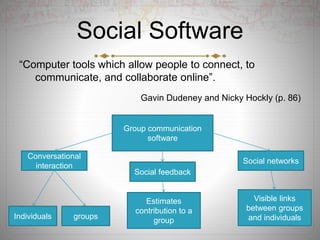
Social Software
“Computer tools which allow people to connect, to
communicate, and collaborate online”.
Gavin Dudeney and Nicky Hockly (p. 86)
Conversational
interaction
Social networks
Social feedback
groupsIndividuals
Estimates
contribution to a
group
Visible links
between groups
and individuals
Group communication
software
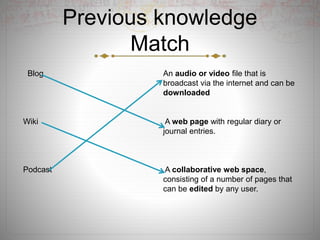
Previous knowledge
Match
Blog An audio or video file that is
broadcast via the internet and can be
downloaded
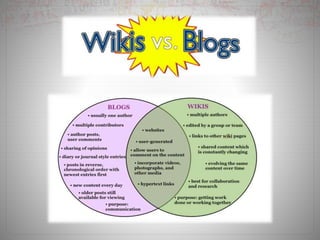
Wiki A web page with regular diary or
journal entries.
Podcast A collaborative web space,
consisting of a number of pages that
can be edited by any user.
Blogs
Edublogs
https://www.youtube.com/user/edublogssupport
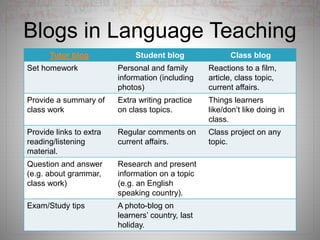
Blogs in Language Teaching
Tutor blog Student blog Class blog
Set homework Personal and family
information (including
photos)
Reactions to a film,
article, class topic,
current affairs.
Provide a summary of
class work
Extra writing practice
on class topics.
Things learners
like/don’t like doing in
class.
Provide links to extra
reading/listening
material.
Regular comments on
current affairs.
Class project on any
topic.
Question and answer
(e.g. about grammar,
class work)
Research and present
information on a topic
(e.g. an English
speaking country).
Exam/Study tips A photo-blog on
learners’ country, last
holiday.
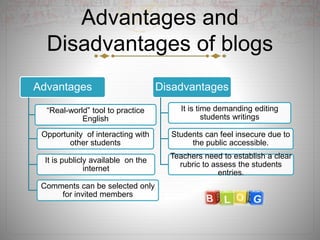
Advantages and
Disadvantages of blogs
Advantages
“Real-world” tool to practice
English
Opportunity of interacting with
other students
It is publicly available on the
internet
Comments can be selected only
for invited members
Disadvantages
It is time demanding editing
students writings
Students can feel insecure due to
the public accessible.
Teachers need to establish a clear
rubric to assess the students
entries.
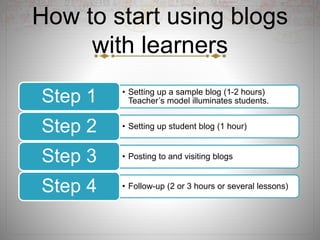
How to start using blogs
with learners
• Setting up a sample blog (1-2 hours)
Teacher’s model illuminates students.Step 1
• Setting up student blog (1 hour)Step 2
• Posting to and visiting blogsStep 3
• Follow-up (2 or 3 hours or several lessons)Step 4
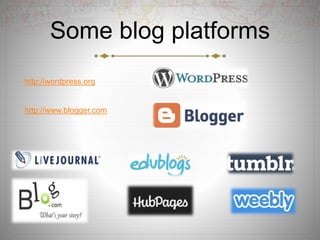
Some blog platforms
http://wordpress.org
http://www.blogger.com
Set up your own blog
 https://www.youtube.com/watch?v=zvd7F9Tlvz0&nohtml5=False
What is a wiki ?
 A wiki is a Web page that can be viewed and modified by
anybody with a Web browser and access to the Internet.
 Wikis are able to incorporate sounds, movies, and pictures; they
may prove to be a simple tool to create multimedia presentations
and simple digital stories.
 Open editing.
 Non linear structure.
 Links pages.
Wiki Videohttps://www.youtube.com/watch?v=-dnL00TdmLY
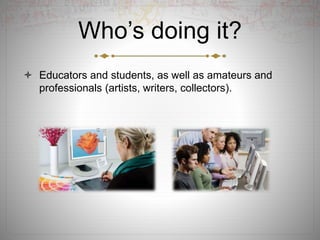
Who’s doing it?
 Educators and students, as well as amateurs and
professionals (artists, writers, collectors).
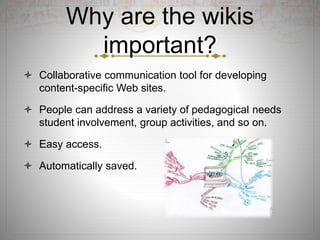
Why are the wikis
important?
 Collaborative communication tool for developing
content-specific Web sites.
 People can address a variety of pedagogical needs
student involvement, group activities, and so on.
 Easy access.
 Automatically saved.
What are the wikis pros
and cons?
 It may have some risks.
 Time-consuming
 Over time, the values, perspectives, and opinions of
its users can become embedded in a wiki.
 Bias.
Where are they going?
 Since wikis are easy to edit, they carry an inherent
potential to change how we construct knowledge
repositories on the Web. Wikis allow groups to form
around specific topics.
 The low barrier to entry makes them the equivalent of
shared digital paper—literally anyone with access to
the Web can post, modify, and delete content on that
site.
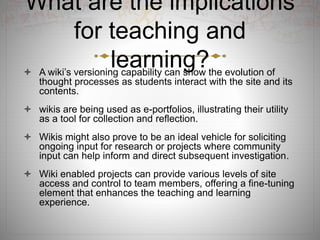
What are the implications
for teaching and
learning? A wiki’s versioning capability can show the evolution of
thought processes as students interact with the site and its
contents.
 wikis are being used as e-portfolios, illustrating their utility
as a tool for collection and reflection.
 Wikis might also prove to be an ideal vehicle for soliciting
ongoing input for research or projects where community
input can help inform and direct subsequent investigation.
 Wiki enabled projects can provide various levels of site
access and control to team members, offering a fine-tuning
element that enhances the teaching and learning
experience.
How to start using a wiki
with learners?
• Preparation before the lesson: Setting up
the first page of a wiki (30-60 minutes).Step 1
• Descriptions: Ss write a description of a
famous person (some factual errors) (1 hour)Step 2
• Corrections: Allocate one description to
each pair. Edit and correct (1 hour).Step 3
• Alternative: (3 or 4 hours or several
lessons)Step 4
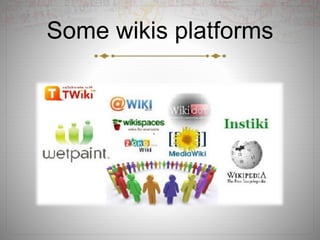
Some wikis platforms
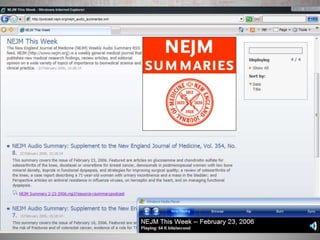
Podcasts
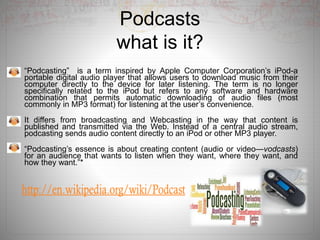
what is it?
“Podcasting” is a term inspired by Apple Computer Corporation’s iPod-a
portable digital audio player that allows users to download music from their
computer directly to the device for later listening. The term is no longer
specifically related to the iPod but refers to any software and hardware
combination that permits automatic downloading of audio files (most
commonly in MP3 format) for listening at the user’s convenience.
It differs from broadcasting and Webcasting in the way that content is
published and transmitted via the Web. Instead of a central audio stream,
podcasting sends audio content directly to an iPod or other MP3 player.
“Podcasting’s essence is about creating content (audio or video—vodcasts)
for an audience that wants to listen when they want, where they want, and
how they want.”*
Who is doing it?
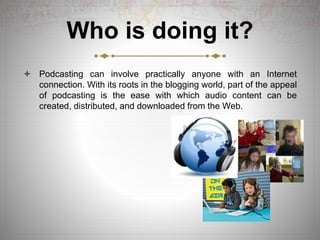
 Podcasting can involve practically anyone with an Internet
connection. With its roots in the blogging world, part of the appeal
of podcasting is the ease with which audio content can be
created, distributed, and downloaded from the Web.
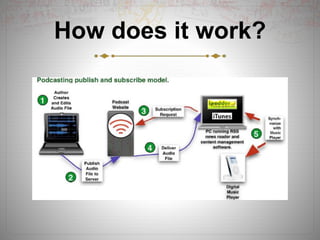
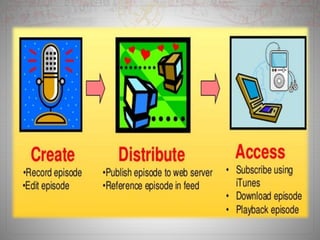
How does it work?
Why is it significant ?
Allows education to become more portable than ever before. Podcasting
cannot replace the classroom, but it provides educators one more way to
meet today’s students where they “live”—on the Internet and on audio
players.
Barriers to adoption and costs are minimal.
The tools to implement podcasts are simple and affordable.
Podcasting is predicted to soon become a mainstream application, much like
video-on demand recorders (such as TiVo).
Recordings of lectures for those students unable to attend the lecture in
person;
Audio recordings of textbook text by chapter, would allow students to “read”
or review texts while walking or driving to class (significant aid to auditory
learners)
What are the downsides of
podcasting?
Users must have sufficient bandwidth to download the podcast.
Beyond access, there are potential issues with the format.
Podcasting is primarily an audio delivery technology and, as such, has
limited usefulness for the hearing impaired.
Podcasting is not designed for two-way interaction or audience
participation. Podcasters are essentially “sound amateurs” producing
and publishing audio feeds.
The quality of speakers’ voices, speech patterns, intonations, and
other sound effects may not be the same as those of a professional
broadcast. Faculty who wish to record their lectures or other
instruction for podcasts may need some training, both in handling an
audio-only medium and using the technology
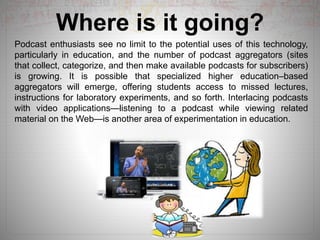
Where is it going?
Podcast enthusiasts see no limit to the potential uses of this technology,
particularly in education, and the number of podcast aggregators (sites
that collect, categorize, and then make available podcasts for subscribers)
is growing. It is possible that specialized higher education–based
aggregators will emerge, offering students access to missed lectures,
instructions for laboratory experiments, and so forth. Interlacing podcasts
with video applications—listening to a podcast while viewing related
material on the Web—is another area of experimentation in education.
What are the
implications for
teaching and learning?Podcasting allows students to use their technology-based entertainment
systems (iPods, MP3 players) for educational experiences.
Students are already familiar with the underlying technology, podcasting
broadens educational options in a nonthreatening and easily accessible
manner. For example, podcasting allows lectures or other course content to be
made available to students if they miss class.
Podcasting can provide access to experts through interviews. Podcasting is not
limited to content delivered to the student, however; students can create their
own podcasts—as a record of activities, a way to collect notes, or a reflection
on what they have learned
let’s go to…
More info…
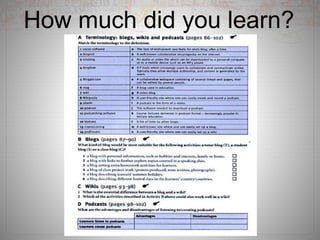
How much did you learn?
References
 Dudeney, G., & Hockly, N. (2007) Blogs, wikis, and podcasts. In
How to teach English with technology (pp 86-102) Pearson
education, series editor:Jeremy Harmer.
 https://www.youtube.com/watch?v=-dnL00TdmLY
 https://www.youtube.com/watch?v=zvd7F9Tlvz0&nohtml5=False
 http://en,wikipedia.org/wiki/Podcast
 https://audioboom.com/
 http://www.educause.edu/ir/library/pdf/ELI7003.pdf
 https://www.youtube.com/user/edublogssuport

Blogs, wikis, and podcasts.slides

  • 1.
    Blogs, Wikis, andPodcast. Language Learning Resources University of Caldas School of Arts and Humanities Foreign Languages Department Master in English Language Teaching Instructor: Yamith José Fandiño Parra Presenters: Paola Andrea Lizarralde Duque Luz Dary López Chica Maria Eugenia Martinez Tabares Luz Alieth Naranjo Cardona
  • 2.
    Blogs, wikis, andpodcast  Social software  Blogs in language teachings  How to start using blogs with learners  Wikis in language teaching  How to start using a wiki with learners  Podcasts in language teaching  How to create learner podcasts
  • 3.
    Social Software “Computer toolswhich allow people to connect, to communicate, and collaborate online”. Gavin Dudeney and Nicky Hockly (p. 86) Conversational interaction Social networks Social feedback groupsIndividuals Estimates contribution to a group Visible links between groups and individuals Group communication software
  • 4.
    Previous knowledge Match Blog Anaudio or video file that is broadcast via the internet and can be downloaded Wiki A web page with regular diary or journal entries. Podcast A collaborative web space, consisting of a number of pages that can be edited by any user.
  • 5.
  • 6.
  • 7.
    Blogs in LanguageTeaching Tutor blog Student blog Class blog Set homework Personal and family information (including photos) Reactions to a film, article, class topic, current affairs. Provide a summary of class work Extra writing practice on class topics. Things learners like/don’t like doing in class. Provide links to extra reading/listening material. Regular comments on current affairs. Class project on any topic. Question and answer (e.g. about grammar, class work) Research and present information on a topic (e.g. an English speaking country). Exam/Study tips A photo-blog on learners’ country, last holiday.
  • 8.
    Advantages and Disadvantages ofblogs Advantages “Real-world” tool to practice English Opportunity of interacting with other students It is publicly available on the internet Comments can be selected only for invited members Disadvantages It is time demanding editing students writings Students can feel insecure due to the public accessible. Teachers need to establish a clear rubric to assess the students entries.
  • 9.
    How to startusing blogs with learners • Setting up a sample blog (1-2 hours) Teacher’s model illuminates students.Step 1 • Setting up student blog (1 hour)Step 2 • Posting to and visiting blogsStep 3 • Follow-up (2 or 3 hours or several lessons)Step 4
  • 10.
  • 11.
    Set up yourown blog  https://www.youtube.com/watch?v=zvd7F9Tlvz0&nohtml5=False
  • 12.
    What is awiki ?  A wiki is a Web page that can be viewed and modified by anybody with a Web browser and access to the Internet.  Wikis are able to incorporate sounds, movies, and pictures; they may prove to be a simple tool to create multimedia presentations and simple digital stories.  Open editing.  Non linear structure.  Links pages.
  • 13.
  • 14.
    Who’s doing it? Educators and students, as well as amateurs and professionals (artists, writers, collectors).
  • 15.
    Why are thewikis important?  Collaborative communication tool for developing content-specific Web sites.  People can address a variety of pedagogical needs student involvement, group activities, and so on.  Easy access.  Automatically saved.
  • 16.
    What are thewikis pros and cons?  It may have some risks.  Time-consuming  Over time, the values, perspectives, and opinions of its users can become embedded in a wiki.  Bias.
  • 17.
    Where are theygoing?  Since wikis are easy to edit, they carry an inherent potential to change how we construct knowledge repositories on the Web. Wikis allow groups to form around specific topics.  The low barrier to entry makes them the equivalent of shared digital paper—literally anyone with access to the Web can post, modify, and delete content on that site.
  • 18.
    What are theimplications for teaching and learning? A wiki’s versioning capability can show the evolution of thought processes as students interact with the site and its contents.  wikis are being used as e-portfolios, illustrating their utility as a tool for collection and reflection.  Wikis might also prove to be an ideal vehicle for soliciting ongoing input for research or projects where community input can help inform and direct subsequent investigation.  Wiki enabled projects can provide various levels of site access and control to team members, offering a fine-tuning element that enhances the teaching and learning experience.
  • 19.
    How to startusing a wiki with learners? • Preparation before the lesson: Setting up the first page of a wiki (30-60 minutes).Step 1 • Descriptions: Ss write a description of a famous person (some factual errors) (1 hour)Step 2 • Corrections: Allocate one description to each pair. Edit and correct (1 hour).Step 3 • Alternative: (3 or 4 hours or several lessons)Step 4
  • 21.
  • 22.
    Podcasts what is it? “Podcasting”is a term inspired by Apple Computer Corporation’s iPod-a portable digital audio player that allows users to download music from their computer directly to the device for later listening. The term is no longer specifically related to the iPod but refers to any software and hardware combination that permits automatic downloading of audio files (most commonly in MP3 format) for listening at the user’s convenience. It differs from broadcasting and Webcasting in the way that content is published and transmitted via the Web. Instead of a central audio stream, podcasting sends audio content directly to an iPod or other MP3 player. “Podcasting’s essence is about creating content (audio or video—vodcasts) for an audience that wants to listen when they want, where they want, and how they want.”*
  • 23.
    Who is doingit?  Podcasting can involve practically anyone with an Internet connection. With its roots in the blogging world, part of the appeal of podcasting is the ease with which audio content can be created, distributed, and downloaded from the Web.
  • 24.
  • 26.
    Why is itsignificant ? Allows education to become more portable than ever before. Podcasting cannot replace the classroom, but it provides educators one more way to meet today’s students where they “live”—on the Internet and on audio players. Barriers to adoption and costs are minimal. The tools to implement podcasts are simple and affordable. Podcasting is predicted to soon become a mainstream application, much like video-on demand recorders (such as TiVo). Recordings of lectures for those students unable to attend the lecture in person; Audio recordings of textbook text by chapter, would allow students to “read” or review texts while walking or driving to class (significant aid to auditory learners)
  • 27.
    What are thedownsides of podcasting? Users must have sufficient bandwidth to download the podcast. Beyond access, there are potential issues with the format. Podcasting is primarily an audio delivery technology and, as such, has limited usefulness for the hearing impaired. Podcasting is not designed for two-way interaction or audience participation. Podcasters are essentially “sound amateurs” producing and publishing audio feeds. The quality of speakers’ voices, speech patterns, intonations, and other sound effects may not be the same as those of a professional broadcast. Faculty who wish to record their lectures or other instruction for podcasts may need some training, both in handling an audio-only medium and using the technology
  • 28.
    Where is itgoing? Podcast enthusiasts see no limit to the potential uses of this technology, particularly in education, and the number of podcast aggregators (sites that collect, categorize, and then make available podcasts for subscribers) is growing. It is possible that specialized higher education–based aggregators will emerge, offering students access to missed lectures, instructions for laboratory experiments, and so forth. Interlacing podcasts with video applications—listening to a podcast while viewing related material on the Web—is another area of experimentation in education.
  • 29.
    What are the implicationsfor teaching and learning?Podcasting allows students to use their technology-based entertainment systems (iPods, MP3 players) for educational experiences. Students are already familiar with the underlying technology, podcasting broadens educational options in a nonthreatening and easily accessible manner. For example, podcasting allows lectures or other course content to be made available to students if they miss class. Podcasting can provide access to experts through interviews. Podcasting is not limited to content delivered to the student, however; students can create their own podcasts—as a record of activities, a way to collect notes, or a reflection on what they have learned
  • 32.
  • 33.
    How much didyou learn?
  • 34.
    References  Dudeney, G.,& Hockly, N. (2007) Blogs, wikis, and podcasts. In How to teach English with technology (pp 86-102) Pearson education, series editor:Jeremy Harmer.  https://www.youtube.com/watch?v=-dnL00TdmLY  https://www.youtube.com/watch?v=zvd7F9Tlvz0&nohtml5=False  http://en,wikipedia.org/wiki/Podcast  https://audioboom.com/  http://www.educause.edu/ir/library/pdf/ELI7003.pdf  https://www.youtube.com/user/edublogssuport