Blogging in ELT Marcus Hildebrandt EATE  Annual   Conference  2009   30 October  2009
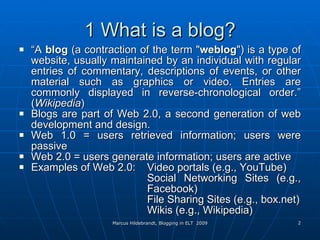
1 What is a blog? “ A  blog  (a contraction of the term " weblog ") is a type of website, usually maintained by an individual with regular entries of commentary, descriptions of events, or other material such as graphics or video. Entries are commonly displayed in reverse-chronological order.” ( Wikipedia ) Blogs are part of Web 2.0, a second generation of web development and design. Web 1.0 = users retrieved information; users were passive Web 2.0 = users generate information; users are active Examples of Web 2.0: Video portals (e.g., YouTube) Social Networking Sites (e.g.,  Facebook) File Sharing Sites (e.g., box.net) Wikis (e.g., Wikipedia)
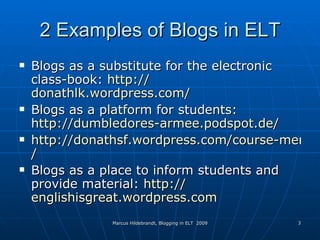
2 Examples of Blogs in ELT Blogs as a substitute for the electronic class-book:  http:// donathlk.wordpress.com / Blogs as a platform for students:  http://dumbledores-armee.podspot.de / http://donathsf.wordpress.com/course-members-blogs / Blogs as  a  place to inform students and provide material:  http:// englishisgreat.wordpress.com
3 How to Create Your Own Blog I Most popular providers: blogger.com and  wordpress.com only minor differences register at  http:// www.wordpress.com
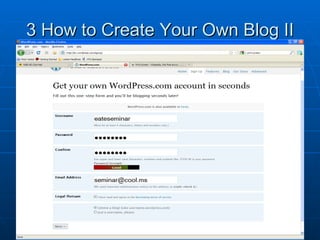
3 How to Create Your Own Blog II
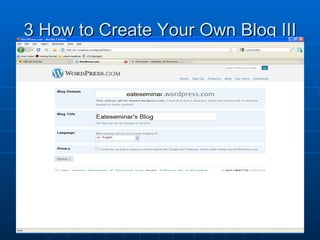
3 How to Create Your Own Blog III
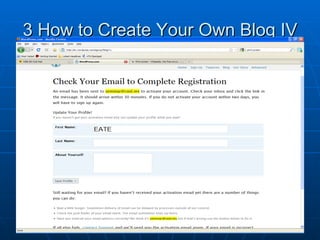
3 How to Create Your Own Blog IV
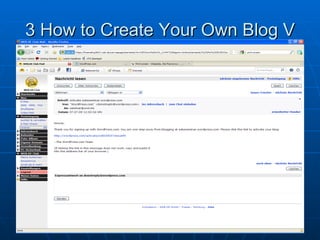
3 How to Create Your Own Blog V
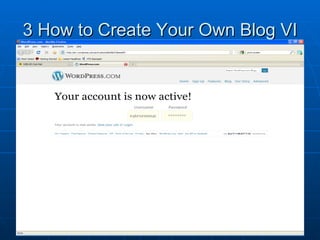
3 How to Create Your Own Blog VI
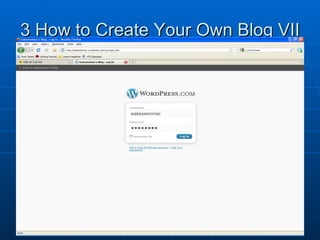
3 How to Create Your Own Blog VII
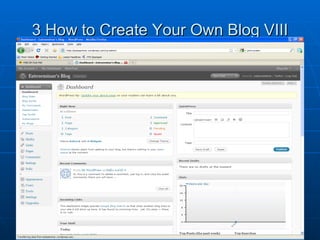
3 How to Create Your Own Blog VIII
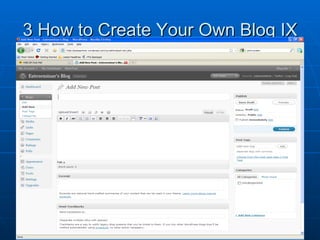
3 How to Create Your Own Blog IX
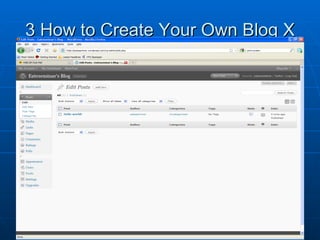
3 How to Create Your Own Blog X
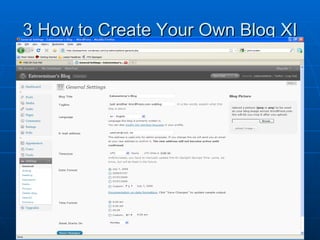
3 How to Create Your Own Blog XI
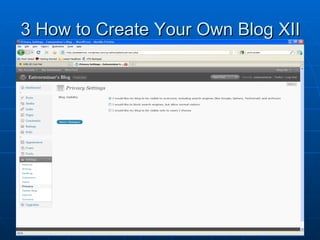
3 How to Create Your Own Blog XII
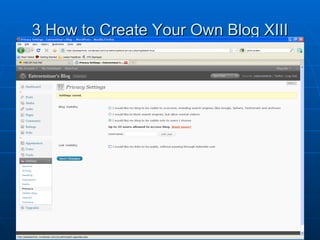
3 How to Create Your Own Blog XIII
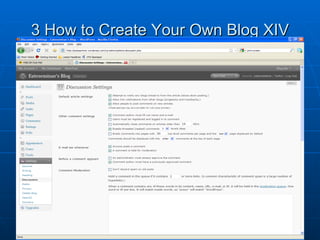
3 How to Create Your Own Blog XIV
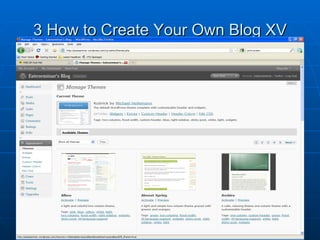
3 How to Create Your Own Blog XV
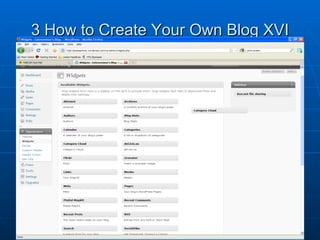
3 How to Create Your Own Blog XVI
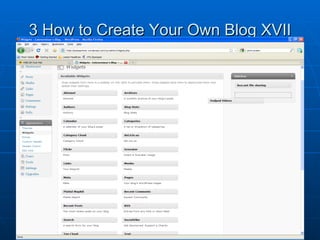
3 How to Create Your Own Blog XVII
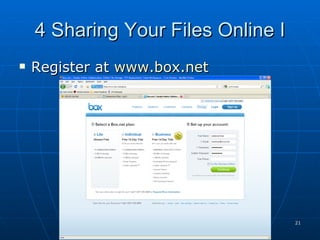
4 Sharing Your Files Online I Register at  www.box.net
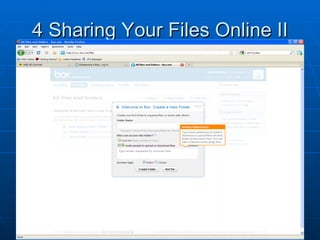
4 Sharing Your Files Online II
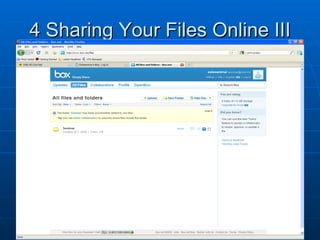
4 Sharing Your Files Online III
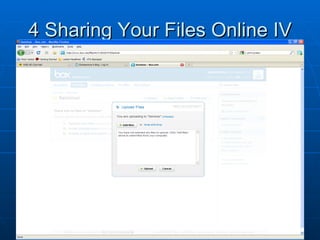
4 Sharing Your Files Online IV
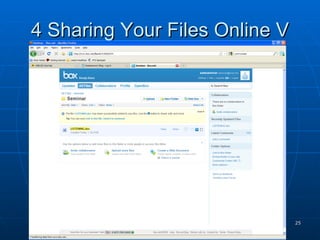
4 Sharing Your Files Online V
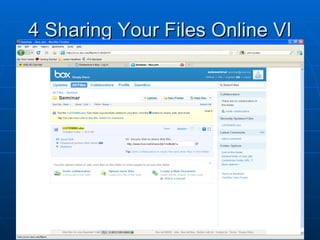
4 Sharing Your Files Online VI
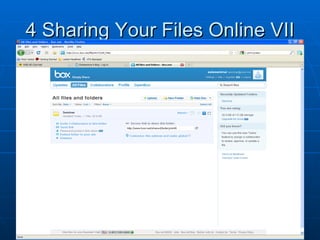
4 Sharing Your Files Online VII
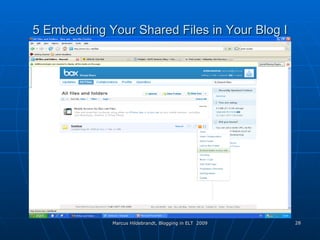
5 Embedding Your Shared Files in Your Blog I
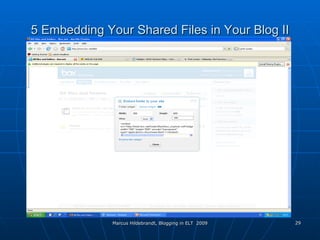
5 Embedding Your Shared Files in Your Blog II
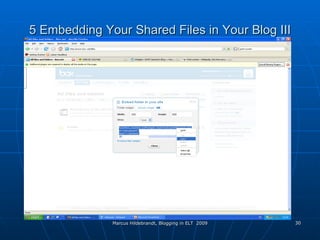
5 Embedding Your Shared Files in Your Blog III
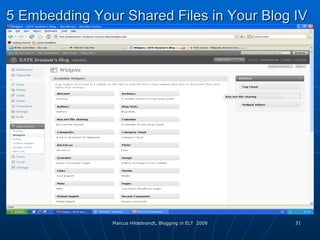
5 Embedding Your Shared Files in Your Blog I V
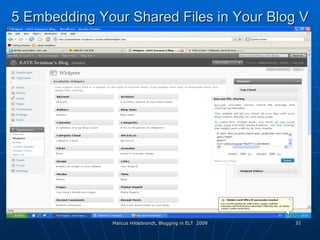
5 Embedding Your Shared Files in Your Blog  V
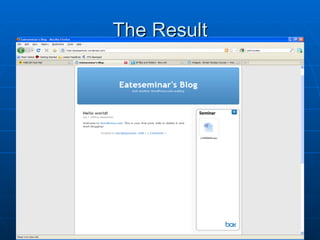
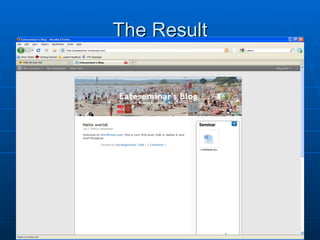
The Result
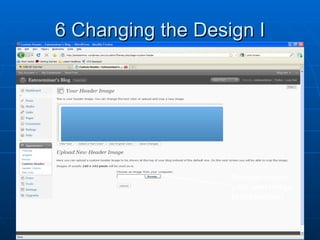
6 Changing the Design I You can insert your own image in the header!
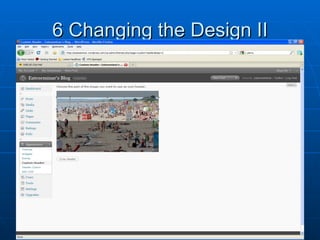
6 Changing the Design II
The Result
New Classroom Rules 1. Come to school every day,  unless you would rather just go on line.  2.  Come to class on time,  or log into your online class anytime day or night, whenever it is most convenient to you.  3.  Leave your seat only when necessary,  which should be often to go collaborate with others or demonstrate something to the class. 4. Bring required materials,  including your laptop and cell phone every day.  5. Talk only when permitted,  text at all other times.   6. Don't talk to your neighbors,  unless you are sharing your ideas, asking for help or giving help.   7. Use polite speech when speaking,  blogging, texting, Twittering, instant messaging, etc.  8. Do not cheat,  but remix, re-purpose, and sample other peoples’ work and ideas and give them credit.  9. Follow the teacher's directions immediately  and your peers’ directions too.  10. Be polite, courteous, and respectful at all times  in both physical and virtual space .  11. Complete all assignments neatly and on time and  submit on line or post to your blog or wiki, and share it with your followers on Twitter.  12.  Keep your hands to yourself,  but share all your ideas and knowledge with others in your Personal Learning Network.  13. Be quiet in lines, hallways, and restrooms,  unless you are at home and logged into your on line classroom, in which case you can dance and play music.  14. If you need ,  help raise your hand,  but don’t wait for the teacher ,  get help from your neighbors and post your question to your online Personal Learning Network. 15. Know what you are supposed to be learning,  why, and what you will do with the knowledge. Source:  http://educationinnovation.typepad.com/my_weblog/2009/06/new-classroom-rules.html
THANK YOU! Katrin is now going to show you what you can do with your blogs or those of your students.

Blogging In ELT 2

  • 1.
    Blogging in ELTMarcus Hildebrandt EATE Annual Conference 2009 30 October 2009
  • 2.
    1 What isa blog? “ A blog (a contraction of the term " weblog ") is a type of website, usually maintained by an individual with regular entries of commentary, descriptions of events, or other material such as graphics or video. Entries are commonly displayed in reverse-chronological order.” ( Wikipedia ) Blogs are part of Web 2.0, a second generation of web development and design. Web 1.0 = users retrieved information; users were passive Web 2.0 = users generate information; users are active Examples of Web 2.0: Video portals (e.g., YouTube) Social Networking Sites (e.g., Facebook) File Sharing Sites (e.g., box.net) Wikis (e.g., Wikipedia)
  • 3.
    2 Examples ofBlogs in ELT Blogs as a substitute for the electronic class-book: http:// donathlk.wordpress.com / Blogs as a platform for students: http://dumbledores-armee.podspot.de / http://donathsf.wordpress.com/course-members-blogs / Blogs as a place to inform students and provide material: http:// englishisgreat.wordpress.com
  • 4.
    3 How toCreate Your Own Blog I Most popular providers: blogger.com and wordpress.com only minor differences register at http:// www.wordpress.com
  • 5.
    3 How toCreate Your Own Blog II
  • 6.
    3 How toCreate Your Own Blog III
  • 7.
    3 How toCreate Your Own Blog IV
  • 8.
    3 How toCreate Your Own Blog V
  • 9.
    3 How toCreate Your Own Blog VI
  • 10.
    3 How toCreate Your Own Blog VII
  • 11.
    3 How toCreate Your Own Blog VIII
  • 12.
    3 How toCreate Your Own Blog IX
  • 13.
    3 How toCreate Your Own Blog X
  • 14.
    3 How toCreate Your Own Blog XI
  • 15.
    3 How toCreate Your Own Blog XII
  • 16.
    3 How toCreate Your Own Blog XIII
  • 17.
    3 How toCreate Your Own Blog XIV
  • 18.
    3 How toCreate Your Own Blog XV
  • 19.
    3 How toCreate Your Own Blog XVI
  • 20.
    3 How toCreate Your Own Blog XVII
  • 21.
    4 Sharing YourFiles Online I Register at www.box.net
  • 22.
    4 Sharing YourFiles Online II
  • 23.
    4 Sharing YourFiles Online III
  • 24.
    4 Sharing YourFiles Online IV
  • 25.
    4 Sharing YourFiles Online V
  • 26.
    4 Sharing YourFiles Online VI
  • 27.
    4 Sharing YourFiles Online VII
  • 28.
    5 Embedding YourShared Files in Your Blog I
  • 29.
    5 Embedding YourShared Files in Your Blog II
  • 30.
    5 Embedding YourShared Files in Your Blog III
  • 31.
    5 Embedding YourShared Files in Your Blog I V
  • 32.
    5 Embedding YourShared Files in Your Blog V
  • 33.
  • 34.
    6 Changing theDesign I You can insert your own image in the header!
  • 35.
    6 Changing theDesign II
  • 36.
  • 37.
    New Classroom Rules1. Come to school every day, unless you would rather just go on line. 2.  Come to class on time, or log into your online class anytime day or night, whenever it is most convenient to you. 3.  Leave your seat only when necessary, which should be often to go collaborate with others or demonstrate something to the class. 4. Bring required materials, including your laptop and cell phone every day. 5. Talk only when permitted, text at all other times. 6. Don't talk to your neighbors, unless you are sharing your ideas, asking for help or giving help. 7. Use polite speech when speaking, blogging, texting, Twittering, instant messaging, etc. 8. Do not cheat, but remix, re-purpose, and sample other peoples’ work and ideas and give them credit. 9. Follow the teacher's directions immediately and your peers’ directions too. 10. Be polite, courteous, and respectful at all times in both physical and virtual space . 11. Complete all assignments neatly and on time and submit on line or post to your blog or wiki, and share it with your followers on Twitter. 12.  Keep your hands to yourself, but share all your ideas and knowledge with others in your Personal Learning Network. 13. Be quiet in lines, hallways, and restrooms, unless you are at home and logged into your on line classroom, in which case you can dance and play music. 14. If you need , help raise your hand, but don’t wait for the teacher , get help from your neighbors and post your question to your online Personal Learning Network. 15. Know what you are supposed to be learning, why, and what you will do with the knowledge. Source: http://educationinnovation.typepad.com/my_weblog/2009/06/new-classroom-rules.html
  • 38.
    THANK YOU! Katrinis now going to show you what you can do with your blogs or those of your students.