
Sharon Scinicariello University of Richmond SCOLT/SEALLT 2009
Using Web 2.0 tools is like riding a roller coaster: Learning a new tool = scaling the lift hill First successful use = exhilaration of the first drop Implementation = enjoying the ride But the end of the ride comes too soon. Enthusiasm wanes; you have to start over.
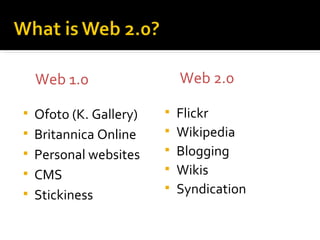
Ofoto (K. Gallery) Britannica Online Personal websites CMS Stickiness Flickr Wikipedia Blogging Wikis Syndication Web 1.0 Web 2.0
Enhanced interactivity "Free" storage for files and documents Online editing Communities of sharing Online collaboration "Free" web publishing Easy to use
Promote collaborative and constructivist learning Promote creativity and address individual student needs. Encourage communication beyond the walls of the classroom.
Common in the workplace; schools must prepare students to use these tools effectively. Minimize the need for specialized software and hardware Permit learning outside traditional classroom and laboratory spaces
Every day a new tool Tools are public Tools have a learning curve Successful use requires experimentation Tools promote time-consuming collaboration Tools are unreliable Tools disappear
Use the tools to conquer the tools Create a learning environment Create a learning network Assemble your own toolbox Tools by function When in doubt, pick well-known rather than brand-new tools Separate e-mail and password for on-line tools Create activities for learning goals before choosing tools
Personal Learning Environment Space where you collect resources you need Virtual den Personal / Professional Learning Network People you connect with to learn
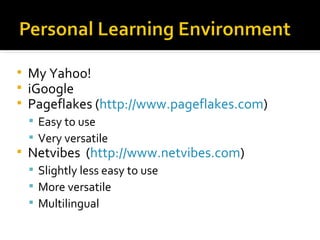
My Yahoo! iGoogle Pageflakes ( http://www.pageflakes.com ) Easy to use Very versatile Netvibes  ( http://www.netvibes.com ) Slightly less easy to use More versatile Multilingual
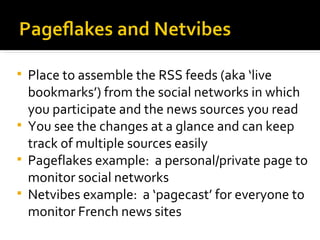
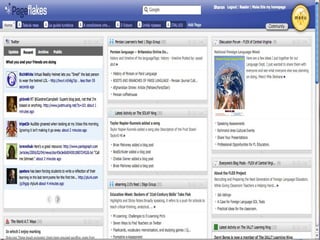
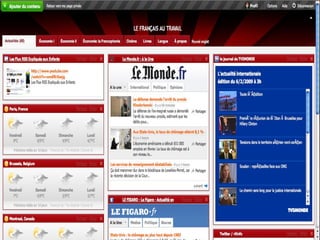
Place to assemble the RSS feeds (aka ‘live bookmarks’) from the social networks in which you participate and the news sources you read You see the changes at a glance and can keep track of multiple sources easily Pageflakes example:  a personal/private page to monitor social networks Netvibes example:  a ‘pagecast’ for everyone to monitor French news sites
 
 
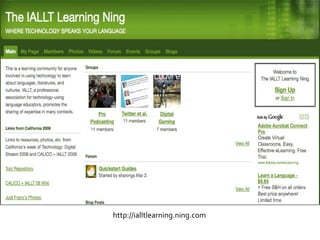
http://globalstudiowiki.wetpaint.com/page/Tools+to+Try IALLT Learning Ning ( http://ialltlearning.ning.com )
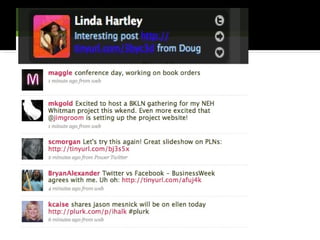
Twitter ( http://twitter.com ) or other microblogging tool, e.g., Plurk Tumblr ( http://www.tumblr.com ) Social Bookmarking Groups Diigo ( http://www.diigo.com ) Delicious ( http://delicious.com ) Blogs, e.g. Edublogs ( http://edublogs.org ) Wikis, e.g.  http://suewaters.wikispaces.com/ Nings ( http://www.ning.com )
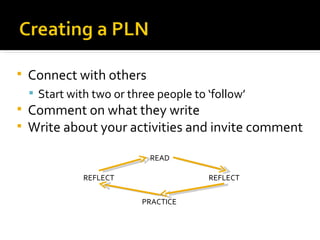
Connect with others Start with two or three people to ‘follow’ Comment on what they write Write about your activities and invite comment READ REFLECT PRACTICE REFLECT
Why? Learn about useful resources Meet potential collaborators Doesn’t take much effort How? Follow one or two interesting people See who they ‘talk to’ on Twitter Follow resources, e.g., @MyLearningSpace
 
Very basic blogging tool ‘ Share on Tumblr’ button for browser A form of commented bookmarking Good for quick notes about web pages and media Good for novice learners who can’t write much
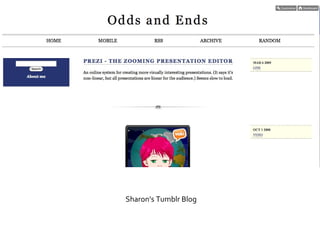
Sharon’s Tumblr Blog
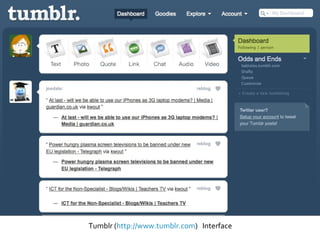
Tumblr ( http://www.tumblr.com )  Interface
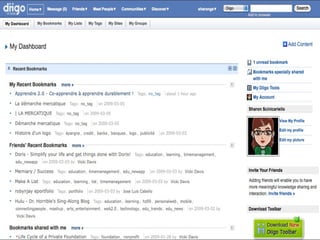
Diigo ( http://www.diigo.com ) Delicious ( http://www.delicious.com ) The two can interoperate Diigo has ‘groups’ for sharing Join groups that interest you Delicious has ‘networks’ for sharing Join a network in your interest Diigo has annotation possibilities
 
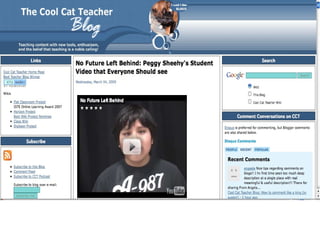
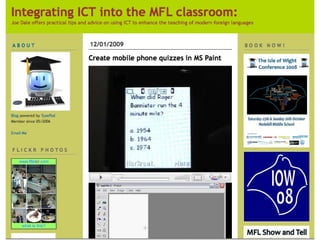
Find, read, and comment upon several interesting blogs Join and contribute to wikis on topics of interest Set up your own blog and/or wiki and invite others to comment and contribute Two good people to follow on Twitter and read: Vicki Davis (Cool Cat Teacher) Joe Dale (FL teacher in the UK)
 
 
Social networking sites Facebook but usually focused on interests not personal relationships Access can be controlled Members can have their own pages and blogs Photos, videos, mp3s can be uploaded Discussion forums Interest groups
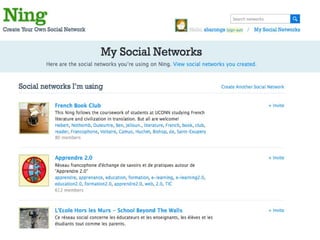
http://www.ning.com Keep track of the nings to which you belong Create a new ning Some nings have their own addresses, but they work the same way The IALLT Learning Ning is a good way to get started Like-minded people All but first page restricted to members
 
http://ialltlearning.ning.com
Have clear objectives Choose versatile tools Tumblr / Diigo Blogs Pageflakes / Netvibes Simplify as much as possible It’s the content—not the technology Collaborate with others, especially with your students
IALLT Learning Ning ( http://ialltlearning.ning.com ) Classroom 2.0  Apprendre 2.0 E-mail me at  [email_address]

Conquering the Web 2.0 Roller Coaster

  • 1.
    Sharon Scinicariello Universityof Richmond SCOLT/SEALLT 2009
  • 2.
    Using Web 2.0tools is like riding a roller coaster: Learning a new tool = scaling the lift hill First successful use = exhilaration of the first drop Implementation = enjoying the ride But the end of the ride comes too soon. Enthusiasm wanes; you have to start over.
  • 3.
    Ofoto (K. Gallery)Britannica Online Personal websites CMS Stickiness Flickr Wikipedia Blogging Wikis Syndication Web 1.0 Web 2.0
  • 4.
    Enhanced interactivity "Free"storage for files and documents Online editing Communities of sharing Online collaboration "Free" web publishing Easy to use
  • 5.
    Promote collaborative andconstructivist learning Promote creativity and address individual student needs. Encourage communication beyond the walls of the classroom.
  • 6.
    Common in theworkplace; schools must prepare students to use these tools effectively. Minimize the need for specialized software and hardware Permit learning outside traditional classroom and laboratory spaces
  • 7.
    Every day anew tool Tools are public Tools have a learning curve Successful use requires experimentation Tools promote time-consuming collaboration Tools are unreliable Tools disappear
  • 8.
    Use the toolsto conquer the tools Create a learning environment Create a learning network Assemble your own toolbox Tools by function When in doubt, pick well-known rather than brand-new tools Separate e-mail and password for on-line tools Create activities for learning goals before choosing tools
  • 9.
    Personal Learning EnvironmentSpace where you collect resources you need Virtual den Personal / Professional Learning Network People you connect with to learn
  • 10.
    My Yahoo! iGooglePageflakes ( http://www.pageflakes.com ) Easy to use Very versatile Netvibes ( http://www.netvibes.com ) Slightly less easy to use More versatile Multilingual
  • 11.
    Place to assemblethe RSS feeds (aka ‘live bookmarks’) from the social networks in which you participate and the news sources you read You see the changes at a glance and can keep track of multiple sources easily Pageflakes example: a personal/private page to monitor social networks Netvibes example: a ‘pagecast’ for everyone to monitor French news sites
  • 12.
  • 13.
  • 14.
  • 15.
    Twitter ( http://twitter.com) or other microblogging tool, e.g., Plurk Tumblr ( http://www.tumblr.com ) Social Bookmarking Groups Diigo ( http://www.diigo.com ) Delicious ( http://delicious.com ) Blogs, e.g. Edublogs ( http://edublogs.org ) Wikis, e.g. http://suewaters.wikispaces.com/ Nings ( http://www.ning.com )
  • 16.
    Connect with othersStart with two or three people to ‘follow’ Comment on what they write Write about your activities and invite comment READ REFLECT PRACTICE REFLECT
  • 17.
    Why? Learn aboutuseful resources Meet potential collaborators Doesn’t take much effort How? Follow one or two interesting people See who they ‘talk to’ on Twitter Follow resources, e.g., @MyLearningSpace
  • 18.
  • 19.
    Very basic bloggingtool ‘ Share on Tumblr’ button for browser A form of commented bookmarking Good for quick notes about web pages and media Good for novice learners who can’t write much
  • 20.
  • 21.
  • 22.
    Diigo ( http://www.diigo.com) Delicious ( http://www.delicious.com ) The two can interoperate Diigo has ‘groups’ for sharing Join groups that interest you Delicious has ‘networks’ for sharing Join a network in your interest Diigo has annotation possibilities
  • 23.
  • 24.
    Find, read, andcomment upon several interesting blogs Join and contribute to wikis on topics of interest Set up your own blog and/or wiki and invite others to comment and contribute Two good people to follow on Twitter and read: Vicki Davis (Cool Cat Teacher) Joe Dale (FL teacher in the UK)
  • 25.
  • 26.
  • 27.
    Social networking sitesFacebook but usually focused on interests not personal relationships Access can be controlled Members can have their own pages and blogs Photos, videos, mp3s can be uploaded Discussion forums Interest groups
  • 28.
    http://www.ning.com Keep trackof the nings to which you belong Create a new ning Some nings have their own addresses, but they work the same way The IALLT Learning Ning is a good way to get started Like-minded people All but first page restricted to members
  • 29.
  • 30.
  • 31.
    Have clear objectivesChoose versatile tools Tumblr / Diigo Blogs Pageflakes / Netvibes Simplify as much as possible It’s the content—not the technology Collaborate with others, especially with your students
  • 32.
    IALLT Learning Ning( http://ialltlearning.ning.com ) Classroom 2.0 Apprendre 2.0 E-mail me at [email_address]