Binary
Starter Activity: Number Combinations
How many different number combinations can
you make from the following cards?
1.2 + 4 = 6
2.1 + 8 = 9
Binary
In this lesson you will learn about how computers
represent words and numbers using just two
numbers. You will act as a computer by converting
binary numbers into decimals and text.
Lesson
Objectives
 Be able to convert binary to decimal numbers
 Understand how binary represents numbers and text
 Be able to convert binary to characters
 Understand how a computers speed is calculated
Binary
Binary
•The only two numbers computers understand are
one and zero (1 is on and 0 is off)
•The magic of computers is that they have the
ability to convert them into something that we can
understand such as text and images
•The numbers are often referred to as bits as they
represent a “bit” of a word, a number, sound etc.
•When these numbers are put together they are
referred to as binary numbers
Binary
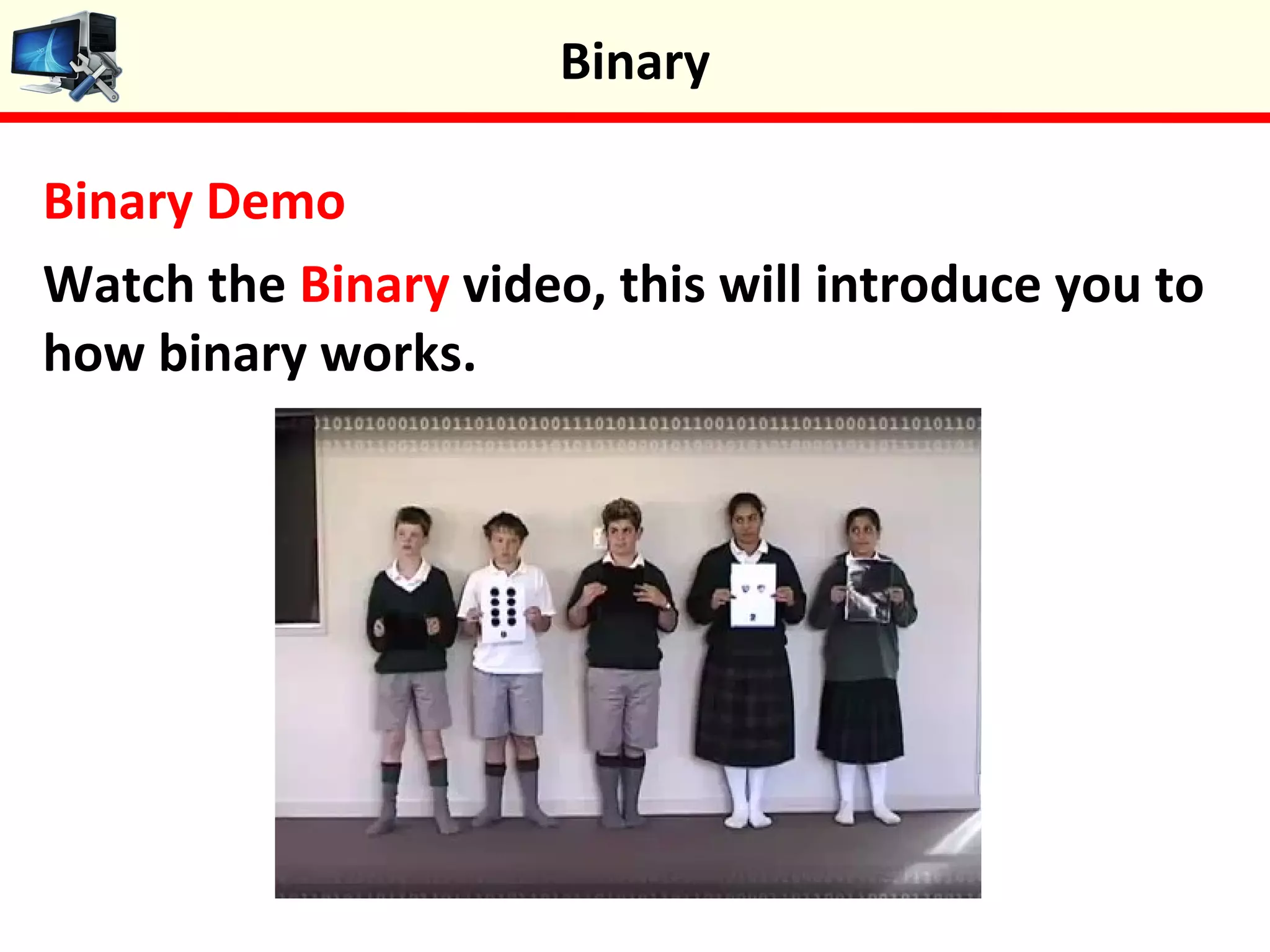
Binary Demo
Watch the Binary video, this will introduce you to
how binary works.
Binary
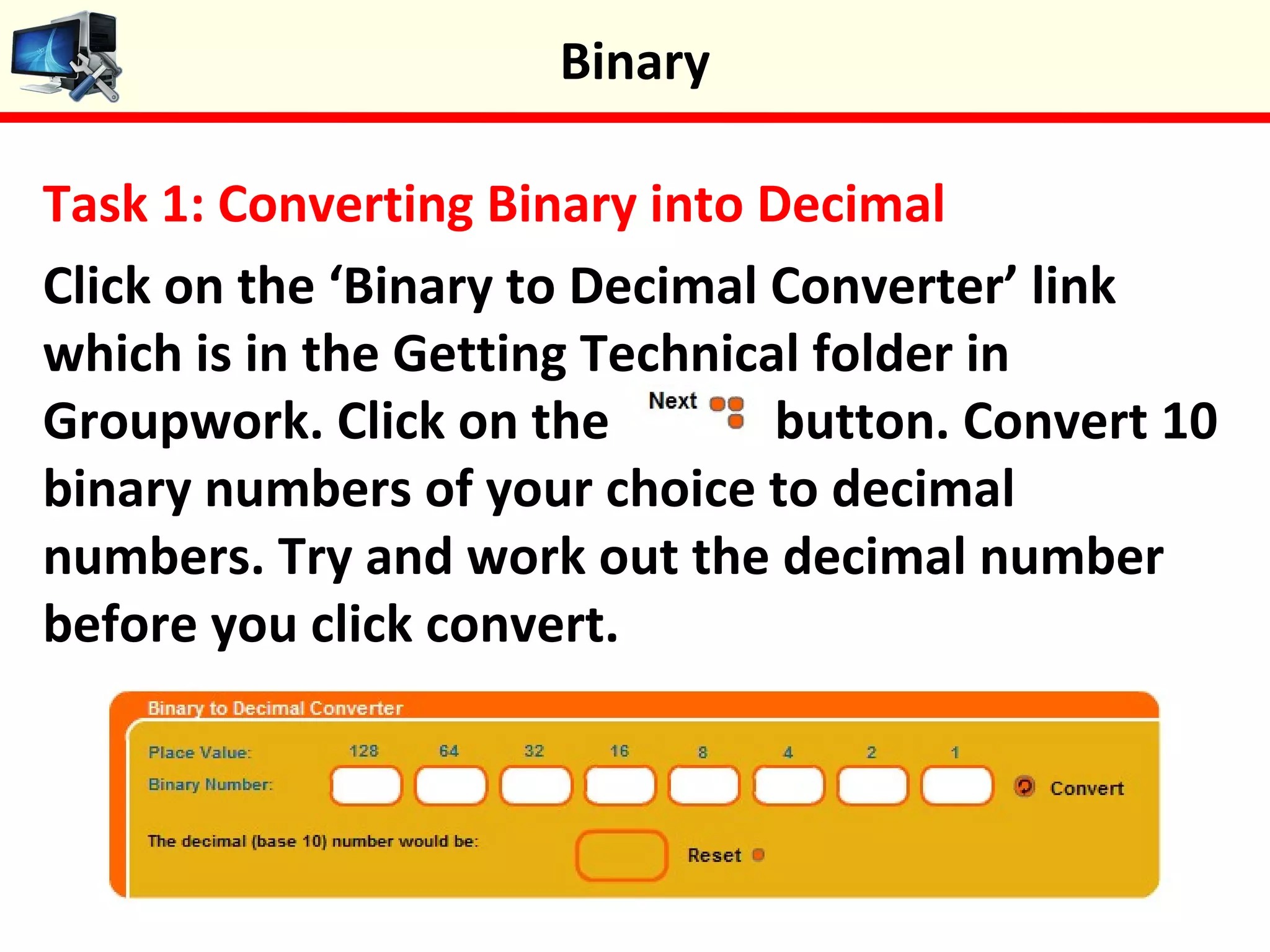
Task 1: Converting Binary into Decimal
Click on the ‘Binary to Decimal Converter’ link
which is in the Getting Technical folder in
Groupwork. Click on the button. Convert 10
binary numbers of your choice to decimal
numbers. Try and work out the decimal number
before you click convert.
Binary
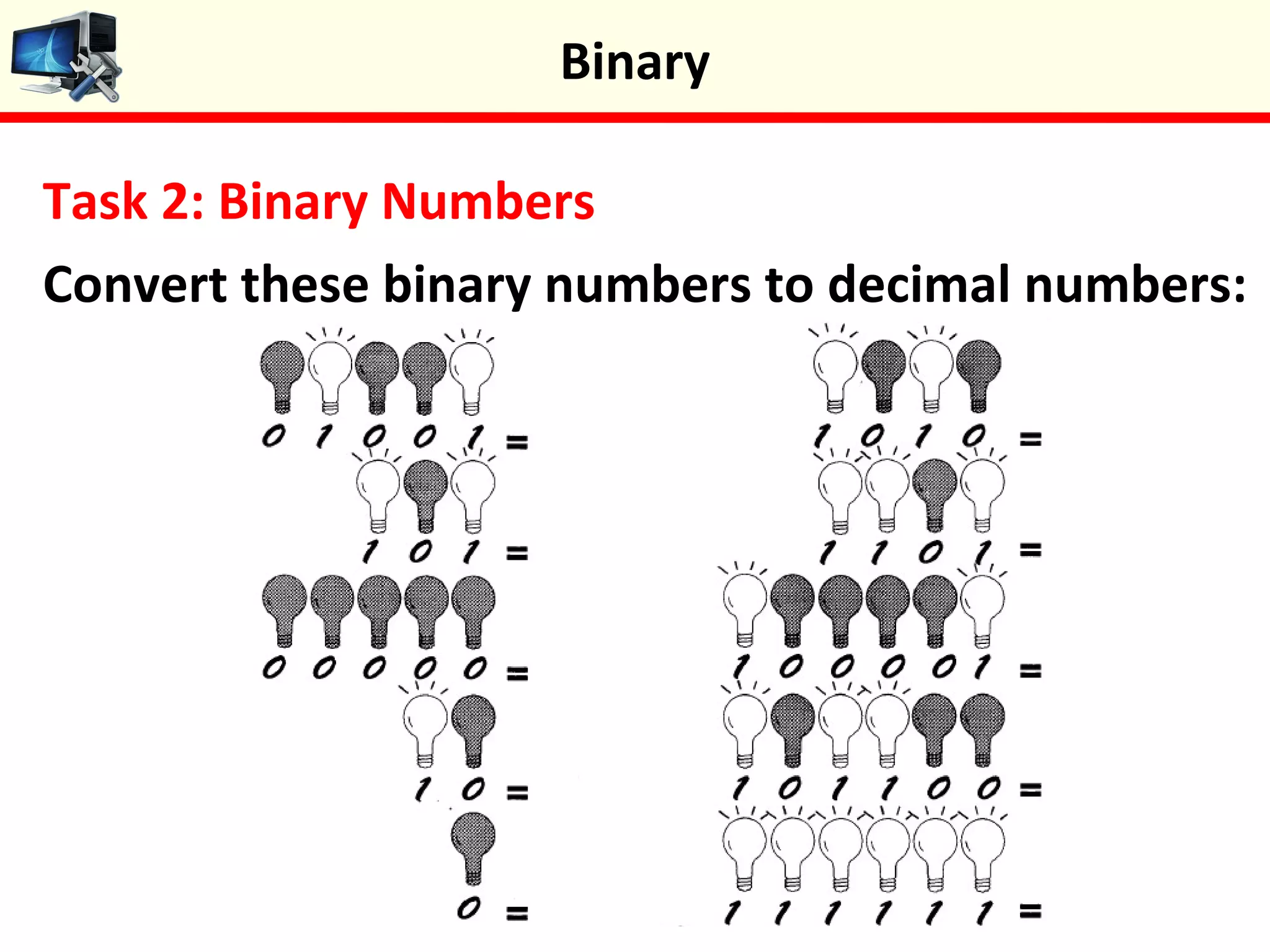
Task 2: Binary Numbers
Convert these binary numbers to decimal numbers:
Binary
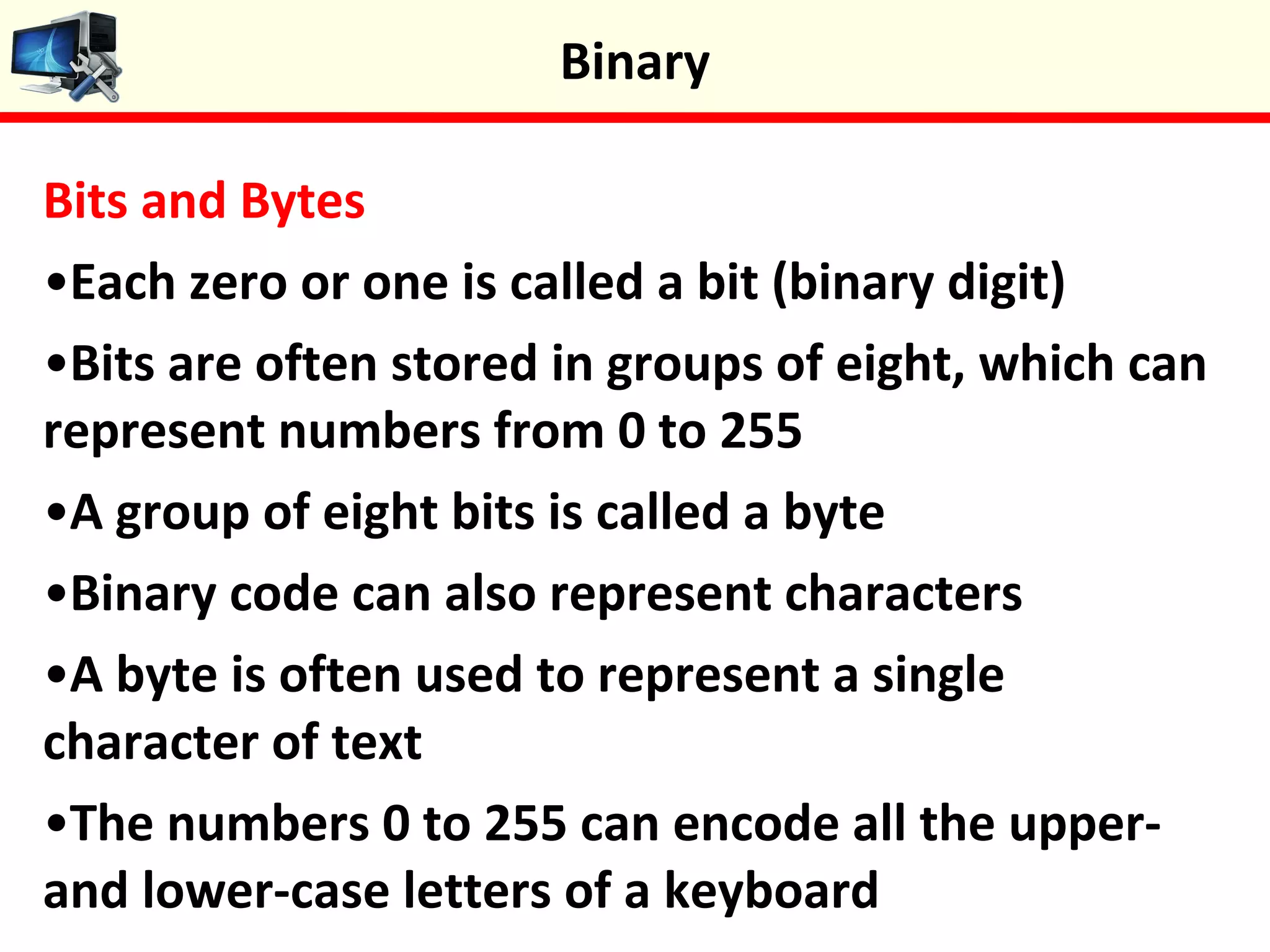
Bits and Bytes
•Each zero or one is called a bit (binary digit)
•Bits are often stored in groups of eight, which can
represent numbers from 0 to 255
•A group of eight bits is called a byte
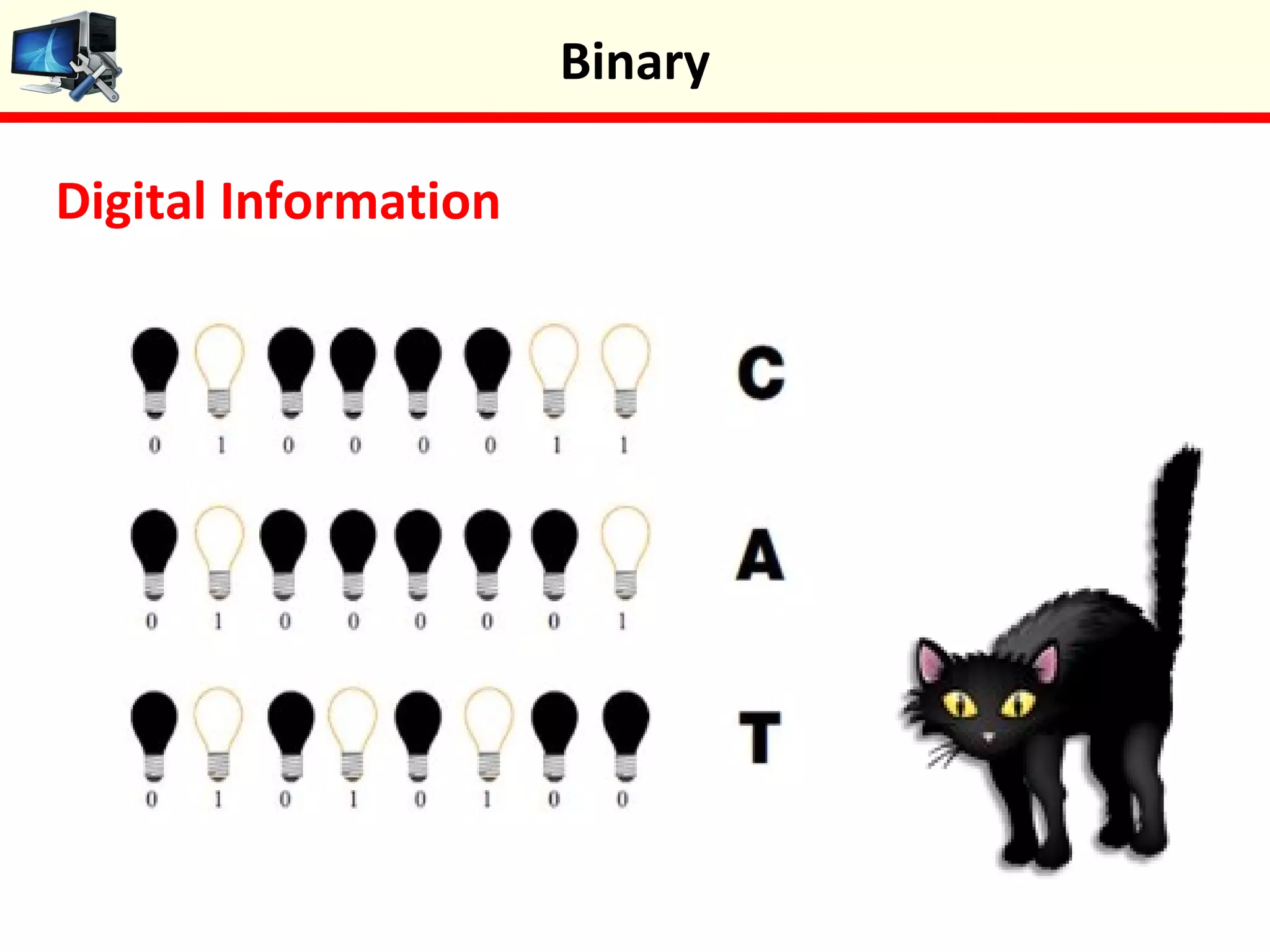
•Binary code can also represent characters
•A byte is often used to represent a single
character of text
•The numbers 0 to 255 can encode all the upper-
and lower-case letters of a keyboard
Binary
Digital Information
Binary
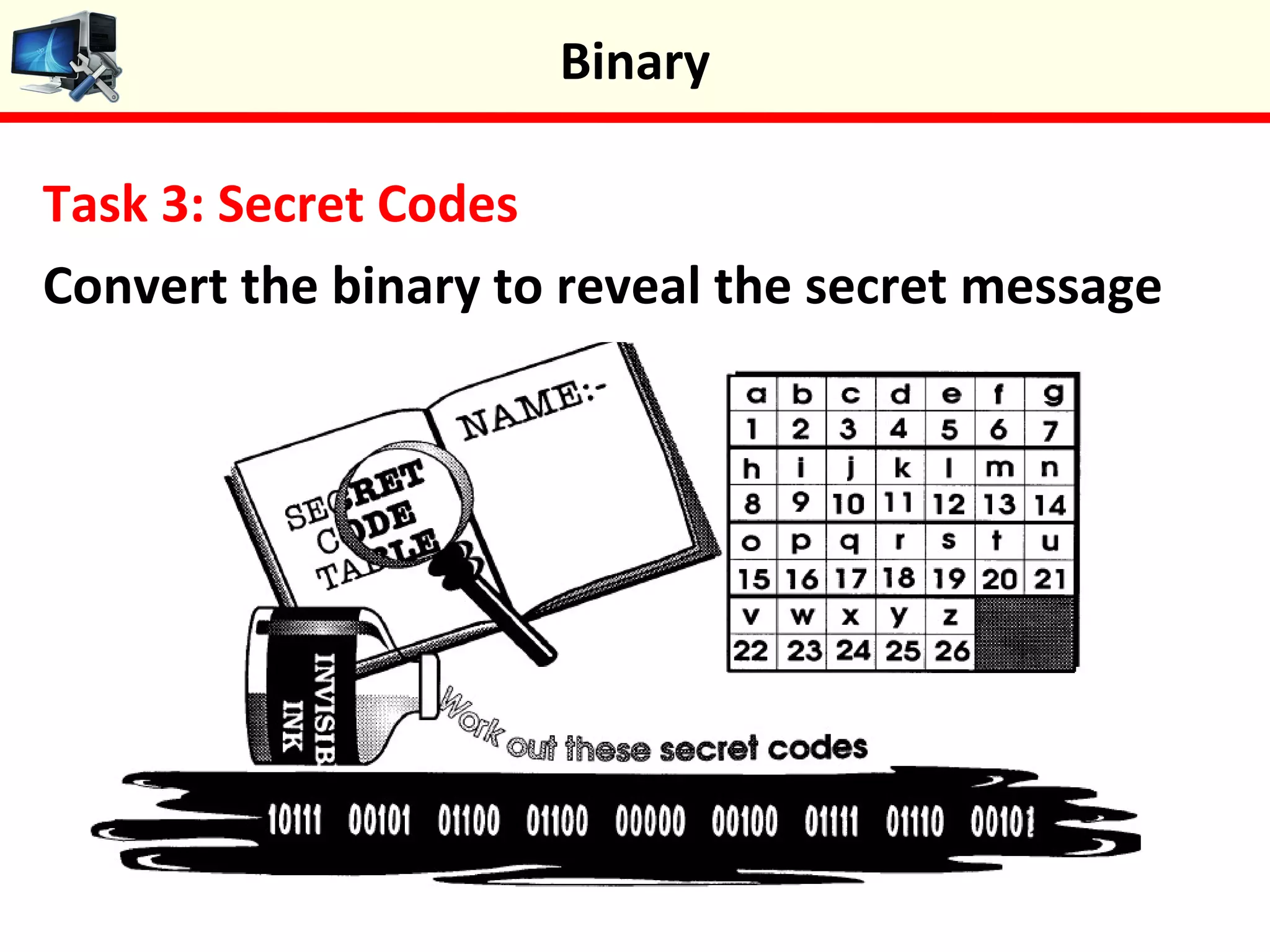
Task 3: Secret Codes
Convert the binary to reveal the secret message
Binary
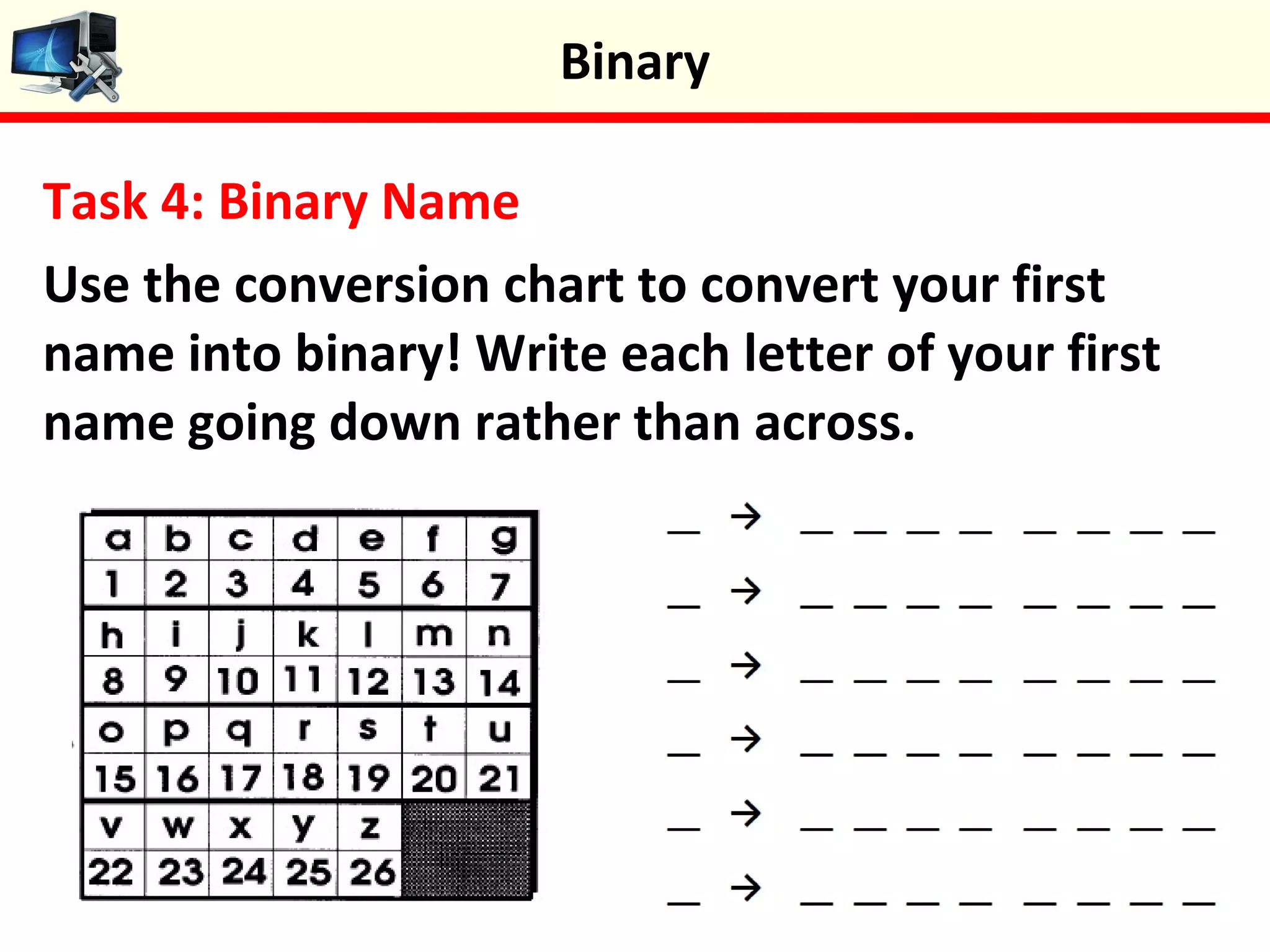
Task 4: Binary Name
Use the conversion chart to convert your first
name into binary! Write each letter of your first
name going down rather than across.
Binary
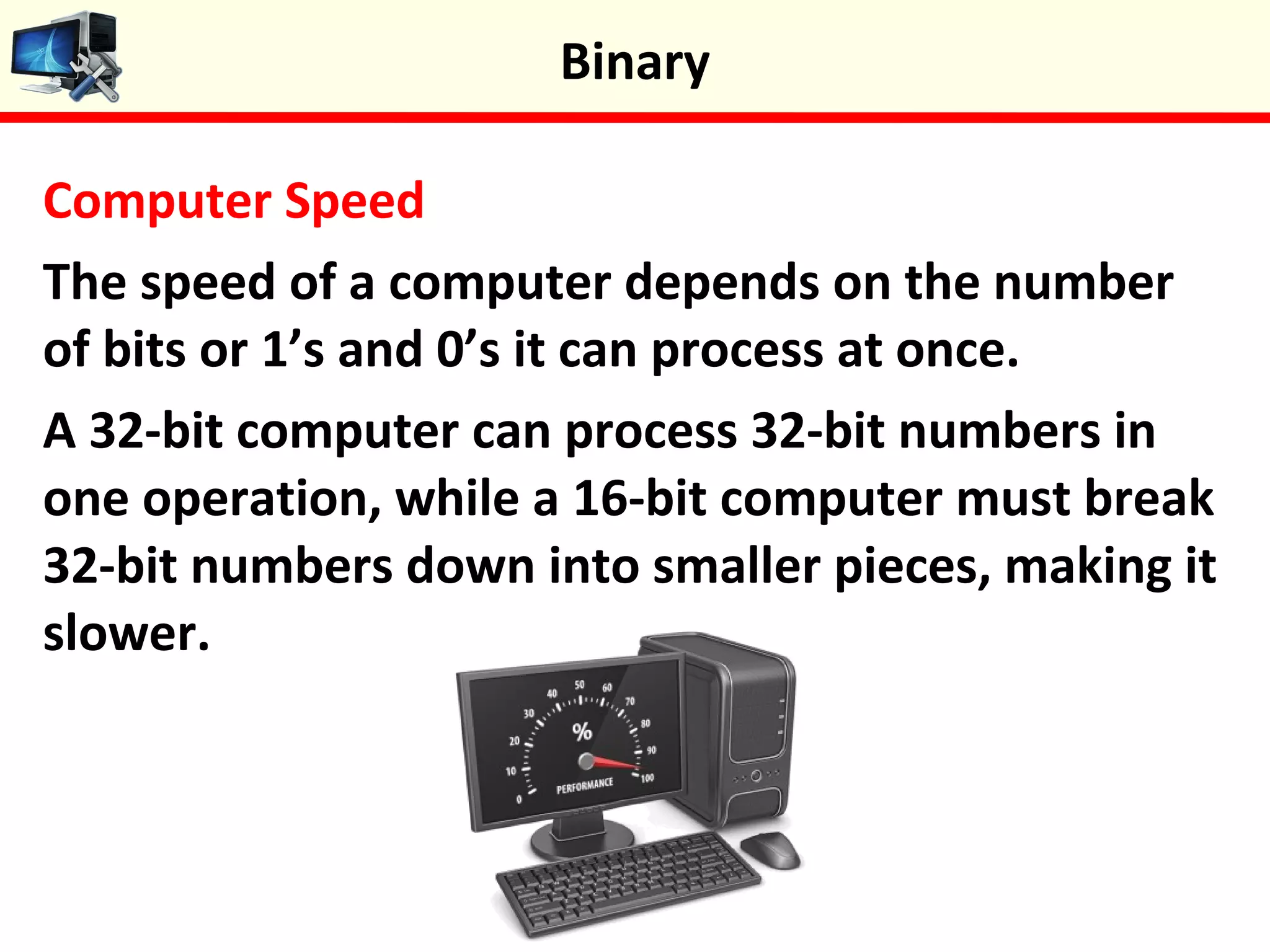
Computer Speed
The speed of a computer depends on the number
of bits or 1’s and 0’s it can process at once.
A 32-bit computer can process 32-bit numbers in
one operation, while a 16-bit computer must break
32-bit numbers down into smaller pieces, making it
slower.
Binary
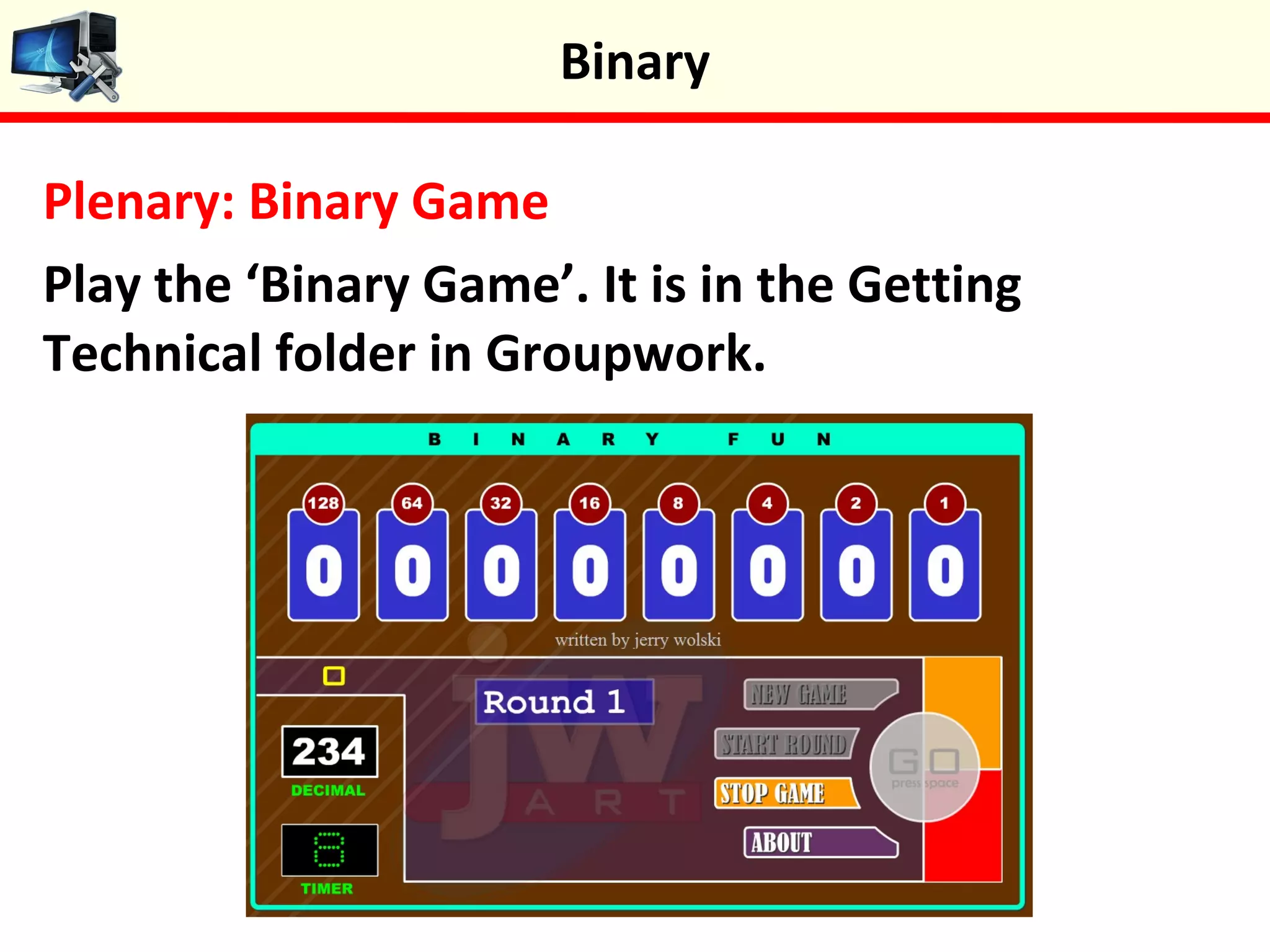
Plenary: Binary Game
Play the ‘Binary Game’. It is in the Getting
Technical folder in Groupwork.
Binary
Keywords
 Be able to convert binary to decimal numbers
 Understand how binary represents numbers and text
 Be able to convert binary to characters
 Understand how a computers speed is calculated
Objectives
 Binary
 Bit
 Byte
 Character
 Decimal
 Base 10
 Convert
 1 and 0




Binary

Binary

  • 1.
  • 2.
    Starter Activity: NumberCombinations How many different number combinations can you make from the following cards? 1.2 + 4 = 6 2.1 + 8 = 9 Binary
  • 3.
    In this lessonyou will learn about how computers represent words and numbers using just two numbers. You will act as a computer by converting binary numbers into decimals and text. Lesson Objectives  Be able to convert binary to decimal numbers  Understand how binary represents numbers and text  Be able to convert binary to characters  Understand how a computers speed is calculated Binary
  • 4.
    Binary •The only twonumbers computers understand are one and zero (1 is on and 0 is off) •The magic of computers is that they have the ability to convert them into something that we can understand such as text and images •The numbers are often referred to as bits as they represent a “bit” of a word, a number, sound etc. •When these numbers are put together they are referred to as binary numbers Binary
  • 5.
    Binary Demo Watch theBinary video, this will introduce you to how binary works. Binary
  • 6.
    Task 1: ConvertingBinary into Decimal Click on the ‘Binary to Decimal Converter’ link which is in the Getting Technical folder in Groupwork. Click on the button. Convert 10 binary numbers of your choice to decimal numbers. Try and work out the decimal number before you click convert. Binary
  • 7.
    Task 2: BinaryNumbers Convert these binary numbers to decimal numbers: Binary
  • 8.
    Bits and Bytes •Eachzero or one is called a bit (binary digit) •Bits are often stored in groups of eight, which can represent numbers from 0 to 255 •A group of eight bits is called a byte •Binary code can also represent characters •A byte is often used to represent a single character of text •The numbers 0 to 255 can encode all the upper- and lower-case letters of a keyboard Binary
  • 9.
  • 10.
    Task 3: SecretCodes Convert the binary to reveal the secret message Binary
  • 11.
    Task 4: BinaryName Use the conversion chart to convert your first name into binary! Write each letter of your first name going down rather than across. Binary
  • 12.
    Computer Speed The speedof a computer depends on the number of bits or 1’s and 0’s it can process at once. A 32-bit computer can process 32-bit numbers in one operation, while a 16-bit computer must break 32-bit numbers down into smaller pieces, making it slower. Binary
  • 13.
    Plenary: Binary Game Playthe ‘Binary Game’. It is in the Getting Technical folder in Groupwork. Binary
  • 14.
    Keywords  Be ableto convert binary to decimal numbers  Understand how binary represents numbers and text  Be able to convert binary to characters  Understand how a computers speed is calculated Objectives  Binary  Bit  Byte  Character  Decimal  Base 10  Convert  1 and 0     Binary

Editor's Notes

  • #13 1. Have a conversation/tell a joke 2. Cook a meal 3. Look after a child