Scratching The Surface
Starter Activity: Scratch Website
Explore the scratch website
http://scratch.mit.edu
Scratching The Surface
In this lesson you will learn about the Scratch
programming environment and the basic terms
used in the program. You will create your first
computer program based on a cat walk scenario.
Lesson
Objectives
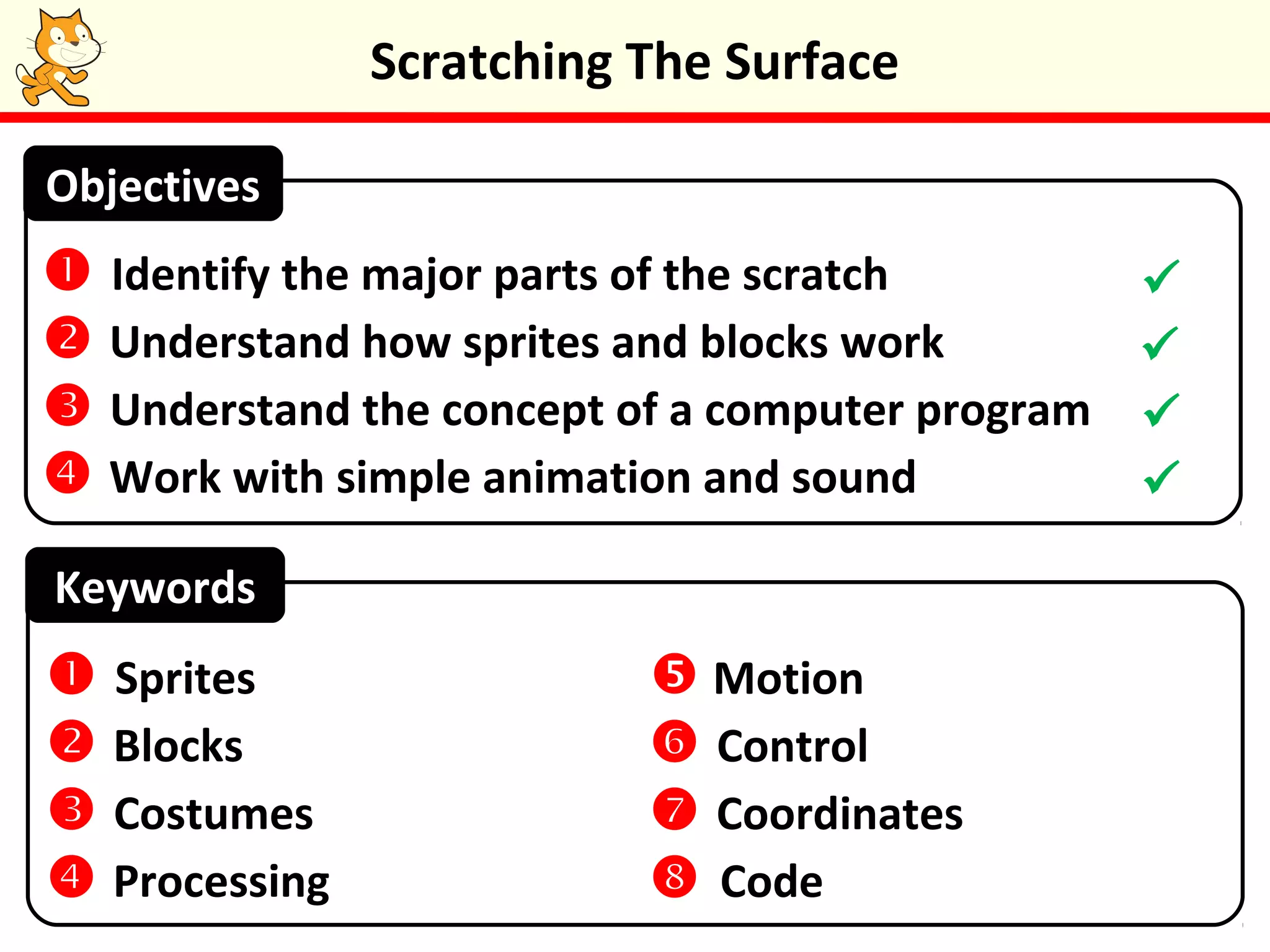
 Identify the major parts of the scratch environment
 Understand how sprites and blocks work
 Understand the concept of a computer program
 Work with simple animation and sound
Watch the Scratch Intro video, this will introduce
you to Scratch and its screen layout.
Scratching The Surface
A Scratch program contains sprites (characters)
that “perform” on a stage. Sprites and the stage
have three kinds of properties (or settings).
Scripts: These are the instructions that control a
sprite. Scripts are made from blocks.
Costumes/Backgrounds: Costumes are “outfits” for
a sprite. Backgrounds are just like costumes but for
the stage.
Sounds: These are sounds that sprites or the stage
can use.
Scratching The Surface
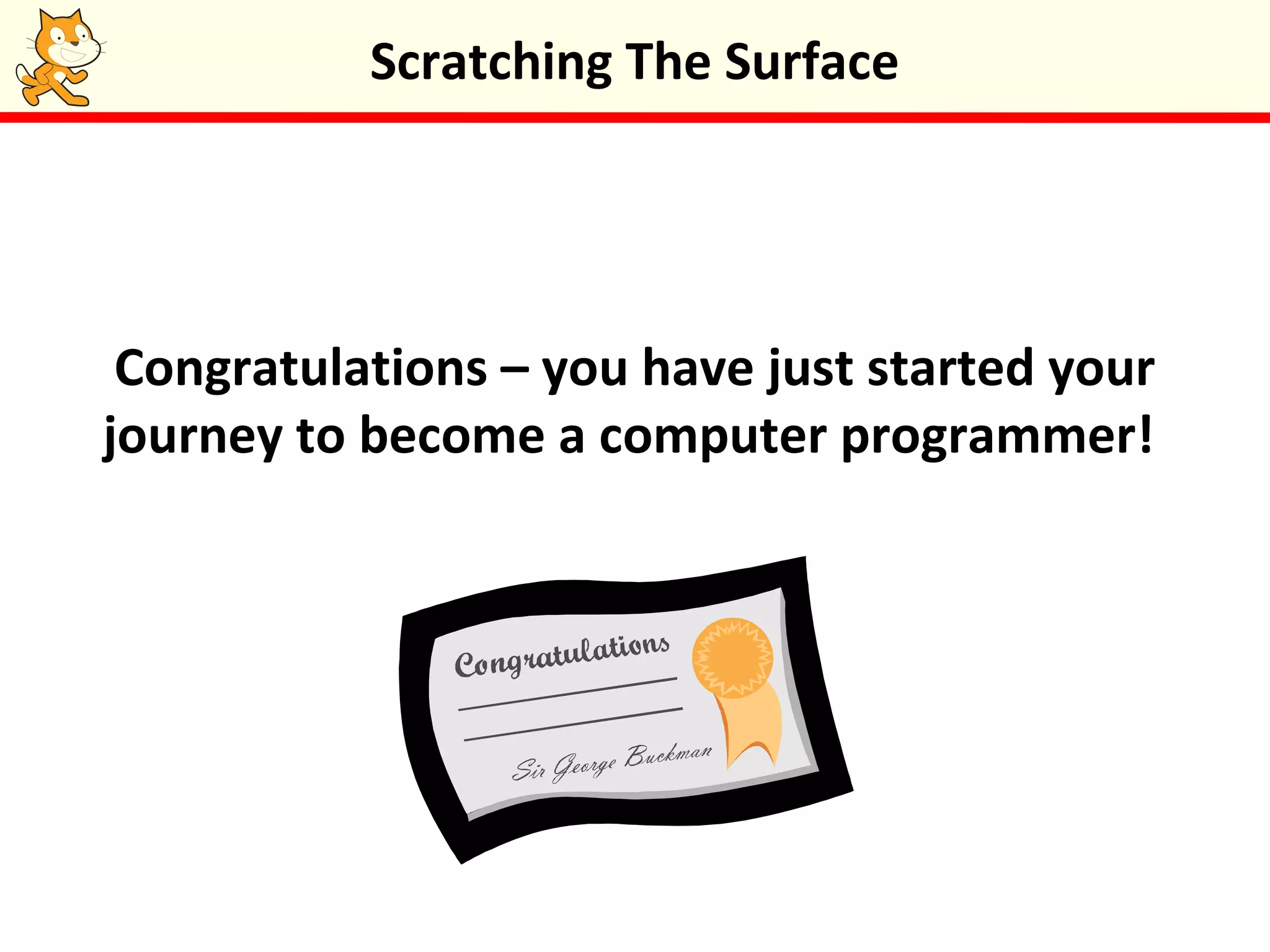
Task 1: Up on the Catwalk
Follow the steps outlined in the Catwalk video
which is in the programming in scratch folder in
Groupwork to create your first computer
program.
Scratching The Surface
If you get struck, look back at the video.
Congratulations – you have just started your
journey to become a computer programmer!
Scratching The Surface
Putting Things in Order
•Blocks in the same script get executed (carried
out) in sequence, one after the other.
•Blocks in separate scripts can sometimes be
executed at the same time. This is called parallel
processing – having the computer do more than
one thing at a time.
•For example, if you have several scripts, they will
all get executed together when the green flag is
clicked.
Scratching The Surface
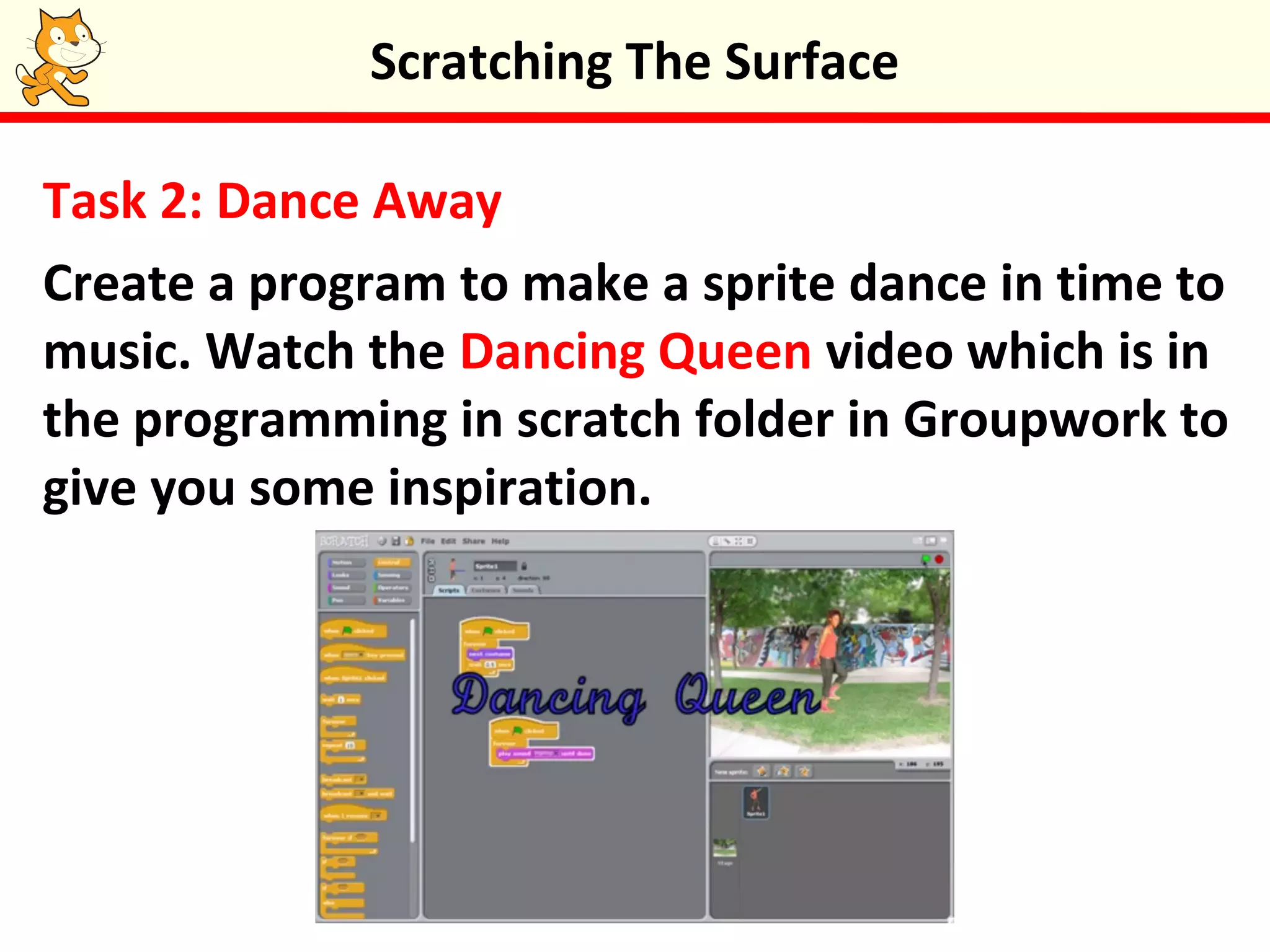
Task 2: Dance Away
Create a program to make a sprite dance in time to
music. Watch the Dancing Queen video which is in
the programming in scratch folder in Groupwork to
give you some inspiration.
Scratching The Surface
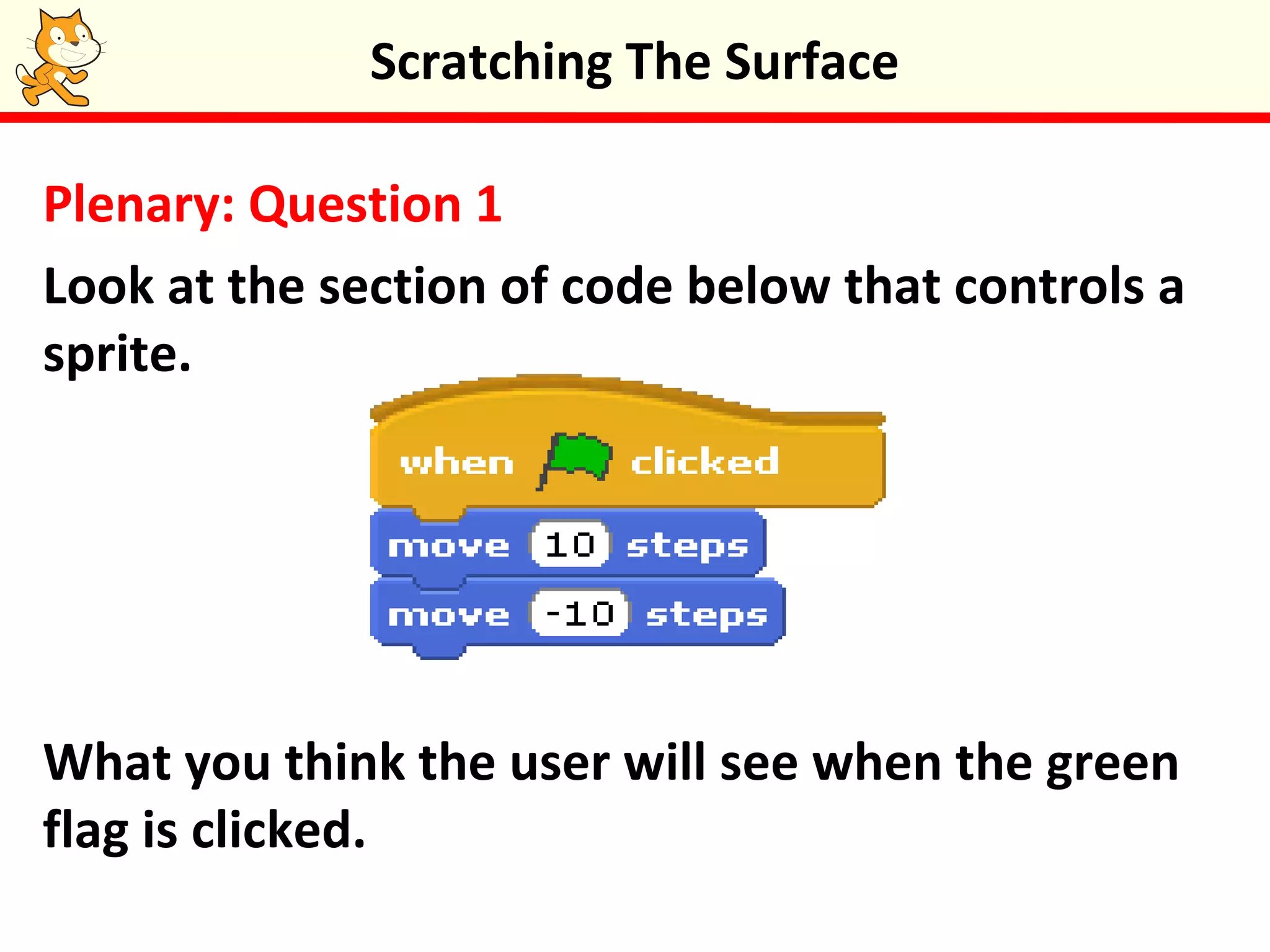
Plenary: Question 1
Look at the section of code below that controls a
sprite.
What you think the user will see when the green
flag is clicked.
Scratching The Surface
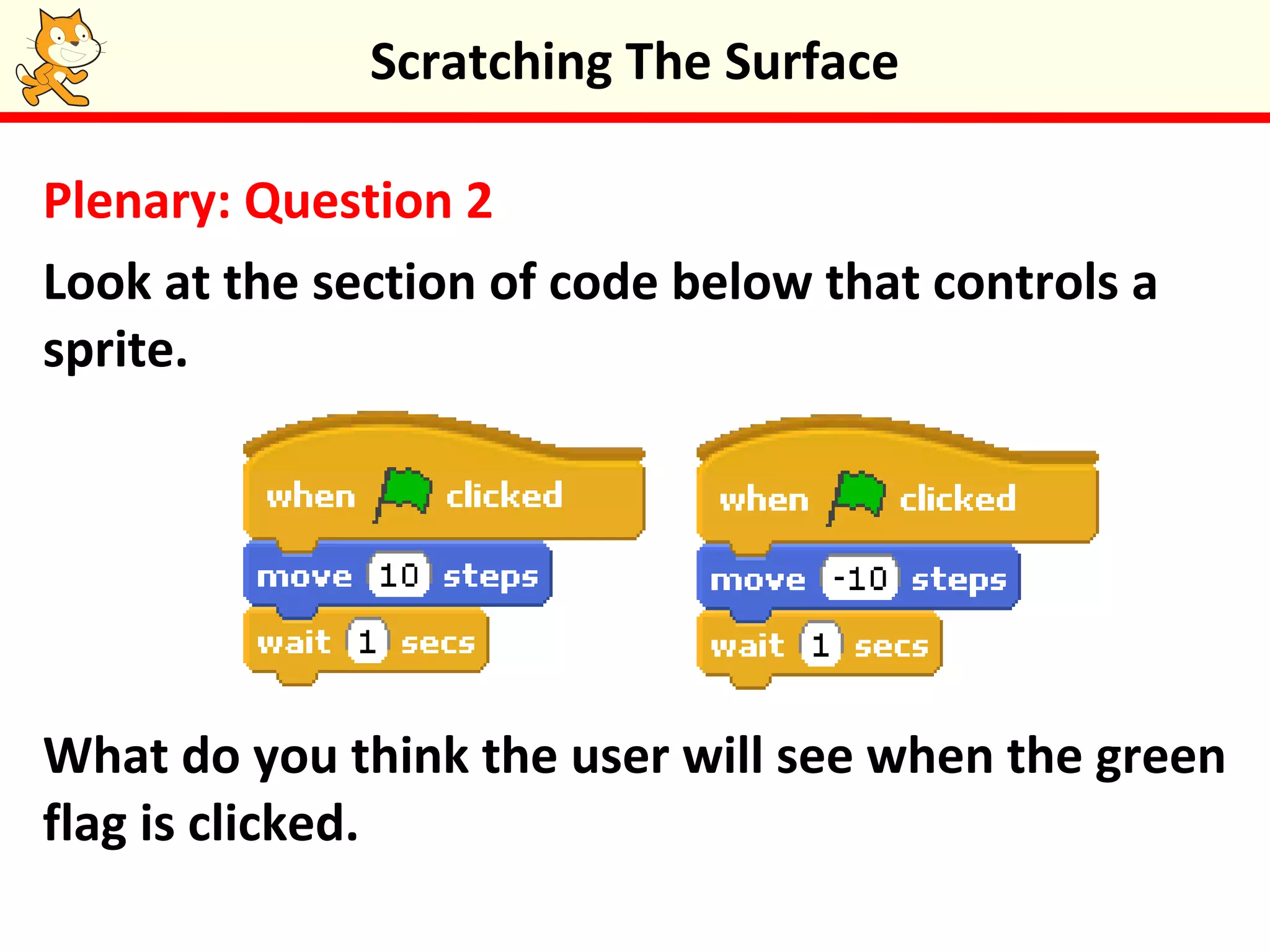
Plenary: Question 2
Look at the section of code below that controls a
sprite.
What do you think the user will see when the green
flag is clicked.
Scratching The Surface
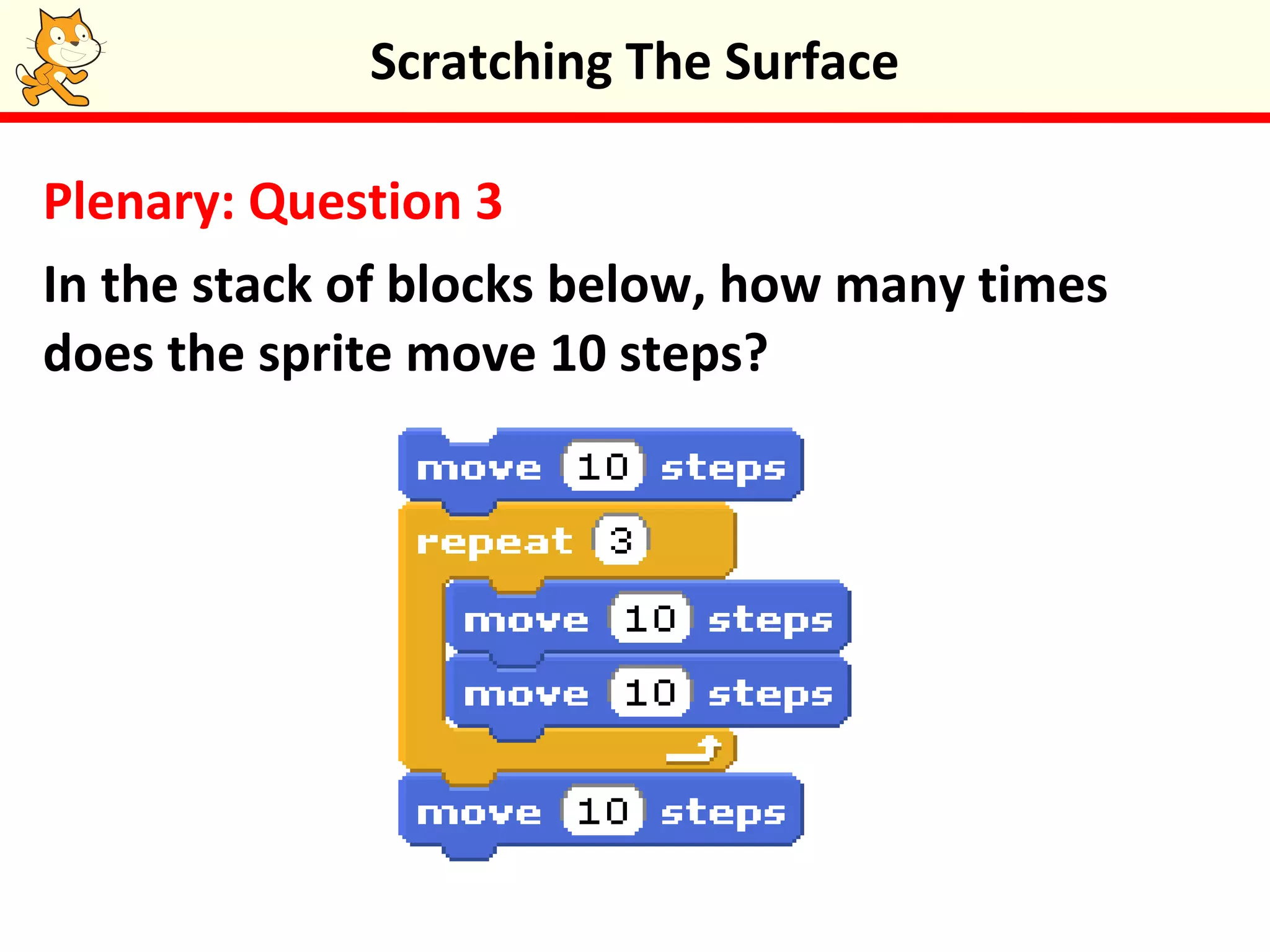
Plenary: Question 3
In the stack of blocks below, how many times
does the sprite move 10 steps?
Scratching The Surface
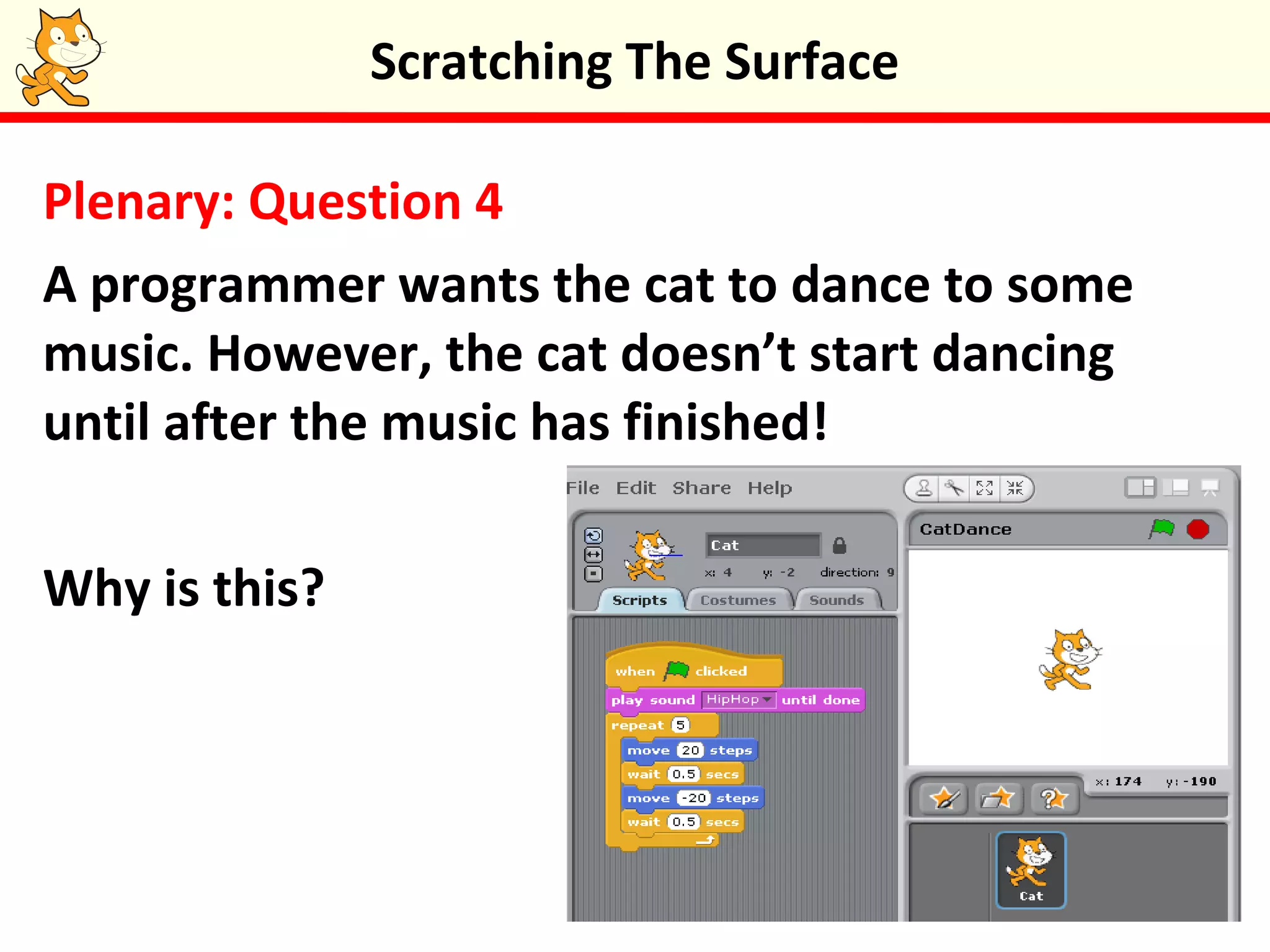
Plenary: Question 4
A programmer wants the cat to dance to some
music. However, the cat doesn’t start dancing
until after the music has finished!
Why is this?
Scratching The Surface
Keywords
 Identify the major parts of the scratch
 Understand how sprites and blocks work
 Understand the concept of a computer program
 Work with simple animation and sound
Objectives
 Sprites
 Blocks
 Costumes
 Processing
 Motion
 Control
 Coordinates
 Code





Scratching the surface

  • 1.
  • 2.
    Starter Activity: ScratchWebsite Explore the scratch website http://scratch.mit.edu Scratching The Surface
  • 3.
    Scratching The Surface Inthis lesson you will learn about the Scratch programming environment and the basic terms used in the program. You will create your first computer program based on a cat walk scenario. Lesson Objectives  Identify the major parts of the scratch environment  Understand how sprites and blocks work  Understand the concept of a computer program  Work with simple animation and sound
  • 4.
    Watch the ScratchIntro video, this will introduce you to Scratch and its screen layout. Scratching The Surface
  • 5.
    A Scratch programcontains sprites (characters) that “perform” on a stage. Sprites and the stage have three kinds of properties (or settings). Scripts: These are the instructions that control a sprite. Scripts are made from blocks. Costumes/Backgrounds: Costumes are “outfits” for a sprite. Backgrounds are just like costumes but for the stage. Sounds: These are sounds that sprites or the stage can use. Scratching The Surface
  • 6.
    Task 1: Upon the Catwalk Follow the steps outlined in the Catwalk video which is in the programming in scratch folder in Groupwork to create your first computer program. Scratching The Surface If you get struck, look back at the video.
  • 7.
    Congratulations – youhave just started your journey to become a computer programmer! Scratching The Surface
  • 8.
    Putting Things inOrder •Blocks in the same script get executed (carried out) in sequence, one after the other. •Blocks in separate scripts can sometimes be executed at the same time. This is called parallel processing – having the computer do more than one thing at a time. •For example, if you have several scripts, they will all get executed together when the green flag is clicked. Scratching The Surface
  • 9.
    Task 2: DanceAway Create a program to make a sprite dance in time to music. Watch the Dancing Queen video which is in the programming in scratch folder in Groupwork to give you some inspiration. Scratching The Surface
  • 10.
    Plenary: Question 1 Lookat the section of code below that controls a sprite. What you think the user will see when the green flag is clicked. Scratching The Surface
  • 11.
    Plenary: Question 2 Lookat the section of code below that controls a sprite. What do you think the user will see when the green flag is clicked. Scratching The Surface
  • 12.
    Plenary: Question 3 Inthe stack of blocks below, how many times does the sprite move 10 steps? Scratching The Surface
  • 13.
    Plenary: Question 4 Aprogrammer wants the cat to dance to some music. However, the cat doesn’t start dancing until after the music has finished! Why is this? Scratching The Surface
  • 14.
    Scratching The Surface Keywords Identify the major parts of the scratch  Understand how sprites and blocks work  Understand the concept of a computer program  Work with simple animation and sound Objectives  Sprites  Blocks  Costumes  Processing  Motion  Control  Coordinates  Code    

Editor's Notes

  • #11 The sprite appears not to move Why? The computer carried out the instructions too quickly for us to see any movement.
  • #12 The sprite didn’t move. Why? Both scripts get executed at the same time – in parallel – thereby “ cancelling each other out”.
  • #13 Eight times.
  • #14 The computer plays sound hip-hop until it is completed before going on to the next instruction. The programmer could have done one of two things:  used a play sound hip-hop block  had the play sound until done block as part of another when flag clicked script.