Binary Conversion
Switch ON or OF
 Data are processed and stored in a computer
system through the presence or absence of
electronic or magnetic signals in the computer
‘s.
Computer Storage Fundamentals
 The smallest element of data is called a bit,
short for binary digit, which can have a value of
either 0 or 1.
 A byte is a basic grouping of bits that the
computer operates as a single unit.
Bit and byte
 Typically, it consists of eight bits and represents
one character of data.
 Computers use the binary system to store and
computer numbers.
 Computer is understand only machine
language
 0 or 1
 0 mean off
 1 mean on
Binary Conversion
 How we can convert decimal to Binary.
 Machine can understand 0 or 1
Binary Conversion
 Every computer processor is made of millions
of switches that can be turned off or on.
Binary Conversion
 These switches have only two states, it makes
sense for a computer to perform its
computations with a number system that only
has two digits: the binary number system.
These digits (0 and 1) correspond to the off and
on positions of the switches in the computer
processor.
Binary Conversion
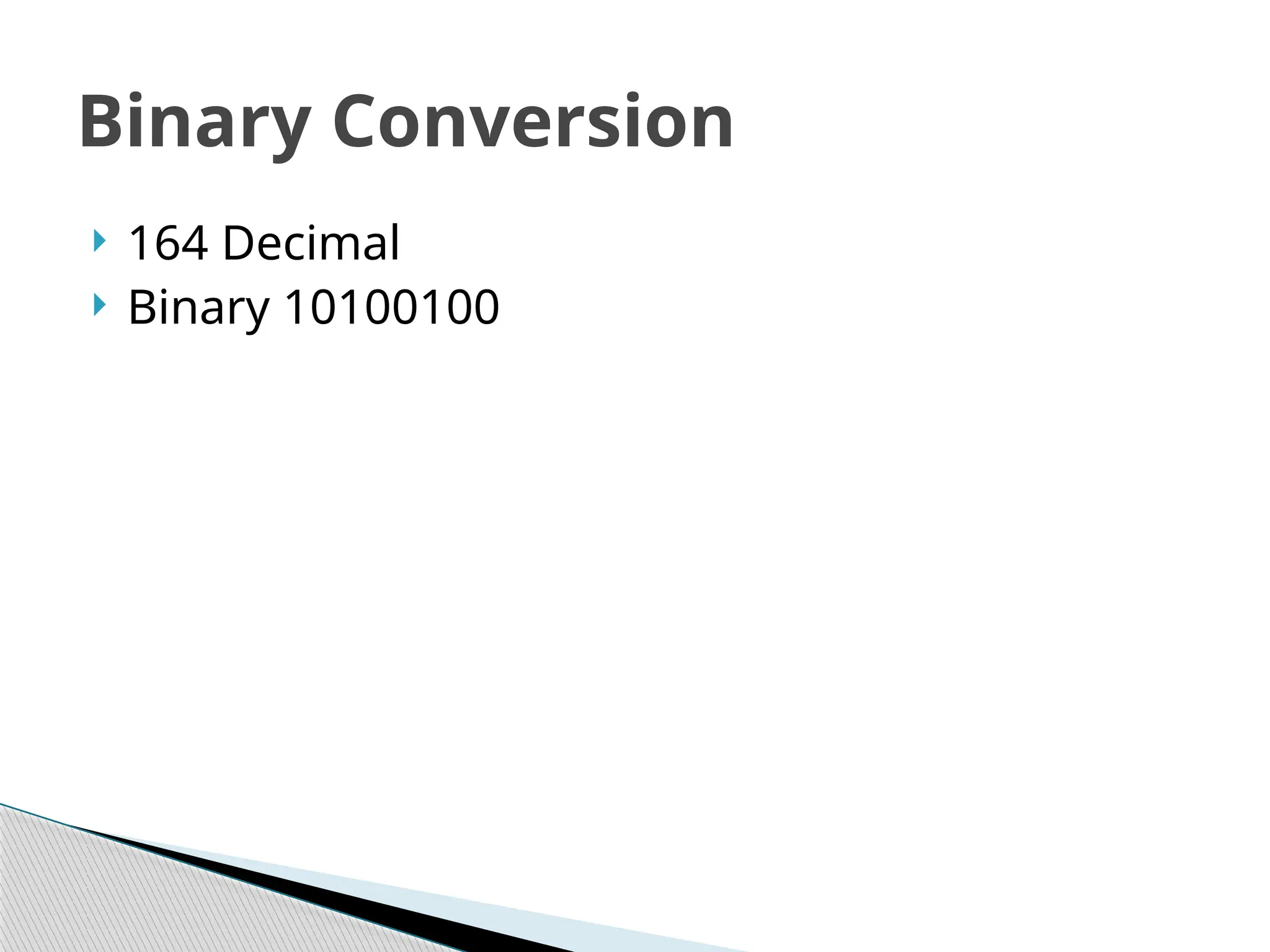
 164 Decimal
 Binary 10100100
Binary Conversion
 Now how can we convert
?
Binary Conversion
 00000000 [0] 0*0
 00000001 [1] 1*0
 00000010 [2] 2*1
 00000100 [4] 2*2
 00001000 [8] 2*2*2
 00010000 [16] 2*2*2*2
 00100000 [32] 2*2*2*2*2
 01000000 [64] 2*2*2*2*2*2
 10000000 [128] 2*2*2*2*2*2*2
Binary Conversion
 00000011 [3]
 00000111 [7]
 00001111 [15]
 00011111 [31]
 00111111 [63]
 01111111 [127]
 11111111 [255]
Binary Conversion
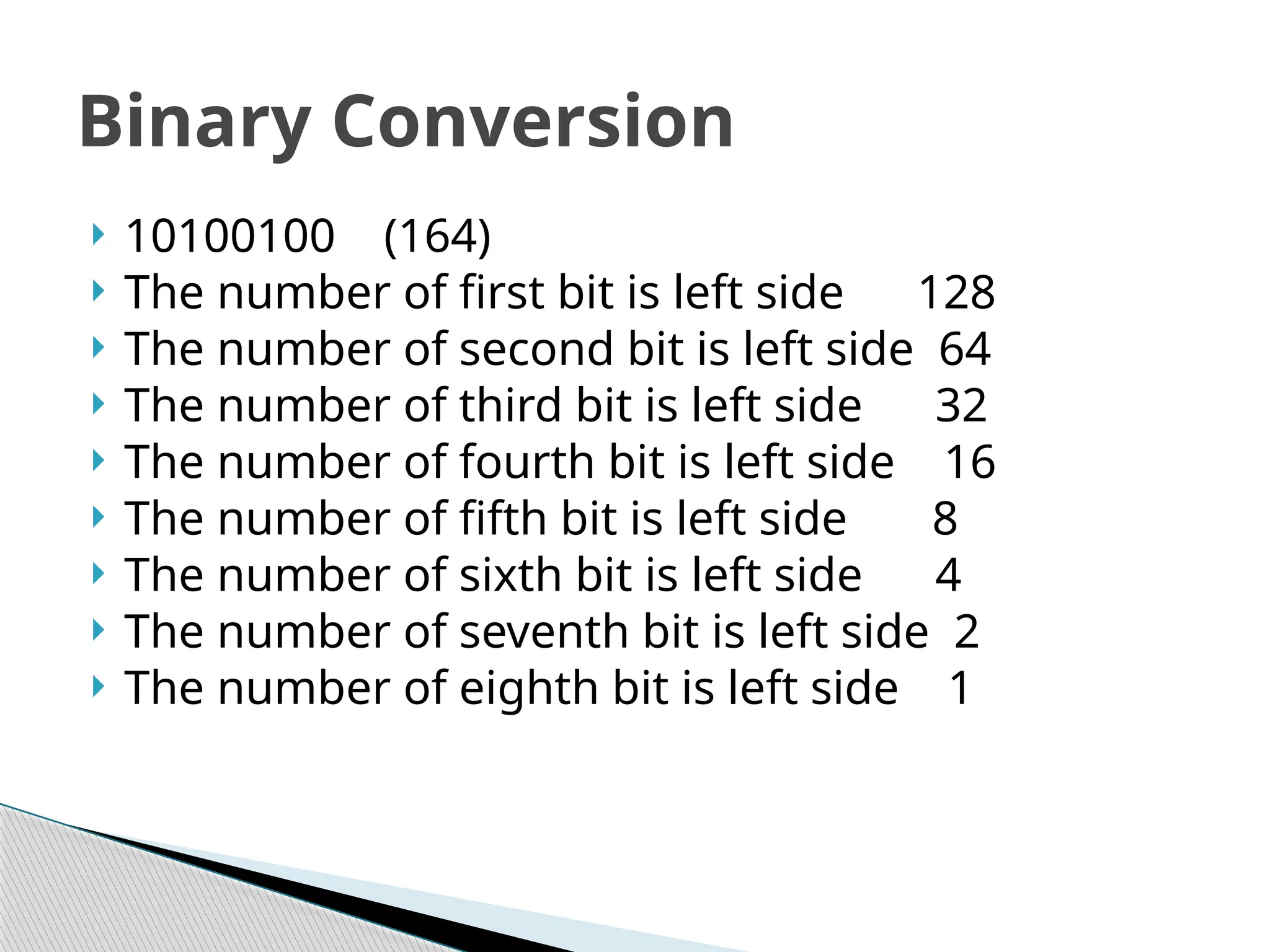
 10100100 (164)
 The number of first bit is left side 128
 The number of second bit is left side 64
 The number of third bit is left side 32
 The number of fourth bit is left side 16
 The number of fifth bit is left side 8
 The number of sixth bit is left side 4
 The number of seventh bit is left side 2
 The number of eighth bit is left side 1
Binary Conversion
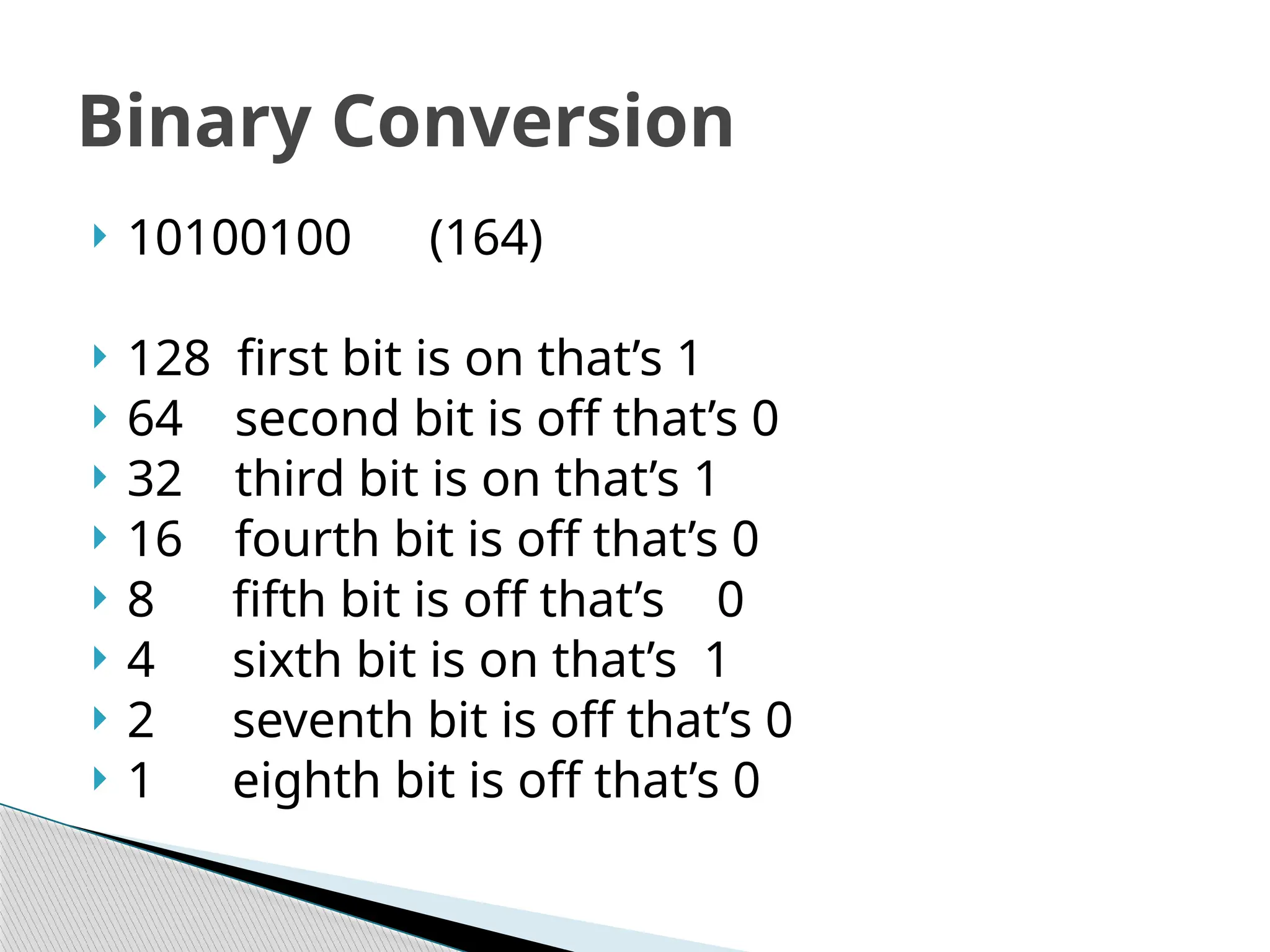
 10100100 (164)
 128 first bit is on that’s 1
 64 second bit is off that’s 0
 32 third bit is on that’s 1
 16 fourth bit is off that’s 0
 8 fifth bit is off that’s 0
 4 sixth bit is on that’s 1
 2 seventh bit is off that’s 0
 1 eighth bit is off that’s 0
Binary Conversion
 Now we will try next #153 decimal
 How we can convert decimal to binary
Binary Conversion

Binary Conversion
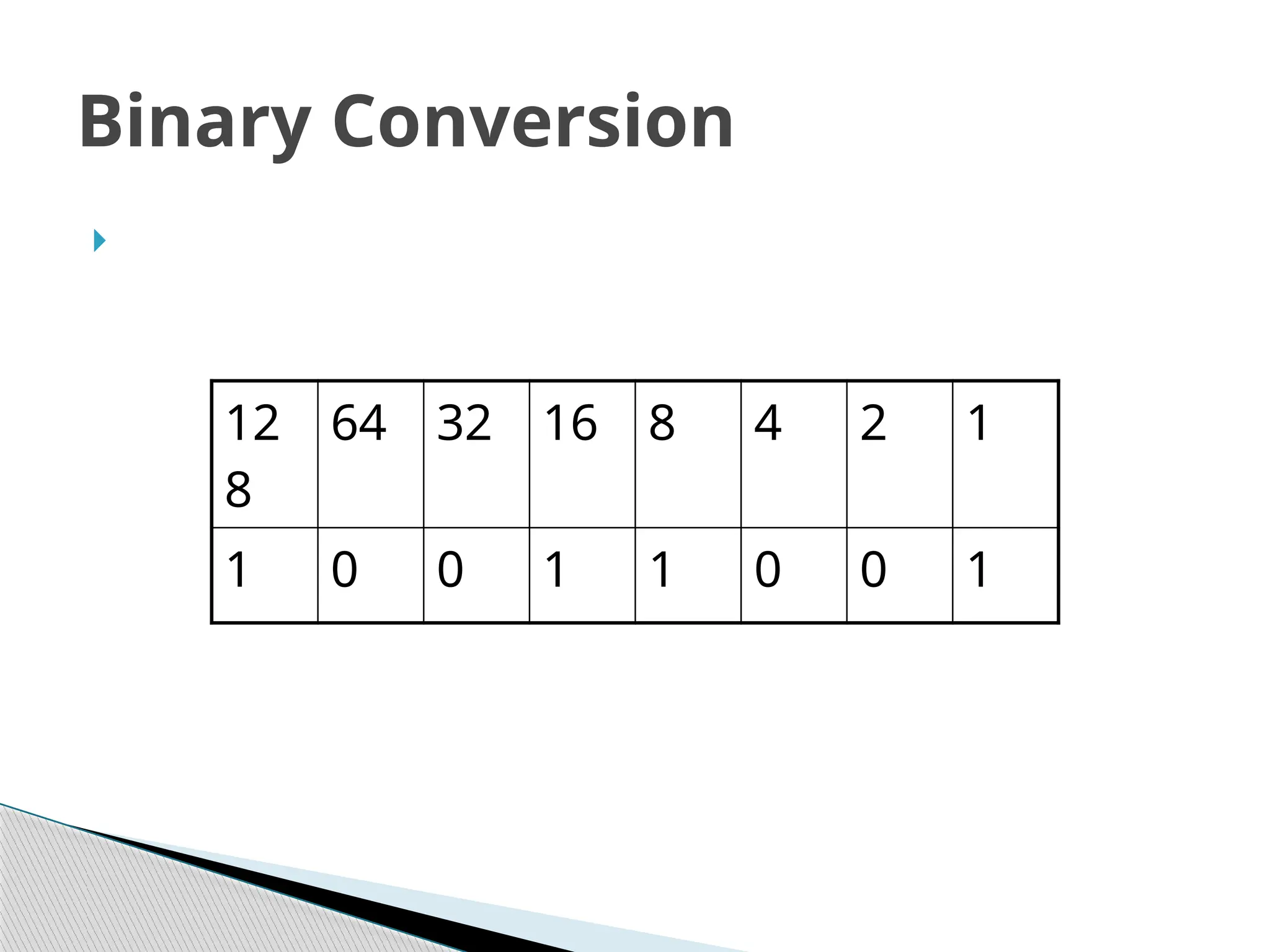
12
8
64 32 16 8 4 2 1
1 0 0 1 1 0 0 1
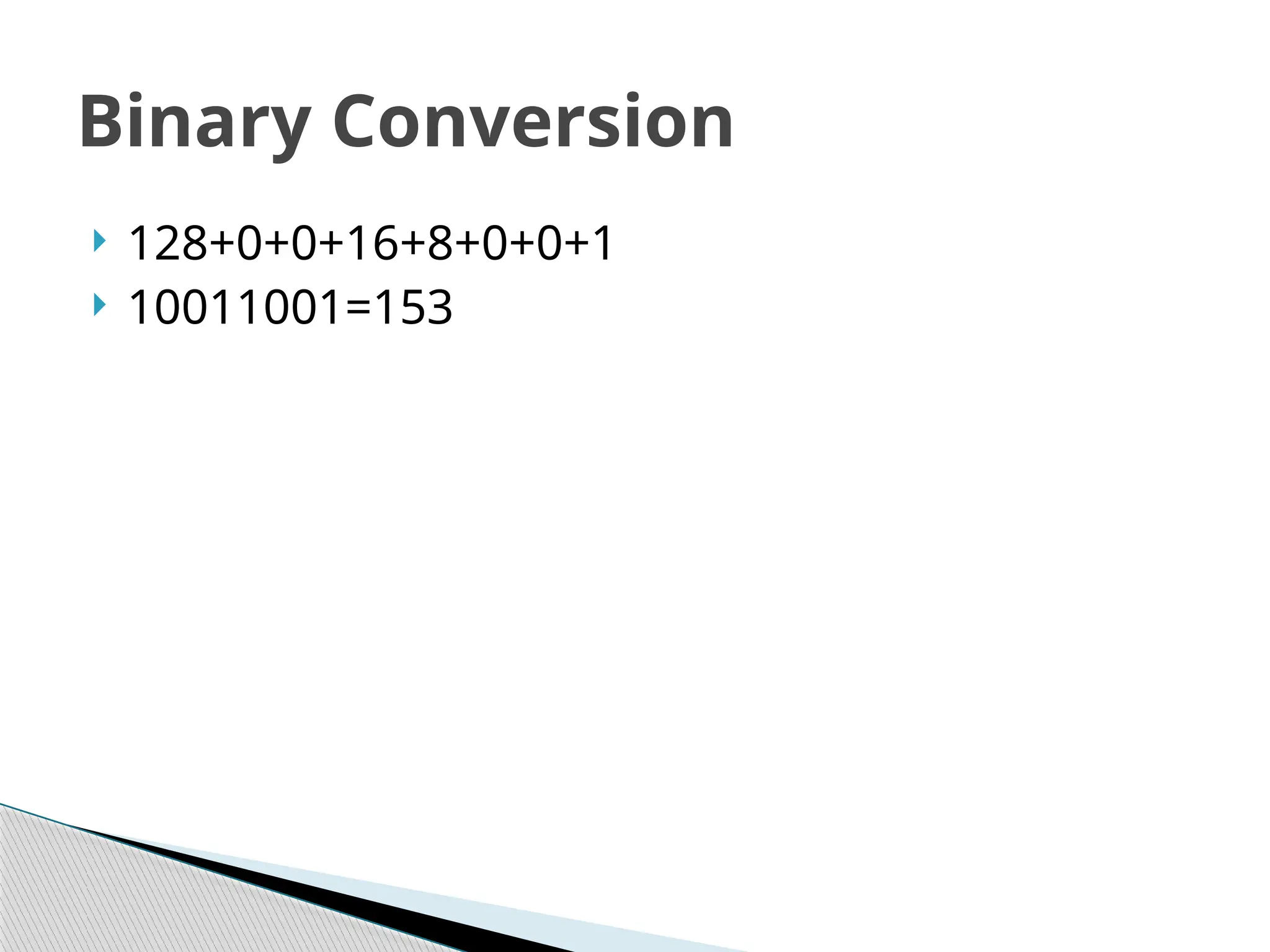
 128+0+0+16+8+0+0+1
 10011001=153
Binary Conversion
156 Decimal
 Binary?
 10011100 Binary
 But how can it ?
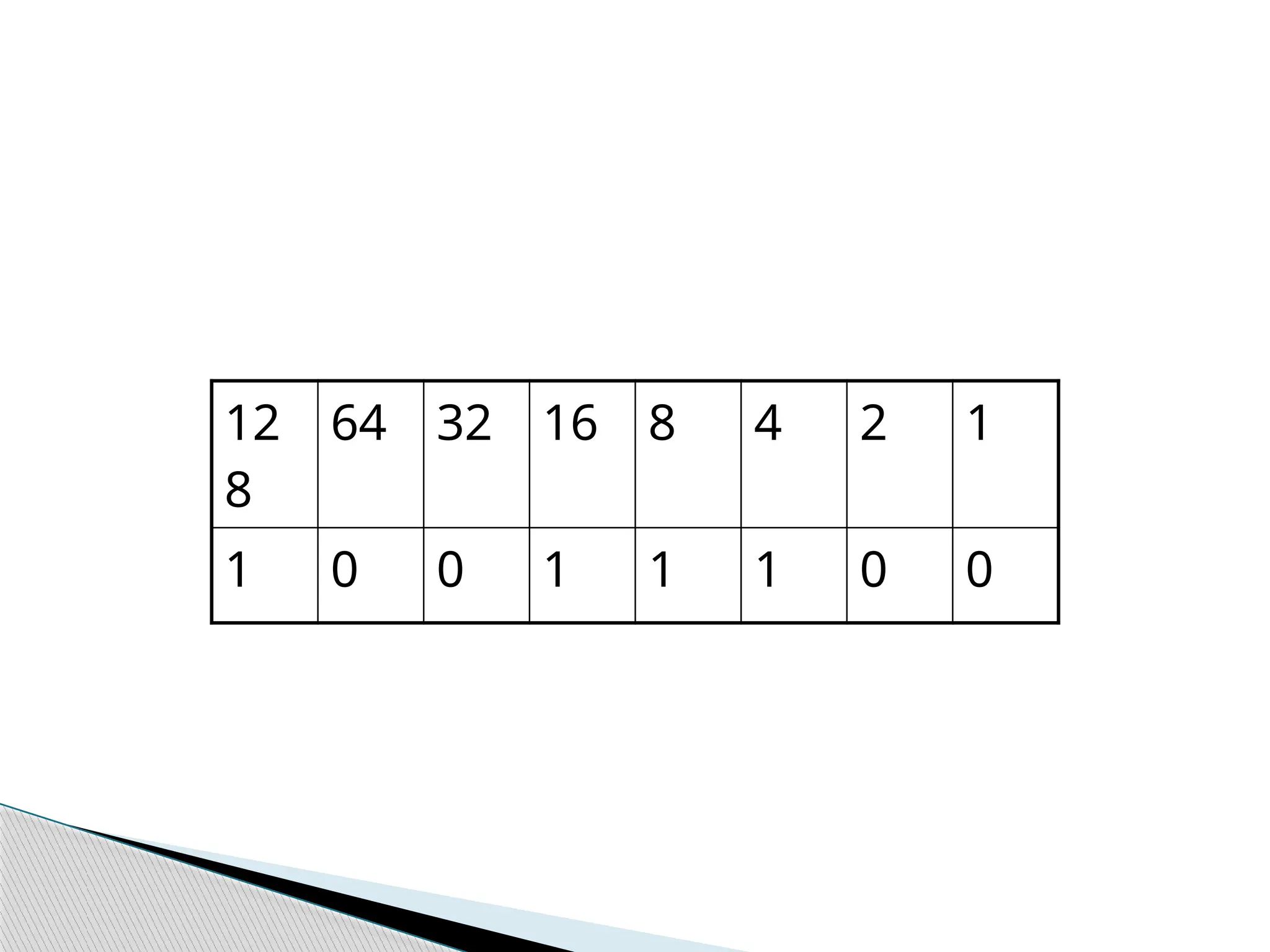
12
8
64 32 16 8 4 2 1
1 0 0 1 1 1 0 0
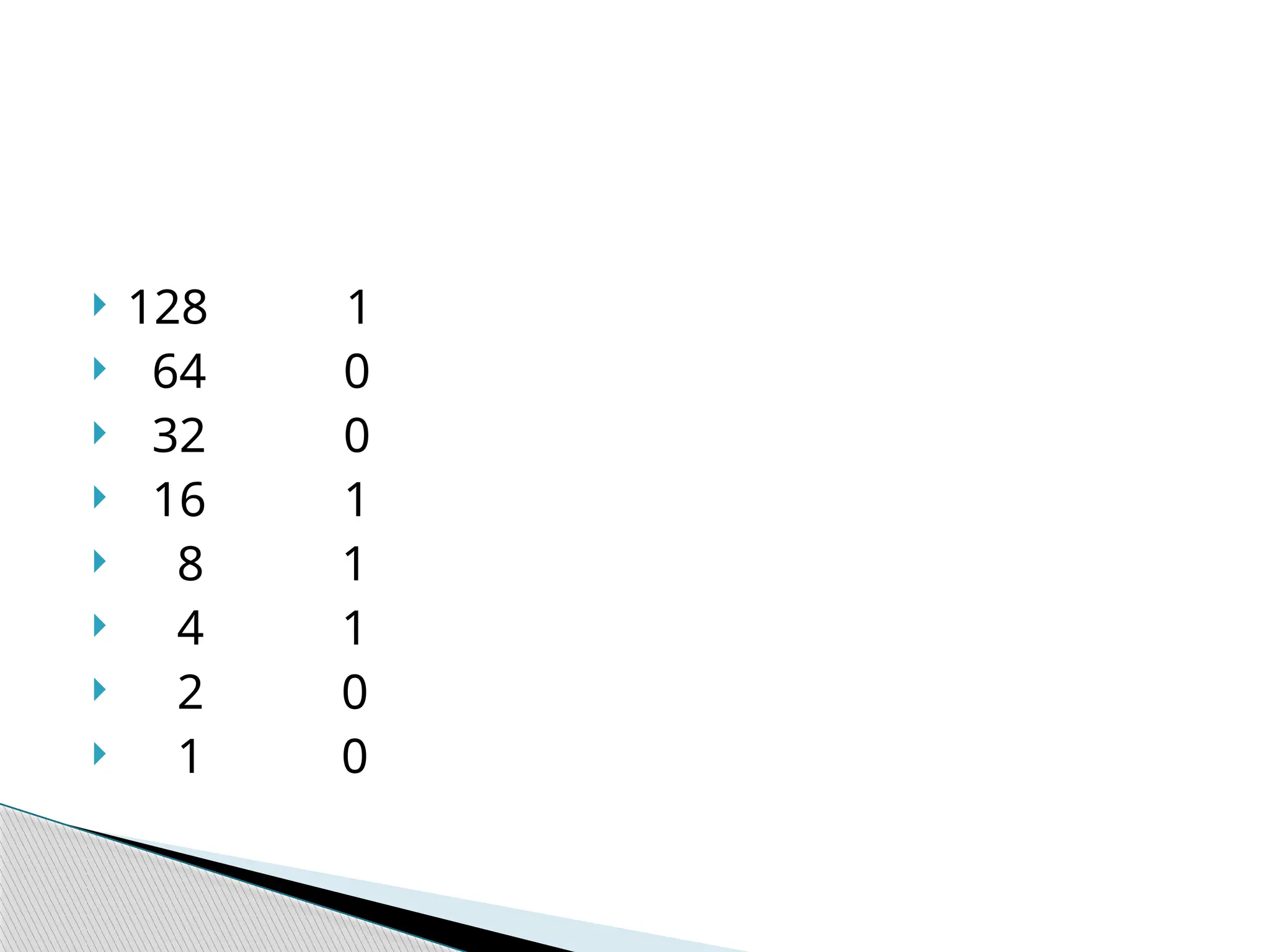
 128 1
 64 0
 32 0
 16 1
 8 1
 4 1
 2 0
 1 0
 A bit is the smallest piece of digital computer
information. A single bit represents either zero,
or one by using one of two electrical states
inside the computer chips that store and
process the bits
 A byte is eight bits which together can be used
to represent the decimal values zero through
255

The fundamentals of Computer Storage System

  • 1.
  • 2.
     Data areprocessed and stored in a computer system through the presence or absence of electronic or magnetic signals in the computer ‘s. Computer Storage Fundamentals
  • 3.
     The smallestelement of data is called a bit, short for binary digit, which can have a value of either 0 or 1.  A byte is a basic grouping of bits that the computer operates as a single unit. Bit and byte
  • 4.
     Typically, itconsists of eight bits and represents one character of data.
  • 5.
     Computers usethe binary system to store and computer numbers.  Computer is understand only machine language  0 or 1  0 mean off  1 mean on Binary Conversion
  • 6.
     How wecan convert decimal to Binary.  Machine can understand 0 or 1 Binary Conversion
  • 7.
     Every computerprocessor is made of millions of switches that can be turned off or on. Binary Conversion
  • 8.
     These switcheshave only two states, it makes sense for a computer to perform its computations with a number system that only has two digits: the binary number system. These digits (0 and 1) correspond to the off and on positions of the switches in the computer processor. Binary Conversion
  • 9.
     164 Decimal Binary 10100100 Binary Conversion
  • 10.
     Now howcan we convert ? Binary Conversion
  • 11.
     00000000 [0]0*0  00000001 [1] 1*0  00000010 [2] 2*1  00000100 [4] 2*2  00001000 [8] 2*2*2  00010000 [16] 2*2*2*2  00100000 [32] 2*2*2*2*2  01000000 [64] 2*2*2*2*2*2  10000000 [128] 2*2*2*2*2*2*2 Binary Conversion
  • 12.
     00000011 [3] 00000111 [7]  00001111 [15]  00011111 [31]  00111111 [63]  01111111 [127]  11111111 [255] Binary Conversion
  • 13.
     10100100 (164) The number of first bit is left side 128  The number of second bit is left side 64  The number of third bit is left side 32  The number of fourth bit is left side 16  The number of fifth bit is left side 8  The number of sixth bit is left side 4  The number of seventh bit is left side 2  The number of eighth bit is left side 1 Binary Conversion
  • 14.
     10100100 (164) 128 first bit is on that’s 1  64 second bit is off that’s 0  32 third bit is on that’s 1  16 fourth bit is off that’s 0  8 fifth bit is off that’s 0  4 sixth bit is on that’s 1  2 seventh bit is off that’s 0  1 eighth bit is off that’s 0 Binary Conversion
  • 15.
     Now wewill try next #153 decimal  How we can convert decimal to binary Binary Conversion
  • 16.
     Binary Conversion 12 8 64 3216 8 4 2 1 1 0 0 1 1 0 0 1
  • 17.
  • 18.
  • 19.
     10011100 Binary But how can it ?
  • 20.
    12 8 64 32 168 4 2 1 1 0 0 1 1 1 0 0
  • 21.
     128 1 64 0  32 0  16 1  8 1  4 1  2 0  1 0
  • 22.
     A bitis the smallest piece of digital computer information. A single bit represents either zero, or one by using one of two electrical states inside the computer chips that store and process the bits
  • 23.
     A byteis eight bits which together can be used to represent the decimal values zero through 255