{
Big File Tablespaces
Presentation By :- Devang Vyas(14501002)
Rushang vaghela(14501006)
Why Bigfile Tablespaces ?
• Oracle Database 11g can contain up to 8 exabytes (8 million terabytes) of
data.
How many millions of datafiles you’d need to manage in order to hold
this much data.
You have the option of creating really big tablespaces called, bigfile
tablespaces.
A bigfile tablespace (BFT) contains only one very large datafile.
 Two ways For Create Data files
1) Permanent tablespace .
2) Temporary tablespace
DataFiles :-
The Data file contains data of all the logical structure that are
part of table space like,Table,index etc.
Tablespaces :-
A tablespace is a set of one or more datafiles and usually
consist of related segments
• Using the bigfile concept, Oracle has made a tablespace logically equal to a
datafile by creating
the new one-to-one relationship between tablespaces and datafiles.
Creating Bigfile Tablespaces
Three Different Ways to Create bigfile tablespaces
1) Specify them at database creation time and thus make them the default
tablespace type .
2) Use the CREATE BIGFILE statement.
3)Use the ALTER DATABASE statement to set the default type to a BFT
tablespace.
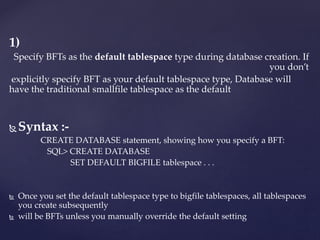
1)
Specify BFTs as the default tablespace type during database creation. If
you don’t
explicitly specify BFT as your default tablespace type, Database will
have the traditional smallfile tablespace as the default
 Syntax :-
CREATE DATABASE statement, showing how you specify a BFT:
SQL> CREATE DATABASE
SET DEFAULT BIGFILE tablespace . . .
 Once you set the default tablespace type to bigfile tablespaces, all tablespaces
you create subsequently
 will be BFTs unless you manually override the default setting
 The previous sections have dealt with operating system file
management
 where you, the DBA,manually create, delete, and manage the datafiles.
 Oracle Managed Files enable you to bypass dealing with operating
system files directly.
 In Oracle database, you deal with various types of database files,
 Including,
 datafiles,
 control files,
 online redo log files.
File Management with Oracle
Managed Files
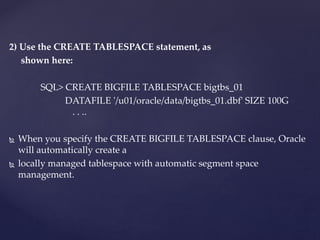
2) Use the CREATE TABLESPACE statement, as
shown here:
SQL> CREATE BIGFILE TABLESPACE bigtbs_01
DATAFILE '/u01/oracle/data/bigtbs_01.dbf' SIZE 100G
. . ..
 When you specify the CREATE BIGFILE TABLESPACE clause, Oracle
will automatically create a
 locally managed tablespace with automatic segment space
management.
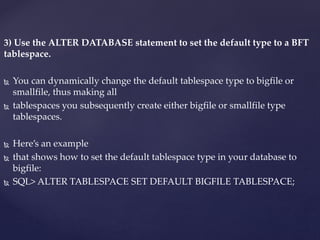
3) Use the ALTER DATABASE statement to set the default type to a BFT
tablespace.
 You can dynamically change the default tablespace type to bigfile or
smallfile, thus making all
 tablespaces you subsequently create either bigfile or smallfile type
tablespaces.
 Here’s an example
 that shows how to set the default tablespace type in your database to
bigfile:
 SQL> ALTER TABLESPACE SET DEFAULT BIGFILE TABLESPACE;
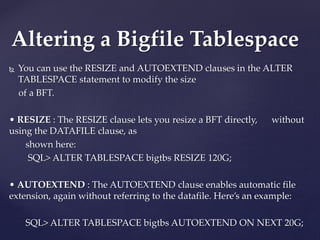
 You can use the RESIZE and AUTOEXTEND clauses in the ALTER
TABLESPACE statement to modify the size
of a BFT.
• RESIZE : The RESIZE clause lets you resize a BFT directly, without
using the DATAFILE clause, as
shown here:
SQL> ALTER TABLESPACE bigtbs RESIZE 120G;
• AUTOEXTEND : The AUTOEXTEND clause enables automatic file
extension, again without referring to the datafile. Here’s an example:
SQL> ALTER TABLESPACE bigtbs AUTOEXTEND ON NEXT 20G;
Altering a Bigfile Tablespace
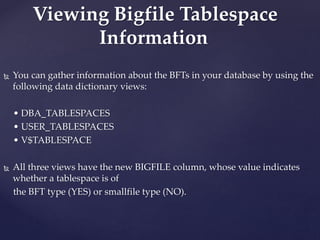
 You can gather information about the BFTs in your database by using the
following data dictionary views:
• DBA_TABLESPACES
• USER_TABLESPACES
• V$TABLESPACE
 All three views have the new BIGFILE column, whose value indicates
whether a tablespace is of
the BFT type (YES) or smallfile type (NO).
Viewing Bigfile Tablespace
Information
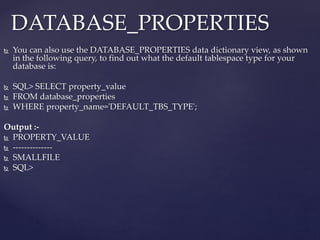
 You can also use the DATABASE_PROPERTIES data dictionary view, as shown
in the following query, to find out what the default tablespace type for your
database is:
 SQL> SELECT property_value
 FROM database_properties
 WHERE property_name='DEFAULT_TBS_TYPE';
Output :-
 PROPERTY_VALUE
 --------------
 SMALLFILE
 SQL>
DATABASE_PROPERTIES
 Oracle Database 10g mandates the creation of the Sysaux tablespace,
which serves as an auxiliary tablespace to the System tablespace.
 System tablespace was the default location for storing objects belonging
to components like the Workspace Manager, Logical Standby, Oracle
Spatial, and so on.
Managing the Sysaux
Tablespace
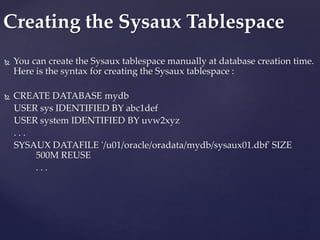
 You can create the Sysaux tablespace manually at database creation time.
Here is the syntax for creating the Sysaux tablespace :
 CREATE DATABASE mydb
USER sys IDENTIFIED BY abc1def
USER system IDENTIFIED BY uvw2xyz
. . .
SYSAUX DATAFILE '/u01/oracle/oradata/mydb/sysaux01.dbf' SIZE
500M REUSE
. . .
Creating the Sysaux Tablespace
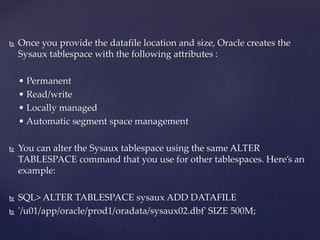
 Once you provide the datafile location and size, Oracle creates the
Sysaux tablespace with the following attributes :
• Permanent
• Read/write
• Locally managed
• Automatic segment space management
 You can alter the Sysaux tablespace using the same ALTER
TABLESPACE command that you use for other tablespaces. Here’s an
example:
 SQL> ALTER TABLESPACE sysaux ADD DATAFILE
 '/u01/app/oracle/prod1/oradata/sysaux02.dbf' SIZE 500M;
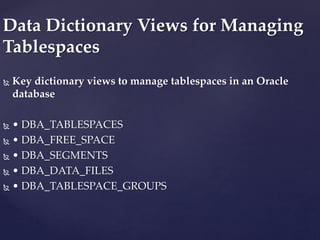
 Key dictionary views to manage tablespaces in an Oracle
database
 • DBA_TABLESPACES
 • DBA_FREE_SPACE
 • DBA_SEGMENTS
 • DBA_DATA_FILES
 • DBA_TABLESPACE_GROUPS
Data Dictionary Views for Managing
Tablespaces
 The previous sections have dealt with operating system file
management, where you, the DBA, manually create, delete, and
manage the datafiles.

Easy File Management with
Oracle Managed Files
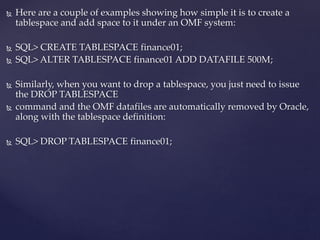
 Here are a couple of examples showing how simple it is to create a
tablespace and add space to it under an OMF system:
 SQL> CREATE TABLESPACE finance01;
 SQL> ALTER TABLESPACE finance01 ADD DATAFILE 500M;
 Similarly, when you want to drop a tablespace, you just need to issue
the DROP TABLESPACE
 command and the OMF datafiles are automatically removed by Oracle,
along with the tablespace definition:
 SQL> DROP TABLESPACE finance01;
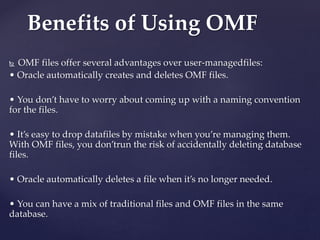
 OMF files offer several advantages over user-managedfiles:
• Oracle automatically creates and deletes OMF files.
• You don’t have to worry about coming up with a naming convention
for the files.
• It’s easy to drop datafiles by mistake when you’re managing them.
With OMF files, you don’trun the risk of accidentally deleting database
files.
• Oracle automatically deletes a file when it’s no longer needed.
• You can have a mix of traditional files and OMF files in the same
database.
Benefits of Using OMF
 You can create OMF files when you create the database, or you can add
them to a database that you created with traditional datafiles later on.
Either way, you need to set some initialization parameters to enable
OMF file creation.
Creating Oracle Managed Files
Initialization Parameters for OMF
• You can set these four parameters in your parameter file, and you can
change them online with the ALTER SYSTEM or ALTER SESSION
statement.
• You can use each of these parameters to specify the file destination for
different types of OMF files, such as
• datafiles,
• control files, and
• online redo log files:
• DB_CREATE_FILE_DEST :-
This parameter specifies the default location of datafiles, online
redo log files, control files, block-change tracking files, and tempfiles.
• DB_CREATE_ONLINE_LOG_DEST_n :-
You can use this parameter to specify the default location of
online redo log files and control files.
• DB_RECOVERY_FILE_DEST :-
This parameter defines the default location for control files,
archived redo log files, RMAN backups, and flashback logs.
Parameters For OMF
 You can use OMF to create all three types of files that the Oracle database
requires:
control files,
redo log files, and
datafiles.
Different Types of Oracle
Managed Files
 Every Oracle Database has a control file, which is a small binary file
that records the physical structure of the database. The control file
includes:
 The database name
 Names and locations of associated datafiles and redo log files
 The timestamp of the database creation
 The current log sequence number
 Checkpoint information
Control Files
 OMF redo log file creation is similar to control file creation. If you don’t
specify a location for the redo log files, and you set either the
DB_CREATE_FILE_DEST or the DB_CREATE_ONLINE_LOG_DEST_n
parameter in the init.ora file, Oracle automatically creates OMF-based
redo log files.
Redo Log Files
 If you don’t specify a datafile location in the CREATE or ALTER
statements for a regular datafile, or a tempfile for a temporary
tablespace, tempfile, or an undo tablespace datafile, but instead specify
the
 DB_CREATE_FILE_DEST parameter, all these files will be OMF files.
Datafiles
Thank You

Big file tablespaces

  • 1.
    { Big File Tablespaces PresentationBy :- Devang Vyas(14501002) Rushang vaghela(14501006)
  • 2.
    Why Bigfile Tablespaces? • Oracle Database 11g can contain up to 8 exabytes (8 million terabytes) of data. How many millions of datafiles you’d need to manage in order to hold this much data. You have the option of creating really big tablespaces called, bigfile tablespaces. A bigfile tablespace (BFT) contains only one very large datafile.
  • 3.
     Two waysFor Create Data files 1) Permanent tablespace . 2) Temporary tablespace
  • 4.
    DataFiles :- The Datafile contains data of all the logical structure that are part of table space like,Table,index etc. Tablespaces :- A tablespace is a set of one or more datafiles and usually consist of related segments • Using the bigfile concept, Oracle has made a tablespace logically equal to a datafile by creating the new one-to-one relationship between tablespaces and datafiles.
  • 5.
    Creating Bigfile Tablespaces ThreeDifferent Ways to Create bigfile tablespaces 1) Specify them at database creation time and thus make them the default tablespace type . 2) Use the CREATE BIGFILE statement. 3)Use the ALTER DATABASE statement to set the default type to a BFT tablespace.
  • 6.
    1) Specify BFTs asthe default tablespace type during database creation. If you don’t explicitly specify BFT as your default tablespace type, Database will have the traditional smallfile tablespace as the default  Syntax :- CREATE DATABASE statement, showing how you specify a BFT: SQL> CREATE DATABASE SET DEFAULT BIGFILE tablespace . . .  Once you set the default tablespace type to bigfile tablespaces, all tablespaces you create subsequently  will be BFTs unless you manually override the default setting
  • 7.
     The previoussections have dealt with operating system file management  where you, the DBA,manually create, delete, and manage the datafiles.  Oracle Managed Files enable you to bypass dealing with operating system files directly.  In Oracle database, you deal with various types of database files,  Including,  datafiles,  control files,  online redo log files. File Management with Oracle Managed Files
  • 8.
    2) Use theCREATE TABLESPACE statement, as shown here: SQL> CREATE BIGFILE TABLESPACE bigtbs_01 DATAFILE '/u01/oracle/data/bigtbs_01.dbf' SIZE 100G . . ..  When you specify the CREATE BIGFILE TABLESPACE clause, Oracle will automatically create a  locally managed tablespace with automatic segment space management.
  • 9.
    3) Use theALTER DATABASE statement to set the default type to a BFT tablespace.  You can dynamically change the default tablespace type to bigfile or smallfile, thus making all  tablespaces you subsequently create either bigfile or smallfile type tablespaces.  Here’s an example  that shows how to set the default tablespace type in your database to bigfile:  SQL> ALTER TABLESPACE SET DEFAULT BIGFILE TABLESPACE;
  • 10.
     You canuse the RESIZE and AUTOEXTEND clauses in the ALTER TABLESPACE statement to modify the size of a BFT. • RESIZE : The RESIZE clause lets you resize a BFT directly, without using the DATAFILE clause, as shown here: SQL> ALTER TABLESPACE bigtbs RESIZE 120G; • AUTOEXTEND : The AUTOEXTEND clause enables automatic file extension, again without referring to the datafile. Here’s an example: SQL> ALTER TABLESPACE bigtbs AUTOEXTEND ON NEXT 20G; Altering a Bigfile Tablespace
  • 11.
     You cangather information about the BFTs in your database by using the following data dictionary views: • DBA_TABLESPACES • USER_TABLESPACES • V$TABLESPACE  All three views have the new BIGFILE column, whose value indicates whether a tablespace is of the BFT type (YES) or smallfile type (NO). Viewing Bigfile Tablespace Information
  • 12.
     You canalso use the DATABASE_PROPERTIES data dictionary view, as shown in the following query, to find out what the default tablespace type for your database is:  SQL> SELECT property_value  FROM database_properties  WHERE property_name='DEFAULT_TBS_TYPE'; Output :-  PROPERTY_VALUE  --------------  SMALLFILE  SQL> DATABASE_PROPERTIES
  • 13.
     Oracle Database10g mandates the creation of the Sysaux tablespace, which serves as an auxiliary tablespace to the System tablespace.  System tablespace was the default location for storing objects belonging to components like the Workspace Manager, Logical Standby, Oracle Spatial, and so on. Managing the Sysaux Tablespace
  • 14.
     You cancreate the Sysaux tablespace manually at database creation time. Here is the syntax for creating the Sysaux tablespace :  CREATE DATABASE mydb USER sys IDENTIFIED BY abc1def USER system IDENTIFIED BY uvw2xyz . . . SYSAUX DATAFILE '/u01/oracle/oradata/mydb/sysaux01.dbf' SIZE 500M REUSE . . . Creating the Sysaux Tablespace
  • 15.
     Once youprovide the datafile location and size, Oracle creates the Sysaux tablespace with the following attributes : • Permanent • Read/write • Locally managed • Automatic segment space management  You can alter the Sysaux tablespace using the same ALTER TABLESPACE command that you use for other tablespaces. Here’s an example:  SQL> ALTER TABLESPACE sysaux ADD DATAFILE  '/u01/app/oracle/prod1/oradata/sysaux02.dbf' SIZE 500M;
  • 16.
     Key dictionaryviews to manage tablespaces in an Oracle database  • DBA_TABLESPACES  • DBA_FREE_SPACE  • DBA_SEGMENTS  • DBA_DATA_FILES  • DBA_TABLESPACE_GROUPS Data Dictionary Views for Managing Tablespaces
  • 17.
     The previoussections have dealt with operating system file management, where you, the DBA, manually create, delete, and manage the datafiles.  Easy File Management with Oracle Managed Files
  • 18.
     Here area couple of examples showing how simple it is to create a tablespace and add space to it under an OMF system:  SQL> CREATE TABLESPACE finance01;  SQL> ALTER TABLESPACE finance01 ADD DATAFILE 500M;  Similarly, when you want to drop a tablespace, you just need to issue the DROP TABLESPACE  command and the OMF datafiles are automatically removed by Oracle, along with the tablespace definition:  SQL> DROP TABLESPACE finance01;
  • 19.
     OMF filesoffer several advantages over user-managedfiles: • Oracle automatically creates and deletes OMF files. • You don’t have to worry about coming up with a naming convention for the files. • It’s easy to drop datafiles by mistake when you’re managing them. With OMF files, you don’trun the risk of accidentally deleting database files. • Oracle automatically deletes a file when it’s no longer needed. • You can have a mix of traditional files and OMF files in the same database. Benefits of Using OMF
  • 20.
     You cancreate OMF files when you create the database, or you can add them to a database that you created with traditional datafiles later on. Either way, you need to set some initialization parameters to enable OMF file creation. Creating Oracle Managed Files
  • 21.
    Initialization Parameters forOMF • You can set these four parameters in your parameter file, and you can change them online with the ALTER SYSTEM or ALTER SESSION statement. • You can use each of these parameters to specify the file destination for different types of OMF files, such as • datafiles, • control files, and • online redo log files:
  • 22.
    • DB_CREATE_FILE_DEST :- Thisparameter specifies the default location of datafiles, online redo log files, control files, block-change tracking files, and tempfiles. • DB_CREATE_ONLINE_LOG_DEST_n :- You can use this parameter to specify the default location of online redo log files and control files. • DB_RECOVERY_FILE_DEST :- This parameter defines the default location for control files, archived redo log files, RMAN backups, and flashback logs. Parameters For OMF
  • 23.
     You canuse OMF to create all three types of files that the Oracle database requires: control files, redo log files, and datafiles. Different Types of Oracle Managed Files
  • 24.
     Every OracleDatabase has a control file, which is a small binary file that records the physical structure of the database. The control file includes:  The database name  Names and locations of associated datafiles and redo log files  The timestamp of the database creation  The current log sequence number  Checkpoint information Control Files
  • 25.
     OMF redolog file creation is similar to control file creation. If you don’t specify a location for the redo log files, and you set either the DB_CREATE_FILE_DEST or the DB_CREATE_ONLINE_LOG_DEST_n parameter in the init.ora file, Oracle automatically creates OMF-based redo log files. Redo Log Files
  • 26.
     If youdon’t specify a datafile location in the CREATE or ALTER statements for a regular datafile, or a tempfile for a temporary tablespace, tempfile, or an undo tablespace datafile, but instead specify the  DB_CREATE_FILE_DEST parameter, all these files will be OMF files. Datafiles
  • 27.