Multimedia Projects:  Beyond PowerPoint  SCUSD Fall 2008 - Alice Mercer - cc license
http://mercertraining.edublogs.org
Agenda Multimedia Projects: Beyond PowerPoint  SRN#: 2016010232008  Basic elements (5 minutes) Learn about projects (10 minutes) How-to tips for projects (30 minutes) Ten minute break (10 minutes) Create a project based on what we’ve learned about (60 minutes)
Project Elements… A strong instructional goal or learning objective (preferably standards based) Planning  Structure and scaffolding  Answering good, rich questions Feedback
Lesson Elements… Building schema or background Comprehensible input  Vocabulary development Visual and concrete examples Scaffolding to support learning Concept development
Where to infuse technology… Record pair shares and oral responses Use online tools for visual support Scan and post student drawings Photograph realia and post them Post student writing with voice over and images to support Record readers theater Do reports on subjects online
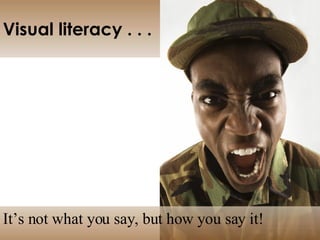
Visual Literacy… It’s not what you say,  but how you say it!
Visual literacy . . . It’s not what you say, but how you say it!
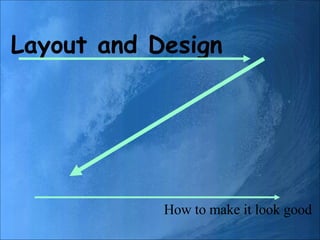
Layout and Design How to make it look good
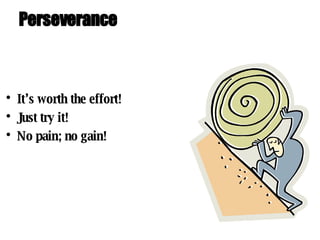
Perseverance It’s worth the effort! Just try it! No pain; no gain!
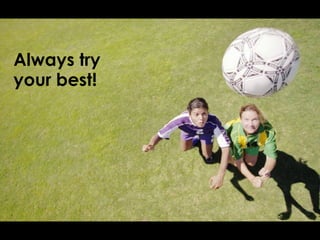
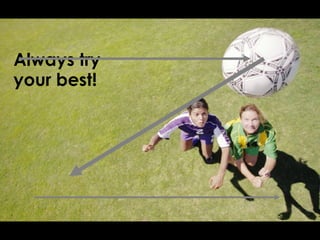
Always try your best!
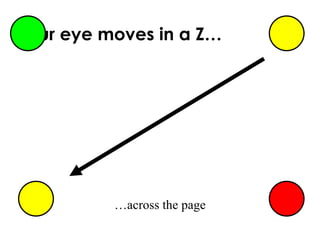
Your eye moves in a Z… …across the page
Layout and Design How to make it look good
Always try your best!
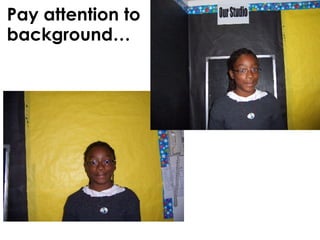
Pay attention to background…
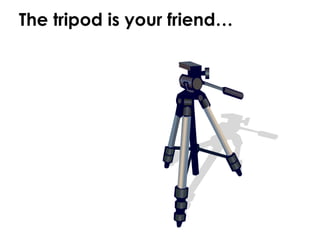
The tripod is your friend…
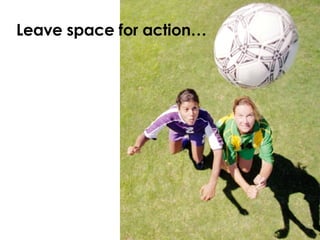
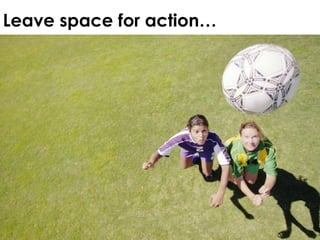
Leave space for action…
#1: Concept Development Online Concept and Question:  Visual support with online photos Showing and speaking about the concept Asking and answering questions Adding oral comments Domain: Vocabulary and concept development; oral language development, critical thinking Age: Grade 2 - 6
#2: Concept Development Extension Online KWL:  Linguistic support with online thesaurus Visual support with online photos Making posters about concept Domain: Vocabulary and concept development, critical thinking Age: Grade 5+
#3: Historical Knowledge Online Visual Timeline Visual support with online photos Showing and speaking about the concept Asking and answering questions Adding oral comments Domain: Vocabulary and concept development; oral language development, critical thinking Age: Grade 4+
#4: Readers Theatre 2.0 Online Readers Theatre Write a script based on story from text, but change events Record the story (audio only, or video) Domain: Writing and concept development; oral language development, critical thinking Age: Grade 2 - 6
Extending the story to show understanding and analysis, not just recall
 
What about copyright? Use Creative Commons Learn about Fair Use Learn about Transformative Use Understand the risks
Transformative Use copyright disclaimer: “ Many of the digital stories on our site include images and audio found on the Internet using commonly available search engines. The stories have been created for non-profit, educational use by students and teachers and we  think we  are within the fair use protection of existing copyright laws. If any copyright owner objects to the use of any work appearing on this site, please contact us and we will remove the work and review the propriety of including it.”

Beyond Power Point

  • 1.
    Multimedia Projects: Beyond PowerPoint SCUSD Fall 2008 - Alice Mercer - cc license
  • 2.
  • 3.
    Agenda Multimedia Projects:Beyond PowerPoint SRN#: 2016010232008 Basic elements (5 minutes) Learn about projects (10 minutes) How-to tips for projects (30 minutes) Ten minute break (10 minutes) Create a project based on what we’ve learned about (60 minutes)
  • 4.
    Project Elements… Astrong instructional goal or learning objective (preferably standards based) Planning Structure and scaffolding Answering good, rich questions Feedback
  • 5.
    Lesson Elements… Buildingschema or background Comprehensible input  Vocabulary development Visual and concrete examples Scaffolding to support learning Concept development
  • 6.
    Where to infusetechnology… Record pair shares and oral responses Use online tools for visual support Scan and post student drawings Photograph realia and post them Post student writing with voice over and images to support Record readers theater Do reports on subjects online
  • 7.
    Visual Literacy… It’snot what you say, but how you say it!
  • 8.
    Visual literacy .. . It’s not what you say, but how you say it!
  • 9.
    Layout and DesignHow to make it look good
  • 10.
    Perseverance It’s worththe effort! Just try it! No pain; no gain!
  • 11.
  • 12.
    Your eye movesin a Z… …across the page
  • 13.
    Layout and DesignHow to make it look good
  • 14.
  • 15.
    Pay attention tobackground…
  • 16.
    The tripod isyour friend…
  • 17.
    Leave space foraction…
  • 18.
    Leave space foraction…
  • 19.
    #1: Concept DevelopmentOnline Concept and Question: Visual support with online photos Showing and speaking about the concept Asking and answering questions Adding oral comments Domain: Vocabulary and concept development; oral language development, critical thinking Age: Grade 2 - 6
  • 20.
    #2: Concept DevelopmentExtension Online KWL: Linguistic support with online thesaurus Visual support with online photos Making posters about concept Domain: Vocabulary and concept development, critical thinking Age: Grade 5+
  • 21.
    #3: Historical KnowledgeOnline Visual Timeline Visual support with online photos Showing and speaking about the concept Asking and answering questions Adding oral comments Domain: Vocabulary and concept development; oral language development, critical thinking Age: Grade 4+
  • 22.
    #4: Readers Theatre2.0 Online Readers Theatre Write a script based on story from text, but change events Record the story (audio only, or video) Domain: Writing and concept development; oral language development, critical thinking Age: Grade 2 - 6
  • 23.
    Extending the storyto show understanding and analysis, not just recall
  • 24.
  • 25.
    What about copyright?Use Creative Commons Learn about Fair Use Learn about Transformative Use Understand the risks
  • 26.
    Transformative Use copyrightdisclaimer: “ Many of the digital stories on our site include images and audio found on the Internet using commonly available search engines. The stories have been created for non-profit, educational use by students and teachers and we think we are within the fair use protection of existing copyright laws. If any copyright owner objects to the use of any work appearing on this site, please contact us and we will remove the work and review the propriety of including it.”