Three Tools Three Ways To Use with EL Students Alice Mercer - Teacher  Sacramento City Unified School District Fall CUE 2011
http://bit.ly/p5M52W Will have links, and other materials
Who is Alice Mercer? Elementary Teacher for over 10 years; All of that has been with significant numbers of English Learner students; District and regional expert on using Web 2.0 and other tech tools http://mizmercer.edublogs.org
Rationale:  Why use these tools?


Recording Tools: Audacity http:// audacity .sourceforge.net/   Audio recording software for PC, Mac, etc. Aviary on Myna http://www.aviary.com/tools/audio-editor Online audio recording English Central http://www.englishcentral.com/   Students can record themselves reading transcripts and get graded on pronunciation.
Visual tools: PhotoStory/iPhoto Movie Maker/iMovie VoiceThread http://voicethread.com
Skype and video conferencing: Buddy classes  http://education.skype.com/   Paired speaking,  Whole class presentations/singing Bringing in experts to ask questions Skype Author Network http://skypeanauthor.wetpaint.com/
My findings... A good teacher is more important than getting a tech-guru, you just need to be flexible; Have a plan, don’t just let them “talk”; Plan for conversations, and prepare the kids for them; Set up norms for behavior; Small groups are easier to manage;
Questions and concerns
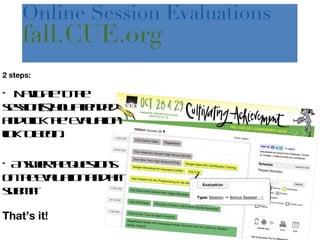
2 steps: Navigate to the session(s) you attended and click the ‘Evaluation’ link to begin. Answer the questions on the evaluation and hit submit! That’s it! Online Session Evaluations  fall.CUE.org
 
Suggestions from audience
BONUS TOOLS! Flickr Flickr is a photo sharing service that your students can use to search for pictures. http://flickr.com Here are some great tools to use with it: fd's  Flickr  Toys: Do fun stuff with your photos  http://bighugelabs.com/flickr PimPamPum:  http://www.pimpampum.net/   Flickr Apps:  http://www.flickr.com/services/

Three tools three ways

  • 1.
    Three Tools ThreeWays To Use with EL Students Alice Mercer - Teacher Sacramento City Unified School District Fall CUE 2011
  • 2.
    http://bit.ly/p5M52W Will havelinks, and other materials
  • 3.
    Who is AliceMercer? Elementary Teacher for over 10 years; All of that has been with significant numbers of English Learner students; District and regional expert on using Web 2.0 and other tech tools http://mizmercer.edublogs.org
  • 4.
    Rationale: Whyuse these tools?
  • 5.
  • 6.
  • 7.
  • 8.
    Recording Tools: Audacityhttp:// audacity .sourceforge.net/ Audio recording software for PC, Mac, etc. Aviary on Myna http://www.aviary.com/tools/audio-editor Online audio recording English Central http://www.englishcentral.com/ Students can record themselves reading transcripts and get graded on pronunciation.
  • 9.
    Visual tools: PhotoStory/iPhotoMovie Maker/iMovie VoiceThread http://voicethread.com
  • 10.
    Skype and videoconferencing: Buddy classes http://education.skype.com/ Paired speaking, Whole class presentations/singing Bringing in experts to ask questions Skype Author Network http://skypeanauthor.wetpaint.com/
  • 11.
    My findings... Agood teacher is more important than getting a tech-guru, you just need to be flexible; Have a plan, don’t just let them “talk”; Plan for conversations, and prepare the kids for them; Set up norms for behavior; Small groups are easier to manage;
  • 12.
  • 13.
    2 steps: Navigateto the session(s) you attended and click the ‘Evaluation’ link to begin. Answer the questions on the evaluation and hit submit! That’s it! Online Session Evaluations fall.CUE.org
  • 14.
  • 15.
  • 16.
    BONUS TOOLS! FlickrFlickr is a photo sharing service that your students can use to search for pictures. http://flickr.com Here are some great tools to use with it: fd's  Flickr  Toys: Do fun stuff with your photos http://bighugelabs.com/flickr PimPamPum: http://www.pimpampum.net/ Flickr Apps: http://www.flickr.com/services/

Editor's Notes

  • #7 When kids speak using these tools, you can SAVE it, and in some case, get feedback
  • #8 They’re fun and interactive and gives students a “voice”
  • #9 Recording of pair shares, recording of class discussions, recording of fluency reads; Walk through Mic setup on PC, and Audacity
  • #10 Show them videos on YouTube, and walk through VoiceThread with Flickr