Suggested structure Talking points from “People-ready” messaging Shared investments between Windows, Office, and Exchange Simplify how people work together Help protect and manage content Find information & Improve Business Insight Reduce deployment costs &  security threats Optional: Feature “light ups” We suggest focusing first on shared investment areas and the benefits thereof before discussing “light-ups” Discussion
“ Better Together” Windows Vista, the 2007 Microsoft Office system,  & Exchange Server 2007
People drive business success
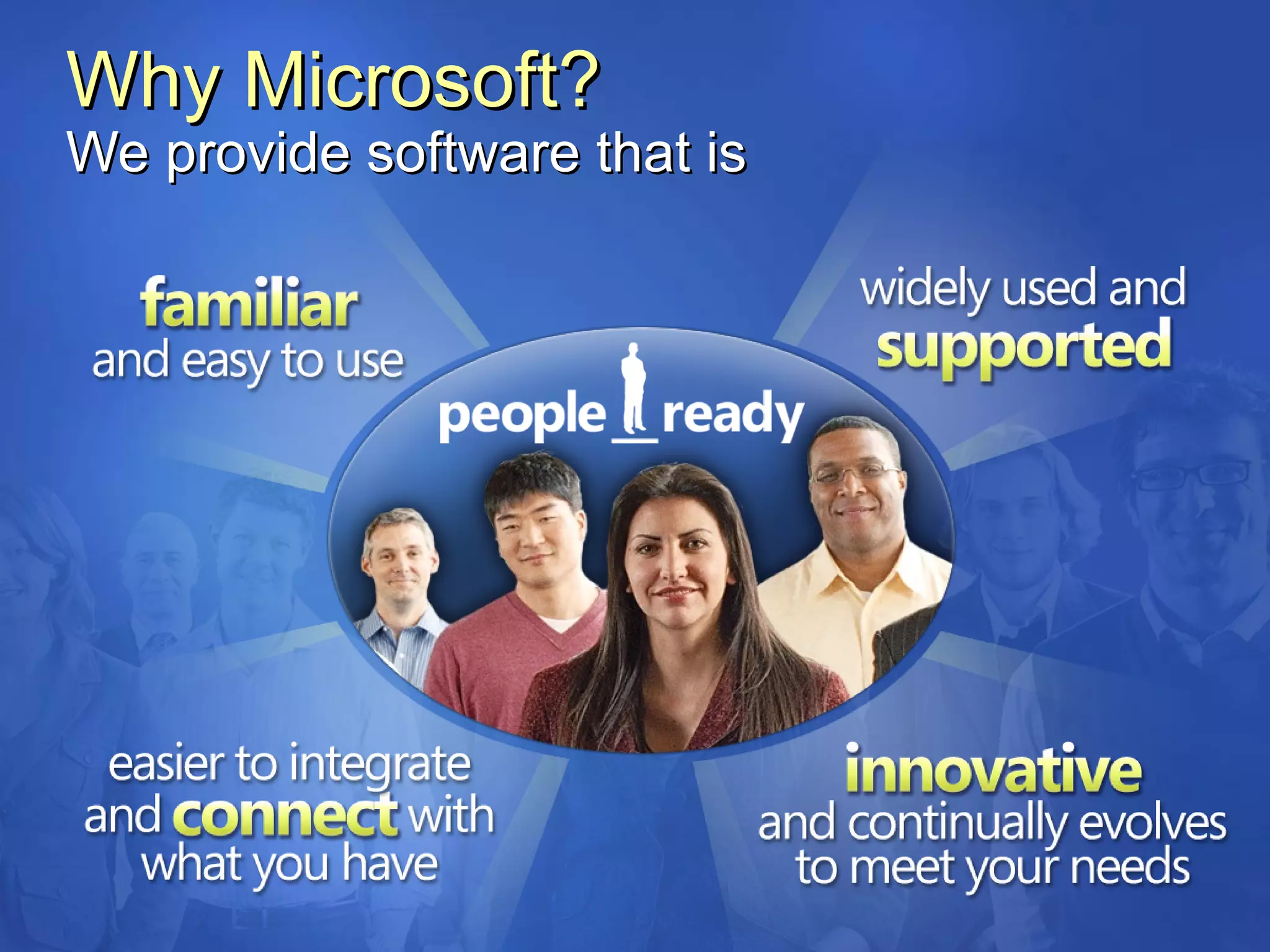
Why Microsoft? We provide software that is
Shared Investments People Ready Software Simplify how people work together Help protect and manage content Find information & improve business insight Reduce deployment costs &  security threats
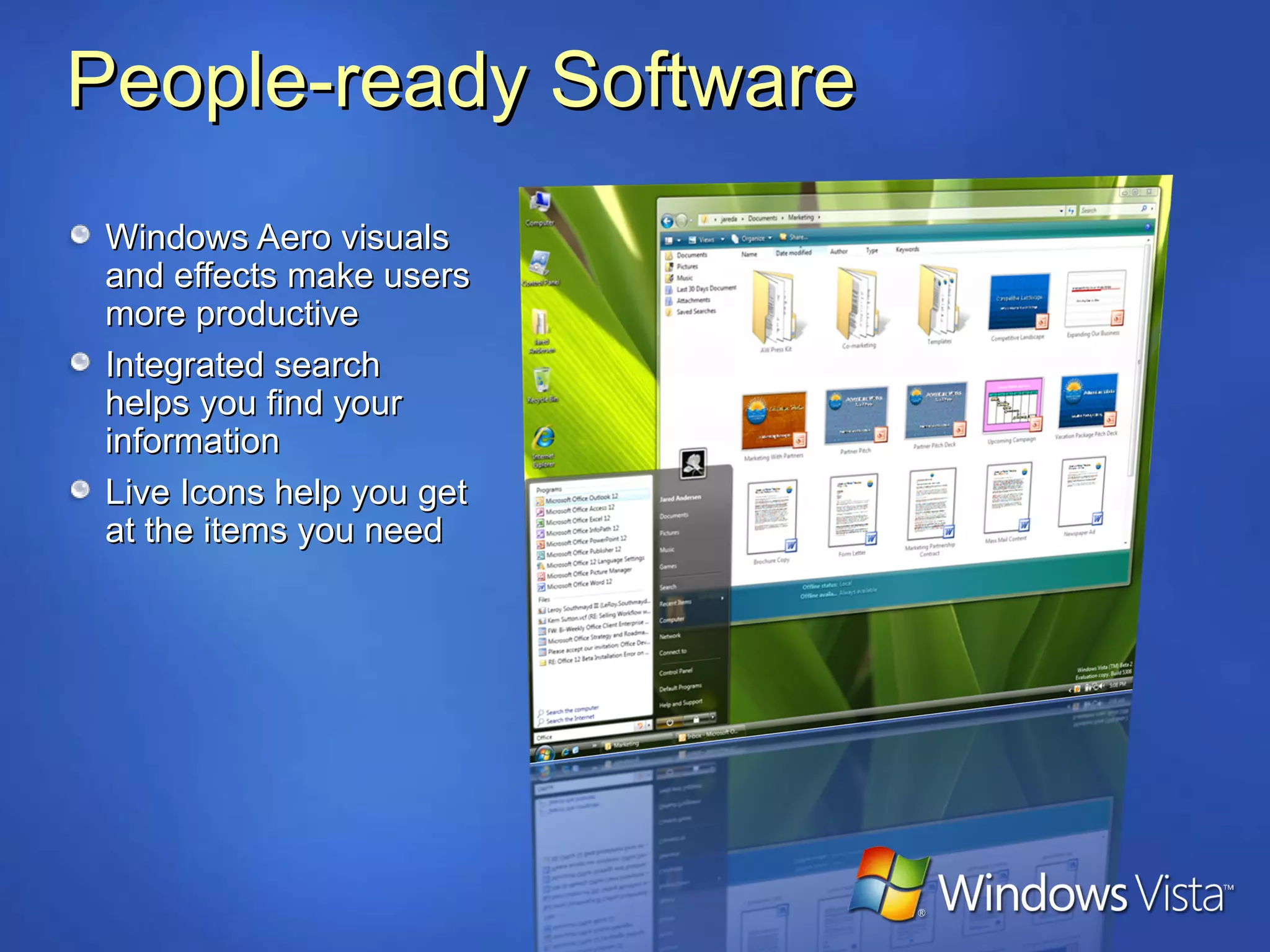
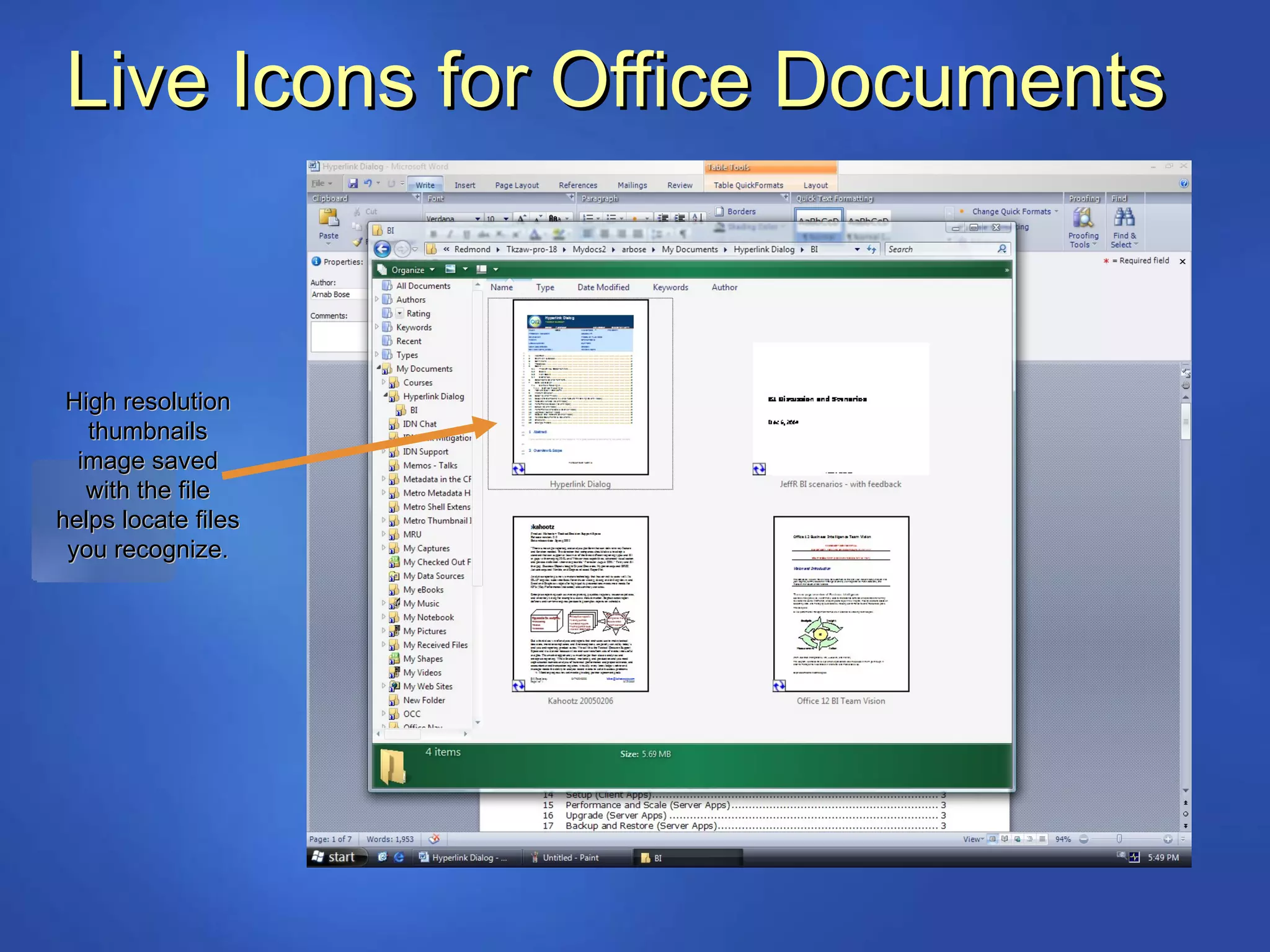
People-ready Software Windows Aero visuals and effects make users more productive Integrated search helps you find your information Live Icons help you get at the items you need
People-ready Software New interface helps you get better results faster Office “ribbon” groups commands logically, making features easier to find Visualization features make information easier to understand
Shared Investments People Ready Software Simplify how people work together Help protect and manage content Find information & improve business insight Reduce deployment costs &  security threats
Simplify how people work together Smooth and simple synchronization Single sync experience for data and devices Windows Mobile and third party device support Offline access to commonly used network files Get more out of meetings Share information and applications peer-to-peer Jointly edit documents with participants Easily connect to wired and wireless projectors Work effectively in mobile situations Discover and use networks easily and securely Take advantage of improved power management Control key mobile settings from a single place
Simplify how people work together Communicate in and out of the office Manage all communication types from one Inbox Use powerful mobile e-mail and IM capabilities Access your information anywhere Share information effectively Access team workspaces, whether online or offline Keep up to date using RSS, Blogs, Wikis, and alerts Connect with others with web conferencing and meeting scheduling tools
Shared Investments People Ready Software Simplify how people work together Help protect and manage content Find information & improve business insight Reduce deployment costs &  security threats
Help protect & manage content Secure your intellectual property BitLocker™ Drive Encryption protects your data from being compromised  Windows Vista can also restrict removable storage devices 600,000+ laptops are stolen in the United States each year
Help protect & manage content Beyond content creation … Define content types with rich metadata Apply compliance policies to documents, e-mails, and other content using familiar Office programs Maintain the confidentiality of your communication with customers & partners Workflow and business processes Use expanded electronic forms capabilities - on the desktop and the web Easily create and participate in workflows using familiar Office programs
Shared Investments People Ready Software Simplify how people work together Help protect and manage content Find information & improve business insight Reduce deployment costs &  security threats
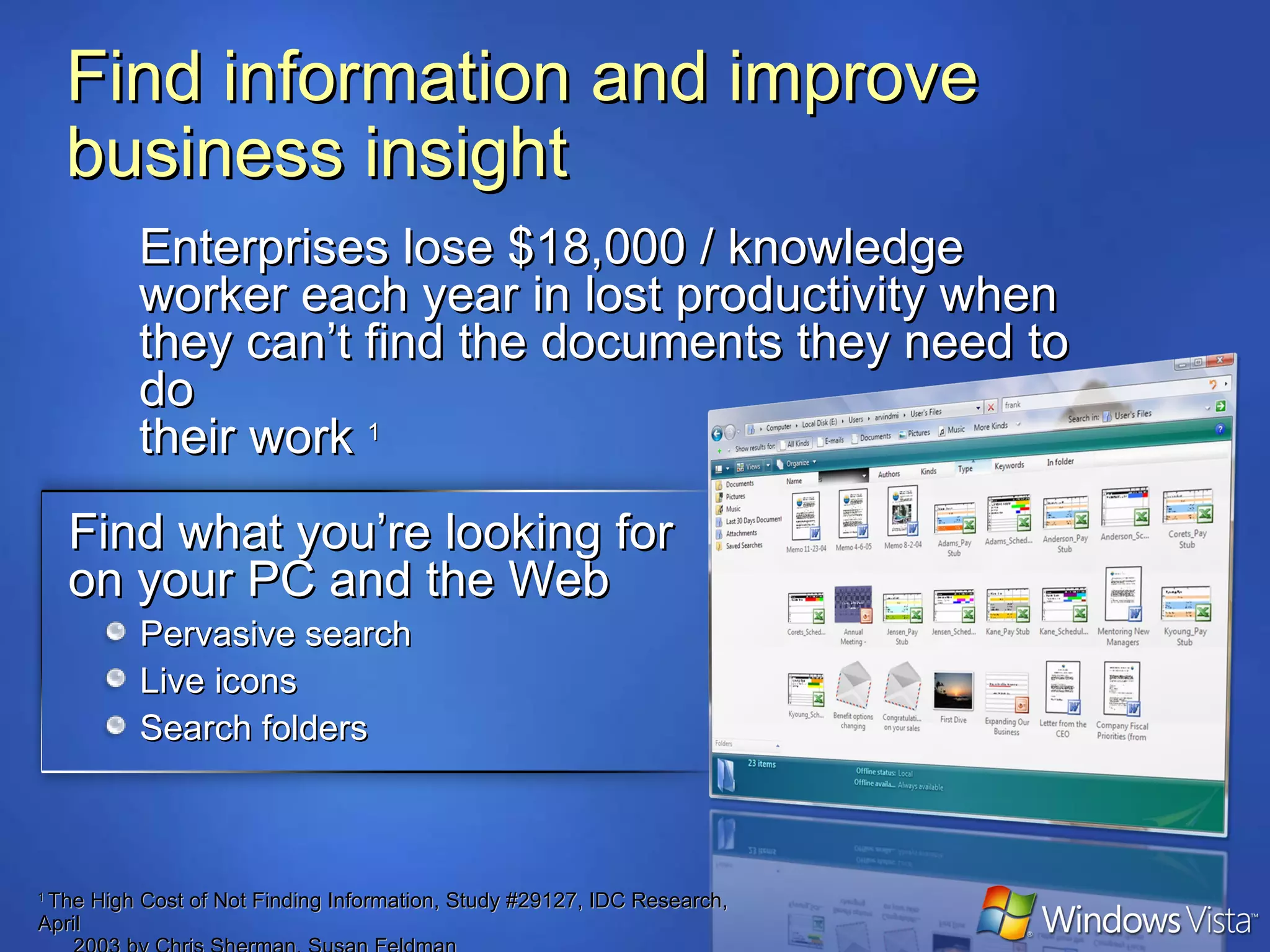
Enterprises lose $18,000 / knowledge worker each year in lost productivity when they can’t find the documents they need to do  their work  1 Find information and improve business insight Find what you’re looking for on your PC and the Web Pervasive search Live icons Search folders 1  The High Cost of Not Finding Information, Study #29127, IDC Research, April    2003 by Chris Sherman, Susan Feldman
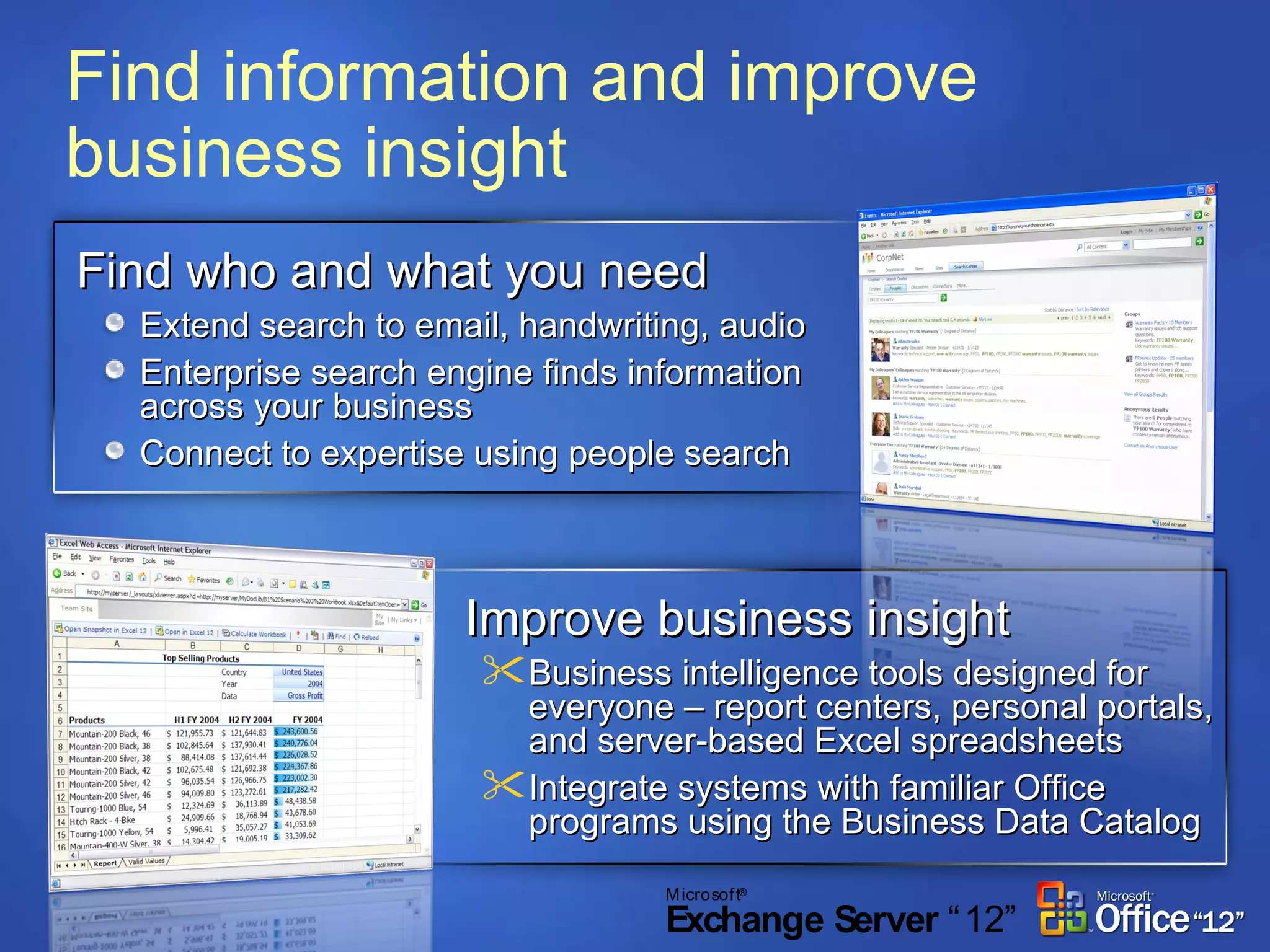
Find information and improve business insight Find who and what you need Extend search to email, handwriting, audio  Enterprise search engine finds information across your business Connect to expertise using people search Improve business insight Business intelligence tools designed for everyone – report centers, personal portals, and server-based Excel spreadsheets Integrate systems with familiar Office programs using the Business Data Catalog
Shared Investments People Ready Software Simplify how people work together Help protect and manage content Find information & Improve Business Insight Reduce deployment costs &  security threats
Reduce deployment costs & security threats Secure by default and when deployed User account control secures PC operations Simplified security prompts and warnings Network Access Protection restricts unhealthy  clients from your network Internet Explorer Protected Mode shields against Web-based malware Anti-phishing protects users and their data Cost-effective to deploy and manage Reduces the costs of managing multiple images Simplified patching in multi-language environments
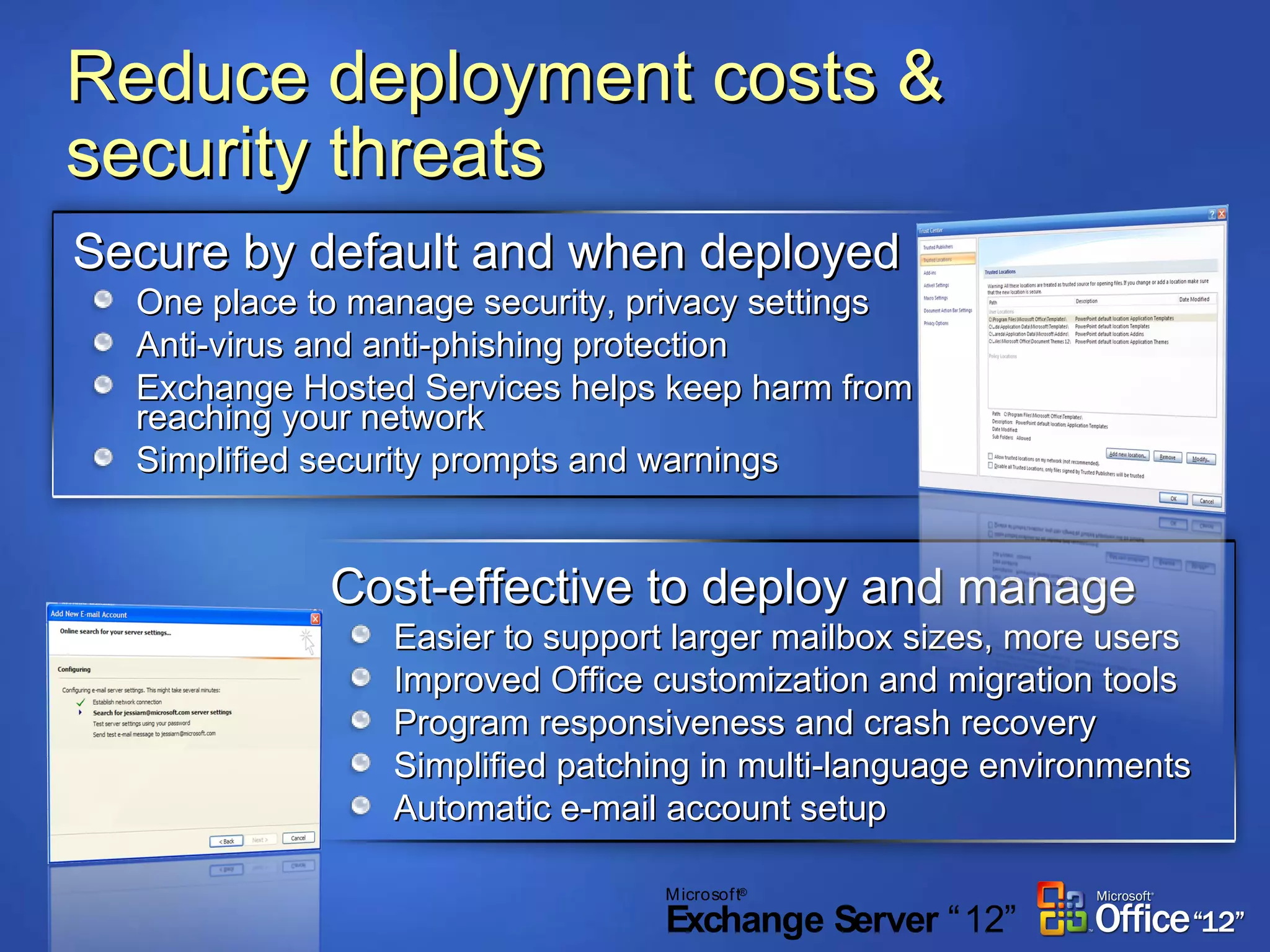
Reduce deployment costs & security threats Secure by default and when deployed One place to manage security, privacy settings Anti-virus and anti-phishing protection Exchange Hosted Services helps keep harm from reaching your network Simplified security prompts and warnings Cost-effective to deploy and manage Easier to support larger mailbox sizes, more users Improved Office customization and migration tools Program responsiveness and crash recovery Simplified patching in multi-language environments Automatic e-mail account setup
Discussion People Ready Software Simplify how people work together Help protect and manage content Find information & improve business insight Reduce deployment costs &  security threats
 
Light-up features: End-User File name and full-text search of New and old Office document formats Offline SharePoint documents Outlook items Task-based user experience Improved file open/insert/save dialog  Search and metadata editing  Richer Previews Global setting for saving Live Icons Windows Explorer Reading Pane support RSS (IE7) IE7 feeds linked to Outlook and RSS usage in SharePoint Native XPS Support Windows Sideshow (Auxiliary display) Quick access to  appointments, e-mail, etc
Light-up features: Infrastructure Freeze Dry/Restart Manager Automatically returns programs to a previous state after a reboot from an update Single search index  Windows Vista and Office "12" share a common search index International domain name support (IE7) Support for URLs with international characters like “ä,” “å,” and many others IPv6 support Office "12" supports IPv6 via Vista platform support Reducing hangs Fewer hangs and improved responsiveness of Office apps via Vista’s I/O anti-hang APIs Watson
Opening And Finding Documents The user can browse Vista  search folders. Vista metadata helps find the right file. Vista Quick Search is prominently exposed. High resolution thumbnails help the user quickly find files they recognize.
Save Files with Metadata Browse  virtual  folders. Metadata  entered in Office is reflected in  the Vista file properties.  Review and edit/apply metadata in the Save dialog.
Live Icons for Office Documents High resolution thumbnails image saved with the file helps locate files you recognize.
Rich Previews in Explorer A rich, scrollable view of the entire Word, Excel, or PowerPoint file is available in the explorer and search window.
Save and View XPS Files Natively
Link Outlook 2007 & IE7 RSS Feeds
Windows SideShow An external, auxiliary display on the exterior of a new laptop. Calendar Items are accessible even when the laptop is hibernating or shut.

Better Together Cx O V1 0

  • 1.
    Suggested structure Talkingpoints from “People-ready” messaging Shared investments between Windows, Office, and Exchange Simplify how people work together Help protect and manage content Find information & Improve Business Insight Reduce deployment costs & security threats Optional: Feature “light ups” We suggest focusing first on shared investment areas and the benefits thereof before discussing “light-ups” Discussion
  • 2.
    “ Better Together”Windows Vista, the 2007 Microsoft Office system, & Exchange Server 2007
  • 3.
  • 4.
    Why Microsoft? Weprovide software that is
  • 5.
    Shared Investments PeopleReady Software Simplify how people work together Help protect and manage content Find information & improve business insight Reduce deployment costs & security threats
  • 6.
    People-ready Software WindowsAero visuals and effects make users more productive Integrated search helps you find your information Live Icons help you get at the items you need
  • 7.
    People-ready Software Newinterface helps you get better results faster Office “ribbon” groups commands logically, making features easier to find Visualization features make information easier to understand
  • 8.
    Shared Investments PeopleReady Software Simplify how people work together Help protect and manage content Find information & improve business insight Reduce deployment costs & security threats
  • 9.
    Simplify how peoplework together Smooth and simple synchronization Single sync experience for data and devices Windows Mobile and third party device support Offline access to commonly used network files Get more out of meetings Share information and applications peer-to-peer Jointly edit documents with participants Easily connect to wired and wireless projectors Work effectively in mobile situations Discover and use networks easily and securely Take advantage of improved power management Control key mobile settings from a single place
  • 10.
    Simplify how peoplework together Communicate in and out of the office Manage all communication types from one Inbox Use powerful mobile e-mail and IM capabilities Access your information anywhere Share information effectively Access team workspaces, whether online or offline Keep up to date using RSS, Blogs, Wikis, and alerts Connect with others with web conferencing and meeting scheduling tools
  • 11.
    Shared Investments PeopleReady Software Simplify how people work together Help protect and manage content Find information & improve business insight Reduce deployment costs & security threats
  • 12.
    Help protect &manage content Secure your intellectual property BitLocker™ Drive Encryption protects your data from being compromised Windows Vista can also restrict removable storage devices 600,000+ laptops are stolen in the United States each year
  • 13.
    Help protect &manage content Beyond content creation … Define content types with rich metadata Apply compliance policies to documents, e-mails, and other content using familiar Office programs Maintain the confidentiality of your communication with customers & partners Workflow and business processes Use expanded electronic forms capabilities - on the desktop and the web Easily create and participate in workflows using familiar Office programs
  • 14.
    Shared Investments PeopleReady Software Simplify how people work together Help protect and manage content Find information & improve business insight Reduce deployment costs & security threats
  • 15.
    Enterprises lose $18,000/ knowledge worker each year in lost productivity when they can’t find the documents they need to do their work 1 Find information and improve business insight Find what you’re looking for on your PC and the Web Pervasive search Live icons Search folders 1 The High Cost of Not Finding Information, Study #29127, IDC Research, April 2003 by Chris Sherman, Susan Feldman
  • 16.
    Find information andimprove business insight Find who and what you need Extend search to email, handwriting, audio Enterprise search engine finds information across your business Connect to expertise using people search Improve business insight Business intelligence tools designed for everyone – report centers, personal portals, and server-based Excel spreadsheets Integrate systems with familiar Office programs using the Business Data Catalog
  • 17.
    Shared Investments PeopleReady Software Simplify how people work together Help protect and manage content Find information & Improve Business Insight Reduce deployment costs & security threats
  • 18.
    Reduce deployment costs& security threats Secure by default and when deployed User account control secures PC operations Simplified security prompts and warnings Network Access Protection restricts unhealthy clients from your network Internet Explorer Protected Mode shields against Web-based malware Anti-phishing protects users and their data Cost-effective to deploy and manage Reduces the costs of managing multiple images Simplified patching in multi-language environments
  • 19.
    Reduce deployment costs& security threats Secure by default and when deployed One place to manage security, privacy settings Anti-virus and anti-phishing protection Exchange Hosted Services helps keep harm from reaching your network Simplified security prompts and warnings Cost-effective to deploy and manage Easier to support larger mailbox sizes, more users Improved Office customization and migration tools Program responsiveness and crash recovery Simplified patching in multi-language environments Automatic e-mail account setup
  • 20.
    Discussion People ReadySoftware Simplify how people work together Help protect and manage content Find information & improve business insight Reduce deployment costs & security threats
  • 21.
  • 22.
    Light-up features: End-UserFile name and full-text search of New and old Office document formats Offline SharePoint documents Outlook items Task-based user experience Improved file open/insert/save dialog Search and metadata editing Richer Previews Global setting for saving Live Icons Windows Explorer Reading Pane support RSS (IE7) IE7 feeds linked to Outlook and RSS usage in SharePoint Native XPS Support Windows Sideshow (Auxiliary display) Quick access to appointments, e-mail, etc
  • 23.
    Light-up features: InfrastructureFreeze Dry/Restart Manager Automatically returns programs to a previous state after a reboot from an update Single search index Windows Vista and Office "12" share a common search index International domain name support (IE7) Support for URLs with international characters like “ä,” “å,” and many others IPv6 support Office "12" supports IPv6 via Vista platform support Reducing hangs Fewer hangs and improved responsiveness of Office apps via Vista’s I/O anti-hang APIs Watson
  • 24.
    Opening And FindingDocuments The user can browse Vista search folders. Vista metadata helps find the right file. Vista Quick Search is prominently exposed. High resolution thumbnails help the user quickly find files they recognize.
  • 25.
    Save Files withMetadata Browse virtual folders. Metadata entered in Office is reflected in the Vista file properties. Review and edit/apply metadata in the Save dialog.
  • 26.
    Live Icons forOffice Documents High resolution thumbnails image saved with the file helps locate files you recognize.
  • 27.
    Rich Previews inExplorer A rich, scrollable view of the entire Word, Excel, or PowerPoint file is available in the explorer and search window.
  • 28.
    Save and ViewXPS Files Natively
  • 29.
    Link Outlook 2007& IE7 RSS Feeds
  • 30.
    Windows SideShow Anexternal, auxiliary display on the exterior of a new laptop. Calendar Items are accessible even when the laptop is hibernating or shut.