Wave 2010 The new way of working. …much m ore than just  changing a few habits  … Hans Demeyer Supplier of Inspiration & Optimism CT-interactive
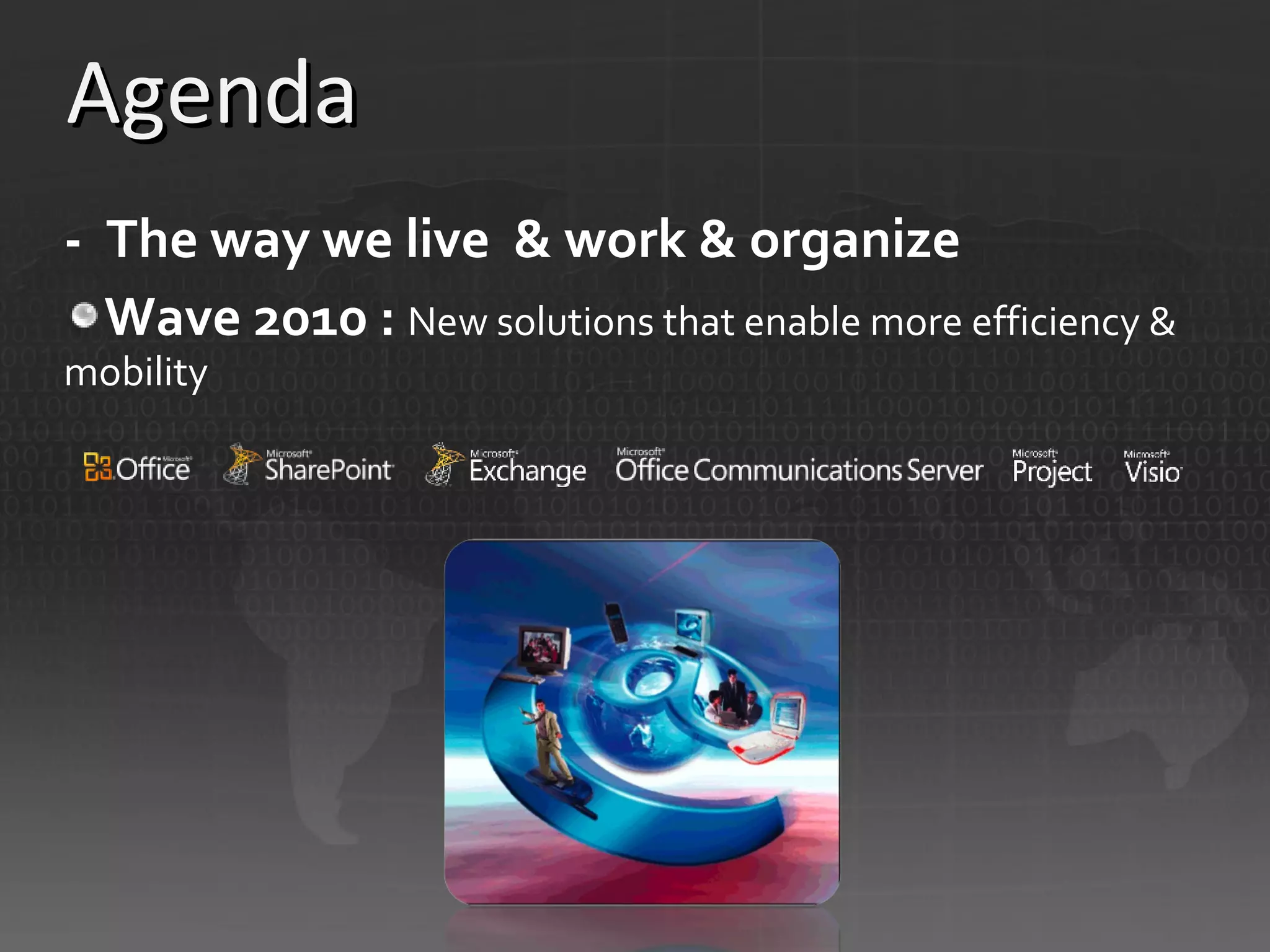
Agenda -  The way we live  & work & organize Wave 2010 :  New solutions that enable more efficiency & mobility
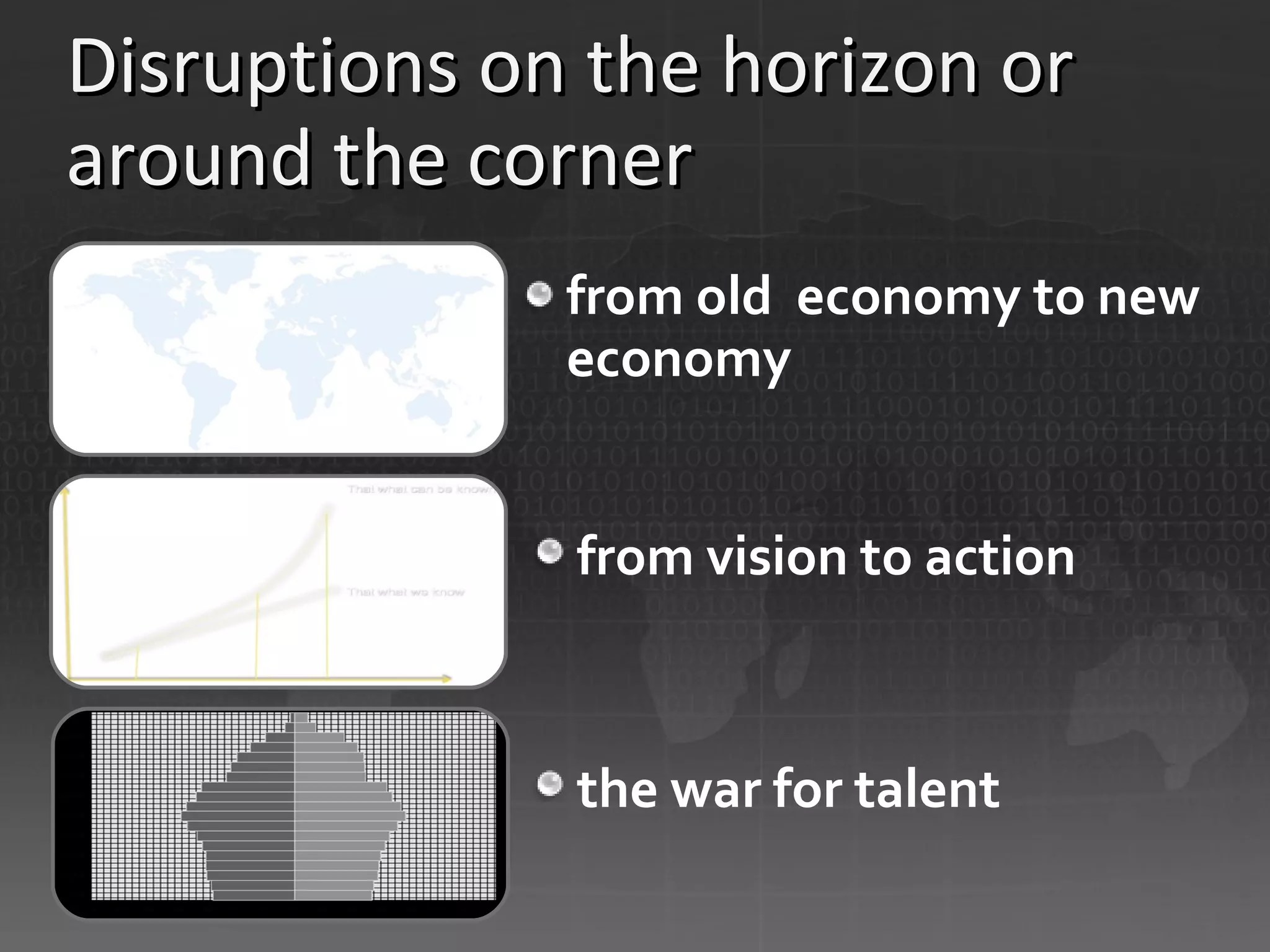
Disruptions on the horizon or around the corner from old  economy to new economy from vision to action the war for talent
Disruptions on the horizon or around the corner from old  economy to new economy: “The world is flat” ,  “Econoshock” and the “long tail”, globalization
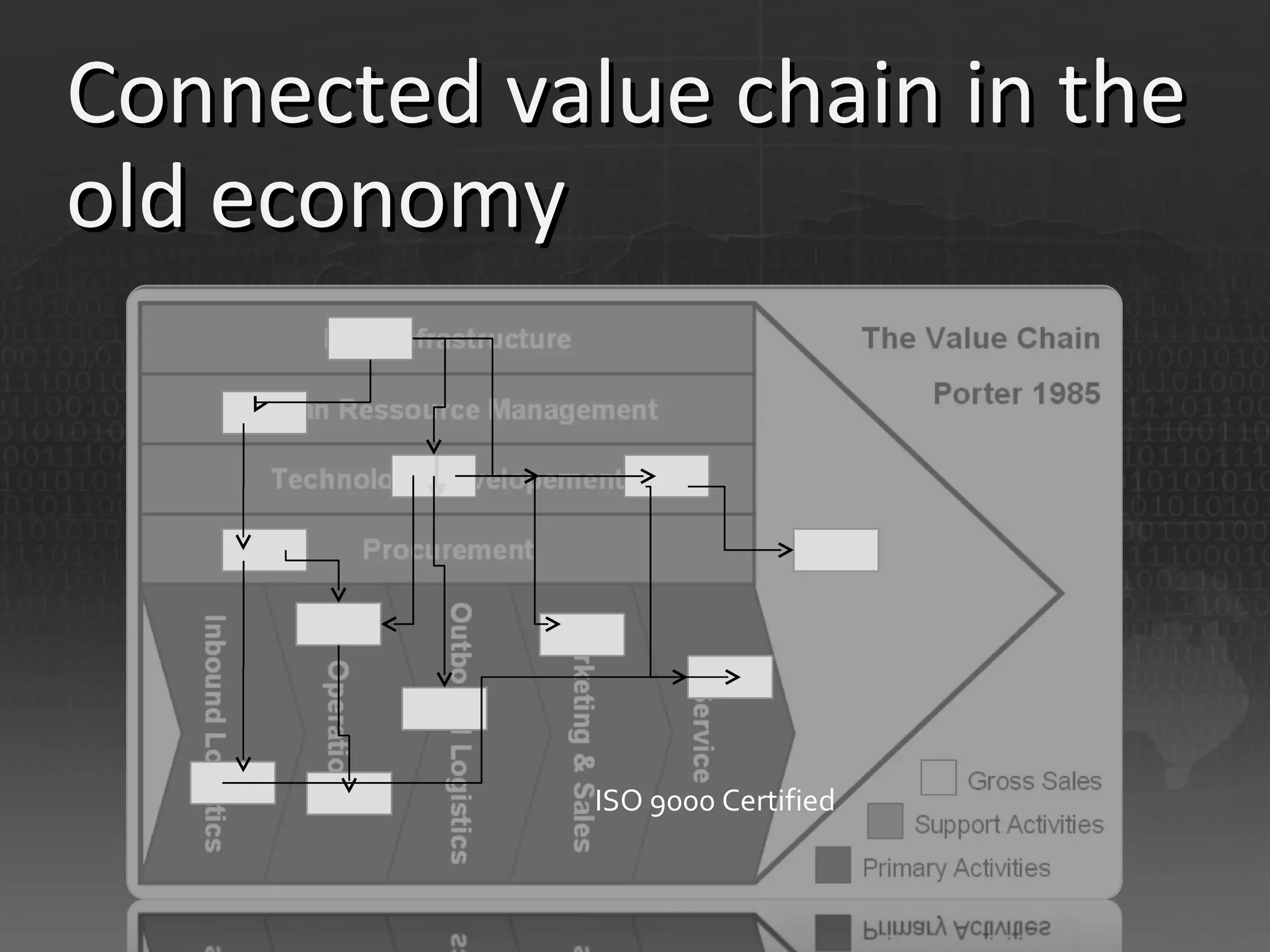
Connected value chain in the old economy ISO 9000 Certified
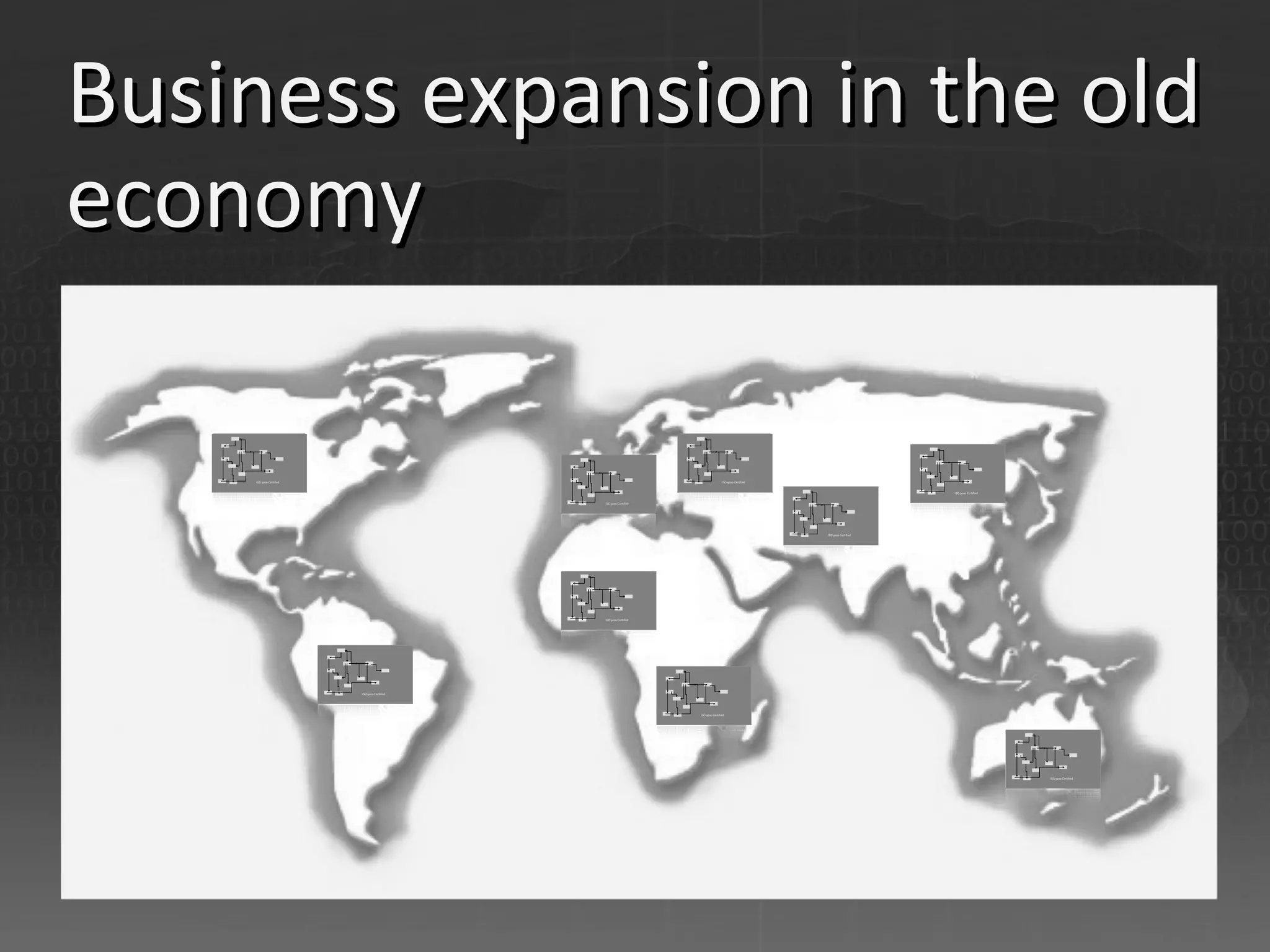
Business expansion in the old economy
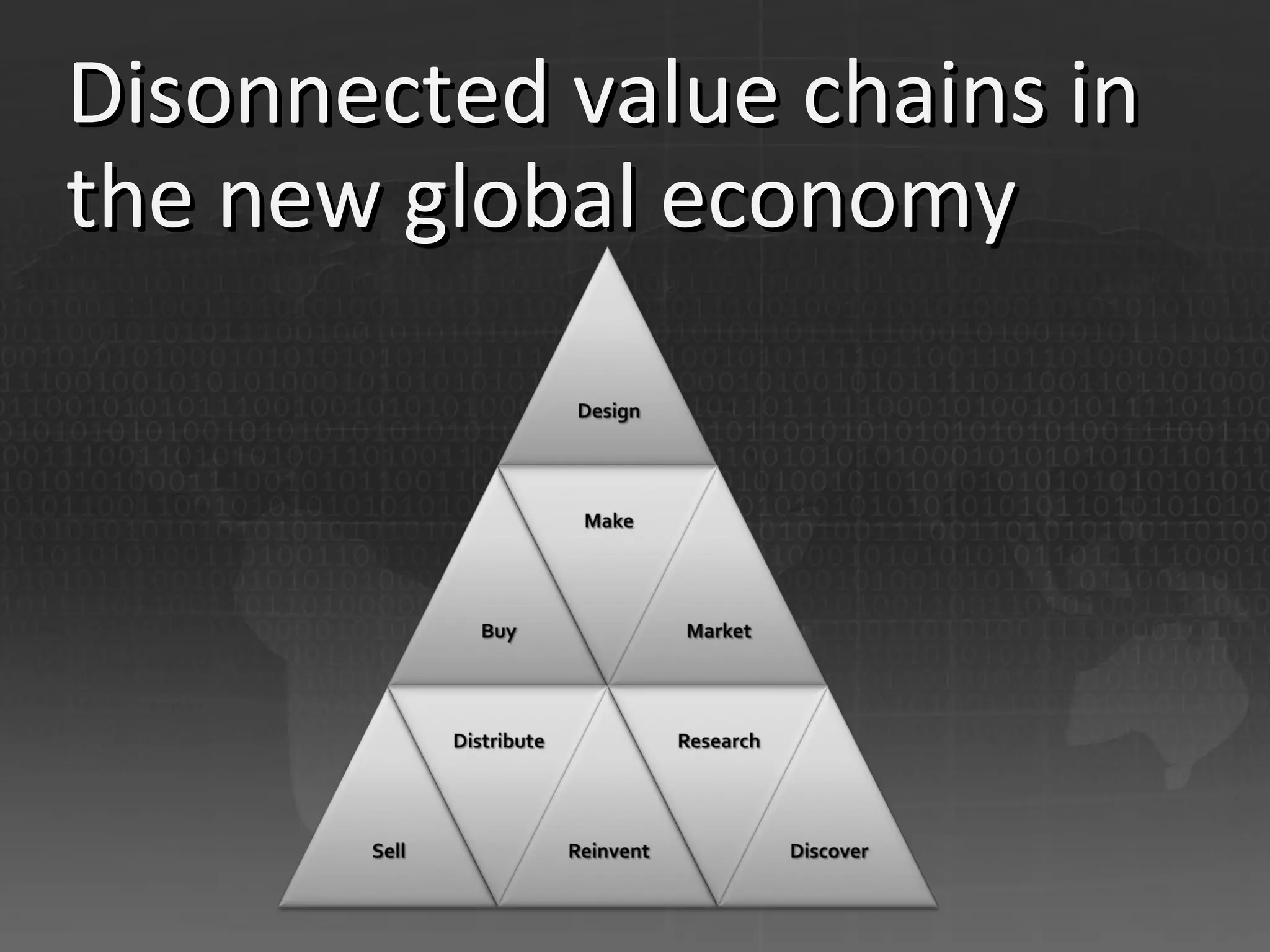
Disonnected value chains in the new global economy
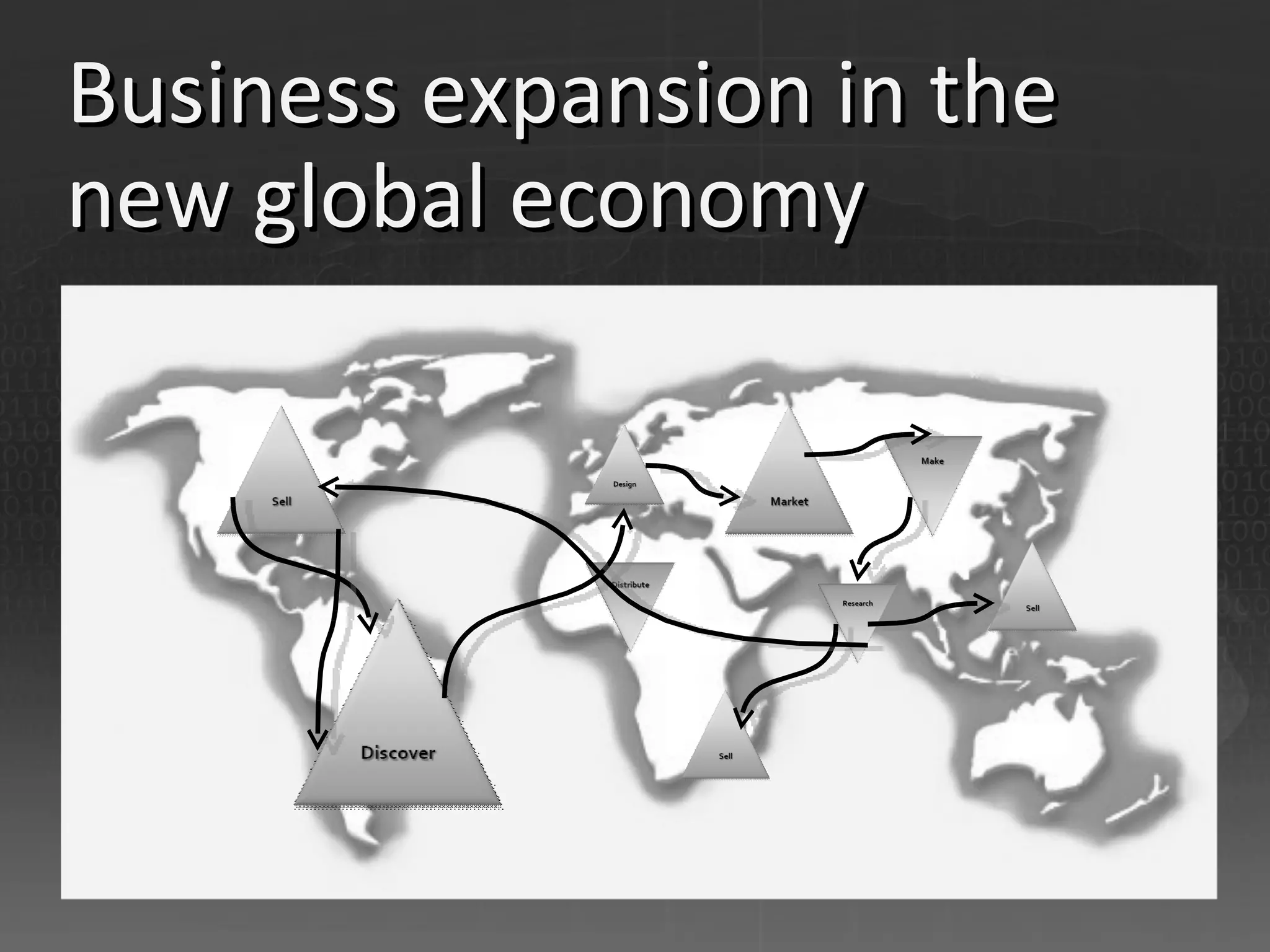
Business expansion in the new global economy
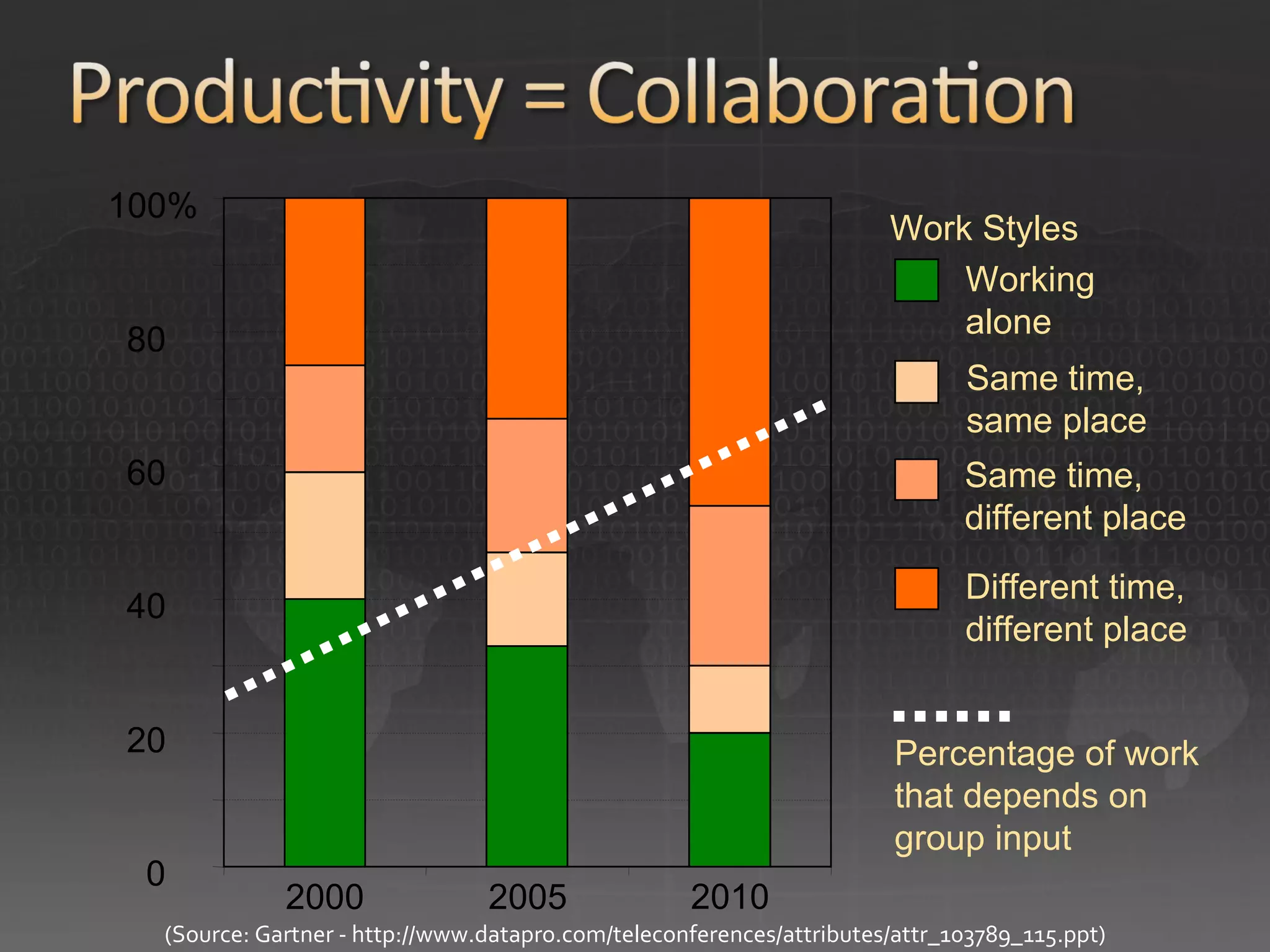
0 20 40 60 80 100% 2000 2005 2010 Work Styles (Source: Gartner - http://www.datapro.com/teleconferences/attributes/attr_103789_115.ppt) Different time,  different place Same time, different place Same time, same place  Working alone Percentage of work that depends on group input
Disruptions on the horizon or around the corner from vision to action: The Knowledge Gap
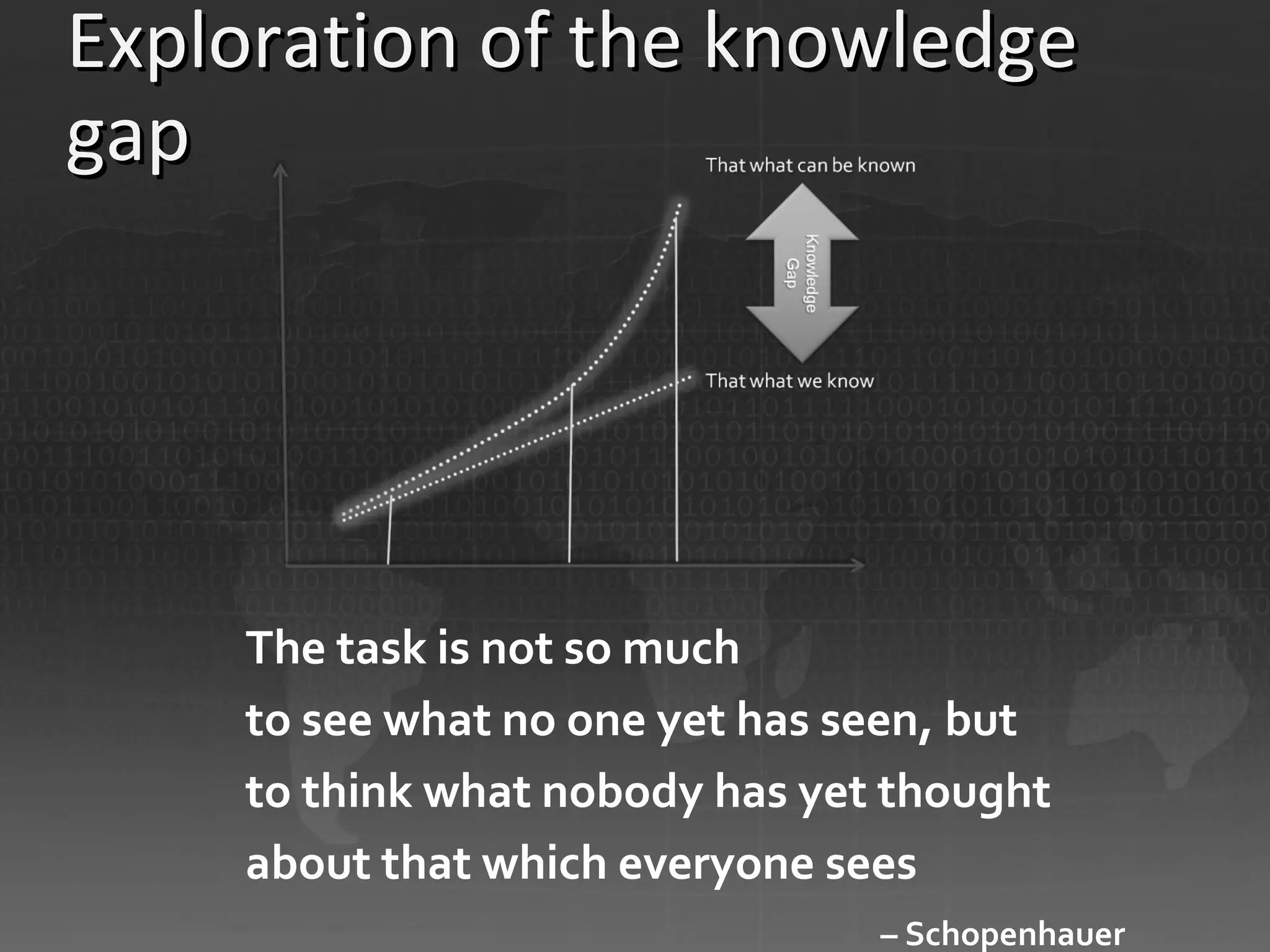
Exploration of the knowledge gap The task is not so much to see what no one yet has seen, but to think what nobody has yet thought about that which everyone sees –  Schopenhauer
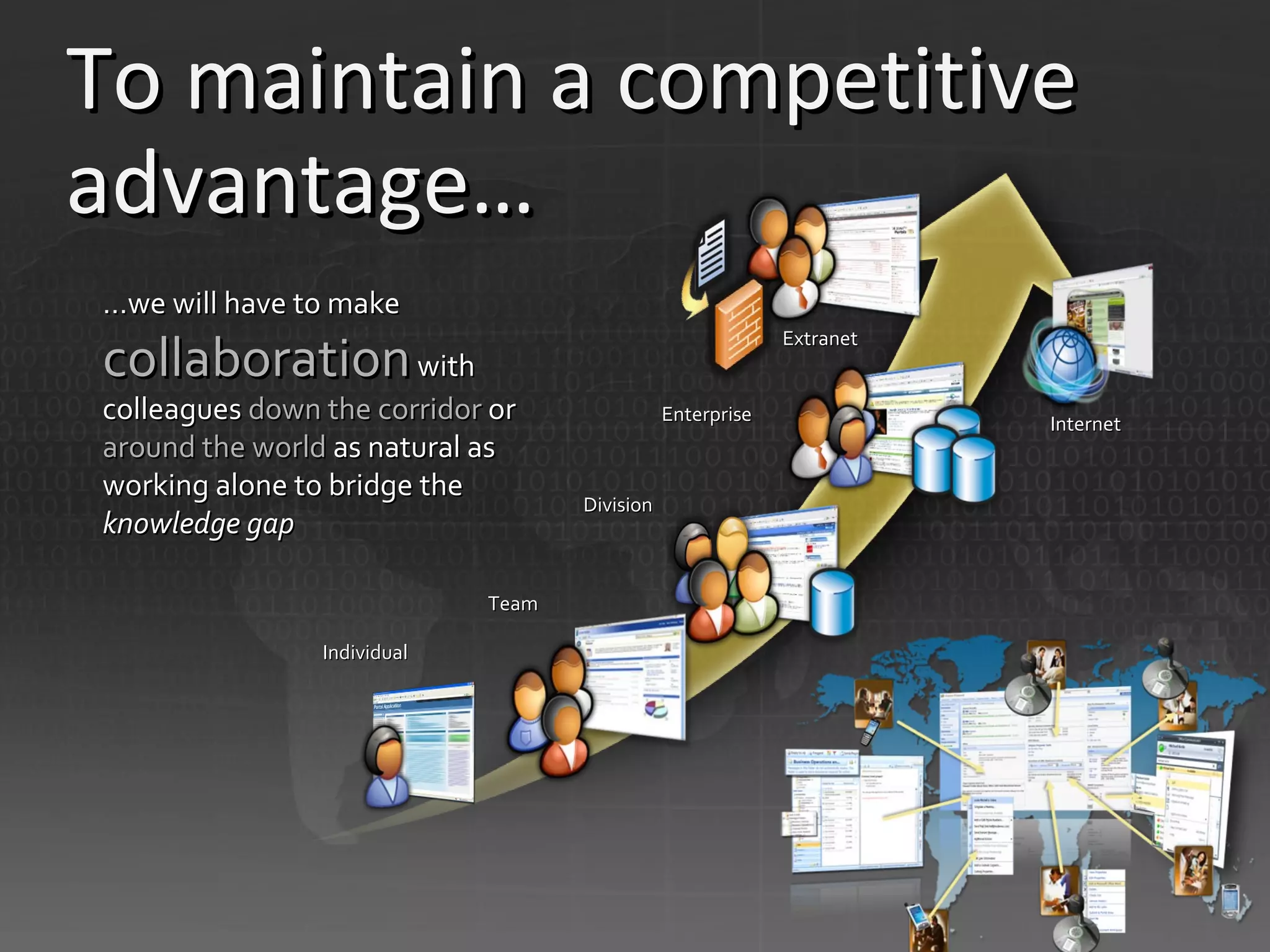
To maintain a competitive advantage… … we will have to make  collaboration  with colleagues  down the corridor  or  around the world  as natural as working alone to bridge the  knowledge gap Team Division Enterprise Individual Extranet Internet
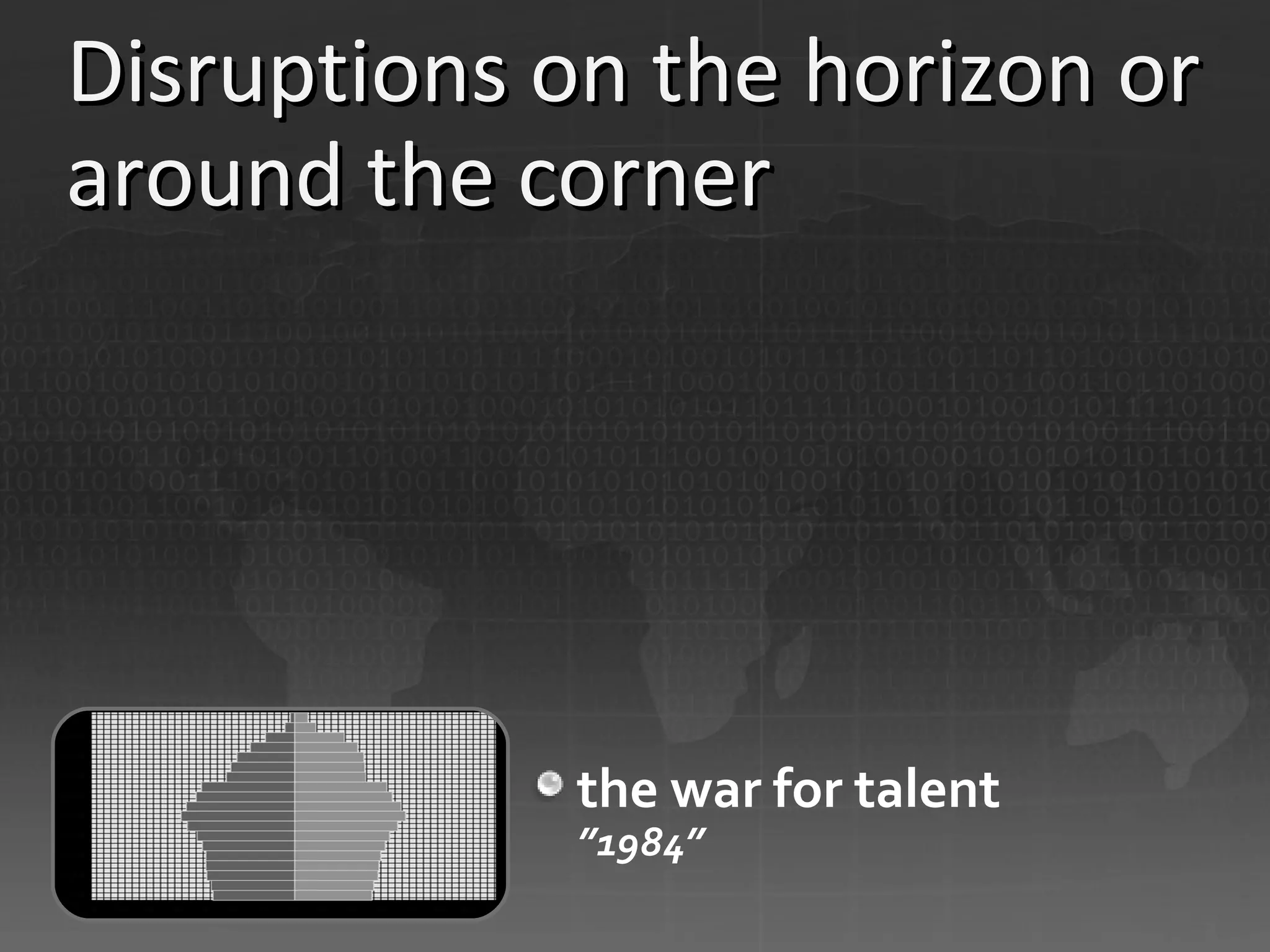
Disruptions on the horizon or around the corner the war for talent ”1984”
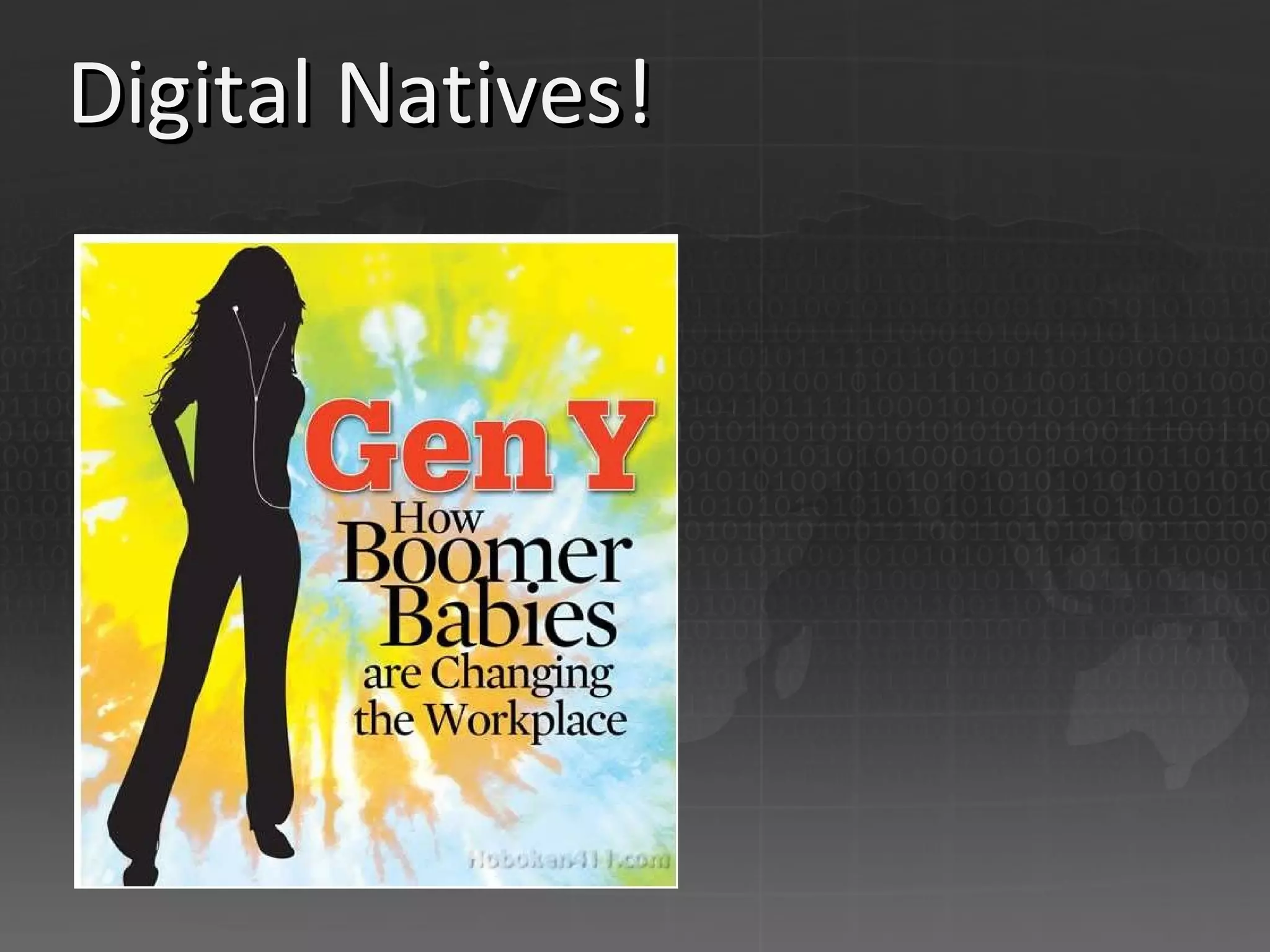
Digital Natives!
Digital natives They work differently – your kids and yourself They escalate a chat to a call to a video call with one click – they use technology They communicate across the globe as seamless as across the table – they collaborate When they type 3 words in Live Search or Google they find more information then they can handle – on any topic! Are we imposing them to be ineffecient? Will they bring a different mindset to the whole organization?
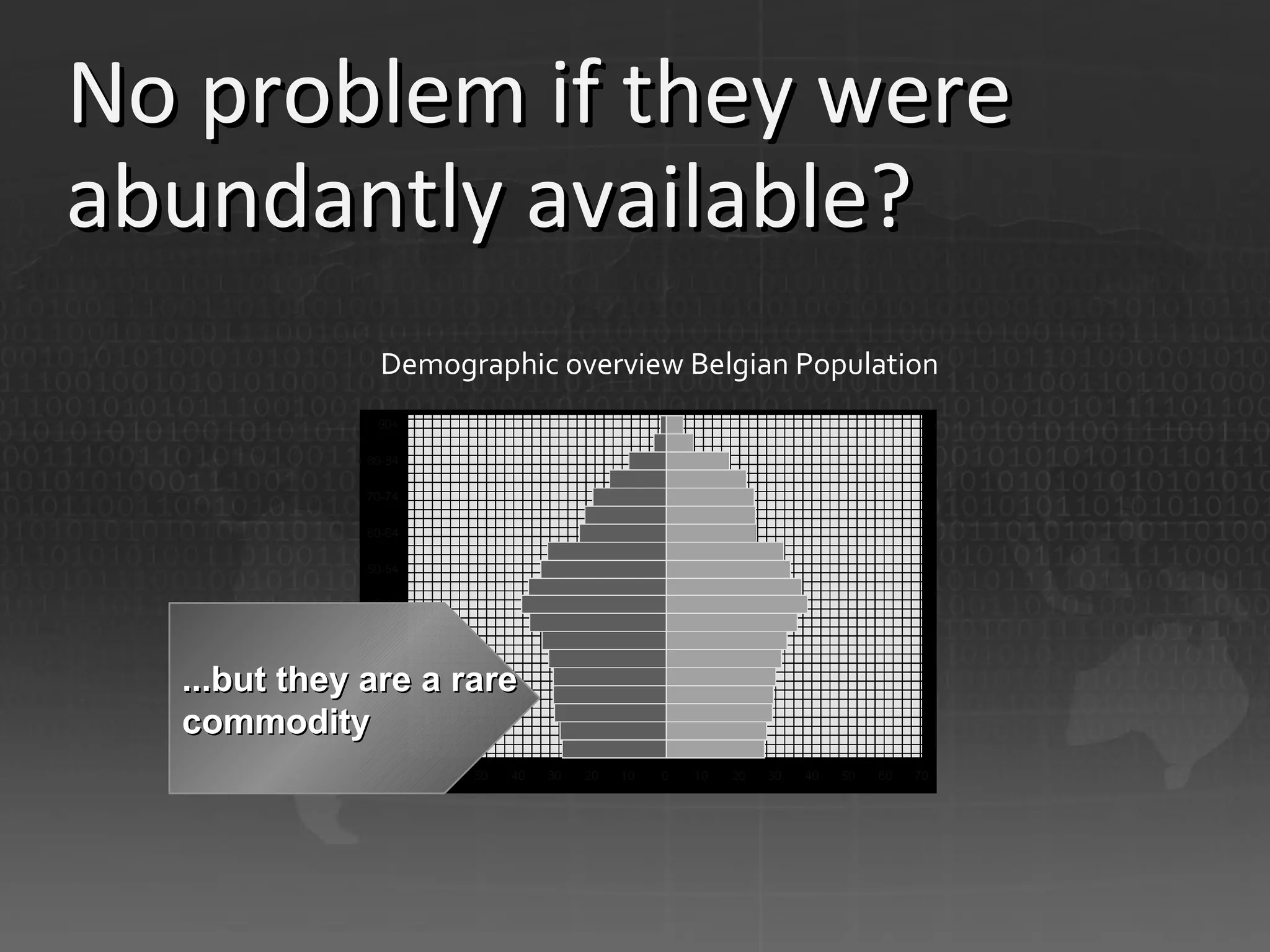
No problem if they were abundantly available?  ...but they are a rare commodity Demographic overview Belgian Population
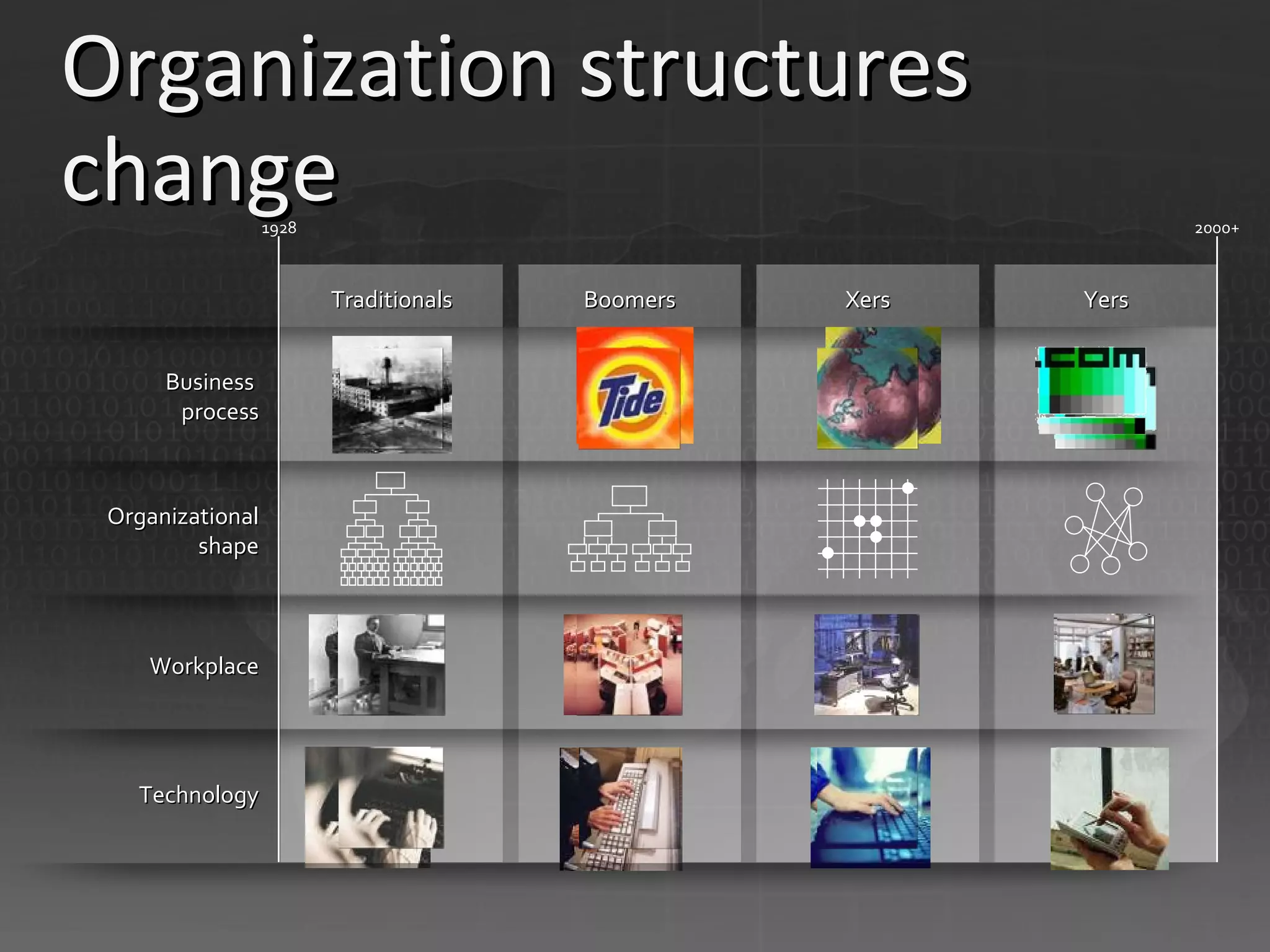
Organization structures change  Traditionals Boomers Xers Yers 1928 2000+ Business  process Organizational shape Workplace Technology
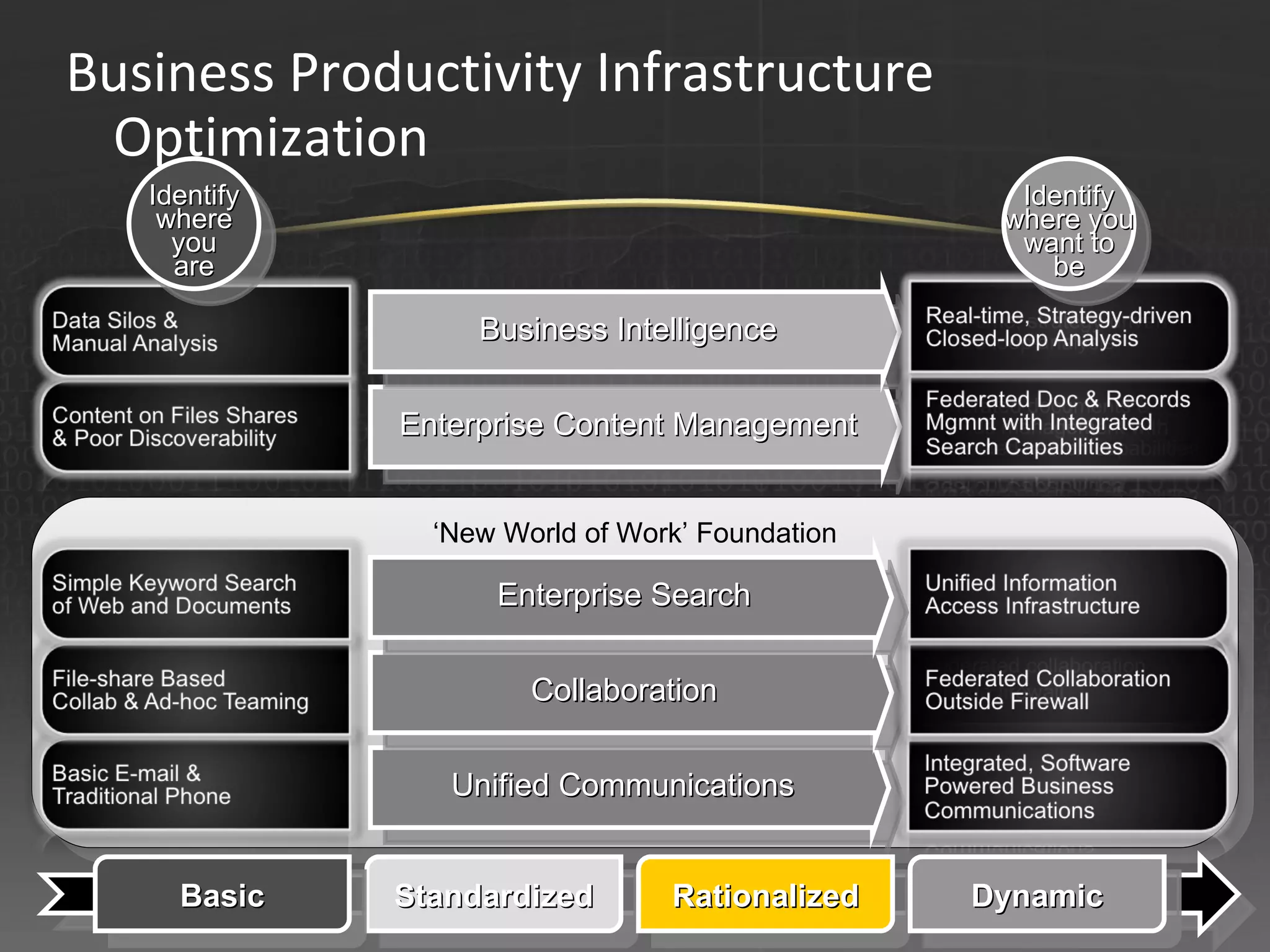
‘ New World of Work’ Foundation Unified Communications Collaboration Enterprise Content Management Business Intelligence Standardized Rationalized Basic Dynamic Enterprise Search Business Productivity Infrastructure Optimization Identify where you are Identify where you want to be
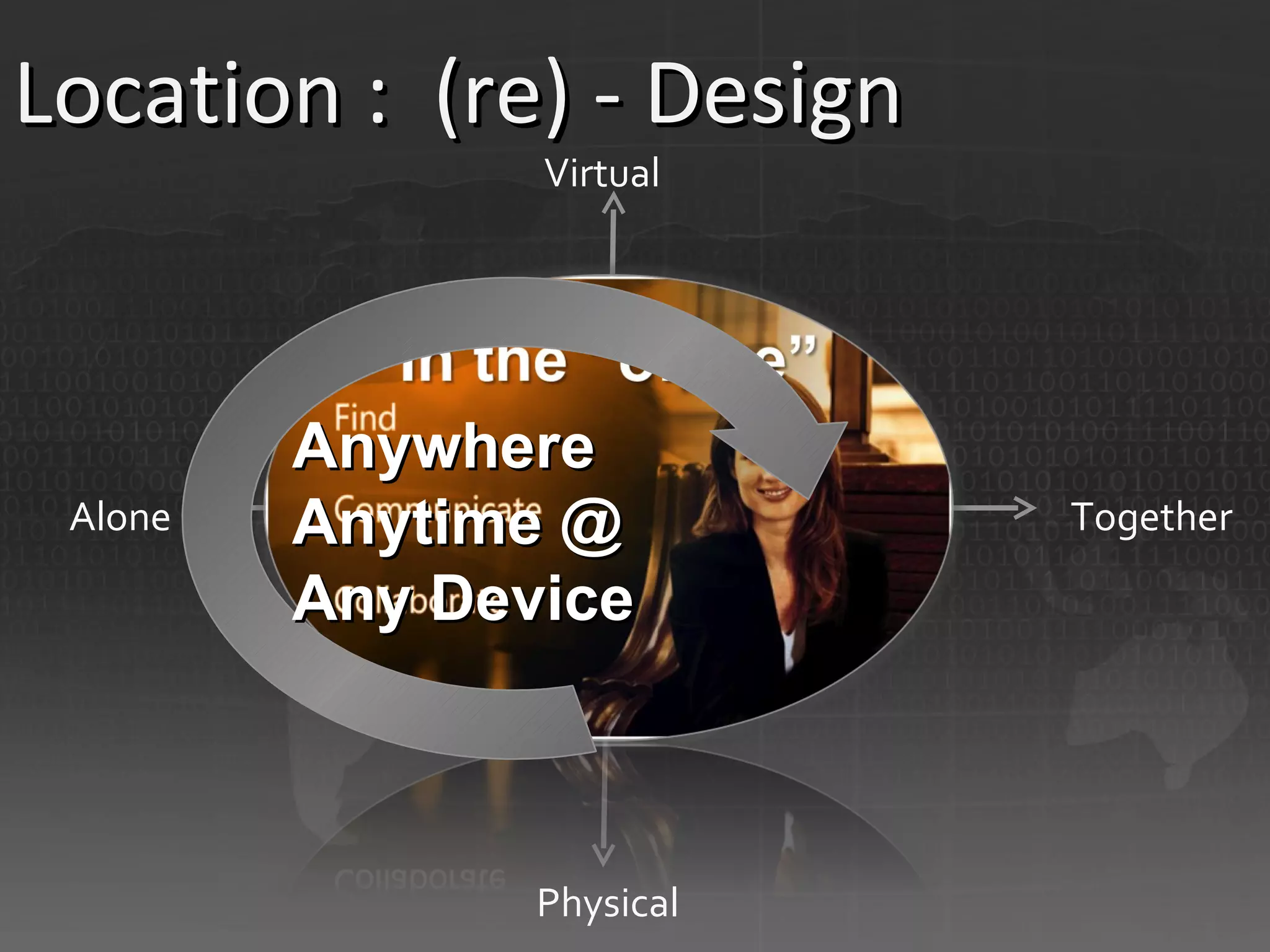
Location :  (re) - Design Virtual Physical Alone Together Anywhere Anytime @ Any Device
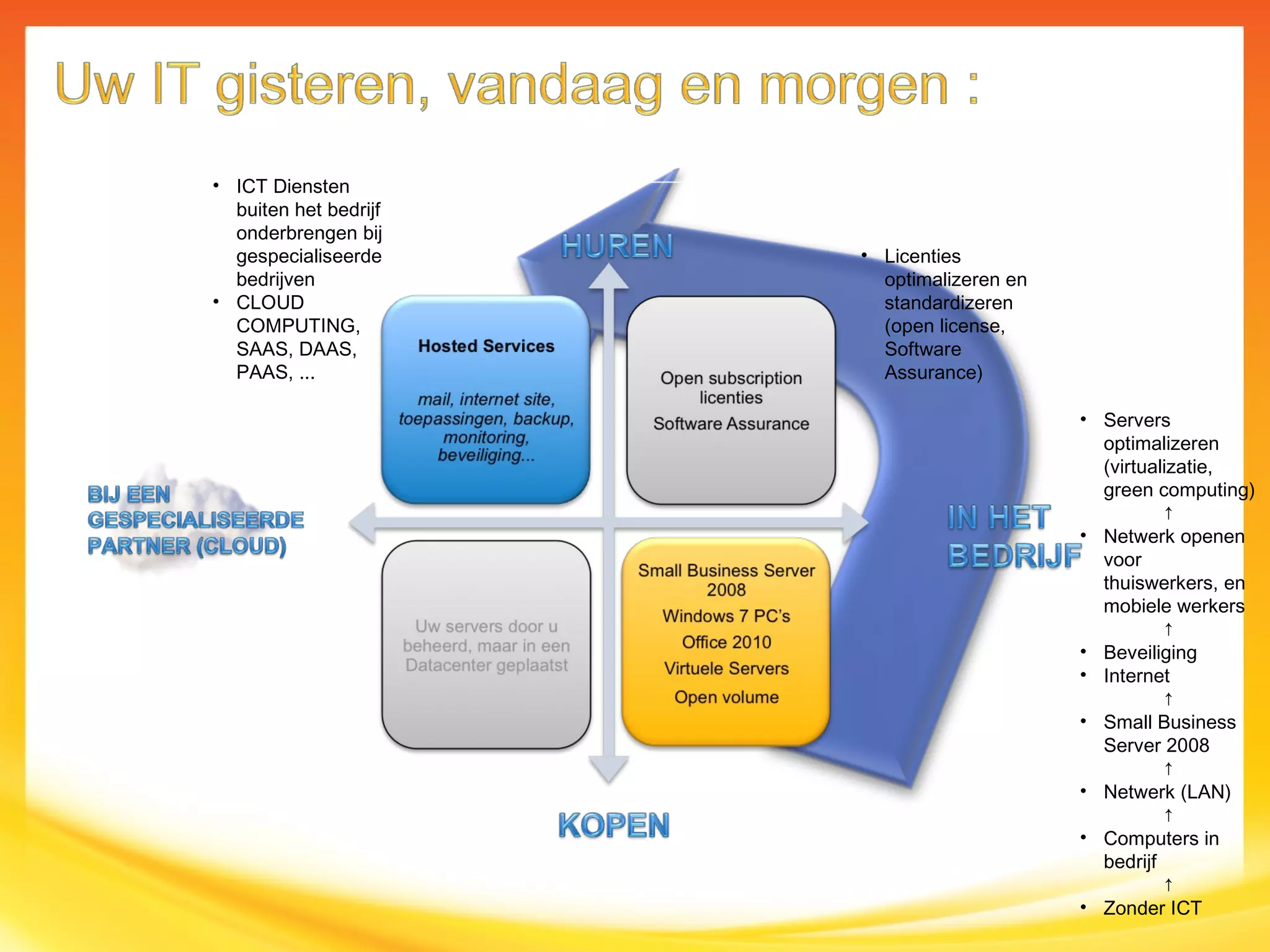
Servers optimalizeren (virtualizatie, green computing) ↑ Netwerk openen voor thuiswerkers, en mobiele werkers ↑ Beveiliging Internet ↑ Small Business Server 2008 ↑ Netwerk (LAN) ↑ Computers in bedrijf ↑ Zonder ICT Licenties optimalizeren en standardizeren (open license, Software Assurance) ICT Diensten buiten het bedrijf onderbrengen bij gespecialiseerde bedrijven CLOUD COMPUTING, SAAS, DAAS, PAAS, ...
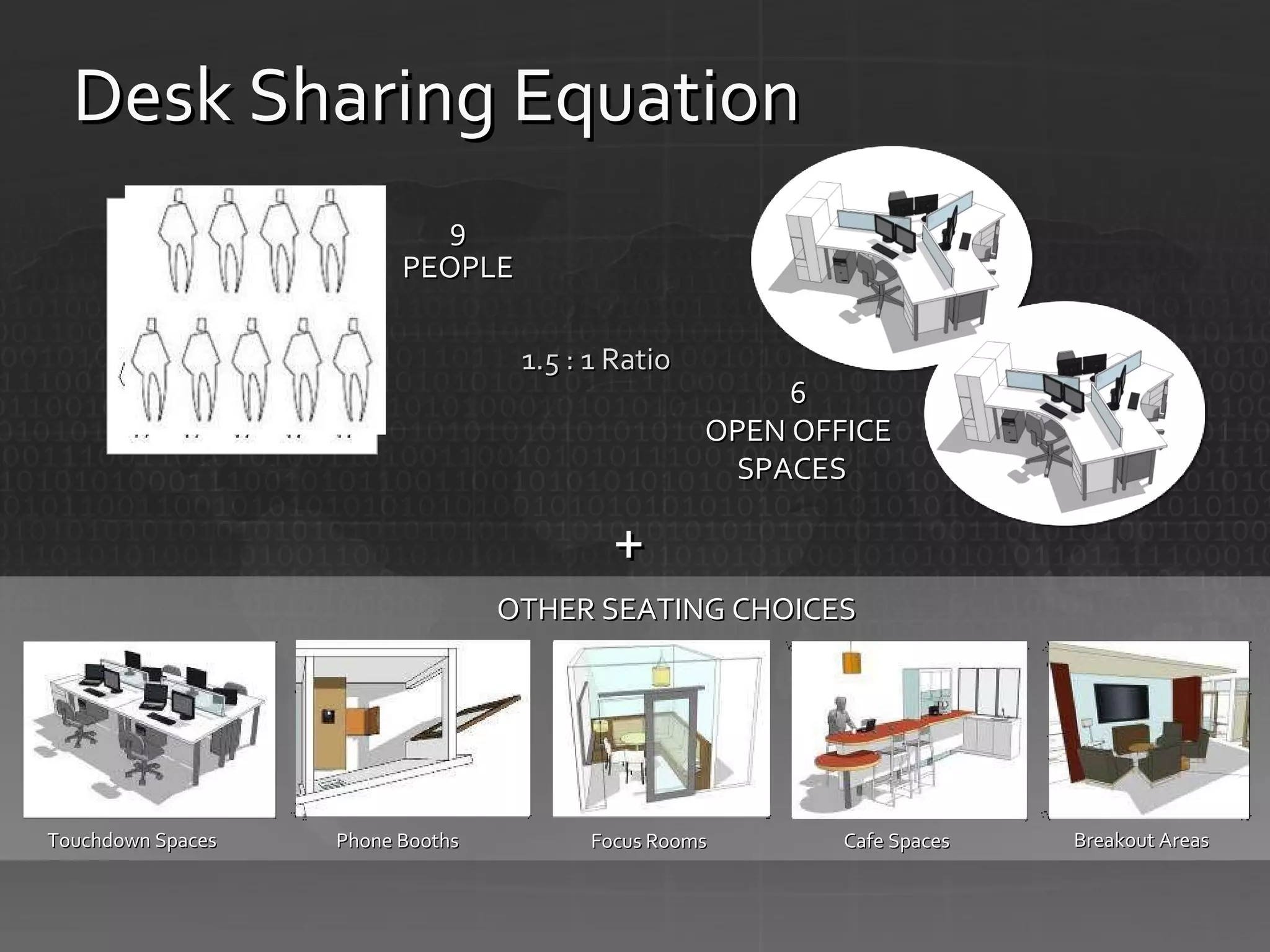
9 PEOPLE OTHER SEATING CHOICES + 6 OPEN OFFICE SPACES   Focus Rooms Phone Booths Breakout Areas Cafe Spaces Touchdown Spaces 1.5 : 1 Ratio Desk Sharing Equation
 
 
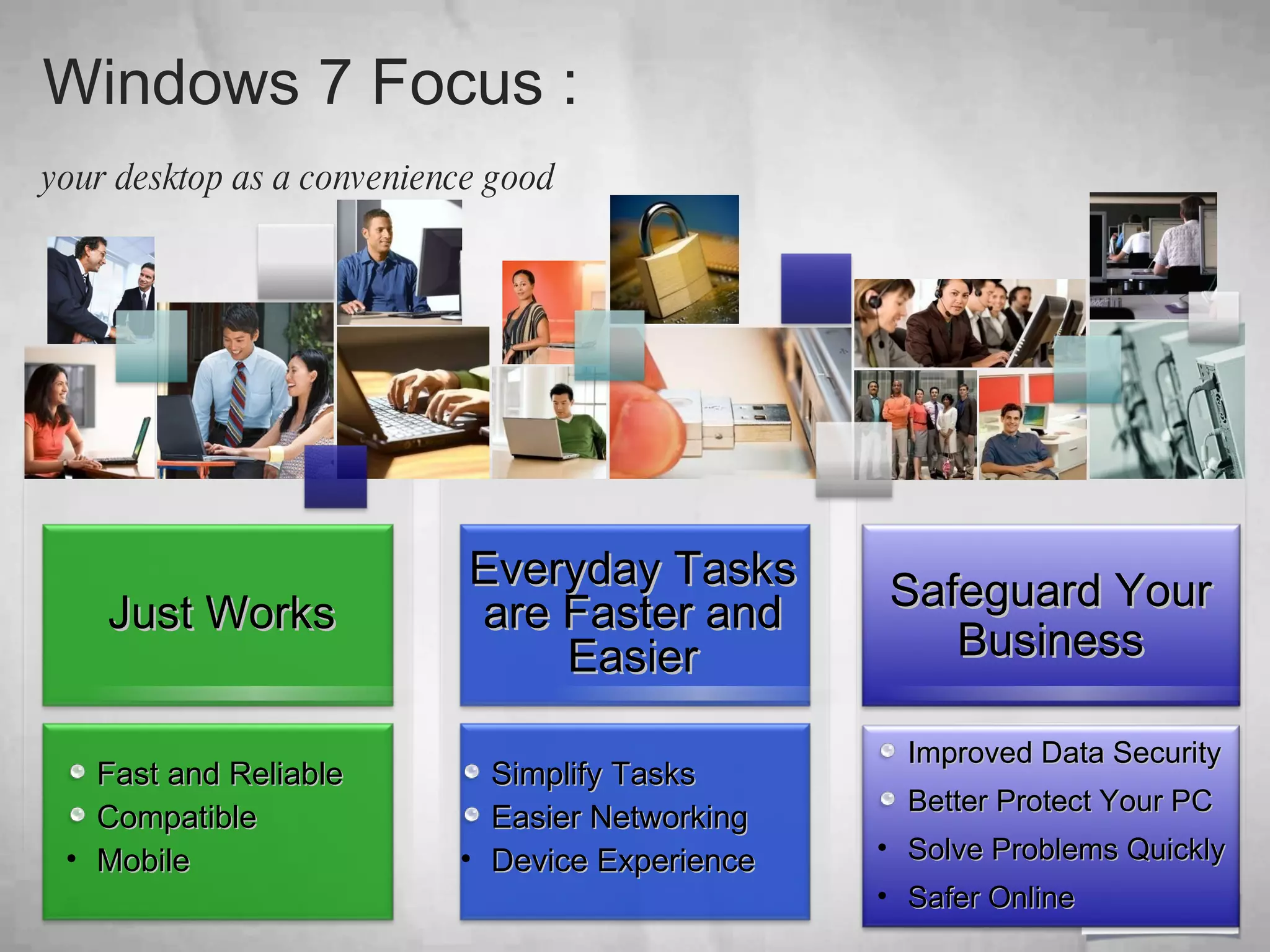
Windows 7 Focus :  your desktop as a convenience good   Fast and Reliable Compatible Mobile Everyday Tasks are Faster and Easier Simplify Tasks Easier Networking Device Experience Safeguard Your Business Just Works Improved Data Security Better Protect Your PC Solve Problems Quickly Safer Online
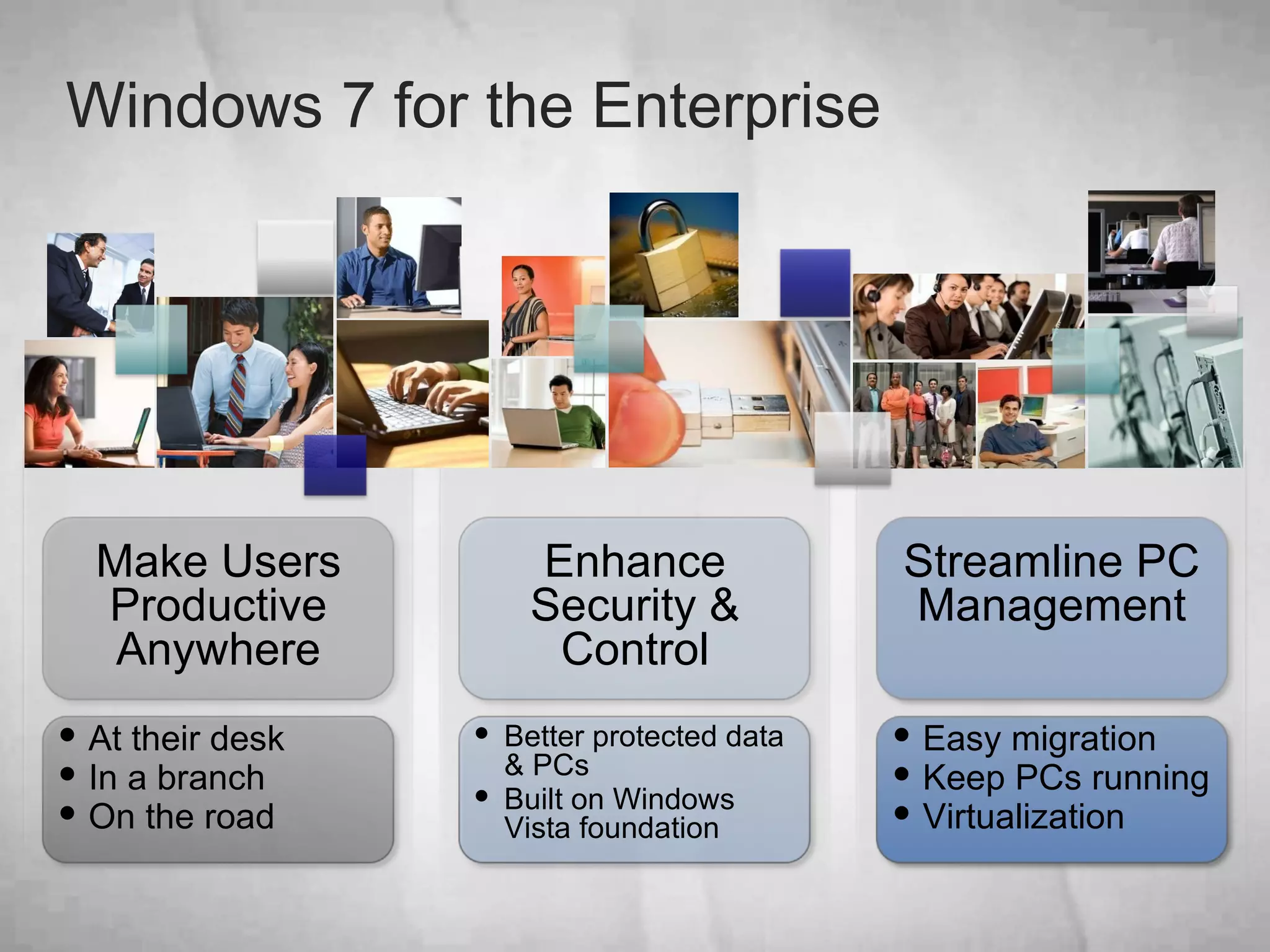
Windows 7 for the Enterprise Streamline PC Management Easy migration  Keep PCs running Virtualization  Enhance Security & Control Better protected data & PCs Built on Windows Vista foundation  At their desk In a branch On the road Make Users Productive Anywhere
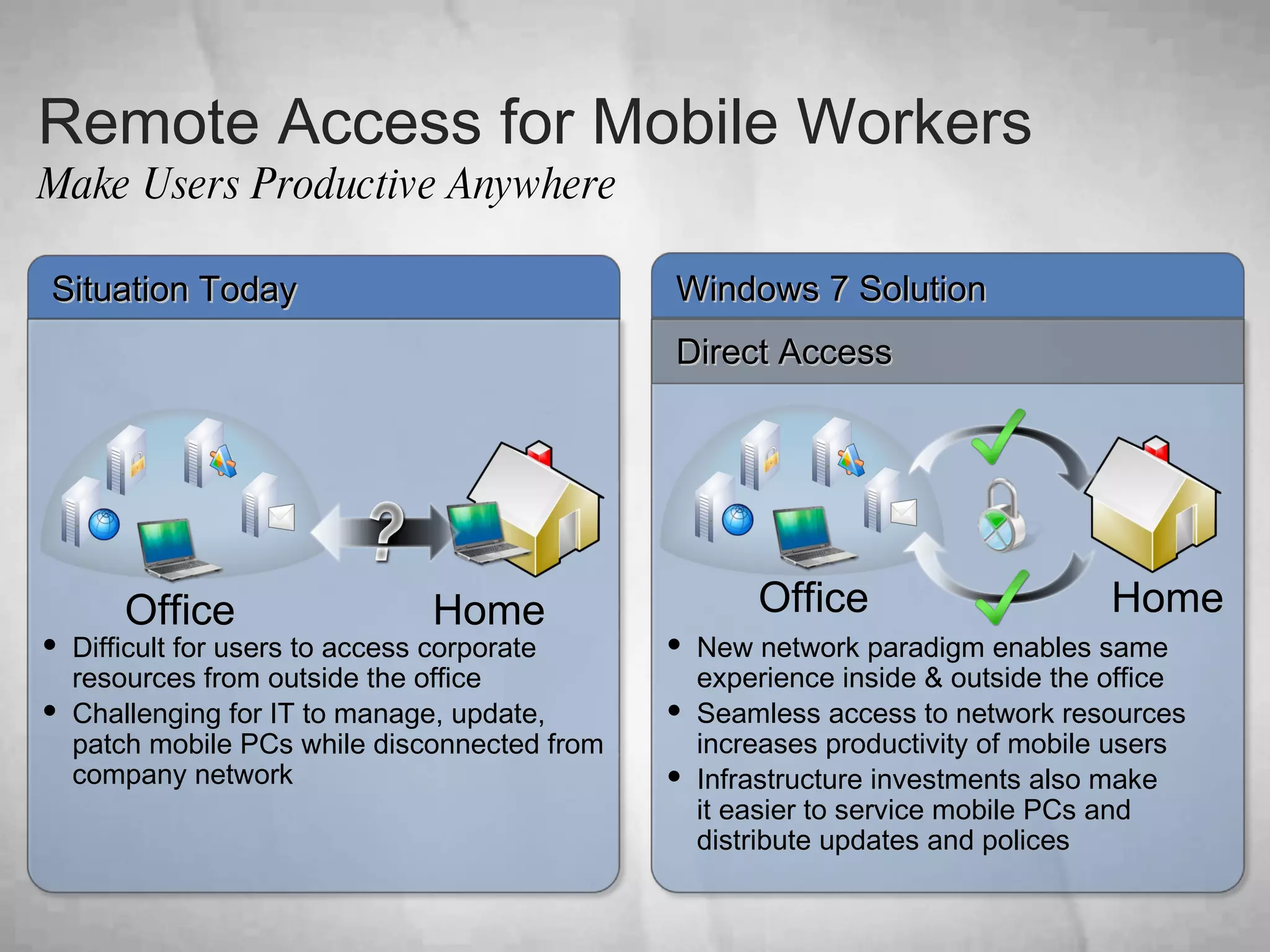
Remote Access for Mobile Workers Make Users Productive Anywhere Windows 7 Solution Direct Access Situation Today Difficult for users to access corporate resources from outside the office Challenging for IT to manage, update, patch mobile PCs while disconnected from company network New network paradigm enables same experience inside & outside the office Seamless access to network resources increases productivity of mobile users Infrastructure investments also make  it easier to service mobile PCs and distribute updates and polices Office Home Home Office
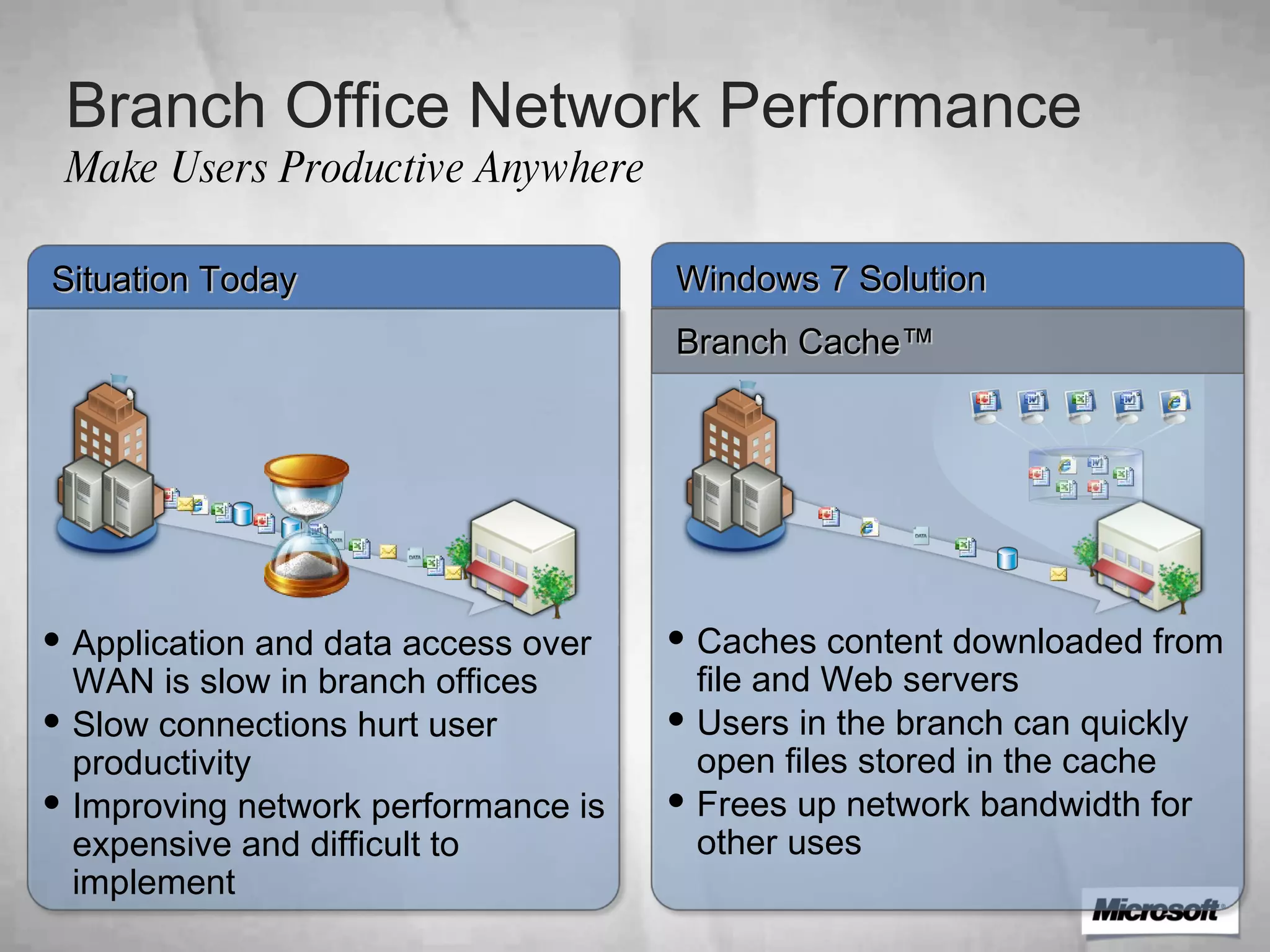
Branch Office Network Performance Make Users Productive Anywhere Windows 7 Solution Branch Cache™ Situation Today Application and data access over WAN is slow in branch offices Slow connections hurt user productivity  Improving network performance is expensive and difficult to implement  Caches content downloaded from file and Web servers Users in the branch can quickly open files stored in the cache Frees up network bandwidth for other uses
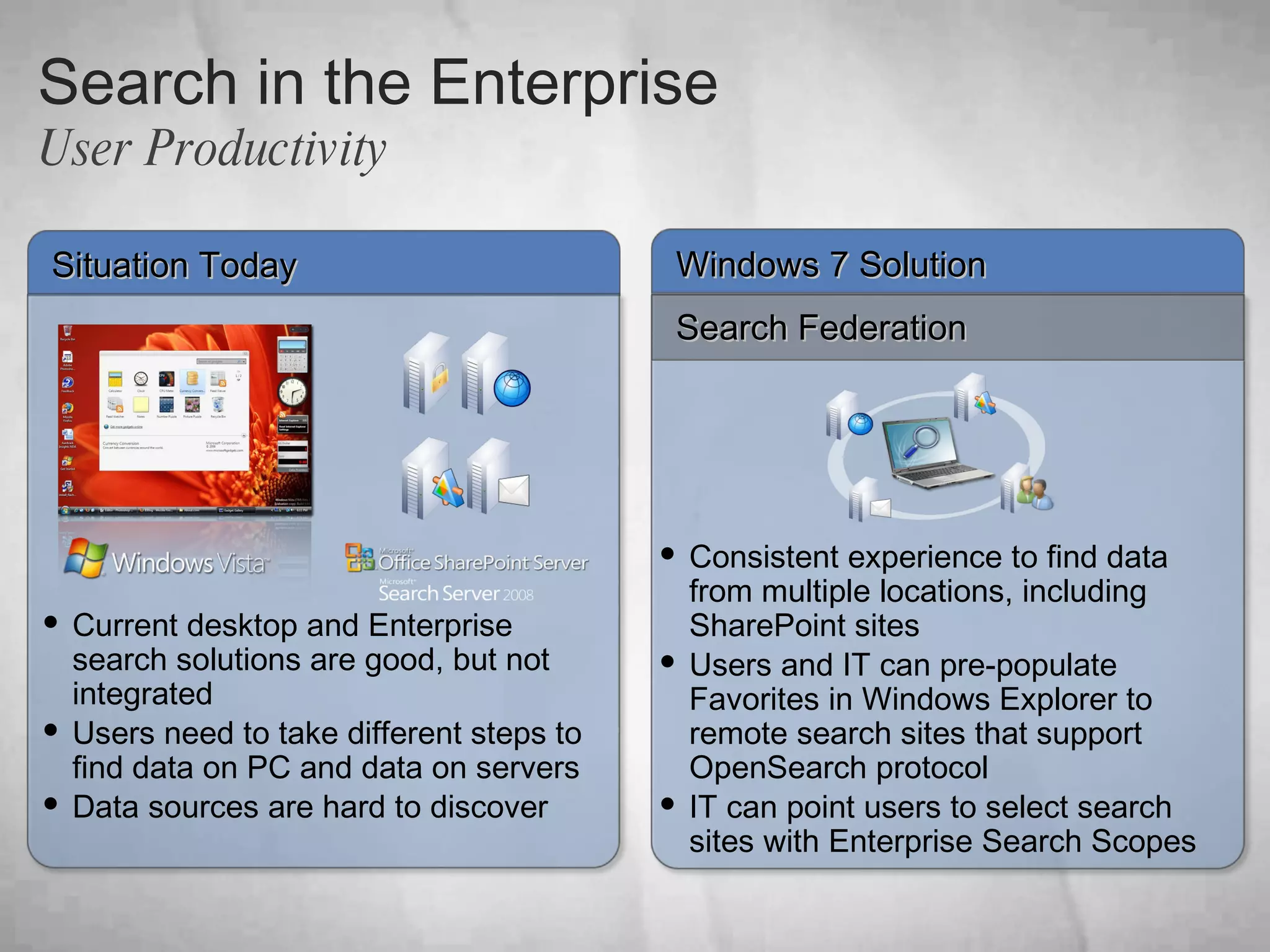
Search in the Enterprise User Productivity Windows 7 Solution Search Federation Situation Today Consistent experience to find data from multiple locations, including SharePoint sites Users and IT can pre-populate Favorites in Windows Explorer to remote search sites that support OpenSearch protocol  IT can point users to select search sites with Enterprise Search Scopes     Current desktop and Enterprise search solutions are good, but not integrated Users need to take different steps to find data on PC and data on servers Data sources are hard to discover
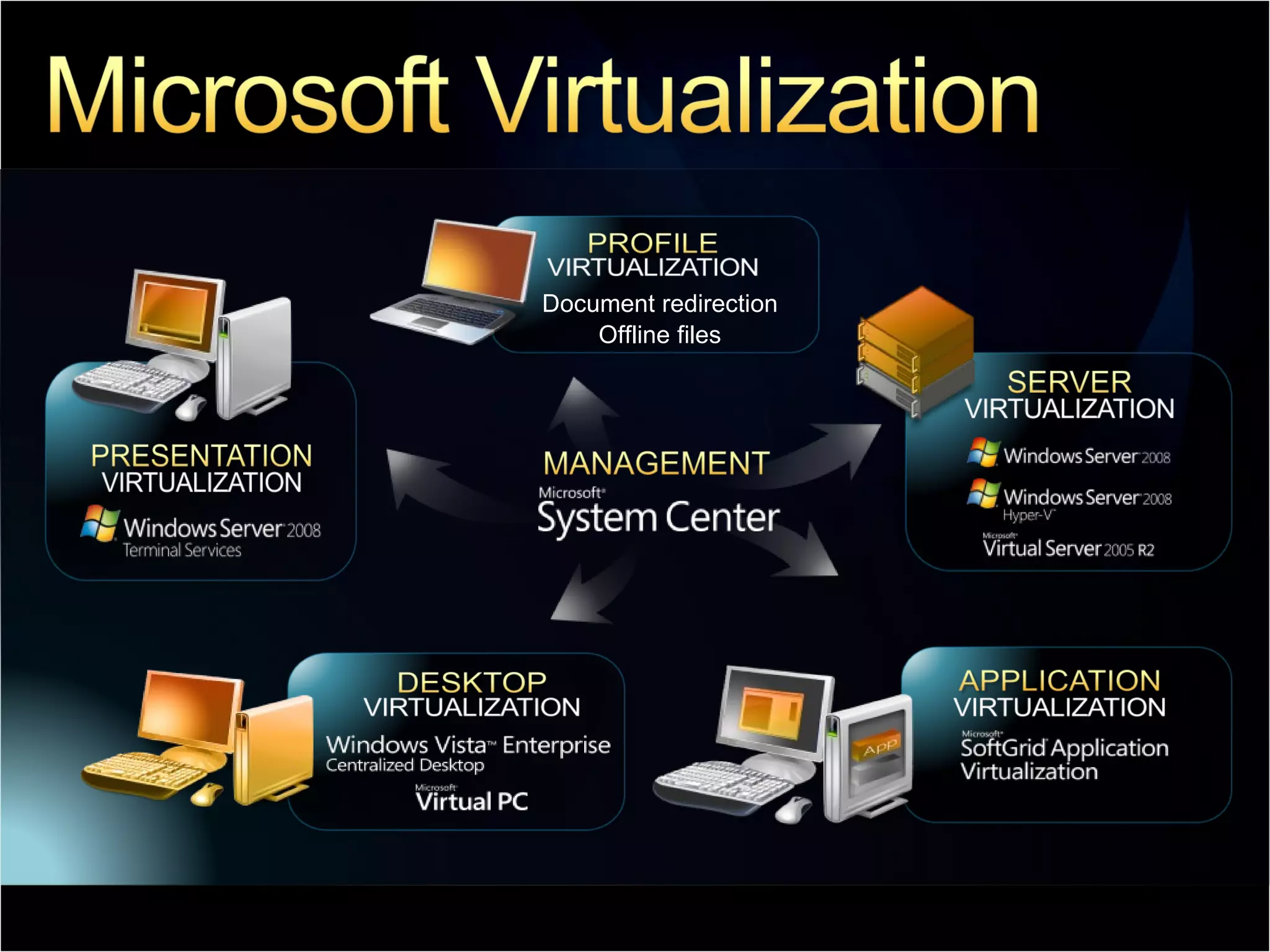
Document redirection Offline files
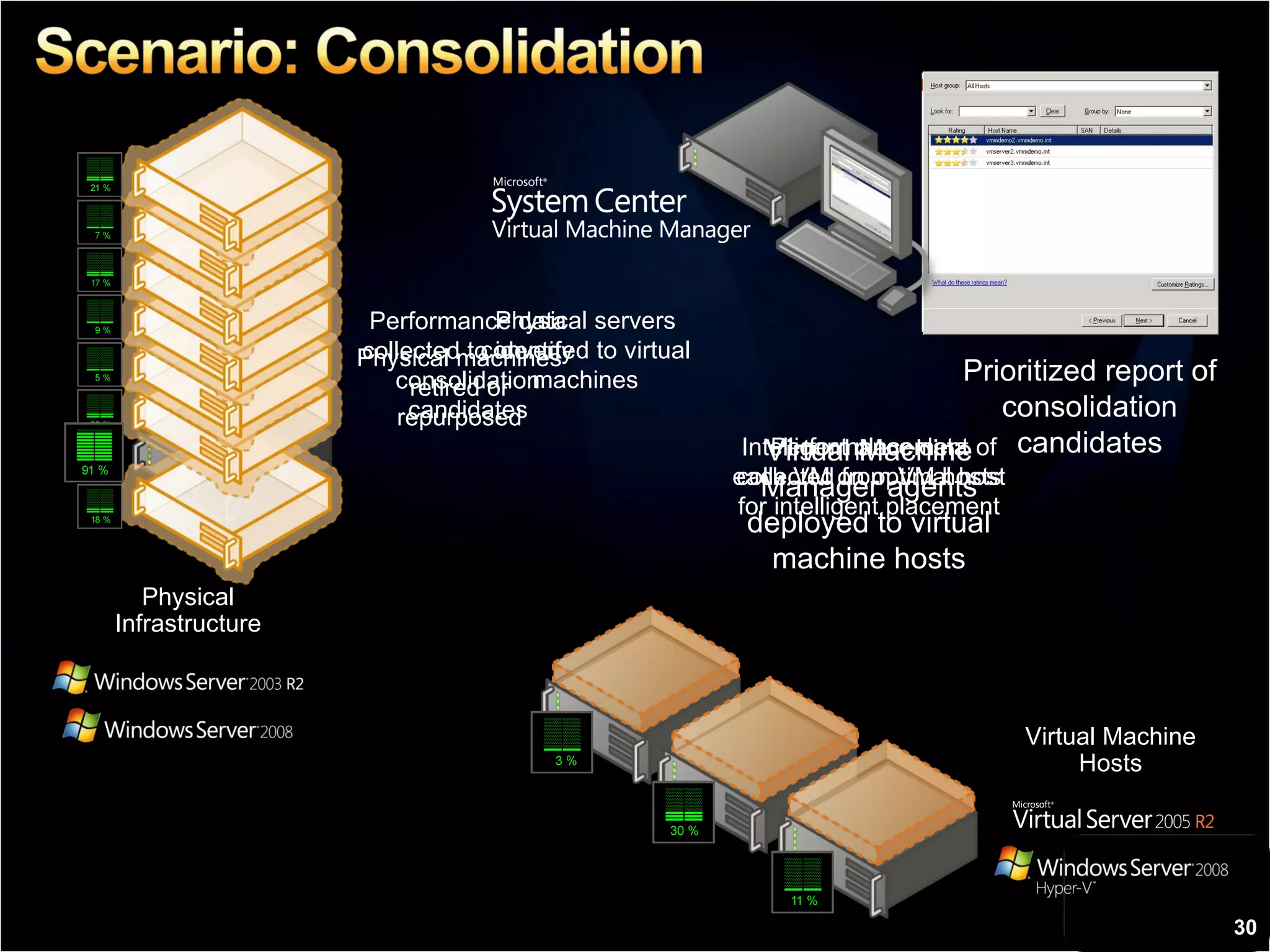
Virtual Machine Hosts Physical Infrastructure Virtual Machine Manager agents deployed to virtual machine hosts Performance data collected to identify consolidation candidates Physical servers converted to virtual machines Performance data collected from VM hosts for intelligent placement Intelligent placement of each VM on optimal host Physical machines retired or repurposed Prioritized report of consolidation candidates
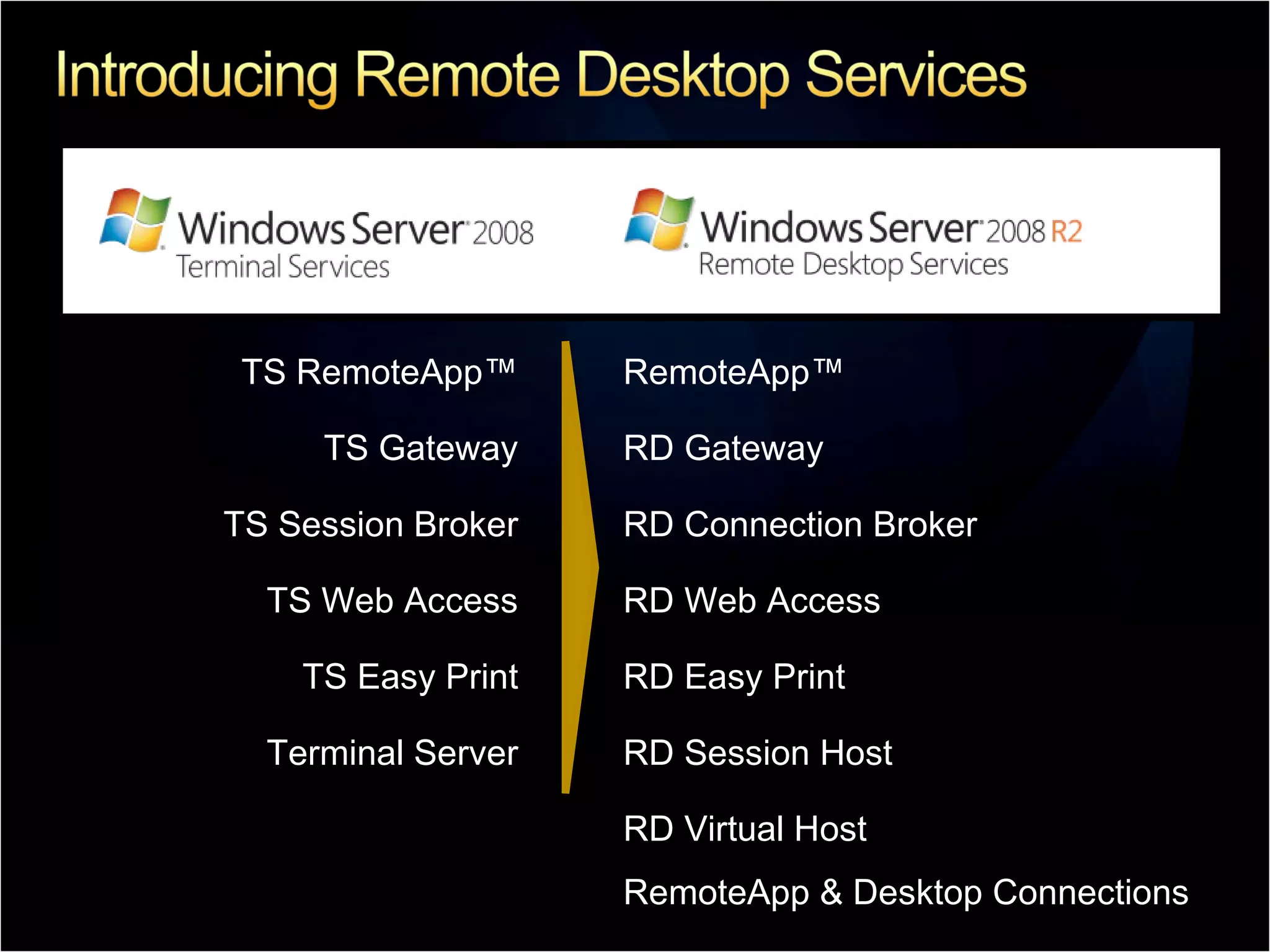
TS RemoteApp™ RemoteApp™ TS Gateway RD Gateway TS Session Broker RD Connection Broker TS Web Access RD Web Access TS Easy Print RD Easy Print Terminal Server RD Session Host RD Virtual Host RemoteApp & Desktop Connections
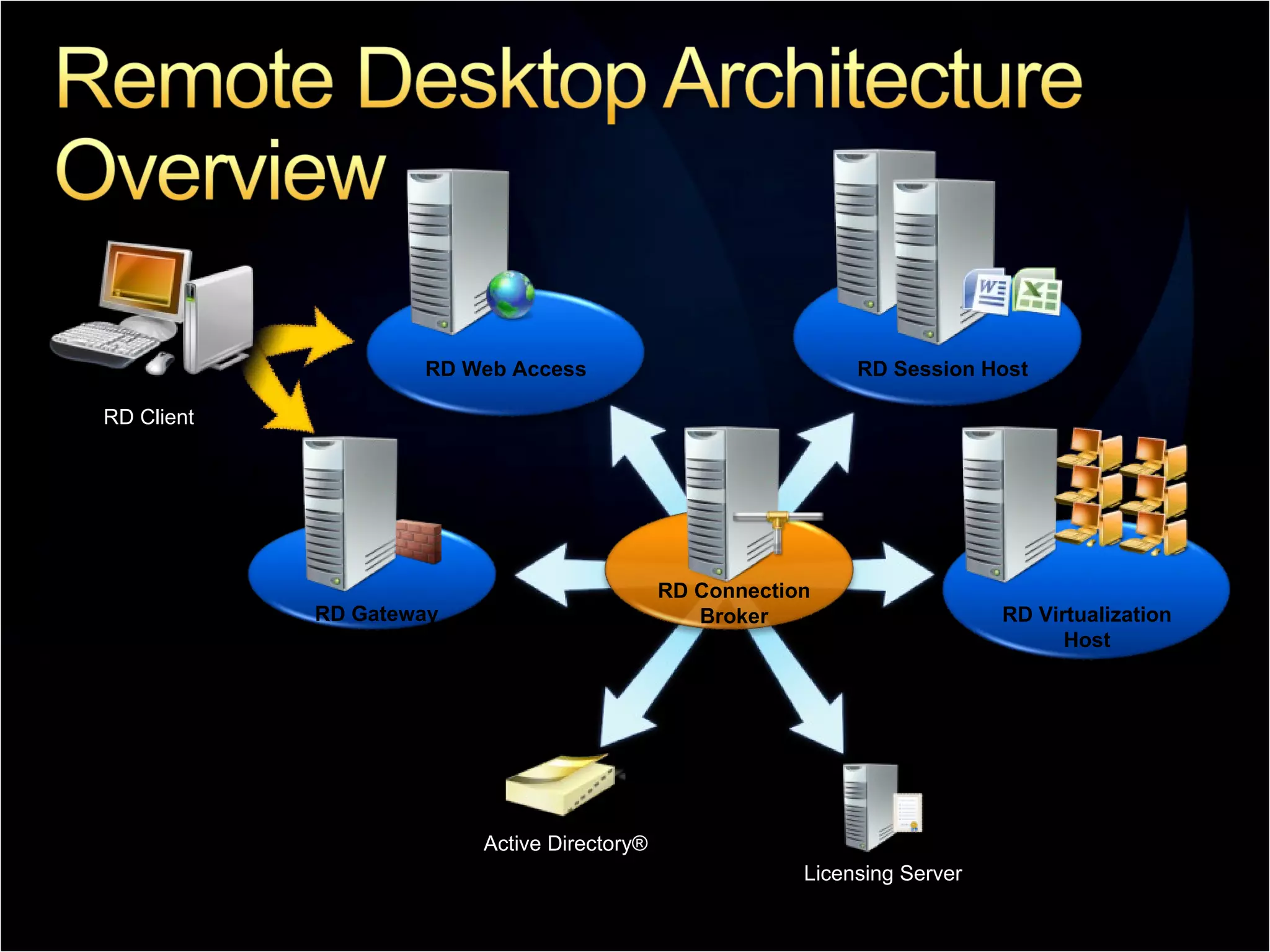
RD Web Access RD Session Host RD Gateway RD Connection Broker Active Directory® Licensing Server RD Virtualization Host RD Client
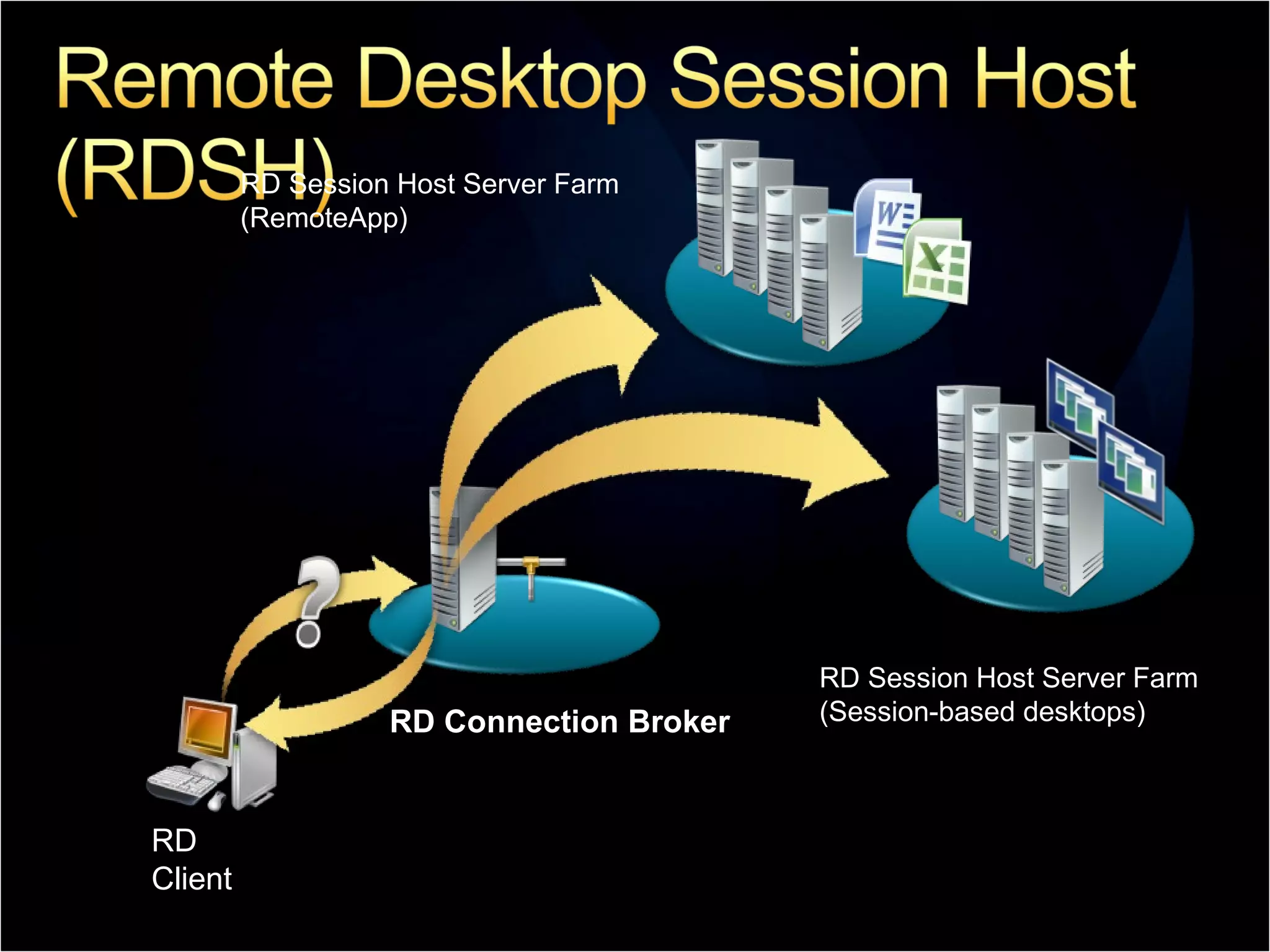
RD Connection Broker RD Client RD Session Host Server Farm (Session-based desktops) RD Session Host Server Farm (RemoteApp)
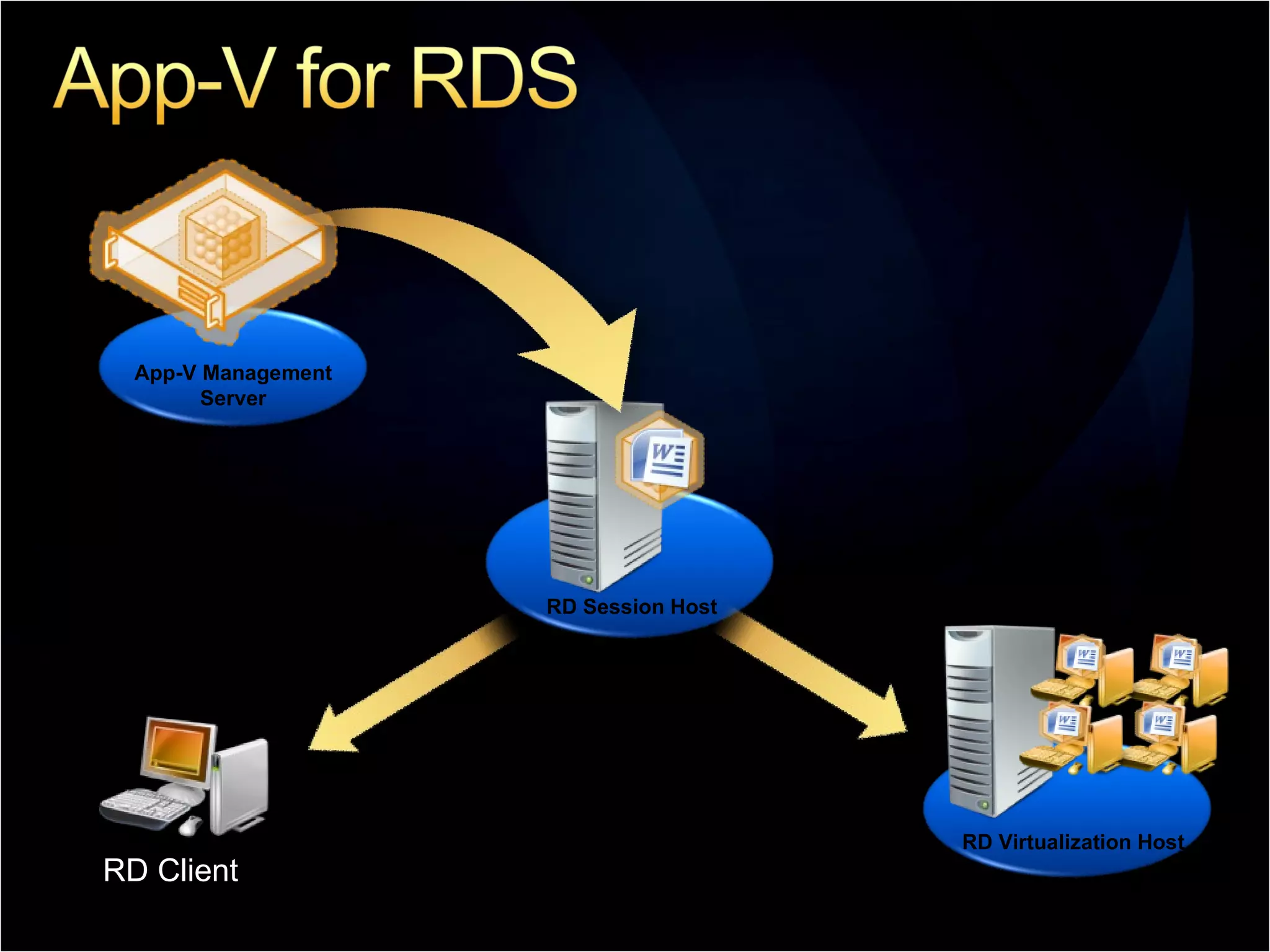
RD Session Host App-V Management Server RD Client  RD Virtualization Host
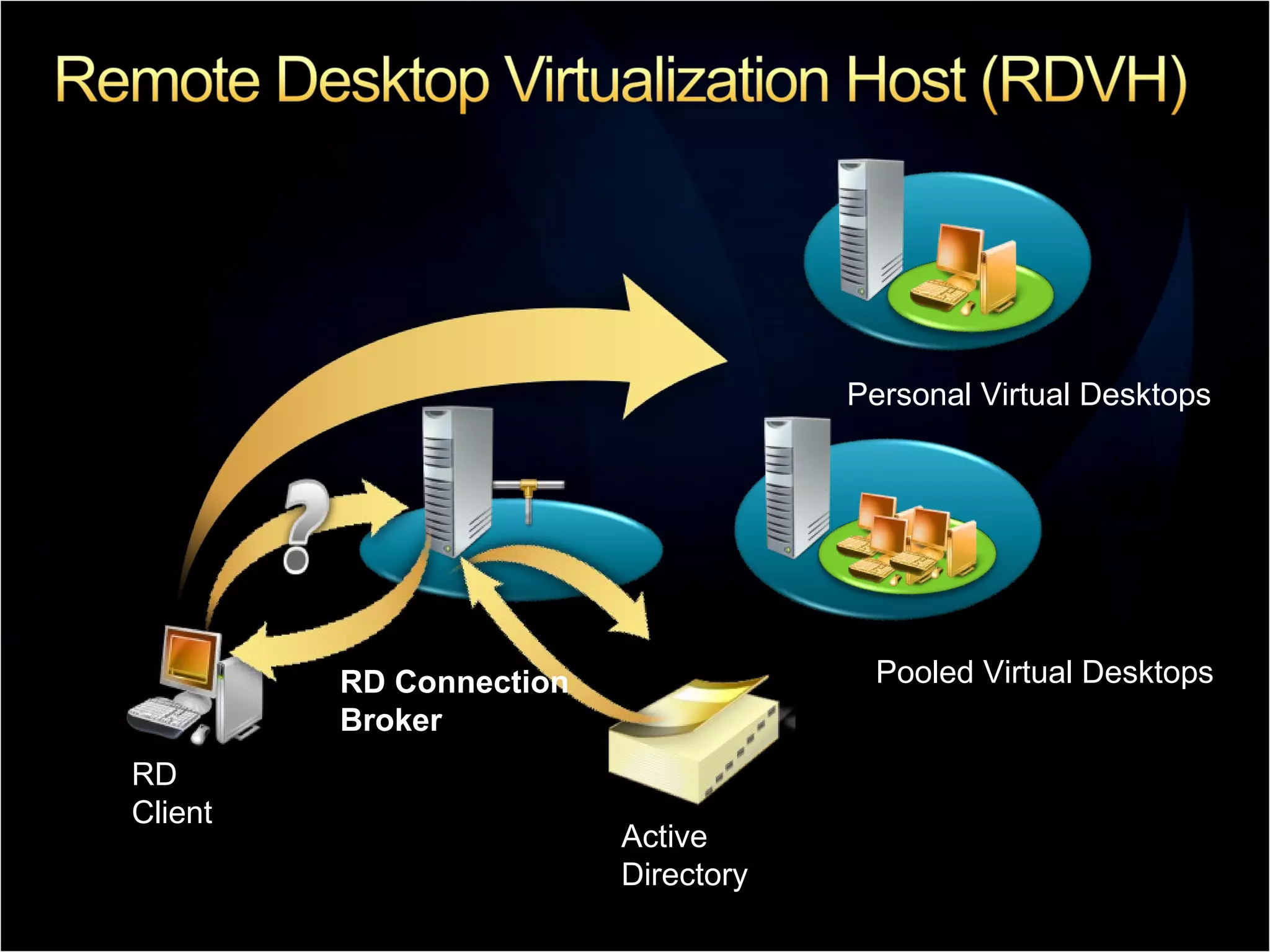
RD Client Personal Virtual Desktops Pooled Virtual Desktops RD Connection Broker Active Directory
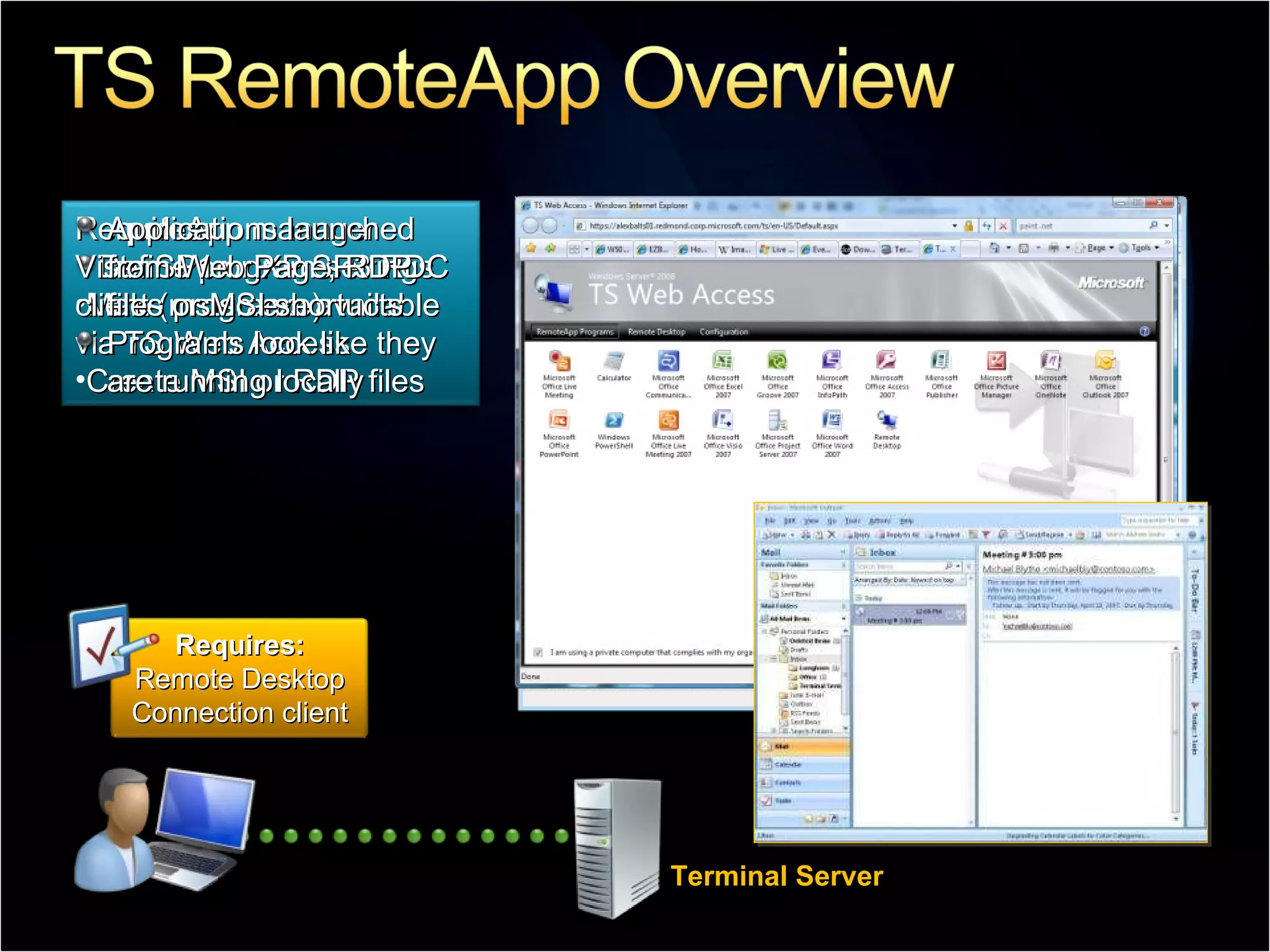
Terminal Server Requires: Vista SP1 or XP SP3 RDC client (mstsc.exe) Applications launched from Web Page, RDP files or MSI shortucts Programs look like they are running locally RemoteApp manager Define program settings Make programs available via TS Web Access Create MSI or RDP files Requires: Remote Desktop Connection client
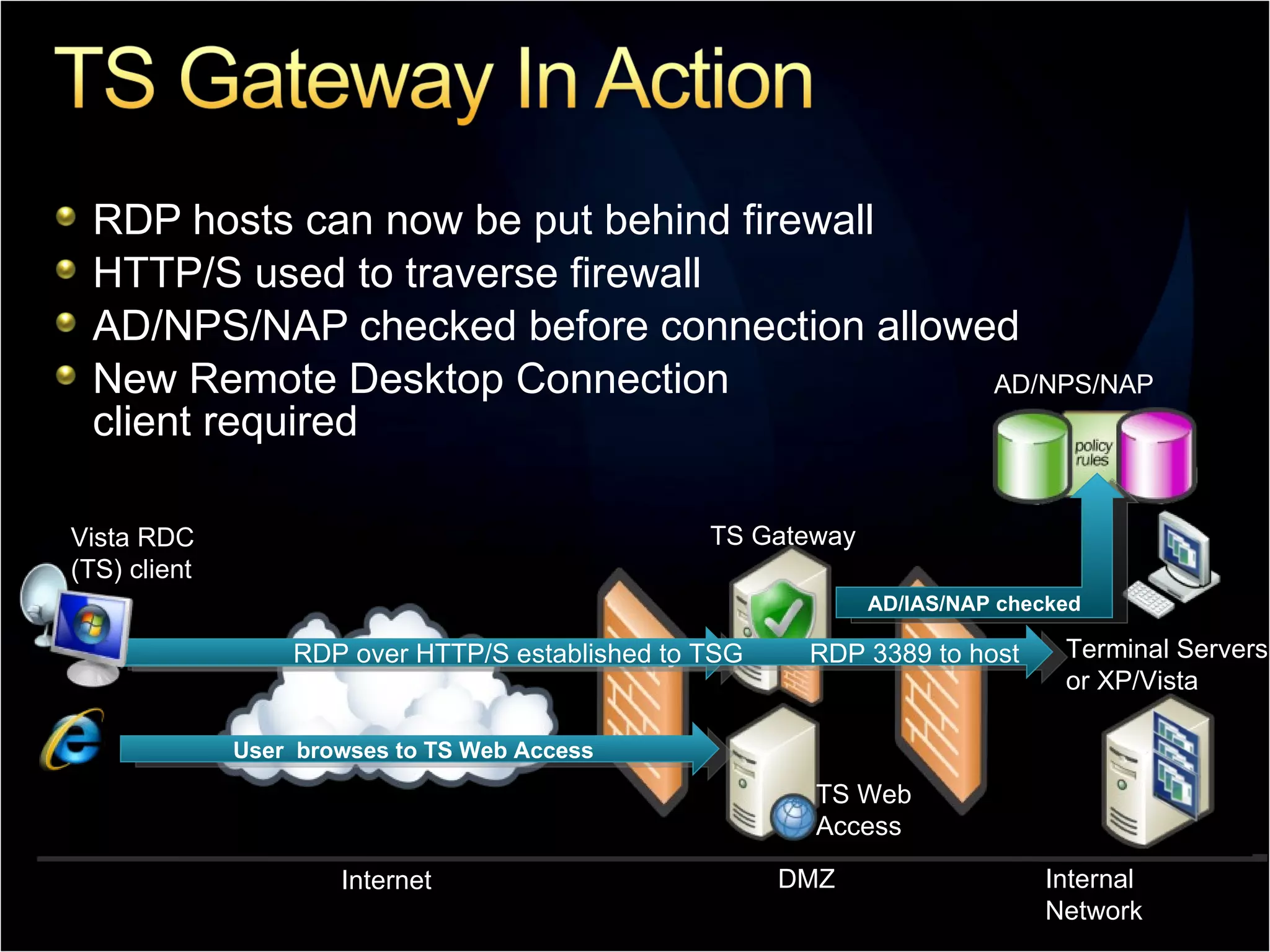
RDP hosts can now be put behind firewall HTTP/S used to traverse firewall AD/NPS/NAP checked before connection allowed New Remote Desktop Connection client required AD/NPS/NAP User  browses to TS Web Access User initiates HTTP/S connection to TS Gateway Terminal Servers or XP/Vista  TS Gateway TS Web Access Internet DMZ Internal Network RDP over HTTP/S established to TSG  RDP 3389 to host  AD/IAS/NAP checked Vista RDC (TS) client
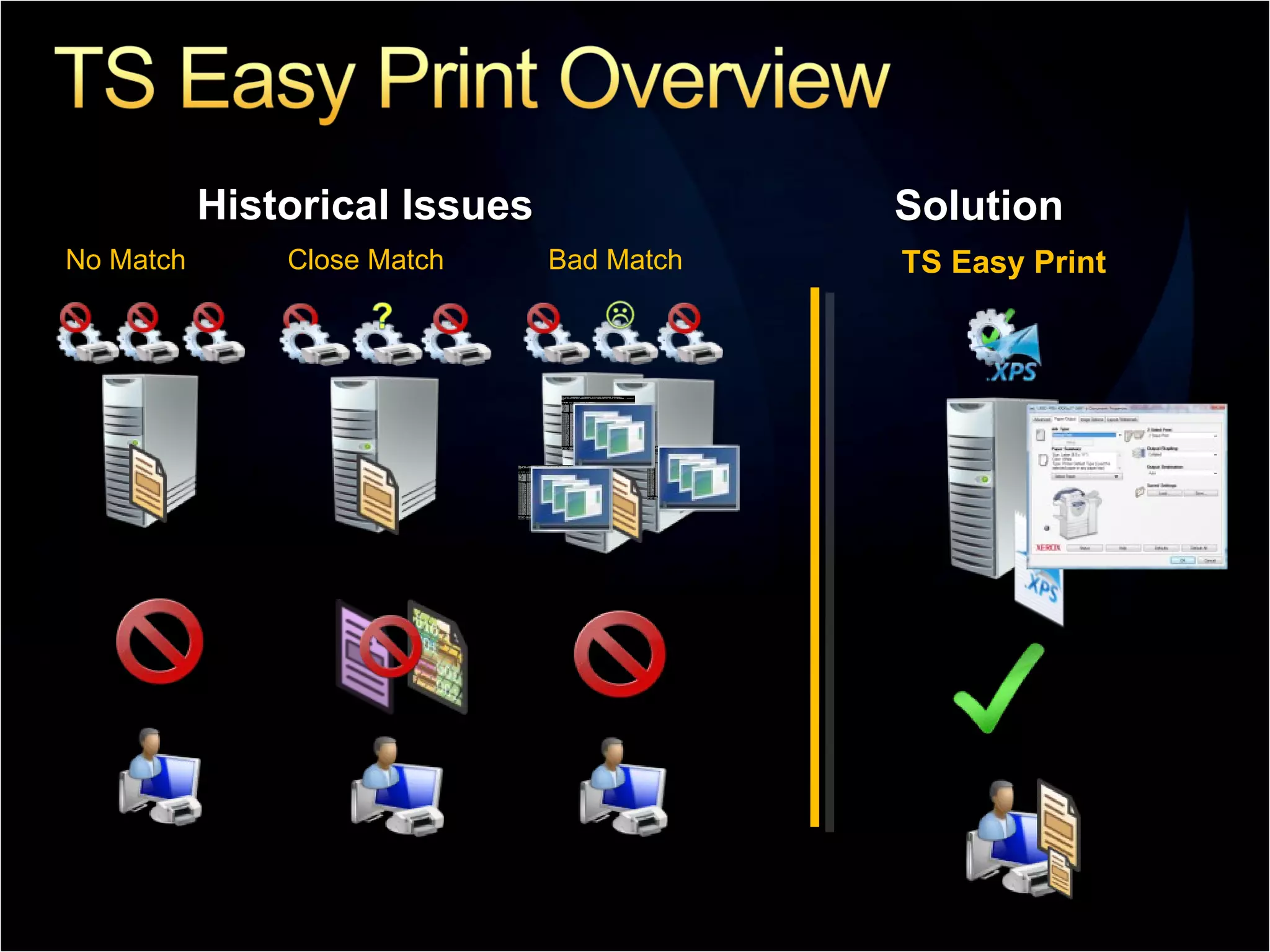
Historical Issues Solution Bad Match No Match Close Match TS Easy Print
 
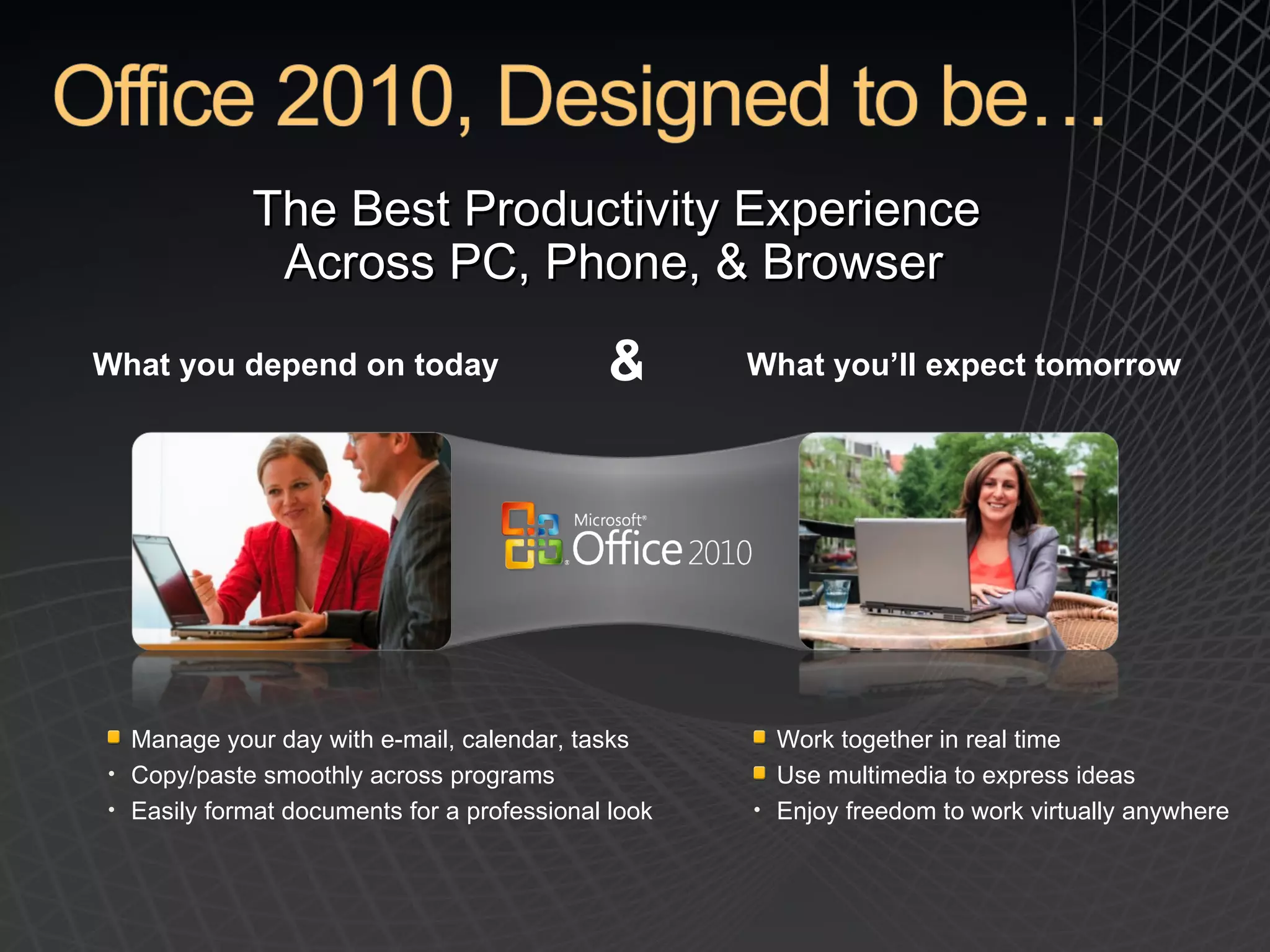
The Best Productivity Experience  Across PC, Phone, & Browser  What you depend on today What you’ll expect tomorrow & Manage your day with e-mail, calendar, tasks Copy/paste smoothly across programs Easily format documents for a professional look Work together in real time Use multimedia to express ideas Enjoy freedom to work virtually anywhere
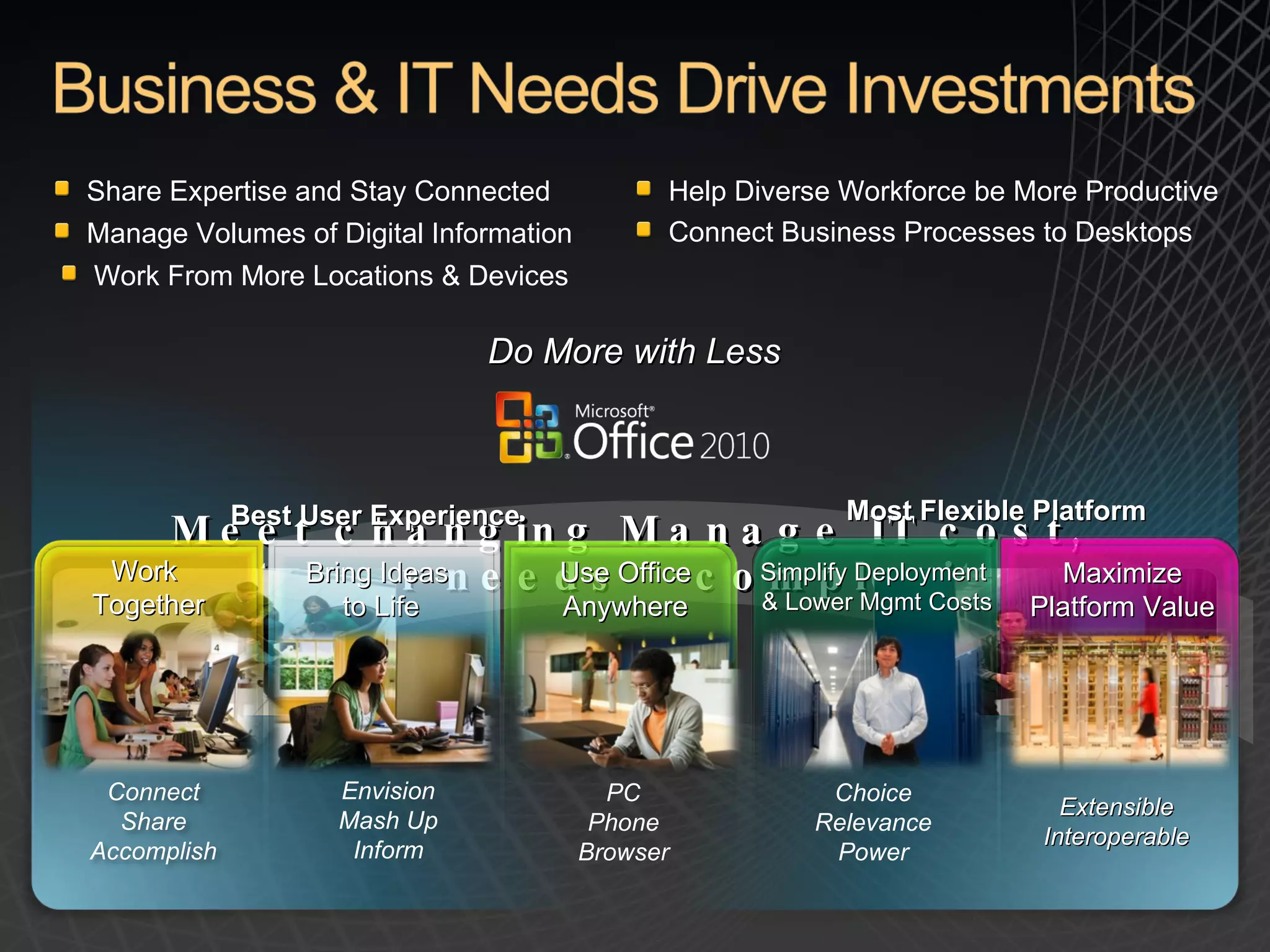
Share Expertise and Stay Connected Help Diverse Workforce be More Productive Connect Business Processes to Desktops Do More with Less Manage Volumes of Digital Information Work From More Locations & Devices Meet changing customer needs Manage IT cost, complexity Work  Together Bring Ideas  to Life Use Office Anywhere Simplify Deployment  & Lower Mgmt Costs Maximize Platform Value Connect Share Accomplish Envision Mash Up Inform Choice Relevance Power PC Phone Browser Extensible Interoperable Best User Experience Most Flexible Platform
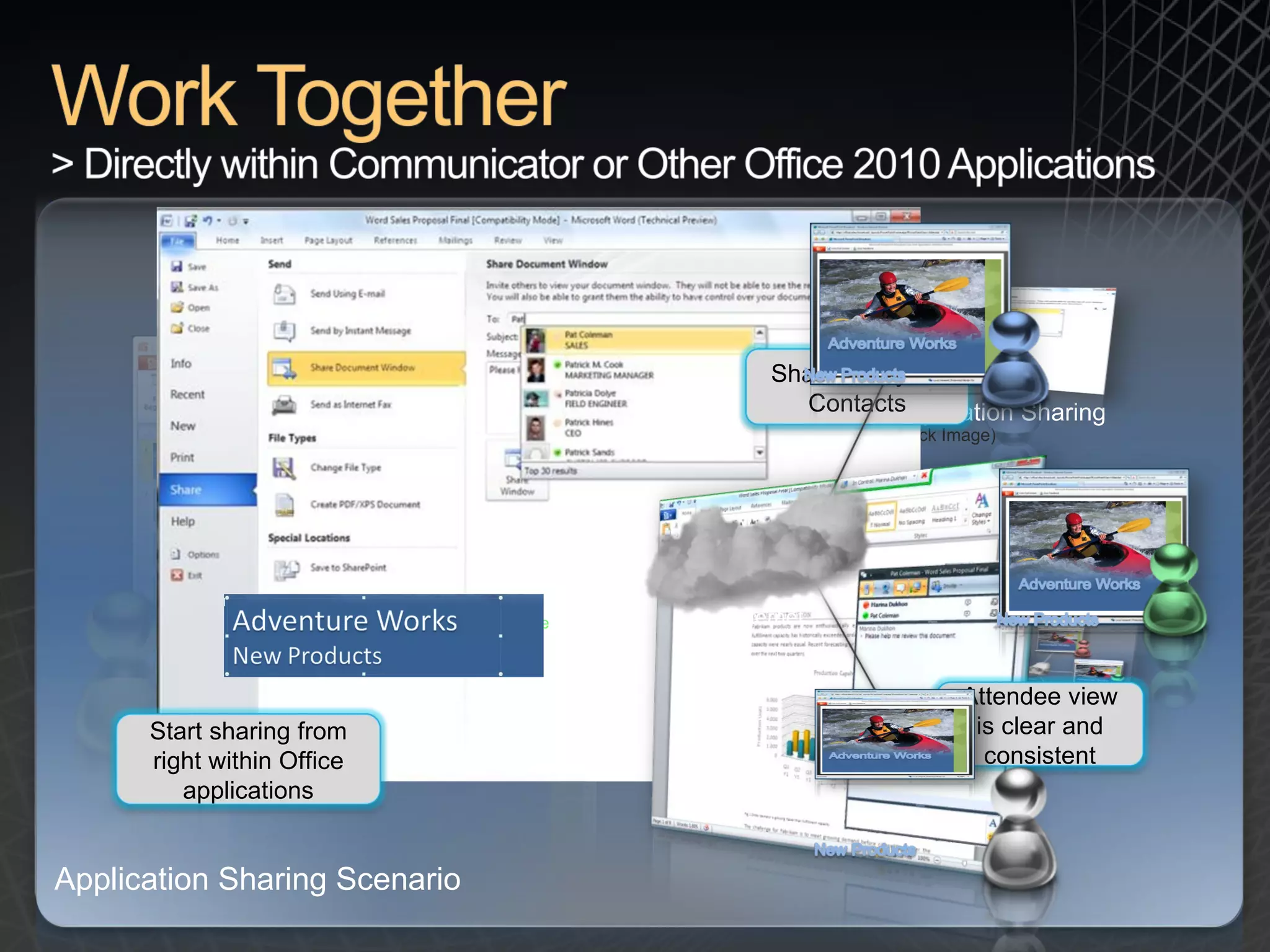
Capability description:  Start an immediate application sharing session with a couple of clicks from the Backstage view of popular Office 2010 applications or Office Communicator 2010.  New capability:  Application Sharing Challenge:  Travel and 3 rd  party conferencing tools are expensive, and  meetings are less effective without a shared canvas. Potential savings/efficiency gains:  Reduce travel costs and 3 rd  party conferencing and phone charges by replacing meetings and training with integrated IM, Voice, Web, Audio and Video conferencing. Application Sharing Scenario < Click here App Sharing Scenario (Click Image) Application Sharing (Click Image) Share with your Contacts Attendee view is clear and consistent Internet Start sharing from right within Office applications
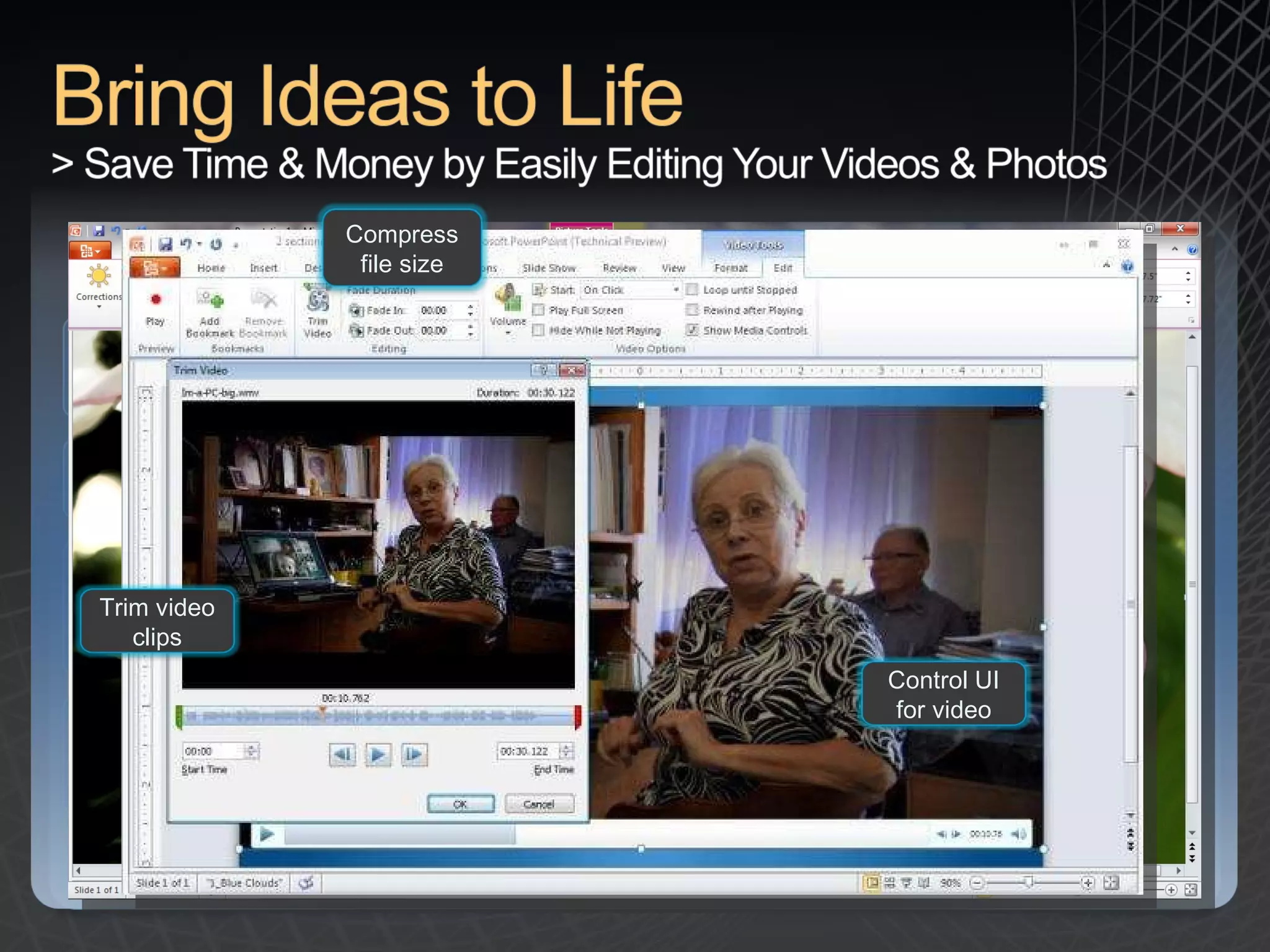
Potential savings/efficiency gains:  Reduce costs and the need for training by reducing the need for 3rd party rich media tools with rich capabilities integrated into the Fluent UI. Capability description:  Sharpen, brighten and recolor photos using Live Preview to easily try out different artistic effects. Trim videos to get to just the right clip and format the visual effects around it. Compress the size of the video. New capability:  Powerful features to edit photos and videos from within PowerPoint 2010 Challenge :  Photo and video content is becoming an ever-popular way to create and consume information, but multi-media tools can be expensive and difficult to learn. Bring Ideas to Life Photo Editing  (Click Image) Video Editing  (Click Image) Sharpen or recolor images Trim video clips Control UI for video Compress file size
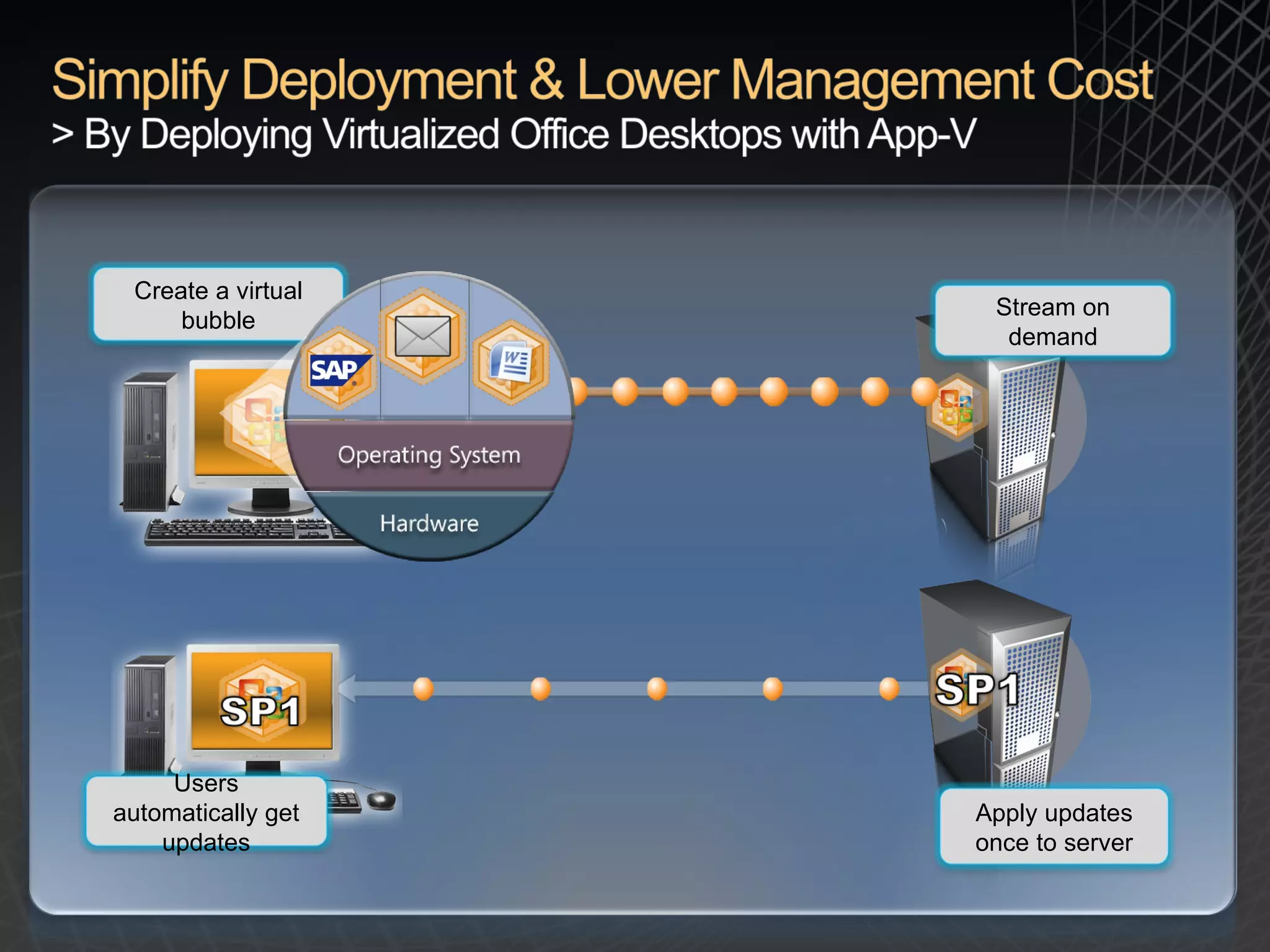
Potential savings/efficiency gains:   Virtualizing Office 2010 offers the opportunity to reduce deployment costs (user training, application compatibility) and increase application management control.  New capability:   Office 2010 is the first version of Office built with virtualization in mind. Challenge :  New versions of Office can be difficult to deploy for fears of disrupting business rhythms.  SharePoint Proxy has been adjusted (directly open/edit documents hosted by SharePoint)  Fast Search in Outlook, when virtualized, now includes Windows Desktop Search Capability description:   Office 2010 has been optimized to run faster in a virtualized environment:  Example Diagram (Click Image) Stream on demand Create a virtual bubble Users automatically get updates Apply updates once to server
 
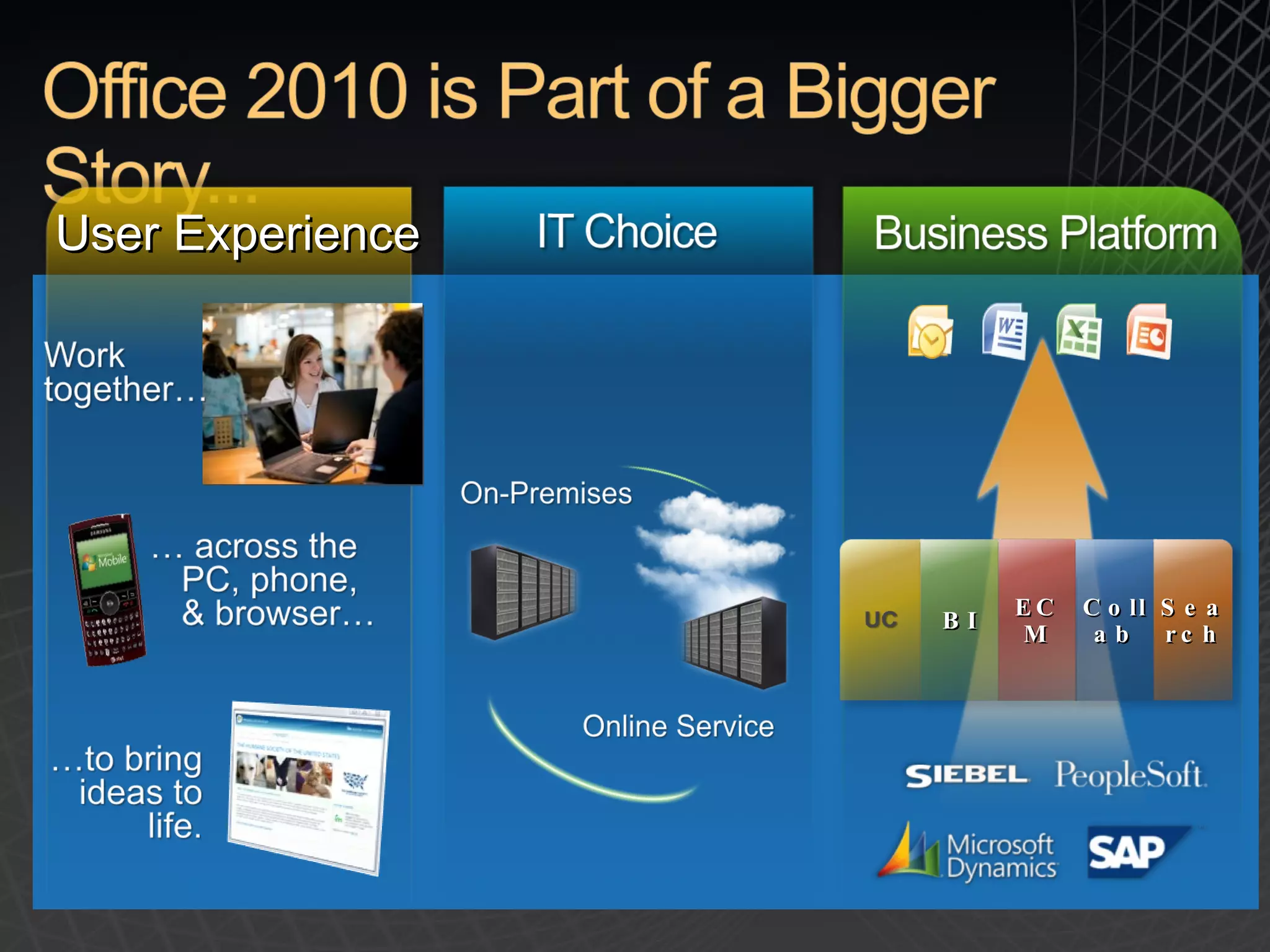
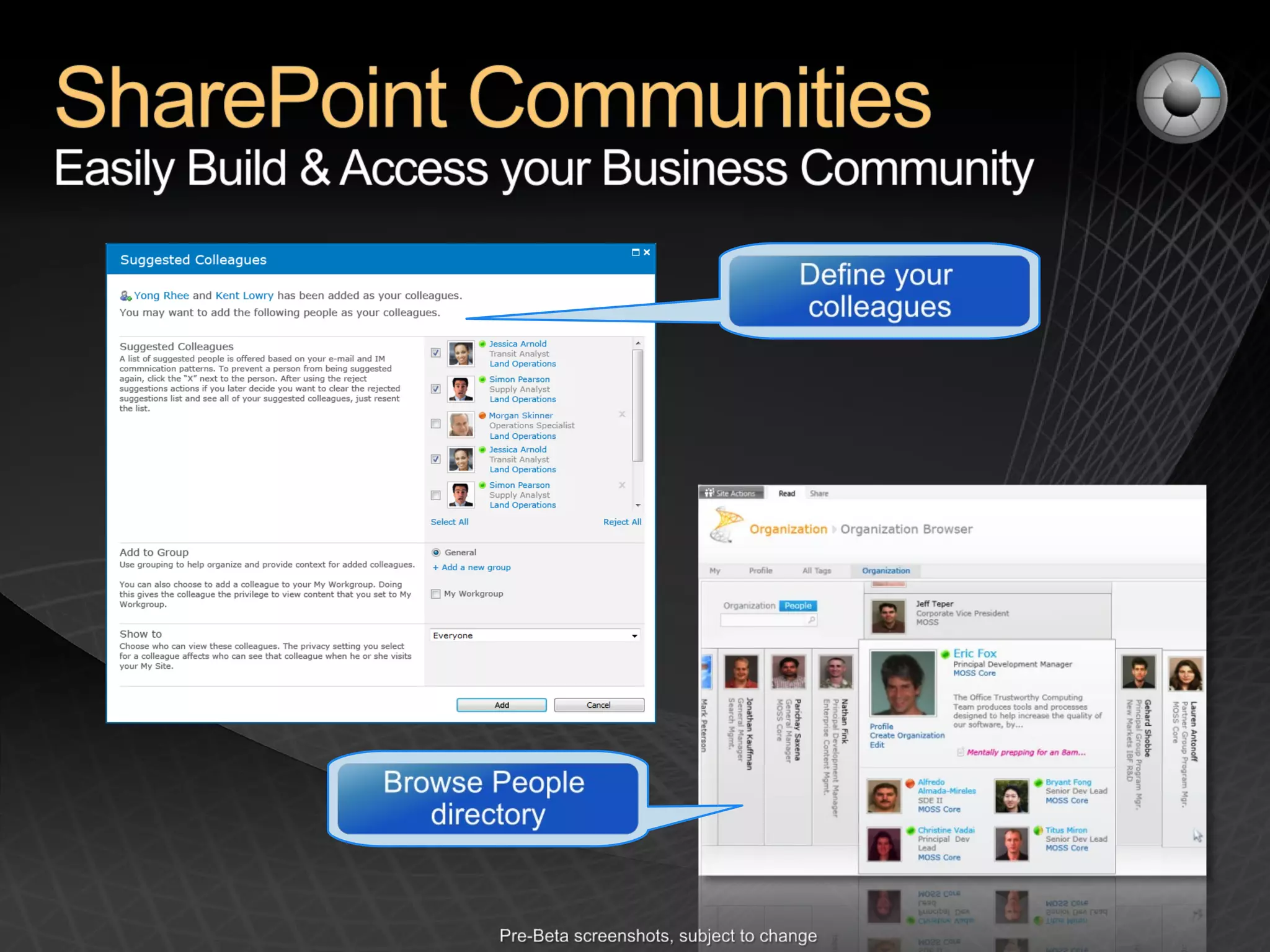
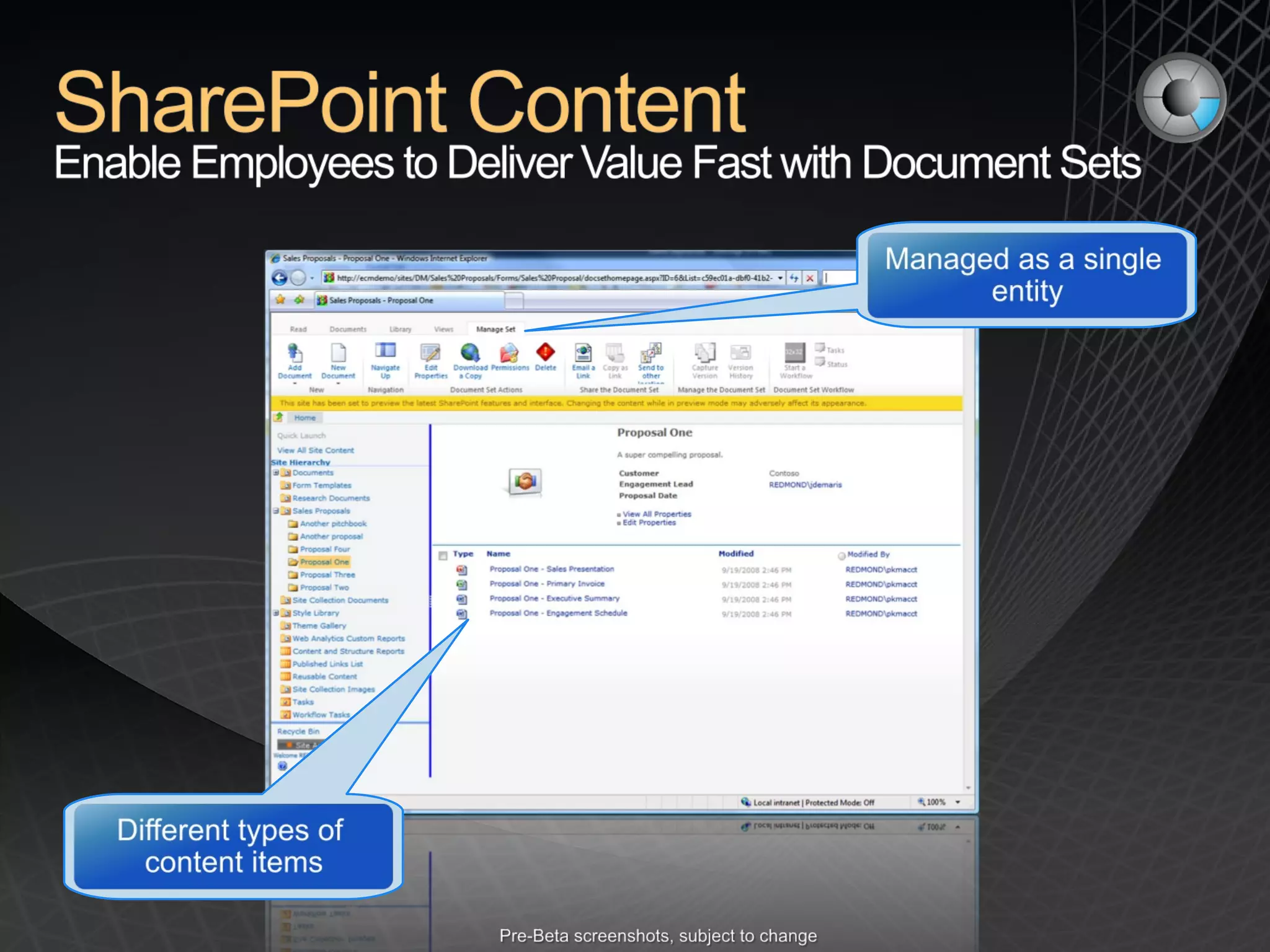
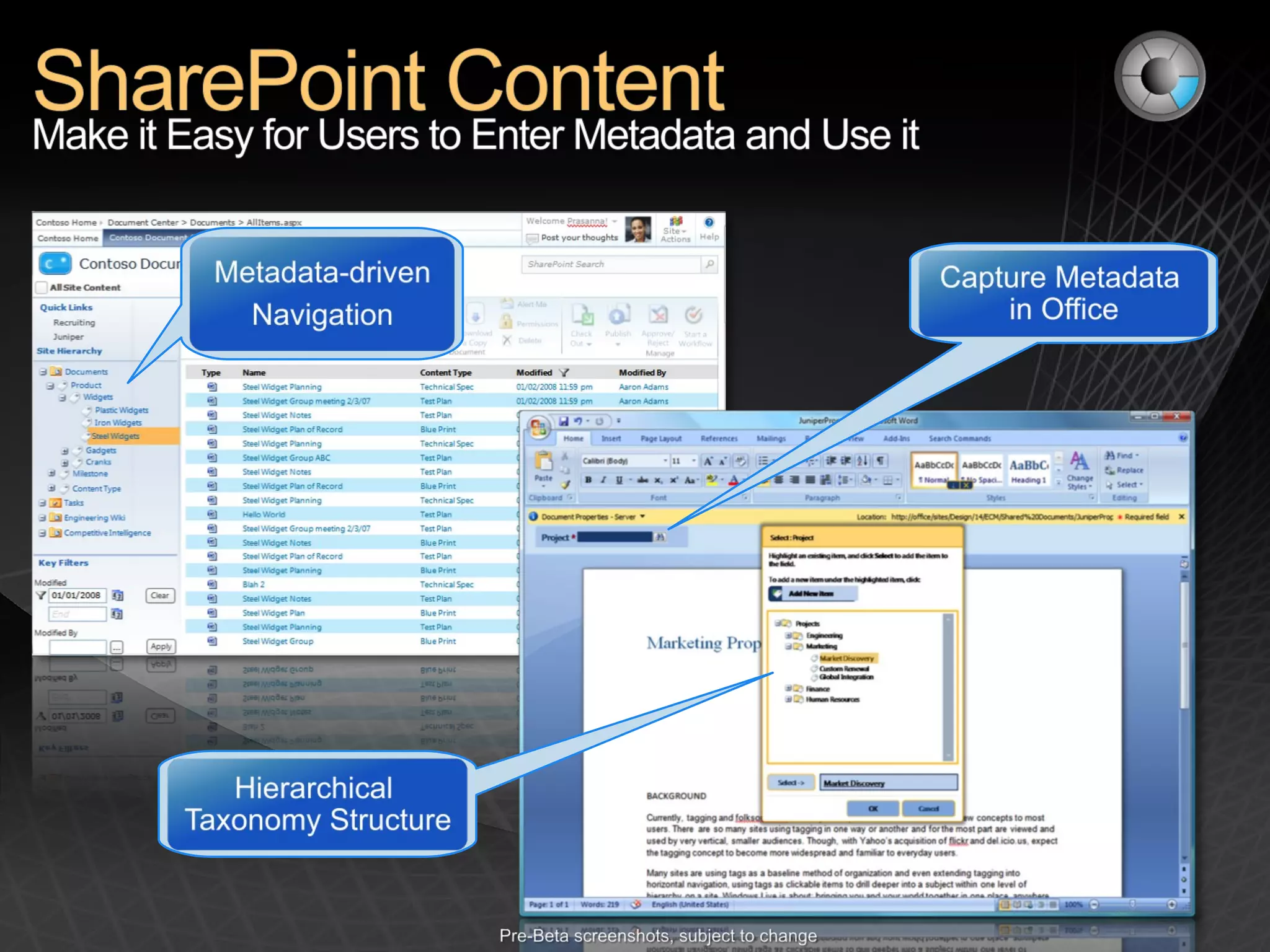
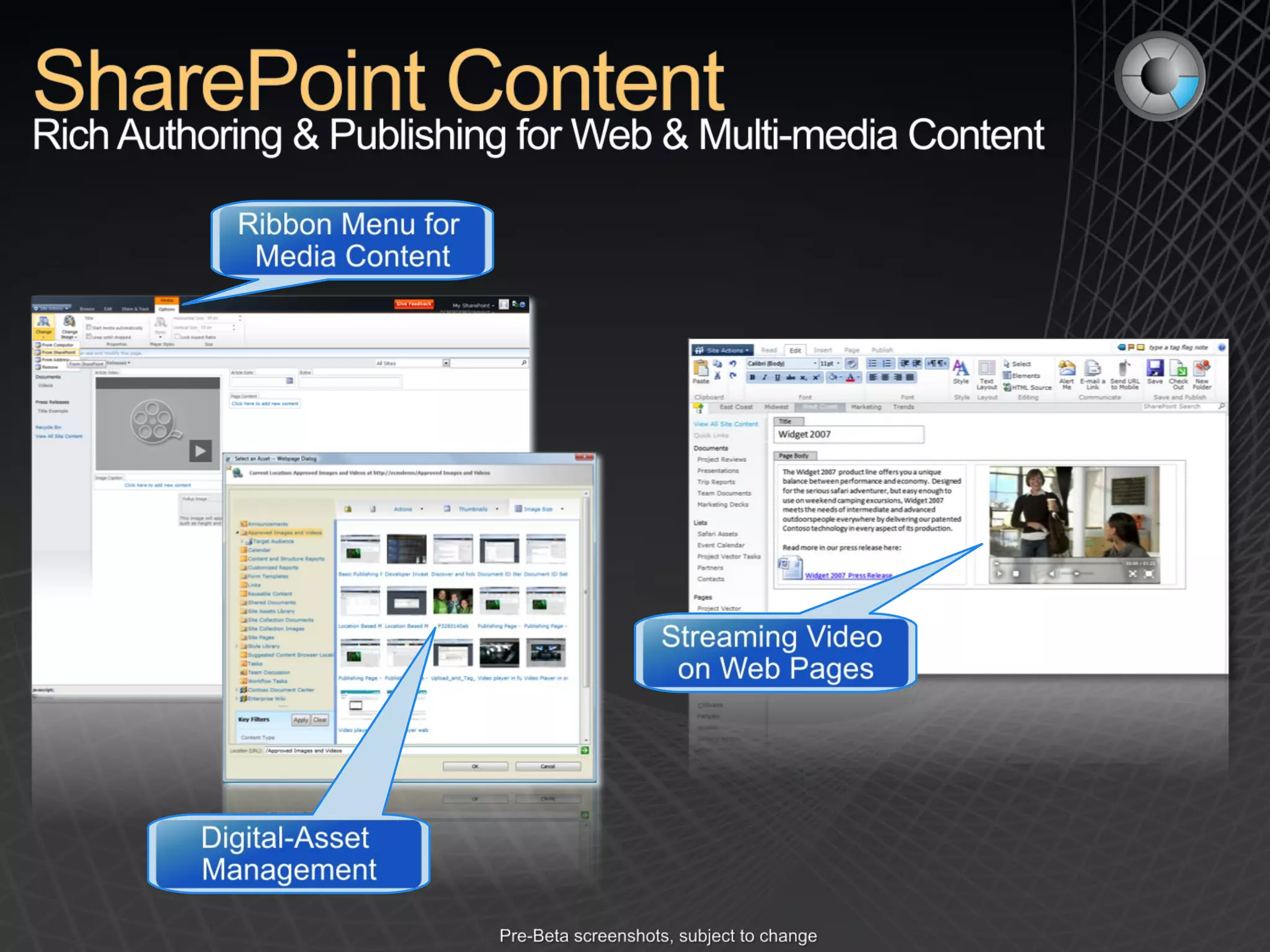
BI ECM Collab Search User Experience
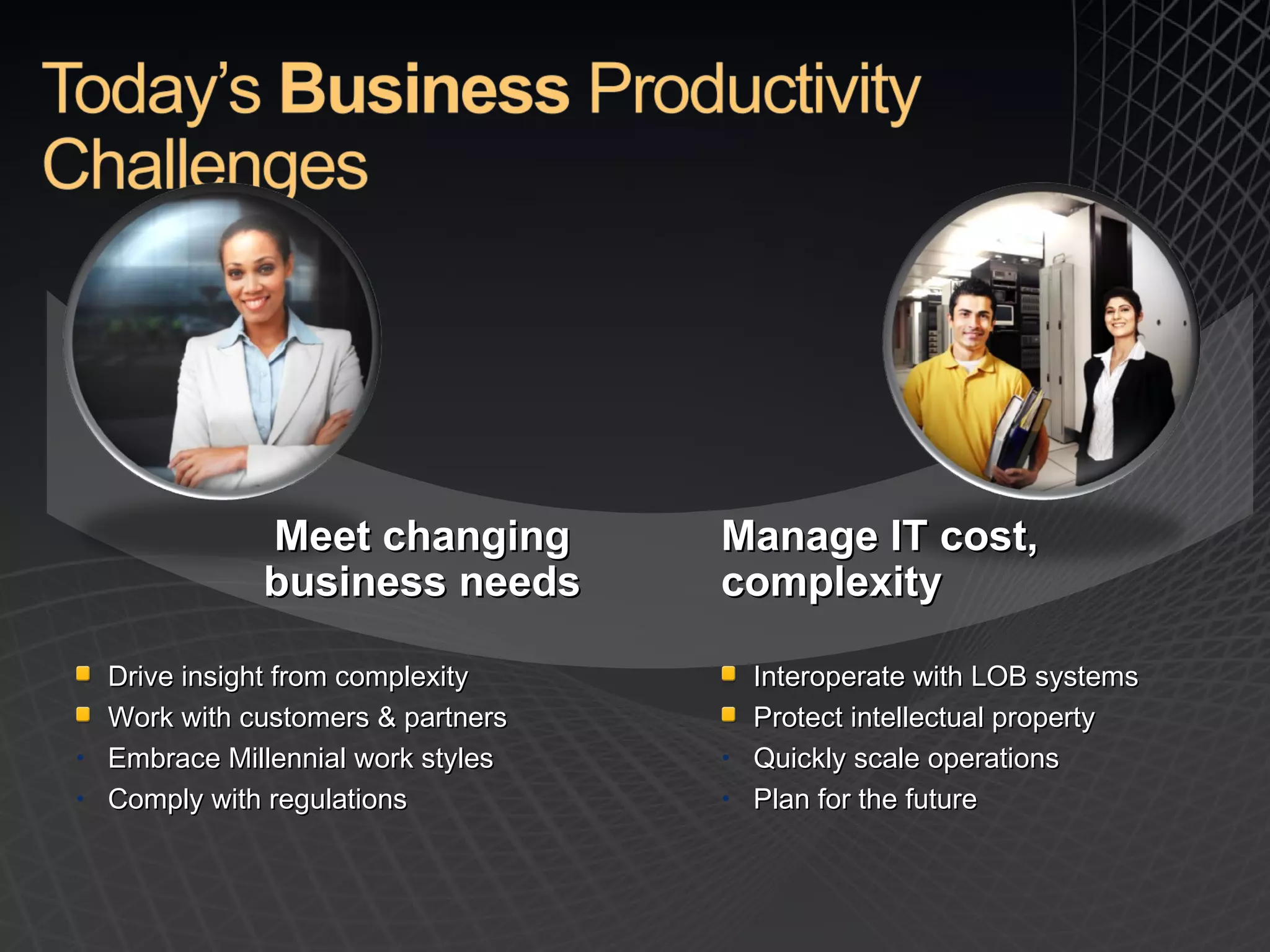
Drive insight from complexity Work with customers & partners Embrace Millennial work styles Comply with regulations Interoperate with LOB systems Protect intellectual property Quickly scale operations Plan for the future Manage IT cost, complexity Meet changing business needs


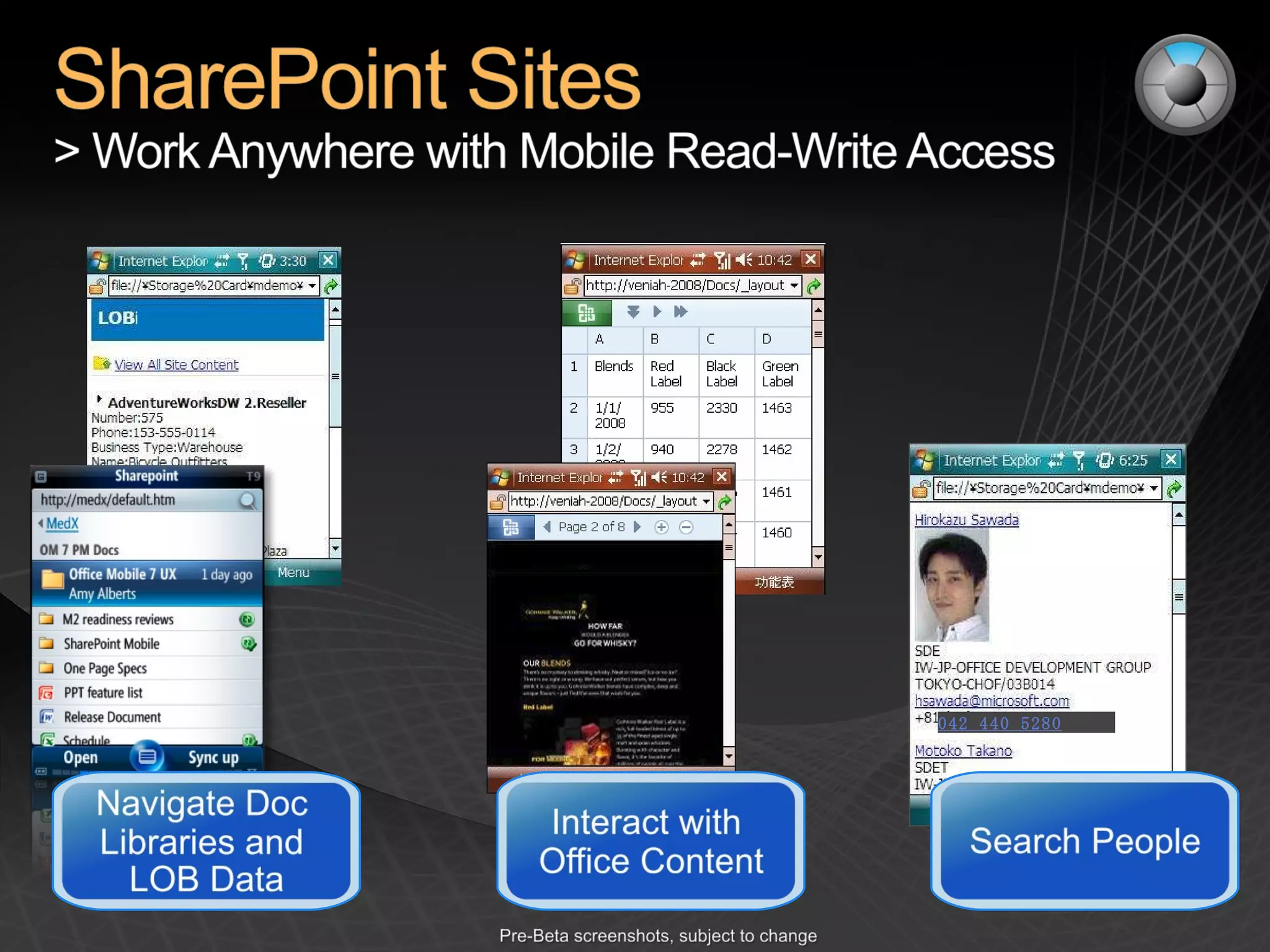
042 440 5280


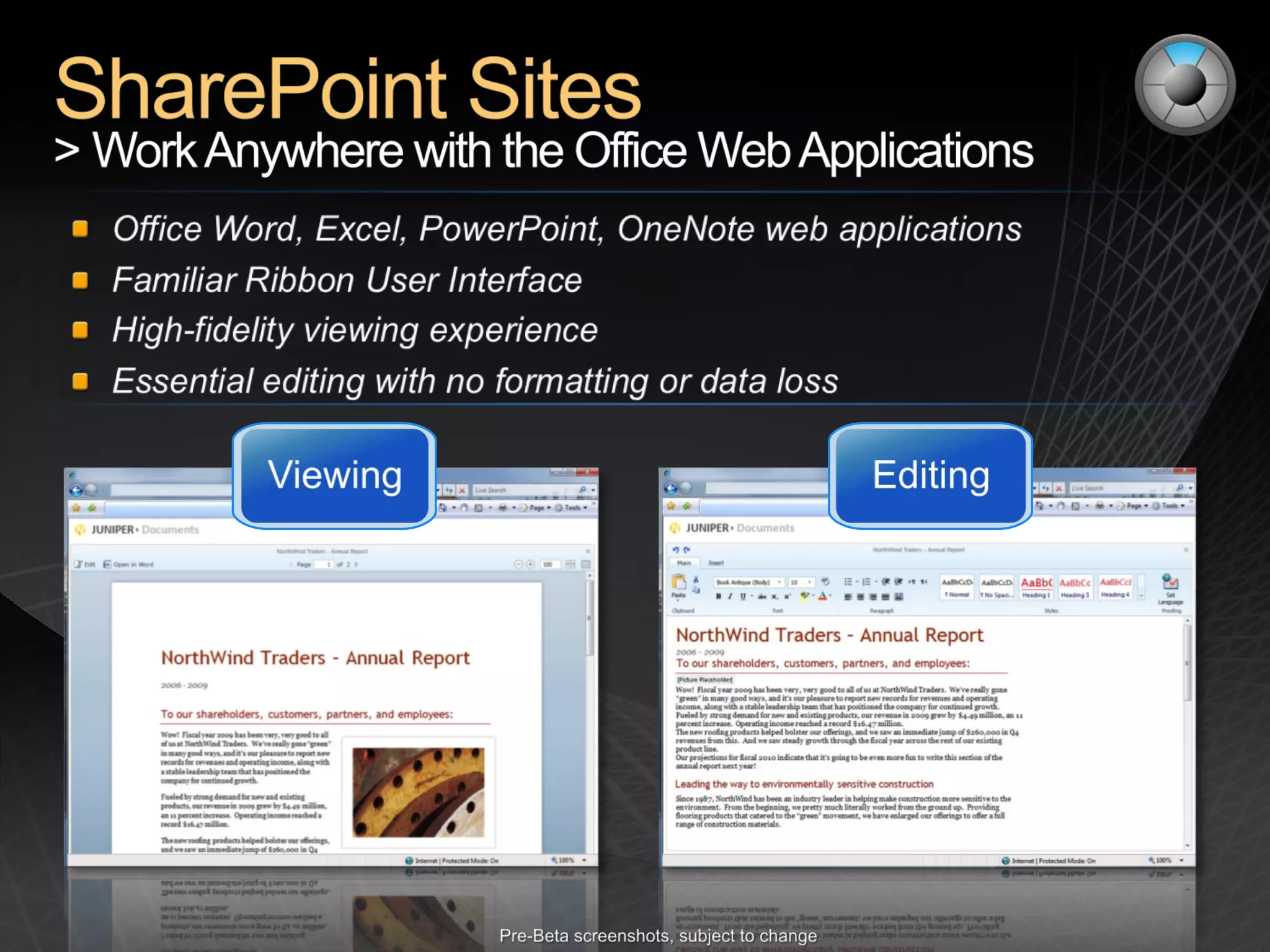
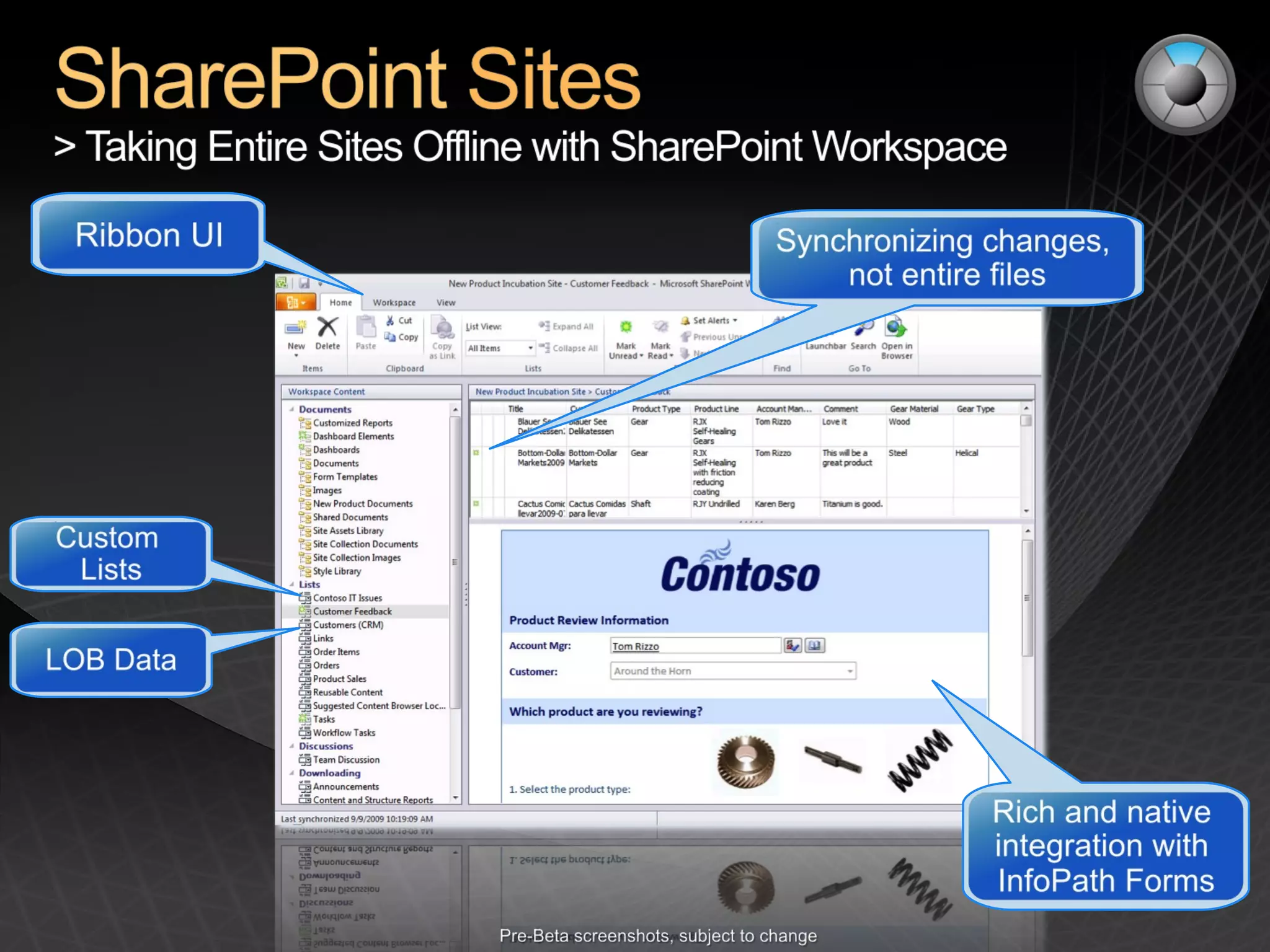
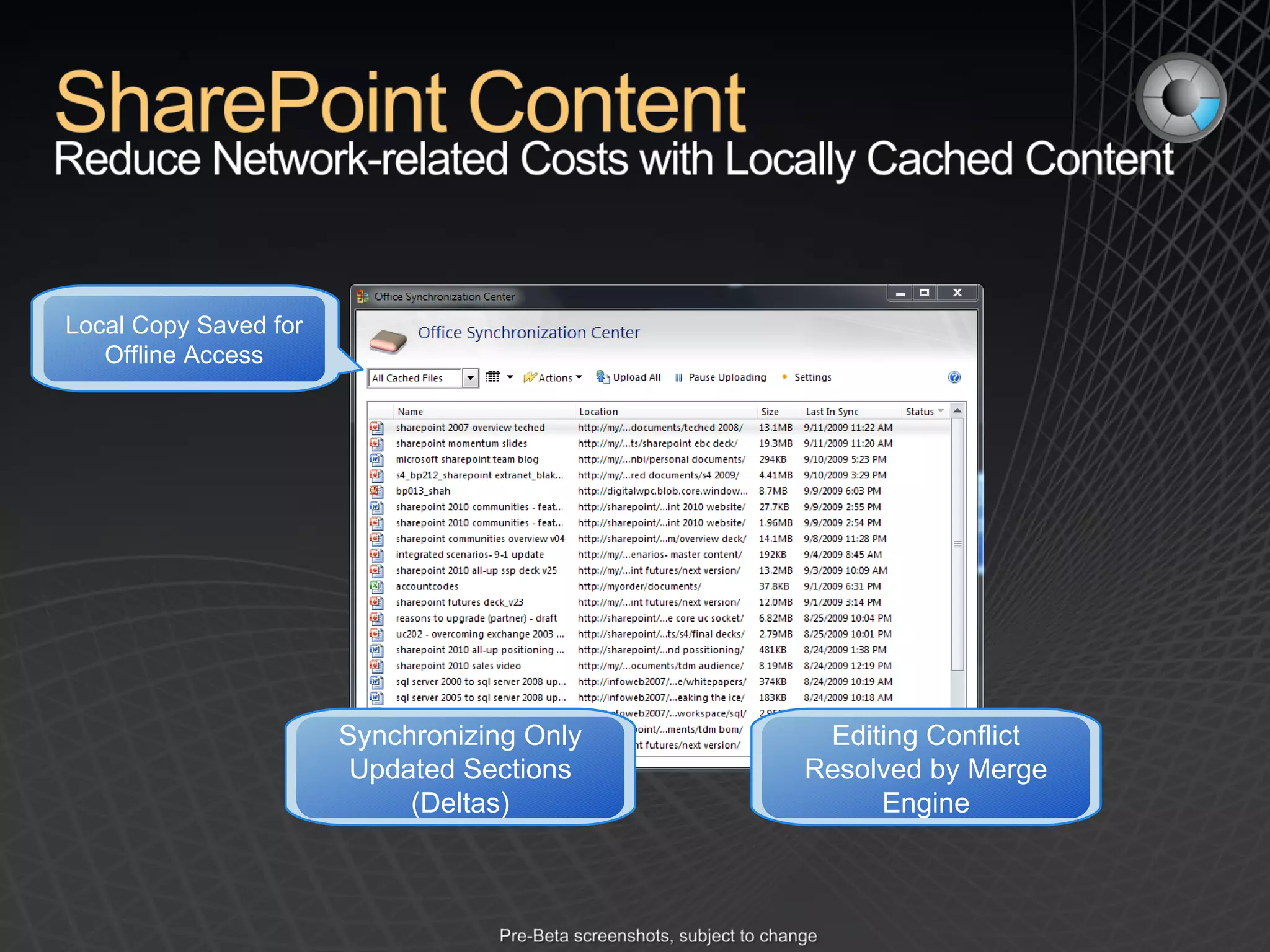
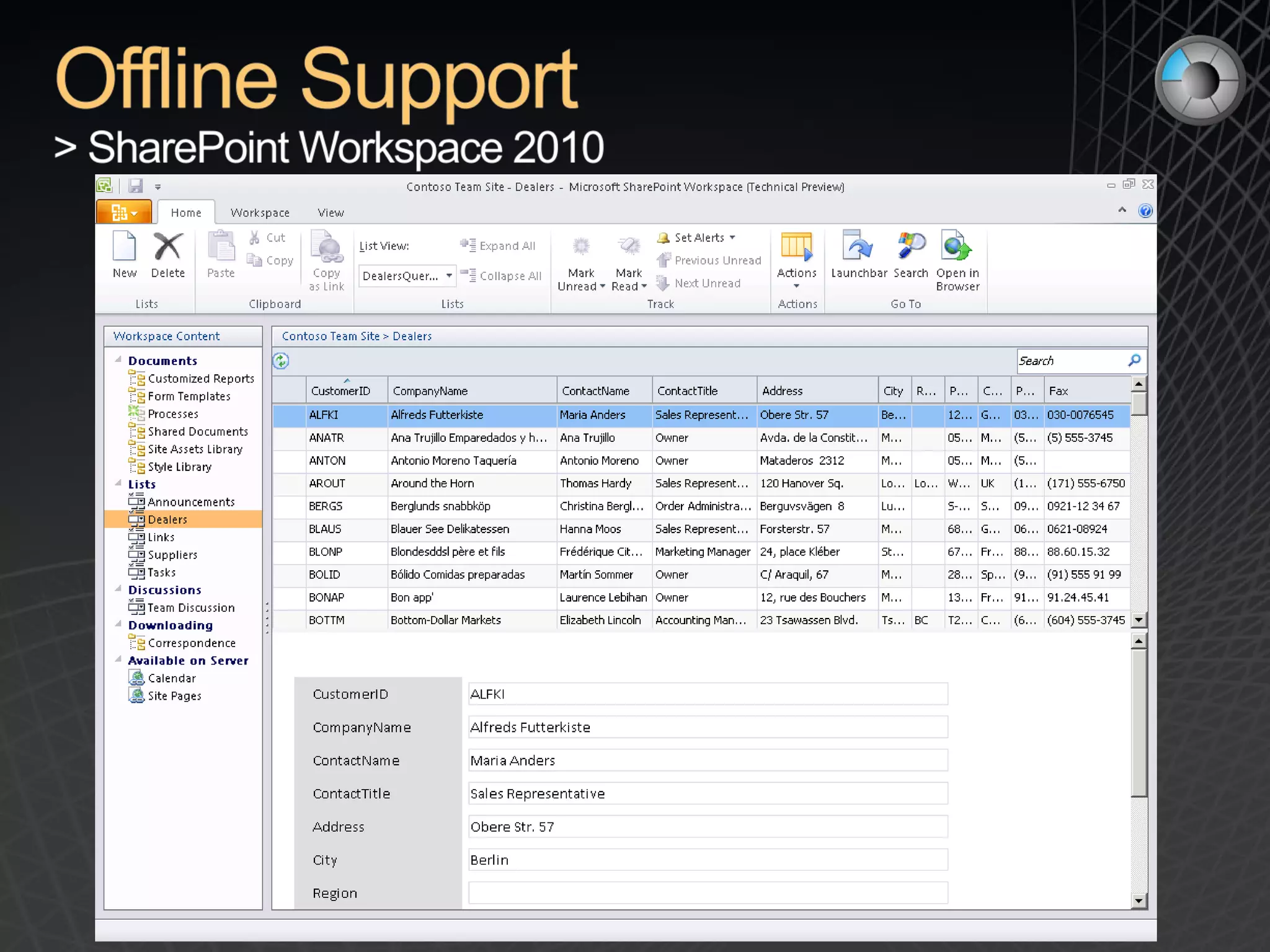
Editing Conflict Resolved by Merge Engine Synchronizing Only Updated Sections (Deltas) Local Copy Saved for Offline Access


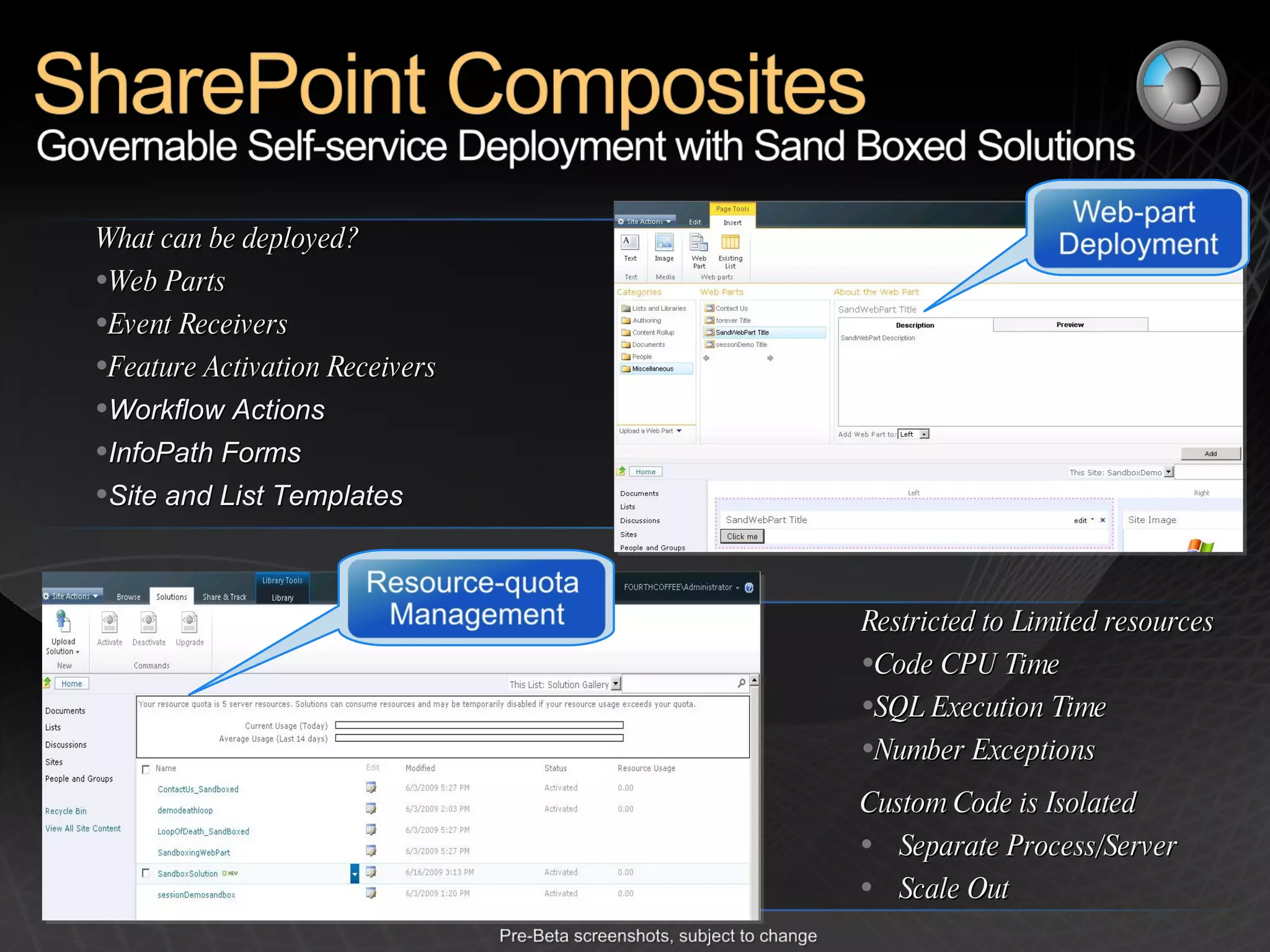
What can be deployed? Web Parts Event Receivers Feature Activation Receivers Workflow Actions InfoPath Forms Site and List Templates Restricted to Limited resources Code CPU Time SQL Execution Time Number Exceptions Custom Code is Isolated Separate Process/Server Scale Out
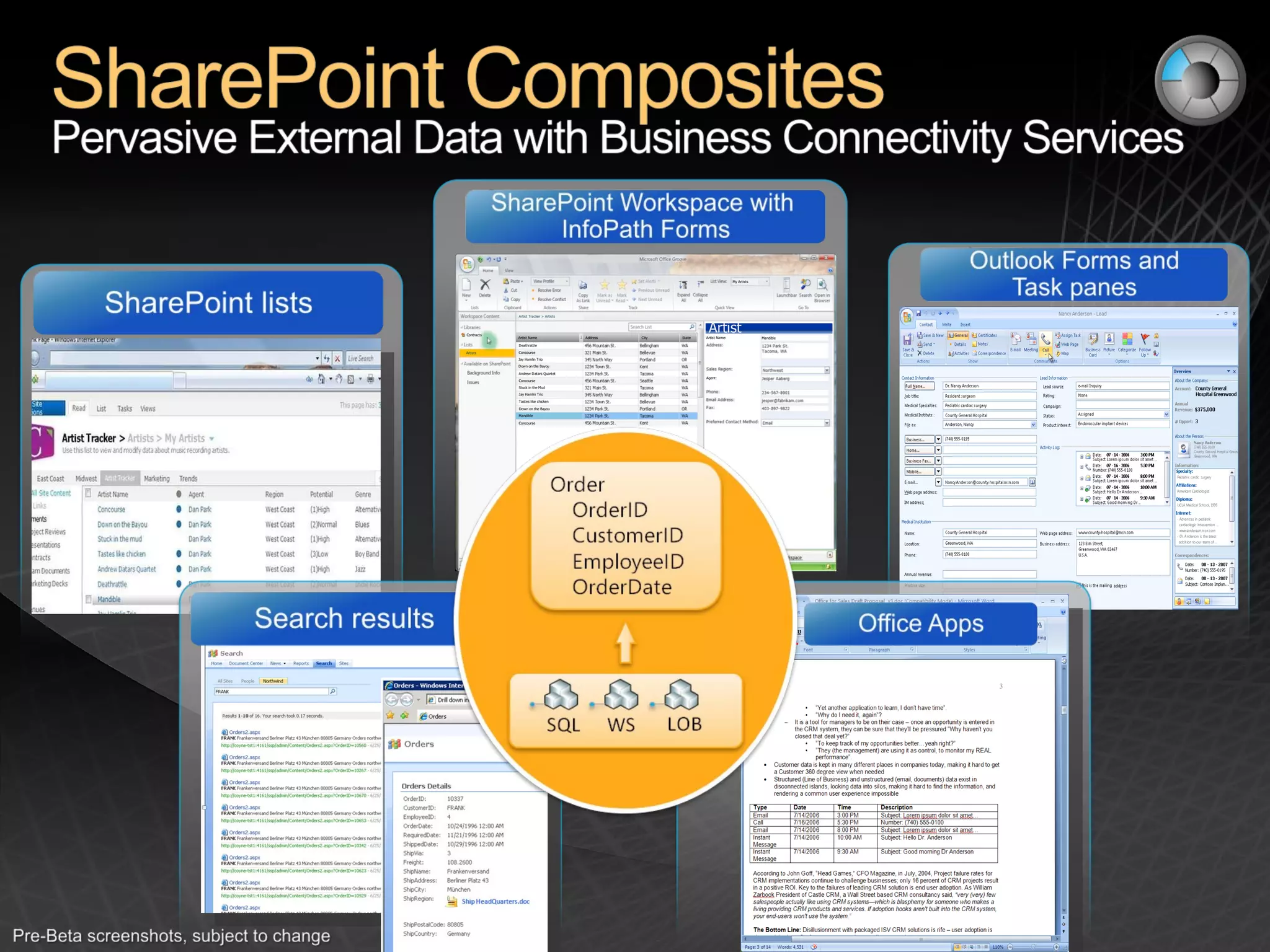
Artist Tracker > Artists Artists Contracts Artist Name Address City State Artist Mandible Artist Name: Mandible Agent: Andrew Datars Quartet Stuck in the Mud Tastes like chicken Deathrattle Jay Hamlin Trio Down on the Bayou Concourse Down on the Bayou Concourse Concourse Jay Hamlin Trio My Artists


People Roles and Responsibilities Policy Collection of principles - What site owners, administrators and developers should / should not do Technology Leveraging the features to enforce policies through technology Process How to accomplish common tasks such as creating a new site or requesting new business requirements
SharePoint often overlaps with other installed applications in particular capabilities Many of SharePoint’s capabilities are not ‘required’ or ‘mandated’; rather, they improve productivity You are looking for a chance to consolidate and stop proliferation & reduce duplication Some things are easy to mess up
Symptoms of SharePoint gone wild Database disk storage doubles over a weekend when someone decides to copy in the network drive Performance is sporadic; custom code is bugging and has memory leaks No one is paying attention to usage reporting; the environment is not adapting to the demands of the users Security breaches; no formal audits in place so users “accidently” uncover secure content
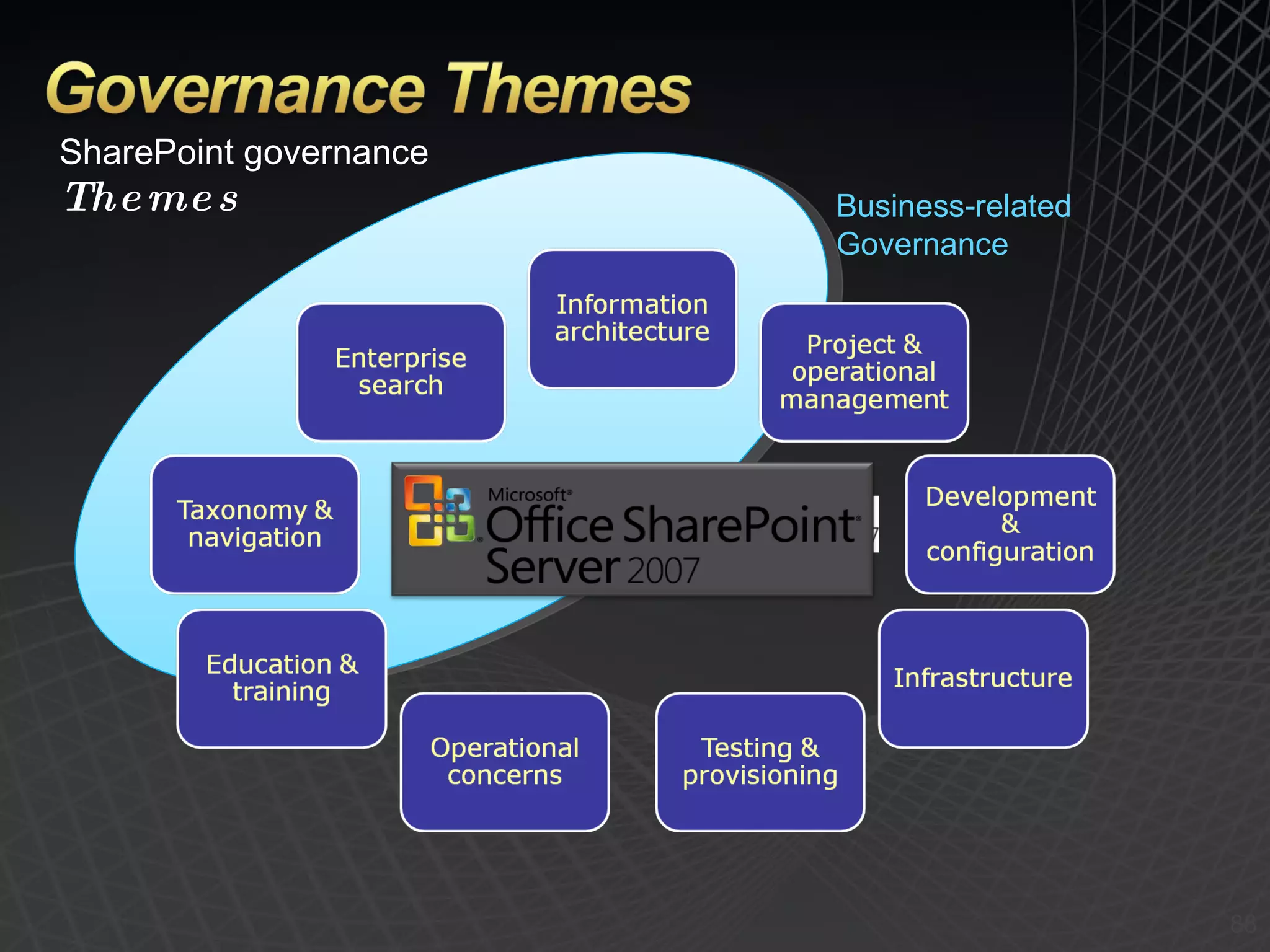
SharePoint governance Themes Business-related Governance
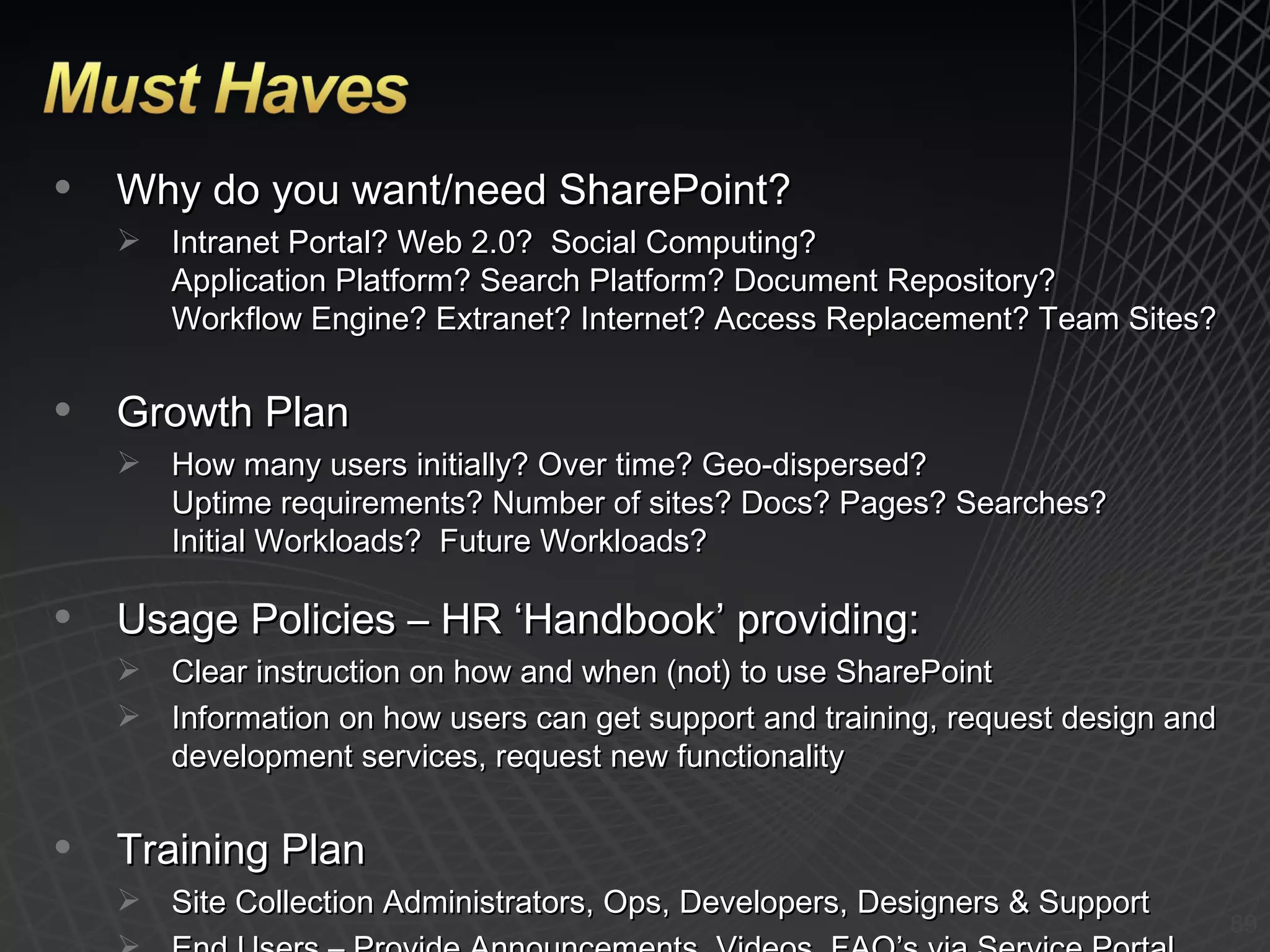
Why do you want/need SharePoint? Intranet Portal? Web 2.0?  Social Computing? Application Platform? Search Platform? Document Repository? Workflow Engine? Extranet? Internet? Access Replacement? Team Sites?  Growth Plan How many users initially? Over time? Geo-dispersed? Uptime requirements? Number of sites? Docs? Pages? Searches? Initial Workloads?  Future Workloads? Usage Policies – HR ‘Handbook’ providing: Clear instruction on how and when (not) to use SharePoint Information on how users can get support and training, request design and development services, request new functionality Training Plan Site Collection Administrators, Ops, Developers, Designers & Support End Users – Provide Announcements, Videos, FAQ’s via Service Portal
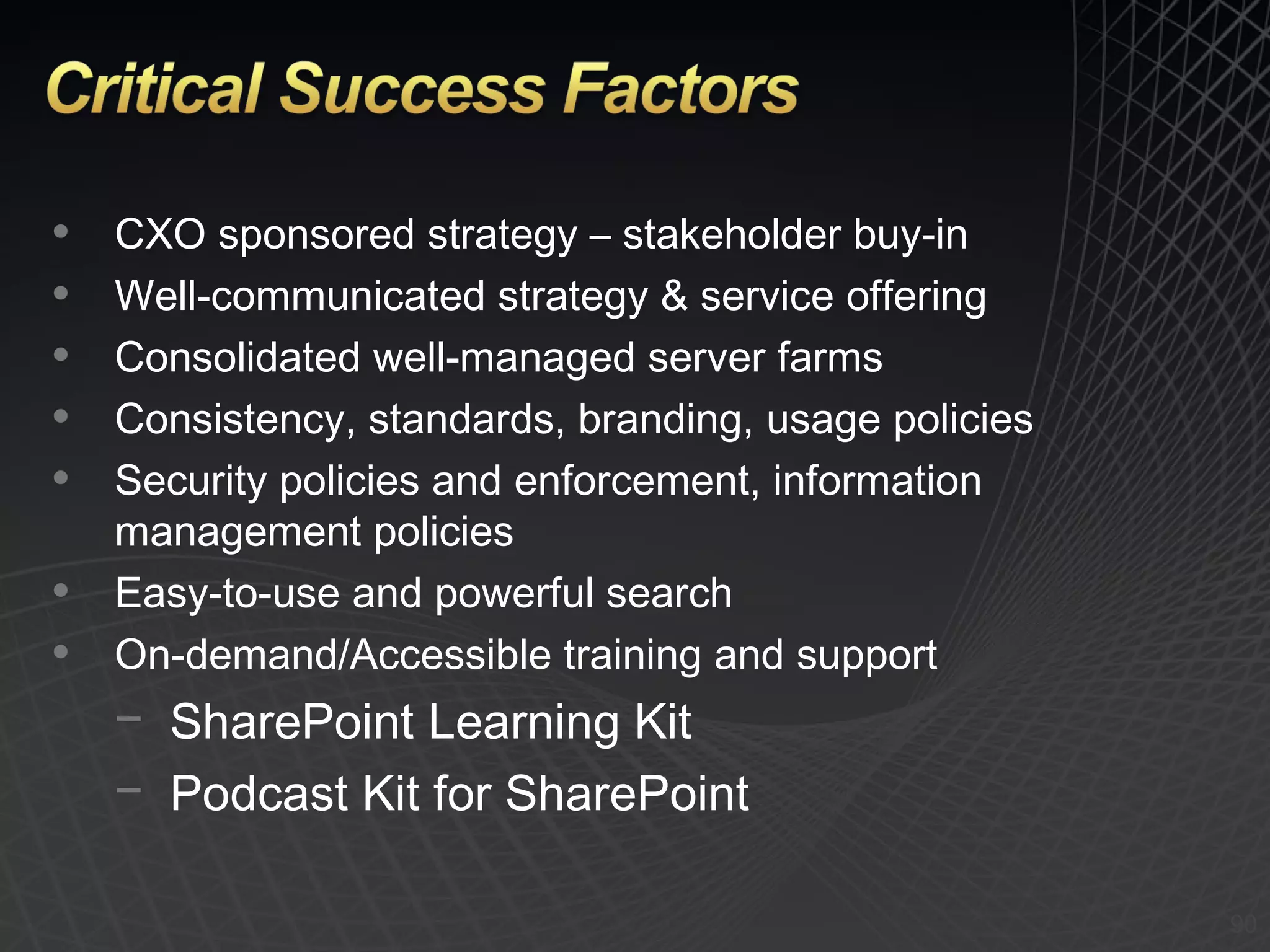
CXO sponsored strategy – stakeholder buy-in Well-communicated strategy & service offering Consolidated well-managed server farms Consistency, standards, branding, usage policies Security policies and enforcement, information management policies Easy-to-use and powerful search On-demand/Accessible training and support SharePoint Learning Kit Podcast Kit for SharePoint
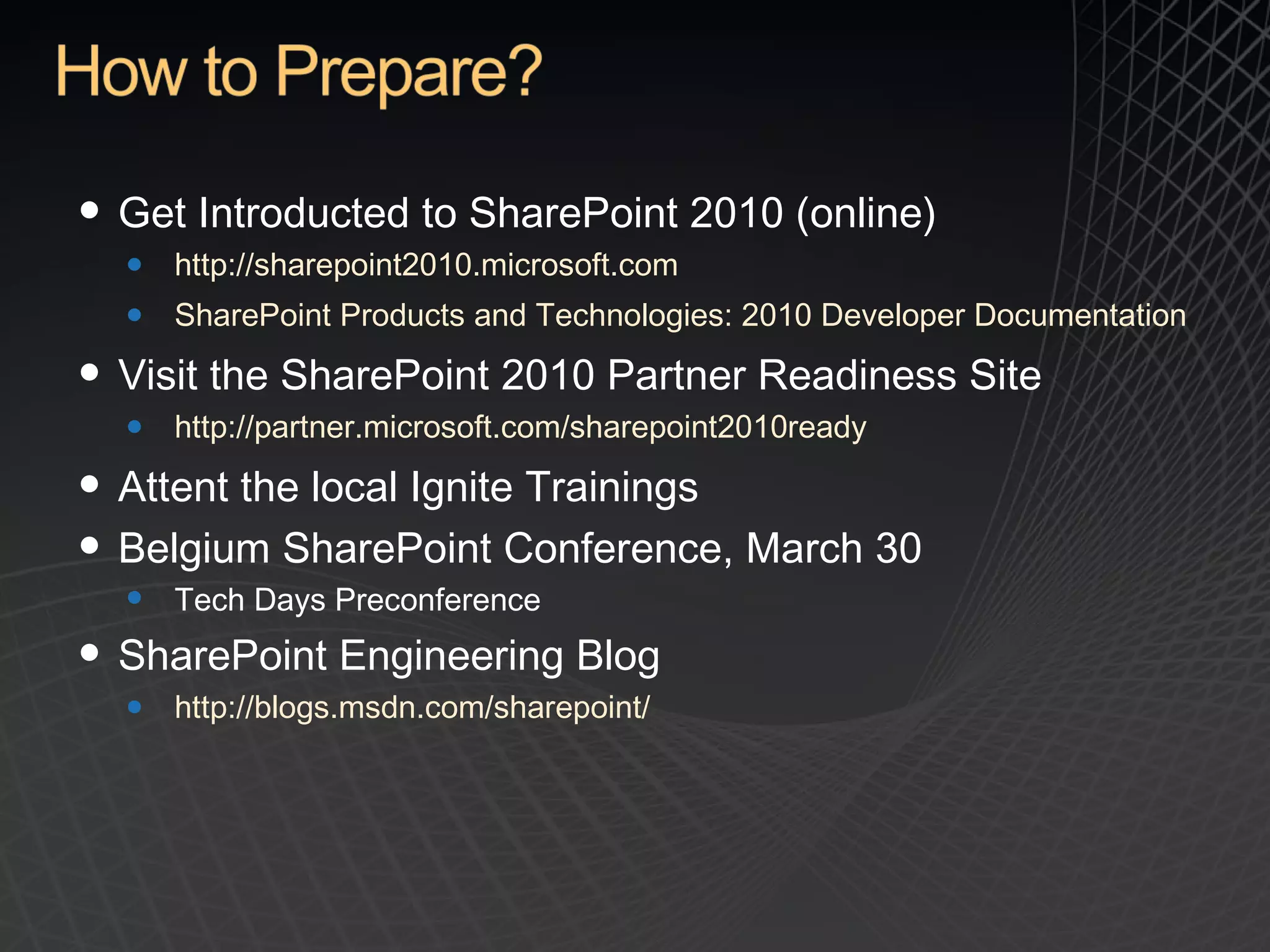
Get Introducted to SharePoint 2010 (online) http://sharepoint2010.microsoft.com SharePoint Products and Technologies: 2010 Developer Documentation Visit the SharePoint 2010 Partner Readiness Site http://partner.microsoft.com/sharepoint2010ready Attent the local Ignite Trainings Belgium SharePoint Conference,  March 30 Tech Days Preconference  SharePoint Engineering Blog http://blogs.msdn.com/sharepoint/
 
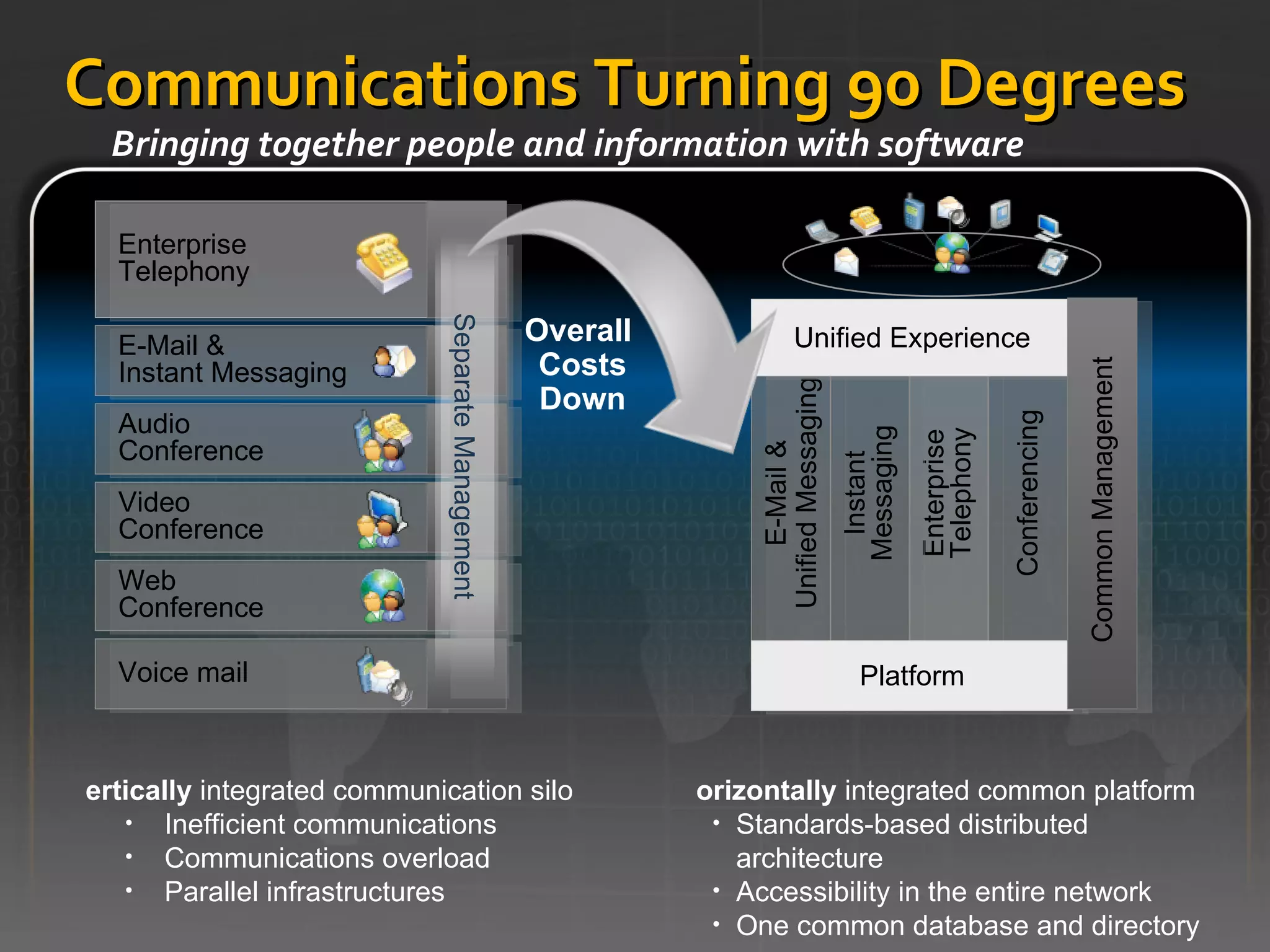
Communications Turning 90 Degrees Bringing together people and information with software Enterprise Telephony Voice mail Enterprise Telephony Audio  Conference Web  Conference Video  Conference E-Mail & Instant Messaging Separate Management E-Mail & Unified Messaging Instant Messaging Conferencing Platform Unified Experience Common Management Overall  Costs Down Vertically  integrated communication silo Inefficient communications Communications overload Parallel infrastructures Horizontally  integrated common platform Standards-based distributed architecture Accessibility in the entire network One common database and directory
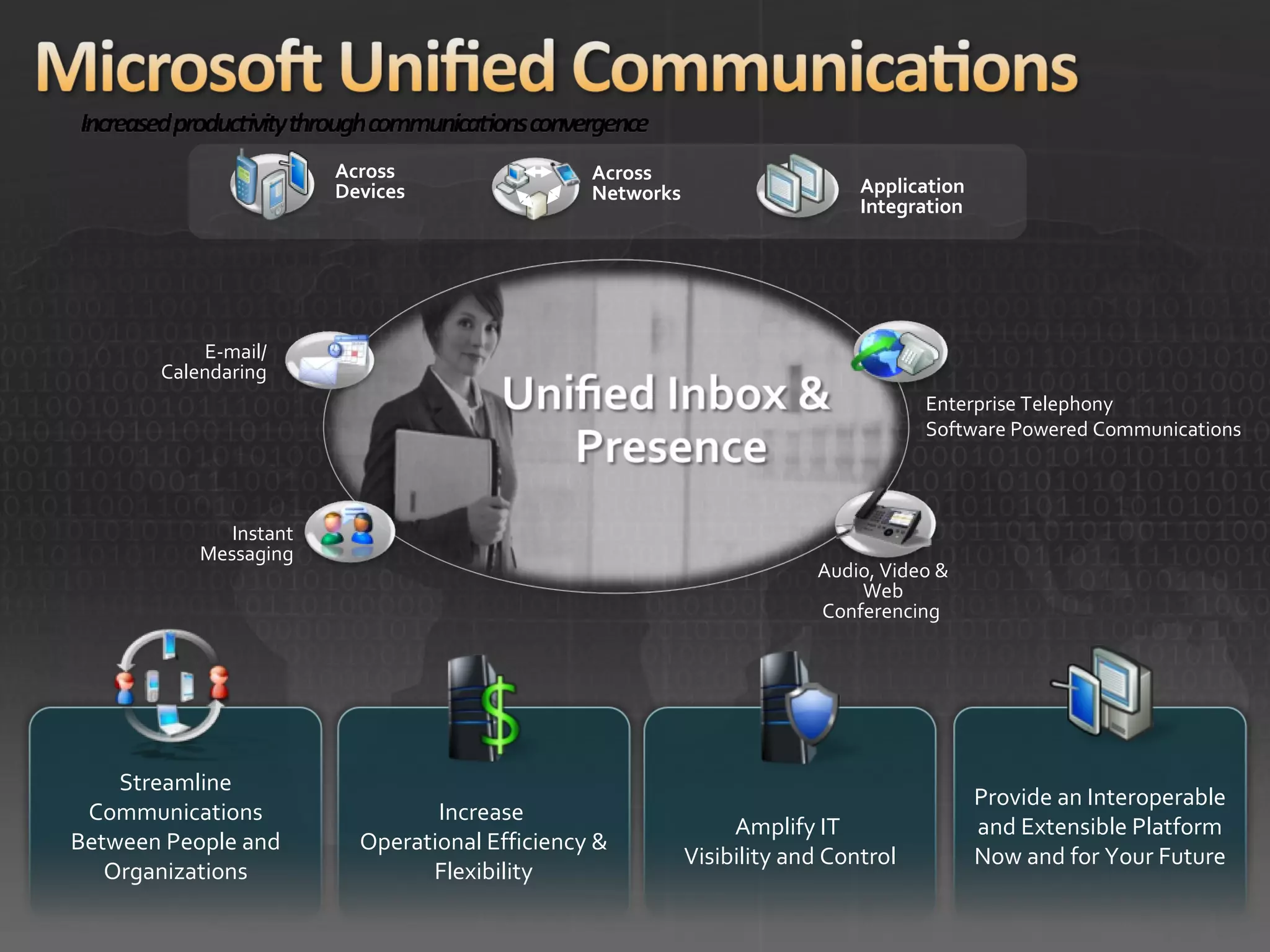
Streamline Communications Between People and Organizations Increase  Operational Efficiency & Flexibility Amplify IT  Visibility and Control Provide an Interoperable and Extensible Platform Now and for Your Future Instant Messaging Application Integration Across Networks Across Devices E-mail/ Calendaring Audio, Video & Web Conferencing  Enterprise Telephony Software Powered Communications
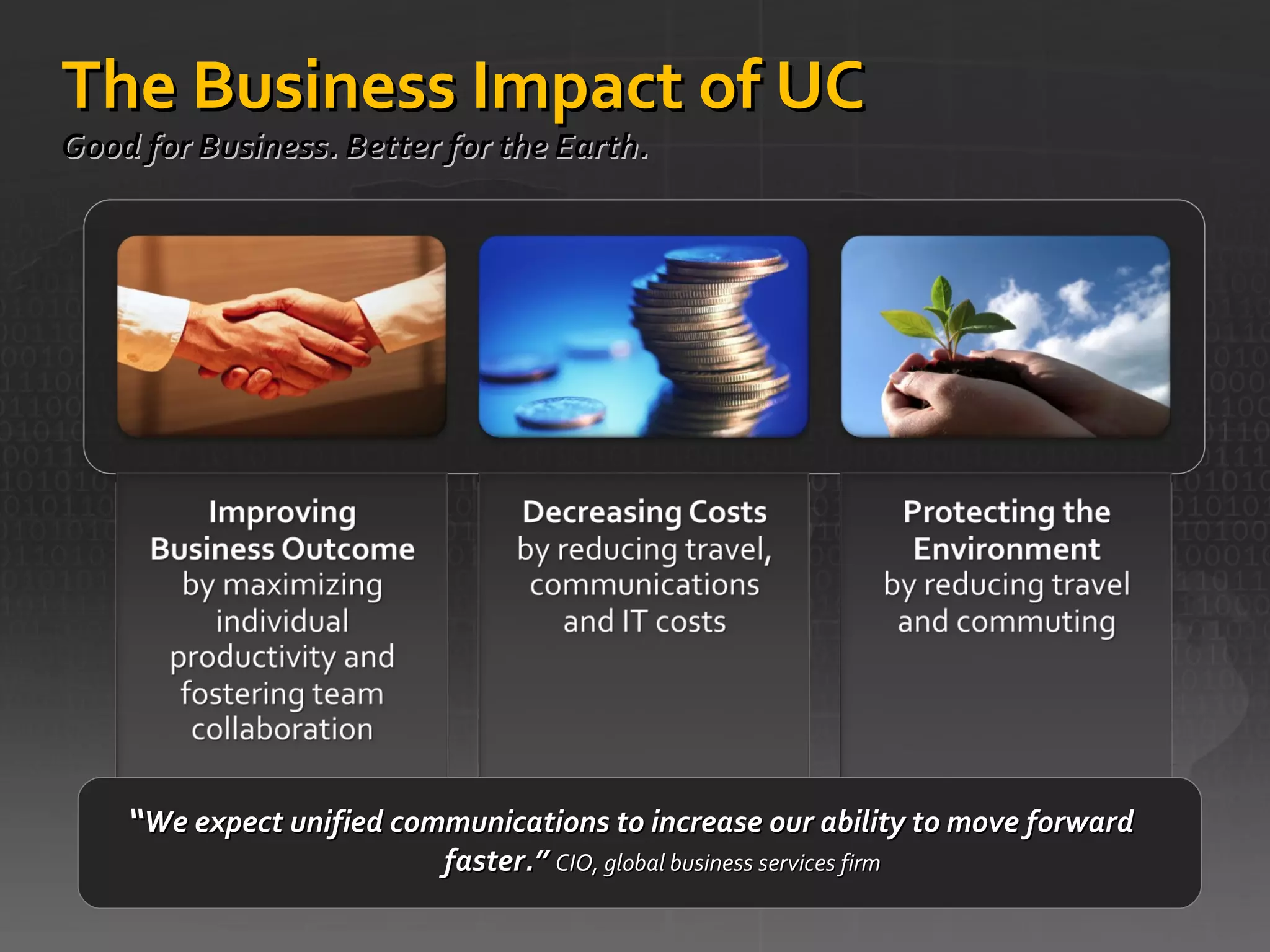
The Business Impact of UC Good for Business. Better for the Earth.  “ We expect unified communications to increase our ability to move forward faster.”  CIO, global business services firm
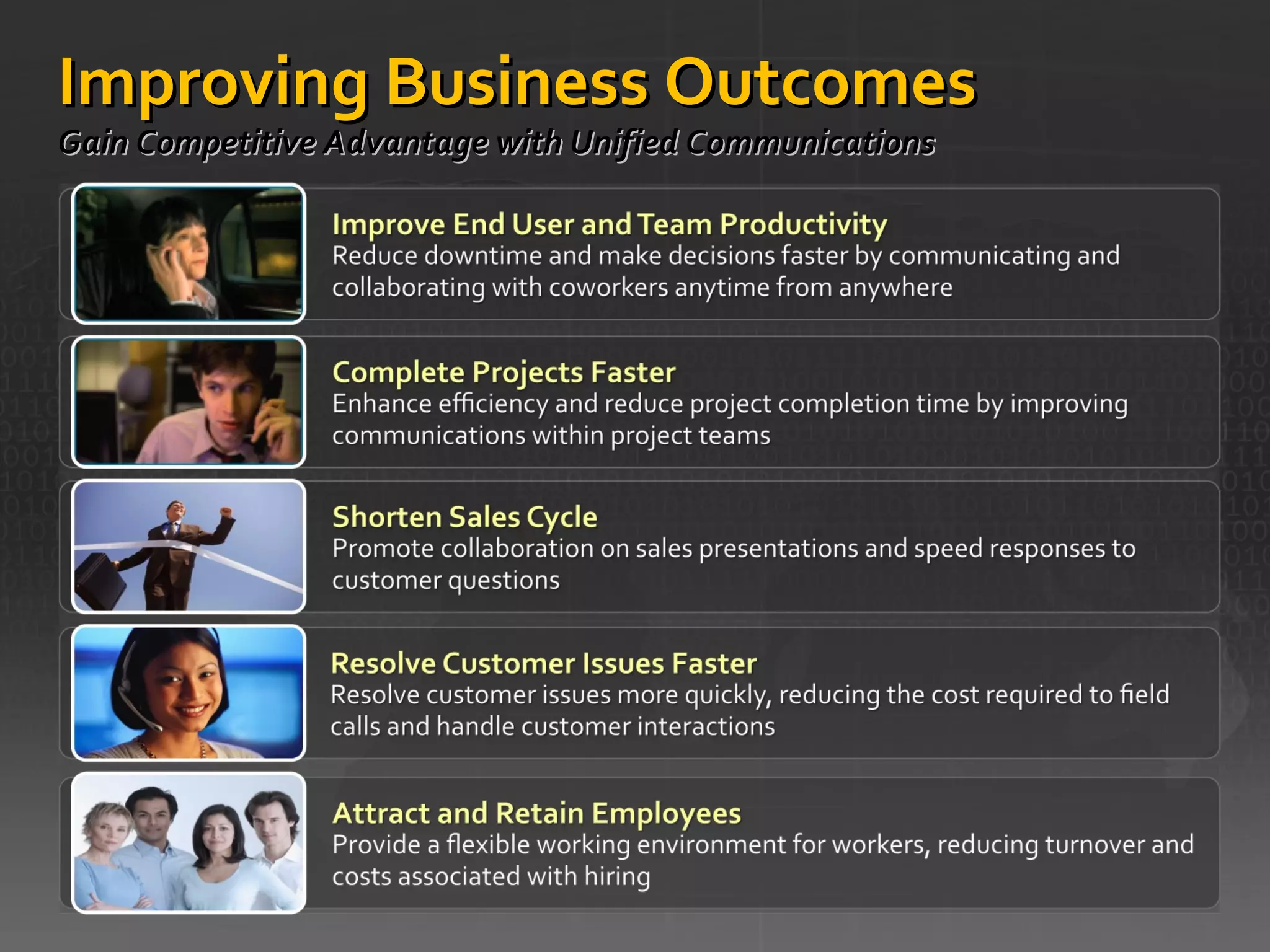
Improving Business Outcomes  Gain Competitive Advantage with Unified Communications
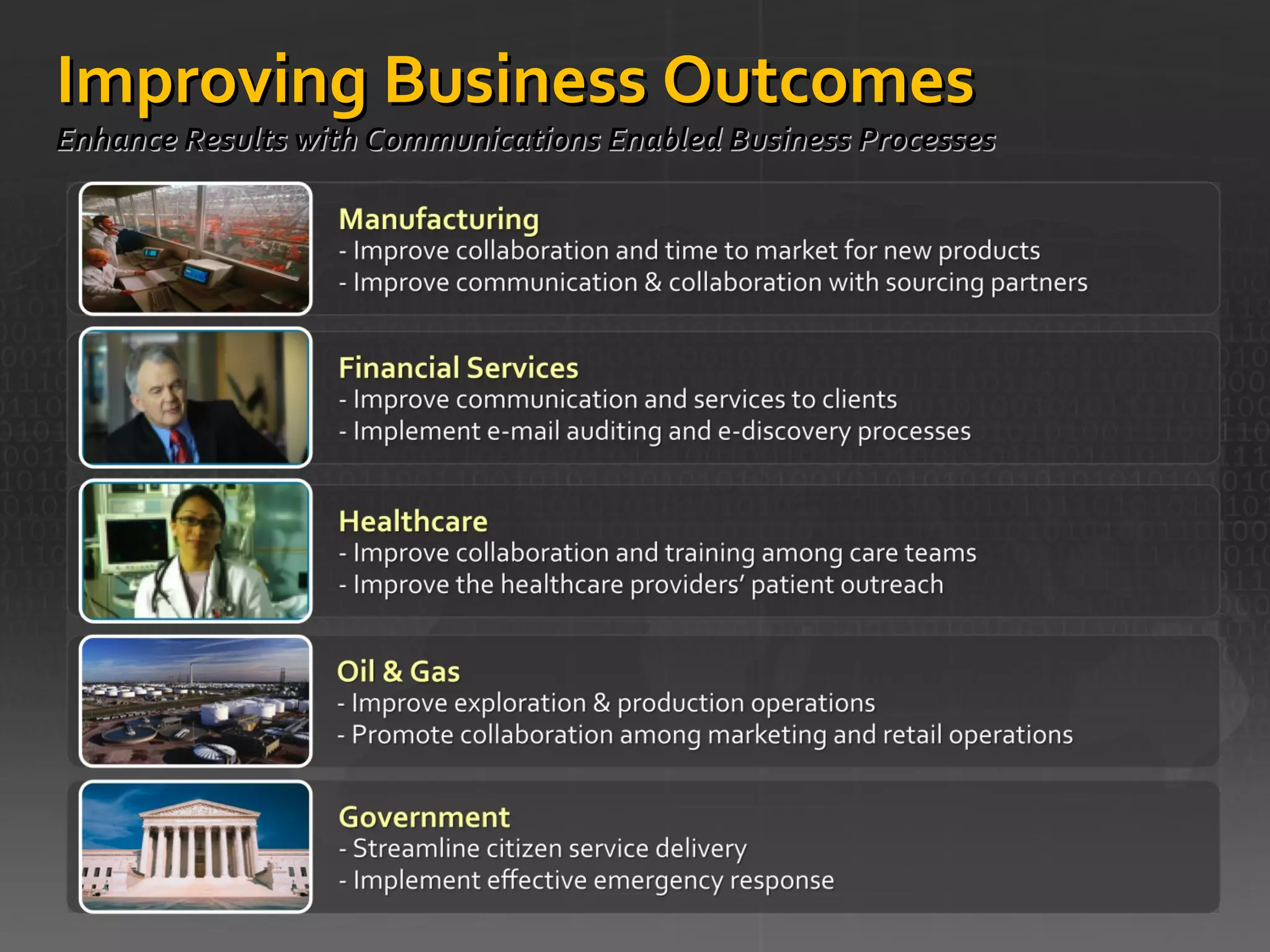
Improving Business Outcomes  Enhance Results with Communications Enabled Business Processes
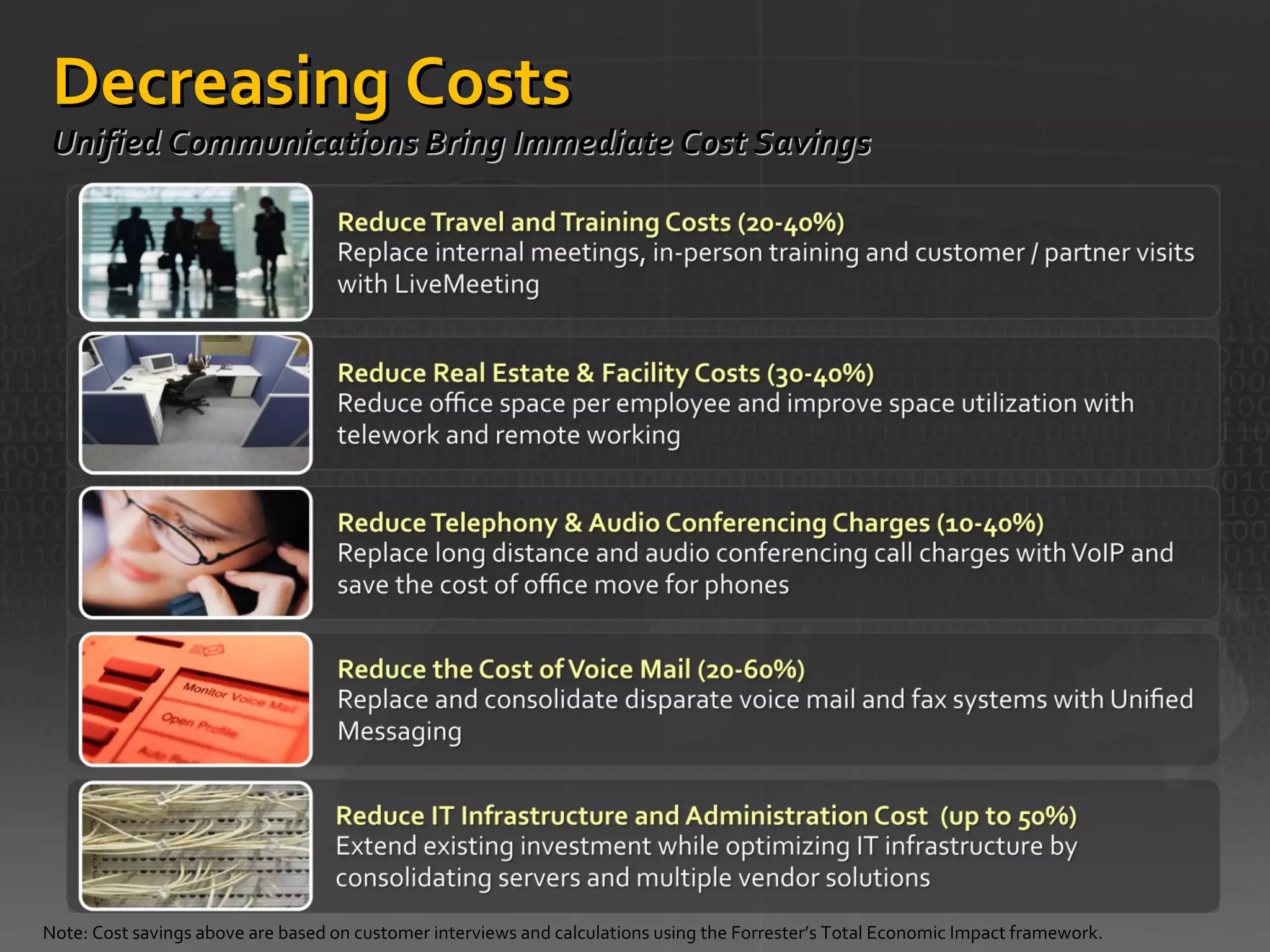
Decreasing Costs  Unified Communications Bring Immediate Cost Savings  Note: Cost savings above are based on customer interviews and calculations using the Forrester’s Total Economic Impact framework.
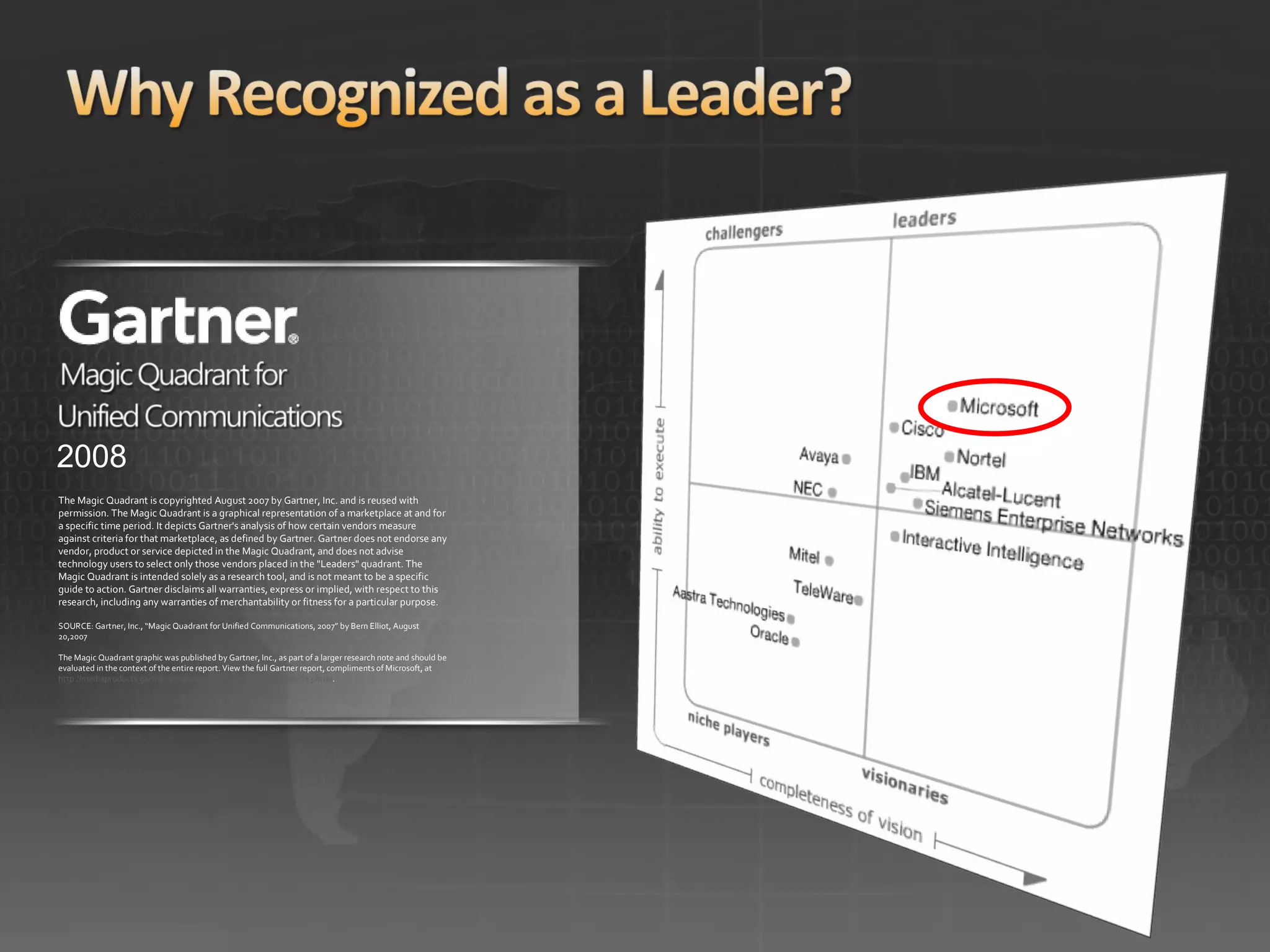
2008 The Magic Quadrant is copyrighted August 2007 by Gartner, Inc. and is reused with permission. The Magic Quadrant is a graphical representation of a marketplace at and for a specific time period. It depicts Gartner's analysis of how certain vendors measure against criteria for that marketplace, as defined by Gartner. Gartner does not endorse any vendor, product or service depicted in the Magic Quadrant, and does not advise technology users to select only those vendors placed in the &quot;Leaders&quot; quadrant. The Magic Quadrant is intended solely as a research tool, and is not meant to be a specific guide to action. Gartner disclaims all warranties, express or implied, with respect to this research, including any warranties of merchantability or fitness for a particular purpose. SOURCE: Gartner, Inc., “Magic Quadrant for Unified Communications, 2007” by Bern Elliot, August 20,2007 The Magic Quadrant graphic was published by Gartner, Inc., as part of a larger research note and should be evaluated in the context of the entire report. View the full Gartner report, compliments of Microsoft, at  http://mediaproducts.gartner.com/reprints/microsoft/article3/article3.html .
 
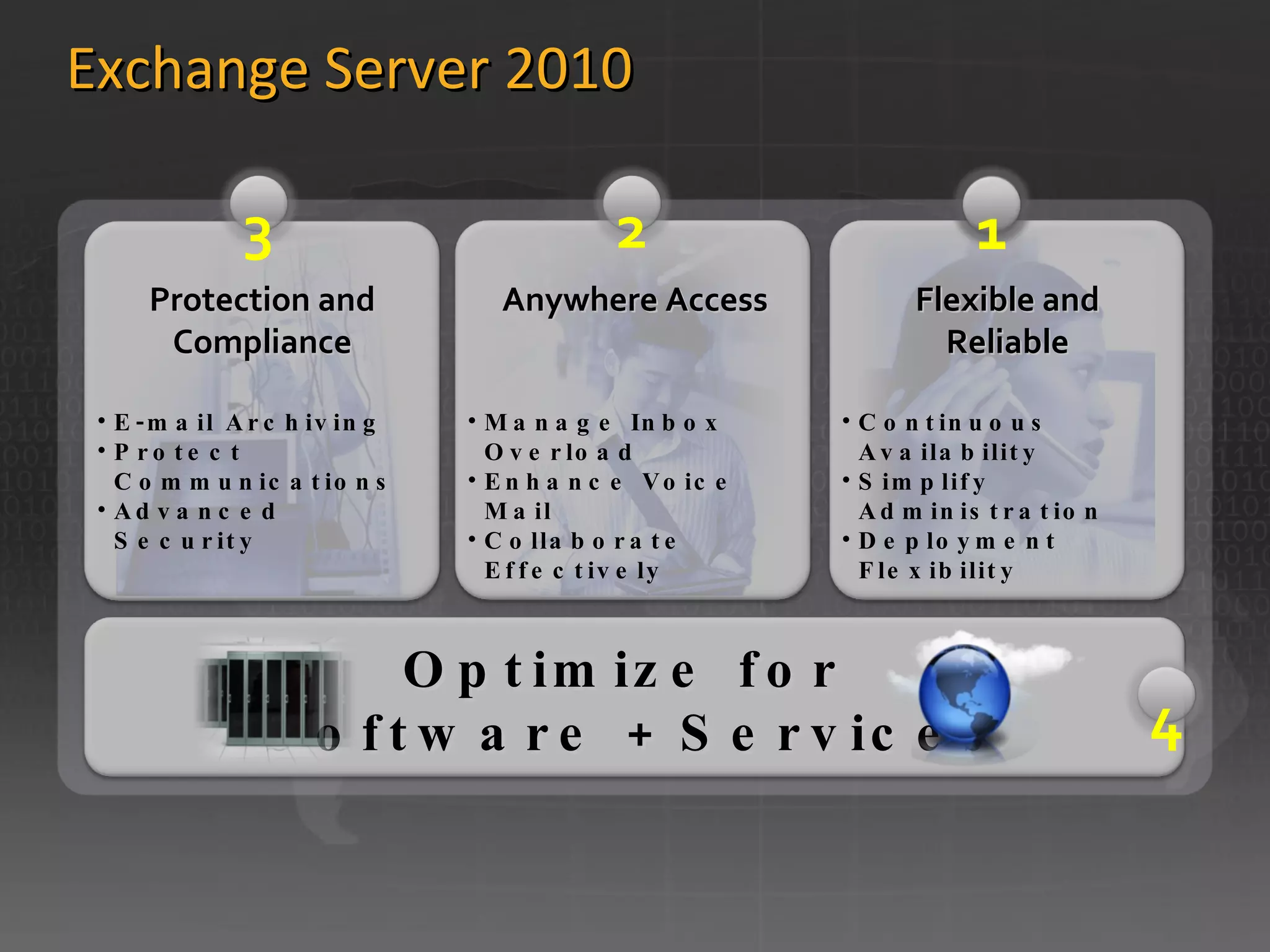
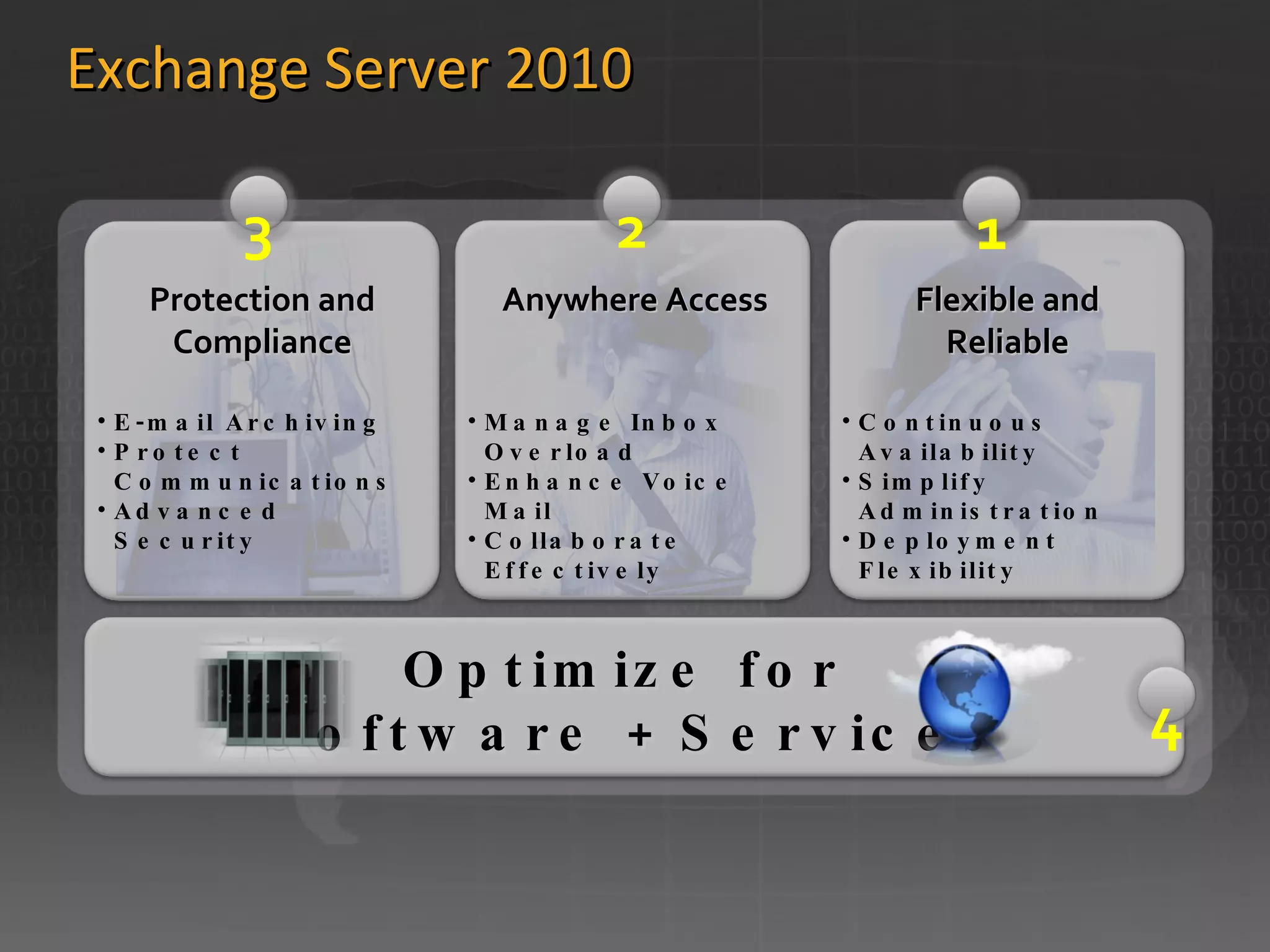
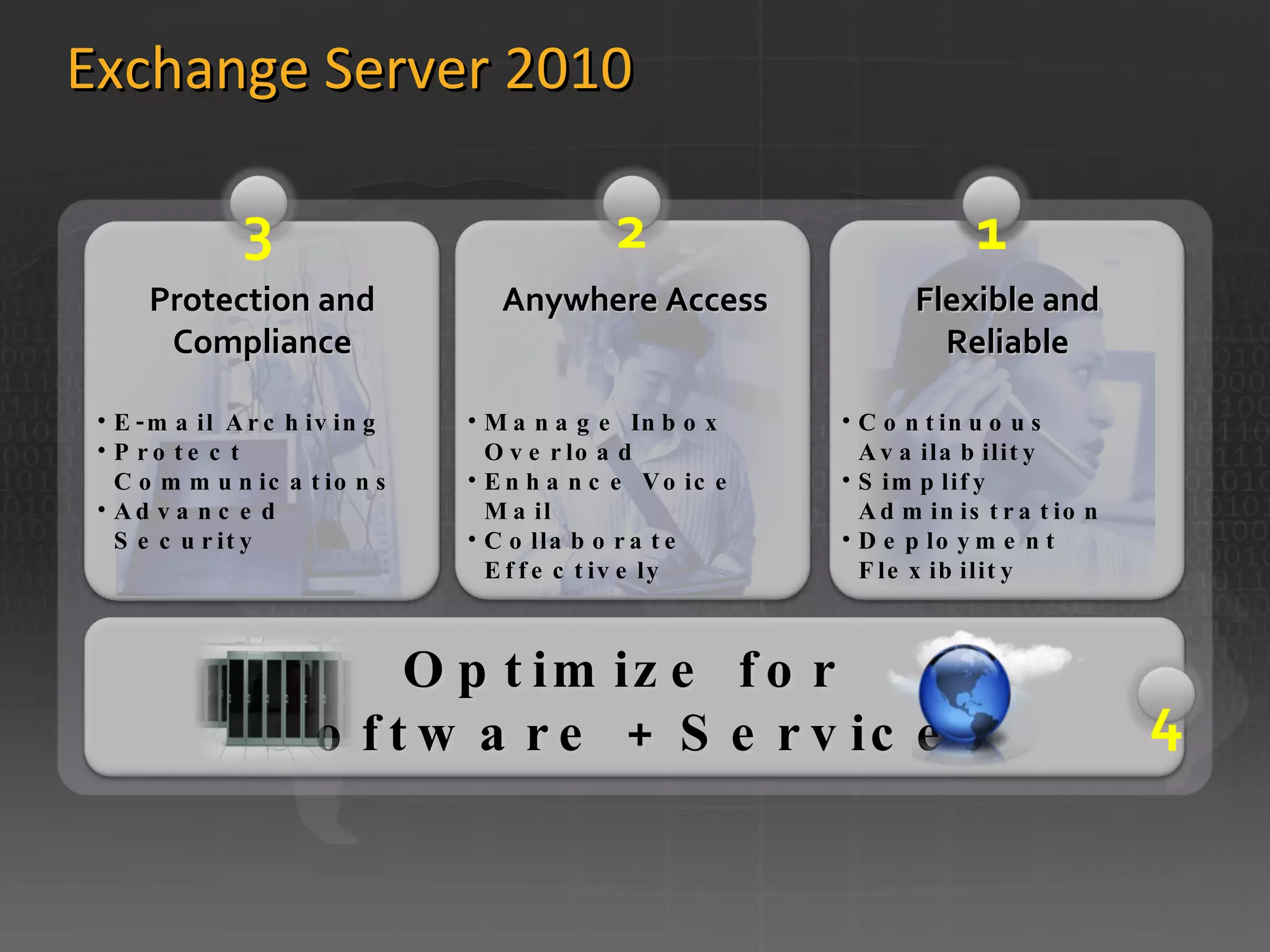
Exchange Server 2010 E-mail Archiving Protect Communications Advanced Security Manage Inbox Overload Enhance Voice Mail Collaborate Effectively Continuous Availability Simplify Administration Deployment Flexibility Anywhere Access Flexible and Reliable Protection and Compliance Optimize for  Software + Services 1 2 3 1 4
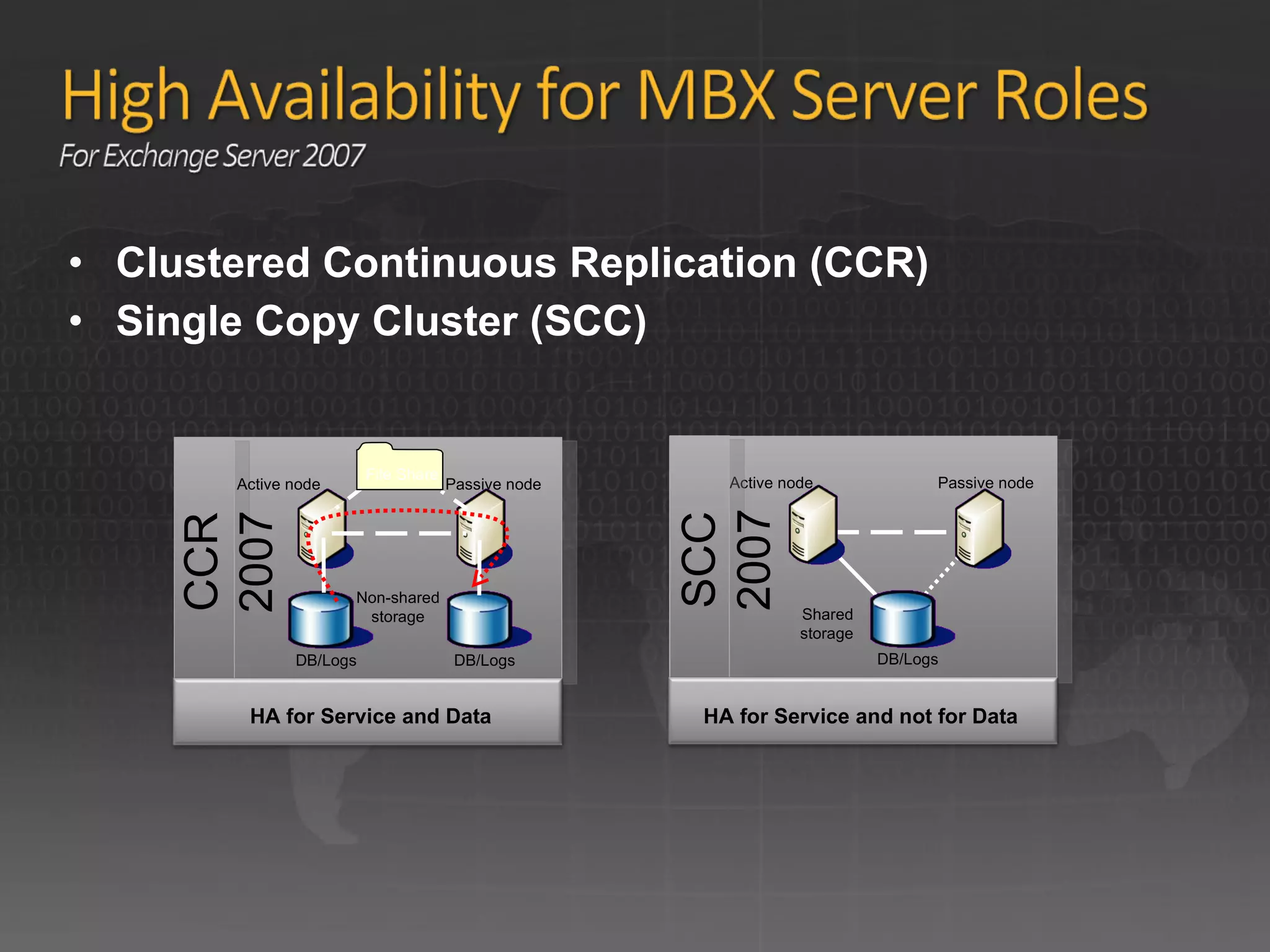
Clustered Continuous Replication (CCR) Single Copy Cluster (SCC) DB/Logs Active node Passive node CCR 2007 Active node DB/Logs Passive node Non-shared storage Shared storage HA for Service and Data SCC 2007 HA for Service and not for Data DB/Logs File Share
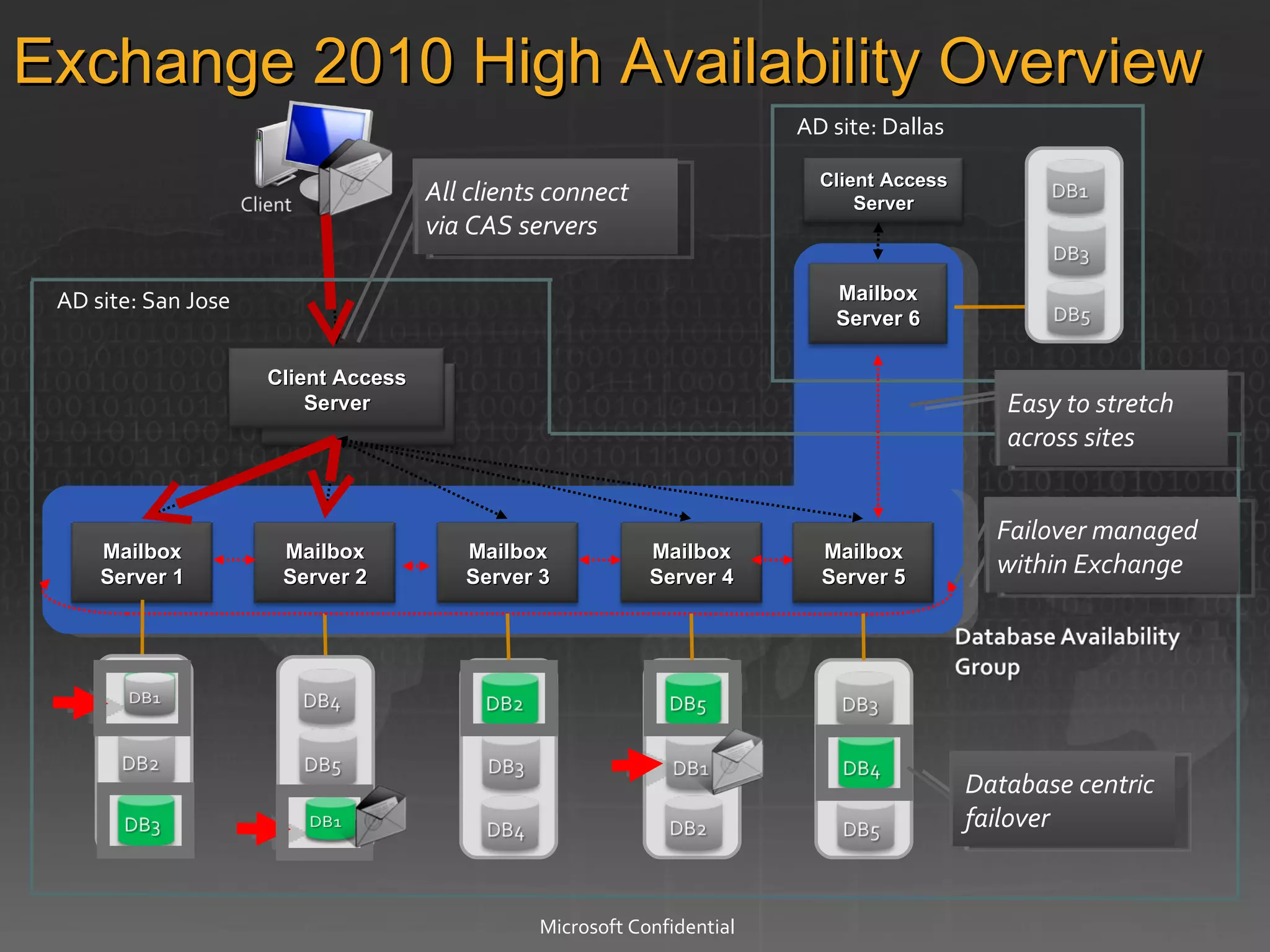
AD site: Dallas  AD site: San Jose Microsoft Confidential Exchange 2010 High Availability Overview  Failover managed within Exchange Easy to stretch across sites All clients connect via CAS servers Database centric failover Client Access Server Mailbox Server 1 Mailbox Server 2 Mailbox Server 3 Mailbox Server 6 Mailbox Server 4 Mailbox Server 5 Client Access Server
Exchange Server 2010 E-mail Archiving Protect Communications Advanced Security Manage Inbox Overload Enhance Voice Mail Collaborate Effectively Continuous Availability Simplify Administration Deployment Flexibility Anywhere Access Flexible and Reliable Protection and Compliance Optimize for  Software + Services 1 2 3 1 4
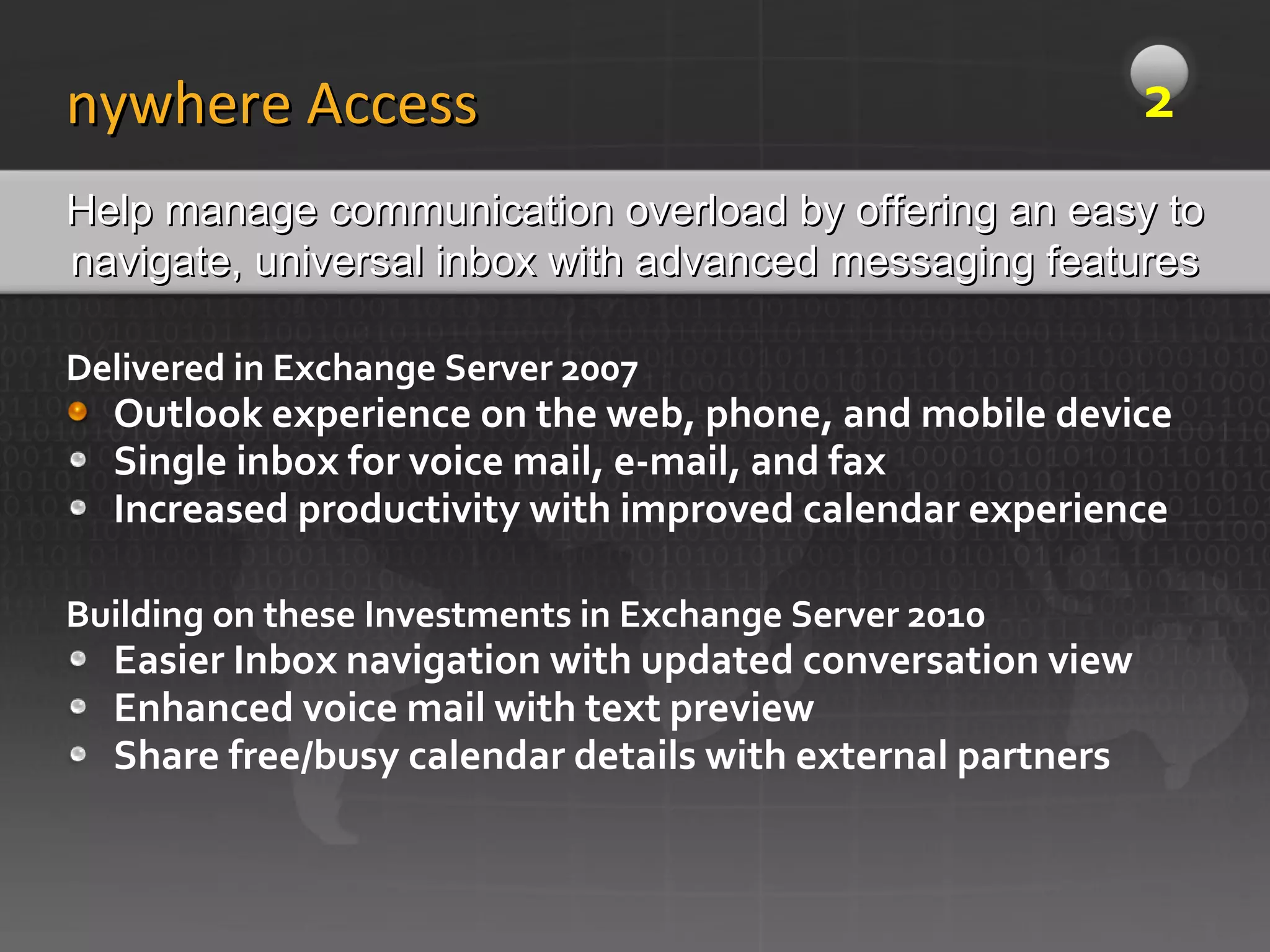
Delivered in Exchange Server 2007 Outlook experience on the web, phone, and mobile device Single inbox for voice mail, e-mail, and fax Increased productivity with improved calendar experience Building on these Investments in Exchange Server 2010 Easier Inbox navigation with updated conversation view Enhanced voice mail with text preview Share free/busy calendar details with external partners Anywhere Access Help manage communication overload by offering an easy to navigate, universal inbox with advanced messaging features 2
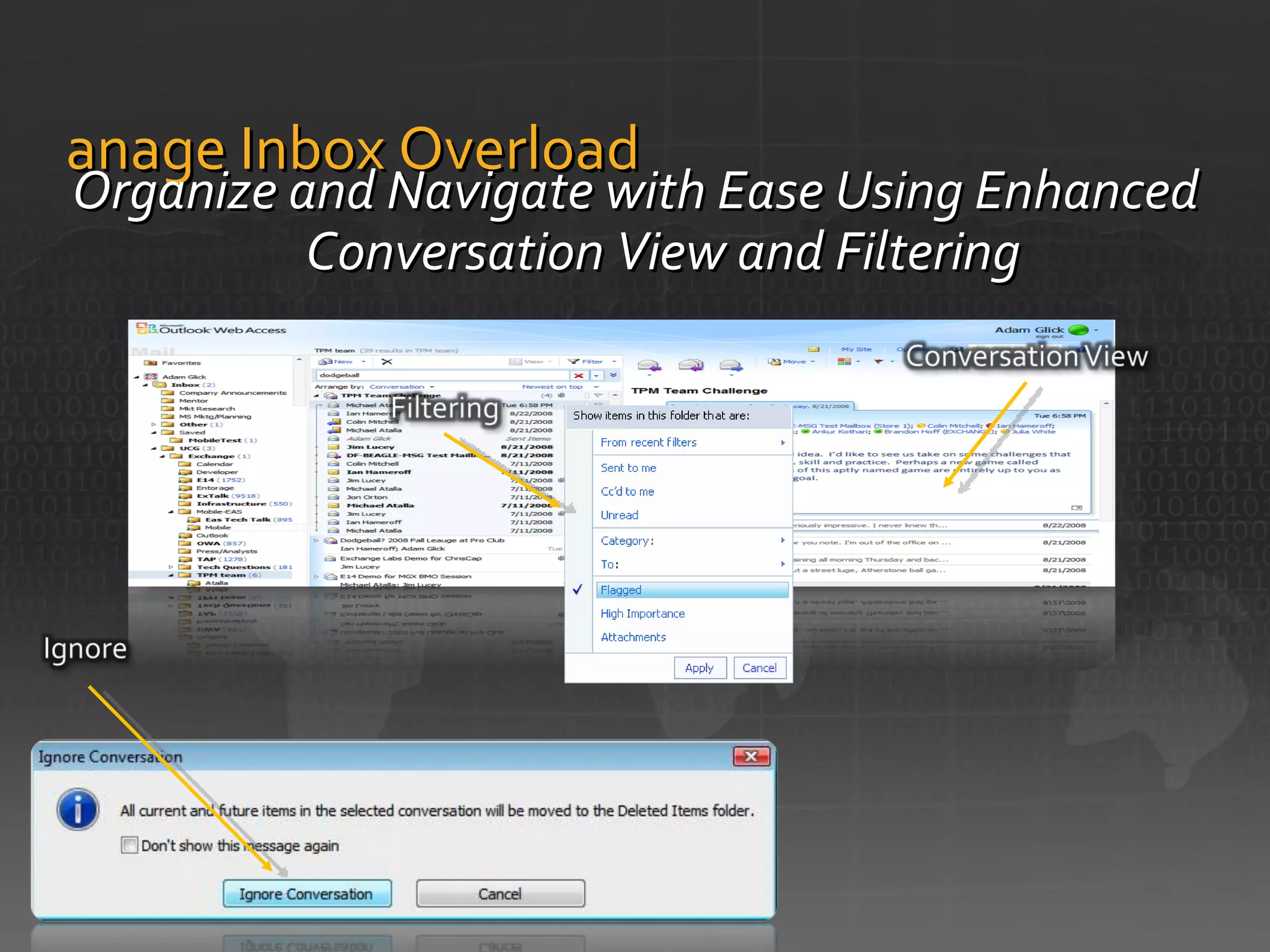
Manage Inbox Overload Organize and Navigate with Ease Using Enhanced Conversation View and Filtering
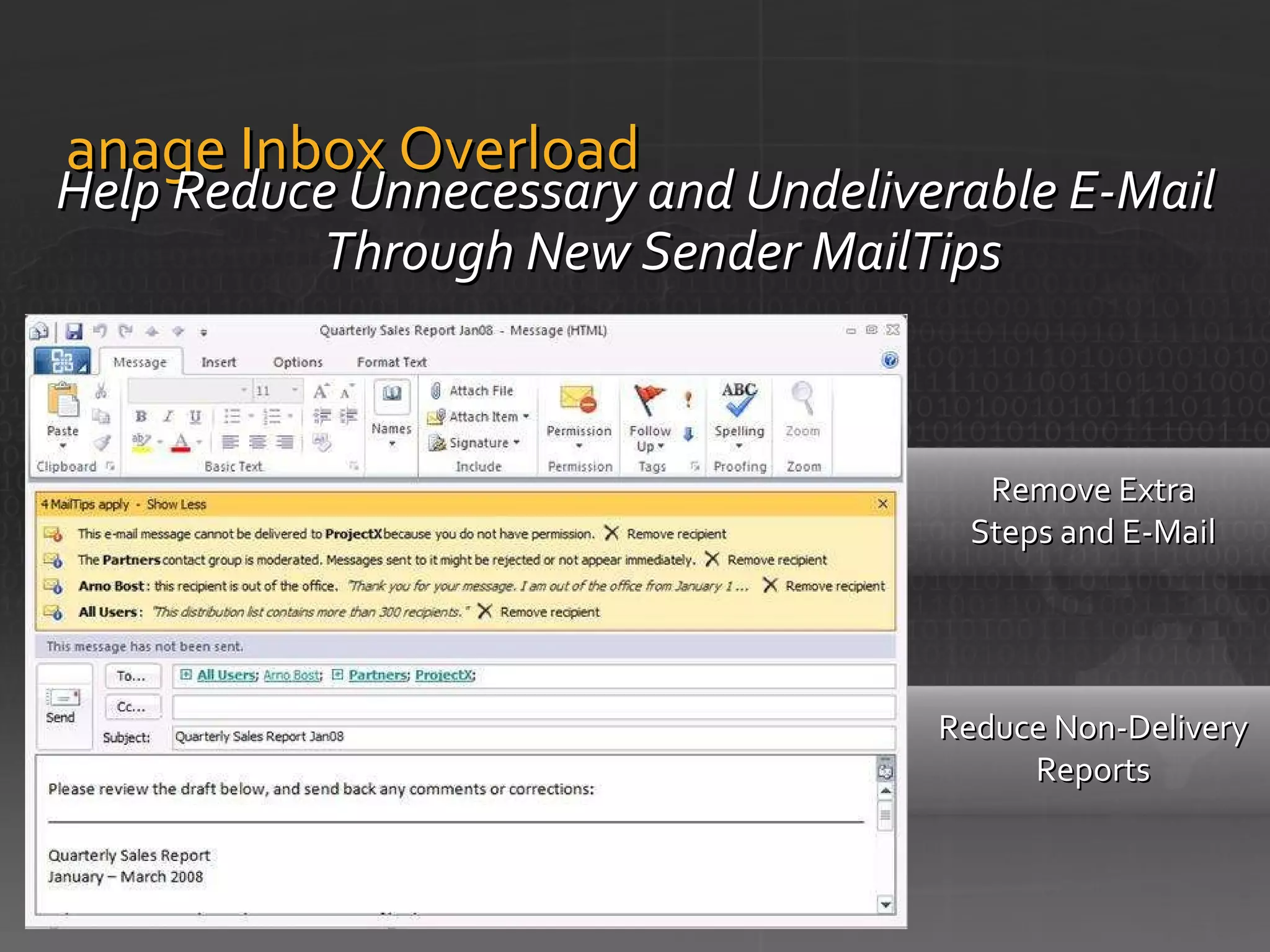
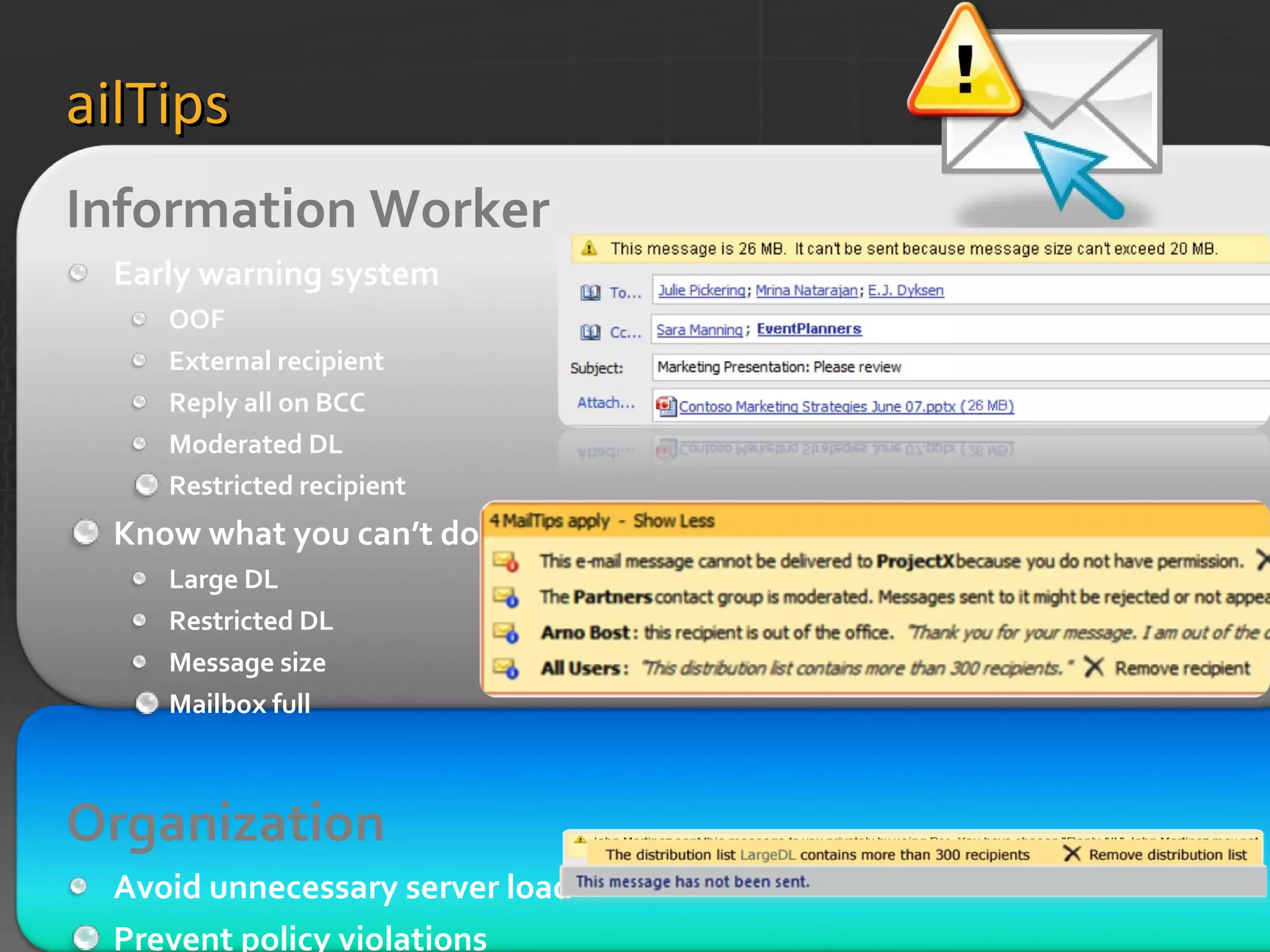
Manage Inbox Overload Help Reduce Unnecessary and Undeliverable E-Mail Through New Sender MailTips Reduce Non-Delivery Reports Remove Extra Steps and E-Mail
MailTips Information Worker  Early warning system OOF External recipient Reply all on BCC Moderated DL Restricted recipient Know what you can’t do Large DL Restricted DL Message size Mailbox full Organization   Avoid unnecessary server load Prevent policy violations Custom MailTip
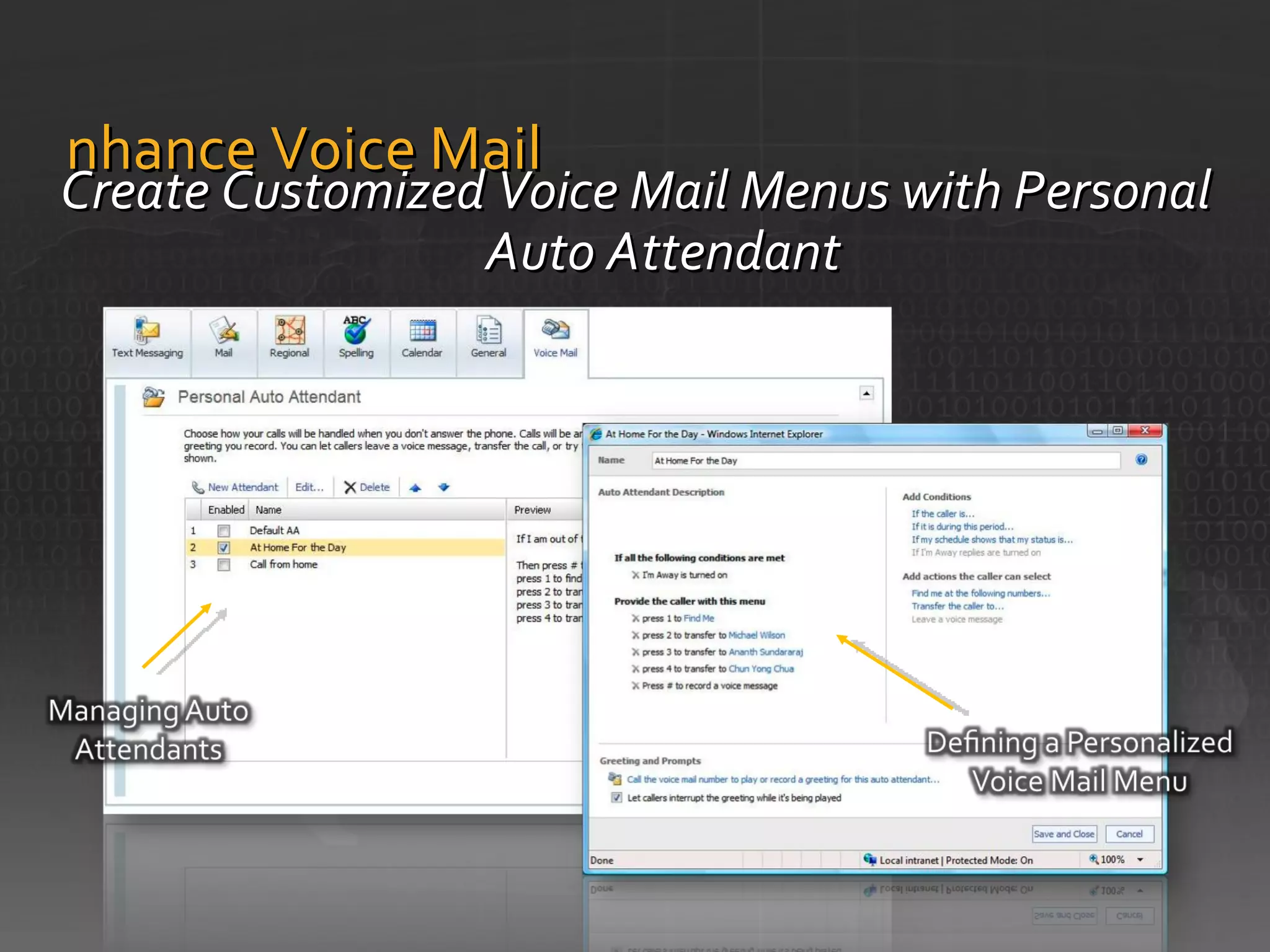
Enhance Voice Mail Create Customized Voice Mail Menus with Personal Auto Attendant
Exchange Server 2010 E-mail Archiving Protect Communications Advanced Security Manage Inbox Overload Enhance Voice Mail Collaborate Effectively Continuous Availability Simplify Administration Deployment Flexibility Anywhere Access Flexible and Reliable Protection and Compliance Optimize for  Software + Services 1 2 3 1 4
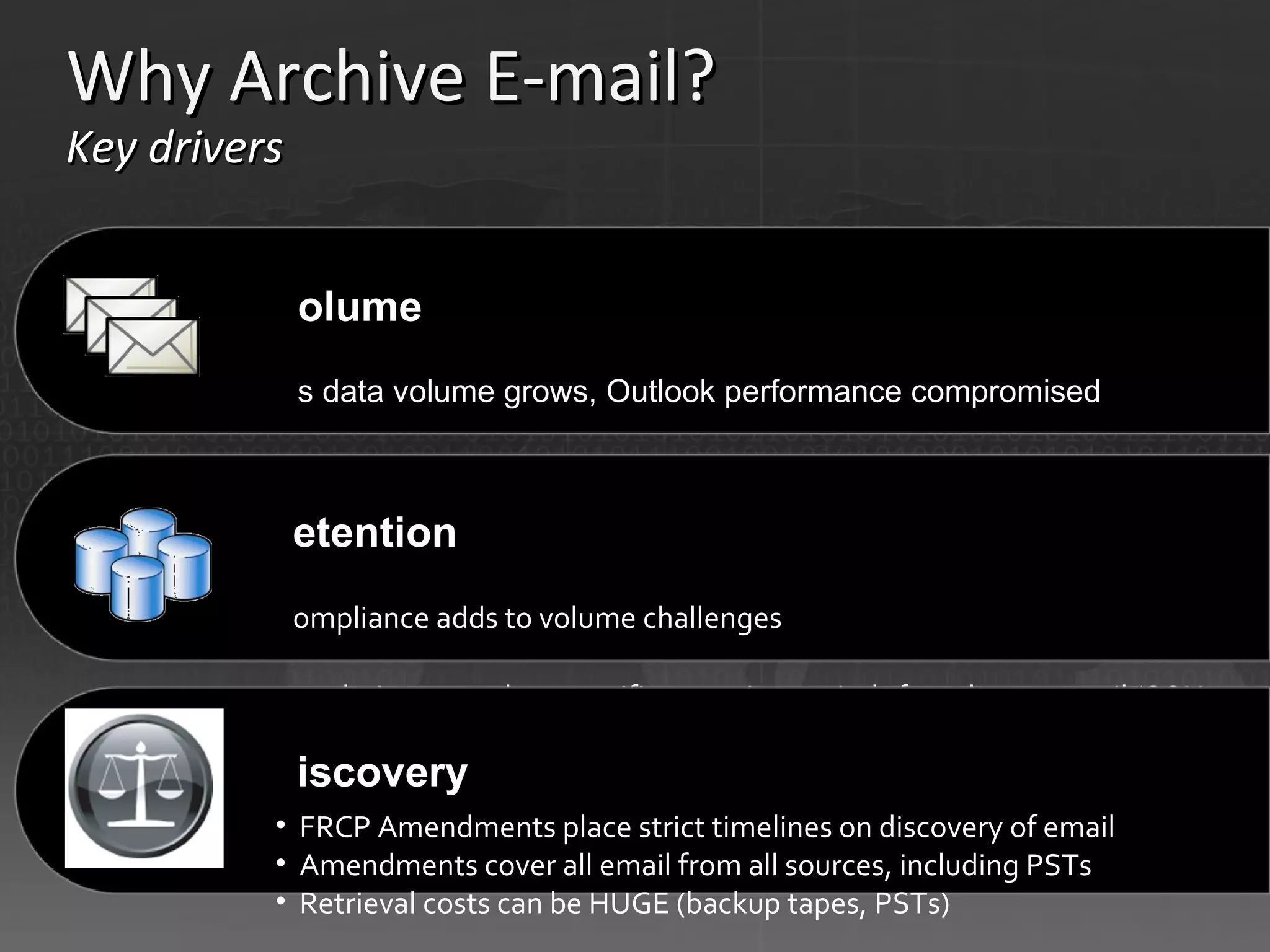
Why Archive E-mail?  Key drivers  Volume  As data volume grows, Outlook performance compromised Mailbox quotas control volume but also encourage PSTs PSTs add to further performance/management issues  Retention  Compliance adds to volume challenges  Regulations mandate specific retention periods for relevant email (SOX = 5 years, SEC rules = 6 years, HIPAA = 5-6 years)  Discovery  FRCP Amendments place strict timelines on discovery of email  Amendments cover all email from all sources, including PSTs  Retrieval costs can be HUGE (backup tapes, PSTs)
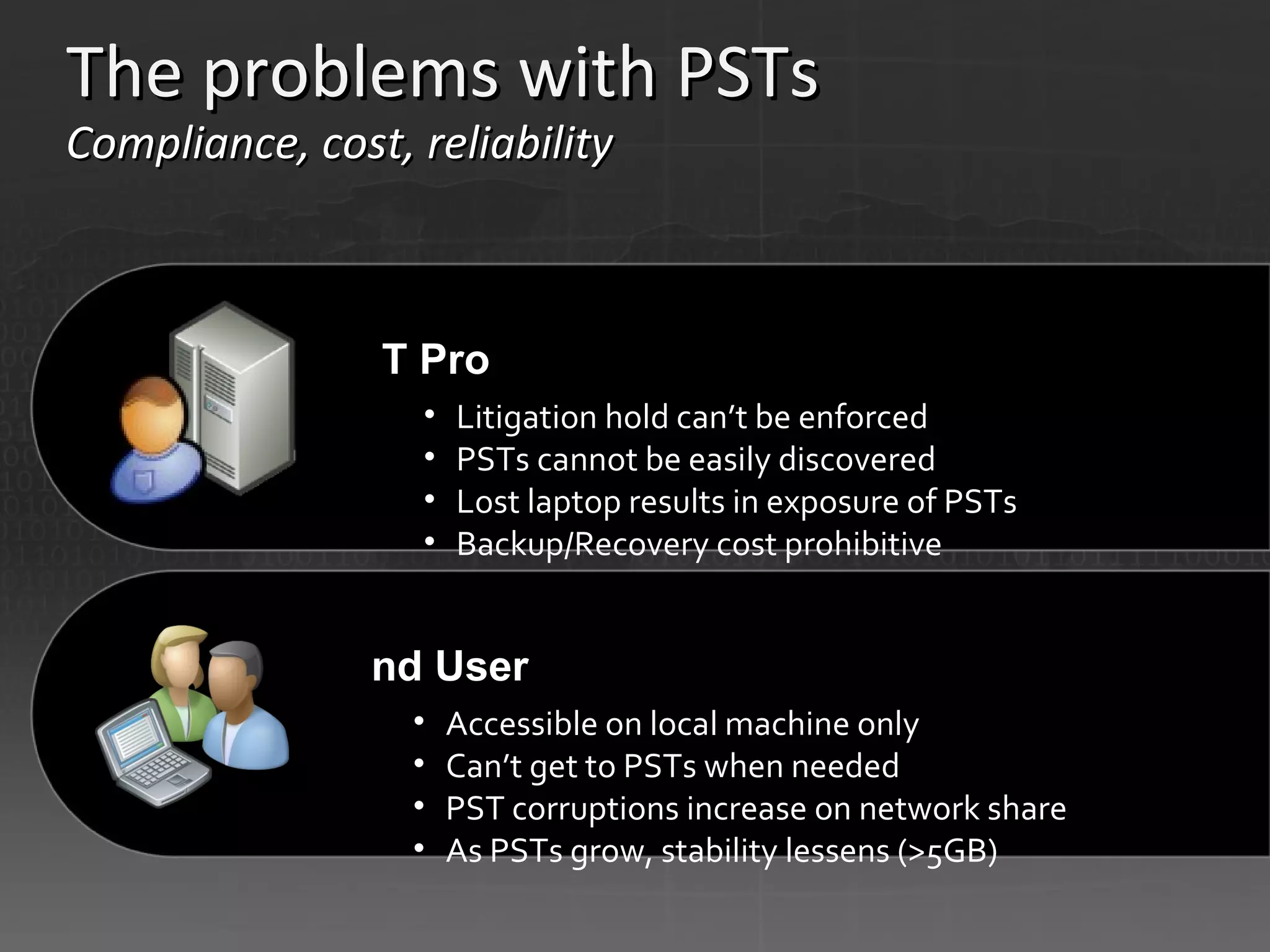
The problems with PSTs  Compliance, cost, reliability  IT Pro  Litigation hold can’t be enforced PSTs cannot be easily discovered  Lost laptop results in exposure of PSTs Backup/Recovery cost prohibitive End User  Accessible on local machine only Can’t get to PSTs when needed PST corruptions increase on network share As PSTs grow, stability lessens (>5GB)
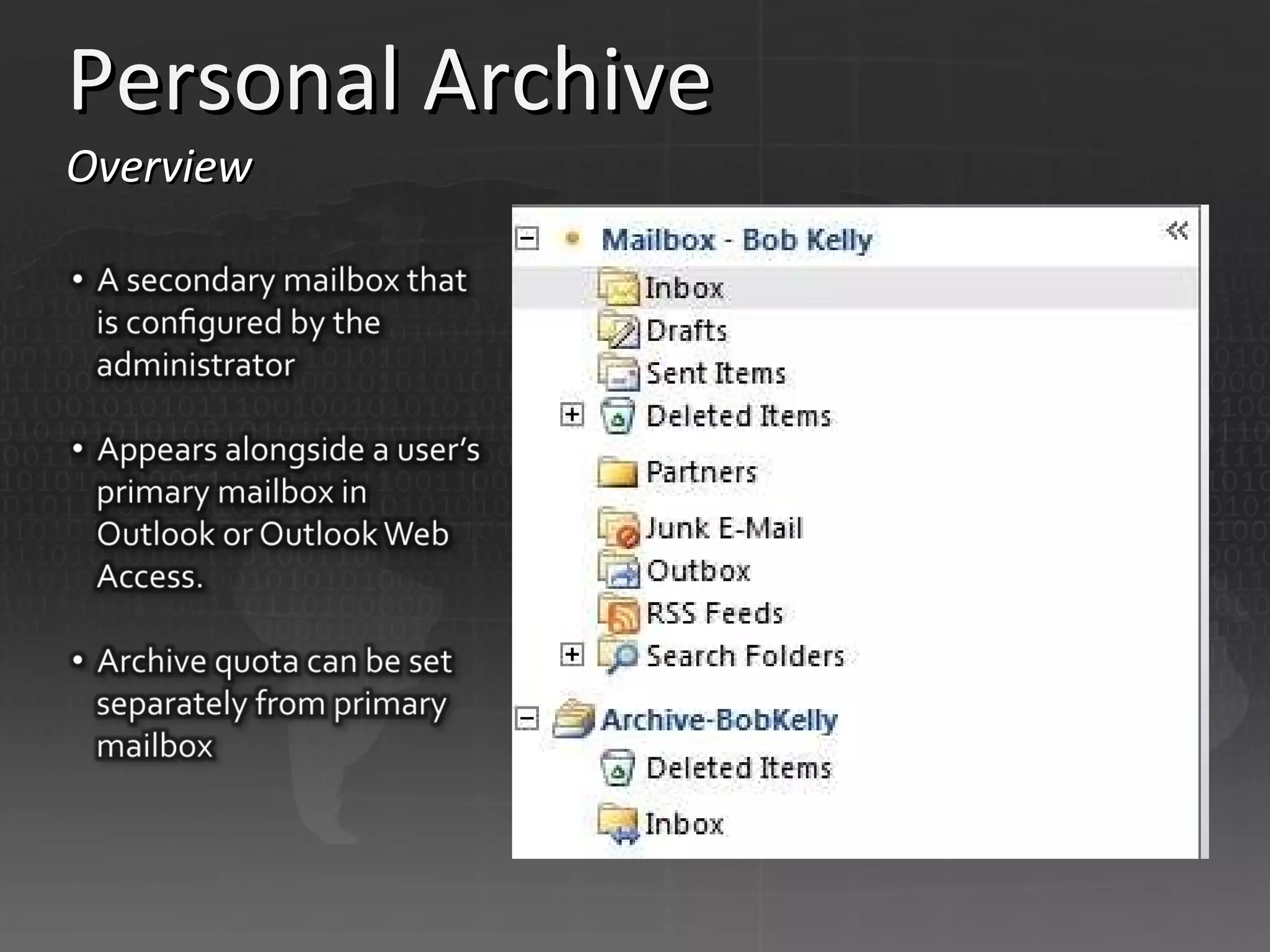
Personal Archive Overview
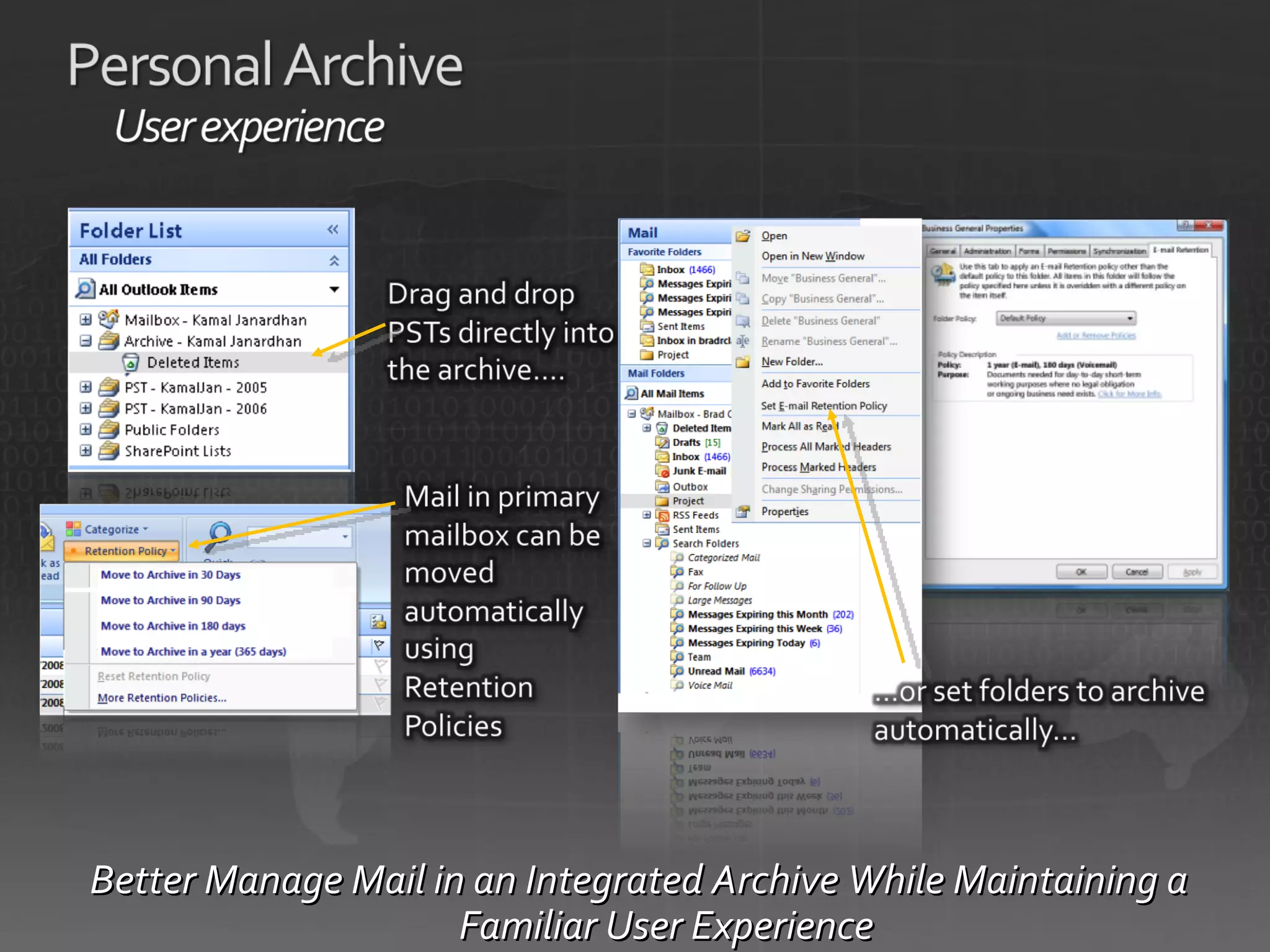
Better Manage Mail in an Integrated Archive While Maintaining a Familiar User Experience
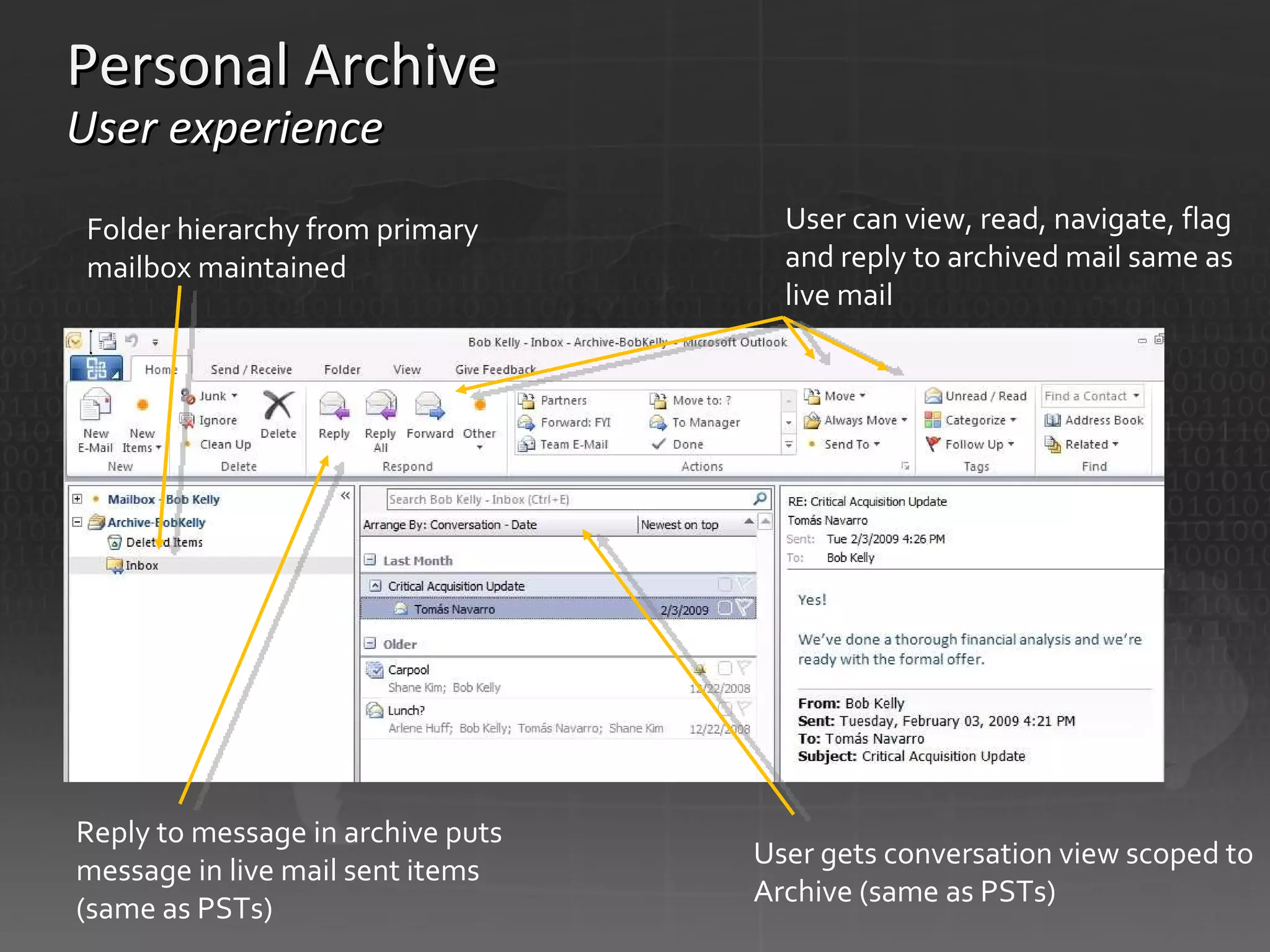
Personal Archive User experience User can view, read, navigate, flag and reply to archived mail same as live mail  User gets conversation view scoped to Archive (same as PSTs) Reply to message in archive puts message in live mail sent items (same as PSTs)  Folder hierarchy from primary mailbox maintained
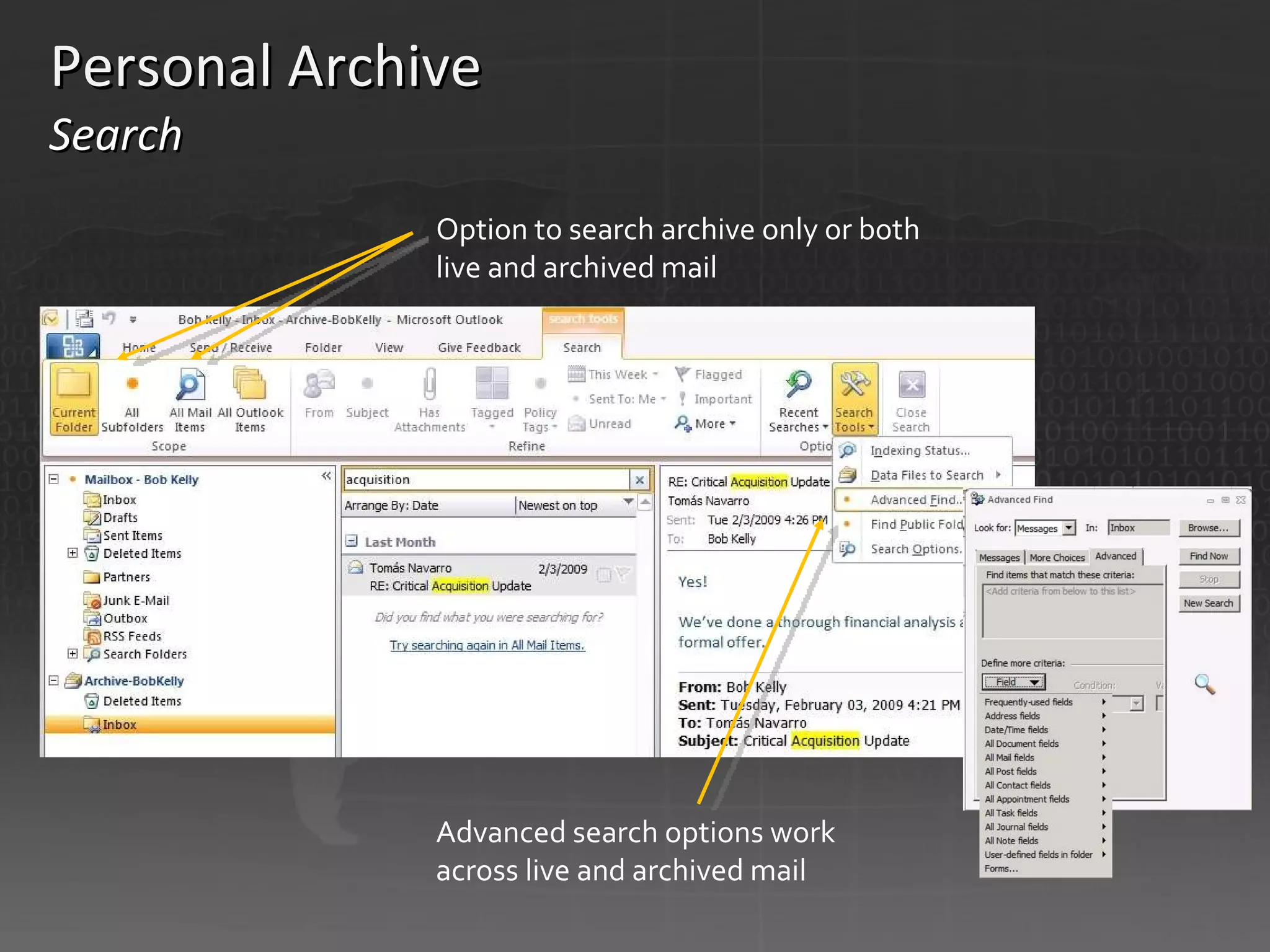
Personal Archive  Search   Option to search archive only or both live and archived mail  Advanced search options work across live and archived mail
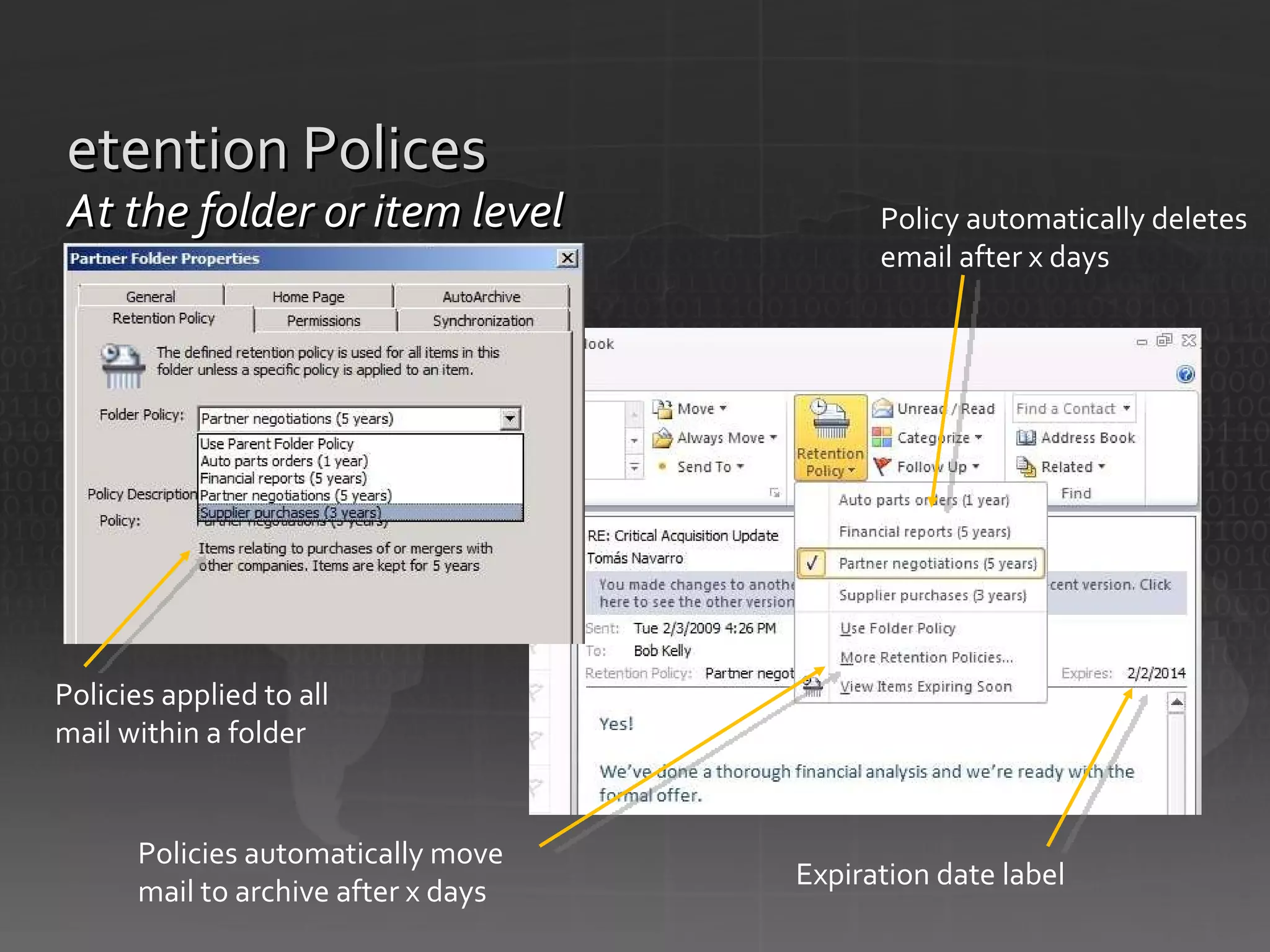
Retention Polices At the folder or item level Policy automatically deletes email after x days  Expiration date label  Policies automatically move mail to archive after x days  Policies applied to all mail within a folder
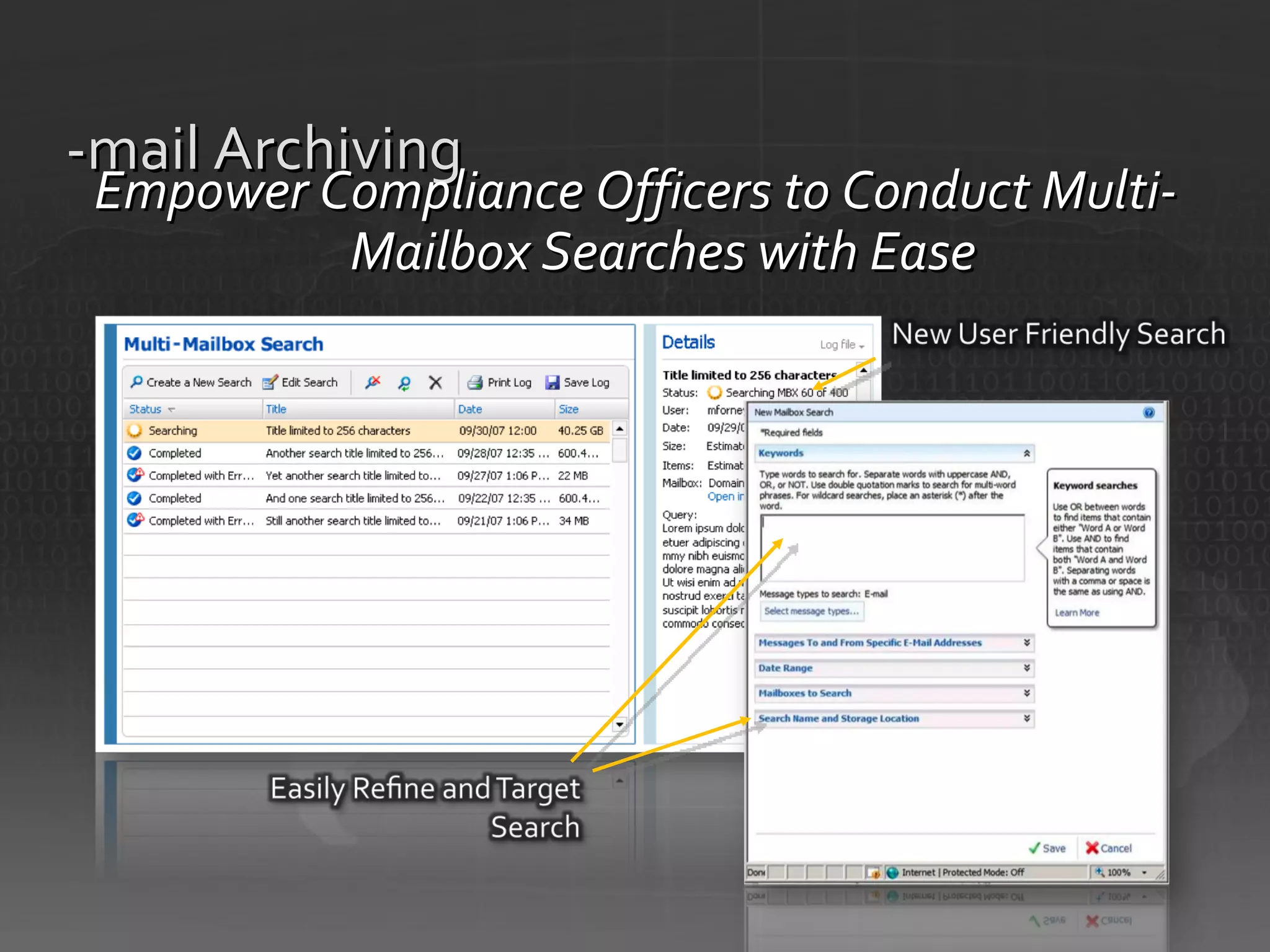
E-mail Archiving Empower Compliance Officers to Conduct Multi-Mailbox Searches with Ease
The new way of working! …much m ore than just  changing a few habits  … it’s a vision ! Hans Demeyer Supplier of Inspiration & Optimism CT-interactive
© 2006 Microsoft Corporation. All rights reserved. This presentation is for informational purposes only. Microsoft makes no warranties, express or implied, in this summary.

Wave 2010: The new way of working.

  • 1.
    Wave 2010 Thenew way of working. …much m ore than just changing a few habits … Hans Demeyer Supplier of Inspiration & Optimism CT-interactive
  • 2.
    Agenda - The way we live & work & organize Wave 2010 : New solutions that enable more efficiency & mobility
  • 3.
    Disruptions on thehorizon or around the corner from old economy to new economy from vision to action the war for talent
  • 4.
    Disruptions on thehorizon or around the corner from old economy to new economy: “The world is flat” , “Econoshock” and the “long tail”, globalization
  • 5.
    Connected value chainin the old economy ISO 9000 Certified
  • 6.
    Business expansion inthe old economy
  • 7.
    Disonnected value chainsin the new global economy
  • 8.
    Business expansion inthe new global economy
  • 9.
    0 20 4060 80 100% 2000 2005 2010 Work Styles (Source: Gartner - http://www.datapro.com/teleconferences/attributes/attr_103789_115.ppt) Different time, different place Same time, different place Same time, same place Working alone Percentage of work that depends on group input
  • 10.
    Disruptions on thehorizon or around the corner from vision to action: The Knowledge Gap
  • 11.
    Exploration of theknowledge gap The task is not so much to see what no one yet has seen, but to think what nobody has yet thought about that which everyone sees – Schopenhauer
  • 12.
    To maintain acompetitive advantage… … we will have to make collaboration with colleagues down the corridor or around the world as natural as working alone to bridge the knowledge gap Team Division Enterprise Individual Extranet Internet
  • 13.
    Disruptions on thehorizon or around the corner the war for talent ”1984”
  • 14.
  • 15.
    Digital natives Theywork differently – your kids and yourself They escalate a chat to a call to a video call with one click – they use technology They communicate across the globe as seamless as across the table – they collaborate When they type 3 words in Live Search or Google they find more information then they can handle – on any topic! Are we imposing them to be ineffecient? Will they bring a different mindset to the whole organization?
  • 16.
    No problem ifthey were abundantly available? ...but they are a rare commodity Demographic overview Belgian Population
  • 17.
    Organization structures change Traditionals Boomers Xers Yers 1928 2000+ Business process Organizational shape Workplace Technology
  • 18.
    ‘ New Worldof Work’ Foundation Unified Communications Collaboration Enterprise Content Management Business Intelligence Standardized Rationalized Basic Dynamic Enterprise Search Business Productivity Infrastructure Optimization Identify where you are Identify where you want to be
  • 19.
    Location : (re) - Design Virtual Physical Alone Together Anywhere Anytime @ Any Device
  • 20.
    Servers optimalizeren (virtualizatie,green computing) ↑ Netwerk openen voor thuiswerkers, en mobiele werkers ↑ Beveiliging Internet ↑ Small Business Server 2008 ↑ Netwerk (LAN) ↑ Computers in bedrijf ↑ Zonder ICT Licenties optimalizeren en standardizeren (open license, Software Assurance) ICT Diensten buiten het bedrijf onderbrengen bij gespecialiseerde bedrijven CLOUD COMPUTING, SAAS, DAAS, PAAS, ...
  • 21.
    9 PEOPLE OTHERSEATING CHOICES + 6 OPEN OFFICE SPACES Focus Rooms Phone Booths Breakout Areas Cafe Spaces Touchdown Spaces 1.5 : 1 Ratio Desk Sharing Equation
  • 22.
  • 23.
  • 24.
    Windows 7 Focus: your desktop as a convenience good Fast and Reliable Compatible Mobile Everyday Tasks are Faster and Easier Simplify Tasks Easier Networking Device Experience Safeguard Your Business Just Works Improved Data Security Better Protect Your PC Solve Problems Quickly Safer Online
  • 25.
    Windows 7 forthe Enterprise Streamline PC Management Easy migration Keep PCs running Virtualization Enhance Security & Control Better protected data & PCs Built on Windows Vista foundation At their desk In a branch On the road Make Users Productive Anywhere
  • 26.
    Remote Access forMobile Workers Make Users Productive Anywhere Windows 7 Solution Direct Access Situation Today Difficult for users to access corporate resources from outside the office Challenging for IT to manage, update, patch mobile PCs while disconnected from company network New network paradigm enables same experience inside & outside the office Seamless access to network resources increases productivity of mobile users Infrastructure investments also make it easier to service mobile PCs and distribute updates and polices Office Home Home Office
  • 27.
    Branch Office NetworkPerformance Make Users Productive Anywhere Windows 7 Solution Branch Cache™ Situation Today Application and data access over WAN is slow in branch offices Slow connections hurt user productivity Improving network performance is expensive and difficult to implement Caches content downloaded from file and Web servers Users in the branch can quickly open files stored in the cache Frees up network bandwidth for other uses
  • 28.
    Search in theEnterprise User Productivity Windows 7 Solution Search Federation Situation Today Consistent experience to find data from multiple locations, including SharePoint sites Users and IT can pre-populate Favorites in Windows Explorer to remote search sites that support OpenSearch protocol IT can point users to select search sites with Enterprise Search Scopes    Current desktop and Enterprise search solutions are good, but not integrated Users need to take different steps to find data on PC and data on servers Data sources are hard to discover
  • 29.
  • 30.
    Virtual Machine HostsPhysical Infrastructure Virtual Machine Manager agents deployed to virtual machine hosts Performance data collected to identify consolidation candidates Physical servers converted to virtual machines Performance data collected from VM hosts for intelligent placement Intelligent placement of each VM on optimal host Physical machines retired or repurposed Prioritized report of consolidation candidates
  • 31.
    TS RemoteApp™ RemoteApp™TS Gateway RD Gateway TS Session Broker RD Connection Broker TS Web Access RD Web Access TS Easy Print RD Easy Print Terminal Server RD Session Host RD Virtual Host RemoteApp & Desktop Connections
  • 32.
    RD Web AccessRD Session Host RD Gateway RD Connection Broker Active Directory® Licensing Server RD Virtualization Host RD Client
  • 33.
    RD Connection BrokerRD Client RD Session Host Server Farm (Session-based desktops) RD Session Host Server Farm (RemoteApp)
  • 34.
    RD Session HostApp-V Management Server RD Client RD Virtualization Host
  • 35.
    RD Client PersonalVirtual Desktops Pooled Virtual Desktops RD Connection Broker Active Directory
  • 36.
    Terminal Server Requires:Vista SP1 or XP SP3 RDC client (mstsc.exe) Applications launched from Web Page, RDP files or MSI shortucts Programs look like they are running locally RemoteApp manager Define program settings Make programs available via TS Web Access Create MSI or RDP files Requires: Remote Desktop Connection client
  • 37.
    RDP hosts cannow be put behind firewall HTTP/S used to traverse firewall AD/NPS/NAP checked before connection allowed New Remote Desktop Connection client required AD/NPS/NAP User browses to TS Web Access User initiates HTTP/S connection to TS Gateway Terminal Servers or XP/Vista TS Gateway TS Web Access Internet DMZ Internal Network RDP over HTTP/S established to TSG RDP 3389 to host AD/IAS/NAP checked Vista RDC (TS) client
  • 38.
    Historical Issues SolutionBad Match No Match Close Match TS Easy Print
  • 39.
  • 40.
    The Best ProductivityExperience Across PC, Phone, & Browser What you depend on today What you’ll expect tomorrow & Manage your day with e-mail, calendar, tasks Copy/paste smoothly across programs Easily format documents for a professional look Work together in real time Use multimedia to express ideas Enjoy freedom to work virtually anywhere
  • 41.
    Share Expertise andStay Connected Help Diverse Workforce be More Productive Connect Business Processes to Desktops Do More with Less Manage Volumes of Digital Information Work From More Locations & Devices Meet changing customer needs Manage IT cost, complexity Work Together Bring Ideas to Life Use Office Anywhere Simplify Deployment & Lower Mgmt Costs Maximize Platform Value Connect Share Accomplish Envision Mash Up Inform Choice Relevance Power PC Phone Browser Extensible Interoperable Best User Experience Most Flexible Platform
  • 42.
    Capability description: Start an immediate application sharing session with a couple of clicks from the Backstage view of popular Office 2010 applications or Office Communicator 2010. New capability: Application Sharing Challenge: Travel and 3 rd party conferencing tools are expensive, and meetings are less effective without a shared canvas. Potential savings/efficiency gains: Reduce travel costs and 3 rd party conferencing and phone charges by replacing meetings and training with integrated IM, Voice, Web, Audio and Video conferencing. Application Sharing Scenario < Click here App Sharing Scenario (Click Image) Application Sharing (Click Image) Share with your Contacts Attendee view is clear and consistent Internet Start sharing from right within Office applications
  • 43.
    Potential savings/efficiency gains: Reduce costs and the need for training by reducing the need for 3rd party rich media tools with rich capabilities integrated into the Fluent UI. Capability description: Sharpen, brighten and recolor photos using Live Preview to easily try out different artistic effects. Trim videos to get to just the right clip and format the visual effects around it. Compress the size of the video. New capability: Powerful features to edit photos and videos from within PowerPoint 2010 Challenge : Photo and video content is becoming an ever-popular way to create and consume information, but multi-media tools can be expensive and difficult to learn. Bring Ideas to Life Photo Editing (Click Image) Video Editing (Click Image) Sharpen or recolor images Trim video clips Control UI for video Compress file size
  • 44.
    Potential savings/efficiency gains: Virtualizing Office 2010 offers the opportunity to reduce deployment costs (user training, application compatibility) and increase application management control.  New capability: Office 2010 is the first version of Office built with virtualization in mind. Challenge : New versions of Office can be difficult to deploy for fears of disrupting business rhythms.  SharePoint Proxy has been adjusted (directly open/edit documents hosted by SharePoint) Fast Search in Outlook, when virtualized, now includes Windows Desktop Search Capability description: Office 2010 has been optimized to run faster in a virtualized environment: Example Diagram (Click Image) Stream on demand Create a virtual bubble Users automatically get updates Apply updates once to server
  • 45.
  • 46.
    BI ECM CollabSearch User Experience
  • 47.
    Drive insight fromcomplexity Work with customers & partners Embrace Millennial work styles Comply with regulations Interoperate with LOB systems Protect intellectual property Quickly scale operations Plan for the future Manage IT cost, complexity Meet changing business needs
  • 48.
  • 49.
  • 50.
  • 51.
  • 52.
  • 53.
  • 54.
  • 55.
  • 56.
  • 57.
  • 58.
  • 59.
  • 60.
  • 61.
  • 62.
  • 63.
  • 64.
  • 65.
  • 66.
  • 67.
  • 68.
  • 69.
    Editing Conflict Resolvedby Merge Engine Synchronizing Only Updated Sections (Deltas) Local Copy Saved for Offline Access
  • 70.
  • 71.
  • 72.
  • 73.
  • 74.
  • 75.
  • 76.
  • 77.
  • 78.
    What can bedeployed? Web Parts Event Receivers Feature Activation Receivers Workflow Actions InfoPath Forms Site and List Templates Restricted to Limited resources Code CPU Time SQL Execution Time Number Exceptions Custom Code is Isolated Separate Process/Server Scale Out
  • 79.
    Artist Tracker >Artists Artists Contracts Artist Name Address City State Artist Mandible Artist Name: Mandible Agent: Andrew Datars Quartet Stuck in the Mud Tastes like chicken Deathrattle Jay Hamlin Trio Down on the Bayou Concourse Down on the Bayou Concourse Concourse Jay Hamlin Trio My Artists
  • 80.
  • 81.
  • 82.
  • 83.
  • 84.
    People Roles andResponsibilities Policy Collection of principles - What site owners, administrators and developers should / should not do Technology Leveraging the features to enforce policies through technology Process How to accomplish common tasks such as creating a new site or requesting new business requirements
  • 85.
    SharePoint often overlapswith other installed applications in particular capabilities Many of SharePoint’s capabilities are not ‘required’ or ‘mandated’; rather, they improve productivity You are looking for a chance to consolidate and stop proliferation & reduce duplication Some things are easy to mess up
  • 87.
    Symptoms of SharePointgone wild Database disk storage doubles over a weekend when someone decides to copy in the network drive Performance is sporadic; custom code is bugging and has memory leaks No one is paying attention to usage reporting; the environment is not adapting to the demands of the users Security breaches; no formal audits in place so users “accidently” uncover secure content
  • 88.
    SharePoint governance ThemesBusiness-related Governance
  • 89.
    Why do youwant/need SharePoint? Intranet Portal? Web 2.0? Social Computing? Application Platform? Search Platform? Document Repository? Workflow Engine? Extranet? Internet? Access Replacement? Team Sites? Growth Plan How many users initially? Over time? Geo-dispersed? Uptime requirements? Number of sites? Docs? Pages? Searches? Initial Workloads? Future Workloads? Usage Policies – HR ‘Handbook’ providing: Clear instruction on how and when (not) to use SharePoint Information on how users can get support and training, request design and development services, request new functionality Training Plan Site Collection Administrators, Ops, Developers, Designers & Support End Users – Provide Announcements, Videos, FAQ’s via Service Portal
  • 90.
    CXO sponsored strategy– stakeholder buy-in Well-communicated strategy & service offering Consolidated well-managed server farms Consistency, standards, branding, usage policies Security policies and enforcement, information management policies Easy-to-use and powerful search On-demand/Accessible training and support SharePoint Learning Kit Podcast Kit for SharePoint
  • 91.
    Get Introducted toSharePoint 2010 (online) http://sharepoint2010.microsoft.com SharePoint Products and Technologies: 2010 Developer Documentation Visit the SharePoint 2010 Partner Readiness Site http://partner.microsoft.com/sharepoint2010ready Attent the local Ignite Trainings Belgium SharePoint Conference, March 30 Tech Days Preconference SharePoint Engineering Blog http://blogs.msdn.com/sharepoint/
  • 92.
  • 93.
    Communications Turning 90Degrees Bringing together people and information with software Enterprise Telephony Voice mail Enterprise Telephony Audio Conference Web Conference Video Conference E-Mail & Instant Messaging Separate Management E-Mail & Unified Messaging Instant Messaging Conferencing Platform Unified Experience Common Management Overall Costs Down Vertically integrated communication silo Inefficient communications Communications overload Parallel infrastructures Horizontally integrated common platform Standards-based distributed architecture Accessibility in the entire network One common database and directory
  • 94.
    Streamline Communications BetweenPeople and Organizations Increase Operational Efficiency & Flexibility Amplify IT Visibility and Control Provide an Interoperable and Extensible Platform Now and for Your Future Instant Messaging Application Integration Across Networks Across Devices E-mail/ Calendaring Audio, Video & Web Conferencing Enterprise Telephony Software Powered Communications
  • 95.
    The Business Impactof UC Good for Business. Better for the Earth. “ We expect unified communications to increase our ability to move forward faster.” CIO, global business services firm
  • 96.
    Improving Business Outcomes Gain Competitive Advantage with Unified Communications
  • 97.
    Improving Business Outcomes Enhance Results with Communications Enabled Business Processes
  • 98.
    Decreasing Costs Unified Communications Bring Immediate Cost Savings Note: Cost savings above are based on customer interviews and calculations using the Forrester’s Total Economic Impact framework.
  • 99.
    2008 The MagicQuadrant is copyrighted August 2007 by Gartner, Inc. and is reused with permission. The Magic Quadrant is a graphical representation of a marketplace at and for a specific time period. It depicts Gartner's analysis of how certain vendors measure against criteria for that marketplace, as defined by Gartner. Gartner does not endorse any vendor, product or service depicted in the Magic Quadrant, and does not advise technology users to select only those vendors placed in the &quot;Leaders&quot; quadrant. The Magic Quadrant is intended solely as a research tool, and is not meant to be a specific guide to action. Gartner disclaims all warranties, express or implied, with respect to this research, including any warranties of merchantability or fitness for a particular purpose. SOURCE: Gartner, Inc., “Magic Quadrant for Unified Communications, 2007” by Bern Elliot, August 20,2007 The Magic Quadrant graphic was published by Gartner, Inc., as part of a larger research note and should be evaluated in the context of the entire report. View the full Gartner report, compliments of Microsoft, at http://mediaproducts.gartner.com/reprints/microsoft/article3/article3.html .
  • 100.
  • 101.
    Exchange Server 2010E-mail Archiving Protect Communications Advanced Security Manage Inbox Overload Enhance Voice Mail Collaborate Effectively Continuous Availability Simplify Administration Deployment Flexibility Anywhere Access Flexible and Reliable Protection and Compliance Optimize for Software + Services 1 2 3 1 4
  • 102.
    Clustered Continuous Replication(CCR) Single Copy Cluster (SCC) DB/Logs Active node Passive node CCR 2007 Active node DB/Logs Passive node Non-shared storage Shared storage HA for Service and Data SCC 2007 HA for Service and not for Data DB/Logs File Share
  • 103.
    AD site: Dallas AD site: San Jose Microsoft Confidential Exchange 2010 High Availability Overview Failover managed within Exchange Easy to stretch across sites All clients connect via CAS servers Database centric failover Client Access Server Mailbox Server 1 Mailbox Server 2 Mailbox Server 3 Mailbox Server 6 Mailbox Server 4 Mailbox Server 5 Client Access Server
  • 104.
    Exchange Server 2010E-mail Archiving Protect Communications Advanced Security Manage Inbox Overload Enhance Voice Mail Collaborate Effectively Continuous Availability Simplify Administration Deployment Flexibility Anywhere Access Flexible and Reliable Protection and Compliance Optimize for Software + Services 1 2 3 1 4
  • 105.
    Delivered in ExchangeServer 2007 Outlook experience on the web, phone, and mobile device Single inbox for voice mail, e-mail, and fax Increased productivity with improved calendar experience Building on these Investments in Exchange Server 2010 Easier Inbox navigation with updated conversation view Enhanced voice mail with text preview Share free/busy calendar details with external partners Anywhere Access Help manage communication overload by offering an easy to navigate, universal inbox with advanced messaging features 2
  • 106.
    Manage Inbox OverloadOrganize and Navigate with Ease Using Enhanced Conversation View and Filtering
  • 107.
    Manage Inbox OverloadHelp Reduce Unnecessary and Undeliverable E-Mail Through New Sender MailTips Reduce Non-Delivery Reports Remove Extra Steps and E-Mail
  • 108.
    MailTips Information Worker Early warning system OOF External recipient Reply all on BCC Moderated DL Restricted recipient Know what you can’t do Large DL Restricted DL Message size Mailbox full Organization Avoid unnecessary server load Prevent policy violations Custom MailTip
  • 109.
    Enhance Voice MailCreate Customized Voice Mail Menus with Personal Auto Attendant
  • 110.
    Exchange Server 2010E-mail Archiving Protect Communications Advanced Security Manage Inbox Overload Enhance Voice Mail Collaborate Effectively Continuous Availability Simplify Administration Deployment Flexibility Anywhere Access Flexible and Reliable Protection and Compliance Optimize for Software + Services 1 2 3 1 4
  • 111.
    Why Archive E-mail? Key drivers Volume As data volume grows, Outlook performance compromised Mailbox quotas control volume but also encourage PSTs PSTs add to further performance/management issues Retention Compliance adds to volume challenges Regulations mandate specific retention periods for relevant email (SOX = 5 years, SEC rules = 6 years, HIPAA = 5-6 years) Discovery FRCP Amendments place strict timelines on discovery of email Amendments cover all email from all sources, including PSTs Retrieval costs can be HUGE (backup tapes, PSTs)
  • 112.
    The problems withPSTs Compliance, cost, reliability IT Pro Litigation hold can’t be enforced PSTs cannot be easily discovered Lost laptop results in exposure of PSTs Backup/Recovery cost prohibitive End User Accessible on local machine only Can’t get to PSTs when needed PST corruptions increase on network share As PSTs grow, stability lessens (>5GB)
  • 113.
  • 114.
    Better Manage Mailin an Integrated Archive While Maintaining a Familiar User Experience
  • 115.
    Personal Archive Userexperience User can view, read, navigate, flag and reply to archived mail same as live mail User gets conversation view scoped to Archive (same as PSTs) Reply to message in archive puts message in live mail sent items (same as PSTs) Folder hierarchy from primary mailbox maintained
  • 116.
    Personal Archive Search Option to search archive only or both live and archived mail Advanced search options work across live and archived mail
  • 117.
    Retention Polices Atthe folder or item level Policy automatically deletes email after x days Expiration date label Policies automatically move mail to archive after x days Policies applied to all mail within a folder
  • 118.
    E-mail Archiving EmpowerCompliance Officers to Conduct Multi-Mailbox Searches with Ease
  • 119.
    The new wayof working! …much m ore than just changing a few habits … it’s a vision ! Hans Demeyer Supplier of Inspiration & Optimism CT-interactive
  • 120.
    © 2006 MicrosoftCorporation. All rights reserved. This presentation is for informational purposes only. Microsoft makes no warranties, express or implied, in this summary.

Editor's Notes

  • #2 Welcome Today we have a celebration We moved offices by 1 kilometer, but we entered a whole new world: the new world of work The old world out there is quickly fading and shifting into new patterns, new connections, new ways of doing business Take a look outside. You see? The world is flat.
  • #4 When Friedman wrote the ‘World is Flat’ he was discussing the globalisation as An irrevocable process A process that is shifting gears In order to come to greater speed. In the mean time we are confronted with a knowledge gap. We simply cannot grasp everything that is to be known in out world unless we make use of technology Moreover our demographic pyramid is transforming: the babyboomers are gradually retiring. A new generation of workers is taking their place: the Millenials. They are far less in quantity, so they will have to work smarter
  • #5 Whether we want it or not: the economic landscape is shifting rapidly by Geopolitical changes New economic desiderata By the enhanced use of new technology
  • #6 In the old economy the value chain was rather straightforward: You bought your primary goods, added value by assembling them in the same market and sold them to your customers in the same market When your business was successful, you expanded to other markets and copied the complete value chain
  • #8 In the old economy the value chain was rather straightforward: You bought your primary goods, added value by assembling them in the same market and sold them to your customers in the same market When your business was successful, you expanded to other markets and copied the complete value chain
  • #11 The paradox of diminishing knowledge: - In the Renaissance Leonardo da Vinci was a real ‘uomo universale’ - Today the ratio between what “can be known” and “what we know” is deceasing very fast - Although our absolute knowledge increases fast by generation - information is avalailable to the entire world at thye same time - the challenge is to extract knowledge out of the information - this is impossible without technological tools
  • #12 As it was the case in the Renaissance, nobody can know anymore was “is to be known” ‘ Tweede Kamer’ in the Netherlands made a report to government that the old ‘knowledge by heart’ educational model of schools didn’t suffice anymore : Rapport ‘Tijd voor Onderwijs’. Tweede Kamer Staten Generaal. Februari 2008 Education should focus on the talents of pupils and not on the shortcomings The same goes for Belgium: We score nr. 1 on the globalisation index, but just mediocre on the competetivity index. We need technology to overcome the knowledge gap.
  • #14 the active population of Belgium is ageing Babyboomers are retiring Millenials are entering the labour market, but their numbers are much more limited They have to do more with less But they are well prepared….
  • #15 Generation Y refers to people born after 1984? People who have only known economic progress and this generation has their specifics. - they are not intimidated by IT were born with and grew-up with technology They grew-up in a timeframe where everything became discusseable, they have been allowed to speak openly &amp; fleely and they habe been encouraged to build their own opinion about things They got the space, the freedom and the monetary support to develop to their own wishes and capabilities, this is a happy generation, without fear and full of optimism They care less about status &amp; salary, for them work is some kind of entertainment and a good way to extend their social network. They are looking for a good split between work &amp; private. They want their employer to provide flexibility, permanent coaching, training &amp; feed-back. You know, when I used to do my homework, I was usually in a dark room, with this typical - I think it was Ikea – Bureaulamp which you had in multiple colors (Red, blue, Yellow, black &amp; White) in order to concentrate &amp; not to be distracted by the environment. And when I was stuck, and if I was lucky, I could go in the hallway and make a phonecall toa a classmate. But not for long, as after max 15’, my dad would open the door to remind me how expensive it is to make phone calls and that it was the 3th time this week and that I’d better hurry-up and pay more attention while in class. Well today, youngsters make their homework before television with a laptop, while surfing on the internet and chatting with multiple classmates at the same time. They are used to escalating a chat session into a phone call or a ‘web’ conference. Generation Y&apos;s strength is its technological sophistication. Digital communication is Generation Y&apos;s birthright. Members grew up in an on-demand world where access to information is immediate. Technology has been and remains an integral part of their daily lives, including their relationships. Thus, they possess the tools and savvy needed to work with the information systems running companies today and to address the challenges of working in virtual teams on complex problems. Raised to be team players, Millennials are especially suited for collaborative work environments.
  • #16 digital natives have always had PCs in their environment They know how to use technology and they use all the means they have, together (example daughter) By using their communication channels, the world is their village They want to work in a flexible environment. They can easily organize themselves in project groups and use their communication channels for problem solving, advice or brainstorming Is your organisation readyto welcome them?
  • #17 The demographic pyramid is getting a different shape: workforce will be less abundantly available as of now The millenials have the freedom of choice: they will go to the environment that covers best their way of living and their goals
  • #20 Alone / virtual: 15 years ago I drove to the office to make a call to the Japan Fysical/together: meeting with the labor unions Today: I make that call to the US when I’m driving to a customer, or when I’m working from my favorite spot By enabling technologies only the fysical/together part of the work will need to be done in the office. All the rest can be done anywhere, anytime at any device Will this be the end of the endless traffic jams – probably not entirely but it will smoothen traffic out
  • #22 06/21/10 07:35
  • #25 SS09Sep Module: OS Desktop
  • #26 SS09Sep Module: OS Desktop
  • #27 SS09Sep Module: OS Desktop
  • #28 SS09Sep Module: OS Desktop
  • #29 SS09Sep Module: OS Desktop
  • #32 Speaker Notes: Windows Server 2008 included major enhancements to Terminal Services. For Windows Server 2008 R2 Microsoft renamed Terminal Services to Remote Desktop Services. RD RemoteApp provides the ability to run both local and remotely-hosted programs on a Windows desktop. These programs will be fully integrated with the local computer, having their own resizable windows and taskbar entries. The remote program is completely integrated with the user&apos;s desktop, and appears to the user as if it is running on the user&apos;s local computer. Users can run programs from a remote location side-by-side with their local programs. If the program uses a notification area icon, this icon appears in the client&apos;s notification area. Popup windows are redirected to the local desktop. Local drives and printers can be redirected to appear in the remote program. Many users might not be aware that the remote program is any different than a local program RD Gateway is a role service that allows authorized remote users to connect to terminal services based resources on an internal corporate or private network, from Internet-connected devices. The network resources can be terminal servers, terminal servers running RemoteApp programs, or computers with Remote Desktop enabled RD Web Access is a Windows Server 2008 role service provides a web site that lists RemoteApp Enabled application, remote desktops servers, and virtual deksotps. This web site is accessible from either the Internet or from the intranet to access a list of available RD RemoteApp programs. To start a RemoteApp program, users just click the program icon. When the RemoteApp program starts, a RD Services session is started on the RD session or virtual server that hosts the RemoteApp program or virtual desktop RD Easy Print driver offers organizations: Increased reliability of Terminal Services printing for both RemoteApp and remote desktop sessions. Support for legacy and new printer drivers without the necessity of installing these drivers on the terminal server. Scalability improvements over Windows Server 2003 in terms of printer enumeration performance. During the Winlogon process, the spooler only enumerates printers that are available for a user in a particular session instead of enumerating all redirected printers. Therefore, printers are enumerated on a per-session basis, instead of on a per-user basis. Enhanced available printer capabilities in that The Terminal Services Easy Print use the client side driver to ensure that all of the printer capabilities normally available to the user can also be used in remote sessions. All of the physical printer driver&apos;s capabilities are available for use when a user views the printing preferences.  
  • #33 [Build 1] – The following slide provides a high level overview of the components in RDS. We will look at the new RDSH and RDVH technologies in depth later on. Remote Desktop Session Host Server provides a similar set of functionality as Terminal Server. RD Virtual Host Server is a hyper-v based server that is used to provide VDI functions. RemoteApp and Desktop Web Access Server provides a web based interface for RemoteApp enabled applications as well as one click access to virtual desktops. Highlight that you need Windows 7 on the client to take full advantage of Desktop Connections. RD Gateway to offer secure remote access to RDS servers and infrastructure All components require an RDS licensing server Permissions and policy is stored in Active Directory [Build 2] Remote Desktop Client gets connection information from the RD Web Access Server. If the client is outside the network the client connects through the RD Gateway server, if they are internal then can connect directly to an RDSH or RDVH server. In both cases the server that the client connects to is negotiated by the RD connection Broker. The connection broker plays a central role in RDS to make sure clients get connected to appropriate resources. It also helps clients reconnect to disconnected or interrupted session, and makes sure that clients are connecting to the correct servers for VDI resources. At a high level the remote client uses the RD Gateway to obtain access to the RDSH RD Session Host and RDVH servers. The RD Connection Broker connects clients to sessions and VMs on the RDSH and RDVH servers. All Remote Desktop Servers require validation with an RD Licensing Server.
  • #34 RD Session Host is the well known Terminal Services experience with performance and compatibility improvements to allow a more seamless user experience. RemoteApp application are also hosted using RDSH. RDSH Server Role is installed on the Remote Desktop Session Server. Applications are installed on the server Multiple RDSH servers can be deployed along with a load balancing technology. Every server needs to be identically configured with the same applications. User requests an application from their desktop. The RDP client connects to the RD connection Broker which provides the best server to connect to in the RD server farm. If the Remote connection is interrupted the RD Connection broker can reconnect the user to the session they were last connected to.
  • #35 Runs on Remote Desktop Session Host (RDSH) Enable Server Consolidation Mitigate Roaming Profile Issues Transform RDS into a dynamic system Designed for low bandwidth Requires separate App-V for RDS-CAL App-V provides application level virtualization. This separates the applications from the operating system so that they aren’t physically installed. (Registry Settings, Services, and installation files are stored on a virtual file system). Applications are virtualized per instance: Files (incl System Files) Registry, Fonts, .ini COM / DCOM objects Services, Name Space, Semaphores &amp; Mutexes Applications do not get installed or alter the operating system Yet tasks process locally on the host computer (i.e. the RD Session Host ). App-V for RDS provides a management environment to stream applications to RDSH servers, which can be published either directly to the client or to a virtual desktop running on a Remote Desktop Virtualization Host (RDVH).
  • #36 RD Virtualization Hosts: RDS provides the infrastructure framework to provide a consistent and high fidelity user experience. This means that the user doesn’t have to worry about where their virtual machine is stored. RDS infrastructure will make sure users are properly routed to the correct server. In the event of disconnection the user will be able to transparently connect to lost sessions. Taking advantage of devices and printer redirection, DirectX redirection, Audio Redirection, and Aero glass redirection features the remote desktop is presented to the user like a local desktop. 1)Personal Virtual Desktops. – Requires a virtual machine that is assigned through Active Directory. (Requires the Windows Server 2008 R2 ADUC MMC) 2)Personal Virtual Desktops will grow as more data is saved to them. 3)Virtual Desktop pool lets you group together common desktops. You need an RD Redirector for each RD Virtual Desktop Pool you decide to deploy. 4)Every time you disconnect from the RD Virtual Desktop Pool the VHD file for the Virtual Desktop is reset to a preconfigured state.
  • #37 Title: TS RemoteApp Overview   Talking Points: Windows Server 2008 Terminal Services RemoteApp (TS RemoteApp) provides the ability to run both local and remotely-hosted programs on a Windows desktop.   TS RemoteApp provides the ability to run both local and remotely-hosted programs on a Windows desktop. These programs will be fully integrated with the local computer, having their own resizable windows and taskbar entries. The remote program is completely integrated with the user&apos;s desktop, and appears to the user as if it is running on the user&apos;s local computer. Users can run programs from a remote location side-by-side with their local programs. If the program uses a notification area icon, this icon appears in the client&apos;s notification area. Popup windows are redirected to the local desktop. Local drives and printers can be redirected to appear in the remote program. Many users might not be aware that the remote program is any different than a local program.   The Terminal Server Configuration console is the central location from which administrators configure a terminal server to host remote programs.   [BUILD1] RemoteApp Console: From the RemoteApp console, you can select which applications on the terminal server to make available as remote programs as well as deciding whether or not such programs should also be made available by means of Terminal Services Web Access.   [BUILD2] TS Web Access: TS Web Access provides a single convenient location for users to see all the applications on any given terminal server. It is also possible to provide users with MSI based installable packages that create shortcuts on the desktop that can be used to launch RemoteApp programs., [BUILD3] Programs Look Like They Are Running Locally: This image demonstrates TS RemoteApp. Microsoft Office Outlook 2007 is running on a terminal server, and yet the launch-tray icon and the reminder tabs are integrated on the client desktop as if it were running locally. This compares to previous versions of Terminal Services where the application was constrained by the frame of internet explorer – which was a terrible user experience.   [BUILD4] Remote Desktop Client: Remote Programs are only supported by the Remote Desktop client 6.0, or later. This client is available for Windows XP SP2, Windows Server 2003 SP1, and Windows Vista, and is distributed free through Windows Update. 06/21/10 07:35
  • #38 Title: What Does the New TS Gateway Architecture Offer Organizations? Talking Points: Read Bullets RDP = Remote Desktop Protocol AD = Active Directory NPS = Network Policy Server (a role of Windows Server 2008) NAP = Network Access Protection a solution provided by Windows Server 2008 that enforces checking of the client health before connection is allows. So lets see how TS Gateway Works together with multiple elemens of Windows Sever 2008 to provide a complete remote access solution. Firstly the user browses to the their TS Web Access Server and clicks the link for the application they want. TS Web Access now sends the connection back to the users client machine, from this point on TS Web Access takes no further part in the proceedings. The Remote Desktop Connection or RemoteApp client automatically prompts the user for their username and password this coupled with the information supplied by TS Web Access is used to initate the connection to the terminal services gateway, the user is then authenticated by the gateway. Gateway checks the user has a valid Connection Authorization Policy. TS Gateway checks with the Network Policy Server if the use is allowed to traverse (or connect) to the Gateway and that the user is who they claim to be by using Active Directory; (optionally Network Access Protection is invoked and the client is asked to prove that it is upto date with patch and ant-virus signatures – if not the user will be disconnected). Lastly the user is checked against the resource authorization policy to ensure that traffic is only be sent to authorized host machines. Once the user has been validated the gateway strips off the HTTPS encapsualtion and passes RDP traffic to the host on the internal network and finally the host determines if the user can logon on. The beauty of this system is that this is all transparent to the user after they have typed the username and password for the first time. 06/21/10 07:35 MICROSOFT CONFIDENTIAL © 2006 Microsoft Corporation. All rights reserved. Microsoft, Windows, Windows Vista and other product names are or may be registered trademarks and/or trademarks in the U.S. and/or other countries. The information herein is for informational purposes only and represents the current view of Microsoft Corporation as of the date of this presentation. Because Microsoft must respond to changing market conditions, it should not be interpreted to be a commitment on the part of Microsoft, and Microsoft cannot guarantee the accuracy of any information provided after the date of this presentation. MICROSOFT MAKES NO WARRANTIES, EXPRESS, IMPLIED OR STATUTORY, AS TO THE INFORMATION IN THIS PRESENTATION.
  • #39 Title: TS Easy Print Overview Talking Points: TS Easy Print Overview Under normal operations, the u ser connects to the terminal server TS Easy Print used instead of a vendor print driver User prints from application - printer option dialogs are generated on the client NOT the server Document rendered into XPS format (XML Paper Specification) Print job sent back to client printer and rendered with client print driver The new Terminal Services Easy Print driver offers organizations: Increased reliability of Terminal Services printing for both RemoteApp and remote desktop sessions. Support for legacy and new printer drivers without the necessity of installing these drivers on the terminal server. Scalability improvements over Windows Server 2003 in terms of printer enumeration performance. During the Winlogon process, the spooler only enumerates printers that are available for a user in a particular session instead of enumerating all redirected printers. Therefore, printers are enumerated on a per-session basis, instead of on a per-user basis. Enhanced available printer capabilities in that The Terminal Services Easy Print use the client side driver to ensure that all of the printer capabilities normally available to the user can also be used in remote sessions. All of the physical printer driver&apos;s capabilities are available for use when a user views the printing preferences.   Detailed Talking Points: Terminal Services Easy Print (TS Easy Print) is a feature in Windows Server 2008 that enables users to reliably print from a TS RemoteApp program or from a TS remote desktop session to the correct printer on their client computer. In previous versions of Terminal Services, a user would connect to the terminal server and the closest matching server print driver would be selected. When a user accessed and ran Microsoft Office Word to print a document, the document would be rendered with the server printer driver and the print job would be sent back to the client printer for printing. Frequently, there would be no close printer driver match. So, although the user may have been running Microsoft Word on Terminal Services, they were not able to print. Or, when the document was rendered with the printer driver and sent back to the client printer, the output appeared corrupted. Another common problem was that upon connecting to Terminal Services, the user would see basic or different printer than would normally be seen on their local machine. This resulted in, for example, the user being unable to print in color even though this functionality was supported by the local printer. Overall, managing unreliable printer drivers was challenging and often resulted in distorted output. Now, in Windows Server 2008, Terminal Services Easy Print leverages the client-side print driver (no server side driver needed) to enable fast and reliable printing to a local or network-attached printer. End users can more productively work from remote locations. It also enables users to have a much more consistent printing experience between local and remote sessions. Use the following steps as reference for the build.: Normal Operation User connects to the terminal server Closest match print driver selected User runs word on TS, selects print and document is printed Document rendered with printer driver Print job sent back to client printer No Driver Match User connects to the terminal server No printer driver match User runs MS Word on TS but can’t print Odd Behaviour User connects to the terminal server Closest match print driver selected Document submitted on server Document rendered with printer driver Print job sent back to client printer and ‘looks odd’ or worse is corrupted Lack of Options/Feature Mismatch User connects to the terminal server Closest match print driver selected Client sees only basic printer properties / different properties than they see on their client driver E.g. user unable to print in colour even though the local printer supports it Drivers of Death User connects to the terminal server Closest match print driver selected Document submitted Document rendered with printer driver Consumer grade driver crashes server Reconnections crash additional servers
  • #40 06/21/10 07:35 © 2007 Microsoft Corporation. All rights reserved. Microsoft, Windows, Windows Vista and other product names are or may be registered trademarks and/or trademarks in the U.S. and/or other countries. The information herein is for informational purposes only and represents the current view of Microsoft Corporation as of the date of this presentation. Because Microsoft must respond to changing market conditions, it should not be interpreted to be a commitment on the part of Microsoft, and Microsoft cannot guarantee the accuracy of any information provided after the date of this presentation. MICROSOFT MAKES NO WARRANTIES, EXPRESS, IMPLIED OR STATUTORY, AS TO THE INFORMATION IN THIS PRESENTATION.
  • #42 06/21/10 BPIO TDM Customer Deck © 2007 Microsoft Corporation. All rights reserved. This presentation is for informational purposes only. Microsoft makes no warranties, express or implied, in this summary.
  • #48 06/21/10 BPIO TDM Customer Deck © 2007 Microsoft Corporation. All rights reserved. This presentation is for informational purposes only. Microsoft makes no warranties, express or implied, in this summary.
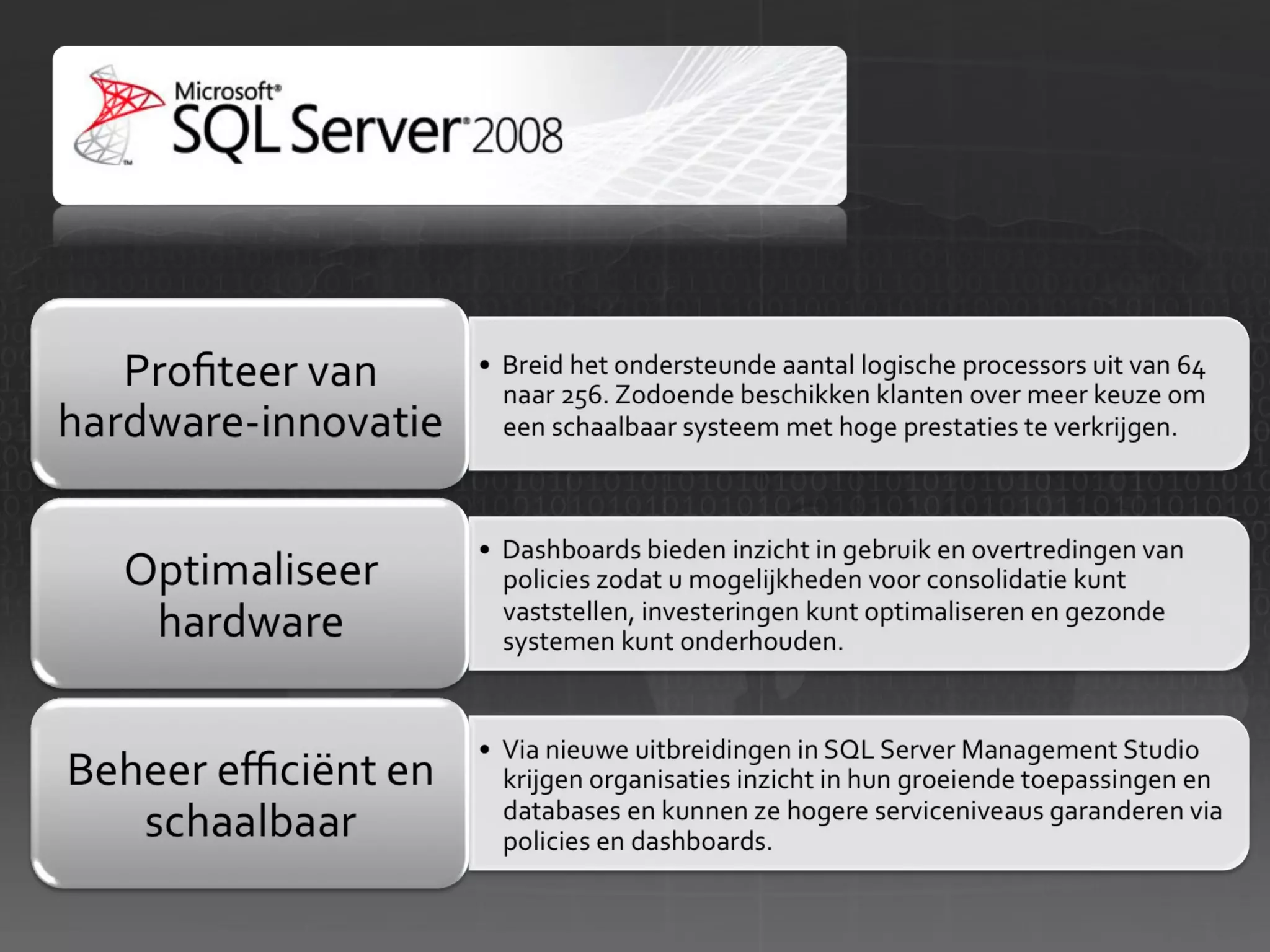
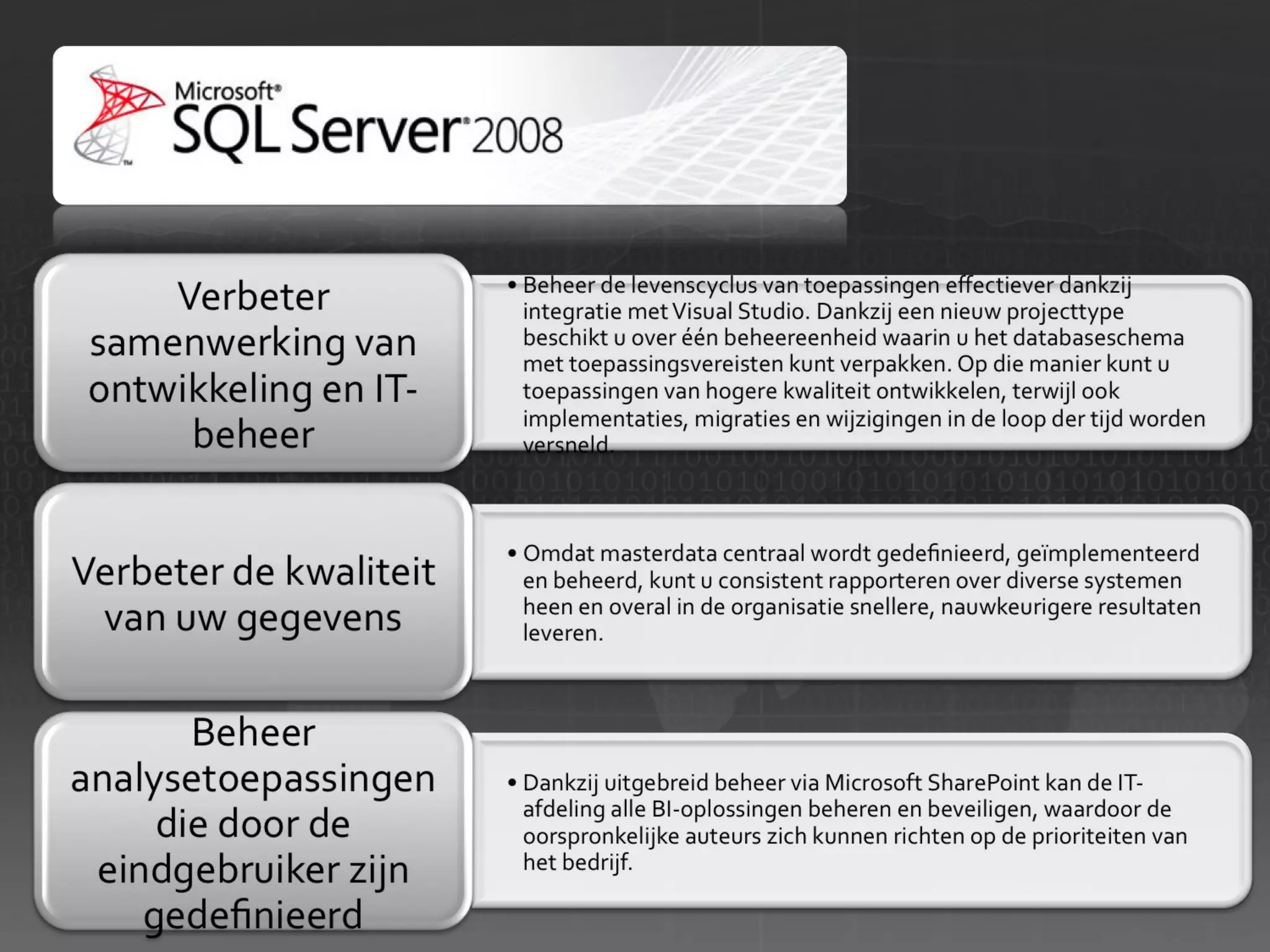
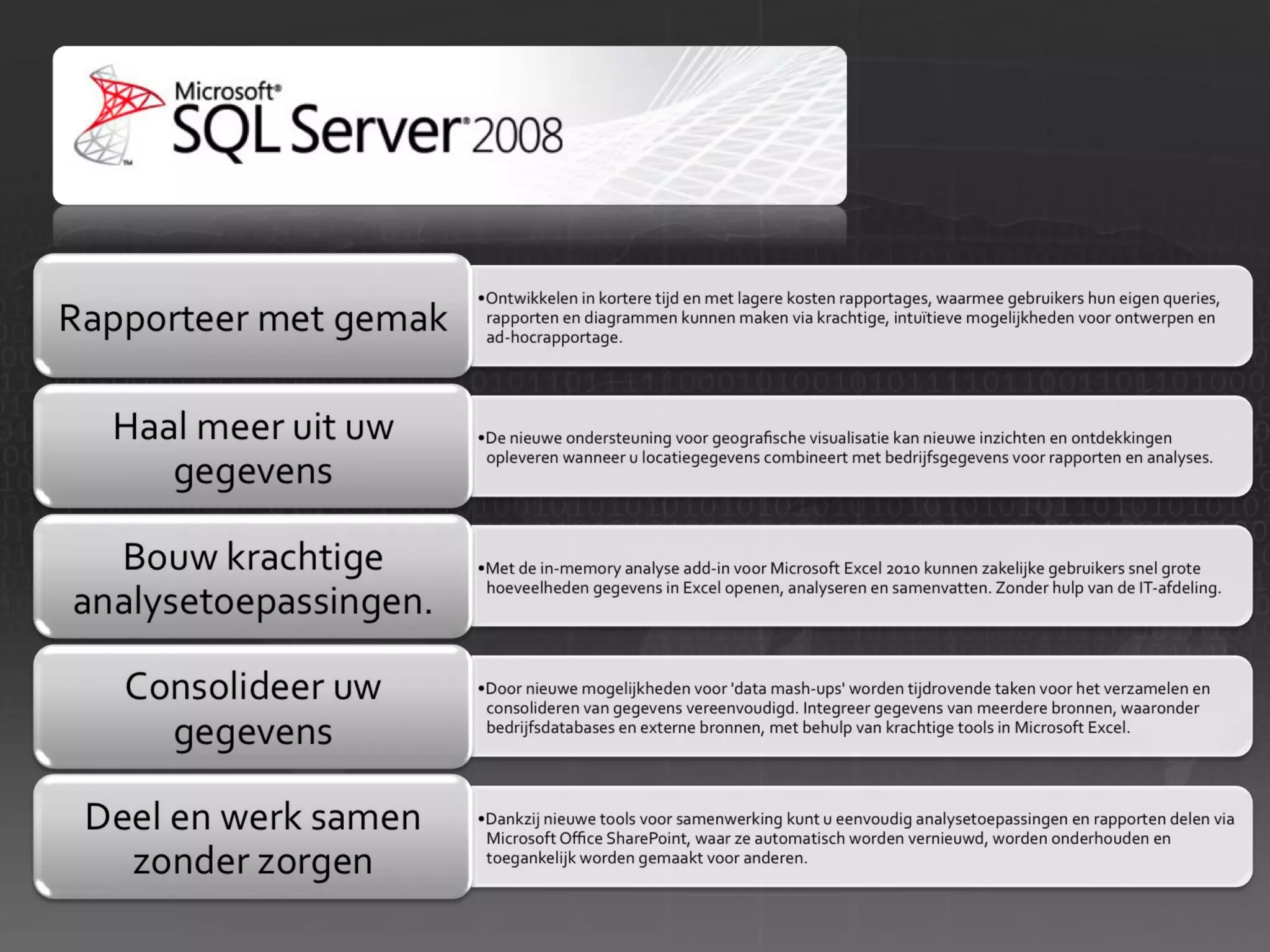
  • #50 Nieuwe functies in R2 In deze nieuwe release ervaren IT-professionals, ontwikkelaars en zakelijke gebruikers de volgende mogelijkheden: Profiteer van hardware-innovatie Breid het ondersteunde aantal logische processors uit van 64 naar 256. Zodoende beschikken klanten over meer keuze om een schaalbaar systeem met hoge prestaties te verkrijgen. Optimaliseer hardware Dashboards bieden inzicht in gebruik en overtredingen van policies zodat u mogelijkheden voor consolidatie kunt vaststellen, investeringen kunt optimaliseren en gezonde systemen kunt onderhouden. Beheer efficiënt en schaalbaar Via nieuwe uitbreidingen in SQL Server Management Studio krijgen organisaties inzicht in hun groeiende toepassingen en databases en kunnen ze hogere serviceniveaus garanderen via policies en dashboards. Verbeter samenwerking van ontwikkeling en IT-beheer Beheer de levenscyclus van toepassingen effectiever dankzij integratie met Visual Studio. Dankzij een nieuw projecttype beschikt u over één beheereenheid waarin u het databaseschema met toepassingsvereisten kunt verpakken. Op die manier kunt u toepassingen van hogere kwaliteit ontwikkelen, terwijl ook implementaties, migraties en wijzigingen in de loop der tijd worden versneld. Verbeter de kwaliteit van uw gegevens Omdat masterdata centraal wordt gedefinieerd, geïmplementeerd en beheerd, kunt u consistent rapporteren over diverse systemen heen en overal in de organisatie snellere, nauwkeurigere resultaten leveren. Beheer analysetoepassingen die door de eindgebruiker zijn gedefinieerd Dankzij uitgebreid beheer via Microsoft SharePoint kan de IT-afdeling alle BI-oplossingen beheren en beveiligen, waardoor de oorspronkelijke auteurs zich kunnen richten op de prioriteiten van het bedrijf. Rapporteer met gemak Ontwikkelen in kortere tijd en met lagere kosten rapportages, waarmee gebruikers hun eigen queries, rapporten en diagrammen kunnen maken via krachtige, intuïtieve mogelijkheden voor ontwerpen en ad-hocrapportage. Haal meer uit uw gegevens De nieuwe ondersteuning voor geografische visualisatie kan nieuwe inzichten en ontdekkingen opleveren wanneer u locatiegegevens combineert met bedrijfsgegevens voor rapporten en analyses. Bouw krachtige analysetoepassingen. Met de in-memory analyse add-in voor Microsoft Excel 2010 kunnen zakelijke gebruikers snel grote hoeveelheden gegevens in Excel openen, analyseren en samenvatten. Zonder hulp van de IT-afdeling. Consolideer uw gegevens Door nieuwe mogelijkheden voor &apos;data mash-ups&apos; worden tijdrovende taken voor het verzamelen en consolideren van gegevens vereenvoudigd. Integreer gegevens van meerdere bronnen, waaronder bedrijfsdatabases en externe bronnen, met behulp van krachtige tools in Microsoft Excel. Deel en werk samen zonder zorgen Dankzij nieuwe tools voor samenwerking kunt u eenvoudig analysetoepassingen en rapporten delen via Microsoft Office SharePoint, waar ze automatisch worden vernieuwd, worden onderhouden en toegankelijk worden gemaakt voor anderen. » Bekijk de voordelen van SQL Server 2008 R2
  • #51 Nieuwe functies in R2 In deze nieuwe release ervaren IT-professionals, ontwikkelaars en zakelijke gebruikers de volgende mogelijkheden: Profiteer van hardware-innovatie Breid het ondersteunde aantal logische processors uit van 64 naar 256. Zodoende beschikken klanten over meer keuze om een schaalbaar systeem met hoge prestaties te verkrijgen. Optimaliseer hardware Dashboards bieden inzicht in gebruik en overtredingen van policies zodat u mogelijkheden voor consolidatie kunt vaststellen, investeringen kunt optimaliseren en gezonde systemen kunt onderhouden. Beheer efficiënt en schaalbaar Via nieuwe uitbreidingen in SQL Server Management Studio krijgen organisaties inzicht in hun groeiende toepassingen en databases en kunnen ze hogere serviceniveaus garanderen via policies en dashboards. Verbeter samenwerking van ontwikkeling en IT-beheer Beheer de levenscyclus van toepassingen effectiever dankzij integratie met Visual Studio. Dankzij een nieuw projecttype beschikt u over één beheereenheid waarin u het databaseschema met toepassingsvereisten kunt verpakken. Op die manier kunt u toepassingen van hogere kwaliteit ontwikkelen, terwijl ook implementaties, migraties en wijzigingen in de loop der tijd worden versneld. Verbeter de kwaliteit van uw gegevens Omdat masterdata centraal wordt gedefinieerd, geïmplementeerd en beheerd, kunt u consistent rapporteren over diverse systemen heen en overal in de organisatie snellere, nauwkeurigere resultaten leveren. Beheer analysetoepassingen die door de eindgebruiker zijn gedefinieerd Dankzij uitgebreid beheer via Microsoft SharePoint kan de IT-afdeling alle BI-oplossingen beheren en beveiligen, waardoor de oorspronkelijke auteurs zich kunnen richten op de prioriteiten van het bedrijf. Rapporteer met gemak Ontwikkelen in kortere tijd en met lagere kosten rapportages, waarmee gebruikers hun eigen queries, rapporten en diagrammen kunnen maken via krachtige, intuïtieve mogelijkheden voor ontwerpen en ad-hocrapportage. Haal meer uit uw gegevens De nieuwe ondersteuning voor geografische visualisatie kan nieuwe inzichten en ontdekkingen opleveren wanneer u locatiegegevens combineert met bedrijfsgegevens voor rapporten en analyses. Bouw krachtige analysetoepassingen. Met de in-memory analyse add-in voor Microsoft Excel 2010 kunnen zakelijke gebruikers snel grote hoeveelheden gegevens in Excel openen, analyseren en samenvatten. Zonder hulp van de IT-afdeling. Consolideer uw gegevens Door nieuwe mogelijkheden voor &apos;data mash-ups&apos; worden tijdrovende taken voor het verzamelen en consolideren van gegevens vereenvoudigd. Integreer gegevens van meerdere bronnen, waaronder bedrijfsdatabases en externe bronnen, met behulp van krachtige tools in Microsoft Excel. Deel en werk samen zonder zorgen Dankzij nieuwe tools voor samenwerking kunt u eenvoudig analysetoepassingen en rapporten delen via Microsoft Office SharePoint, waar ze automatisch worden vernieuwd, worden onderhouden en toegankelijk worden gemaakt voor anderen. » Bekijk de voordelen van SQL Server 2008 R2
  • #52 Nieuwe functies in R2 In deze nieuwe release ervaren IT-professionals, ontwikkelaars en zakelijke gebruikers de volgende mogelijkheden: Profiteer van hardware-innovatie Breid het ondersteunde aantal logische processors uit van 64 naar 256. Zodoende beschikken klanten over meer keuze om een schaalbaar systeem met hoge prestaties te verkrijgen. Optimaliseer hardware Dashboards bieden inzicht in gebruik en overtredingen van policies zodat u mogelijkheden voor consolidatie kunt vaststellen, investeringen kunt optimaliseren en gezonde systemen kunt onderhouden. Beheer efficiënt en schaalbaar Via nieuwe uitbreidingen in SQL Server Management Studio krijgen organisaties inzicht in hun groeiende toepassingen en databases en kunnen ze hogere serviceniveaus garanderen via policies en dashboards. Verbeter samenwerking van ontwikkeling en IT-beheer Beheer de levenscyclus van toepassingen effectiever dankzij integratie met Visual Studio. Dankzij een nieuw projecttype beschikt u over één beheereenheid waarin u het databaseschema met toepassingsvereisten kunt verpakken. Op die manier kunt u toepassingen van hogere kwaliteit ontwikkelen, terwijl ook implementaties, migraties en wijzigingen in de loop der tijd worden versneld. Verbeter de kwaliteit van uw gegevens Omdat masterdata centraal wordt gedefinieerd, geïmplementeerd en beheerd, kunt u consistent rapporteren over diverse systemen heen en overal in de organisatie snellere, nauwkeurigere resultaten leveren. Beheer analysetoepassingen die door de eindgebruiker zijn gedefinieerd Dankzij uitgebreid beheer via Microsoft SharePoint kan de IT-afdeling alle BI-oplossingen beheren en beveiligen, waardoor de oorspronkelijke auteurs zich kunnen richten op de prioriteiten van het bedrijf. Rapporteer met gemak Ontwikkelen in kortere tijd en met lagere kosten rapportages, waarmee gebruikers hun eigen queries, rapporten en diagrammen kunnen maken via krachtige, intuïtieve mogelijkheden voor ontwerpen en ad-hocrapportage. Haal meer uit uw gegevens De nieuwe ondersteuning voor geografische visualisatie kan nieuwe inzichten en ontdekkingen opleveren wanneer u locatiegegevens combineert met bedrijfsgegevens voor rapporten en analyses. Bouw krachtige analysetoepassingen. Met de in-memory analyse add-in voor Microsoft Excel 2010 kunnen zakelijke gebruikers snel grote hoeveelheden gegevens in Excel openen, analyseren en samenvatten. Zonder hulp van de IT-afdeling. Consolideer uw gegevens Door nieuwe mogelijkheden voor &apos;data mash-ups&apos; worden tijdrovende taken voor het verzamelen en consolideren van gegevens vereenvoudigd. Integreer gegevens van meerdere bronnen, waaronder bedrijfsdatabases en externe bronnen, met behulp van krachtige tools in Microsoft Excel. Deel en werk samen zonder zorgen Dankzij nieuwe tools voor samenwerking kunt u eenvoudig analysetoepassingen en rapporten delen via Microsoft Office SharePoint, waar ze automatisch worden vernieuwd, worden onderhouden en toegankelijk worden gemaakt voor anderen. » Bekijk de voordelen van SQL Server 2008 R2
  • #60 06/21/10 BPIO TDM Customer Deck © 2007 Microsoft Corporation. All rights reserved. This presentation is for informational purposes only. Microsoft makes no warranties, express or implied, in this summary.
  • #77 3/16/09 SharePoint Developer Workshop: MS Confidential Lecture 1: Roadmap -
  • #84 06/21/10 BPIO TDM Customer Deck © 2007 Microsoft Corporation. All rights reserved. This presentation is for informational purposes only. Microsoft makes no warranties, express or implied, in this summary.
  • #85 BPIO TDM Customer Deck 06/21/10 © 2007 Microsoft Corporation. All rights reserved. This presentation is for informational purposes only. Microsoft makes no warranties, express or implied, in this summary.
  • #86 BPIO TDM Customer Deck 06/21/10 © 2007 Microsoft Corporation. All rights reserved. This presentation is for informational purposes only. Microsoft makes no warranties, express or implied, in this summary.
  • #87 BPIO TDM Customer Deck 06/21/10 © 2007 Microsoft Corporation. All rights reserved. This presentation is for informational purposes only. Microsoft makes no warranties, express or implied, in this summary.
  • #90 BPIO TDM Customer Deck 06/21/10 © 2007 Microsoft Corporation. All rights reserved. This presentation is for informational purposes only. Microsoft makes no warranties, express or implied, in this summary.
  • #95 Microsoft Unified communications reduces complexity by putting people at the center of the communications experience. Our goal is to integrate all of the ways we contact each other in a single environment, using a single identity and presence that spans phones, PCs and other devices. We see this as the role of software in the workplace. Use software to transcend geographic boundaries so you can stay connected with team members and partners no matter what device you’re using, and no matter where you are. Communicate with people in real-time from your office PC or on mobile devices while on the road, in a security enhanced environment.   Rather than invest in expensive, redundant infrastructures, Unified Communications brings all forms of communications together through software to provide more effective communications.   There are many definitions that exist in the market today, but we believe a few core elements need to be addressed to deliver truly unified communications:   Streamlined Communications for end-users Increased Operational Efficiency for IT professionals Built-in Protection for the organization A future-ready foundation built on software
  • #96 Talking Points With spiraling gasoline and energy prices and financial industry turmoil, corporations are taking a hard look at cost cutting and the cost of their carbon footprints. Yet organizations need an ability to transform ideas into value, through process innovation, strategic insights and customized services to maintain competitive advantages in the today’s new world of work that is global, more connected and always on. Microsoft unified communications help organizations improve business outcome while decreasing costs of travel and communications. Microsoft UC solutions help customer’s business goals in the 3 key areas. Improving Business Outcome Decreasing costs Protecting the environment Let’s see each of these benefit areas more in details.
  • #97 Talking Points Organizations can improve individual and team results by using Microsoft unified communications solutions to communicate and collaborate faster with team members, partners and customers across geographies and time zones. Improved User and Team Productivity –Microsoft unified communications solutions allow users to be more productive by making it easier to contact colleagues for information, check for messages and stay productive while out of the office. Faster Project Completion – Improved communication within project teams improves efficiency and reduces completion time, as does the ability to reach out to subject matter experts beyond the project team, allowing teams to complete more projects. These capabilities can also bring the same benefits to product development time, resulting in decreased time to market for new products. Shortened Sales Cycle Times – Microsoft unified communications solutions promote collaboration on sales presentations and speed responses to customer questions. Presence awareness allows salespeople to find the subject matter experts they need to answer questions quickly and easily which can reduce the time spent on proposals and responding to customer questions. These advantages can increase the number of proposals delivered and won. Faster Resolution of Customer Issues – Enhanced communication between customer service and subject matter experts through presence awareness, call forwarding and other tools, means customer issues can be resolved more quickly, reducing the cost required to field calls and handle customer interactions. Attract &amp; retain employees – Microsoft unified communications can be used to provide a flexible working environment for workers, reducing turnover and costs associated with hiring. Further, being able to provide the latest tools can have a positive effect on attracting new talent.
  • #98 Talking Points By integrating Microsoft unified communications into business processes, organizations can improve their business outcomes even further. Microsoft offers industry business solutions for customers in Manufacturing, Healthcare, Financial Services, Public Sector and more. Manufacturing - IDC expects IT spending to reach $1.3 trillion on a worldwide level by 2009 where manufacturing will account for the largest percentage of this spending. How do manufacturers’ pains translate to the world of Microsoft? We enable people to address their industries functional pains and meet business goals. People in manufacturing companies want to drive new product innovation, efficient operations, and supplier connections, while extending customer relationships and managing customer demands. Enabling them to accomplish those goals is the essence of the People-Ready business vision, and it is our core strategy. Financial Services - According to IDC data, financial services has an IT spend of $208B in FY07 that will grow at an average of 6.3% per annum over the next 5 years. Banking growth will be 6.2%, Insurance 4.9% and Capital Markets 6.0%. In today&apos;s competitive market, banks and Insurance companies need to retain customers, increase wallet share and profitability, and attract new customers. But because customers often perceive financial services as commodities, banks and insurance companies are generally undifferentiated and customer loyalty is low. To meet this challenge, financial services need to provide customers with top-notch customer service whether they walk into a branch office or start connecting to your financial services company online or by telephone. Deploying MS UC solutions enables customer-facing staff to have a complete view of the customer&apos;s product usage and account activities allowing them to easily identify and access information and quickly match new services to the customer&apos;s needs. UC-enabled employees can streamline their communication to spend more time serving their customers, providing real-time top notch customer service giving their companies a true competitive edge! Healthcare - Across both public and commercial sectors, healthcare represents about 5 percent of the total software market. Per IDC, the FY07 global addressable IT software spending for Microsoft in the Health IT market was $4.5B in FY07, growing at a CAGR of 11.3% until 2009. This is the fastest growth rate compared to other vertical industries. Traditionally, healthcare has lagged behind other industries in deploying new technology solutions because most of the solutions available were expensive, labor-intensive to implement, and training-intensive to learn to use. Microsoft and its partners offer economical, easy-to-implement-and-use, flexible Knowledge Driven Health solutions that meet the workflow needs of healthcare professionals, helping healthcare organizations leverage technology to address their most pressing issues. Oil &amp; Gas (Part of Manufacturing) – UC can help the O&amp;G companies’ geographically dispersed teams in both upstream (exploration &amp; production; refining &amp; petrochemical) and downstream (transportation, retail). Great demonstration of “Communication Enabled business processes” shows automated “machine to human” alerts during problem in refining process. Public Sector – The public sector market is made of government, education, and multi-national industries. The government industry is segmented into national/federal, state, and local government verticals, and the education industry includes several vertical segments including: K-12, higher education, and lifelong learning centers. In addition, the market includes multi-national organizations which work broadly with governments around the world. Examples include: the United Nations and the World Bank. Government business as well as the opportunity for Microsoft is growing. As a matter of fact, IDC forecasts global IT government spending to increase at a compound annual growth rate of 6 percent through 2008 to reach $1.2 trillion. Government is Microsoft&apos;s second largest IT vertical after manufacturing, with the highest growth rates in software spending overall. The vision of the WW Public Sector group at Microsoft is to build sustainable, long-term relationships with our government, education and Global Strategic accounts, reaching a level where we are a trusted, visionary technology company for the public sector. The Microsoft Education mission is to enable educators, students, and educational institutions to realize their full potential. UC can streamline communication and response time in both Public Service and Administration (PS&amp;A) and Public Safety and National Security (PSNS) scenarios. UC can enable Governments orgs to better serve citizens, to be more productive and green by driving telework initiatives, to respond more effectively to emergencies.
  • #99 Talking Points Microsoft unified communications can bring immediate cost savings to organizations – travel expenses can be avoided by using web conferencing and expensive communications cost such as long distance charges can be reduced by using Voice over Internet and by consolidating communications infrastructure. Reduced Travel and Training Costs – Web and videoconferencing, as well as other UC modalities, connect participants with meetings or “events” where they do not need to be physically present. Pre-sales work, internal meetings, training and staff performance reviews are activities that frequently require less travel after deploying a UC solution. Using UC solutions to deliver training to employees through their desktops provides savings in areas of travel, specific training costs, and productivity, as employees can train on their own time rather than at set times. Lower Real-Estate and Facility Costs – Using collaborative technologies such as presence awareness and soft telephony client and videoconferencing, some organizations can expand operations and geographic reach without incurring the costs of additional office infrastructure, reducing office space per employee and improving space utilization. Reduce Telephony and Conferencing Service Charges – Traditional conference call services are expensive. Organizations will see significant reductions in the amounts paid for dial-in meeting services purchased from teleconferencing vendors by replacing them with IP network based conferencing capabilities. Presence awareness and UC products result in fewer telephone calls as callers can see the availability of intended recipients and as recipients can determine rules for how they wish to be reached. Replace long distance and audio conferencing call charges with VoIP and save the cost of office move for phones. Reduced Cost of Voice Mail –With Microsoft unified communications solutions, email, voice mail, faxes and calendar events all arrive in one inbox and all managed in Microsoft Exchange Server 2007. Integrated UM systems allow site and server consolidation, reducing the total number of servers required to provide voice mail and fax service. Consolidation can dramatically lower maintenance and upkeep costs, particularly for organizations with remote or branch offices. Lower IT Infrastructure and Administration Costs – With Microsoft unified communications solutions, organizations can simplify management and maximize resources and budget with increased flexibility.
  • #100 06/21/10 07:35 ©2004 Microsoft Corporation. All rights reserved. This presentation is for informational purposes only. Microsoft makes no warranties, express or implied, in this summary.
  • #102 May 7th, 2009 © 2009 Microsoft Corporation. All rights reserved. Microsoft, Windows, Windows Vista and other product names are or may be registered trademarks and/or trademarks in the U.S. and/or other countries. The information herein is for informational purposes only and represents the current view of Microsoft Corporation as of the date of this presentation. Because Microsoft must respond to changing market conditions, it should not be interpreted to be a commitment on the part of Microsoft, and Microsoft cannot guarantee the accuracy of any information provided after the date of this presentation. MICROSOFT MAKES NO WARRANTIES, EXPRESS, IMPLIED OR STATUTORY, AS TO THE INFORMATION IN THIS PRESENTATION. Enterprise Series Exchange Server
  • #103 May 7th, 2009 Enterprise Series Exchange Server
  • #104 May 7th, 2009 © 2005 Microsoft Corporation. All rights reserved. This presentation is for informational purposes only. Microsoft makes no warranties, express or implied, in this summary. Enterprise Series Exchange Server
  • #105 May 7th, 2009 © 2009 Microsoft Corporation. All rights reserved. Microsoft, Windows, Windows Vista and other product names are or may be registered trademarks and/or trademarks in the U.S. and/or other countries. The information herein is for informational purposes only and represents the current view of Microsoft Corporation as of the date of this presentation. Because Microsoft must respond to changing market conditions, it should not be interpreted to be a commitment on the part of Microsoft, and Microsoft cannot guarantee the accuracy of any information provided after the date of this presentation. MICROSOFT MAKES NO WARRANTIES, EXPRESS, IMPLIED OR STATUTORY, AS TO THE INFORMATION IN THIS PRESENTATION. Enterprise Series Exchange Server
  • #106 May 7th, 2009 Enterprise Series Exchange Server
  • #107 May 7th, 2009 Enterprise Series Exchange Server
  • #108 May 7th, 2009 Enterprise Series Exchange Server
  • #109 May 7th, 2009 Enterprise Series Exchange Server
  • #110 May 7th, 2009 Enterprise Series Exchange Server
  • #111 May 7th, 2009 © 2009 Microsoft Corporation. All rights reserved. Microsoft, Windows, Windows Vista and other product names are or may be registered trademarks and/or trademarks in the U.S. and/or other countries. The information herein is for informational purposes only and represents the current view of Microsoft Corporation as of the date of this presentation. Because Microsoft must respond to changing market conditions, it should not be interpreted to be a commitment on the part of Microsoft, and Microsoft cannot guarantee the accuracy of any information provided after the date of this presentation. MICROSOFT MAKES NO WARRANTIES, EXPRESS, IMPLIED OR STATUTORY, AS TO THE INFORMATION IN THIS PRESENTATION. Enterprise Series Exchange Server
  • #112 May 7th, 2009 Enterprise Series Exchange Server
  • #113 May 7th, 2009 Enterprise Series Exchange Server
  • #114 May 7th, 2009 Enterprise Series Exchange Server
  • #115 May 7th, 2009 Enterprise Series Exchange Server
  • #116 May 7th, 2009 Enterprise Series Exchange Server
  • #117 May 7th, 2009 Enterprise Series Exchange Server
  • #118 May 7th, 2009 Enterprise Series Exchange Server
  • #119 May 7th, 2009 Enterprise Series Exchange Server
  • #120 Welcome Today we have a celebration We moved offices by 1 kilometer, but we entered a whole new world: the new world of work The old world out there is quickly fading and shifting into new patterns, new connections, new ways of doing business Take a look outside. You see? The world is flat.