BlackBerry Workspaces
Mobile Applications
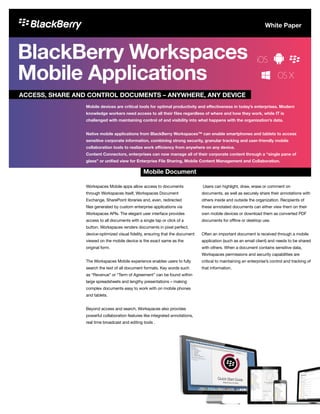
Workspaces Mobile apps allow access to documents
through Workspaces itself, Workspaces Document
Exchange, SharePoint libraries and, even, redirected
files generated by custom enterprise applications via
Workspaces APIs. The elegant user interface provides
access to all documents with a single tap or click of a
button. Workspaces renders documents in pixel perfect,
device-optimized visual fidelity, ensuring that the document
viewed on the mobile device is the exact same as the
original form.
The Workspaces Mobile experience enables users to fully
search the text of all document formats. Key words such
as “Revenue” or “Term of Agreement” can be found within
large spreadsheets and lengthy presentations – making
complex documents easy to work with on mobile phones
and tablets.
Beyond access and search, Workspaces also provides
powerful collaboration features like integrated annotations,
real time broadcast and editing tools .
Users can highlight, draw, erase or comment on
documents, as well as securely share their annotations with
others inside and outside the organization. Recipients of
these annotated documents can either view them on their
own mobile devices or download them as converted PDF
documents for offline or desktop use.
Often an important document is received through a mobile
application (such as an email client) and needs to be shared
with others. When a document contains sensitive data,
Workspaces permissions and security capabilities are
critical to maintaining an enterprise’s control and tracking of
that information.
ACCESS, SHARE AND CONTROL DOCUMENTS – ANYWHERE, ANY DEVICE
Mobile Document
Mobile devices are critical tools for optimal productivity and effectiveness in today’s enterprises. Modern
knowledge workers need access to all their files regardless of where and how they work, while IT is
challenged with maintaining control of and visibility into what happens with the organization’s data.
Native mobile applications from BlackBerry Workspaces™ can enable smartphones and tablets to access
sensitive corporate information, combining strong security, granular tracking and user-friendly mobile
collaboration tools to realize work efficiency from anywhere on any device.
Content Connectors, enterprises can now manage all of their corporate content through a “single pane of
glass” or unified view for Enterprise File Sharing, Mobile Content Management and Collaboration.
White Paper
Data Sheet
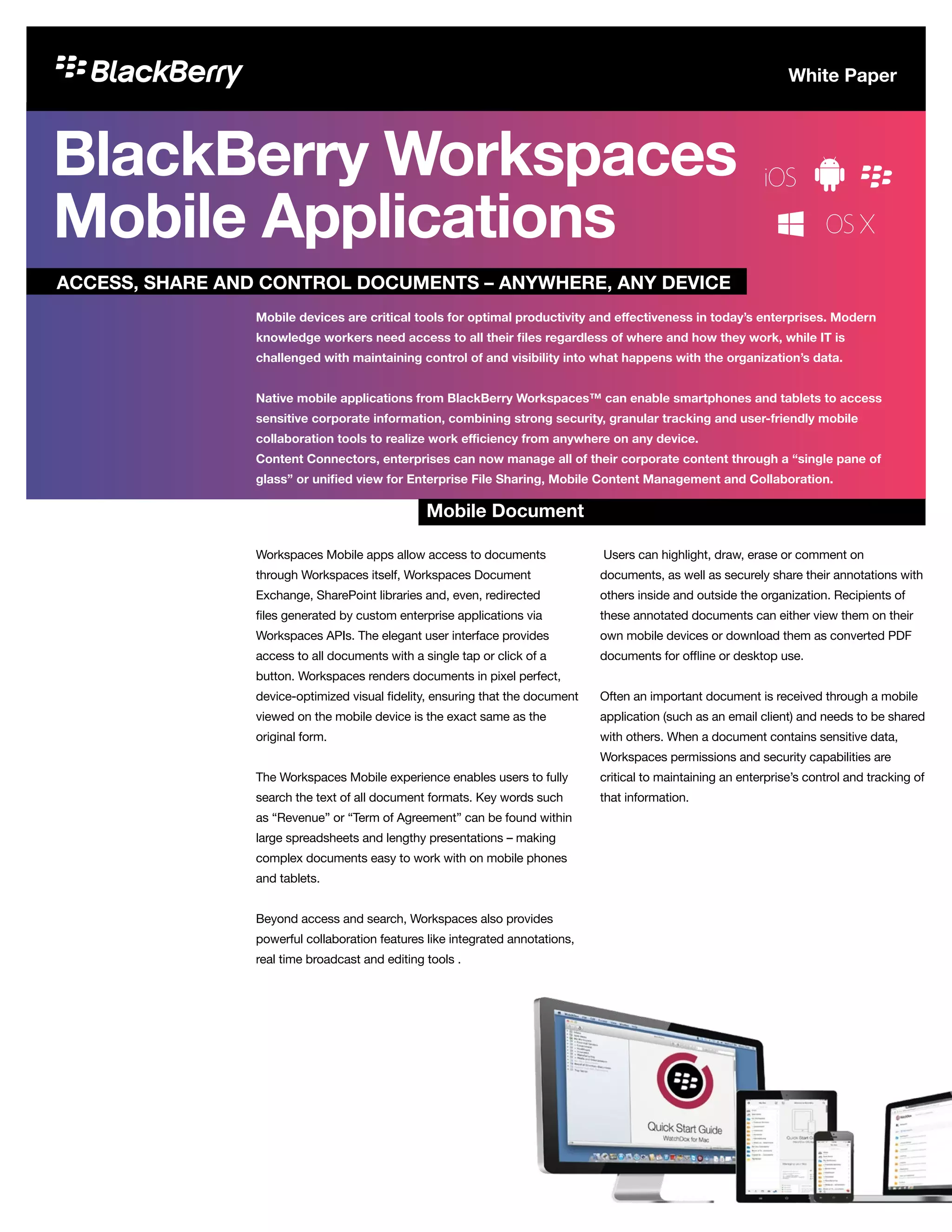
Workspaces for iOS, Android and BlackBerry 10
Workspaces native apps for Android™, iPhone®, iPad®, and
BlackBerry® 10 keep files in sync and enable users to access
and manage their files from anywhere. View, create, search,
edit, annotate, and enforce DRM permissions on Microsoft®
Office, Adobe® PDF and image files. Files can also be saved
for offline access, keeping users productive, anywhere
they travel.
Workspaces for Web
Workspaces delivers secure, full-featured document editing,
annotation, sharing and permission management functionality
through all modern web browsers, so users have the utmost
flexibility with how and where they engage with their content.
Through the native online viewer, users can create, review
and share annotations with other contributors who can then
correspond on any device. And with Office Online integration,
users can securely edit and version their documents without
ever having to leave the web browser, download a file, or
install any software
Workspaces for PC and Mac
Workspaces enables teams to collaborate on files with
confidence, knowing they always have the latest version of the
file. And with robust sync utilities for Windows® and Mac®,
users can select individual or multiple workspaces to be
synced to their computer for fast and easy access.
Simply by right-clicking a file anywhere on the computer or
external hard drive, users can use Quick Send to deliver large
files (with or without DRM security) to any recipient they like.
Or, similarly, upload a file to any workspace or sub-folder, even
if the workspace is not synced to your computer.
Workspaces for Microsoft Outlook
Workspaces boosts productivity by providing users with a
consolidated and convenient place to view all of their sent
and received files at a glance and with tools to easily create,
version, protect and share files up to 10 GB in size, all within
the Microsoft® Outlook® application interface.
For people who have to search through their inbox looking
for files, or who struggle with inbox capacity limitations, this
feature is a great time-saver. Plus, file attachments can be
embedded with file-level DRM for greater security and control.
Workspaces for Salesforce
Workspaces for Salesforce® integrates seamlessly into
Salesforce.com, enabling organizations, and users, to take full
advantage of Workspaces storage, sharing, collaboration and
customizable document security features, directly from within
Salesforce.com. Gain visibility into who opens files, when, and
apply appropriate file-level permissions such as print, copy
and forward.
BlackBerry Workspaces
Tracking
Document
Control
Mobile
Collaboration
MOBILE DOCUMENT CONTROL AND SECURITY
Security is a critical requirement for mobile device access
to corporate documents. This is especially important when
personal mobile devices are utilized by employees and
documents are stored on the device for offline access.
BYOD initiatives have become a recruitment and human
resources tool in providing employee work flexibility and
recruiting the best and brightest. Files and mobile apps
need to be secured to counter the risks of lost and stolen
devices and other forms of information leakage. Users are
all too ready to use unsecure consumer applications like
Dropbox to get mobile access to their files.
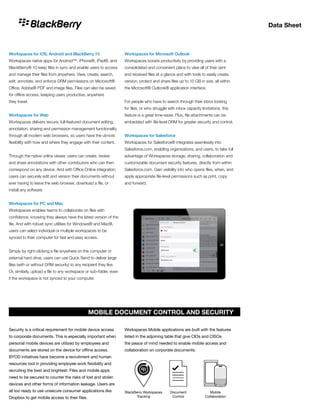
Workspaces Mobile applications are built with the features
listed in the adjoining table that give CIOs and CISOs
the peace of mind needed to enable mobile access and
collaboration on corporate documents.
Data Sheet
Workspaces Mobile: Combining the
Best in Collaboration and Security
User-friendly mobile document access and collaboration
are tools highly sought after by business professionals.
The marriage of this world and that of document security
is realized through Workspaces Mobile applications – no
compromise is necessary to keep both end users and IT
administrators happy.
Mobile Document Control List Checklist
File-centric Encryption Each Workspaces-controlled file is persistently encrypted with its unique standards-based
AES-256 key
File-centric Controls Each Workspaces-controlled file adheres to the pre-set controls such as watermarks
File-centric Tracking Workspaces Mobile Apps track file activities such as
•	 Who opened the document
•	 Where the document was opened (IP and geolocation)
•	 When the document was opened
•	 What actions were taken with the document (e.g. cached on iPad)
Application Passcode Workspaces Mobile Apps are architected to allow for a centrally enforced application passcode
Flexible Authentication Options Integrates with any form of user authentication system (e.g. One Time Passcode, Active Directory,
SSO etc.)
Protection Against Jailbroken Devices Workspaces Mobile Apps are architected with security checks in order not to run on untrusted jail
broken devices
Separate and Distinct Key Chains Workspaces Mobile App uses its own keychain to prevent back-up to consumer cloud services
Remote Control of Documents Remotely control access to files on a mobile device
Mobile App Security Needs Workspaces Mobile App
As part of the BlackBerry Enterprise Mobility Suite –
Content Edition, Workspaces users can be managed
through a single admin console as part of a single
management and security platform.
This integration allows existing on-premises customers
to reduce admin overhead and server footprint of their
deployment.
Data Sheet
Now Available: Automatic Protection for Email Attachments
That Leave Your Firewall BlackBerry Workspaces Email
Protector is a standalone solution that automatically
applies file-level encryption, user access and DRM controls
to outbound email attachments, based on controllable
policies such as recipient or file type. This means that
system administrators can ensure that all files leaving
the corporate firewall are protected by Workspaces
file security. For example, you can opt to protect all
spreadsheet attachments by automatically applying the
‘view-only’ setting and a dynamic watermark. Or protect
all attachments sent to a particular external agency by
automatically applying a 30-day expiry date.
Email Protector can also be integrated with email Data Loss
Prevention (DLP) services (including Proofpoint, Symantec,
and McAfee) to determine security classifications on
attachments and apply the most appropriate level of
DRM protection.
Across all platforms, including iOS, Android and BlackBerry
10, the Workspaces mobile client allows authorized
recipients to easily open, view and annotate shared files on
mobile devices while enforcing file permissions on editing,
copying, printing and sharing of the document itself.
Email Protector can be purchased and deployed separately
from, or alongside, Workspaces EFSS.
Wherever you are on your mobile journey, the BlackBerry
Enterprise Mobility Suite has a solution to protect business
data and boost workforce productivity.
With five editions designed to meet your enterprise’s
evolving mobile needs, the Suite provides secure,
consistent policies and controls across key platforms
and device ownership models. Every edition delivers
BlackBerry’s industry-leading mobile security, trusted by
organizations in the most complex and stringent security
environments.
Available as part of the BlackBerry Enterprise Mobility
Suite – Content Edition, Workspaces users can be
managed through a single admin console as part of a single
management and security platform. This integration allows
existing on-premises customers to reduce admin overhead
and server footprint of their deployment.
© 2016 BlackBerry Limited. Trademarks, including but not limited to BLACKBERRY, BLACKBERRY UEM, BBM and EMBLEM Design are the trademarks or registered trademarks of BlackBerry
Limited. All other trademarks are the property of their respective owners. Content: 12/16 | Rev. 02DEC2016
About Workspaces
BlackBerry Workspaces secures your enterprise content
wherever it travels. With Workspaces, all stakeholders can
safely access, share and collaborate on even the most
sensitive files, using any mobile (iOS, Android, BlackBerry) or
desktop (Windows, Mac) device.
Combining an easy, intuitive user experience with a unique
data-centric architecture (which embeds protection right in
your files), BlackBerry Workspaces is designed to meet the
needs of your organization, IT team and users.
For more information, visit www.blackberry.com/workspaces
Now Available: Automatic Protection
for Email Attachments That Leave
Your Firewall
BlackBerry Enterprise Mobility Suite

BlackBerry Workspaces Mobile Applications

  • 1.
    BlackBerry Workspaces Mobile Applications WorkspacesMobile apps allow access to documents through Workspaces itself, Workspaces Document Exchange, SharePoint libraries and, even, redirected files generated by custom enterprise applications via Workspaces APIs. The elegant user interface provides access to all documents with a single tap or click of a button. Workspaces renders documents in pixel perfect, device-optimized visual fidelity, ensuring that the document viewed on the mobile device is the exact same as the original form. The Workspaces Mobile experience enables users to fully search the text of all document formats. Key words such as “Revenue” or “Term of Agreement” can be found within large spreadsheets and lengthy presentations – making complex documents easy to work with on mobile phones and tablets. Beyond access and search, Workspaces also provides powerful collaboration features like integrated annotations, real time broadcast and editing tools . Users can highlight, draw, erase or comment on documents, as well as securely share their annotations with others inside and outside the organization. Recipients of these annotated documents can either view them on their own mobile devices or download them as converted PDF documents for offline or desktop use. Often an important document is received through a mobile application (such as an email client) and needs to be shared with others. When a document contains sensitive data, Workspaces permissions and security capabilities are critical to maintaining an enterprise’s control and tracking of that information. ACCESS, SHARE AND CONTROL DOCUMENTS – ANYWHERE, ANY DEVICE Mobile Document Mobile devices are critical tools for optimal productivity and effectiveness in today’s enterprises. Modern knowledge workers need access to all their files regardless of where and how they work, while IT is challenged with maintaining control of and visibility into what happens with the organization’s data. Native mobile applications from BlackBerry Workspaces™ can enable smartphones and tablets to access sensitive corporate information, combining strong security, granular tracking and user-friendly mobile collaboration tools to realize work efficiency from anywhere on any device. Content Connectors, enterprises can now manage all of their corporate content through a “single pane of glass” or unified view for Enterprise File Sharing, Mobile Content Management and Collaboration. White Paper
  • 2.
    Data Sheet Workspaces foriOS, Android and BlackBerry 10 Workspaces native apps for Android™, iPhone®, iPad®, and BlackBerry® 10 keep files in sync and enable users to access and manage their files from anywhere. View, create, search, edit, annotate, and enforce DRM permissions on Microsoft® Office, Adobe® PDF and image files. Files can also be saved for offline access, keeping users productive, anywhere they travel. Workspaces for Web Workspaces delivers secure, full-featured document editing, annotation, sharing and permission management functionality through all modern web browsers, so users have the utmost flexibility with how and where they engage with their content. Through the native online viewer, users can create, review and share annotations with other contributors who can then correspond on any device. And with Office Online integration, users can securely edit and version their documents without ever having to leave the web browser, download a file, or install any software Workspaces for PC and Mac Workspaces enables teams to collaborate on files with confidence, knowing they always have the latest version of the file. And with robust sync utilities for Windows® and Mac®, users can select individual or multiple workspaces to be synced to their computer for fast and easy access. Simply by right-clicking a file anywhere on the computer or external hard drive, users can use Quick Send to deliver large files (with or without DRM security) to any recipient they like. Or, similarly, upload a file to any workspace or sub-folder, even if the workspace is not synced to your computer. Workspaces for Microsoft Outlook Workspaces boosts productivity by providing users with a consolidated and convenient place to view all of their sent and received files at a glance and with tools to easily create, version, protect and share files up to 10 GB in size, all within the Microsoft® Outlook® application interface. For people who have to search through their inbox looking for files, or who struggle with inbox capacity limitations, this feature is a great time-saver. Plus, file attachments can be embedded with file-level DRM for greater security and control. Workspaces for Salesforce Workspaces for Salesforce® integrates seamlessly into Salesforce.com, enabling organizations, and users, to take full advantage of Workspaces storage, sharing, collaboration and customizable document security features, directly from within Salesforce.com. Gain visibility into who opens files, when, and apply appropriate file-level permissions such as print, copy and forward. BlackBerry Workspaces Tracking Document Control Mobile Collaboration MOBILE DOCUMENT CONTROL AND SECURITY Security is a critical requirement for mobile device access to corporate documents. This is especially important when personal mobile devices are utilized by employees and documents are stored on the device for offline access. BYOD initiatives have become a recruitment and human resources tool in providing employee work flexibility and recruiting the best and brightest. Files and mobile apps need to be secured to counter the risks of lost and stolen devices and other forms of information leakage. Users are all too ready to use unsecure consumer applications like Dropbox to get mobile access to their files. Workspaces Mobile applications are built with the features listed in the adjoining table that give CIOs and CISOs the peace of mind needed to enable mobile access and collaboration on corporate documents.
  • 3.
    Data Sheet Workspaces Mobile:Combining the Best in Collaboration and Security User-friendly mobile document access and collaboration are tools highly sought after by business professionals. The marriage of this world and that of document security is realized through Workspaces Mobile applications – no compromise is necessary to keep both end users and IT administrators happy. Mobile Document Control List Checklist File-centric Encryption Each Workspaces-controlled file is persistently encrypted with its unique standards-based AES-256 key File-centric Controls Each Workspaces-controlled file adheres to the pre-set controls such as watermarks File-centric Tracking Workspaces Mobile Apps track file activities such as • Who opened the document • Where the document was opened (IP and geolocation) • When the document was opened • What actions were taken with the document (e.g. cached on iPad) Application Passcode Workspaces Mobile Apps are architected to allow for a centrally enforced application passcode Flexible Authentication Options Integrates with any form of user authentication system (e.g. One Time Passcode, Active Directory, SSO etc.) Protection Against Jailbroken Devices Workspaces Mobile Apps are architected with security checks in order not to run on untrusted jail broken devices Separate and Distinct Key Chains Workspaces Mobile App uses its own keychain to prevent back-up to consumer cloud services Remote Control of Documents Remotely control access to files on a mobile device Mobile App Security Needs Workspaces Mobile App As part of the BlackBerry Enterprise Mobility Suite – Content Edition, Workspaces users can be managed through a single admin console as part of a single management and security platform. This integration allows existing on-premises customers to reduce admin overhead and server footprint of their deployment.
  • 4.
    Data Sheet Now Available:Automatic Protection for Email Attachments That Leave Your Firewall BlackBerry Workspaces Email Protector is a standalone solution that automatically applies file-level encryption, user access and DRM controls to outbound email attachments, based on controllable policies such as recipient or file type. This means that system administrators can ensure that all files leaving the corporate firewall are protected by Workspaces file security. For example, you can opt to protect all spreadsheet attachments by automatically applying the ‘view-only’ setting and a dynamic watermark. Or protect all attachments sent to a particular external agency by automatically applying a 30-day expiry date. Email Protector can also be integrated with email Data Loss Prevention (DLP) services (including Proofpoint, Symantec, and McAfee) to determine security classifications on attachments and apply the most appropriate level of DRM protection. Across all platforms, including iOS, Android and BlackBerry 10, the Workspaces mobile client allows authorized recipients to easily open, view and annotate shared files on mobile devices while enforcing file permissions on editing, copying, printing and sharing of the document itself. Email Protector can be purchased and deployed separately from, or alongside, Workspaces EFSS. Wherever you are on your mobile journey, the BlackBerry Enterprise Mobility Suite has a solution to protect business data and boost workforce productivity. With five editions designed to meet your enterprise’s evolving mobile needs, the Suite provides secure, consistent policies and controls across key platforms and device ownership models. Every edition delivers BlackBerry’s industry-leading mobile security, trusted by organizations in the most complex and stringent security environments. Available as part of the BlackBerry Enterprise Mobility Suite – Content Edition, Workspaces users can be managed through a single admin console as part of a single management and security platform. This integration allows existing on-premises customers to reduce admin overhead and server footprint of their deployment. © 2016 BlackBerry Limited. Trademarks, including but not limited to BLACKBERRY, BLACKBERRY UEM, BBM and EMBLEM Design are the trademarks or registered trademarks of BlackBerry Limited. All other trademarks are the property of their respective owners. Content: 12/16 | Rev. 02DEC2016 About Workspaces BlackBerry Workspaces secures your enterprise content wherever it travels. With Workspaces, all stakeholders can safely access, share and collaborate on even the most sensitive files, using any mobile (iOS, Android, BlackBerry) or desktop (Windows, Mac) device. Combining an easy, intuitive user experience with a unique data-centric architecture (which embeds protection right in your files), BlackBerry Workspaces is designed to meet the needs of your organization, IT team and users. For more information, visit www.blackberry.com/workspaces Now Available: Automatic Protection for Email Attachments That Leave Your Firewall BlackBerry Enterprise Mobility Suite