© 2006 Microsoft Corporation. All rights reserved. Microsoft, Windows, Windows Vista and other product names are or may be registered trademarks and/or trademarks in the U.S. and/or other countries. The information herein is for informational purposes only and represents the current view of Microsoft Corporation as of the date of this presentation.  Because Microsoft must respond to changing market conditions, it should not be interpreted to be a commitment on the part of Microsoft, and Microsoft cannot guarantee the accuracy of any information provided after the date of this presentation.  MICROSOFT MAKES NO WARRANTIES, EXPRESS, IMPLIED OR STATUTORY, AS TO THE INFORMATION IN THIS PRESENTATION. Welcome
Information Worker and  Business Process Optimization Practice Search :: Portals and Collaboration :: Unified Communications Small Business Server :: Essential Business Server Business Desktop Deployment
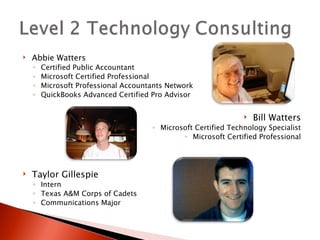
Abbie Watters Certified Public Accountant Microsoft Certified Professional Microsoft Professional Accountants Network QuickBooks Advanced Certified Pro Advisor Bill Watters Microsoft Certified Technology Specialist Microsoft Certified Professional Taylor Gillespie Intern Texas A&M Corps of Cadets Communications Major
 
Microsoft’s Office 2007 Outlook with BCM Microsoft’s Office Accounting 2008 Integration with CCH Security Mobility
 
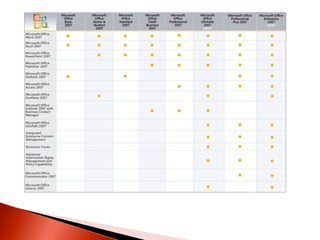
Office Small Business 2007 is the new release of familiar Microsoft productivity and contact-management software. The suite includes: Microsoft Office Excel ®  for spreadsheet creation and data analysis Microsoft Office Word  for document creation Microsoft Office PowerPoint ®  for presentation development Microsoft Office Publisher  for design and creation of marketing communications Microsoft Office Outlook ®   with Business Contact Manager  for contact and customer management
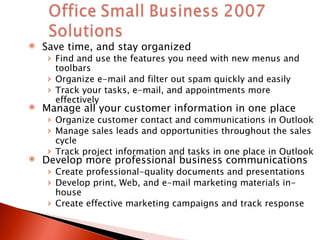
Save time, and stay organized Find and use the features you need with new menus and toolbars Organize e-mail and filter out spam quickly and easily Track your tasks, e-mail, and appointments more effectively Manage all your customer information in one place  Organize customer contact and communications in Outlook Manage sales leads and opportunities throughout the sales cycle Track project information and tasks in one place in Outlook Develop more professional business communications Create professional-quality documents and presentations Develop print, Web, and e-mail marketing materials in-house Create effective marketing campaigns and track response
 
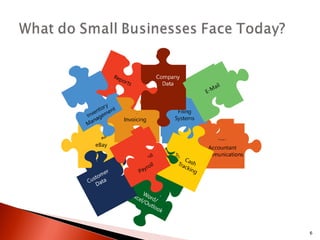
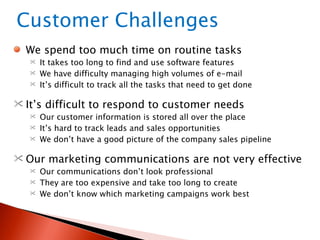
We spend too much time on routine tasks It takes too long to find and use software features  We have difficulty managing high volumes of e-mail It’s difficult to track all the tasks that need to get done It’s difficult to respond to customer needs Our customer information is stored all over the place It’s hard to track leads and sales opportunities We don’t have a good picture of the company sales pipeline Our marketing communications are not very effective Our communications don’t look professional They are too expensive and take too long to create We don’t know which marketing campaigns work best Customer Challenges
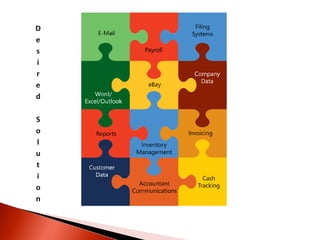
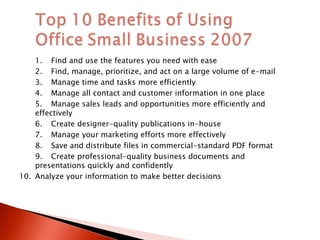
1. Find and use the features you need with ease 2. Find, manage, prioritize, and act on a large volume of e-mail 3. Manage time and tasks more efficiently 4. Manage all contact and customer information in one place 5. Manage sales leads and opportunities more efficiently and effectively 6. Create designer-quality publications in-house 7. Manage your marketing efforts more effectively 8. Save and distribute files in commercial-standard PDF format 9. Create professional-quality business documents and presentations quickly and confidently 10. Analyze your information to make better decisions
Is a complete accounting solution  Helps you easily manage business finances Helps business owners, bookkeepers, and office managers Payroll for up to 50 employees Requires little accounting experience Familiar Microsoft Office interface Works seamlessly with other Office applications Organizes financial information in one place Gives a complete view of your company Helps you manage your finances more effectively so you can spend more time managing your business. 2008 is available in English and bilingual Spanish/English
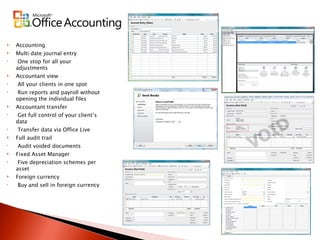
Accounting Multi date journal entry One stop for all your adjustments Accountant view All your clients in one spot Run reports and payroll without opening the individual files Accountant transfer Get full control of your client’s data Transfer data via Office Live Full audit trail Audit voided documents Fixed Asset Manager Five depreciation schemes per asset  Foreign currency Buy and sell in foreign currency
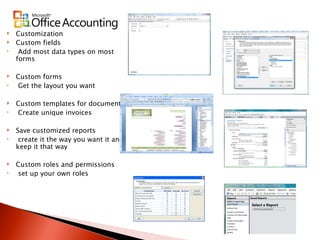
Customization Custom fields Add most data types on most forms Custom forms Get the layout you want Custom templates for documents Create unique invoices Save customized reports create it the way you want it and keep it that way Custom roles and permissions set up your own roles
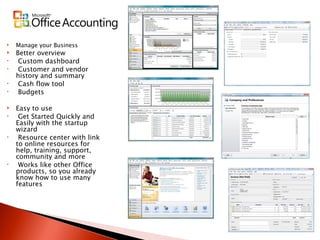
Manage your Business Better overview Custom dashboard Customer and vendor history and summary Cash flow tool Budgets Easy to use Get Started Quickly and Easily with the startup wizard Resource center with link to online resources for help, training, support, community and more Works like other Office products, so you already know how to use many features
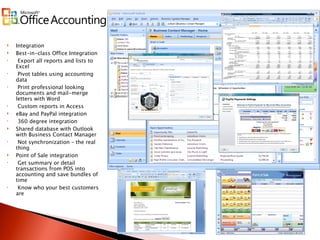
Integration Best-in-class Office Integration Export all reports and lists to Excel Pivot tables using accounting data  Print professional looking documents and mail-merge letters with Word Custom reports in Access eBay and PayPal integration 360 degree integration Shared database with Outlook with Business Contact Manager Not synchronization – the real thing Point of Sale integration Get summary or detail transactions from POS into accounting and save bundles of time Know who your best customers are
Three Web Site levels Year One-Free domain in Basic After that domain is $14.95 per year Get Online--- Improved!   New!   Support for Firefox.   Improved!   Sign up   New!   Private domain name  registration New!   Getting Started more easily  Improved!   Domain flexibility  Improved!   E-mail
New!   Solutions Packager   Improved!   Support New!   Store Manager New!   E-Mail Marketing   Beta Improved!   Contact Manager   Improved!   adManager   Manage Your Business Improved!   Business Applications .  Improved! Reports.   New!   Homepage Gadgets
 
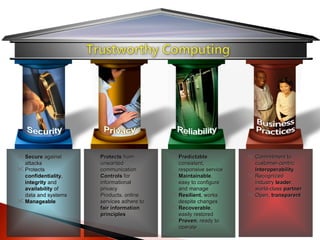
Secure  against attacks Protects  confidentiality ,  integrity  and  availability  of data and systems Manageable Protects  from unwanted communication  Controls  for informational privacy Products, online services adhere to  fair information principles Predictable , consistent, responsive service Maintainable , easy to configure and manage  Resilient , works despite changes Recoverable , easily restored Proven , ready to operate Commitment to customer-centric  Interoperability Recognized industry  leader , world-class  partner   Open,  transparent
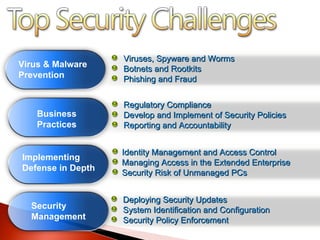
Viruses, Spyware and Worms Botnets and Rootkits Phishing and Fraud Deploying Security Updates System Identification and Configuration Security Policy Enforcement Identity Management and Access Control Managing Access in the Extended Enterprise Security Risk of Unmanaged PCs Regulatory Compliance Develop and Implement of Security Policies Reporting and Accountability Virus & Malware Prevention Business Practices Implementing Defense in Depth Security Management
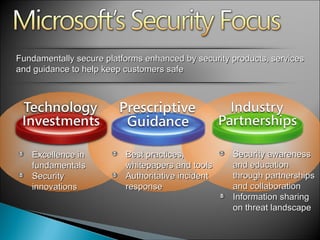
Fundamentally secure platforms enhanced by security products, services and guidance to help keep customers safe Excellence in fundamentals Security innovations Best practices, whitepapers and tools Authoritative incident response Security awareness and education through partnerships and collaboration Information sharing on threat landscape
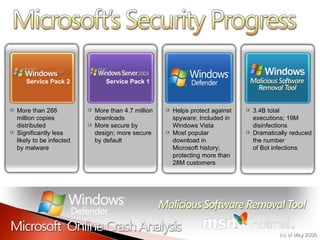
More than 288 million copies distributed Significantly less likely to be infected by malware Service Pack 2 Service Pack 1 More than 4.7 million downloads  More secure by design; more secure by default Helps protect against spyware; Included in Windows Vista Most popular download in Microsoft history; protecting more than 28M customers 3.4B total executions; 19M disinfections Dramatically reduced the number  of Bot infections As of May 2006
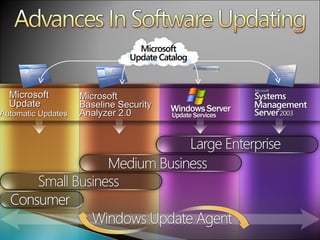
Microsoft  Baseline Security Analyzer 2.0 Microsoft Update Automatic Updates
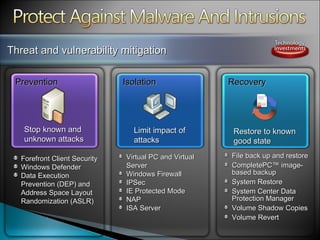
Threat and vulnerability mitigation Prevention Isolation Recovery Forefront Client Security Windows Defender Data Execution Prevention (DEP) and Address Space Layout Randomization (ASLR) Virtual PC and Virtual Server Windows Firewall IPSec IE Protected Mode NAP ISA Server File back up and restore CompletePC™ image-based backup  System Restore System Center Data Protection Manager Volume Shadow Copies Volume Revert Stop known and unknown attacks Limit impact of attacks Restore to known good state
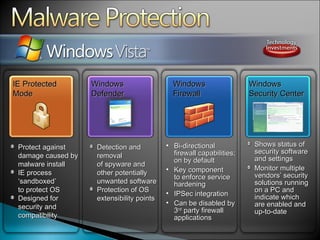
Shows status of security software and settings Monitor multiple vendors’ security solutions running on a PC and indicate which are enabled and up-to-date  Bi-directional firewall capabilities;  on by default Key component  to enforce service hardening IPSec integration Can be disabled by 3 rd  party firewall applications Detection and removal  of spyware and  other potentially unwanted software Protection of OS extensibility points Protect against damage caused by malware install IE process ‘sandboxed’  to protect OS Designed for security and compatibility IE Protected Mode Windows Defender Windows  Firewall Windows Security Center
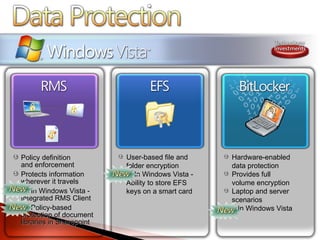
Policy definition and enforcement Protects information wherever it travels In Windows Vista - Integrated RMS Client  Policy-based protection of document libraries in Sharepoint User-based file and folder encryption  In Windows Vista - Ability to store EFS keys on a smart card Hardware-enabled  data protection Provides full  volume encryption  Laptop and server scenarios  In Windows Vista
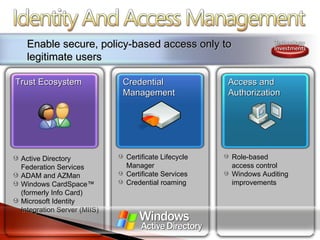
Enable secure, policy-based access only to legitimate users Trust Ecosystem Credential Management Access and Authorization Active Directory Federation Services ADAM and AZMan Windows CardSpace™ (formerly Info Card) Microsoft Identity Integration Server (MIIS) Certificate Lifecycle Manager Certificate Services Credential roaming Role-based  access control Windows Auditing improvements
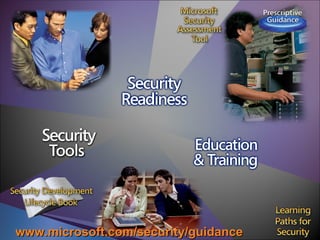
www.microsoft.com/security/guidance
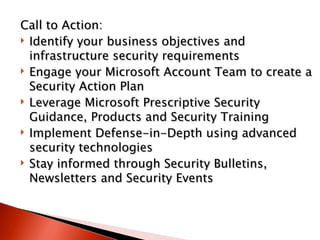
Call to Action:  Identify your business objectives and infrastructure security requirements  Engage your Microsoft Account Team to create a Security Action Plan  Leverage Microsoft Prescriptive Security Guidance, Products and Security Training  Implement Defense-in-Depth using advanced security technologies  Stay informed through Security Bulletins, Newsletters and Security Events
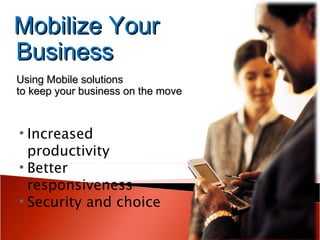
Mobilize Your Business Using Mobile solutions  to keep your business on the move Increased productivity  Better responsiveness Security and choice
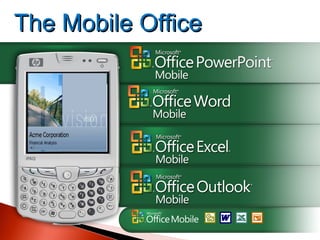
The Mobile Office
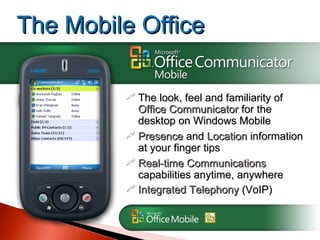
The look, feel and familiarity of  Office Communicator  for the desktop on Windows Mobile Presence  and  Location  information at your finger tips Real-time Communications  capabilities anytime, anywhere Integrated Telephony  (VoIP) The Mobile Office
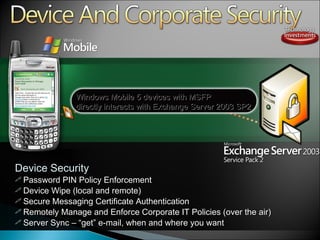
Device Security Password PIN Policy Enforcement Device Wipe (local and remote) Secure Messaging Certificate Authentication Remotely Manage and Enforce Corporate IT Policies (over the air) Server Sync  –   “ get ”  e-mail, when and where you want  Windows Mobile 5 devices with MSFP  directly interacts with Exchange Server 2003 SP2
© 2006 Microsoft Corporation. All rights reserved. Microsoft, Windows, Windows Vista and other product names are or may be registered trademarks and/or trademarks in the U.S. and/or other countries. The information herein is for informational purposes only and represents the current view of Microsoft Corporation as of the date of this presentation.  Because Microsoft must respond to changing market conditions, it should not be interpreted to be a commitment on the part of Microsoft, and Microsoft cannot guarantee the accuracy of any information provided after the date of this presentation.  MICROSOFT MAKES NO WARRANTIES, EXPRESS, IMPLIED OR STATUTORY, AS TO THE INFORMATION IN THIS PRESENTATION. Thank you!
Information Worker and  Business Process Optimization Practice Search :: Portals and Collaboration :: Unified Communications Small Business Server :: Essential Business Server Business Desktop Deployment

Summer Tour CCH Event L2TC

  • 1.
    © 2006 MicrosoftCorporation. All rights reserved. Microsoft, Windows, Windows Vista and other product names are or may be registered trademarks and/or trademarks in the U.S. and/or other countries. The information herein is for informational purposes only and represents the current view of Microsoft Corporation as of the date of this presentation. Because Microsoft must respond to changing market conditions, it should not be interpreted to be a commitment on the part of Microsoft, and Microsoft cannot guarantee the accuracy of any information provided after the date of this presentation. MICROSOFT MAKES NO WARRANTIES, EXPRESS, IMPLIED OR STATUTORY, AS TO THE INFORMATION IN THIS PRESENTATION. Welcome
  • 2.
    Information Worker and Business Process Optimization Practice Search :: Portals and Collaboration :: Unified Communications Small Business Server :: Essential Business Server Business Desktop Deployment
  • 3.
    Abbie Watters CertifiedPublic Accountant Microsoft Certified Professional Microsoft Professional Accountants Network QuickBooks Advanced Certified Pro Advisor Bill Watters Microsoft Certified Technology Specialist Microsoft Certified Professional Taylor Gillespie Intern Texas A&M Corps of Cadets Communications Major
  • 4.
  • 5.
    Microsoft’s Office 2007Outlook with BCM Microsoft’s Office Accounting 2008 Integration with CCH Security Mobility
  • 7.
  • 8.
    Office Small Business2007 is the new release of familiar Microsoft productivity and contact-management software. The suite includes: Microsoft Office Excel ® for spreadsheet creation and data analysis Microsoft Office Word for document creation Microsoft Office PowerPoint ® for presentation development Microsoft Office Publisher for design and creation of marketing communications Microsoft Office Outlook ® with Business Contact Manager for contact and customer management
  • 9.
    Save time, andstay organized Find and use the features you need with new menus and toolbars Organize e-mail and filter out spam quickly and easily Track your tasks, e-mail, and appointments more effectively Manage all your customer information in one place Organize customer contact and communications in Outlook Manage sales leads and opportunities throughout the sales cycle Track project information and tasks in one place in Outlook Develop more professional business communications Create professional-quality documents and presentations Develop print, Web, and e-mail marketing materials in-house Create effective marketing campaigns and track response
  • 10.
  • 11.
    We spend toomuch time on routine tasks It takes too long to find and use software features We have difficulty managing high volumes of e-mail It’s difficult to track all the tasks that need to get done It’s difficult to respond to customer needs Our customer information is stored all over the place It’s hard to track leads and sales opportunities We don’t have a good picture of the company sales pipeline Our marketing communications are not very effective Our communications don’t look professional They are too expensive and take too long to create We don’t know which marketing campaigns work best Customer Challenges
  • 12.
    1. Find anduse the features you need with ease 2. Find, manage, prioritize, and act on a large volume of e-mail 3. Manage time and tasks more efficiently 4. Manage all contact and customer information in one place 5. Manage sales leads and opportunities more efficiently and effectively 6. Create designer-quality publications in-house 7. Manage your marketing efforts more effectively 8. Save and distribute files in commercial-standard PDF format 9. Create professional-quality business documents and presentations quickly and confidently 10. Analyze your information to make better decisions
  • 13.
    Is a completeaccounting solution Helps you easily manage business finances Helps business owners, bookkeepers, and office managers Payroll for up to 50 employees Requires little accounting experience Familiar Microsoft Office interface Works seamlessly with other Office applications Organizes financial information in one place Gives a complete view of your company Helps you manage your finances more effectively so you can spend more time managing your business. 2008 is available in English and bilingual Spanish/English
  • 14.
    Accounting Multi datejournal entry One stop for all your adjustments Accountant view All your clients in one spot Run reports and payroll without opening the individual files Accountant transfer Get full control of your client’s data Transfer data via Office Live Full audit trail Audit voided documents Fixed Asset Manager Five depreciation schemes per asset Foreign currency Buy and sell in foreign currency
  • 15.
    Customization Custom fieldsAdd most data types on most forms Custom forms Get the layout you want Custom templates for documents Create unique invoices Save customized reports create it the way you want it and keep it that way Custom roles and permissions set up your own roles
  • 16.
    Manage your BusinessBetter overview Custom dashboard Customer and vendor history and summary Cash flow tool Budgets Easy to use Get Started Quickly and Easily with the startup wizard Resource center with link to online resources for help, training, support, community and more Works like other Office products, so you already know how to use many features
  • 17.
    Integration Best-in-class OfficeIntegration Export all reports and lists to Excel Pivot tables using accounting data Print professional looking documents and mail-merge letters with Word Custom reports in Access eBay and PayPal integration 360 degree integration Shared database with Outlook with Business Contact Manager Not synchronization – the real thing Point of Sale integration Get summary or detail transactions from POS into accounting and save bundles of time Know who your best customers are
  • 19.
    Three Web Sitelevels Year One-Free domain in Basic After that domain is $14.95 per year Get Online--- Improved! New! Support for Firefox. Improved! Sign up New! Private domain name registration New! Getting Started more easily Improved! Domain flexibility Improved! E-mail
  • 20.
    New! Solutions Packager Improved! Support New! Store Manager New! E-Mail Marketing Beta Improved! Contact Manager Improved! adManager   Manage Your Business Improved! Business Applications . Improved! Reports. New! Homepage Gadgets
  • 21.
  • 22.
    Secure againstattacks Protects confidentiality , integrity and availability of data and systems Manageable Protects from unwanted communication Controls for informational privacy Products, online services adhere to fair information principles Predictable , consistent, responsive service Maintainable , easy to configure and manage Resilient , works despite changes Recoverable , easily restored Proven , ready to operate Commitment to customer-centric Interoperability Recognized industry leader , world-class partner Open, transparent
  • 23.
    Viruses, Spyware andWorms Botnets and Rootkits Phishing and Fraud Deploying Security Updates System Identification and Configuration Security Policy Enforcement Identity Management and Access Control Managing Access in the Extended Enterprise Security Risk of Unmanaged PCs Regulatory Compliance Develop and Implement of Security Policies Reporting and Accountability Virus & Malware Prevention Business Practices Implementing Defense in Depth Security Management
  • 24.
    Fundamentally secure platformsenhanced by security products, services and guidance to help keep customers safe Excellence in fundamentals Security innovations Best practices, whitepapers and tools Authoritative incident response Security awareness and education through partnerships and collaboration Information sharing on threat landscape
  • 25.
    More than 288million copies distributed Significantly less likely to be infected by malware Service Pack 2 Service Pack 1 More than 4.7 million downloads More secure by design; more secure by default Helps protect against spyware; Included in Windows Vista Most popular download in Microsoft history; protecting more than 28M customers 3.4B total executions; 19M disinfections Dramatically reduced the number of Bot infections As of May 2006
  • 26.
    Microsoft BaselineSecurity Analyzer 2.0 Microsoft Update Automatic Updates
  • 27.
    Threat and vulnerabilitymitigation Prevention Isolation Recovery Forefront Client Security Windows Defender Data Execution Prevention (DEP) and Address Space Layout Randomization (ASLR) Virtual PC and Virtual Server Windows Firewall IPSec IE Protected Mode NAP ISA Server File back up and restore CompletePC™ image-based backup System Restore System Center Data Protection Manager Volume Shadow Copies Volume Revert Stop known and unknown attacks Limit impact of attacks Restore to known good state
  • 28.
    Shows status ofsecurity software and settings Monitor multiple vendors’ security solutions running on a PC and indicate which are enabled and up-to-date Bi-directional firewall capabilities; on by default Key component to enforce service hardening IPSec integration Can be disabled by 3 rd party firewall applications Detection and removal of spyware and other potentially unwanted software Protection of OS extensibility points Protect against damage caused by malware install IE process ‘sandboxed’ to protect OS Designed for security and compatibility IE Protected Mode Windows Defender Windows Firewall Windows Security Center
  • 29.
    Policy definition andenforcement Protects information wherever it travels In Windows Vista - Integrated RMS Client Policy-based protection of document libraries in Sharepoint User-based file and folder encryption In Windows Vista - Ability to store EFS keys on a smart card Hardware-enabled data protection Provides full volume encryption Laptop and server scenarios In Windows Vista
  • 30.
    Enable secure, policy-basedaccess only to legitimate users Trust Ecosystem Credential Management Access and Authorization Active Directory Federation Services ADAM and AZMan Windows CardSpace™ (formerly Info Card) Microsoft Identity Integration Server (MIIS) Certificate Lifecycle Manager Certificate Services Credential roaming Role-based access control Windows Auditing improvements
  • 31.
  • 32.
    Call to Action: Identify your business objectives and infrastructure security requirements Engage your Microsoft Account Team to create a Security Action Plan Leverage Microsoft Prescriptive Security Guidance, Products and Security Training Implement Defense-in-Depth using advanced security technologies Stay informed through Security Bulletins, Newsletters and Security Events
  • 33.
    Mobilize Your BusinessUsing Mobile solutions to keep your business on the move Increased productivity Better responsiveness Security and choice
  • 34.
  • 35.
    The look, feeland familiarity of Office Communicator for the desktop on Windows Mobile Presence and Location information at your finger tips Real-time Communications capabilities anytime, anywhere Integrated Telephony (VoIP) The Mobile Office
  • 36.
    Device Security PasswordPIN Policy Enforcement Device Wipe (local and remote) Secure Messaging Certificate Authentication Remotely Manage and Enforce Corporate IT Policies (over the air) Server Sync – “ get ” e-mail, when and where you want Windows Mobile 5 devices with MSFP directly interacts with Exchange Server 2003 SP2
  • 37.
    © 2006 MicrosoftCorporation. All rights reserved. Microsoft, Windows, Windows Vista and other product names are or may be registered trademarks and/or trademarks in the U.S. and/or other countries. The information herein is for informational purposes only and represents the current view of Microsoft Corporation as of the date of this presentation. Because Microsoft must respond to changing market conditions, it should not be interpreted to be a commitment on the part of Microsoft, and Microsoft cannot guarantee the accuracy of any information provided after the date of this presentation. MICROSOFT MAKES NO WARRANTIES, EXPRESS, IMPLIED OR STATUTORY, AS TO THE INFORMATION IN THIS PRESENTATION. Thank you!
  • 38.
    Information Worker and Business Process Optimization Practice Search :: Portals and Collaboration :: Unified Communications Small Business Server :: Essential Business Server Business Desktop Deployment

Editor's Notes

  • #2 06/06/09 09:23 © 2006 Microsoft Corporation. All rights reserved. Microsoft, Windows, Windows Vista and other product names are or may be registered trademarks and/or trademarks in the U.S. and/or other countries. The information herein is for informational purposes only and represents the current view of Microsoft Corporation as of the date of this presentation. Because Microsoft must respond to changing market conditions, it should not be interpreted to be a commitment on the part of Microsoft, and Microsoft cannot guarantee the accuracy of any information provided after the date of this presentation. MICROSOFT MAKES NO WARRANTIES, EXPRESS, IMPLIED OR STATUTORY, AS TO THE INFORMATION IN THIS PRESENTATION.