Template designed by
Introduction to SQL Azure
Andrea Benedetti
andrea.benedetti@microsoft.com | @anbenedetti
http://blogs.technet.com/b/andrea_benedetti_blog
brought to you by
chi sono
SQL Server from 6.5 
Architect | SQL Server & BI Regional Lead @ MCS
Alpinista (in solitaria)
http://it.linkedin.com/in/abenedetti/
https://twitter.com/anBenedetti
https://www.facebook.com/andrea.benedetti
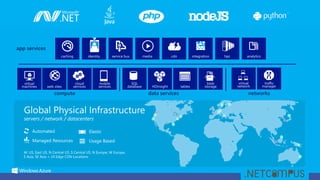
compute data services networks
W. US, East US, N Central US, S Central US, N Europe, W Europe,
E Asia, SE Asia + 24 Edge CDN Locations
Automated
Managed Resources
Elastic
Usage Based
app services
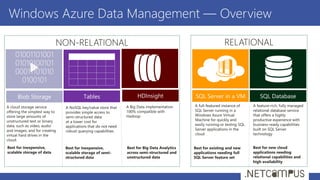
Windows Azure Data Management — Overview
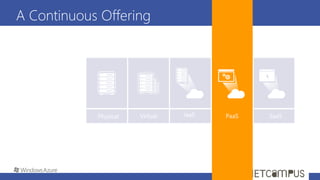
A Continuous Offering
From Private To
Public Cloud
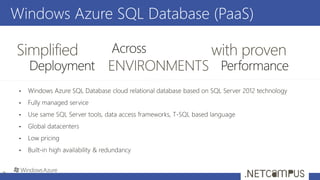
Windows Azure SQL Database (PaaS)
7
Simplified with proven
What is Azure SQL Database?
A relational database-as-a-service, fully managed by Microsoft.
Delivers predictable performance, elastic scale, business continuity and programmatic functionality.
For cloud-designed apps when near-zero administration and enterprise-grade capabilities are key.
Perfect for cloud architects and developers looking for programmatic DBA-like functionality.
?
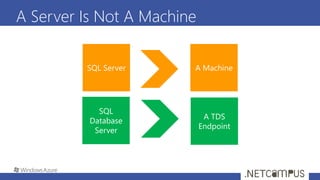
A Server Is Not A Machine
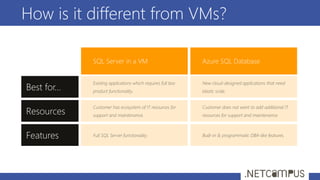
How is it different from VMs?
Best for…
SQL Server in a VM Azure SQL Database
Features
Resources
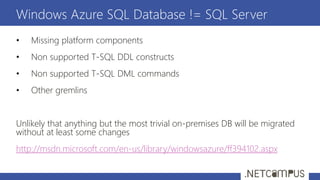
• Missing platform components
• Non supported T-SQL DDL constructs
• Non supported T-SQL DML commands
• Other gremlins
Unlikely that anything but the most trivial on-premises DB will be migrated
without at least some changes
http://msdn.microsoft.com/en-us/library/windowsazure/ff394102.aspx
Windows Azure SQL Database != SQL Server
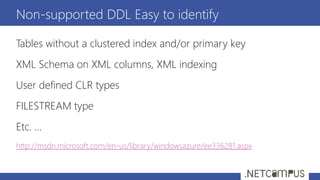
Tables without a clustered index and/or primary key
XML Schema on XML columns, XML indexing
User defined CLR types
FILESTREAM type
Etc. …
http://msdn.microsoft.com/en-us/library/windowsazure/ee336281.aspx
Non-supported DDL Easy to identify
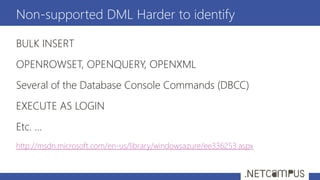
BULK INSERT
OPENROWSET, OPENQUERY, OPENXML
Several of the Database Console Commands (DBCC)
EXECUTE AS LOGIN
Etc. …
http://msdn.microsoft.com/en-us/library/windowsazure/ee336253.aspx
Non-supported DML Harder to identify
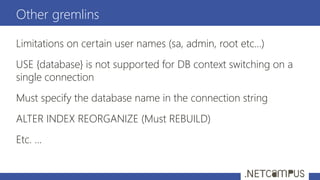
Limitations on certain user names (sa, admin, root etc…)
USE {database} is not supported for DB context switching on a
single connection
Must specify the database name in the connection string
ALTER INDEX REORGANIZE (Must REBUILD)
Etc. …
Other gremlins
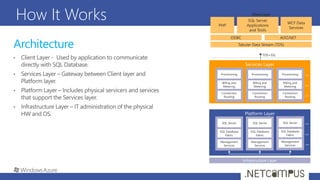
Architecture
How It Works
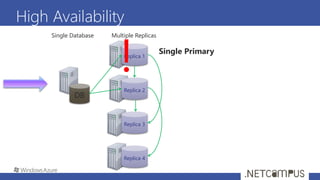
High Availability
Replica 1
Replica 2
Replica 3
DB
Single Database Multiple Replicas
Single Primary
Replica 4
!
The basics
The Basics
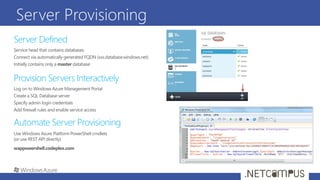
Server Provisioning
Create db
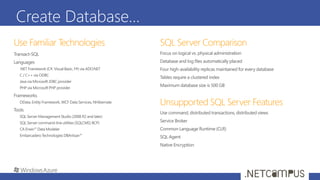
Create Database…
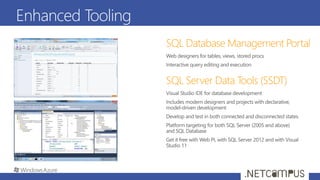
Enhanced Tooling
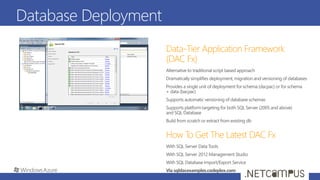
Database Deployment
Secure db
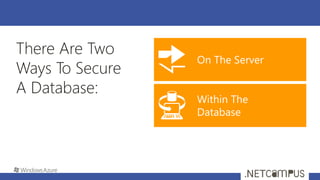
There Are Two
Ways To Secure
A Database:
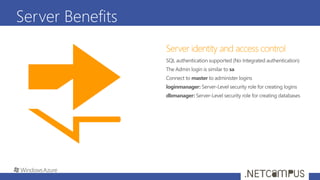
Server Benefits
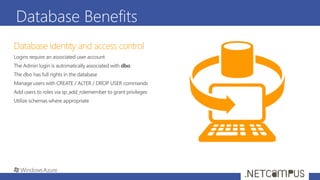
Database Benefits
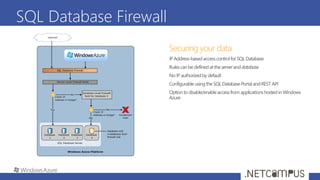
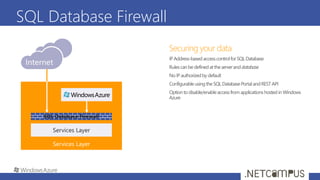
SQL Database Firewall
Application Connectivity
1.
2.
3.
1.
2.
3.
4.
5.
6.
7.
8.
9.
<connectionStrings>
<addname="AdventureWorks"connectionString=
"Data
Source=[server].database.windows.net;
Integrated Security=False;
Initial Catalog=ProductsDb;
User Id=[login];
Password=[password];
Trusted_Connection=False;
Encrypt=true;"
providerName="System.Data.SqlClient"/>
</connectionStrings>
Monitoring
Database Monitoring
Query Plans
Extended Events
DMVs
Event Table
There is no SQL Profiler – Use DMVs
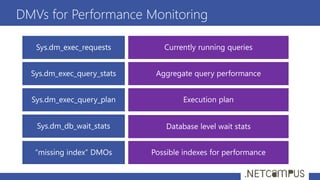
DMVs for Performance Monitoring
News
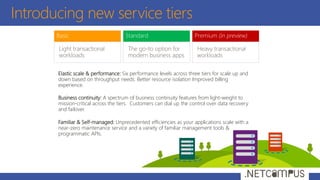
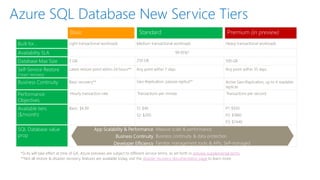
Introducing new service tiers
Elastic scale & performance: Six performance levels across three tiers for scale up and
down based on throughput needs. Better resource isolation Improved billing
experience.
Business continuity: A spectrum of business continuity features from light-weight to
mission-critical across the tiers. Customers can dial up the control over data recovery
and failover.
Familiar & Self-managed: Unprecedented efficiencies as your applications scale with a
near-zero maintenance service and a variety of familiar management tools &
programmatic APIs.
Azure SQL Database New Service Tiers
App Scalability & Performance
Business Continuity
Developer Efficiency
Massive scale & performance
Business continuity & data protection
Familiar management tools & APIs, Self-managed
*SLAs will take effect at time of GA, Azure previews are subject to different service terms, as set forth in preview supplemental terms.
**Not all restore & disaster recovery features are available today, visit the disaster recovery documentation page to learn more.
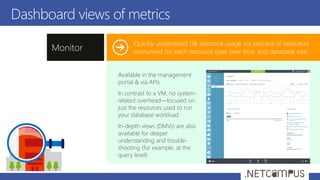
Dashboard views of metrics
Quickly understand DB resource usage via percent of resources
consumed for each resource type over time and database sizeMonitor
Available in the management
portal & via APIs
In contrast to a VM, no system-
related overhead—focused on
just the resources used to run
your database workload
In-depth views (DMVs) are also
available for deeper
understanding and trouble-
shooting (for example, at the
query level)
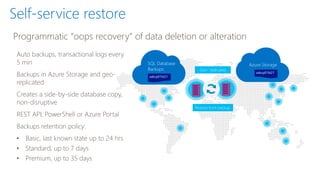
Self-service restore
Auto backups, transactional logs every
5 min
Backups in Azure Storage and geo-
replicated
Creates a side-by-side database copy,
non-disruptive
REST API, PowerShell or Azure Portal
Backups retention policy:
• Basic, last known state up to 24 hrs
• Standard, up to 7 days
• Premium, up to 35 days
Programmatic “oops recovery” of data deletion or alteration
Geo- replicated
Restore from backup
SQL Database
Backups
sabcp01bl21
Azure Storage
sabcp01bl21
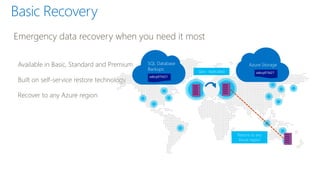
Available in Basic, Standard and Premium
Built on self-service restore technology
Recover to any Azure region
Emergency data recovery when you need it most
Basic Recovery
Geo- replicated
SQL Database
Backups
sabcp01bl21
Azure Storage
sabcp01bl21
Restore to any
Azure region
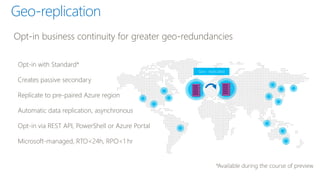
Opt-in with Standard*
Creates passive secondary
Replicate to pre-paired Azure region
Automatic data replication, asynchronous
Opt-in via REST API, PowerShell or Azure Portal
Microsoft-managed, RTO<24h, RPO<1 hr
Opt-in business continuity for greater geo-redundancies
Geo-replication
Geo- replicated
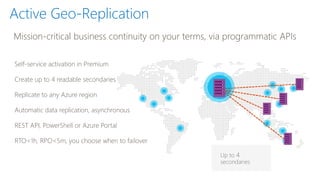
Active Geo-Replication
Self-service activation in Premium
Create up to 4 readable secondaries
Replicate to any Azure region
Automatic data replication, asynchronous
REST API, PowerShell or Azure Portal
RTO<1h, RPO<5m, you choose when to failover
Mission-critical business continuity on your terms, via programmatic APIs
Up to 4
secondaries
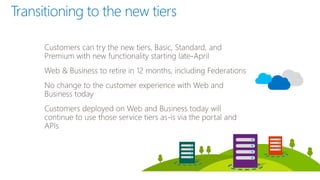
Transitioning to the new tiers
Grazie a tutti per la partecipazione
Riceverete il link per il download a slide e demo via email nei
prossimi giorni
Per contattarmi
andrea.benedetti@microsoft.com
@anbenedetti
Grazie

Be05 introduction to sql azure

  • 1.
    Template designed by Introductionto SQL Azure Andrea Benedetti andrea.benedetti@microsoft.com | @anbenedetti http://blogs.technet.com/b/andrea_benedetti_blog
  • 2.
  • 3.
    chi sono SQL Serverfrom 6.5  Architect | SQL Server & BI Regional Lead @ MCS Alpinista (in solitaria) http://it.linkedin.com/in/abenedetti/ https://twitter.com/anBenedetti https://www.facebook.com/andrea.benedetti
  • 4.
    compute data servicesnetworks W. US, East US, N Central US, S Central US, N Europe, W Europe, E Asia, SE Asia + 24 Edge CDN Locations Automated Managed Resources Elastic Usage Based app services
  • 5.
    Windows Azure DataManagement — Overview
  • 6.
    A Continuous Offering FromPrivate To Public Cloud
  • 7.
    Windows Azure SQLDatabase (PaaS) 7 Simplified with proven
  • 8.
    What is AzureSQL Database? A relational database-as-a-service, fully managed by Microsoft. Delivers predictable performance, elastic scale, business continuity and programmatic functionality. For cloud-designed apps when near-zero administration and enterprise-grade capabilities are key. Perfect for cloud architects and developers looking for programmatic DBA-like functionality. ?
  • 9.
    A Server IsNot A Machine
  • 10.
    How is itdifferent from VMs? Best for… SQL Server in a VM Azure SQL Database Features Resources
  • 11.
    • Missing platformcomponents • Non supported T-SQL DDL constructs • Non supported T-SQL DML commands • Other gremlins Unlikely that anything but the most trivial on-premises DB will be migrated without at least some changes http://msdn.microsoft.com/en-us/library/windowsazure/ff394102.aspx Windows Azure SQL Database != SQL Server
  • 12.
    Tables without aclustered index and/or primary key XML Schema on XML columns, XML indexing User defined CLR types FILESTREAM type Etc. … http://msdn.microsoft.com/en-us/library/windowsazure/ee336281.aspx Non-supported DDL Easy to identify
  • 13.
    BULK INSERT OPENROWSET, OPENQUERY,OPENXML Several of the Database Console Commands (DBCC) EXECUTE AS LOGIN Etc. … http://msdn.microsoft.com/en-us/library/windowsazure/ee336253.aspx Non-supported DML Harder to identify
  • 14.
    Limitations on certainuser names (sa, admin, root etc…) USE {database} is not supported for DB context switching on a single connection Must specify the database name in the connection string ALTER INDEX REORGANIZE (Must REBUILD) Etc. … Other gremlins
  • 15.
  • 16.
  • 17.
    High Availability Replica 1 Replica2 Replica 3 DB Single Database Multiple Replicas Single Primary Replica 4 !
  • 18.
  • 19.
  • 20.
  • 21.
  • 22.
  • 23.
  • 24.
  • 25.
  • 26.
    There Are Two WaysTo Secure A Database:
  • 27.
  • 28.
  • 29.
  • 30.
  • 31.
    Application Connectivity 1. 2. 3. 1. 2. 3. 4. 5. 6. 7. 8. 9. <connectionStrings> <addname="AdventureWorks"connectionString= "Data Source=[server].database.windows.net; Integrated Security=False; InitialCatalog=ProductsDb; User Id=[login]; Password=[password]; Trusted_Connection=False; Encrypt=true;" providerName="System.Data.SqlClient"/> </connectionStrings>
  • 32.
  • 33.
    Database Monitoring Query Plans ExtendedEvents DMVs Event Table There is no SQL Profiler – Use DMVs
  • 34.
  • 35.
  • 36.
    Introducing new servicetiers Elastic scale & performance: Six performance levels across three tiers for scale up and down based on throughput needs. Better resource isolation Improved billing experience. Business continuity: A spectrum of business continuity features from light-weight to mission-critical across the tiers. Customers can dial up the control over data recovery and failover. Familiar & Self-managed: Unprecedented efficiencies as your applications scale with a near-zero maintenance service and a variety of familiar management tools & programmatic APIs.
  • 37.
    Azure SQL DatabaseNew Service Tiers App Scalability & Performance Business Continuity Developer Efficiency Massive scale & performance Business continuity & data protection Familiar management tools & APIs, Self-managed *SLAs will take effect at time of GA, Azure previews are subject to different service terms, as set forth in preview supplemental terms. **Not all restore & disaster recovery features are available today, visit the disaster recovery documentation page to learn more.
  • 38.
    Dashboard views ofmetrics Quickly understand DB resource usage via percent of resources consumed for each resource type over time and database sizeMonitor Available in the management portal & via APIs In contrast to a VM, no system- related overhead—focused on just the resources used to run your database workload In-depth views (DMVs) are also available for deeper understanding and trouble- shooting (for example, at the query level)
  • 39.
    Self-service restore Auto backups,transactional logs every 5 min Backups in Azure Storage and geo- replicated Creates a side-by-side database copy, non-disruptive REST API, PowerShell or Azure Portal Backups retention policy: • Basic, last known state up to 24 hrs • Standard, up to 7 days • Premium, up to 35 days Programmatic “oops recovery” of data deletion or alteration Geo- replicated Restore from backup SQL Database Backups sabcp01bl21 Azure Storage sabcp01bl21
  • 40.
    Available in Basic,Standard and Premium Built on self-service restore technology Recover to any Azure region Emergency data recovery when you need it most Basic Recovery Geo- replicated SQL Database Backups sabcp01bl21 Azure Storage sabcp01bl21 Restore to any Azure region
  • 41.
    Opt-in with Standard* Createspassive secondary Replicate to pre-paired Azure region Automatic data replication, asynchronous Opt-in via REST API, PowerShell or Azure Portal Microsoft-managed, RTO<24h, RPO<1 hr Opt-in business continuity for greater geo-redundancies Geo-replication Geo- replicated
  • 42.
    Active Geo-Replication Self-service activationin Premium Create up to 4 readable secondaries Replicate to any Azure region Automatic data replication, asynchronous REST API, PowerShell or Azure Portal RTO<1h, RPO<5m, you choose when to failover Mission-critical business continuity on your terms, via programmatic APIs Up to 4 secondaries
  • 43.
  • 44.
    Grazie a tuttiper la partecipazione Riceverete il link per il download a slide e demo via email nei prossimi giorni Per contattarmi andrea.benedetti@microsoft.com @anbenedetti Grazie