Azure SQL Database
for the
SQL Server DBA
https://tinyurl.com/y9opcae5
EVALUATIONS
Ask your
Questions
PRESENTERINFO
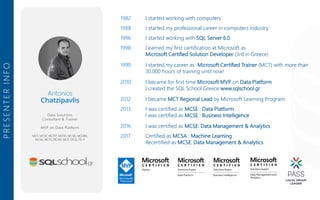
1982 I started working with computers
1988 I started my professional career in computers industry
1996 I started working with SQL Server 6.0
1998 I earned my first certification at Microsoft as
Microsoft Certified Solution Developer (3rd in Greece)
1999 I started my career as Microsoft Certified Trainer (MCT) with more than
30.000 hours of training until now!
2010 I became for first time Microsoft MVP on Data Platform
I created the SQL School Greece www.sqlschool.gr
2012 I became MCT Regional Lead by Microsoft Learning Program.
2013 I was certified as MCSE : Data Platform
I was certified as MCSE : Business Intelligence
2016 I was certified as MCSE: Data Management & Analytics
2017 Certified as MCSA : Machine Learning
Recertified as MCSE: Data Management & Analytics
Antonios
Chatzipavlis
Data Solutions
Consultant & Trainer
MVP on Data Platform
MCT, MCSE, MCITP, MCPD, MCSD, MCDBA,
MCSA, MCTS, MCAD, MCP, OCA, ITIL-F
Μια πηγή ενημέρωσης για την Microsoft Data Platform
προς τους Έλληνες IT Professionals, DBAs, Developers,
Information Workers αλλά και απλούς χομπίστες που
απλά τους αρέσει ο SQL Server.
Help line : help@sqlschool.gr
• Articles about SQL Server
• SQL Server News
• SQL Nights
• Webcasts
• Downloads
• Resources
What we are doing here Follow us in socials
fb/sqlschoolgr
fb/groups/sqlschool
@antoniosch
@sqlschool
yt/c/SqlschoolGr
SQL School Greece group
SELECT KNOWLEDGE
FROM SQL SERVER
Connect with PASS
Sign up for a free membership today at:
pass.org
is the PASS Local Group in Greece
PASS VIRTUAL CHAPTERS
http://www.sqlsaturday.com/731/eventhome.aspx
LET’S START
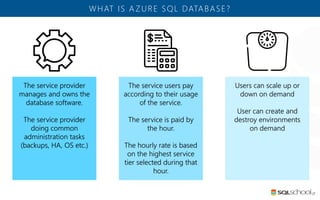
WHAT IS A ZURE SQL DATABASE?
The service users pay
according to their usage
of the service.
The service is paid by
the hour.
The hourly rate is based
on the highest service
tier selected during that
hour.
Users can scale up or
down on demand
User can create and
destroy environments
on demand
The service provider
manages and owns the
database software.
The service provider
doing common
administration tasks
(backups, HA, OS etc.)
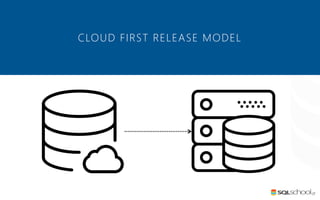
CLOUD FIRST RELEASE MODEL
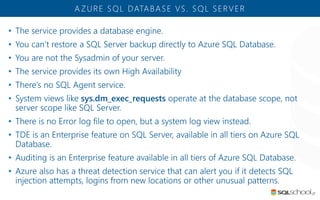
• The service provides a database engine.
• You can’t restore a SQL Server backup directly to Azure SQL Database.
• You are not the Sysadmin of your server.
• The service provides its own High Availability
• There’s no SQL Agent service.
• System views like sys.dm_exec_requests operate at the database scope, not
server scope like SQL Server.
• There is no Error log file to open, but a system log view instead.
• TDE is an Enterprise feature on SQL Server, available in all tiers on Azure SQL
Database.
• Auditing is an Enterprise feature available in all tiers of Azure SQL Database.
• Azure also has a threat detection service that can alert you if it detects SQL
injection attempts, logins from new locations or other unusual patterns.
A ZURE SQL DATABASE VS. SQL SERVER
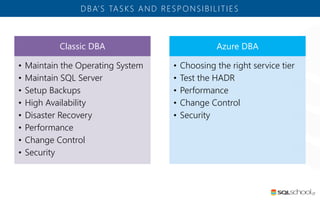
DBA’S TASKS AND RESPONSIBILITIES
Classic DBA
• Maintain the Operating System
• Maintain SQL Server
• Setup Backups
• High Availability
• Disaster Recovery
• Performance
• Change Control
• Security
Azure DBA
• Choosing the right service tier
• Test the HADR
• Performance
• Change Control
• Security
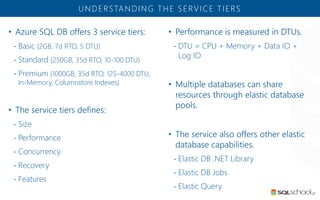
• Azure SQL DB offers 3 service tiers:
- Basic (2GB, 7d RTO, 5 DTU)
- Standard (250GB, 35d RTO, 10-100 DTU)
- Premium (1000GB, 35d RTO, 125-4000 DTU,
In-Memory, Columnstore Indexes)
• The service tiers defines:
- Size
- Performance
- Concurrency
- Recovery
- Features
UNDERSTANDING THE SERVICE TIERS
• Performance is measured in DTUs.
- DTU = CPU + Memory + Data IO +
Log IO
• Multiple databases can share
resources through elastic database
pools.
• The service also offers other elastic
database capabilities.
- Elastic DB .NET Library
- Elastic DB Jobs
- Elastic Query
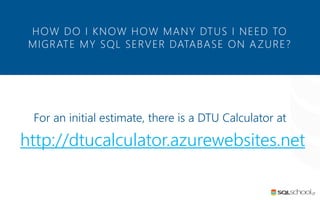
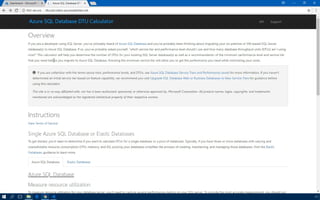
For an initial estimate, there is a DTU Calculator at
http://dtucalculator.azurewebsites.net
HOW DO I KNOW HOW MANY DTUS I NEED TO
MIGRATE MY SQL SERVER DATABASE ON AZURE?
DTU CALCUL ATOR
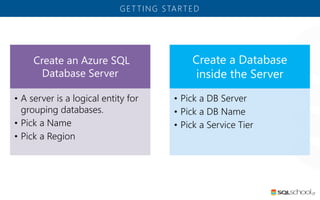
GET TING STARTED
Create an Azure SQL
Database Server
• A server is a logical entity for
grouping databases.
• Pick a Name
• Pick a Region
Create a Database
inside the Server
• Pick a DB Server
• Pick a DB Name
• Pick a Service Tier
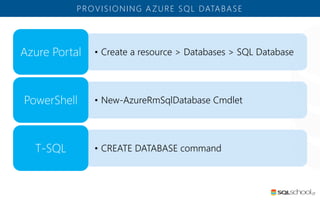
PROVISIONING A ZURE SQL DATABASE
• Create a resource > Databases > SQL DatabaseAzure Portal
• New-AzureRmSqlDatabase CmdletPowerShell
• CREATE DATABASE commandT-SQL
PROVISIONING
A ZURE SQL DATABASE
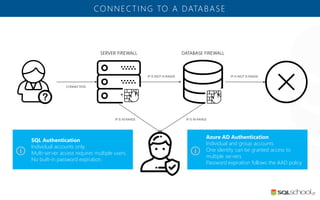
CONNECTING TO A DATABASE
SQL Authentication
Individual accounts only.
Multi-server access requires multiple users.
No built-in password expiration.
Azure AD Authentication
Individual and group accounts.
One identity can be granted access to
multiple servers.
Password expiration follows the AAD policy.
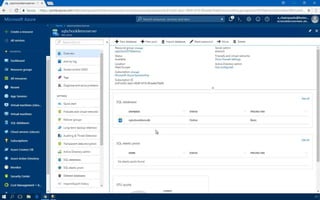
CONFIGURING
THE FIREWALL RULES TO
CONNECT TO THE DATABASE
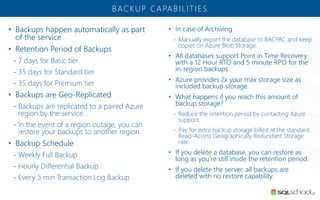
• Backups happen automatically as part
of the service
• Retention Period of Backups
- 7 days for Basic tier
- 35 days for Standard tier
- 35 days for Premium tier
• Backups are Geo-Replicated
- Backups are replicated to a paired Azure
region by the service.
- In the event of a region outage, you can
restore your backups to another region.
• Backup Schedule
- Weekly Full Backup
- Hourly Differential Backup
- Every 5 min Transaction Log Backup
BACKUP CAPABILITIES
• In case of Archiving
- Manually export the database to BACPAC and keep
copies on Azure Blob Storage.
• All databases support Point in Time Recovery
with a 12 Hour RTO and 5 minute RPO for the
in-region backups
• Azure provides 2x your max storage size as
included backup storage.
• What happens if you reach this amount of
backup storage?
- Reduce the retention period by contacting Azure
support.
- Pay for extra backup storage billed at the standard
Read-Access Geographically Redundant Storage
rate.
• If you delete a database, you can restore as
long as you’re still inside the retention period.
• If you delete the server, all backups are
deleted with no restore capability.
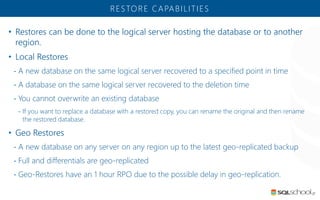
• Restores can be done to the logical server hosting the database or to another
region.
• Local Restores
- A new database on the same logical server recovered to a specified point in time
- A database on the same logical server recovered to the deletion time
- You cannot overwrite an existing database
- If you want to replace a database with a restored copy, you can rename the original and then rename
the restored database.
• Geo Restores
- A new database on any server on any region up to the latest geo-replicated backup
- Full and differentials are geo-replicated
- Geo-Restores have an 1 hour RPO due to the possible delay in geo-replication.
RESTORE CAPABILITIES
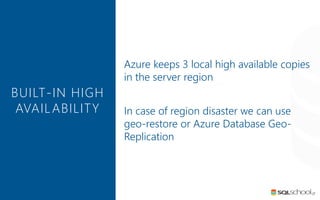
Azure keeps 3 local high available copies
in the server region
In case of region disaster we can use
geo-restore or Azure Database Geo-
Replication
BUILT-IN HIGH
AVAILABILITY
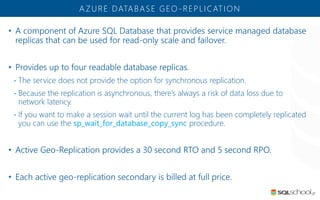
• A component of Azure SQL Database that provides service managed database
replicas that can be used for read-only scale and failover.
• Provides up to four readable database replicas.
- The service does not provide the option for synchronous replication.
- Because the replication is asynchronous, there’s always a risk of data loss due to
network latency.
- If you want to make a session wait until the current log has been completely replicated
you can use the sp_wait_for_database_copy_sync procedure.
• Active Geo-Replication provides a 30 second RTO and 5 second RPO.
• Each active geo-replication secondary is billed at full price.
A ZURE DATABASE GEO-REPLICATION
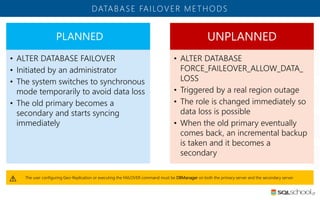
DATABASE FAILOVER METHODS
PLANNED
• ALTER DATABASE FAILOVER
• Initiated by an administrator
• The system switches to synchronous
mode temporarily to avoid data loss
• The old primary becomes a
secondary and starts syncing
immediately
UNPLANNED
• ALTER DATABASE
FORCE_FAILEOVER_ALLOW_DATA_
LOSS
• Triggered by a real region outage
• The role is changed immediately so
data loss is possible
• When the old primary eventually
comes back, an incremental backup
is taken and it becomes a
secondary
The user configuring Geo-Replication or executing the FAILOVER command must be DBManager on both the primary server and the secondary server.
ACTIVE GEO-REPLICATION
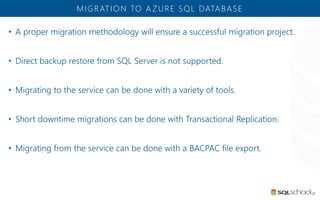
• A proper migration methodology will ensure a successful migration project.
• Direct backup restore from SQL Server is not supported.
• Migrating to the service can be done with a variety of tools.
• Short downtime migrations can be done with Transactional Replication.
• Migrating from the service can be done with a BACPAC file export.
MIGRATION TO A ZURE SQL DATABASE
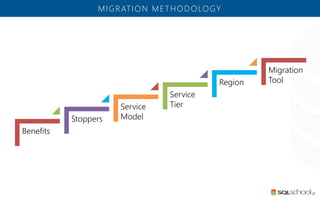
MIGRATION METHODOLOGY
Benefits
Stoppers
Service
Model
Service
Tier
Region
Migration
Tool
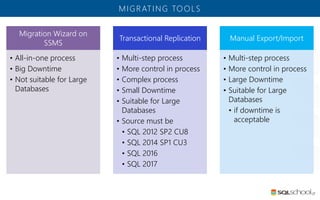
MIGRATING TOOLS
Migration Wizard on
SSMS
• All-in-one process
• Big Downtime
• Not suitable for Large
Databases
Transactional Replication
• Multi-step process
• More control in process
• Complex process
• Small Downtime
• Suitable for Large
Databases
• Source must be
• SQL 2012 SP2 CU8
• SQL 2014 SP1 CU3
• SQL 2016
• SQL 2017
Manual Export/Import
• Multi-step process
• More control in process
• Large Downtime
• Suitable for Large
Databases
• if downtime is
acceptable
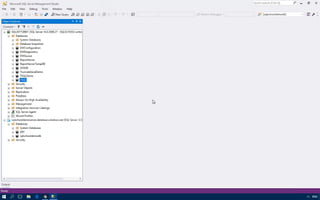
USING
MIGRATION WIZARD
ON SSMS
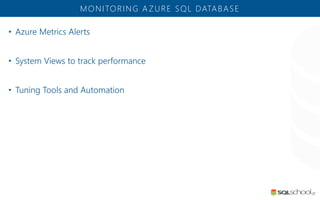
• Azure Metrics Alerts
• System Views to track performance
• Tuning Tools and Automation
MONITORING A ZURE SQL DATABASE
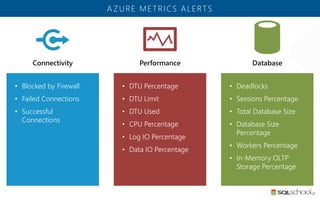
• Blocked by Firewall
• Failed Connections
• Successful
Connections
A ZURE METRICS ALERTS
• DTU Percentage
• DTU Limit
• DTU Used
• CPU Percentage
• Log IO Percentage
• Data IO Percentage
• Deadlocks
• Sessions Percentage
• Total Database Size
• Database Size
Percentage
• Workers Percentage
• In-Memory OLTP
Storage Percentage
CREATE
A ZURE METRIC ALERT
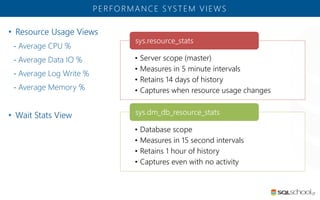
• Resource Usage Views
- Average CPU %
- Average Data IO %
- Average Log Write %
- Average Memory %
• Wait Stats View
PERFORMANCE SYSTEM VIEWS
• Server scope (master)
• Measures in 5 minute intervals
• Retains 14 days of history
• Captures when resource usage changes
sys.resource_stats
• Database scope
• Measures in 15 second intervals
• Retains 1 hour of history
• Captures even with no activity
sys.dm_db_resource_stats
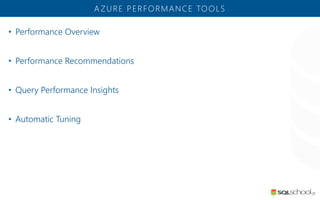
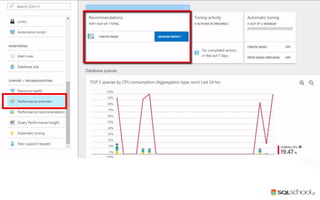
• Performance Overview
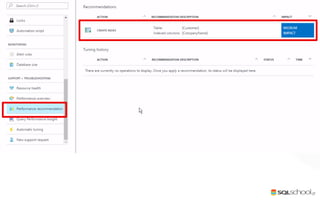
• Performance Recommendations
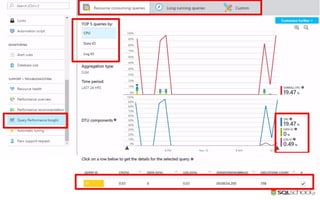
• Query Performance Insights
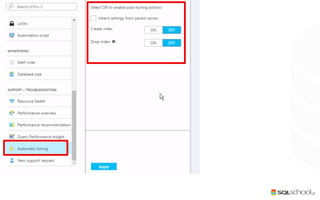
• Automatic Tuning
A ZURE PERFORMANCE TOOLS
Thank you
SELECT KNOWLEDGE FROM SQL SERVER
Copyright © 2018 SQLschool.gr. All right reserved.
PRESENTER MAKES NO WARRANTIES, EXPRESS, IMPLIED OR STATUTORY, AS TO THE INFORMATION IN THIS PRESENTATION

Azure SQL Database for the SQL Server DBA - Azure Bootcamp Athens 2018

  • 1.
    Azure SQL Database forthe SQL Server DBA
  • 3.
  • 4.
  • 5.
    PRESENTERINFO 1982 I startedworking with computers 1988 I started my professional career in computers industry 1996 I started working with SQL Server 6.0 1998 I earned my first certification at Microsoft as Microsoft Certified Solution Developer (3rd in Greece) 1999 I started my career as Microsoft Certified Trainer (MCT) with more than 30.000 hours of training until now! 2010 I became for first time Microsoft MVP on Data Platform I created the SQL School Greece www.sqlschool.gr 2012 I became MCT Regional Lead by Microsoft Learning Program. 2013 I was certified as MCSE : Data Platform I was certified as MCSE : Business Intelligence 2016 I was certified as MCSE: Data Management & Analytics 2017 Certified as MCSA : Machine Learning Recertified as MCSE: Data Management & Analytics Antonios Chatzipavlis Data Solutions Consultant & Trainer MVP on Data Platform MCT, MCSE, MCITP, MCPD, MCSD, MCDBA, MCSA, MCTS, MCAD, MCP, OCA, ITIL-F
  • 7.
    Μια πηγή ενημέρωσηςγια την Microsoft Data Platform προς τους Έλληνες IT Professionals, DBAs, Developers, Information Workers αλλά και απλούς χομπίστες που απλά τους αρέσει ο SQL Server. Help line : help@sqlschool.gr • Articles about SQL Server • SQL Server News • SQL Nights • Webcasts • Downloads • Resources What we are doing here Follow us in socials fb/sqlschoolgr fb/groups/sqlschool @antoniosch @sqlschool yt/c/SqlschoolGr SQL School Greece group SELECT KNOWLEDGE FROM SQL SERVER
  • 8.
    Connect with PASS Signup for a free membership today at: pass.org is the PASS Local Group in Greece
  • 9.
  • 10.
  • 11.
  • 12.
    WHAT IS AZURE SQL DATABASE? The service users pay according to their usage of the service. The service is paid by the hour. The hourly rate is based on the highest service tier selected during that hour. Users can scale up or down on demand User can create and destroy environments on demand The service provider manages and owns the database software. The service provider doing common administration tasks (backups, HA, OS etc.)
  • 13.
  • 14.
    • The serviceprovides a database engine. • You can’t restore a SQL Server backup directly to Azure SQL Database. • You are not the Sysadmin of your server. • The service provides its own High Availability • There’s no SQL Agent service. • System views like sys.dm_exec_requests operate at the database scope, not server scope like SQL Server. • There is no Error log file to open, but a system log view instead. • TDE is an Enterprise feature on SQL Server, available in all tiers on Azure SQL Database. • Auditing is an Enterprise feature available in all tiers of Azure SQL Database. • Azure also has a threat detection service that can alert you if it detects SQL injection attempts, logins from new locations or other unusual patterns. A ZURE SQL DATABASE VS. SQL SERVER
  • 15.
    DBA’S TASKS ANDRESPONSIBILITIES Classic DBA • Maintain the Operating System • Maintain SQL Server • Setup Backups • High Availability • Disaster Recovery • Performance • Change Control • Security Azure DBA • Choosing the right service tier • Test the HADR • Performance • Change Control • Security
  • 16.
    • Azure SQLDB offers 3 service tiers: - Basic (2GB, 7d RTO, 5 DTU) - Standard (250GB, 35d RTO, 10-100 DTU) - Premium (1000GB, 35d RTO, 125-4000 DTU, In-Memory, Columnstore Indexes) • The service tiers defines: - Size - Performance - Concurrency - Recovery - Features UNDERSTANDING THE SERVICE TIERS • Performance is measured in DTUs. - DTU = CPU + Memory + Data IO + Log IO • Multiple databases can share resources through elastic database pools. • The service also offers other elastic database capabilities. - Elastic DB .NET Library - Elastic DB Jobs - Elastic Query
  • 17.
    For an initialestimate, there is a DTU Calculator at http://dtucalculator.azurewebsites.net HOW DO I KNOW HOW MANY DTUS I NEED TO MIGRATE MY SQL SERVER DATABASE ON AZURE?
  • 18.
  • 20.
    GET TING STARTED Createan Azure SQL Database Server • A server is a logical entity for grouping databases. • Pick a Name • Pick a Region Create a Database inside the Server • Pick a DB Server • Pick a DB Name • Pick a Service Tier
  • 21.
    PROVISIONING A ZURESQL DATABASE • Create a resource > Databases > SQL DatabaseAzure Portal • New-AzureRmSqlDatabase CmdletPowerShell • CREATE DATABASE commandT-SQL
  • 22.
  • 24.
    CONNECTING TO ADATABASE SQL Authentication Individual accounts only. Multi-server access requires multiple users. No built-in password expiration. Azure AD Authentication Individual and group accounts. One identity can be granted access to multiple servers. Password expiration follows the AAD policy.
  • 25.
    CONFIGURING THE FIREWALL RULESTO CONNECT TO THE DATABASE
  • 27.
    • Backups happenautomatically as part of the service • Retention Period of Backups - 7 days for Basic tier - 35 days for Standard tier - 35 days for Premium tier • Backups are Geo-Replicated - Backups are replicated to a paired Azure region by the service. - In the event of a region outage, you can restore your backups to another region. • Backup Schedule - Weekly Full Backup - Hourly Differential Backup - Every 5 min Transaction Log Backup BACKUP CAPABILITIES • In case of Archiving - Manually export the database to BACPAC and keep copies on Azure Blob Storage. • All databases support Point in Time Recovery with a 12 Hour RTO and 5 minute RPO for the in-region backups • Azure provides 2x your max storage size as included backup storage. • What happens if you reach this amount of backup storage? - Reduce the retention period by contacting Azure support. - Pay for extra backup storage billed at the standard Read-Access Geographically Redundant Storage rate. • If you delete a database, you can restore as long as you’re still inside the retention period. • If you delete the server, all backups are deleted with no restore capability.
  • 28.
    • Restores canbe done to the logical server hosting the database or to another region. • Local Restores - A new database on the same logical server recovered to a specified point in time - A database on the same logical server recovered to the deletion time - You cannot overwrite an existing database - If you want to replace a database with a restored copy, you can rename the original and then rename the restored database. • Geo Restores - A new database on any server on any region up to the latest geo-replicated backup - Full and differentials are geo-replicated - Geo-Restores have an 1 hour RPO due to the possible delay in geo-replication. RESTORE CAPABILITIES
  • 29.
    Azure keeps 3local high available copies in the server region In case of region disaster we can use geo-restore or Azure Database Geo- Replication BUILT-IN HIGH AVAILABILITY
  • 30.
    • A componentof Azure SQL Database that provides service managed database replicas that can be used for read-only scale and failover. • Provides up to four readable database replicas. - The service does not provide the option for synchronous replication. - Because the replication is asynchronous, there’s always a risk of data loss due to network latency. - If you want to make a session wait until the current log has been completely replicated you can use the sp_wait_for_database_copy_sync procedure. • Active Geo-Replication provides a 30 second RTO and 5 second RPO. • Each active geo-replication secondary is billed at full price. A ZURE DATABASE GEO-REPLICATION
  • 31.
    DATABASE FAILOVER METHODS PLANNED •ALTER DATABASE FAILOVER • Initiated by an administrator • The system switches to synchronous mode temporarily to avoid data loss • The old primary becomes a secondary and starts syncing immediately UNPLANNED • ALTER DATABASE FORCE_FAILEOVER_ALLOW_DATA_ LOSS • Triggered by a real region outage • The role is changed immediately so data loss is possible • When the old primary eventually comes back, an incremental backup is taken and it becomes a secondary The user configuring Geo-Replication or executing the FAILOVER command must be DBManager on both the primary server and the secondary server.
  • 32.
  • 34.
    • A propermigration methodology will ensure a successful migration project. • Direct backup restore from SQL Server is not supported. • Migrating to the service can be done with a variety of tools. • Short downtime migrations can be done with Transactional Replication. • Migrating from the service can be done with a BACPAC file export. MIGRATION TO A ZURE SQL DATABASE
  • 35.
  • 36.
    MIGRATING TOOLS Migration Wizardon SSMS • All-in-one process • Big Downtime • Not suitable for Large Databases Transactional Replication • Multi-step process • More control in process • Complex process • Small Downtime • Suitable for Large Databases • Source must be • SQL 2012 SP2 CU8 • SQL 2014 SP1 CU3 • SQL 2016 • SQL 2017 Manual Export/Import • Multi-step process • More control in process • Large Downtime • Suitable for Large Databases • if downtime is acceptable
  • 37.
  • 39.
    • Azure MetricsAlerts • System Views to track performance • Tuning Tools and Automation MONITORING A ZURE SQL DATABASE
  • 40.
    • Blocked byFirewall • Failed Connections • Successful Connections A ZURE METRICS ALERTS • DTU Percentage • DTU Limit • DTU Used • CPU Percentage • Log IO Percentage • Data IO Percentage • Deadlocks • Sessions Percentage • Total Database Size • Database Size Percentage • Workers Percentage • In-Memory OLTP Storage Percentage
  • 41.
  • 43.
    • Resource UsageViews - Average CPU % - Average Data IO % - Average Log Write % - Average Memory % • Wait Stats View PERFORMANCE SYSTEM VIEWS • Server scope (master) • Measures in 5 minute intervals • Retains 14 days of history • Captures when resource usage changes sys.resource_stats • Database scope • Measures in 15 second intervals • Retains 1 hour of history • Captures even with no activity sys.dm_db_resource_stats
  • 44.
    • Performance Overview •Performance Recommendations • Query Performance Insights • Automatic Tuning A ZURE PERFORMANCE TOOLS
  • 49.
  • 50.
    SELECT KNOWLEDGE FROMSQL SERVER Copyright © 2018 SQLschool.gr. All right reserved. PRESENTER MAKES NO WARRANTIES, EXPRESS, IMPLIED OR STATUTORY, AS TO THE INFORMATION IN THIS PRESENTATION