Automatic DC Fan Using LM35
Dosen Pengampu:
Ary Surjanto, ST., MT.
Muhammad Arman, ST., S.Psi., M.Eng.
C. Bambang Dwi Kuncoro, ST., MT.
Pratikto, Dr., Drs., MT.
D3 Teknik Pendinginan dan Tata Udara
Politeknik Negeri Bandung
2017
POLBAN
AUTOMATIC DC
FAN USING LM35
Base on Arduino
for Green House
English version
made by :
M. Daddy Refa M (151611015)
Nurlatifa Haulaini (151611019)
Ronito Halason (151611027)
Lecturer
Ary Surjanto, ST, MT.
C. Bambang Dwi Kuncoro, ST, MT
Muhammad Arman, ST., S.Psi., M.Eng
Pratikto, DR, Drs.,MT
Description
– We used LM35 as a temperature censor, the result of the measurements are
displayed on the LCD
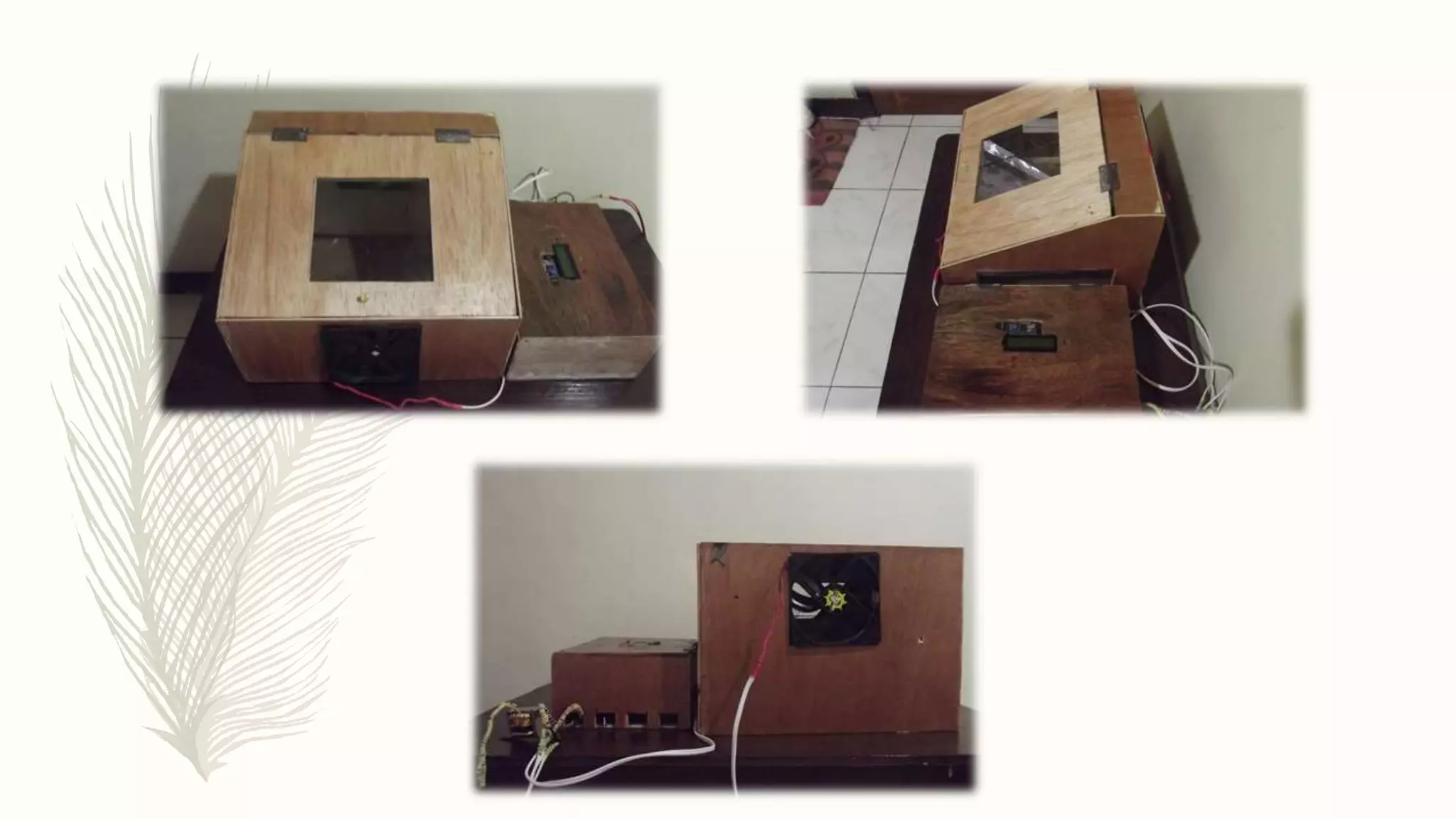
– We used 2 DC Fan 12 volt, one for exhaust fan and another fan as a supply fan
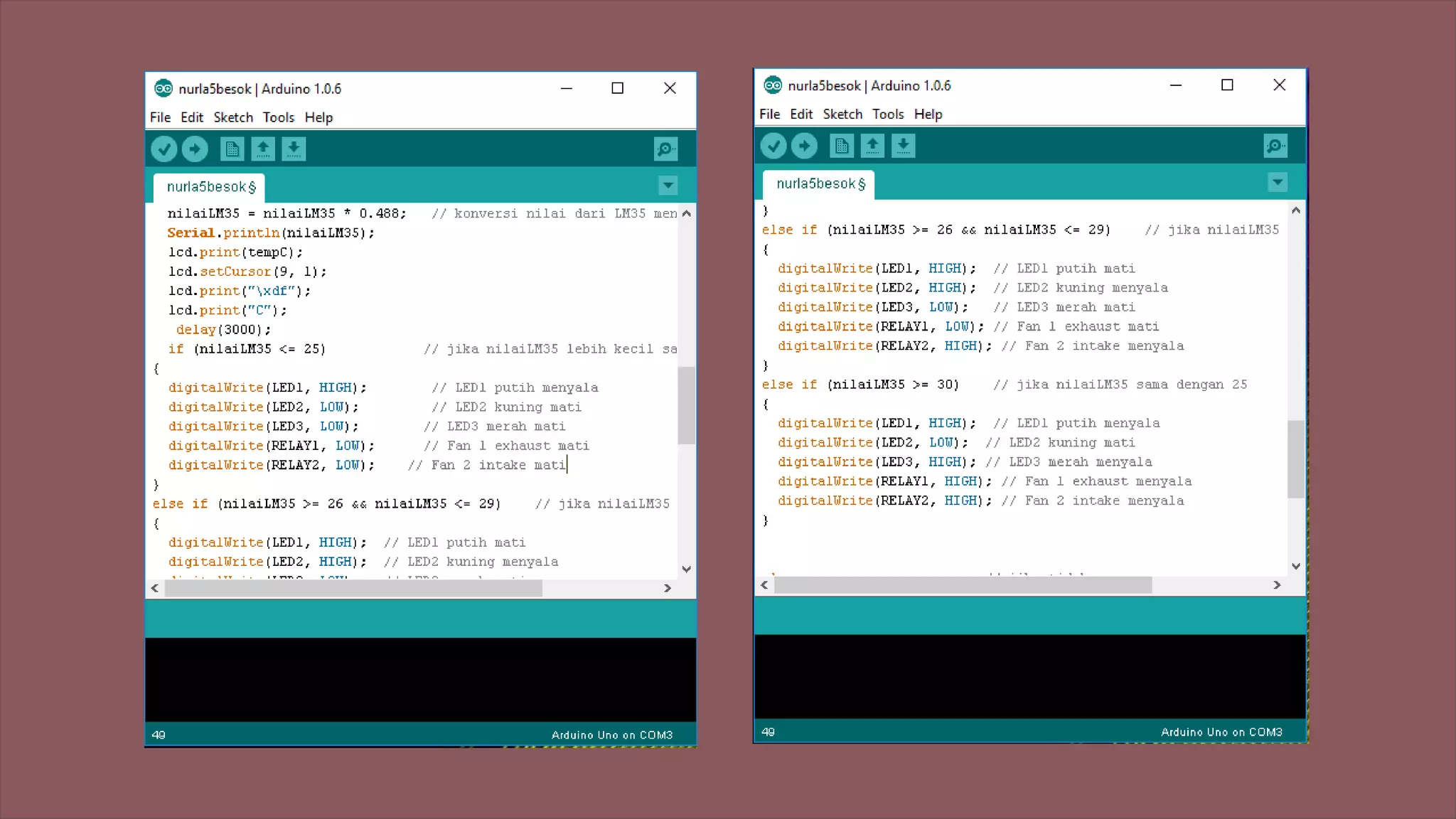
– When the value of temperature under 20°C, LED white will shine and no fan is
working
– When the value of temperature around 26°C until 29°C, LED white and yellow
will shine, and supply fan will be working
– When the value of temperature above 30°C, LED red and white will shine,
supply fan and exhaust fan will be working
Source
– https://www.youtube.com/watch?v=18krZsFRzzY
The Equipment
 Arduino UNO
 LED : white, red and
yellow
 LCD
 Diode
 Resistor
 Wire
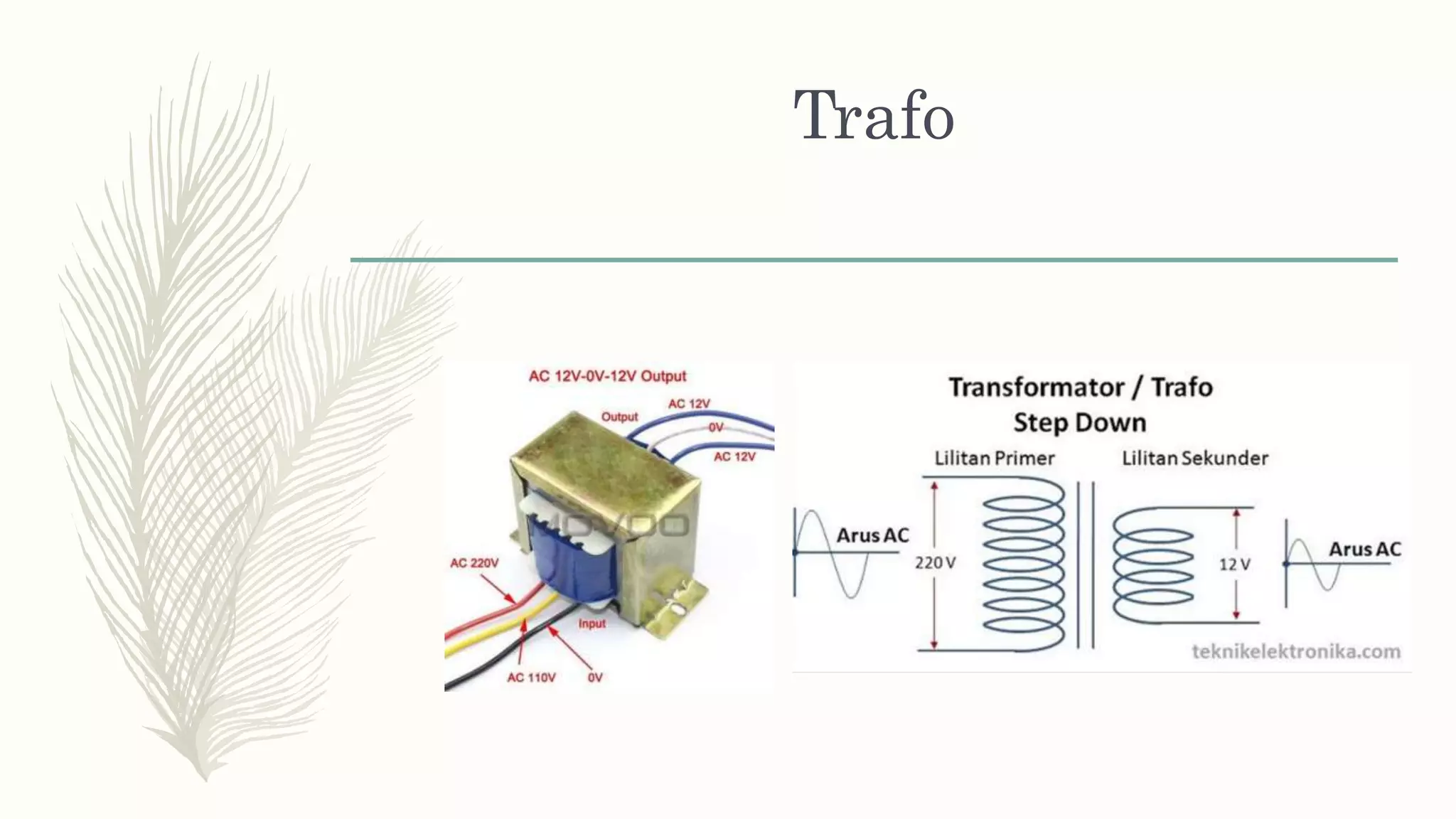
 Trafo
 DC Fan 12 volt
 PCB
 Relay Module
 Solder
 LM35
Arduino UNO R3
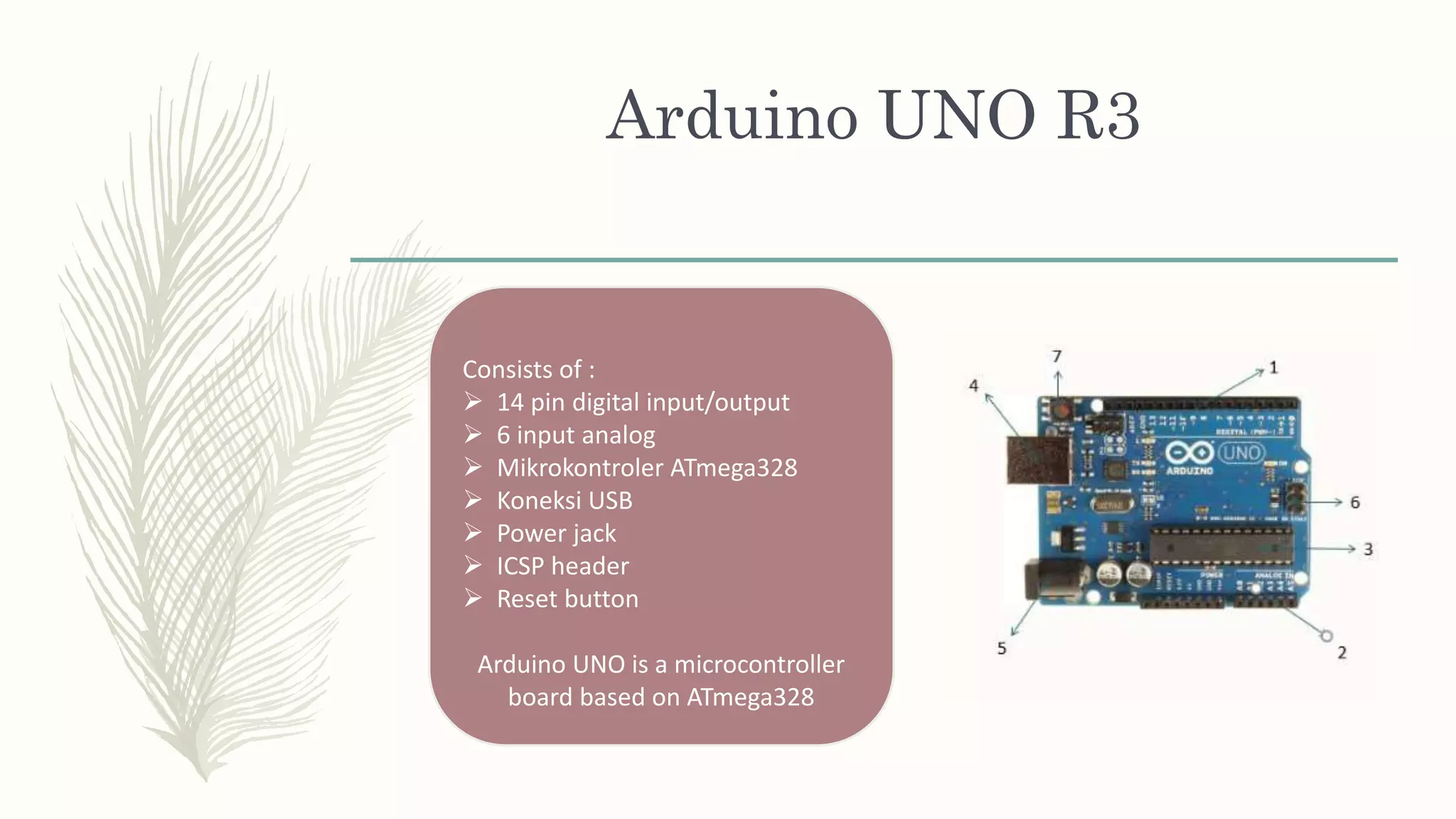
Consists of :
 14 pin digital input/output
 6 input analog
 Mikrokontroler ATmega328
 Koneksi USB
 Power jack
 ICSP header
 Reset button
Arduino UNO is a microcontroller
board based on ATmega328
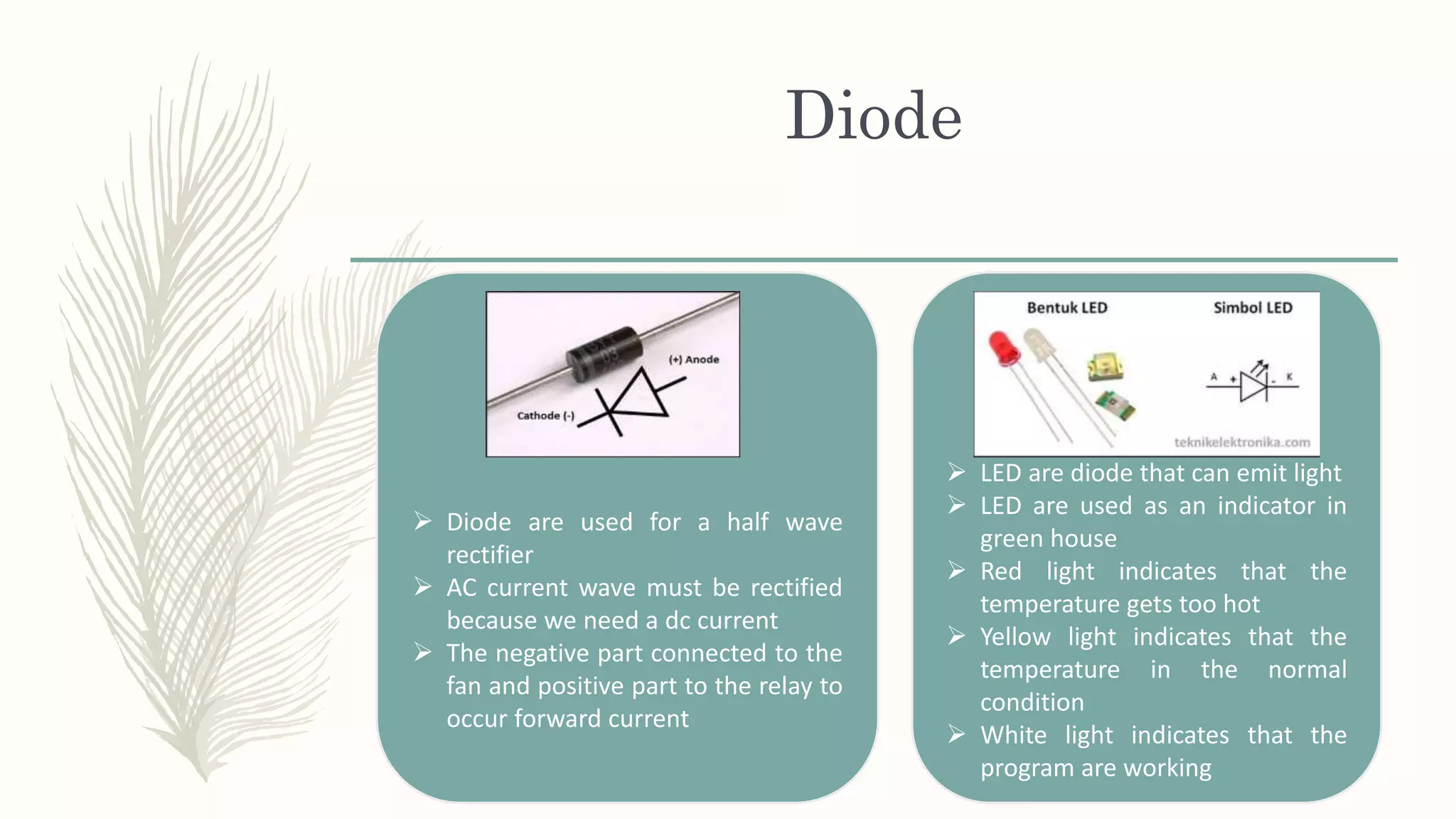
Diode
 Diode are used for a half wave
rectifier
 AC current wave must be rectified
because we need a dc current
 The negative part connected to the
fan and positive part to the relay to
occur forward current
 LED are diode that can emit light
 LED are used as an indicator in
green house
 Red light indicates that the
temperature gets too hot
 Yellow light indicates that the
temperature in the normal
condition
 White light indicates that the
program are working
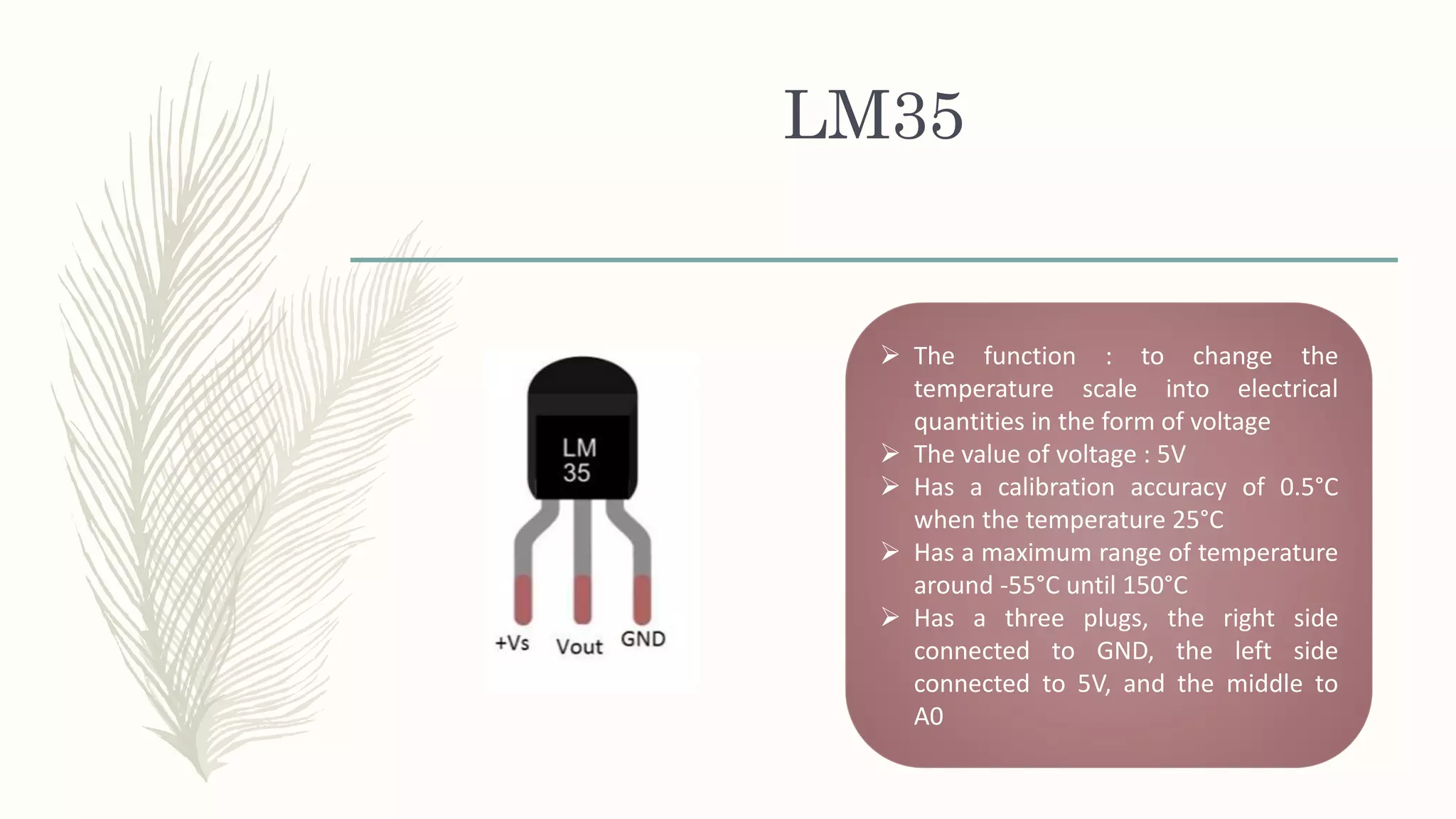
LM35
 The function : to change the
temperature scale into electrical
quantities in the form of voltage
 The value of voltage : 5V
 Has a calibration accuracy of 0.5°C
when the temperature 25°C
 Has a maximum range of temperature
around -55°C until 150°C
 Has a three plugs, the right side
connected to GND, the left side
connected to 5V, and the middle to
A0
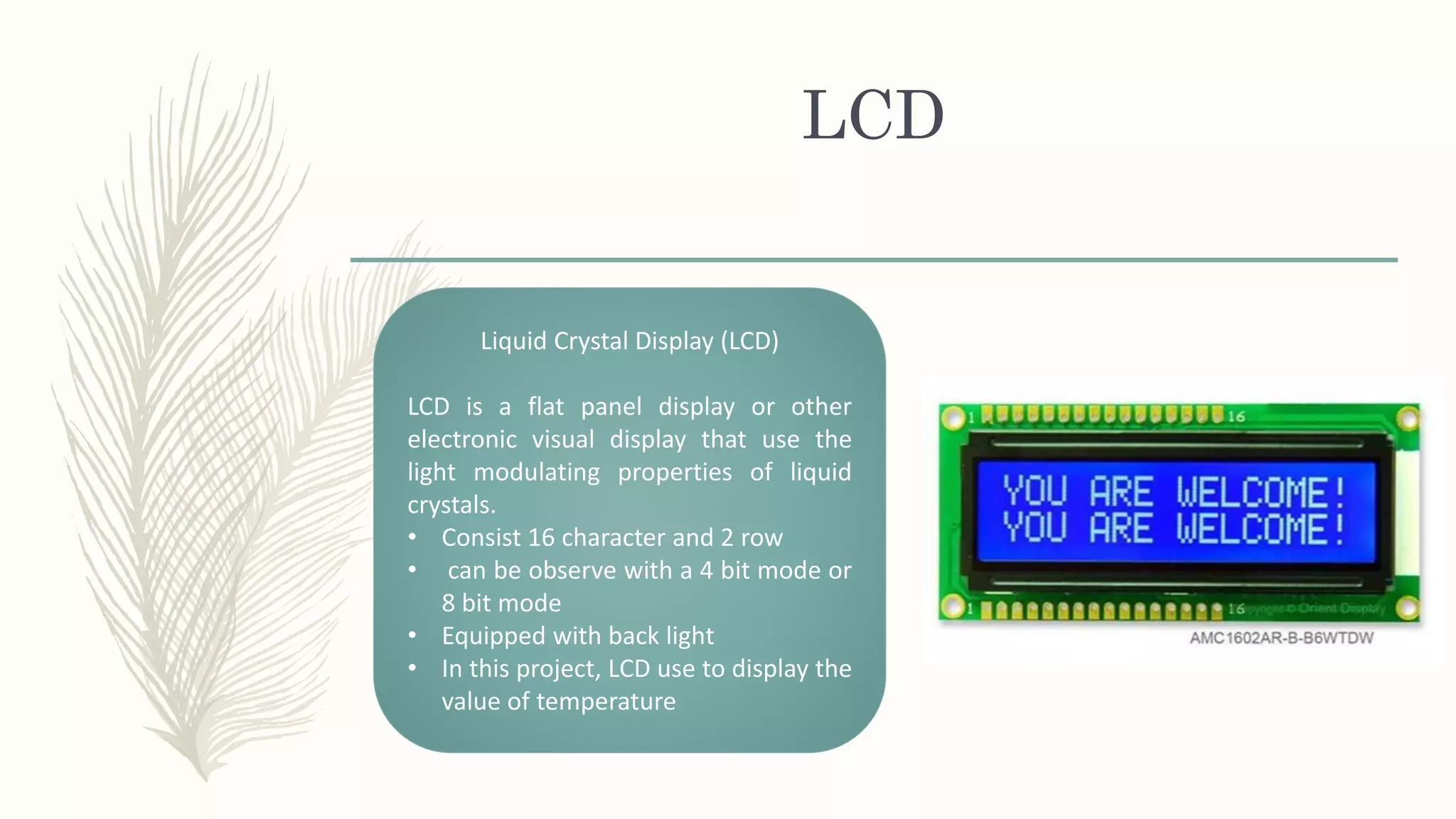
LCD
Liquid Crystal Display (LCD)
LCD is a flat panel display or other
electronic visual display that use the
light modulating properties of liquid
crystals.
• Consist 16 character and 2 row
• can be observe with a 4 bit mode or
8 bit mode
• Equipped with back light
• In this project, LCD use to display the
value of temperature
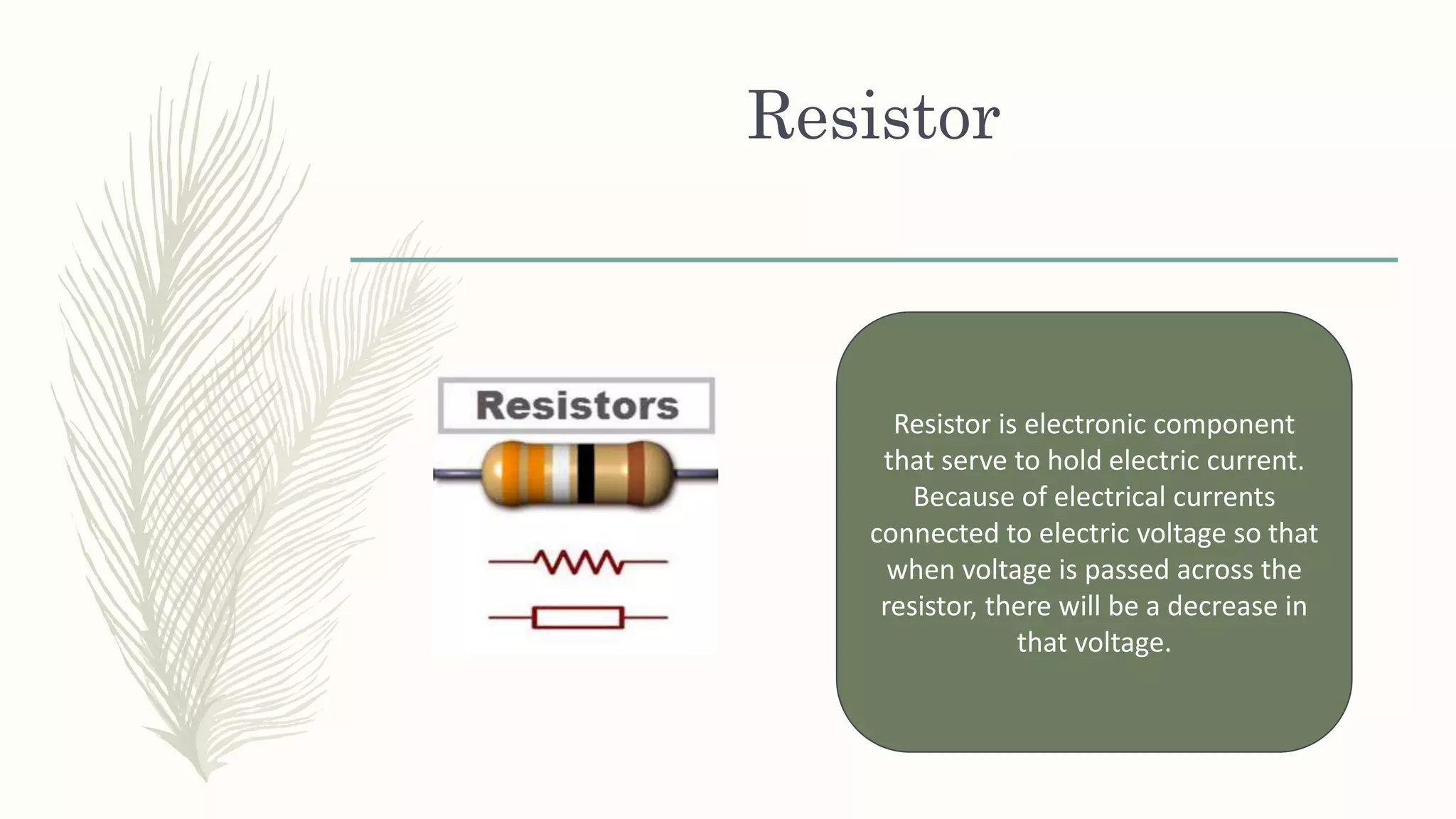
Resistor
Resistor is electronic component
that serve to hold electric current.
Because of electrical currents
connected to electric voltage so that
when voltage is passed across the
resistor, there will be a decrease in
that voltage.
Trafo
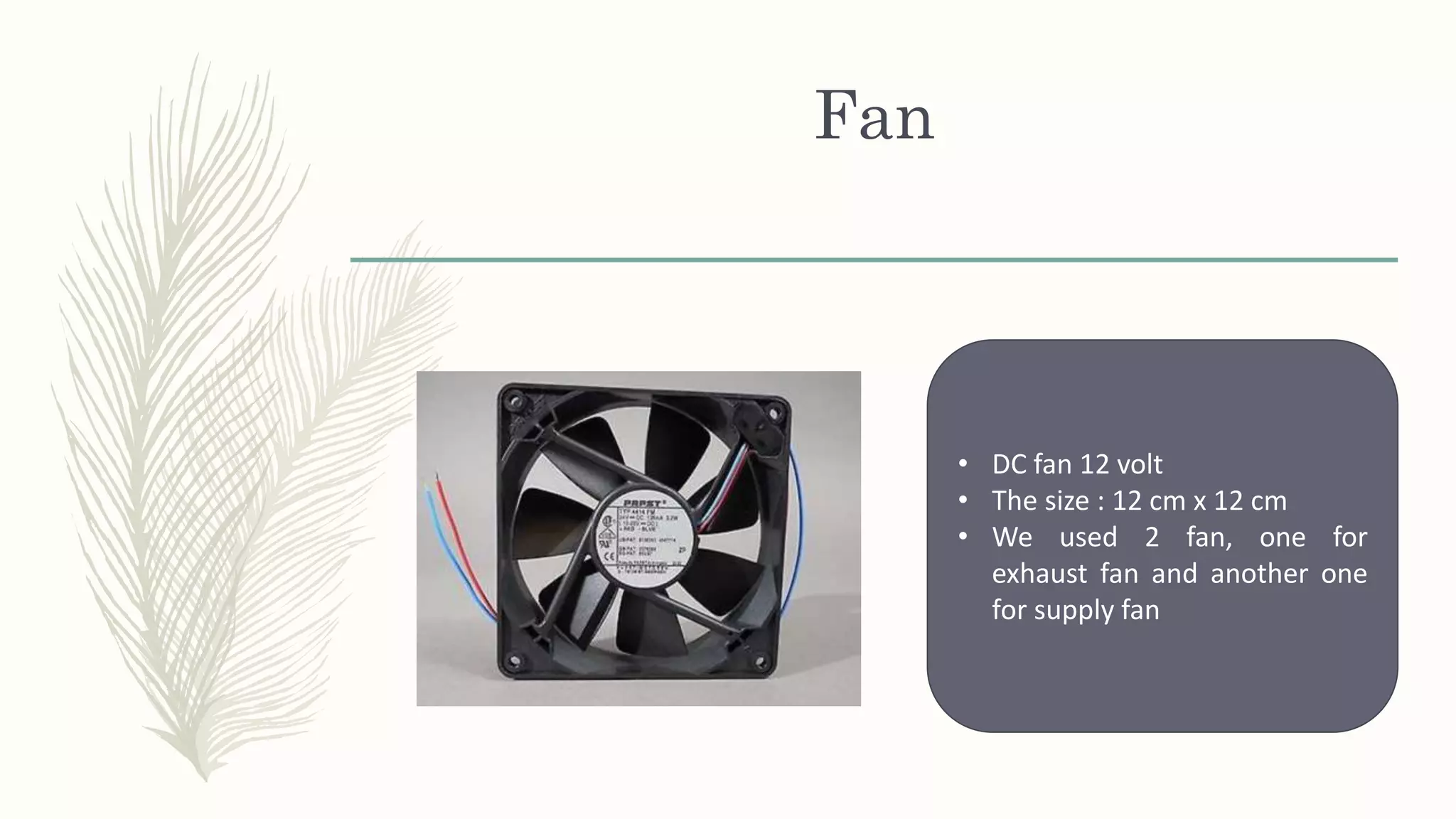
Fan
• DC fan 12 volt
• The size : 12 cm x 12 cm
• We used 2 fan, one for
exhaust fan and another one
for supply fan
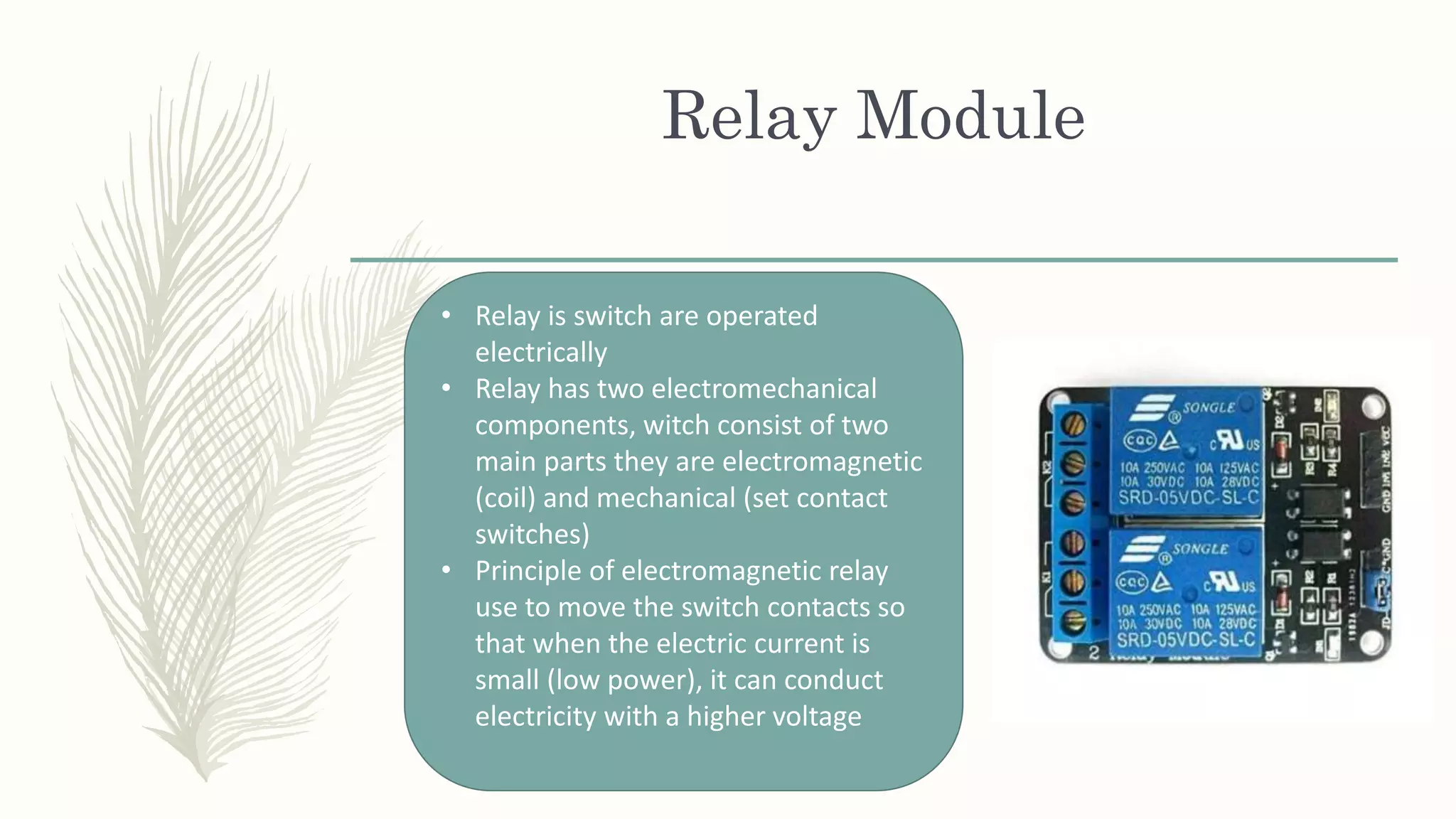
Relay Module
• Relay is switch are operated
electrically
• Relay has two electromechanical
components, witch consist of two
main parts they are electromagnetic
(coil) and mechanical (set contact
switches)
• Principle of electromagnetic relay
use to move the switch contacts so
that when the electric current is
small (low power), it can conduct
electricity with a higher voltage
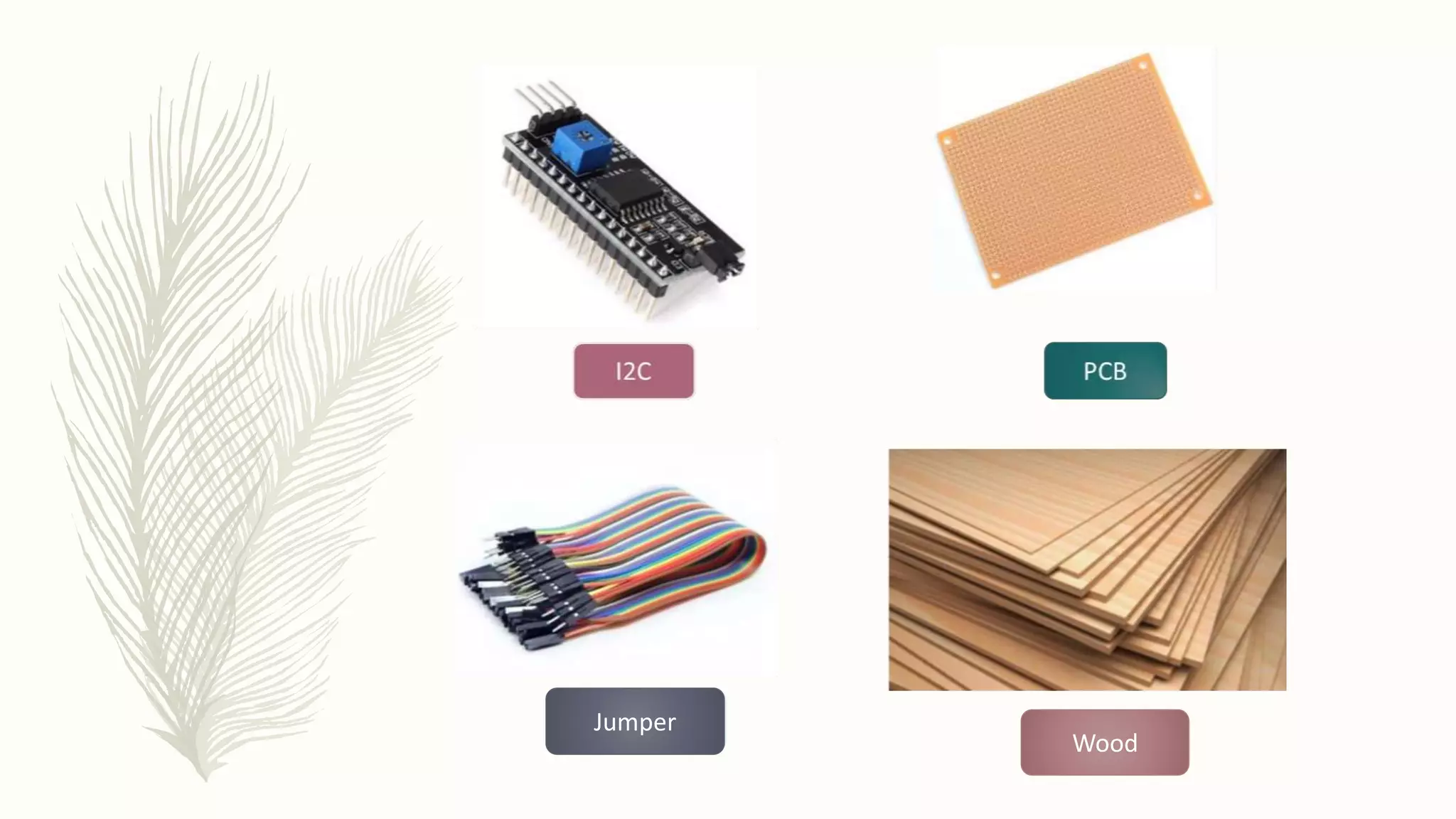
Wood
Jumper
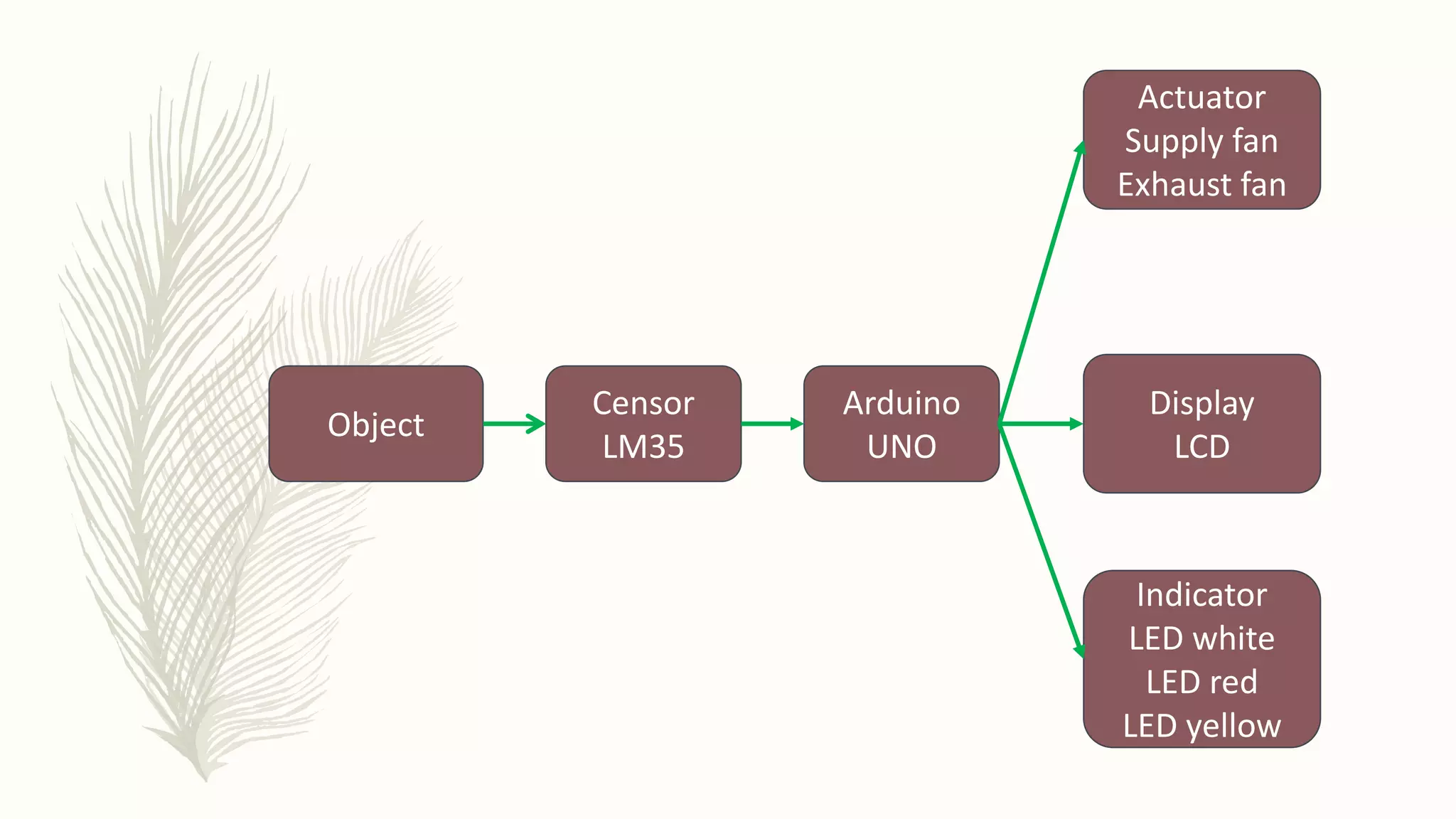
Object
Censor
LM35
Arduino
UNO
Actuator
Supply fan
Exhaust fan
Display
LCD
Indicator
LED white
LED red
LED yellow
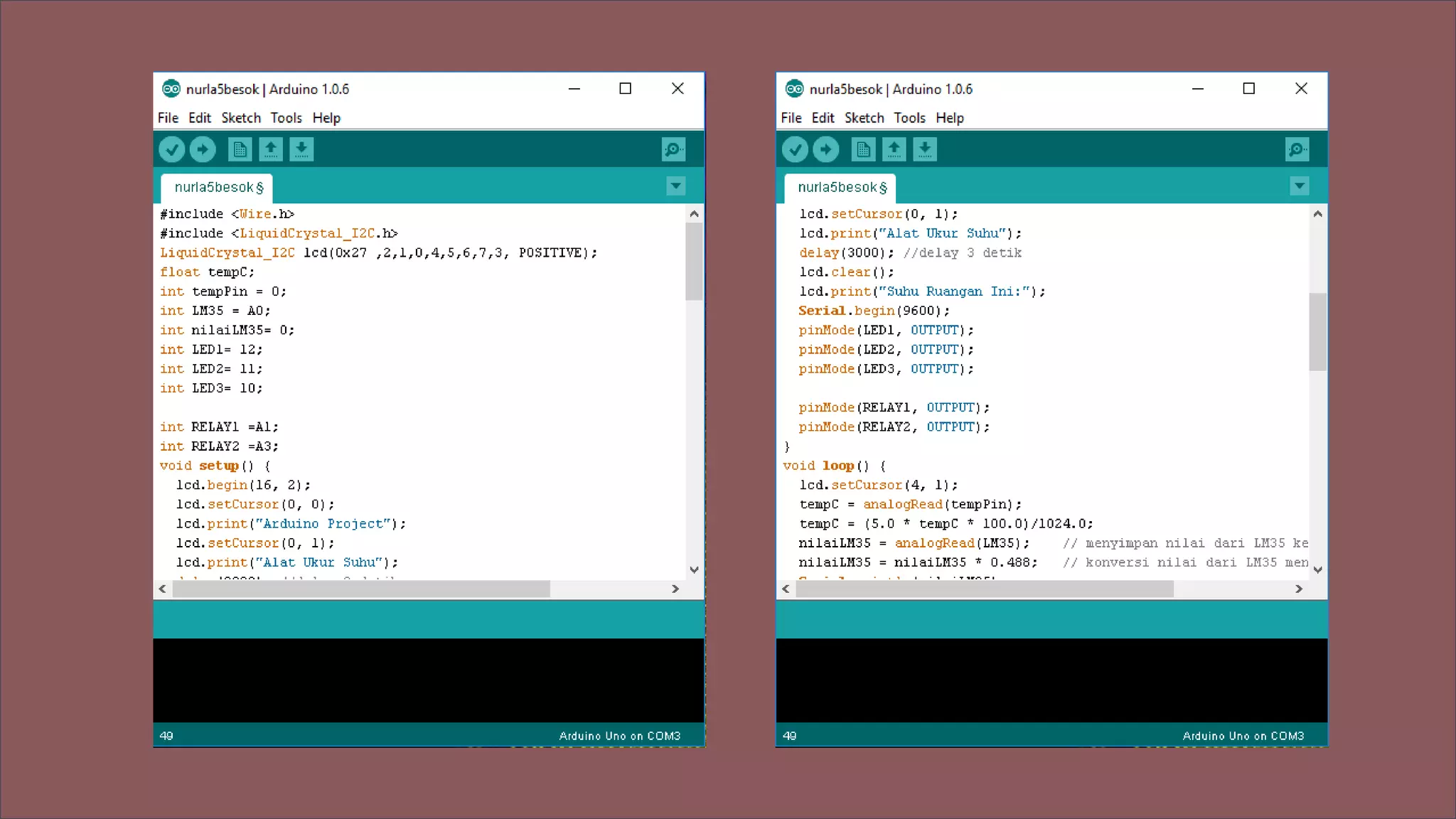
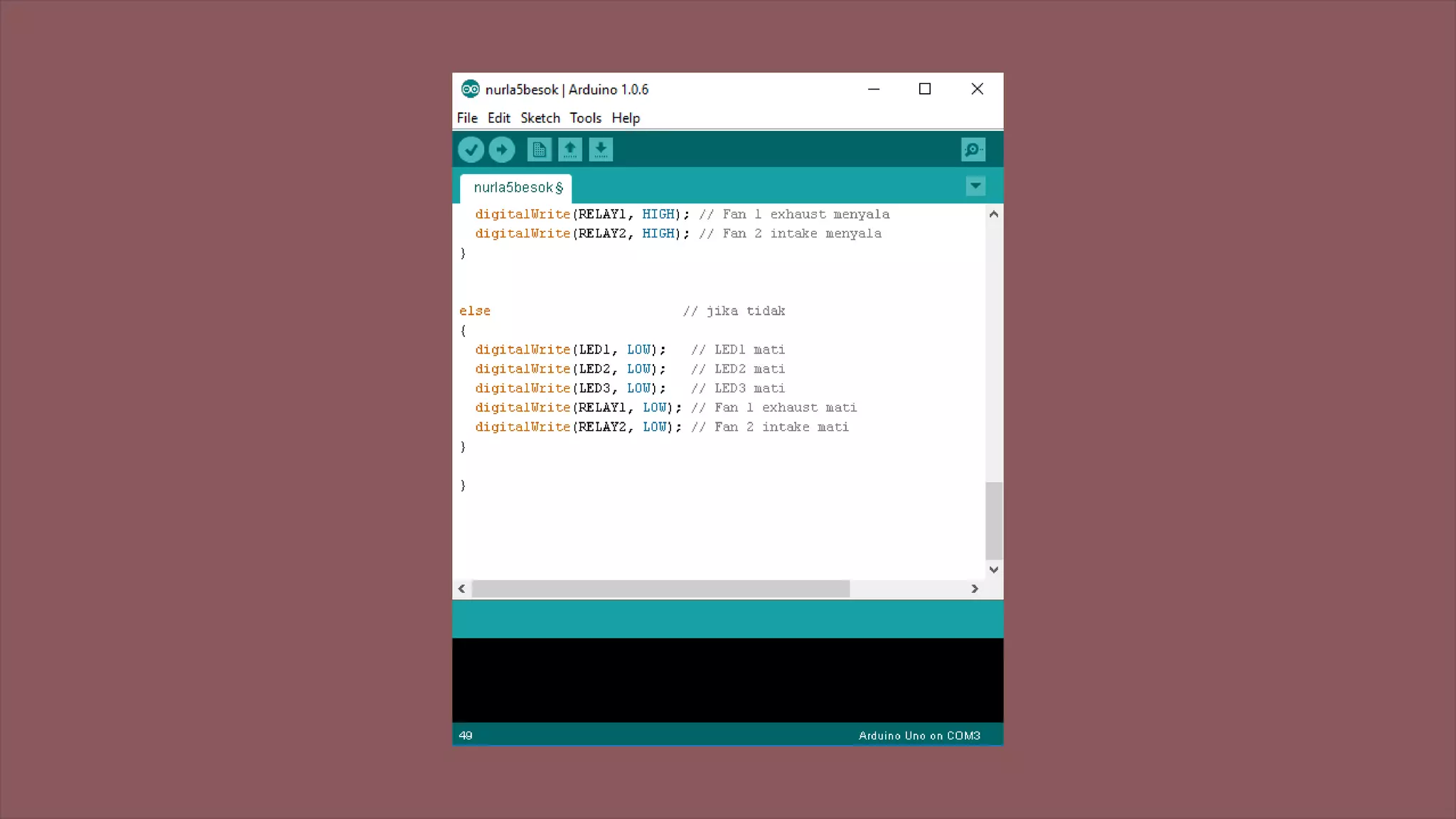
To control the Arduino, we must input the program
by using software Arduino IDE. First we should adapt the
COM of the Arduino with our software. Then, we should
choose the same board between the Arduino and the
software . F.or example : Board Arduino Genuino, COM 3)
The trouble when making
“Automatic DC Fan”
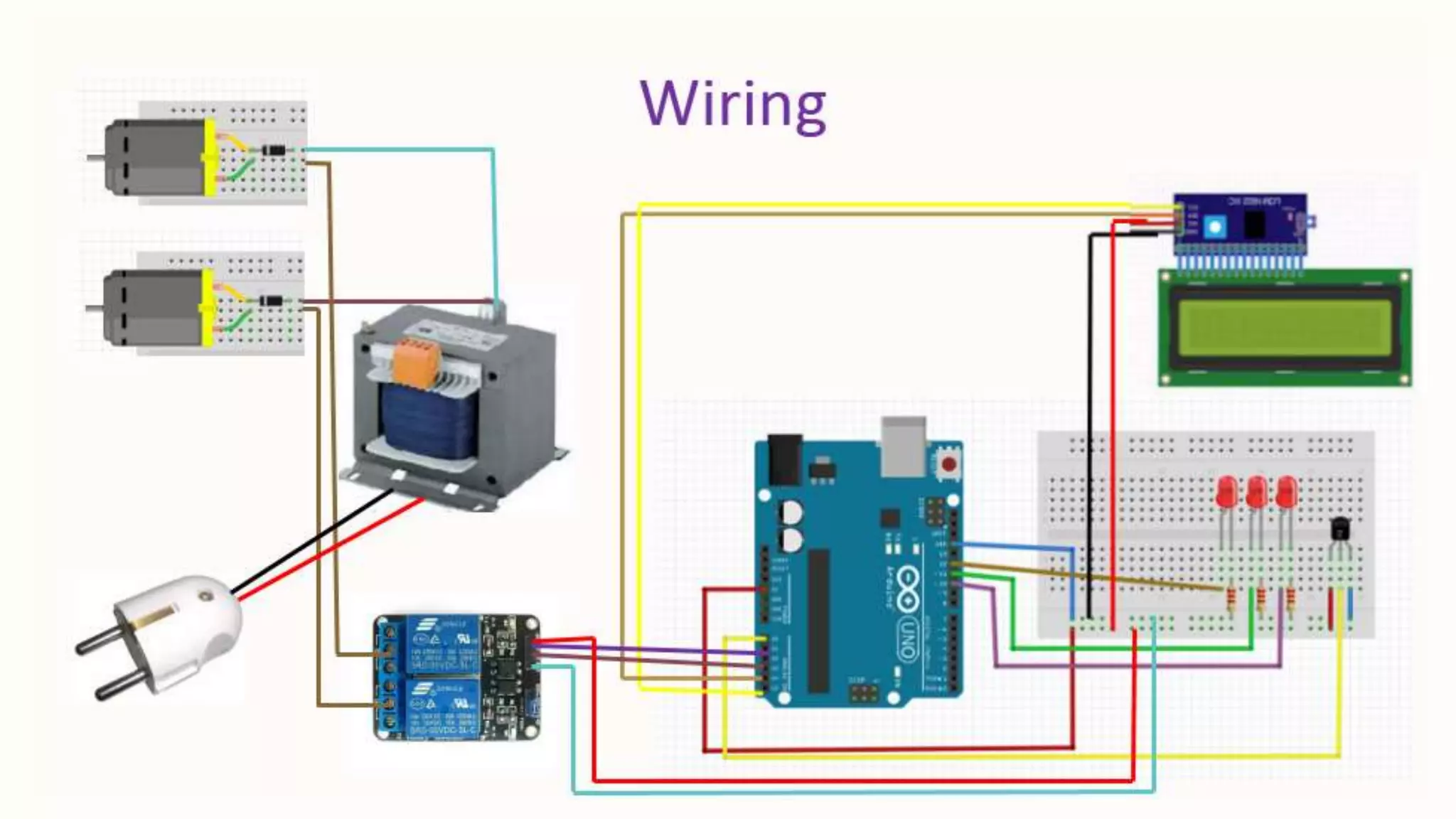
– We must add the trafo and diodes because the current sources
from Arduino UNO only 5V but we need current sources more
than that
– It takes a lot of wire to connected the LCD with Arduino, so we
decide to change the wire and we use I2C
– we need to change the program on IDE because we use I2C

Automatic DC Fan using LM35 (English version)

  • 1.
    Automatic DC FanUsing LM35 Dosen Pengampu: Ary Surjanto, ST., MT. Muhammad Arman, ST., S.Psi., M.Eng. C. Bambang Dwi Kuncoro, ST., MT. Pratikto, Dr., Drs., MT. D3 Teknik Pendinginan dan Tata Udara Politeknik Negeri Bandung 2017 POLBAN
  • 2.
    AUTOMATIC DC FAN USINGLM35 Base on Arduino for Green House English version made by : M. Daddy Refa M (151611015) Nurlatifa Haulaini (151611019) Ronito Halason (151611027)
  • 3.
    Lecturer Ary Surjanto, ST,MT. C. Bambang Dwi Kuncoro, ST, MT Muhammad Arman, ST., S.Psi., M.Eng Pratikto, DR, Drs.,MT
  • 5.
    Description – We usedLM35 as a temperature censor, the result of the measurements are displayed on the LCD – We used 2 DC Fan 12 volt, one for exhaust fan and another fan as a supply fan – When the value of temperature under 20°C, LED white will shine and no fan is working – When the value of temperature around 26°C until 29°C, LED white and yellow will shine, and supply fan will be working – When the value of temperature above 30°C, LED red and white will shine, supply fan and exhaust fan will be working
  • 6.
  • 7.
    The Equipment  ArduinoUNO  LED : white, red and yellow  LCD  Diode  Resistor  Wire  Trafo  DC Fan 12 volt  PCB  Relay Module  Solder  LM35
  • 8.
    Arduino UNO R3 Consistsof :  14 pin digital input/output  6 input analog  Mikrokontroler ATmega328  Koneksi USB  Power jack  ICSP header  Reset button Arduino UNO is a microcontroller board based on ATmega328
  • 9.
    Diode  Diode areused for a half wave rectifier  AC current wave must be rectified because we need a dc current  The negative part connected to the fan and positive part to the relay to occur forward current  LED are diode that can emit light  LED are used as an indicator in green house  Red light indicates that the temperature gets too hot  Yellow light indicates that the temperature in the normal condition  White light indicates that the program are working
  • 10.
    LM35  The function: to change the temperature scale into electrical quantities in the form of voltage  The value of voltage : 5V  Has a calibration accuracy of 0.5°C when the temperature 25°C  Has a maximum range of temperature around -55°C until 150°C  Has a three plugs, the right side connected to GND, the left side connected to 5V, and the middle to A0
  • 11.
    LCD Liquid Crystal Display(LCD) LCD is a flat panel display or other electronic visual display that use the light modulating properties of liquid crystals. • Consist 16 character and 2 row • can be observe with a 4 bit mode or 8 bit mode • Equipped with back light • In this project, LCD use to display the value of temperature
  • 12.
    Resistor Resistor is electroniccomponent that serve to hold electric current. Because of electrical currents connected to electric voltage so that when voltage is passed across the resistor, there will be a decrease in that voltage.
  • 13.
  • 14.
    Fan • DC fan12 volt • The size : 12 cm x 12 cm • We used 2 fan, one for exhaust fan and another one for supply fan
  • 15.
    Relay Module • Relayis switch are operated electrically • Relay has two electromechanical components, witch consist of two main parts they are electromagnetic (coil) and mechanical (set contact switches) • Principle of electromagnetic relay use to move the switch contacts so that when the electric current is small (low power), it can conduct electricity with a higher voltage
  • 16.
  • 18.
  • 22.
    To control theArduino, we must input the program by using software Arduino IDE. First we should adapt the COM of the Arduino with our software. Then, we should choose the same board between the Arduino and the software . F.or example : Board Arduino Genuino, COM 3)
  • 23.
    The trouble whenmaking “Automatic DC Fan” – We must add the trafo and diodes because the current sources from Arduino UNO only 5V but we need current sources more than that – It takes a lot of wire to connected the LCD with Arduino, so we decide to change the wire and we use I2C – we need to change the program on IDE because we use I2C