Downloaded 33 times






![3.1 Line Command
Creates single straight line segments
1. Choose Draw, Line.
or
2. Click the Line icon.
or
3. Type LINE from the command prompt
Command: LINE or L
4. Press ENTER
5. Pick From point: (point)
6. Pick Specify next point or [Close/Undo]:(point)
7. Pick Specify next point or [Close/Undo]:(point)
8. Press ENTER to end line sequence
or
9. Type U to undo the last segment
To point: U (undo)
or
10. Type C to create a closed polygon
To point : C (close)
TIPS:
• You can continue the previous line or arc by responding to
the From point: prompt with a space or ENTER.
• Choose the right mouse button for the line pop-up menu to
appear while in the line command](https://image.slidesharecdn.com/autocadtutorial002-160114145641/85/Auto-cad-tutorial-002-15-320.jpg)




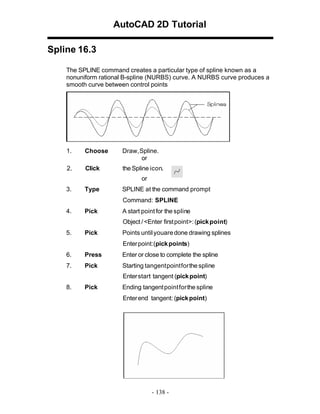


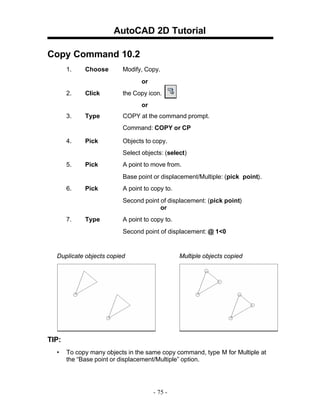


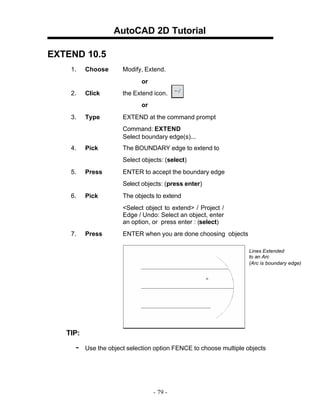












The document provides instructions for using various basic tools and commands in AutoCAD, including: 1) Launching AutoCAD, typing commands, and using the pointing device (mouse). 2) Creating new drawings, opening existing drawings, saving drawings, and using undo/redo. 3) Drawing basic shapes like lines, rectangles, circles, arcs, splines, and editing objects like polylines. 4) Setting units, running object snaps, and using orthogonal and isometric views. Most commands can be accessed through toolbar icons, menu options, or command prompts. The document provides step-by-step examples to demonstrate how to use many of the basic tools in AutoCAD.


