Arrays
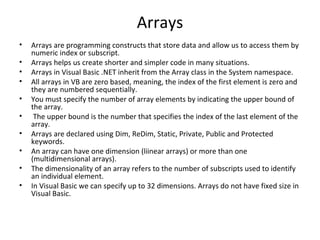
•   Arrays are programming constructs that store data and allow us to access them by
    numeric index or subscript.
•   Arrays helps us create shorter and simpler code in many situations.
•   Arrays in Visual Basic .NET inherit from the Array class in the System namespace.
•   All arrays in VB are zero based, meaning, the index of the first element is zero and
    they are numbered sequentially.
•   You must specify the number of array elements by indicating the upper bound of
    the array.
•    The upper bound is the number that specifies the index of the last element of the
    array.
•   Arrays are declared using Dim, ReDim, Static, Private, Public and Protected
    keywords.
•   An array can have one dimension (liinear arrays) or more than one
    (multidimensional arrays).
•   The dimensionality of an array refers to the number of subscripts used to identify
    an individual element.
•   In Visual Basic we can specify up to 32 dimensions. Arrays do not have fixed size in
    Visual Basic.
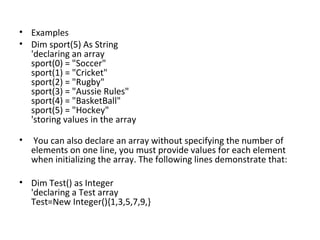
• Examples
• Dim sport(5) As String
  'declaring an array
  sport(0) = "Soccer"
  sport(1) = "Cricket"
  sport(2) = "Rugby"
  sport(3) = "Aussie Rules"
  sport(4) = "BasketBall"
  sport(5) = "Hockey"
  'storing values in the array

•   You can also declare an array without specifying the number of
    elements on one line, you must provide values for each element
    when initializing the array. The following lines demonstrate that:

• Dim Test() as Integer
  'declaring a Test array
  Test=New Integer(){1,3,5,7,9,}
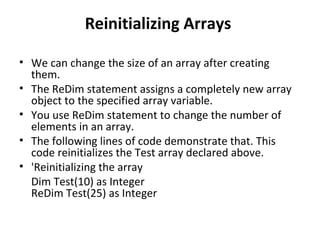
Reinitializing Arrays

• We can change the size of an array after creating
  them.
• The ReDim statement assigns a completely new array
  object to the specified array variable.
• You use ReDim statement to change the number of
  elements in an array.
• The following lines of code demonstrate that. This
  code reinitializes the Test array declared above.
• 'Reinitializing the array
  Dim Test(10) as Integer
  ReDim Test(25) as Integer
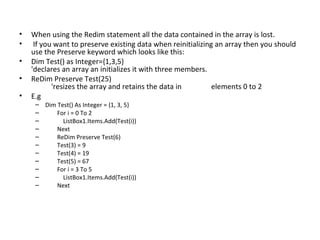
•   When using the Redim statement all the data contained in the array is lost.
•    If you want to preserve existing data when reinitializing an array then you should
    use the Preserve keyword which looks like this:
•   Dim Test() as Integer={1,3,5}
    'declares an array an initializes it with three members.
•   ReDim Preserve Test(25)
           'resizes the array and retains the data in         elements 0 to 2
•   E.g
     – Dim Test() As Integer = {1, 3, 5}
     –     For i = 0 To 2
     –       ListBox1.Items.Add(Test(i))
     –     Next
     –     ReDim Preserve Test(6)
     –     Test(3) = 9
     –     Test(4) = 19
     –     Test(5) = 67
     –     For i = 3 To 5
     –       ListBox1.Items.Add(Test(i))
     –     Next
Multidimensional Arrays

• All arrays which were mentioned above are
  one dimensional or linear arrays.
• Multidimensional arrays supported by the
  .NET framework: Jagged arrays.
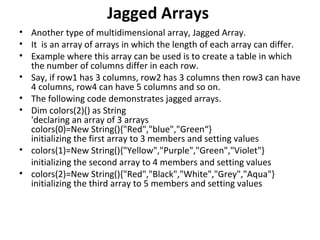
Jagged Arrays
• Another type of multidimensional array, Jagged Array.
• It is an array of arrays in which the length of each array can differ.
• Example where this array can be used is to create a table in which
  the number of columns differ in each row.
• Say, if row1 has 3 columns, row2 has 3 columns then row3 can have
  4 columns, row4 can have 5 columns and so on.
• The following code demonstrates jagged arrays.
• Dim colors(2)() as String
  'declaring an array of 3 arrays
  colors(0)=New String(){"Red","blue","Green“}
  initializing the first array to 3 members and setting values
• colors(1)=New String(){"Yellow","Purple","Green","Violet"}
  initializing the second array to 4 members and setting values
• colors(2)=New String(){"Red","Black","White","Grey","Aqua"}
  initializing the third array to 5 members and setting values
Option statements
• Option explicit
  – Set to on or off.
  – On is by default.
  – Requires declaration of all variables before they
    are used.
• Option strict
  – Set to on or off.
  – Off is by default.
  – If the option is on, you cant assign value of one
    data type to another.(cause data type is having
    less precise data storage capacity.)
• So nee to use conversion function for
  typecasting purpose.
• Option compare
  – Set to binary or text
  – Specifies whether the string is to be compared as
    binary or text.
Control structures
• Normally statements are executed one after
  another in the order in which they are written.
  This process is called sequential execution.
• However, a transfer of control occurs when a
  statement other than the next one in the
  program executes.
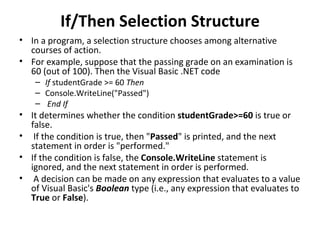
If/Then Selection Structure
• In a program, a selection structure chooses among alternative
  courses of action.
• For example, suppose that the passing grade on an examination is
  60 (out of 100). Then the Visual Basic .NET code
    – If studentGrade >= 60 Then
    – Console.WriteLine("Passed")
    – End If
• It determines whether the condition studentGrade>=60 is true or
  false.
• If the condition is true, then "Passed" is printed, and the next
  statement in order is "performed."
• If the condition is false, the Console.WriteLine statement is
  ignored, and the next statement in order is performed.
• A decision can be made on any expression that evaluates to a value
  of Visual Basic's Boolean type (i.e., any expression that evaluates to
  True or False).
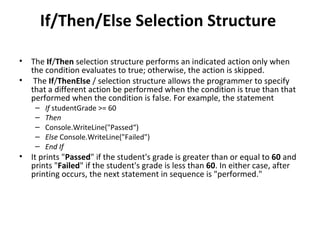
If/Then/Else Selection Structure

•   The If/Then selection structure performs an indicated action only when
    the condition evaluates to true; otherwise, the action is skipped.
•    The If/ThenElse / selection structure allows the programmer to specify
    that a different action be performed when the condition is true than that
    performed when the condition is false. For example, the statement
     –   If studentGrade >= 60
     –   Then
     –   Console.WriteLine("Passed“)
     –   Else Console.WriteLine("Failed")
     –   End If
•   It prints "Passed" if the student's grade is greater than or equal to 60 and
    prints "Failed" if the student's grade is less than 60. In either case, after
    printing occurs, the next statement in sequence is "performed."
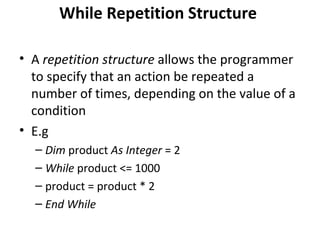
While Repetition Structure

• A repetition structure allows the programmer
  to specify that an action be repeated a
  number of times, depending on the value of a
  condition
• E.g
  – Dim product As Integer = 2
  – While product <= 1000
  – product = product * 2
  – End While
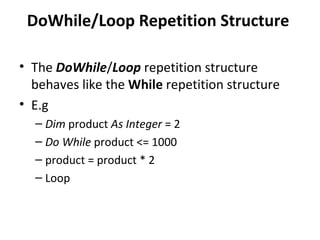
DoWhile/Loop Repetition Structure

• The DoWhile/Loop repetition structure
  behaves like the While repetition structure
• E.g
  – Dim product As Integer = 2
  – Do While product <= 1000
  – product = product * 2
  – Loop
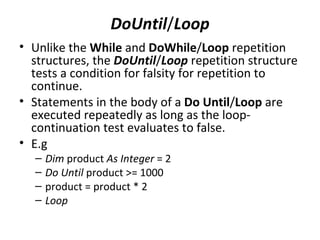
DoUntil/Loop
• Unlike the While and DoWhile/Loop repetition
  structures, the DoUntil/Loop repetition structure
  tests a condition for falsity for repetition to
  continue.
• Statements in the body of a Do Until/Loop are
  executed repeatedly as long as the loop-
  continuation test evaluates to false.
• E.g
  –   Dim product As Integer = 2
  –   Do Until product >= 1000
  –   product = product * 2
  –   Loop
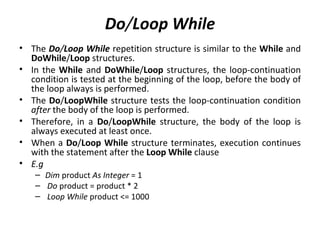
Do/Loop While
• The Do/Loop While repetition structure is similar to the While and
  DoWhile/Loop structures.
• In the While and DoWhile/Loop structures, the loop-continuation
  condition is tested at the beginning of the loop, before the body of
  the loop always is performed.
• The Do/LoopWhile structure tests the loop-continuation condition
  after the body of the loop is performed.
• Therefore, in a Do/LoopWhile structure, the body of the loop is
  always executed at least once.
• When a Do/Loop While structure terminates, execution continues
  with the statement after the Loop While clause
• E.g
   – Dim product As Integer = 1
   – Do product = product * 2
   – Loop While product <= 1000
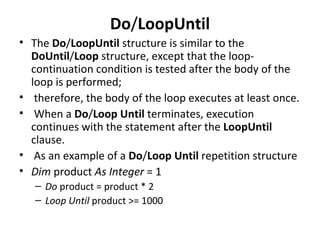
Do/LoopUntil
• The Do/LoopUntil structure is similar to the
  DoUntil/Loop structure, except that the loop-
  continuation condition is tested after the body of the
  loop is performed;
• therefore, the body of the loop executes at least once.
• When a Do/Loop Until terminates, execution
  continues with the statement after the LoopUntil
  clause.
• As an example of a Do/Loop Until repetition structure
• Dim product As Integer = 1
   – Do product = product * 2
   – Loop Until product >= 1000
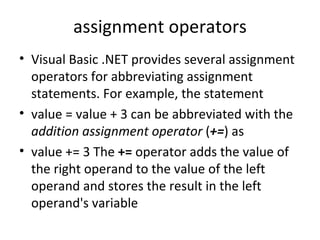
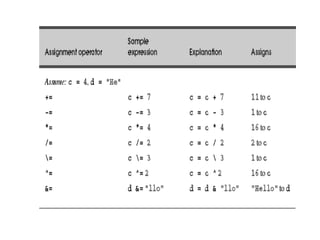
assignment operators
• Visual Basic .NET provides several assignment
  operators for abbreviating assignment
  statements. For example, the statement
• value = value + 3 can be abbreviated with the
  addition assignment operator (+=) as
• value += 3 The += operator adds the value of
  the right operand to the value of the left
  operand and stores the result in the left
  operand's variable
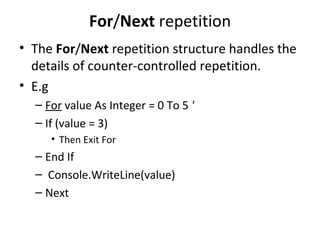
For/Next repetition
• The For/Next repetition structure handles the
  details of counter-controlled repetition.
• E.g
  – For value As Integer = 0 To 5 '
  – If (value = 3)
     • Then Exit For
  – End If
  – Console.WriteLine(value)
  – Next
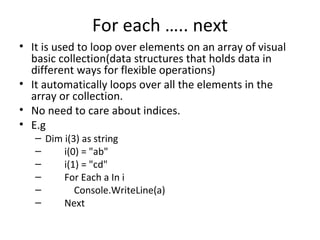
For each ….. next
• It is used to loop over elements on an array of visual
  basic collection(data structures that holds data in
  different ways for flexible operations)
• It automatically loops over all the elements in the
  array or collection.
• No need to care about indices.
• E.g
   – Dim i(3) as string
   –     i(0) = "ab"
   –     i(1) = "cd"
   –     For Each a In i
   –        Console.WriteLine(a)
   –     Next
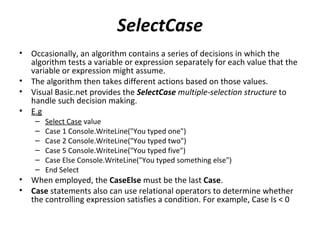
SelectCase
•   Occasionally, an algorithm contains a series of decisions in which the
    algorithm tests a variable or expression separately for each value that the
    variable or expression might assume.
•   The algorithm then takes different actions based on those values.
•   Visual Basic.net provides the SelectCase multiple-selection structure to
    handle such decision making.
•   E.g
     –   Select Case value
     –   Case 1 Console.WriteLine("You typed one")
     –   Case 2 Console.WriteLine("You typed two")
     –   Case 5 Console.WriteLine("You typed five")
     –   Case Else Console.WriteLine("You typed something else")
     –   End Select
•   When employed, the CaseElse must be the last Case.
•   Case statements also can use relational operators to determine whether
    the controlling expression satisfies a condition. For example, Case Is < 0
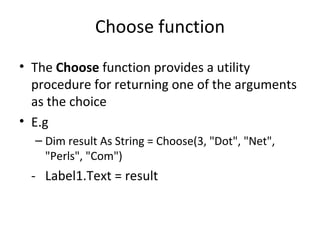
Choose function
• The Choose function provides a utility
  procedure for returning one of the arguments
  as the choice
• E.g
  – Dim result As String = Choose(3, "Dot", "Net",
    "Perls", "Com")
 - Label1.Text = result
With statement
• It is not a loop.
• But can be useful as a loop.
• It is used to execute statements using a particular
  object. The syntax
   – With object
     [statements]
     End With
• E.g-
• With Button1
       .Text = "With Statement"
       .Width = 150
  End With
  End Sub

Arrays

  • 1.
    Arrays • Arrays are programming constructs that store data and allow us to access them by numeric index or subscript. • Arrays helps us create shorter and simpler code in many situations. • Arrays in Visual Basic .NET inherit from the Array class in the System namespace. • All arrays in VB are zero based, meaning, the index of the first element is zero and they are numbered sequentially. • You must specify the number of array elements by indicating the upper bound of the array. • The upper bound is the number that specifies the index of the last element of the array. • Arrays are declared using Dim, ReDim, Static, Private, Public and Protected keywords. • An array can have one dimension (liinear arrays) or more than one (multidimensional arrays). • The dimensionality of an array refers to the number of subscripts used to identify an individual element. • In Visual Basic we can specify up to 32 dimensions. Arrays do not have fixed size in Visual Basic.
  • 2.
    • Examples • Dimsport(5) As String 'declaring an array sport(0) = "Soccer" sport(1) = "Cricket" sport(2) = "Rugby" sport(3) = "Aussie Rules" sport(4) = "BasketBall" sport(5) = "Hockey" 'storing values in the array • You can also declare an array without specifying the number of elements on one line, you must provide values for each element when initializing the array. The following lines demonstrate that: • Dim Test() as Integer 'declaring a Test array Test=New Integer(){1,3,5,7,9,}
  • 3.
    Reinitializing Arrays • Wecan change the size of an array after creating them. • The ReDim statement assigns a completely new array object to the specified array variable. • You use ReDim statement to change the number of elements in an array. • The following lines of code demonstrate that. This code reinitializes the Test array declared above. • 'Reinitializing the array Dim Test(10) as Integer ReDim Test(25) as Integer
  • 4.
    When using the Redim statement all the data contained in the array is lost. • If you want to preserve existing data when reinitializing an array then you should use the Preserve keyword which looks like this: • Dim Test() as Integer={1,3,5} 'declares an array an initializes it with three members. • ReDim Preserve Test(25) 'resizes the array and retains the data in elements 0 to 2 • E.g – Dim Test() As Integer = {1, 3, 5} – For i = 0 To 2 – ListBox1.Items.Add(Test(i)) – Next – ReDim Preserve Test(6) – Test(3) = 9 – Test(4) = 19 – Test(5) = 67 – For i = 3 To 5 – ListBox1.Items.Add(Test(i)) – Next
  • 5.
    Multidimensional Arrays • Allarrays which were mentioned above are one dimensional or linear arrays. • Multidimensional arrays supported by the .NET framework: Jagged arrays.
  • 6.
    Jagged Arrays • Anothertype of multidimensional array, Jagged Array. • It is an array of arrays in which the length of each array can differ. • Example where this array can be used is to create a table in which the number of columns differ in each row. • Say, if row1 has 3 columns, row2 has 3 columns then row3 can have 4 columns, row4 can have 5 columns and so on. • The following code demonstrates jagged arrays. • Dim colors(2)() as String 'declaring an array of 3 arrays colors(0)=New String(){"Red","blue","Green“} initializing the first array to 3 members and setting values • colors(1)=New String(){"Yellow","Purple","Green","Violet"} initializing the second array to 4 members and setting values • colors(2)=New String(){"Red","Black","White","Grey","Aqua"} initializing the third array to 5 members and setting values
  • 7.
    Option statements • Optionexplicit – Set to on or off. – On is by default. – Requires declaration of all variables before they are used. • Option strict – Set to on or off. – Off is by default. – If the option is on, you cant assign value of one data type to another.(cause data type is having less precise data storage capacity.)
  • 8.
    • So neeto use conversion function for typecasting purpose. • Option compare – Set to binary or text – Specifies whether the string is to be compared as binary or text.
  • 9.
    Control structures • Normallystatements are executed one after another in the order in which they are written. This process is called sequential execution. • However, a transfer of control occurs when a statement other than the next one in the program executes.
  • 10.
    If/Then Selection Structure •In a program, a selection structure chooses among alternative courses of action. • For example, suppose that the passing grade on an examination is 60 (out of 100). Then the Visual Basic .NET code – If studentGrade >= 60 Then – Console.WriteLine("Passed") – End If • It determines whether the condition studentGrade>=60 is true or false. • If the condition is true, then "Passed" is printed, and the next statement in order is "performed." • If the condition is false, the Console.WriteLine statement is ignored, and the next statement in order is performed. • A decision can be made on any expression that evaluates to a value of Visual Basic's Boolean type (i.e., any expression that evaluates to True or False).
  • 11.
    If/Then/Else Selection Structure • The If/Then selection structure performs an indicated action only when the condition evaluates to true; otherwise, the action is skipped. • The If/ThenElse / selection structure allows the programmer to specify that a different action be performed when the condition is true than that performed when the condition is false. For example, the statement – If studentGrade >= 60 – Then – Console.WriteLine("Passed“) – Else Console.WriteLine("Failed") – End If • It prints "Passed" if the student's grade is greater than or equal to 60 and prints "Failed" if the student's grade is less than 60. In either case, after printing occurs, the next statement in sequence is "performed."
  • 12.
    While Repetition Structure •A repetition structure allows the programmer to specify that an action be repeated a number of times, depending on the value of a condition • E.g – Dim product As Integer = 2 – While product <= 1000 – product = product * 2 – End While
  • 13.
    DoWhile/Loop Repetition Structure •The DoWhile/Loop repetition structure behaves like the While repetition structure • E.g – Dim product As Integer = 2 – Do While product <= 1000 – product = product * 2 – Loop
  • 14.
    DoUntil/Loop • Unlike theWhile and DoWhile/Loop repetition structures, the DoUntil/Loop repetition structure tests a condition for falsity for repetition to continue. • Statements in the body of a Do Until/Loop are executed repeatedly as long as the loop- continuation test evaluates to false. • E.g – Dim product As Integer = 2 – Do Until product >= 1000 – product = product * 2 – Loop
  • 15.
    Do/Loop While • TheDo/Loop While repetition structure is similar to the While and DoWhile/Loop structures. • In the While and DoWhile/Loop structures, the loop-continuation condition is tested at the beginning of the loop, before the body of the loop always is performed. • The Do/LoopWhile structure tests the loop-continuation condition after the body of the loop is performed. • Therefore, in a Do/LoopWhile structure, the body of the loop is always executed at least once. • When a Do/Loop While structure terminates, execution continues with the statement after the Loop While clause • E.g – Dim product As Integer = 1 – Do product = product * 2 – Loop While product <= 1000
  • 16.
    Do/LoopUntil • The Do/LoopUntilstructure is similar to the DoUntil/Loop structure, except that the loop- continuation condition is tested after the body of the loop is performed; • therefore, the body of the loop executes at least once. • When a Do/Loop Until terminates, execution continues with the statement after the LoopUntil clause. • As an example of a Do/Loop Until repetition structure • Dim product As Integer = 1 – Do product = product * 2 – Loop Until product >= 1000
  • 17.
    assignment operators • VisualBasic .NET provides several assignment operators for abbreviating assignment statements. For example, the statement • value = value + 3 can be abbreviated with the addition assignment operator (+=) as • value += 3 The += operator adds the value of the right operand to the value of the left operand and stores the result in the left operand's variable
  • 19.
    For/Next repetition • TheFor/Next repetition structure handles the details of counter-controlled repetition. • E.g – For value As Integer = 0 To 5 ' – If (value = 3) • Then Exit For – End If – Console.WriteLine(value) – Next
  • 20.
    For each …..next • It is used to loop over elements on an array of visual basic collection(data structures that holds data in different ways for flexible operations) • It automatically loops over all the elements in the array or collection. • No need to care about indices. • E.g – Dim i(3) as string – i(0) = "ab" – i(1) = "cd" – For Each a In i – Console.WriteLine(a) – Next
  • 21.
    SelectCase • Occasionally, an algorithm contains a series of decisions in which the algorithm tests a variable or expression separately for each value that the variable or expression might assume. • The algorithm then takes different actions based on those values. • Visual Basic.net provides the SelectCase multiple-selection structure to handle such decision making. • E.g – Select Case value – Case 1 Console.WriteLine("You typed one") – Case 2 Console.WriteLine("You typed two") – Case 5 Console.WriteLine("You typed five") – Case Else Console.WriteLine("You typed something else") – End Select • When employed, the CaseElse must be the last Case. • Case statements also can use relational operators to determine whether the controlling expression satisfies a condition. For example, Case Is < 0
  • 22.
    Choose function • TheChoose function provides a utility procedure for returning one of the arguments as the choice • E.g – Dim result As String = Choose(3, "Dot", "Net", "Perls", "Com") - Label1.Text = result
  • 23.
    With statement • Itis not a loop. • But can be useful as a loop. • It is used to execute statements using a particular object. The syntax – With object [statements] End With • E.g- • With Button1 .Text = "With Statement" .Width = 150 End With End Sub