

Introduction to
Object-Oriented
Programming
Nilesh Dalvi
Patkar‐Varde College
nileshdalvi01@gmail.com
Why Do We Need Object‐Oriented 
Programming?
• Object‐Oriented Programming was 
developed because limitations were 
discovered in earlier approaches to 
programming.
• To appreciate what OOP does, we need to 
understand what these limitations are and 
how they arose from traditional 
programming languages. 
Procedure‐Oriented Programming
• C, Pascal, FORTRAN, and similar languages are 
procedural languages. 
• Each statement in the language tells the computer 
to do something: 
– get some input 
– add these numbers
– divide by 6
– display that output
• A program in a procedural language is a list of 
instructions.
Procedure‐Oriented Programming
Division into Functions:
• Procedural program is divided into functions
• Each function has a clearly defined purpose and a 
clearly defined interface to the other functions in 
the program.
• The idea of breaking a program into functions can 
be further extended by grouping a number of 
functions together into a larger entity called a 
module.
Procedure‐Oriented Programming
Division into Functions:
Fig 1: Structure of Procedure‐Oriented Programming
Procedure‐Oriented Programming
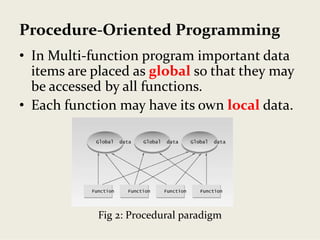
• In Multi‐function program important data 
items are placed as global so that they may 
be accessed by all functions.
• Each function may have its own local data.
Fig 2: Procedural paradigm
Procedure‐Oriented Programming
Drawbacks:
• Since every function has complete access to the global 
variables, the new programmer can corrupt the data 
accidentally by creating function. 
• We can access the data of one function from other since, 
there is no protection.
• In large program it is very difficult to identify what data is 
used by which function.
• Similarly, if new data is to be added, all the function 
needed to be modified to access the data.
• Does not model real world problem very well.
Procedure‐Oriented Programming
Characteristics:
• Emphasis is on doing things (algorithms).
• Large programs are divided into smaller programs known 
as functions.
• Most of the functions share global data.
• Data move openly around the system from function to 
function.
• Functions transform data from one form to another.
• Employs top‐down approach in program design.
Top‐Down Approach
• Top‐down decomposition is the process of breaking the 
overall procedure or task into component parts (modules) 
and then subdivide each component module until the 
lowest level of detail has been reached. 
• Example :The payroll system of a company can contain the 
following modules or tasks
– Master file
– Earnings
– Deductions
– Taxing
– Net earning
– Print reports
Object‐Oriented Programming
• OOP was introduced to overcome flaws in 
the procedural approach to programming.
• Such as lack of reusability & maintainability.
• Fundamental idea behind object‐oriented 
languages is to combine into a single unit 
both data and the functions that operate 
on that data. 
• Such a unit is called an object.
Object‐Oriented Programming
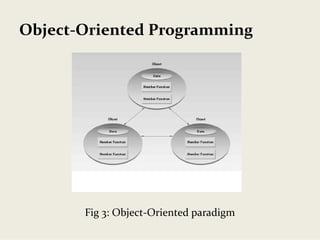
• In OOP, problem is divided into the number of 
entities called objects and then builds data and 
functions around these objects.
• It ties the data more closely to the functions that 
operate on it, and protects it from accidental 
modification from the outside functions.
• Data of an object can be accessed only by the 
functions associated with that object.
• Communication of the objects done through 
function.
Object‐Oriented Programming
Fig 3: Object‐Oriented paradigm
Object‐Oriented Programming
Characteristics:
• Emphasis on data rather than procedure.
• Programs are divided into entities known as objects.
• Data Structures are designed such that they characterize 
objects.
• Functions that operate on data of an object are tied 
together in data structures.
• Data is hidden and cannot be accessed by external 
functions.
• Objects communicate with each other through functions.
• New data and functions can be easily added whenever 
necessary.
• Follows bottom up design in program design.
Bottom up approach
• Reverse top‐down approach.
• Lower level tasks are first carried out and are then 
integrated to provide the solution of a single 
program.
• Lower level structures of the program are evolved 
first then higher level structures are created.
• It promotes code reuse.
• It may allow unit testing.  
Basic Concepts of oops
1. Objects
2. Classes
3. Data Abstraction
4. Data Encapsulation
5. Inheritance
6. Polymorphism
7. Dynamic binding 
8. Message Passing
Objects 
Attributes
Operation
OperationOperation
Operation
Objects 
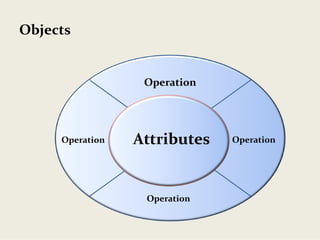
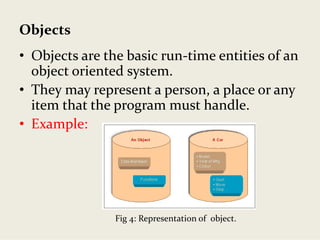
• Objects are the basic run‐time entities of an 
object oriented system. 
• They may represent a person, a place or any 
item that the program must handle. 
• Example:
Fig 4: Representation of  object.
Objects 
• When a program is executed, the objects 
interact by sending messages to one 
another.
• For e.g. if “customer” and “account” are two 
objects in a program, then the customer 
object may send a message to the account 
object requesting for the bank balance.
• Each object contains data, and code to 
manipulate the data.
Classes
Class
Classes
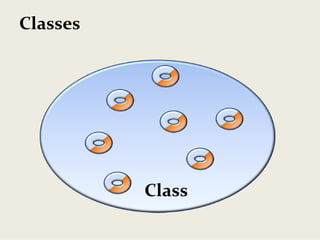
• Classes are user‐defined data types and it 
behaves like built in types of programming 
language.
• Object contains code and data which can be 
made user define type using class.
• Objects are variables of class.
• Once a class has been defined we can create 
any number of objects for that class.
• A class is collections of objects of similar 
type.
Classes
• We can create object of class using following 
syntax,
• Syntax: class-name object-name;
• Here class name is class which is already created. 
Object name is any user define name. For 
example, if Student is class,
• Example:  Student ram, sham;
• In example ram and sham are name of objects for 
class Student. We can create any number of 
objects for class.
Encapsulation
Encapsulation
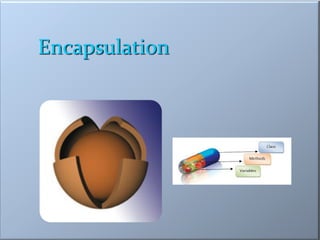
• Encapsulation is the first pillar or principle of 
object‐oriented programming.
• In simple words, “Encapsulation is a process of 
binding data members (variables, properties) 
and member functions (methods) into a single 
unit”.
• And Class is the best example of encapsulation.
Encapsulation
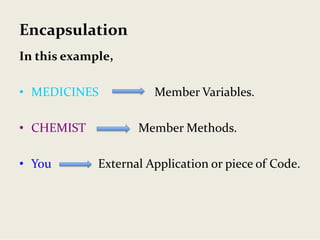
• For example: Medical store
• Lets say you have to buy some medicines. You go to 
the medical store and ask the chemist for the 
medicines. 
• Only the chemist has access to the medicines in the 
store based on your prescription. 
• The chemist knows what medicines to give to you.
• This reduces the risk of you taking any medicine 
that is not intended for you. 
Encapsulation
In this example,
• MEDICINES Member Variables.
• CHEMIST Member Methods.
• You External Application or piece of Code.
Encapsulation
Encapsulation
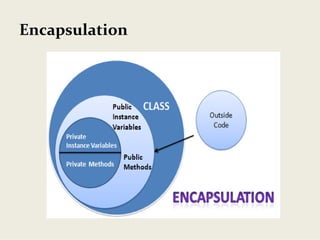
• Through Encapsulation, Data is not 
accessible to the outside world, and only 
those functions which are wrapped in the 
class can access it.
• Encapsulation solves the problem at the 
implementation level.
• A class can specify how accessible each of its 
members (variables, properties, and 
methods) is to code outside of the class.
Encapsulation
• So encapsulation means hiding the
important features of a class which is not
been needed to be exposed outside of a class
and exposing only necessary things of a class.
• Here hidden part of a class acts like
Encapsulation and exposed part of a class
acts like Abstraction.
Abstraction
Abstraction
• Abstraction refers representation of 
necessary features without including more 
details or explanations.
• Data abstraction is a programming (and 
design) technique that relies on the 
separation of interface and implementation.
Abstraction
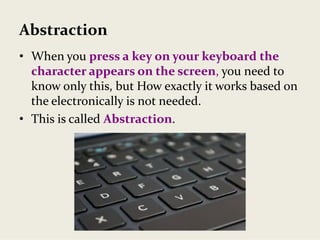
• When you press a key on your keyboard the 
character appears on the screen, you need to 
know only this, but How exactly it works based on 
the electronically is not needed.
• This is called Abstraction.
Abstraction
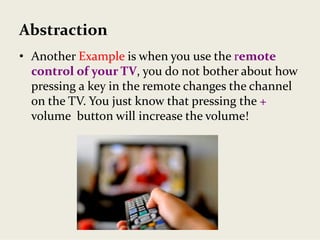
• Another Example is when you use the remote 
control of your TV, you do not bother about how 
pressing a key in the remote changes the channel 
on the TV. You just know that pressing the + 
volume  button will increase the volume!
Inheritance
Inheritance
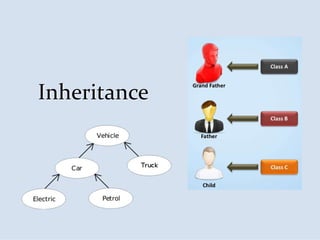
• The mechanism of deriving a new class 
from an old class is called inheritance or 
derivation. 
• The old class is known as base class while 
new class is known as derived class or sub 
class.
• The inheritance is the most powerful
features of OOP.
Inheritance
• For Example:
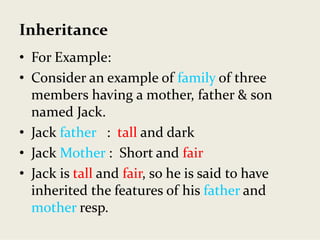
• Consider an example of family of three 
members having a mother, father & son 
named Jack.
• Jack father :  tall and dark
• Jack Mother :  Short and fair
• Jack is tall and fair, so he is said to have 
inherited the features of his father and 
mother resp.
Inheritance
• Through effective use of inheritance, you can 
save lot of time in your programming and 
also reduce errors
• Which in turn will increase the quality of 
work and productivity.
Inheritance
The different types of Inheritance are:
1. Single Inheritance
2. Hierarchical Inheritance
3. Multiple Inheritance
4. Multi Level Inheritance
• We will explain all of the above in detail later 
when we cover Inheritance.
Polymorphism
Polymorphism
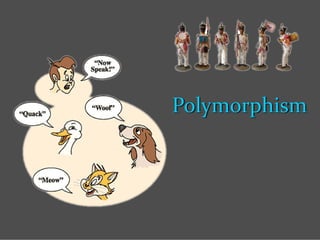
• Polymorphism is a Greek term which means
ability to take more than one form.
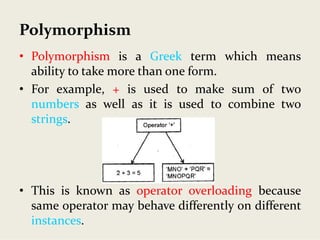
• For example, + is used to make sum of two
numbers as well as it is used to combine two
strings.
• This is known as operator overloading because
same operator may behave differently on different
instances.
Polymorphism
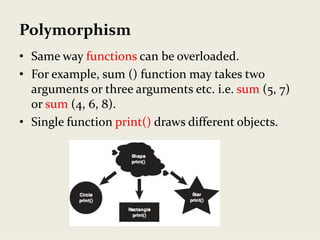
• Same way functions can be overloaded. 
• For example, sum () function may takes two 
arguments or three arguments etc. i.e. sum (5, 7) 
or sum (4, 6, 8).
• Single function print() draws different objects.
Dynamic binding
• Binding means link between procedure call 
and code to be execute.
• It is the process of linking of a function call 
to the actual code of the function at run‐
time.
• That is, in dynamic binding, the actual code 
to be executed is not known to the compiler 
until run‐time. 
• It is also known late binding.
Dynamic binding
• For example, complier comes to know at 
runtime that which function of sum will be 
call either with two arguments or with three 
arguments. 
Message Passing
Message Passing
• Objects can communicate with each others by 
passing message same as people passing message 
with each other.
• Objects can send or receive message or information.
• Message passing involves the following basic steps:
– Creating classes that define objects & their behavior.
– Creating objects from class definitions.
– Establishing communication among objects.
• Concept of message passing makes it easier to talk 
about building systems that directly model or 
simulate their real‐world counterparts.
Message Passing
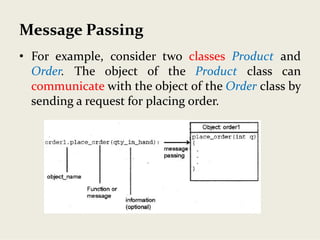
• For example, consider two classes Product and
Order. The object of the Product class can
communicate with the object of the Order class by
sending a request for placing order.
Message Passing
FacultyObjectStudentObject
MgmtObject Performance
Result
Performance
Benefits of OOP
• User can create new data type or users define data
type by making class.
• Code can be reuse by using inheritance.
• Data can be hiding from outside world by using
encapsulation.
• Operators or functions can be overloaded by using
polymorphism, so same functions or operators can
be used for multitasking.
Benefits of OOP
• Object oriented system can be easily upgrade from
small system to large system.
• It is easy to partition work for same project.
• Message passing techniques make communication
easier.
• Software complexity can be easily managed.
• Maintenances cost is less.
• Simple to implement.
Areas for applications of OOP
• Real time systems
• Simulation and modeling
• Object oriented database
• Hypertext, hypermedia and expertext
• AI and expert systems
• Neural network and parallel programming
• Decision support system
• Office automation system
• CIM / CAM / CAD systems
Introduction to oops concepts

Introduction to oops concepts