Sharbani
Bhattacharya
Visual Basic -
Structures
Govt. Polytechnic(W)
Faridabad
29th August 2016
Information and Data
Information describes facts and can be
presented or found in any format,
whether that format is optimized for
humans or for computers
Data
The term data is used to describe
information that has been collated,
ordered, and formatted in such a way
that it can be used by a piece of
computer software.
Declaration of Variables
The base underpinning of all software is
the algorithm. Before you can write
software to solve a problem, you have to
break it down into a step-by-step
description of how the problem is going
to be solved.
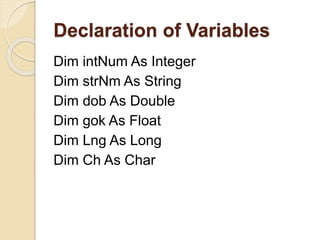
Declaration of Variables
Dim intNum As Integer
Dim strNm As String
Dim dob As Double
Dim gok As Float
Dim Lng As Long
Dim Ch As Char
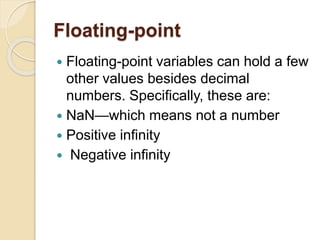
Floating-point
 Floating-point variables can hold a few
other values besides decimal
numbers. Specifically, these are:
 NaN—which means not a number
 Positive infinity
 Negative infinity
Concatenation
Concatenation means linking things
together in a chain or series; to join
them. If you have two strings that you
join together, one after the other, you
say they are concatenated.
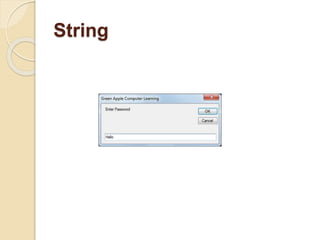
String
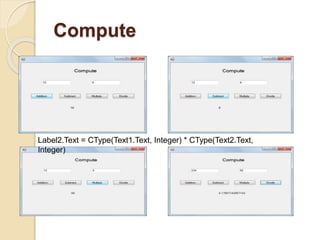
Compute
Label2.Text = CType(Text1.Text, Integer) * CType(Text2.Text,
Integer)
Date
The Date data type can be used to hold
a value that represents any date and
time. After creating the variable, you
initialized it to the current date and time
using the Now property.
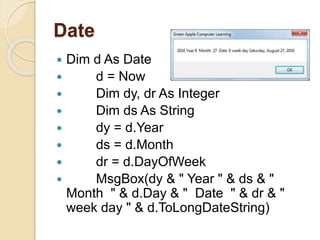
Date
 Dim d As Date
 d = Now
 Dim dy, dr As Integer
 Dim ds As String
 dy = d.Year
 ds = d.Month
 dr = d.DayOfWeek
 MsgBox(dy & " Year " & ds & "
Month " & d.Day & " Date " & dr & "
week day " & d.ToLongDateString)
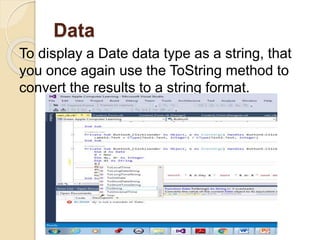
Data
To display a Date data type as a string, that
you once again use the ToString method to
convert the results to a string format.
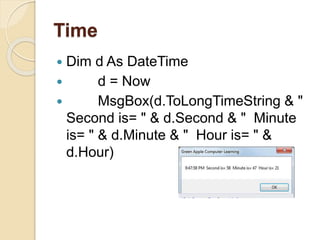
Time
 Dim d As DateTime
 d = Now
 MsgBox(d.ToLongTimeString & "
Second is= " & d.Second & " Minute
is= " & d.Minute & " Hour is= " &
d.Hour)
Method
A method is a self-contained block of
code that does something. Methods,
also called procedures, are essential for
two reasons.
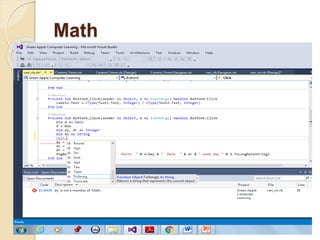
Math
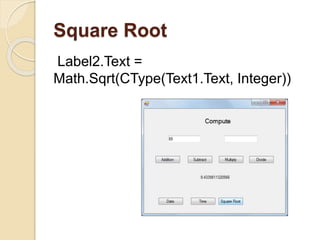
Square Root
Label2.Text =
Math.Sqrt(CType(Text1.Text, Integer))
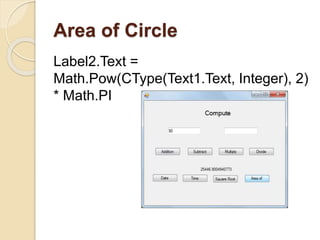
Area of Circle
Label2.Text =
Math.Pow(CType(Text1.Text, Integer), 2)
* Math.PI
IF THEN ELSE
If the statement were true, the line
between the If and End If lines would
have executed. However, in this
instance the statement was false, so the
next line to be executed was the first line
directly following the End If
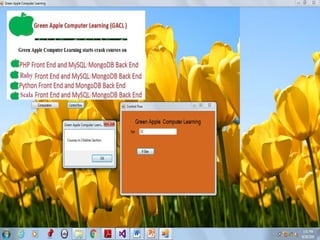
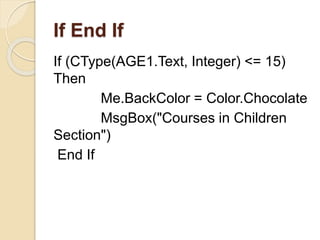
If End If
If (CType(AGE1.Text, Integer) <= 15)
Then
Me.BackColor = Color.Chocolate
MsgBox("Courses in Children
Section")
End If
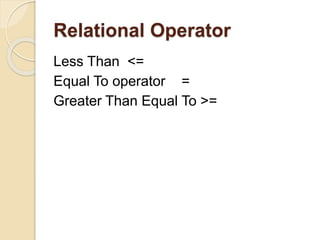
Relational Operator
Less Than <=
Equal To operator =
Greater Than Equal To >=
And and Or Operators
The Or operator is a great way of
building If statements that compare two
different values in a single hit.
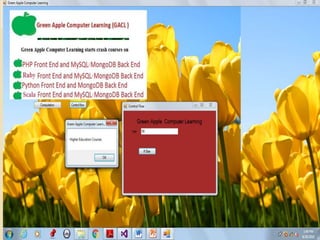
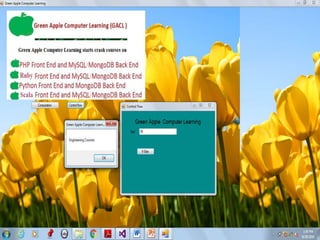
If and Else
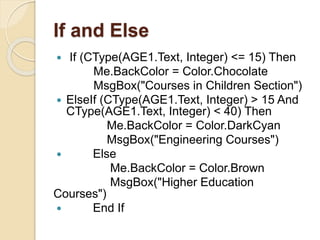
 If (CType(AGE1.Text, Integer) <= 15) Then
Me.BackColor = Color.Chocolate
MsgBox("Courses in Children Section")
 ElseIf (CType(AGE1.Text, Integer) > 15 And
CType(AGE1.Text, Integer) < 40) Then
Me.BackColor = Color.DarkCyan
MsgBox("Engineering Courses")
 Else
Me.BackColor = Color.Brown
MsgBox("Higher Education
Courses")
 End If
String Comparison
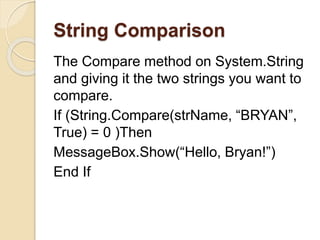
The Compare method on System.String
and giving it the two strings you want to
compare.
If (String.Compare(strName, “BRYAN”,
True) = 0 )Then
MessageBox.Show(“Hello, Bryan!”)
End If
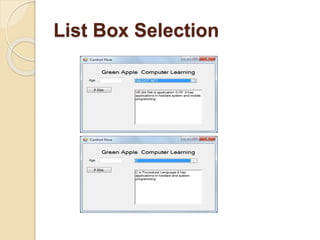
ListBox
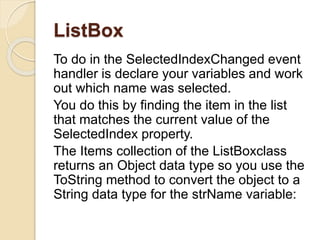
To do in the SelectedIndexChanged event
handler is declare your variables and work
out which name was selected.
You do this by finding the item in the list
that matches the current value of the
SelectedIndex property.
The Items collection of the ListBoxclass
returns an Object data type so you use the
ToString method to convert the object to a
String data type for the strName variable:
List Box Selection
List Box Selection
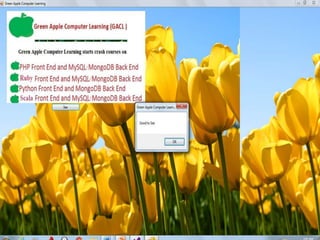
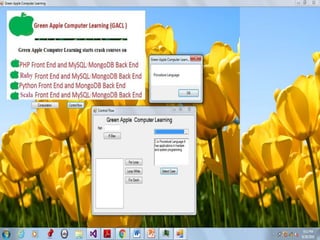
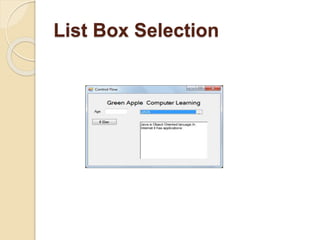
If (ListBox1.SelectedIndex = 0) Then
Rich1.Text = "Java is Object Oriented lanuage.
In Internet it has applications“
ElseIf (ListBox1.SelectedIndex = 1) Then
Rich1.Text = "C is Procedural Language.
It has applications in hardare and system
programming“
ElseIf (ListBox1.SelectedIndex = 2) Then
Rich1.Text = "VB dot Net is application S/W .
It has applications in hardare,system and
mobile programming“
End If
List Box Selection
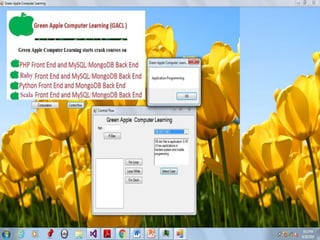
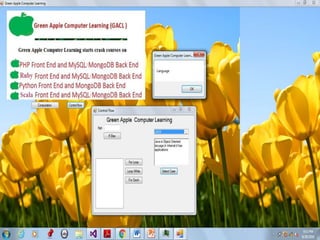
Select Case
Select Case is a powerful and easy-to-
use technique for making a choice from
several options.
Select Case
 Dim strName As String
 strName = ListBox1.SelectedItem
 Select Case strName
 Case "JAVA"
 MsgBox("Language")
 Case "C"
 MsgBox("Procedure
Language")
 Case "VB DOT NET"
 MsgBox("Application
Programming")
 End Select
Loops
 For loops—These loops occur a
certain number of times (for example,
exactly 10 times).
 Do loops—These loops keep running
until a certain condition is reached (for
example, until all of the data is
processed).
For Loop
 Students.Items.Clear()
 Dim intCount As Integer
 'Perform a Loop For intCount As
Integer = 4 To 28 Step 7
 For intCount = 4 To 28 Step 7

Students.Items.Add(intCount.ToString)
 Next
 End Sub
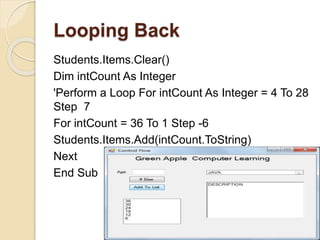
Looping Back
Students.Items.Clear()
Dim intCount As Integer
'Perform a Loop For intCount As Integer = 4 To 28
Step 7
For intCount = 36 To 1 Step -6
Students.Items.Add(intCount.ToString)
Next
End Sub
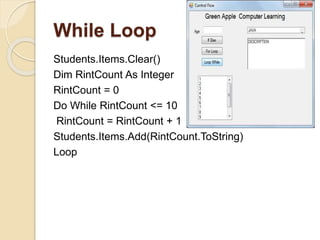
While Loop
Students.Items.Clear()
Dim RintCount As Integer
RintCount = 0
Do While RintCount <= 10
RintCount = RintCount + 1
Students.Items.Add(RintCount.ToString)
Loop
Do While
A Do While . . . Loop keeps running so
long as the given expression remains
True. As soon as the expression
becomes False, the loop quits. When
you start the loop, you check to make
sure that intRandomNumber is less than
15. If it is, the expression returns True,
and you can run the code within the
loop:
Quitting Loop
Using the Exit For statement to short-
circuit the loop is a very easy way to
improve the performance of your
application.
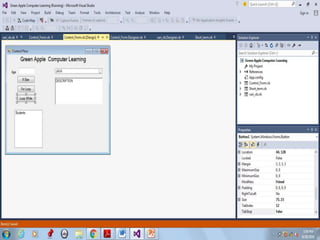
While Loop
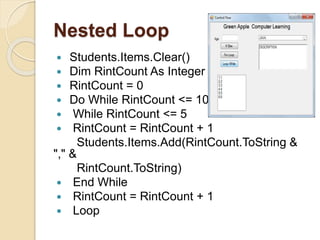
Nested Loop
 Students.Items.Clear()
 Dim RintCount As Integer
 RintCount = 0
 Do While RintCount <= 10
 While RintCount <= 5
 RintCount = RintCount + 1
Students.Items.Add(RintCount.ToString &
"," &
RintCount.ToString)
 End While
 RintCount = RintCount + 1
 Loop
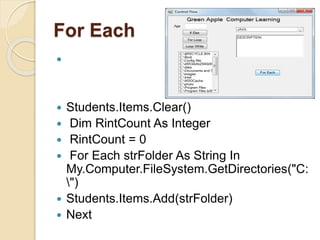
For Each

 Students.Items.Clear()
 Dim RintCount As Integer
 RintCount = 0
 For Each strFolder As String In
My.Computer.FileSystem.GetDirectories("C:
")
 Students.Items.Add(strFolder)
 Next
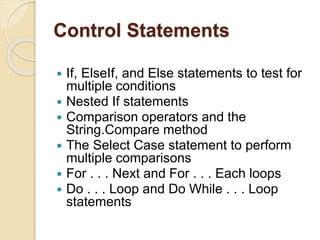
Control Statements
 If, ElseIf, and Else statements to test for
multiple conditions
 Nested If statements
 Comparison operators and the
String.Compare method
 The Select Case statement to perform
multiple comparisons
 For . . . Next and For . . . Each loops
 Do . . . Loop and Do While . . . Loop
statements
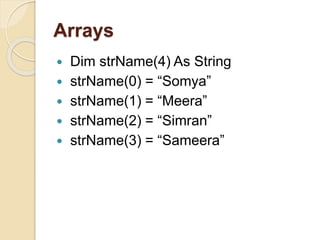
Arrays
 Dim strName(4) As String
 strName(0) = “Somya”
 strName(1) = “Meera”
 strName(2) = “Simran”
 strName(3) = “Sameera”
Manipulating Lists of Complex Data
 Arrays
 Enumerations
 Constants
 Structures
Enumerations
Enumerations allow you to build a new
type of variable, based on one of these
data types: Integer, Long, Short, or
Byte.
This variable can be set to one value of
a set of possible values that you define,
and ideally prevent someone from
supplying invalid values.
Enumerations
 Create a new Windows Forms
Application in Visual Studio 2008 called
Enum Demo.
 Set the Text property of Form1 to What‘s
Richard Doing?
 Now add a DateTimePicker control and
set the following properties:
 Set Name to dtpHour.
 Set Format to Time.
 Set ShowUpDown to True.
 Set Value to 00:00 am.
 Set Size to 90, 20.
Constants
The code defining a string literal gives
the name of a file twice. This is poor
programming practice because if both
methods are supposed to access the
same file, and if that file name changes,
this change has to be made in two
separate places.
Constants
A constant is actually a type of value
that cannot be changed when the
program is running. It is defined as a
variable, but you add Const to the
definition indicating that this variable is
constant and cannot change.
Structures
Applications commonly need to store
several pieces of information of different
data types that all relate to one thing
and must be kept together in a group,
such as a customer‘s name and
address (strings) and balance (a
number). Usually
Structures
A structure using a
Structure.
End Structure statement.
Inside this block, the variables that
make up the structure are declared by
name and type: These variables are
called members of the structure.
Working with ArrayLists
Suppose you need to store a set of Customer structures.
You could use an array, but in some cases the array might
not be so easy to use.
 If you need to add a new Customer to the array, you
need to change the size of the array and insert the new
item in the new last position in the array. (You’ll learn
how to change the size of an array later in this chapter.)
 If you need to remove a Customer from the array, you
need to look at each item in the array in turn. When you
find the one you want, you have to create another
version of the array one element smaller than the
original array and copy every item except the one you
want to delete into the new array.
 If you need to replace a Customer in the array with
another customer, you need to look at each item in turn
until you find the one you want and then replace it
manually.
Collection
The ArrayList is a kind of collection,
which the .NET Framework uses
extensively. A collection is a way of
easily creating ad hoc groups of similar
or related items.
Collection
A given class can have only a single
default property, and that property must
take a parameter of some kind. This
parameter must be an index or search
term of some description.
The one used here provides an index to an
element in a collection list. You can have
multiple overloaded versions of the same
property so that, for example, you could
provide an e-mail address rather than an
index. This provides a great deal of
flexibility to enhance your class further.
THANK YOU

Sharbani bhattacharya VB Structures

  • 1.
    Sharbani Bhattacharya Visual Basic - Structures Govt.Polytechnic(W) Faridabad 29th August 2016
  • 2.
    Information and Data Informationdescribes facts and can be presented or found in any format, whether that format is optimized for humans or for computers
  • 3.
    Data The term datais used to describe information that has been collated, ordered, and formatted in such a way that it can be used by a piece of computer software.
  • 4.
    Declaration of Variables Thebase underpinning of all software is the algorithm. Before you can write software to solve a problem, you have to break it down into a step-by-step description of how the problem is going to be solved.
  • 5.
    Declaration of Variables DimintNum As Integer Dim strNm As String Dim dob As Double Dim gok As Float Dim Lng As Long Dim Ch As Char
  • 6.
    Floating-point  Floating-point variablescan hold a few other values besides decimal numbers. Specifically, these are:  NaN—which means not a number  Positive infinity  Negative infinity
  • 7.
    Concatenation Concatenation means linkingthings together in a chain or series; to join them. If you have two strings that you join together, one after the other, you say they are concatenated.
  • 8.
  • 13.
    Compute Label2.Text = CType(Text1.Text,Integer) * CType(Text2.Text, Integer)
  • 14.
    Date The Date datatype can be used to hold a value that represents any date and time. After creating the variable, you initialized it to the current date and time using the Now property.
  • 15.
    Date  Dim dAs Date  d = Now  Dim dy, dr As Integer  Dim ds As String  dy = d.Year  ds = d.Month  dr = d.DayOfWeek  MsgBox(dy & " Year " & ds & " Month " & d.Day & " Date " & dr & " week day " & d.ToLongDateString)
  • 16.
    Data To display aDate data type as a string, that you once again use the ToString method to convert the results to a string format.
  • 17.
    Time  Dim dAs DateTime  d = Now  MsgBox(d.ToLongTimeString & " Second is= " & d.Second & " Minute is= " & d.Minute & " Hour is= " & d.Hour)
  • 18.
    Method A method isa self-contained block of code that does something. Methods, also called procedures, are essential for two reasons.
  • 19.
  • 20.
  • 21.
    Area of Circle Label2.Text= Math.Pow(CType(Text1.Text, Integer), 2) * Math.PI
  • 25.
    IF THEN ELSE Ifthe statement were true, the line between the If and End If lines would have executed. However, in this instance the statement was false, so the next line to be executed was the first line directly following the End If
  • 26.
    If End If If(CType(AGE1.Text, Integer) <= 15) Then Me.BackColor = Color.Chocolate MsgBox("Courses in Children Section") End If
  • 27.
    Relational Operator Less Than<= Equal To operator = Greater Than Equal To >=
  • 28.
    And and OrOperators The Or operator is a great way of building If statements that compare two different values in a single hit.
  • 29.
    If and Else If (CType(AGE1.Text, Integer) <= 15) Then Me.BackColor = Color.Chocolate MsgBox("Courses in Children Section")  ElseIf (CType(AGE1.Text, Integer) > 15 And CType(AGE1.Text, Integer) < 40) Then Me.BackColor = Color.DarkCyan MsgBox("Engineering Courses")  Else Me.BackColor = Color.Brown MsgBox("Higher Education Courses")  End If
  • 30.
    String Comparison The Comparemethod on System.String and giving it the two strings you want to compare. If (String.Compare(strName, “BRYAN”, True) = 0 )Then MessageBox.Show(“Hello, Bryan!”) End If
  • 31.
    ListBox To do inthe SelectedIndexChanged event handler is declare your variables and work out which name was selected. You do this by finding the item in the list that matches the current value of the SelectedIndex property. The Items collection of the ListBoxclass returns an Object data type so you use the ToString method to convert the object to a String data type for the strName variable:
  • 32.
  • 33.
    List Box Selection If(ListBox1.SelectedIndex = 0) Then Rich1.Text = "Java is Object Oriented lanuage. In Internet it has applications“ ElseIf (ListBox1.SelectedIndex = 1) Then Rich1.Text = "C is Procedural Language. It has applications in hardare and system programming“ ElseIf (ListBox1.SelectedIndex = 2) Then Rich1.Text = "VB dot Net is application S/W . It has applications in hardare,system and mobile programming“ End If
  • 34.
  • 35.
    Select Case Select Caseis a powerful and easy-to- use technique for making a choice from several options.
  • 36.
    Select Case  DimstrName As String  strName = ListBox1.SelectedItem  Select Case strName  Case "JAVA"  MsgBox("Language")  Case "C"  MsgBox("Procedure Language")  Case "VB DOT NET"  MsgBox("Application Programming")  End Select
  • 39.
    Loops  For loops—Theseloops occur a certain number of times (for example, exactly 10 times).  Do loops—These loops keep running until a certain condition is reached (for example, until all of the data is processed).
  • 40.
    For Loop  Students.Items.Clear() Dim intCount As Integer  'Perform a Loop For intCount As Integer = 4 To 28 Step 7  For intCount = 4 To 28 Step 7  Students.Items.Add(intCount.ToString)  Next  End Sub
  • 42.
    Looping Back Students.Items.Clear() Dim intCountAs Integer 'Perform a Loop For intCount As Integer = 4 To 28 Step 7 For intCount = 36 To 1 Step -6 Students.Items.Add(intCount.ToString) Next End Sub
  • 43.
    While Loop Students.Items.Clear() Dim RintCountAs Integer RintCount = 0 Do While RintCount <= 10 RintCount = RintCount + 1 Students.Items.Add(RintCount.ToString) Loop
  • 44.
    Do While A DoWhile . . . Loop keeps running so long as the given expression remains True. As soon as the expression becomes False, the loop quits. When you start the loop, you check to make sure that intRandomNumber is less than 15. If it is, the expression returns True, and you can run the code within the loop:
  • 45.
    Quitting Loop Using theExit For statement to short- circuit the loop is a very easy way to improve the performance of your application.
  • 46.
  • 47.
    Nested Loop  Students.Items.Clear() Dim RintCount As Integer  RintCount = 0  Do While RintCount <= 10  While RintCount <= 5  RintCount = RintCount + 1 Students.Items.Add(RintCount.ToString & "," & RintCount.ToString)  End While  RintCount = RintCount + 1  Loop
  • 48.
    For Each   Students.Items.Clear() Dim RintCount As Integer  RintCount = 0  For Each strFolder As String In My.Computer.FileSystem.GetDirectories("C: ")  Students.Items.Add(strFolder)  Next
  • 49.
    Control Statements  If,ElseIf, and Else statements to test for multiple conditions  Nested If statements  Comparison operators and the String.Compare method  The Select Case statement to perform multiple comparisons  For . . . Next and For . . . Each loops  Do . . . Loop and Do While . . . Loop statements
  • 50.
    Arrays  Dim strName(4)As String  strName(0) = “Somya”  strName(1) = “Meera”  strName(2) = “Simran”  strName(3) = “Sameera”
  • 51.
    Manipulating Lists ofComplex Data  Arrays  Enumerations  Constants  Structures
  • 52.
    Enumerations Enumerations allow youto build a new type of variable, based on one of these data types: Integer, Long, Short, or Byte. This variable can be set to one value of a set of possible values that you define, and ideally prevent someone from supplying invalid values.
  • 53.
    Enumerations  Create anew Windows Forms Application in Visual Studio 2008 called Enum Demo.  Set the Text property of Form1 to What‘s Richard Doing?  Now add a DateTimePicker control and set the following properties:  Set Name to dtpHour.  Set Format to Time.  Set ShowUpDown to True.  Set Value to 00:00 am.  Set Size to 90, 20.
  • 54.
    Constants The code defininga string literal gives the name of a file twice. This is poor programming practice because if both methods are supposed to access the same file, and if that file name changes, this change has to be made in two separate places.
  • 55.
    Constants A constant isactually a type of value that cannot be changed when the program is running. It is defined as a variable, but you add Const to the definition indicating that this variable is constant and cannot change.
  • 56.
    Structures Applications commonly needto store several pieces of information of different data types that all relate to one thing and must be kept together in a group, such as a customer‘s name and address (strings) and balance (a number). Usually
  • 57.
    Structures A structure usinga Structure. End Structure statement. Inside this block, the variables that make up the structure are declared by name and type: These variables are called members of the structure.
  • 58.
    Working with ArrayLists Supposeyou need to store a set of Customer structures. You could use an array, but in some cases the array might not be so easy to use.  If you need to add a new Customer to the array, you need to change the size of the array and insert the new item in the new last position in the array. (You’ll learn how to change the size of an array later in this chapter.)  If you need to remove a Customer from the array, you need to look at each item in the array in turn. When you find the one you want, you have to create another version of the array one element smaller than the original array and copy every item except the one you want to delete into the new array.  If you need to replace a Customer in the array with another customer, you need to look at each item in turn until you find the one you want and then replace it manually.
  • 59.
    Collection The ArrayList isa kind of collection, which the .NET Framework uses extensively. A collection is a way of easily creating ad hoc groups of similar or related items.
  • 60.
    Collection A given classcan have only a single default property, and that property must take a parameter of some kind. This parameter must be an index or search term of some description. The one used here provides an index to an element in a collection list. You can have multiple overloaded versions of the same property so that, for example, you could provide an e-mail address rather than an index. This provides a great deal of flexibility to enhance your class further.
  • 61.