Applet Execution


                   1
Objectives

On completion of this period, you will be able to
  learn
• Applet execution


                                                    2
Recap

In the last class ,we have studied about
• How to write a simple applet program
• We have learned the importance of each
  statement in the applet program
• Let’s learn how to execute an applet


                                           3
Applet Execution

• Applets do not begin execution at
   • main( )
• Instead, an applet begins execution when the
  name of its class is passed to an applet viewer
  or to a web browser


                                                    4
Applet Execution            contd..

• The steps in execution of an applet program
  • Type and save the applet program with a text
    editor
  • Compile in the same way that you have been
    compiling other Java programs
  • However, running SimpleApplet involves a
    different process


                                                   5
Applet Execution         contd..

•  Two ways to run an applet:
  1. Executing the applet within a Java-
      compatible web browser
  2. Using appletviewer
• An applet viewer executes your applet in a
   window
• This is generally the fastest and easiest way
   to test your applet


                                                  6
Applet Execution       contd..

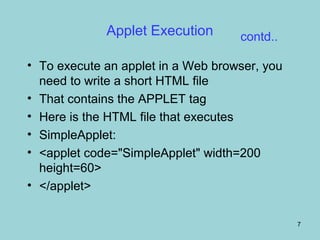
• To execute an applet in a Web browser, you
  need to write a short HTML file
• That contains the APPLET tag
• Here is the HTML file that executes
• SimpleApplet:
• <applet code="SimpleApplet" width=200
  height=60>
• </applet>

                                               7
Applet Execution         contd..

• The width and height arguments specify the
  dimensions of the display area used by the
  applet
• After you create this file, you can execute your
  applet through web browser
• By loading this file, in the browser the
  SimpleApplet program will be to be executed


                                                     8
Applet Execution         contd..
• To execute SimpleApplet with an applet viewer,
  you may also execute the HTML file shown
  earlier
• For example, if the preceding HTML file is called
  RunApp.html
• Then the following command line will run
  SimpleApplet
• C:>appletviewer RunApp.html


                                                  9
Applet Execution             contd..
• There is another approach to execute applet
  using appletviewer
• The steps are
  • Write the applet tag in the applet program itself inside
    comments
  • Write and save the applet program
  • Compile as usual
  • Execute applet using the following command
     • appletviewer SimpleApplet.java


                                                           10
Applet Execution           contd..
SimpleApplet source file looks like this:
import java.awt.*;
import java.applet.*;
/*
<applet code="SimpleApplet" width=200 height=60>
</applet>
*/
public class SimpleApplet extends Applet {
   public void paint(Graphics g) {
       g.drawString("A Simple Applet", 20, 20);
   }
}


                                                   11
Summary

     In this class, you have learnt
•   Applets do not need a main( ) method
•   Applets must be run under an applet viewer or a
    Java-compatible browser
•   User I/O is not accomplished with Java’s stream
    I/O classes
•   Instead, applets use the interface provided by
    the AWT to interact with user


                                                  12
Frequently Asked Questions

• Write the different steps involved in Applet
  execution


                                                 13
Quiz

1. Appletviewer tool is provided by JDK only test
    the applet during the development of applet
   1. true
   2. false


                                                    14
Quiz

2. Is executing an applet using an appletviewer
    is fastest and easiest way to test your applet
   – yes
   – no


                                                     15

Applet execution

  • 1.
  • 2.
    Objectives On completion ofthis period, you will be able to learn • Applet execution 2
  • 3.
    Recap In the lastclass ,we have studied about • How to write a simple applet program • We have learned the importance of each statement in the applet program • Let’s learn how to execute an applet 3
  • 4.
    Applet Execution • Appletsdo not begin execution at • main( ) • Instead, an applet begins execution when the name of its class is passed to an applet viewer or to a web browser 4
  • 5.
    Applet Execution contd.. • The steps in execution of an applet program • Type and save the applet program with a text editor • Compile in the same way that you have been compiling other Java programs • However, running SimpleApplet involves a different process 5
  • 6.
    Applet Execution contd.. • Two ways to run an applet: 1. Executing the applet within a Java- compatible web browser 2. Using appletviewer • An applet viewer executes your applet in a window • This is generally the fastest and easiest way to test your applet 6
  • 7.
    Applet Execution contd.. • To execute an applet in a Web browser, you need to write a short HTML file • That contains the APPLET tag • Here is the HTML file that executes • SimpleApplet: • <applet code="SimpleApplet" width=200 height=60> • </applet> 7
  • 8.
    Applet Execution contd.. • The width and height arguments specify the dimensions of the display area used by the applet • After you create this file, you can execute your applet through web browser • By loading this file, in the browser the SimpleApplet program will be to be executed 8
  • 9.
    Applet Execution contd.. • To execute SimpleApplet with an applet viewer, you may also execute the HTML file shown earlier • For example, if the preceding HTML file is called RunApp.html • Then the following command line will run SimpleApplet • C:>appletviewer RunApp.html 9
  • 10.
    Applet Execution contd.. • There is another approach to execute applet using appletviewer • The steps are • Write the applet tag in the applet program itself inside comments • Write and save the applet program • Compile as usual • Execute applet using the following command • appletviewer SimpleApplet.java 10
  • 11.
    Applet Execution contd.. SimpleApplet source file looks like this: import java.awt.*; import java.applet.*; /* <applet code="SimpleApplet" width=200 height=60> </applet> */ public class SimpleApplet extends Applet { public void paint(Graphics g) { g.drawString("A Simple Applet", 20, 20); } } 11
  • 12.
    Summary In this class, you have learnt • Applets do not need a main( ) method • Applets must be run under an applet viewer or a Java-compatible browser • User I/O is not accomplished with Java’s stream I/O classes • Instead, applets use the interface provided by the AWT to interact with user 12
  • 13.
    Frequently Asked Questions •Write the different steps involved in Applet execution 13
  • 14.
    Quiz 1. Appletviewer toolis provided by JDK only test the applet during the development of applet 1. true 2. false 14
  • 15.
    Quiz 2. Is executingan applet using an appletviewer is fastest and easiest way to test your applet – yes – no 15