APP DESIGN PROCESS
ADS
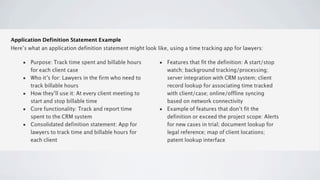
APPLICATION DEFINITION STATEMENT


•a concise, concrete declaration of an app’s main purpose and its intended
 audience

• usethe definition statement to decide if potential features and behaviors make
 sense
LIST ALL THE FEATURES YOU THINK
               USERS MIGHT LIKE
• an   app that helps people shop for groceries
• come  up with a list of related tasks (potential features) that users might be
 interested in
• VERB

        •Creating lists                      •Getting and using coupons
        •Getting recipes                     •Viewing cooking demos
        •Comparing prices                    •Exploring different cuisines
        •Locating stores                     •Finding ingredient substitutions
        •Annotating recipes
DETERMINE WHO YOUR USERS ARE

•   Usually cook at home or prefer ready-made meals
•   Are committed coupon-users or think that coupons aren’t worth the effort
•   Enjoy hunting for speciality ingredients or seldom venture beyond the basics
•   Follow recipes strictly or use recipes as inspiration
•   Buy small amounts frequently or buy in bulk infrequently
•   Want to keep several in-progress lists for different purposes or just want to remember
    a few things to buy on the way home
•   Insist on specific brands or make do with the most convenient alternatives
DETERMINE WHO YOUR USERS ARE ~


• imaginethat you decide on three characteristics that best describe your target
 audience:

• USER: Love to experiment with recipes, are often in a hurry, and are thrifty (if it
 doesn’t take too much effort).
FILTER THE FEATURE LIST THROUGH THE
        AUDIENCE DEFINITION
• Great APPs      have a laser focus on the task users want to accomplish.

• it’s   not likely that every feature would be equally useful to every user

• it’s
     not likely that every feature would be equally appreciated by the audience
  you defined

• TASKS: Creating     lists, getting and using coupons, and getting recipes

• ADS: A     shopping list creation tool for thrifty people who love to cook.
DON’T STOP THERE

• Useyour application definition statement throughout the development process
 to determine the suitability of features, controls, and terminology

• askyourself whether it is essential to the main purpose of your app and to your
 target audience

• your
     users are interested in adventurous cooking, so emphasizing boxed cake
 mixes and ready-made meals would probably not be appreciated.

• ask
    yourself whether your users appreciate a simple, streamlined style or a more
 overtly thematic style
DON’T STOP THERE ~

• although your grocery list app needs to be easy to understand and quick to use,
 your audience is likely to appreciate a themed UI that includes beautiful pictures
 of ingredients and meals.

• Asyou consider the terminology to use, strive to match your audience’s
 expertise with the subject.

• Eventhough your audience might not be made up of expert chefs, you’re fairly
 confident that they appreciate seeing the proper terms for ingredients and
 techniques.
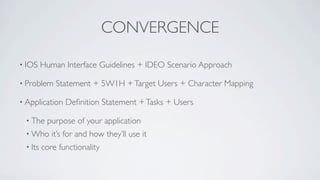
CONVERGENCE

• IOS    Human Interface Guidelines + IDEO Scenario Approach

• Problem    Statement + 5W1H + Target Users + Character Mapping

• Application   Definition Statement + Tasks + Users

 • The    purpose of your application
 • Who      it’s for and how they’ll use it
 • Its   core functionality
App design process part I

App design process part I

  • 1.
  • 2.
    ADS APPLICATION DEFINITION STATEMENT •aconcise, concrete declaration of an app’s main purpose and its intended audience • usethe definition statement to decide if potential features and behaviors make sense
  • 3.
    LIST ALL THEFEATURES YOU THINK USERS MIGHT LIKE • an app that helps people shop for groceries • come up with a list of related tasks (potential features) that users might be interested in • VERB •Creating lists •Getting and using coupons •Getting recipes •Viewing cooking demos •Comparing prices •Exploring different cuisines •Locating stores •Finding ingredient substitutions •Annotating recipes
  • 4.
    DETERMINE WHO YOURUSERS ARE • Usually cook at home or prefer ready-made meals • Are committed coupon-users or think that coupons aren’t worth the effort • Enjoy hunting for speciality ingredients or seldom venture beyond the basics • Follow recipes strictly or use recipes as inspiration • Buy small amounts frequently or buy in bulk infrequently • Want to keep several in-progress lists for different purposes or just want to remember a few things to buy on the way home • Insist on specific brands or make do with the most convenient alternatives
  • 5.
    DETERMINE WHO YOURUSERS ARE ~ • imaginethat you decide on three characteristics that best describe your target audience: • USER: Love to experiment with recipes, are often in a hurry, and are thrifty (if it doesn’t take too much effort).
  • 6.
    FILTER THE FEATURELIST THROUGH THE AUDIENCE DEFINITION • Great APPs have a laser focus on the task users want to accomplish. • it’s not likely that every feature would be equally useful to every user • it’s not likely that every feature would be equally appreciated by the audience you defined • TASKS: Creating lists, getting and using coupons, and getting recipes • ADS: A shopping list creation tool for thrifty people who love to cook.
  • 7.
    DON’T STOP THERE •Useyour application definition statement throughout the development process to determine the suitability of features, controls, and terminology • askyourself whether it is essential to the main purpose of your app and to your target audience • your users are interested in adventurous cooking, so emphasizing boxed cake mixes and ready-made meals would probably not be appreciated. • ask yourself whether your users appreciate a simple, streamlined style or a more overtly thematic style
  • 8.
    DON’T STOP THERE~ • although your grocery list app needs to be easy to understand and quick to use, your audience is likely to appreciate a themed UI that includes beautiful pictures of ingredients and meals. • Asyou consider the terminology to use, strive to match your audience’s expertise with the subject. • Eventhough your audience might not be made up of expert chefs, you’re fairly confident that they appreciate seeing the proper terms for ingredients and techniques.
  • 9.
    CONVERGENCE • IOS Human Interface Guidelines + IDEO Scenario Approach • Problem Statement + 5W1H + Target Users + Character Mapping • Application Definition Statement + Tasks + Users • The purpose of your application • Who it’s for and how they’ll use it • Its core functionality