Social Networking: Twitter
                     Valarie Anthony
                Valdosta State University
MLIS 7550 Computer Applications for Information Professionals
                       Spring 2013
Social Networking


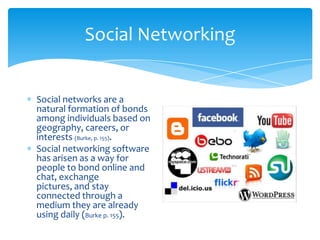
Social networks are a
natural formation of bonds
among individuals based on
geography, careers, or
interests (Burke, p. 155).
Social networking software
has arisen as a way for
people to bond online and
chat, exchange
pictures, and stay
connected through a
medium they are already
using daily (Burke p. 155).
Benefits of Social Networking


Social networking sites encourage communication
and keep people connected.
Social networking sites are usually free.
Social networking sites are easily accessible. All you
need is an internet connection.
Social networking helps people become more
comfortable with technology.
What is Twitter?


Twitter is a microblogging real-time information
network that connects you to the latest information
about what you find interesting.
Twitter is composed of small bursts of information
called Tweets.
Each Tweet is 140 characters in length.
Twitter Terminology


@: The @ sign is used to call out usernames in
Tweets, like this: Hello @Twitter! When a username is
preceded by the @ sign, it becomes a link to a Twitter
profile.
DM: Also called a Direct Message and most recently
called simply a "message," these Tweets are private
between the sender and recipient. Tweets sent over
SMS become DMs when they begin with "d
username" to specify who the message is for.
Twitter Terminology


Follow: To follow someone on Twitter is to subscribe
to their Tweets or updates on the site.
Follower: A follower is another Twitter user who has
followed you.
Mentions: Mentioning another user in your Tweet by
including the @ sign followed directly by their
username is called a "mention". Also refers to Tweets
in which your username was included.
What’s a hashtag?


The # symbol, called a hashtag, is used to
mark keywords or topics in a Tweet. It
was created organically by Twitter users
as a way to categorize messages.
People use the hashtag symbol # before a
relevant keyword or phrase (no spaces)
in their Tweet to categorize those Tweets
and help them show more easily in
Twitter Search.
Clicking on a hashtagged word in any
message shows you all other Tweets
marked with that keyword.
Hashtags can occur anywhere in the
Tweet – at the beginning, middle, or end.
Hashtagged words that become very
popular are often Trending Topics.
Cost of Twitter


Twitter is a free service.
There may be a cost by
your mobile phone carrier
if an individual uses
Twitter via text message
on their phone
Getting Started with Twitter


Watch the video to see how to get started with Twitter!
Libraries use Twitter to…


Publicize events
Notify of change in
operating hours
Highlight new resources
Market new services
People also use Twitter to…


Keep up with latest news
Find a job
Vent
Share information on a
certain topic
Follow their favorite
celebrity or business
Useful Twitter Resources


Visit the following websites for tips and videos on how
to use Twitter
  A Guide to Twitter in Libraries
    http://oedb.org/blogs/ilibrarian/2007/a-guide-to-twitter-
    in-libraries/
  Twitter LibGuides
    http://sdst.libguides.com/content.php?pid=192765&sid=1
    662159
References


Burke, J. (2009) Neal-Schuman Library Technology
Companion (3rd edition). Chicago: Neal-Schuman.
Howcast. How to Use Twitter. Online video clip. Youtube.
http://www.youtube.com/watch?v=J0xbjIE8cPM.
Twitter http://twitter.com/.

Anthony power point

  • 1.
    Social Networking: Twitter Valarie Anthony Valdosta State University MLIS 7550 Computer Applications for Information Professionals Spring 2013
  • 2.
    Social Networking Social networksare a natural formation of bonds among individuals based on geography, careers, or interests (Burke, p. 155). Social networking software has arisen as a way for people to bond online and chat, exchange pictures, and stay connected through a medium they are already using daily (Burke p. 155).
  • 3.
    Benefits of SocialNetworking Social networking sites encourage communication and keep people connected. Social networking sites are usually free. Social networking sites are easily accessible. All you need is an internet connection. Social networking helps people become more comfortable with technology.
  • 4.
    What is Twitter? Twitteris a microblogging real-time information network that connects you to the latest information about what you find interesting. Twitter is composed of small bursts of information called Tweets. Each Tweet is 140 characters in length.
  • 5.
    Twitter Terminology @: The@ sign is used to call out usernames in Tweets, like this: Hello @Twitter! When a username is preceded by the @ sign, it becomes a link to a Twitter profile. DM: Also called a Direct Message and most recently called simply a "message," these Tweets are private between the sender and recipient. Tweets sent over SMS become DMs when they begin with "d username" to specify who the message is for.
  • 6.
    Twitter Terminology Follow: Tofollow someone on Twitter is to subscribe to their Tweets or updates on the site. Follower: A follower is another Twitter user who has followed you. Mentions: Mentioning another user in your Tweet by including the @ sign followed directly by their username is called a "mention". Also refers to Tweets in which your username was included.
  • 7.
    What’s a hashtag? The# symbol, called a hashtag, is used to mark keywords or topics in a Tweet. It was created organically by Twitter users as a way to categorize messages. People use the hashtag symbol # before a relevant keyword or phrase (no spaces) in their Tweet to categorize those Tweets and help them show more easily in Twitter Search. Clicking on a hashtagged word in any message shows you all other Tweets marked with that keyword. Hashtags can occur anywhere in the Tweet – at the beginning, middle, or end. Hashtagged words that become very popular are often Trending Topics.
  • 8.
    Cost of Twitter Twitteris a free service. There may be a cost by your mobile phone carrier if an individual uses Twitter via text message on their phone
  • 9.
    Getting Started withTwitter Watch the video to see how to get started with Twitter!
  • 10.
    Libraries use Twitterto… Publicize events Notify of change in operating hours Highlight new resources Market new services
  • 11.
    People also useTwitter to… Keep up with latest news Find a job Vent Share information on a certain topic Follow their favorite celebrity or business
  • 12.
    Useful Twitter Resources Visitthe following websites for tips and videos on how to use Twitter A Guide to Twitter in Libraries http://oedb.org/blogs/ilibrarian/2007/a-guide-to-twitter- in-libraries/ Twitter LibGuides http://sdst.libguides.com/content.php?pid=192765&sid=1 662159
  • 13.
    References Burke, J. (2009)Neal-Schuman Library Technology Companion (3rd edition). Chicago: Neal-Schuman. Howcast. How to Use Twitter. Online video clip. Youtube. http://www.youtube.com/watch?v=J0xbjIE8cPM. Twitter http://twitter.com/.